
Dendrochronology Sebastian Hegenbart Joachim Kerschbaumer Dietmar Planitzer Introduction
Dendrochronology Sebastian Hegenbart Joachim Kerschbaumer Dietmar Planitzer
Introduction • Dendrochronology • Motivation and target • Preprocessing • Center point detection • Generating profiles and analysis

Dendrochronology • Tree-ring dating • Analysis of tree-ring growth patterns • Annual rings of different properties depending on weather, rain, temperatur, etc. in different years • Used to date pieces of wood and when they were felled.
Motivation and target • CT images of timber samples as input • Preprocessing for image enhancement • Skeletonizing • Detection of center point • Counting and analyzing annual rings
Implementation • Three major steps: –Preprocessing –Finding the Center –Generating Profiles
Preprocessing • Remove noise with a 3 x 3 Gauss filter • Local contrast enhancement • Isolate rings with a 5 x 5 Mexican Hat • Convert to binary with 50% threshold • Gabor Filtering • Skeletonization • Cleaning
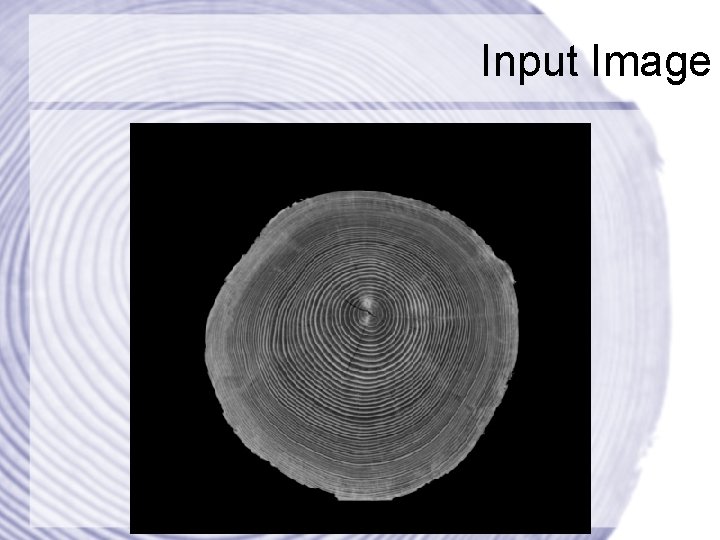
Input Image
Local Contrast Enhancement • Adaptive algorithm from Yu & Bajaj • Operates on a 5 x 5 window • Computes local pixel min/max/avg values • Applies a stretching window • Applies an adaptive transfer function
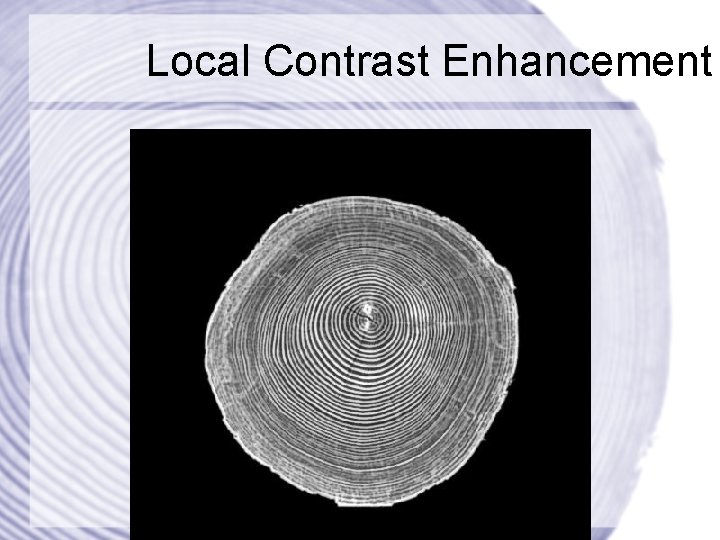
Local Contrast Enhancement
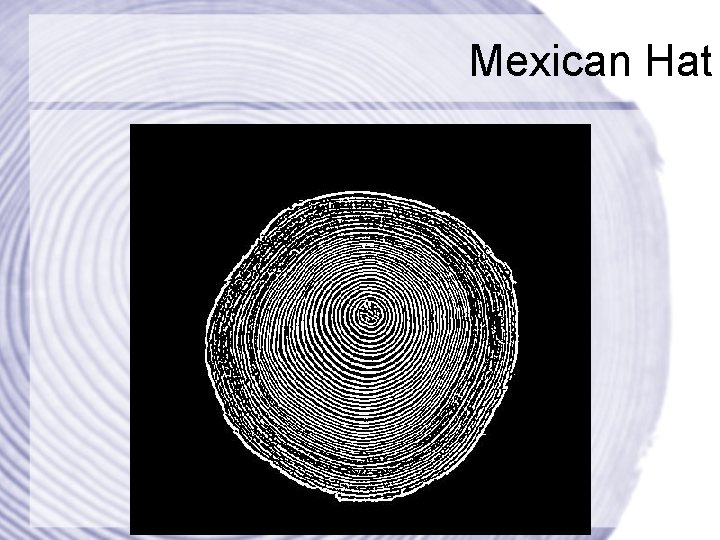
Mexican Hat
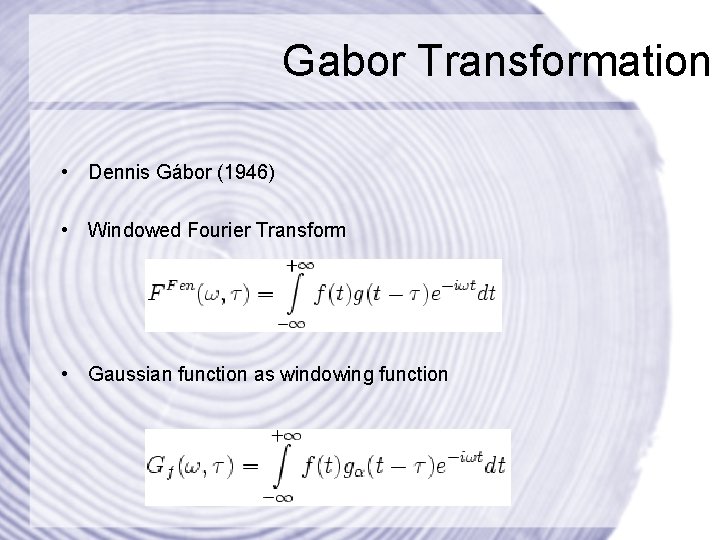
Gabor Transformation • Dennis Gábor (1946) • Windowed Fourier Transform • Gaussian function as windowing function
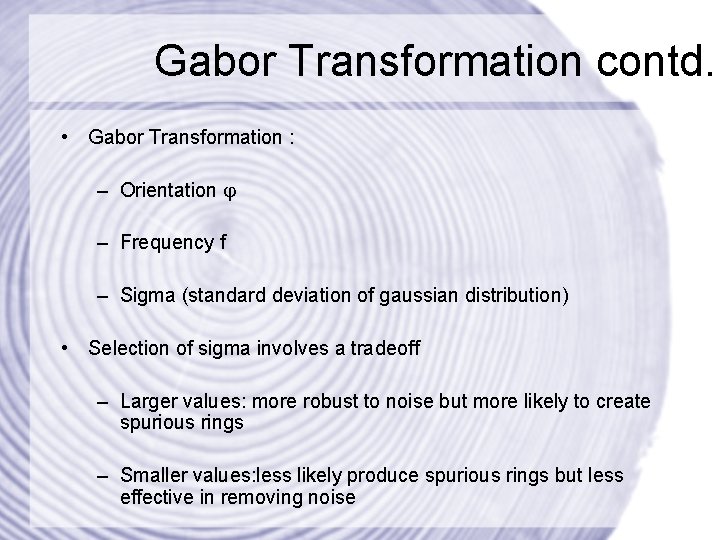
Gabor Transformation contd. • Gabor Transformation : – Orientation – Frequency f – Sigma (standard deviation of gaussian distribution) • Selection of sigma involves a tradeoff – Larger values: more robust to noise but more likely to create spurious rings – Smaller values: less likely produce spurious rings but less effective in removing noise
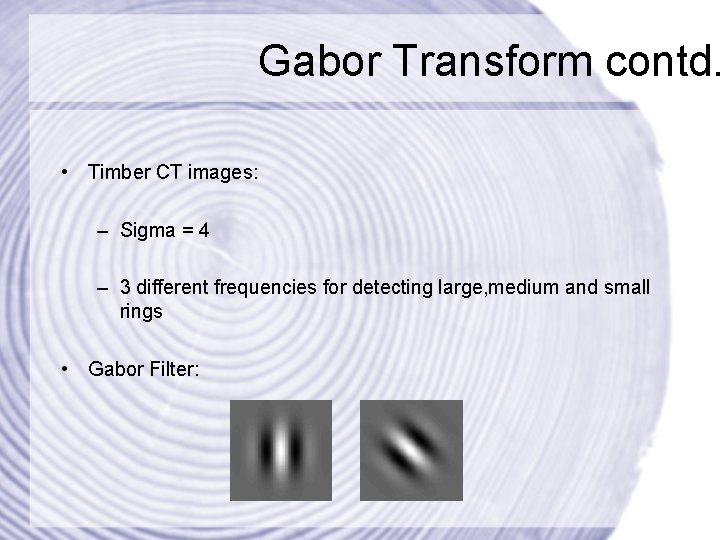
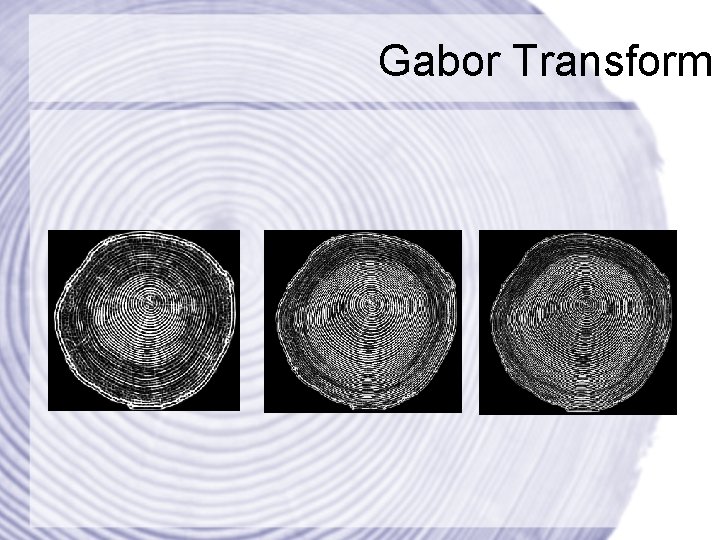
Gabor Transform contd. • Timber CT images: – Sigma = 4 – 3 different frequencies for detecting large, medium and small rings • Gabor Filter:
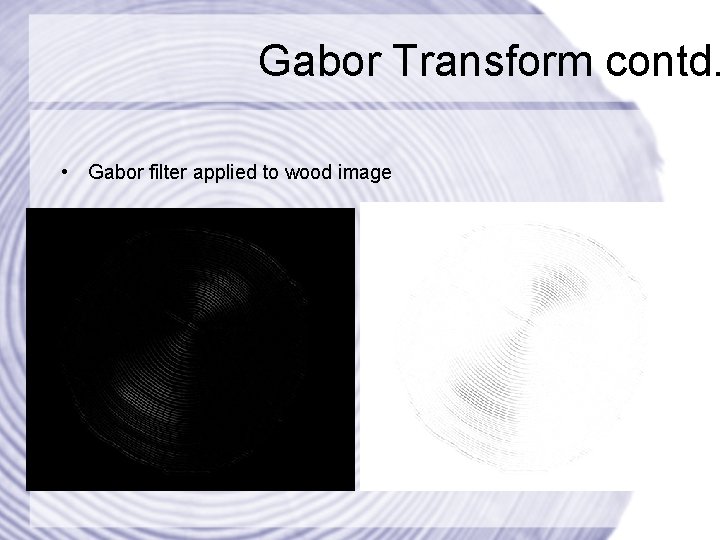
Gabor Transform contd. • Gabor filter applied to wood image
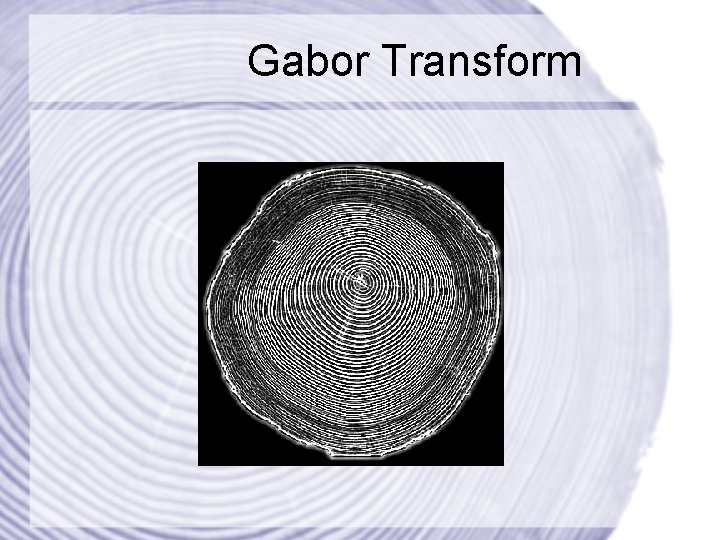
Gabor Implementation • Creation of gabor filters with different frequencies and orientations • Convolution operations with filters • Rotation from 0 to 180 degrees • Assemble output images
Gabor Transform
Gabor Transform
Skeletonization I • Set white pixel if 4 conditions are fullfilled – Condition 1: pixel p[x, y] must presently be black. If the pixel is already white, no action needs to be taken – Condition 2: At least one of the pixels close neighbours must be white – Condition 3: the pixel must have more than one black neighbour. If it has only one, it must be the end of a line, and therefore shouldnt be removed. – Condition 4: a pixel cannot be removed if it results in its neighbours being disconnected.
Skeletonization II • Thinning algorithm from Zhang & Suen • With improvements from Holt and Stentiford • Must guarantee that a line is exactly 1 pixel thick • Stair case removal

Skeletonization
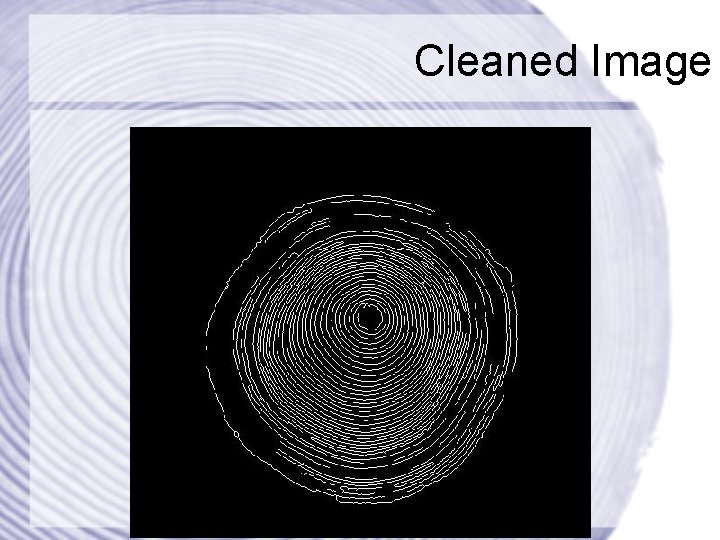
Twig Removal • Sometimes short curves (twigs) extend out of year rings • Those artifacts of the scanning or skeletonization process • Danger of misinterpreting them as year rings • Consequently, they must be removed
Twig Removal • Scan the image looking for T-junctions • Compute the length of all curves connected to a T-junction • A curve is a twig if its length is less a threshold • Remove the pixel which connects a twig to a year ring
Image Cleaner • Removes short curves from the image • Those are often artifacts of the scanning process • All curves with length less a threshold are removed • This includes twigs
Image Cleaner • Scan the image looking for curves • Trace the curve and measure its length • If the length is less a threshold, then remove it
Cleaned Image
Center point localization • Hough-Transform • Approximation by Curvature • Gradient Accumulation • Poincaré Index
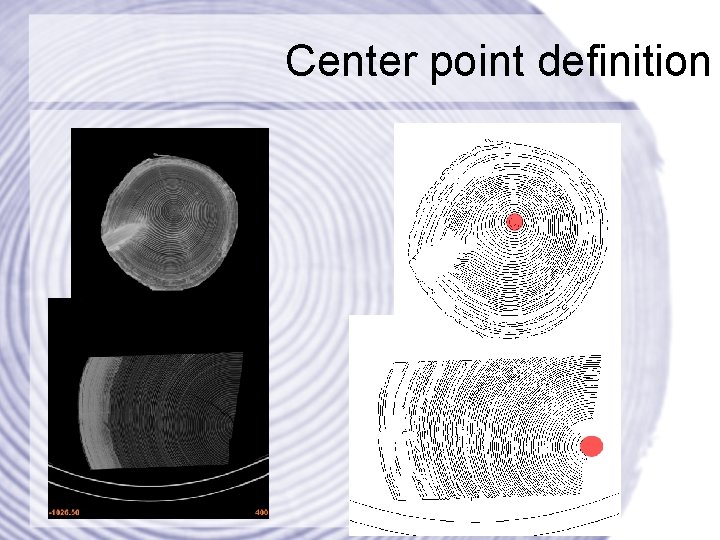
Center point definition
Hough-Transform • Feature extraction technique used in digital image processing. • Used with binary images after edge detection. • The pixel space is transformed into parameter space by accumulation of all possible parameters (for a certain parameterized curve) for every edge pixel inside the pixel space. • 3 -Dimensional parameter space for circles.
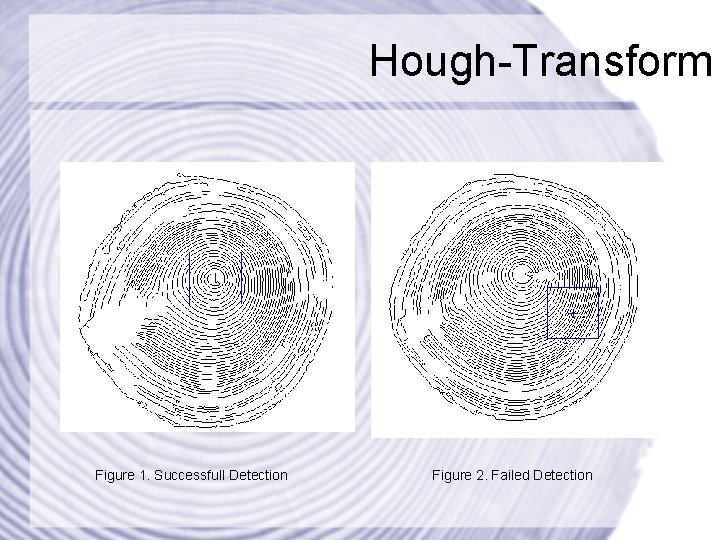
Hough-Transform Figure 1. Successfull Detection Figure 2. Failed Detection
Hough-Transform • Summary: – Complexity O(n³) – Brute Force – No perfect circles – Sensitive to noise • Conclusion: – Not suited to find center in pure form
Approximating center by segment curvature. • Idea: Curvature increases heading to the center. • Curvature = 1 / Radius • Problems: – Need a way to calculate radius for a given Segment.
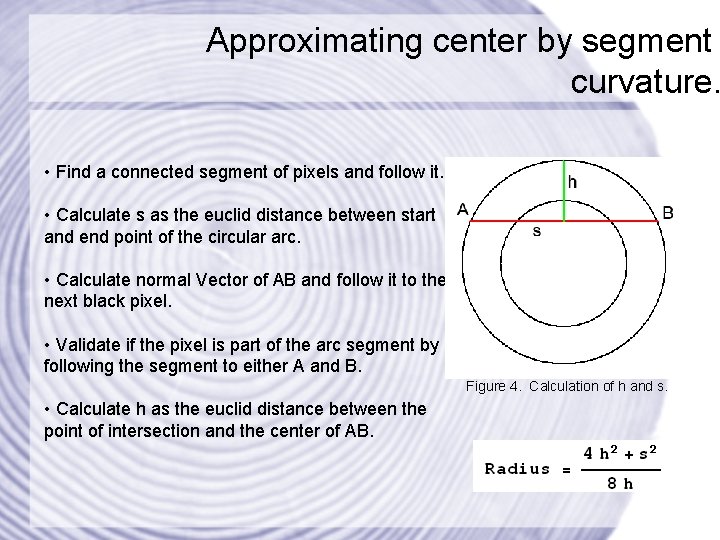
Approximating center by segment curvature. • Find a connected segment of pixels and follow it. • Calculate s as the euclid distance between start and end point of the circular arc. • Calculate normal Vector of AB and follow it to the next black pixel. • Validate if the pixel is part of the arc segment by following the segment to either A and B. Figure 4. Calculation of h and s. • Calculate h as the euclid distance between the point of intersection and the center of AB.
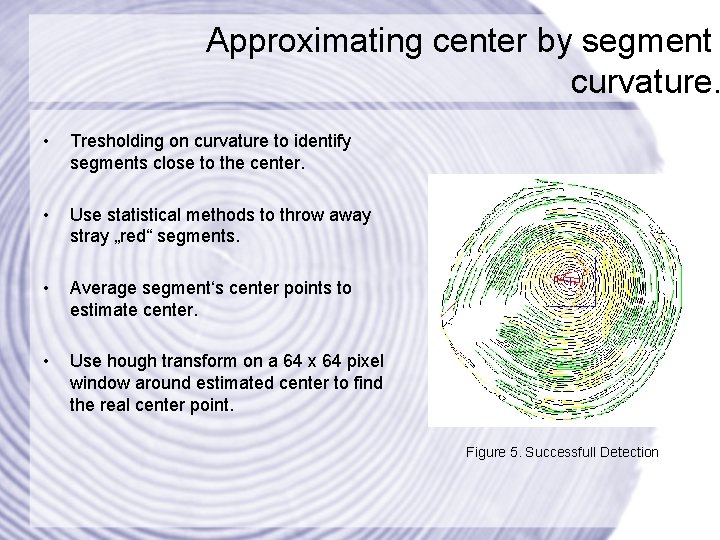
Approximating center by segment curvature. • Tresholding on curvature to identify segments close to the center. • Use statistical methods to throw away stray „red“ segments. • Average segment‘s center points to estimate center. • Use hough transform on a 64 x 64 pixel window around estimated center to find the real center point. Figure 5. Successfull Detection
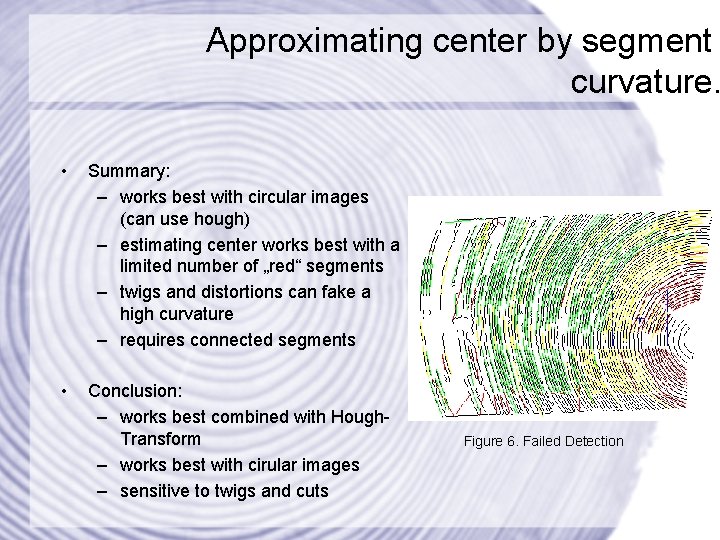
Approximating center by segment curvature. • Summary: – works best with circular images (can use hough) – estimating center works best with a limited number of „red“ segments – twigs and distortions can fake a high curvature – requires connected segments • Conclusion: – works best combined with Hough. Transform – works best with cirular images – sensitive to twigs and cuts Figure 6. Failed Detection
Gradient Accumulation • Idea: Gradients of segments point toward the center. • Problems: – Need a way to calculate the gradient for any given segment. – Need a way to evaluate the gradient‘s direction.
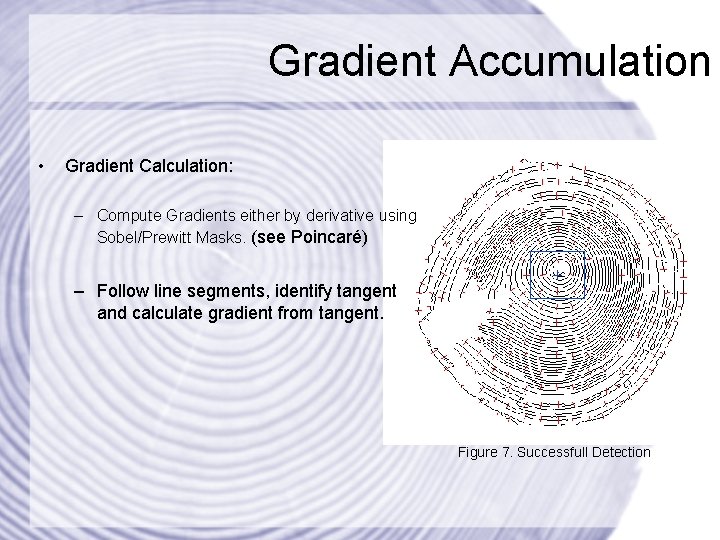
Gradient Accumulation • Gradient Calculation: – Compute Gradients either by derivative using Sobel/Prewitt Masks. (see Poincaré) – Follow line segments, identify tangent and calculate gradient from tangent. Figure 7. Successfull Detection
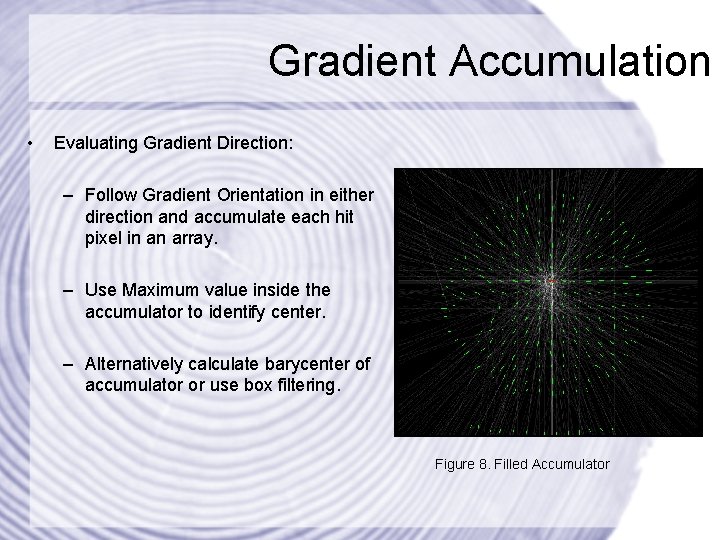
Gradient Accumulation • Evaluating Gradient Direction: – Follow Gradient Orientation in either direction and accumulate each hit pixel in an array. – Use Maximum value inside the accumulator to identify center. – Alternatively calculate barycenter of accumulator or use box filtering. Figure 8. Filled Accumulator
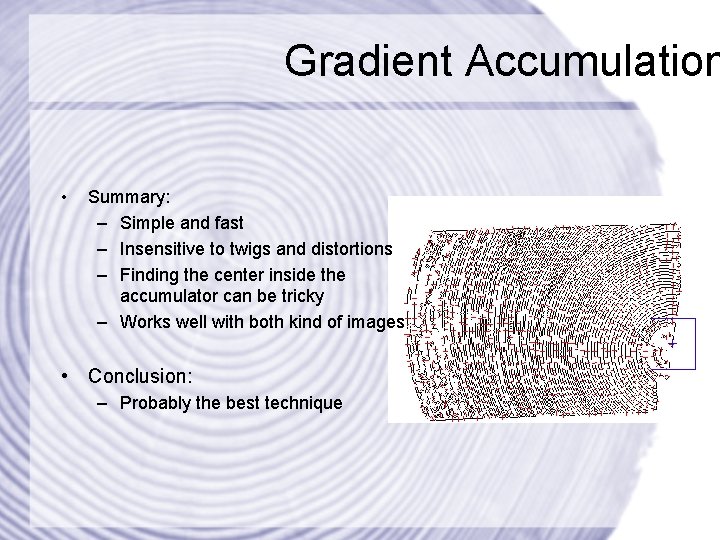
Gradient Accumulation • Summary: – Simple and fast – Insensitive to twigs and distortions – Finding the center inside the accumulator can be tricky – Works well with both kind of images • Conclusion: – Probably the best technique
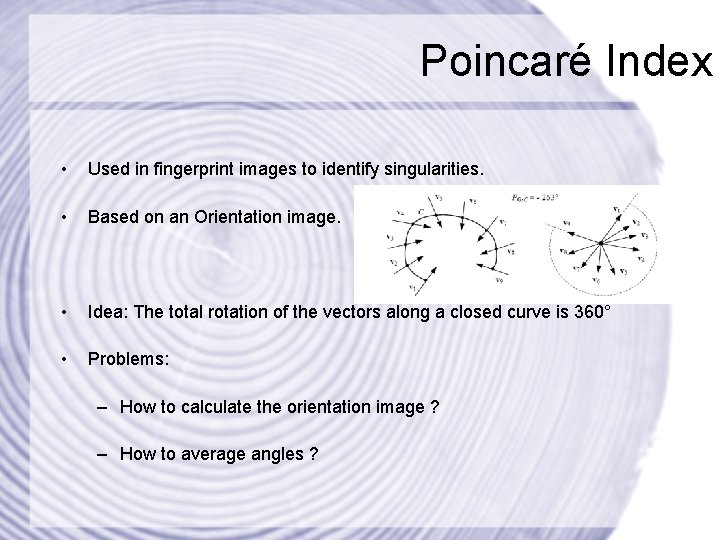
Poincaré Index • Used in fingerprint images to identify singularities. • Based on an Orientation image. • Idea: The total rotation of the vectors along a closed curve is 360° • Problems: – How to calculate the orientation image ? – How to average angles ?
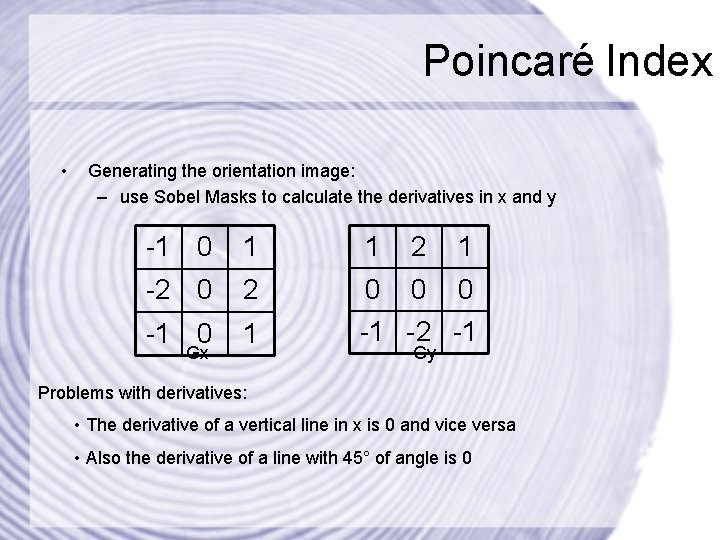
Poincaré Index • Generating the orientation image: – use Sobel Masks to calculate the derivatives in x and y -1 0 1 1 2 1 -2 0 0 0 -1 0 1 -1 -2 -1 Gx Gy Problems with derivatives: • The derivative of a vertical line in x is 0 and vice versa • Also the derivative of a line with 45° of angle is 0
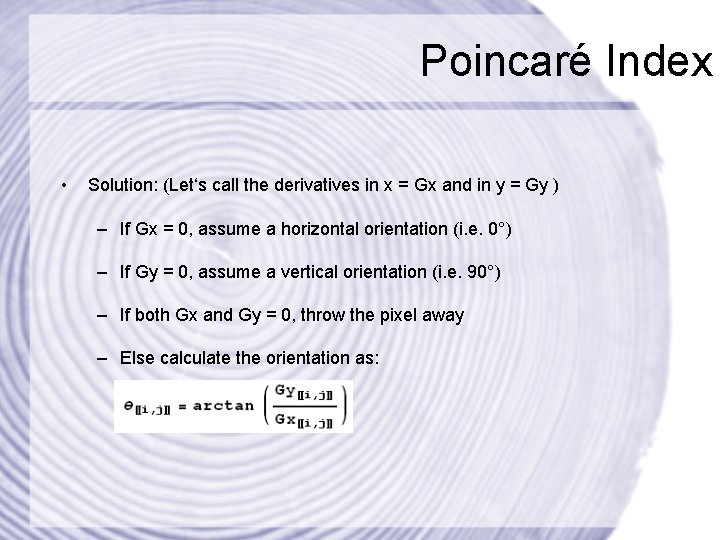
Poincaré Index • Solution: (Let‘s call the derivatives in x = Gx and in y = Gy ) – If Gx = 0, assume a horizontal orientation (i. e. 0°) – If Gy = 0, assume a vertical orientation (i. e. 90°) – If both Gx and Gy = 0, throw the pixel away – Else calculate the orientation as:
Poincaré Index • Averaging angles: – A single pixel orientation is not very strong, a way is needed to average pixel orientations over a window. – Angles can not be averaged arithmetically (e. g. : the angle between 175° and 5° is 0 °) – A solution to this problem is splitting the orientation into it‘s sine and cosine parts and then calculate their arithmetic mean.
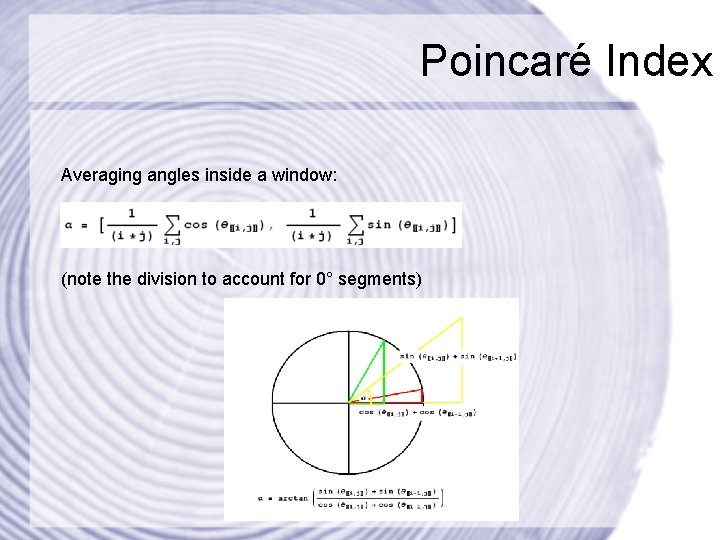
Poincaré Index Averaging angles inside a window: (note the division to account for 0° segments)
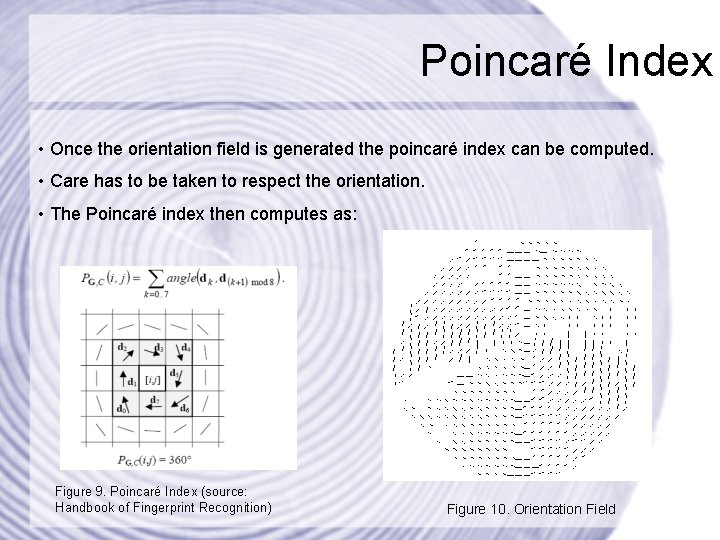
Poincaré Index • Once the orientation field is generated the poincaré index can be computed. • Care has to be taken to respect the orientation. • The Poincaré index then computes as: Figure 9. Poincaré Index (source: Handbook of Fingerprint Recognition) Figure 10. Orientation Field
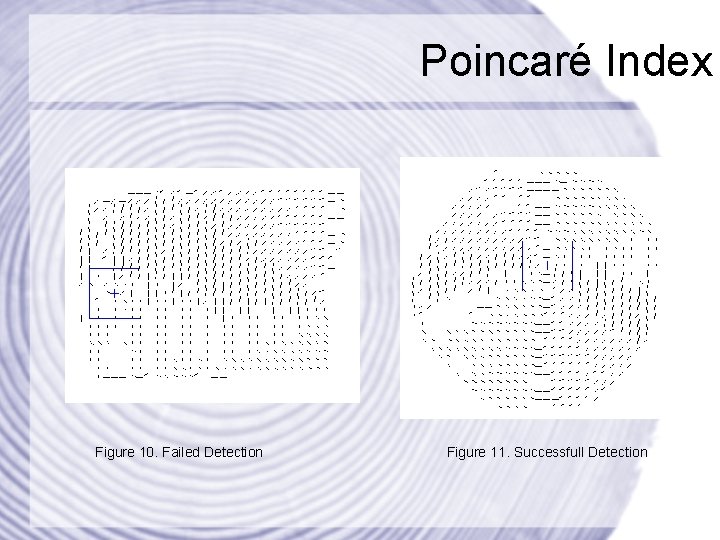
Poincaré Index Figure 10. Failed Detection Figure 11. Successfull Detection
Poincaré Index • Summary: – Tricky to implement – Many practical problems – Center point accuracy depends on the size of the averaging window – Orientation accuracy depends on the size of the averaging window • Conclusion: – probably better than curvature approximation – does not work with images without a closed curve – can be modified to find -180° and 180° singularities
Profile Generation • Trunk is scanned from the outside to the inside • Strictly along a straight line • Generating multiple profiles by going counter clockwise around the trunk • Only accept profile if the difference between year rings is less a threshold
Profile Generation • Scanning year rings along a straight line using the Bresenham algorithm • Scan window must be 2 x 1, otherwise a year ring might be missed • Profile records the distance between year rings • Profile data is normalized in the end
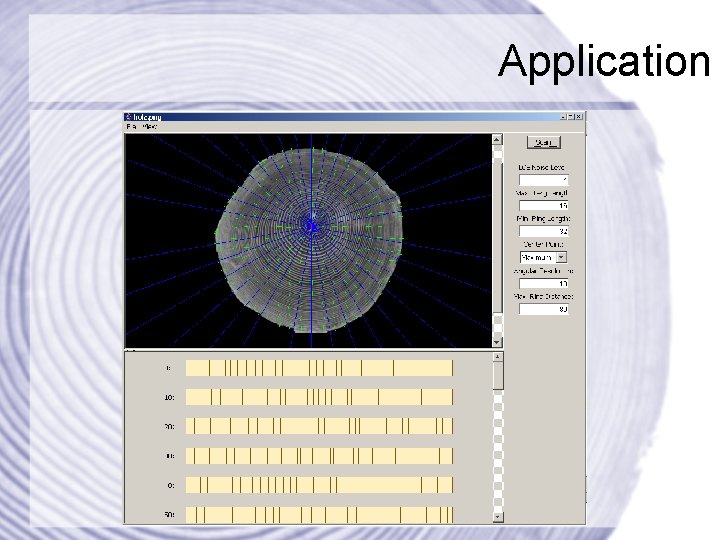
Application
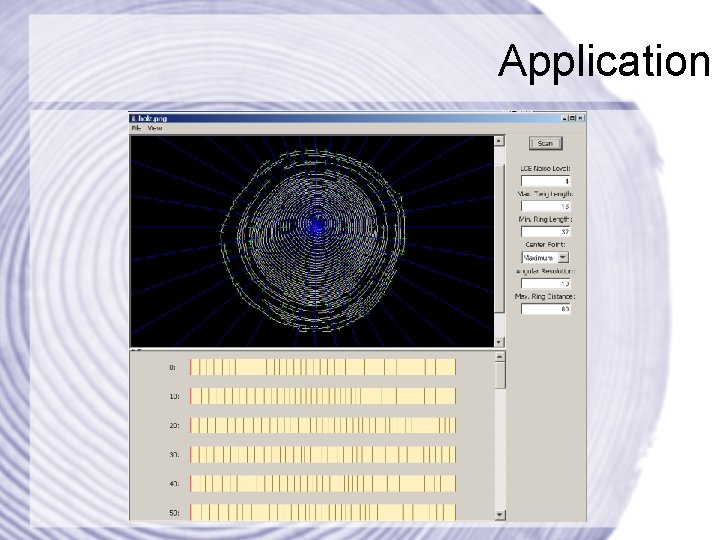
Application
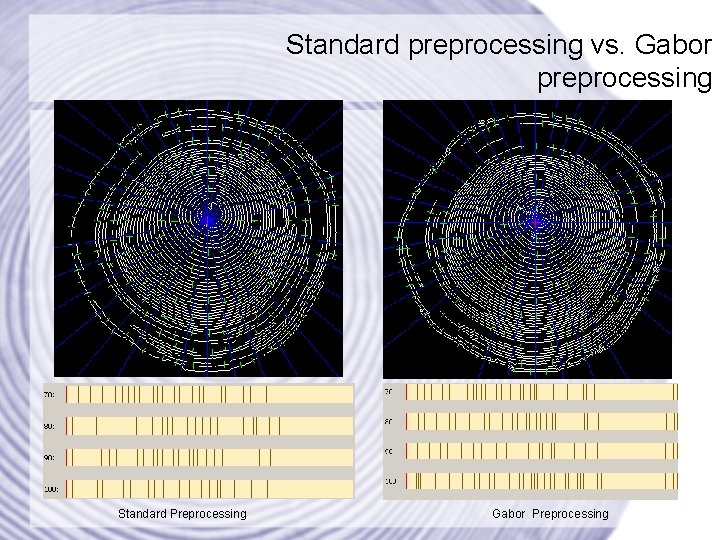
Standard preprocessing vs. Gabor preprocessing Standard Preprocessing Gabor Preprocessing
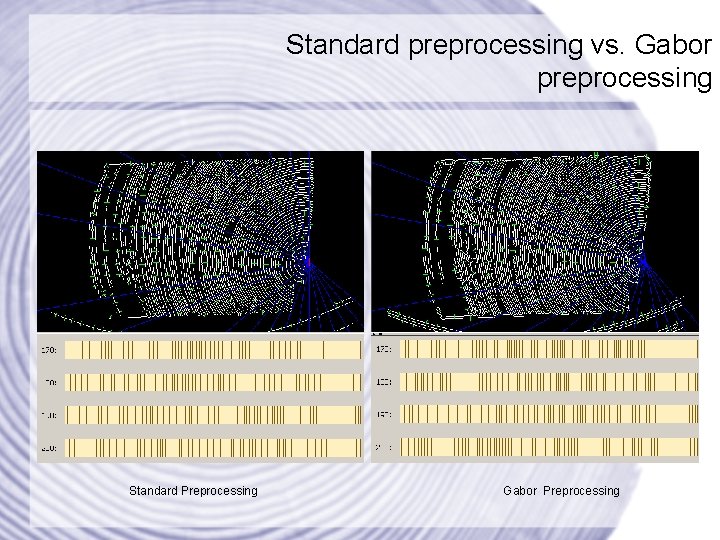
Standard preprocessing vs. Gabor preprocessing Standard Preprocessing Gabor Preprocessing
References • Handbook of Fingerprint Recognition (Maltoni, Maio, Jain, Prabhakar), 2003 • An Adaptive Approach to Singular Point Detection in Fingerprint Images (Rahimi, Pakbaznia, Kasaei) • Singular. Points and Minutiae Detection in Fingerprint Images Using Principal Gabor Basis Functions (Lee, Yang, Jeng, Chen, Lin) • Gabor Filtering of Complex Hue/Saturation Images for Color Texture Classification (Palm, Keysers, Lehmann, Spitzer) • Graphic Gems (Glassner), 1990 • Fingerprint Matching using Gabor Filters (Munir, Javed), 2004 • C++ Gabor Filter Implementation, http: //www. personal. reading. ac. uk/~sir 02 mz/ (Mian Zhou), 2003
EOF
- Slides: 54