
DEN 4123 MATHEMATICS AND COMPUTING FOR ENGINEERS INTRODUCTION
- Slides: 22
DEN 4123 MATHEMATICS AND COMPUTING FOR ENGINEERS INTRODUCTION TO COMPUTERS AND PROGRAMMING
. Today’s lecture based on: H. J. C. Huijberts, Statistics and Computing (Pearson Custom Publishing, 2010).
Today’s lecture • A brief history of computers • Today’s computers – Hardware architectures – Software • Programming languages – The 5 generations • Programming workflow and problem-solving
History of computing Not a single breakthrough! But a contribution of many people • video
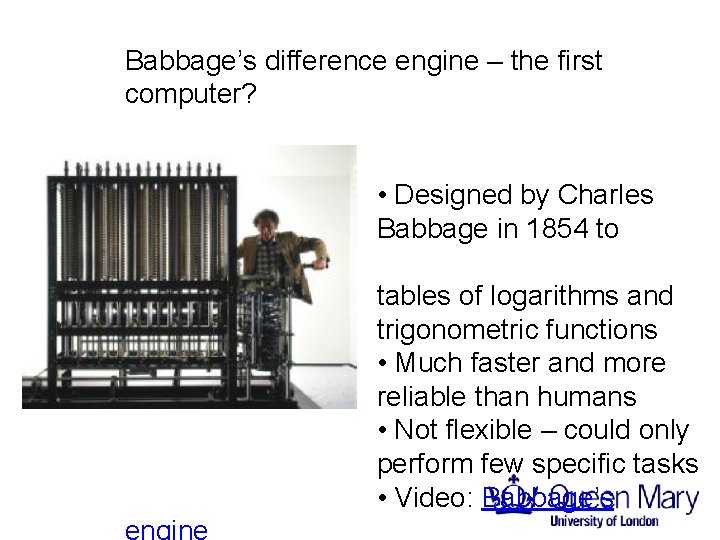
Babbage’s difference engine – the first computer? • Designed by Charles Babbage in 1854 to produce tables of logarithms and trigonometric functions • Much faster and more reliable than humans • Not flexible – could only perform few specific tasks • Video: Babbage’s
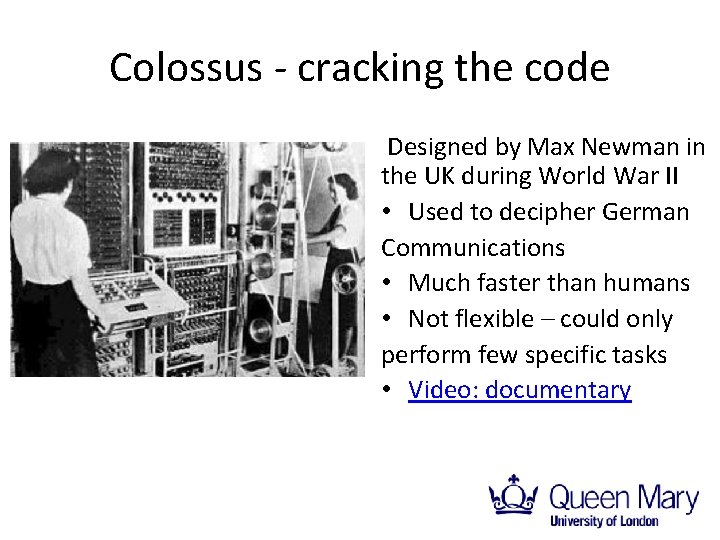
Colossus - cracking the code Designed by Max Newman in the UK during World War II • Used to decipher German Communications • Much faster than humans • Not flexible – could only perform few specific tasks • Video: documentary
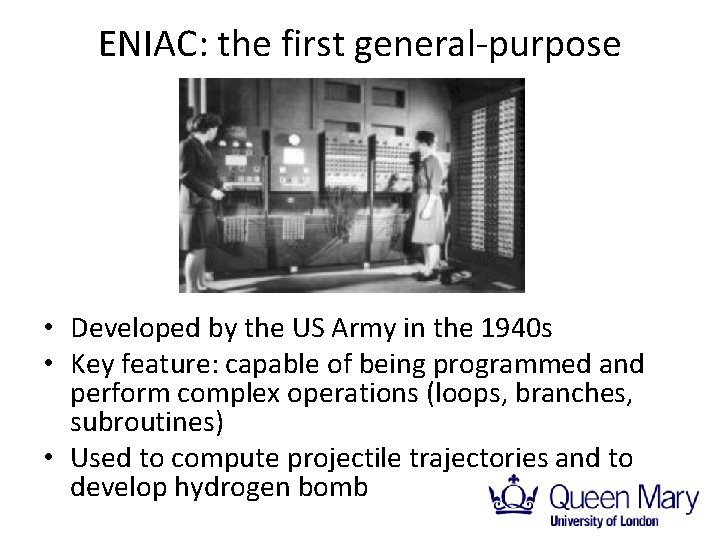
ENIAC: the first general-purpose computer • Developed by the US Army in the 1940 s • Key feature: capable of being programmed and perform complex operations (loops, branches, subroutines) • Used to compute projectile trajectories and to develop hydrogen bomb
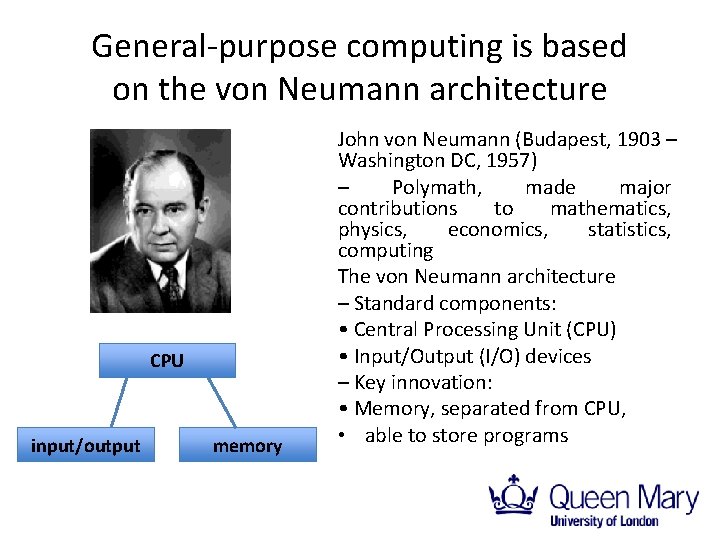
General-purpose computing is based on the von Neumann architecture CPU input/output memory John von Neumann (Budapest, 1903 – Washington DC, 1957) – Polymath, made major contributions to mathematics, physics, economics, statistics, computing The von Neumann architecture – Standard components: • Central Processing Unit (CPU) • Input/Output (I/O) devices – Key innovation: • Memory, separated from CPU, • able to store programs
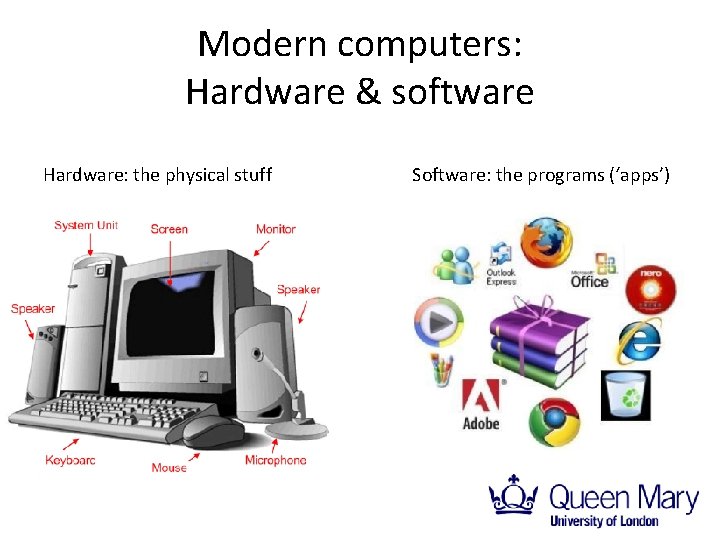
Modern computers: Hardware & software Hardware: the physical stuff Software: the programs (‘apps’)
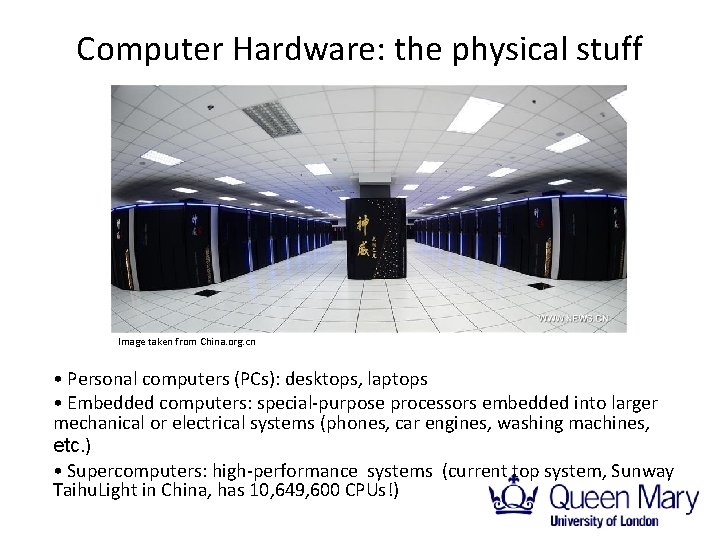
Computer Hardware: the physical stuff Image taken from China. org. cn • Personal computers (PCs): desktops, laptops • Embedded computers: special-purpose processors embedded into larger mechanical or electrical systems (phones, car engines, washing machines, etc. ) • Supercomputers: high-performance systems (current top system, Sunway Taihu. Light in China, has 10, 649, 600 CPUs!)
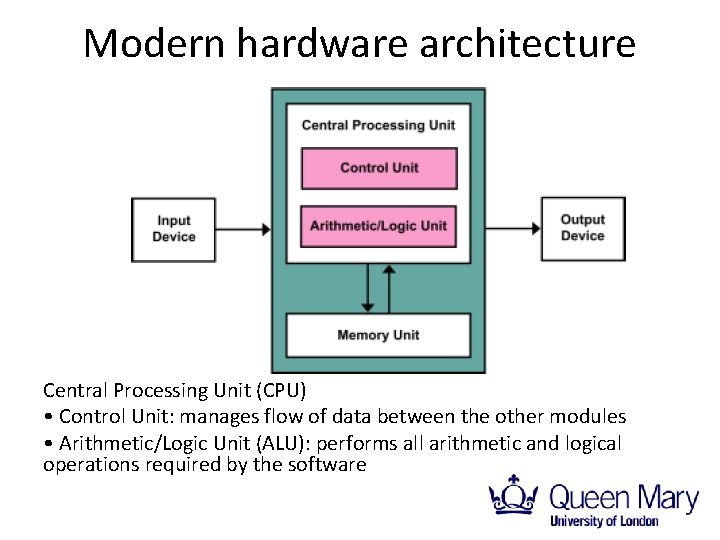
Modern hardware architecture Central Processing Unit (CPU) • Control Unit: manages flow of data between the other modules • Arithmetic/Logic Unit (ALU): performs all arithmetic and logical operations required by the software
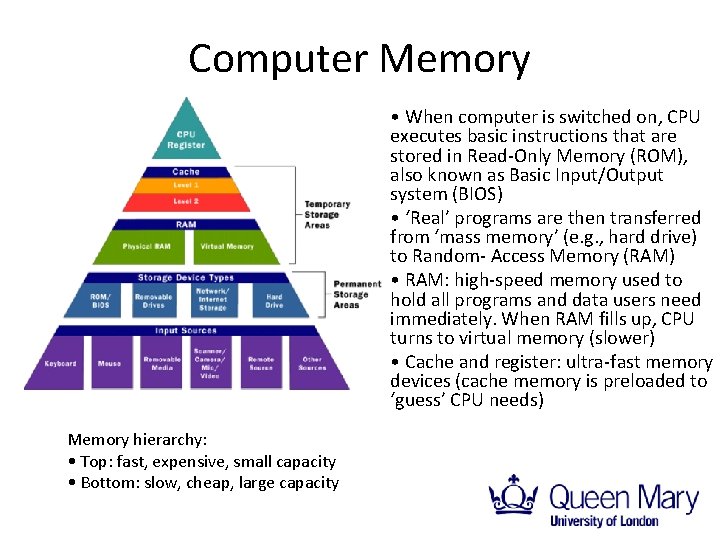
Computer Memory • When computer is switched on, CPU executes basic instructions that are stored in Read-Only Memory (ROM), also known as Basic Input/Output system (BIOS) • ‘Real’ programs are then transferred from ‘mass memory’ (e. g. , hard drive) to Random- Access Memory (RAM) • RAM: high-speed memory used to hold all programs and data users need immediately. When RAM fills up, CPU turns to virtual memory (slower) • Cache and register: ultra-fast memory devices (cache memory is preloaded to ‘guess’ CPU needs) Memory hierarchy: • Top: fast, expensive, small capacity • Bottom: slow, cheap, large capacity
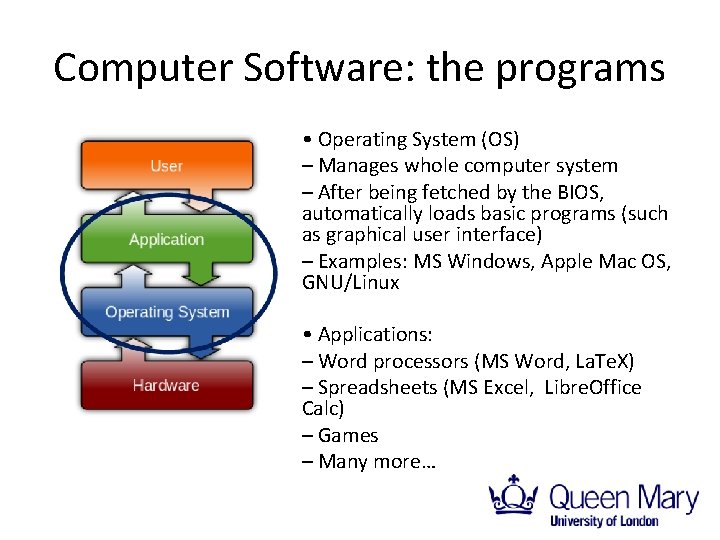
Computer Software: the programs • Operating System (OS) – Manages whole computer system – After being fetched by the BIOS, automatically loads basic programs (such as graphical user interface) – Examples: MS Windows, Apple Mac OS, GNU/Linux • Applications: – Word processors (MS Word, La. Te. X) – Spreadsheets (MS Excel, Libre. Office Calc) – Games – Many more…
Programming languages • A programming language is a language designed to communicate instructions to a computers • Defined by: – Syntax (grammar): the rules describing how to form a correct sequence of instructions (i. e. , a program) – Vocabulary: the language keywords, such as commands (“clear”, “plot”, etc. ) and other reserved words (“if”, “while”, “end”, etc. ) • Characterized by: – Power: how much logic is contained in each line of code – Clarity: how clear is the code from a human viewpoint – Portability: how easily can the code be used (ported) on different processors • Power, clarity and portability are used to classify programming languages into five generations
First generation languages (also called machine languages) Very ‘primitive’, closely tied to specific hardware • Consisting of sequences of 0 s and 1 s • Power: minimal (even basic operations require long instructions) • Clarity: minimal (programs are incomprehensible to humans) • Portability: no (programs not portable to any processors other than the specific one for which original programs are developed)
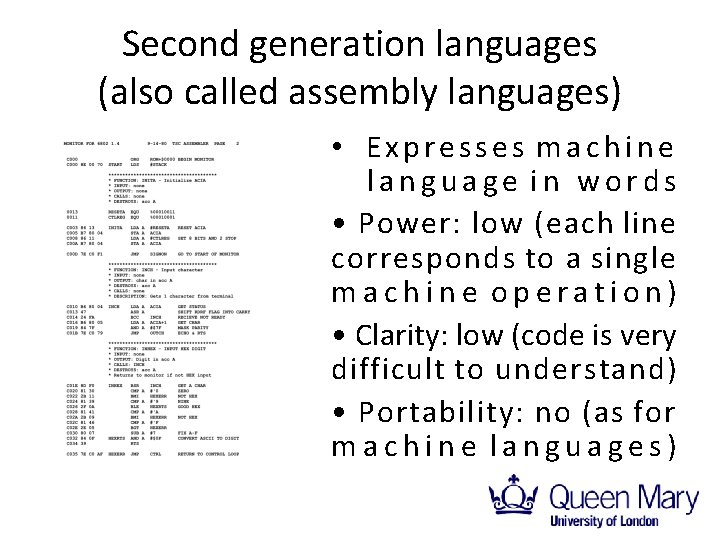
Second generation languages (also called assembly languages) • Expresses machine language in words • Power: low (each line corresponds to a single machine operation) • Clarity: low (code is very difficult to understand) • Portability: no (as for machine languages)
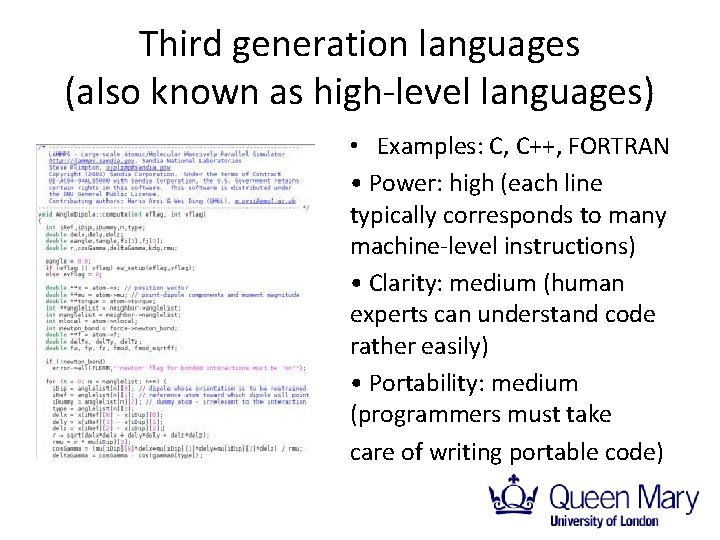
Third generation languages (also known as high-level languages) • Examples: C, C++, FORTRAN • Power: high (each line typically corresponds to many machine-level instructions) • Clarity: medium (human experts can understand code rather easily) • Portability: medium (programmers must take care of writing portable code)
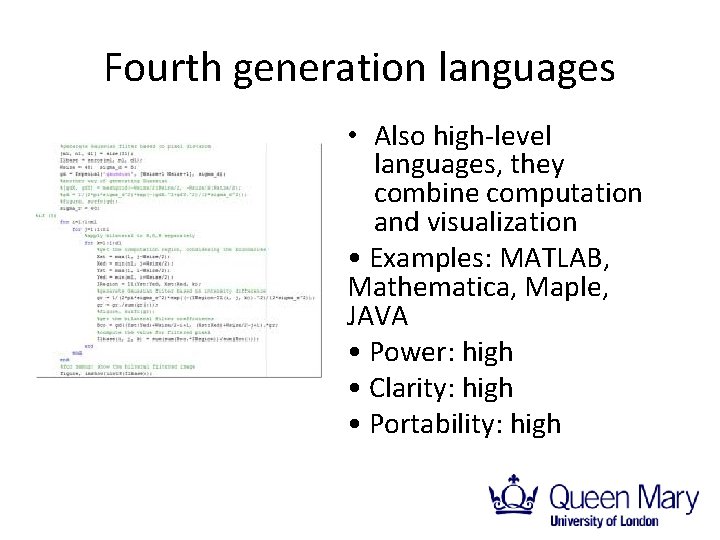
Fourth generation languages • Also high-level languages, they combine computation and visualization • Examples: MATLAB, Mathematica, Maple, JAVA • Power: high • Clarity: high • Portability: high
Fifth generation languages (5 GL) • Input: problems and conditions to be met expressed in natural language (not codified instructions as in previous generation languages) • 5 GLs automatically produce program to solve problem – Programmer becomes redundant! • 5 GLs mostly used in artificial intelligence research • Despite decades of research, still not much progress: human insight and intuition can’t be replaced (yet…? )
Programming workflow 3 rd generation (e. g. , C language) 1. Write instructions (source code) 2. Compile using compiler program – If errors (bugs), go back and correct source code (debugging process) – If no errors, compiler translates source code into machine language object code 3. Link required libraries (e. g. , for standard maths functions) using linker program 4. Execute program 4 th generation (e. g. , MATLAB) 1. Write instructions (source code) 2. Execute either single commands or whole programs – If errors (bugs), go back and correct source code (debugging process) Interactive environment: no need for compilation/linking
Problem solving with computers • Given: initial set of data (or state) + problem to solve • What can be done with the data? – What states can be achieved using existing tools? • How can the answer be found? – What state(s) can lead to the solution? A computer program can be seen as a logical component that transforms an input state into new states from which a solution can be found.
Remember that this is available for you!