
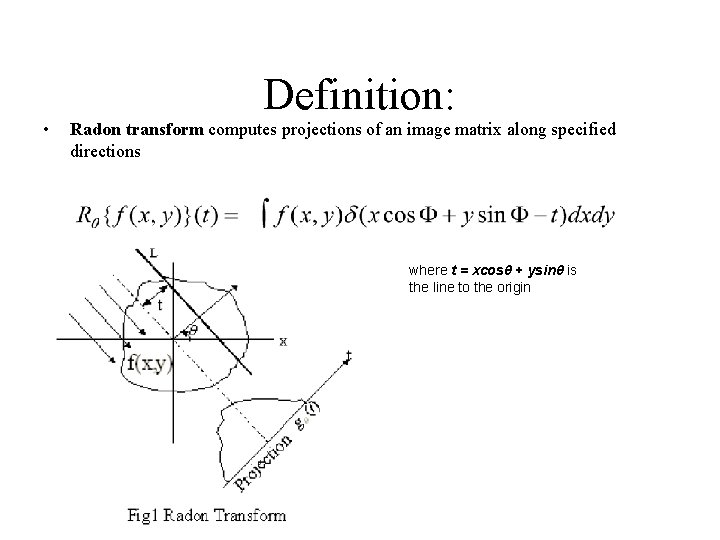
Definition Radon transform computes projections of an image

![Original image I I_trans = circshift(I, [0, 80]); Translation invariance R_sh = circshift(R 1,](https://slidetodoc.com/presentation_image_h2/9c0a1c80be84e74c38e26da175787318/image-8.jpg "Original image I I_trans = circshift(I, [0, 80]); Translation invariance R_sh = circshift(R 1,")
- Slides: 24
• Definition: Radon transform computes projections of an image matrix along specified directions where t = xcosθ + ysinθ is the line to the origin
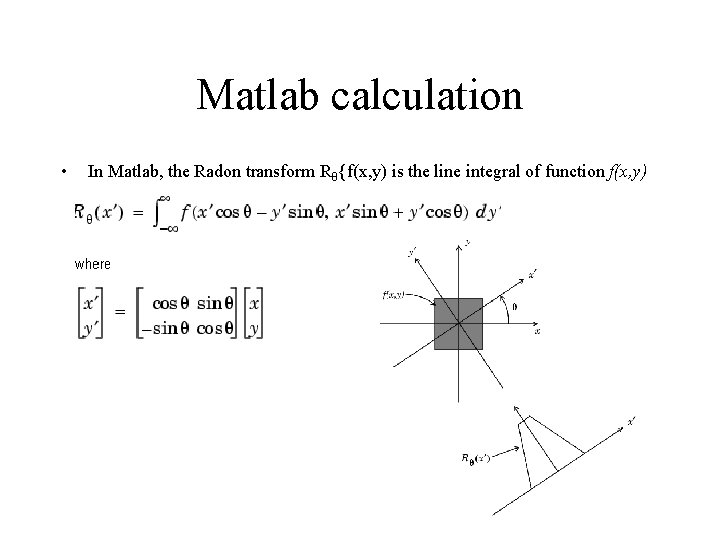
Matlab calculation • In Matlab, the Radon transform Rθ{f(x, y) is the line integral of function f(x, y) parallel to the y´-axis
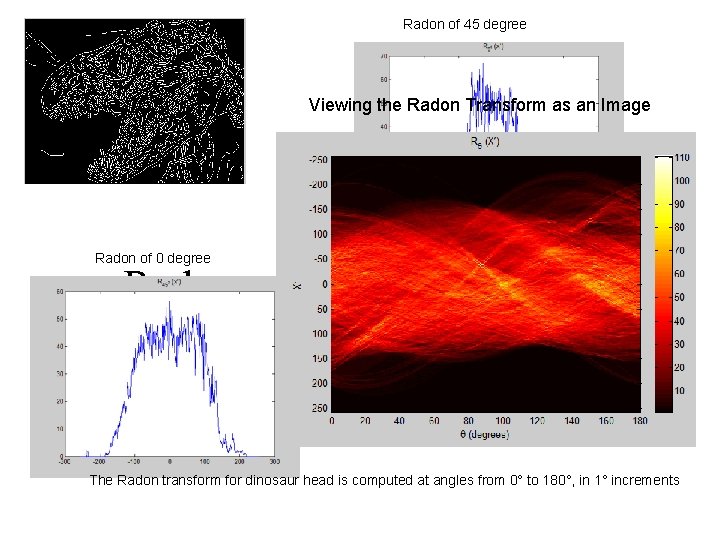
Radon of 45 degree Viewing the Radon Transform as an Image Radon of 0 degree Radon perspective of images The Radon transform for dinosaur head is computed at angles from 0° to 180°, in 1° increments
Why Radon? • • Higher accuracy rate: up to 70 ~ 80% Speed: 5 times faster than fft Simplicity: 1 -D projection function Concentrate on the shape of object: take advantage of edges-detection • Invariance of rotation, translation, and scaling movement (working progress)
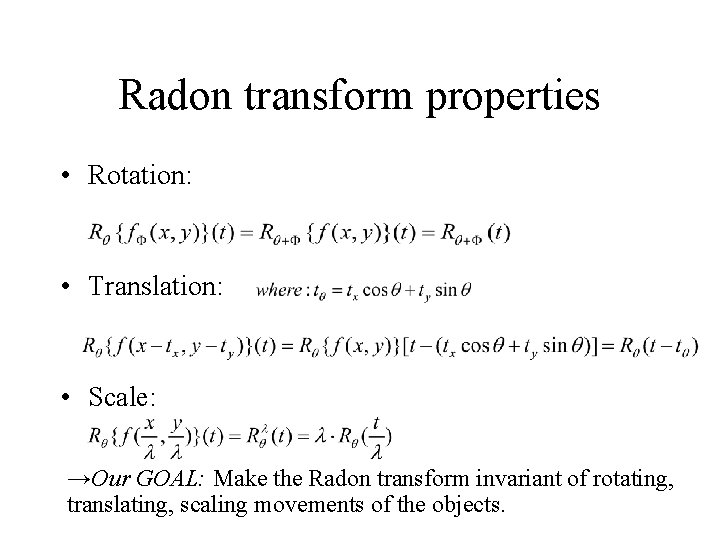
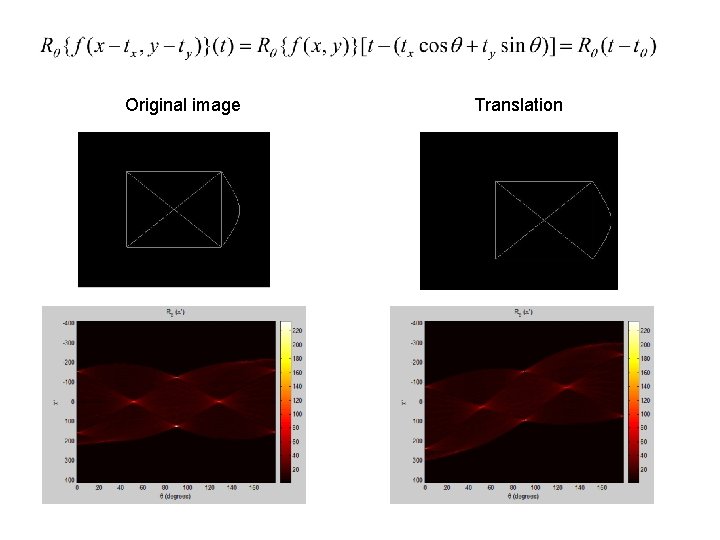
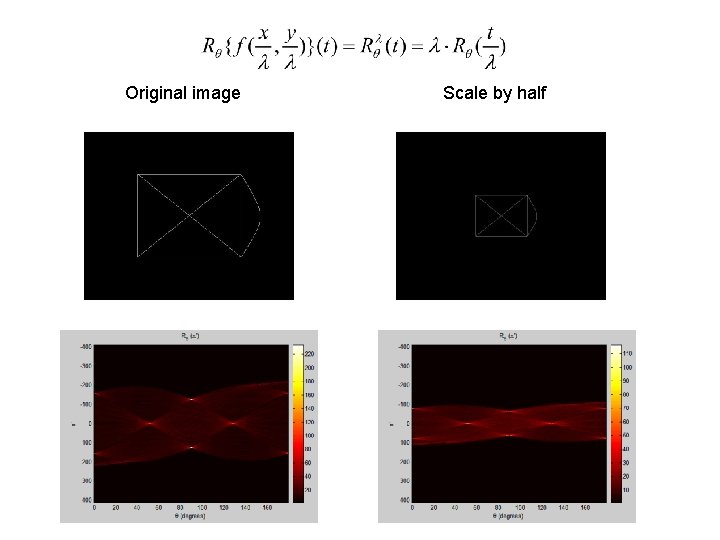
Radon transform properties • Rotation: • Translation: • Scale: →Our GOAL: Make the Radon transform invariant of rotating, translating, scaling movements of the objects.
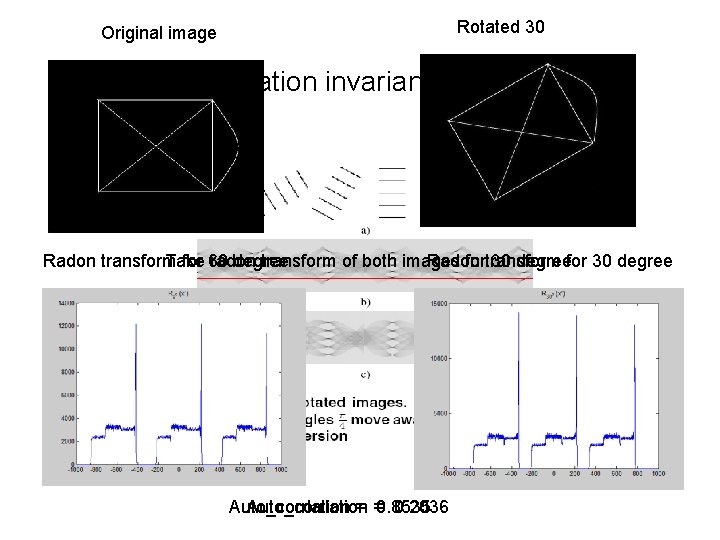
Rotated 30 Original image Rotation invariance Radon transform Take for 60 radon degree transform of both images Radon fortransform 30 degreefor 30 degree Auto_corrlation 0. 2036 Auto_corrlation = =0. 8535
Original image I I_trans = circshift(I, [0, 80]); Translation invariance R_sh = circshift(R 1, [80, 0]) Auto_corrlation = 0. 0730 Auto_corrlation = 1
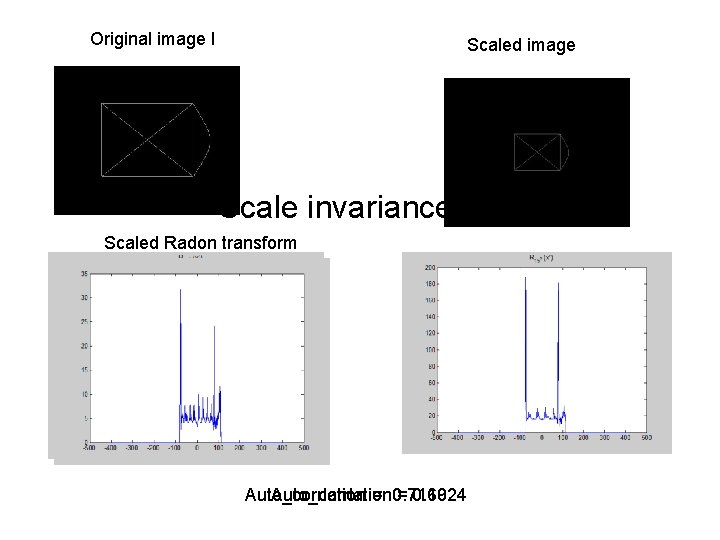
Original image I Scaled image Scale invariance Scaled Radon transform Auto_corrlation = 0. 7169 = 0. 1024
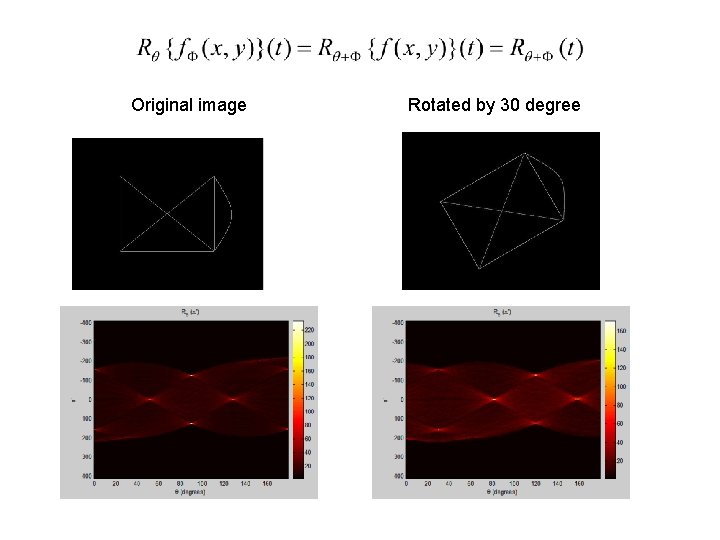
Original image Rotated by 30 degree
Original image Translation
Original image Scale by half
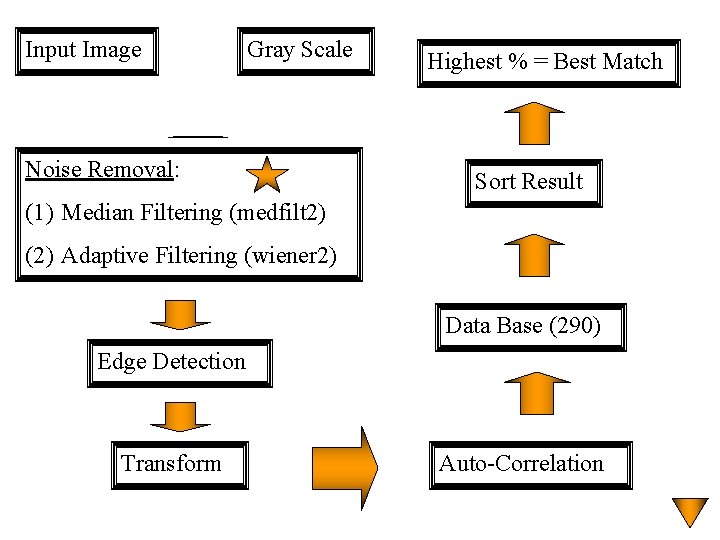
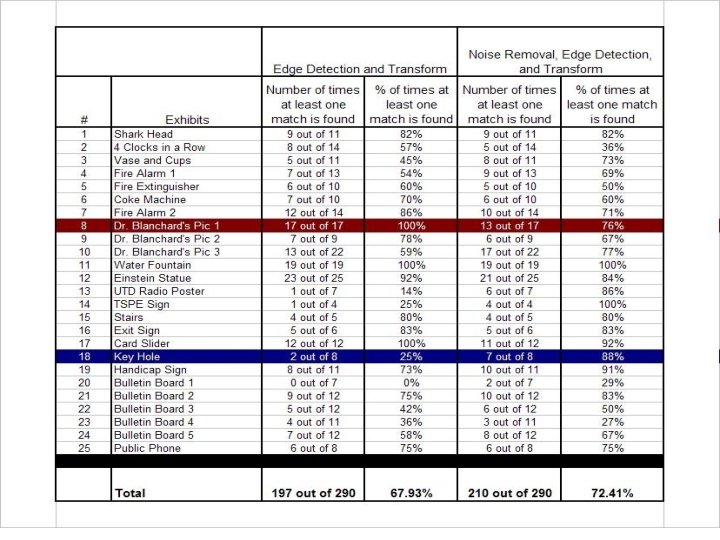
Input Image Gray Scale Noise Removal: Highest % = Best Match Sort Result (1) Median Filtering (medfilt 2) (2) Adaptive Filtering (wiener 2) Data Base (290) Edge Detection Transform Auto-Correlation
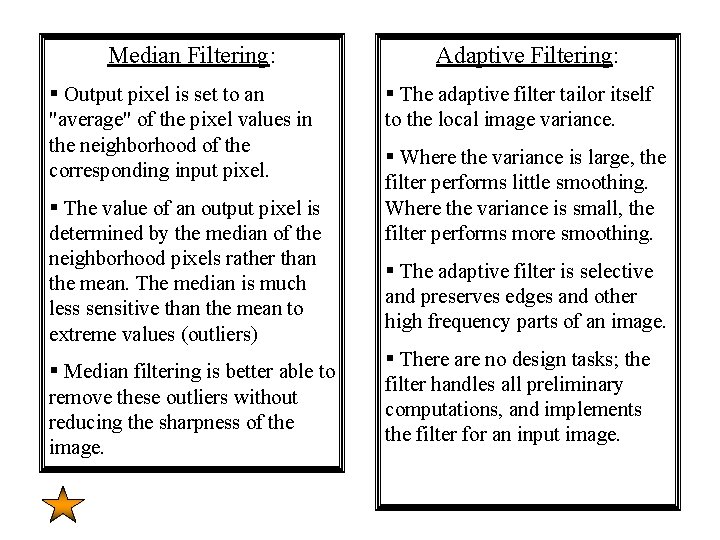
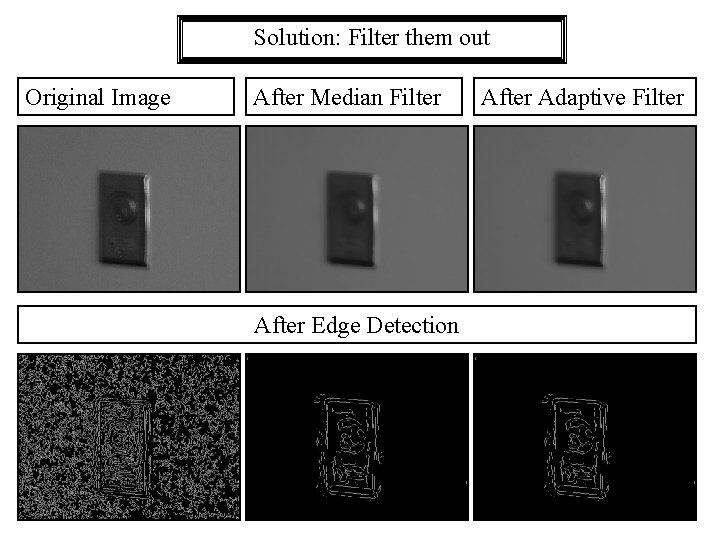
Median Filtering: § Output pixel is set to an "average" of the pixel values in the neighborhood of the corresponding input pixel. § The value of an output pixel is determined by the median of the neighborhood pixels rather than the mean. The median is much less sensitive than the mean to extreme values (outliers) § Median filtering is better able to remove these outliers without reducing the sharpness of the image. Adaptive Filtering: § The adaptive filter tailor itself to the local image variance. § Where the variance is large, the filter performs little smoothing. Where the variance is small, the filter performs more smoothing. § The adaptive filter is selective and preserves edges and other high frequency parts of an image. § There are no design tasks; the filter handles all preliminary computations, and implements the filter for an input image.
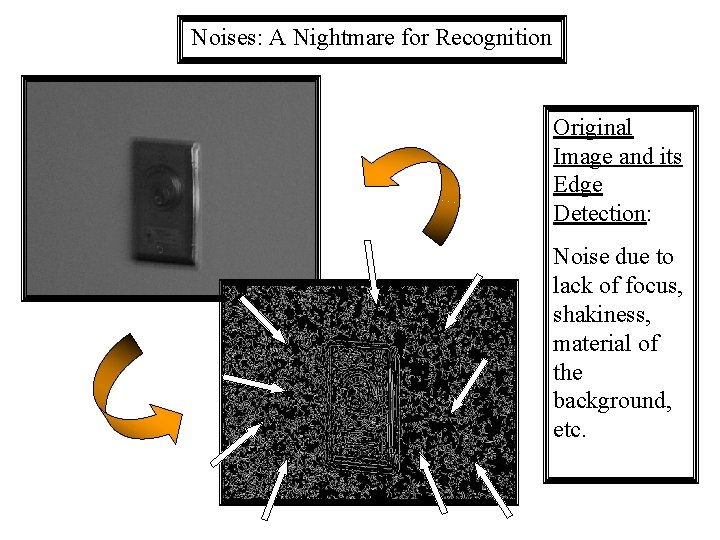
Noises: A Nightmare for Recognition Original Image and its Edge Detection: Noise due to lack of focus, shakiness, material of the background, etc.
Solution: Filter them out Original Image After Median Filter After Edge Detection After Adaptive Filter
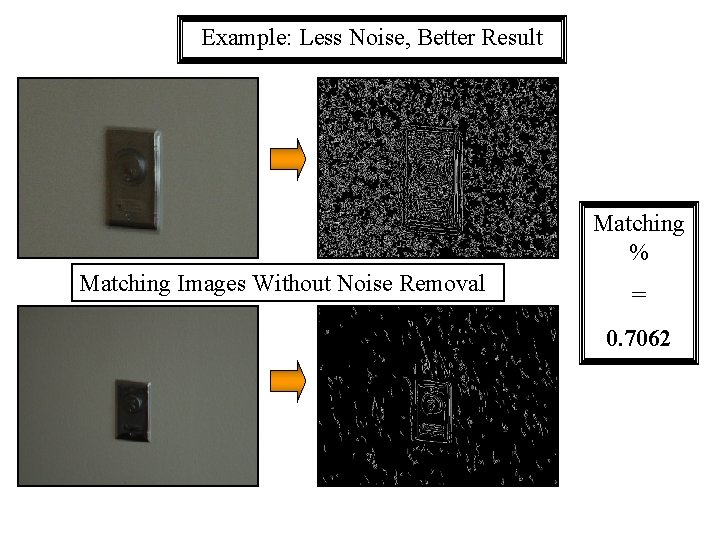
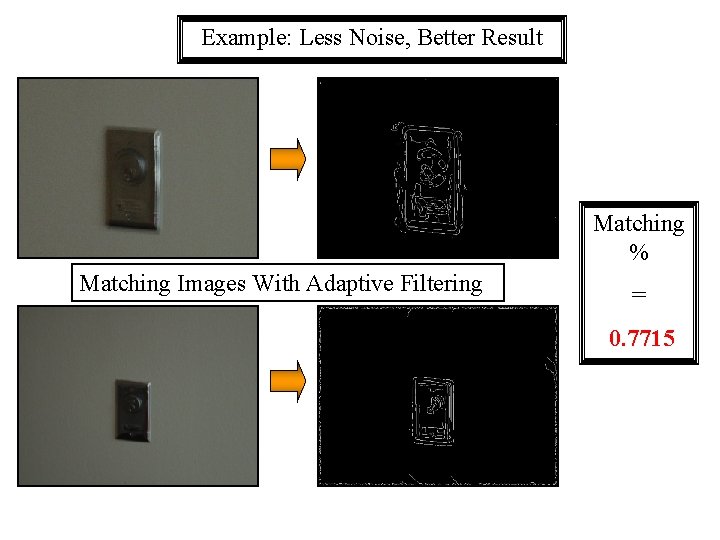
Example: Less Noise, Better Result Matching % Matching Images Without Noise Removal = 0. 7062
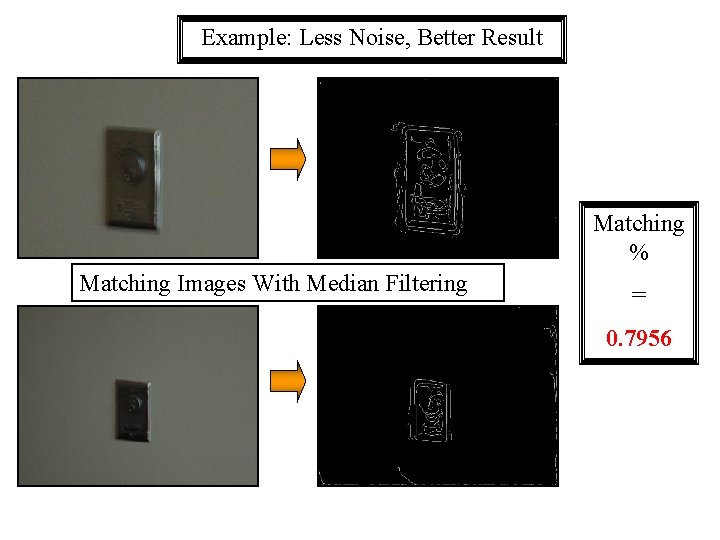
Example: Less Noise, Better Result Matching % Matching Images With Median Filtering = 0. 7956
Example: Less Noise, Better Result Matching % Matching Images With Adaptive Filtering = 0. 7715
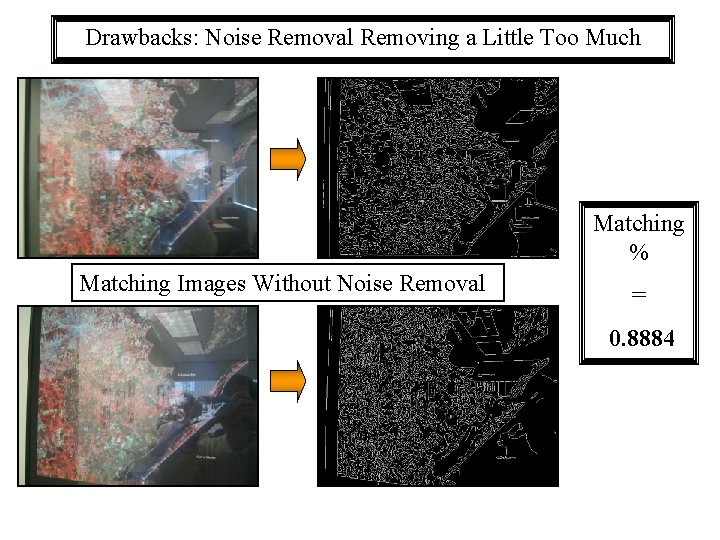
Drawbacks: Noise Removal Removing a Little Too Much Matching % Matching Images Without Noise Removal = 0. 8884
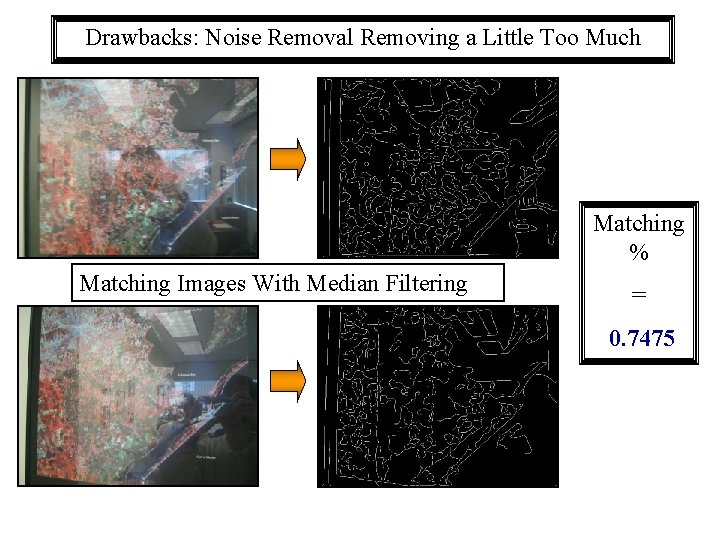
Drawbacks: Noise Removal Removing a Little Too Much Matching % Matching Images With Median Filtering = 0. 7475
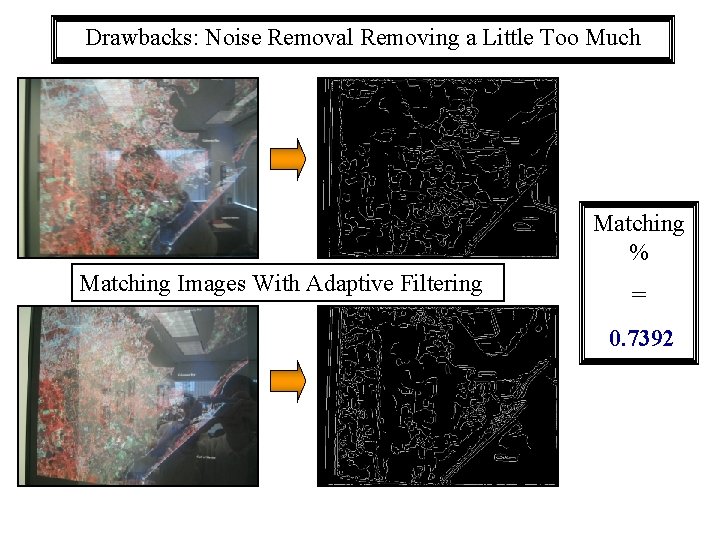
Drawbacks: Noise Removal Removing a Little Too Much Matching % Matching Images With Adaptive Filtering = 0. 7392