
Defining Types of data name Dn Dn expression
![Ø Defining Types of data [name] Dn Dn expression Name: a program that references](https://slidetodoc.com/presentation_image_h/28297eb616bb13de75f72606ba5fd658/image-1.jpg "Ø Defining Types of data [name] Dn Dn expression Name: a program that references")

- Slides: 31
Ø Defining Types of data [name] Dn Dn expression Name: a program that references a data item does so by means of name Dn (Directive): define the data item – see next slide— Expression: is an operand may specify an uninitialized value or constant value an uninitialized value defined by item ? EXAMPLE : DATAX DB ? 1
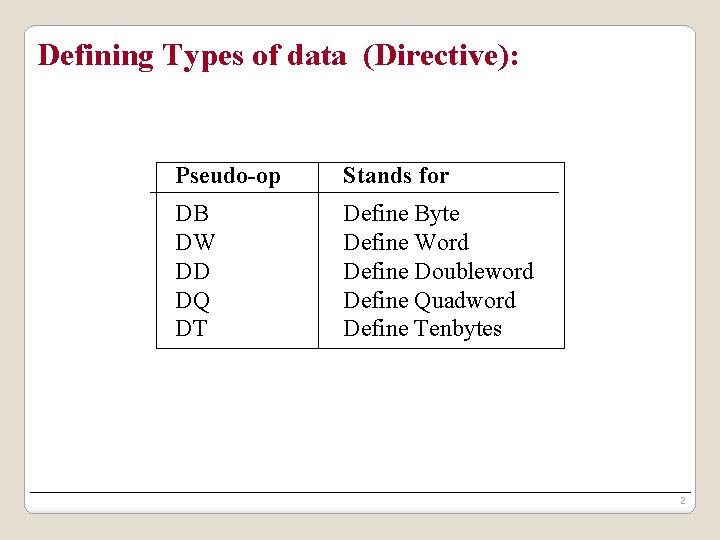
Defining Types of data (Directive): Pseudo-op Stands for DB DW DD DQ DT Define Byte Define Word Define Doubleword Define Quadword Define Tenbytes 2
Defining Types of data -Examples ALPHA DB BYT DB ? WRD DW -2 4 a memory byte is associated with the name ALPHA, and initialized to 4 A memory byte is associated with the name BYT, and uninitialized. a memory word is associated with the name WRD, and initialized to -2.
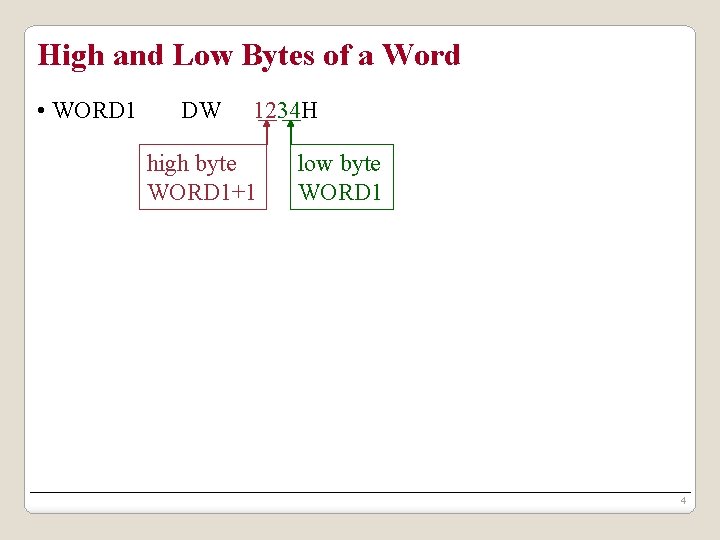
High and Low Bytes of a Word • WORD 1 DW 1234 H high byte WORD 1+1 low byte WORD 1 4
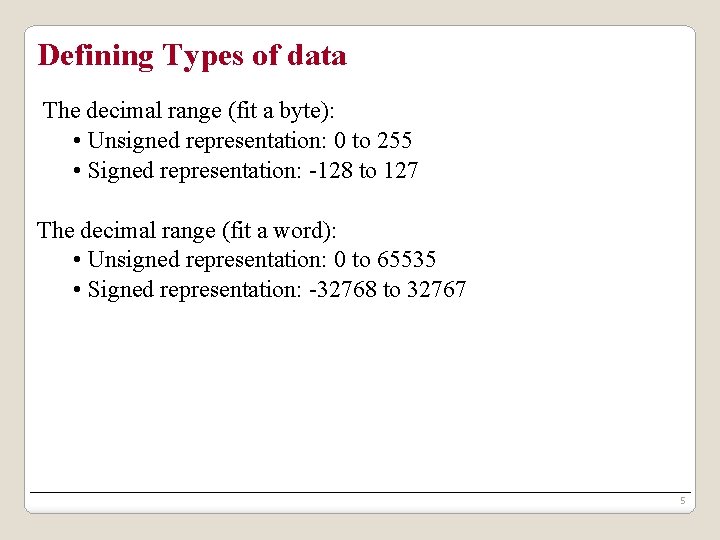
Defining Types of data The decimal range (fit a byte): • Unsigned representation: 0 to 255 • Signed representation: -128 to 127 The decimal range (fit a word): • Unsigned representation: 0 to 65535 • Signed representation: -32768 to 32767 5
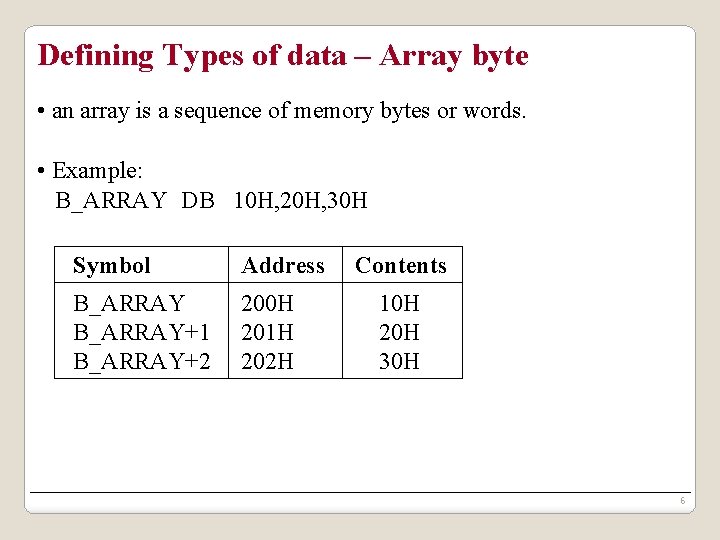
Defining Types of data – Array byte • an array is a sequence of memory bytes or words. • Example: B_ARRAY DB 10 H, 20 H, 30 H Symbol Address B_ARRAY+1 B_ARRAY+2 200 H 201 H 202 H Contents 10 H 20 H 30 H 6
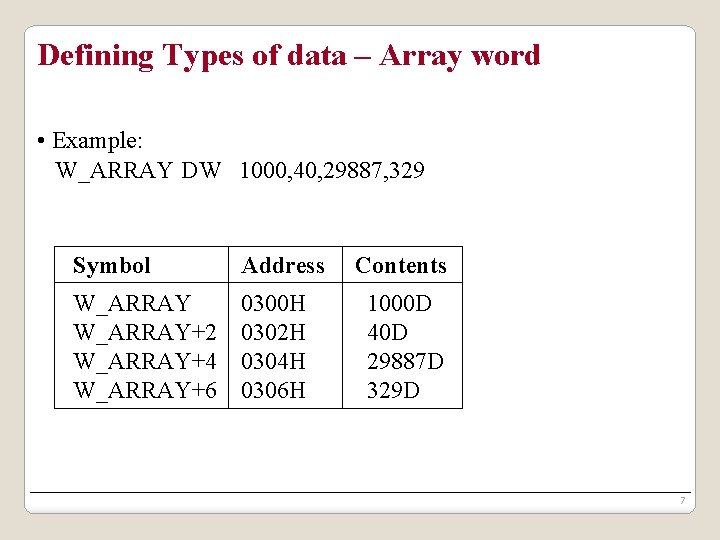
Defining Types of data – Array word • Example: W_ARRAY DW 1000, 40, 29887, 329 Symbol Address W_ARRAY 0300 H W_ARRAY+2 0302 H W_ARRAY+4 0304 H W_ARRAY+6 0306 H Contents 1000 D 40 D 29887 D 329 D 7
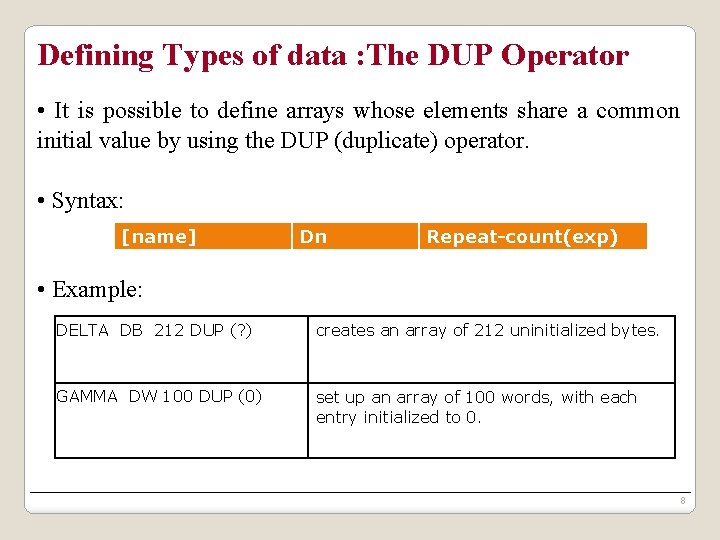
Defining Types of data : The DUP Operator • It is possible to define arrays whose elements share a common initial value by using the DUP (duplicate) operator. • Syntax: [name] Dn Repeat-count(exp) • Example: DELTA DB 212 DUP (? ) creates an array of 212 uninitialized bytes. GAMMA DW 100 DUP (0) set up an array of 100 words, with each entry initialized to 0. 8
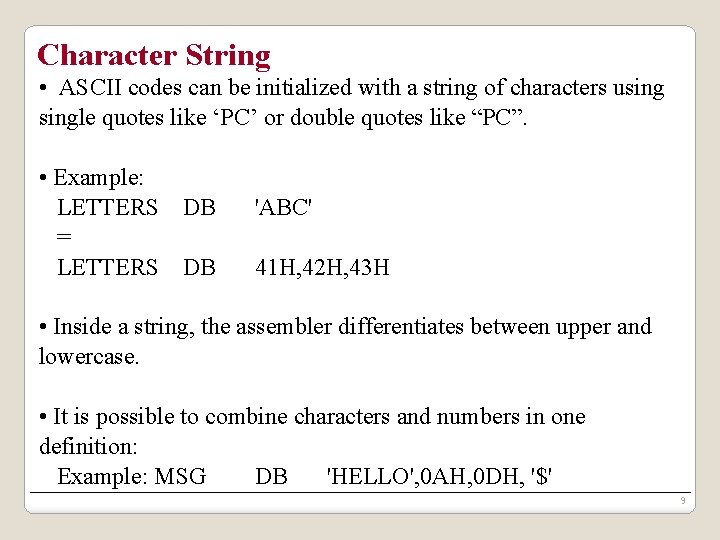
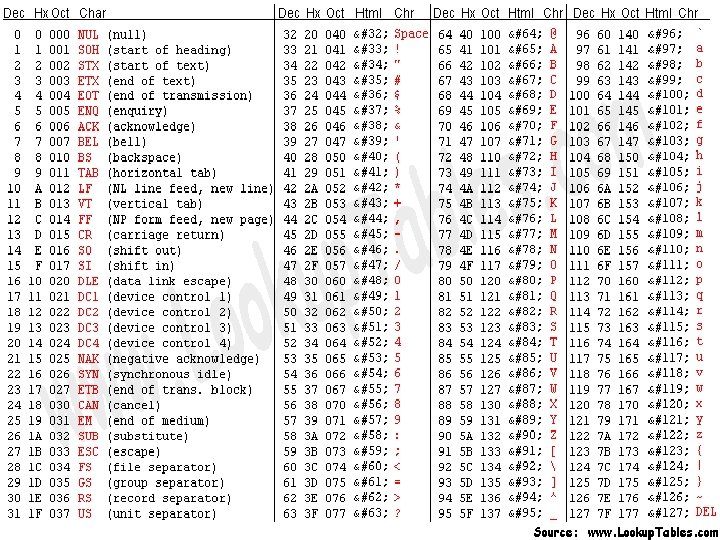
Character String • ASCII codes can be initialized with a string of characters usingle quotes like ‘PC’ or double quotes like “PC”. • Example: LETTERS DB = LETTERS DB 'ABC' 41 H, 42 H, 43 H • Inside a string, the assembler differentiates between upper and lowercase. • It is possible to combine characters and numbers in one definition: Example: MSG DB 'HELLO', 0 AH, 0 DH, '$' 9
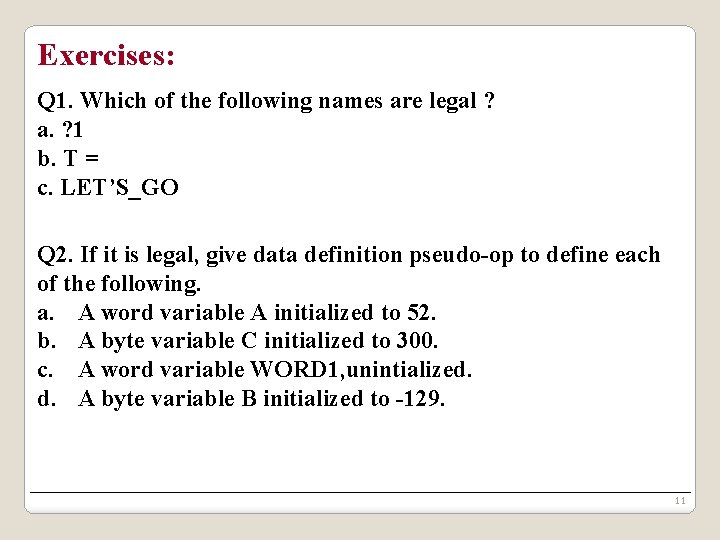
Exercises: Q 1. Which of the following names are legal ? a. ? 1 b. T = c. LET’S_GO Q 2. If it is legal, give data definition pseudo-op to define each of the following. a. A word variable A initialized to 52. b. A byte variable C initialized to 300. c. A word variable WORD 1, unintialized. d. A byte variable B initialized to -129. 11
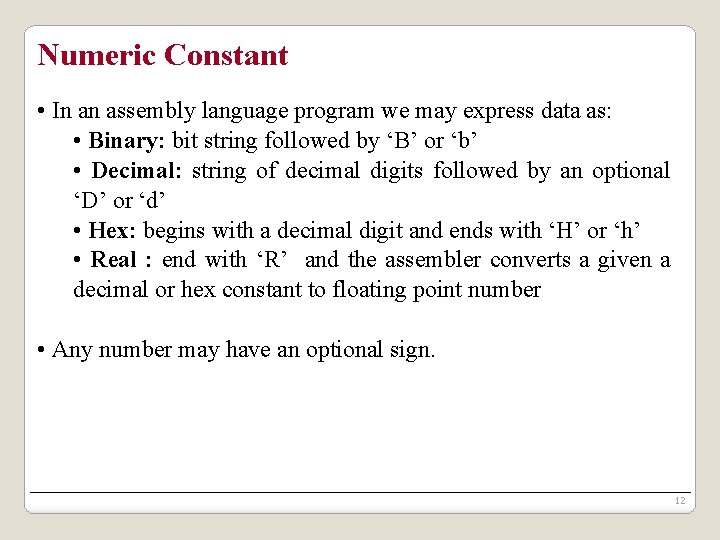
Numeric Constant • In an assembly language program we may express data as: • Binary: bit string followed by ‘B’ or ‘b’ • Decimal: string of decimal digits followed by an optional ‘D’ or ‘d’ • Hex: begins with a decimal digit and ends with ‘H’ or ‘h’ • Real : end with ‘R’ and the assembler converts a given a decimal or hex constant to floating point number • Any number may have an optional sign. 12
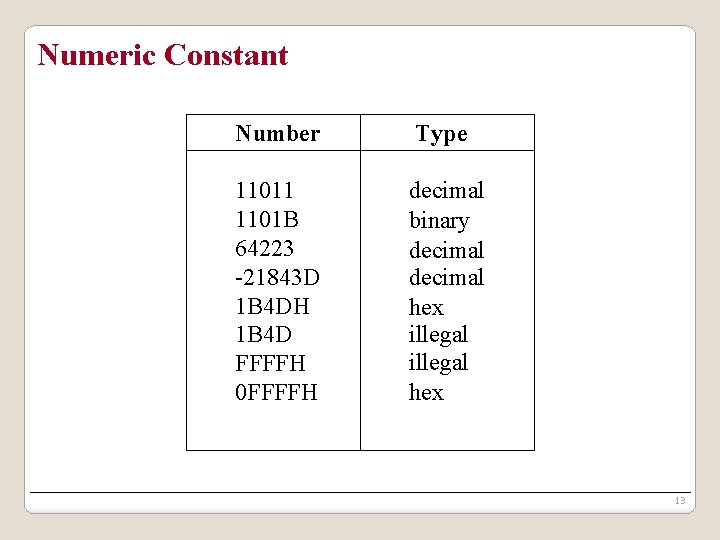
Numeric Constant Number Type 11011 1101 B 64223 -21843 D 1 B 4 DH 1 B 4 D FFFFH 0 FFFFH decimal binary decimal hex illegal hex 13
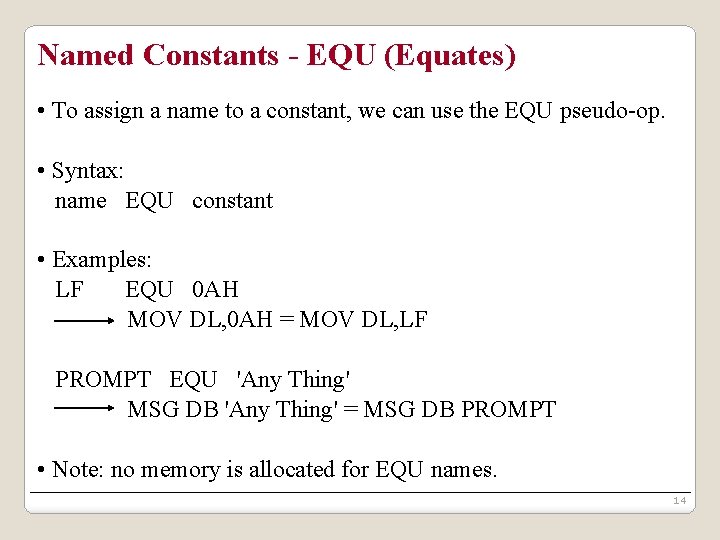
Named Constants - EQU (Equates) • To assign a name to a constant, we can use the EQU pseudo-op. • Syntax: name EQU constant • Examples: LF EQU 0 AH MOV DL, 0 AH = MOV DL, LF PROMPT EQU 'Any Thing' MSG DB 'Any Thing' = MSG DB PROMPT • Note: no memory is allocated for EQU names. 14
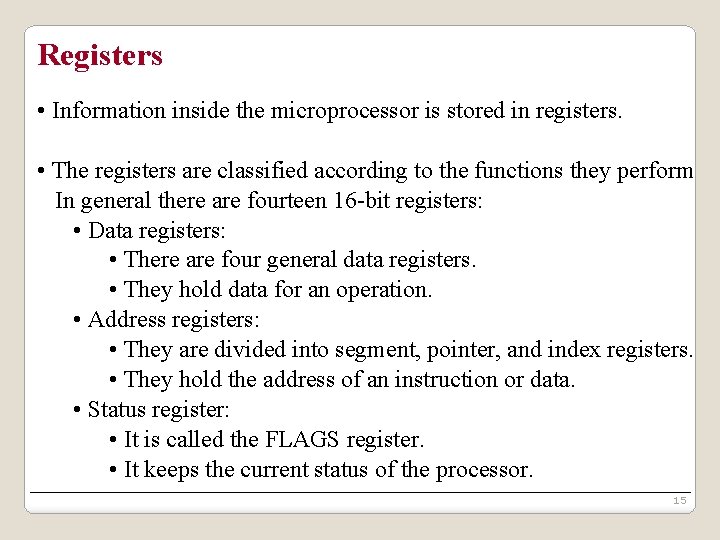
Registers • Information inside the microprocessor is stored in registers. • The registers are classified according to the functions they perform In general there are fourteen 16 -bit registers: • Data registers: • There are four general data registers. • They hold data for an operation. • Address registers: • They are divided into segment, pointer, and index registers. • They hold the address of an instruction or data. • Status register: • It is called the FLAGS register. • It keeps the current status of the processor. 15
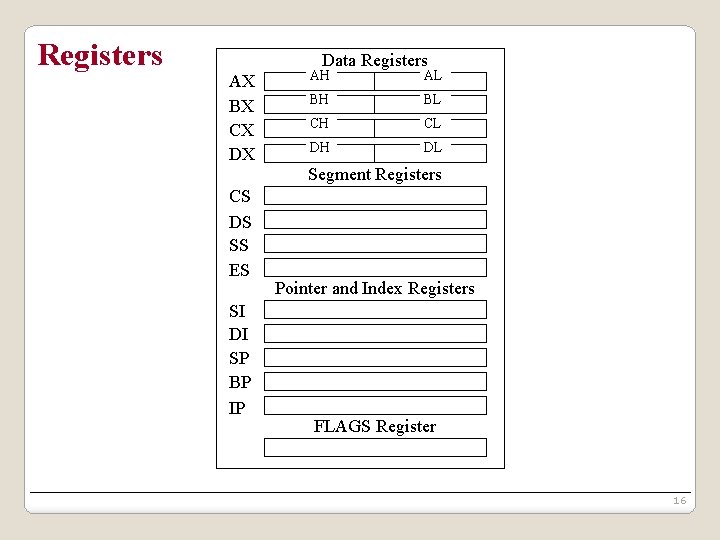
Registers Data Registers AX BX CX DX CS DS SS ES SI DI SP BP IP AH AL BH BL CH CL DH DL Segment Registers Pointer and Index Registers FLAGS Register 16
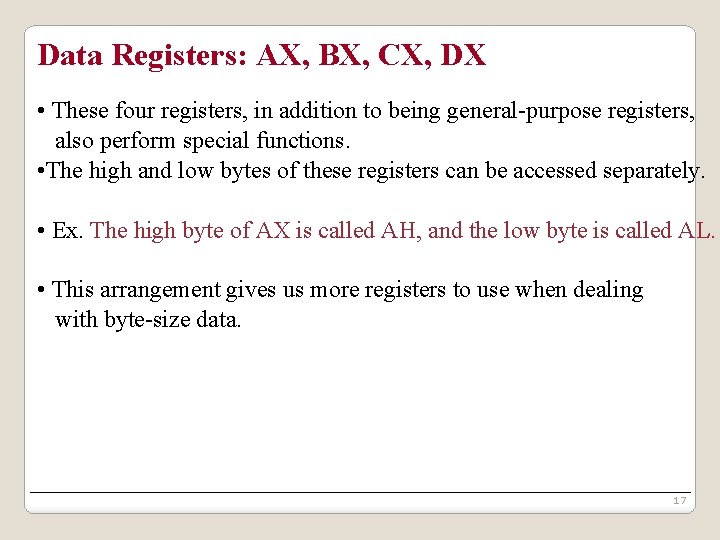
Data Registers: AX, BX, CX, DX • These four registers, in addition to being general-purpose registers, also perform special functions. • The high and low bytes of these registers can be accessed separately. • Ex. The high byte of AX is called AH, and the low byte is called AL. • This arrangement gives us more registers to use when dealing with byte-size data. 17
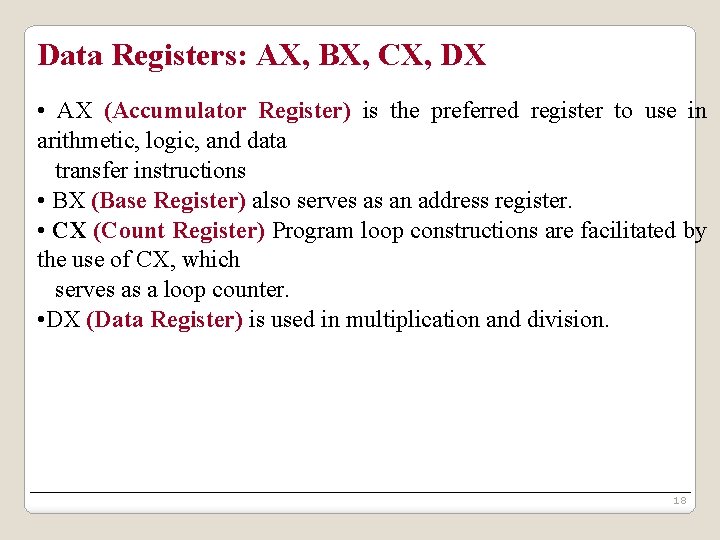
Data Registers: AX, BX, CX, DX • AX (Accumulator Register) is the preferred register to use in arithmetic, logic, and data transfer instructions • BX (Base Register) also serves as an address register. • CX (Count Register) Program loop constructions are facilitated by the use of CX, which serves as a loop counter. • DX (Data Register) is used in multiplication and division. 18
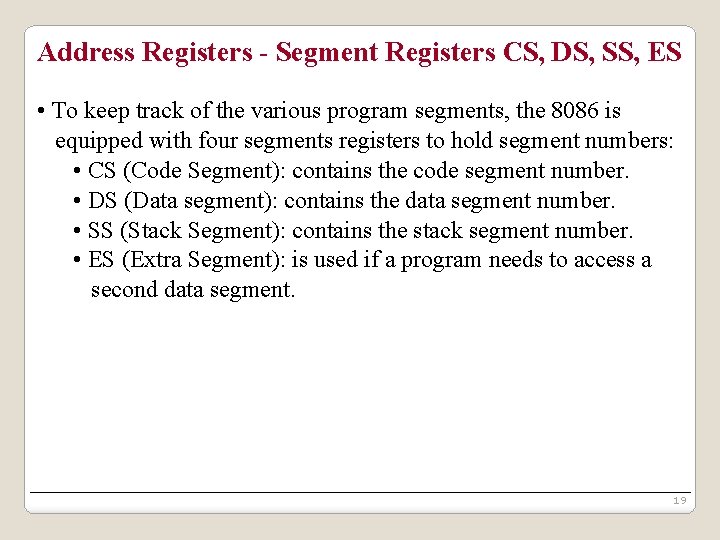
Address Registers - Segment Registers CS, DS, SS, ES • To keep track of the various program segments, the 8086 is equipped with four segments registers to hold segment numbers: • CS (Code Segment): contains the code segment number. • DS (Data segment): contains the data segment number. • SS (Stack Segment): contains the stack segment number. • ES (Extra Segment): is used if a program needs to access a second data segment. 19
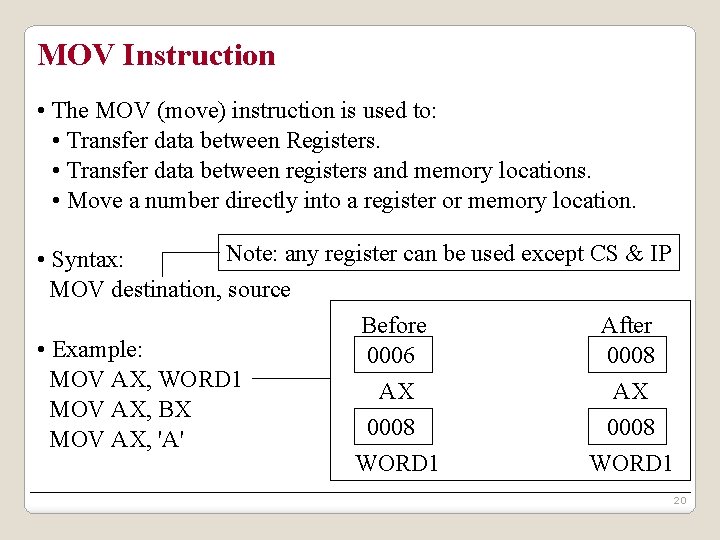
MOV Instruction • The MOV (move) instruction is used to: • Transfer data between Registers. • Transfer data between registers and memory locations. • Move a number directly into a register or memory location. Note: any register can be used except CS & IP • Syntax: MOV destination, source Before After • Example: 0006 0008 MOV AX, WORD 1 AX AX MOV AX, BX 0008 MOV AX, 'A' WORD 1 20
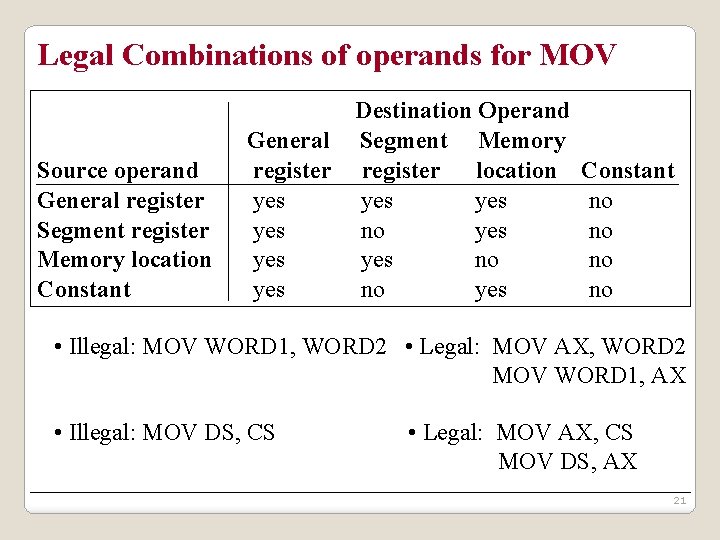
Legal Combinations of operands for MOV Source operand General register Segment register Memory location Constant Destination Operand General Segment Memory register location yes yes no yes Constant no no • Illegal: MOV WORD 1, WORD 2 • Legal: MOV AX, WORD 2 MOV WORD 1, AX • Illegal: MOV DS, CS • Legal: MOV AX, CS MOV DS, AX 21
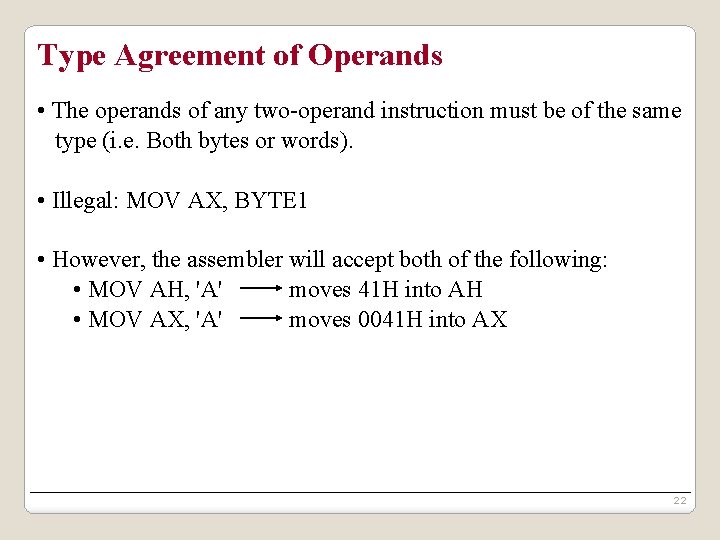
Type Agreement of Operands • The operands of any two-operand instruction must be of the same type (i. e. Both bytes or words). • Illegal: MOV AX, BYTE 1 • However, the assembler will accept both of the following: • MOV AH, 'A' moves 41 H into AH • MOV AX, 'A' moves 0041 H into AX 22
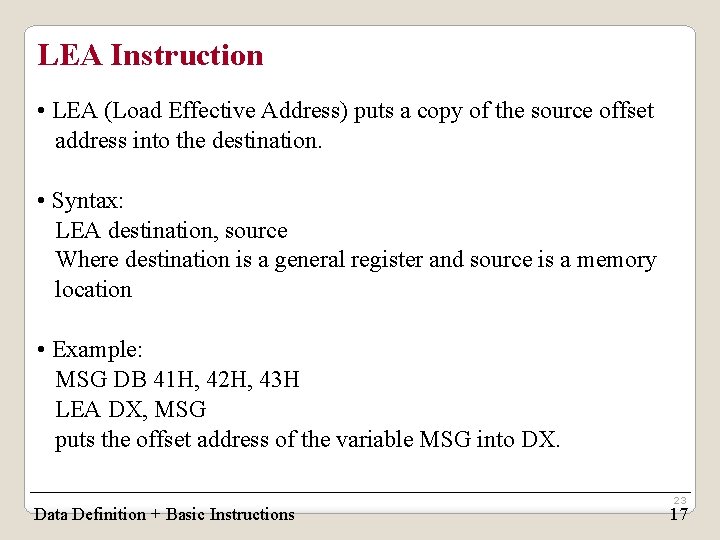
LEA Instruction • LEA (Load Effective Address) puts a copy of the source offset address into the destination. • Syntax: LEA destination, source Where destination is a general register and source is a memory location • Example: MSG DB 41 H, 42 H, 43 H LEA DX, MSG puts the offset address of the variable MSG into DX. Data Definition + Basic Instructions 23 17
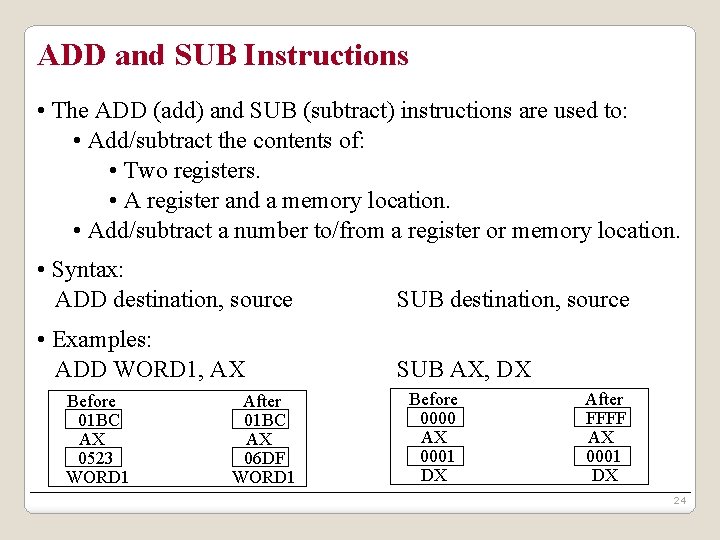
ADD and SUB Instructions • The ADD (add) and SUB (subtract) instructions are used to: • Add/subtract the contents of: • Two registers. • A register and a memory location. • Add/subtract a number to/from a register or memory location. • Syntax: ADD destination, source SUB destination, source • Examples: ADD WORD 1, AX SUB AX, DX Before 01 BC AX 0523 WORD 1 After 01 BC AX 06 DF WORD 1 Before 0000 AX 0001 DX After FFFF AX 0001 DX 24
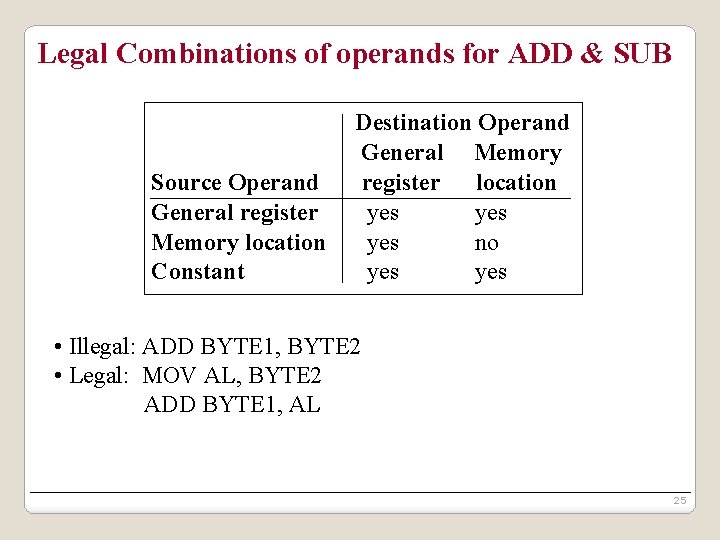
Legal Combinations of operands for ADD & SUB Source Operand General register Memory location Constant Destination Operand General Memory register location yes yes no yes • Illegal: ADD BYTE 1, BYTE 2 • Legal: MOV AL, BYTE 2 ADD BYTE 1, AL 25
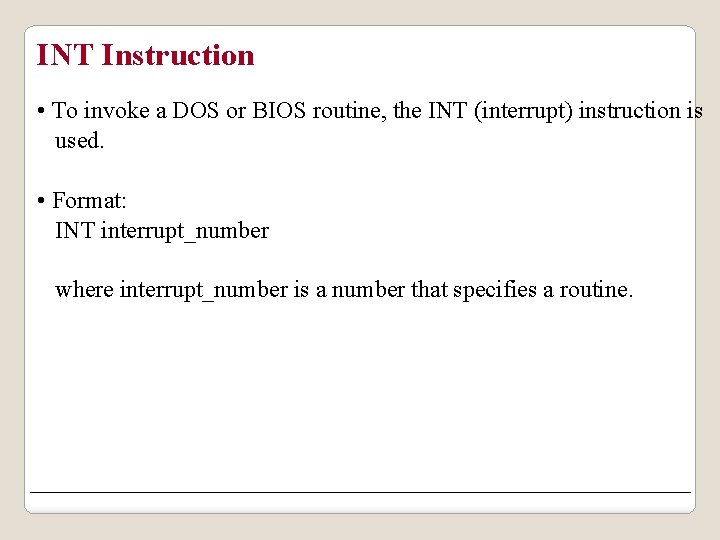
INT Instruction • To invoke a DOS or BIOS routine, the INT (interrupt) instruction is used. • Format: INT interrupt_number where interrupt_number is a number that specifies a routine.
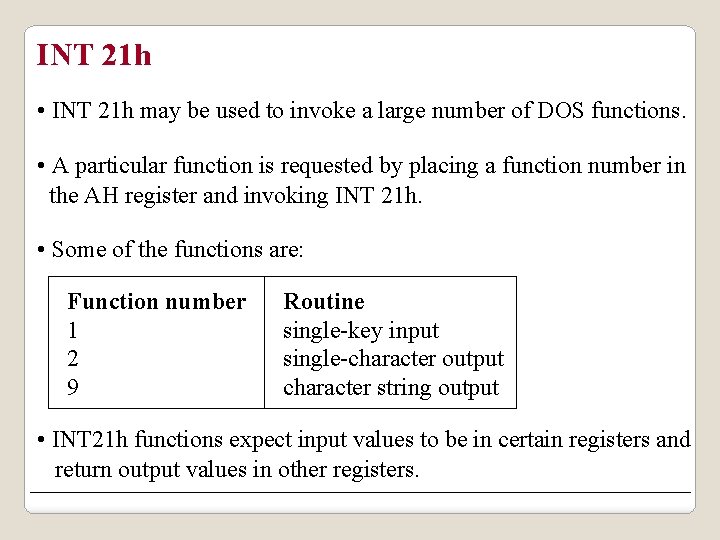
INT 21 h • INT 21 h may be used to invoke a large number of DOS functions. • A particular function is requested by placing a function number in the AH register and invoking INT 21 h. • Some of the functions are: Function number 1 2 9 Routine single-key input single-character output character string output • INT 21 h functions expect input values to be in certain registers and return output values in other registers.
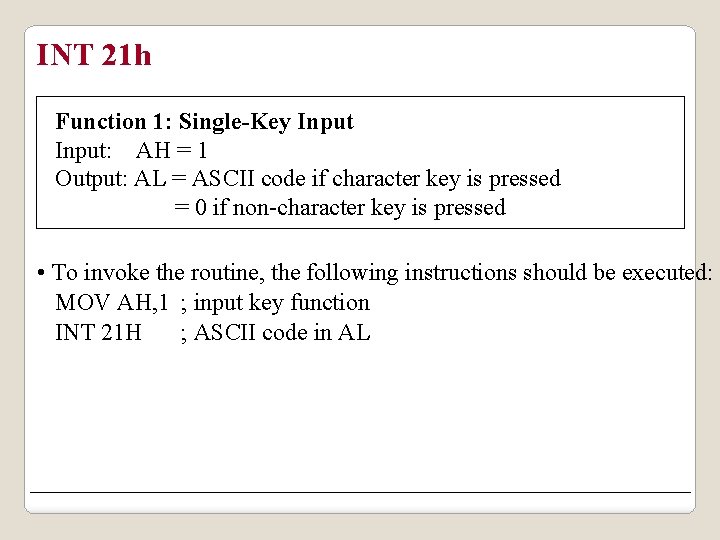
INT 21 h Function 1: Single-Key Input: AH = 1 Output: AL = ASCII code if character key is pressed = 0 if non-character key is pressed • To invoke the routine, the following instructions should be executed: MOV AH, 1 ; input key function INT 21 H ; ASCII code in AL
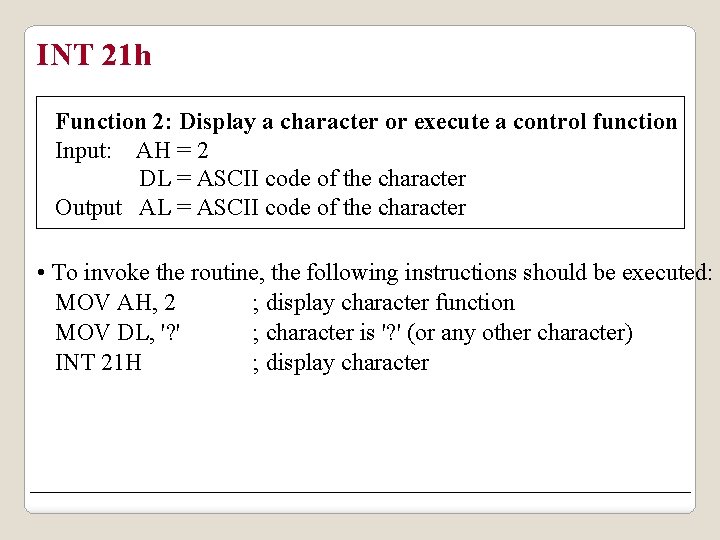
INT 21 h Function 2: Display a character or execute a control function Input: AH = 2 DL = ASCII code of the character Output AL = ASCII code of the character • To invoke the routine, the following instructions should be executed: MOV AH, 2 ; display character function MOV DL, '? ' ; character is '? ' (or any other character) INT 21 H ; display character
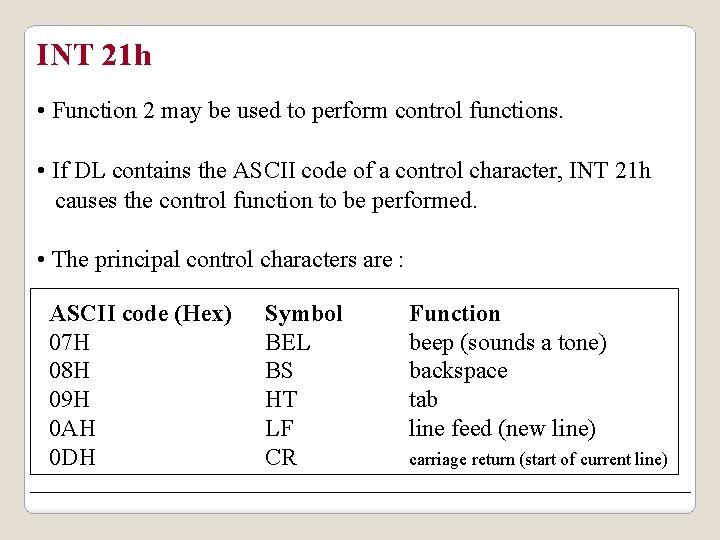
INT 21 h • Function 2 may be used to perform control functions. • If DL contains the ASCII code of a control character, INT 21 h causes the control function to be performed. • The principal control characters are : ASCII code (Hex) 07 H 08 H 09 H 0 AH 0 DH Symbol BEL BS HT LF CR Function beep (sounds a tone) backspace tab line feed (new line) carriage return (start of current line)
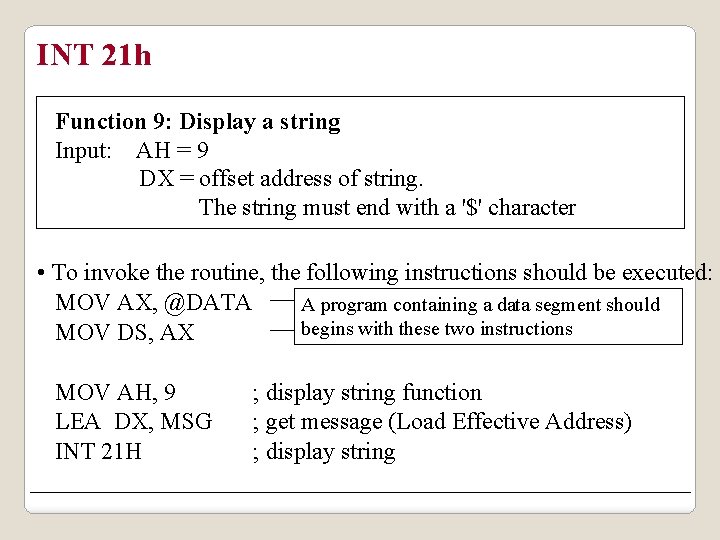
INT 21 h Function 9: Display a string Input: AH = 9 DX = offset address of string. The string must end with a '$' character • To invoke the routine, the following instructions should be executed: MOV AX, @DATA A program containing a data segment should begins with these two instructions MOV DS, AX MOV AH, 9 LEA DX, MSG INT 21 H ; display string function ; get message (Load Effective Address) ; display string