
Defining and Dashboarding Student Success Jumpstarting DataDriven Decision
Defining and Dashboarding Student Success: Jumpstarting Data-Driven Decision Making Jennifer M. Harrison Associate Director for Assessment Faculty Development Center Sherri N. Braxton Senior Director of Instructional Technology University of Maryland, Baltimore County
Defining and Dashboarding Student Success: Jumpstarting Data-Driven Decision Making How can we help our institutions create a data-enabled culture that improves decision making and student success? What are the key student success indicators? Where is the information stored? How can data be synthesized for more precise analysis? Our session begins to answer these questions by challenging attendees to define student success and delve into the technologies that collect and manage the data. Our session will help attendees to practice bridging direct and indirect evidence through scenarios that model effective practices adaptable to many institutions.
Our Learning Outcomes When we complete this session, we will be able to … Create a dashboard of indicators to define student success Collaborate to apply key concepts to a scenario that includes multiple direct and indirect data points Reflect on student success indicators your institution might use to build a data-enabled culture and improve decision making 3
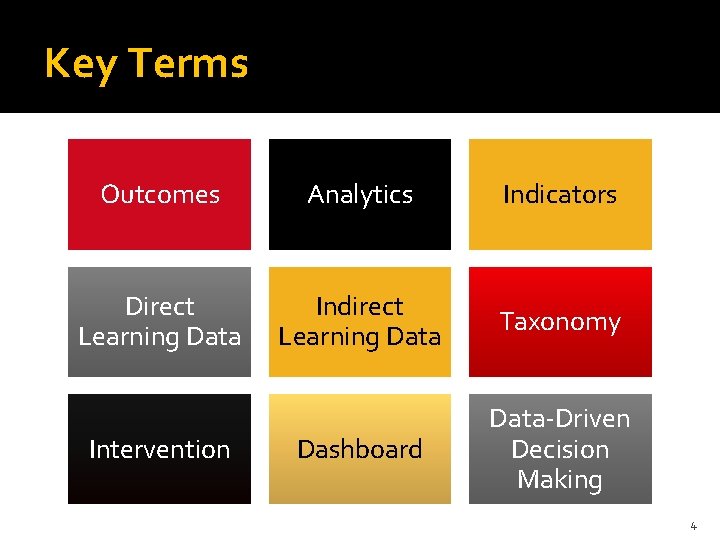
Key Terms Outcomes Analytics Indicators Direct Learning Data Indirect Learning Data Taxonomy Dashboard Data-Driven Decision Making Intervention 4
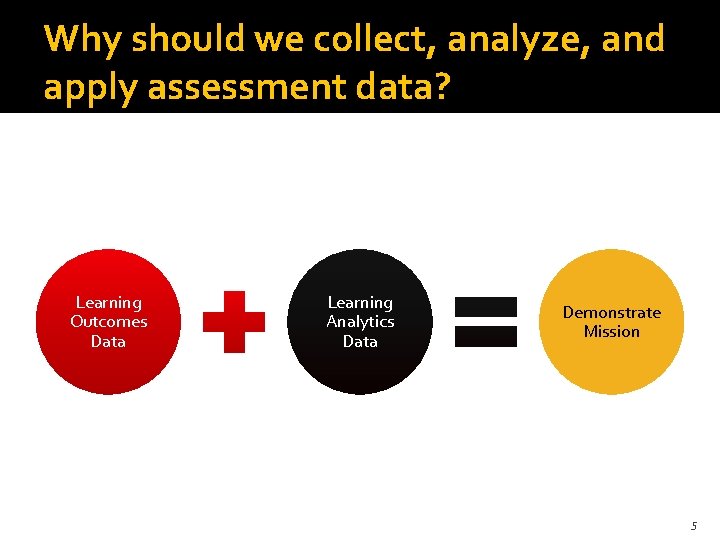
Why should we collect, analyze, and apply assessment data? Learning Outcomes Data Learning Analytics Data Demonstrate Mission 5
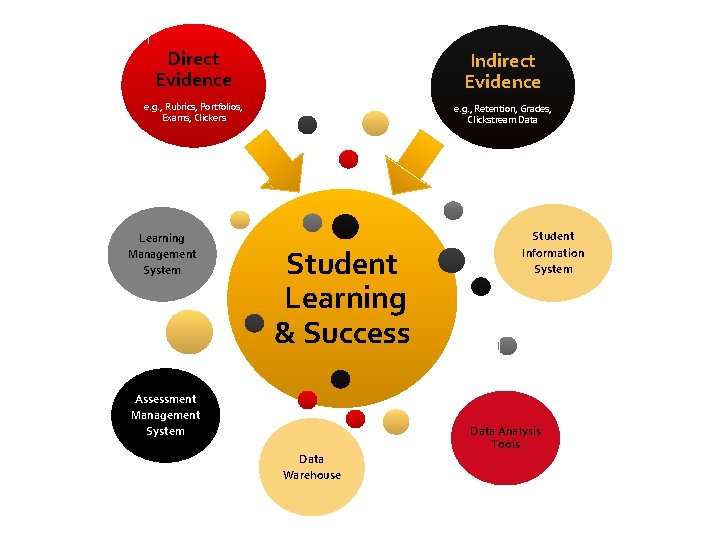
Direct Evidence Indirect Evidence e. g. , Rubrics, Portfolios, Exams, Clickers e. g. , Retention, Grades, Clickstream Data Learning Management System Student Learning & Success Student Information System Assessment Management System Data Warehouse Data Analysis Tools
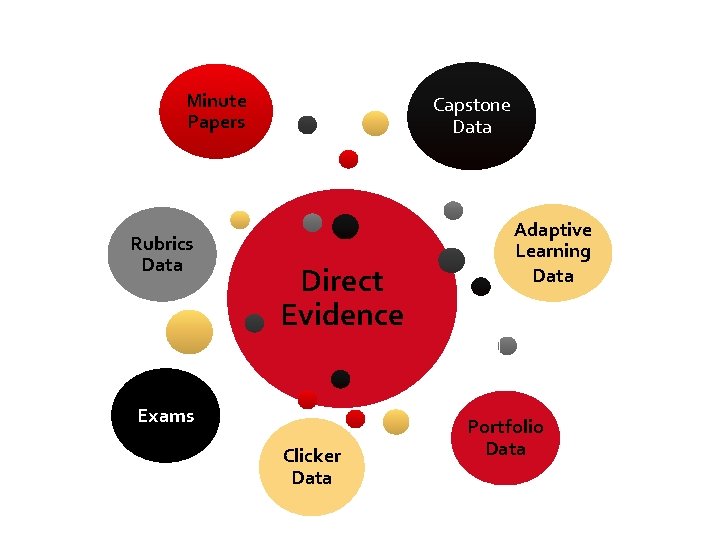
Minute Papers Capstone Data Rubrics Data Direct Evidence Adaptive Learning Data Exams Clicker Data Portfolio Data
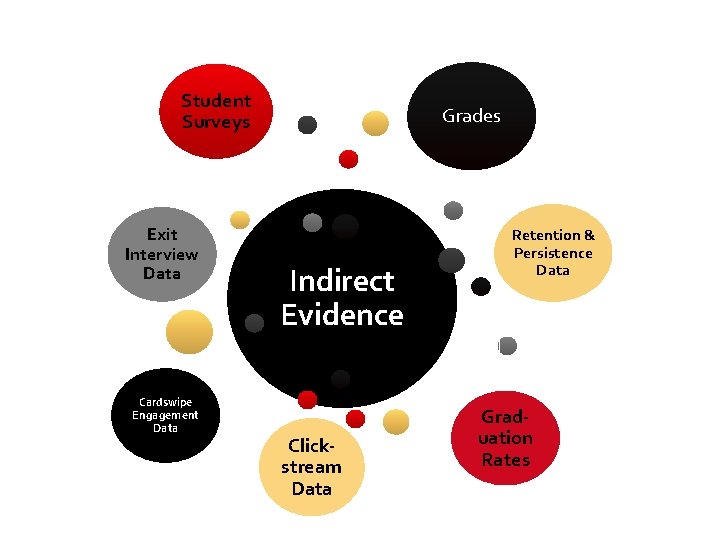
Student Surveys Grades Exit Interview Data Retention & Persistence Data Indirect Evidence Cardswipe Engagement Data Clickstream Data Grad- uation Rates
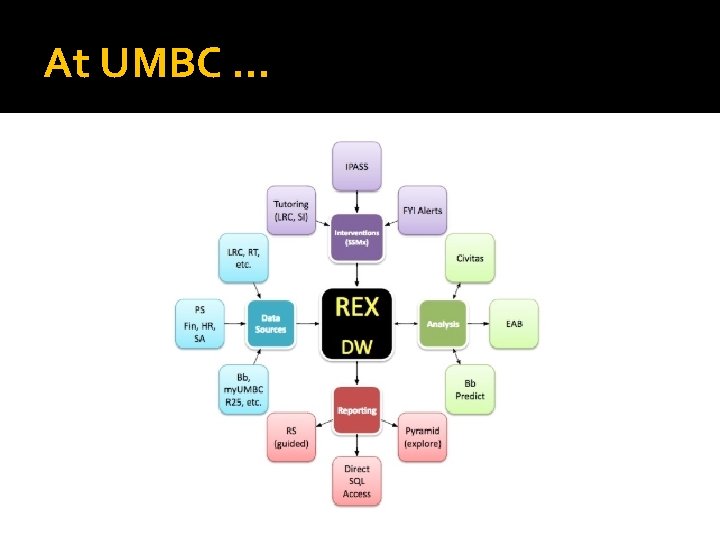
At UMBC …
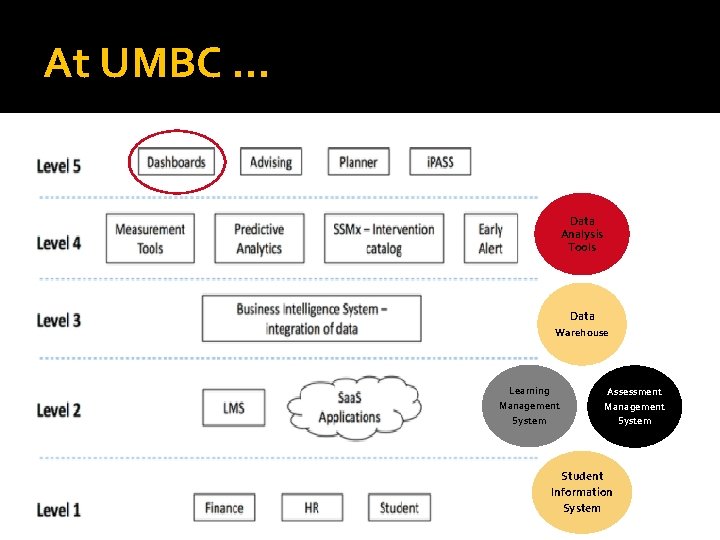
At UMBC … Data Analysis Tools Data Warehouse Learning Management System Assessment Management System Student Information System
Overview Technology Solutions for Assessment
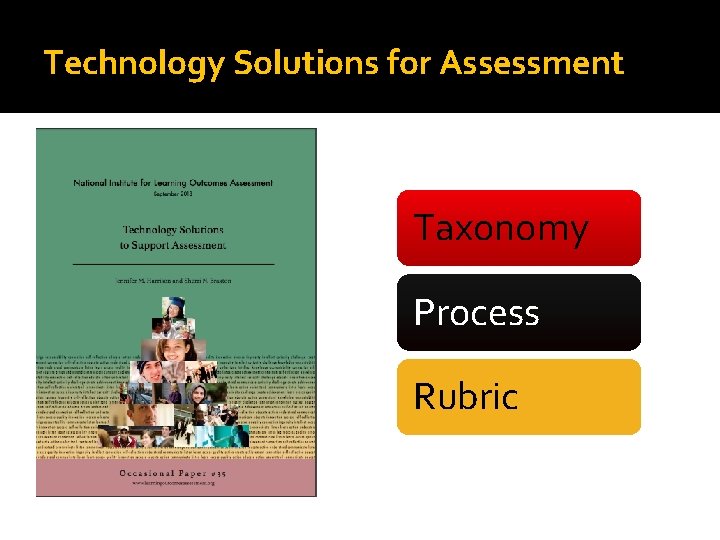
Technology Solutions for Assessment Taxonomy Process Rubric
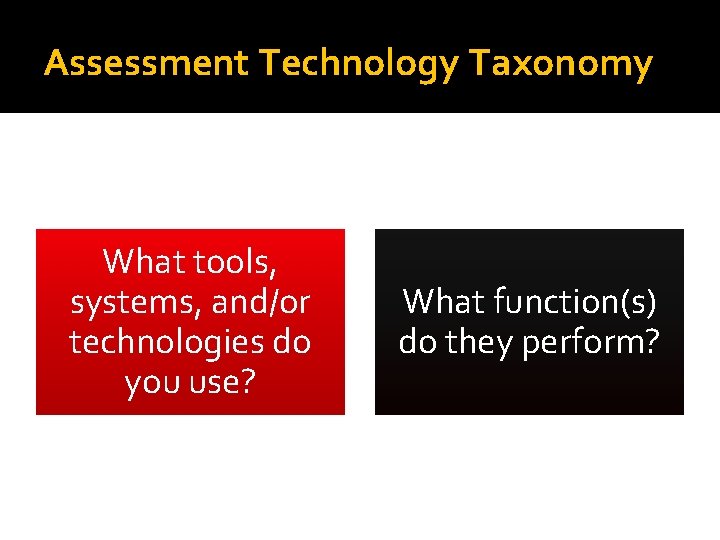
Assessment Technology Taxonomy What tools, systems, and/or technologies do you use? What function(s) do they perform?
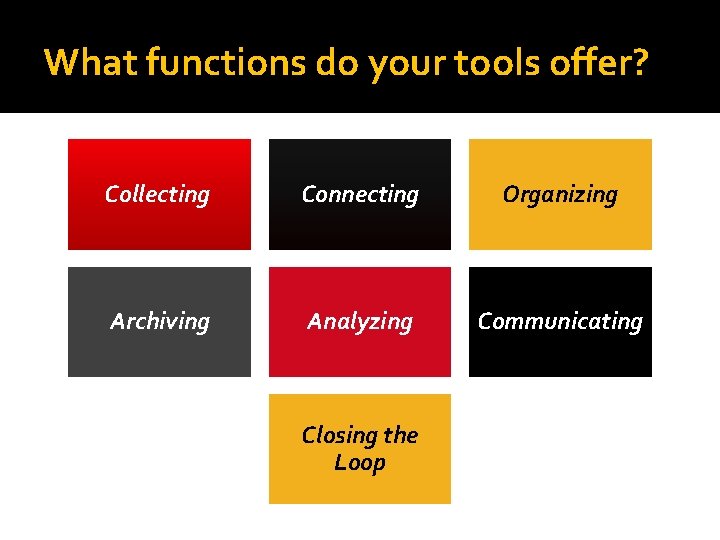
What functions do your tools offer? Collecting Connecting Organizing Archiving Analyzing Communicating Closing the Loop
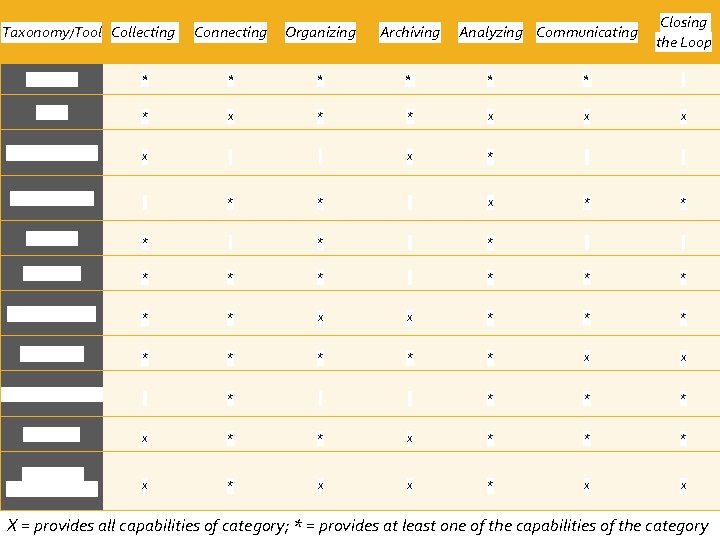
Taxonomy/Tool Collecting Connecting Organizing Archiving Analyzing Communicating Closing the Loop Acrobatiq * * AEFIS * x * * x x x Blackboard Learn x x * Civitas Learning * * x * * Exam. Soft * * * Explorance * * * Learning Objects * * x x * * * PASS-PORT * * * x x People. Soft Campus * * * * Portfolium x * * * Water. Mark Task. Stream Tk 20 x * x x X = provides all capabilities of category; * = provides at least one of the capabilities of the category
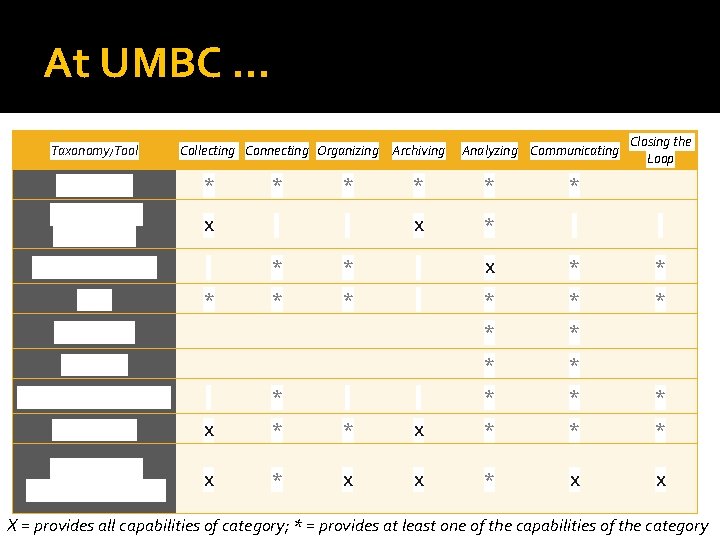
At UMBC … Taxonomy/Tool Collecting Connecting Organizing Archiving Analyzing Communicating Closing the Loop Acrobatiq * * * Blackboard Learn/EAC X X * Civitas Learning * * X * * EAB * * * Bb Predict * * Pyramid * * People. Soft Campus * * * * Portfolium X * * * Water. Mark Task. Stream Tk 20 X * X X X = provides all capabilities of category; * = provides at least one of the capabilities of the category
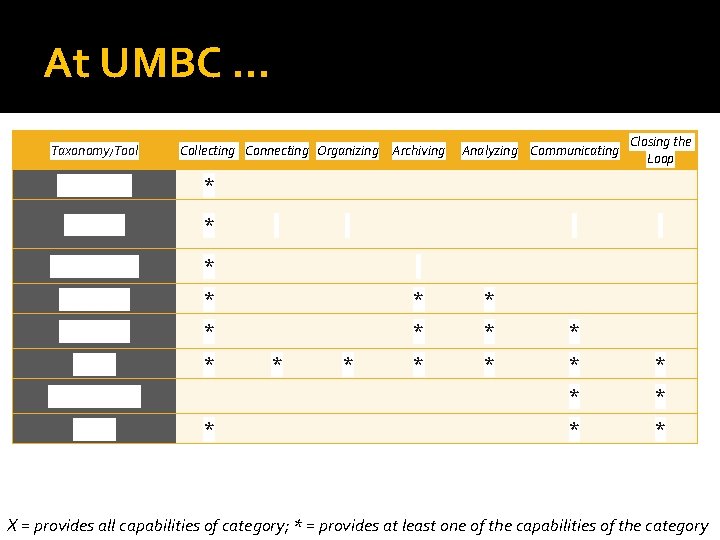
At UMBC … Taxonomy/Tool Collecting Connecting Organizing Archiving Analyzing Communicating Closing the Loop my. UMBC * Clickers * Card Swipe * Qualtrics * * * Scantron * * Excel * * * * * Power. Point Word * * * X = provides all capabilities of category; * = provides at least one of the capabilities of the category
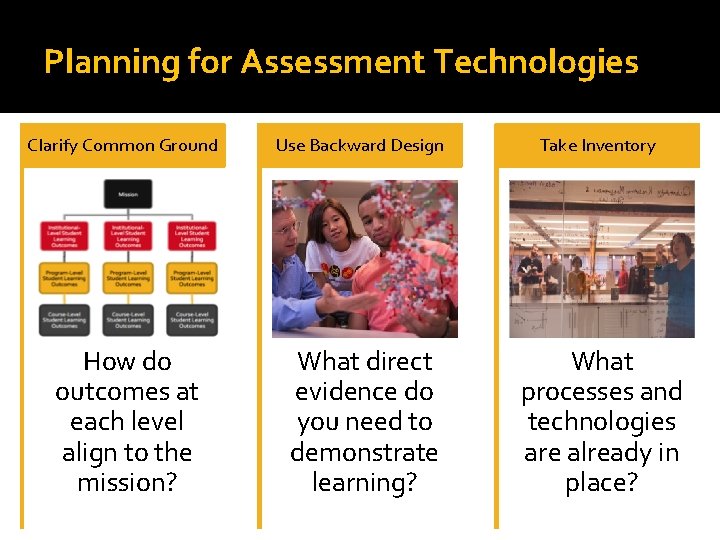
Planning for Assessment Technologies Clarify Common Ground How do outcomes at each level align to the mission? Use Backward Design What direct evidence do you need to demonstrate learning? Take Inventory What processes and technologies are already in place?
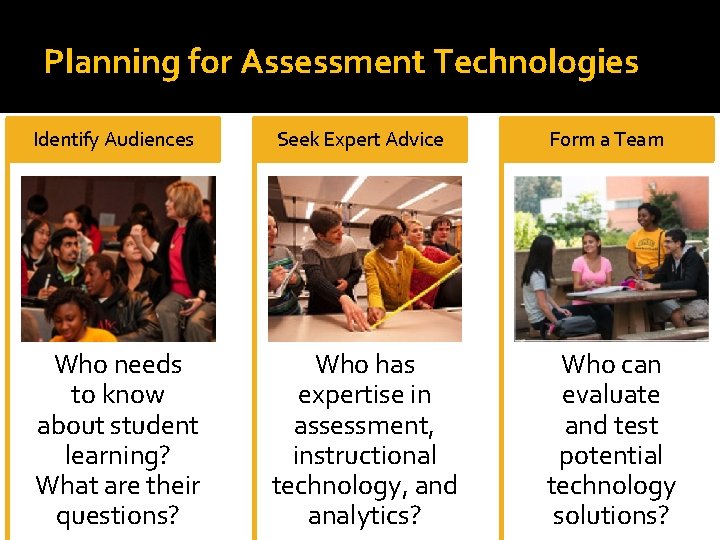
Planning for Assessment Technologies Identify Audiences Seek Expert Advice Form a Team Who needs to know about student learning? What are their questions? Who has expertise in assessment, instructional technology, and analytics? Who can evaluate and test potential technology solutions?
Usability Criteria Questions to Consider Usability Is the software intuitive and easy to use? (Will users need extensive training? ) Does it work well with software we already have (and are using)? Does it require additional steps/staff to enter and extract data? Does it make assessment feel like an add-on? Or does it make assessment work part of the teaching and learning process? Does data export in a useable format? Is it IMS Global Learning Tools Interoperable (LTI)? What about accessibility?
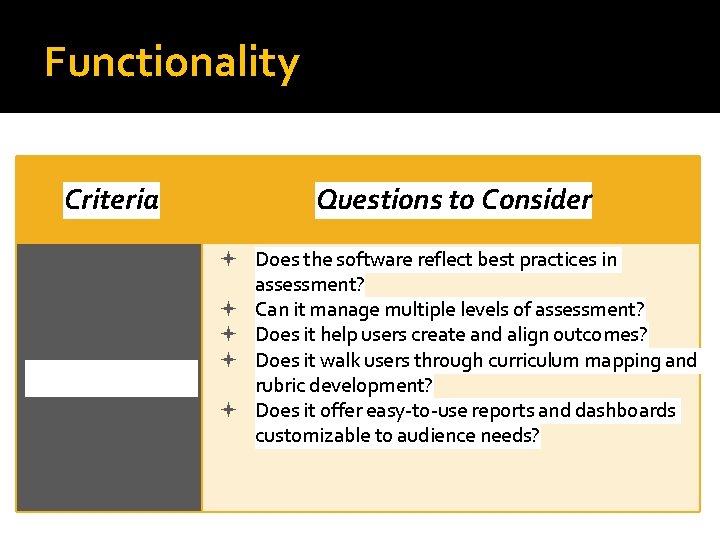
Functionality Criteria Functionality Questions to Consider Does the software reflect best practices in assessment? Can it manage multiple levels of assessment? Does it help users create and align outcomes? Does it walk users through curriculum mapping and rubric development? Does it offer easy-to-use reports and dashboards customizable to audience needs?
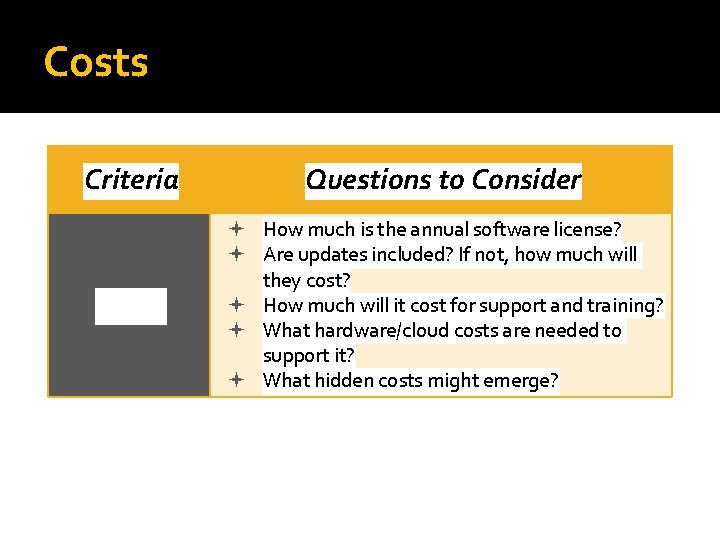
Costs Criteria Questions to Consider Costs How much is the annual software license? Are updates included? If not, how much will they cost? How much will it cost for support and training? What hardware/cloud costs are needed to support it? What hidden costs might emerge?
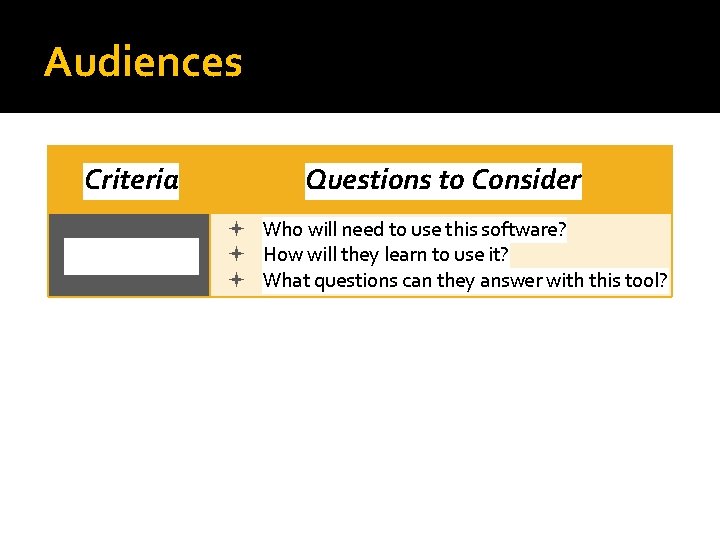
Audiences Criteria Questions to Consider Audiences Who will need to use this software? How will they learn to use it? What questions can they answer with this tool?
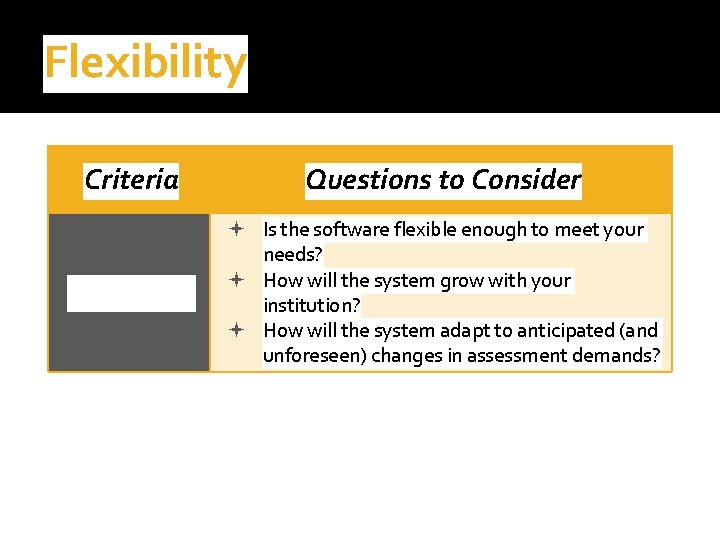
Flexibility Criteria Questions to Consider Flexibility Is the software flexible enough to meet your needs? How will the system grow with your institution? How will the system adapt to anticipated (and unforeseen) changes in assessment demands?
Bridging Education Data
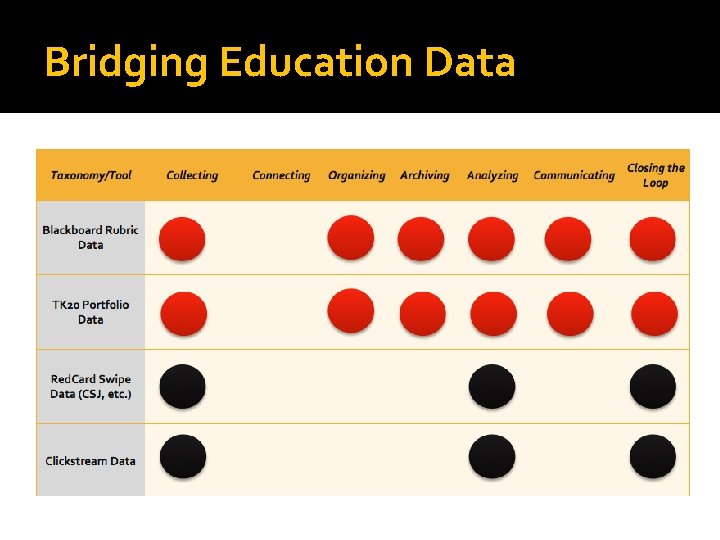
Bridging Education Data
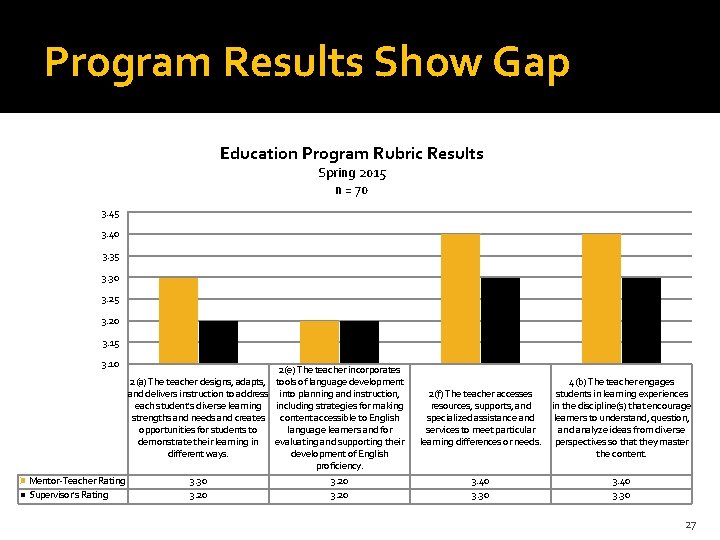
Program Results Show Gap Education Program Rubric Results Spring 2015 n = 70 3. 45 3. 40 3. 35 3. 30 3. 25 3. 20 3. 15 3. 10 2(a) The teacher designs, adapts, and delivers instruction to address each student's diverse learning strengths and needs and creates opportunities for students to demonstrate their learning in different ways. Mentor-Teacher Rating Supervisor's Rating 3. 30 3. 20 2(e) The teacher incorporates tools of language development into planning and instruction, including strategies for making content accessible to English language learners and for evaluating and supporting their development of English proficiency. 3. 20 2(f) The teacher accesses resources, supports, and specialized assistance and services to meet particular learning differences or needs. 4(b) The teacher engages students in learning experiences in the discipline(s) that encourage learners to understand, question, and analyze ideas from diverse perspectives so that they master the content. 3. 40 3. 30 27
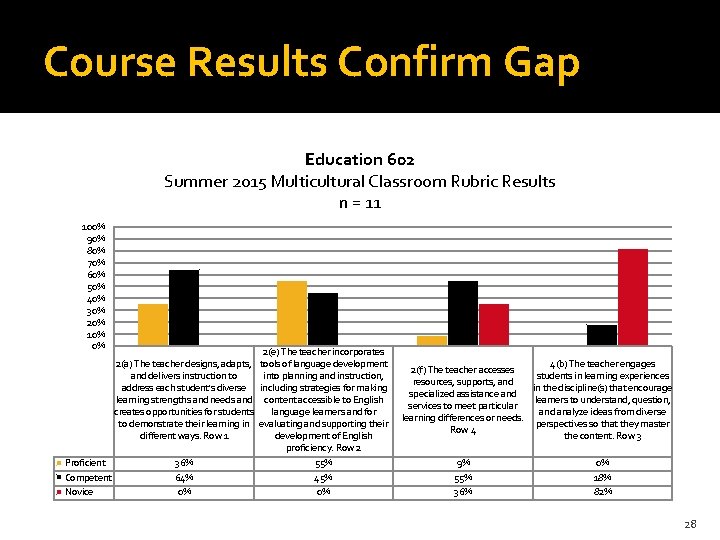
Course Results Confirm Gap Education 602 Summer 2015 Multicultural Classroom Rubric Results n = 11 100% 90% 80% 70% 60% 50% 40% 30% 20% 10% 0% 2(a) The teacher designs, adapts, and delivers instruction to address each student's diverse learning strengths and needs and creates opportunities for students to demonstrate their learning in different ways. Row 1 Proficient Competent Novice 36% 64% 0% 2(e) The teacher incorporates tools of language development into planning and instruction, including strategies for making content accessible to English language learners and for evaluating and supporting their development of English proficiency. Row 2 55% 45% 0% 4(b) The teacher engages 2(f) The teacher accesses students in learning experiences resources, supports, and in the discipline(s) that encourage specialized assistance and learners to understand, question, services to meet particular and analyze ideas from diverse learning differences or needs. perspectives so that they master Row 4 the content. Row 3 9% 55% 36% 0% 18% 82% 28
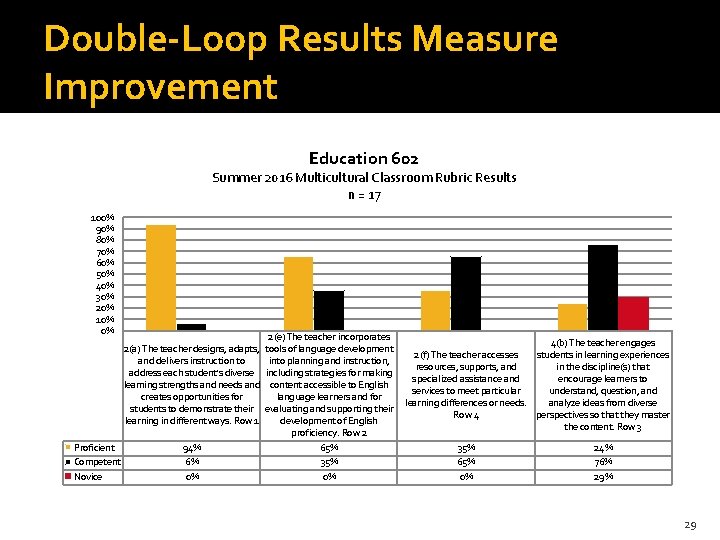
Double-Loop Results Measure Improvement Education 602 Summer 2016 Multicultural Classroom Rubric Results n = 17 100% 90% 80% 70% 60% 50% 40% 30% 20% 10% 0% 2(e) The teacher incorporates 4(b) The teacher engages 2(a) The teacher designs, adapts, tools of language development 2(f) The teacher accesses students in learning experiences and delivers instruction to into planning and instruction, resources, supports, and in the discipline(s) that address each student's diverse including strategies for making specialized assistance and encourage learners to learning strengths and needs and content accessible to English services to meet particular understand, question, and creates opportunities for language learners and for learning differences or needs. analyze ideas from diverse students to demonstrate their evaluating and supporting their Row 4 perspectives so that they master learning in different ways. Row 1 development of English the content. Row 3 proficiency. Row 2 Proficient 94% 65% 35% 24% Competent 6% 35% 65% 76% Novice 0% 0% 0% 29
Lesson Plans 30
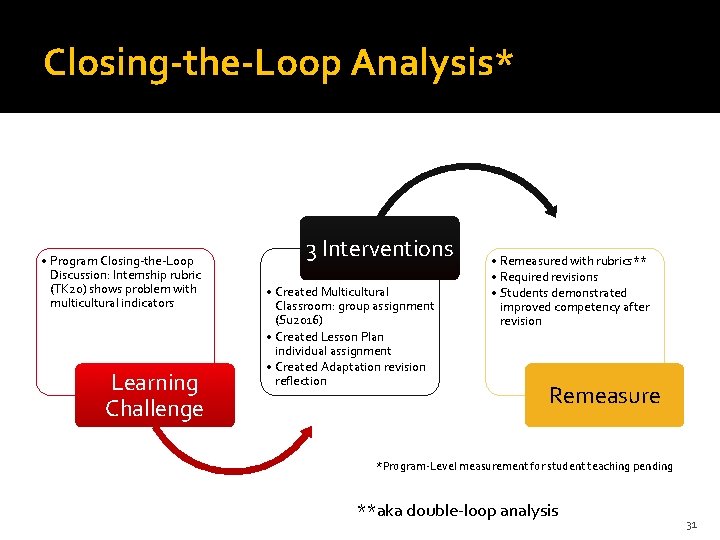
Closing-the-Loop Analysis* • Program Closing-the-Loop Discussion: Internship rubric (TK 20) shows problem with multicultural indicators Learning Challenge 3 Interventions • Created Multicultural Classroom: group assignment (Su 2016) • Created Lesson Plan individual assignment • Created Adaptation revision reflection • Remeasured with rubrics** • Required revisions • Students demonstrated improved competency after revision Remeasure *Program-Level measurement for student teaching pending **aka double-loop analysis 31
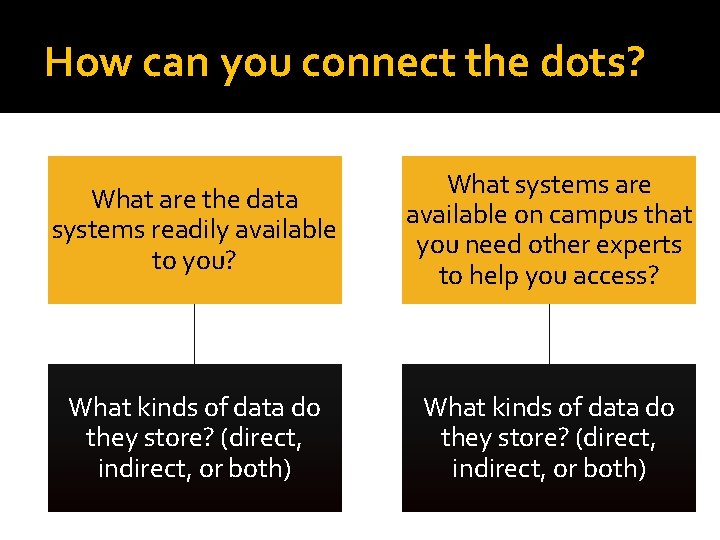
How can you connect the dots? What are the data systems readily available to you? What systems are available on campus that you need other experts to help you access? What kinds of data do they store? (direct, indirect, or both)
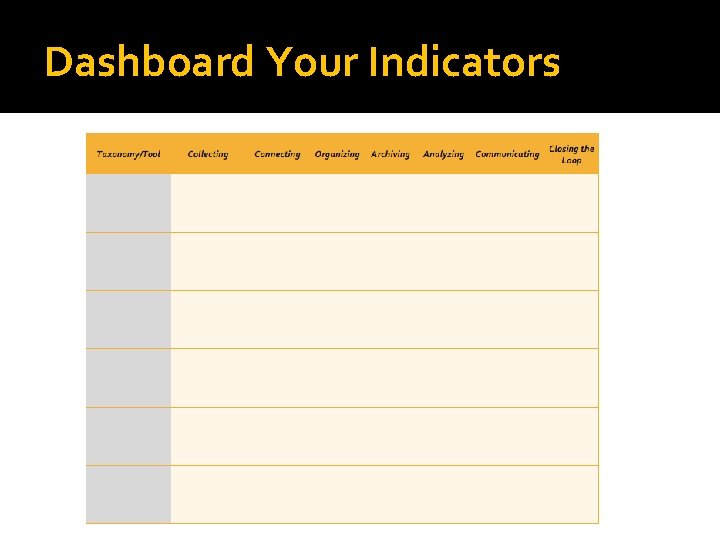
Dashboard Your Indicators
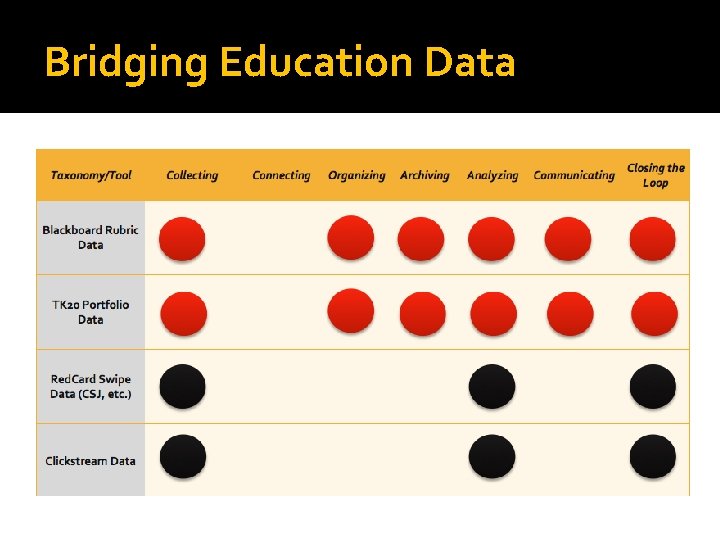
Bridging Education Data
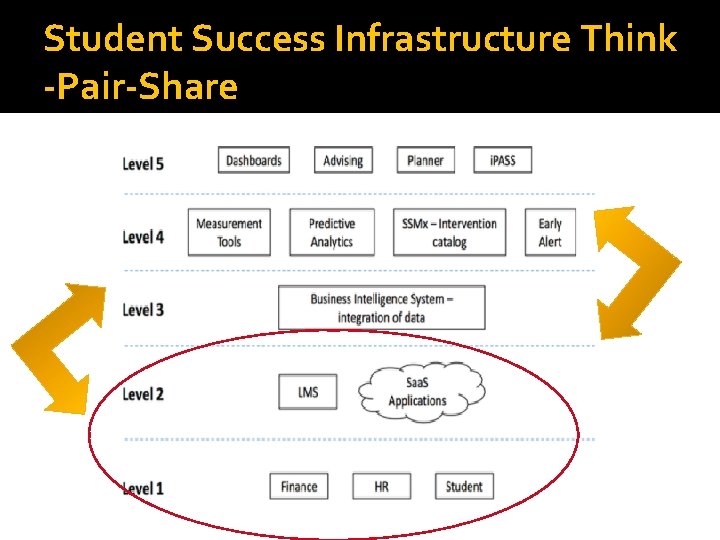
Student Success Infrastructure Think -Pair-Share
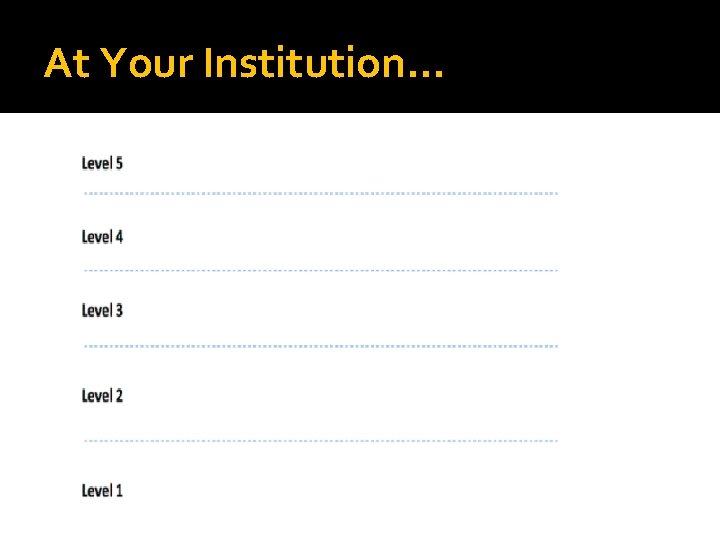
At Your Institution…
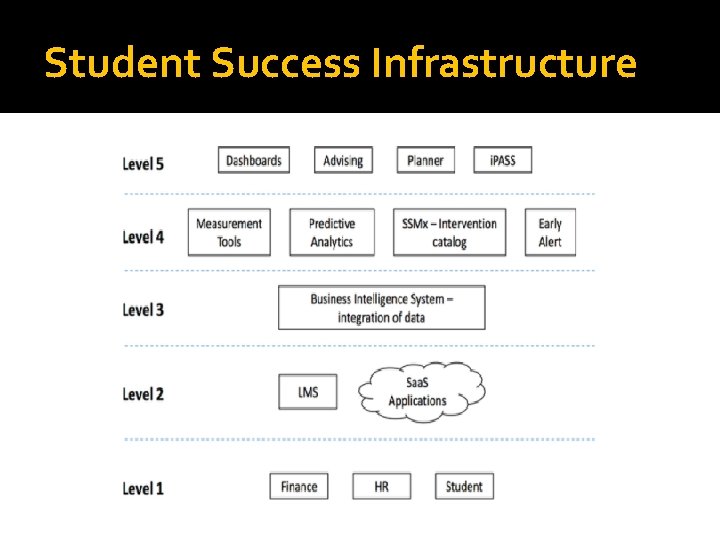
Student Success Infrastructure
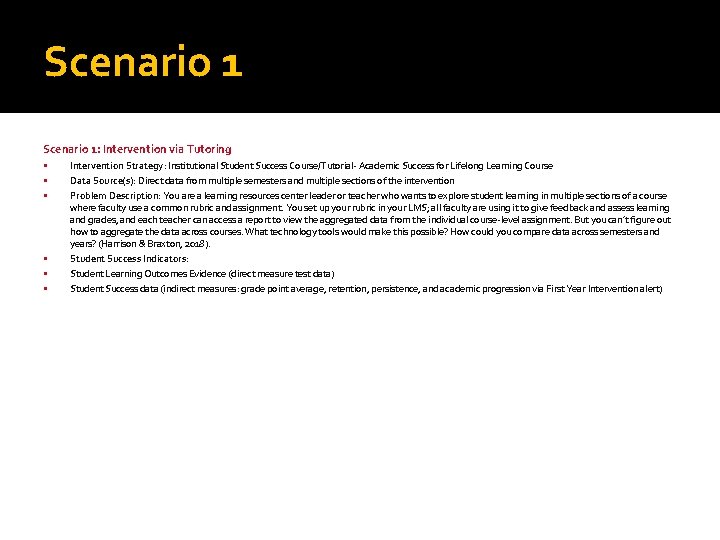
Scenario 1: Intervention via Tutoring Intervention Strategy: Institutional Student Success Course/Tutorial- Academic Success for Lifelong Learning Course Data Source(s): Direct data from multiple semesters and multiple sections of the intervention Problem Description: You are a learning resources center leader or teacher who wants to explore student learning in multiple sections of a course where faculty use a common rubric and assignment. You set up your rubric in your LMS; all faculty are using it to give feedback and assess learning and grades, and each teacher can access a report to view the aggregated data from the individual course-level assignment. But you can’t figure out how to aggregate the data across courses. What technology tools would make this possible? How could you compare data across semesters and years? (Harrison & Braxton, 2018). Student Success Indicators: Student Learning Outcomes Evidence (direct measure test data) Student Success data (indirect measures: grade point average, retention, persistence, and academic progression via First Year Intervention alert)
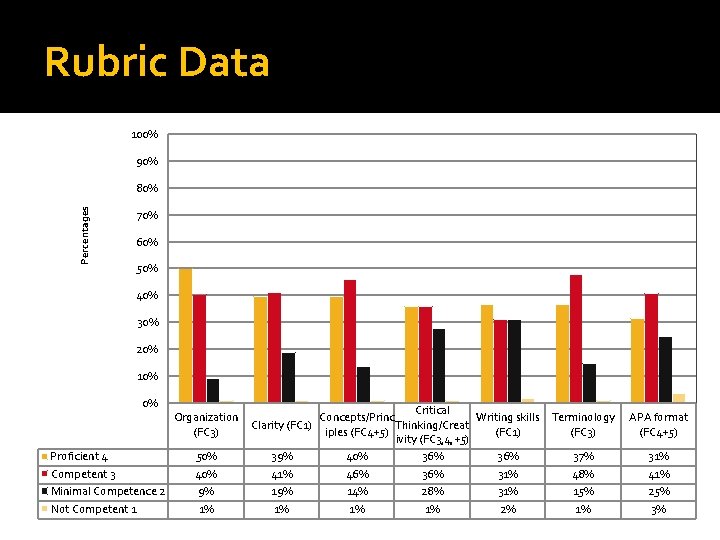
Rubric Data 100% 90% Percentages 80% 70% 60% 50% 40% 30% 20% 10% 0% Critical Organization Concepts/Princ Writing skills Terminology APA format Clarity (FC 1) Thinking/Creat (FC 3) iples (FC 4+5) (FC 1) (FC 3) (FC 4+5) ivity (FC 3, 4, +5) Proficient 4 50% 39% 40% 36% 37% 31% Competent 3 40% 41% 46% 31% 48% 41% Minimal Competence 2 9% 14% 28% 31% 15% 25% Not Competent 1 1% 1% 2% 1% 3%
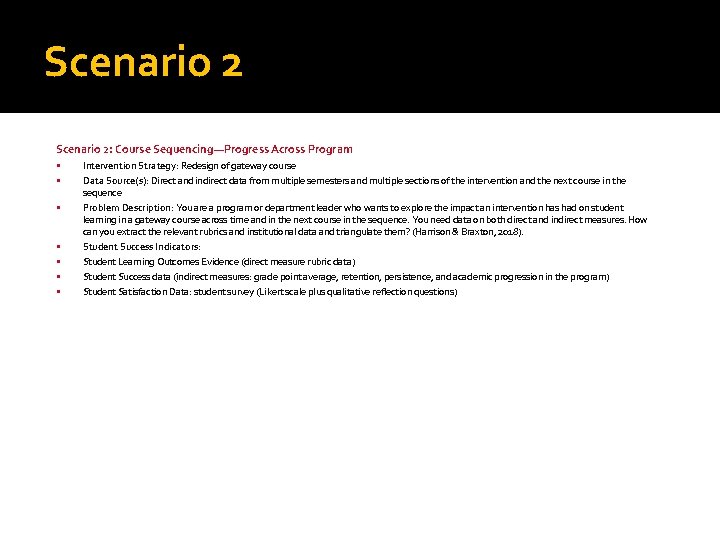
Scenario 2: Course Sequencing—Progress Across Program Intervention Strategy: Redesign of gateway course Data Source(s): Direct and indirect data from multiple semesters and multiple sections of the intervention and the next course in the sequence Problem Description: You are a program or department leader who wants to explore the impact an intervention has had on student learning in a gateway course across time and in the next course in the sequence. You need data on both direct and indirect measures. How can you extract the relevant rubrics and institutional data and triangulate them? (Harrison & Braxton, 2018). Student Success Indicators: Student Learning Outcomes Evidence (direct measure rubric data) Student Success data (indirect measures: grade point average, retention, persistence, and academic progression in the program) Student Satisfaction Data: student survey (Likert scale plus qualitative reflection questions)
Jennifer M. Harrison, UMBC FDC, jharrison@umbc. edu 41
Scenario 3: Provost’s Report on Achieving Institutional Learning Outcomes Intervention Strategy: Institution-wide curriculum mapping and vertical alignment Data Source(s): Both direct measures of student learning and indirect measures of student success Problem Description: You are the Provost and you want to know how well students are learning in relation to the institutional learning outcomes across the campus for the current term. For example, how many programs in each college have created direct measures of student learning in your LMS that align to program and institutional outcomes? What data do you need on your Learning Outcomes Dashboard so you can easily determine if students are achieving the institutional-level outcomes? What are the data sources? What tools can help you analyze the data, so you can identify institutional-level learning challenges? (Harrison & Braxton, 2018). Student Success Indicators: Student Learning Outcomes Evidence (direct measure data) Student Success data (indirect measures: grade point average, retention, persistence, and academic progression in the program) Student Satisfaction Data: NSSE and HERI data
Questions? Thanks for joining us today! Please share your scenarios Contact with questions, ideas, or suggestions See our NILOA Occasional Paper! 43
- Slides: 43