
Deep Computing Introduction to MPI Workshop February 23
Deep Computing Introduction to MPI Workshop February 23 -26 Part II – Review from November Kirk E Jordan Emerging Solutions Executive Computational Science Center T. J. Watson Research Center kjordan@us. ibm. com Harvard MPI © 2007 IBM Corporation
Deep Computing Outline for Part 1 - review (Goal – get basic background) § Quick review of characteristics of the hardware § Overview Discussion of Parallel Programming § Quick review of compilers – mp. CC and mpxlf § User Environment – setup/site dependent – Sci. Net staff provide § Compile and Run/Execute a code § Summary 2 MPI wkshp kjordan@us. ibm. com 6/4/2021 © 2007 IBM Corporation
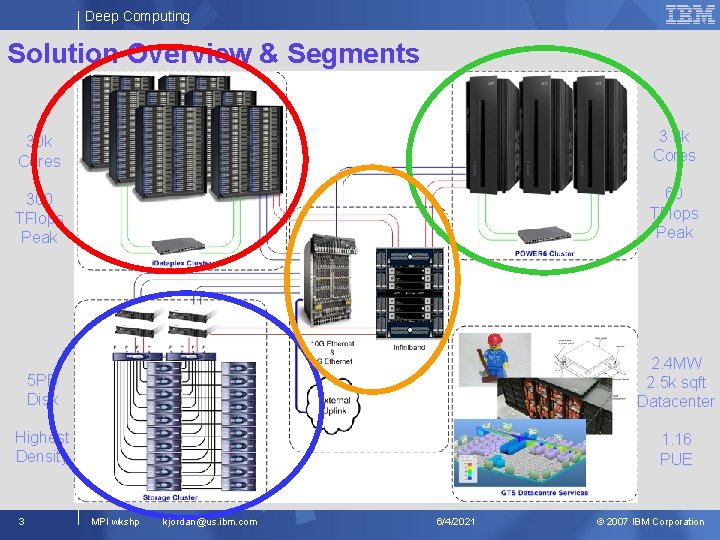
Deep Computing Solution Overview & Segments 30 k Cores 3. 3 k Cores 300 TFlops Peak 60 TFlops Peak 5 PB Disk 2. 4 MW 2. 5 k sqft Datacenter Highest Density 1. 16 PUE 3 MPI wkshp kjordan@us. ibm. com 6/4/2021 © 2007 IBM Corporation
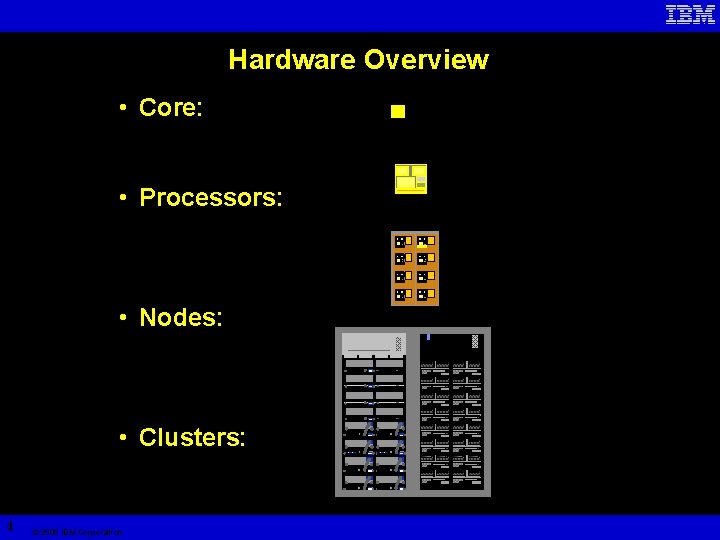
Hardware Overview • Core: • Processors: • Nodes: • Clusters: 4 © 2005 IBM Corporation
IBM System p p 575 POWER 6 5 © 2007 IBM Corporation IBM Systems

IBM System p POWER 6: Simultaneous Multithreading FX 0 Thread 0 active No thread active Thread 1 active FX 1 LSO LS 1 Appears as four CPUs per chip to the operating system (AIX V 5. 3 and Linux) FP 0 FP 1 BRZ CRL § § § System throughput POWER 6 POWER 5 Enhanced Simultaneous Multithreading ST POWER 5 POWER 6 SMT Utilizes unused execution unit cycles Reuse of existing transistors vs. performance from additional transistors Presents symmetric multiprocessing (SMP) programming model to software Dispatch two threads per processor: “It’s like doubling the number of processors. ” Net result: – Better performance – Better processor utilization 6 © 2007 IBM Corporation IBM Systems
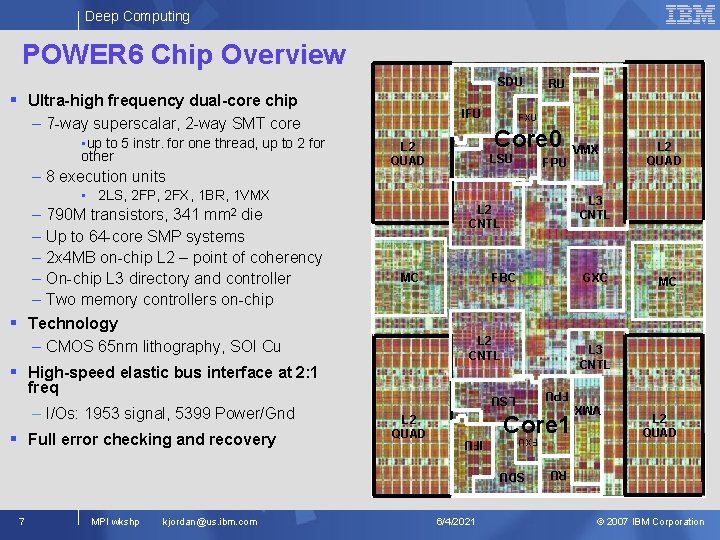
Deep Computing POWER 6 Chip Overview SDU IFU – 7 -way superscalar, 2 -way SMT core • 2 LS, 2 FP, 2 FX, 1 BR, 1 VMX MC FBC freq GXC Core 1 IFU SDU 7 MPI wkshp kjordan@us. ibm. com 6/4/2021 MC L 3 CNTL LSU § Full error checking and recovery L 2 QUAD L 3 CNTL L 2 CNTL § High-speed elastic bus interface at 2: 1 – I/Os: 1953 signal, 5399 Power/Gnd FPU L 2 CNTL mm 2 VMX L 2 QUAD RU – 790 M transistors, 341 die – Up to 64 -core SMP systems – 2 x 4 MB on-chip L 2 – point of coherency – On-chip L 3 directory and controller – Two memory controllers on-chip § Technology – CMOS 65 nm lithography, SOI Cu LSU FXU – 8 execution units Core 0 L 2 QUAD FPU • up to 5 instr. for one thread, up to 2 for other FXU VMX § Ultra-high frequency dual-core chip RU © 2007 IBM Corporation
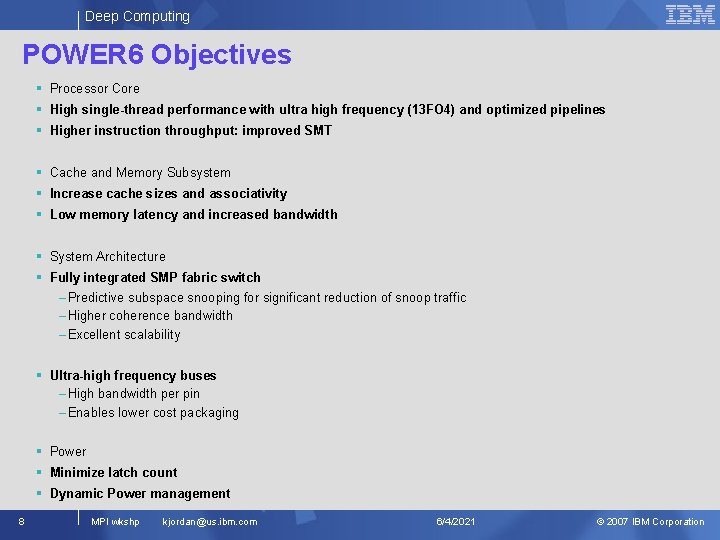
Deep Computing POWER 6 Objectives § Processor Core § High single-thread performance with ultra high frequency (13 FO 4) and optimized pipelines § Higher instruction throughput: improved SMT § Cache and Memory Subsystem § Increase cache sizes and associativity § Low memory latency and increased bandwidth § System Architecture § Fully integrated SMP fabric switch – Predictive subspace snooping for significant reduction of snoop traffic – Higher coherence bandwidth – Excellent scalability § Ultra-high frequency buses – High bandwidth per pin – Enables lower cost packaging § Power § Minimize latch count § Dynamic Power management 8 MPI wkshp kjordan@us. ibm. com 6/4/2021 © 2007 IBM Corporation
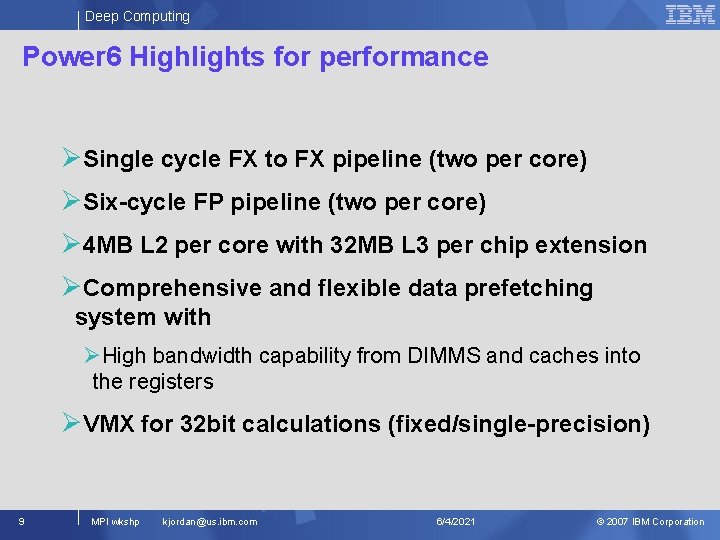
Deep Computing Power 6 Highlights for performance ØSingle cycle FX to FX pipeline (two per core) ØSix-cycle FP pipeline (two per core) Ø 4 MB L 2 per core with 32 MB L 3 per chip extension ØComprehensive and flexible data prefetching system with ØHigh bandwidth capability from DIMMS and caches into the registers ØVMX for 32 bit calculations (fixed/single-precision) 9 MPI wkshp kjordan@us. ibm. com 6/4/2021 © 2007 IBM Corporation
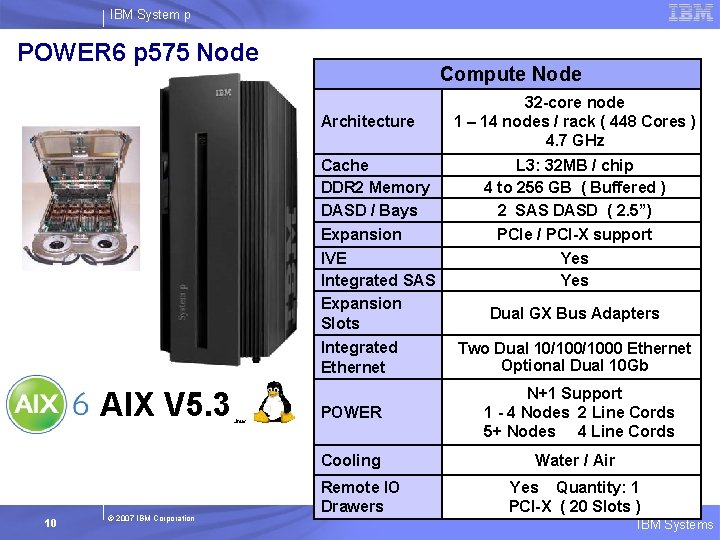
IBM System p POWER 6 p 575 Node Compute Node Architecture Cache DDR 2 Memory DASD / Bays Expansion IVE Integrated SAS Expansion Slots Integrated Ethernet AIX V 5. 3 10 © 2007 IBM Corporation Linux 32 -core node 1 – 14 nodes / rack ( 448 Cores ) 4. 7 GHz L 3: 32 MB / chip 4 to 256 GB ( Buffered ) 2 SAS DASD ( 2. 5”) PCIe / PCI-X support Yes Dual GX Bus Adapters Two Dual 10/1000 Ethernet Optional Dual 10 Gb POWER N+1 Support 1 - 4 Nodes 2 Line Cords 5+ Nodes 4 Line Cords Cooling Water / Air Remote IO Drawers Yes Quantity: 1 PCI-X ( 20 Slots ) IBM Systems
Parallel Programming Basics Comments © 2005 IBM
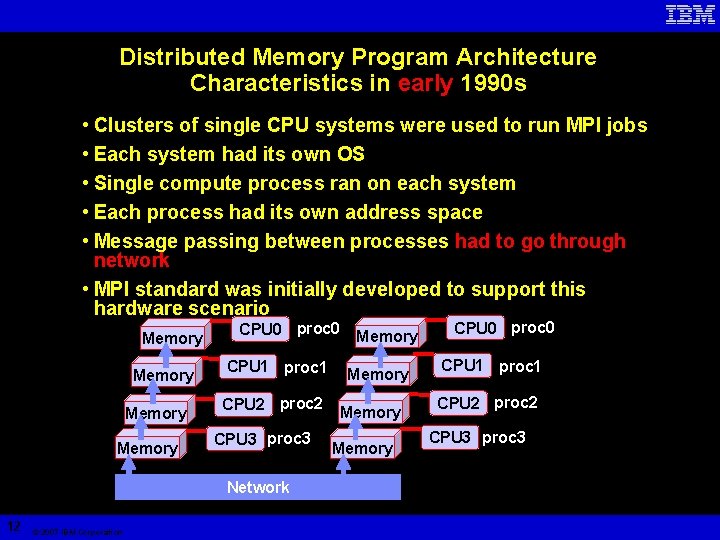
Distributed Memory Program Architecture Characteristics in early 1990 s • Clusters of single CPU systems were used to run MPI jobs • Each system had its own OS • Single compute process ran on each system • Each process had its own address space • Message passing between processes had to go through network • MPI standard was initially developed to support this hardware scenario Memory CPU 0 proc 0 CPU 1 proc 1 CPU 2 proc 2 CPU 3 proc 3 Network 12 © 2007 IBM Corporation Memory CPU 0 proc 0 CPU 1 proc 1 CPU 2 proc 2 CPU 3 proc 3
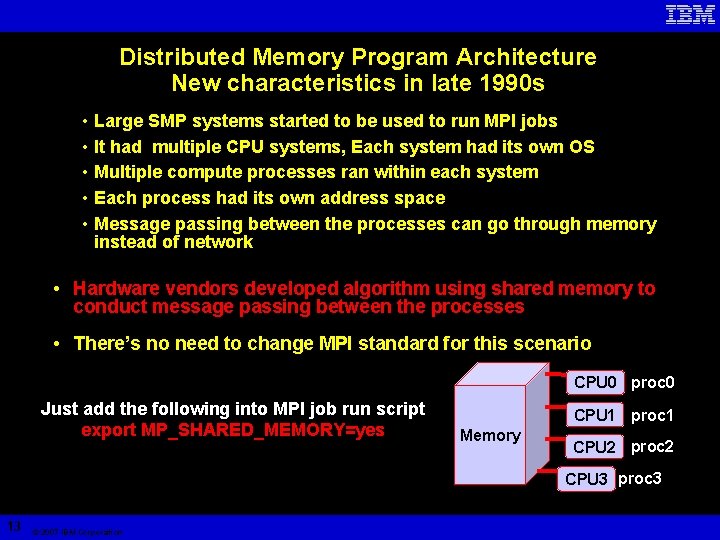
Distributed Memory Program Architecture New characteristics in late 1990 s • Large SMP systems started to be used to run MPI jobs • It had multiple CPU systems, Each system had its own OS • Multiple compute processes ran within each system • Each process had its own address space • Message passing between the processes can go through memory instead of network • Hardware vendors developed algorithm using shared memory to conduct message passing between the processes • There’s no need to change MPI standard for this scenario CPU 0 proc 0 Just add the following into MPI job run script export MP_SHARED_MEMORY=yes CPU 1 proc 1 Memory CPU 2 proc 2 CPU 3 proc 3 13 © 2007 IBM Corporation
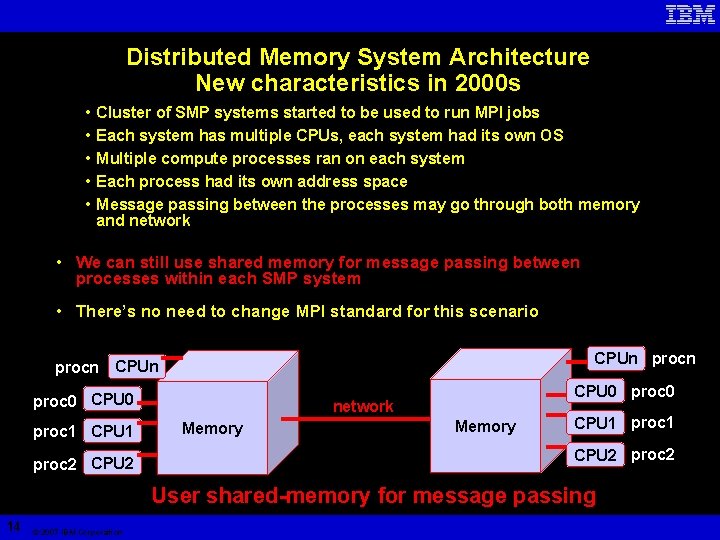
Distributed Memory System Architecture New characteristics in 2000 s • • • Cluster of SMP systems started to be used to run MPI jobs Each system has multiple CPUs, each system had its own OS Multiple compute processes ran on each system Each process had its own address space Message passing between the processes may go through both memory and network • We can still use shared memory for message passing between processes within each SMP system • There’s no need to change MPI standard for this scenario CPUn procn CPUn proc 0 CPU 0 proc 1 CPU 1 proc 2 CPU 0 proc 0 network Memory CPU 1 proc 1 CPU 2 proc 2 User shared-memory for message passing 14 © 2007 IBM Corporation
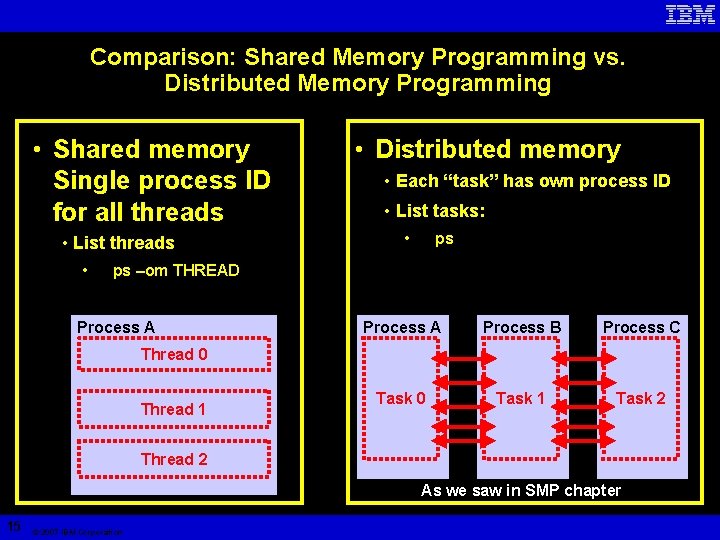
Comparison: Shared Memory Programming vs. Distributed Memory Programming • Shared memory Single process ID for all threads • List threads • • Distributed memory • Each “task” has own process ID • List tasks: • ps ps –om THREAD Process A Process B Process C Task 0 Task 1 Task 2 Thread 0 Thread 1 Thread 2 As we saw in SMP chapter 15 © 2007 IBM Corporation
Parallel programming is essential to exploit modern computer architectures • Single processor performance is reaching limits • Moore’s Law still holds for transistor density, but… • Frequency is limited by heat dissipation and signal cross talk • Multi-core chips are everywhere. . . • Advances in network technology allow for extreme parallelization 16 © 2005 IBM Corporation
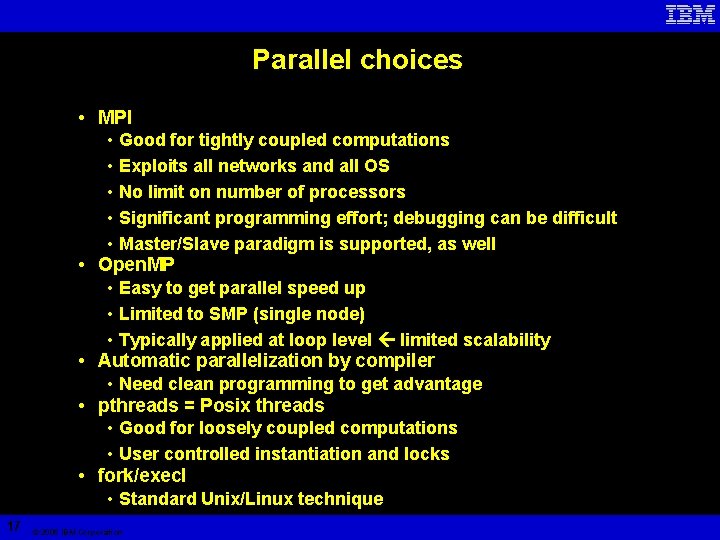
Parallel choices • MPI • • 17 • Good for tightly coupled computations • Exploits all networks and all OS • No limit on number of processors • Significant programming effort; debugging can be difficult • Master/Slave paradigm is supported, as well Open. MP • Easy to get parallel speed up • Limited to SMP (single node) • Typically applied at loop level limited scalability Automatic parallelization by compiler • Need clean programming to get advantage pthreads = Posix threads • Good for loosely coupled computations • User controlled instantiation and locks fork/execl • Standard Unix/Linux technique © 2005 IBM Corporation
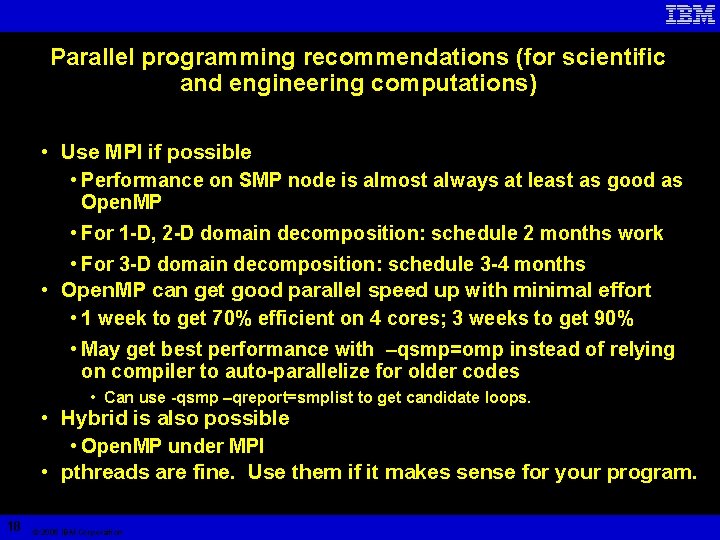
Parallel programming recommendations (for scientific and engineering computations) • Use MPI if possible • Performance on SMP node is almost always at least as good as Open. MP • For 1 -D, 2 -D domain decomposition: schedule 2 months work • For 3 -D domain decomposition: schedule 3 -4 months • Open. MP can get good parallel speed up with minimal effort • 1 week to get 70% efficient on 4 cores; 3 weeks to get 90% • May get best performance with –qsmp=omp instead of relying on compiler to auto-parallelize for older codes • Can use -qsmp –qreport=smplist to get candidate loops. • Hybrid is also possible • Open. MP under MPI • pthreads are fine. Use them if it makes sense for your program. 18 © 2005 IBM Corporation
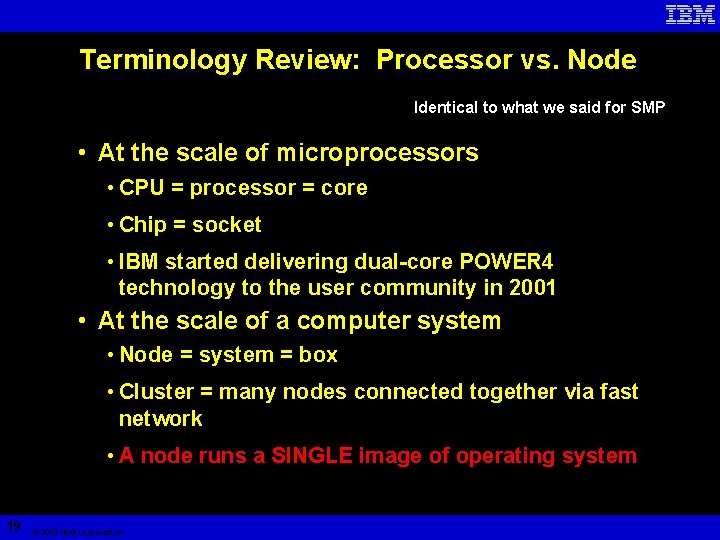
Terminology Review: Processor vs. Node Identical to what we said for SMP • At the scale of microprocessors • CPU = processor = core • Chip = socket • IBM started delivering dual-core POWER 4 technology to the user community in 2001 • At the scale of a computer system • Node = system = box • Cluster = many nodes connected together via fast network • A node runs a SINGLE image of operating system 19 © 2007 IBM Corporation
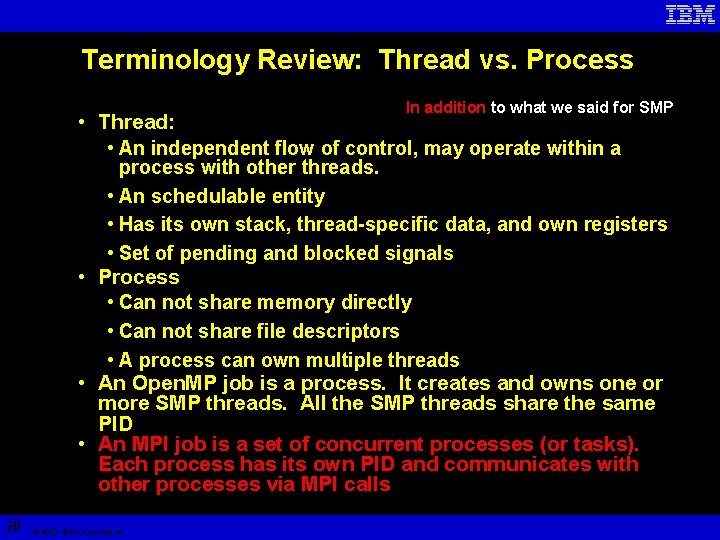
Terminology Review: Thread vs. Process In addition to what we said for SMP • Thread: • An independent flow of control, may operate within a process with other threads. • An schedulable entity • Has its own stack, thread-specific data, and own registers • Set of pending and blocked signals • Process • Can not share memory directly • Can not share file descriptors • A process can own multiple threads • An Open. MP job is a process. It creates and owns one or more SMP threads. All the SMP threads share the same PID • An MPI job is a set of concurrent processes (or tasks). Each process has its own PID and communicates with other processes via MPI calls 20 © 2007 IBM Corporation
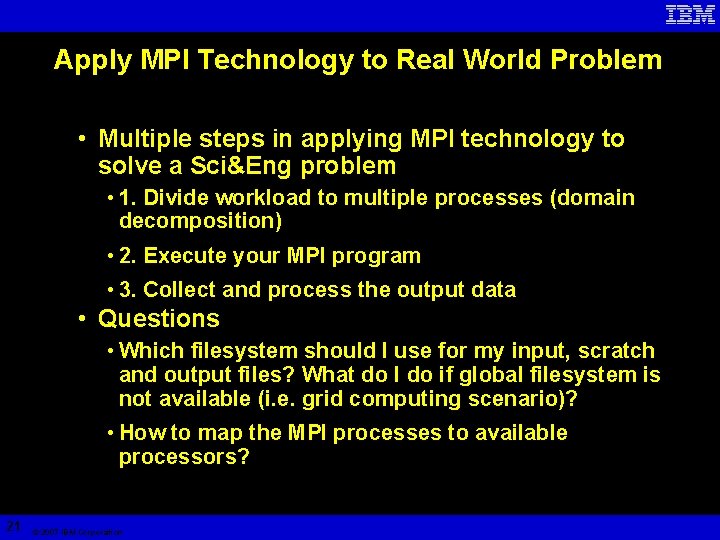
Apply MPI Technology to Real World Problem • Multiple steps in applying MPI technology to solve a Sci&Eng problem • 1. Divide workload to multiple processes (domain decomposition) • 2. Execute your MPI program • 3. Collect and process the output data • Questions • Which filesystem should I use for my input, scratch and output files? What do I do if global filesystem is not available (i. e. grid computing scenario)? • How to map the MPI processes to available processors? 21 © 2007 IBM Corporation
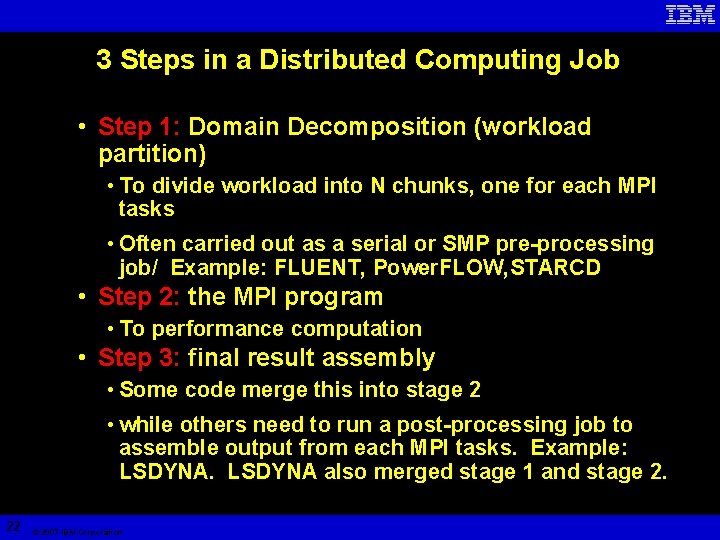
3 Steps in a Distributed Computing Job • Step 1: Domain Decomposition (workload partition) • To divide workload into N chunks, one for each MPI tasks • Often carried out as a serial or SMP pre-processing job/ Example: FLUENT, Power. FLOW, STARCD • Step 2: the MPI program • To performance computation • Step 3: final result assembly • Some code merge this into stage 2 • while others need to run a post-processing job to assemble output from each MPI tasks. Example: LSDYNA also merged stage 1 and stage 2. 22 © 2007 IBM Corporation
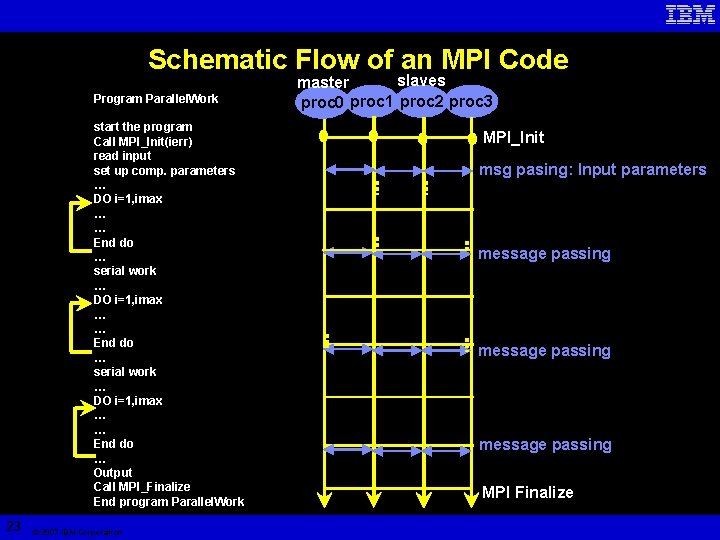
Schematic Flow of an MPI Code Program Parallel. Work start the program Call MPI_Init(ierr) read input set up comp. parameters … DO i=1, imax … … End do … serial work … DO i=1, imax … … End do … Output Call MPI_Finalize End program Parallel. Work 23 © 2007 IBM Corporation slaves master proc 0 proc 1 proc 2 proc 3 MPI_Init msg pasing: Input parameters message passing MPI Finalize
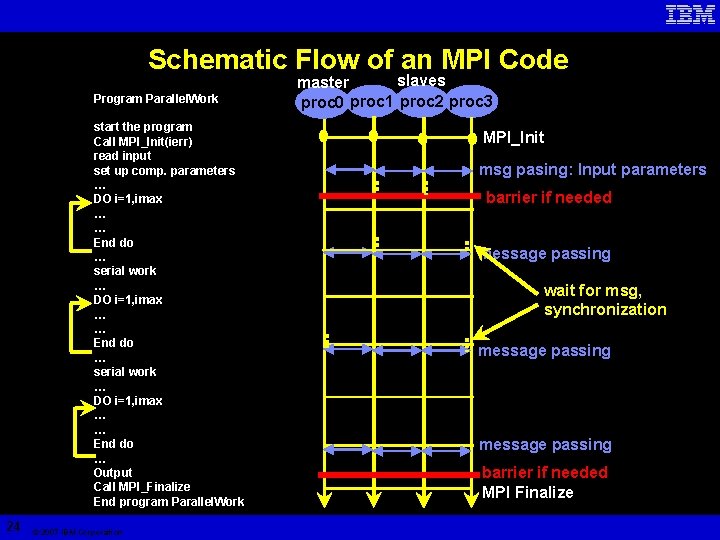
Schematic Flow of an MPI Code Program Parallel. Work start the program Call MPI_Init(ierr) read input set up comp. parameters … DO i=1, imax … … End do … serial work … DO i=1, imax … … End do … Output Call MPI_Finalize End program Parallel. Work 24 © 2007 IBM Corporation slaves master proc 0 proc 1 proc 2 proc 3 MPI_Init msg pasing: Input parameters barrier if needed message passing wait for msg, synchronization message passing barrier if needed MPI Finalize
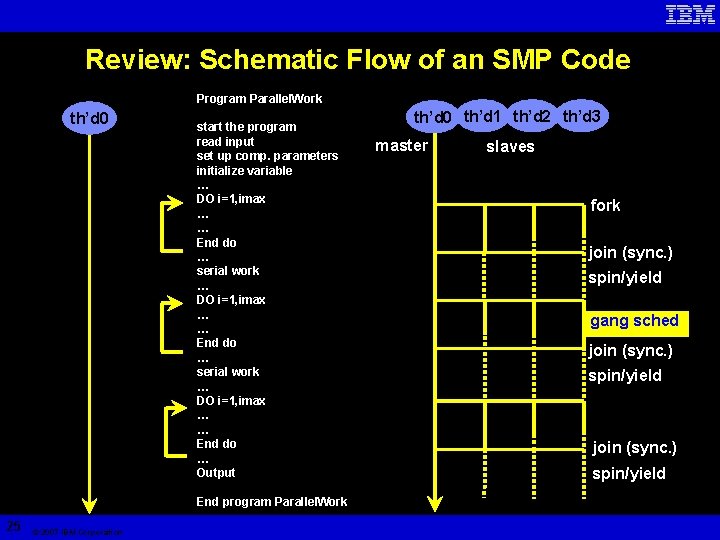
Review: Schematic Flow of an SMP Code Program Parallel. Work th’d 0 start the program read input set up comp. parameters initialize variable … DO i=1, imax … … End do … serial work … DO i=1, imax … … End do … Output End program Parallel. Work 25 © 2007 IBM Corporation th’d 0 th’d 1 th’d 2 th’d 3 master slaves fork join (sync. ) spin/yield gang sched join (sync. ) spin/yield
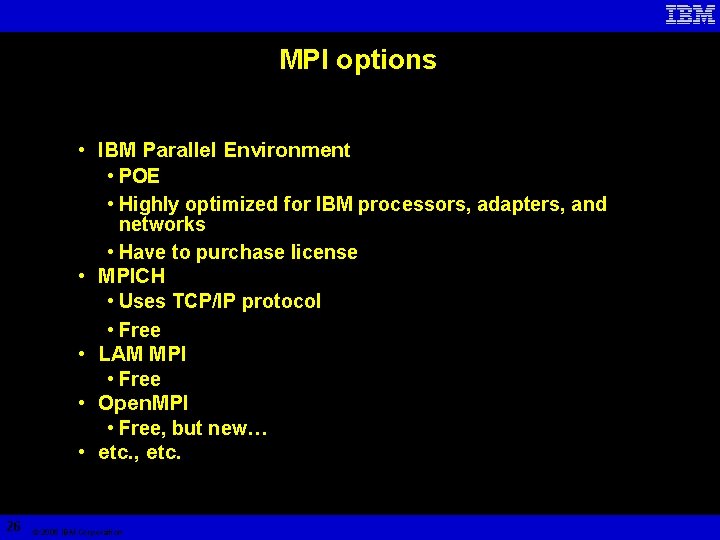
MPI options • IBM Parallel Environment • POE • Highly optimized for IBM processors, adapters, and networks • Have to purchase license • MPICH • Uses TCP/IP protocol • Free • LAM MPI • Free • Open. MPI • Free, but new… • etc. , etc. 26 © 2005 IBM Corporation
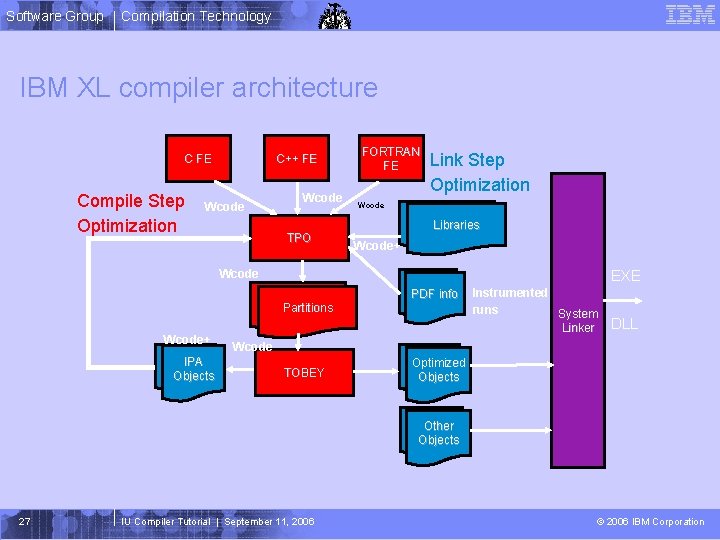
Software Group Compilation Technology IBM XL compiler architecture C++ FE Compile Step Optimization Wcode TPO FORTRAN FE Link Step Optimization Wcode Libraries Wcode+ Wcode EXE Partitions Wcode+ IPA Objects PDF info Instrumented runs System Linker DLL Wcode TOBEY Optimized Objects Other Objects 27 IU Compiler Tutorial | September 11, 2006 © 2006 IBM Corporation
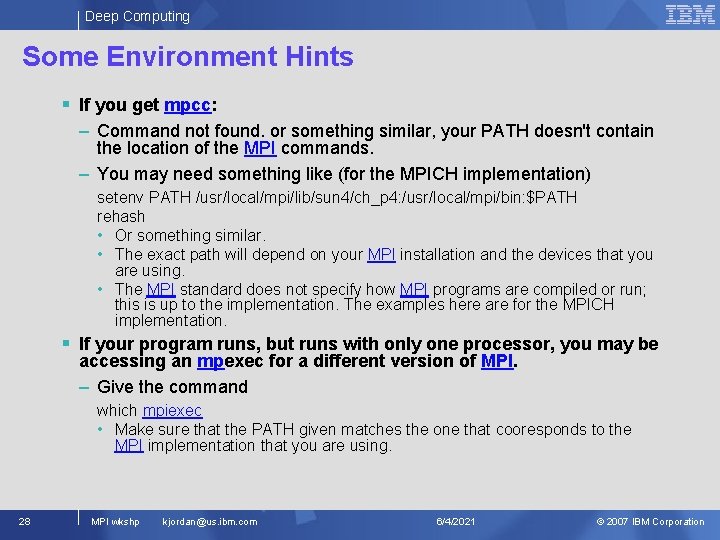
Deep Computing Some Environment Hints § If you get mpcc: – Command not found. or something similar, your PATH doesn't contain the location of the MPI commands. – You may need something like (for the MPICH implementation) setenv PATH /usr/local/mpi/lib/sun 4/ch_p 4: /usr/local/mpi/bin: $PATH rehash • Or something similar. • The exact path will depend on your MPI installation and the devices that you are using. • The MPI standard does not specify how MPI programs are compiled or run; this is up to the implementation. The examples here are for the MPICH implementation. § If your program runs, but runs with only one processor, you may be accessing an mpexec for a different version of MPI. – Give the command which mpiexec • Make sure that the PATH given matches the one that cooresponds to the MPI implementation that you are using. 28 MPI wkshp kjordan@us. ibm. com 6/4/2021 © 2007 IBM Corporation
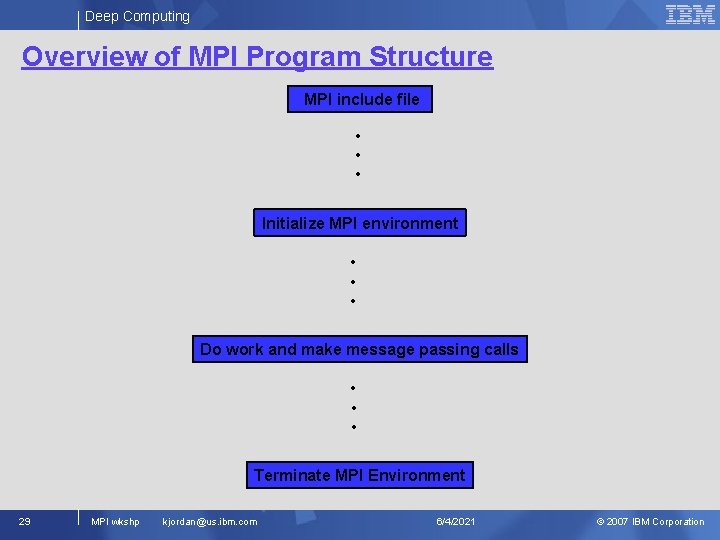
Deep Computing Overview of MPI Program Structure MPI include file • • • Initialize MPI environment • • • Do work and make message passing calls • • • Terminate MPI Environment 29 MPI wkshp kjordan@us. ibm. com 6/4/2021 © 2007 IBM Corporation
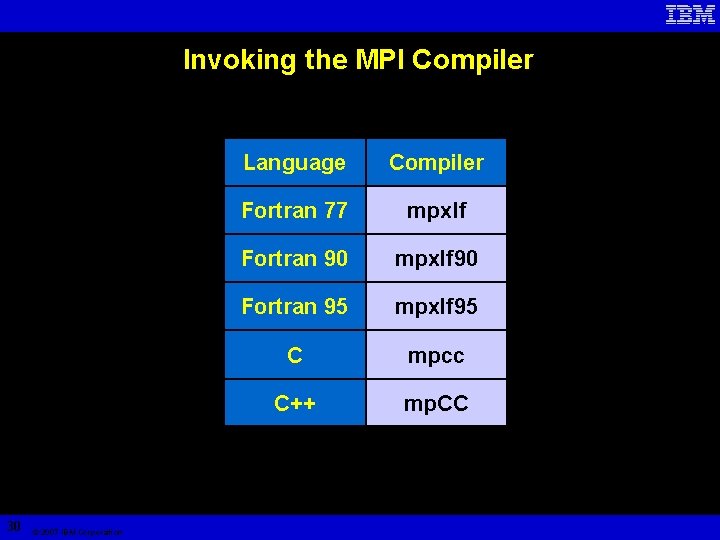
Invoking the MPI Compiler 30 © 2007 IBM Corporation Language Compiler Fortran 77 mpxlf Fortran 90 mpxlf 90 Fortran 95 mpxlf 95 C mpcc C++ mp. CC
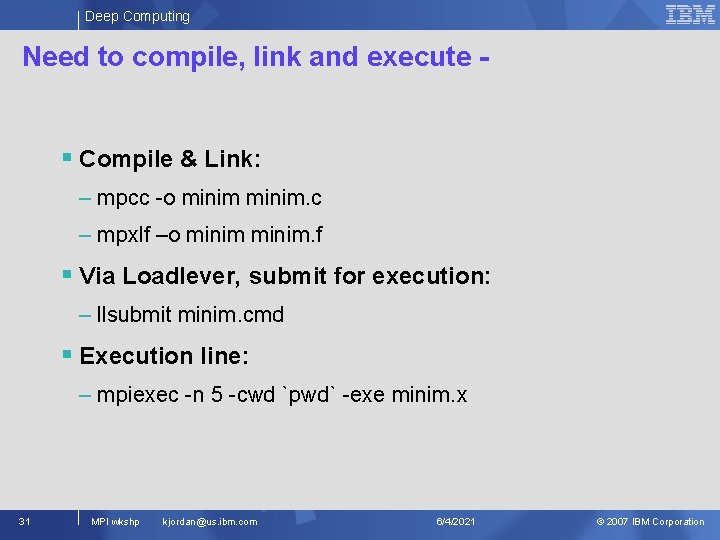
Deep Computing Need to compile, link and execute - § Compile & Link: – mpcc -o minim. c – mpxlf –o minim. f § Via Loadlever, submit for execution: – llsubmit minim. cmd § Execution line: – mpiexec -n 5 -cwd `pwd` -exe minim. x 31 MPI wkshp kjordan@us. ibm. com 6/4/2021 © 2007 IBM Corporation
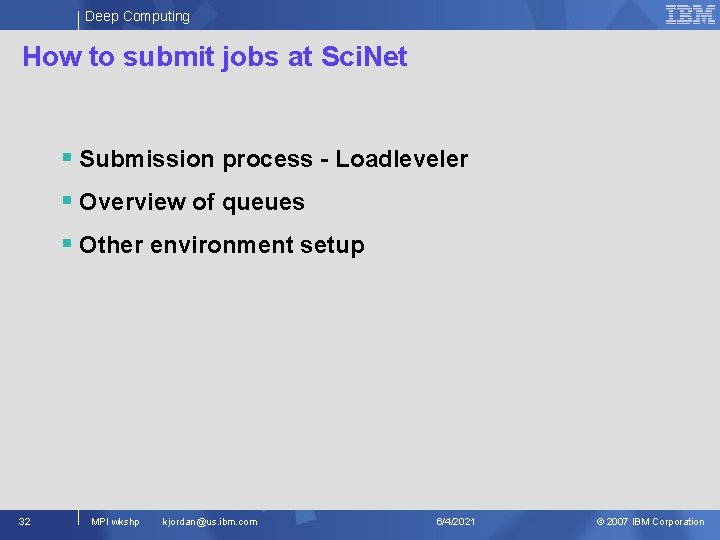
Deep Computing How to submit jobs at Sci. Net § Submission process - Loadleveler § Overview of queues § Other environment setup 32 MPI wkshp kjordan@us. ibm. com 6/4/2021 © 2007 IBM Corporation
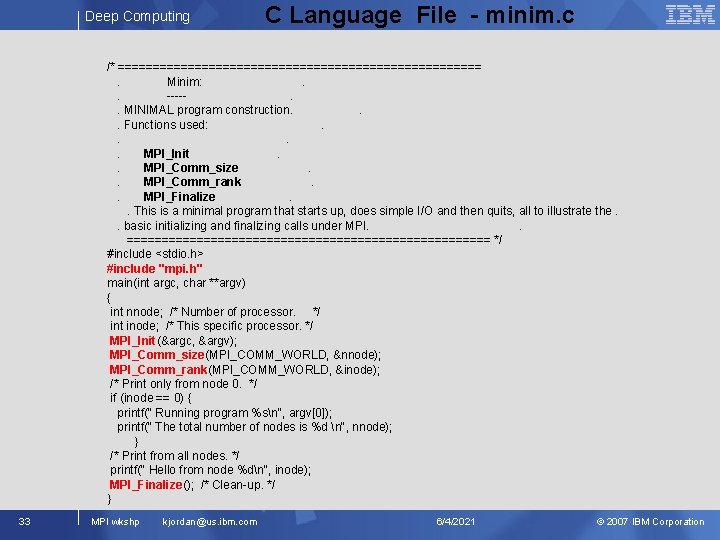
Deep Computing C Language File - minim. c /* ==========================. Minim: . . ----. . MINIMAL program construction. . . Functions used: . . MPI_Init. . MPI_Comm_size. . MPI_Comm_rank. . MPI_Finalize. . This is a minimal program that starts up, does simple I/O and then quits, all to illustrate the. . basic initializing and finalizing calls under MPI. . ========================== */ #include <stdio. h> #include "mpi. h" main(int argc, char **argv) { int nnode; /* Number of processor. */ int inode; /* This specific processor. */ MPI_Init(&argc, &argv); MPI_Comm_size(MPI_COMM_WORLD, &nnode); MPI_Comm_rank(MPI_COMM_WORLD, &inode); /* Print only from node 0. */ if (inode == 0) { printf(" Running program %sn", argv[0]); printf(" The total number of nodes is %d n", nnode); } /* Print from all nodes. */ printf(" Hello from node %dn", inode); MPI_Finalize(); /* Clean-up. */ } 33 MPI wkshp kjordan@us. ibm. com 6/4/2021 © 2007 IBM Corporation
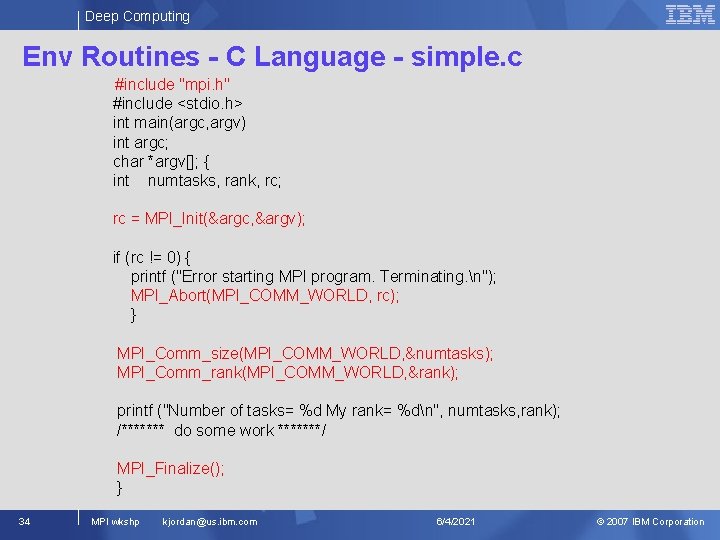
Deep Computing Env Routines - C Language - simple. c #include "mpi. h" #include <stdio. h> int main(argc, argv) int argc; char *argv[]; { int numtasks, rank, rc; rc = MPI_Init(&argc, &argv); if (rc != 0) { printf ("Error starting MPI program. Terminating. n"); MPI_Abort(MPI_COMM_WORLD, rc); } MPI_Comm_size(MPI_COMM_WORLD, &numtasks); MPI_Comm_rank(MPI_COMM_WORLD, &rank); printf ("Number of tasks= %d My rank= %dn", numtasks, rank); /******* do some work *******/ MPI_Finalize(); } 34 MPI wkshp kjordan@us. ibm. com 6/4/2021 © 2007 IBM Corporation
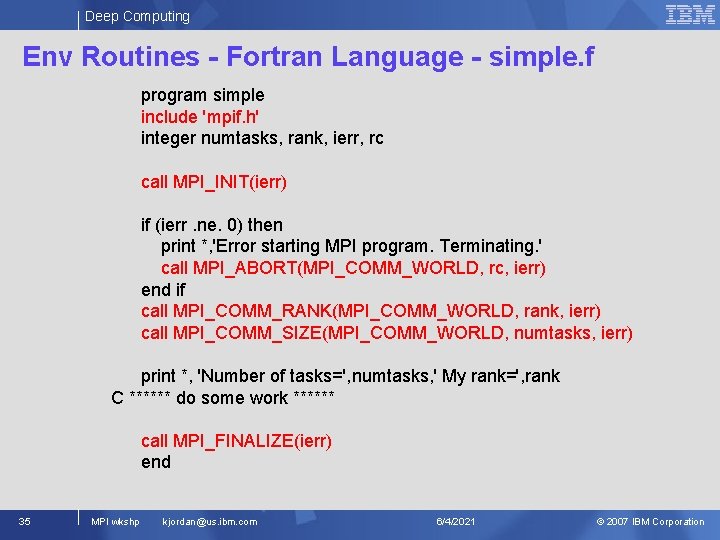
Deep Computing Env Routines - Fortran Language - simple. f program simple include 'mpif. h' integer numtasks, rank, ierr, rc call MPI_INIT(ierr) if (ierr. ne. 0) then print *, 'Error starting MPI program. Terminating. ' call MPI_ABORT(MPI_COMM_WORLD, rc, ierr) end if call MPI_COMM_RANK(MPI_COMM_WORLD, rank, ierr) call MPI_COMM_SIZE(MPI_COMM_WORLD, numtasks, ierr) print *, 'Number of tasks=', numtasks, ' My rank=', rank C ****** do some work ****** call MPI_FINALIZE(ierr) end 35 MPI wkshp kjordan@us. ibm. com 6/4/2021 © 2007 IBM Corporation
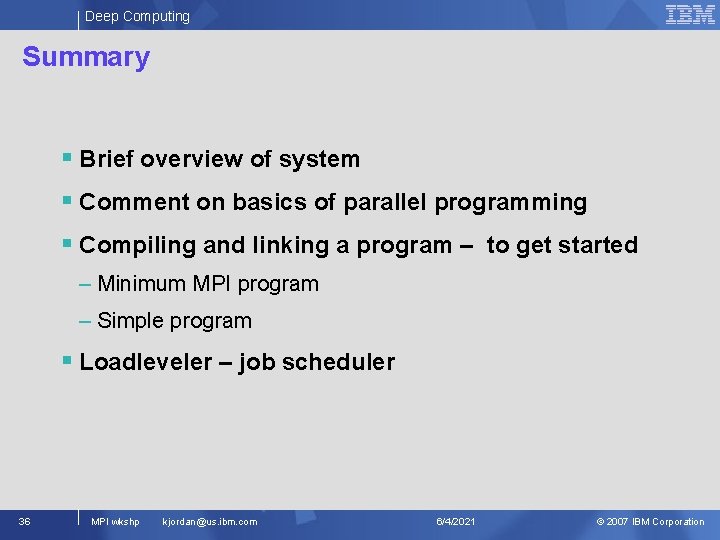
Deep Computing Summary § Brief overview of system § Comment on basics of parallel programming § Compiling and linking a program – to get started – Minimum MPI program – Simple program § Loadleveler – job scheduler 36 MPI wkshp kjordan@us. ibm. com 6/4/2021 © 2007 IBM Corporation
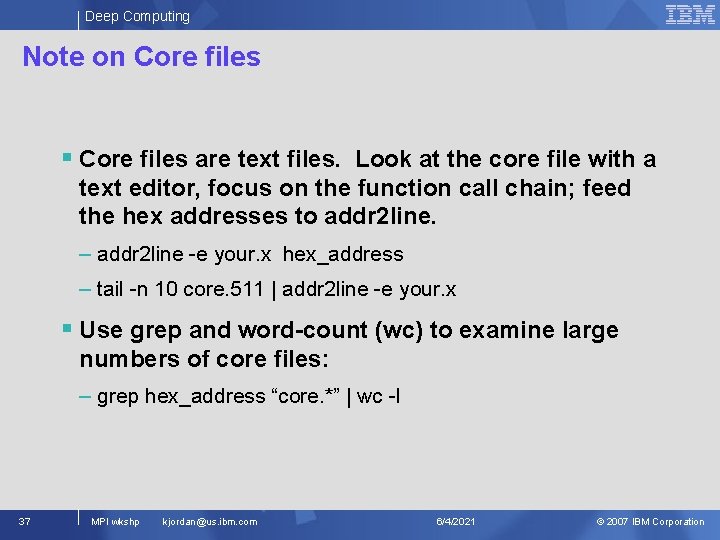
Deep Computing Note on Core files § Core files are text files. Look at the core file with a text editor, focus on the function call chain; feed the hex addresses to addr 2 line. – addr 2 line -e your. x hex_address – tail -n 10 core. 511 | addr 2 line -e your. x § Use grep and word-count (wc) to examine large numbers of core files: – grep hex_address “core. *” | wc -l 37 MPI wkshp kjordan@us. ibm. com 6/4/2021 © 2007 IBM Corporation
- Slides: 37