
Decoding and Using a 4 x 4 Keyboard
Decoding and Using a 4 x 4 Keyboard 2/10/2022 Costas Foudas, Imperial College, Rm: 508, x 47590 1
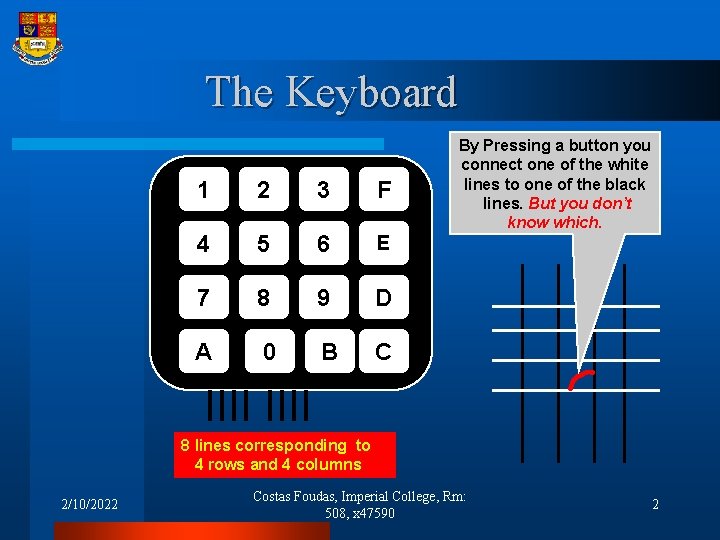
The Keyboard 1 2 3 F 4 5 6 E 7 8 9 D A 0 B C By Pressing a button you connect one of the white lines to one of the black lines. But you don’t know which. 8 lines corresponding to 4 rows and 4 columns 2/10/2022 Costas Foudas, Imperial College, Rm: 508, x 47590 2
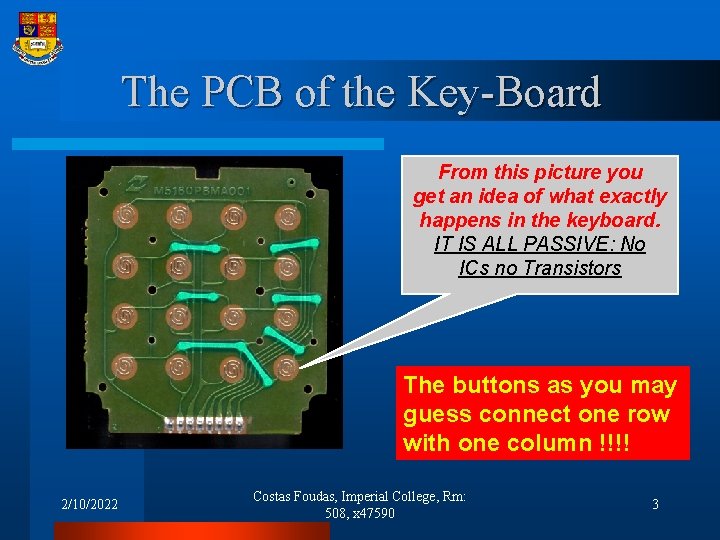
The PCB of the Key-Board From this picture you get an idea of what exactly happens in the keyboard. IT IS ALL PASSIVE: No ICs no Transistors The buttons as you may guess connect one row with one column !!!! 2/10/2022 Costas Foudas, Imperial College, Rm: 508, x 47590 3
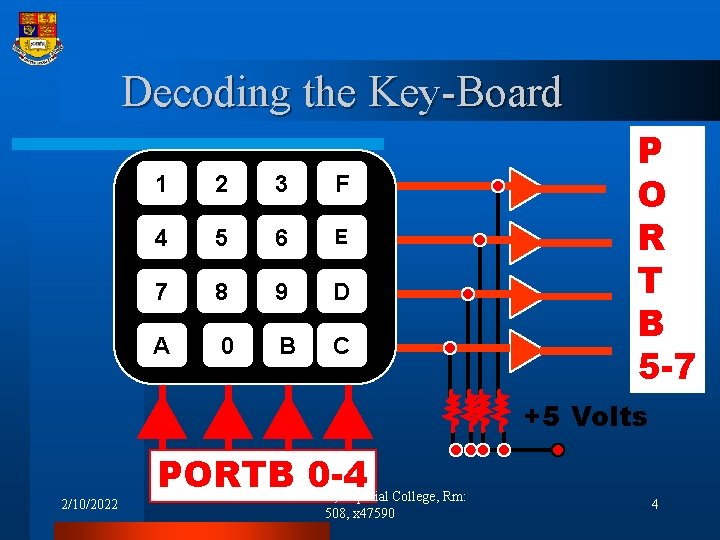
Decoding the Key-Board 1 2 3 F 4 5 6 E 7 8 9 D A 0 B C P O R T B 5 -7 +5 Volts 2/10/2022 PORTB 0 -4 Costas Foudas, Imperial College, Rm: 508, x 47590 4
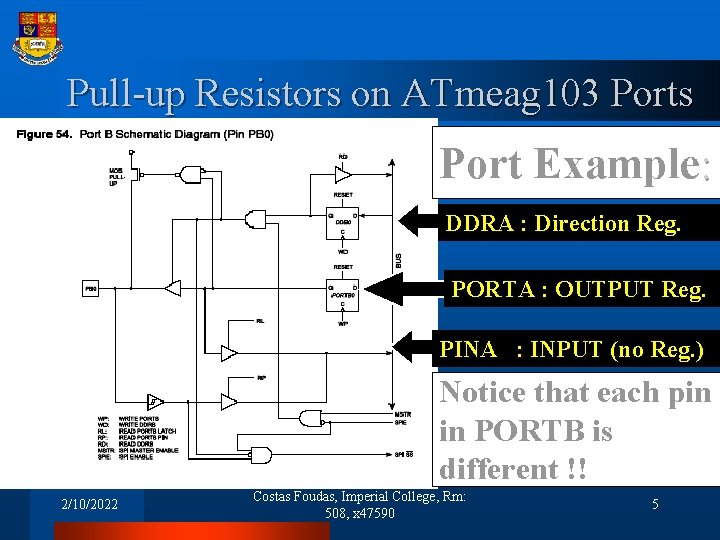
Pull-up Resistors on ATmeag 103 Ports Port Example: DDRA : Direction Reg. PORTA : OUTPUT Reg. PINA : INPUT (no Reg. ) Notice that each pin in PORTB is different !! 2/10/2022 Costas Foudas, Imperial College, Rm: 508, x 47590 5
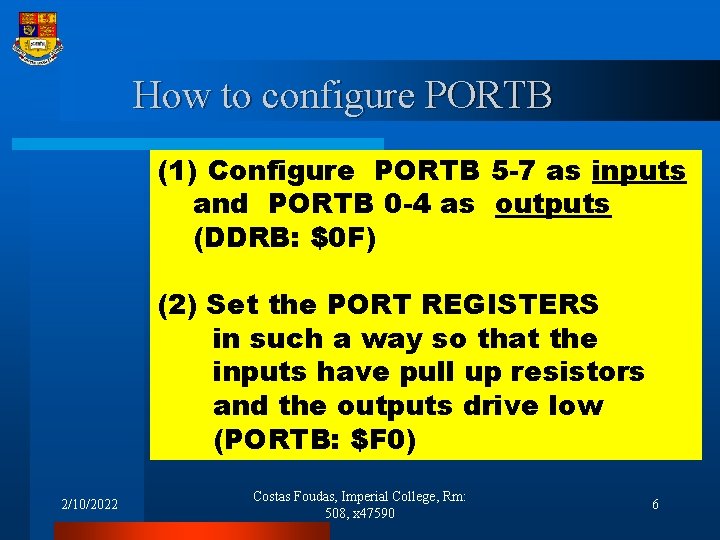
How to configure PORTB (1) Configure PORTB 5 -7 as inputs and PORTB 0 -4 as outputs (DDRB: $0 F) (2) Set the PORT REGISTERS in such a way so that the inputs have pull up resistors and the outputs drive low (PORTB: $F 0) 2/10/2022 Costas Foudas, Imperial College, Rm: 508, x 47590 6
Task Plan I Write a routine that decodes the key on the 4 x 4 Keyboard and tells you what key was pressed on the LCD display But first you need to know exactly what does the keyboard do internally 2/10/2022 Costas Foudas, Imperial College, Rm: 508, x 47590 7
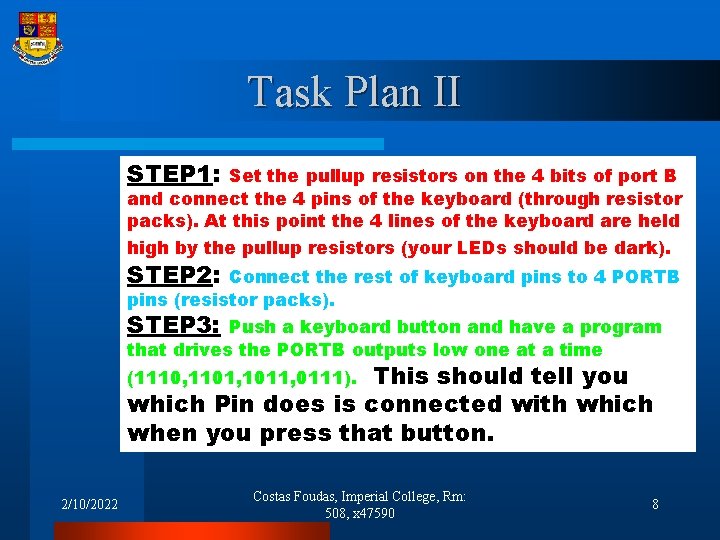
Task Plan II STEP 1: Set the pullup resistors on the 4 bits of port B and connect the 4 pins of the keyboard (through resistor packs). At this point the 4 lines of the keyboard are held high by the pullup resistors (your LEDs should be dark). STEP 2: Connect the rest of keyboard pins to 4 PORTB pins (resistor packs). STEP 3: Push a keyboard button and have a program that drives the PORTB outputs low one at a time This should tell you which Pin does is connected with which when you press that button. (1110, 1101, 1011, 0111). 2/10/2022 Costas Foudas, Imperial College, Rm: 508, x 47590 8
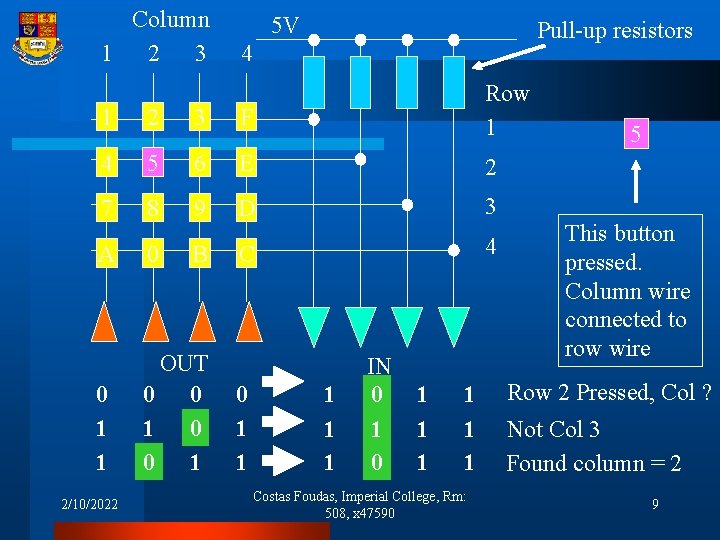
Column 1 2 3 5 V Pull-up resistors 4 1 2 3 F Row 1 4 5 6 E 2 7 8 9 D 3 C 4 A 0 0 1 1 OUT 0 0 1 2/10/2022 B 0 1 1 1 IN 0 1 1 1 1 Costas Foudas, Imperial College, Rm: 508, x 47590 5 This button pressed. Column wire connected to row wire Row 2 Pressed, Col ? Not Col 3 Found column = 2 9
Keyboard ATmega 103 Port We need a reliable setup where the ATmega 103 interprets relatively fast any key pressed on the keyboard. Noice that the microprocessor is faster than Your finger and can ‘see’ the bouncing up And down that result when you press the a button of the keyboard. So you need to check if what you read is stable Two questions: (1) What type of hardware setup do we need ? (2) What kind of driver software do we need ? 2/10/2022 Costas Foudas, Imperial College, Rm: 508, x 47590 10
- Slides: 10