
DDMC AV ADA Duke University and Health System


- Slides: 31
DDMC AV + ADA Duke University and Health System Disability Management System Leigh Fickling, Director, DMS Nikki Stovall, Assistive Technology and Case Management Coordinator Tony Galiani, Program Director, ADA Facilities
THE LAW Leigh Fickling, Director, DMS
WHAT IS THE ADA? The Americans with Disabilities Act of 1990 (and ADA Amendments Act of 2008) is a federal civil rights law. The ADA guarantees equal opportunity for individuals with disabilities in state and local government services, public accommodations, employment, transportation, and telecommunication.
WHO DOES THE ADA PROTECT? The ADA protects individuals with disabilities. An individual is considered to have a “disability” if he or she has a physical or mental impairment that substantially limits one or more major life activity (has a record of such impairment, or is regarded as having such an impairment). Major life activity = caring for one’s self, performing manual tasks, walking, seeing, hearing, speaking, breathing, learning, working.
ADA AMENDMENTS ACT OF 2008 Expanded the “definition” of disability/major life activity Lowered threshold makes it easier for an individual seeking protection under the ADA to establish that he or she has a disability New definition of major life activity now includes = reading, bending, communicating, major bodily functions (functions of the immune system, normal cell growth, digestive, bowel, bladder, neurological, brain, respiratory, circulatory, endocrine, and reproductive functions)
SECTION 504 OF THE REHABILITATION ACT Established in 1973 Applies to institutions who receive federal funds Regulation and guidance that is most specific to higher education
OVERVIEW OF RELEVANT DISABILITY LAWS IN THE HIGHER EDUCATION SETTING The Americans with Disabilities Act of 1990 (as amended in 2008) Title I applies to employment Title II applies to state colleges and universities Title III applies to private colleges and universities Section 504 of the Rehabilitation Act of 1973 Applies to all colleges and universities that receive federal funds Some state laws Federal law will usually trump state laws and are often more stringent than state laws. Note that state and local laws may be of importance when considering taking a service animal to college.
WHERE DO THESE LAWS APPLY? Any “program or activity” of the college or university: academic and nonacademic settings Students, faculty and staff, visitors to campus
DIGITAL ACCESSIBILITY/ELECTRONIC INFORMATION TECHNOLOGY (EIT) Measures and characteristics of digital accessibility Independence of the user (privacy and independence) Integration of the user Ease of use of the technology or adaptive technology Timeliness of information delivery Completeness of accessible information
PROBLEM: No “legal” standard for digital accessibility Section 508 of the Rehabilitation Act Applies to the federal government and federal agencies Web Accessibility Initiative (W 3 C) https: //www. w 3. org/WAI/users/
AUXILIARY AIDS AND SERVICES TITLE III OF THE ADA Sec. 36. 303 Auxiliary aids and services. (a) General. A public accommodation shall take those steps that may be necessary to ensure that no individual with a disability is excluded, denied services, segregated or otherwise treated differently than other individuals because of the absence of auxiliary aids and services, unless the public accommodation can demonstrate that taking those steps would fundamentally alter the nature of the goods, services, facilities, privileges, advantages, or accommodations being offered or would result in an undue burden, i. e. , significant difficulty or expense. (b) Examples. The term "auxiliary aids and services'' includes -- (1) Qualified interpreters, notetakers, computer-aided transcription services, written materials, telephone handset amplifiers, assistive listening devices, assistive listening systems, telephones compatible with hearing aids, closed caption decoders, open and closed captioning, telecommunications devices for deaf persons (TDD's), videotext displays, or other effective methods of making aurally delivered materials available to individuals with hearing impairments; (2) Qualified readers, taped texts, audio recordings, Brailled materials, large print materials, or other effective methods of making visually delivered materials available to individuals with visual impairments; (3) Acquisition or modification of equipment or devices; and (4) Other similar services and actions.
ALTERNATIVES…. . (f) Alternatives. If provision of a particular auxiliary aid or service by a public accommodation would result in a fundamental alteration in the nature of the goods, services, facilities, privileges, advantages, or accommodations being offered or in an undue burden, i. e. , significant difficulty or expense, the public accommodation shall provide an alternative auxiliary aid or service, if one exists, that would not result in an alteration or such burden but would nevertheless ensure that, to the maximum extent possible, individuals with disabilities receive the goods, services, facilities, privileges, advantages, or accommodations offered by the public accommodation.
THE FUTURE OF ELECTRONIC ACCESSIBILITY AT DUKE…. IN THE CLASSROOM AND BEYOND Website Accessibility Guidelines are forthcoming Will include guidance for access standards for websites (including captioning) Will create a plan to address new (or substantially modified) content Will address existing content (and legacy content) Will continue to review requests on a case-by-case basis Will also include procurement standards for new software Will include guidance for captioning of videos
CLASSES…. DOES THE FORMAT MATTER? On campus Online Continuing education Professional development MOOC
ASSISTIVE TECHNOLOGY IN THE CLASSROOM Nikki Stovall, Assistive Technology and Case Management Coordinator
WHAT IS ASSISTIVE TECHNOLOGY (AT)? Technology that increases, improves, or maintains the functional capabilities of students with disabilities. Primary Goals of AT: Access Independence
DEAF AND HARD OF HEARING Common Classroom Difficulties: Environmental Things to Consider Peer to peer interaction Noise Note Taking Classroom Acoustics Group Activities Distance Collaboration Lighting Access to materials Visual Access
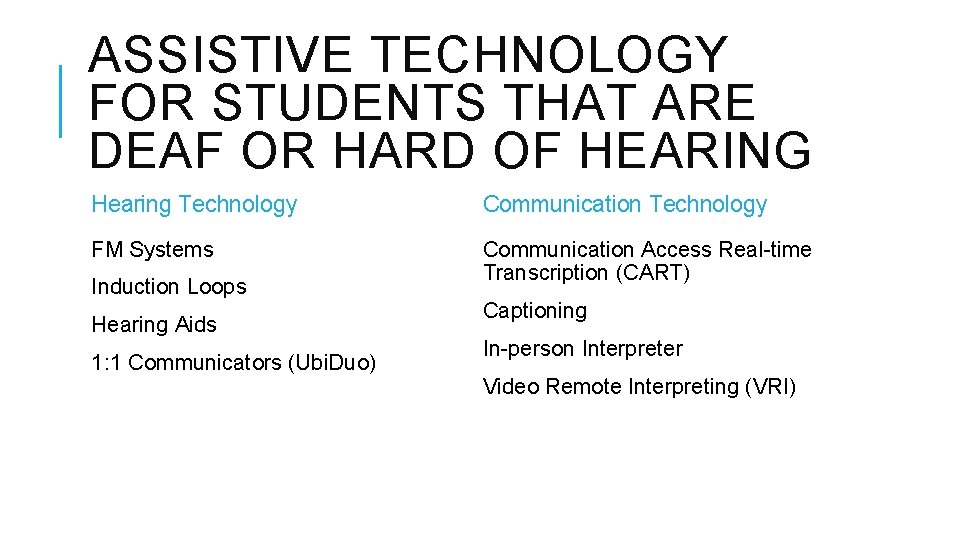
ASSISTIVE TECHNOLOGY FOR STUDENTS THAT ARE DEAF OR HARD OF HEARING Hearing Technology Communication Technology FM Systems Communication Access Real-time Transcription (CART) Induction Loops Hearing Aids 1: 1 Communicators (Ubi. Duo) Captioning In-person Interpreter Video Remote Interpreting (VRI)
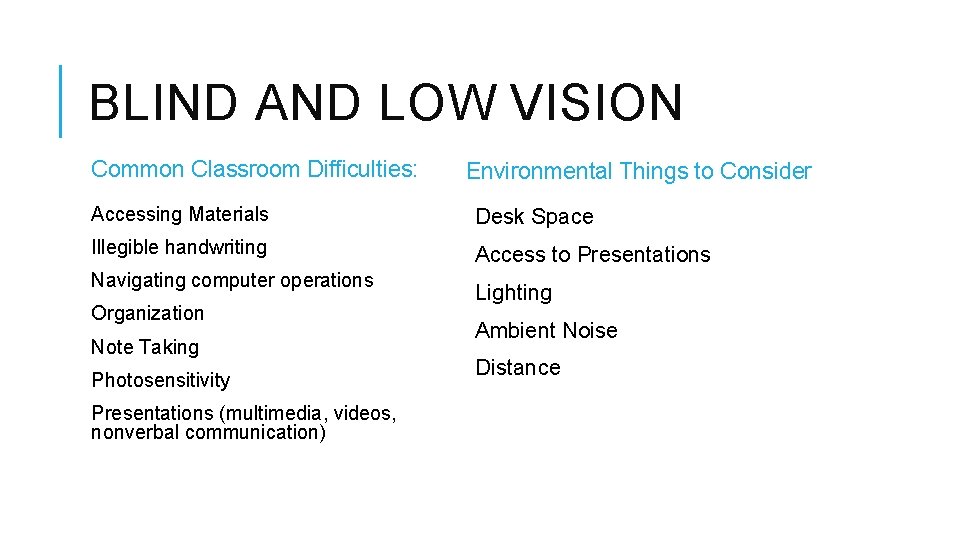
BLIND AND LOW VISION Common Classroom Difficulties: Environmental Things to Consider Accessing Materials Desk Space Illegible handwriting Access to Presentations Navigating computer operations Organization Note Taking Photosensitivity Presentations (multimedia, videos, nonverbal communication) Lighting Ambient Noise Distance
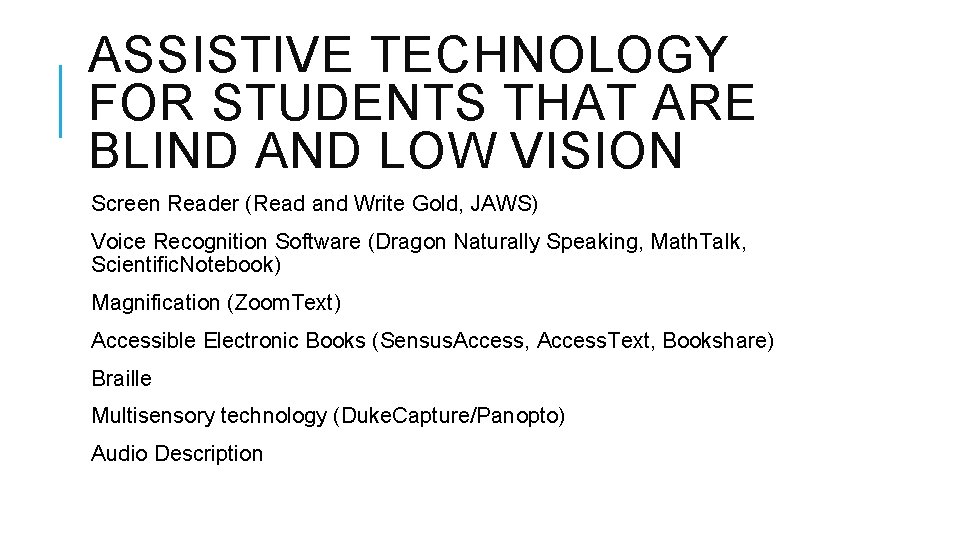
ASSISTIVE TECHNOLOGY FOR STUDENTS THAT ARE BLIND AND LOW VISION Screen Reader (Read and Write Gold, JAWS) Voice Recognition Software (Dragon Naturally Speaking, Math. Talk, Scientific. Notebook) Magnification (Zoom. Text) Accessible Electronic Books (Sensus. Access, Access. Text, Bookshare) Braille Multisensory technology (Duke. Capture/Panopto) Audio Description
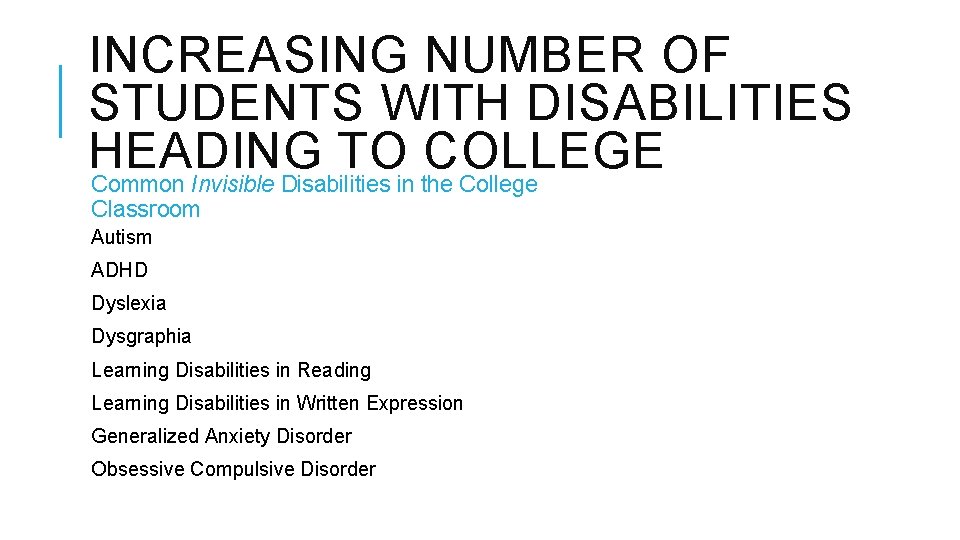
INCREASING NUMBER OF STUDENTS WITH DISABILITIES HEADING TO COLLEGE Common Invisible Disabilities in the College Classroom Autism ADHD Dyslexia Dysgraphia Learning Disabilities in Reading Learning Disabilities in Written Expression Generalized Anxiety Disorder Obsessive Compulsive Disorder
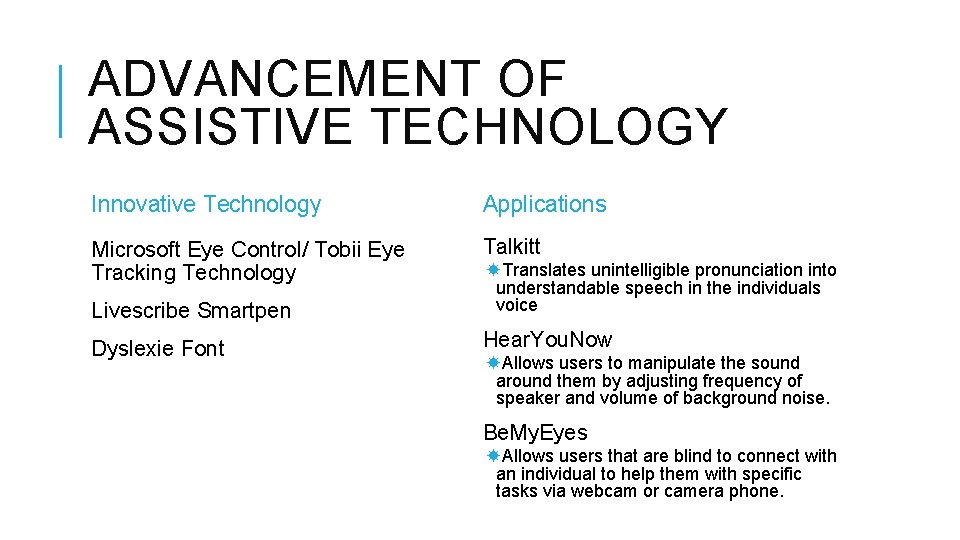
ADVANCEMENT OF ASSISTIVE TECHNOLOGY Innovative Technology Applications Microsoft Eye Control/ Tobii Eye Tracking Technology Talkitt Livescribe Smartpen Translates unintelligible pronunciation into understandable speech in the individuals voice Dyslexie Font Hear. You. Now Allows users to manipulate the sound around them by adjusting frequency of speaker and volume of background noise. Be. My. Eyes Allows users that are blind to connect with an individual to help them with specific tasks via webcam or camera phone.
ELECTRONIC BULLETIN BOARDS Tony Galiani, Program Director ADA Facilities
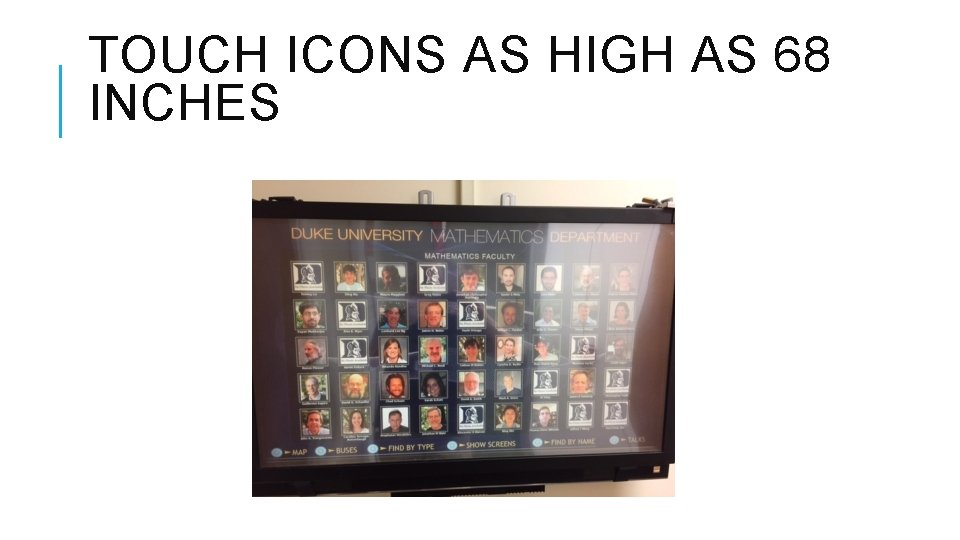
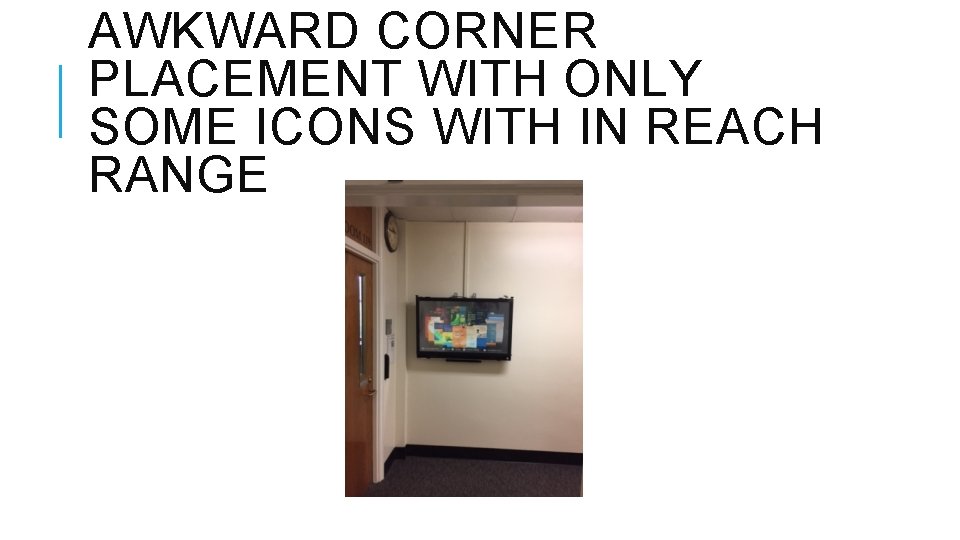
COMMON PROBLEMS poor placement – often mounted too high screen set up – interactive elements out of reach objects block access to the screen
Reach Ranges
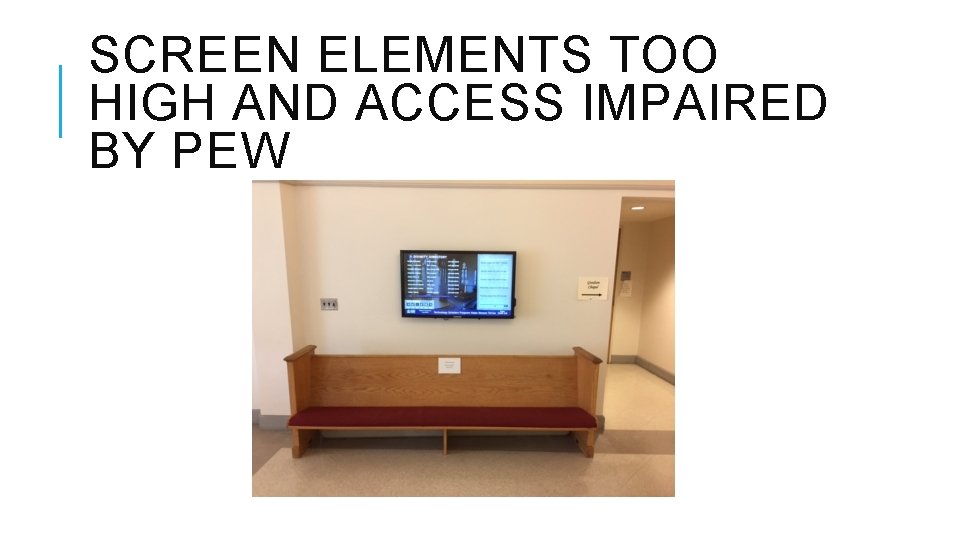
SCREEN ELEMENTS TOO HIGH AND ACCESS IMPAIRED BY PEW
TOUCH ICONS AS HIGH AS 68 INCHES
AWKWARD CORNER PLACEMENT WITH ONLY SOME ICONS WITH IN REACH RANGE
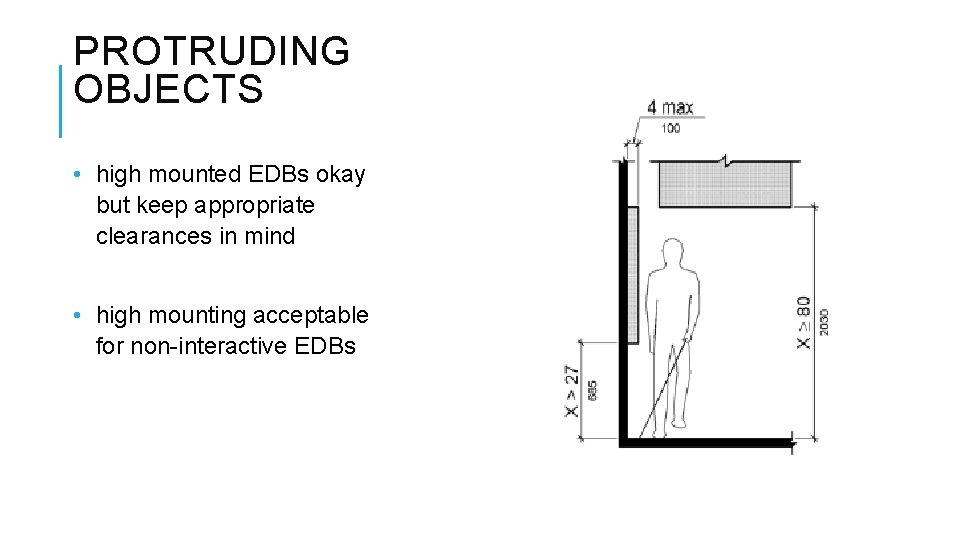
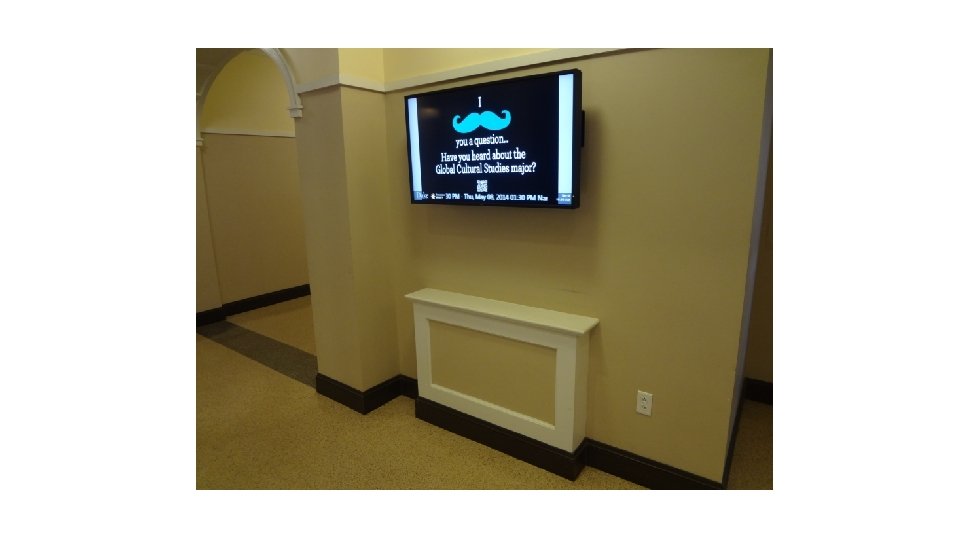
PROTRUDING OBJECTS • high mounted EDBs okay but keep appropriate clearances in mind • high mounting acceptable for non-interactive EDBs
NEED HELP? Please don’t hesitate to call or e-mail with questions or requests for assistance. Tony Galiani Program Director, ADA Facilities Duke Disability Management System 402 Oregon Street, Suite 102 Durham, NC 27708 919 -668 -4273 (office) 919 -667 -4879 (cell) https: //access. duke. edu/