
DCF Implementation Toolkit Training 2 Company Assessment About
DCF Implementation Toolkit Training 2 - Company Assessment
About this Course Once everyone is on board, it’s time to assess company deforestation and conversion practices. Throughout this course, you will learn how to use the Deforestation and Conversion Free (DCF) Assessment Tool to consolidate company practices and define recommended actions to improve company performance. You will learn how to: • Consolidate findings about company practice • Define recommended actions according to company practice • Present findings and recommendations • Establish next steps
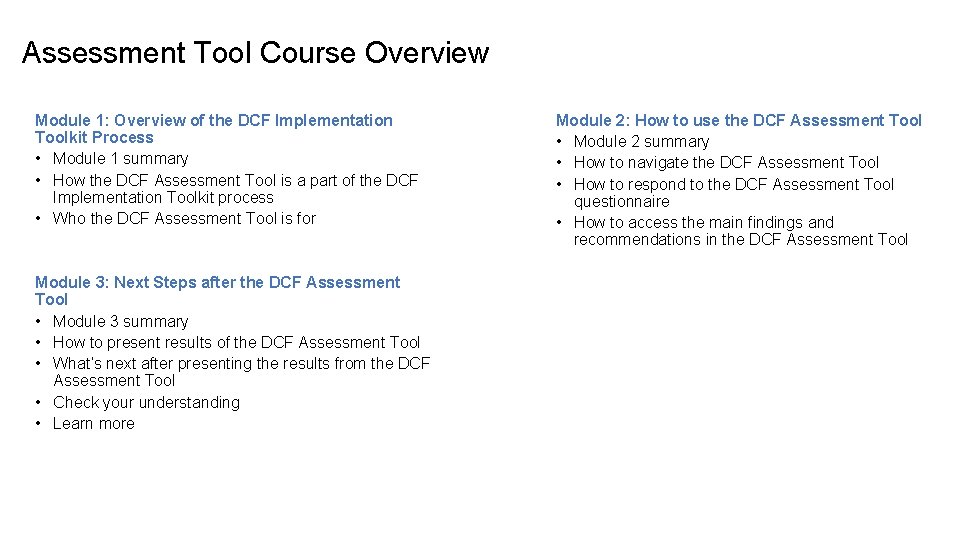
Assessment Tool Course Overview Module 1: Overview of the DCF Implementation Toolkit Process • Module 1 summary • How the DCF Assessment Tool is a part of the DCF Implementation Toolkit process • Who the DCF Assessment Tool is for Module 3: Next Steps after the DCF Assessment Tool • Module 3 summary • How to present results of the DCF Assessment Tool • What’s next after presenting the results from the DCF Assessment Tool • Check your understanding • Learn more Module 2: How to use the DCF Assessment Tool • Module 2 summary • How to navigate the DCF Assessment Tool • How to respond to the DCF Assessment Tool questionnaire • How to access the main findings and recommendations in the DCF Assessment Tool
What you’ll learn in Module 1 Here we’ll review the DCF Implementation Toolkit process and the role of the DCF Assessment Tool to support companies. In this module you’ll learn: • The DCF Implementation Toolkit and how to apply the process • The different versions of the DCF Assessment Tool • Necessary information to fill in the DCF Assessment Tool
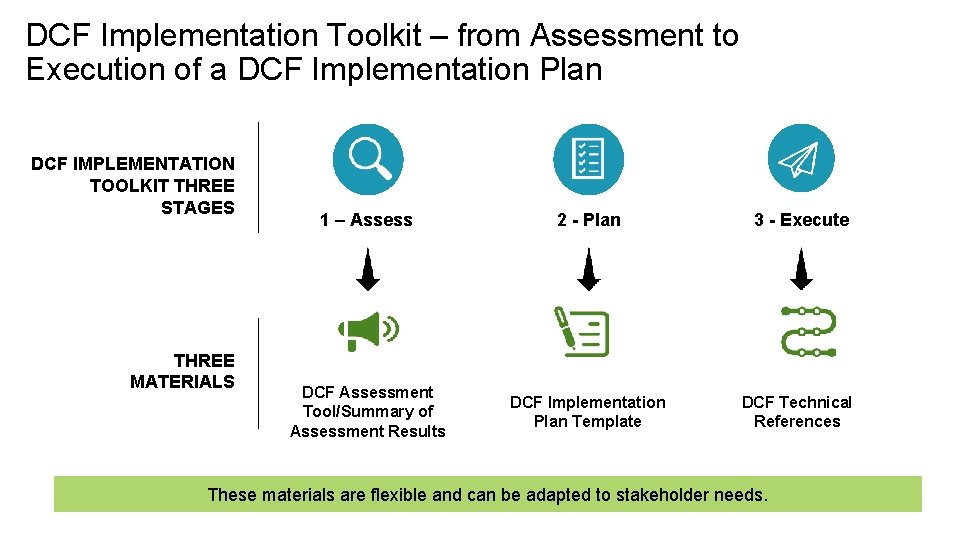
DCF Implementation Toolkit – from Assessment to Execution of a DCF Implementation Plan DCF IMPLEMENTATION TOOLKIT THREE STAGES THREE MATERIALS 1 – Assess 2 - Plan 3 - Execute DCF Assessment Tool/Summary of Assessment Results DCF Implementation Plan Template DCF Technical References These materials are flexible and can be adapted to stakeholder needs.
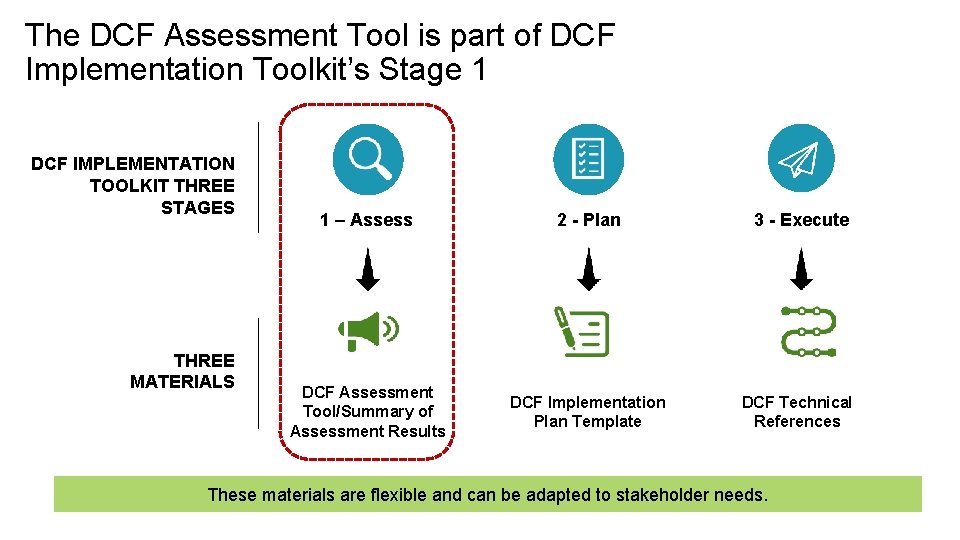
The DCF Assessment Tool is part of DCF Implementation Toolkit’s Stage 1 DCF IMPLEMENTATION TOOLKIT THREE STAGES THREE MATERIALS 1 – Assess 2 - Plan 3 - Execute DCF Assessment Tool/Summary of Assessment Results DCF Implementation Plan Template DCF Technical References These materials are flexible and can be adapted to stakeholder needs.
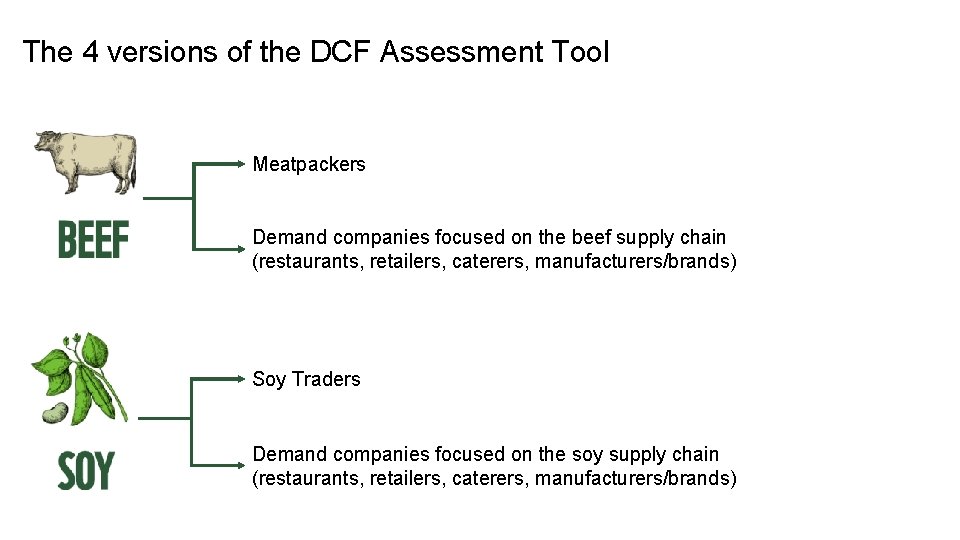
The 4 versions of the DCF Assessment Tool Meatpackers Demand companies focused on the beef supply chain (restaurants, retailers, caterers, manufacturers/brands) Soy Traders Demand companies focused on the soy supply chain (restaurants, retailers, caterers, manufacturers/brands)
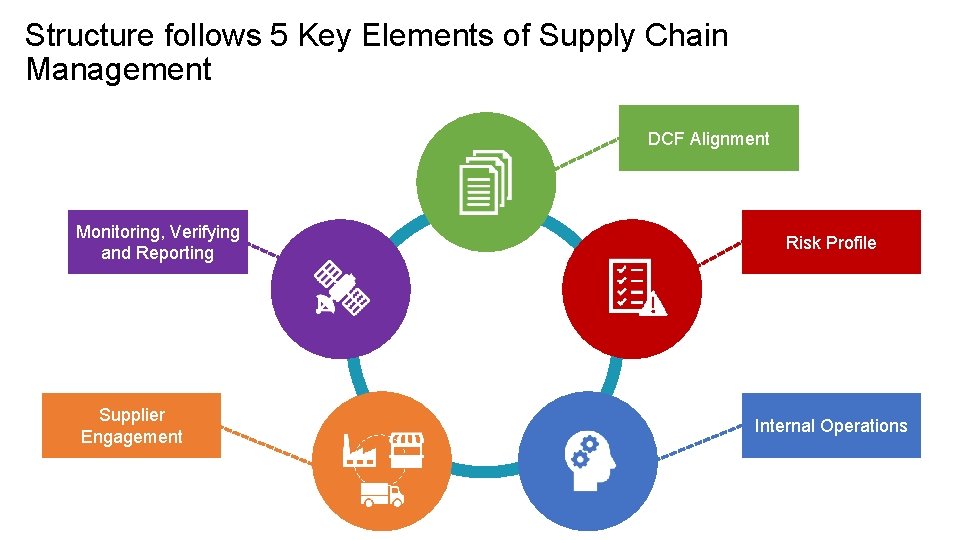
Structure follows 5 Key Elements of Supply Chain Management DCF Alignment Monitoring, Verifying and Reporting Supplier Engagement Risk Profile Internal Operations
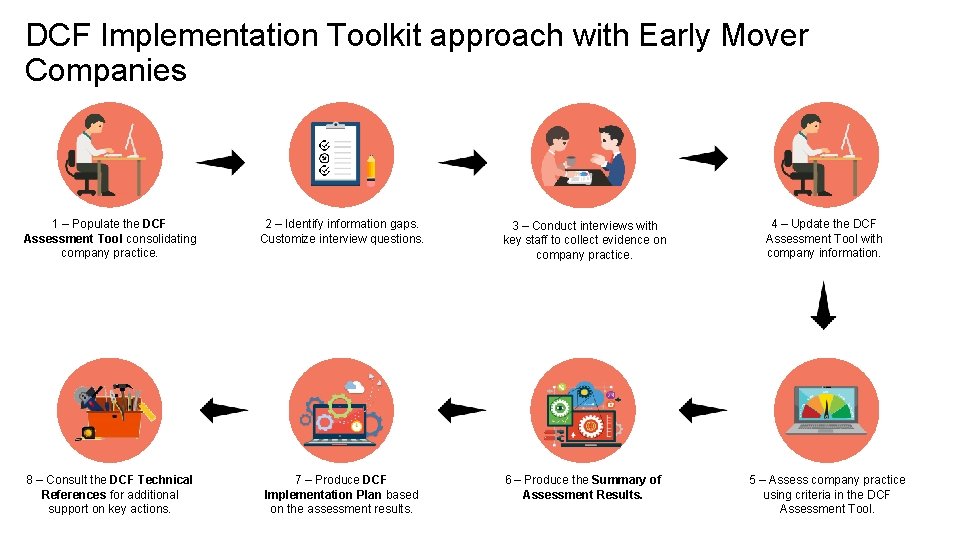
DCF Implementation Toolkit approach with Early Mover Companies 1 – Populate the DCF Assessment Tool consolidating company practice. 2 – Identify information gaps. Customize interview questions. 3 – Conduct interviews with key staff to collect evidence on company practice. 4 – Update the DCF Assessment Tool with company information. 8 – Consult the DCF Technical References for additional support on key actions. 7 – Produce DCF Implementation Plan based on the assessment results. 6 – Produce the Summary of Assessment Results. 5 – Assess company practice using criteria in the DCF Assessment Tool.
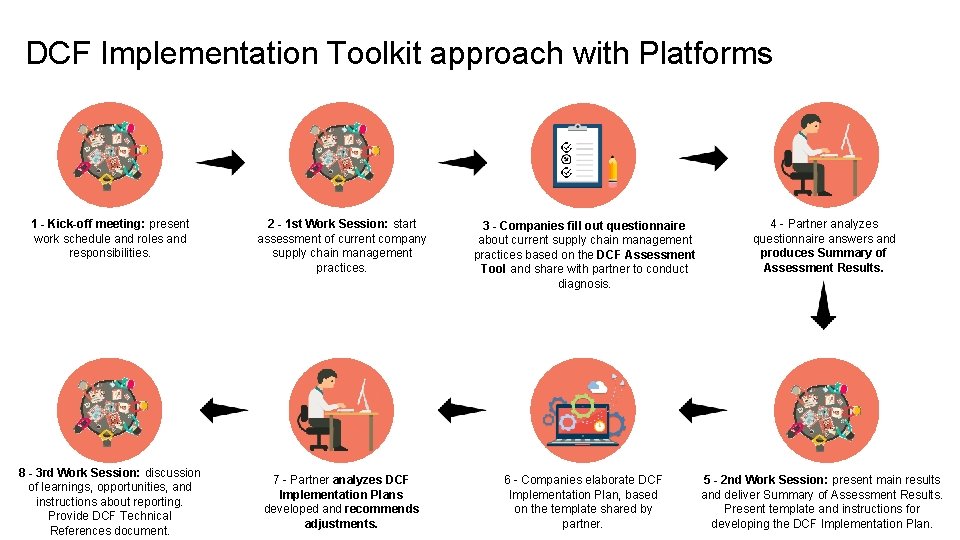
DCF Implementation Toolkit approach with Platforms 1 - Kick-off meeting: present work schedule and roles and responsibilities. 8 - 3 rd Work Session: discussion of learnings, opportunities, and instructions about reporting. Provide DCF Technical References document. 2 - 1 st Work Session: start assessment of current company supply chain management practices. 3 - Companies fill out questionnaire about current supply chain management practices based on the DCF Assessment Tool and share with partner to conduct diagnosis. 4 - Partner analyzes questionnaire answers and produces Summary of Assessment Results. 7 - Partner analyzes DCF Implementation Plans developed and recommends adjustments. 6 - Companies elaborate DCF Implementation Plan, based on the template shared by partner. 5 - 2 nd Work Session: present main results and deliver Summary of Assessment Results. Present template and instructions for developing the DCF Implementation Plan.
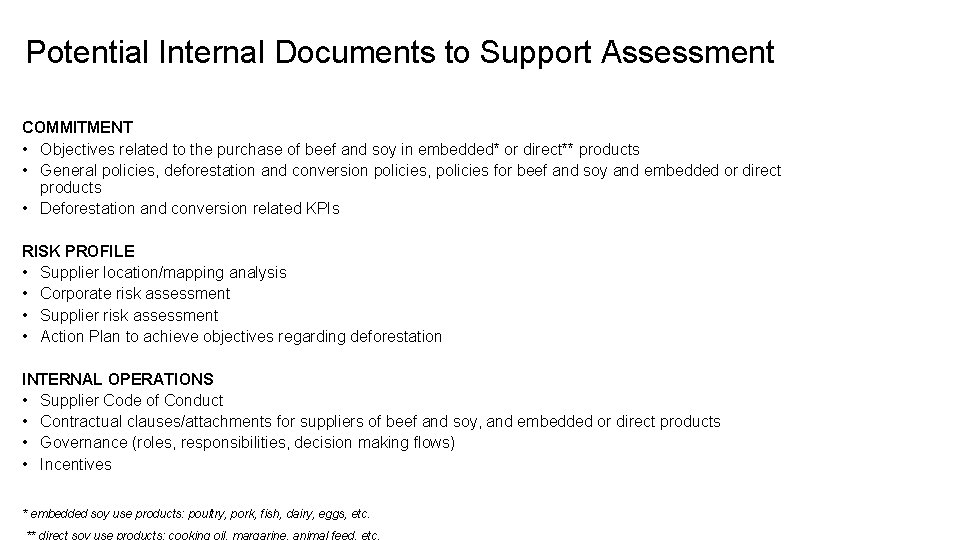
Potential Internal Documents to Support Assessment COMMITMENT • Objectives related to the purchase of beef and soy in embedded* or direct** products • General policies, deforestation and conversion policies, policies for beef and soy and embedded or direct products • Deforestation and conversion related KPIs RISK PROFILE • Supplier location/mapping analysis • Corporate risk assessment • Supplier risk assessment • Action Plan to achieve objectives regarding deforestation INTERNAL OPERATIONS • Supplier Code of Conduct • Contractual clauses/attachments for suppliers of beef and soy, and embedded or direct products • Governance (roles, responsibilities, decision making flows) • Incentives * embedded soy use products: poultry, pork, fish, dairy, eggs, etc.
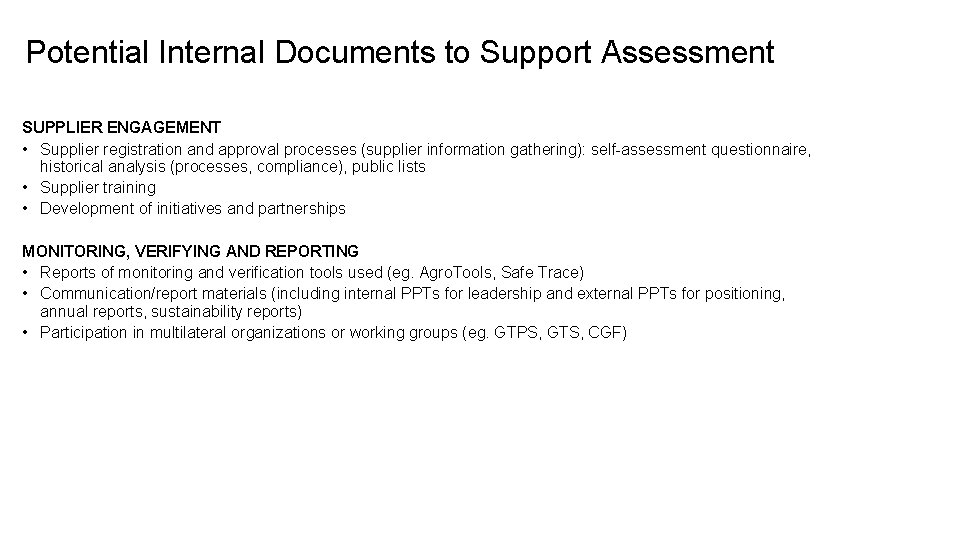
Potential Internal Documents to Support Assessment SUPPLIER ENGAGEMENT • Supplier registration and approval processes (supplier information gathering): self-assessment questionnaire, historical analysis (processes, compliance), public lists • Supplier training • Development of initiatives and partnerships MONITORING, VERIFYING AND REPORTING • Reports of monitoring and verification tools used (eg. Agro. Tools, Safe Trace) • Communication/report materials (including internal PPTs for leadership and external PPTs for positioning, annual reports, sustainability reports) • Participation in multilateral organizations or working groups (eg. GTPS, GTS, CGF)
Keep Learning In the next module, we will show to use the DCF Assessment Tool to consolidate company data and generate recommendations.
What you’ll learn in Module 2 Here we’ll see how to navigate the DCF Assessment Tool, how to use the fields, and how to generate the main findings and recommendations. In this module you’ll learn: • The content of the DCF Assessment Tool and its structure • How to fill in the assessment tool with company practices • How to generate and access main findings and recommendations
DCF Assessment Tool
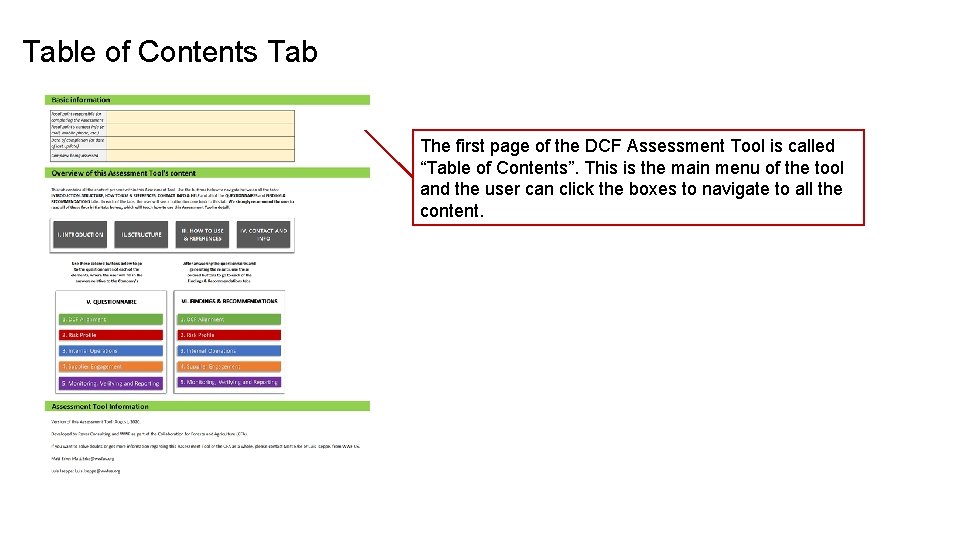
Table of Contents Tab The first page of the DCF Assessment Tool is called “Table of Contents”. This is the main menu of the tool and the user can click the boxes to navigate to all the content.
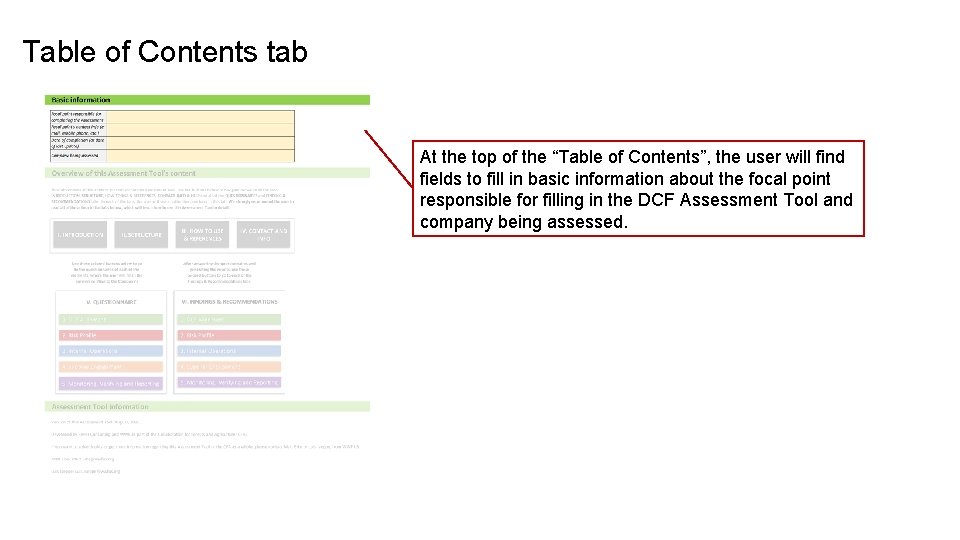
Table of Contents tab At the top of the “Table of Contents”, the user will find fields to fill in basic information about the focal point responsible for filling in the DCF Assessment Tool and company being assessed.
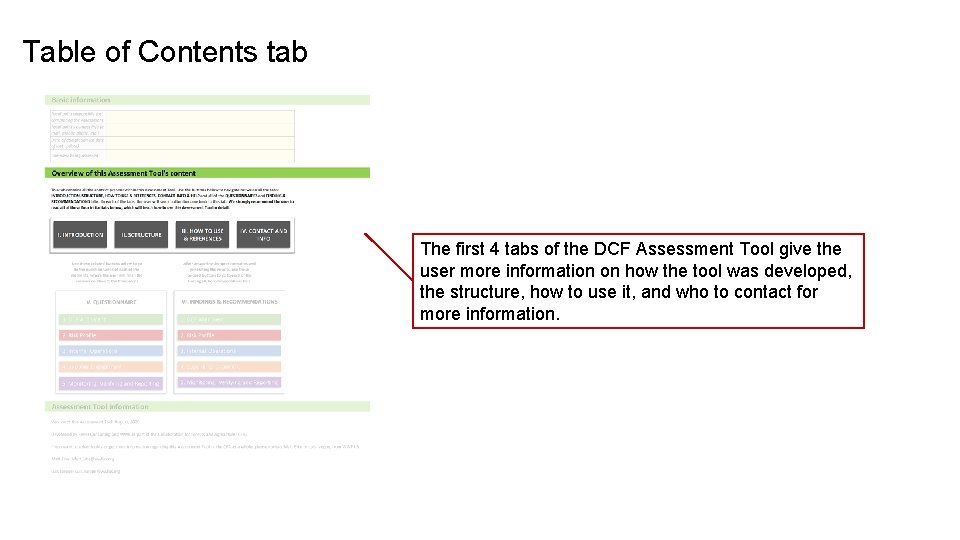
Table of Contents tab The first 4 tabs of the DCF Assessment Tool give the user more information on how the tool was developed, the structure, how to use it, and who to contact for more information.
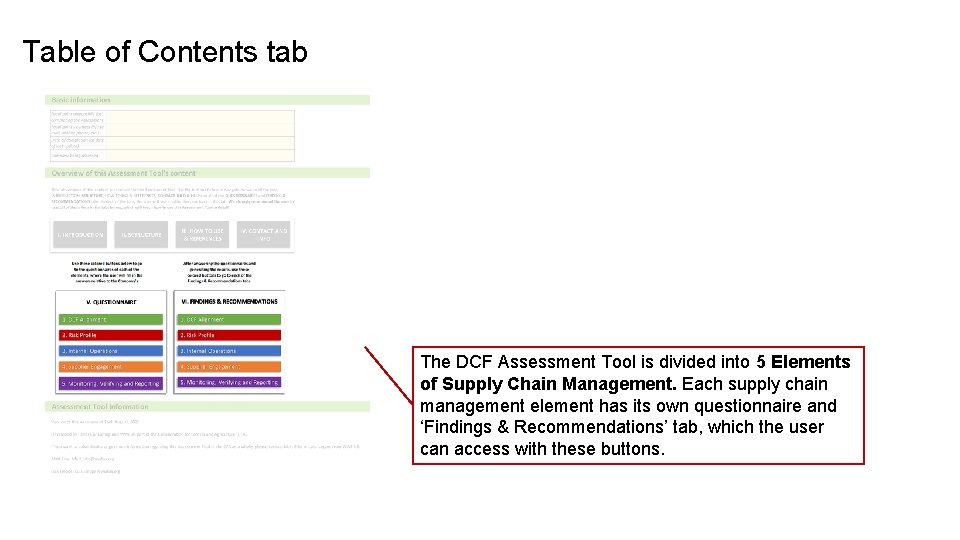
Table of Contents tab The DCF Assessment Tool is divided into 5 Elements of Supply Chain Management. Each supply chain management element has its own questionnaire and ‘Findings & Recommendations’ tab, which the user can access with these buttons.
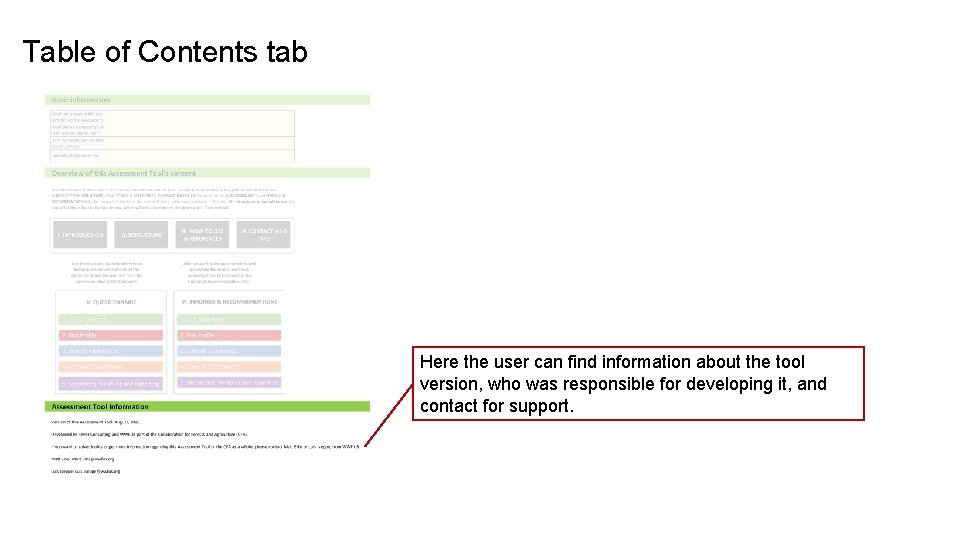
Table of Contents tab Here the user can find information about the tool version, who was responsible for developing it, and contact for support.
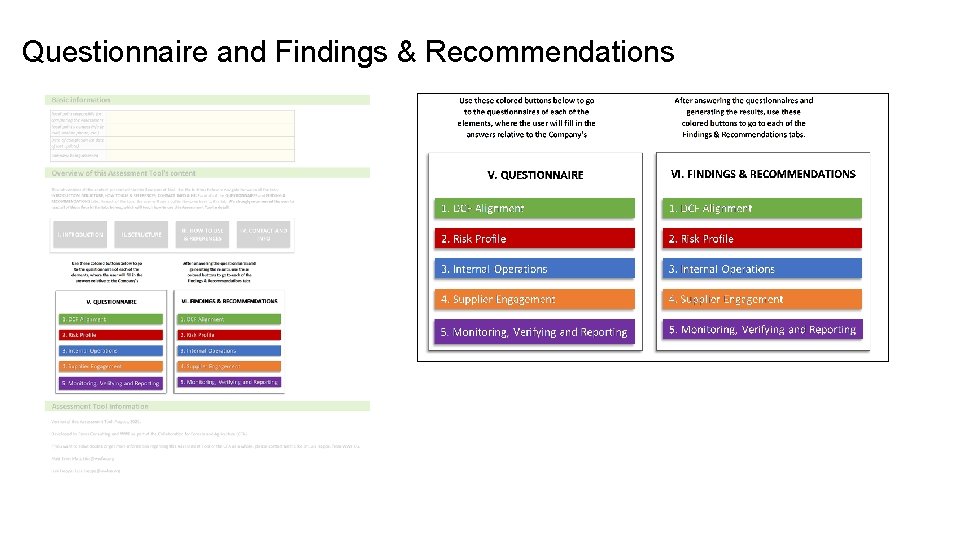
Questionnaire and Findings & Recommendations
Navigating Questionnaire Tab All questionnaire tabs follow the same structure.
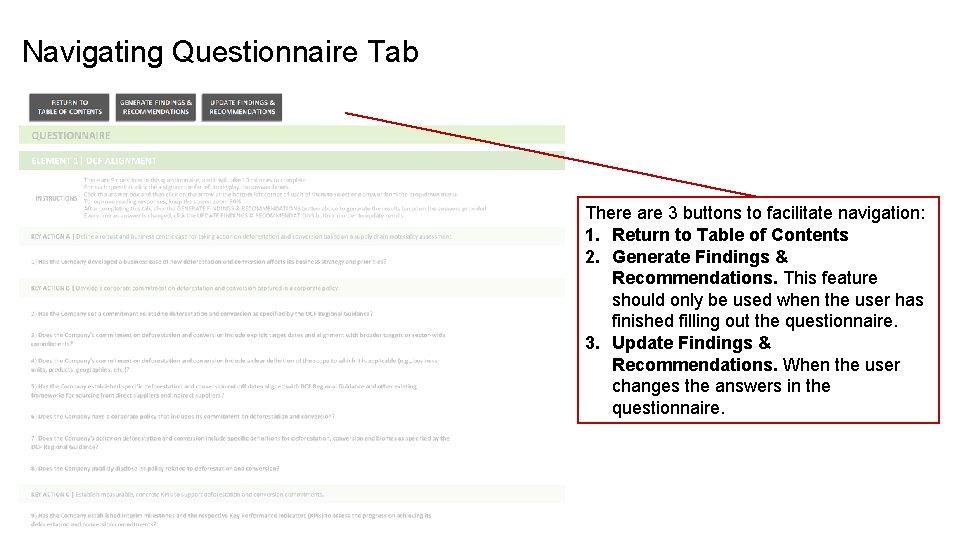
Navigating Questionnaire Tab There are 3 buttons to facilitate navigation: 1. Return to Table of Contents 2. Generate Findings & Recommendations. This feature should only be used when the user has finished filling out the questionnaire. 3. Update Findings & Recommendations. When the user changes the answers in the questionnaire.
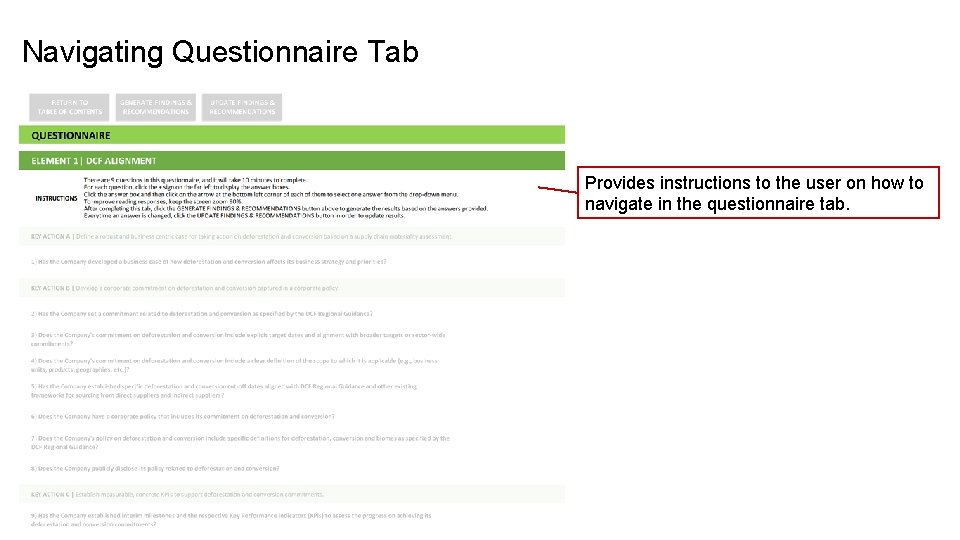
Navigating Questionnaire Tab Provides instructions to the user on how to navigate in the questionnaire tab.
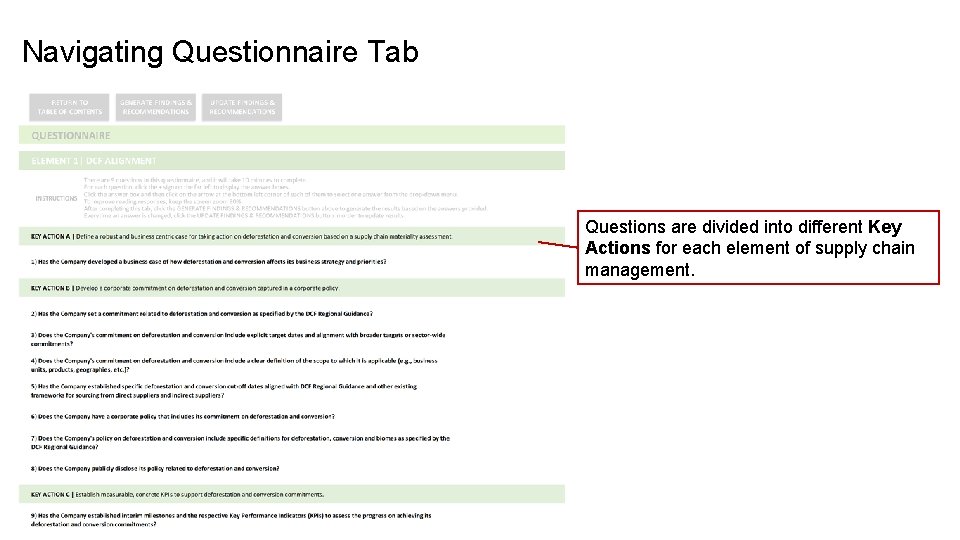
Navigating Questionnaire Tab Questions are divided into different Key Actions for each element of supply chain management.
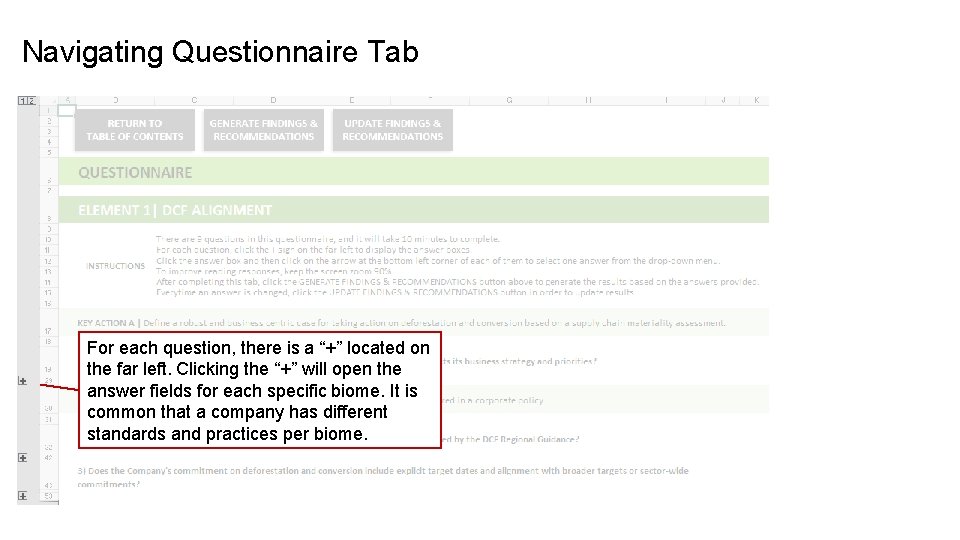
Navigating Questionnaire Tab For each question, there is a “+” located on the far left. Clicking the “+” will open the answer fields for each specific biome. It is common that a company has different standards and practices per biome.
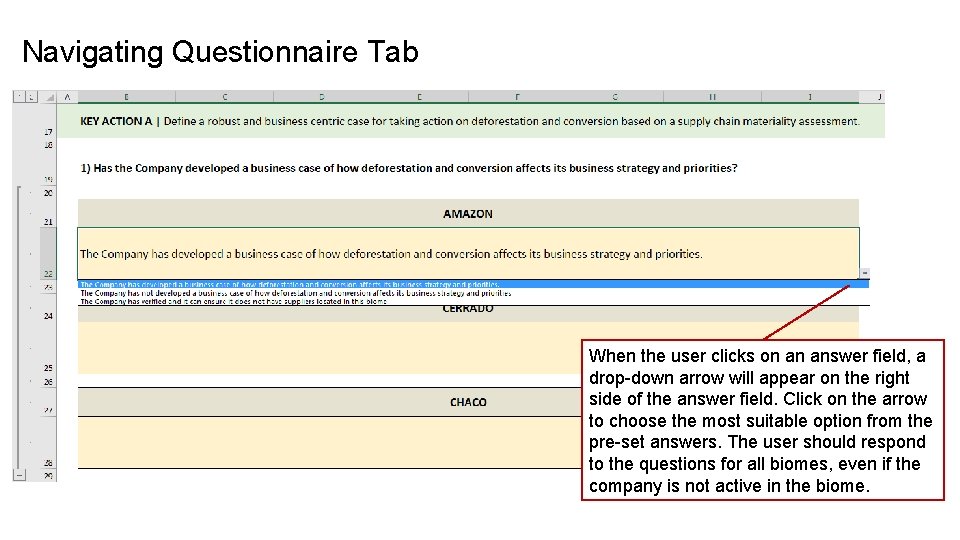
Navigating Questionnaire Tab When the user clicks on an answer field, a drop-down arrow will appear on the right side of the answer field. Click on the arrow to choose the most suitable option from the pre-set answers. The user should respond to the questions for all biomes, even if the company is not active in the biome.
Navigating Questionnaire Tab After answering all the questions in each of the QUESTIONNAIRE tabs, the user must click on the GENERATE FINDINGS & RECOMMENDATIONS button located at the top of the tab. The user will then be taken automatically to the element's FINDINGS & RECOMMENDATIONS tab, which will show the user's answers and the recommendations for that specific element.
Navigating Findings & Recommendations Tab All Findings & Recommendations tabs follow the same structure.
Navigating Findings & Recommendations Tab The top of the tab gives the user three options to navigate: 1. Return to Table of Contents 2. Update Findings & Recommendations. When the user changes the answers provided to the questionnaire. 3. Return to Questionnaire. Will take the user back to the questionnaire for that same element of supply chain management.
Navigating Findings & Recommendations Tab Provides instructions to the user on how to navigate the Findings & Recommendations tab.
Navigating Findings & Recommendations Tab Findings & Recommendations are provided for each question with a response.
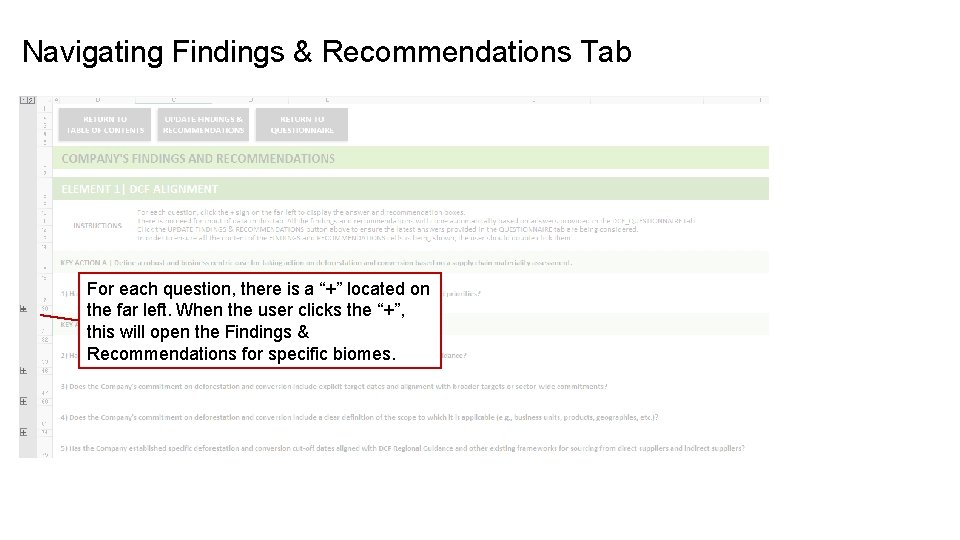
Navigating Findings & Recommendations Tab For each question, there is a “+” located on the far left. When the user clicks the “+”, this will open the Findings & Recommendations for specific biomes.
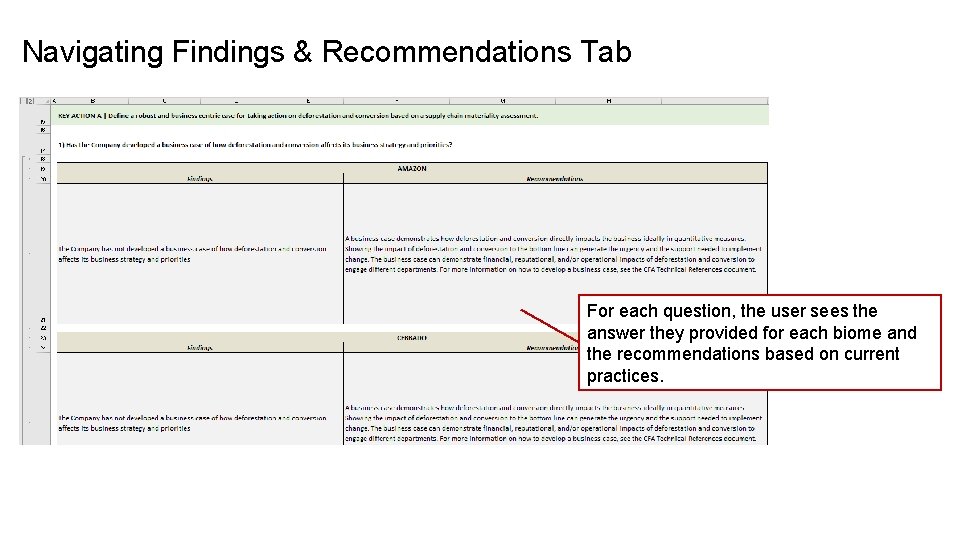
Navigating Findings & Recommendations Tab For each question, the user sees the answer they provided for each biome and the recommendations based on current practices.
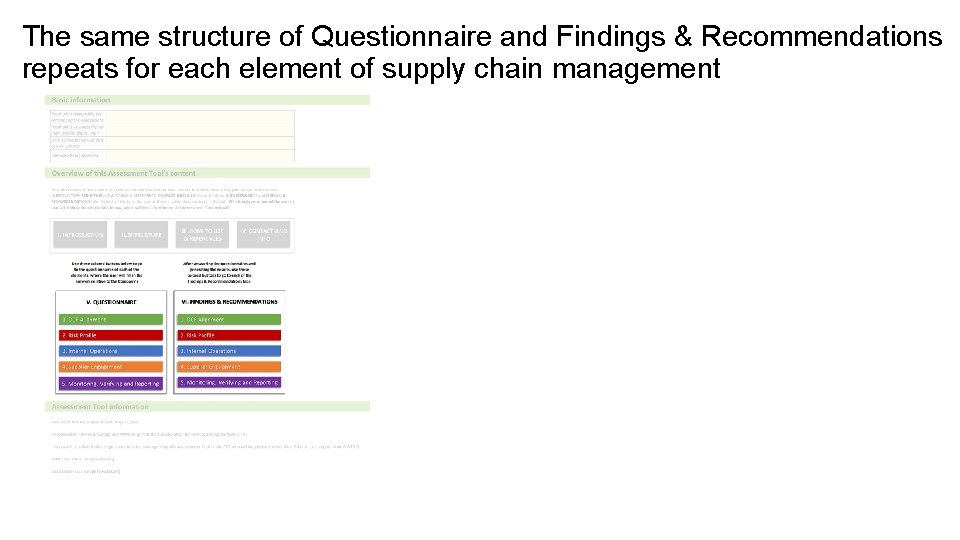
The same structure of Questionnaire and Findings & Recommendations repeats for each element of supply chain management
Keep Learning In the next module, we will discuss how to proceed once the DCF Assessment Tool is completed and all the recommended actions are generated. Also, we will see a suggestion for how to present the main results. Let’s continue to the next module!
What You’ll Learn in Module 3 We will show you how to proceed after the DCF Assessment Tool is completed and all the recommended actions are generated. In this module you’ll learn how to: • Present the main results after the DCF Assessment Tool is completed • The main next steps that should be conducted after presenting results from the DCF Assessment Tool
About the Summary of Assessment Results To support companies moving forward in combating deforestation and conversion in their supply chain, the Summary of Assessment Results provides a template that consolidates and presents recommendations from the DCF Assessment Tool. The Summary of Assessment Results template also includes slides to present the DCF Implementation Toolkit process.
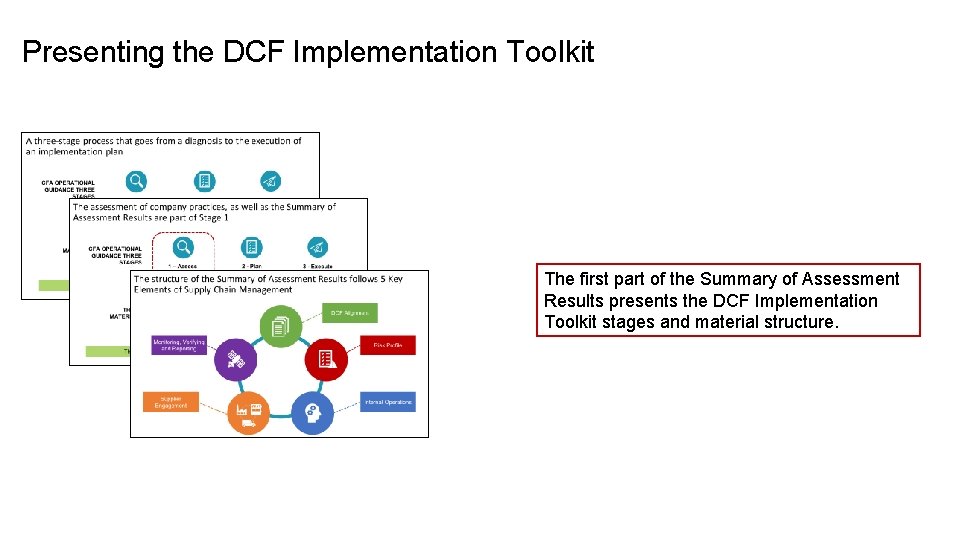
Presenting the DCF Implementation Toolkit The first part of the Summary of Assessment Results presents the DCF Implementation Toolkit stages and material structure.
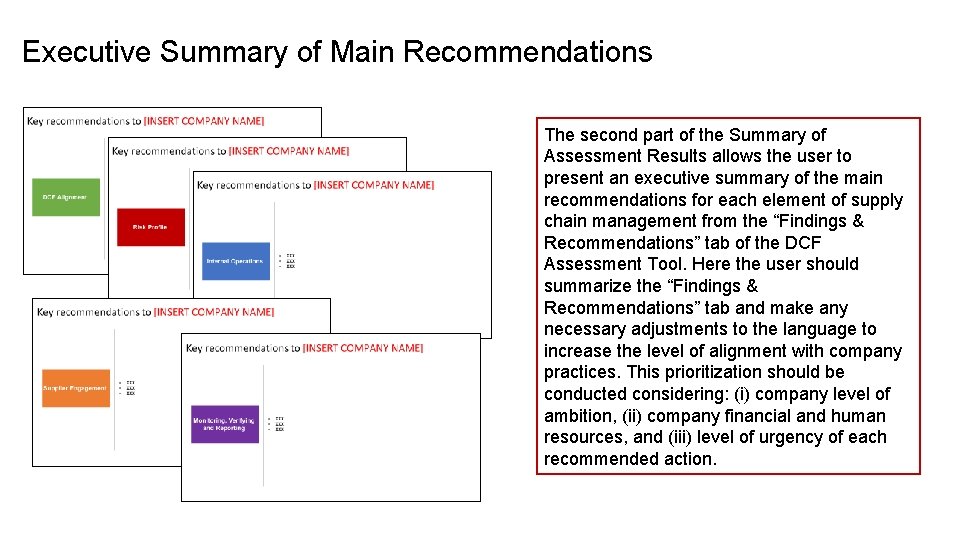
Executive Summary of Main Recommendations The second part of the Summary of Assessment Results allows the user to present an executive summary of the main recommendations for each element of supply chain management from the “Findings & Recommendations” tab of the DCF Assessment Tool. Here the user should summarize the “Findings & Recommendations” tab and make any necessary adjustments to the language to increase the level of alignment with company practices. This prioritization should be conducted considering: (i) company level of ambition, (ii) company financial and human resources, and (iii) level of urgency of each recommended action.
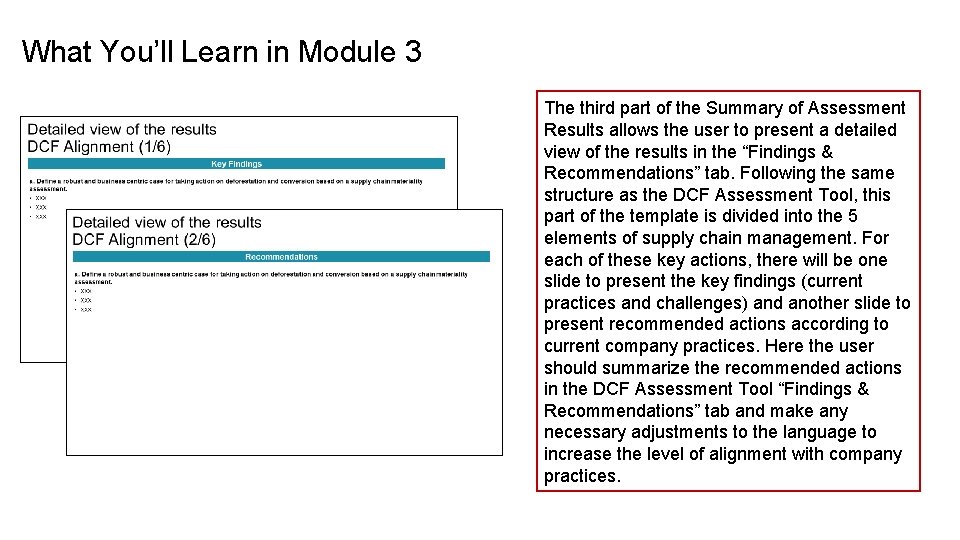
What You’ll Learn in Module 3 The third part of the Summary of Assessment Results allows the user to present a detailed view of the results in the “Findings & Recommendations” tab. Following the same structure as the DCF Assessment Tool, this part of the template is divided into the 5 elements of supply chain management. For each of these key actions, there will be one slide to present the key findings (current practices and challenges) and another slide to present recommended actions according to current company practices. Here the user should summarize the recommended actions in the DCF Assessment Tool “Findings & Recommendations” tab and make any necessary adjustments to the language to increase the level of alignment with company practices.
Next Steps
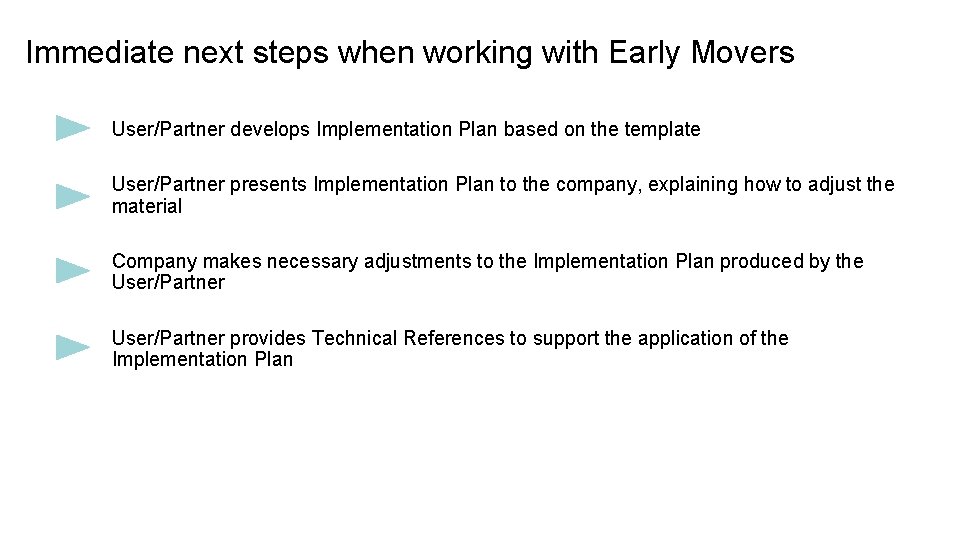
Immediate next steps when working with Early Movers User/Partner develops Implementation Plan based on the template User/Partner presents Implementation Plan to the company, explaining how to adjust the material Company makes necessary adjustments to the Implementation Plan produced by the User/Partner provides Technical References to support the application of the Implementation Plan
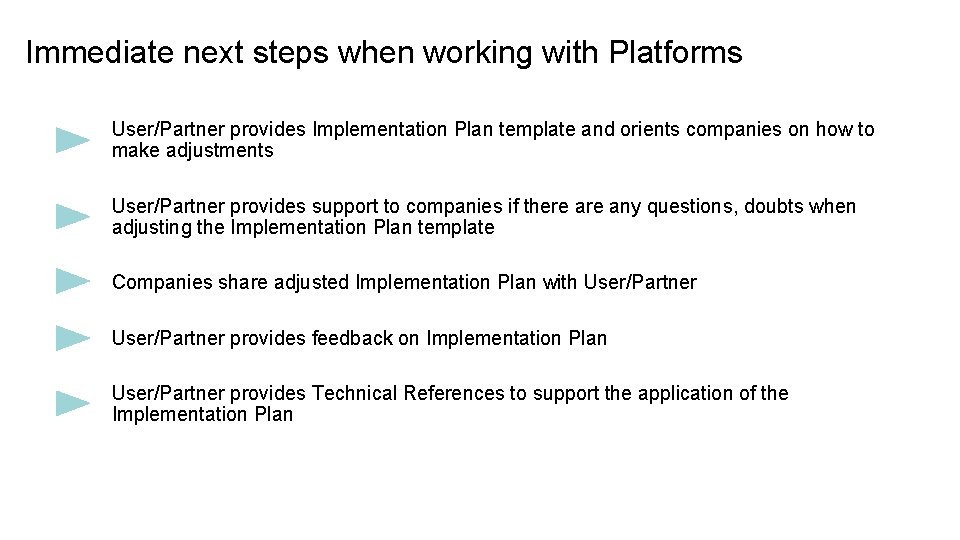
Immediate next steps when working with Platforms User/Partner provides Implementation Plan template and orients companies on how to make adjustments User/Partner provides support to companies if there any questions, doubts when adjusting the Implementation Plan template Companies share adjusted Implementation Plan with User/Partner provides feedback on Implementation Plan User/Partner provides Technical References to support the application of the Implementation Plan
Learn More After applying the DCF Assessment Tool, the user should use the results to develop the Implementation Plan. In the next course, you will learn how to develop a DCF Implementation Plan based on the DCF Implementation Toolkit templates. This will support the company in establishing milestones to monitor and report on progress, prioritize relevant actions for improvement, and map tools and guidelines that can support necessary actions.
Any questions, please contact: Luis Iseppe – CFA Global Corporate Engagement Leader luis. iseppe@wwfus. org Daniela Teston – CFA Brazil Coordinator danielateston@wwf. org. br Joseph Sellwood – Rever’s Executive Director joe. sellwood@reverconsulting. com Ariel Sarout – Rever’s Consultant ariel. sarout@reverconsulting. com Thank you
- Slides: 46