
DC HMIS Training DC 100 HMIS BASICS 11292020
DC HMIS Training DC 100: HMIS BASICS 11/29/2020 HTTP: //WWW. COMMUNITY-PARTNERSHIP. ORG/ 1
Agenda • What is HMIS? • Who can see what? • Who Participates? • What is expected of you/your agency? ◦ Agency Admin ◦ Data Entry ◦ Timeliness ◦ Universal Data Elements • Common HMIS Terms 11/29/2020 ◦ Visibility ◦ Data Security • 2020 Data Standards Changes • Logging into the system ◦ Password Resets • Help and Support ◦ Helpdesk ◦ System News ◦ Trainings HTTP: //WWW. COMMUNITY-PARTNERSHIP. ORG/ 2

• Homeless Management Information System • Tool required by funders of homeless services providers What is HMIS? • Way to keep track of services, case plans, assessments, and housing for clients • Way for community to learn of system flow and cracks in our homeless response system • This is all thanks to YOU for completing accurate and timely data entry for the clients you serve! 11/29/2020 HTTP: //WWW. COMMUNITY-PARTNERSHIP. ORG/ 3

Service. Point – DC’s HMIS Software 11/29/2020 HTTP: //WWW. COMMUNITY-PARTNERSHIP. ORG/ 4
• Agencies that receive Federal and District funding: Who Participates? ◦ ◦ ◦ HUD Co. C HUD ESG HUD VASH HUD HOPWA HHS RHY HHS PATH VA SSVF VA GPD DHS Sole Source DHS Management DHS Direct TCP Direct • Agencies who provide services to homeless individuals and families within the District of Columbia - you do not need to be in the list above to participate! 11/29/2020 HTTP: //WWW. COMMUNITY-PARTNERSHIP. ORG/ 5
Funder vs Lead Agency LEAD AGENCY (THE COMMUNITY PARTNERSHIP) FUNDER (DHS, HUD, VA, TCP) • Provides agencies grants to be able to serve clients • Requires the use of HMIS as part of the grant agreement • Works with the Lead Agency to ensure their grantees are entering into HMIS and that they receive the reports required for system analysis and grant competitions • Fields programmatic and grant related questions 11/29/2020 • Ensures the HMIS is functional and up to date • Ensures agencies are correctly entered into HMIS • Monitors for data quality, both at the system level and at the funding level. • Answers HMIS related questions through the helpdesk • Provides trainings to users of the HMIS • Provides reports to Funders and the Continuum of Care (Co. C) as a whole HTTP: //WWW. COMMUNITY-PARTNERSHIP. ORG/ 6
What is expected of you/your agency? • Have a designated Agency Admin for your Agency Admins keep the Lead Agency updated on: ◦ ◦ User changes Project changes Ensure users go to training Funding changes • Users go through training, both initially and when asked to by the Lead Agency • Complete accurate and timely data entry ◦ The minimum requirement for any agency/program entering into HMIS are the Universal Data Elements. ◦ Data Quality reports are an important way to ensure accurate data entry, you are expected to use the data quality reports sent to you to make corrections to your data on at least a quarterly basis. ◦ Timely data entry allows for our system to function. For data entry into HMIS, timely is within 48 hours 11/29/2020 HTTP: //WWW. COMMUNITY-PARTNERSHIP. ORG/ 7
• HMIS - already covered • Lead Agency – already covered • Agency Admin – already covered Common HMIS Terms • Co. C • CAHP • Provider • Project Type • Units/Beds • Workflow • Assessments and Sub-assessments • Universal Data Elements (UDEs) • Common Data Elements • Funder Specific Data Elements • ART 11/29/2020 HTTP: //WWW. COMMUNITY-PARTNERSHIP. ORG/ 8

Continuum of Care (Co. C) • The Continuum of Care of DC is the group of agencies and people that are involved in and interested in the homeless response system within the geographic boundaries of the District of Columbia. • The Co. C is coordinated and managed through the Co. C Board. This board is the DC Interagency Council on Homelessness’s Executive Board. This board hears from the various committees to inform its decisions. • The Continuum of Care makes such decisions as: ◦ ◦ The Co. C’s priorities for funding competitions, CAHP prioritization rules and policies Privacy and data sharing policies within HMIS The Strategic Plan for the Homeless Response System of DC 11/29/2020 HTTP: //WWW. COMMUNITY-PARTNERSHIP. ORG/ 9
Coordinated Assessment and Housing Placement (CAHP) • Coordinated Assessment or Coordinated Entry is a process by which vulnerable people are prioritized for placement into housing programs. • This is a community based process that is staffed by TCP. It is more than just the information within HMIS, but HMIS information plays a HUGE role in the process as it provides us • Specialized CAHP training is provided to those who need to complete assessments and housing placements. • DC’s CAHP system is split into 4 sub groups ◦ ◦ Families Single Adults Youth Veterans 11/29/2020 HTTP: //WWW. COMMUNITY-PARTNERSHIP. ORG/ 10
Provider • Provider is a term specific to HMIS software. It is how the information is organized in the database • There are 3 main types of providers in our system ◦ Agency providers ◦ Program providers ◦ CAHP providers • Provider Naming convention [Agency Name or Acronym] – [Program Name] – [Project Type Population] – [Funding Source] (Provider ID#) TCP – Chronic Homeless Initiative (CHI) 6– PSH IND – HUD Co. C(1736) 11/29/2020 HTTP: //WWW. COMMUNITY-PARTNERSHIP. ORG/ 11
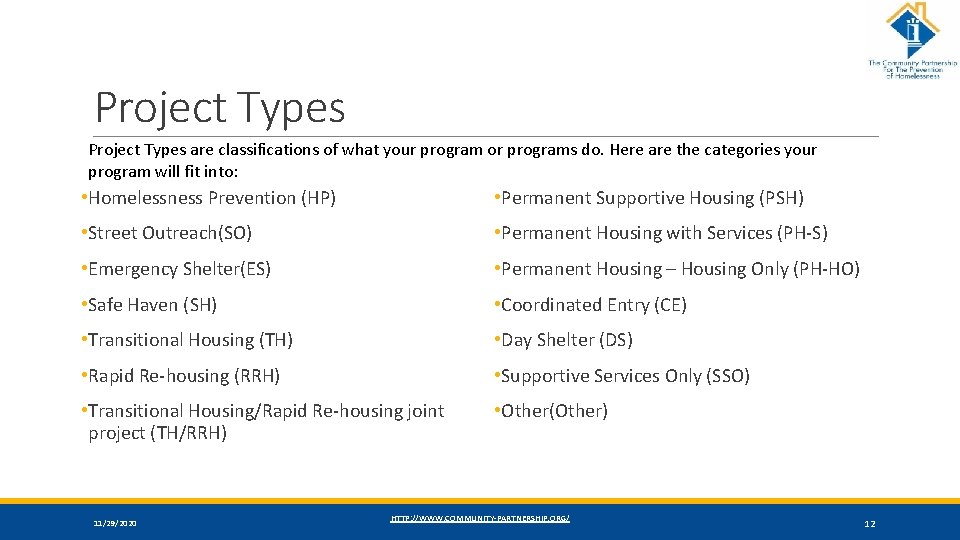
Project Types are classifications of what your program or programs do. Here are the categories your program will fit into: • Homelessness Prevention (HP) • Permanent Supportive Housing (PSH) • Street Outreach(SO) • Permanent Housing with Services (PH-S) • Emergency Shelter(ES) • Permanent Housing – Housing Only (PH-HO) • Safe Haven (SH) • Coordinated Entry (CE) • Transitional Housing (TH) • Day Shelter (DS) • Rapid Re-housing (RRH) • Supportive Services Only (SSO) • Transitional Housing/Rapid Re-housing joint project (TH/RRH) • Other(Other) 11/29/2020 HTTP: //WWW. COMMUNITY-PARTNERSHIP. ORG/ 12
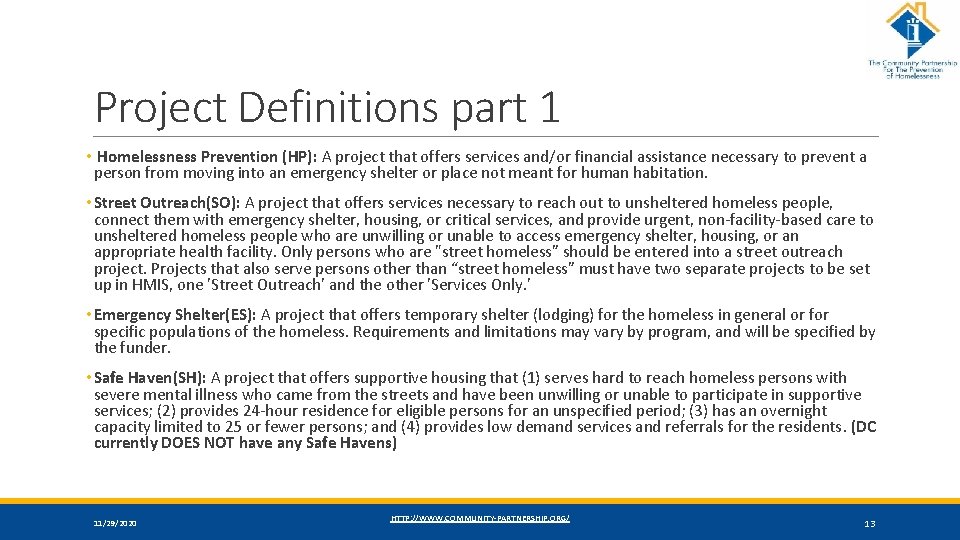
Project Definitions part 1 • Homelessness Prevention (HP): A project that offers services and/or financial assistance necessary to prevent a person from moving into an emergency shelter or place not meant for human habitation. • Street Outreach(SO): A project that offers services necessary to reach out to unsheltered homeless people, connect them with emergency shelter, housing, or critical services, and provide urgent, non-facility-based care to unsheltered homeless people who are unwilling or unable to access emergency shelter, housing, or an appropriate health facility. Only persons who are "street homeless” should be entered into a street outreach project. Projects that also serve persons other than “street homeless” must have two separate projects to be set up in HMIS, one 'Street Outreach' and the other 'Services Only. ' • Emergency Shelter(ES): A project that offers temporary shelter (lodging) for the homeless in general or for specific populations of the homeless. Requirements and limitations may vary by program, and will be specified by the funder. • Safe Haven(SH): A project that offers supportive housing that (1) serves hard to reach homeless persons with severe mental illness who came from the streets and have been unwilling or unable to participate in supportive services; (2) provides 24 -hour residence for eligible persons for an unspecified period; (3) has an overnight capacity limited to 25 or fewer persons; and (4) provides low demand services and referrals for the residents. (DC currently DOES NOT have any Safe Havens) 11/29/2020 HTTP: //WWW. COMMUNITY-PARTNERSHIP. ORG/ 13
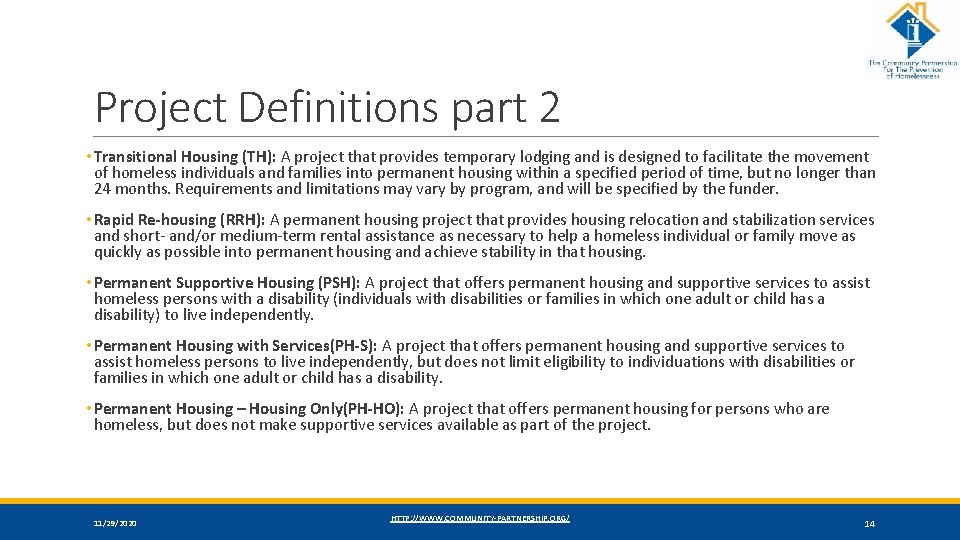
Project Definitions part 2 • Transitional Housing (TH): A project that provides temporary lodging and is designed to facilitate the movement of homeless individuals and families into permanent housing within a specified period of time, but no longer than 24 months. Requirements and limitations may vary by program, and will be specified by the funder. • Rapid Re-housing (RRH): A permanent housing project that provides housing relocation and stabilization services and short- and/or medium-term rental assistance as necessary to help a homeless individual or family move as quickly as possible into permanent housing and achieve stability in that housing. • Permanent Supportive Housing (PSH): A project that offers permanent housing and supportive services to assist homeless persons with a disability (individuals with disabilities or families in which one adult or child has a disability) to live independently. • Permanent Housing with Services(PH-S): A project that offers permanent housing and supportive services to assist homeless persons to live independently, but does not limit eligibility to individuations with disabilities or families in which one adult or child has a disability. • Permanent Housing – Housing Only(PH-HO): A project that offers permanent housing for persons who are homeless, but does not make supportive services available as part of the project. 11/29/2020 HTTP: //WWW. COMMUNITY-PARTNERSHIP. ORG/ 14
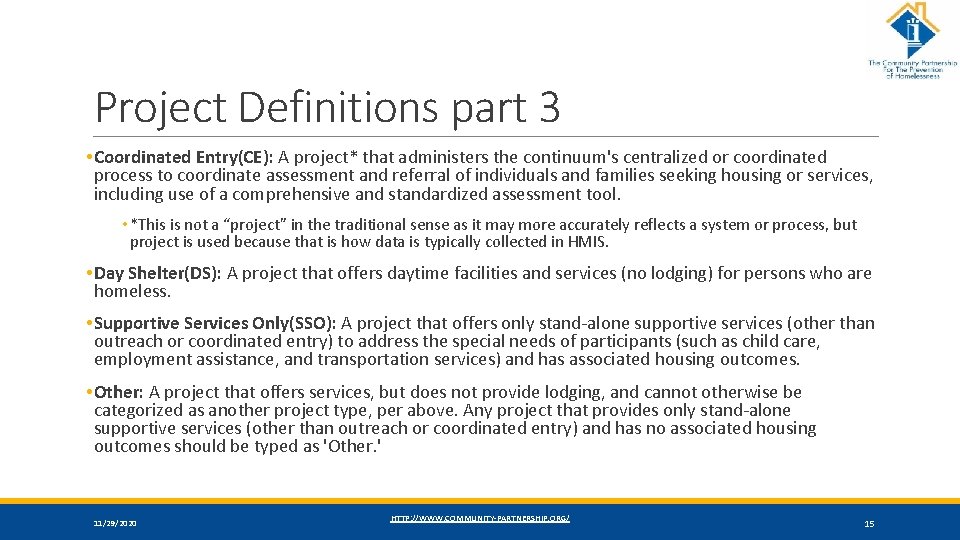
Project Definitions part 3 • Coordinated Entry(CE): A project* that administers the continuum's centralized or coordinated process to coordinate assessment and referral of individuals and families seeking housing or services, including use of a comprehensive and standardized assessment tool. • *This is not a “project” in the traditional sense as it may more accurately reflects a system or process, but project is used because that is how data is typically collected in HMIS. • Day Shelter(DS): A project that offers daytime facilities and services (no lodging) for persons who are homeless. • Supportive Services Only(SSO): A project that offers only stand-alone supportive services (other than outreach or coordinated entry) to address the special needs of participants (such as child care, employment assistance, and transportation services) and has associated housing outcomes. • Other: A project that offers services, but does not provide lodging, and cannot otherwise be categorized as another project type, per above. Any project that provides only stand-alone supportive services (other than outreach or coordinated entry) and has no associated housing outcomes should be typed as 'Other. ' 11/29/2020 HTTP: //WWW. COMMUNITY-PARTNERSHIP. ORG/ 15
Units/Beds • The number of spaces available within a housing program for serving clients. • The use of units is typically for Families where there are multiple beds within a unit. How many families are you able to serve in your program will get your number of units. The average family size will give us the number of beds in your program. • For singles, the units and the beds are the same number – how many people are you able to serve? • For rapid rehousing, this number can fluctuate. 11/29/2020 HTTP: //WWW. COMMUNITY-PARTNERSHIP. ORG/ 16

Workflow • A Workflow is how you enter data into HMIS. There are 4 main workflows in DC’s HMIS: ◦ Entry/Exit Workflow – Used by the majority of programs. Uses the Client. Point module in Service. Point for most data entry. ◦ Shelter. Point Workflow – Used by Low Barrier and Severe Weather Shelters. Uses the Shelter. Point module in Service. Point for most data entry. ◦ Skan. Point Workflow – Used by Outreach and Day Shelters. Uses the Skan. Point module in Service. Point for most data entry. ◦ Case Plans – Used by case managers. Uses the Client. Point module in Service. Point. • Trainings are split up by type of workflow. 11/29/2020 HTTP: //WWW. COMMUNITY-PARTNERSHIP. ORG/ 17
Assessments and Sub-assessments • Assessments are the groups of questions that are to be answered by the client. These assessments include text boxes, drop down options, date fields, and sub-assessments. • Sub-assessments are mini assessments found within assessments where we are able to track changes to answers over time and different types of subordinate answers within an overall answer. ◦ Example of Changes over time – Income ◦ Example of Subordinate types within an overall answer – Disability types or Veteran service locations 11/29/2020 HTTP: //WWW. COMMUNITY-PARTNERSHIP. ORG/ 18

Universal Data Elements (UDEs) • Universal Data Elements are those questions that are REQUIRED for ANY program that enters into HMIS, regardless of funding source. • HUD has required a set of data elements and DC has also required a set of data elements, so these two lists combined is the complete set of information required of ANY program entering into DC’s HMIS. • The next slides list the Universal Data elements as of 10/1/2019. 11/29/2020 HTTP: //WWW. COMMUNITY-PARTNERSHIP. ORG/ 19

HUD UDEs UNIVERSAL IDENTIFIERS (ONE ANSWER PER CLIENT RECORD) UNIVERSAL PROJECT STAY ELEMENTS (ONE OR MORE VALUES PER PROJECT STAY) • Name • Disabling Condition (Yes/No) • Name Data Quality • Project Start Date • Social Security Number Data Quality • Date of Birth Data Quality • Project Exit Date • Destination • Relationship to Head of Household • Race • Client Location • Ethnicity • Housing Move in Date (for RRH and Permanent Housing projects) • Gender • Veteran Status 11/29/2020 • Prior Living Situation HTTP: //WWW. COMMUNITY-PARTNERSHIP. ORG/ 20

DC UDEs • Veteran Information • Client Contact Information • Engaged with Case Management? • Client Identification Information • Primary Reason for Homelessness • Last Grade Completed • Sexual Orientation • Client Education Information • Foster Care • Language Access Questions • Institutionalization • Zip Code of Last Permanent Address 11/29/2020 HTTP: //WWW. COMMUNITY-PARTNERSHIP. ORG/ 21
Common Data Elements • These are data elements that MOST funders require for their grants and contract holders. • Income and Sources • Non-Cash Benefits • Health Insurance • Disability sub-assessment • Domestic Violence • Current Living Situation • Date of Engagement 11/29/2020 HTTP: //WWW. COMMUNITY-PARTNERSHIP. ORG/ 22
Program Specific Data Elements • These are the data elements that are only required by certain funders or for certain project types. • We will have user guides available in the coming month that details the funder specific data element for each funding source. 11/29/2020 HTTP: //WWW. COMMUNITY-PARTNERSHIP. ORG/ 23
ART • ART stands for the Advanced Reporting Tool and is the primary reporting location for DC’s HMIS • It contains many reports, including ◦ Data Quality reports ◦ Custom program management reports ◦ Client detail reports 11/29/2020 HTTP: //WWW. COMMUNITY-PARTNERSHIP. ORG/ 24

• The database contains hundreds of thousand client files, each with dozens of project stays, services, and case notes. Who Can See What? • Having a visibility structure is important to ensure client information is protected, while also ensuring agencies and programs are able to work together to help clients. Visibility and Data Security • Client choice to share their program level information is at the heart of our visibility structure. 11/29/2020 HTTP: //WWW. COMMUNITY-PARTNERSHIP. ORG/ 25
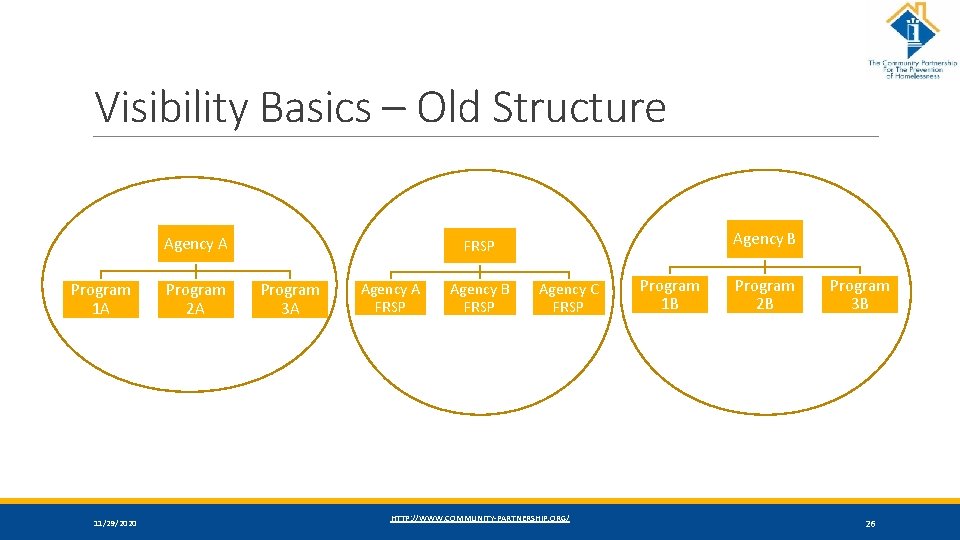
Visibility Basics – Old Structure Agency A Program 1 A 11/29/2020 Program 2 A Agency B FRSP Program 3 A Agency A FRSP Agency B FRSP Agency C FRSP HTTP: //WWW. COMMUNITY-PARTNERSHIP. ORG/ Program 1 B Program 2 B Program 3 B 26
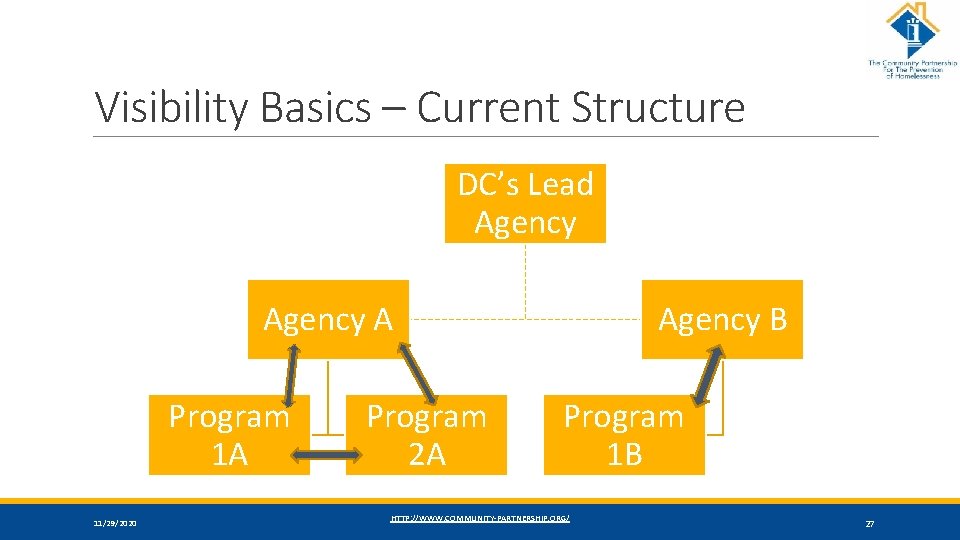
Visibility Basics – Current Structure DC’s Lead Agency A Program 1 A 11/29/2020 Program 2 A Agency B Program 1 B HTTP: //WWW. COMMUNITY-PARTNERSHIP. ORG/ 27
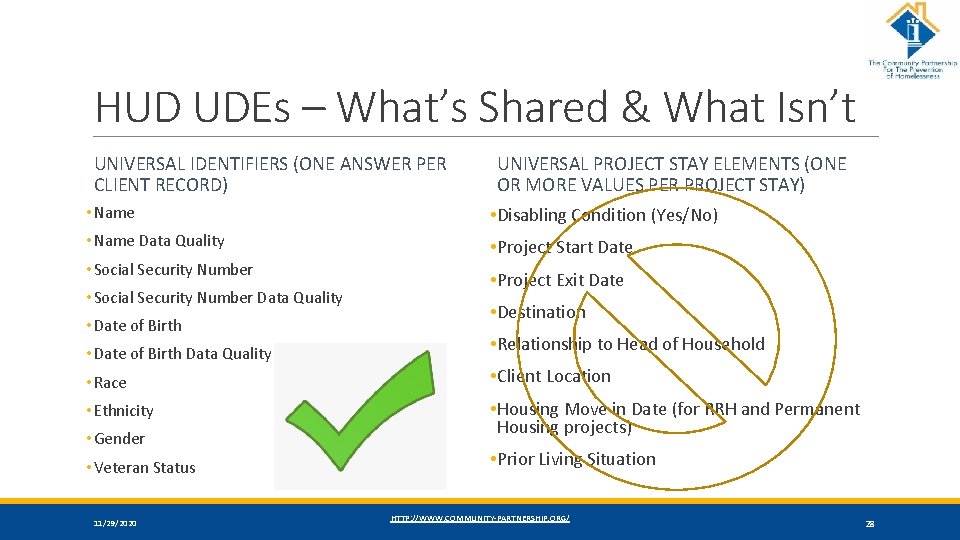
HUD UDEs – What’s Shared & What Isn’t UNIVERSAL IDENTIFIERS (ONE ANSWER PER CLIENT RECORD) UNIVERSAL PROJECT STAY ELEMENTS (ONE OR MORE VALUES PER PROJECT STAY) • Name • Disabling Condition (Yes/No) • Name Data Quality • Project Start Date • Social Security Number Data Quality • Date of Birth Data Quality • Project Exit Date • Destination • Relationship to Head of Household • Race • Client Location • Ethnicity • Housing Move in Date (for RRH and Permanent Housing projects) • Gender • Veteran Status 11/29/2020 • Prior Living Situation HTTP: //WWW. COMMUNITY-PARTNERSHIP. ORG/ 28
Coming Soon: Universal ROIs • There is not currently a standard ROI for the Co. C but that is being worked on. • Once more information is available we will update you all on this new document and the processes involved. 11/29/2020 HTTP: //WWW. COMMUNITY-PARTNERSHIP. ORG/ 29

Data Security • Keeping client information safe and secure begins with YOU! • Do not let others log in as you. ◦ Keep your user name and password to yourself. ◦ Do not keep it posted anywhere others can see • Do not leave your computer unattended while logged into Service. Point. • Do not save your login information with your web browser. • Do not send client identifying information via unencrypted emails (including to the helpdesk!) ◦ Client Identifying information includes: ◦ Name ◦ Date of Birth ◦ Social Security Number 11/29/2020 HTTP: //WWW. COMMUNITY-PARTNERSHIP. ORG/ 30
2020 Data Standards Changes • These changes went into effect on October 1 st, 2019 • We have updated the assessments in HMIS to contain the current required questions. • We are in the process of updating reports in ART for data quality reports. 11/29/2020 HTTP: //WWW. COMMUNITY-PARTNERSHIP. ORG/ 31
Universal Data Element Changes • Prior Living Situation ◦ Formerly named Living Situation ◦ Picklist now aligns with Destination and Current Living Situation ◦ Wording change to “Emergency shelter, including hotel or motel paid for with emergency shelter voucher, or RHY-funded Host Home shelter ◦ Addition of “Host Home (non-crisis)” ◦ Wording change to “Rental by client, with RRH or equivalent subsidy” ◦ Wording change to “Rental by client, with HCV voucher (tenant or project based)” ◦ Wording change to “Rental by client in a public housing unit” ◦ Data Entry Implications: ◦ New and changed options moving forward • Destination ◦ Picklist now aligns with Prior Living Situation and Current Living Situation ◦ Wording change to “Emergency shelter, including hotel or motel paid for with emergency shelter voucher, or RHY-funded Host Home shelter ◦ Addition of “Host Home (non-crisis)” ◦ Wording change to “Rental by client, with RRH or equivalent subsidy” ◦ Wording change to “Rental by client, with HCV voucher (tenant or project based)” ◦ Wording change to “Rental by client in a public housing unit” ◦ Added Dependent A text box for “Other” ◦ Data Entry Implications: ◦ New and changed options moving forward • Sexual Orientation ◦ Added picklist value ◦ Questioning/unsure ◦ Other ◦ Text box for “Other” 11/29/2020 HTTP: //WWW. COMMUNITY-PARTNERSHIP. ORG/ 32
Program Specific Element Changes • Developmental Disability and HIV/AIDS ◦ Within the Disabilities Sub-assessment ◦ Removed the dependent element “Substantially impedes the individual’s ability to live independently” ◦ Data Entry Implications: ◦ One fewer question to answer for these two elements • Domestic Violence ◦ Data Entry now required for SSVF ◦ Data Entry now required for PATH 11/29/2020 • PATH Status ◦ For PATH Providers onky ◦ Added picklist value to “No” for Client Enrolled in PATH – “Unable to locate client” • Employment Status ◦ Data Entry now required for VA GPD Low Demand ◦ Data Entry now required for VA GPD Case Management/housing relocation HTTP: //WWW. COMMUNITY-PARTNERSHIP. ORG/ 33
Program Specific Element Changes • Pregnancy Status (RHY Providers) • HUD VASH Voucher Tracking ◦ Data Element now required for ALL female Heads of Household regardless of age ◦ Previously only required for ADULT female Heads of Household • VAMC Station Number ◦ Data Entry now required for the following ◦ ◦ VASH - ALL Components VA-CRS – Contract Residential Service VA – Community Contract SH Program VA – Grant Per Diem (GPD) – ALL Components ◦ Collection point changed from Project Start, Update, and Project Exit to Occurrence Point/Update. • Current Living Situation ◦ Replaces “Contact” ◦ Required to be completed for each direct client contact for ◦ Street Outreach ◦ Coordinated Entry (HUD Co. C funded only) ◦ Emergency Shelter – Low Barrier and Severe Weather only ◦ Data is recorded for Heads of Household on each occurrence/update 11/29/2020 HTTP: //WWW. COMMUNITY-PARTNERSHIP. ORG/ 34

SSVF Specific Element Changes • VA Services Provided SSVF • Rapid Resolution Project ◦ Added new picklist values ◦ Extended shallow subsidy ◦ Returning home ◦ Rapid Resolution ◦ VA Financial Assistance SSVF ◦ Added picklist value – “Extended shallow subsidy – rental assistance” ◦ Each SSVF grantee will have a new program provider for Rapid Resolution ◦ This provider will have an Entry/Exit Workflow ◦ The provider will have a special assessment for the Rapid Resolution conversation you should be having with each veteran. ◦ This assessment will include “Coordinated Entry Event” ◦ The VA has given HMIS Lead Agencies and SSVF grantees a deadline of 12/1/19 to get this new project into HMIS. 11/29/2020 HTTP: //WWW. COMMUNITY-PARTNERSHIP. ORG/ 35
Logging into the System 11/29/2020 And now that you know all that, it’s time to log into Service. Point and begin your HMIS journey… HTTP: //WWW. COMMUNITY-PARTNERSHIP. ORG/ 36
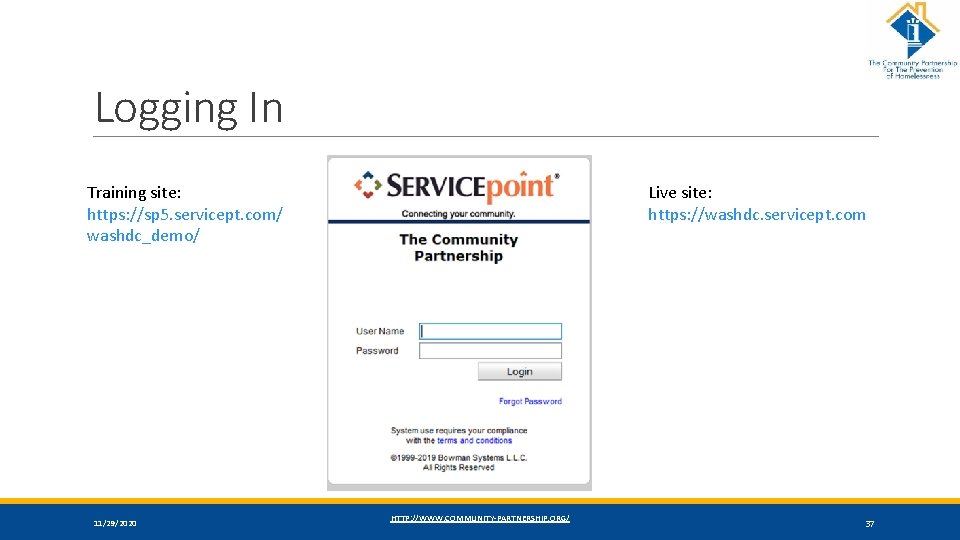
Logging In Training site: https: //sp 5. servicept. com/ washdc_demo/ 11/29/2020 Live site: https: //washdc. servicept. com HTTP: //WWW. COMMUNITY-PARTNERSHIP. ORG/ 37
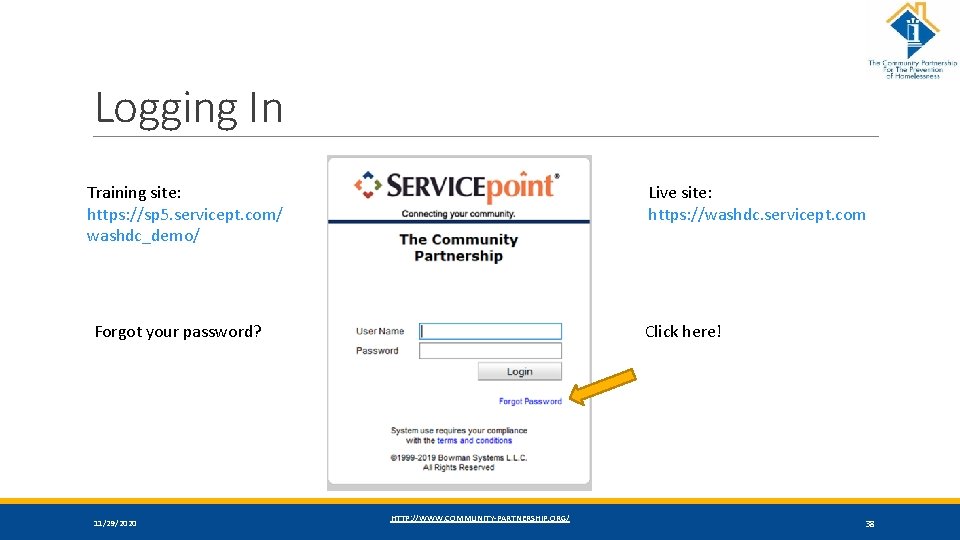
Logging In Training site: https: //sp 5. servicept. com/ washdc_demo/ Live site: https: //washdc. servicept. com Forgot your password? 11/29/2020 Click here! HTTP: //WWW. COMMUNITY-PARTNERSHIP. ORG/ 38
• Helpdesk: hmis@community-partnership. org Help and Support Helpdesk System News Trainings 11/29/2020 ◦ Email the helpdesk with questions and we will provide answers and resources. ◦ We respond within 2 business days. • Trainings: ◦ We hold HMIS trainings every month. ◦ They are open to all, new user, seasoned veteran, or anywhere in between ◦ Training eventbrites are found at http: //communitypartnership. org/providers/training ◦ Have questions about the trainings? Email the helpdesk! HTTP: //WWW. COMMUNITY-PARTNERSHIP. ORG/ 39
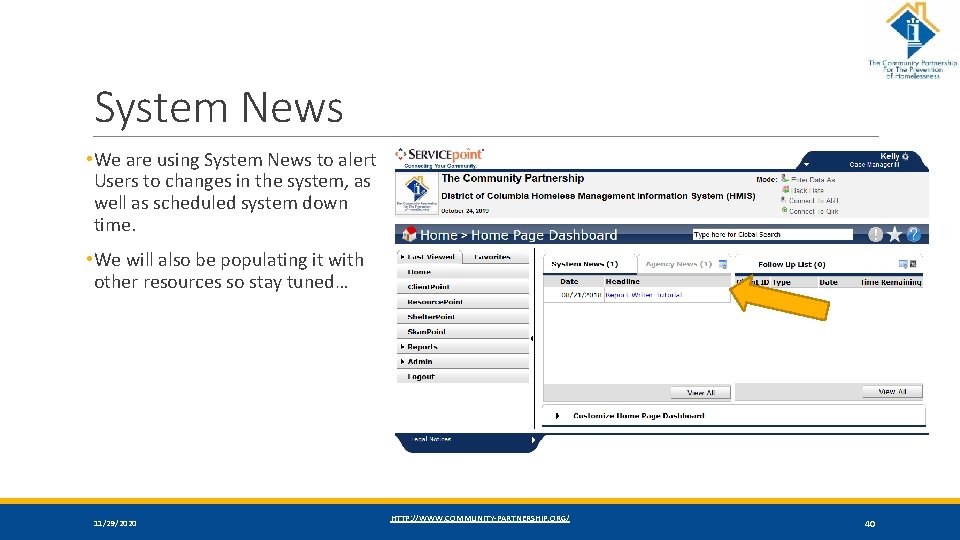
System News • We are using System News to alert Users to changes in the system, as well as scheduled system down time. • We will also be populating it with other resources so stay tuned… 11/29/2020 HTTP: //WWW. COMMUNITY-PARTNERSHIP. ORG/ 40
Thanks for participating! Questions? HMIS Help-Desk Email: hmis@community-partnership. org 11/29/2020 HTTP: //WWW. COMMUNITY-PARTNERSHIP. ORG/ 41
- Slides: 41