
DBMAN 9 PL introduction PLSQL Trigger exercise V
DBMAN 9 PL/* introduction PLSQL Trigger exercise V 1. 0 Szabo. Zs 1
DBMAN 9 PL/* introduction PLSQL Trigger exercise V 1. 0 Szabo. Zs 2
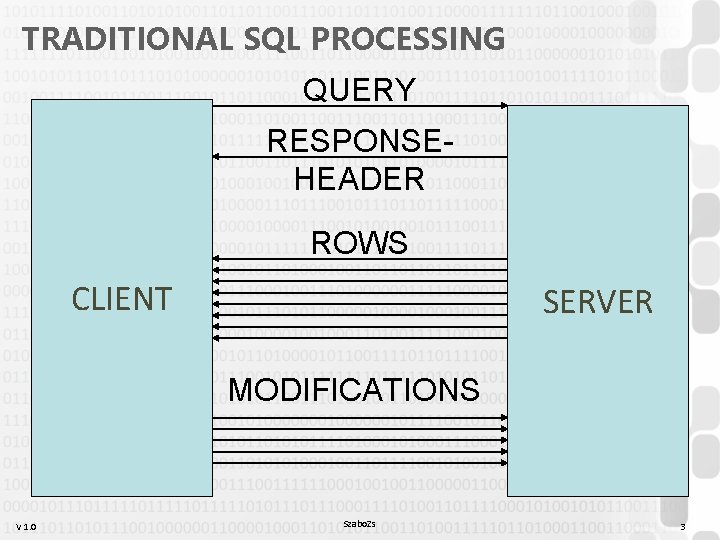
TRADITIONAL SQL PROCESSING QUERY RESPONSEHEADER ROWS CLIENT SERVER MODIFICATIONS V 1. 0 Szabo. Zs 3
TRADITIONAL SQL PROCESSING • Common problems: – Special tasks that can not be done in SQL or that are not SQL-specific tasks (non-declarative tasks) – Relatively simple processing of big amount of data – Checks before update/insert/delete (business-data consistency ) – More than one type of clients must implement the same things multiple times • Even when using localhost, it is better to do these on the server V 1. 0 Szabo. Zs 4
PL/* • The server has two engines: the SQL engine and the PL/* engine: Procedural Language Engine • It is usually a problem-oriented/procedural language, that allows us to do different programming tasks on the server • Therefore, the server does some of the calculations/methods (high-cpu-load alogirthms are not advised!) • Big question: layer responsibilities – is it wise? ? ? • Typically: hardcoded „god-like” rules / low-level permission management / enforcement of business data consistency V 1. 0 Szabo. Zs 5
PL/* • Using PL/* programs, we can: – Execute simple procedural code using different control structures (loops, conditions) – Create and use stored PROCEDURES and FUNCTIONS – Use special error handling: EXCEPTIONS – Create special procedures that are executed automatically (DML event handlers): TRIGGER V 1. 0 Szabo. Zs 6
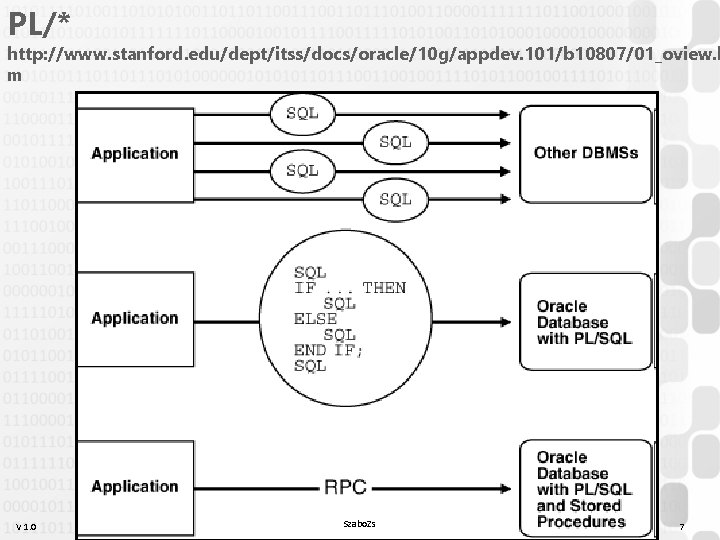
PL/* http: //www. stanford. edu/dept/itss/docs/oracle/10 g/appdev. 101/b 10807/01_oview. h m V 1. 0 Szabo. Zs 7
PL/* • PL/SQL – Oracle’s design, SQL-like syntax, supported by IBM DB 2 too – Postgre. SQL: PL/PGSQL (similar), PL/PERL, PL/PYTHON, PL/TCL, PL/JAVA, PL/PHP, PL/RUBY – Mysql: slow to adapt this principle, similar approach and syntax to PL/SQL, but more limited – TSQL = Ms. SQL + Sybase/SAP = two-in-one (different design) • „Stupid” languages by design, to make BL integration impossible – Java/. NET/DLL functions can also be called, using special syntax – Oracle APEX / Oracle Forms: PL/SQL everywhere • SQL row-level functions and types can usually be used from SQL and PL/* code as well V 1. 0 Szabo. Zs 8
DBMAN 9 PL/* introduction PLSQL Trigger exercise V 1. 0 Szabo. Zs 9
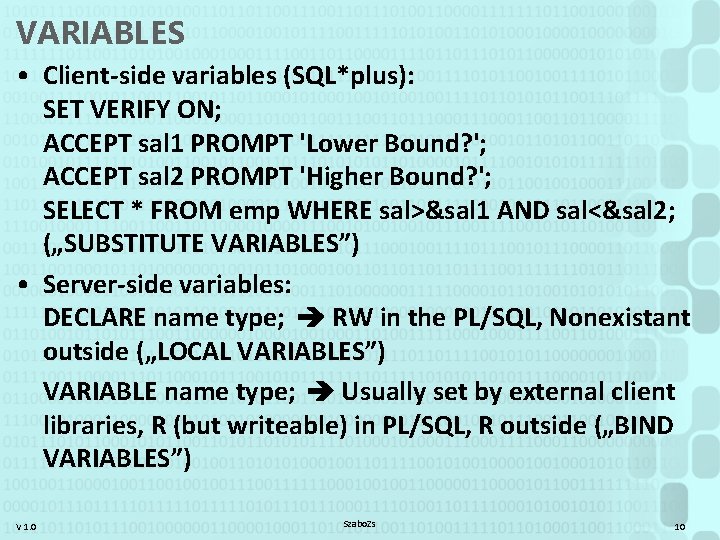
VARIABLES • Client-side variables (SQL*plus): SET VERIFY ON; ACCEPT sal 1 PROMPT 'Lower Bound? '; ACCEPT sal 2 PROMPT 'Higher Bound? '; SELECT * FROM emp WHERE sal>&sal 1 AND sal<&sal 2; („SUBSTITUTE VARIABLES”) • Server-side variables: DECLARE name type; RW in the PL/SQL, Nonexistant outside („LOCAL VARIABLES”) VARIABLE name type; Usually set by external client libraries, R (but writeable) in PL/SQL, R outside („BIND VARIABLES”) V 1. 0 Szabo. Zs 10
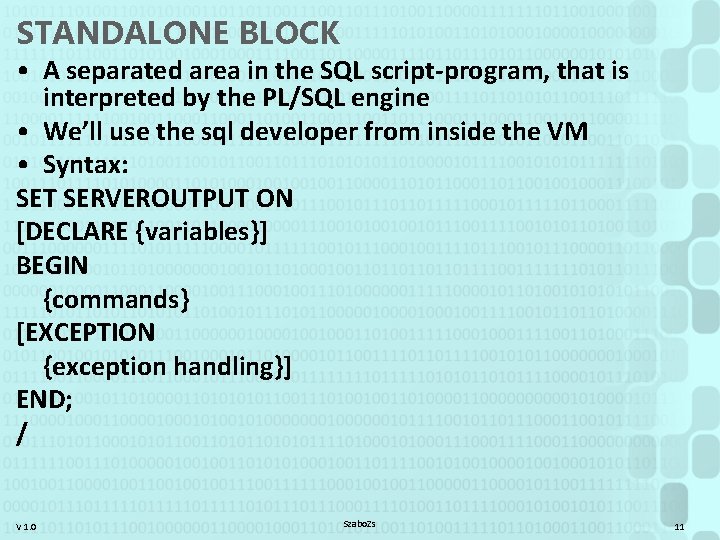
STANDALONE BLOCK • A separated area in the SQL script-program, that is interpreted by the PL/SQL engine • We’ll use the sql developer from inside the VM • Syntax: SET SERVEROUTPUT ON [DECLARE {variables}] BEGIN {commands} [EXCEPTION {exception handling}] END; / V 1. 0 Szabo. Zs 11
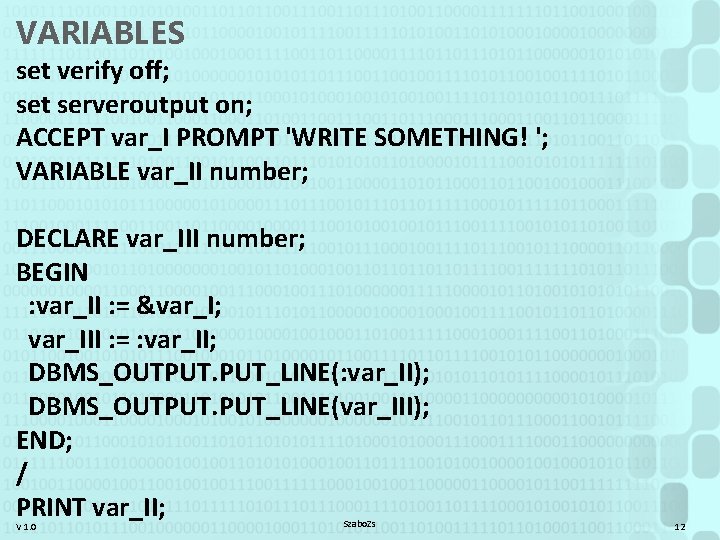
VARIABLES set verify off; set serveroutput on; ACCEPT var_I PROMPT 'WRITE SOMETHING! '; VARIABLE var_II number; DECLARE var_III number; BEGIN : var_II : = &var_I; var_III : = : var_II; DBMS_OUTPUT. PUT_LINE(: var_II); DBMS_OUTPUT. PUT_LINE(var_III); END; / PRINT var_II; V 1. 0 Szabo. Zs 12
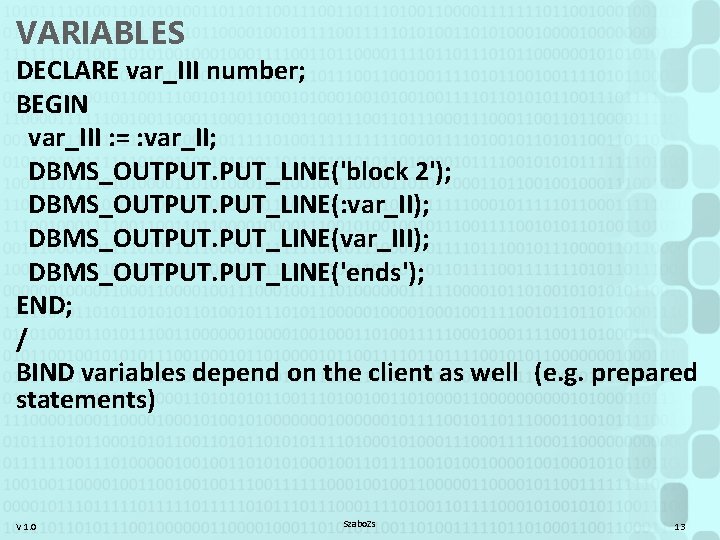
VARIABLES DECLARE var_III number; BEGIN var_III : = : var_II; DBMS_OUTPUT. PUT_LINE('block 2'); DBMS_OUTPUT. PUT_LINE(: var_II); DBMS_OUTPUT. PUT_LINE(var_III); DBMS_OUTPUT. PUT_LINE('ends'); END; / BIND variables depend on the client as well (e. g. prepared statements) V 1. 0 Szabo. Zs 13
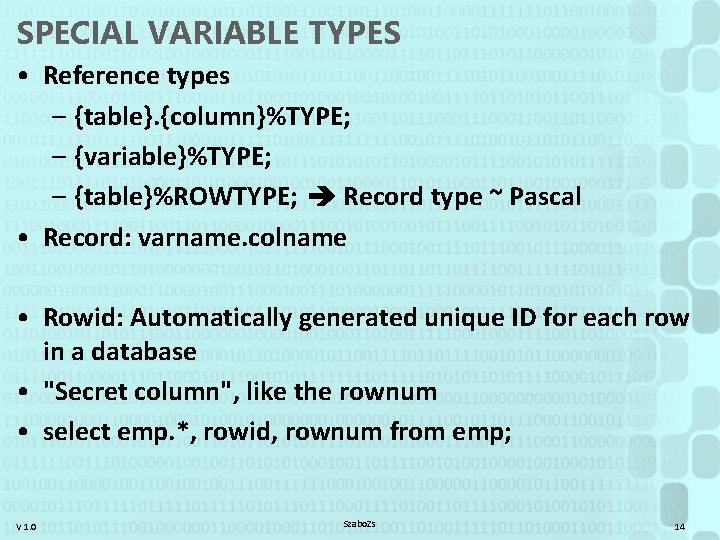
SPECIAL VARIABLE TYPES • Reference types – {table}. {column}%TYPE; – {variable}%TYPE; – {table}%ROWTYPE; Record type ~ Pascal • Record: varname. colname • Rowid: Automatically generated unique ID for each row in a database • "Secret column", like the rownum • select emp. *, rowid, rownum from emp; V 1. 0 Szabo. Zs 14
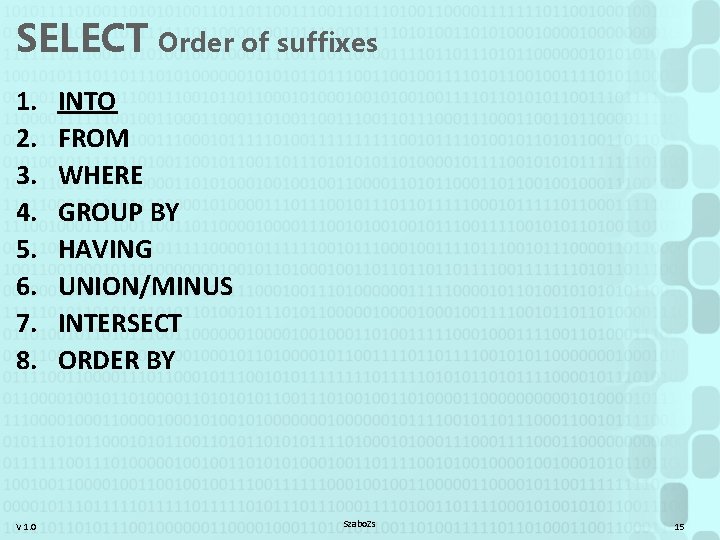
SELECT Order of suffixes 1. 2. 3. 4. 5. 6. 7. 8. V 1. 0 INTO FROM WHERE GROUP BY HAVING UNION/MINUS INTERSECT ORDER BY Szabo. Zs 15
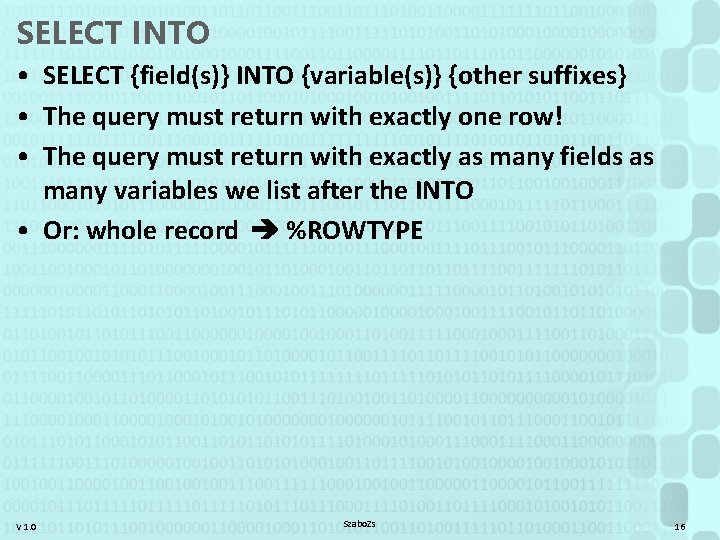
SELECT INTO • SELECT {field(s)} INTO {variable(s)} {other suffixes} • The query must return with exactly one row! • The query must return with exactly as many fields as many variables we list after the INTO • Or: whole record %ROWTYPE V 1. 0 Szabo. Zs 16
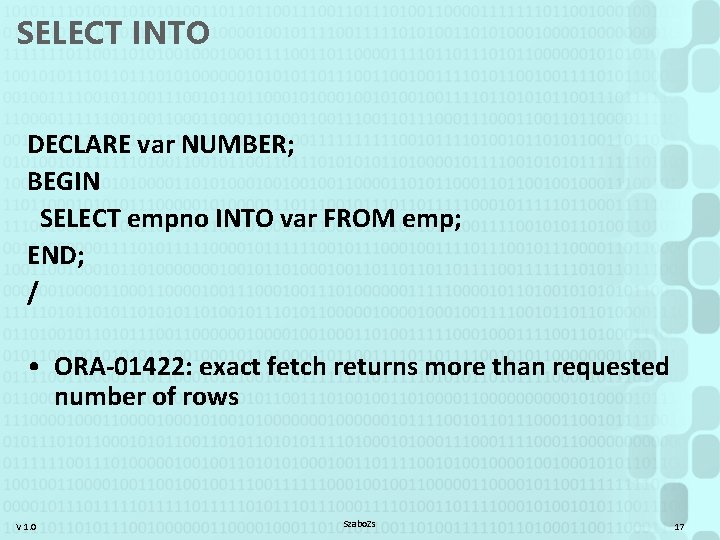
SELECT INTO DECLARE var NUMBER; BEGIN SELECT empno INTO var FROM emp; END; / • ORA-01422: exact fetch returns more than requested number of rows V 1. 0 Szabo. Zs 17
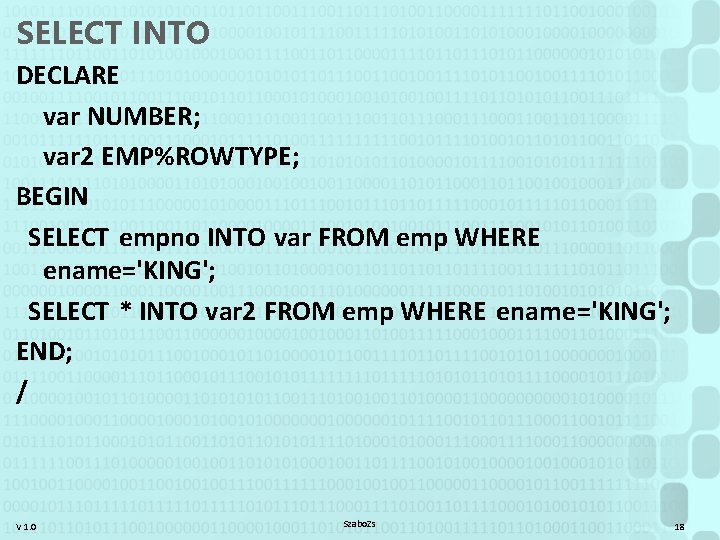
SELECT INTO DECLARE var NUMBER; var 2 EMP%ROWTYPE; BEGIN SELECT empno INTO var FROM emp WHERE ename='KING'; SELECT * INTO var 2 FROM emp WHERE ename='KING'; END; / V 1. 0 Szabo. Zs 18
![IF IF {condition} THEN {commands} [ELSIF {condition} THEN {commands}] [other ELSIF clauses] [ELSE {commands}]](http://slidetodoc.com/presentation_image_h2/ee9bc34d509c30af586482aa3def5c39/image-19.jpg "IF IF {condition} THEN {commands} [ELSIF {condition} THEN {commands}] [other ELSIF clauses] [ELSE {commands}]")
IF IF {condition} THEN {commands} [ELSIF {condition} THEN {commands}] [other ELSIF clauses] [ELSE {commands}] END IF; V 1. 0 Szabo. Zs 19
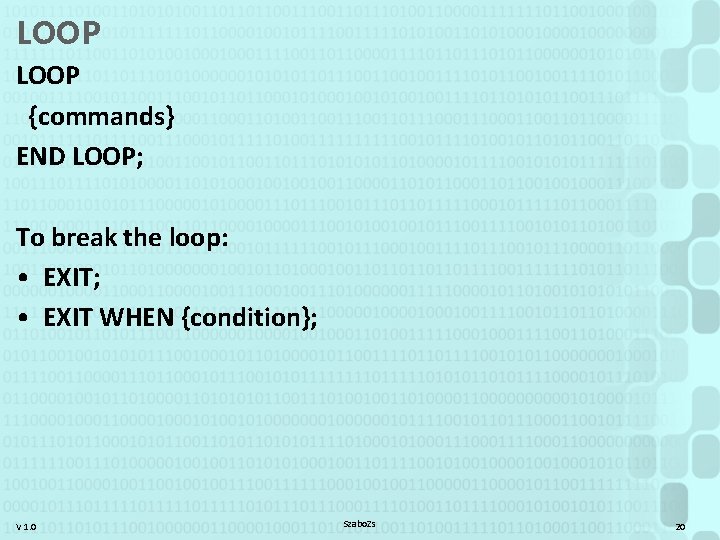
LOOP {commands} END LOOP; To break the loop: • EXIT; • EXIT WHEN {condition}; V 1. 0 Szabo. Zs 20
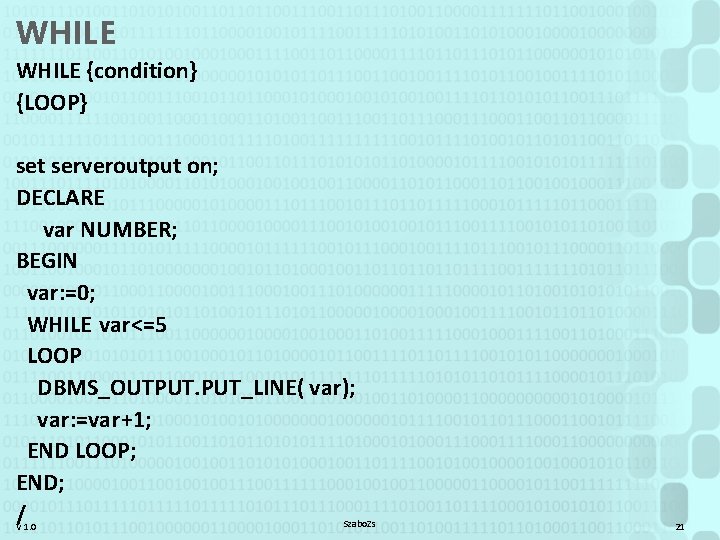
WHILE {condition} {LOOP} set serveroutput on; DECLARE var NUMBER; BEGIN var: =0; WHILE var<=5 LOOP DBMS_OUTPUT. PUT_LINE( var); var: =var+1; END LOOP; END; / Szabo. Zs V 1. 0 21
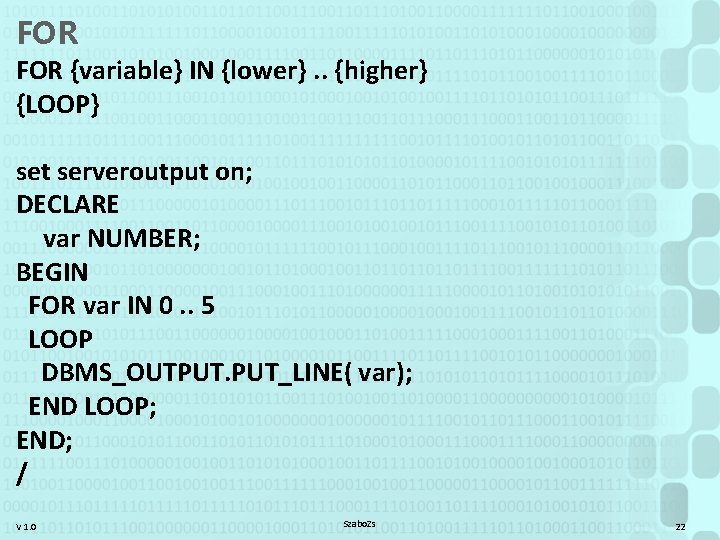
FOR {variable} IN {lower}. . {higher} {LOOP} set serveroutput on; DECLARE var NUMBER; BEGIN FOR var IN 0. . 5 LOOP DBMS_OUTPUT. PUT_LINE( var); END LOOP; END; / V 1. 0 Szabo. Zs 22
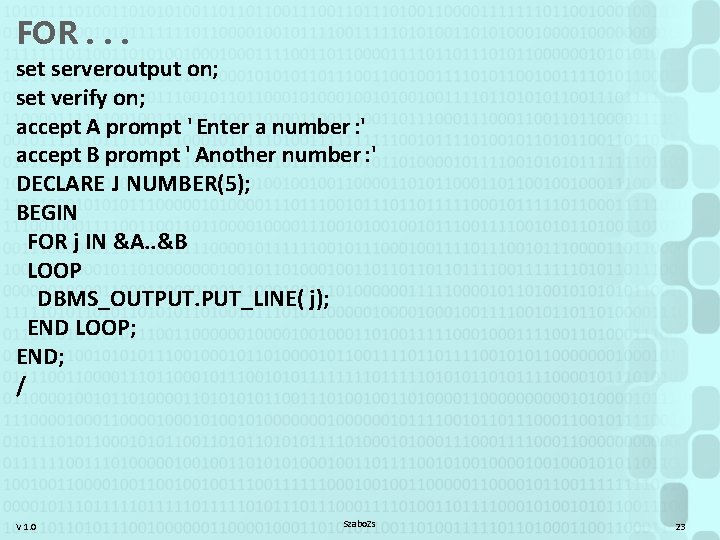
FOR. . . set serveroutput on; set verify on; accept A prompt ' Enter a number : ' accept B prompt ' Another number : ' DECLARE J NUMBER(5); BEGIN FOR j IN &A. . &B LOOP DBMS_OUTPUT. PUT_LINE( j); END LOOP; END; / V 1. 0 Szabo. Zs 23
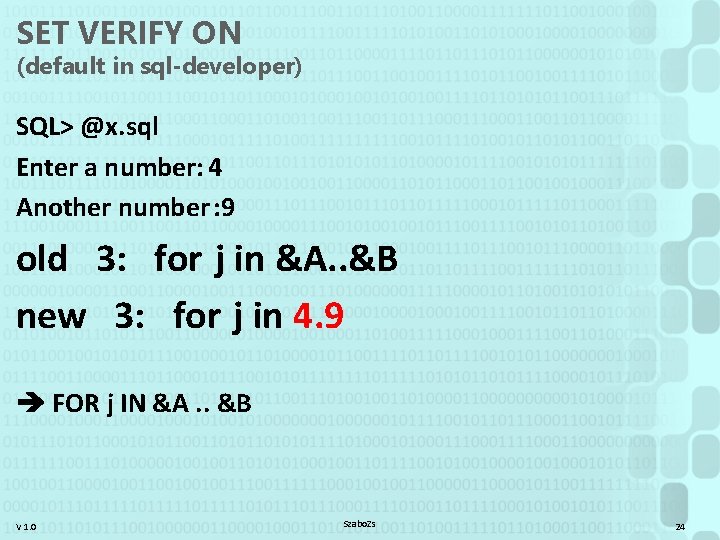
SET VERIFY ON (default in sql-developer) SQL> @x. sql Enter a number: 4 Another number : 9 old 3: for j in &A. . &B new 3: for j in 4. 9 FOR j IN &A. . &B V 1. 0 Szabo. Zs 24
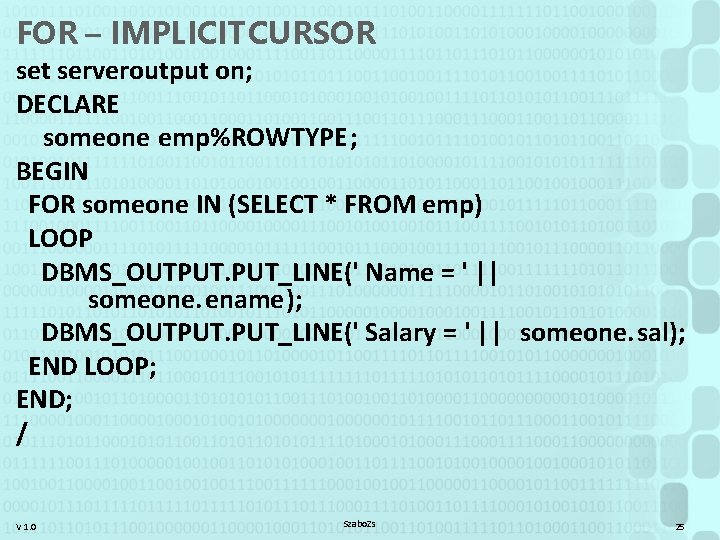
FOR – IMPLICIT CURSOR set serveroutput on; DECLARE someone emp%ROWTYPE; BEGIN FOR someone IN (SELECT * FROM emp) LOOP DBMS_OUTPUT. PUT_LINE(' Name = ' || someone. ename); DBMS_OUTPUT. PUT_LINE(' Salary = ' || someone. sal); END LOOP; END; / V 1. 0 Szabo. Zs 25
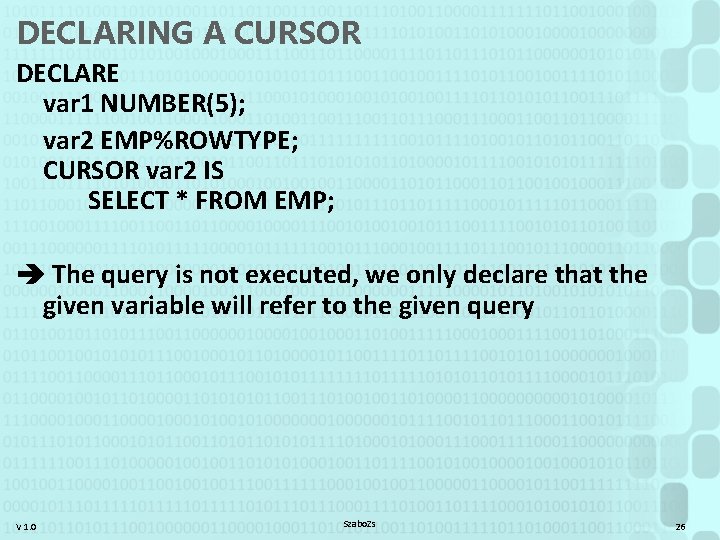
DECLARING A CURSOR DECLARE var 1 NUMBER(5); var 2 EMP%ROWTYPE; CURSOR var 2 IS SELECT * FROM EMP; The query is not executed, we only declare that the given variable will refer to the given query V 1. 0 Szabo. Zs 26
![USING CURSORS [FOR] ACCEPT low_sal PROMPT 'Lower bound! ' ACCEPT upp_sal PROMPT 'Upper bound!](http://slidetodoc.com/presentation_image_h2/ee9bc34d509c30af586482aa3def5c39/image-27.jpg "USING CURSORS [FOR] ACCEPT low_sal PROMPT 'Lower bound! ' ACCEPT upp_sal PROMPT 'Upper bound!")
USING CURSORS [FOR] ACCEPT low_sal PROMPT 'Lower bound! ' ACCEPT upp_sal PROMPT 'Upper bound! ' DECLARE CURSOR curs IS select * from emp; record EMP%ROWTYPE; BEGIN FOR record IN curs LOOP IF record. sal BETWEEN &low_sal AND &upp_sal THEN DBMS_OUTPUT. PUT_LINE(record. ename); END IF; END LOOP; END; V 1. 0 Szabo. Zs 27
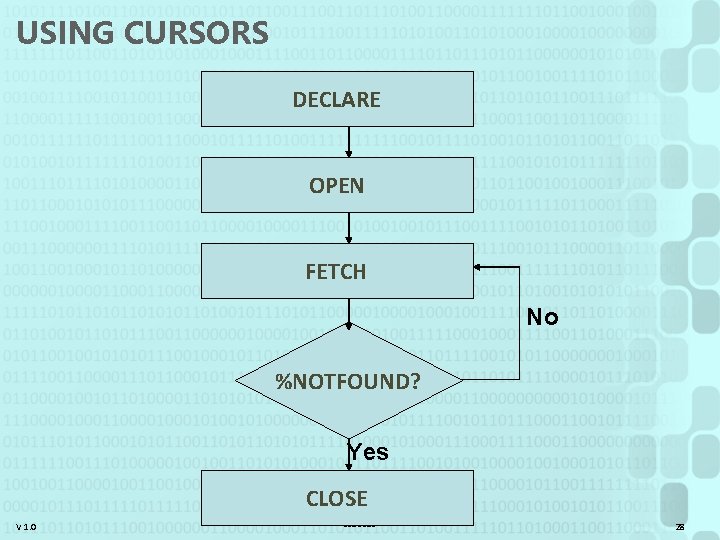
USING CURSORS DECLARE OPEN FETCH No %NOTFOUND? Yes CLOSE V 1. 0 Szabo. Zs 28
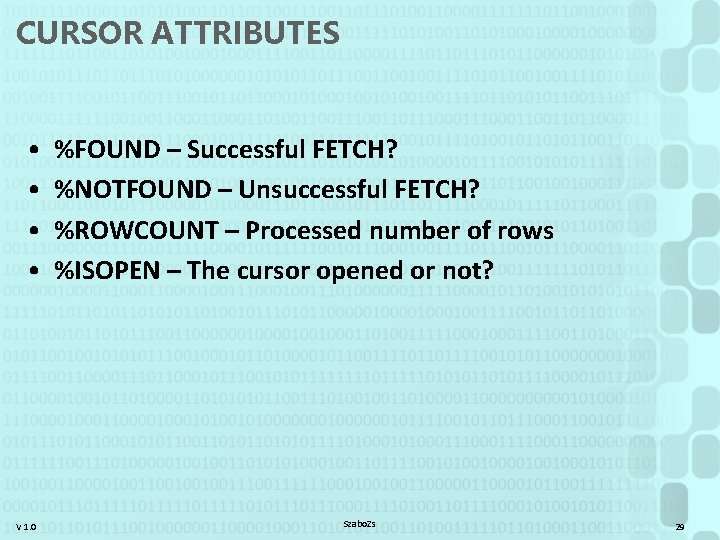
CURSOR ATTRIBUTES • • V 1. 0 %FOUND – Successful FETCH? %NOTFOUND – Unsuccessful FETCH? %ROWCOUNT – Processed number of rows %ISOPEN – The cursor opened or not? Szabo. Zs 29
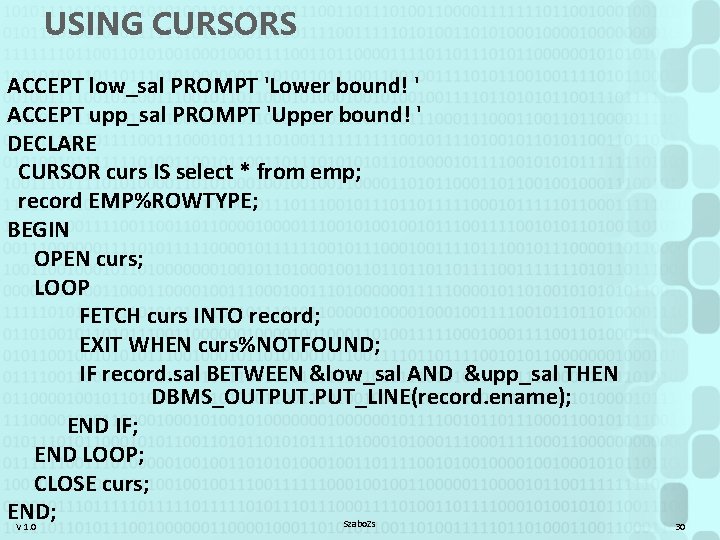
USING CURSORS ACCEPT low_sal PROMPT 'Lower bound! ' ACCEPT upp_sal PROMPT 'Upper bound! ' DECLARE CURSOR curs IS select * from emp; record EMP%ROWTYPE; BEGIN OPEN curs; LOOP FETCH curs INTO record; EXIT WHEN curs%NOTFOUND; IF record. sal BETWEEN &low_sal AND &upp_sal THEN DBMS_OUTPUT. PUT_LINE(record. ename); END IF; END LOOP; CLOSE curs; END; Szabo. Zs V 1. 0 30
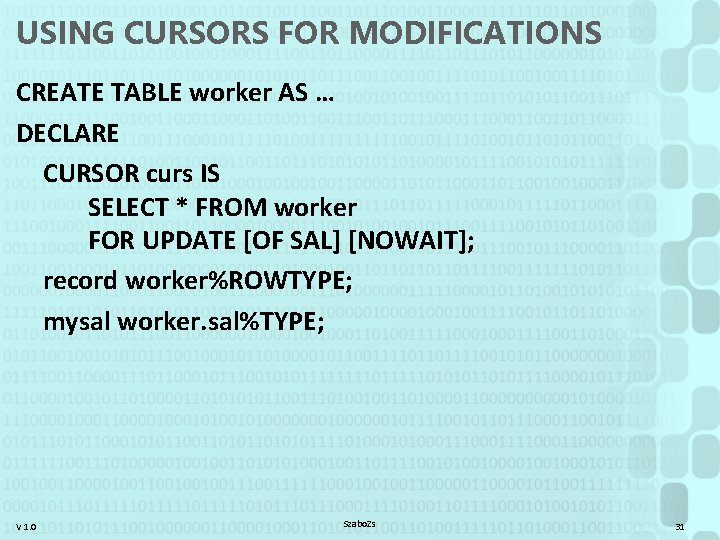
USING CURSORS FOR MODIFICATIONS CREATE TABLE worker AS … DECLARE CURSOR curs IS SELECT * FROM worker FOR UPDATE [OF SAL] [NOWAIT]; record worker%ROWTYPE; mysal worker. sal%TYPE; V 1. 0 Szabo. Zs 31
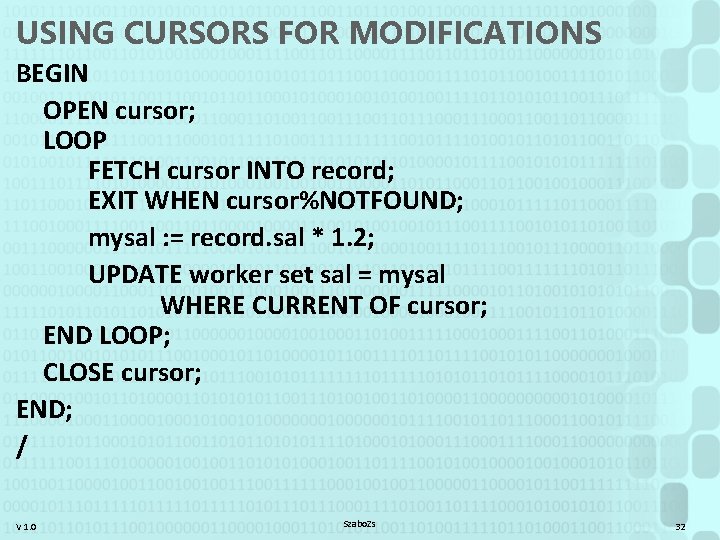
USING CURSORS FOR MODIFICATIONS BEGIN OPEN cursor; LOOP FETCH cursor INTO record; EXIT WHEN cursor%NOTFOUND; mysal : = record. sal * 1. 2; UPDATE worker set sal = mysal WHERE CURRENT OF cursor; END LOOP; CLOSE cursor; END; / V 1. 0 Szabo. Zs 32
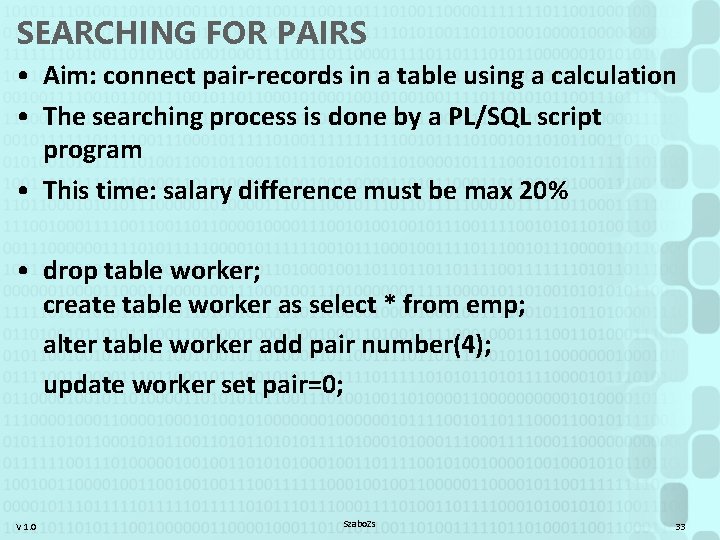
SEARCHING FOR PAIRS • Aim: connect pair-records in a table using a calculation • The searching process is done by a PL/SQL script program • This time: salary difference must be max 20% • drop table worker; create table worker as select * from emp; alter table worker add pair number(4); update worker set pair=0; V 1. 0 Szabo. Zs 33
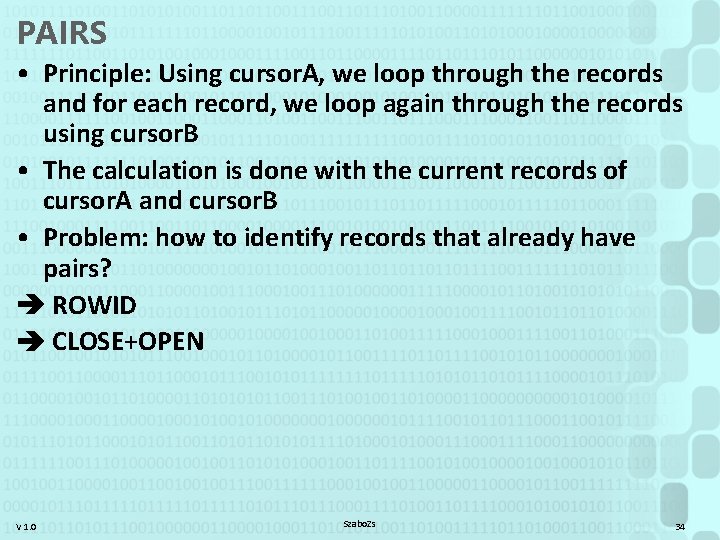
PAIRS • Principle: Using cursor. A, we loop through the records and for each record, we loop again through the records using cursor. B • The calculation is done with the current records of cursor. A and cursor. B • Problem: how to identify records that already have pairs? ROWID CLOSE+OPEN V 1. 0 Szabo. Zs 34
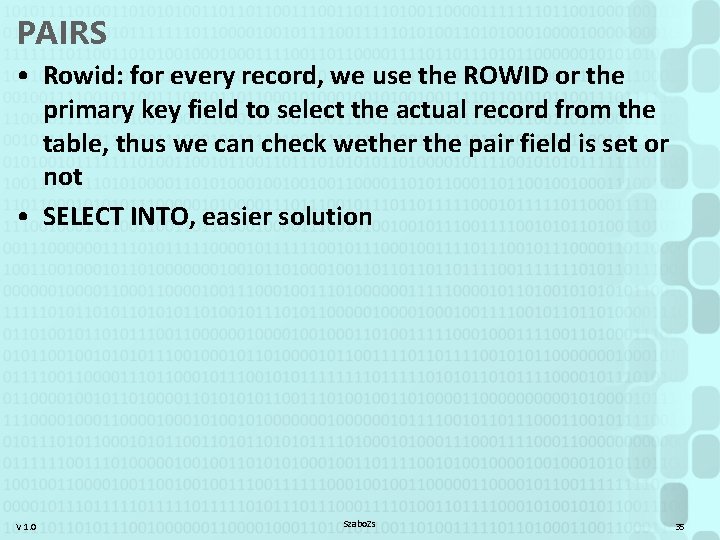
PAIRS • Rowid: for every record, we use the ROWID or the primary key field to select the actual record from the table, thus we can check wether the pair field is set or not • SELECT INTO, easier solution V 1. 0 Szabo. Zs 35
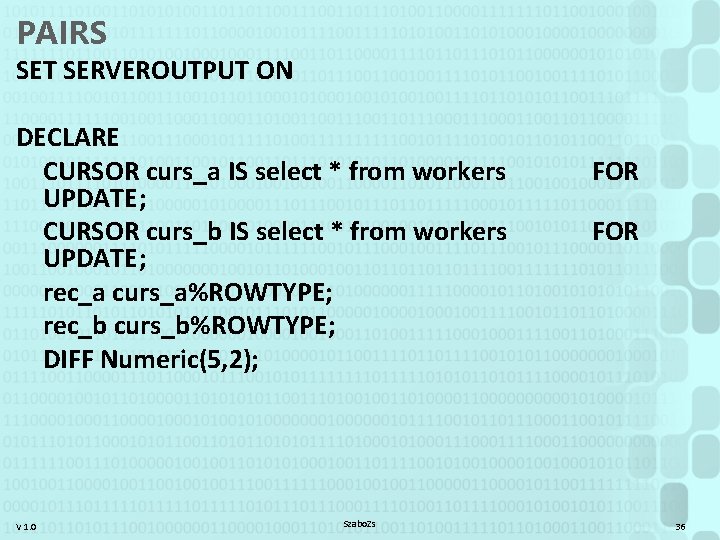
PAIRS SET SERVEROUTPUT ON DECLARE CURSOR curs_a IS select * from workers UPDATE; CURSOR curs_b IS select * from workers UPDATE; rec_a curs_a%ROWTYPE; rec_b curs_b%ROWTYPE; DIFF Numeric(5, 2); V 1. 0 Szabo. Zs FOR 36
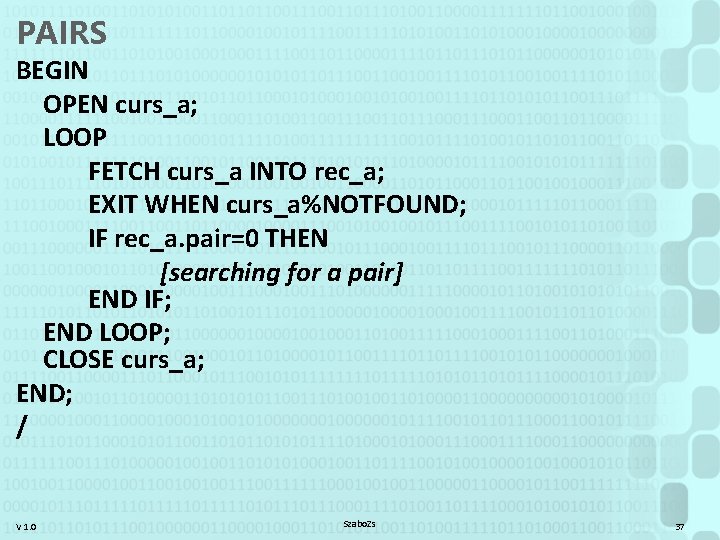
PAIRS BEGIN OPEN curs_a; LOOP FETCH curs_a INTO rec_a; EXIT WHEN curs_a%NOTFOUND; IF rec_a. pair=0 THEN [searching for a pair] END IF; END LOOP; CLOSE curs_a; END; / V 1. 0 Szabo. Zs 37
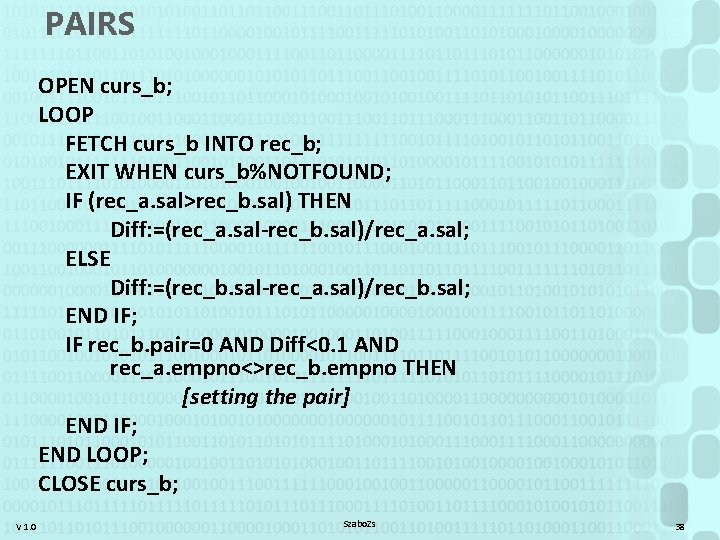
PAIRS OPEN curs_b; LOOP FETCH curs_b INTO rec_b; EXIT WHEN curs_b%NOTFOUND; IF (rec_a. sal>rec_b. sal) THEN Diff: =(rec_a. sal-rec_b. sal)/rec_a. sal; ELSE Diff: =(rec_b. sal-rec_a. sal)/rec_b. sal; END IF; IF rec_b. pair=0 AND Diff<0. 1 AND rec_a. empno<>rec_b. empno THEN [setting the pair] END IF; END LOOP; CLOSE curs_b; V 1. 0 Szabo. Zs 38
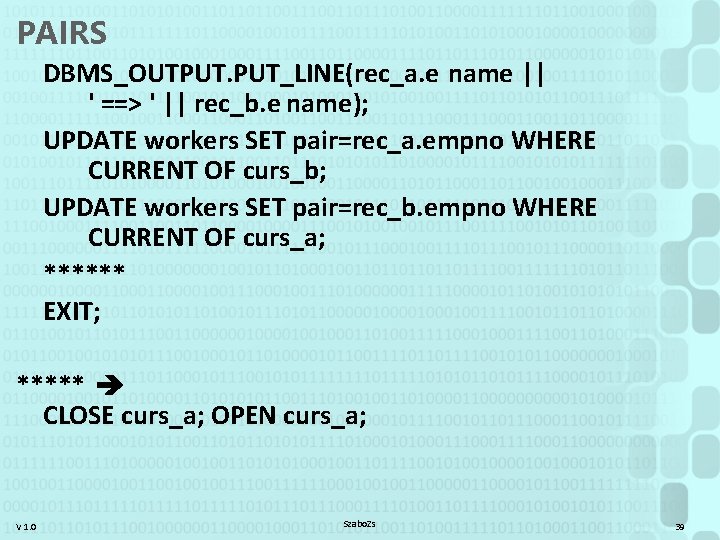
PAIRS DBMS_OUTPUT. PUT_LINE(rec_a. e name || ' ==> ' || rec_b. e name); UPDATE workers SET pair=rec_a. empno WHERE CURRENT OF curs_b; UPDATE workers SET pair=rec_b. empno WHERE CURRENT OF curs_a; ****** EXIT; ***** CLOSE curs_a; OPEN curs_a; V 1. 0 Szabo. Zs 39
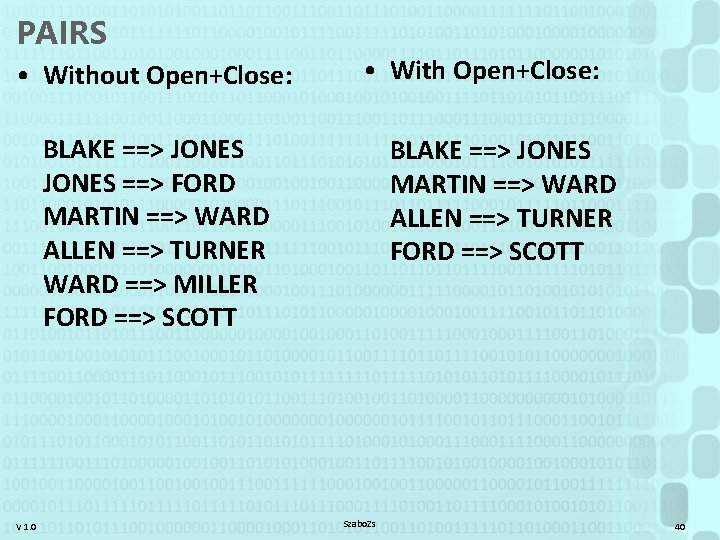
PAIRS • Without Open+Close: • With Open+Close: BLAKE ==> JONES ==> FORD MARTIN ==> WARD ALLEN ==> TURNER WARD ==> MILLER FORD ==> SCOTT V 1. 0 BLAKE ==> JONES MARTIN ==> WARD ALLEN ==> TURNER FORD ==> SCOTT Szabo. Zs 40
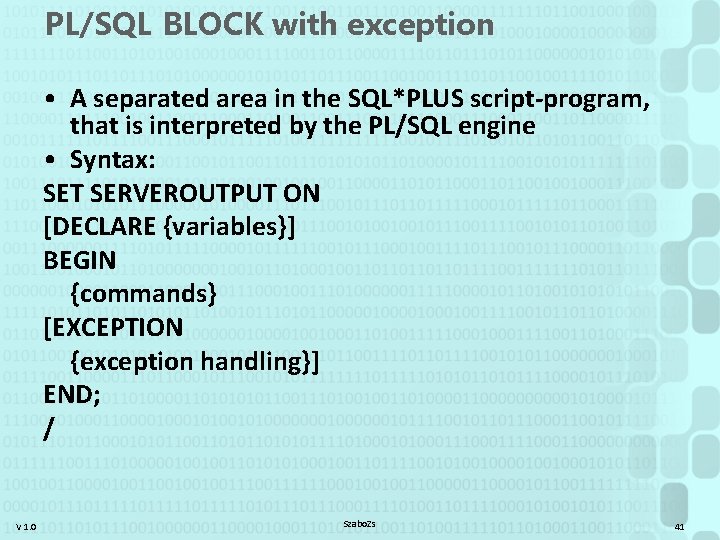
PL/SQL BLOCK with exception • A separated area in the SQL*PLUS script-program, that is interpreted by the PL/SQL engine • Syntax: SET SERVEROUTPUT ON [DECLARE {variables}] BEGIN {commands} [EXCEPTION {exception handling}] END; / V 1. 0 Szabo. Zs 41
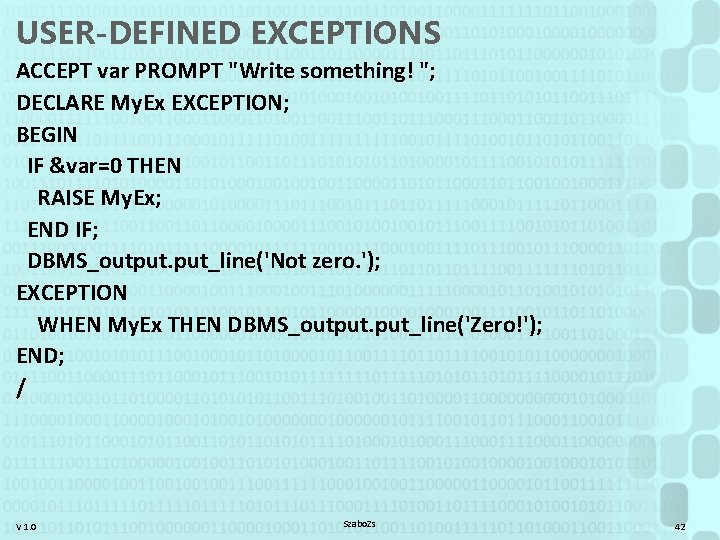
USER-DEFINED EXCEPTIONS ACCEPT var PROMPT "Write something! "; DECLARE My. Ex EXCEPTION; BEGIN IF &var=0 THEN RAISE My. Ex; END IF; DBMS_output. put_line('Not zero. '); EXCEPTION WHEN My. Ex THEN DBMS_output. put_line('Zero!'); END; / V 1. 0 Szabo. Zs 42
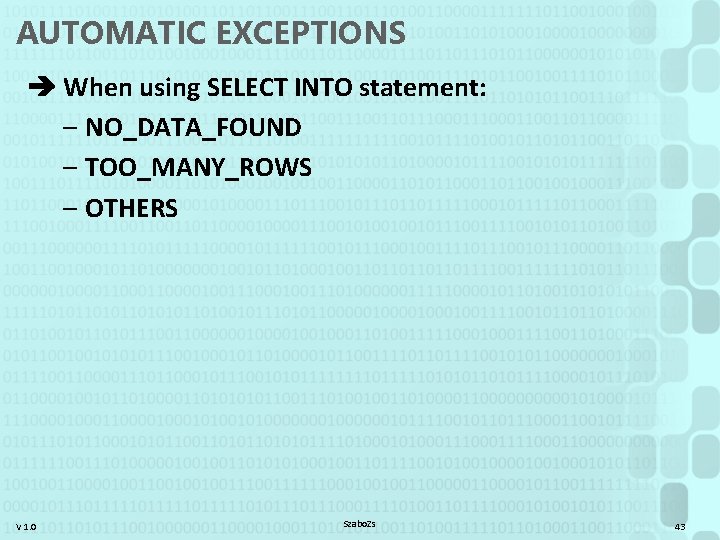
AUTOMATIC EXCEPTIONS When using SELECT INTO statement: – NO_DATA_FOUND – TOO_MANY_ROWS – OTHERS V 1. 0 Szabo. Zs 43
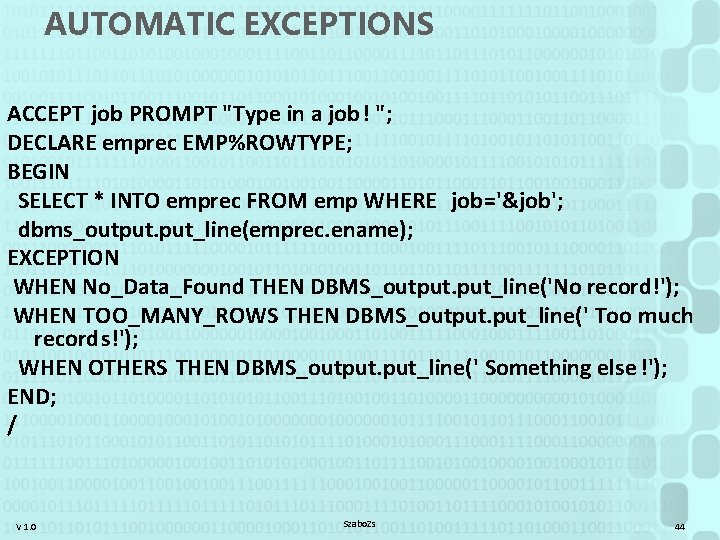
AUTOMATIC EXCEPTIONS ACCEPT job PROMPT "Type in a job! "; DECLARE emprec EMP%ROWTYPE; BEGIN SELECT * INTO emprec FROM emp WHERE job='&job'; dbms_output. put_line(emprec. ename); EXCEPTION WHEN No_Data_Found THEN DBMS_output. put_line('No record!'); WHEN TOO_MANY_ROWS THEN DBMS_output. put_line(' Too much records!'); WHEN OTHERS THEN DBMS_output. put_line(' Something else !'); END; / V 1. 0 Szabo. Zs 44
![PROCEDURE • Parameters: – {var. name} [{IN|OUT|IN OUT}] {type} – No size specification for](http://slidetodoc.com/presentation_image_h2/ee9bc34d509c30af586482aa3def5c39/image-45.jpg "PROCEDURE • Parameters: – {var. name} [{IN|OUT|IN OUT}] {type} – No size specification for")
PROCEDURE • Parameters: – {var. name} [{IN|OUT|IN OUT}] {type} – No size specification for types: VARCHAR 2 • SHOW ERROR; (select * from user_errors) • RAISE_APPLICATION_ERROR (err. code, message); [-20 999. . -20 000] V 1. 0 Szabo. Zs 45
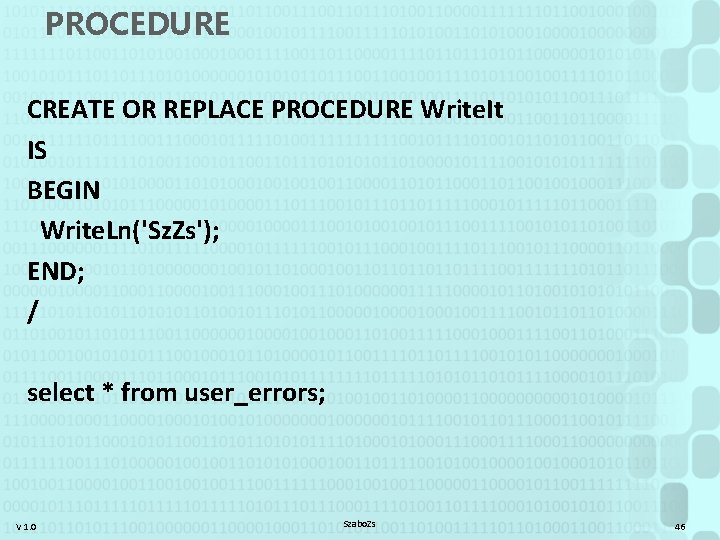
PROCEDURE CREATE OR REPLACE PROCEDURE Write. It IS BEGIN Write. Ln('Sz. Zs'); END; / select * from user_errors; V 1. 0 Szabo. Zs 46
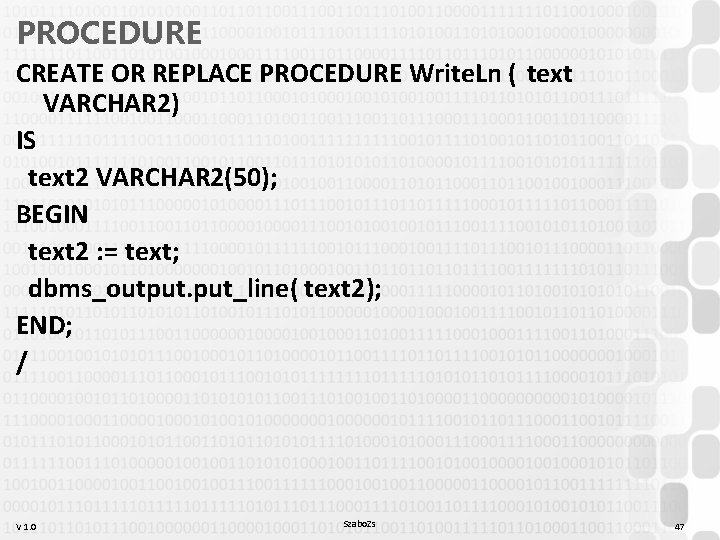
PROCEDURE CREATE OR REPLACE PROCEDURE Write. Ln ( text VARCHAR 2) IS text 2 VARCHAR 2(50); BEGIN text 2 : = text; dbms_output. put_line( text 2); END; / V 1. 0 Szabo. Zs 47
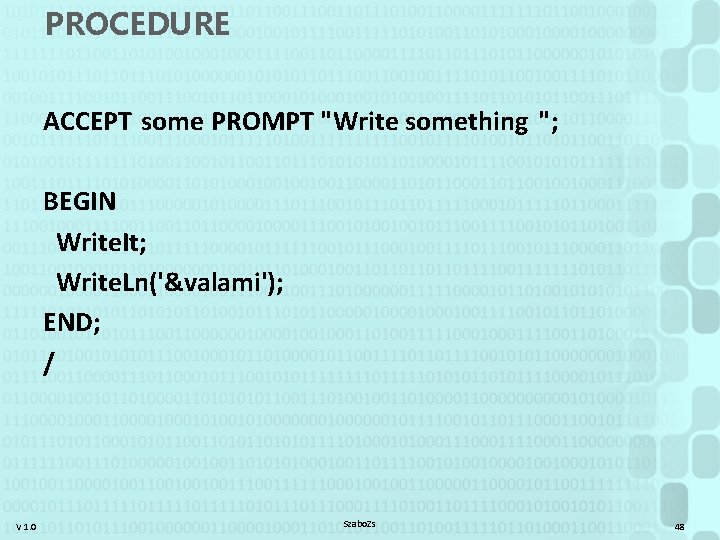
PROCEDURE ACCEPT some PROMPT "Write something "; BEGIN Write. It; Write. Ln('&valami'); END; / V 1. 0 Szabo. Zs 48
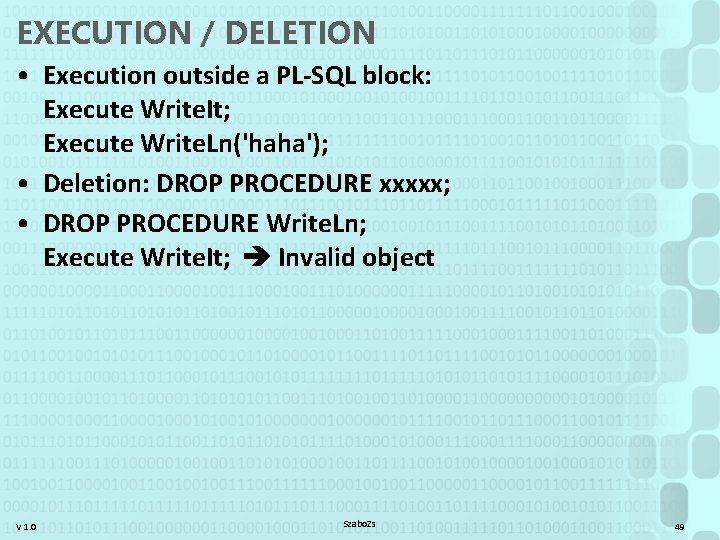
EXECUTION / DELETION • Execution outside a PL-SQL block: Execute Write. It; Execute Write. Ln('haha'); • Deletion: DROP PROCEDURE xxxxx; • DROP PROCEDURE Write. Ln; Execute Write. It; Invalid object V 1. 0 Szabo. Zs 49
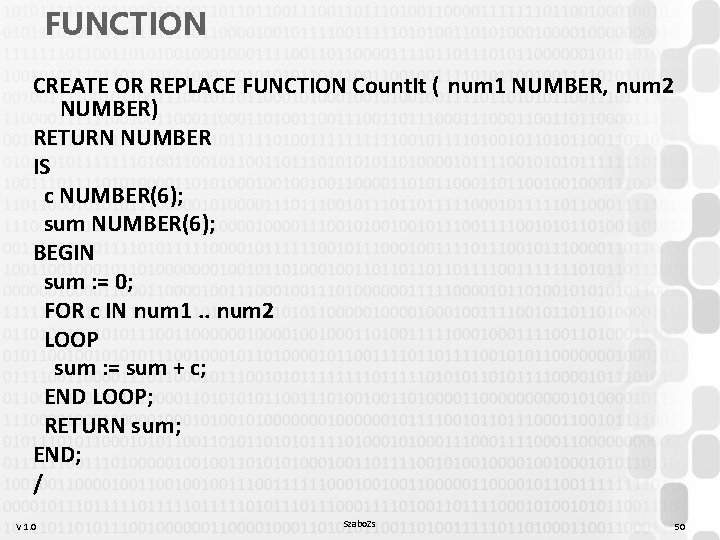
FUNCTION CREATE OR REPLACE FUNCTION Count. It ( num 1 NUMBER, num 2 NUMBER) RETURN NUMBER IS c NUMBER(6); sum NUMBER(6); BEGIN sum : = 0; FOR c IN num 1. . num 2 LOOP sum : = sum + c; END LOOP; RETURN sum; END; / V 1. 0 Szabo. Zs 50
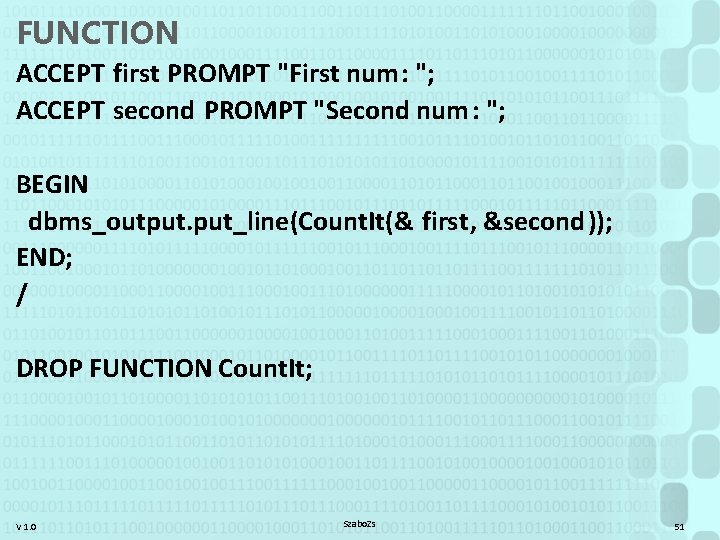
FUNCTION ACCEPT first PROMPT "First num: "; ACCEPT second PROMPT "Second num : "; BEGIN dbms_output. put_line(Count. It(& first, &second)); END; / DROP FUNCTION Count. It; V 1. 0 Szabo. Zs 51
TRIGGER? • trigger (n) = a piece (as a lever) connected with a catch or detent as a means of releasing it; esp: the part of the action moved by the finger to fire a gun • to trigger (v) = to initiate, actuate, or set off by sg è "Event“ • RDBMS: a stored procedure, that runs in connection with some event ("event handler") • An event can be: DELETE, INSERT, UPDATE • Important: BEFORE (not in TSQL) , AFTER, INSTEAD OF V 1. 0 Szabo. Zs 52
![TRIGGER CREATE OR REPLACE TRIGGER {name} [BEFORE | AFTER | INSTEAD OF] {event} [OR](http://slidetodoc.com/presentation_image_h2/ee9bc34d509c30af586482aa3def5c39/image-53.jpg "TRIGGER CREATE OR REPLACE TRIGGER {name} [BEFORE | AFTER | INSTEAD OF] {event} [OR")
TRIGGER CREATE OR REPLACE TRIGGER {name} [BEFORE | AFTER | INSTEAD OF] {event} [OR {event} …] ON {table} [FOR EACH ROW [WHEN {condition}]] [DECLARE {variables}] BEGIN {commands} [EXCEPTION …] END; V 1. 0 Szabo. Zs 53
TRIGGER • If there is a RAISE_APPLICATION_ERROR() in the trigger's code, then the event that caused the trigger will not be executed (+ automatic ROLLBACK) • FOR EACH ROW: the trigger is executed once for each row modified/deleted/inserted. Otherwise: once for every command V 1. 0 Szabo. Zs 54
TRIGGER • When using a row-level trigger, we have several automatically created variables: • INSERT - : NEW • DELETE - : OLD • UPDATE - : NEW and : OLD V 1. 0 Szabo. Zs 55
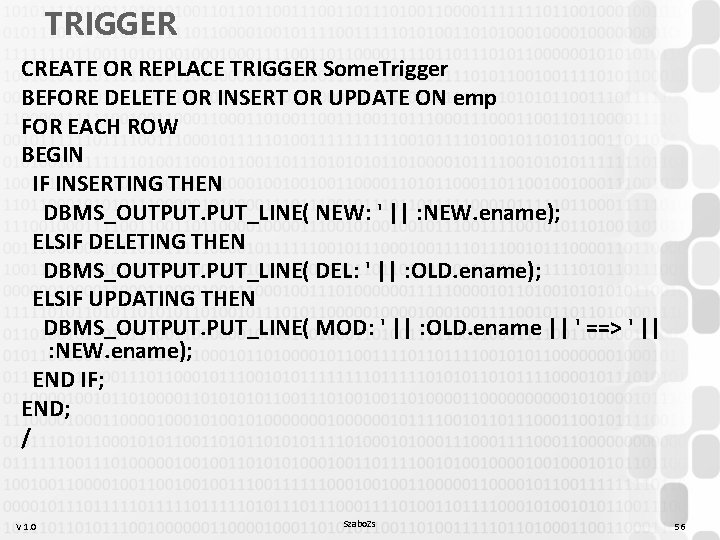
TRIGGER CREATE OR REPLACE TRIGGER Some. Trigger BEFORE DELETE OR INSERT OR UPDATE ON emp FOR EACH ROW BEGIN IF INSERTING THEN DBMS_OUTPUT. PUT_LINE( NEW: ' || : NEW. ename); ELSIF DELETING THEN DBMS_OUTPUT. PUT_LINE( DEL: ' || : OLD. ename); ELSIF UPDATING THEN DBMS_OUTPUT. PUT_LINE( MOD: ' || : OLD. ename || ' ==> ' || : NEW. ename); END IF; END; / V 1. 0 Szabo. Zs 56
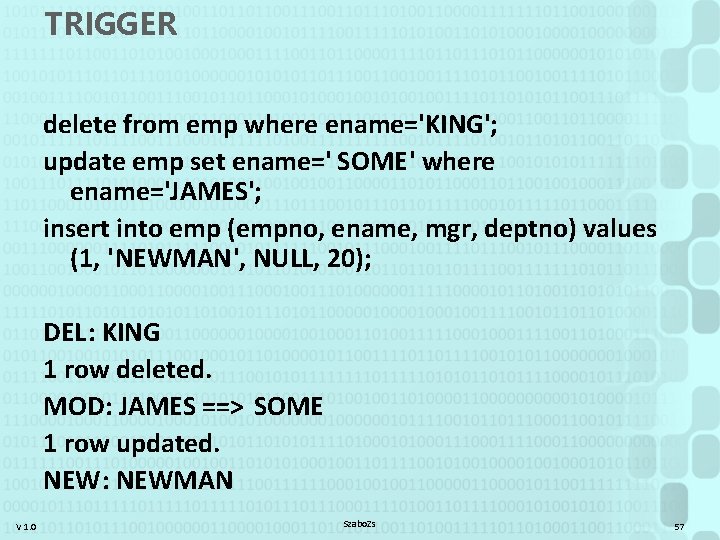
TRIGGER delete from emp where ename='KING'; update emp set ename=' SOME' where ename='JAMES'; insert into emp (empno, ename, mgr, deptno) values (1, 'NEWMAN', NULL, 20); DEL: KING 1 row deleted. MOD: JAMES ==> SOME 1 row updated. NEW: NEWMAN V 1. 0 Szabo. Zs 57
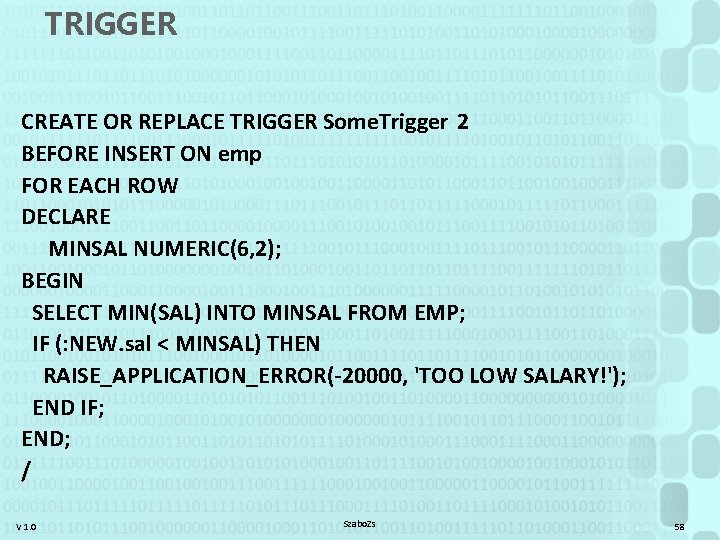
TRIGGER CREATE OR REPLACE TRIGGER Some. Trigger 2 BEFORE INSERT ON emp FOR EACH ROW DECLARE MINSAL NUMERIC(6, 2); BEGIN SELECT MIN(SAL) INTO MINSAL FROM EMP; IF (: NEW. sal < MINSAL) THEN RAISE_APPLICATION_ERROR(-20000, 'TOO LOW SALARY!'); END IF; END; / V 1. 0 Szabo. Zs 58
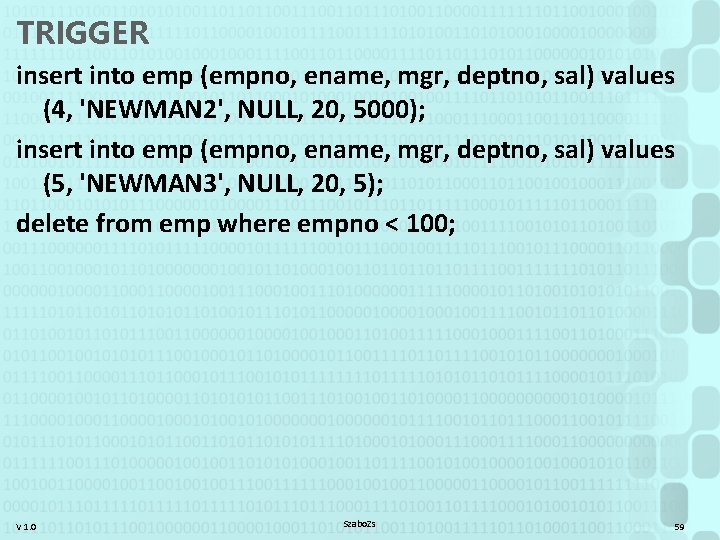
TRIGGER insert into emp (empno, ename, mgr, deptno, sal) values (4, 'NEWMAN 2', NULL, 20, 5000); insert into emp (empno, ename, mgr, deptno, sal) values (5, 'NEWMAN 3', NULL, 20, 5); delete from emp where empno < 100; V 1. 0 Szabo. Zs 59
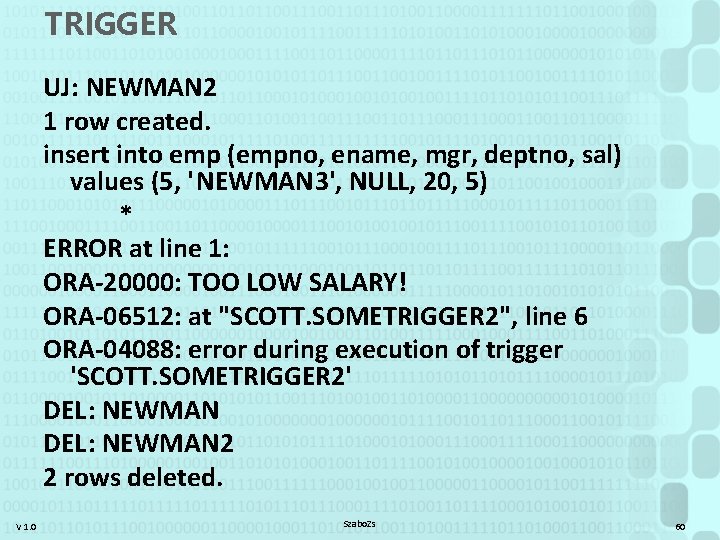
TRIGGER UJ: NEWMAN 2 1 row created. insert into emp (empno, ename, mgr, deptno, sal) values (5, 'NEWMAN 3', NULL, 20, 5) * ERROR at line 1: ORA-20000: TOO LOW SALARY! ORA-06512: at "SCOTT. SOMETRIGGER 2", line 6 ORA-04088: error during execution of trigger 'SCOTT. SOMETRIGGER 2' DEL: NEWMAN 2 2 rows deleted. V 1. 0 Szabo. Zs 60
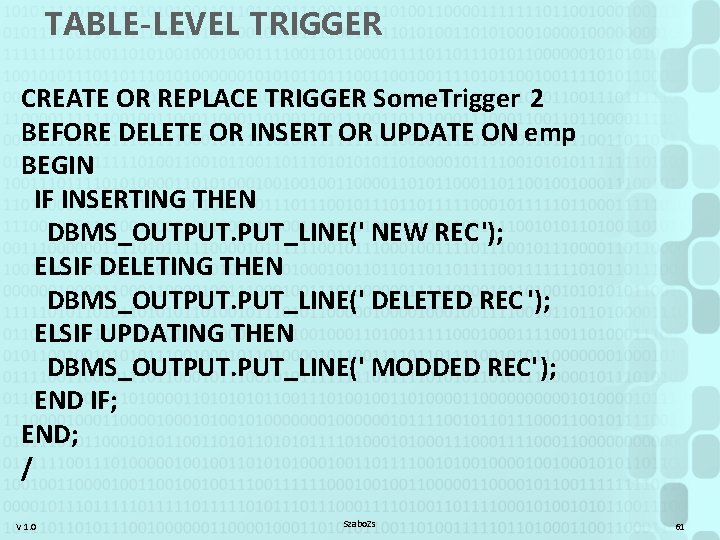
TABLE-LEVEL TRIGGER CREATE OR REPLACE TRIGGER Some. Trigger 2 BEFORE DELETE OR INSERT OR UPDATE ON emp BEGIN IF INSERTING THEN DBMS_OUTPUT. PUT_LINE(' NEW REC'); ELSIF DELETING THEN DBMS_OUTPUT. PUT_LINE(' DELETED REC '); ELSIF UPDATING THEN DBMS_OUTPUT. PUT_LINE(' MODDED REC'); END IF; END; / V 1. 0 Szabo. Zs 61
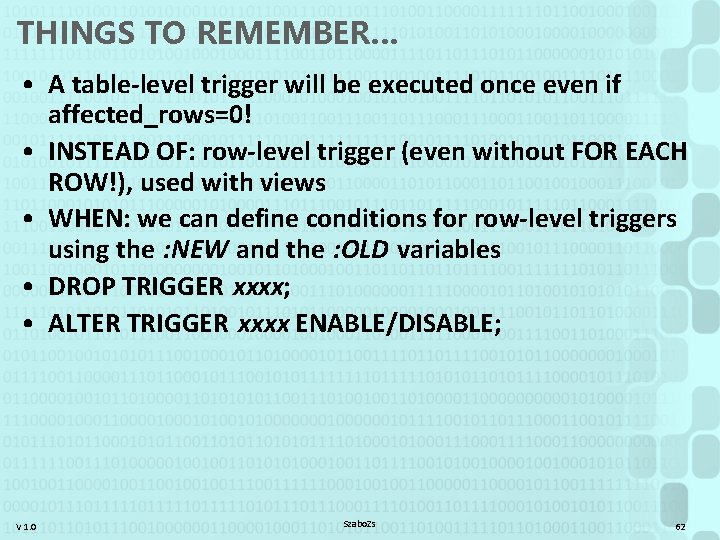
THINGS TO REMEMBER… • A table-level trigger will be executed once even if affected_rows=0! • INSTEAD OF: row-level trigger (even without FOR EACH ROW!), used with views • WHEN: we can define conditions for row-level triggers using the : NEW and the : OLD variables • DROP TRIGGER xxxx; • ALTER TRIGGER xxxx ENABLE/DISABLE; V 1. 0 Szabo. Zs 62
DBMAN 9 PL/* introduction PLSQL Trigger exercise V 1. 0 Szabo. Zs 63
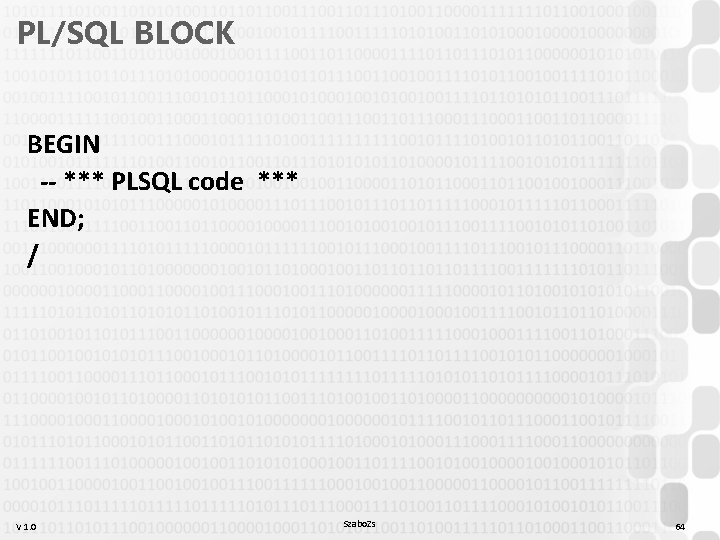
PL/SQL BLOCK BEGIN -- *** PLSQL code *** END; / V 1. 0 Szabo. Zs 64
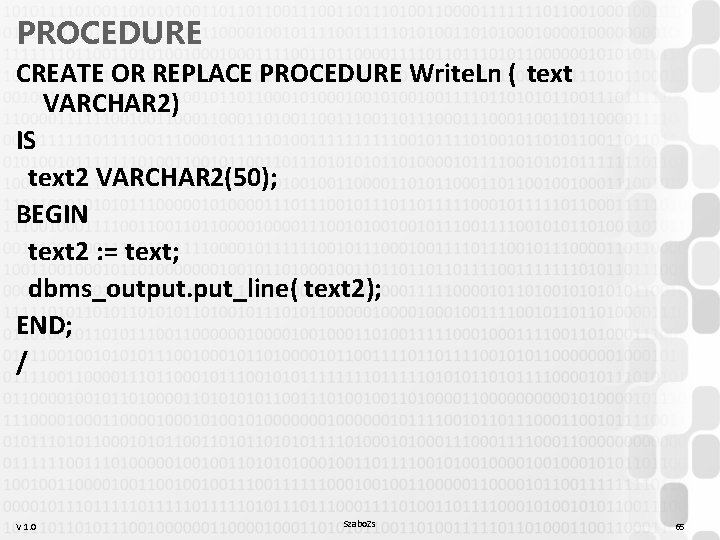
PROCEDURE CREATE OR REPLACE PROCEDURE Write. Ln ( text VARCHAR 2) IS text 2 VARCHAR 2(50); BEGIN text 2 : = text; dbms_output. put_line( text 2); END; / V 1. 0 Szabo. Zs 65
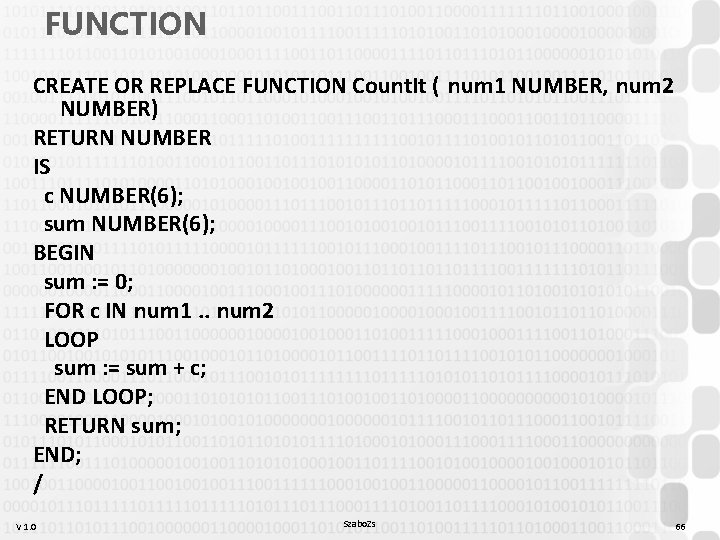
FUNCTION CREATE OR REPLACE FUNCTION Count. It ( num 1 NUMBER, num 2 NUMBER) RETURN NUMBER IS c NUMBER(6); sum NUMBER(6); BEGIN sum : = 0; FOR c IN num 1. . num 2 LOOP sum : = sum + c; END LOOP; RETURN sum; END; / V 1. 0 Szabo. Zs 66
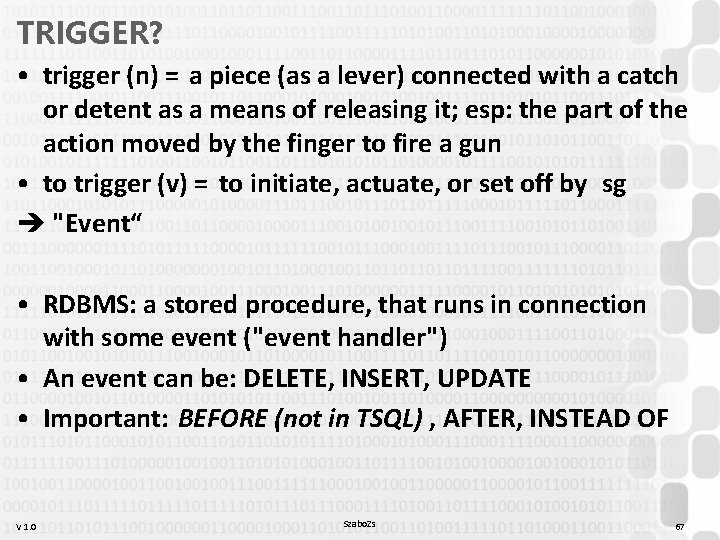
TRIGGER? • trigger (n) = a piece (as a lever) connected with a catch or detent as a means of releasing it; esp: the part of the action moved by the finger to fire a gun • to trigger (v) = to initiate, actuate, or set off by sg è "Event“ • RDBMS: a stored procedure, that runs in connection with some event ("event handler") • An event can be: DELETE, INSERT, UPDATE • Important: BEFORE (not in TSQL) , AFTER, INSTEAD OF V 1. 0 Szabo. Zs 67
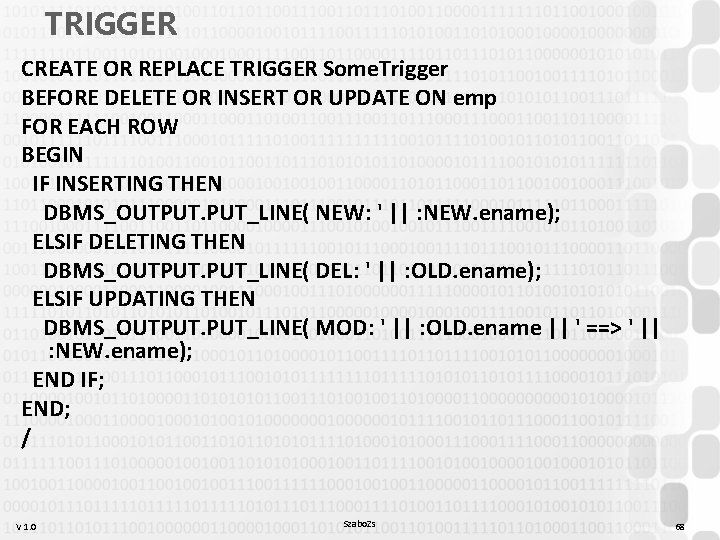
TRIGGER CREATE OR REPLACE TRIGGER Some. Trigger BEFORE DELETE OR INSERT OR UPDATE ON emp FOR EACH ROW BEGIN IF INSERTING THEN DBMS_OUTPUT. PUT_LINE( NEW: ' || : NEW. ename); ELSIF DELETING THEN DBMS_OUTPUT. PUT_LINE( DEL: ' || : OLD. ename); ELSIF UPDATING THEN DBMS_OUTPUT. PUT_LINE( MOD: ' || : OLD. ename || ' ==> ' || : NEW. ename); END IF; END; / V 1. 0 Szabo. Zs 68
DBMAN 9 PL/* introduction PLSQL Trigger exercise V 1. 0 Szabo. Zs 69
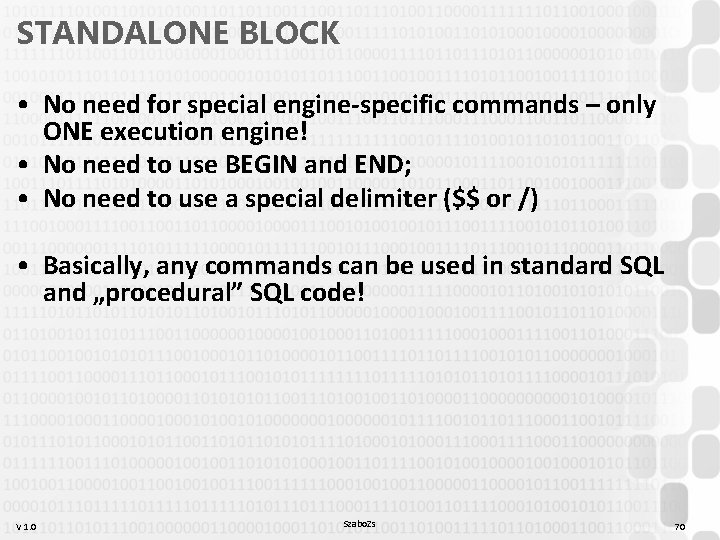
STANDALONE BLOCK • No need for special engine-specific commands – only ONE execution engine! • No need to use BEGIN and END; • No need to use a special delimiter ($$ or /) • Basically, any commands can be used in standard SQL and „procedural” SQL code! V 1. 0 Szabo. Zs 70
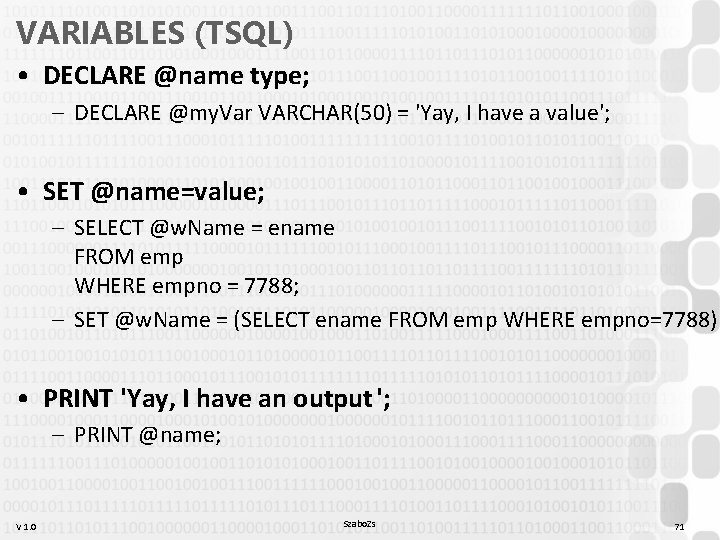
VARIABLES (TSQL) • DECLARE @name type; – DECLARE @my. Var VARCHAR(50) = 'Yay, I have a value'; • SET @name=value; – SELECT @w. Name = ename FROM emp WHERE empno = 7788; – SET @w. Name = (SELECT ename FROM emp WHERE empno=7788) • PRINT 'Yay, I have an output '; – PRINT @name; V 1. 0 Szabo. Zs 71
![IF IF {condition} {commands} [ELSE {commands}] • Command can be a block of BEGIN.](http://slidetodoc.com/presentation_image_h2/ee9bc34d509c30af586482aa3def5c39/image-72.jpg "IF IF {condition} {commands} [ELSE {commands}] • Command can be a block of BEGIN.")
IF IF {condition} {commands} [ELSE {commands}] • Command can be a block of BEGIN. . END; V 1. 0 Szabo. Zs 72
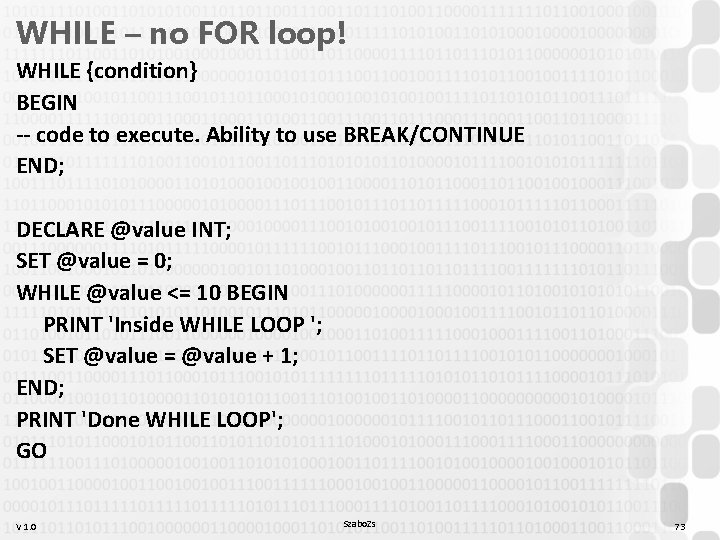
WHILE – no FOR loop! WHILE {condition} BEGIN -- code to execute. Ability to use BREAK/CONTINUE END; DECLARE @value INT; SET @value = 0; WHILE @value <= 10 BEGIN PRINT 'Inside WHILE LOOP '; SET @value = @value + 1; END; PRINT 'Done WHILE LOOP'; GO V 1. 0 Szabo. Zs 73
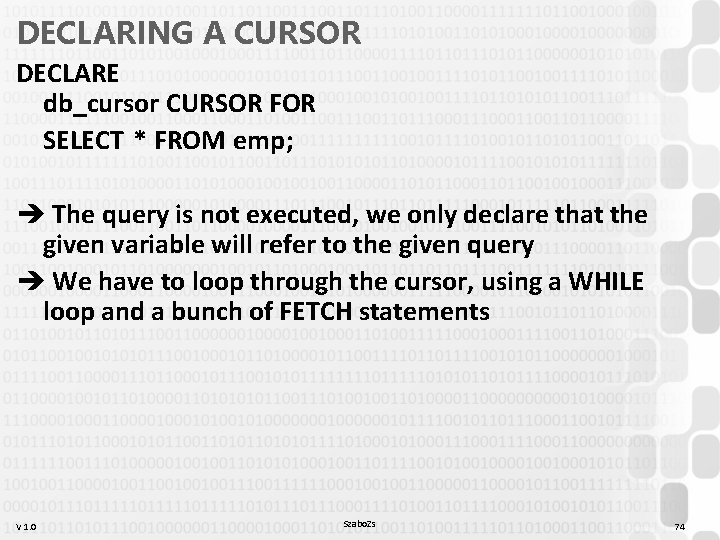
DECLARING A CURSOR DECLARE db_cursor CURSOR FOR SELECT * FROM emp; è The query is not executed, we only declare that the given variable will refer to the given query è We have to loop through the cursor, using a WHILE loop and a bunch of FETCH statements V 1. 0 Szabo. Zs 74
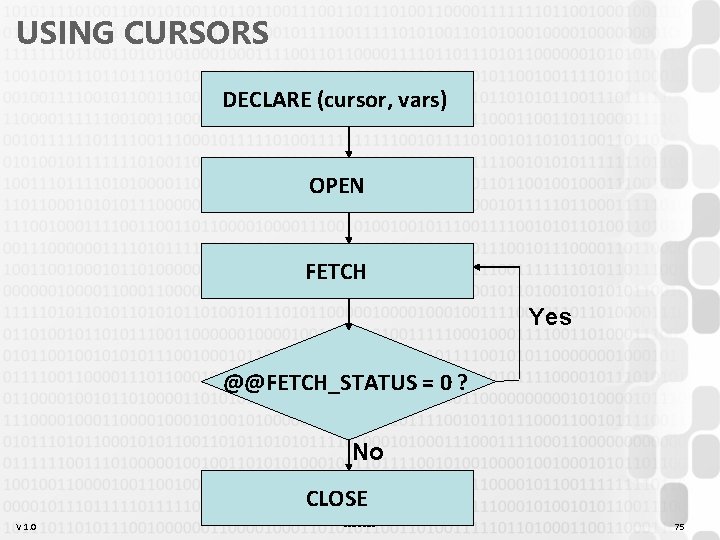
USING CURSORS DECLARE (cursor, vars) OPEN FETCH Yes @@FETCH_STATUS = 0 ? No CLOSE V 1. 0 Szabo. Zs 75
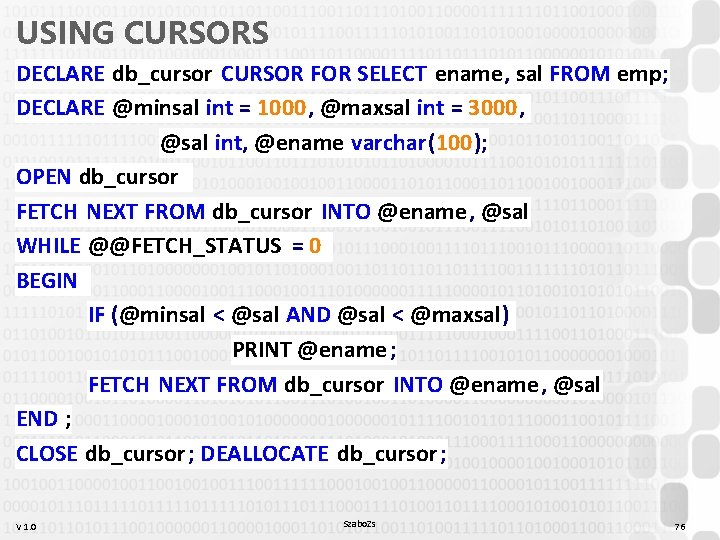
USING CURSORS DECLARE db_cursor CURSOR FOR SELECT ename, sal FROM emp; DECLARE @minsal int = 1000, @maxsal int = 3000, @sal int, @ename varchar(100); OPEN db_cursor FETCH NEXT FROM db_cursor INTO @ename, @sal WHILE @@FETCH_STATUS = 0 BEGIN IF (@minsal < @sal AND @sal < @maxsal) PRINT @ename; FETCH NEXT FROM db_cursor INTO @ename, @sal END ; CLOSE db_cursor ; DEALLOCATE db_cursor ; V 1. 0 Szabo. Zs 76
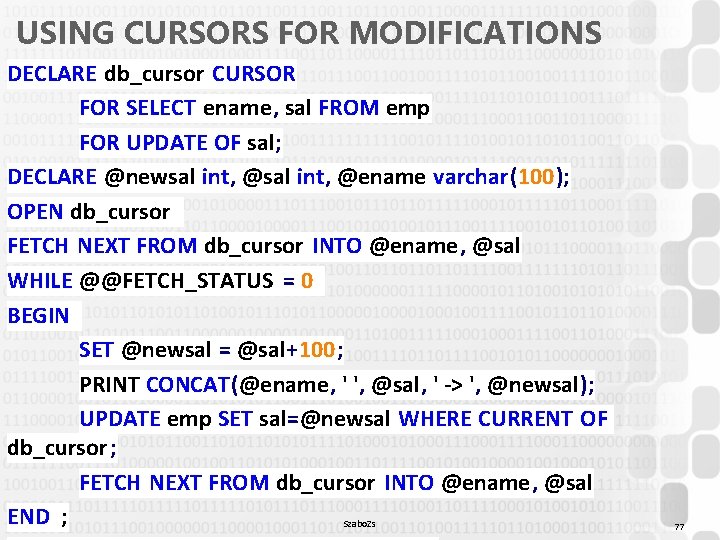
USING CURSORS FOR MODIFICATIONS DECLARE db_cursor CURSOR FOR SELECT ename, sal FROM emp FOR UPDATE OF sal; DECLARE @newsal int, @ename varchar(100); OPEN db_cursor FETCH NEXT FROM db_cursor INTO @ename, @sal WHILE @@FETCH_STATUS = 0 BEGIN SET @newsal = @sal+100; PRINT CONCAT(@ename, ' ', @sal, ' -> ', @newsal); UPDATE emp SET sal=@newsal WHERE CURRENT OF db_cursor ; FETCH NEXT FROM db_cursor INTO @ename, @sal END ; Szabo. Zs V 1. 0 77
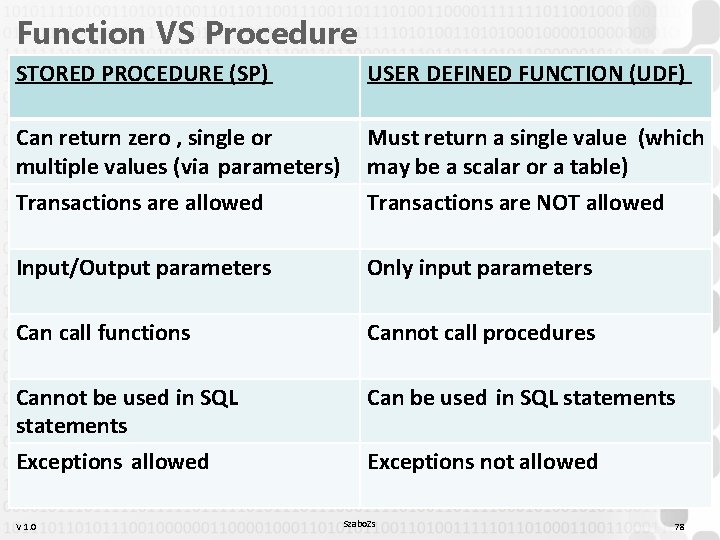
Function VS Procedure STORED PROCEDURE (SP) USER DEFINED FUNCTION (UDF) Can return zero , single or multiple values (via parameters) Must return a single value (which may be a scalar or a table) Transactions are allowed Transactions are NOT allowed Input/Output parameters Only input parameters Can call functions Cannot call procedures Cannot be used in SQL statements Can be used in SQL statements Exceptions allowed Exceptions not allowed V 1. 0 Szabo. Zs 78
![PROCEDURES / FUNCTIONS • Parameters: – {var. name} [{IN|OUT|IN OUT}] {type} – Must use](http://slidetodoc.com/presentation_image_h2/ee9bc34d509c30af586482aa3def5c39/image-79.jpg "PROCEDURES / FUNCTIONS • Parameters: – {var. name} [{IN|OUT|IN OUT}] {type} – Must use")
PROCEDURES / FUNCTIONS • Parameters: – {var. name} [{IN|OUT|IN OUT}] {type} – Must use size specification for types: VARCHAR(100) • RAISERROR (msg, level, state) vs THROW code, msg, state • Exceptions inside a block: BEGIN TRY END TRY BEGIN CATCH END CATCH V 1. 0 Szabo. Zs 79
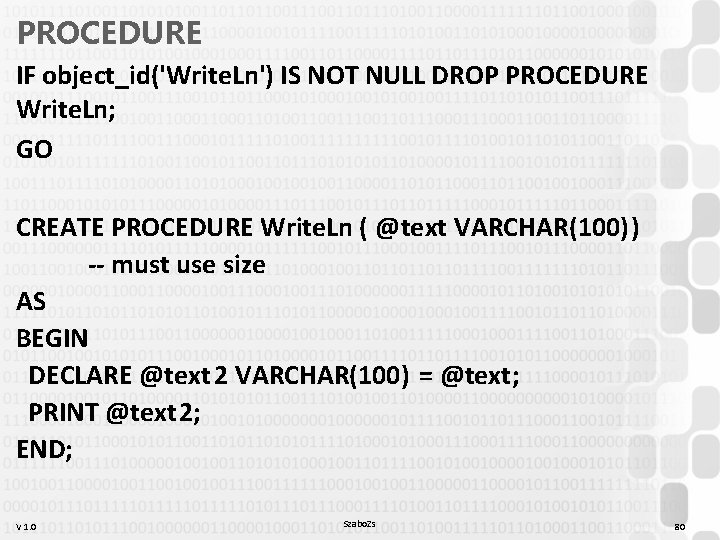
PROCEDURE IF object_id('Write. Ln') IS NOT NULL DROP PROCEDURE Write. Ln; GO CREATE PROCEDURE Write. Ln ( @text VARCHAR(100)) -- must use size AS BEGIN DECLARE @text 2 VARCHAR(100) = @text; PRINT @text 2; END; V 1. 0 Szabo. Zs 80
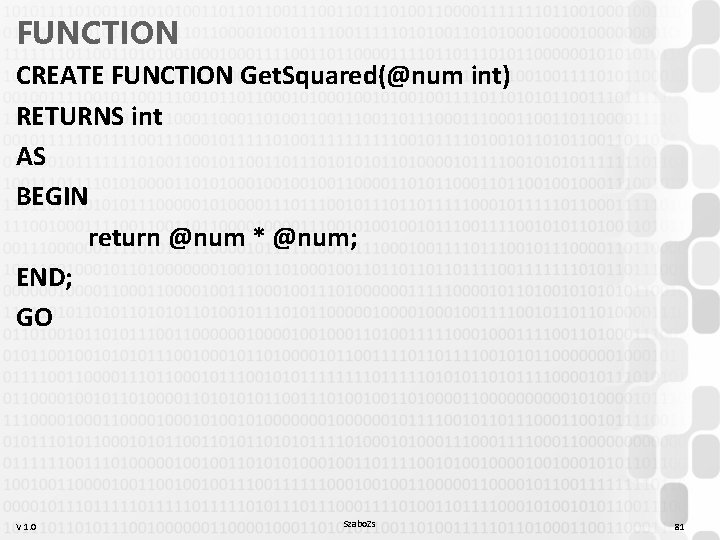
FUNCTION CREATE FUNCTION Get. Squared(@num int) RETURNS int AS BEGIN return @num * @num; END; GO V 1. 0 Szabo. Zs 81
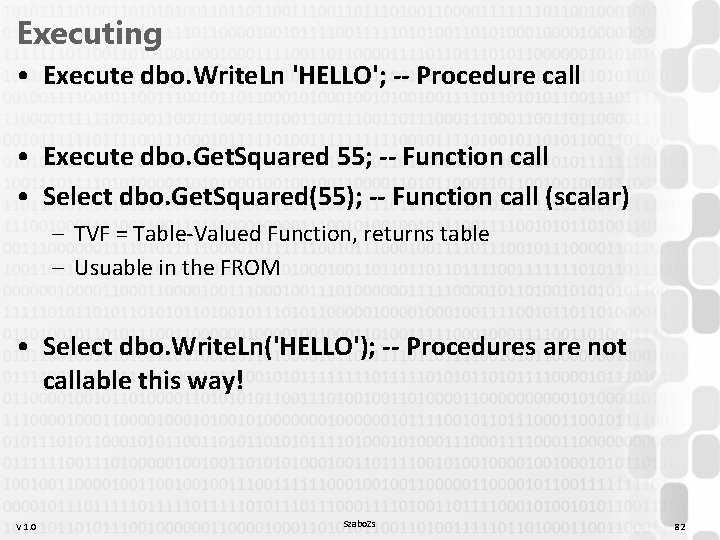
Executing • Execute dbo. Write. Ln 'HELLO'; -- Procedure call • Execute dbo. Get. Squared 55; -- Function call • Select dbo. Get. Squared(55); -- Function call (scalar) – TVF = Table-Valued Function, returns table – Usuable in the FROM • Select dbo. Write. Ln('HELLO'); -- Procedures are not callable this way! V 1. 0 Szabo. Zs 82
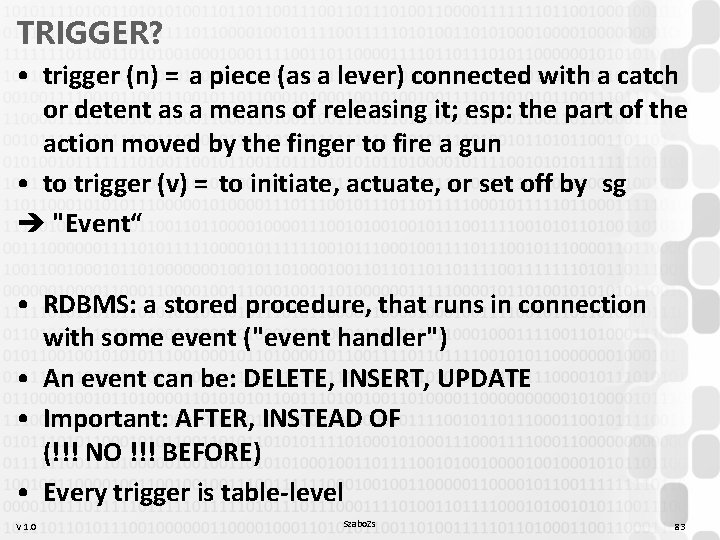
TRIGGER? • trigger (n) = a piece (as a lever) connected with a catch or detent as a means of releasing it; esp: the part of the action moved by the finger to fire a gun • to trigger (v) = to initiate, actuate, or set off by sg è "Event“ • RDBMS: a stored procedure, that runs in connection with some event ("event handler") • An event can be: DELETE, INSERT, UPDATE • Important: AFTER, INSTEAD OF (!!! NO !!! BEFORE) • Every trigger is table-level V 1. 0 Szabo. Zs 83
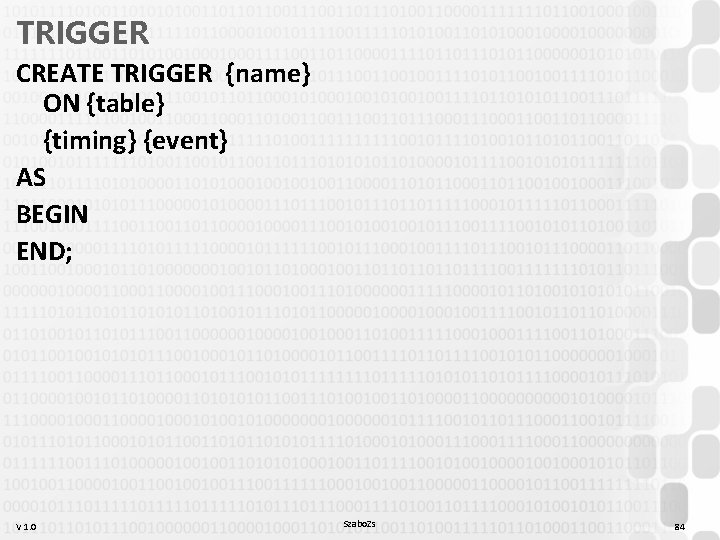
TRIGGER CREATE TRIGGER {name} ON {table} {timing} {event} AS BEGIN END; V 1. 0 Szabo. Zs 84
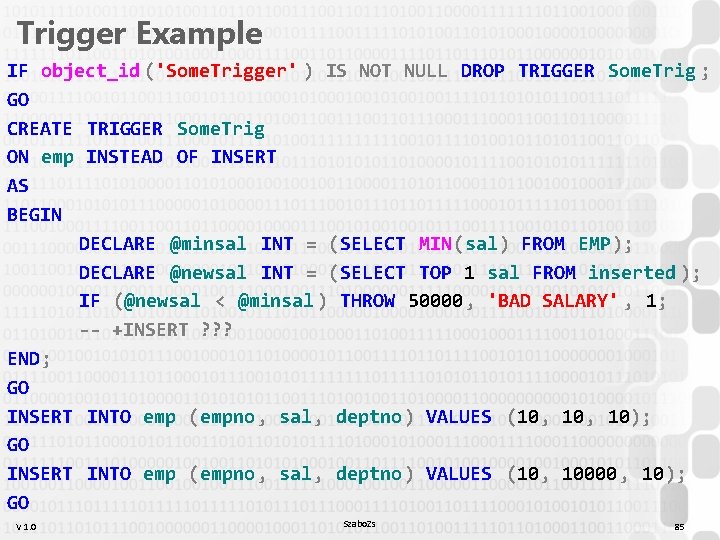
Trigger Example IF object_id ('Some. Trigger' ) IS NOT NULL DROP TRIGGER Some. Trig ; GO CREATE TRIGGER Some. Trig ON emp INSTEAD OF INSERT AS BEGIN DECLARE @minsal INT = (SELECT MIN(sal) FROM EMP); DECLARE @newsal INT = (SELECT TOP 1 sal FROM inserted ); IF (@newsal < @minsal ) THROW 50000 , 'BAD SALARY' , 1; -- +INSERT ? ? ? END; GO INSERT INTO emp (empno , sal, deptno ) VALUES (10, 10); GO INSERT INTO emp (empno , sal, deptno ) VALUES (10, 10000 , 10); GO V 1. 0 Szabo. Zs 85
DBMAN 9 PL/* introduction PLSQL Trigger exercise V 1. 0 Szabo. Zs 86
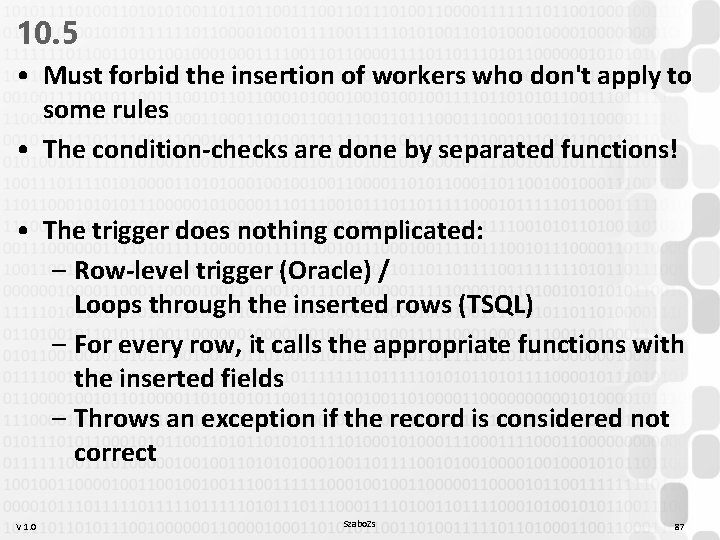
10. 5 • Must forbid the insertion of workers who don't apply to some rules • The condition-checks are done by separated functions! • The trigger does nothing complicated: – Row-level trigger (Oracle) / Loops through the inserted rows (TSQL) – For every row, it calls the appropriate functions with the inserted fields – Throws an exception if the record is considered not correct V 1. 0 Szabo. Zs 87
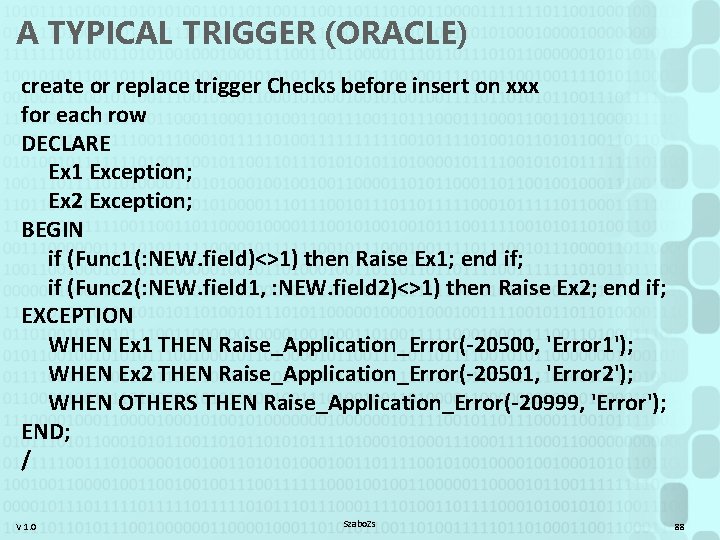
A TYPICAL TRIGGER (ORACLE) create or replace trigger Checks before insert on xxx for each row DECLARE Ex 1 Exception; Ex 2 Exception; BEGIN if (Func 1(: NEW. field)<>1) then Raise Ex 1; end if; if (Func 2(: NEW. field 1, : NEW. field 2)<>1) then Raise Ex 2; end if; EXCEPTION WHEN Ex 1 THEN Raise_Application_Error(-20500, 'Error 1'); WHEN Ex 2 THEN Raise_Application_Error(-20501, 'Error 2'); WHEN OTHERS THEN Raise_Application_Error(-20999, 'Error'); END; / V 1. 0 Szabo. Zs 88
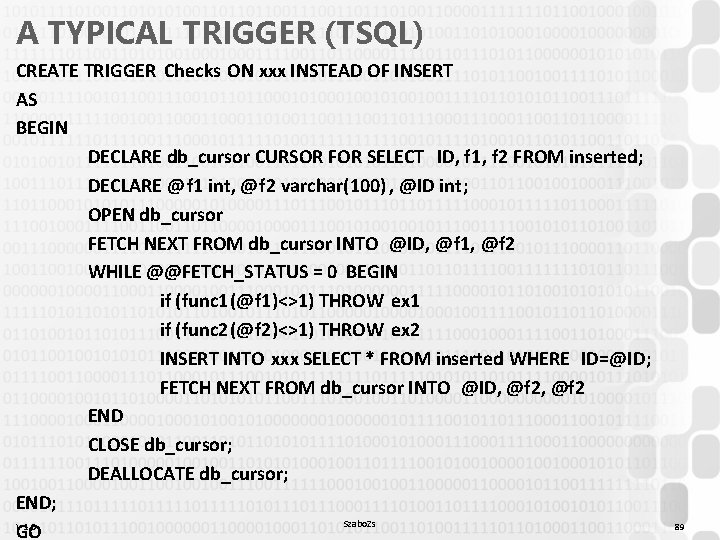
A TYPICAL TRIGGER (TSQL) CREATE TRIGGER Checks ON xxx INSTEAD OF INSERT AS BEGIN DECLARE db_cursor CURSOR FOR SELECT ID, f 1, f 2 FROM inserted; DECLARE @ f 1 int, @f 2 varchar(100) , @ID int; OPEN db_cursor FETCH NEXT FROM db_cursor INTO @ID, @f 1, @f 2 WHILE @@FETCH_STATUS = 0 BEGIN if (func 1(@f 1)<>1) THROW ex 1 if (func 2(@f 2)<>1) THROW ex 2 INSERT INTO xxx SELECT * FROM inserted WHERE ID=@ID; FETCH NEXT FROM db_cursor INTO @ID, @f 2 END CLOSE db_cursor; DEALLOCATE db_cursor; END; Szabo. Zs V 1. 0 GO 89
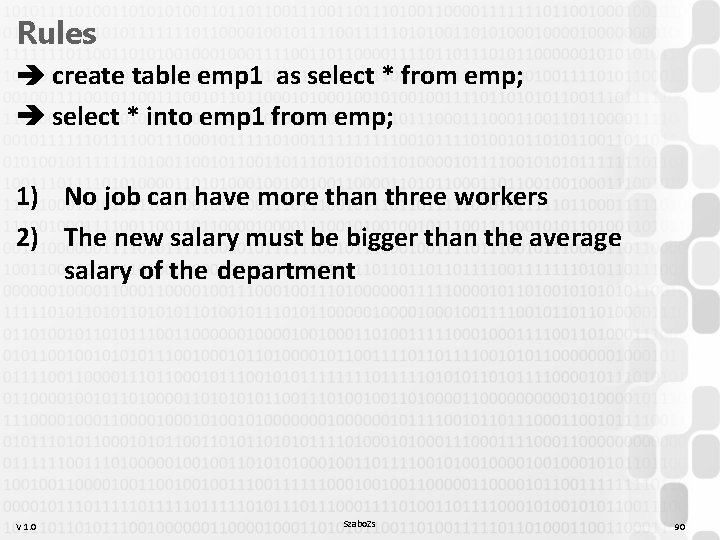
Rules create table emp 1 as select * from emp; select * into emp 1 from emp; 1) No job can have more than three workers 2) The new salary must be bigger than the average salary of the department V 1. 0 Szabo. Zs 90
V 1. 0 Szabo. Zs 91

Szabo. Zs 92
- Slides: 92