
DBA 324 Designing for Performance Kimberly L Tripp
DBA 324 Designing for Performance Kimberly L. Tripp Solid Quality Learning – Solid. Quality. Learning. com Email: Kimberly@Solid. Quality. Learning. com SYSolutions, Inc. – SQLSkills. com Email: Kimberly@SQLSkills. com

Introduction Kimberly L. Tripp, SQL Server MVP Principal Mentor, Solid Quality Learning * In-depth, high quality training around the world! www. Solid. Quality. Learning. com Content Manager for www. SQLSkills. com Writer/Editor for TSQL Solutions/SQL Mag www. tsqlsolutions. com and www. sqlmag. com Consultant/Trainer/Speaker Coauthor for MSPress title: SQL Server 2000 High Availability Presenter/Technical Manager for SQL Server 2000 High Availability Overview DVD Very approachable. Please ask me questions!

Overview Database Structure Data v. Logging and VLFs Design Techniques Table Design Partitioning Constraints Redundant Keys Intro: Indexing for Performance

Database Structure Up to 32, 767 Databases per Instance Database Up to 32, 767 Files, per Database (Total is for both Data and Log files) Data (file). mdf (1) and. ndf (0 -n) Log (file). ldf (1 -n) MDF = Primary (or MAIN) Data File LDF = Log Data File NDF = Non-Primary Data File Should have only 1 log file
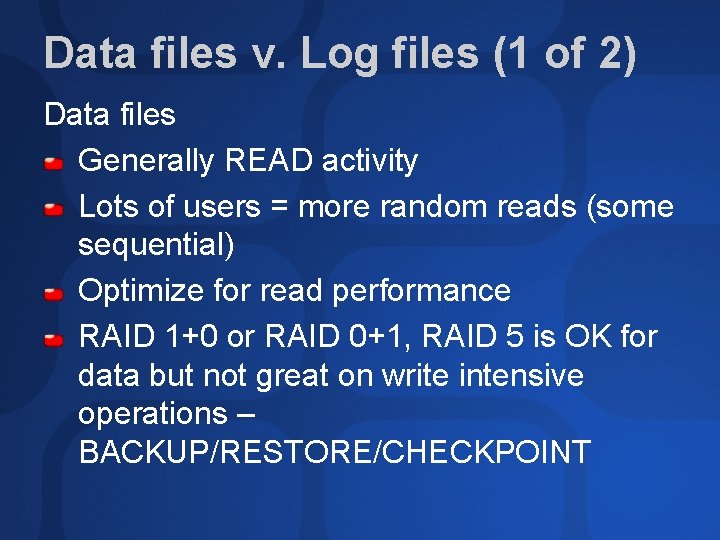
Data files v. Log files (1 of 2) Data files Generally READ activity Lots of users = more random reads (some sequential) Optimize for read performance RAID 1+0 or RAID 0+1, RAID 5 is OK for data but not great on write intensive operations – BACKUP/RESTORE/CHECKPOINT
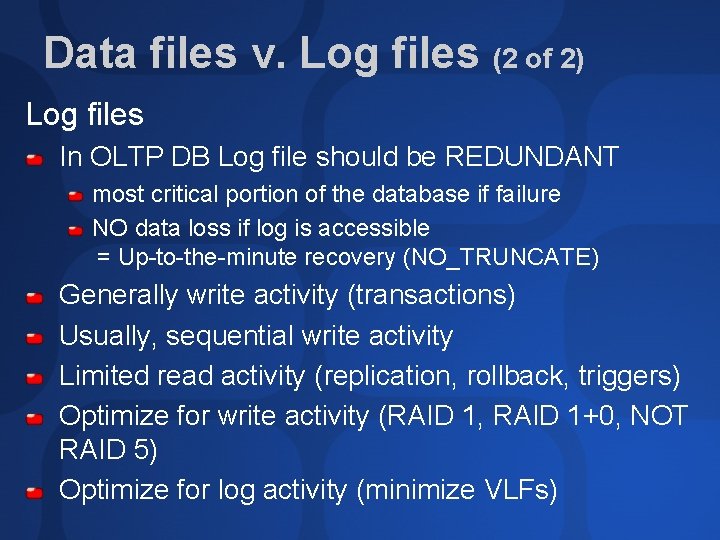
Data files v. Log files (2 of 2) Log files In OLTP DB Log file should be REDUNDANT most critical portion of the database if failure NO data loss if log is accessible = Up-to-the-minute recovery (NO_TRUNCATE) Generally write activity (transactions) Usually, sequential write activity Limited read activity (replication, rollback, triggers) Optimize for write activity (RAID 1, RAID 1+0, NOT RAID 5) Optimize for log activity (minimize VLFs)
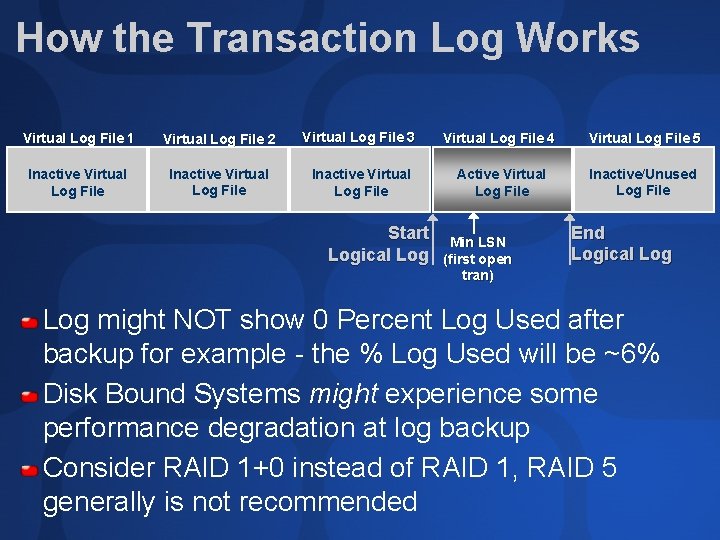
How the Transaction Log Works Virtual Log File 1 Virtual Log File 2 Virtual Log File 3 Virtual Log File 4 Virtual Log File 5 Inactive Virtual Log File Active Virtual Log File Inactive/Unused Log File Start Logical Log Min LSN (first open tran) End Logical Log might NOT show 0 Percent Log Used after backup for example - the % Log Used will be ~6% Disk Bound Systems might experience some performance degradation at log backup Consider RAID 1+0 instead of RAID 1, RAID 5 generally is not recommended
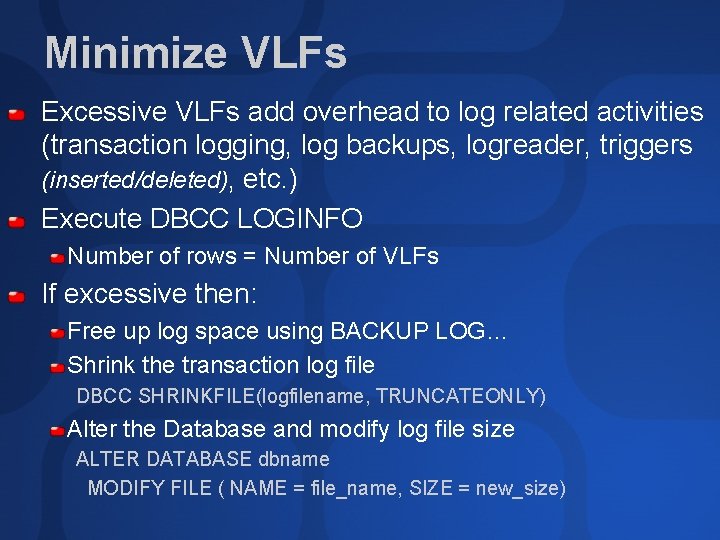
Minimize VLFs Excessive VLFs add overhead to log related activities (transaction logging, log backups, logreader, triggers (inserted/deleted), etc. ) Execute DBCC LOGINFO Number of rows = Number of VLFs If excessive then: Free up log space using BACKUP LOG… Shrink the transaction log file DBCC SHRINKFILE(logfilename, TRUNCATEONLY) Alter the Database and modify log file size ALTER DATABASE dbname MODIFY FILE ( NAME = file_name, SIZE = new_size)
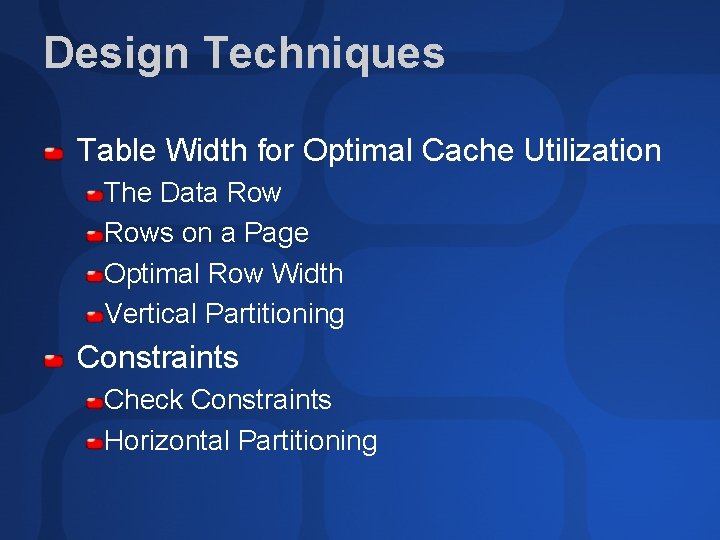
Design Techniques Table Width for Optimal Cache Utilization The Data Rows on a Page Optimal Row Width Vertical Partitioning Constraints Check Constraints Horizontal Partitioning
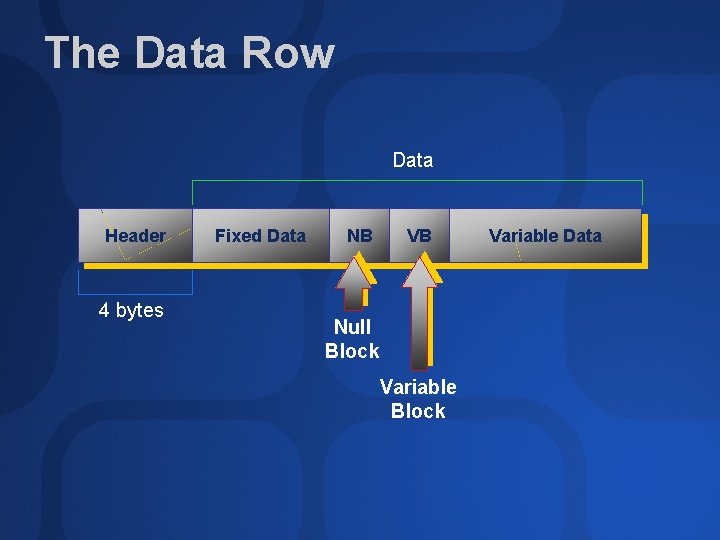
The Data Row Data Header 4 bytes Fixed Data NB VB Null Block Variable Data
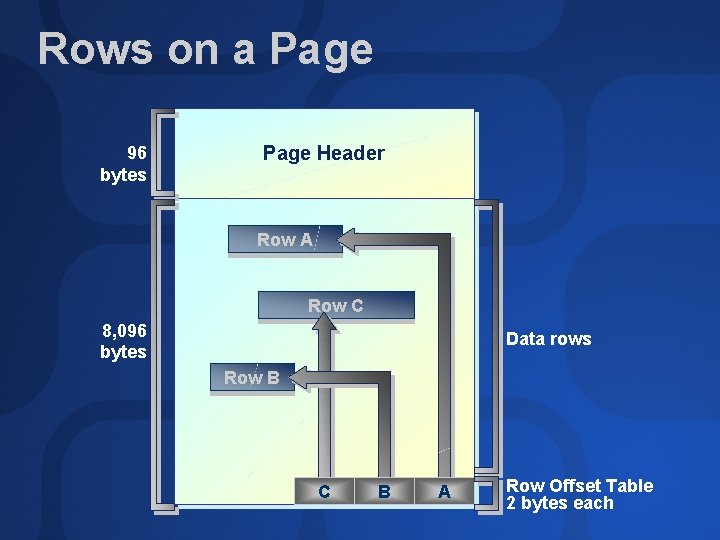
Rows on a Page 96 bytes Page Header Row A Row C 8, 096 bytes Data rows Row B C B A Row Offset Table 2 bytes each
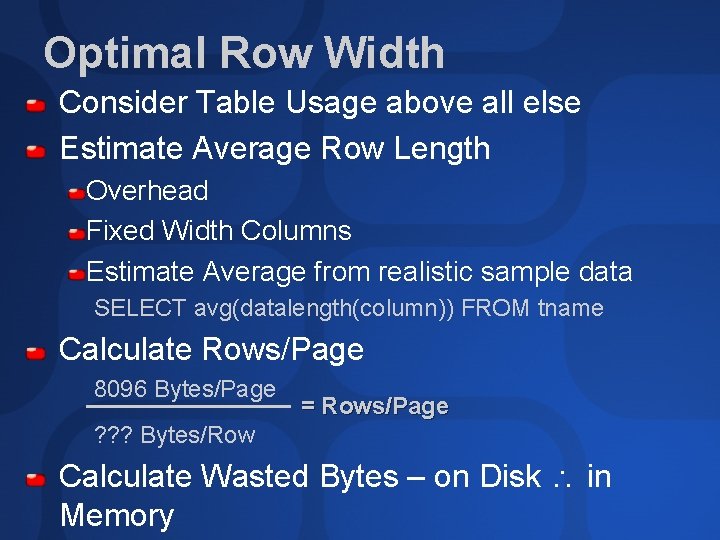
Optimal Row Width Consider Table Usage above all else Estimate Average Row Length Overhead Fixed Width Columns Estimate Average from realistic sample data SELECT avg(datalength(column)) FROM tname Calculate Rows/Page 8096 Bytes/Page = Rows/Page ? ? ? Bytes/Row Calculate Wasted Bytes – on Disk in Memory

Vertical Partitioning Optimizing row size for… Caching More rows on a page, more rows in memory Locking Only locking the columns that are of interest. Minimize row based conflicts Usage Defines Vertical Partitions Logically Group Columns to minimize joins Consider Read Only vs. OLTP Columns Consider Columns often used together
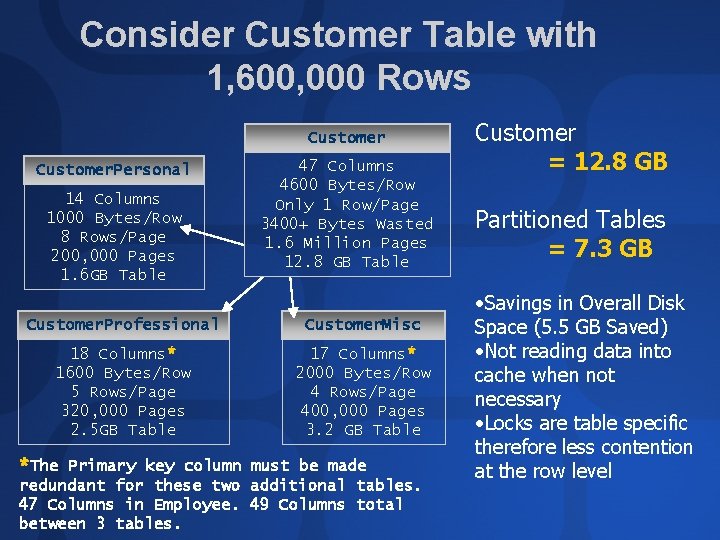
Consider Customer Table with 1, 600, 000 Rows Customer. Personal 14 Columns 1000 Bytes/Row 8 Rows/Page 200, 000 Pages 1. 6 GB Table 47 Columns 4600 Bytes/Row Only 1 Row/Page 3400+ Bytes Wasted 1. 6 Million Pages 12. 8 GB Table Customer. Professional Customer. Misc 18 Columns* 1600 Bytes/Row 5 Rows/Page 320, 000 Pages 2. 5 GB Table 17 Columns* 2000 Bytes/Row 4 Rows/Page 400, 000 Pages 3. 2 GB Table *The Primary key column must be made redundant for these two additional tables. 47 Columns in Employee. 49 Columns total between 3 tables. Customer = 12. 8 GB Partitioned Tables = 7. 3 GB • Savings in Overall Disk Space (5. 5 GB Saved) • Not reading data into cache when not necessary • Locks are table specific therefore less contention at the row level
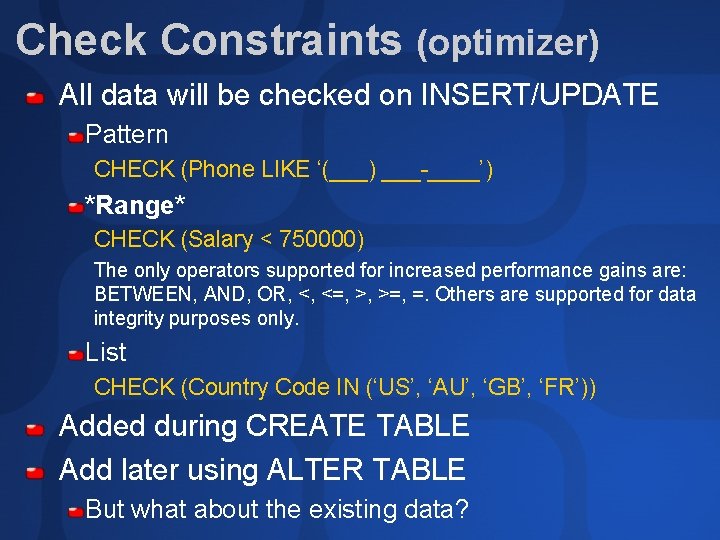
Check Constraints (optimizer) All data will be checked on INSERT/UPDATE Pattern CHECK (Phone LIKE ‘(___) ___-____’) *Range* CHECK (Salary < 750000) The only operators supported for increased performance gains are: BETWEEN, AND, OR, <, <=, >, >=, =. Others are supported for data integrity purposes only. List CHECK (Country Code IN (‘US’, ‘AU’, ‘GB’, ‘FR’)) Added during CREATE TABLE Add later using ALTER TABLE But what about the existing data?
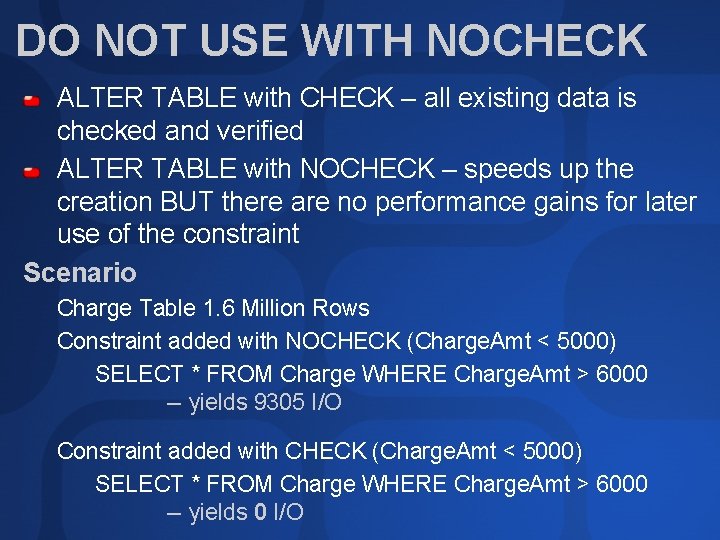
DO NOT USE WITH NOCHECK ALTER TABLE with CHECK – all existing data is checked and verified ALTER TABLE with NOCHECK – speeds up the creation BUT there are no performance gains for later use of the constraint Scenario Charge Table 1. 6 Million Rows Constraint added with NOCHECK (Charge. Amt < 5000) SELECT * FROM Charge WHERE Charge. Amt > 6000 -- yields 9305 I/O Constraint added with CHECK (Charge. Amt < 5000) SELECT * FROM Charge WHERE Charge. Amt > 6000 -- yields 0 I/O
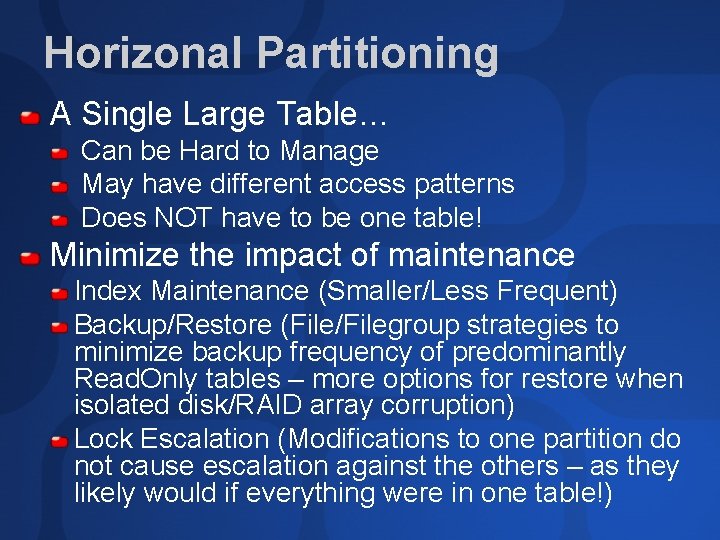
Horizonal Partitioning A Single Large Table… Can be Hard to Manage May have different access patterns Does NOT have to be one table! Minimize the impact of maintenance Index Maintenance (Smaller/Less Frequent) Backup/Restore (File/Filegroup strategies to minimize backup frequency of predominantly Read. Only tables – more options for restore when isolated disk/RAID array corruption) Lock Escalation (Modifications to one partition do not cause escalation against the others – as they likely would if everything were in one table!)
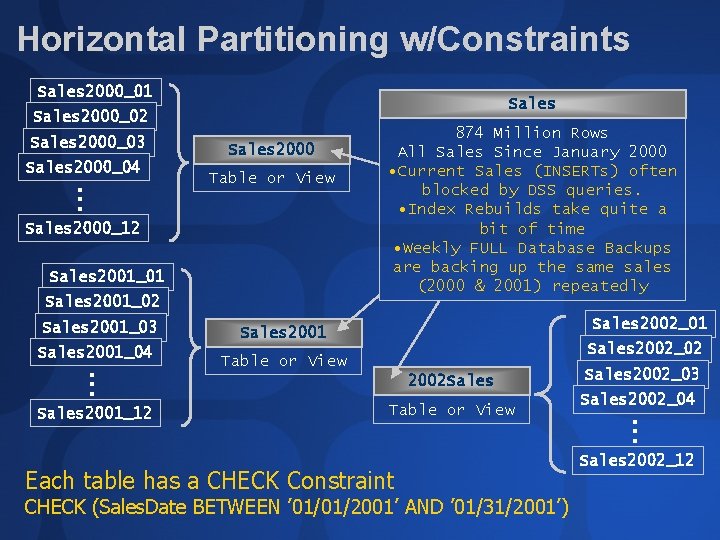
Horizontal Partitioning w/Constraints Sales 2000_01 Sales 2000_02 Sales 2000_03 Sales 2000_04 . . . Sales 2000 Table or View Sales 2000_12 Sales 2001_01 Sales 2001_02 Sales 2001_03 Sales 2001_04 . . . Sales 2001_12 874 Million Rows All Sales Since January 2000 • Current Sales (INSERTs) often blocked by DSS queries. • Index Rebuilds take quite a bit of time • Weekly FULL Database Backups are backing up the same sales (2000 & 2001) repeatedly Sales 2002_01 Sales 2002_02 Table or View 2002 Sales Table or View Each table has a CHECK Constraint CHECK (Sales. Date BETWEEN ’ 01/01/2001’ AND ’ 01/31/2001’) Sales 2002_03 Sales 2002_04 . . . Sales 2002_12
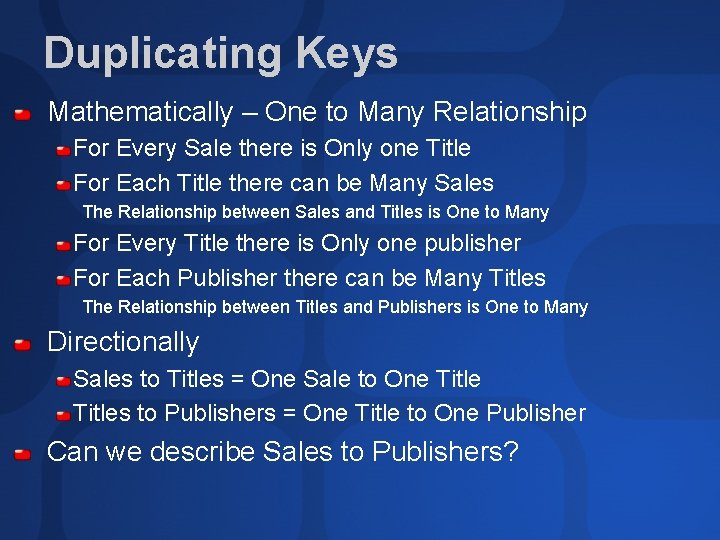
Duplicating Keys Mathematically – One to Many Relationship For Every Sale there is Only one Title For Each Title there can be Many Sales The Relationship between Sales and Titles is One to Many For Every Title there is Only one publisher For Each Publisher there can be Many Titles The Relationship between Titles and Publishers is One to Many Directionally Sales to Titles = One Sale to One Titles to Publishers = One Title to One Publisher Can we describe Sales to Publishers?
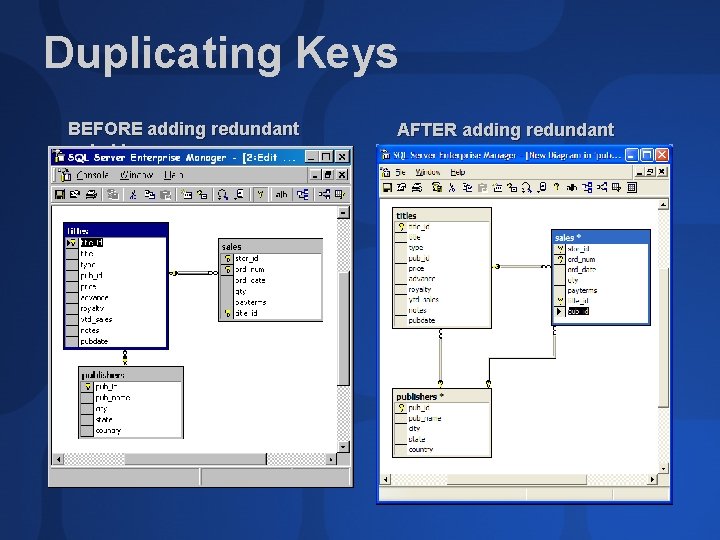
Duplicating Keys BEFORE adding redundant pub_id AFTER adding redundant pub_id
Design Techniques Summary Rows cannot span pages therefore record size can impact disk space, cache utilization and concurrency The lowest granularity of locking holds an entire row – partitioning a table vertically or horizontally can improve concurrency as well as cache utilization Optimizer is aware of constraints – efficient horizontal partitioning requires constraints Duplicating Keys which define relationships can improve join performance by giving the optimizer more options for performing a join
Indexing for Performance Simple Strategy - ITW Selectivity (Highly Selective. . . easy) How to Improve Queries with Varying Search Arguments (SARGs) and Low Selectivity Indexing for AND Indexing for OR Indexing for Joins Indexing for Aggregations Indexed Views
Index Strategies Determine Primary Usage of Table – OLTP vs. OLAP vs. Combo? This can help determine the Clustered Index Create Constraints – Primary Key and Alternate/Candidate Keys Manually Add Indexes to Foreign Key Constraints Capture a Workload and Run through Index Tuning Wizard Continue to test, tune and troubleshoot and Additional Indexes using these strategies
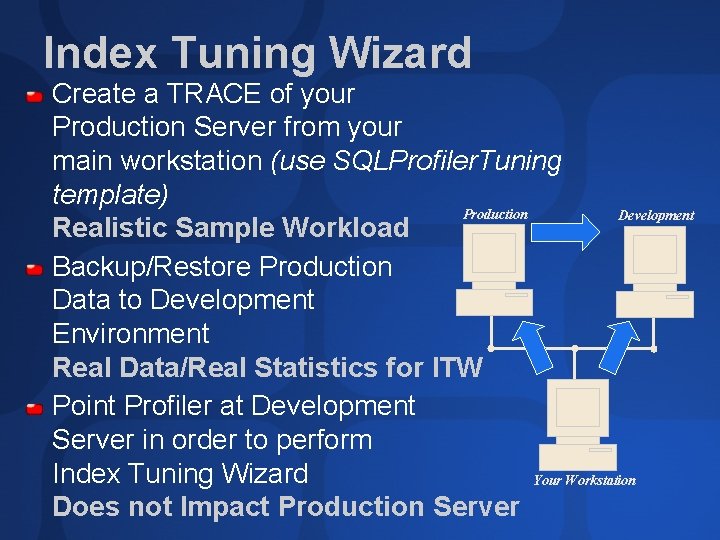
Index Tuning Wizard Create a TRACE of your Production Server from your main workstation (use SQLProfiler. Tuning template) Production Development Realistic Sample Workload Backup/Restore Production Data to Development Environment Real Data/Real Statistics for ITW Point Profiler at Development Server in order to perform Index Tuning Wizard Your Workstation Does not Impact Production Server
Review Database Structure Data v. Logging and VLFs Design Techniques Table Design Partitioning Constraints Redundant Keys Intro: Indexing for Performance
Other Sessions… DAT 335 – SQL Server Tips and Tricks for DBAs and Developers Tuesday, 1 July 2003, 15: 15 -16: 30 DBA 324 – Designing for Performance: Structures, Partitioning, Views and Constraints Wednesday, 2 July 2003, 08: 30 -09: 45 DBA 328 – Designing for Performance: Optimization with Indexes Wednesday, 2 July 2003, 16: 45 -18: 00 DBA 322 – Optimizing Stored Procedure Performance in SQL Server 2000 Thursday, 3 July 2003, 08: 30 -09: 45
Articles… Articles in TSQLSolutions at www. tsqlsolutions. com (FREE, just register) All About Raiserror, Instant. Doc ID#22980 Saving Production Data from Production DBAs, Instant. Doc ID#22073 Articles in SQL Server Magazine, Sept 2002: Before Disaster Strikes, Instant. Doc ID#25915 Log Backups Paused for Good Reason, Instant. Doc ID#26032 Restoring After Isolated Disk Failure, Instant. Doc #26067 Filegroup Usage for VLDBs, Instant. Doc ID#26031 Search www. sqlmag. com and www. tsqlsolutions. com for additional articles
Resources… Whitepaper: Query Recompilation in SQL Server 2000 http: //msdn. microsoft. com/library/default. asp? url=/nhp/Default. asp? contentid=28000409
Resources… Check out www. SQLSkills. com for scripts, demos, links and new resources! Inside Microsoft SQL Server 2000, Kalen Delaney, MS Press, ISBN: 0735609985 http: //www. insidesqlserver. com/ Whitepaper: Database Architecture: The Storage Engine, http: //msdn. microsoft. com/library/enus/dnsql 2 k/html/thestorageengine. asp? Register on www. tsqlsolutions. com to get free access to technical TSQL articles from SQL Server Magazine. Check out Instant Doc ID#23733 for the “n-Table Joins” article where I discuss adding redundant keys.
Resources… Whitepaper: Using Partitions in a Microsoft SQL Server 2000 Data Warehouse, http: //msdn. microsoft. com/library/techart/partitionsindw. htm Whitepaper: Index Tuning Wizard for Microsoft SQL Server 2000, http: //msdn. microsoft. com/library/enus/dnsql 2 k/html/itwforsql. asp? frame=true Support Web. Cast: SQL Server 2000 Profiler: What's New and How to Effectively Use It http: //support. microsoft. com/default. aspx? scid=%2 Fservicede sks%2 Fwebcasts%2 Fwc 111400%2 Fwcblurb 111400%2 Easp
Community Resources http: //www. microsoft. com/communities/default. mspx Most Valuable Professional (MVP) http: //www. mvp. support. microsoft. com/ Newsgroups Converse online with Microsoft Newsgroups, including Worldwide http: //www. microsoft. com/communities/newsgroups/default. mspx User Groups Meet and learn with your peers http: //www. microsoft. com/communities/usergroups/default. mspx
Ask The Experts Get Your Questions Answered I will be available in the ATE area after most of my sessions!
Thank You! Kimberly L. Tripp Principal Mentor, Solid Quality Learning Website: www. solidqualitylearning. com Email: Kimberly@Solid. Quality. Learning. com President, SYSolutions, Inc. Website: www. sqlskills. com Email: Kimberly@SQLSkills. com
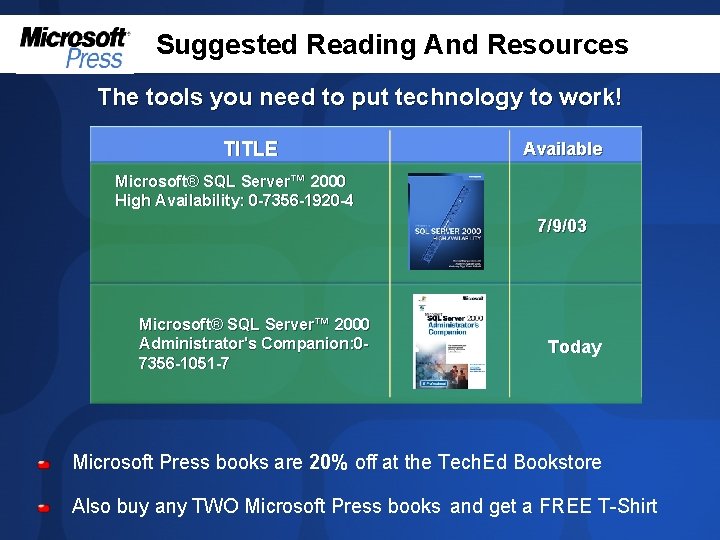
Suggested Reading And Resources The tools you need to put technology to work! TITLE Available Microsoft® SQL Server™ 2000 High Availability: 0 -7356 -1920 -4 7/9/03 Microsoft® SQL Server™ 2000 Administrator's Companion: 07356 -1051 -7 Today Microsoft Press books are 20% off at the Tech. Ed Bookstore Also buy any TWO Microsoft Press books and get a FREE T-Shirt

evaluations

© 2003 Microsoft Corporation. All rights reserved. This presentation is for informational purposes only. MICROSOFT MAKES NO WARRANTIES, EXPRESS OR IMPLIED, IN THIS SUMMARY.
- Slides: 36