
Day 2 q q q Understanding Module Module
![Property Binding Bind the count to textbox <input type="number" value="{{count}}"> n The [] square](https://slidetodoc.com/presentation_image_h2/d9de56466f44c21bab479ede3edc068e/image-44.jpg "Property Binding Bind the count to textbox <input type=\"number\" value=\"{{count}}\"> n The [] square")
![Hands On Example The [(ng. Model)] directive is available in Forms. Module. n We](https://slidetodoc.com/presentation_image_h2/d9de56466f44c21bab479ede3edc068e/image-52.jpg "Hands On Example The [(ng. Model)] directive is available in Forms. Module. n We")
- Slides: 56
Day 2 q q q Understanding Module, Module Bundler, Module Loader Using Web. Pack Angular 2 Project Setup from Scratch Understanding Angular 2 Core Concepts Communication Between Components
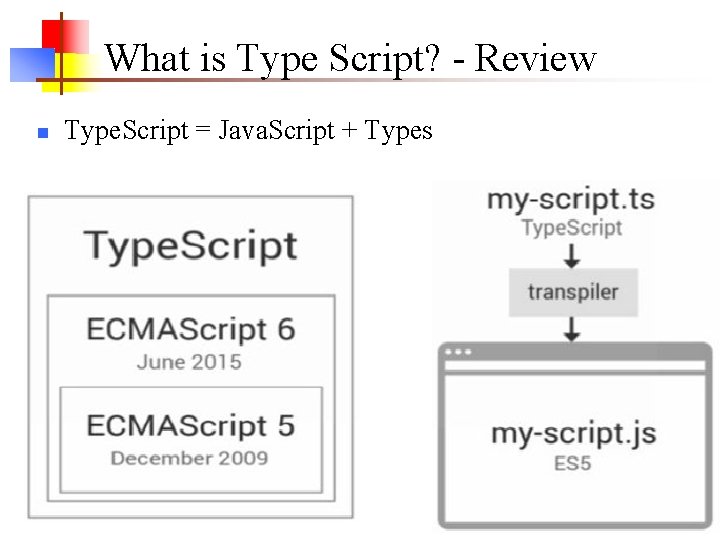
What is Type Script? - Review n Type. Script = Java. Script + Types
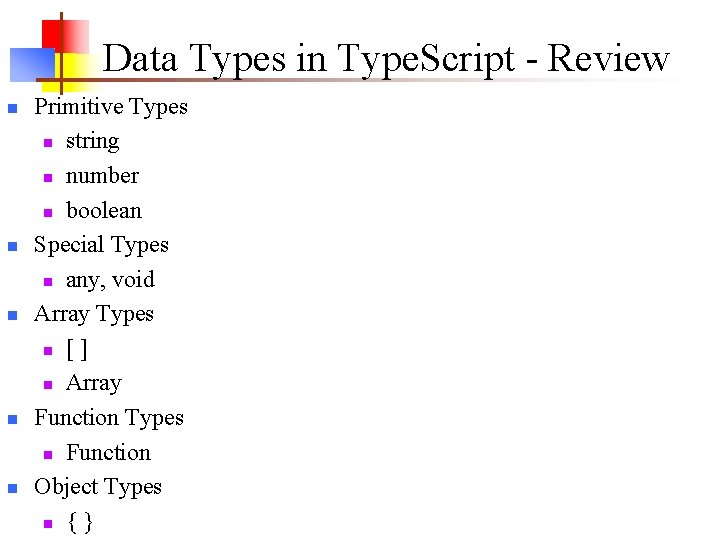
Data Types in Type. Script - Review n n n Primitive Types n string n number n boolean Special Types n any, void Array Types n [ ] n Array Function Types n Function Object Types n { }
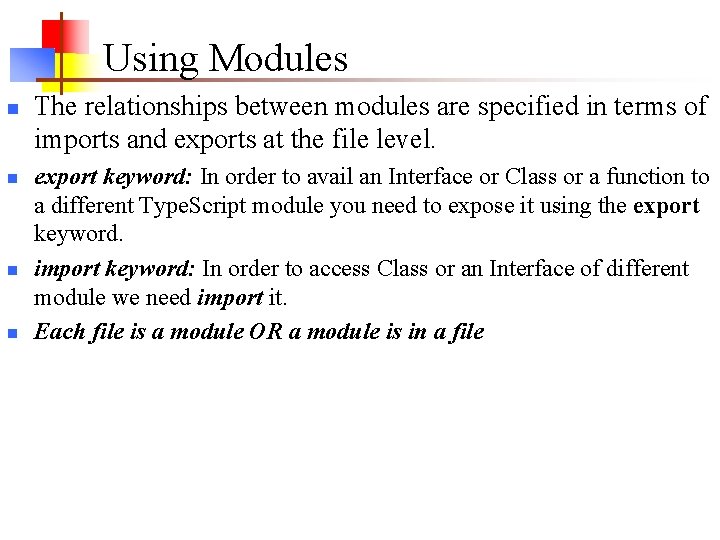
Modules n n n Starting with the ECMAScript 2015, Java. Script has a concept of modules. Type. Script uses this concept. Modularity deals with the process of breaking up complex systems into small, self contained pieces that can be managed easily. Modules allows you to organize your code. Module contain a set of Classes, Interfaces, etc. , based on common operation like String Manipulation Module or Math Module etc. Modules are executed within their own scope, not in the global scope; this means that variables, functions, classes, etc. declared in a module are not visible outside the module.
Using Modules n n The relationships between modules are specified in terms of imports and exports at the file level. export keyword: In order to avail an Interface or Class or a function to a different Type. Script module you need to expose it using the export keyword. import keyword: In order to access Class or an Interface of different module we need import it. Each file is a module OR a module is in a file
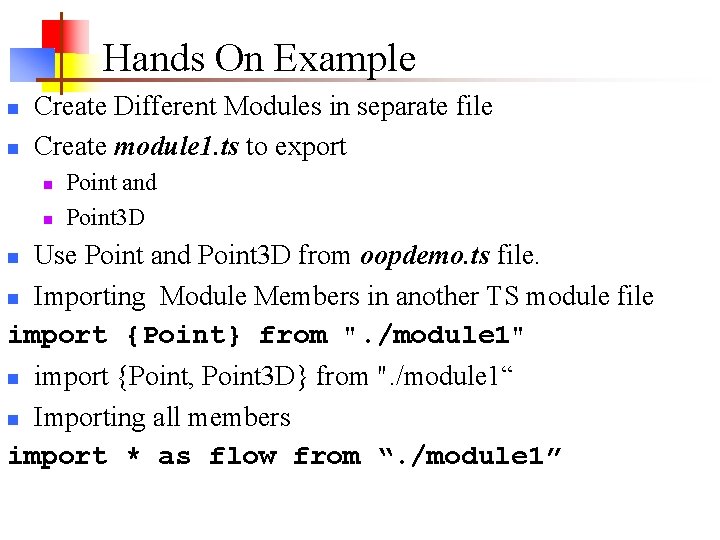
Hands On Example n n Create Different Modules in separate file Create module 1. ts to export n n Point and Point 3 D Use Point and Point 3 D from oopdemo. ts file. n Importing Module Members in another TS module file import {Point} from ". /module 1" n import {Point, Point 3 D} from ". /module 1“ n Importing all members import * as flow from “. /module 1” n
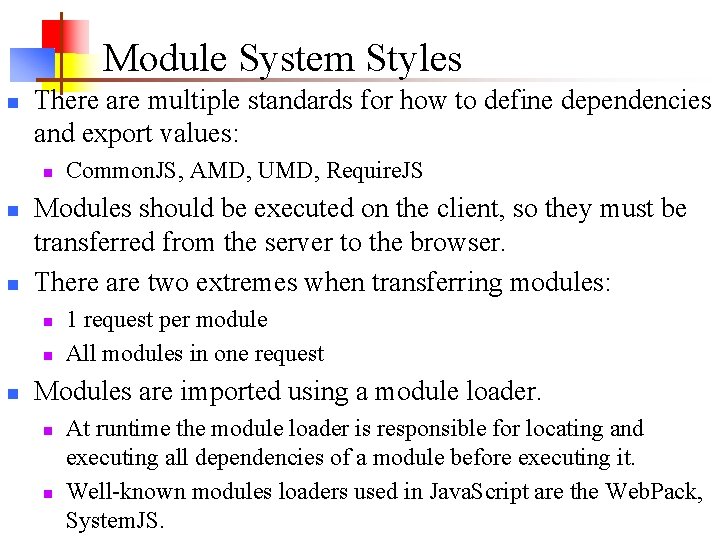
Module System Styles n There are multiple standards for how to define dependencies and export values: n n n Modules should be executed on the client, so they must be transferred from the server to the browser. There are two extremes when transferring modules: n n n Common. JS, AMD, UMD, Require. JS 1 request per module All modules in one request Modules are imported using a module loader. n n At runtime the module loader is responsible for locating and executing all dependencies of a module before executing it. Well-known modules loaders used in Java. Script are the Web. Pack, System. JS.
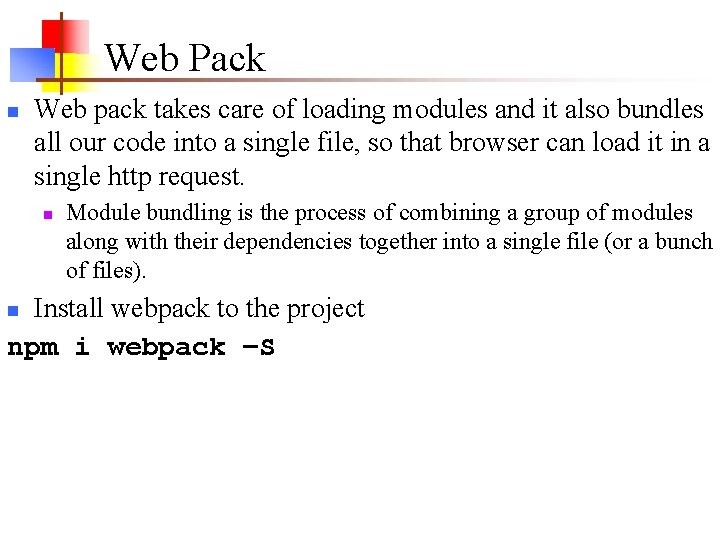
Web Pack n Web pack takes care of loading modules and it also bundles all our code into a single file, so that browser can load it in a single http request. n Module bundling is the process of combining a group of modules along with their dependencies together into a single file (or a bunch of files). Install webpack to the project npm i webpack –S n
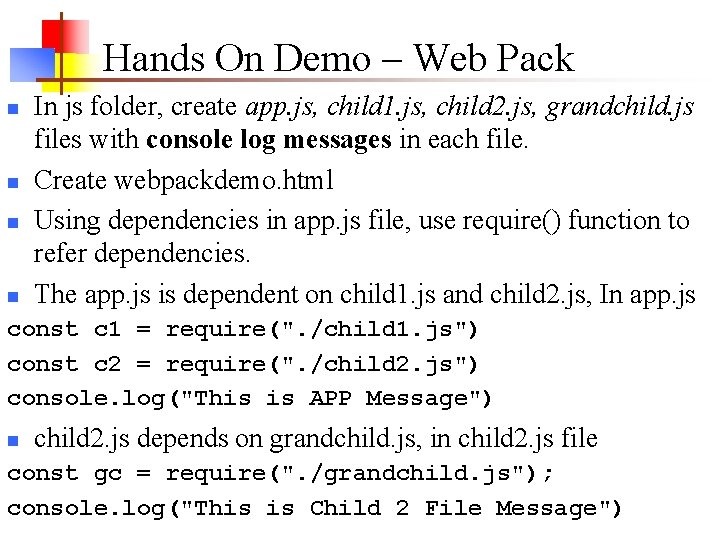
Hands On Demo – Web Pack n n In js folder, create app. js, child 1. js, child 2. js, grandchild. js files with console log messages in each file. Create webpackdemo. html Using dependencies in app. js file, use require() function to refer dependencies. The app. js is dependent on child 1. js and child 2. js, In app. js const c 1 = require(". /child 1. js") const c 2 = require(". /child 2. js") console. log("This is APP Message") n child 2. js depends on grandchild. js, in child 2. js file const gc = require(". /grandchild. js"); console. log("This is Child 2 File Message")
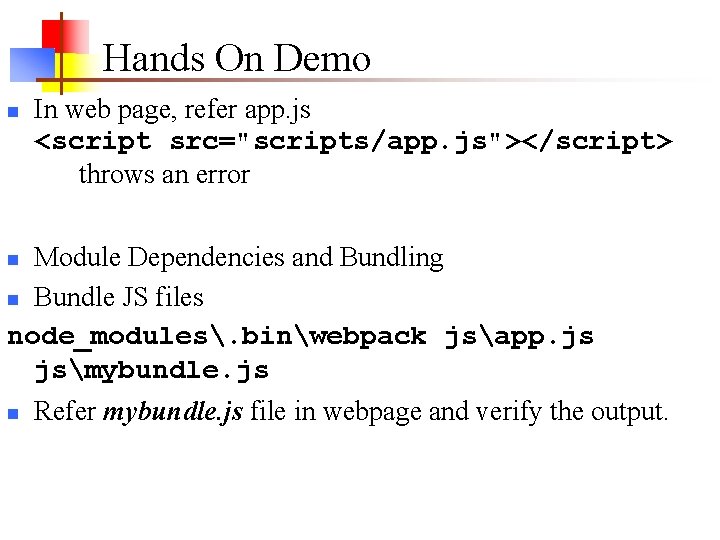
Hands On Demo n In web page, refer app. js <script src="scripts/app. js"></script> throws an error Module Dependencies and Bundling n Bundle JS files node_modules. binwebpack jsapp. js jsmybundle. js n n Refer mybundle. js file in webpage and verify the output.
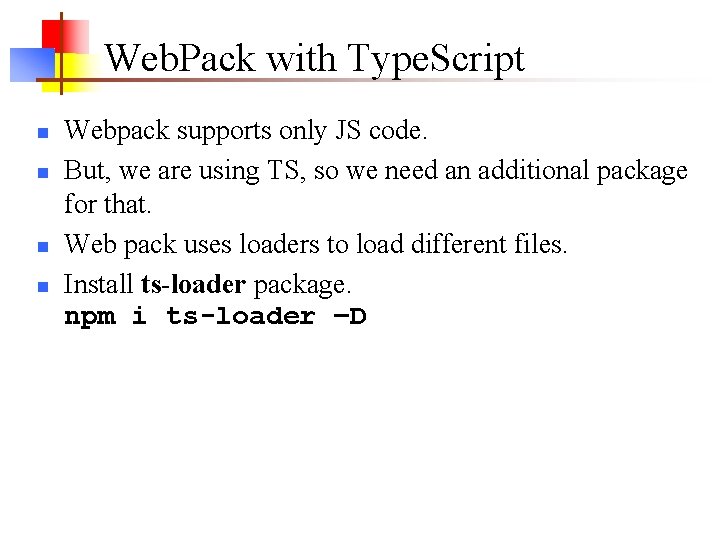
Web. Pack with Type. Script n n Webpack supports only JS code. But, we are using TS, so we need an additional package for that. Web pack uses loaders to load different files. Install ts-loader package. npm i ts-loader –D
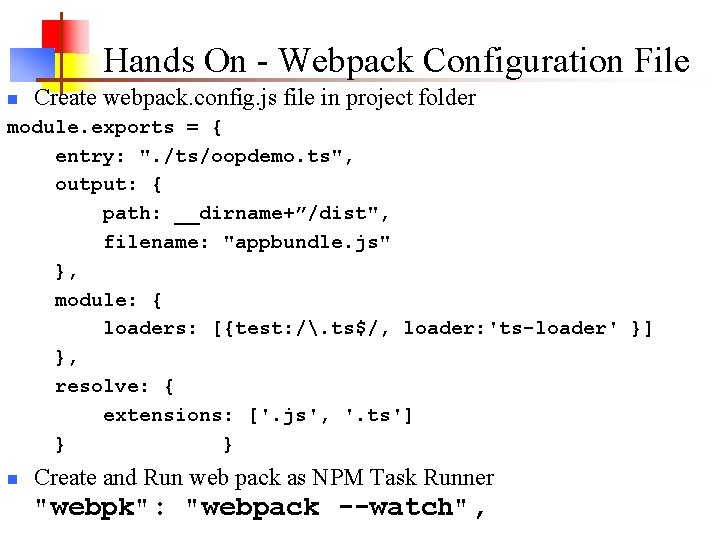
Hands On - Webpack Configuration File n Create webpack. config. js file in project folder module. exports = { entry: ". /ts/oopdemo. ts", output: { path: __dirname+”/dist", filename: "appbundle. js" }, module: { loaders: [{test: /. ts$/, loader: 'ts-loader' }] }, resolve: { extensions: ['. js', '. ts'] } } n Create and Run web pack as NPM Task Runner "webpk": "webpack --watch",
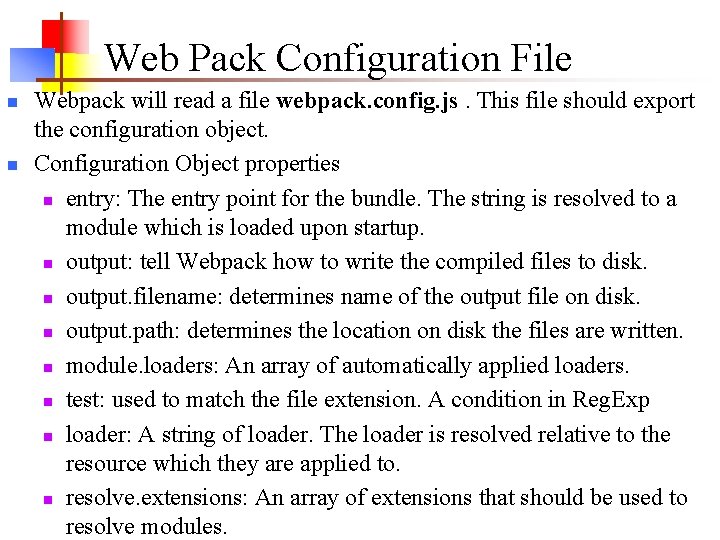
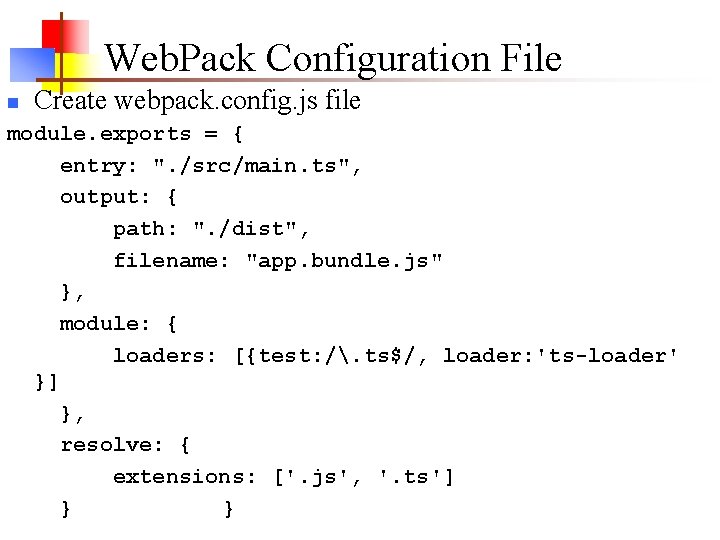
Web Pack Configuration File n n Webpack will read a file webpack. config. js. This file should export the configuration object. Configuration Object properties n entry: The entry point for the bundle. The string is resolved to a module which is loaded upon startup. n output: tell Webpack how to write the compiled files to disk. n output. filename: determines name of the output file on disk. n output. path: determines the location on disk the files are written. n module. loaders: An array of automatically applied loaders. n test: used to match the file extension. A condition in Reg. Exp n loader: A string of loader. The loader is resolved relative to the resource which they are applied to. n resolve. extensions: An array of extensions that should be used to resolve modules.
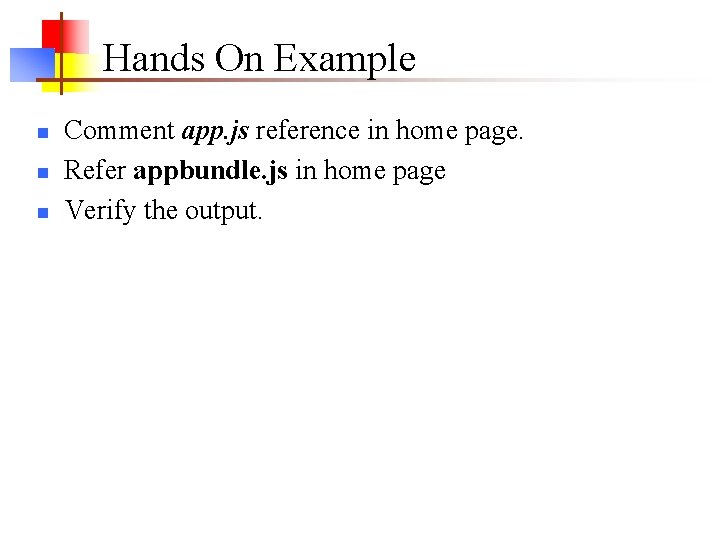
Hands On Example n n n Comment app. js reference in home page. Refer appbundle. js in home page Verify the output.
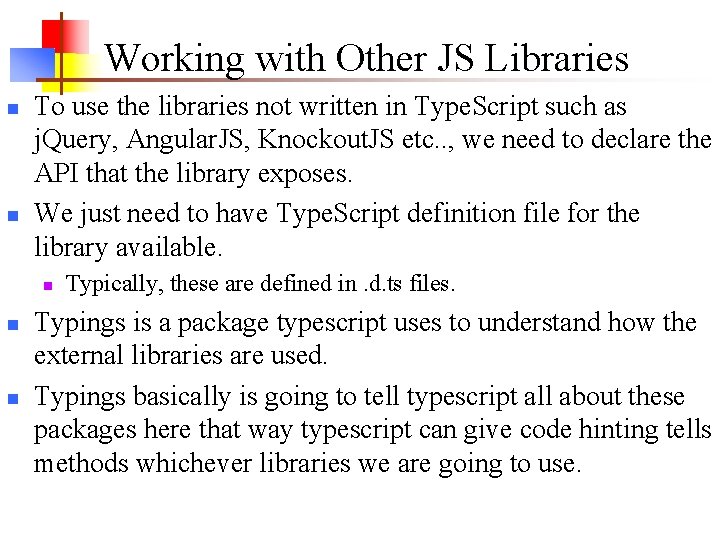
Working with Other JS Libraries n n To use the libraries not written in Type. Script such as j. Query, Angular. JS, Knockout. JS etc. . , we need to declare the API that the library exposes. We just need to have Type. Script definition file for the library available. n n n Typically, these are defined in. d. ts files. Typings is a package typescript uses to understand how the external libraries are used. Typings basically is going to tell typescript all about these packages here that way typescript can give code hinting tells methods whichever libraries we are going to use.
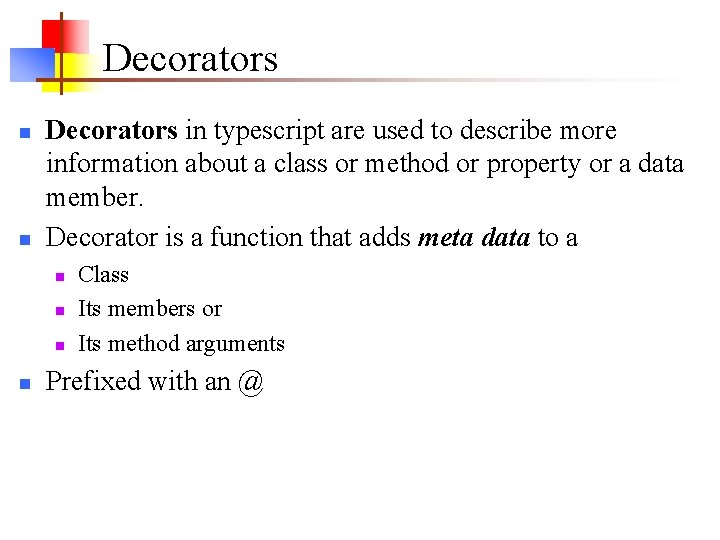
Decorators n n Decorators in typescript are used to describe more information about a class or method or property or a data member. Decorator is a function that adds meta data to a n n Class Its members or Its method arguments Prefixed with an @
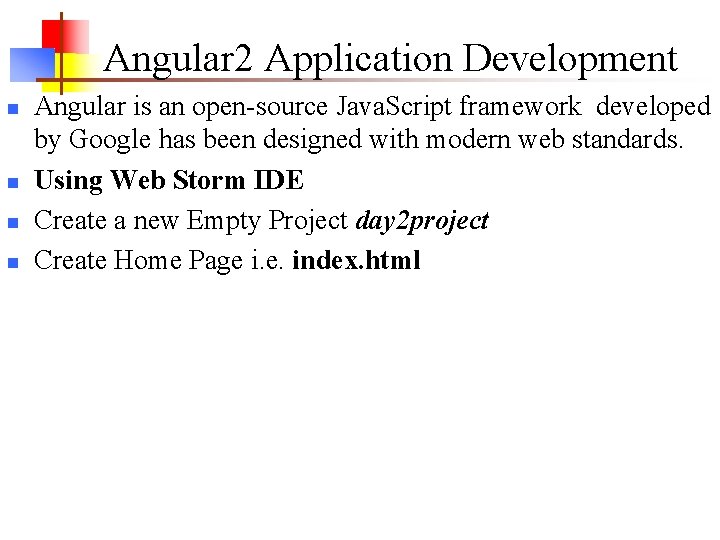
Angular 2 Application Development n n Angular is an open-source Java. Script framework developed by Google has been designed with modern web standards. Using Web Storm IDE Create a new Empty Project day 2 project Create Home Page i. e. index. html
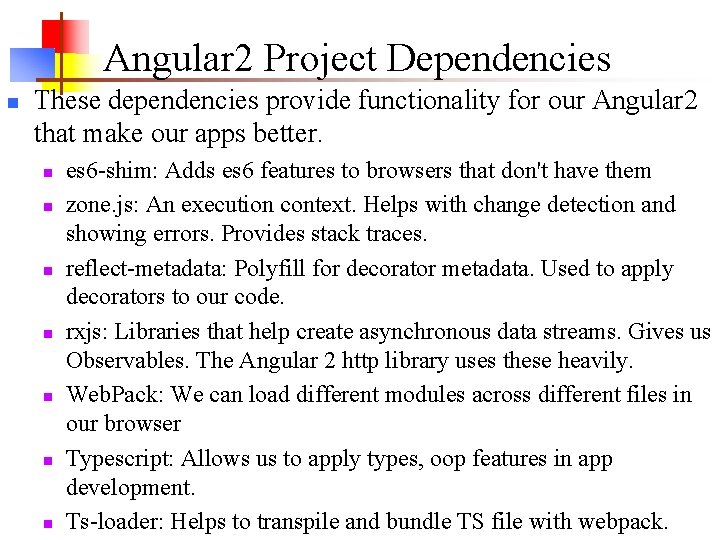
Angular 2 Project Dependencies n These dependencies provide functionality for our Angular 2 that make our apps better. n n n n es 6 -shim: Adds es 6 features to browsers that don't have them zone. js: An execution context. Helps with change detection and showing errors. Provides stack traces. reflect-metadata: Polyfill for decorator metadata. Used to apply decorators to our code. rxjs: Libraries that help create asynchronous data streams. Gives us Observables. The Angular 2 http library uses these heavily. Web. Pack: We can load different modules across different files in our browser Typescript: Allows us to apply types, oop features in app development. Ts-loader: Helps to transpile and bundle TS file with webpack.
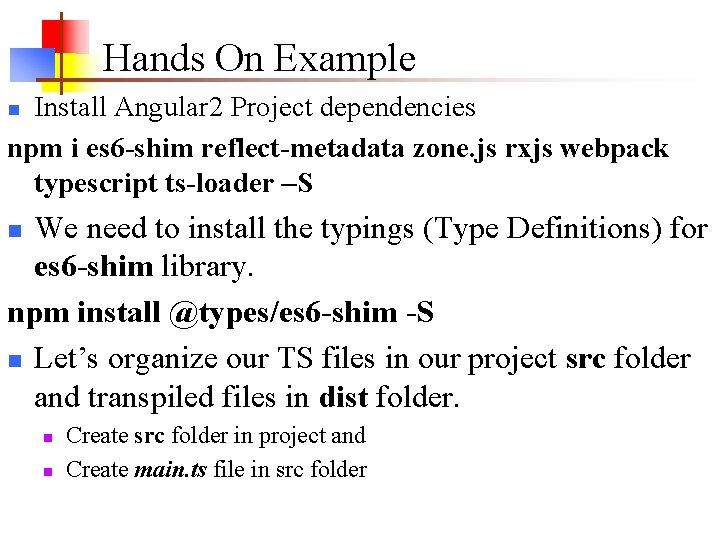
Hands On Example Install Angular 2 Project dependencies npm i es 6 -shim reflect-metadata zone. js rxjs webpack typescript ts-loader –S n We need to install the typings (Type Definitions) for es 6 -shim library. npm install @types/es 6 -shim -S n Let’s organize our TS files in our project src folder and transpiled files in dist folder. n n n Create src folder in project and Create main. ts file in src folder
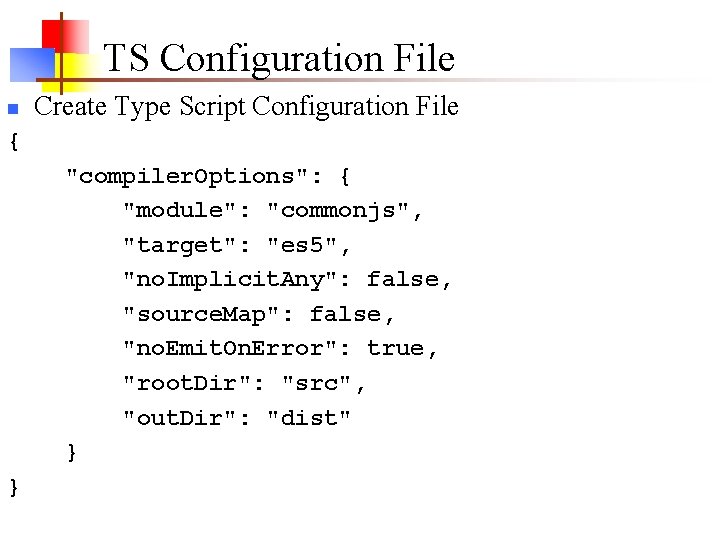
TS Configuration File n Create Type Script Configuration File { "compiler. Options": { "module": "commonjs", "target": "es 5", "no. Implicit. Any": false, "source. Map": false, "no. Emit. On. Error": true, "root. Dir": "src", "out. Dir": "dist" } }
Web. Pack Configuration File n Create webpack. config. js file module. exports = { entry: ". /src/main. ts", output: { path: ". /dist", filename: "app. bundle. js" }, module: { loaders: [{test: /. ts$/, loader: 'ts-loader' }] }, resolve: { extensions: ['. js', '. ts'] } }
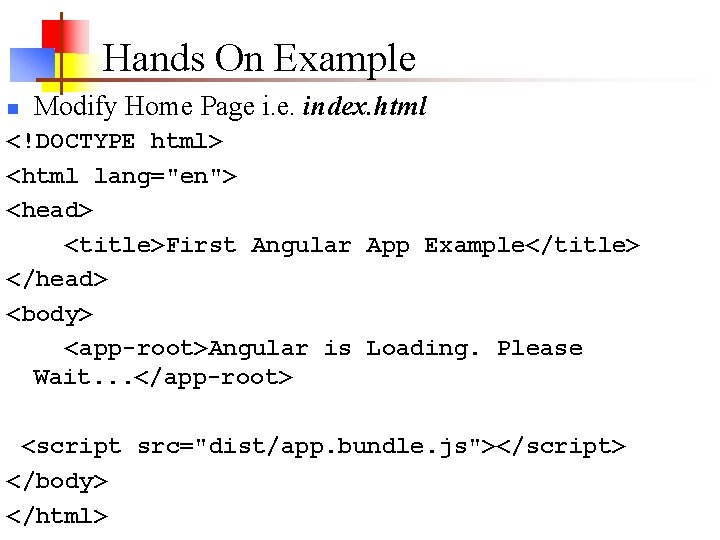
Hands On Example n Modify Home Page i. e. index. html <!DOCTYPE html> <html lang="en"> <head> <title>First Angular App Example</title> </head> <body> <app-root>Angular is Loading. Please Wait. . . </app-root> <script src="dist/app. bundle. js"></script> </body> </html>
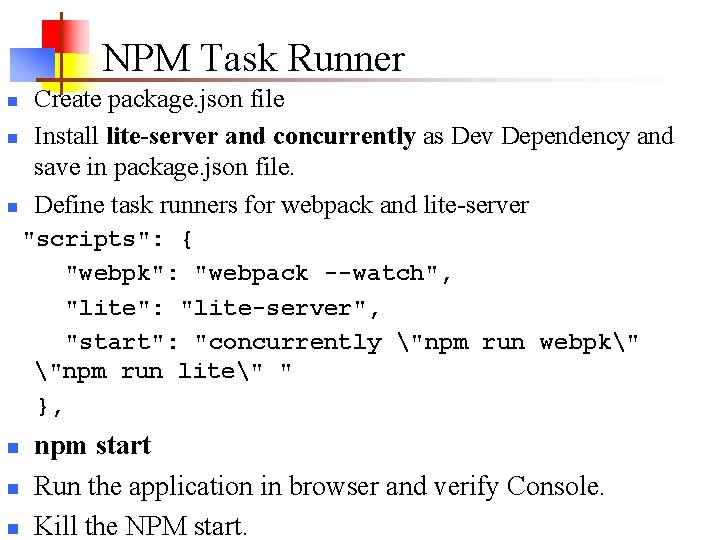
NPM Task Runner n n n Create package. json file Install lite-server and concurrently as Dev Dependency and save in package. json file. Define task runners for webpack and lite-server "scripts": { "webpk": "webpack --watch", "lite": "lite-server", "start": "concurrently "npm run webpk" "npm run lite" " }, n npm start Run the application in browser and verify Console. Kill the NPM start.
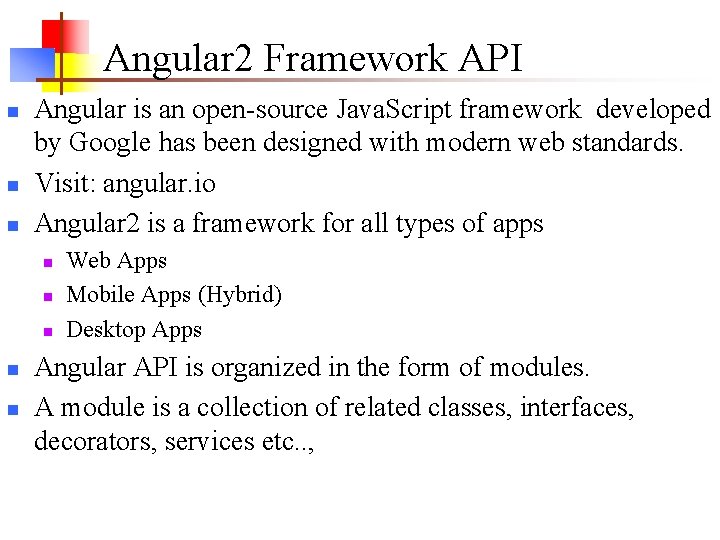
Angular 2 Framework API n n n Angular is an open-source Java. Script framework developed by Google has been designed with modern web standards. Visit: angular. io Angular 2 is a framework for all types of apps n n n Web Apps Mobile Apps (Hybrid) Desktop Apps Angular API is organized in the form of modules. A module is a collection of related classes, interfaces, decorators, services etc. . ,
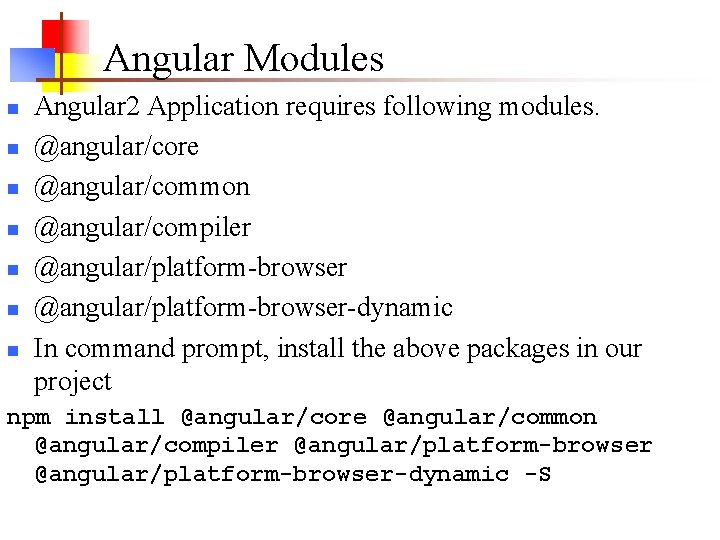
Angular Modules n n n n Angular 2 Application requires following modules. @angular/core @angular/common @angular/compiler @angular/platform-browser-dynamic In command prompt, install the above packages in our project npm install @angular/core @angular/common @angular/compiler @angular/platform-browser-dynamic -S
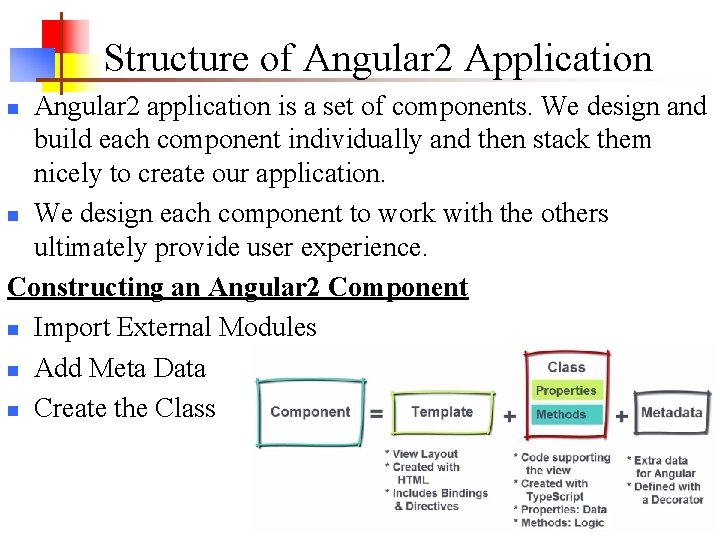
Structure of Angular 2 Application Angular 2 application is a set of components. We design and build each component individually and then stack them nicely to create our application. n We design each component to work with the others ultimately provide user experience. Constructing an Angular 2 Component n Import External Modules n Add Meta Data n Create the Class n
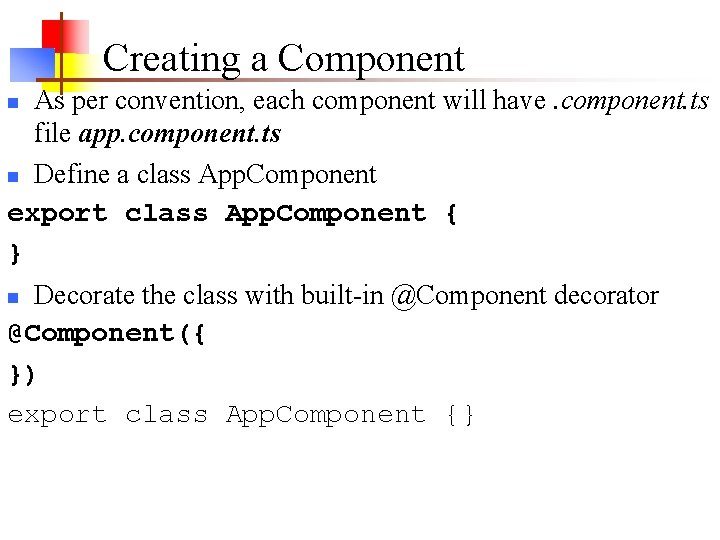
Creating a Component As per convention, each component will have. component. ts file app. component. ts n Define a class App. Component export class App. Component { } n Decorate the class with built-in @Component decorator @Component({ }) export class App. Component {} n
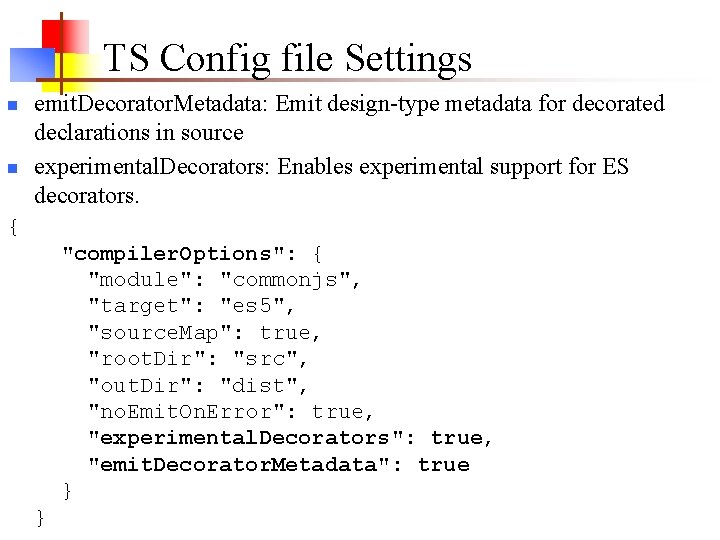
TS Config file Settings n n emit. Decorator. Metadata: Emit design-type metadata for decorated declarations in source experimental. Decorators: Enables experimental support for ES decorators. { "compiler. Options": { "module": "commonjs", "target": "es 5", "source. Map": true, "root. Dir": "src", "out. Dir": "dist", "no. Emit. On. Error": true, "experimental. Decorators": true, "emit. Decorator. Metadata": true } }
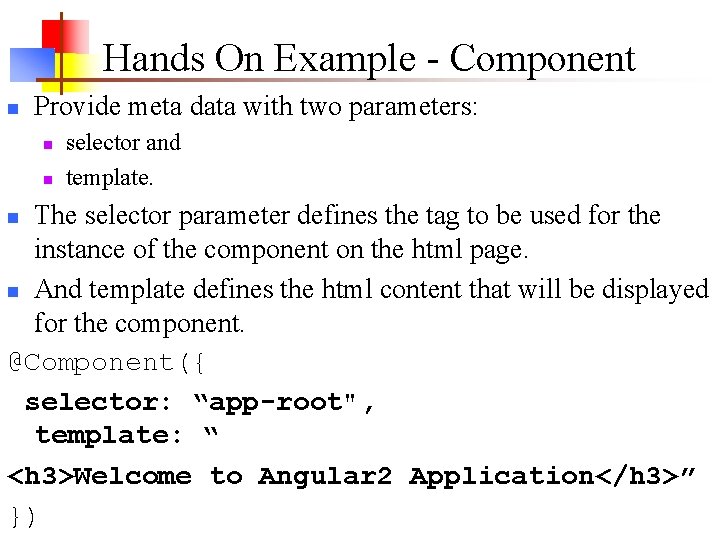
Hands On Example - Component n Provide meta data with two parameters: n n selector and template. The selector parameter defines the tag to be used for the instance of the component on the html page. n And template defines the html content that will be displayed for the component. @Component({ selector: “app-root", template: “ <h 3>Welcome to Angular 2 Application</h 3>” }) n
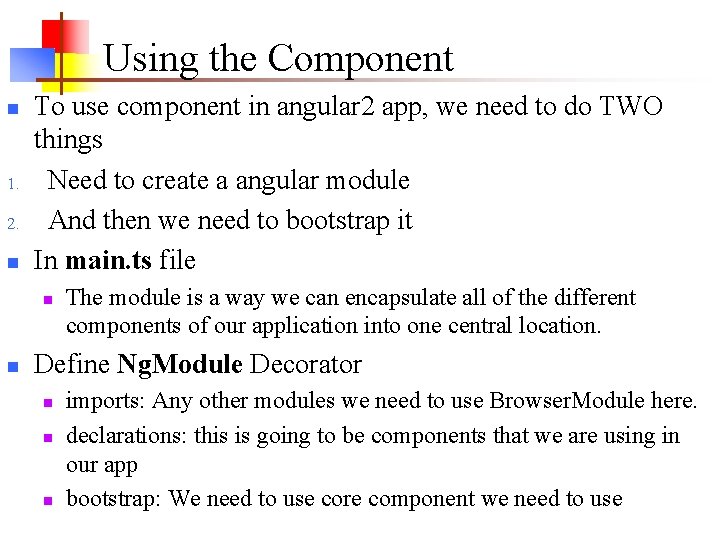
Using the Component n 1. 2. n To use component in angular 2 app, we need to do TWO things Need to create a angular module And then we need to bootstrap it In main. ts file n n The module is a way we can encapsulate all of the different components of our application into one central location. Define Ng. Module Decorator n n n imports: Any other modules we need to use Browser. Module here. declarations: this is going to be components that we are using in our app bootstrap: We need to use core component we need to use
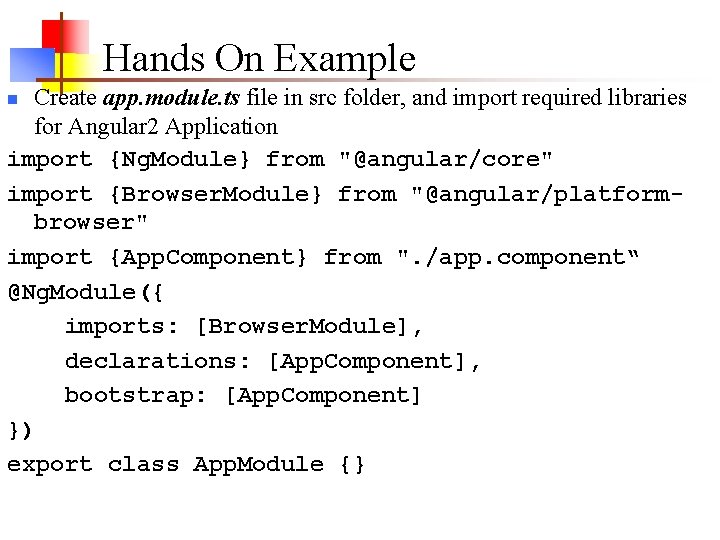
Hands On Example Create app. module. ts file in src folder, and import required libraries for Angular 2 Application import {Ng. Module} from "@angular/core" import {Browser. Module} from "@angular/platformbrowser" import {App. Component} from ". /app. component“ @Ng. Module({ imports: [Browser. Module], declarations: [App. Component], bootstrap: [App. Component] }) export class App. Module {} n
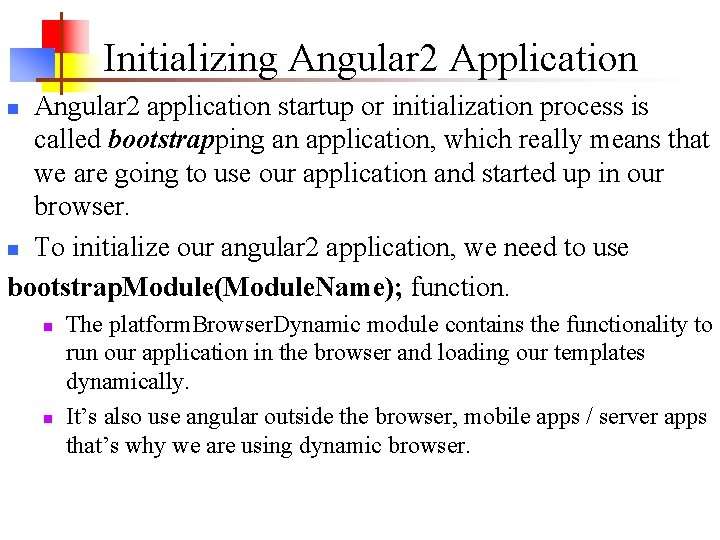
Initializing Angular 2 Application Angular 2 application startup or initialization process is called bootstrapping an application, which really means that we are going to use our application and started up in our browser. n To initialize our angular 2 application, we need to use bootstrap. Module(Module. Name); function. n n n The platform. Browser. Dynamic module contains the functionality to run our application in the browser and loading our templates dynamically. It’s also use angular outside the browser, mobile apps / server apps that’s why we are using dynamic browser.
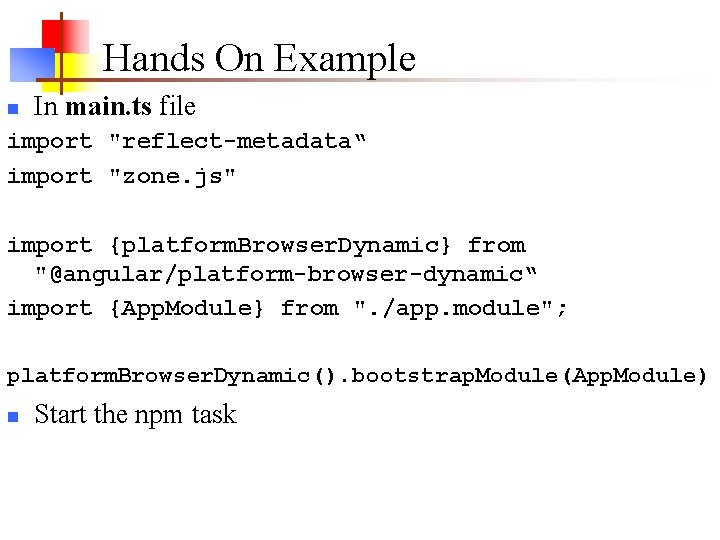
Hands On Example n In main. ts file import "reflect-metadata“ import "zone. js" import {platform. Browser. Dynamic} from "@angular/platform-browser-dynamic“ import {App. Module} from ". /app. module"; platform. Browser. Dynamic(). bootstrap. Module(App. Module) n Start the npm task
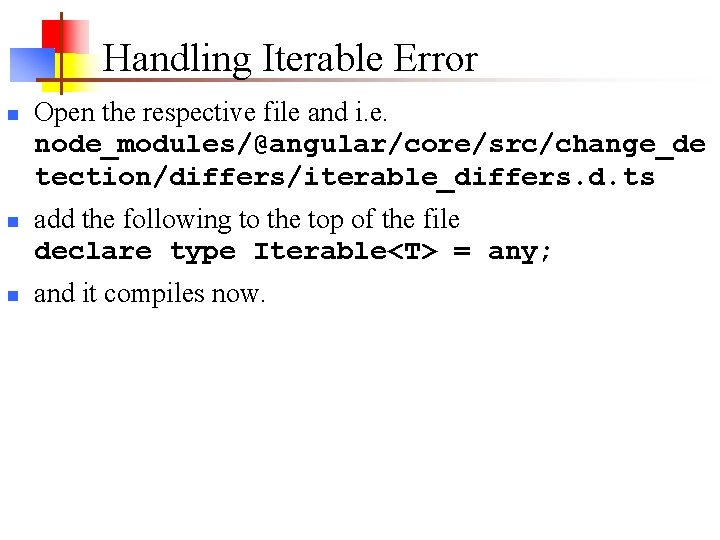
Handling Iterable Error n n n Open the respective file and i. e. node_modules/@angular/core/src/change_de tection/differs/iterable_differs. d. ts add the following to the top of the file declare type Iterable<T> = any; and it compiles now.
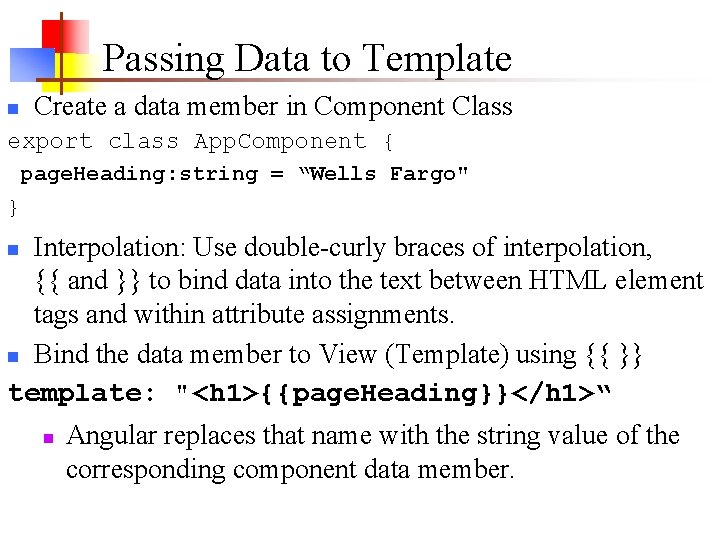
Passing Data to Template Create a data member in Component Class n export class App. Component { page. Heading: string = “Wells Fargo" } Interpolation: Use double-curly braces of interpolation, {{ and }} to bind data into the text between HTML element tags and within attribute assignments. n Bind the data member to View (Template) using {{ }} template: "<h 1>{{page. Heading}}</h 1>“ n n Angular replaces that name with the string value of the corresponding component data member.
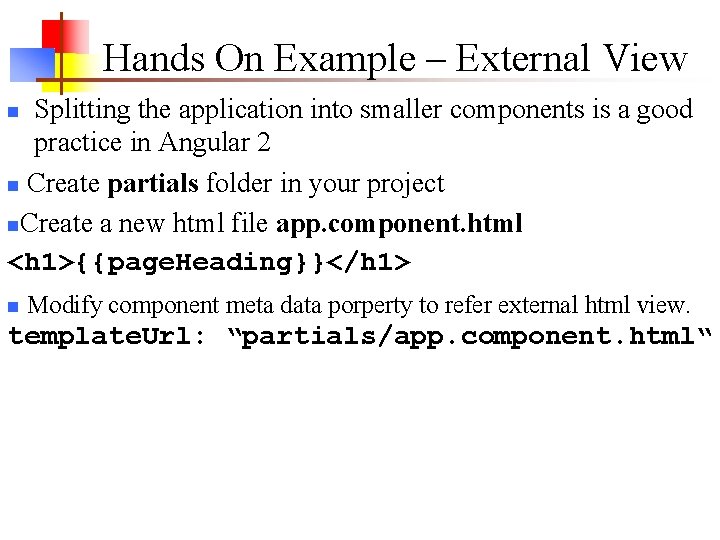
Hands On Example – External View Splitting the application into smaller components is a good practice in Angular 2 n Create partials folder in your project n. Create a new html file app. component. html <h 1>{{page. Heading}}</h 1> n n Modify component meta data porperty to refer external html view. template. Url: “partials/app. component. html“
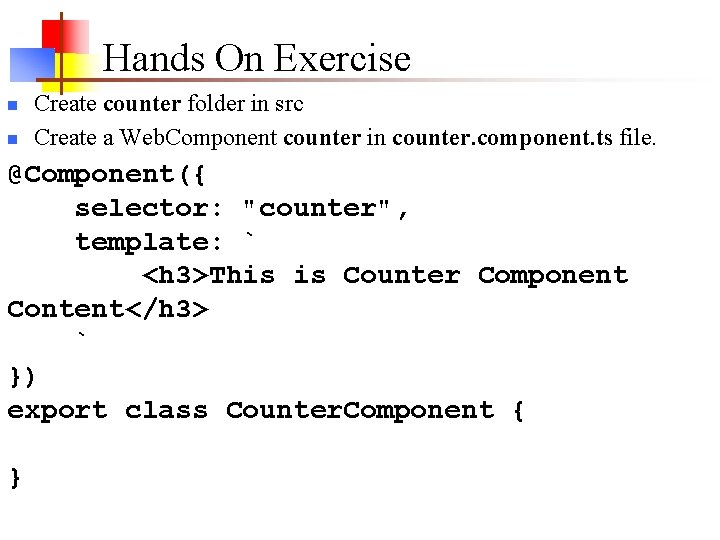
Hands On Exercise n n Create counter folder in src Create a Web. Component counter in counter. component. ts file. @Component({ selector: "counter", template: ` <h 3>This is Counter Component Content</h 3> ` }) export class Counter. Component { }
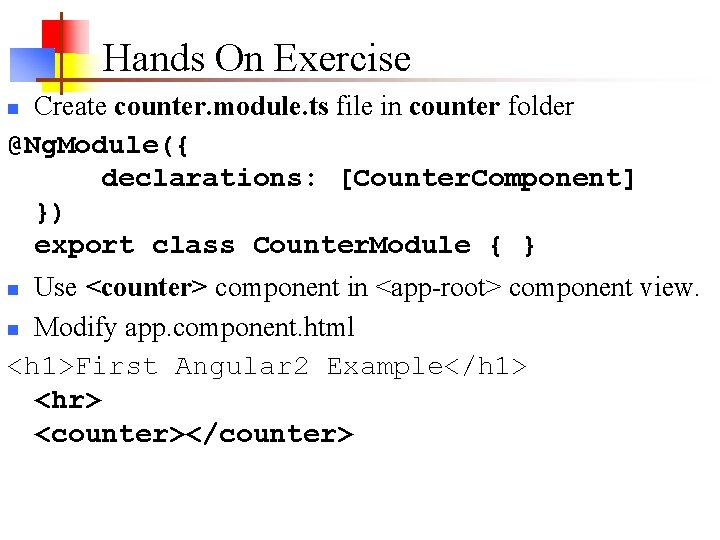
Hands On Exercise Create counter. module. ts file in counter folder @Ng. Module({ declarations: [Counter. Component] }) export class Counter. Module { } n Use <counter> component in <app-root> component view. n Modify app. component. html <h 1>First Angular 2 Example</h 1> <hr> <counter></counter> n
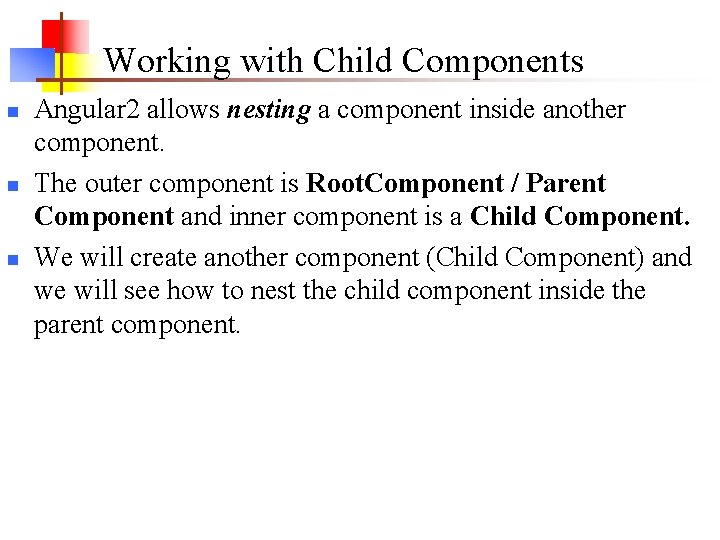
Working with Child Components n n n Angular 2 allows nesting a component inside another component. The outer component is Root. Component / Parent Component and inner component is a Child Component. We will create another component (Child Component) and we will see how to nest the child component inside the parent component.
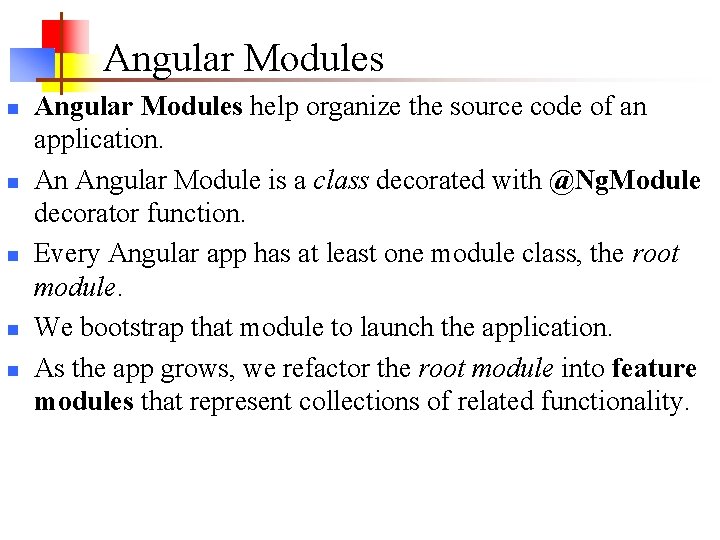
Angular Modules n n n Angular Modules help organize the source code of an application. An Angular Module is a class decorated with @Ng. Module decorator function. Every Angular app has at least one module class, the root module. We bootstrap that module to launch the application. As the app grows, we refactor the root module into feature modules that represent collections of related functionality.
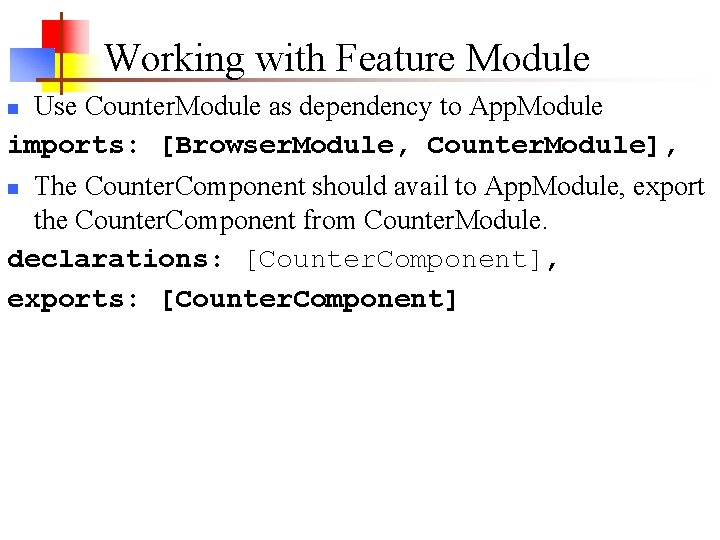
Working with Feature Module Use Counter. Module as dependency to App. Module imports: [Browser. Module, Counter. Module], n The Counter. Component should avail to App. Module, export the Counter. Component from Counter. Module. declarations: [Counter. Component], exports: [Counter. Component] n
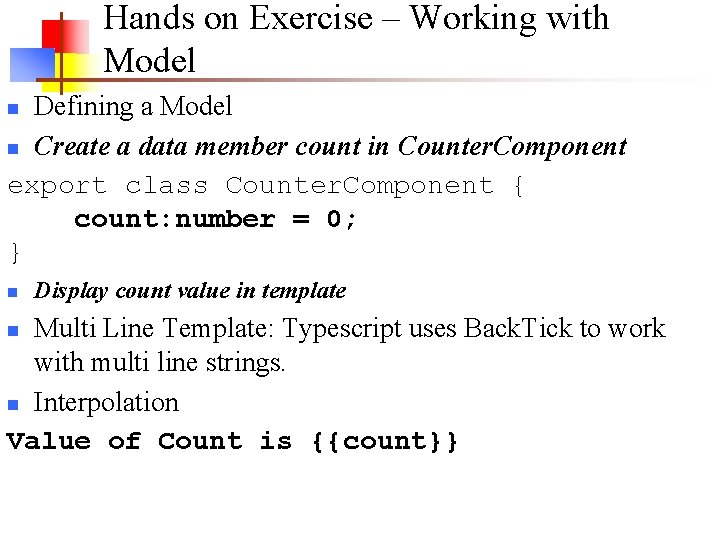
Hands on Exercise – Working with Model Defining a Model n Create a data member count in Counter. Component export class Counter. Component { count: number = 0; } n n Display count value in template Multi Line Template: Typescript uses Back. Tick to work with multi line strings. n Interpolation Value of Count is {{count}} n
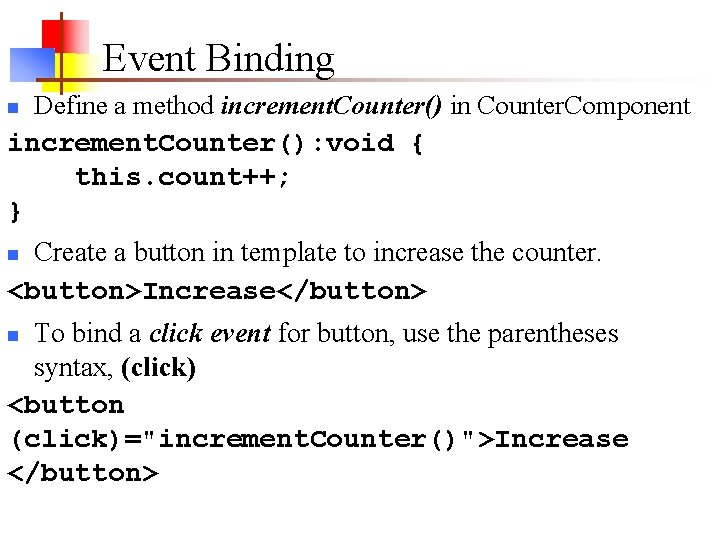
Event Binding Define a method increment. Counter() in Counter. Component increment. Counter(): void { this. count++; } n Create a button in template to increase the counter. <button>Increase</button> n To bind a click event for button, use the parentheses syntax, (click) <button (click)="increment. Counter()">Increase </button> n
Property Binding Bind the count to textbox <input type="number" value="{{count}}"> n The [] square bracket notation here signifies a property binding. n The value is a property on the DOM object n To think about property binding in a simpler way, take element. value for example. n Applying Property Binding <input type="number" [value]="count"> n
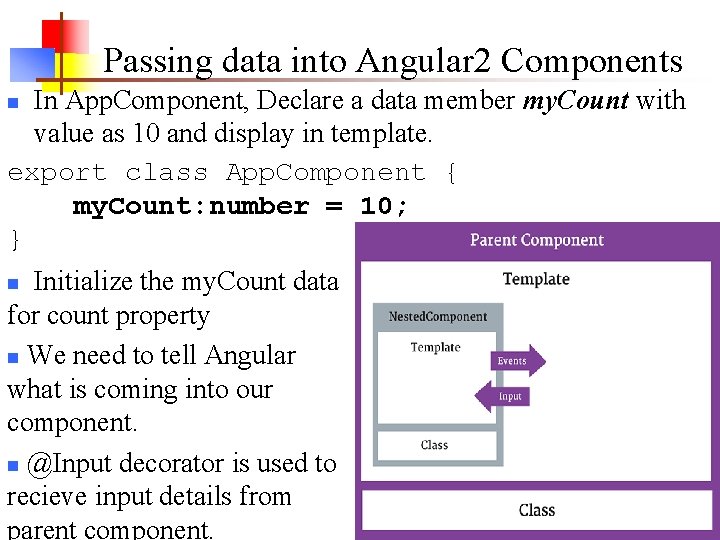
Passing data into Angular 2 Components In App. Component, Declare a data member my. Count with value as 10 and display in template. export class App. Component { my. Count: number = 10; } n Initialize the my. Count data for count property n We need to tell Angular what is coming into our component. n @Input decorator is used to recieve input details from parent component. n
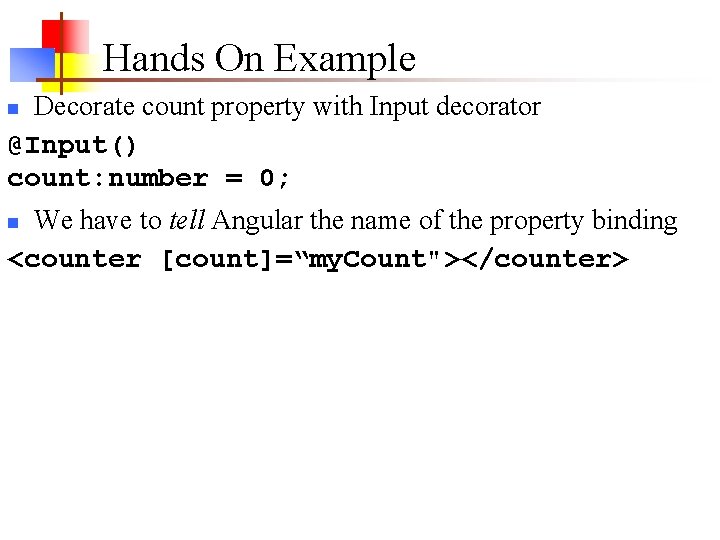
Hands On Example Decorate count property with Input decorator @Input() count: number = 0; n We have to tell Angular the name of the property binding <counter [count]=“my. Count"></counter> n
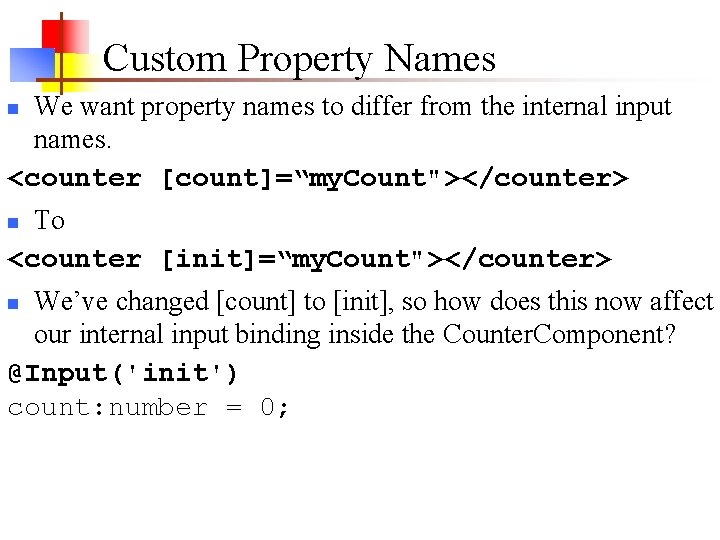
Custom Property Names We want property names to differ from the internal input names. <counter [count]=“my. Count"></counter> n To <counter [init]=“my. Count"></counter> n We’ve changed [count] to [init], so how does this now affect our internal input binding inside the Counter. Component? @Input('init') count: number = 0; n
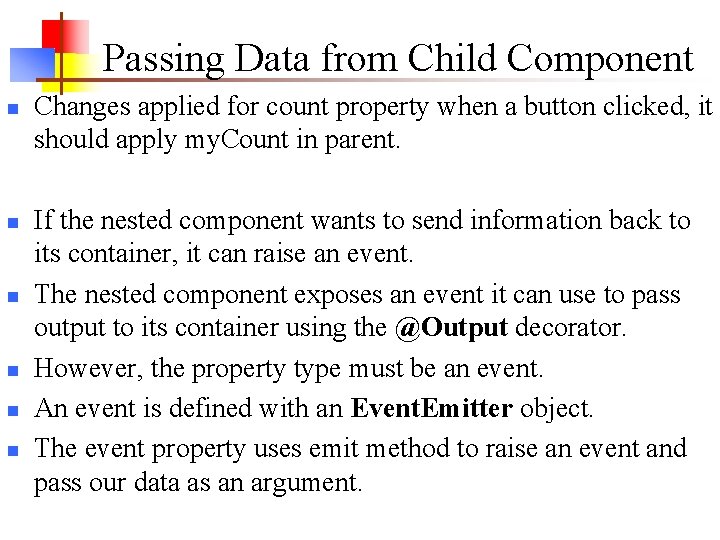
Passing Data from Child Component n n n Changes applied for count property when a button clicked, it should apply my. Count in parent. If the nested component wants to send information back to its container, it can raise an event. The nested component exposes an event it can use to pass output to its container using the @Output decorator. However, the property type must be an event. An event is defined with an Event. Emitter object. The event property uses emit method to raise an event and pass our data as an argument.
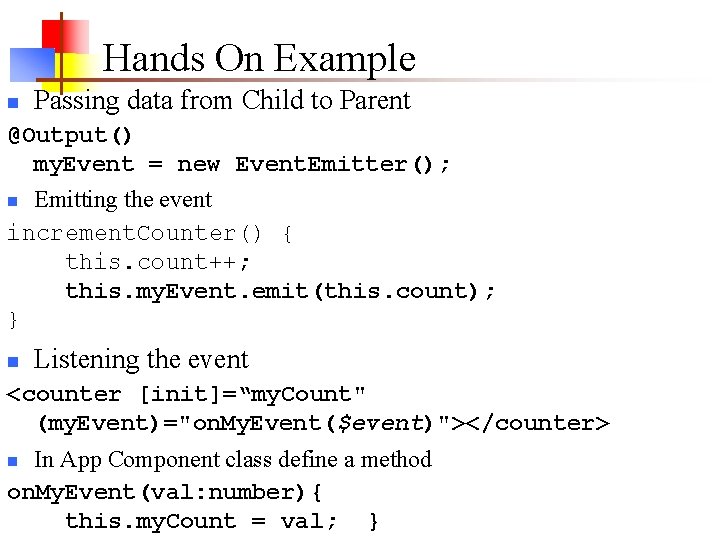
Hands On Example n Passing data from Child to Parent @Output() my. Event = new Event. Emitter(); Emitting the event increment. Counter() { this. count++; this. my. Event. emit(this. count); } n n Listening the event <counter [init]=“my. Count" (my. Event)="on. My. Event($event)"></counter> In App Component class define a method on. My. Event(val: number){ this. my. Count = val; } n
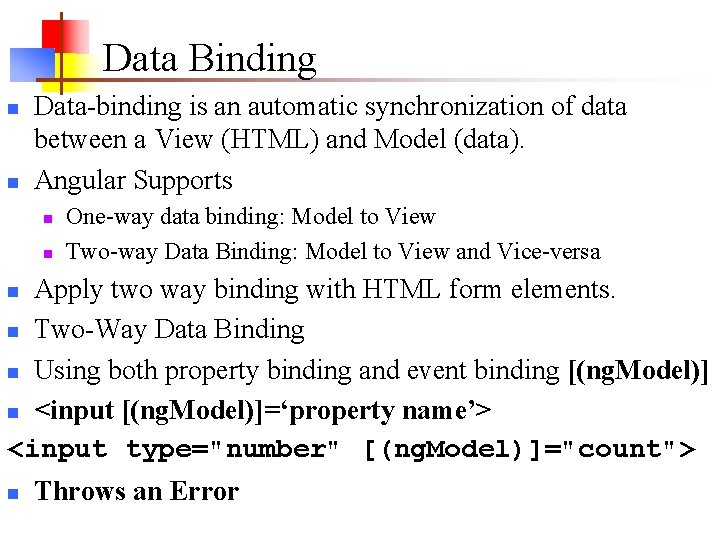
Data Binding n n Data-binding is an automatic synchronization of data between a View (HTML) and Model (data). Angular Supports n n One-way data binding: Model to View Two-way Data Binding: Model to View and Vice-versa Apply two way binding with HTML form elements. n Two-Way Data Binding n Using both property binding and event binding [(ng. Model)] n <input [(ng. Model)]=‘property name’> <input type="number" [(ng. Model)]="count"> n n Throws an Error
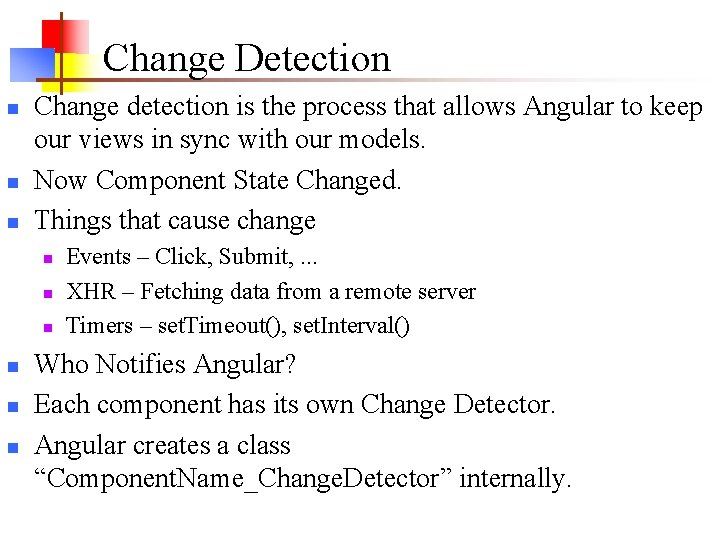
Change Detection n Change detection is the process that allows Angular to keep our views in sync with our models. Now Component State Changed. Things that cause change n n n Events – Click, Submit, . . . XHR – Fetching data from a remote server Timers – set. Timeout(), set. Interval() Who Notifies Angular? Each component has its own Change Detector. Angular creates a class “Component. Name_Change. Detector” internally.
Hands On Example The [(ng. Model)] directive is available in Forms. Module. n We need to use Forms. Module available in @angular/forms in order to use [(ng. Model)] directive. n Install @angular/forms npm i @angular/forms -S n n n Now, the Counter. Module depends on Forms Module. Use imports to declare dependency @Ng. Module({ imports: [Forms. Module], declarations: [Counter. Component], exports: [Counter. Component] }) export class Counter. Module {}
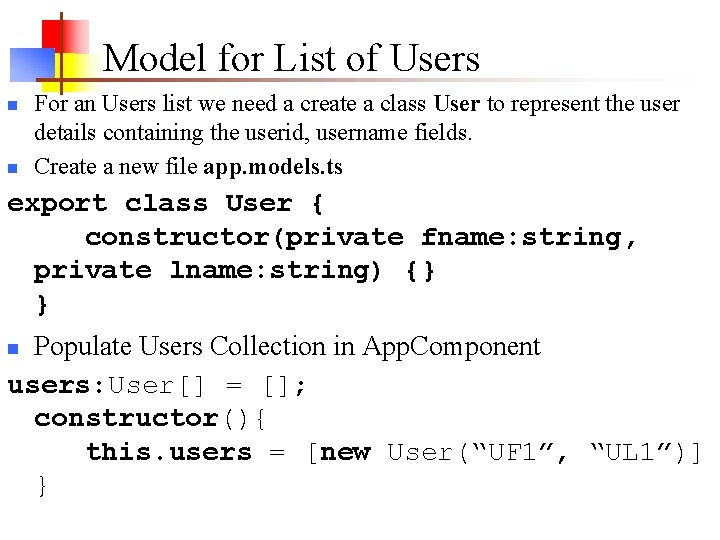
Model for List of Users n n For an Users list we need a create a class User to represent the user details containing the userid, username fields. Create a new file app. models. ts export class User { constructor(private fname: string, private lname: string) {} } Populate Users Collection in App. Component users: User[] = []; constructor(){ this. users = [new User(“UF 1”, “UL 1”)] } n
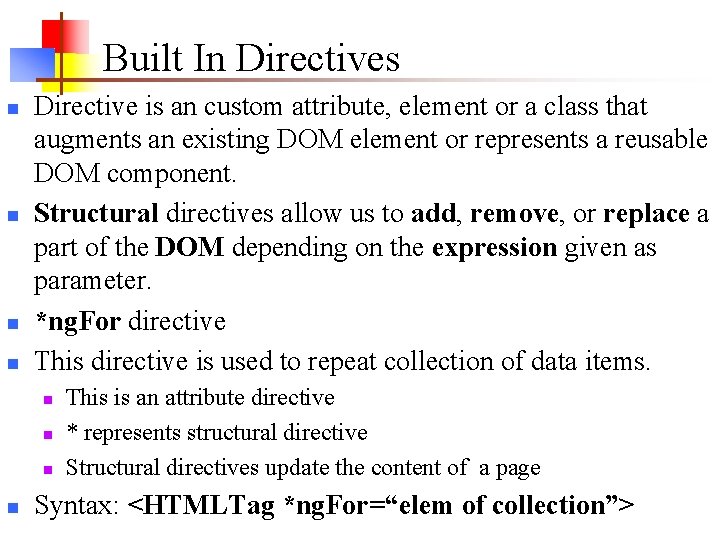
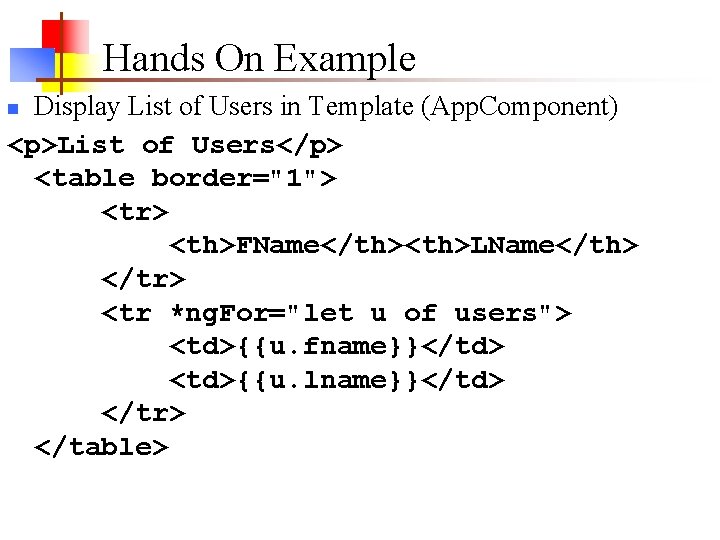
Built In Directives n n Directive is an custom attribute, element or a class that augments an existing DOM element or represents a reusable DOM component. Structural directives allow us to add, remove, or replace a part of the DOM depending on the expression given as parameter. *ng. For directive This directive is used to repeat collection of data items. n n This is an attribute directive * represents structural directive Structural directives update the content of a page Syntax: <HTMLTag *ng. For=“elem of collection”>
Hands On Example Display List of Users in Template (App. Component) <p>List of Users</p> <table border="1"> <tr> <th>FName</th><th>LName</th> </tr> <tr *ng. For="let u of users"> <td>{{u. fname}}</td> <td>{{u. lname}}</td> </tr> </table> n
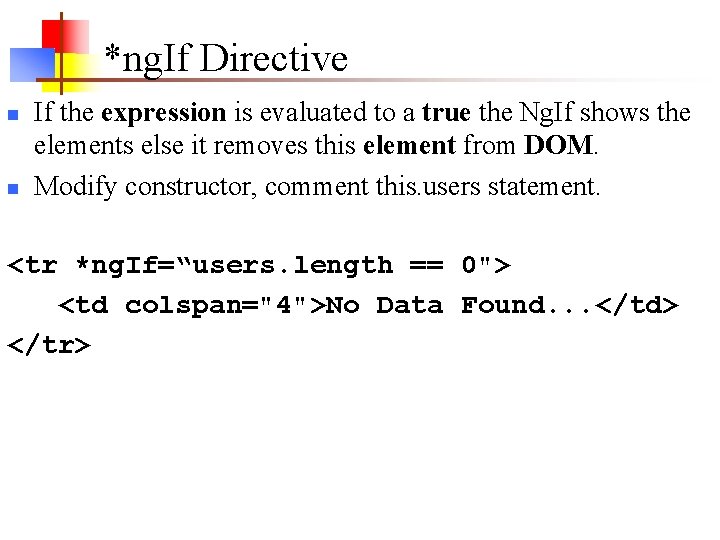
*ng. If Directive n n If the expression is evaluated to a true the Ng. If shows the elements else it removes this element from DOM. Modify constructor, comment this. users statement. <tr *ng. If=“users. length == 0"> <td colspan="4">No Data Found. . . </td> </tr>