
DAY 1 COURSE INTRODUCTION Tazin Afrin taafrinmix wvu


- Slides: 44
DAY 1: COURSE INTRODUCTION Tazin Afrin taafrin@mix. wvu. edu August 20, 2013 1
WELCOME TO CS 101! 2
ARE YOU SURE YOU’RE IN THE RIGHT ROOM? • This is CS 101 Section 60. – Tuesday/Thursday 2: 30 pm-3: 20 pm – 219 Armstrong Hall – Instructor: Tazin Afrin • CS 101 Section 59 also meets at this time. – 206 Armstrong Hall – Instructor: Patrick Hathaway – Please make sure that you’re attending the correct section. 3
YOUR INSTRUCTOR: TAZIN AFRIN Contact Information Website: http: //cs 101. wvu. edu/afrin E-mail: taafrin@mix. wvu. edu Office: 210 M Armstrong Hall Phone: (304) 293 -0118 Office Hours: Monday 5: 30 pm – 7: 30 pm 4
YOUR PROCTOR: COSTA FERRARA Contact Information cferrara@mix. wvu. edu E-mail: Major: MIS Proctors are student assistants who have previously taken CS 101 and done well in the course. The proctor is there to help answer your questions. Don’t be afraid to ask for help! 5
ABOUT THE COURSE • CS 101’s goal is to teach data management, data analysis, and critical thinking skills. • You’ll use Microsoft Office to solve problems in a scientific or analysis-oriented context. • You will also learn skills that will be useful in your future classes and career. • CS 101 is a 4 -credit hour GEC course. – 2 hours in lecture – 2 hours from out-of-class work 6
COURSE SYLLABUS AND SCHEDULE • Full course schedule is available at http: //cs 101. wvu. edu/schedule • Syllabus is available at http: //cs 101. wvu. edu/syllabuspage • Read and follow both. You’re responsible for knowing their contents. 7
COURSE COMMUNICATIONS 8
WEBSITE AND E-MAIL • CS 101 website is at http: //cs 101. wvu. edu • Website for your section is at http: //cs 101. wvu. edu/afrin • Important info will be made available on the website and through MIX e-mail. • It’s your responsibility to check each daily. 9
CONNECT ON SOCIAL MEDIA • Follow us on Twitter and Facebook to stay current with CS 101 happenings. • Get reminders of due dates, exams, tips and other information. facebook. com/wvucs 101 twitter. com/wvucs 101 10
REQUIRED MATERIALS FOR SUCCESS 11
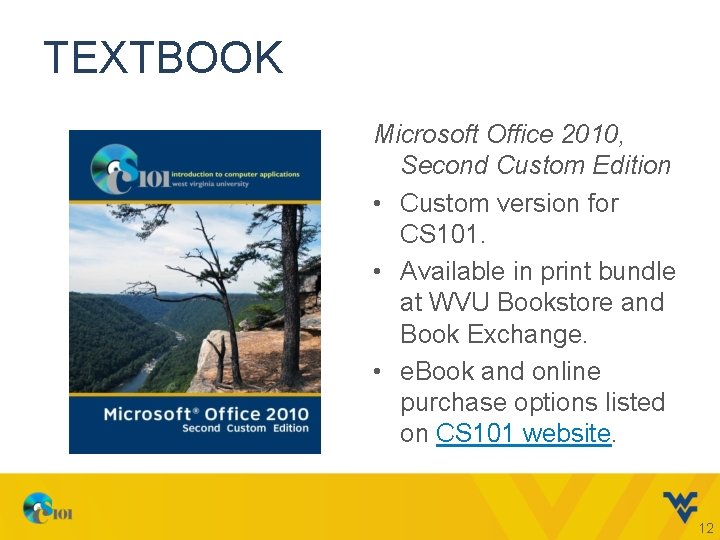
TEXTBOOK Microsoft Office 2010, Second Custom Edition • Custom version for CS 101. • Available in print bundle at WVU Bookstore and Book Exchange. • e. Book and online purchase options listed on CS 101 website. 12
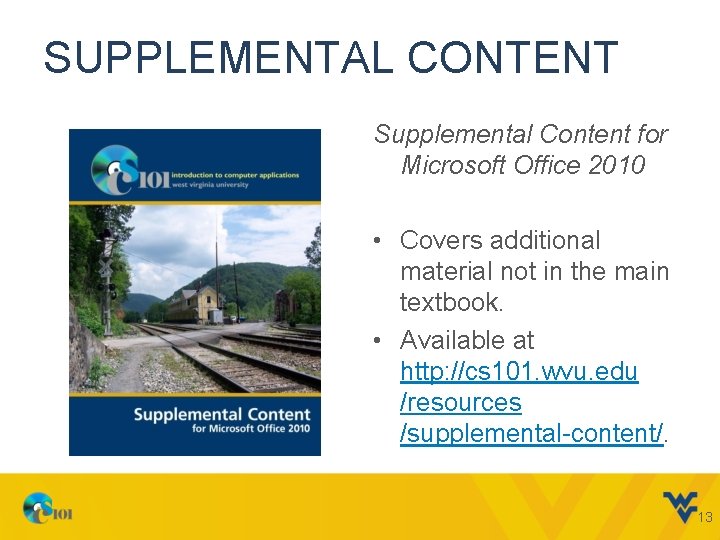
SUPPLEMENTAL CONTENT Supplemental Content for Microsoft Office 2010 • Covers additional material not in the main textbook. • Available at http: //cs 101. wvu. edu /resources /supplemental-content/. 13
MYITLAB LICENSES New Students • Included in CS 101 print textbook bundle. • Can buy standalone or with e. Book bundle from publisher through http: //cs 101. wvu. edu/ this-semester/coursematerials/. Returning Students • My. ITLab licenses are good for 1 year. • If you bought a new license last semester, you can reuse it. • If you last took CS 101 more than 1 semester ago, you’ll need to buy a new license. 14
MICROSOFT OFFICE Windows Users • Office 2010 Pro version includes Word, Excel, Power. Point, and Access. • Office 2007 and 2013 can be used but there may be some differences. Mac. OS Users • Office 2011 for Mac includes Word, Excel, and Power. Point. • No Access for Mac. • Some features are missing or work differently. • Will need to use Windows version for some tasks. 15
PUBLIC COMPUTER LABS Don’t have your own computer or Office? Office 2010 and My. ITLab are installed at: • CS 101 Open Lab • OIT Computer Labs • WVU Libraries public computers 16
STORING YOUR FILES • Keep copies of all your files in a secure place! – If others use them, you might be penalized. • If you work in a lab or other computers: – Recommended: Get a USB Flash drive – Use your MIX Google Drive account – Don’t: E-mail your files to yourself 17
GRADES AND ASSIGNMENTS 18
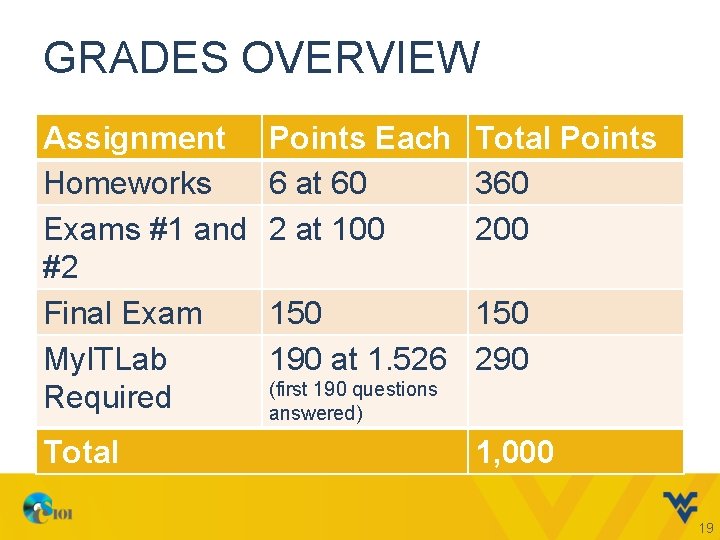
GRADES OVERVIEW Assignment Homeworks Exams #1 and #2 Final Exam My. ITLab Required Total Points Each Total Points 6 at 60 360 2 at 100 200 150 190 at 1. 526 290 (first 190 questions answered) 1, 000 19
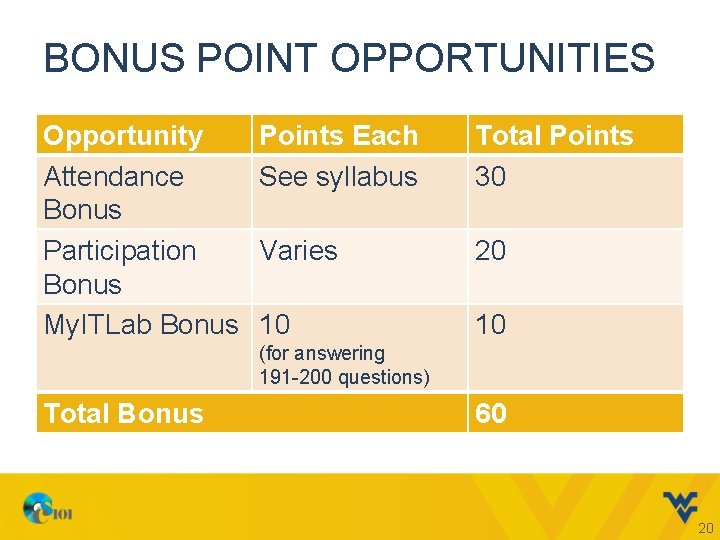
BONUS POINT OPPORTUNITIES Opportunity Attendance Bonus Participation Bonus My. ITLab Bonus Points Each See syllabus Total Points 30 Varies 20 10 10 (for answering 191 -200 questions) Total Bonus 60 20
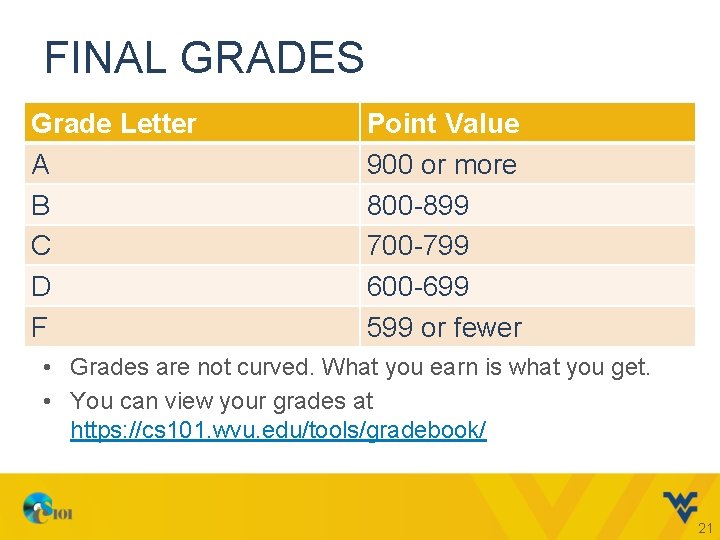
FINAL GRADES Grade Letter A B C D F Point Value 900 or more 800 -899 700 -799 600 -699 599 or fewer • Grades are not curved. What you earn is what you get. • You can view your grades at https: //cs 101. wvu. edu/tools/gradebook/ 21
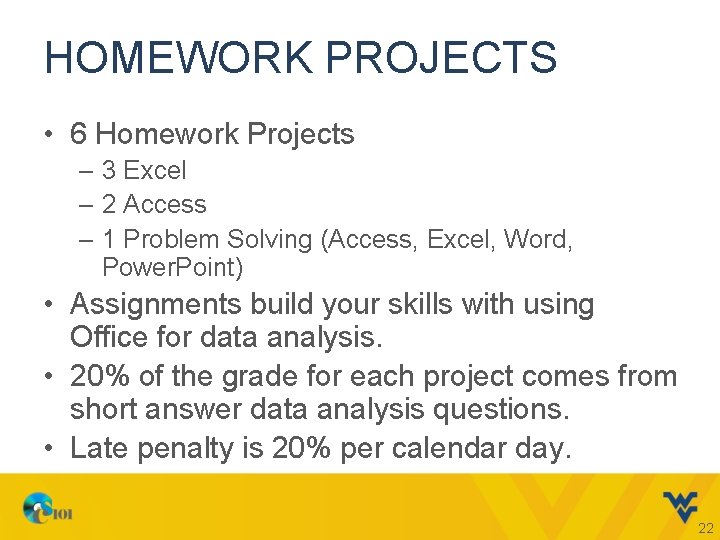
HOMEWORK PROJECTS • 6 Homework Projects – 3 Excel – 2 Access – 1 Problem Solving (Access, Excel, Word, Power. Point) • Assignments build your skills with using Office for data analysis. • 20% of the grade for each project comes from short answer data analysis questions. • Late penalty is 20% per calendar day. 22
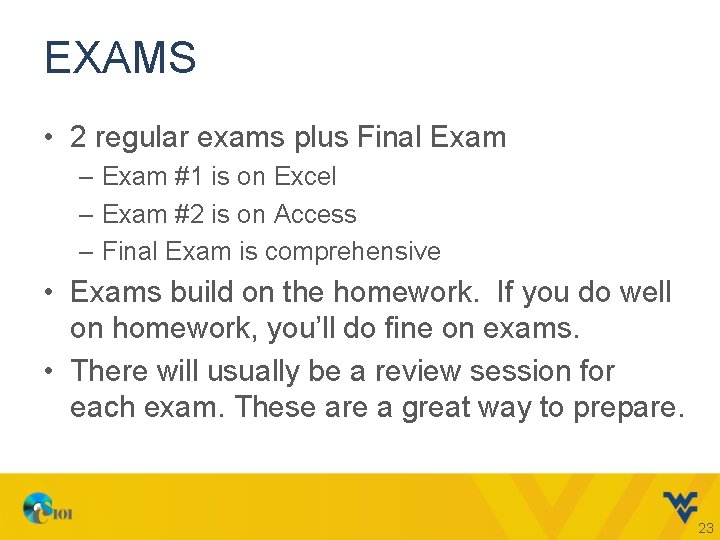
EXAMS • 2 regular exams plus Final Exam – Exam #1 is on Excel – Exam #2 is on Access – Final Exam is comprehensive • Exams build on the homework. If you do well on homework, you’ll do fine on exams. • There will usually be a review session for each exam. These are a great way to prepare. 23
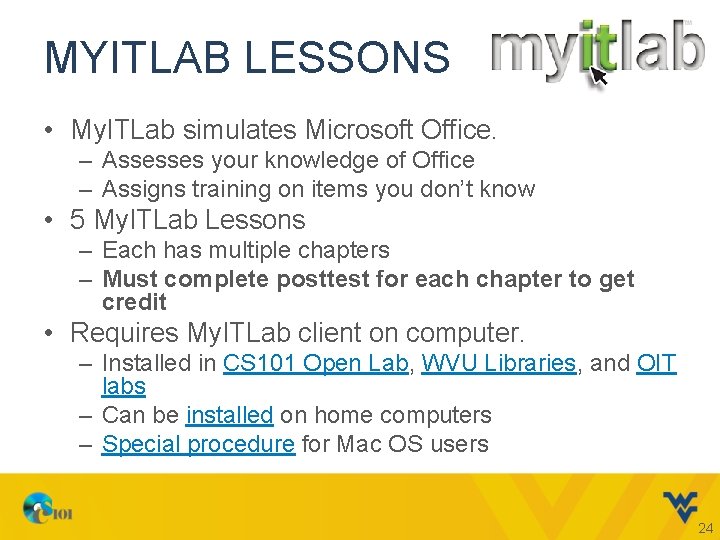
MYITLAB LESSONS • My. ITLab simulates Microsoft Office. – Assesses your knowledge of Office – Assigns training on items you don’t know • 5 My. ITLab Lessons – Each has multiple chapters – Must complete posttest for each chapter to get credit • Requires My. ITLab client on computer. – Installed in CS 101 Open Lab, WVU Libraries, and OIT labs – Can be installed on home computers – Special procedure for Mac OS users 24
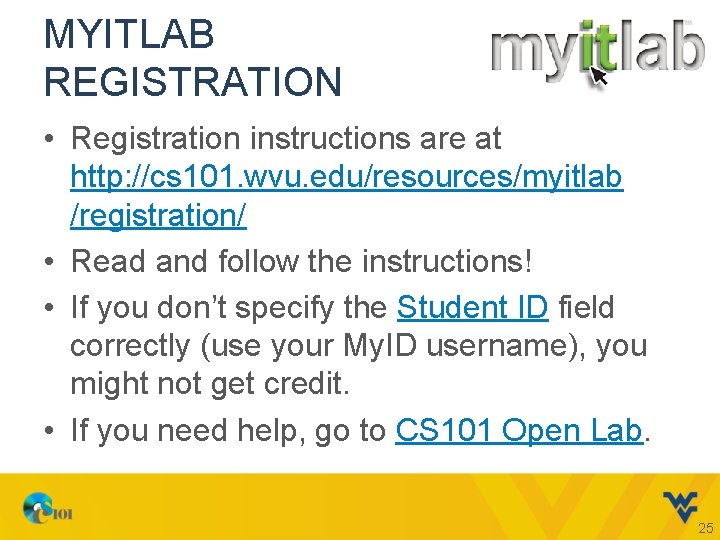
MYITLAB REGISTRATION • Registration instructions are at http: //cs 101. wvu. edu/resources/myitlab /registration/ • Read and follow the instructions! • If you don’t specify the Student ID field correctly (use your My. ID username), you might not get credit. • If you need help, go to CS 101 Open Lab. 25
MYITLAB GRADING • You must complete at least 190 questions during semester. • You earn bonus points for completing 191200 questions. • There are over 220 questions in the system. You can skip a couple questions without penalty. • Late work is worth 50% credit. 26
ATTENDANCE BONUS • Attendance is strongly recommended. – Most who do poorly don’t attend regularly. • You can earn up to 30 bonus points for attendance. – Must sign-in each class at https: //cs 101. wvu. edu/tools/record-attendance/ – No excused absences. If you’re not present, you don’t get credit for that day. – If you encounter an error, notify your instructor. 27
PARTICIPATION BONUS • You can earn up to 20 bonus points for in-class participation activities. – Project assigned by instructor. – Work completed and turned-in during class. – You must be present to receive points. • Bonus points may be unannounced and unscheduled. Come to class! 28
ACADEMIC INTEGRITY 29
ACADEMIC INTEGRITY • Academic integrity is very important to us. • It’s your responsibility to know our policy. Not reading the syllabus is not an excuse. • We’re very good at catching cheaters. If you cheat, you will get caught and penalized. • Penalties are severe and strictly enforced. – 1 st Time: You lose 100 points, a full letter grade. – 2 nd Time: You get an F for the course. 30
HOW TO AVOID VIOLATIONS • Don’t work with other people. Homeworks are not group projects. • Don’t share files with others, even if they claim they just want to “look” at them. • Don’t leave your files on a public computer or anywhere else someone could take them. • Don’t reuse files, even blank ones, because they may contain hidden details about the person who made the original file. 31
KEY POINTS • If you cheat, you will get caught. – Every semester, 5% of students cheat. – Every semester, 5% of students get the penalties. – Every semester, about a dozen students try to cheat twice. They are failed, period. • We have tools to find cheating, even if you use a file from a different section or semester. • This class is not hard enough to bother with the risks of cheating. Learn the material, do the work, and you will be fine. 32
POLICY ACKNOWLEDGMENT FORM • Before you can get credit for any of your work, you must sign the CS 101 Policy Acknowledgement Form. • By signing this form, you certify you understand will follow CS 101 policies. • If you have questions, ask before signing. • If you think something may be questionable, you probably shouldn’t do it. 33
GETTING ASSISTANCE 34
OPEN LAB • Open Lab is a place for you to get help with homework assignments. – We won’t do your work for you. Try before asking for help. – We don’t offer assistance on My. ITLab. • Held in 219 Armstrong Hall weekdays. Hours are at http: //cs 101. wvu. edu/openlab. • Start early on your assignments. Open Lab gets very busy close to due dates. 35
HOMEWORK HELP LIVE! • Watch and follow along as CS 101 staff complete projects similar to your actual homework assignments. • Ask questions during a live chat time for each homework. • Videos and projects are posted on our website at http: //cs 101. wvu. edu/resources/homework-help-live/ 36
ONLINE RESOURCES On the CS 101 website, you can find: • Demo Videos if you want to review how to perform a task. • Find-It Guides to help with homework. • Study Guides and Review Projects to prepare for exams. 37
DISABILITY ACCOMMODATIONS • If you have a disability, you may be entitled to special accommodations. • Accommodations are granted by the Office of Accessibility Services. We can’t grant accommodations without their authorization. • We need to receive notice of authorized accommodations at least one week before we are to provide them (like for an exam). 38
GETTING STARTED THIS SEMESTER 39
IMPORTANT UPCOMING DATES • Upcoming deadlines and due dates. – My. ITLab Lesson A due September 3 – Homework 1 due September 13 40
THINGS TO DO: ACTIVATE MYID • WVU My. ID is used for logging into CS 101 computers and on our website. • If you haven’t done so already, you need to activate your My. ID. • Instructions are at http: //myid. wvu. edu. • Call OIT Help Desk at (304) 293 -4444 or go to Open Lab if you need help. • If you don’t have a My. ID by next week, you won’t be able to record your attendance! 41
THINGS TO DO: REGISTER FOR MYITLAB • Try to register for My. ITLab once we announce it is ready for the new semester. – Course ID for both sections is CRSKL 33 -2015099. • Follow the instructions at http: //cs 101. wvu. edu/resources/myitlab/. – If you don’t follow the directions in the video, you might not get credit for your work. • If you have questions, go to Open Lab. 42
NEXT CLASS… • Scientific Method and Research Tools • Office Chapter – 1 • Excel Chapter – 1 43
THANK YOU GOOD LUCK FOR YOUR SEMESTER