
Dataman Computer Systems P Ltd Dataman computer systems








- Slides: 45
Dataman Computer Systems (P) Ltd….
Dataman computer systems (P) Ltd. Company Overview v a Software Company established in 1990 v a team of Over Sixty Professionals v a library of World Class Software Products v Over 2500 Satisfied Clients in more than Sixty Cities and Three Countries v In India, Clientele Spread from Tinsukia to Bikaner, Srinagar to Tirupati v Experience in Nursing Care Segment for more than Seven Years
Introducing A software for Nursing Care Units
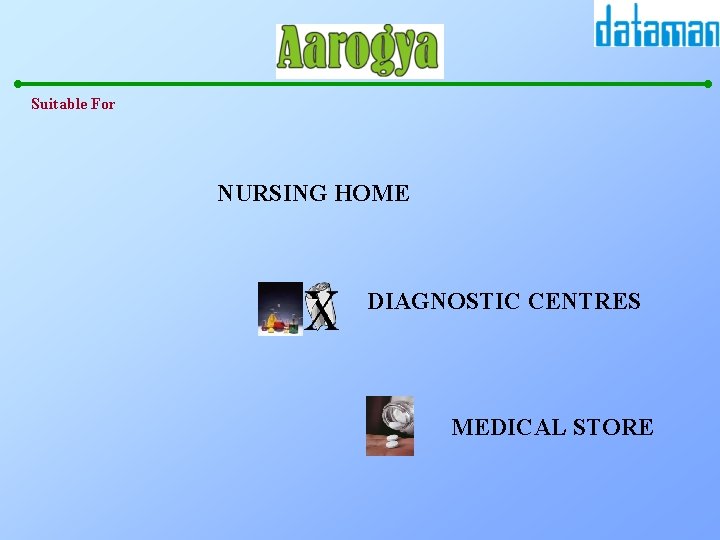
Suitable For NURSING HOME DIAGNOSTIC CENTRES MEDICAL STORE
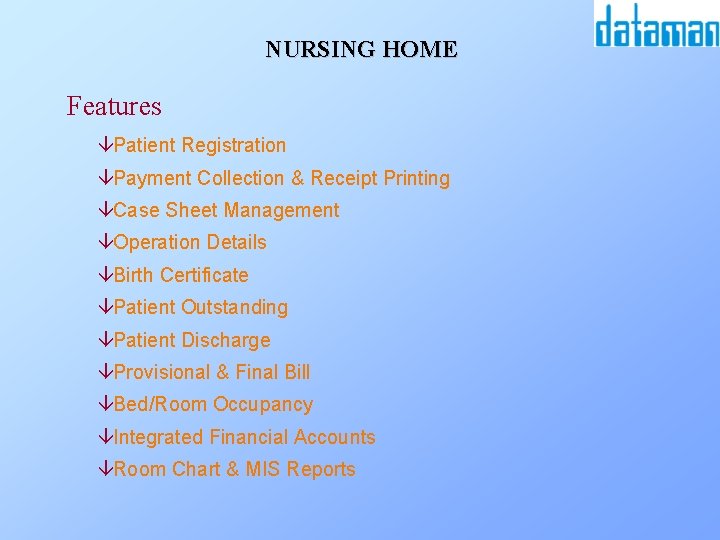
NURSING HOME Features âPatient Registration âPayment Collection & Receipt Printing âCase Sheet Management âOperation Details âBirth Certificate âPatient Outstanding âPatient Discharge âProvisional & Final Bill âBed/Room Occupancy âIntegrated Financial Accounts âRoom Chart & MIS Reports
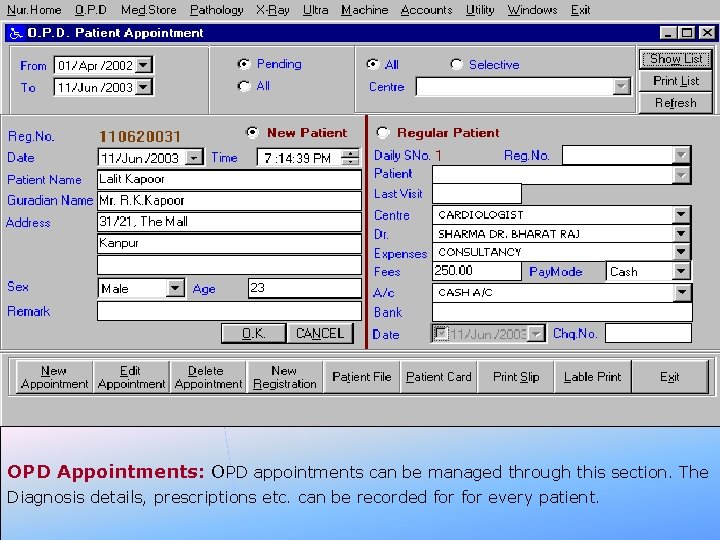
OPD Appointments: OPD appointments can be managed through this section. The Diagnosis details, prescriptions etc. can be recorded for every patient.
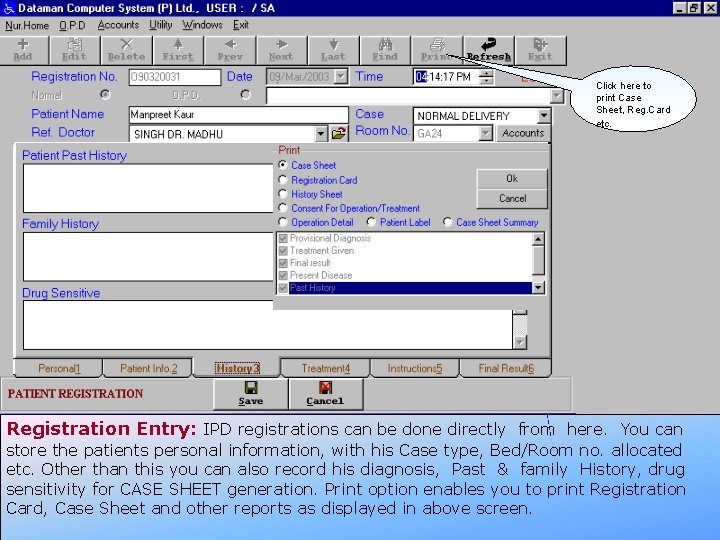
Click here to print Case Sheet, Reg. Card etc. Registration Entry: IPD registrations can be done directly from here. You can store the patients personal information, with his Case type, Bed/Room no. allocated etc. Other than this you can also record his diagnosis, Past & family History, drug sensitivity for CASE SHEET generation. Print option enables you to print Registration Card, Case Sheet and other reports as displayed in above screen.
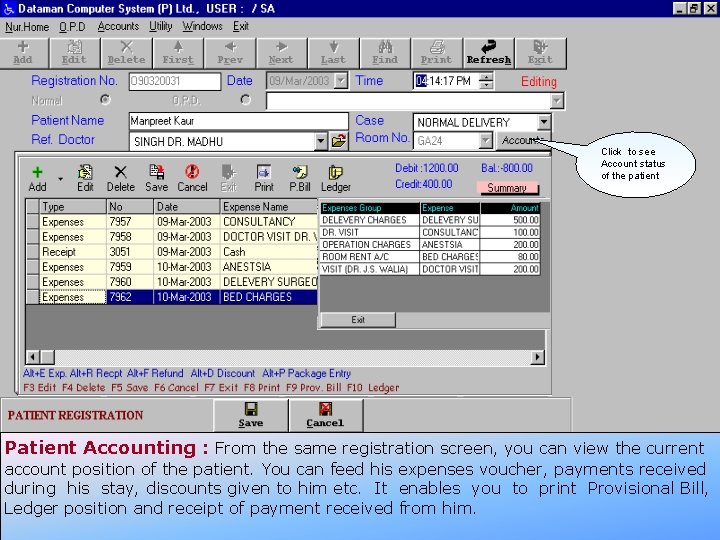
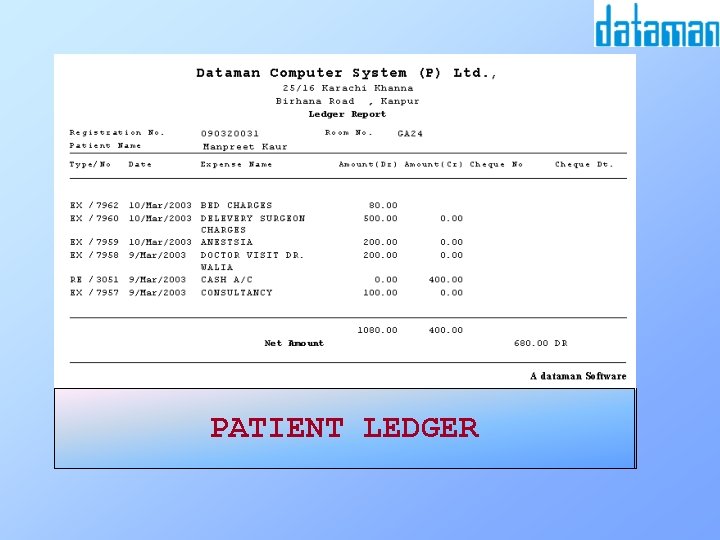
Click to see Account status of the patient Patient Accounting : From the same registration screen, you can view the current account position of the patient. You can feed his expenses voucher, payments received during his stay, discounts given to him etc. It enables you to print Provisional Bill, Ledger position and receipt of payment received from him.
RECEIPTLEDGER SLIP REGISTRATION PATIENT CARD
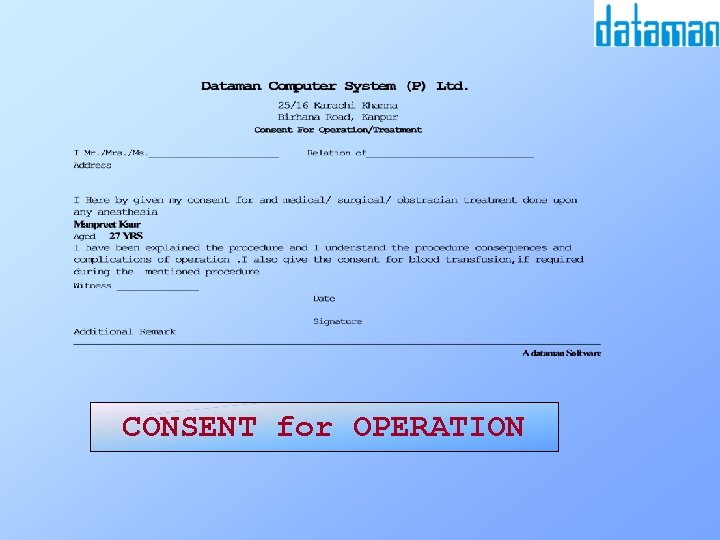
CONSENT for OPERATION
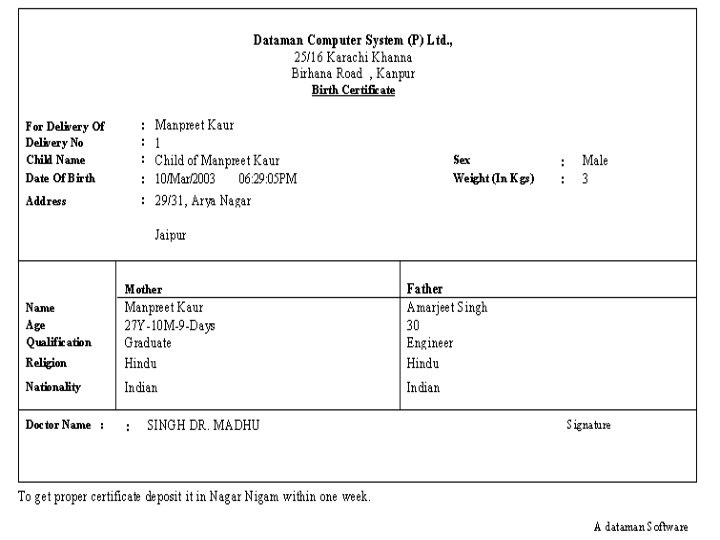
Delivery Entry: This entry allows you to feed the delivery informations of the patient like Mother & Father details, details of baby(ies) born. You can also provide the Birth certficate to the patient.
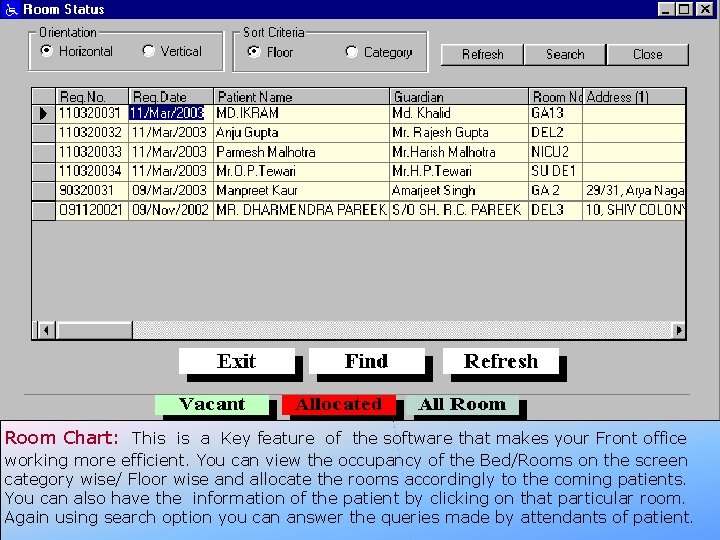
Room Chart: This is a Key feature of the software that makes your Front office working more efficient. You can view the occupancy of the Bed/Rooms on the screen category wise/ Floor wise and allocate the rooms accordingly to the coming patients. You can also have the information of the patient by clicking on that particular room. Again using search option you can answer the queries made by attendants of patient.
Expense Summary Head wise
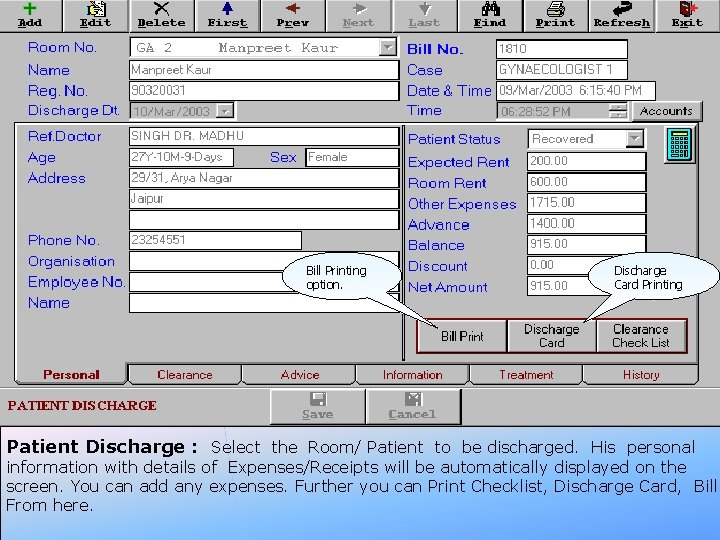
Bill Printing option. Discharge Card Printing Patient Discharge : Select the Room/ Patient to be discharged. His personal information with details of Expenses/Receipts will be automatically displayed on the screen. You can add any expenses. Further you can Print Checklist, Discharge Card, Bill From here.
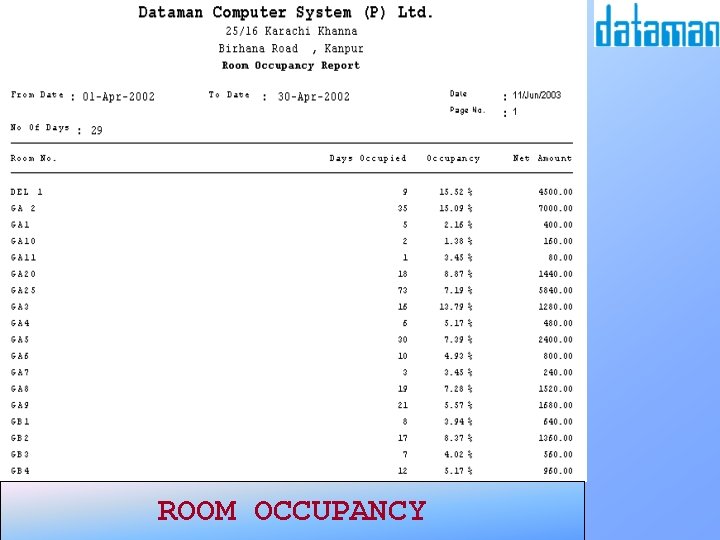
ROOM OCCUPANCY
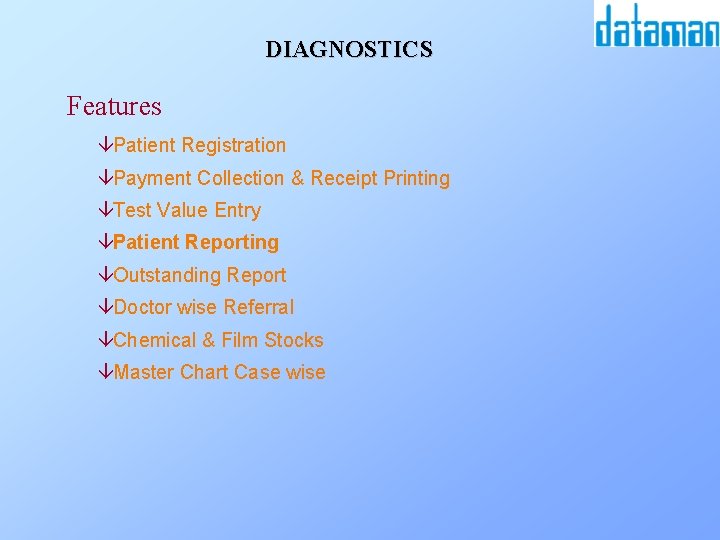
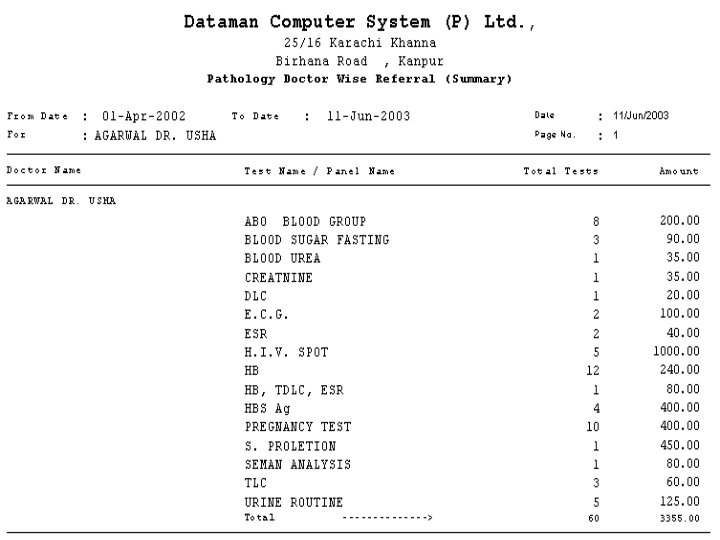
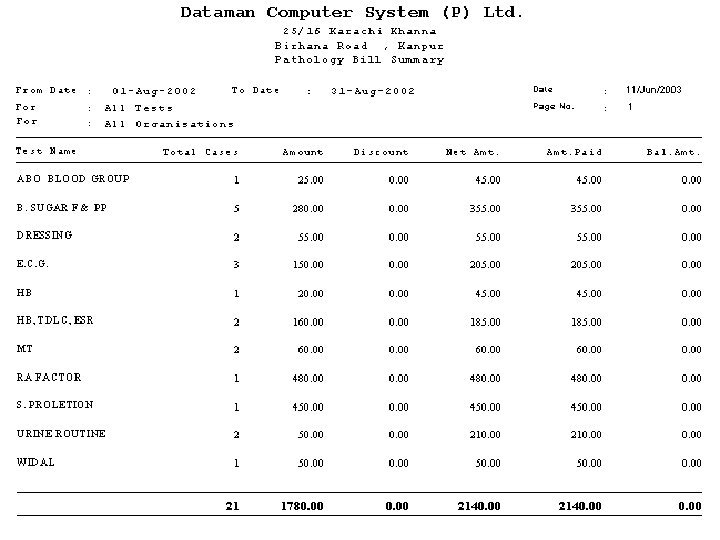
DIAGNOSTICS Features âPatient Registration âPayment Collection & Receipt Printing âTest Value Entry âPatient Reporting âOutstanding Report âDoctor wise Referral âChemical & Film Stocks âMaster Chart Case wise
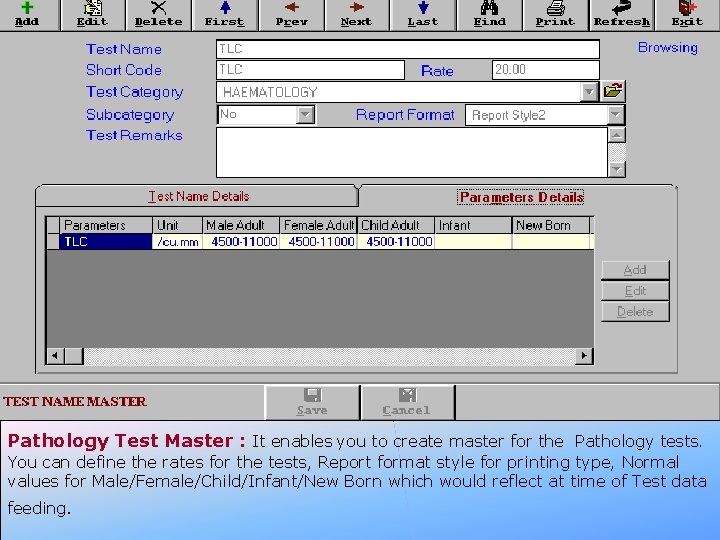
Pathology Test Master : It enables you to create master for the Pathology tests. You can define the rates for the tests, Report format style for printing type, Normal values for Male/Female/Child/Infant/New Born which would reflect at time of Test data feeding.
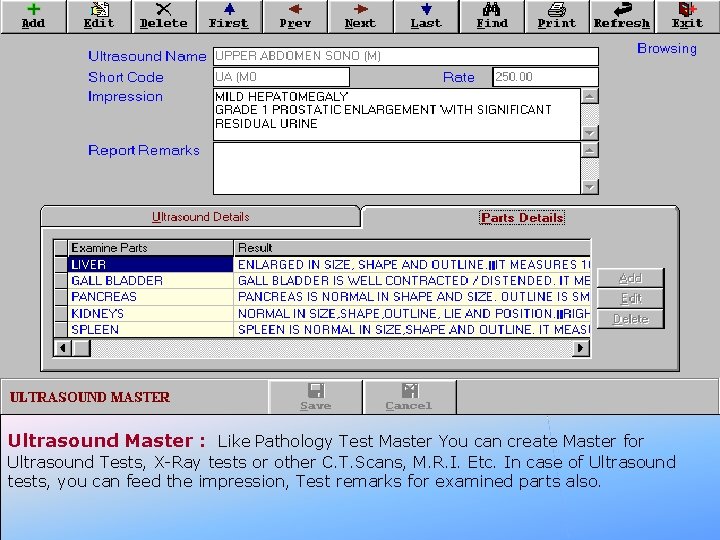
Ultrasound Master : Like Pathology Test Master You can create Master for Ultrasound Tests, X-Ray tests or other C. T. Scans, M. R. I. Etc. In case of Ultrasound tests, you can feed the impression, Test remarks for examined parts also.
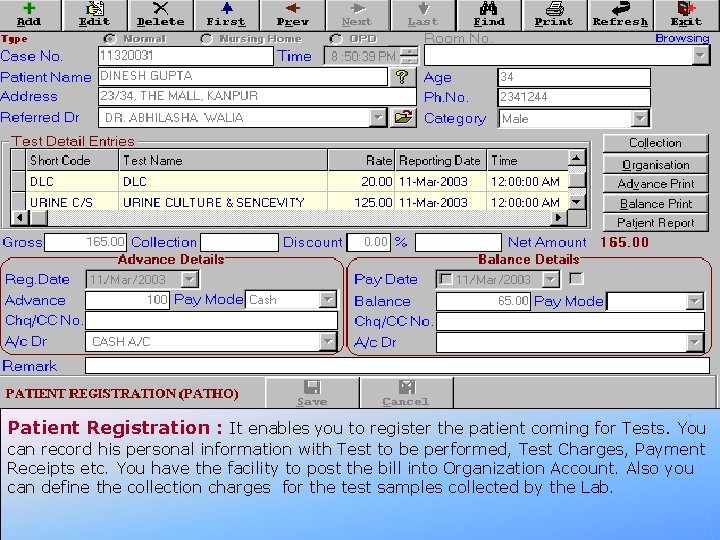
Patient Registration : It enables you to register the patient coming for Tests. You can record his personal information with Test to be performed, Test Charges, Payment Receipts etc. You have the facility to post the bill into Organization Account. Also you can define the collection charges for the test samples collected by the Lab.
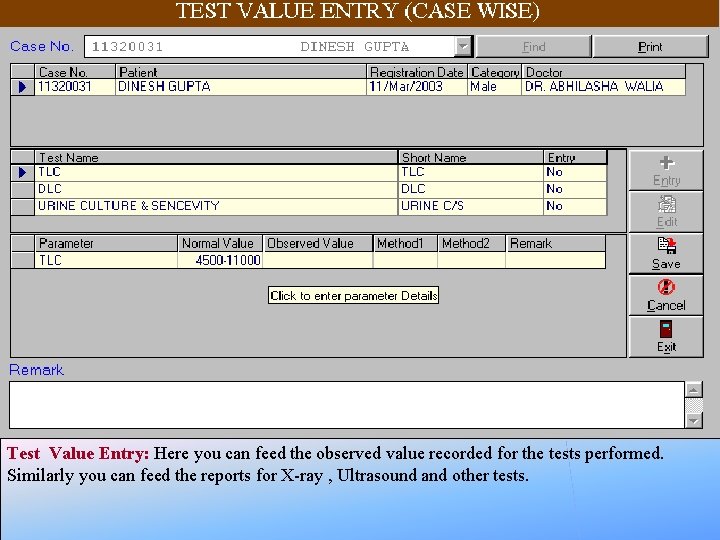
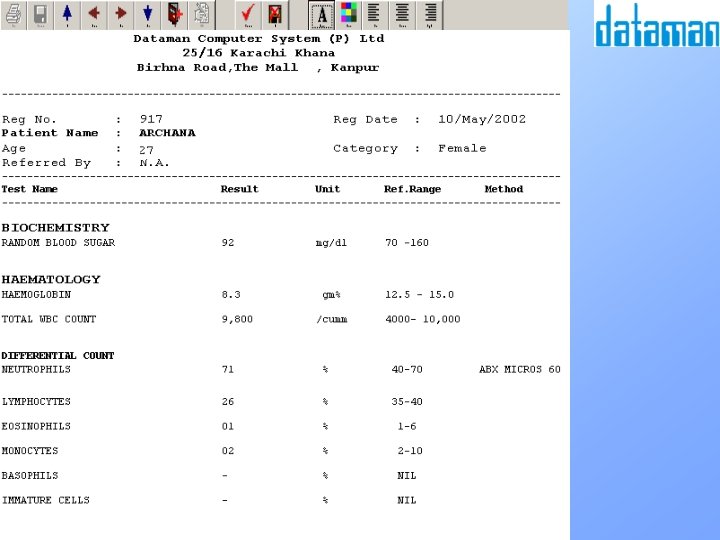
Test Value Entry: Here you can feed the observed value recorded for the tests performed. Similarly you can feed the reports for X-ray , Ultrasound and other tests.
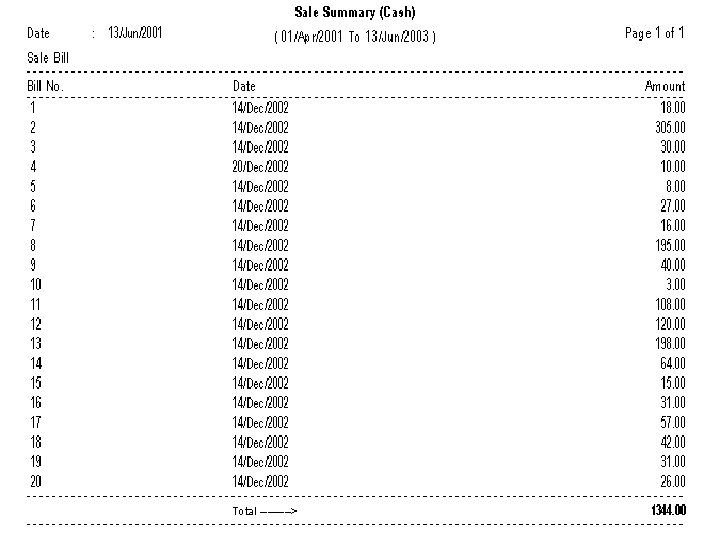
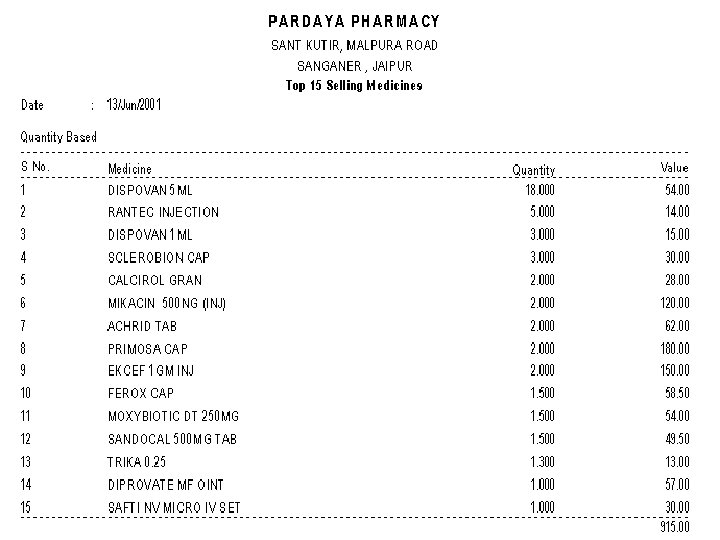
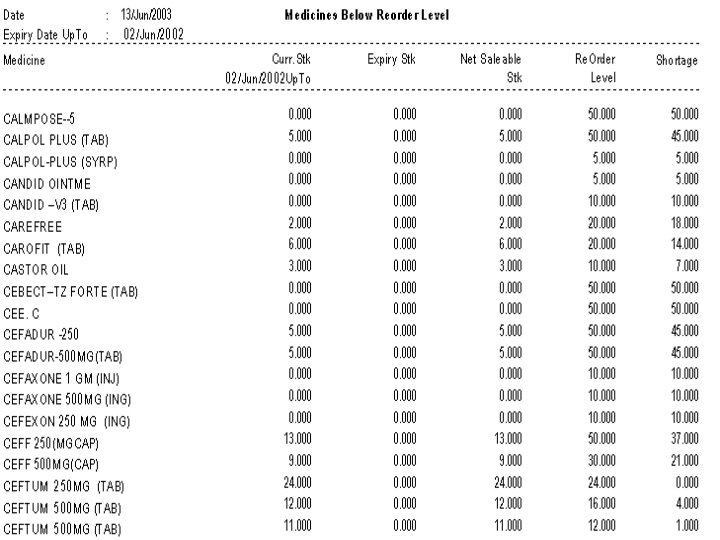
MEDICAL STORE Features âPurchase Bill âSale Bill Entry âSupplier’s Outstanding âBreakage & Expiry Tracking âMedicine Stock âTop Selling Medicine âMedicine Not sold since N date âReorder/ Max. /Min. Stock Level Tracking âMedical Store Day Summary âIntegrated Financial Books
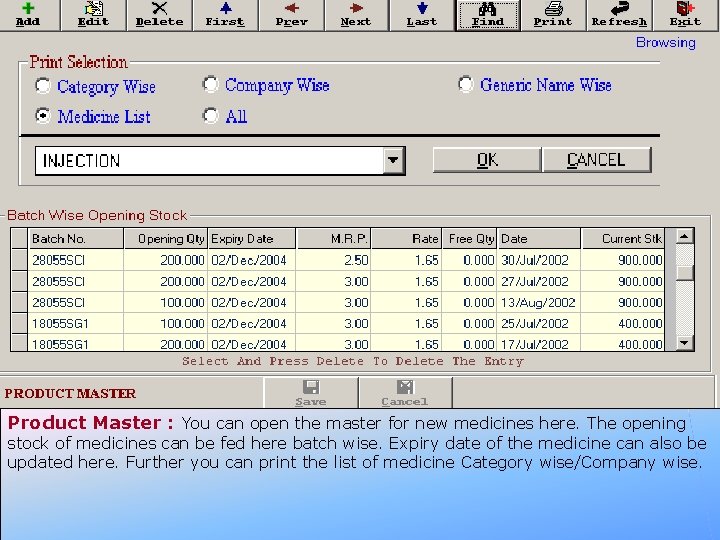
Product Master : You can open the master for new medicines here. The opening stock of medicines can be fed here batch wise. Expiry date of the medicine can also be updated here. Further you can print the list of medicine Category wise/Company wise.
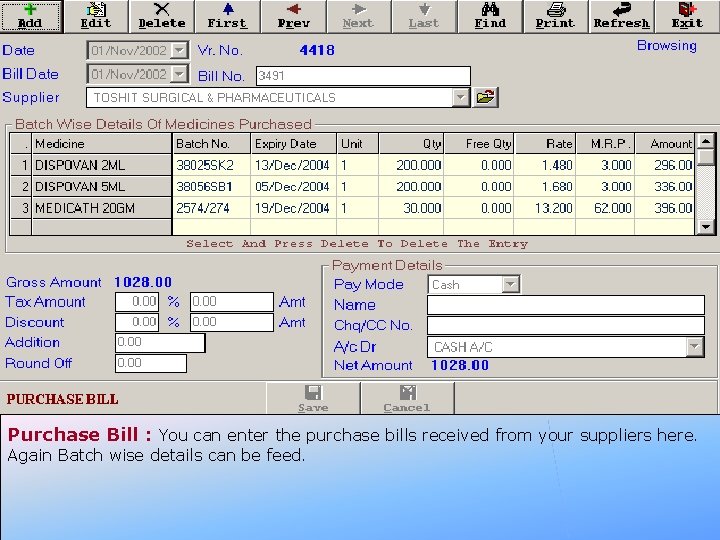
Purchase Bill : You can enter the purchase bills received from your suppliers here. Again Batch wise details can be feed.
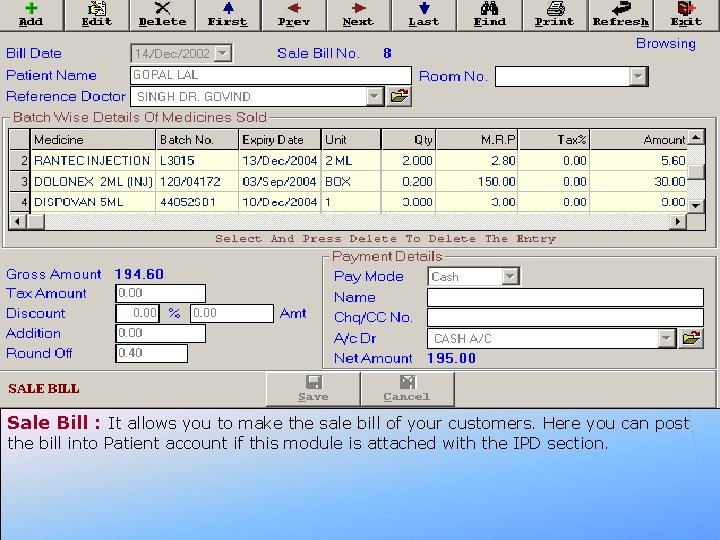
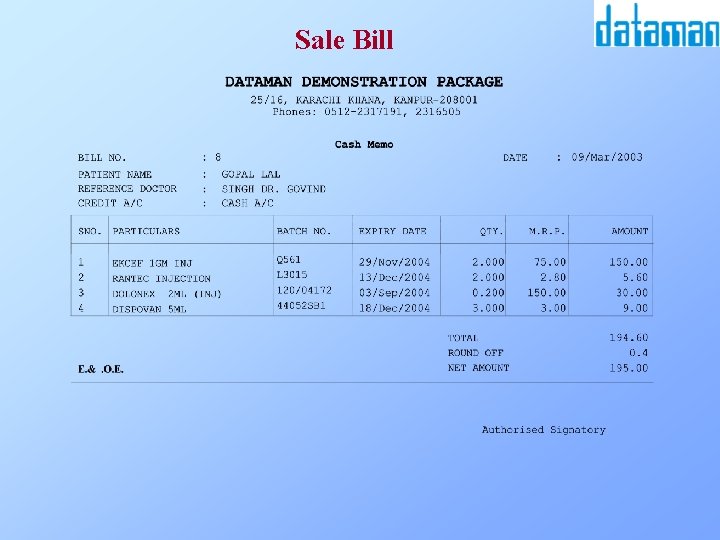
Sale Bill : It allows you to make the sale bill of your customers. Here you can post the bill into Patient account if this module is attached with the IPD section.
Sale Bill
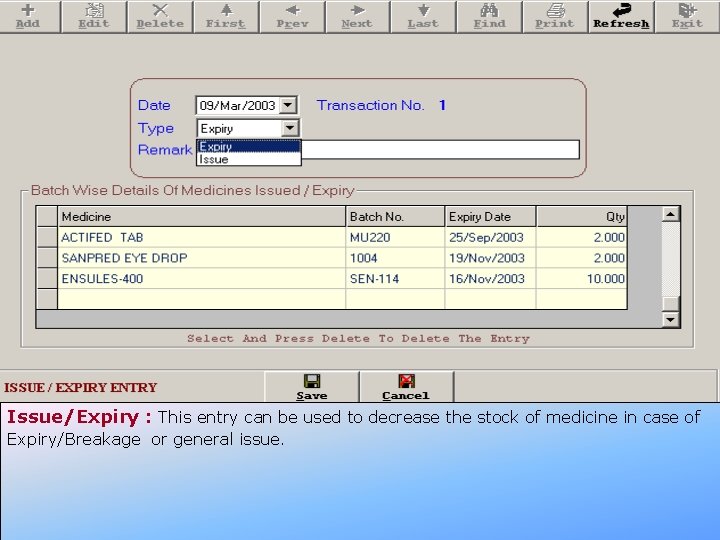
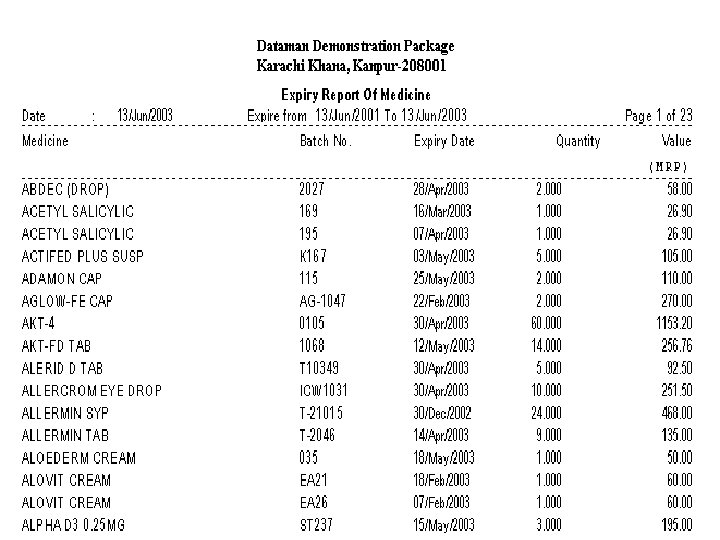
Issue/Expiry : This entry can be used to decrease the stock of medicine in case of Expiry/Breakage or general issue.
Stock Ledger
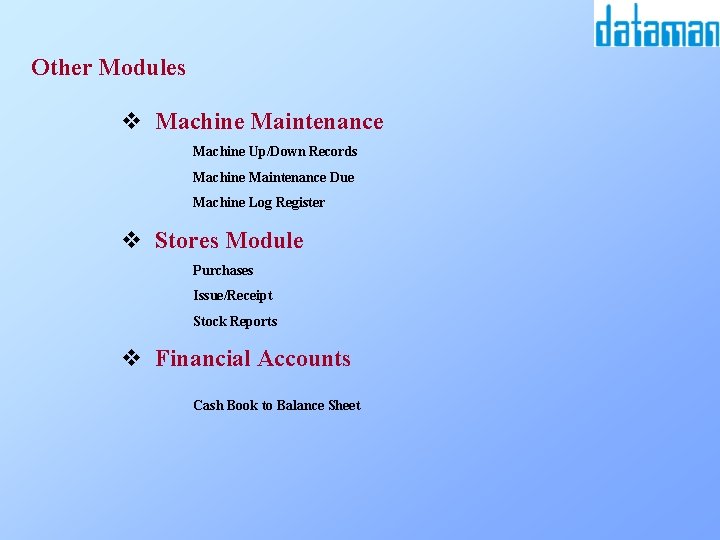
Other Modules v Machine Maintenance Machine Up/Down Records Machine Maintenance Due Machine Log Register v Stores Module Purchases Issue/Receipt Stock Reports v Financial Accounts Cash Book to Balance Sheet
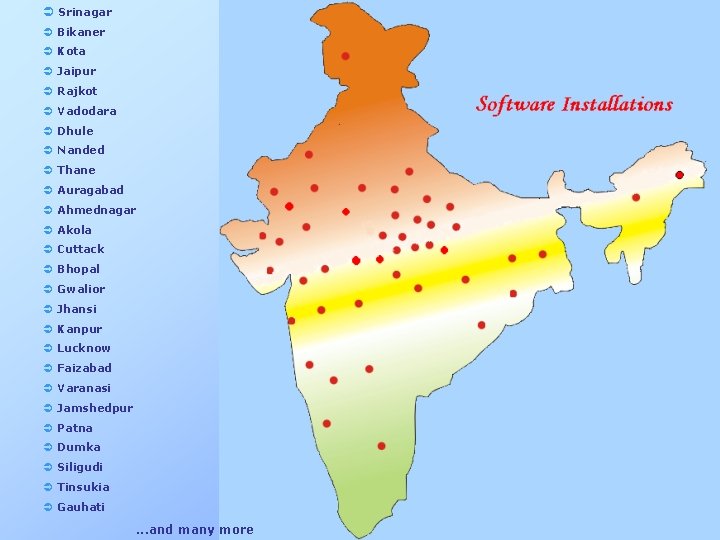
Ü Srinagar Ü Bikaner Ü Kota Ü Jaipur Ü Rajkot Ü Vadodara Ü Dhule Ü Nanded Ü Thane Ü Auragabad Ü Ahmednagar Ü Akola Ü Cuttack Ü Bhopal Ü Gwalior Ü Jhansi Ü Kanpur Ü Lucknow Ü Faizabad Ü Varanasi Ü Jamshedpur Ü Patna Ü Dumka Ü Siligudi Ü Tinsukia Ü Gauhati . . . and many more
Thank You Dataman Computer Systems (P) Ltd. 25/16, Karachi Khana, Kanpur-208001 Phones ; 0512 -2317191, 2316505 email: sales@datamannet. com web: www. datamannet. com