
Databases Chapter 11 Computing Essentials 2013 2013 The
Databases § Chapter 11 Computing Essentials 2013 © 2013 The Mc. Graw-Hill Companies, Inc. All rights reserved.
Databases § Distinguish between the physical and logical views of data. § Describe how data is organized: characters, fields, records, tables, and databases. § Define key fields and how they are used to integrate data in a database. § Define and compare batch processing and real-time processing. 12 -2 Computing Essentials 2013 © 2013 The Mc. Graw-Hill Companies, Inc. All rights reserved.
Databases § Describe the five common database models: hierarchical, network, relational, multidimensional, and object-oriented. § Distinguish among individual, company, distributed, and commercial databases. § Discuss strategic database uses and security concerns. 12 -3 Computing Essentials 2013 © 2013 The Mc. Graw-Hill Companies, Inc. All rights reserved.
Databases § Like a library, secondary storage is designed to store information § End users need to understand § How information is organized in fields, records, tables and databases § The different types of databases and structures § Competent end users need to be able to find information that is stored in databases 12 -4 Computing Essentials 2013 © 2013 The Mc. Graw-Hill Companies, Inc. All rights reserved.
Databases § Examples of data include § Facts or observations about people, places, things, and events § Audio, music, photographs, and video § Two ways to view data § Physical view- actual format and location; usually only very specialized computer professionals are concerned with the physical view § Logical view - focuses on the meaning and content of the data; end users and most computer professionals are concerned with this view 12 -5 Computing Essentials 2013 © 2013 The Mc. Graw-Hill Companies, Inc. All rights reserved.
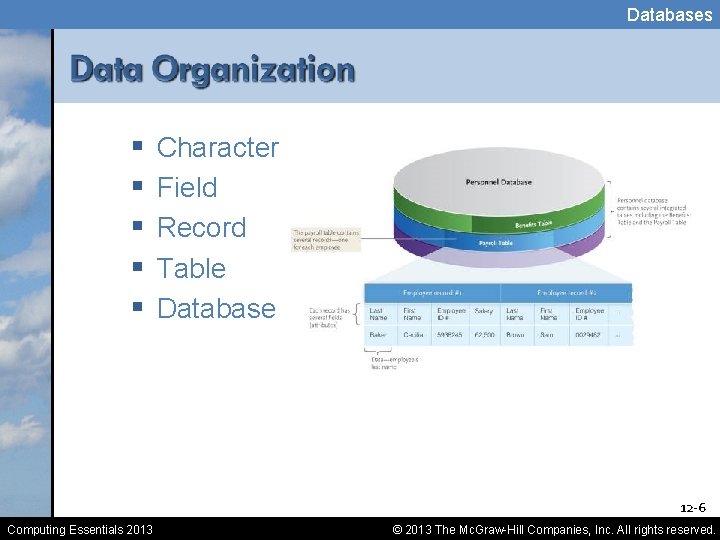
Databases § § § Character Field Record Table Database 12 -6 Computing Essentials 2013 © 2013 The Mc. Graw-Hill Companies, Inc. All rights reserved.
Databases § Unique identifier also known as primary key § Common examples § § § Social Security Number Student Identification Numbers Employee Identification Numbers Part Numbers Inventory Numbers 12 -7 Computing Essentials 2013 © 2013 The Mc. Graw-Hill Companies, Inc. All rights reserved.
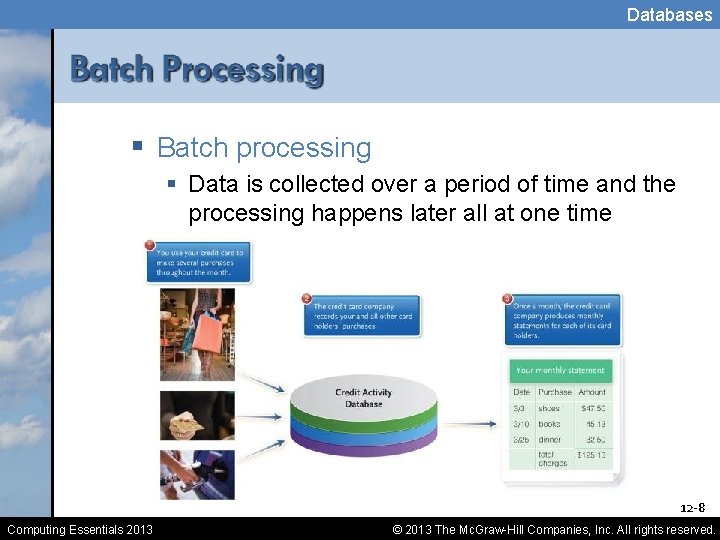
Databases § Batch processing § Data is collected over a period of time and the processing happens later all at one time 12 -8 Computing Essentials 2013 © 2013 The Mc. Graw-Hill Companies, Inc. All rights reserved.
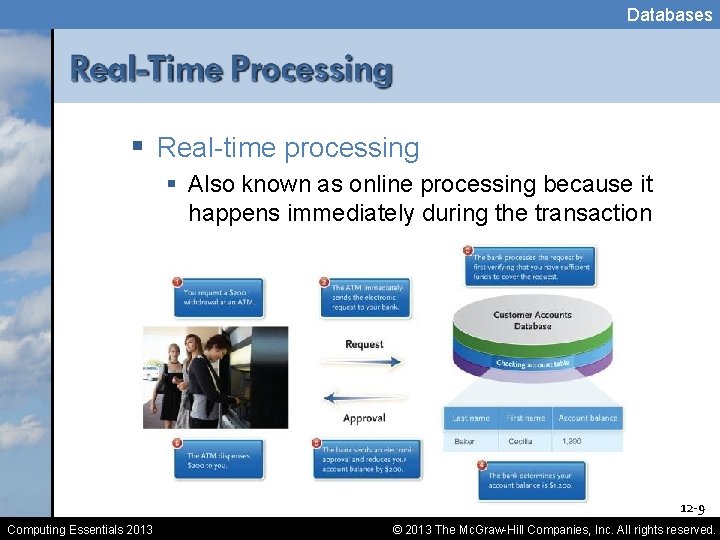
Databases § Real-time processing § Also known as online processing because it happens immediately during the transaction 12 -9 Computing Essentials 2013 © 2013 The Mc. Graw-Hill Companies, Inc. All rights reserved.
Databases § Collection of integrated data § Logically related files and records § Databases address data redundancy and data integrity (accurate updating of files) 12 -10 Computing Essentials 2013 © 2013 The Mc. Graw-Hill Companies, Inc. All rights reserved.
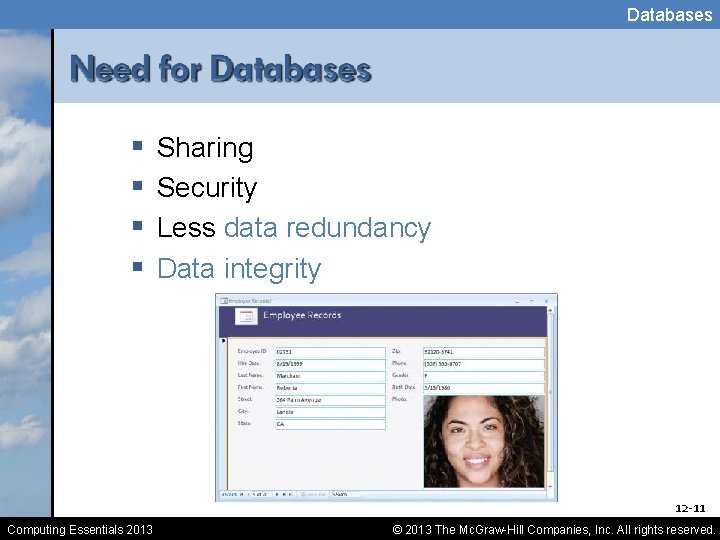
Databases § § Sharing Security Less data redundancy Data integrity 12 -11 Computing Essentials 2013 © 2013 The Mc. Graw-Hill Companies, Inc. All rights reserved.
Databases § Database model § DBMS programs work with data that is logically structured or arranged § Model defined rules and standards for data in a database § Five common data models § § § Hierarchical database Network database Relational database Multidimensional database Object-oriented database 12 -12 Computing Essentials 2013 © 2013 The Mc. Graw-Hill Companies, Inc. All rights reserved.
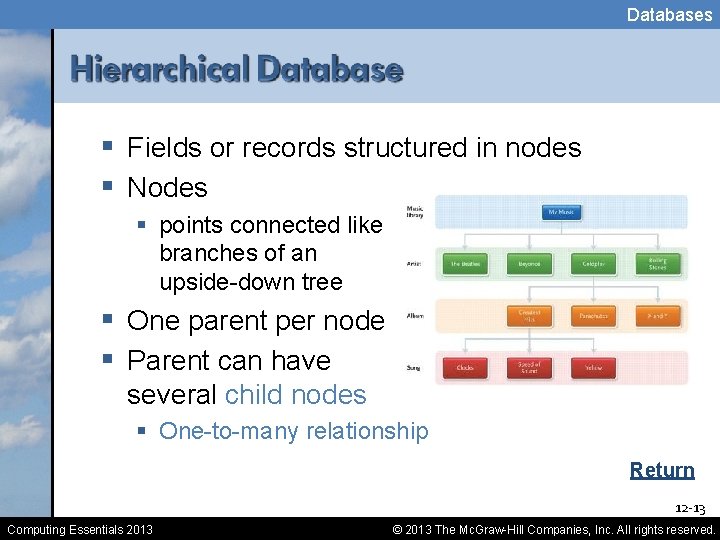
Databases § Fields or records structured in nodes § Nodes § points connected like branches of an upside-down tree § One parent per node § Parent can have several child nodes § One-to-many relationship Return 12 -13 Computing Essentials 2013 © 2013 The Mc. Graw-Hill Companies, Inc. All rights reserved.
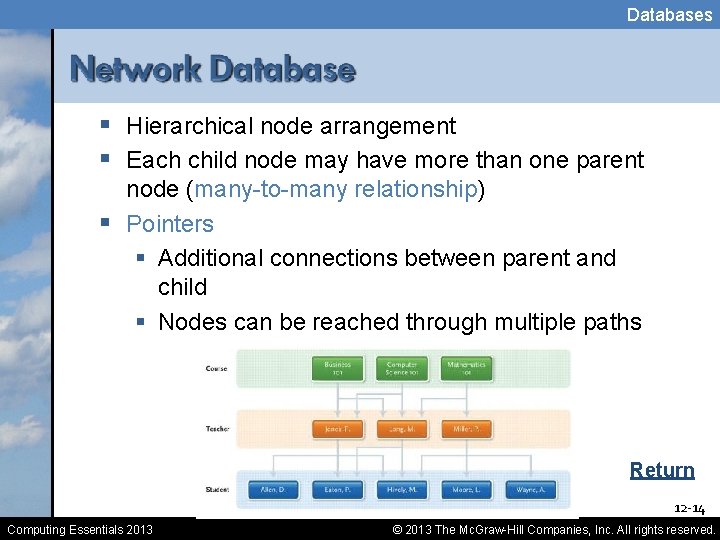
Databases § Hierarchical node arrangement § Each child node may have more than one parent node (many-to-many relationship) § Pointers § Additional connections between parent and child § Nodes can be reached through multiple paths Return 12 -14 Computing Essentials 2013 © 2013 The Mc. Graw-Hill Companies, Inc. All rights reserved.
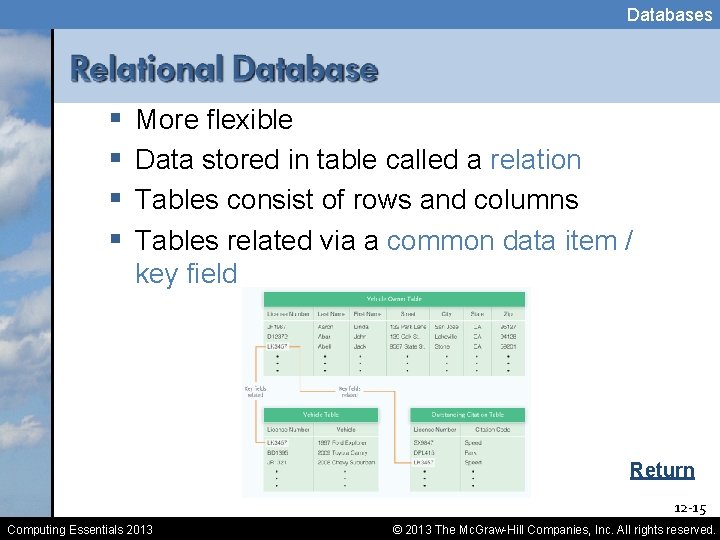
Databases § § More flexible Data stored in table called a relation Tables consist of rows and columns Tables related via a common data item / key field Return 12 -15 Computing Essentials 2013 © 2013 The Mc. Graw-Hill Companies, Inc. All rights reserved.
Databases § A variation and an extension of the relational model to include additional dimensions, sometimes called a data cube § Good for representing complex relationships § Advantages over relational § Conceptualization - provide users with an intuitive § Computing Essentials 2013 model in which complex data and relationships can be conceptualized Return Processing speed - analyzing and querying a large 12 -16 multidimensional database is faster © 2013 The Mc. Graw-Hill Companies, Inc. All rights reserved.
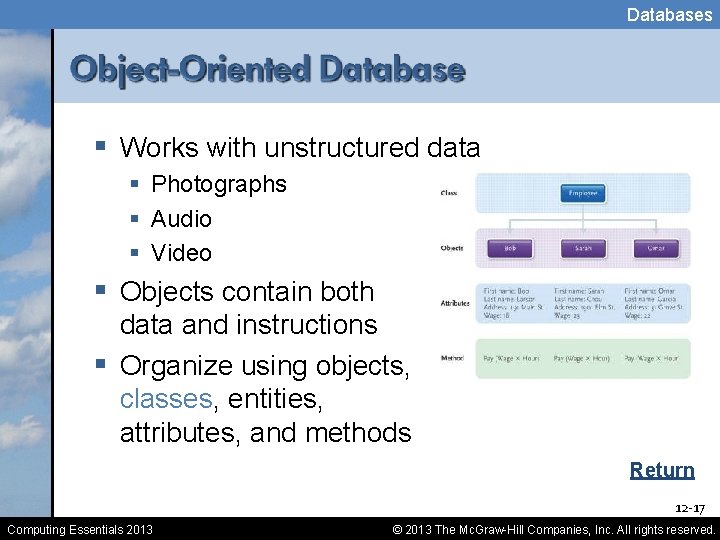
Databases § Works with unstructured data § Photographs § Audio § Video § Objects contain both data and instructions § Organize using objects, classes, entities, attributes, and methods Return 12 -17 Computing Essentials 2013 © 2013 The Mc. Graw-Hill Companies, Inc. All rights reserved.
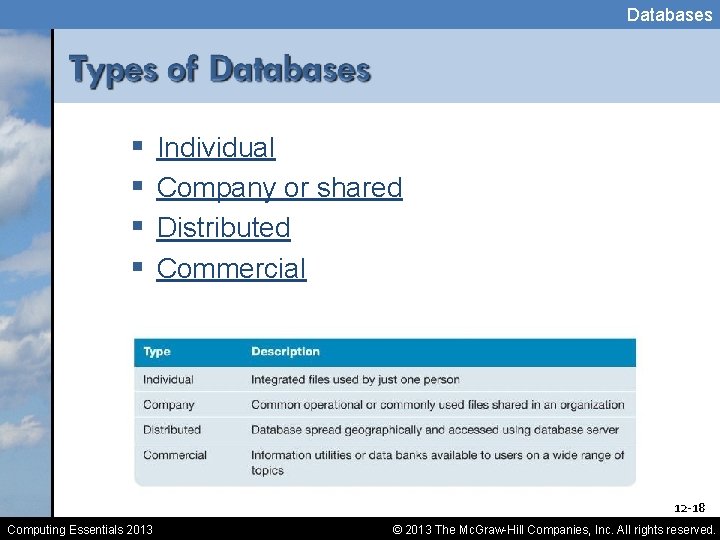
Databases § § Individual Company or shared Distributed Commercial 12 -18 Computing Essentials 2013 © 2013 The Mc. Graw-Hill Companies, Inc. All rights reserved.
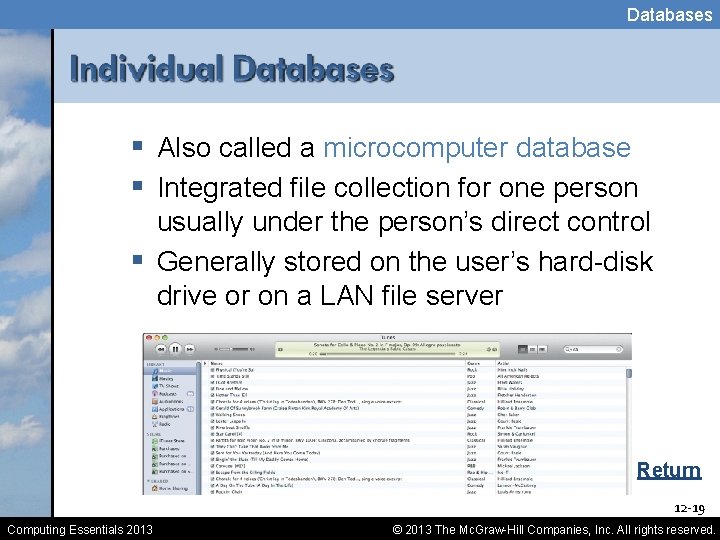
Databases § Also called a microcomputer database § Integrated file collection for one person usually under the person’s direct control § Generally stored on the user’s hard-disk drive or on a LAN file server Return 12 -19 Computing Essentials 2013 © 2013 The Mc. Graw-Hill Companies, Inc. All rights reserved.
Databases § Usually stored on a central database server and managed by a database administrator § Users throughout a company can access the database through the company’s networks Return 12 -20 Computing Essentials 2013 © 2013 The Mc. Graw-Hill Companies, Inc. All rights reserved.
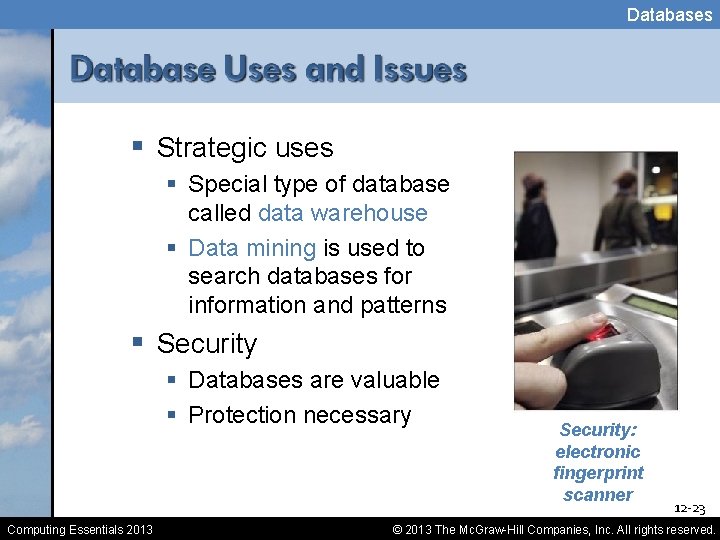
Databases § Strategic uses § Special type of database called data warehouse § Data mining is used to search databases for information and patterns § Security § Databases are valuable § Protection necessary Computing Essentials 2013 Security: electronic fingerprint scanner 12 -23 © 2013 The Mc. Graw-Hill Companies, Inc. All rights reserved.
Databases § Database administrators § Determine the most efficient ways to organize and access a company’s data § Responsible for database security and backing up the system § Employers look for § Bachelors degree in Computer Science § Technical experience § Database administrators can expect to earn $48, 500 to $85, 000 annually 12 -24 Computing Essentials 2013 © 2013 The Mc. Graw-Hill Companies, Inc. All rights reserved.
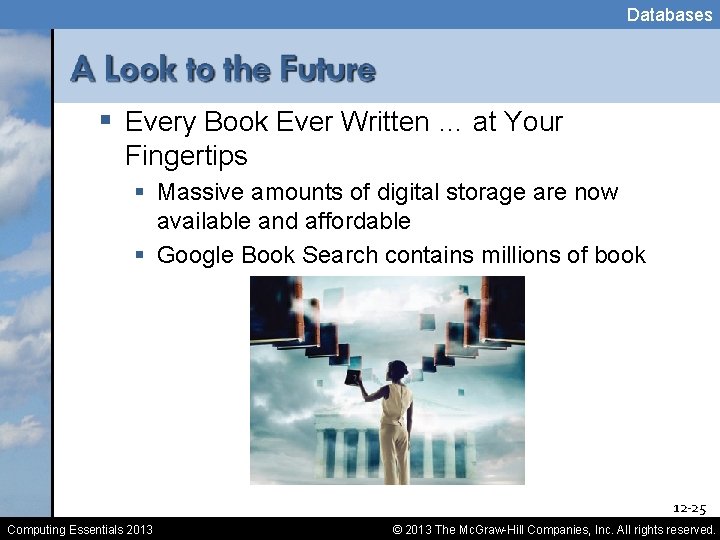
Databases § Every Book Ever Written … at Your Fingertips § Massive amounts of digital storage are now available and affordable § Google Book Search contains millions of book 12 -25 Computing Essentials 2013 © 2013 The Mc. Graw-Hill Companies, Inc. All rights reserved.
Databases § Describe the five logical data groups or categories. § What is the difference between batch processing and real-time processing? § Identify and define the five parts of DBMS programs. 12 -26 Computing Essentials 2013 © 2013 The Mc. Graw-Hill Companies, Inc. All rights reserved.
Databases § Describe each of the five common database models. § What are some of the benefits and limitations of databases? Why is security a concern? 12 -27 Computing Essentials 2013 © 2013 The Mc. Graw-Hill Companies, Inc. All rights reserved.
- Slides: 25