
Database Systems Storage Engine Buffer and Files Based
Database Systems Storage Engine, Buffer, and Files Based on slides by Feifei Li, University of Utah
Now Something Different What is “Systems”? A: Not Programming Not programming big things. . Systems = Efficient and safe use of limited resources (e. g. , disks) Efficient: resources should be shared, utilized as much as possible Safe: 2 sharing should not corrupt work of individual jobs
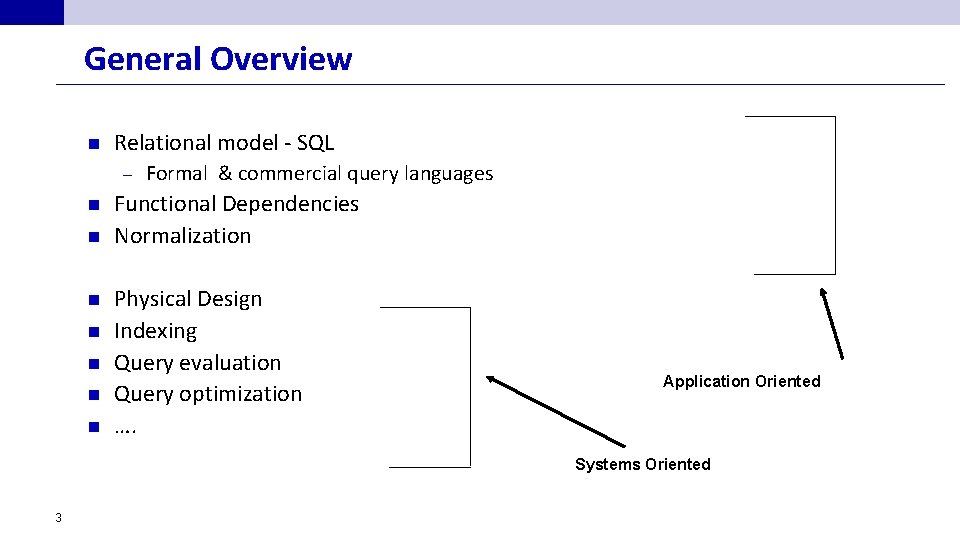
General Overview n Relational model - SQL – n n n n Formal & commercial query languages Functional Dependencies Normalization Physical Design Indexing Query evaluation Query optimization …. Application Oriented Systems Oriented 3
Data Organization Storage Media • Memory hierarchy • Efficient/reliable transfer of data between disks and main memory ¨ ¨ Hardware techniques (RAID disks) Software techniques (Buffer management) Storage strategies for relation-file organization • Representation of tuples on disks • Storage of tuples in pages, clustering. 4
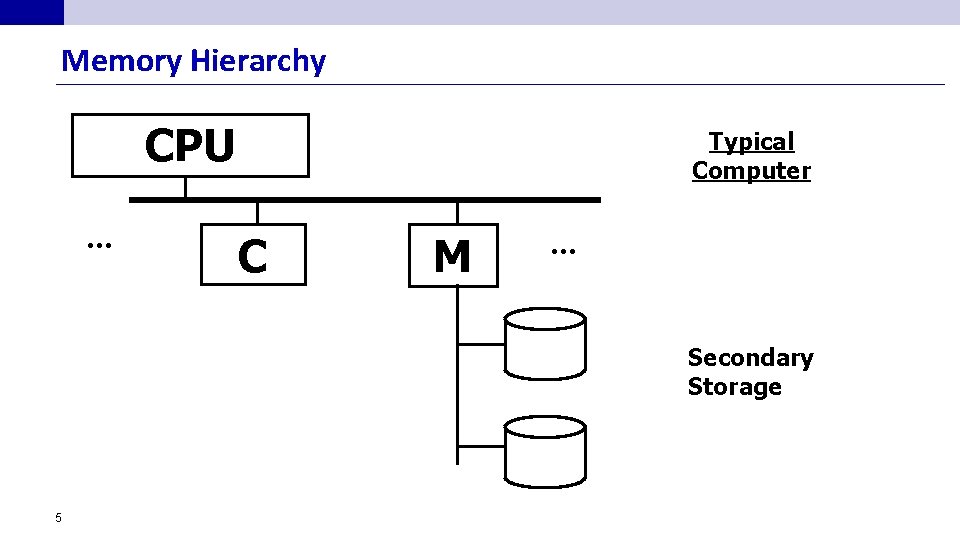
Memory Hierarchy CPU. . . Typical Computer C M . . . Secondary Storage 5
Storage Media: Players n n Cache – fastest and most costly form of storage; volatile; managed by the computer system hardware. Main memory: fast access (10 s to 100 s of nanoseconds; 1 nanosecond = 10– 9 seconds) – generally not big enough (or too expensive) to store the entire database – Volatile — contents of main memory are usually lost if a power failure or system crash occurs. – But… CPU operates only on data in main memory – 6
Storage Media: Players n Disk Primary medium for the long-term storage of data; typically stores entire database. – random-access – possible to read data on disk in any order, unlike magnetic tape – Non-volatile: data survive a power failure or a system crash, disk failure less likely than them – Sequential access vs. Random access (more on this later) – 7
Storage Media: Players n Solid State Drive (aka flash disk) non-volatile – Writes are expensive (Erasure block) – Random reads are almost as efficient as sequential reads – More expensive than disks ($/byte) – n Tapes Sequential access (very slow) – Cheap, high capacity – 8
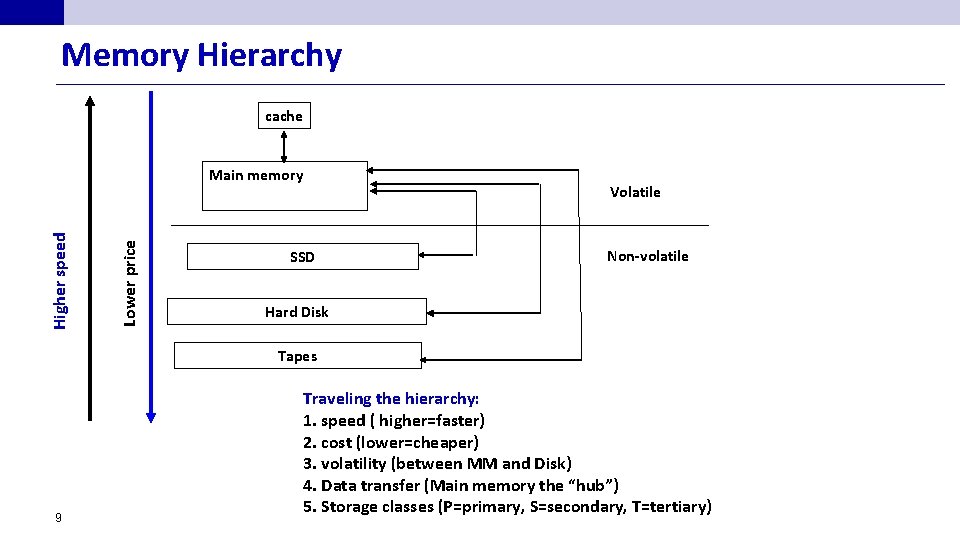
Memory Hierarchy cache Lower price Higher speed Main memory Volatile SSD Non-volatile Hard Disk Tapes 9 Traveling the hierarchy: 1. speed ( higher=faster) 2. cost (lower=cheaper) 3. volatility (between MM and Disk) 4. Data transfer (Main memory the “hub”) 5. Storage classes (P=primary, S=secondary, T=tertiary)
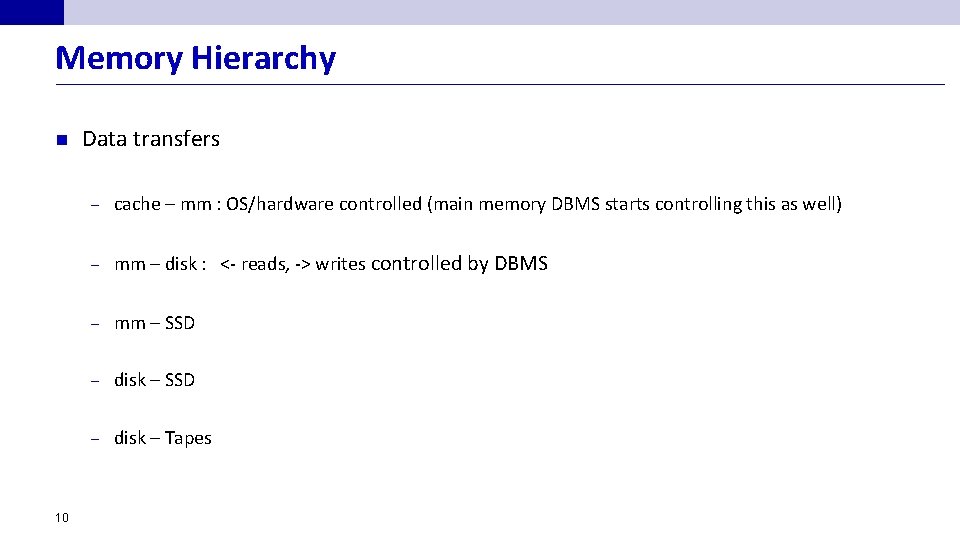
Memory Hierarchy n 10 Data transfers – cache – mm : OS/hardware controlled (main memory DBMS starts controlling this as well) – mm – disk : <- reads, -> writes controlled by DBMS – mm – SSD – disk – Tapes
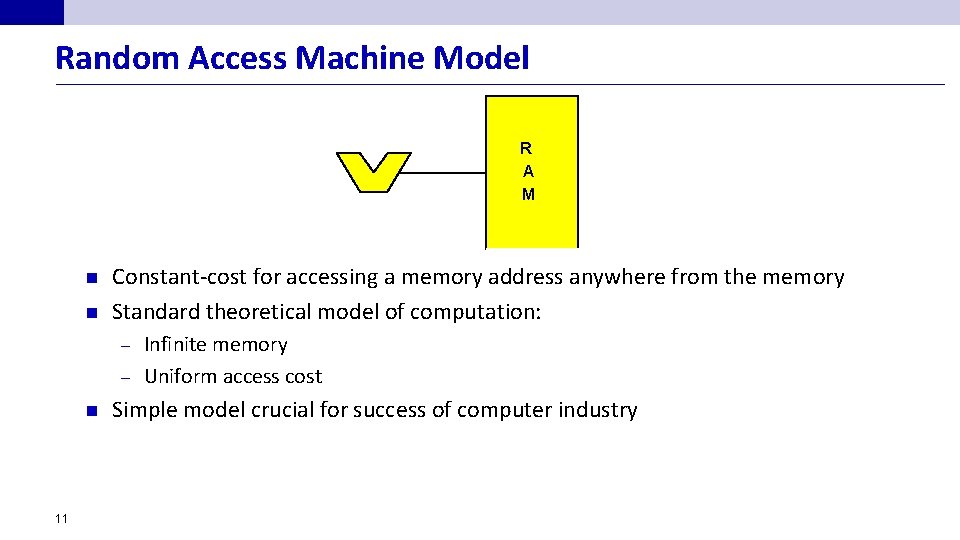
Random Access Machine Model R A M n n Constant-cost for accessing a memory address anywhere from the memory Standard theoretical model of computation: Infinite memory – Uniform access cost – n 11 Simple model crucial for success of computer industry
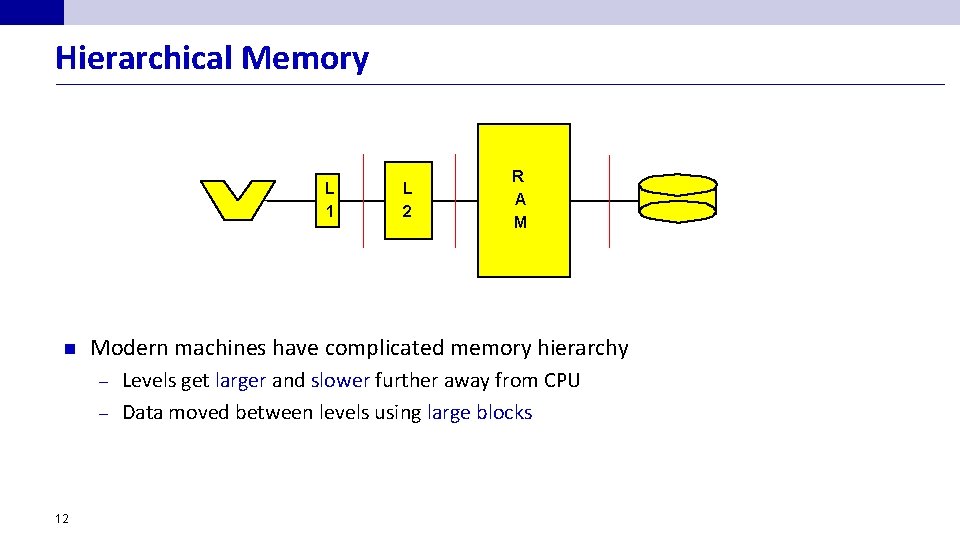
Hierarchical Memory L 1 n L 2 R A M Modern machines have complicated memory hierarchy Levels get larger and slower further away from CPU – Data moved between levels using large blocks – 12
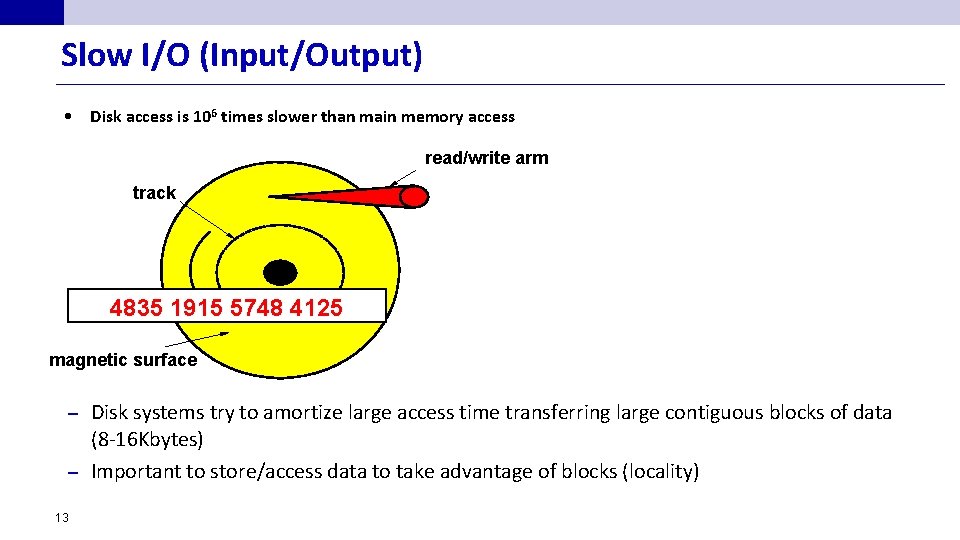
Slow I/O (Input/Output) • Disk access is 106 times slower than main memory access read/write arm track 4835 1915 5748 4125 magnetic surface Disk systems try to amortize large access time transferring large contiguous blocks of data (8 -16 Kbytes) – Important to store/access data to take advantage of blocks (locality) – 13
Main memory -- Disk Data Transfers n Concerns: – n 14 Efficiency (speed) can be improved by. . . a. improving raw data transfer speed b. avoiding untimely data transfer c. avoiding unnecessary data transfer Safety (reliability, availability) can be improved by. . . a. storing data redundantly
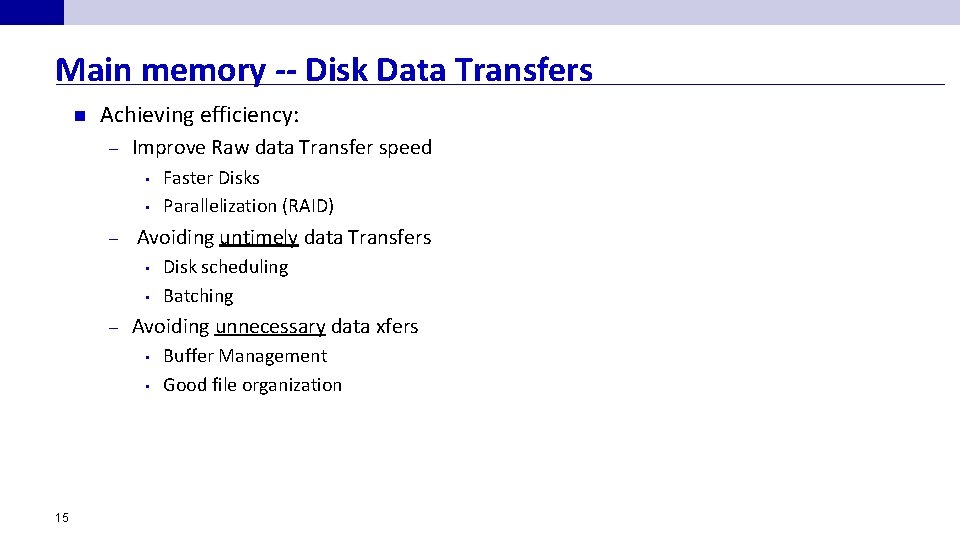
Main memory -- Disk Data Transfers n Achieving efficiency: – Improve Raw data Transfer speed • • – Avoiding untimely data Transfers • • – Disk scheduling Batching Avoiding unnecessary data xfers • • 15 Faster Disks Parallelization (RAID) Buffer Management Good file organization
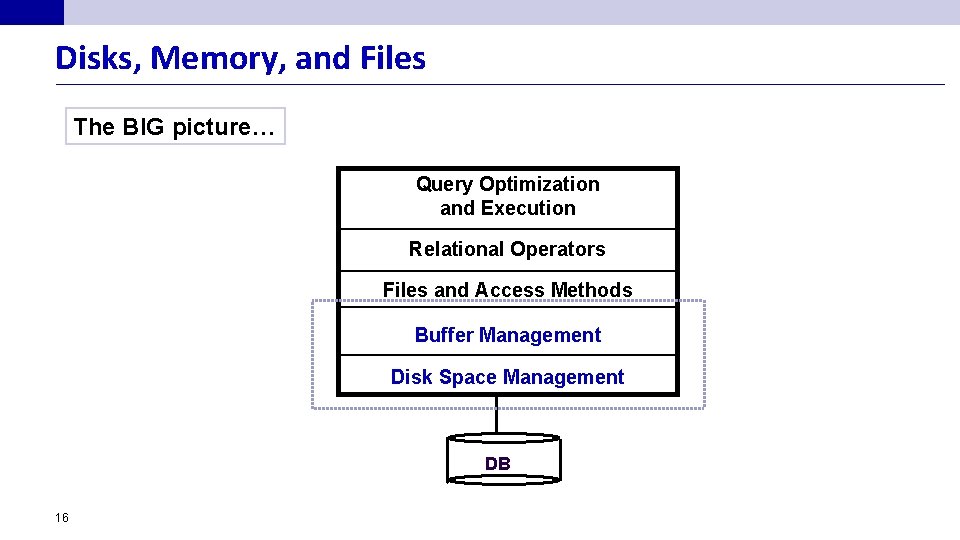
Disks, Memory, and Files The BIG picture… Query Optimization and Execution Relational Operators Files and Access Methods Buffer Management Disk Space Management DB 16
Disks and Files n DBMS stores information on disks. – n In an electronic world, disks are a mechanical anachronism! This has major implications for DBMS design! READ: transfer data from disk to main memory (RAM). – WRITE: transfer data from RAM to disk. – Both are high-cost operations, relative to in-memory operations, so must be planned carefully! – 17
Why Not Store Everything in Main Memory? n n n Costs too much… Main memory is volatile. We want data to be saved between runs. (Obviously!) Typical storage hierarchy: Main memory (RAM) for currently used data. – Disk for the main database (secondary storage). – Tapes for archiving older versions of the data (tertiary storage) – 18
Solution 1: Buy More Memory n n Expensive (Probably) not scalable – 19 Growth rate of data is higher than the growth of memory
Disks n n Secondary storage device of choice. Main advantage over tapes: random access vs. sequential. Data is stored and retrieved in units called disk blocks or pages. Unlike RAM, time to retrieve a disk block varies depending upon location on disk. – 20 Therefore, relative placement of blocks on disk has major impact on DBMS performance!
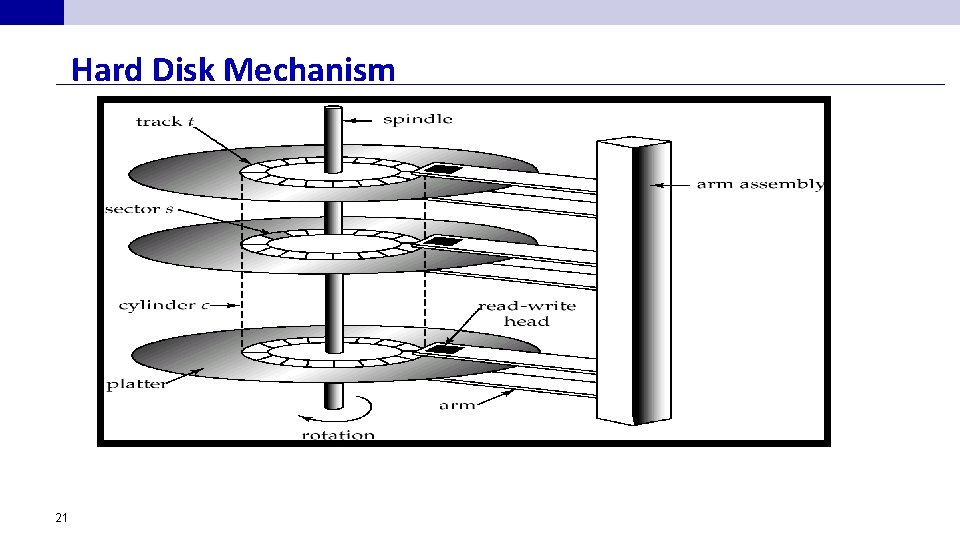
Hard Disk Mechanism 21
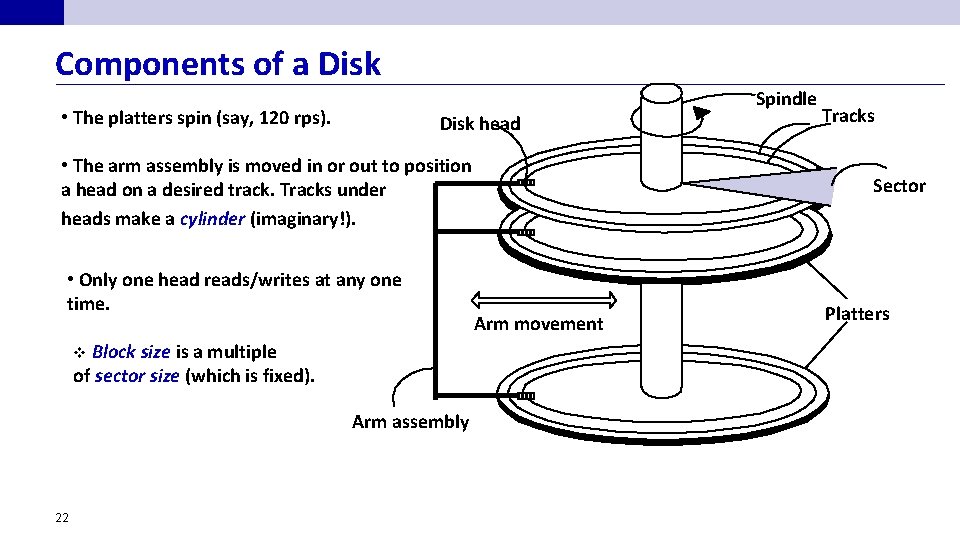
Components of a Disk Spindle • The platters spin (say, 120 rps). Disk head • The arm assembly is moved in or out to position a head on a desired track. Tracks under heads make a cylinder (imaginary!). • Only one head reads/writes at any one time. v Block size is a multiple of sector size (which is fixed). Arm assembly 22 Tracks Sector Arm movement Platters
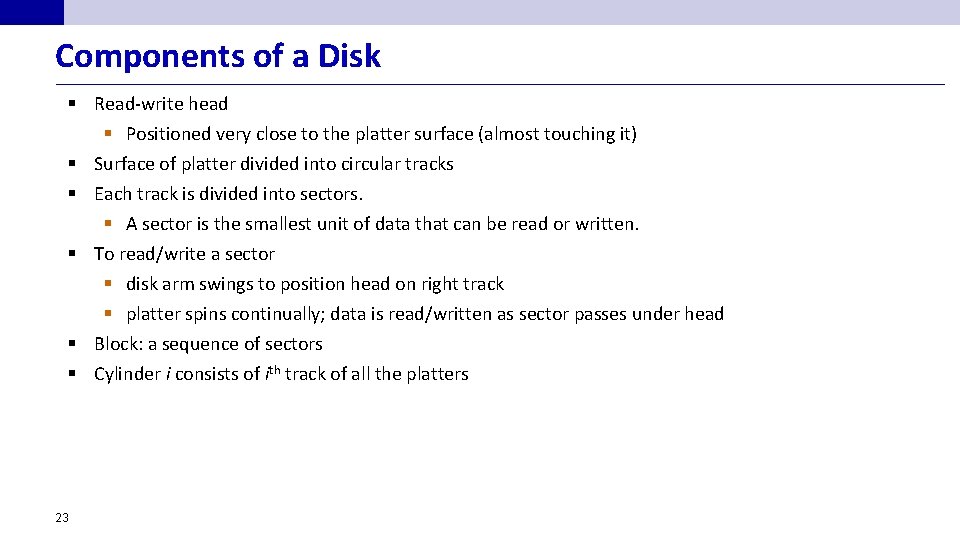
Components of a Disk § Read-write head § Positioned very close to the platter surface (almost touching it) § Surface of platter divided into circular tracks § Each track is divided into sectors. § A sector is the smallest unit of data that can be read or written. § To read/write a sector § disk arm swings to position head on right track § platter spins continually; data is read/written as sector passes under head § Block: a sequence of sectors § Cylinder i consists of ith track of all the platters 23
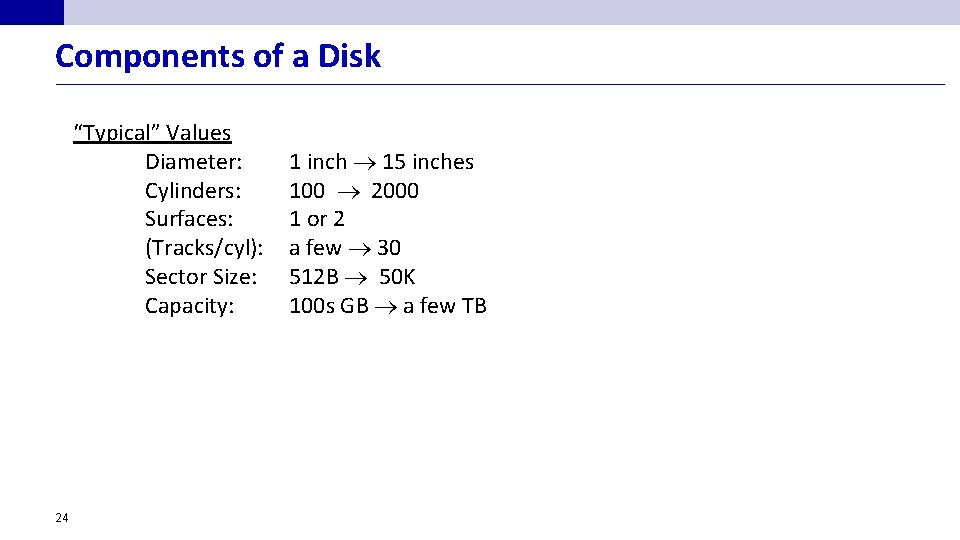
Components of a Disk “Typical” Values Diameter: Cylinders: Surfaces: (Tracks/cyl): Sector Size: Capacity: 24 1 inch 15 inches 100 2000 1 or 2 a few 30 512 B 50 K 100 s GB a few TB
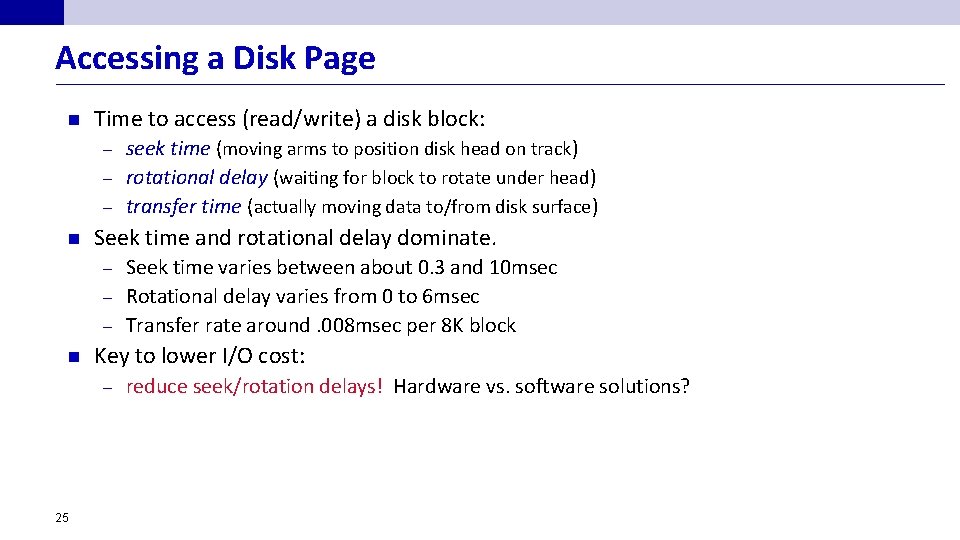
Accessing a Disk Page n Time to access (read/write) a disk block: seek time (moving arms to position disk head on track) – rotational delay (waiting for block to rotate under head) – transfer time (actually moving data to/from disk surface) – n Seek time and rotational delay dominate. Seek time varies between about 0. 3 and 10 msec – Rotational delay varies from 0 to 6 msec – Transfer rate around. 008 msec per 8 K block – n Key to lower I/O cost: – 25 reduce seek/rotation delays! Hardware vs. software solutions?
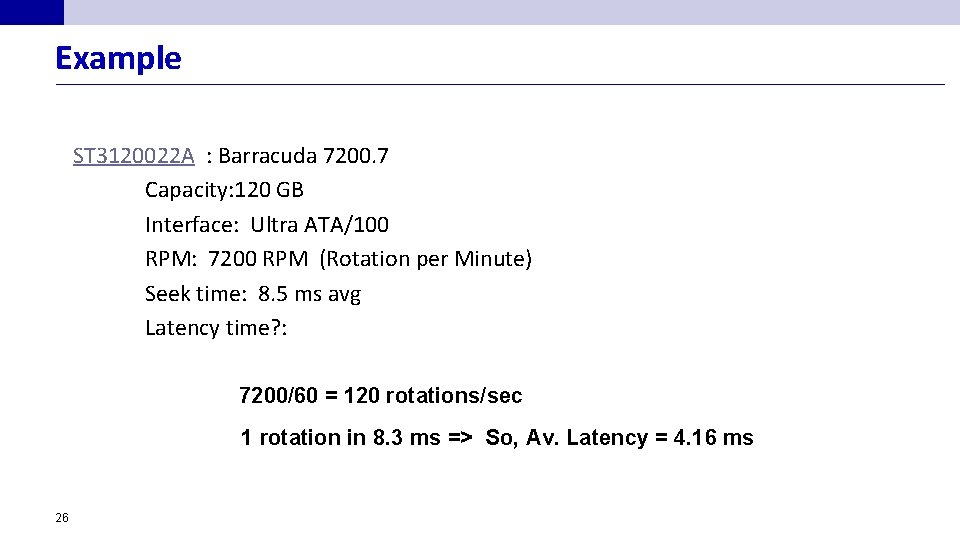
Example ST 3120022 A : Barracuda 7200. 7 Capacity: 120 GB Interface: Ultra ATA/100 RPM: 7200 RPM (Rotation per Minute) Seek time: 8. 5 ms avg Latency time? : 7200/60 = 120 rotations/sec 1 rotation in 8. 3 ms => So, Av. Latency = 4. 16 ms 26
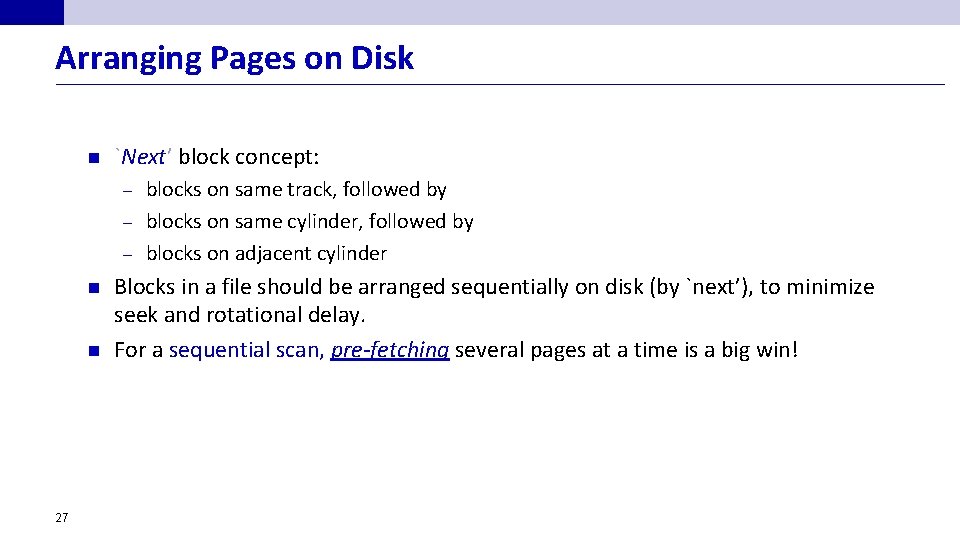
Arranging Pages on Disk n `Next’ block concept: blocks on same track, followed by – blocks on same cylinder, followed by – blocks on adjacent cylinder – n n 27 Blocks in a file should be arranged sequentially on disk (by `next’), to minimize seek and rotational delay. For a sequential scan, pre-fetching several pages at a time is a big win!
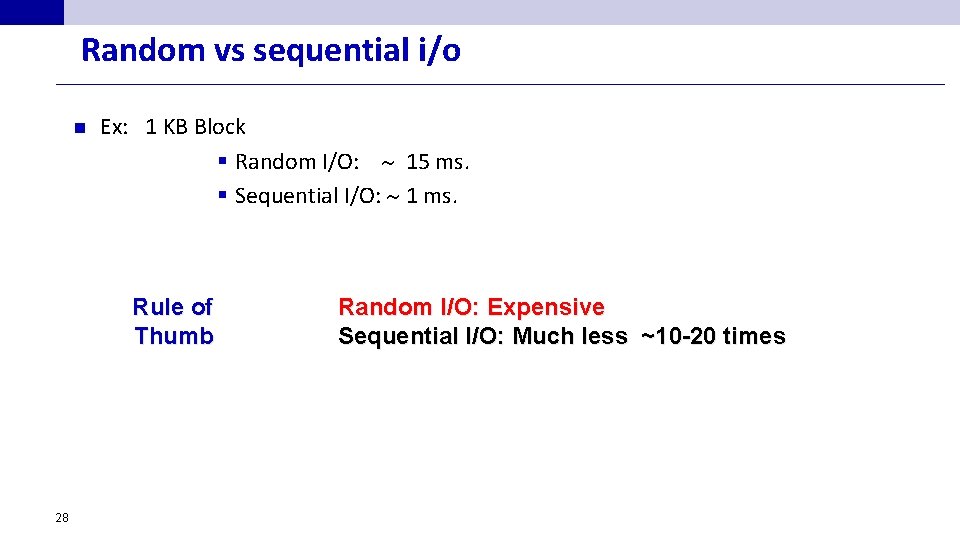
Random vs sequential i/o n Ex: 1 KB Block § Random I/O: 15 ms. § Sequential I/O: 1 ms. Rule of Thumb 28 Random I/O: Expensive Sequential I/O: Much less ~10 -20 times
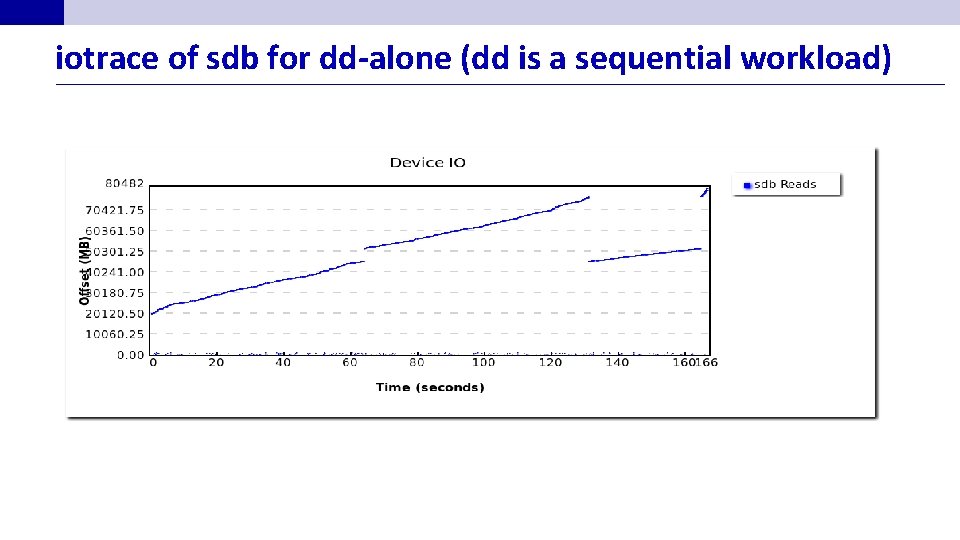
iotrace of sdb for dd-alone (dd is a sequential workload)
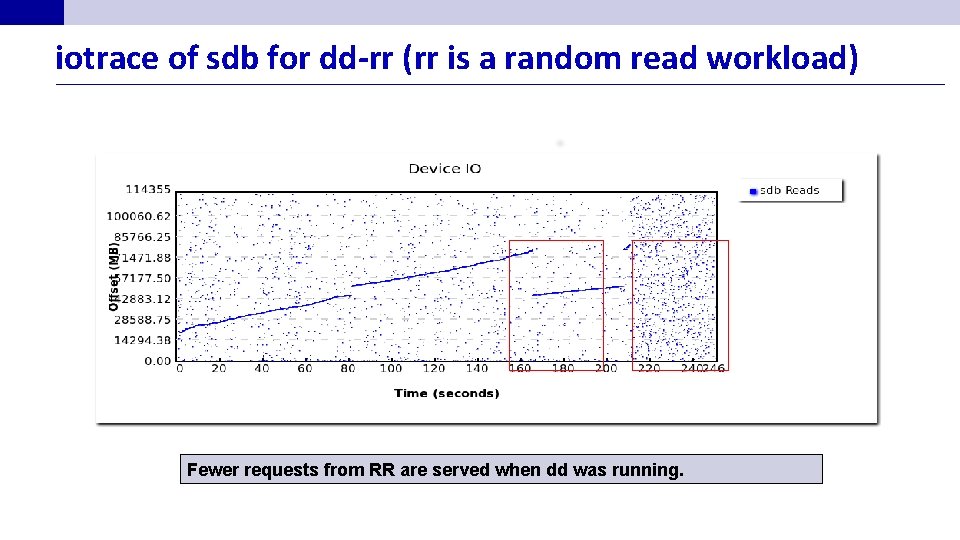
iotrace of sdb for dd-rr (rr is a random read workload) Fewer requests from RR are served when dd was running.
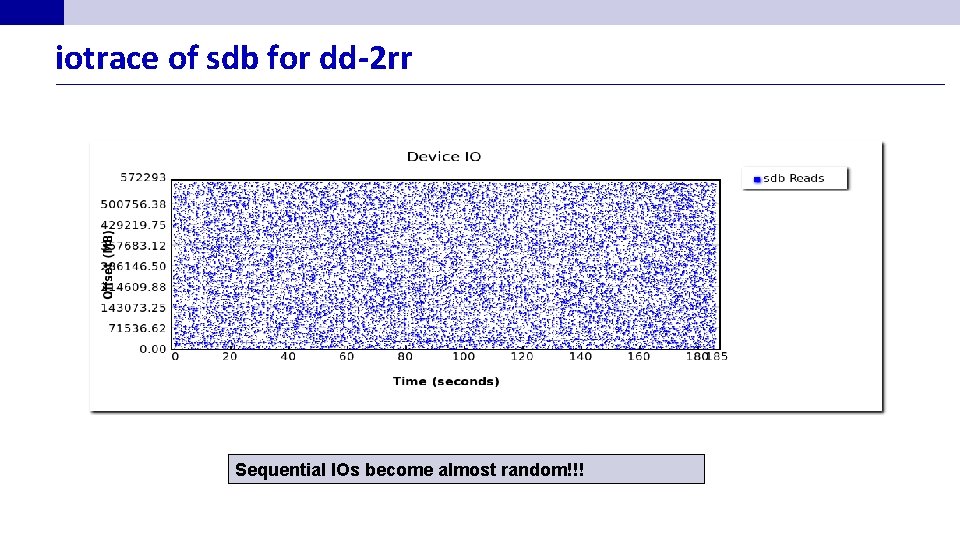
iotrace of sdb for dd-2 rr Sequential IOs become almost random!!!
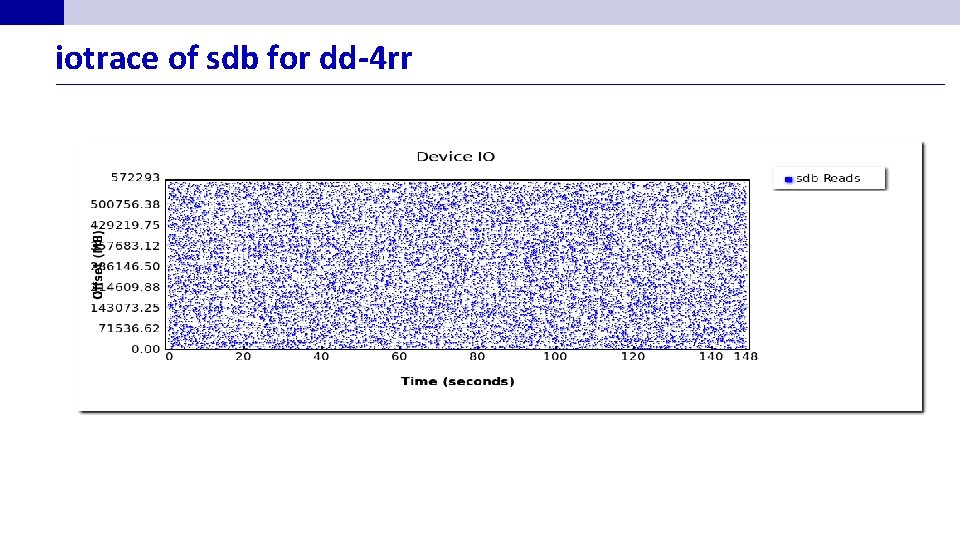
iotrace of sdb for dd-4 rr
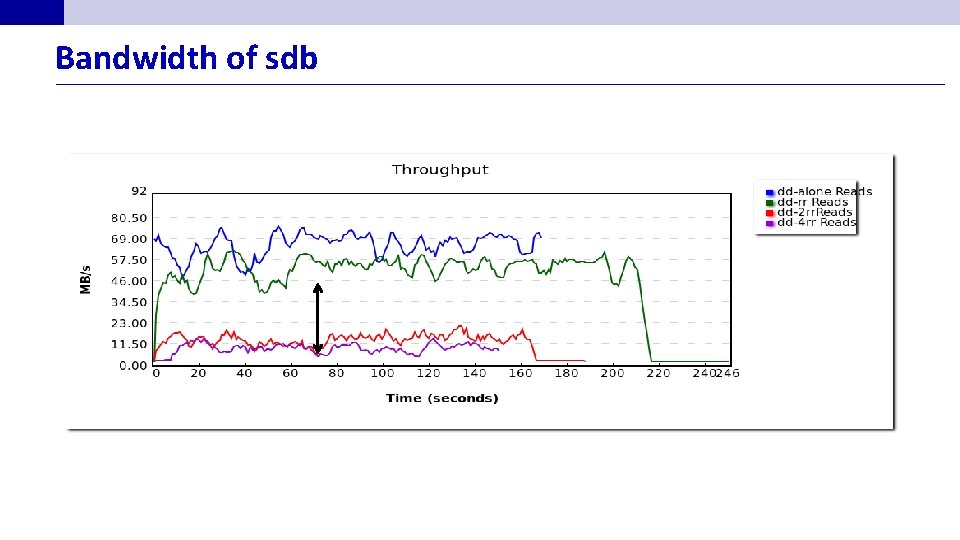
Bandwidth of sdb
Disk Space Management n Lowest layer of DBMS software manages space on disk (using OS file system or not? ). n Higher levels call upon this layer to: – allocate/de-allocate a page – read/write a page n Best if a request for a sequence of pages is satisfied by pages stored sequentially on disk! – Responsibility of disk space manager. – Higher levels don’t know how this is done, or how free space is managed. – Though they may assume sequential access for files! • 34 Hence disk space manager should do a decent job.
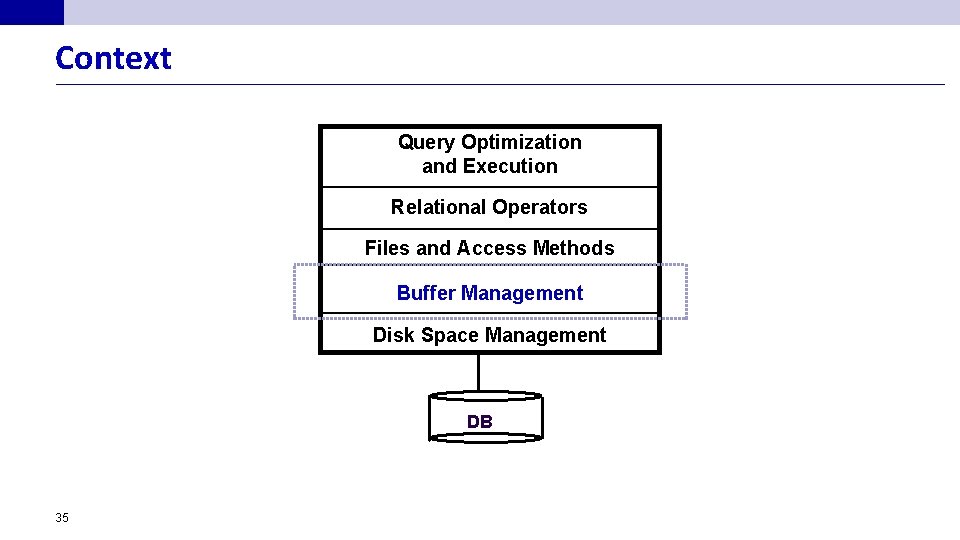
Context Query Optimization and Execution Relational Operators Files and Access Methods Buffer Management Disk Space Management DB 35
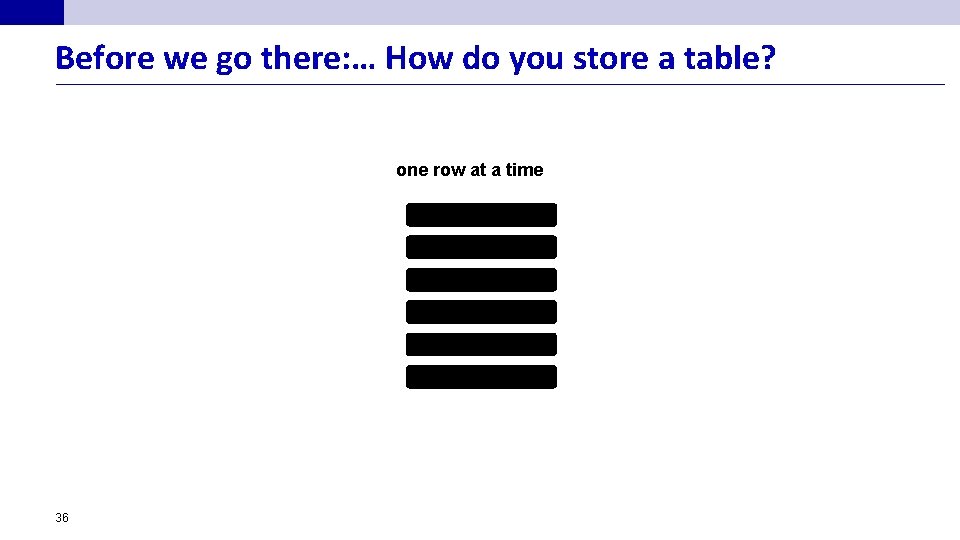
Before we go there: … How do you store a table? one row at a time 36
how to efficiently access data? how to retrieve rows: if I am interested in the average GPA of all students? if I am interested in the GPA of student A? 37
how to efficiently access data? Scan the whole table if I am interested in most of the data 38
how to efficiently access data? how to retrieve rows: if I am interested in the average GPA of all students? if I am interested in the GPA of student A? 39
how to efficiently access data? Ask an oracle to tell me where is my data if I am interested in a single row 40
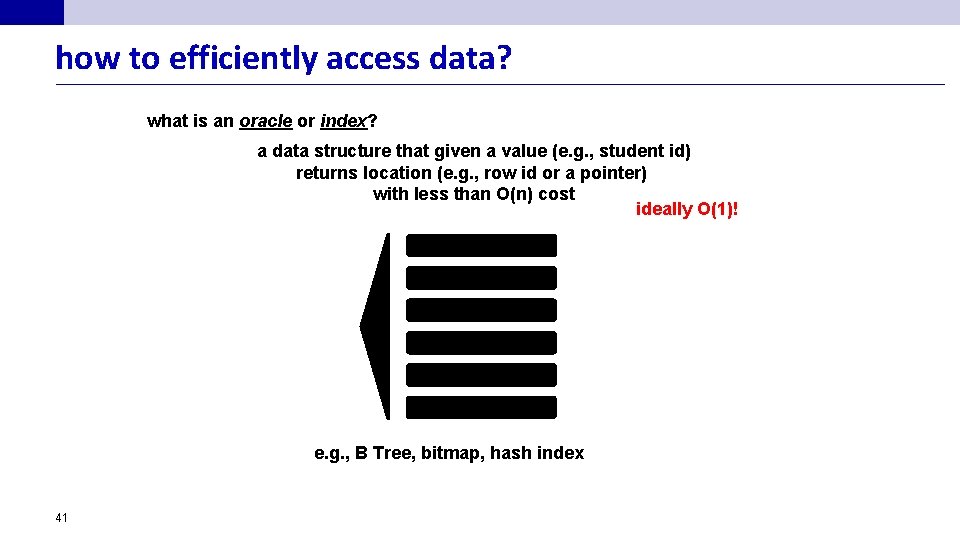
how to efficiently access data? what is an oracle or index? a data structure that given a value (e. g. , student id) returns location (e. g. , row id or a pointer) with less than O(n) cost ideally O(1)! e. g. , B Tree, bitmap, hash index 41
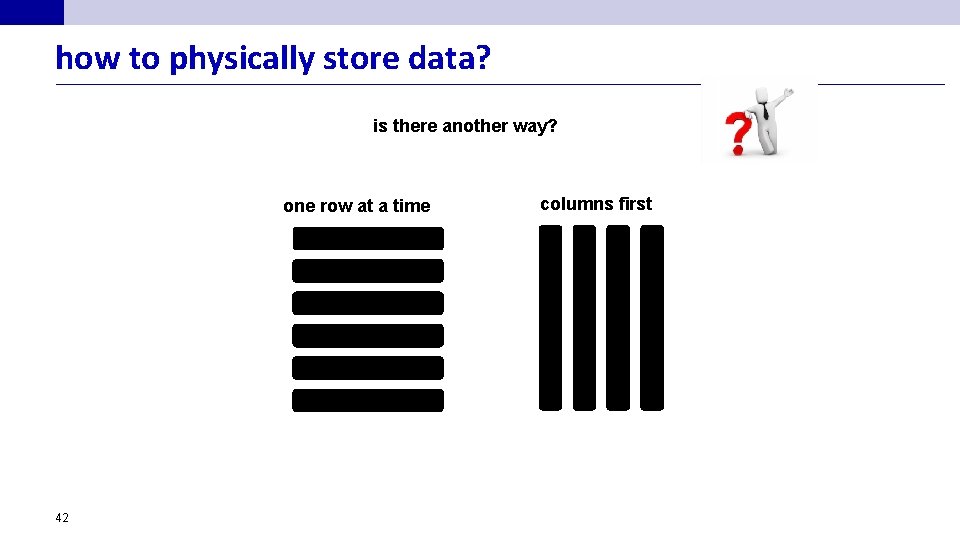
how to physically store data? is there another way? one row at a time 42 columns first
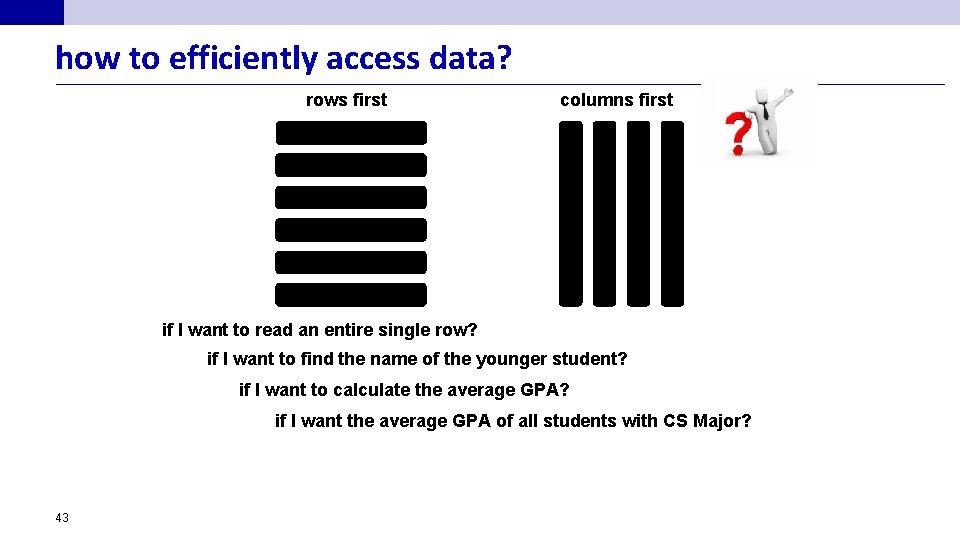
how to efficiently access data? rows first columns first if I want to read an entire single row? if I want to find the name of the younger student? if I want to calculate the average GPA? if I want the average GPA of all students with CS Major? 43
does that affect the way we evaluate queries? Query Engine is different row-oriented systems (”row-stores”) move around rows column-oriented systems (”column-stores”) move around columns Here we concentrate on Row-stores (row-wise storage) (for now. . ) 44
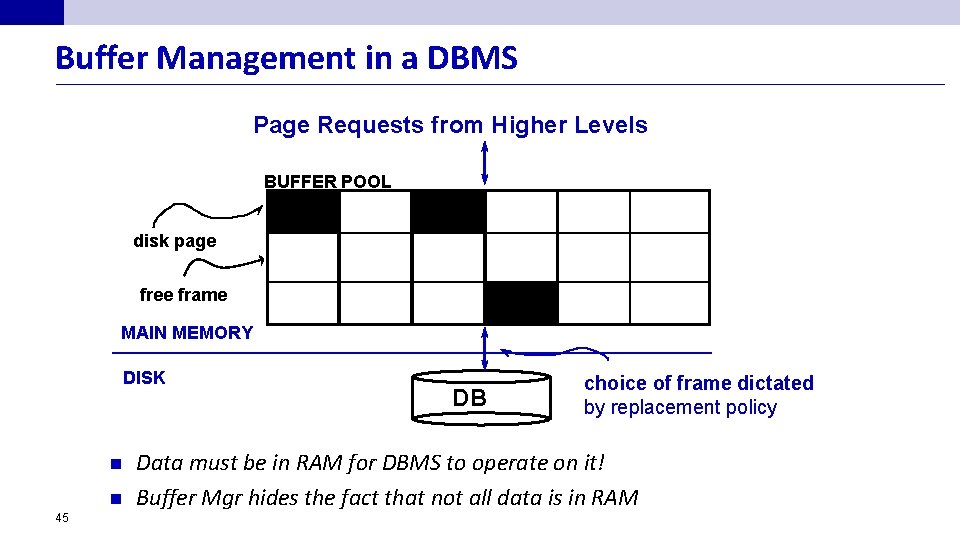
Buffer Management in a DBMS Page Requests from Higher Levels BUFFER POOL disk page free frame MAIN MEMORY DISK n n 45 DB choice of frame dictated by replacement policy Data must be in RAM for DBMS to operate on it! Buffer Mgr hides the fact that not all data is in RAM
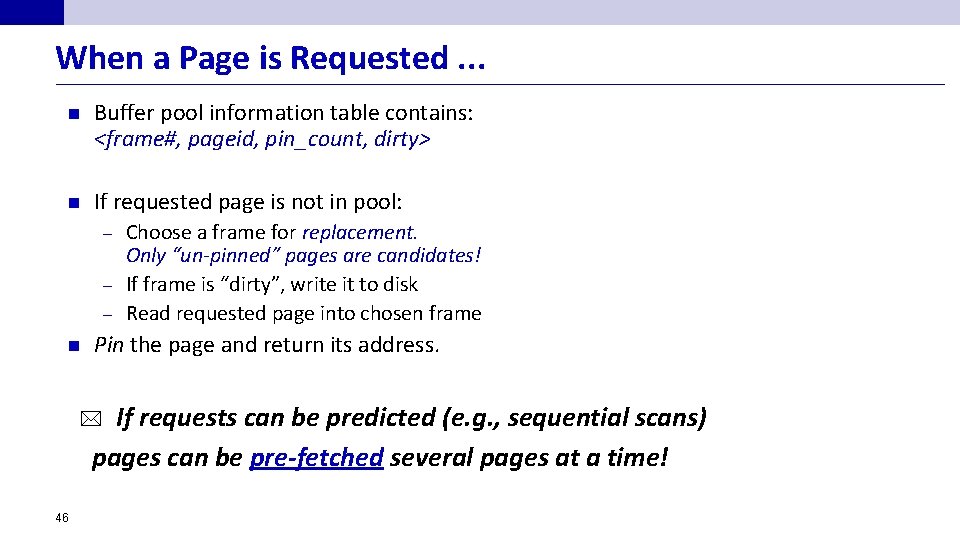
When a Page is Requested. . . n Buffer pool information table contains: <frame#, pageid, pin_count, dirty> n If requested page is not in pool: Choose a frame for replacement. Only “un-pinned” pages are candidates! – If frame is “dirty”, write it to disk – Read requested page into chosen frame – n Pin the page and return its address. If requests can be predicted (e. g. , sequential scans) pages can be pre-fetched several pages at a time! * 46
More on Buffer Management n Requestor of page must eventually unpin it, and indicate whether page has been modified: – dirty bit is used for this n Page in pool may be requested many times, – a pin count is used. – To pin a page, pin_count++ – A page is a candidate for replacement iff pin count == 0 (“unpinned”) n CC & recovery may entail additional I/O when a frame is chosen for replacement. – Write-Ahead Log protocol; more later! 47
Buffer Replacement Policy n Frame is chosen for replacement by a replacement policy: – n 48 Least-recently-used (LRU), MRU, Clock, etc. Policy can have big impact on # of I/O’s; depends on the access pattern.
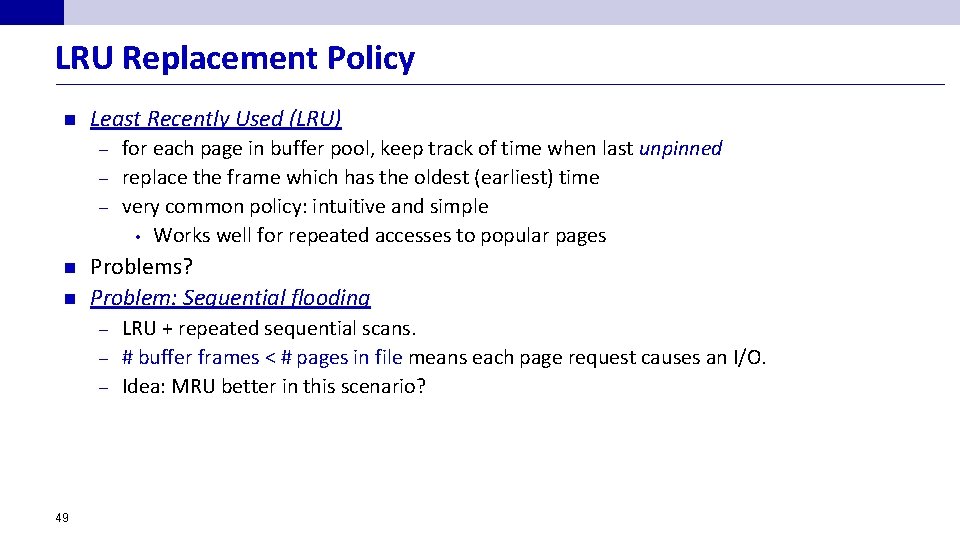
LRU Replacement Policy n Least Recently Used (LRU) for each page in buffer pool, keep track of time when last unpinned – replace the frame which has the oldest (earliest) time – very common policy: intuitive and simple • Works well for repeated accesses to popular pages – n n Problems? Problem: Sequential flooding LRU + repeated sequential scans. – # buffer frames < # pages in file means each page request causes an I/O. – Idea: MRU better in this scenario? – 49
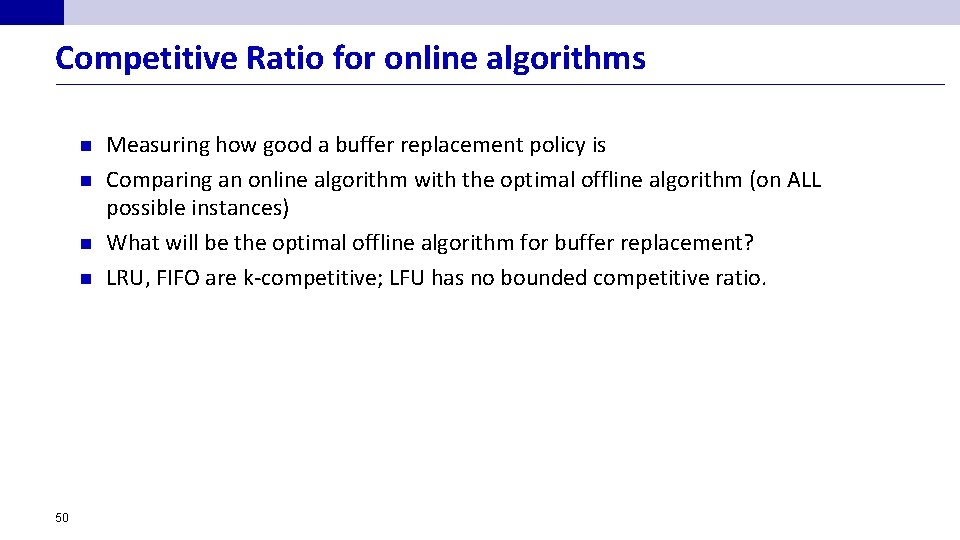
Competitive Ratio for online algorithms n n 50 Measuring how good a buffer replacement policy is Comparing an online algorithm with the optimal offline algorithm (on ALL possible instances) What will be the optimal offline algorithm for buffer replacement? LRU, FIFO are k-competitive; LFU has no bounded competitive ratio.
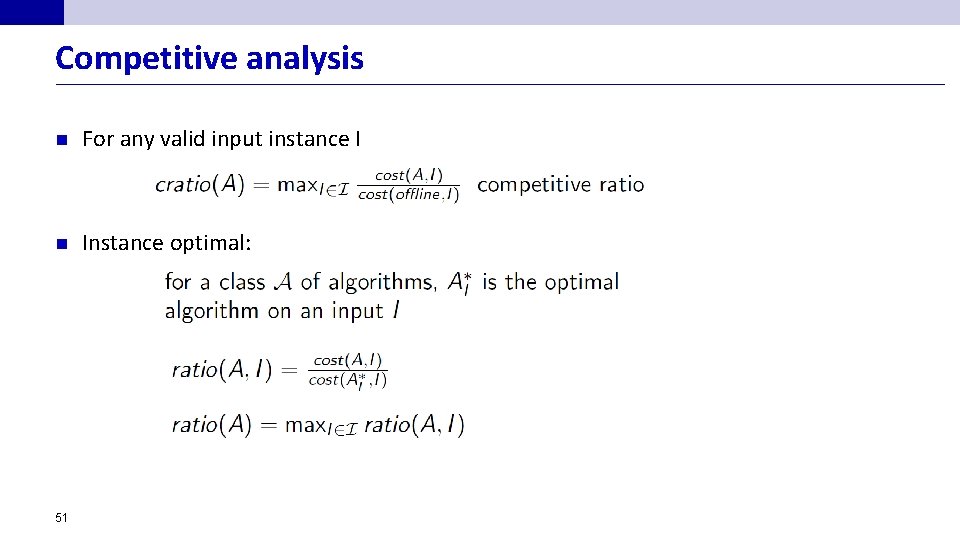
Competitive analysis n For any valid input instance I n Instance optimal: 51
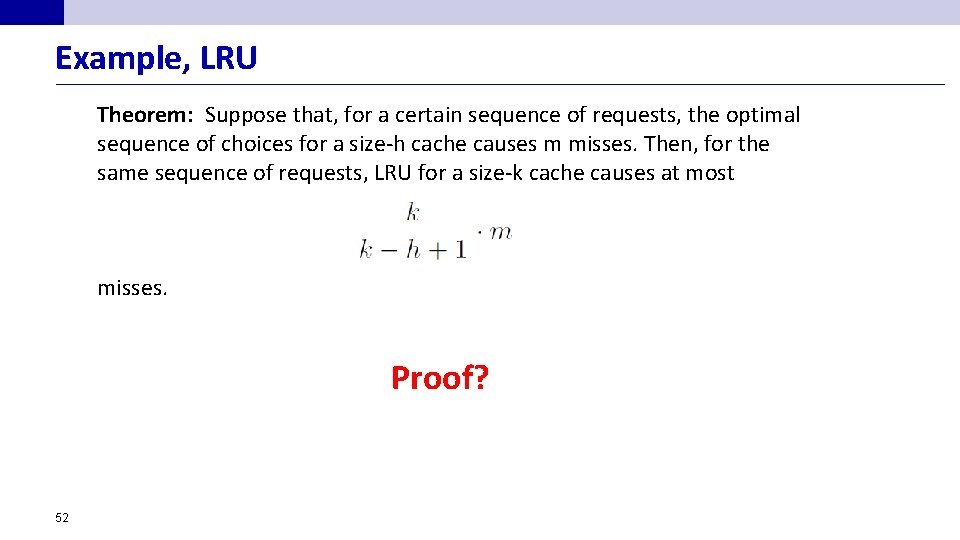
Example, LRU Theorem: Suppose that, for a certain sequence of requests, the optimal sequence of choices for a size-h cache causes m misses. Then, for the same sequence of requests, LRU for a size-k cache causes at most misses. Proof? 52
DBMS vs. OS File System OS does disk space & buffer management: why not let OS manage these tasks? n n Some limitations, e. g. , files can’t span disks. Buffer management in DBMS requires ability to: pin a page in buffer pool, force a page to disk & order writes (important for implementing CC, concurrency control, & recovery) – adjust replacement policy, and pre-fetch pages based on access patterns in typical DB operations. – 53
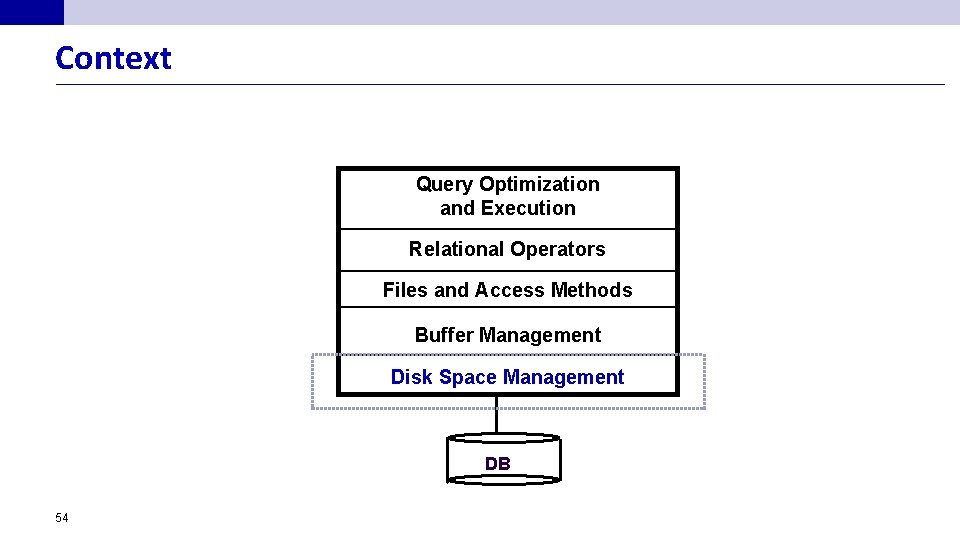
Context Query Optimization and Execution Relational Operators Files and Access Methods Buffer Management Disk Space Management DB 54
Files of Records n n n Blocks interface for I/O, but… Higher levels of DBMS operate on records, and files of records. FILE: A collection of pages, each containing a collection of records. Must support: insert/delete/modify record – fetch a particular record (specified using record id) – scan all records (possibly with some conditions on the records to be retrieved) – 55
Unordered (Heap) Files n n 56 Simplest file structure contains records in no particular order. As file grows and shrinks, disk pages are allocated and de-allocated. To support record level operations, we must: – keep track of the pages in a file – keep track of free space on pages – keep track of the records on a page There are many alternatives for keeping track of this. – We’ll consider 2
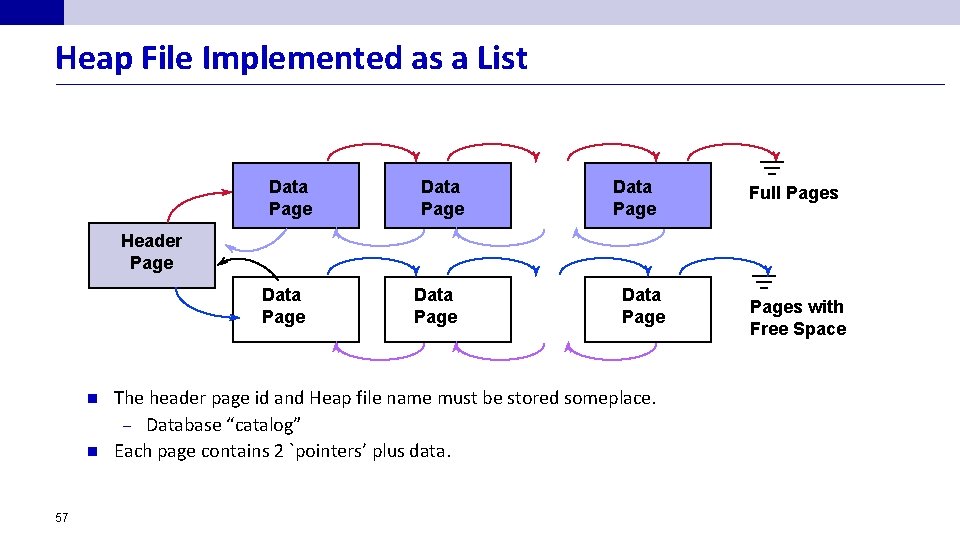
Heap File Implemented as a List Data Page Full Pages Header Page Data Page n n 57 Data Page The header page id and Heap file name must be stored someplace. – Database “catalog” Each page contains 2 `pointers’ plus data. Pages with Free Space
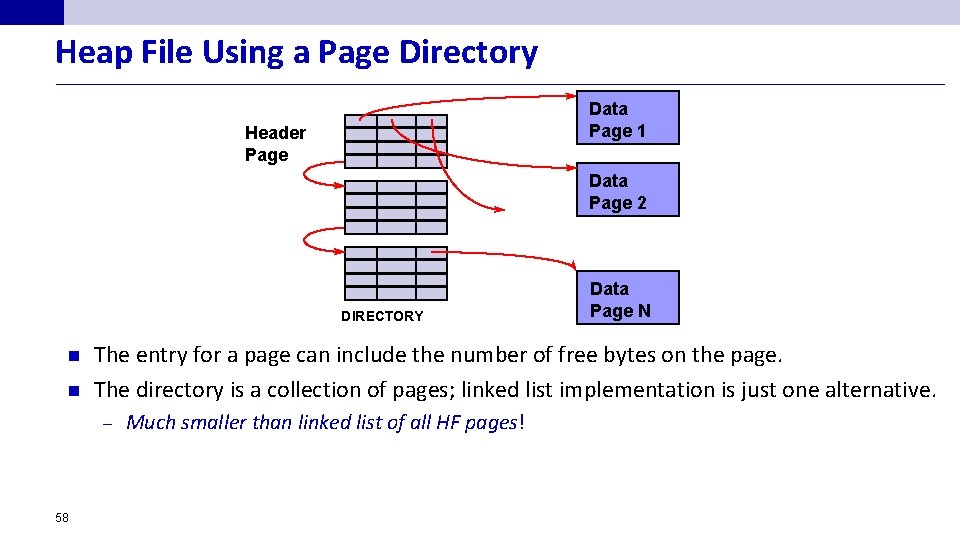
Heap File Using a Page Directory Data Page 1 Header Page Data Page 2 DIRECTORY n n The entry for a page can include the number of free bytes on the page. The directory is a collection of pages; linked list implementation is just one alternative. – 58 Data Page N Much smaller than linked list of all HF pages!
Indexes (a sneak preview) n A Heap file allows us to retrieve records: by specifying the rid, or – by scanning all records sequentially – n Sometimes, we want to retrieve records by specifying the values in one or more fields, e. g. , Find all students in the “CS” department – Find all students with a gpa > 3 – n 59 Indexes are file structures that enable us to answer such value-based queries efficiently.
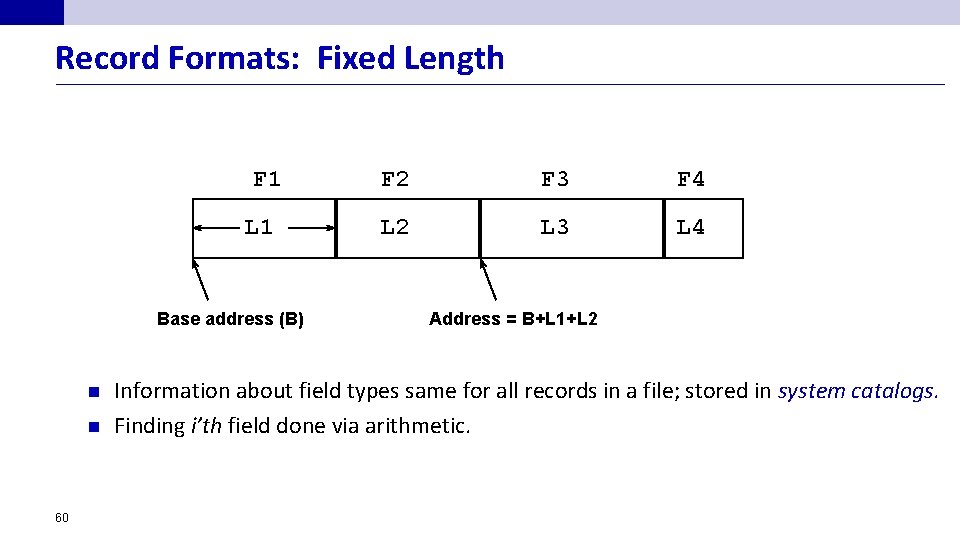
Record Formats: Fixed Length F 1 L 1 Base address (B) n n 60 F 2 F 3 F 4 L 2 L 3 L 4 Address = B+L 1+L 2 Information about field types same for all records in a file; stored in system catalogs. Finding i’th field done via arithmetic.
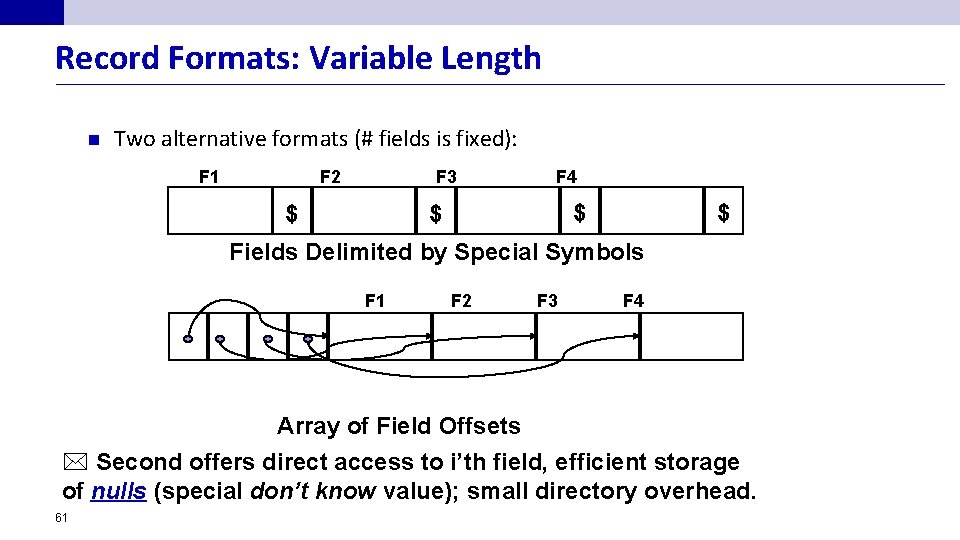
Record Formats: Variable Length n Two alternative formats (# fields is fixed): F 1 F 2 F 3 $ F 4 $ $ $ Fields Delimited by Special Symbols F 1 F 2 F 3 F 4 Array of Field Offsets * Second offers direct access to i’th field, efficient storage of nulls (special don’t know value); small directory overhead. 61
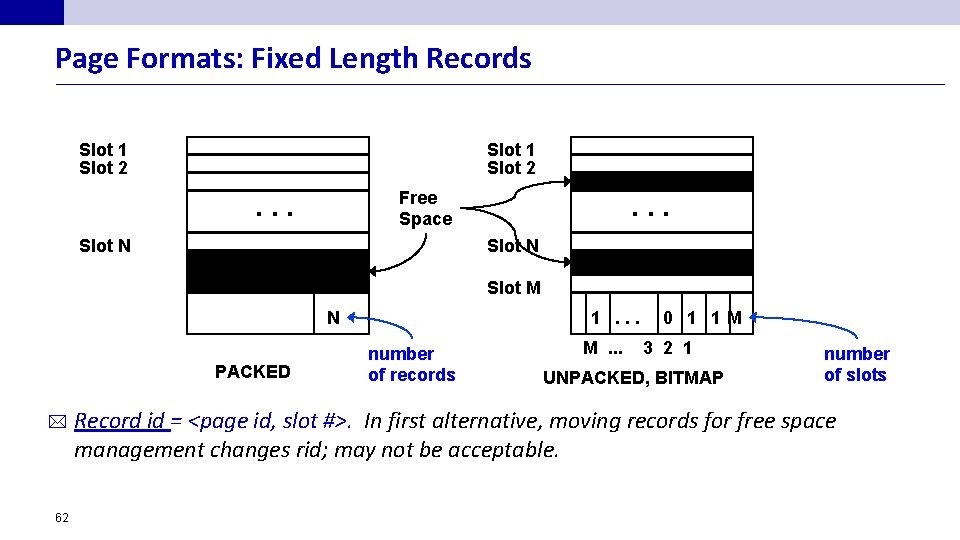
Page Formats: Fixed Length Records Slot 1 Slot 2 Free Space . . . Slot N Slot M 1. . . N PACKED * 62 number of records M. . . 0 1 1 M 3 2 1 UNPACKED, BITMAP number of slots Record id = <page id, slot #>. In first alternative, moving records for free space management changes rid; may not be acceptable.
Variable Length Records n n n Find an empty slot of the just right length Ensure that all the free space on the page is contiguous Idea: Dictionary of slots with format as <record offset, record length) – Record offset is the offset in bytes from the start of the data area on the page to the start of the record. – Deletion is achieved by setting record offset to -1. – 63
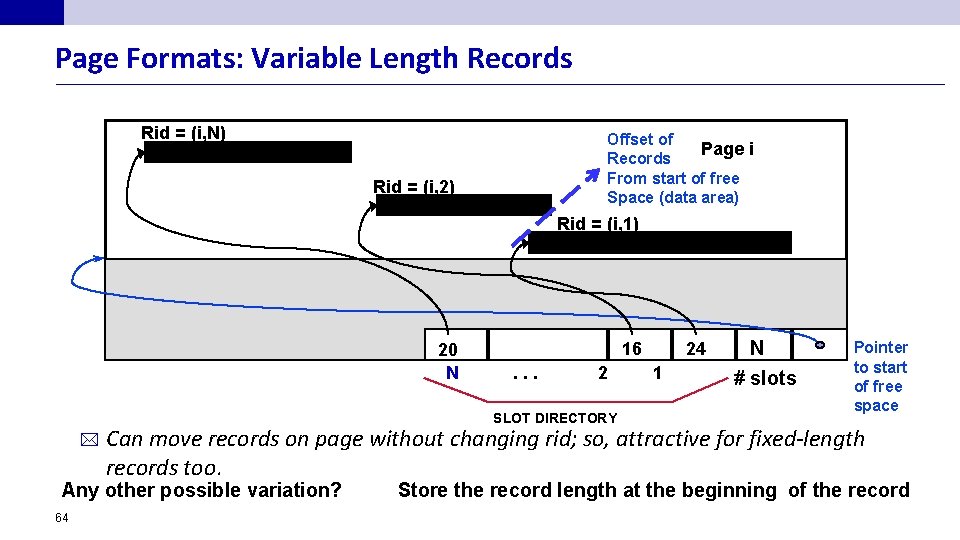
Page Formats: Variable Length Records Rid = (i, N) Offset of Page i Records From start of free Space (data area) Rid = (i, 2) Rid = (i, 1) 20 N 16. . . 2 SLOT DIRECTORY * 1 N # slots Pointer to start of free space Can move records on page without changing rid; so, attractive for fixed-length records too. Any other possible variation? 64 24 Store the record length at the beginning of the record
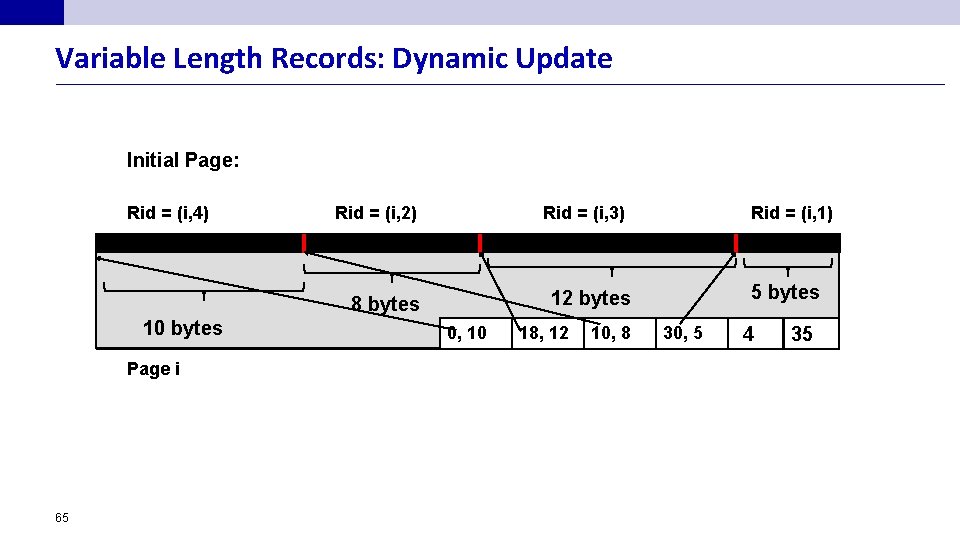
Variable Length Records: Dynamic Update Initial Page: Rid = (i, 4) Rid = (i, 2) Rid = (i, 3) Page i 65 5 bytes 12 bytes 8 bytes 10 bytes Rid = (i, 1) 0, 10 18, 12 10, 8 30, 5 4 35
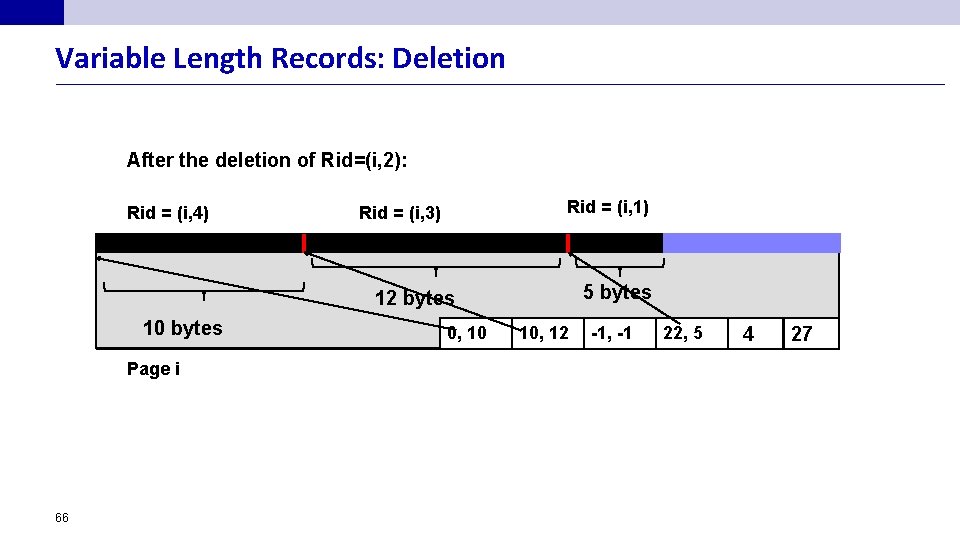
Variable Length Records: Deletion After the deletion of Rid=(i, 2): Rid = (i, 4) Rid = (i, 1) Rid = (i, 3) 5 bytes 12 bytes 10 bytes Page i 66 0, 10 10, 12 -1, -1 22, 5 4 27
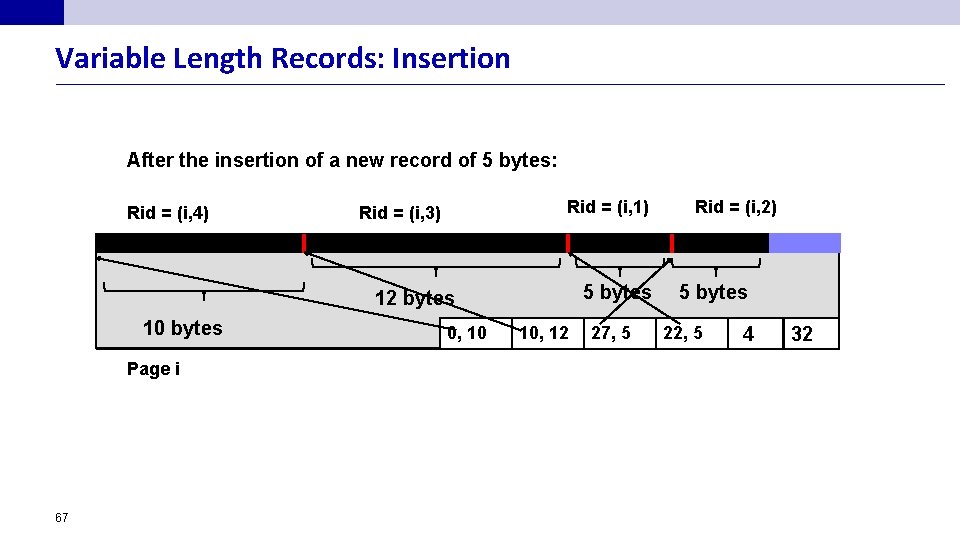
Variable Length Records: Insertion After the insertion of a new record of 5 bytes: Rid = (i, 4) Rid = (i, 1) Rid = (i, 3) 5 bytes 12 bytes 10 bytes Page i 67 0, 10 10, 12 27, 5 Rid = (i, 2) 5 bytes 22, 5 4 32
Deletion n Leave the slot and don’t remove the slot Why? As doing so will change the rids of the records pointed to by the subsequent slots – The only way to remove a slot from the slot directory is to remove the last slot if the corresponding record is deleted – Insertion does not have to create a new slot in the slot dictionary: scan for a “free” slot – In cases where we don’t care about rid, we can compact the slot dictionary after the delete, e. g. , B+ tree with pointers in the leaf entry – 68
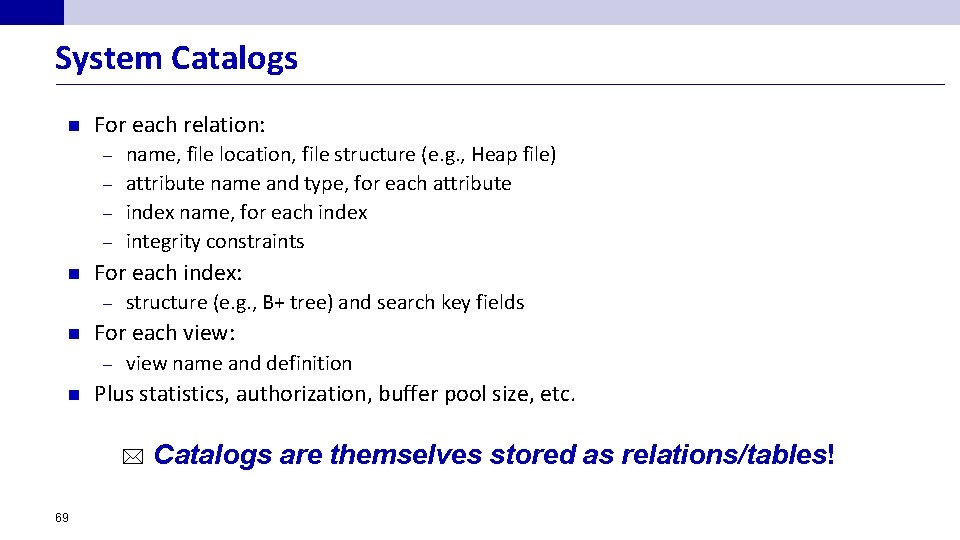
System Catalogs n For each relation: name, file location, file structure (e. g. , Heap file) – attribute name and type, for each attribute – index name, for each index – integrity constraints – n For each index: – n For each view: – n structure (e. g. , B+ tree) and search key fields view name and definition Plus statistics, authorization, buffer pool size, etc. * 69 Catalogs are themselves stored as relations/tables!
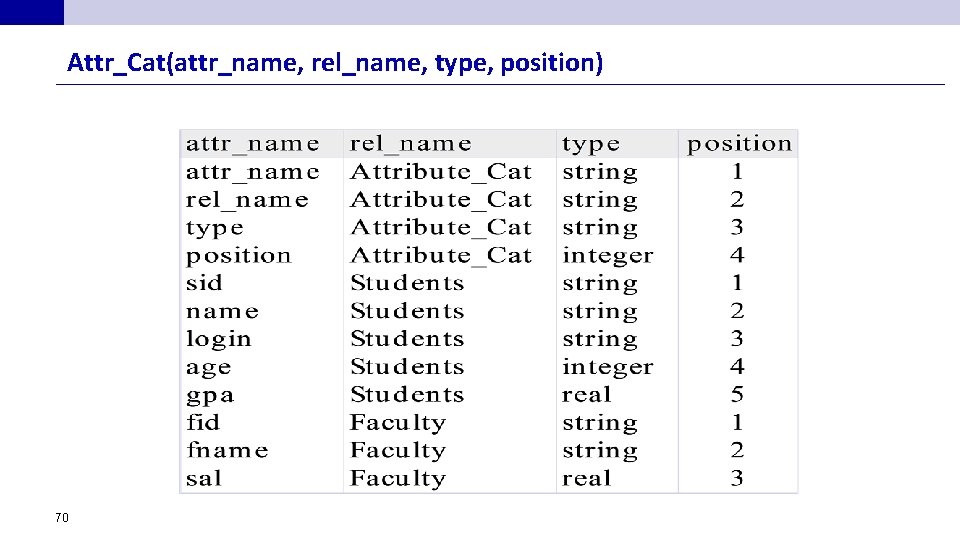
Attr_Cat(attr_name, rel_name, type, position) 70
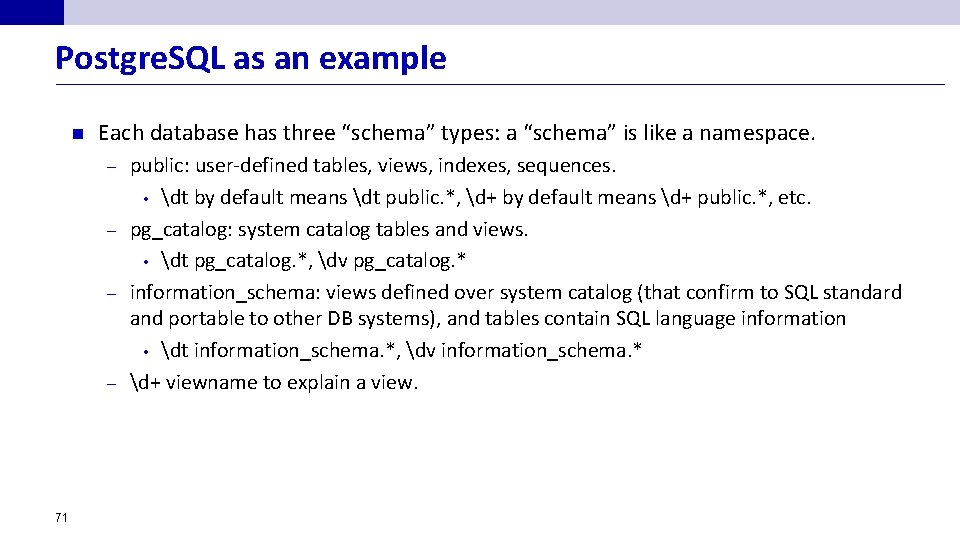
Postgre. SQL as an example n Each database has three “schema” types: a “schema” is like a namespace. public: user-defined tables, views, indexes, sequences. • dt by default means dt public. *, d+ by default means d+ public. *, etc. – pg_catalog: system catalog tables and views. • dt pg_catalog. *, dv pg_catalog. * – information_schema: views defined over system catalog (that confirm to SQL standard and portable to other DB systems), and tables contain SQL language information • dt information_schema. *, dv information_schema. * – d+ viewname to explain a view. – 71
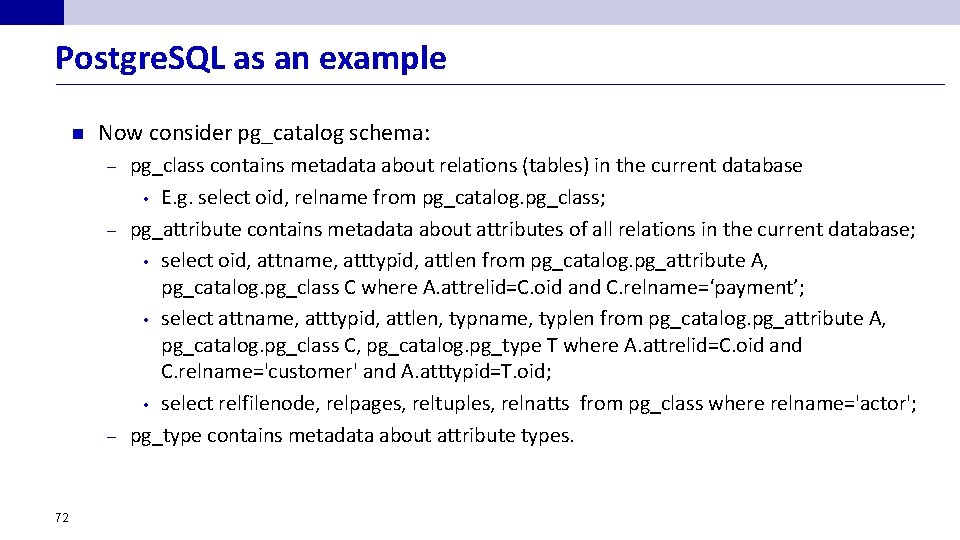
Postgre. SQL as an example n Now consider pg_catalog schema: pg_class contains metadata about relations (tables) in the current database • E. g. select oid, relname from pg_catalog. pg_class; – pg_attribute contains metadata about attributes of all relations in the current database; • select oid, attname, atttypid, attlen from pg_catalog. pg_attribute A, pg_catalog. pg_class C where A. attrelid=C. oid and C. relname=‘payment’; • select attname, atttypid, attlen, typname, typlen from pg_catalog. pg_attribute A, pg_catalog. pg_class C, pg_catalog. pg_type T where A. attrelid=C. oid and C. relname='customer' and A. atttypid=T. oid; • select relfilenode, relpages, reltuples, relnatts from pg_class where relname='actor'; – pg_type contains metadata about attribute types. – 72
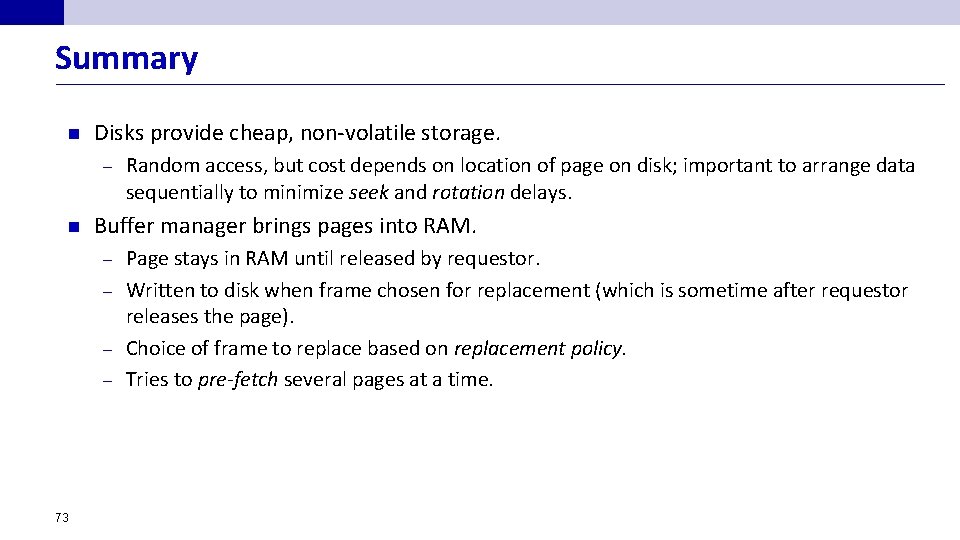
Summary n Disks provide cheap, non-volatile storage. – n Random access, but cost depends on location of page on disk; important to arrange data sequentially to minimize seek and rotation delays. Buffer manager brings pages into RAM. Page stays in RAM until released by requestor. – Written to disk when frame chosen for replacement (which is sometime after requestor releases the page). – Choice of frame to replace based on replacement policy. – Tries to pre-fetch several pages at a time. – 73
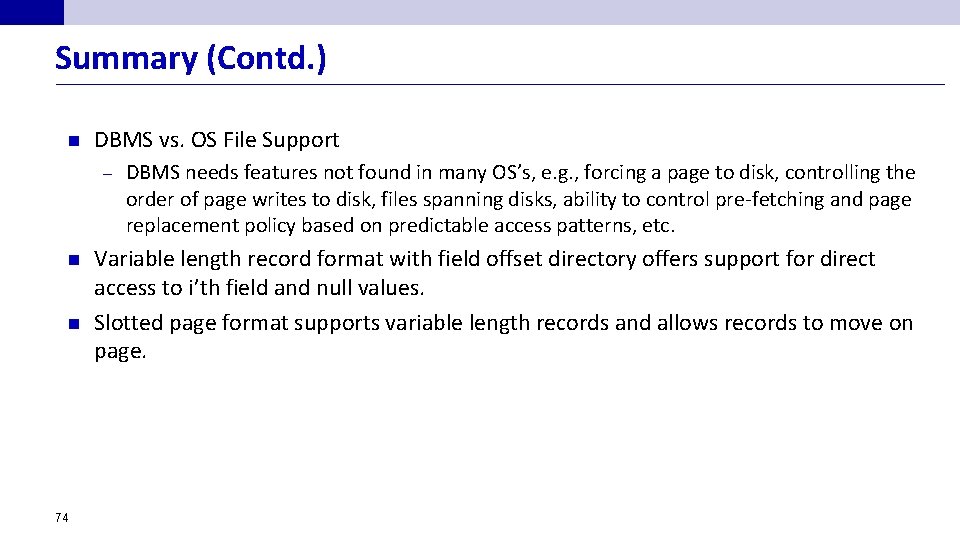
Summary (Contd. ) n DBMS vs. OS File Support – n n 74 DBMS needs features not found in many OS’s, e. g. , forcing a page to disk, controlling the order of page writes to disk, files spanning disks, ability to control pre-fetching and page replacement policy based on predictable access patterns, etc. Variable length record format with field offset directory offers support for direct access to i’th field and null values. Slotted page format supports variable length records and allows records to move on page.
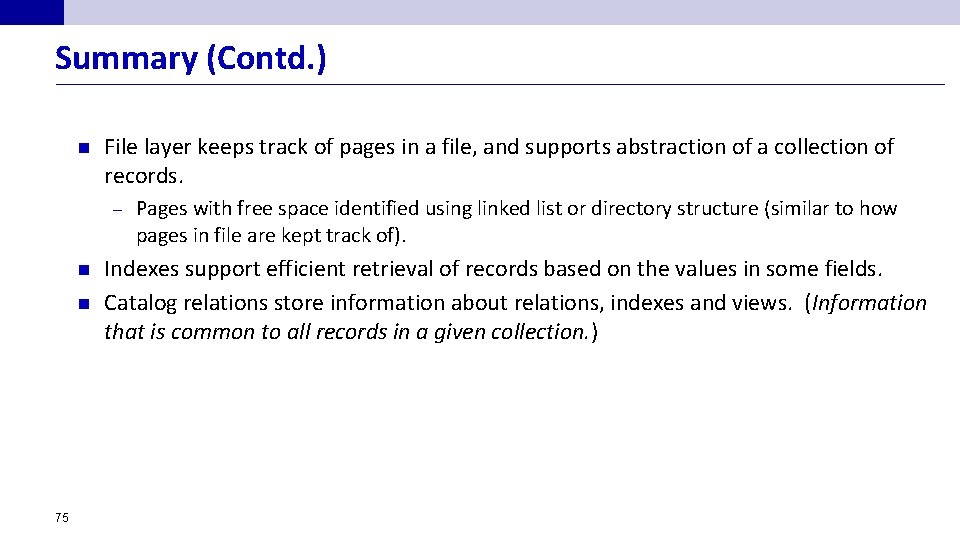
Summary (Contd. ) n File layer keeps track of pages in a file, and supports abstraction of a collection of records. – n n 75 Pages with free space identified using linked list or directory structure (similar to how pages in file are kept track of). Indexes support efficient retrieval of records based on the values in some fields. Catalog relations store information about relations, indexes and views. (Information that is common to all records in a given collection. )
- Slides: 75