
Database Programming Know Your Data When developing an
Database Programming
Know Your Data • When developing an application, it is important to know what kind of data the application will handle • Having a well design data model can help programming and maintaining the application • Knowing your data will help designing a schema which is optimal for your needs
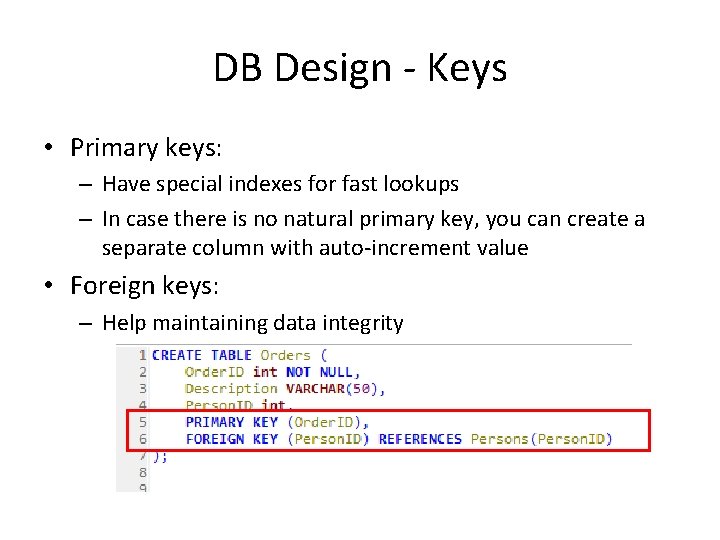
DB Design - Keys • Primary keys: – Have special indexes for fast lookups – In case there is no natural primary key, you can create a separate column with auto-increment value • Foreign keys: – Help maintaining data integrity
DB Design - Indexes • Indexes can reduce the search cost • Each index requires an additional structure – Updating an indexed column has an additional cost • Index structures in My. SQL: – B-trees – R-trees – Hash tables – Inverted lists –…
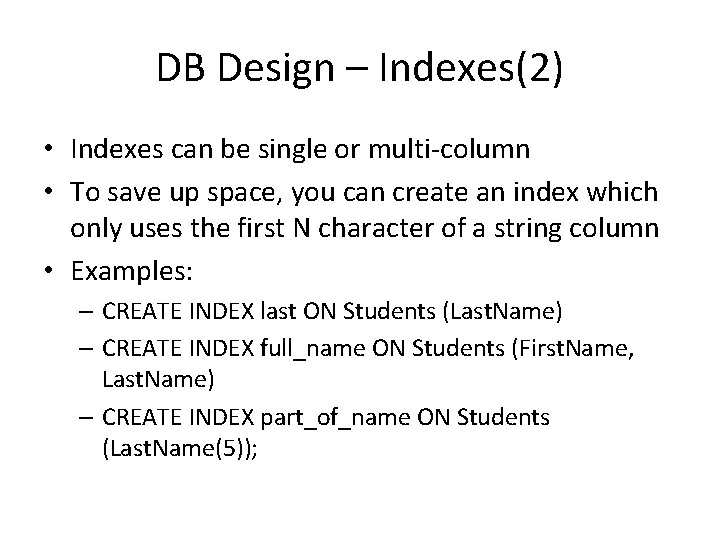
DB Design – Indexes(2) • Indexes can be single or multi-column • To save up space, you can create an index which only uses the first N character of a string column • Examples: – CREATE INDEX last ON Students (Last. Name) – CREATE INDEX full_name ON Students (First. Name, Last. Name) – CREATE INDEX part_of_name ON Students (Last. Name(5));
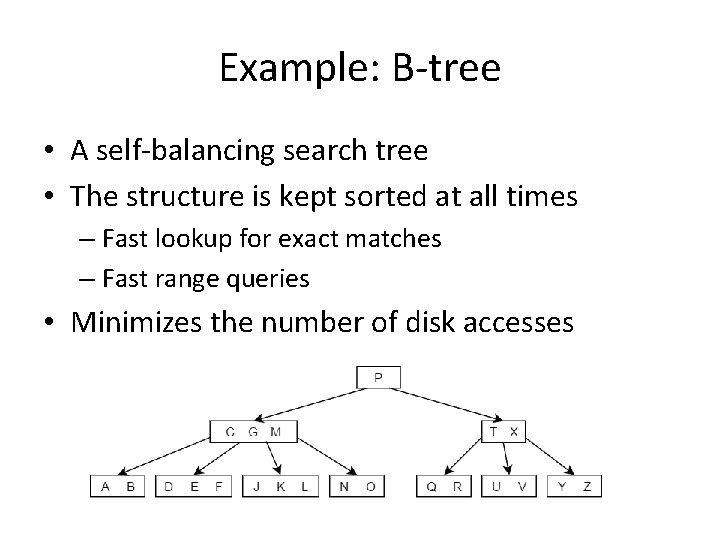
Example: B-tree • A self-balancing search tree • The structure is kept sorted at all times – Fast lookup for exact matches – Fast range queries • Minimizes the number of disk accesses
Example: Inverted List • Used in full-text queries • For each word, stores the list of documents which contains the word – Additional data could be stored, such as position in document • Full-text searching is performed using MATCH(). . . AGAINST syntax
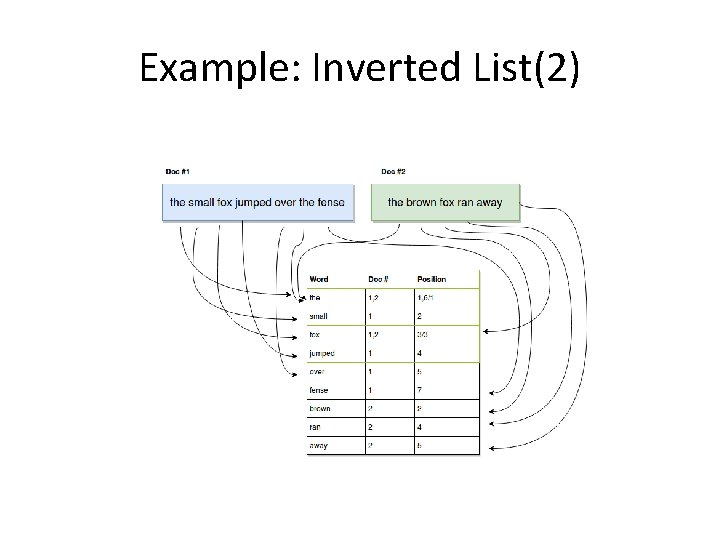
Example: Inverted List(2)
DB Design – Storage Engines • My. SQL components that handle the SQL operations for different table types – Inno. DB: default and most general-purpose storage engine. – My. ISAM: optimized for heavy read operations, and fast insert operations. Does not support transactions. – Memory: stores all data in RAM for fast access – … Many other engines which could be loaded to the server by demand
DB Design – Data Types • Choose the data type according to the range of values your application will use – Choosing the right type will reduce disk space and can enhance performance • Specifically define not null columns – Enable better use of indices – Eliminates the need for special handling null values
DB Design – Value Constraint • Additional constraints: – UNIQUE: ensures that each row for a column must have a unique value – CHECK: ensures that the value in a column meets a specific condition – DEFAULT: Specifies a default value for a column
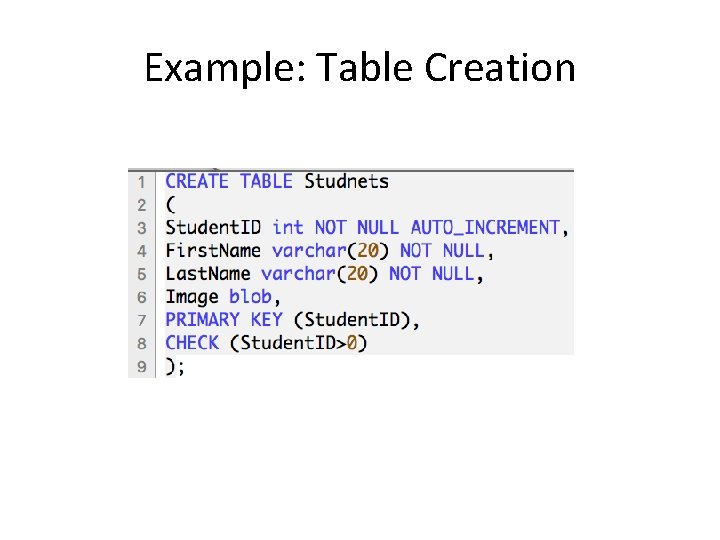
Example: Table Creation
DB Design – Normalization • A technique for organizing the DB: – Each table is responsible for holding data in a single domain – Getting rid of dependencies • Example: – Film(Id, Name, Studio. Name) is not normalized (there is a dependency between film and studio) – To normalize we use an additional table: Film(Id, Name, Studio. Id) and Studio(ID, Name)

User Interaction • In most applications, the user has no direct access to the DB • Each operation is done on the server, which in turn performs the appropriate DB operation • This indirect access might still be used to perform harmful operations on the DB
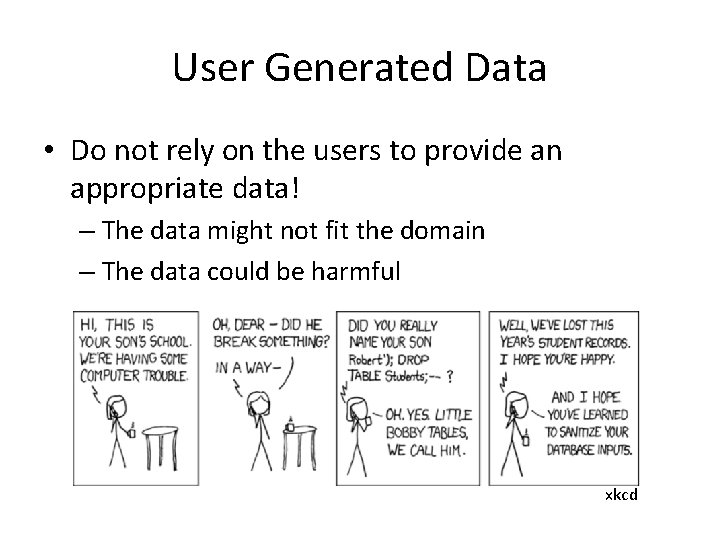
User Generated Data • Do not rely on the users to provide an appropriate data! – The data might not fit the domain – The data could be harmful xkcd

SQL Injection • “SELECT * FROM User WHERE User. ID = “ + user. Id • Assume user. Id is supplied by the user – How could this query compromise the privacy of the users? – What damage could the user cause to the users table? • Solution: use a library with parameterized query support – The library will take care of escaping, type converting etc. – Might improve the query performance, by using the DB cache

Prepared Statements • A reference to a pre-interpreted query on the database, ready to accept parameters • Advantages: – Protection against SQL injection attacks. The parameter values can contain unescaped SQL quote and delimiter characters. – Less overhead for parsing the statement each time it is executed
- Slides: 17