
Database Programming cont The Need for DB Programming
Database Programming (cont. )
The Need for DB Programming • Using serialization, we can read and write objects to disk (for python, see pickle module) • When do we still need a DBMS? – The data is too large to fit in memory – The data represents a complex relation – The data is updated frequently, possibly by multiple users simultaneously
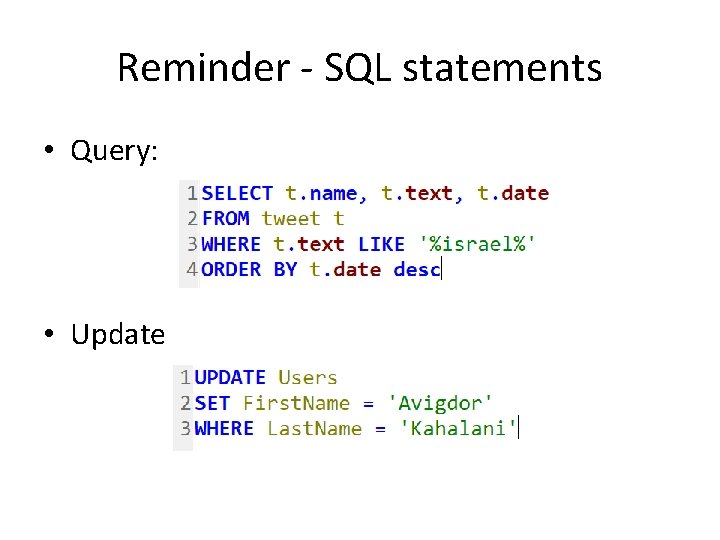
Reminder - SQL statements • Query: • Update

Reminder - SQL statements(2) • Delete: • Insert:
Reminder - SQL statements(3) • Many others: – – Table creation/deletion Adding/removing columns Creating indices … • Most of the statements used by My. SQL are according to SQL standard: – Examples/tutorial: https: //www. w 3 schools. com/sql/ • But some are My. SQL specific: – Full documentation: https: //dev. mysql. com/doc/refman/8. 0/en/sql-statements. html – Lots of information/examples online!
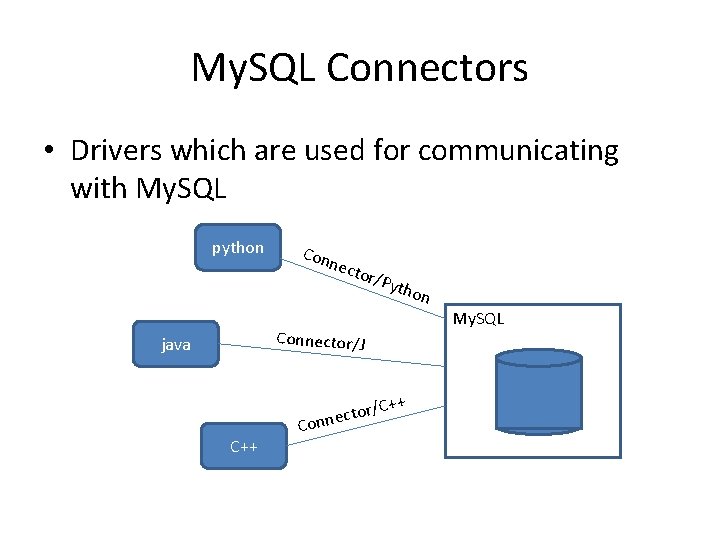
My. SQL Connectors • Drivers which are used for communicating with My. SQL python Con nect or/P ytho n My. SQL Connector/J java C++ tor c e n n Co /C++
My. SQL Connectors(2) • Enables executing statement from another language/environment • Implementing an API which is used for DBMS interaction • Many programming languages have dedicated connectors
DB Programming Guidelines • Optimize the DB to reduce storage space and disk I/O – For example, use numeric Ids – they are more compact, and have a predictable length – Primary keys are duplicated in secondary indices, and take up storage space – Retrieve only needed data (e. g. avoid select *) • The retrieved data might be very large - use the appropriate method to retrieve items from the result set as you loop through them: – fetchone() retrieves a single item – fetchall() retrieves all the items – fetchmany() general-purpose method: used for iterating through the returned items, until there are no more results to process.
DB Programming Guidelines(2) • Handle bad input data – Value check: • Not Null values • Unique values • Out-of-range values – Check the validity of data retrieved from other services – Deliberate bad data – SQL injection – Try to spot the difference: • c. execute("""SELECT spam, eggs, sausage FROM breakfast WHERE price < %s""", (max_price, )) SAFE • c. execute("""SELECT spam, eggs, sausage FROM breakfast WHERE price < %s""" % (max_price, )) NOT SAFE
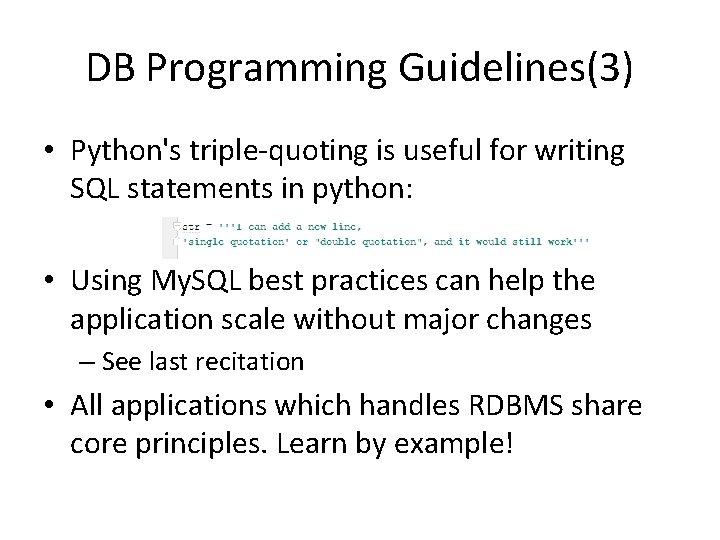
DB Programming Guidelines(3) • Python's triple-quoting is useful for writing SQL statements in python: • Using My. SQL best practices can help the application scale without major changes – See last recitation • All applications which handles RDBMS share core principles. Learn by example!
My. SQL Connector/Python • Enables Python programs to access My. SQL databases • Developed by Oracle (replaces other unofficial libraries) • Written in pure Python, and doesn’t have any dependencies • Implements the Python Database API • Includes conversions between My. SQL data types and Python data types • Connects the DBMS using tcp/ip sockets
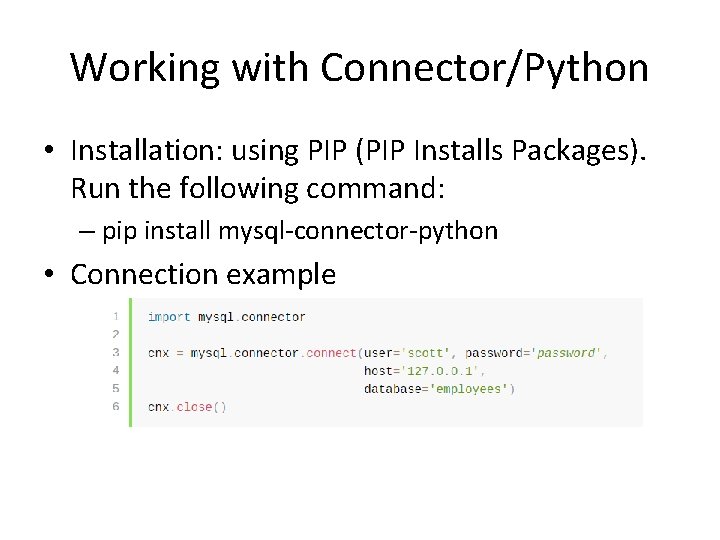
Working with Connector/Python • Installation: using PIP (PIP Installs Packages). Run the following command: – pip install mysql-connector-python • Connection example
Connecting to TAU My. SQL Server • Inside TAU’s VPN, the connector will work as expected. • But what if you’re working from home? – The connection will fail, because it not configured for SSH communication • What should we do? – First run Cisco SSL VPN client – Now, we need to configure an SSH tunnel • The python code would refer to a local address, which will be mapped to the real server address • Using Putty, we can create an SSH tunnel which will take care of the encrypted channel
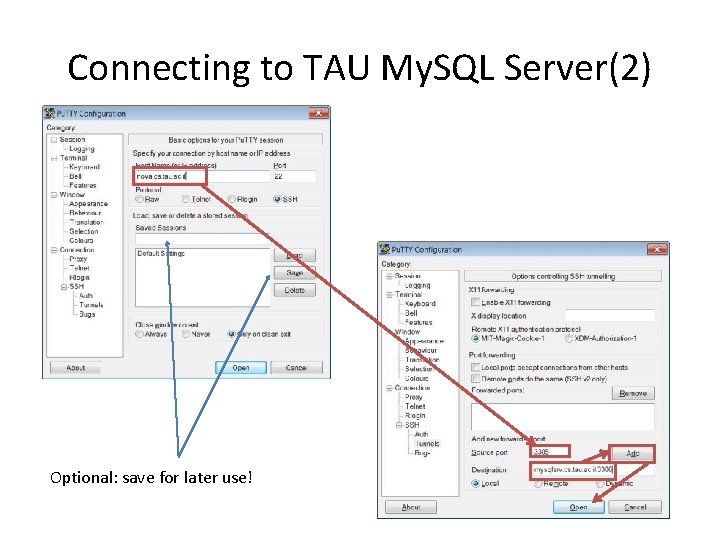
Connecting to TAU My. SQL Server(2) Optional: save for later use!
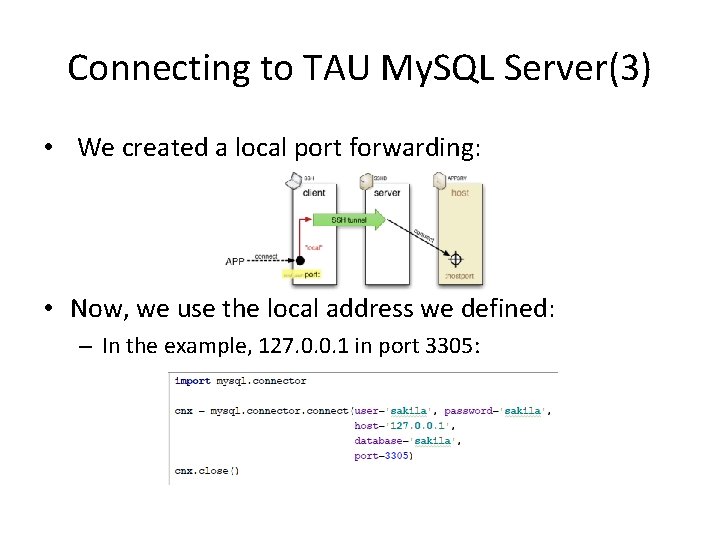
Connecting to TAU My. SQL Server(3) • We created a local port forwarding: • Now, we use the local address we defined: – In the example, 127. 0. 0. 1 in port 3305:
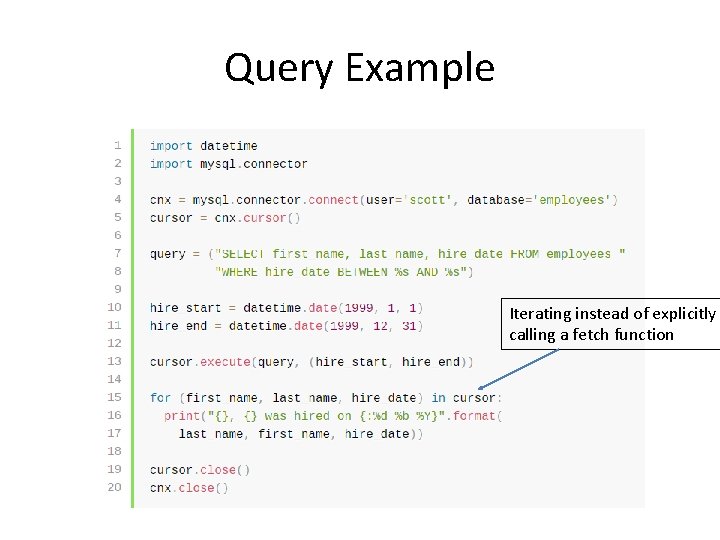
Query Example Iterating instead of explicitly calling a fetch function
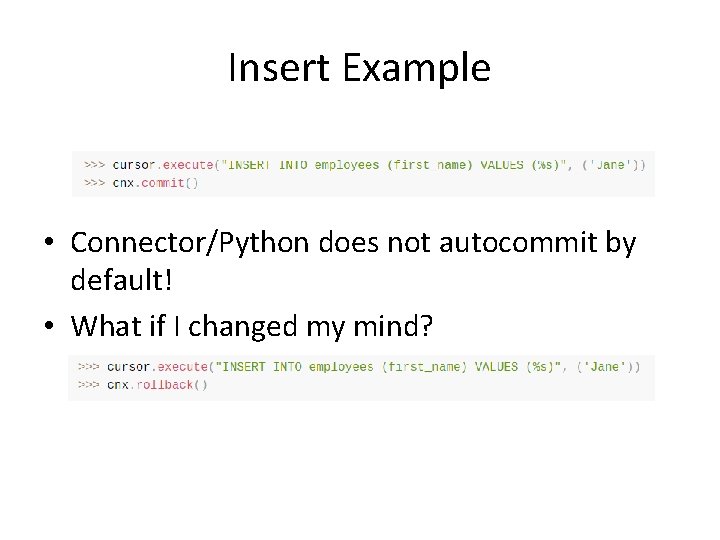
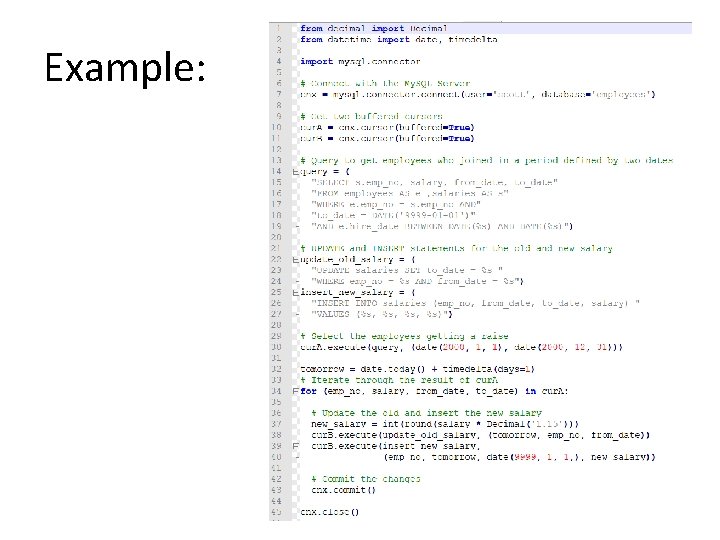
Insert Example • Connector/Python does not autocommit by default! • What if I changed my mind?
Example:
Useful links • Official documentation: https: //dev. mysql. com/doc/connectorpython/en/ • How to connect to TAU DB servers: http: //courses. cs. tau. ac. il/databases/databas es 201920/slides/moreinfo/connectionguide. htm
- Slides: 19