
Database Management Systems 2 Lesson 2 Introduction to
Database Management Systems 2 Lesson 2 Introduction to PL/SQL
Objectives • After completing this lesson, you should be able to do the following: – Explain the need for PL/SQL – Explain the benefits of PL/SQL – Identify the different types of PL/SQL blocks – Output messages in PL/SQL
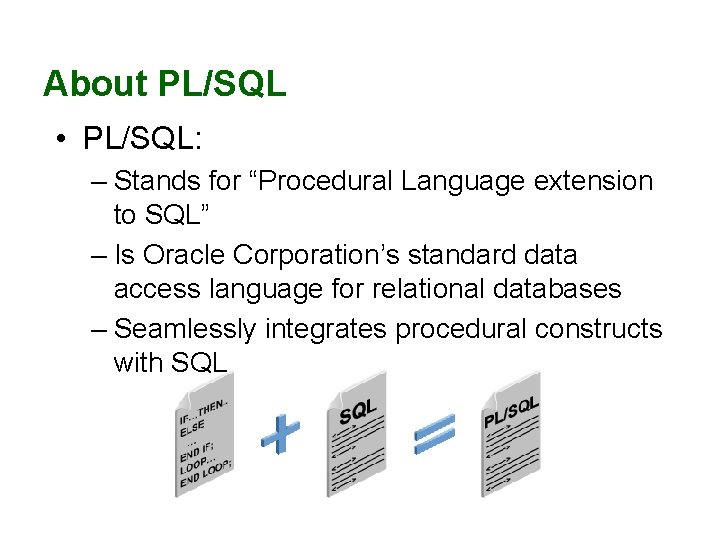
About PL/SQL • PL/SQL: – Stands for “Procedural Language extension to SQL” – Is Oracle Corporation’s standard data access language for relational databases – Seamlessly integrates procedural constructs with SQL
About PL/SQL • PL/SQL: – Provides a block structure for executable units of code. Maintenance of code is made easier with such a well-defined structure. – Provides procedural constructs such as: • Variables, constants, and data types • Control structures such as conditional statements and loops • Reusable program units that are written once and executed many times
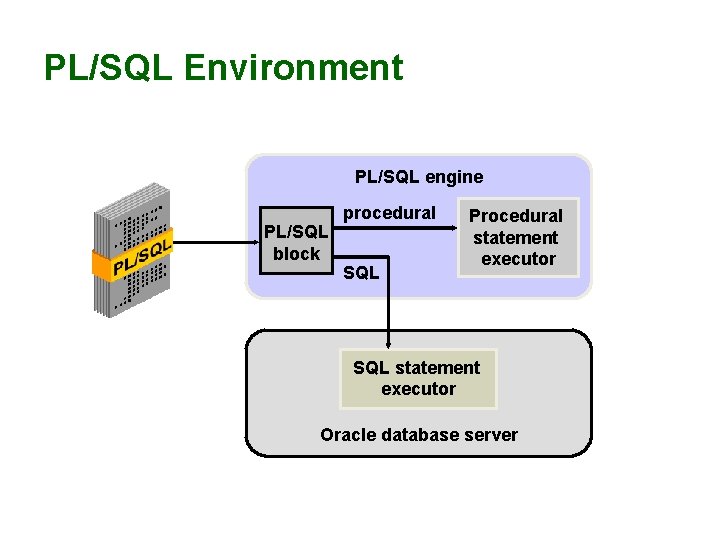
PL/SQL Environment PL/SQL engine PL/SQL block procedural SQL Procedural statement executor SQL statement executor Oracle database server
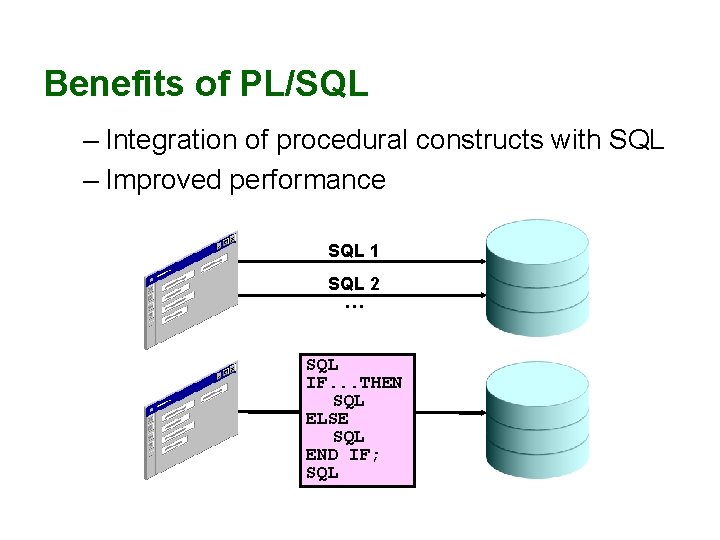
Benefits of PL/SQL – Integration of procedural constructs with SQL – Improved performance SQL 1 SQL 2 … SQL IF. . . THEN SQL ELSE SQL END IF; SQL
Benefits of PL/SQL – Modularized program development – Integration with Oracle tools – Portability – Exception handling
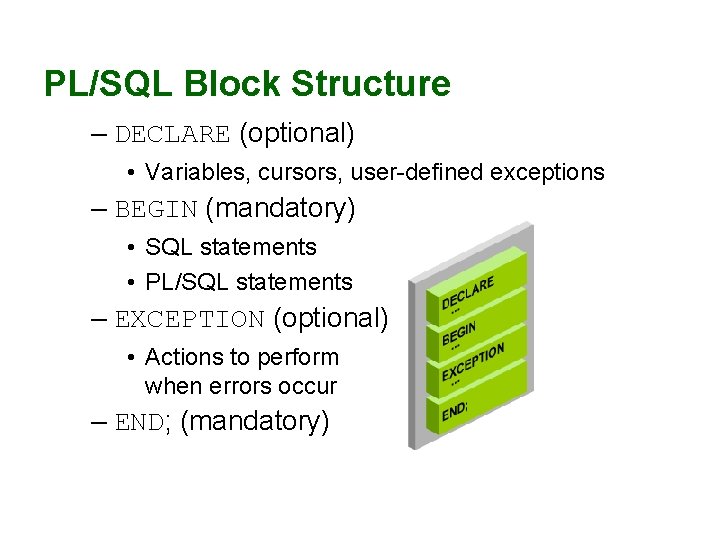
PL/SQL Block Structure – DECLARE (optional) • Variables, cursors, user-defined exceptions – BEGIN (mandatory) • SQL statements • PL/SQL statements – EXCEPTION (optional) • Actions to perform when errors occur – END; (mandatory)
![Block Types Anonymous Procedure Function [DECLARE] PROCEDURE name IS BEGIN --statements [EXCEPTION] FUNCTION name](http://slidetodoc.com/presentation_image_h2/fd0f5f2d0735091a140ca9335700c90f/image-9.jpg "Block Types Anonymous Procedure Function [DECLARE] PROCEDURE name IS BEGIN --statements [EXCEPTION] FUNCTION name")
Block Types Anonymous Procedure Function [DECLARE] PROCEDURE name IS BEGIN --statements [EXCEPTION] FUNCTION name RETURN datatype IS BEGIN --statements RETURN value; [EXCEPTION] END;
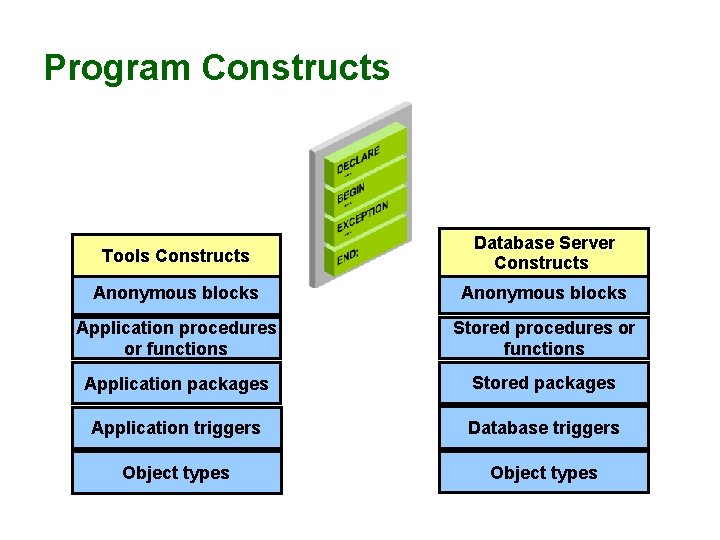
Program Constructs Tools Constructs Database Server Constructs Anonymous blocks Application procedures or functions Stored procedures or functions Application packages Stored packages Application triggers Database triggers Object types
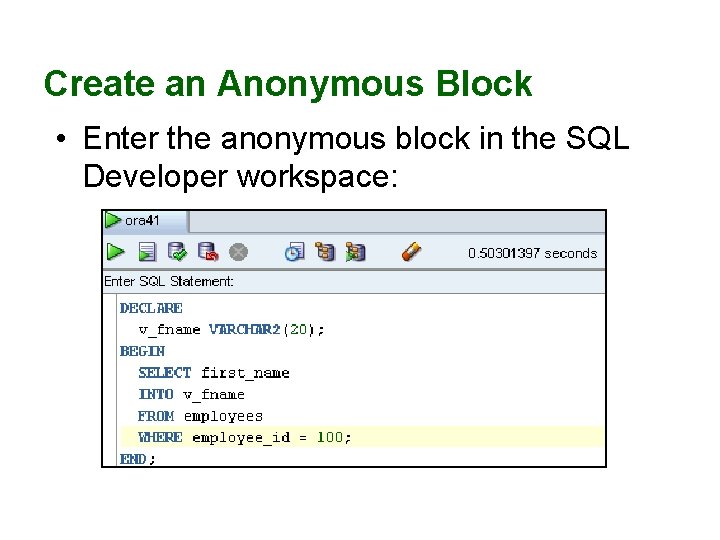
Create an Anonymous Block • Enter the anonymous block in the SQL Developer workspace:
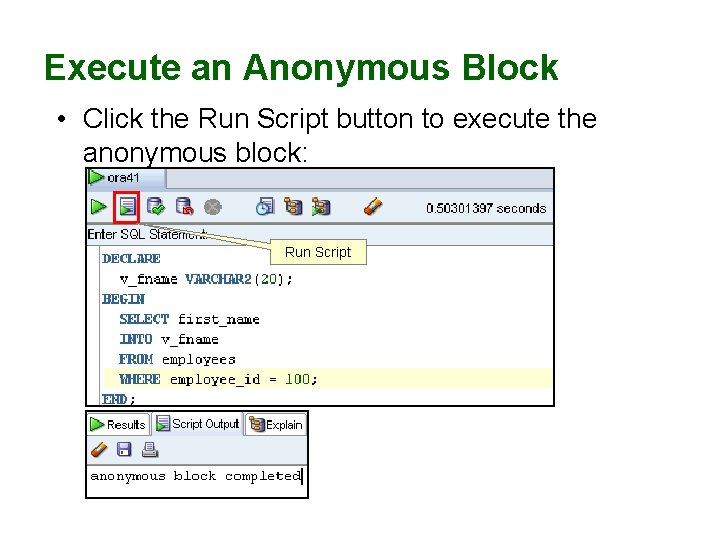
Execute an Anonymous Block • Click the Run Script button to execute the anonymous block: Run Script
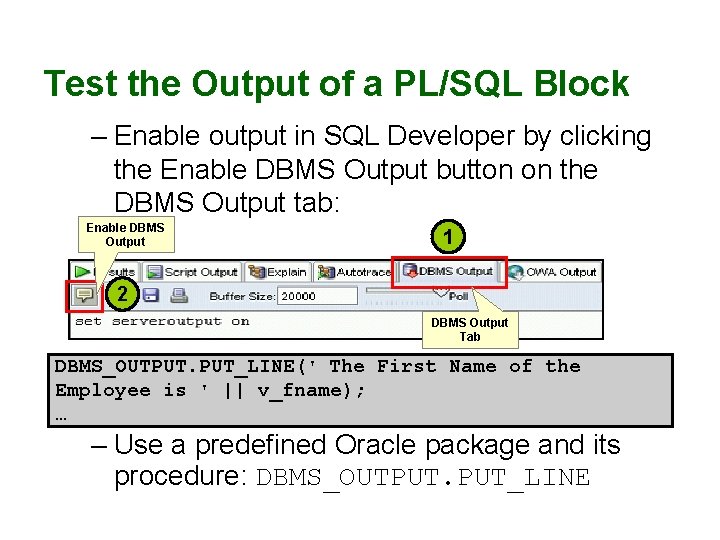
Test the Output of a PL/SQL Block – Enable output in SQL Developer by clicking the Enable DBMS Output button on the DBMS Output tab: Enable DBMS Output 1 2 DBMS Output Tab DBMS_OUTPUT. PUT_LINE(' The First Name of the Employee is ' || v_fname); … – Use a predefined Oracle package and its procedure: DBMS_OUTPUT. PUT_LINE
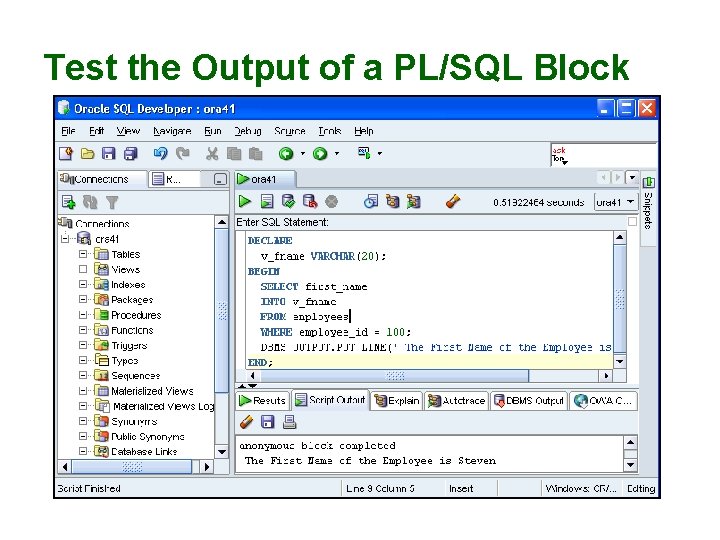
Test the Output of a PL/SQL Block
Summary • In this lesson, you should have learned how to: – Integrate SQL statements with PL/SQL program constructs – Describe the benefits of PL/SQL – Differentiate between PL/SQL block types – Output messages in PL/SQL
Reference • Serhal, L. , Srivastava, T. (2009). Oracle Database 11 g: PL/SQL Fundamentals, Oracle, California, USA.
- Slides: 16