
Database Management Systems 2 Lesson 14 Creating Triggers
Database Management Systems 2 Lesson 14 Creating Triggers
Objectives • After completing this lesson, you should be able to do the following: – Describe database triggers and their uses – Describe the different types of triggers – Create database triggers – Describe database trigger-firing rules – Remove database triggers – Display trigger information
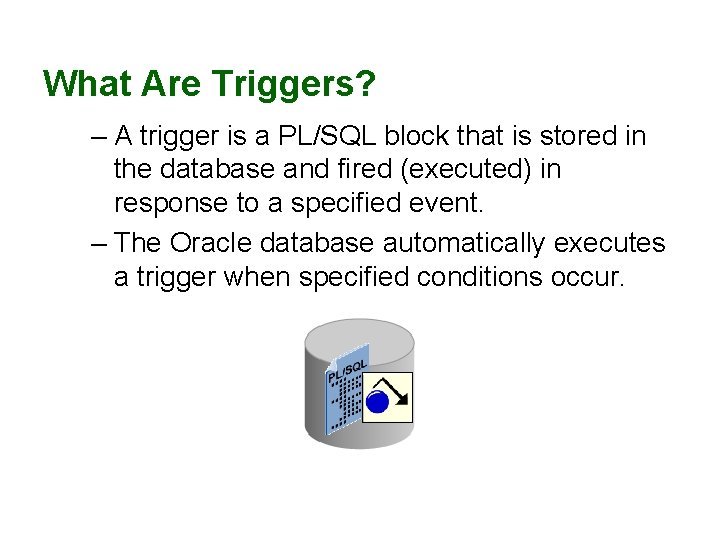
What Are Triggers? – A trigger is a PL/SQL block that is stored in the database and fired (executed) in response to a specified event. – The Oracle database automatically executes a trigger when specified conditions occur.
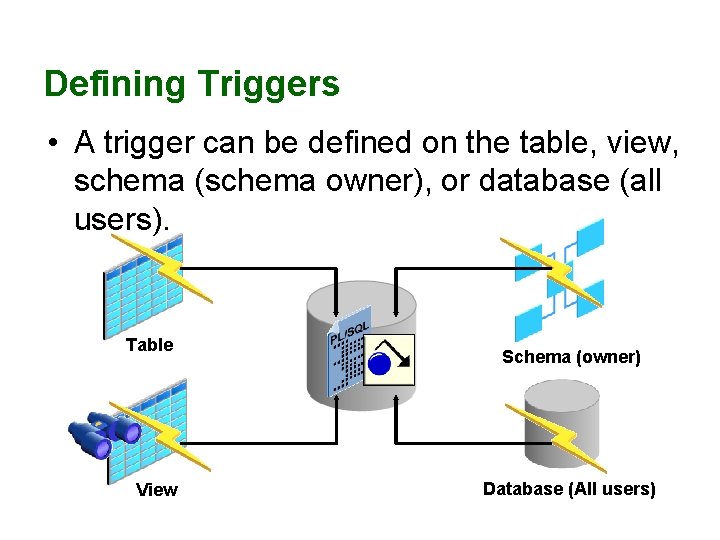
Defining Triggers • A trigger can be defined on the table, view, schema (schema owner), or database (all users). Table View Schema (owner) Database (All users)
Trigger Event Types • You can write triggers that fire whenever one of the following operations occurs in the database: – A database manipulation (DML) statement (DELETE, INSERT, or UPDATE). – A database definition (DDL) statement (CREATE, ALTER, or DROP). – A database operation such as SERVERERROR, LOGON, LOGOFF, STARTUP, or SHUTDOWN.
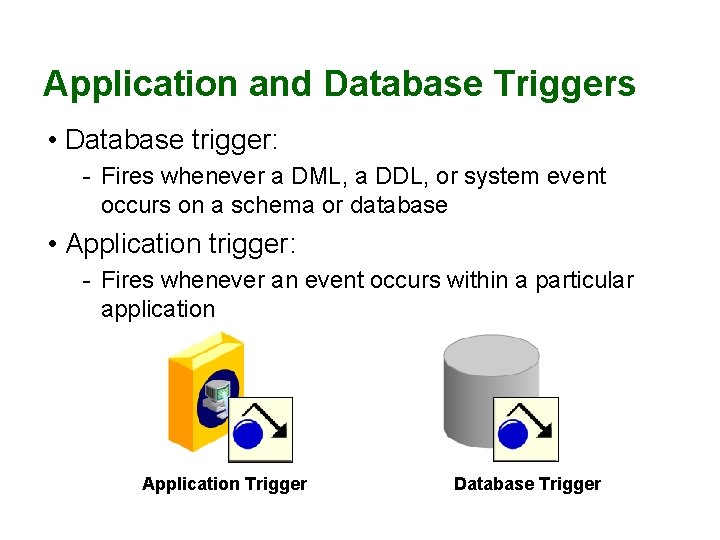
Application and Database Triggers • Database trigger: - Fires whenever a DML, a DDL, or system event occurs on a schema or database • Application trigger: - Fires whenever an event occurs within a particular application Application Trigger Database Trigger
Business Application Scenarios for Implementing Triggers • You can use triggers for: – Security – Auditing – Data integrity – Referential integrity – Table replication – Computing derived data automatically – Event logging
Available Trigger Types • Simple DML triggers üBEFORE üAFTER üINSTEAD OF • Compound triggers • Non-DML triggers • DDL event triggers • Database event triggers
Trigger Event Types and Body • A trigger event type determines which DML statement causes the trigger to execute. The possible events are: üINSERT üUPDATE [OF column] üDELETE • A trigger body determines what action is performed and is a PL/SQL block or a CALL to a procedure
![Creating DML Triggers Using the CREATE TRIGGER Statement CREATE [OR REPLACE] TRIGGER trigger_name timing](http://slidetodoc.com/presentation_image_h2/c2f315b67abab2e300f6aab1ceb8c945/image-10.jpg "Creating DML Triggers Using the CREATE TRIGGER Statement CREATE [OR REPLACE] TRIGGER trigger_name timing")
Creating DML Triggers Using the CREATE TRIGGER Statement CREATE [OR REPLACE] TRIGGER trigger_name timing –- when to fire the trigger event 1 [OR event 2 OR event 3] ON object_name [REFERENCING OLD AS old | NEW AS new] FOR EACH ROW –- default is statement level trigger WHEN (condition)]] DECLARE] BEGIN. . . trigger_body –- executable statements [EXCEPTION. . . ] END [trigger_name]; timing = BEFORE | AFTER | INSTEAD OF event = INSERT | DELETE | UPDATE OF column_list
Specifying the Trigger Firing (Timing) • You can specify the trigger timing as to whether to run the trigger’s action before or after the triggering statement: – BEFORE: Executes the trigger body before the triggering DML event on a table. – AFTER: Execute the trigger body after the triggering DML event on a table. – INSTEAD OF: Execute the trigger body instead of the triggering statement. This is used for views that are not otherwise modifiable.
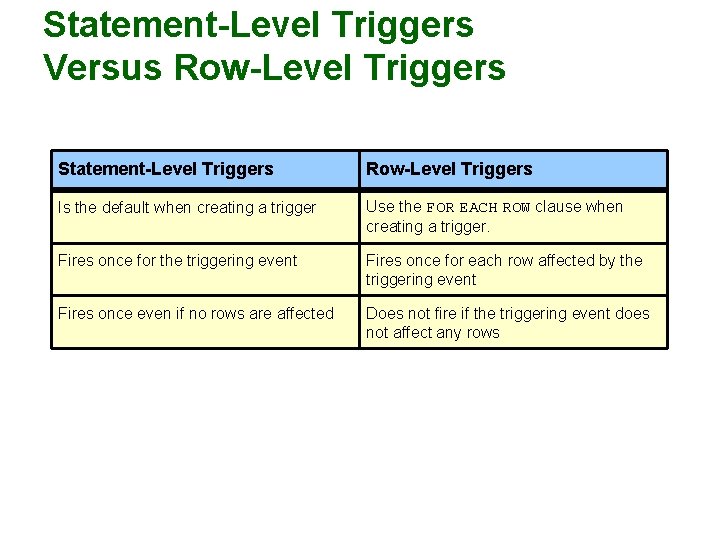
Statement-Level Triggers Versus Row-Level Triggers Statement-Level Triggers Row-Level Triggers Is the default when creating a trigger Use the FOR EACH ROW clause when creating a trigger. Fires once for the triggering event Fires once for each row affected by the triggering event Fires once even if no rows are affected Does not fire if the triggering event does not affect any rows
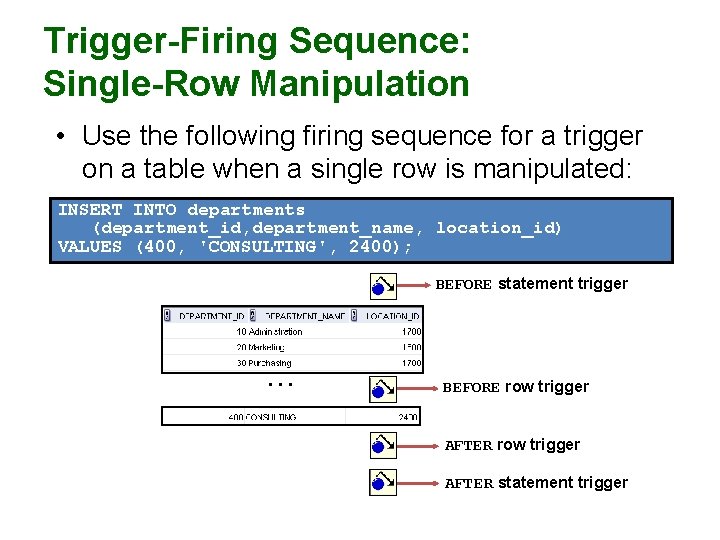
Trigger-Firing Sequence: Single-Row Manipulation • Use the following firing sequence for a trigger on a table when a single row is manipulated: INSERT INTO departments (department_id, department_name, location_id) VALUES (400, 'CONSULTING', 2400); BEFORE statement trigger . . . BEFORE row trigger AFTER statement trigger
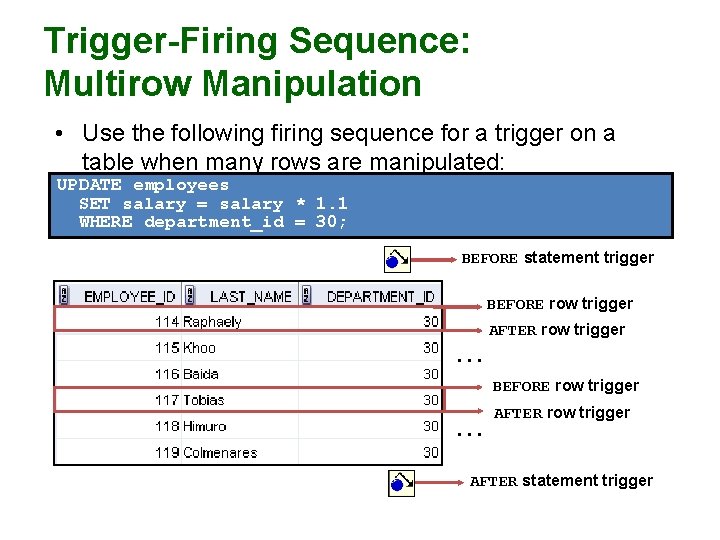
Trigger-Firing Sequence: Multirow Manipulation • Use the following firing sequence for a trigger on a table when many rows are manipulated: UPDATE employees SET salary = salary * 1. 1 WHERE department_id = 30; BEFORE statement trigger BEFORE row trigger AFTER row trigger . . . BEFORE row trigger . . . AFTER row trigger AFTER statement trigger
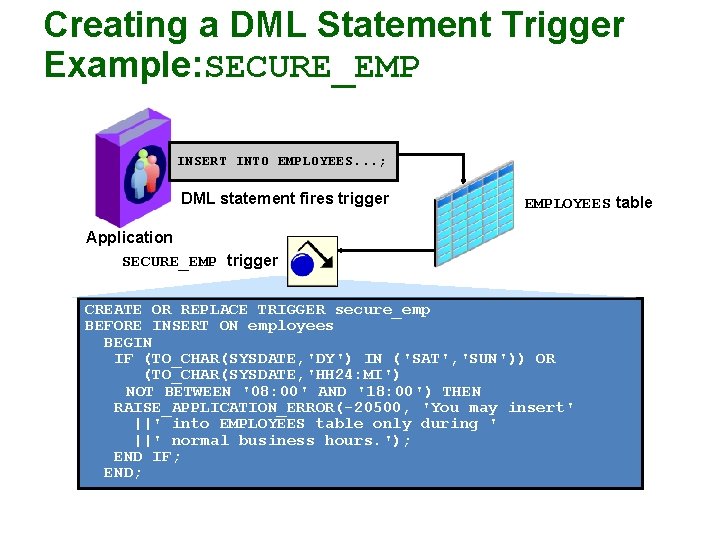
Creating a DML Statement Trigger Example: SECURE_EMP INSERT INTO EMPLOYEES. . . ; DML statement fires trigger EMPLOYEES table Application SECURE_EMP trigger CREATE OR REPLACE TRIGGER secure_emp BEFORE INSERT ON employees BEGIN IF (TO_CHAR(SYSDATE, 'DY') IN ('SAT', 'SUN')) OR (TO_CHAR(SYSDATE, 'HH 24: MI') NOT BETWEEN '08: 00' AND '18: 00') THEN RAISE_APPLICATION_ERROR(-20500, 'You may insert' ||' into EMPLOYEES table only during ' ||' normal business hours. '); END IF; END;
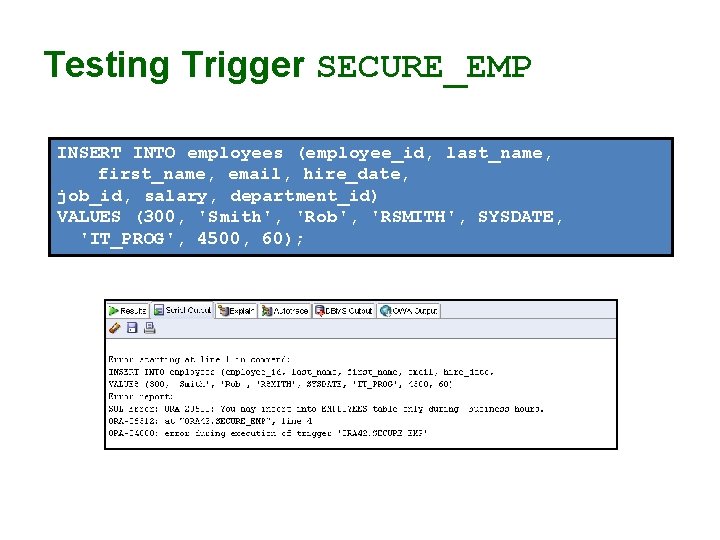
Testing Trigger SECURE_EMP INSERT INTO employees (employee_id, last_name, first_name, email, hire_date, job_id, salary, department_id) VALUES (300, 'Smith', 'Rob', 'RSMITH', SYSDATE, 'IT_PROG', 4500, 60);
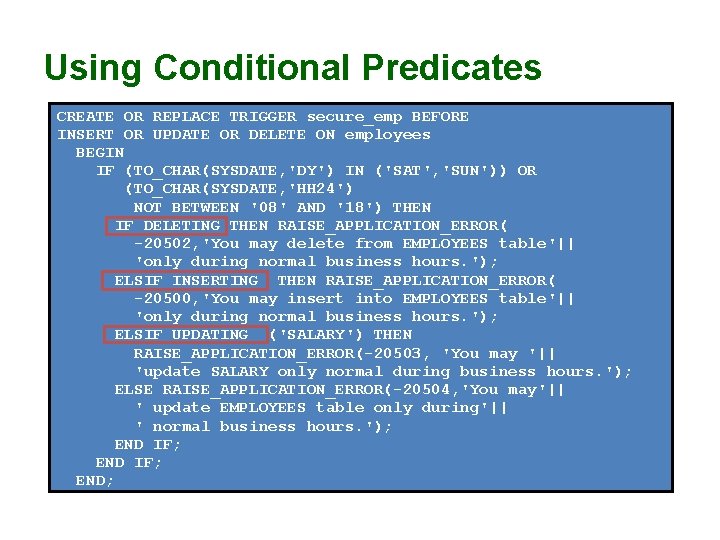
Using Conditional Predicates CREATE OR REPLACE TRIGGER secure_emp BEFORE INSERT OR UPDATE OR DELETE ON employees BEGIN IF (TO_CHAR(SYSDATE, 'DY') IN ('SAT', 'SUN')) OR (TO_CHAR(SYSDATE, 'HH 24') NOT BETWEEN '08' AND '18') THEN IF DELETING THEN RAISE_APPLICATION_ERROR( -20502, 'You may delete from EMPLOYEES table'|| 'only during normal business hours. '); ELSIF INSERTING THEN RAISE_APPLICATION_ERROR( -20500, 'You may insert into EMPLOYEES table'|| 'only during normal business hours. '); ELSIF UPDATING ('SALARY') THEN RAISE_APPLICATION_ERROR(-20503, 'You may '|| 'update SALARY only normal during business hours. '); ELSE RAISE_APPLICATION_ERROR(-20504, 'You may'|| ' update EMPLOYEES table only during'|| ' normal business hours. '); END IF; END;
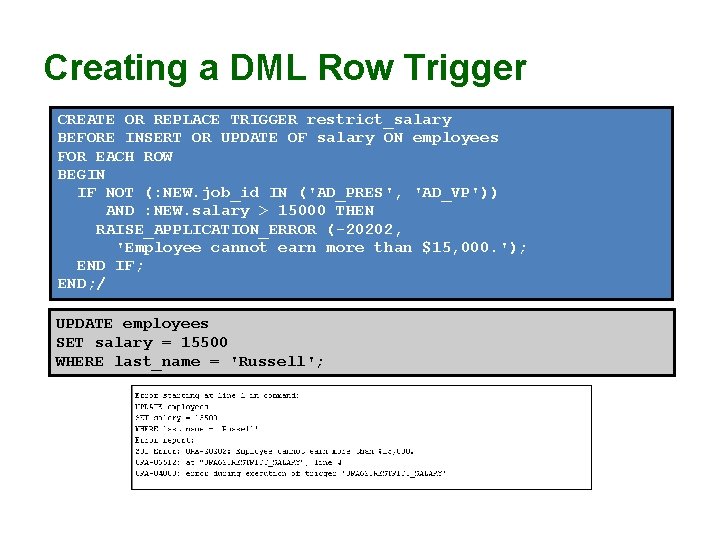
Creating a DML Row Trigger CREATE OR REPLACE TRIGGER restrict_salary BEFORE INSERT OR UPDATE OF salary ON employees FOR EACH ROW BEGIN IF NOT (: NEW. job_id IN ('AD_PRES', 'AD_VP')) AND : NEW. salary > 15000 THEN RAISE_APPLICATION_ERROR (-20202, 'Employee cannot earn more than $15, 000. '); END IF; END; / UPDATE employees SET salary = 15500 WHERE last_name = 'Russell';
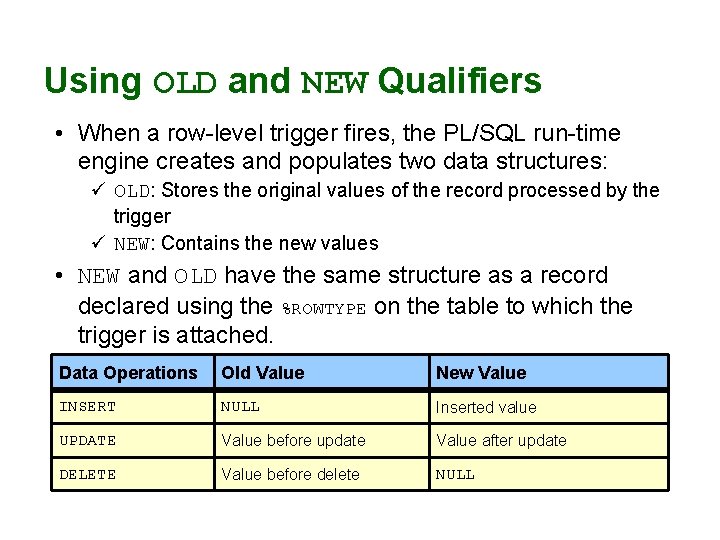
Using OLD and NEW Qualifiers • When a row-level trigger fires, the PL/SQL run-time engine creates and populates two data structures: ü OLD: Stores the original values of the record processed by the trigger ü NEW: Contains the new values • NEW and OLD have the same structure as a record declared using the %ROWTYPE on the table to which the trigger is attached. Data Operations Old Value New Value INSERT NULL Inserted value UPDATE Value before update Value after update DELETE Value before delete NULL
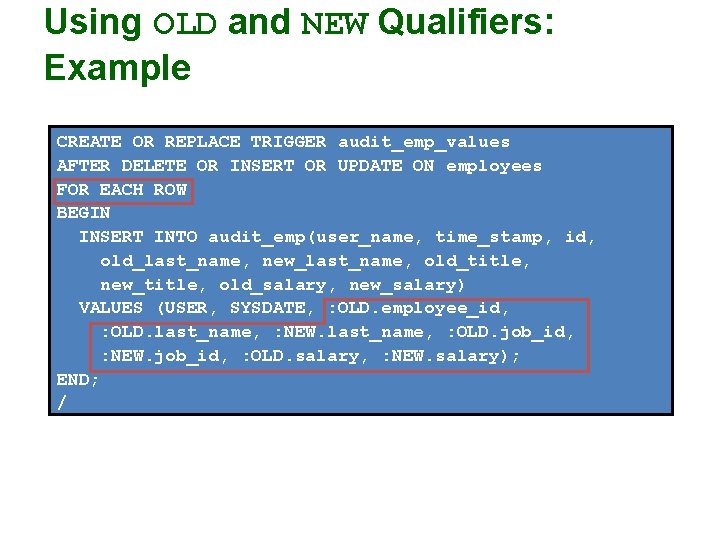
Using OLD and NEW Qualifiers: Example CREATE OR REPLACE TRIGGER audit_emp_values AFTER DELETE OR INSERT OR UPDATE ON employees FOR EACH ROW BEGIN INSERT INTO audit_emp(user_name, time_stamp, id, old_last_name, new_last_name, old_title, new_title, old_salary, new_salary) VALUES (USER, SYSDATE, : OLD. employee_id, : OLD. last_name, : NEW. last_name, : OLD. job_id, : NEW. job_id, : OLD. salary, : NEW. salary); END; /
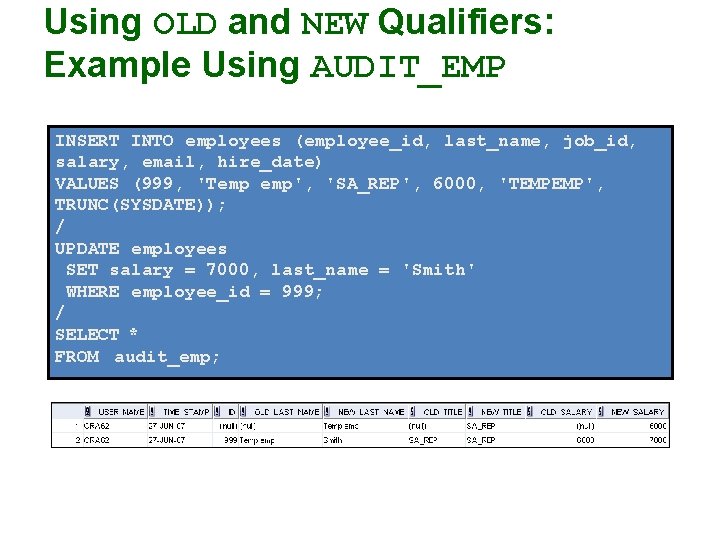
Using OLD and NEW Qualifiers: Example Using AUDIT_EMP INSERT INTO employees (employee_id, last_name, job_id, salary, email, hire_date) VALUES (999, 'Temp emp', 'SA_REP', 6000, 'TEMPEMP', TRUNC(SYSDATE)); / UPDATE employees SET salary = 7000, last_name = 'Smith' WHERE employee_id = 999; / SELECT * FROM audit_emp;
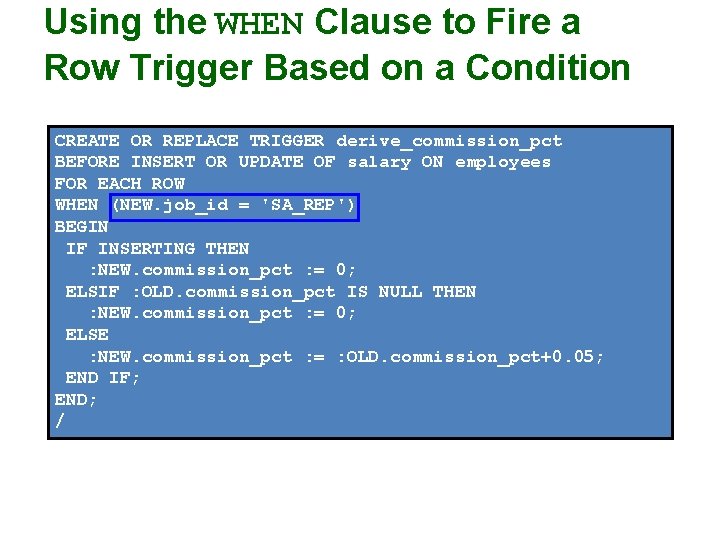
Using the WHEN Clause to Fire a Row Trigger Based on a Condition CREATE OR REPLACE TRIGGER derive_commission_pct BEFORE INSERT OR UPDATE OF salary ON employees FOR EACH ROW WHEN (NEW. job_id = 'SA_REP') BEGIN IF INSERTING THEN : NEW. commission_pct : = 0; ELSIF : OLD. commission_pct IS NULL THEN : NEW. commission_pct : = 0; ELSE : NEW. commission_pct : = : OLD. commission_pct+0. 05; END IF; END; /
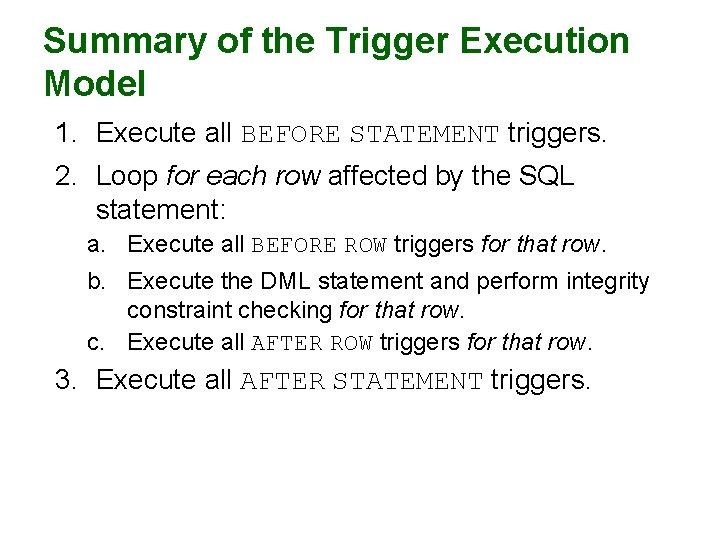
Summary of the Trigger Execution Model 1. Execute all BEFORE STATEMENT triggers. 2. Loop for each row affected by the SQL statement: a. Execute all BEFORE ROW triggers for that row. b. Execute the DML statement and perform integrity constraint checking for that row. c. Execute all AFTER ROW triggers for that row. 3. Execute all AFTER STATEMENT triggers.
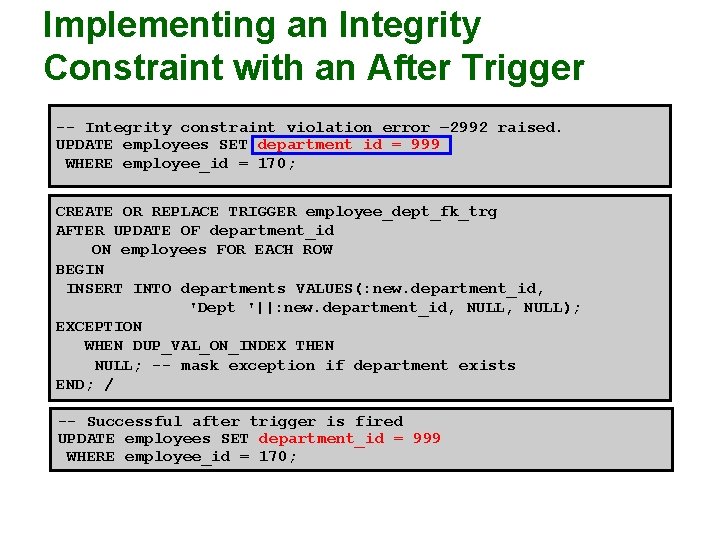
Implementing an Integrity Constraint with an After Trigger -- Integrity constraint violation error – 2992 raised. UPDATE employees SET department_id = 999 WHERE employee_id = 170; CREATE OR REPLACE TRIGGER employee_dept_fk_trg AFTER UPDATE OF department_id ON employees FOR EACH ROW BEGIN INSERT INTO departments VALUES(: new. department_id, 'Dept '||: new. department_id, NULL); EXCEPTION WHEN DUP_VAL_ON_INDEX THEN NULL; -- mask exception if department exists END; / -- Successful after trigger is fired UPDATE employees SET department_id = 999 WHERE employee_id = 170;
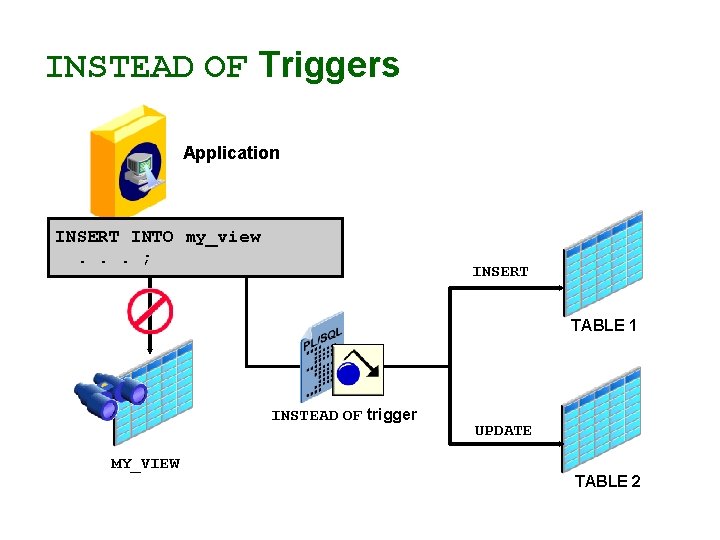
INSTEAD OF Triggers Application INSERT INTO my_view. . . ; INSERT TABLE 1 INSTEAD OF trigger UPDATE MY_VIEW TABLE 2
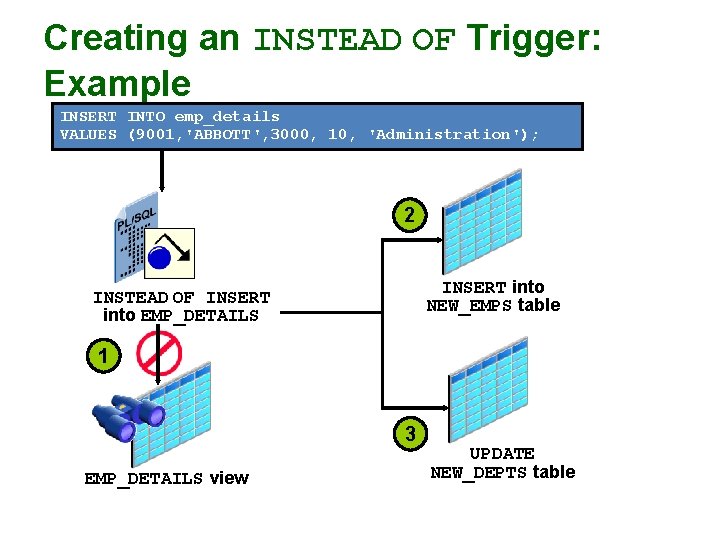
Creating an INSTEAD OF Trigger: Example INSERT INTO emp_details VALUES (9001, 'ABBOTT', 3000, 10, 'Administration'); 2 INSERT into NEW_EMPS table INSTEAD OF INSERT into EMP_DETAILS 1 3 EMP_DETAILS view UPDATE NEW_DEPTS table
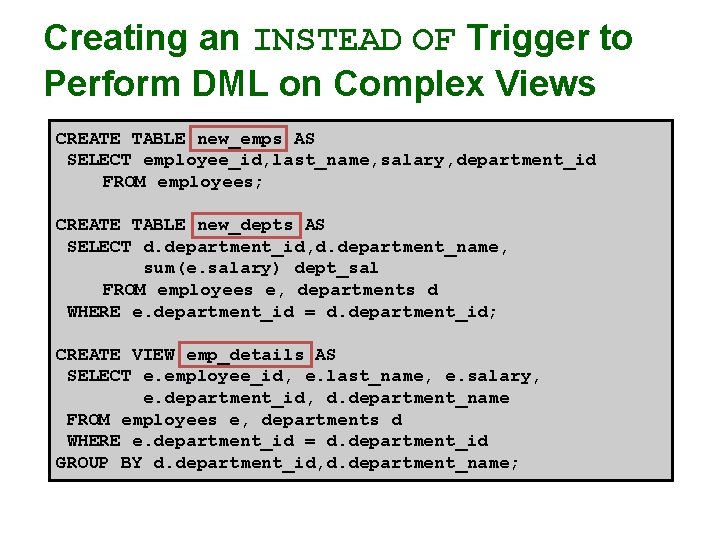
Creating an INSTEAD OF Trigger to Perform DML on Complex Views CREATE TABLE new_emps AS SELECT employee_id, last_name, salary, department_id FROM employees; CREATE TABLE new_depts AS SELECT d. department_id, d. department_name, sum(e. salary) dept_sal FROM employees e, departments d WHERE e. department_id = d. department_id; CREATE VIEW emp_details AS SELECT e. employee_id, e. last_name, e. salary, e. department_id, d. department_name FROM employees e, departments d WHERE e. department_id = d. department_id GROUP BY d. department_id, d. department_name;
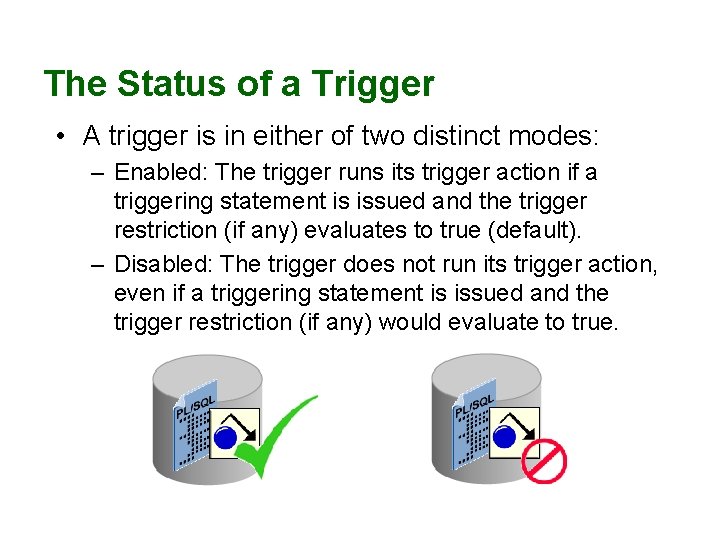
The Status of a Trigger • A trigger is in either of two distinct modes: – Enabled: The trigger runs its trigger action if a triggering statement is issued and the trigger restriction (if any) evaluates to true (default). – Disabled: The trigger does not run its trigger action, even if a triggering statement is issued and the trigger restriction (if any) would evaluate to true.
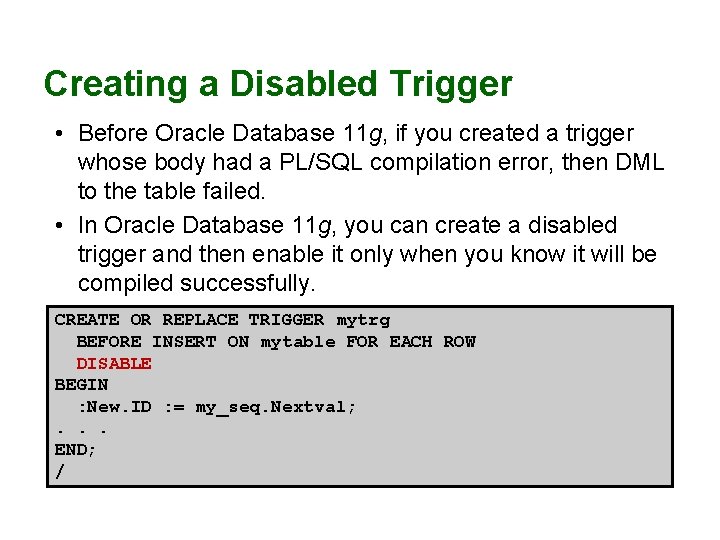
Creating a Disabled Trigger • Before Oracle Database 11 g, if you created a trigger whose body had a PL/SQL compilation error, then DML to the table failed. • In Oracle Database 11 g, you can create a disabled trigger and then enable it only when you know it will be compiled successfully. CREATE OR REPLACE TRIGGER mytrg BEFORE INSERT ON mytable FOR EACH ROW DISABLE BEGIN : New. ID : = my_seq. Nextval; . . . END; /
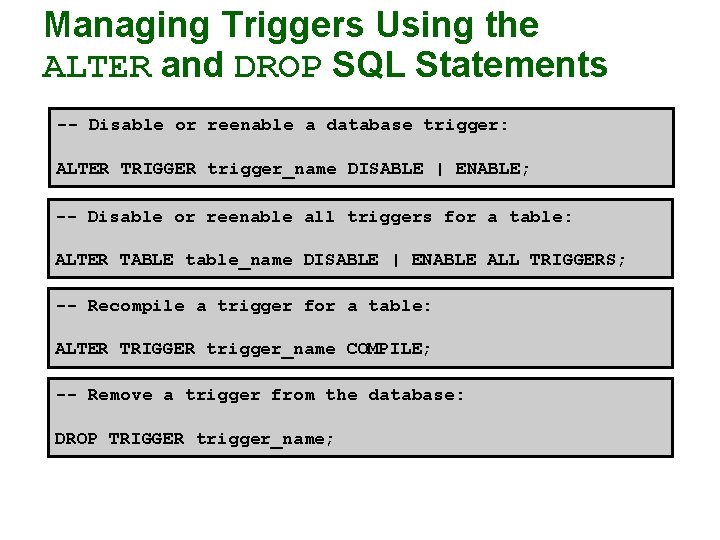
Managing Triggers Using the ALTER and DROP SQL Statements -- Disable or reenable a database trigger: ALTER TRIGGER trigger_name DISABLE | ENABLE; -- Disable or reenable all triggers for a table: ALTER TABLE table_name DISABLE | ENABLE ALL TRIGGERS; -- Recompile a trigger for a table: ALTER TRIGGER trigger_name COMPILE; -- Remove a trigger from the database: DROP TRIGGER trigger_name;
Testing Triggers • Test each triggering data operation, as well as non-triggering data operations. • Test each case of the WHEN clause. • Cause the trigger to fire directly from a basic data operation, as well as indirectly from a procedure. • Test the effect of the trigger on other triggers. • Test the effect of other triggers on the trigger.
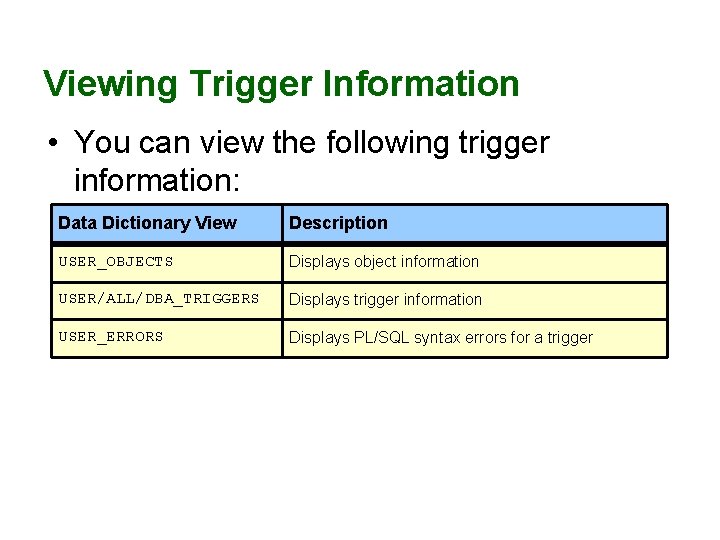
Viewing Trigger Information • You can view the following trigger information: Data Dictionary View Description USER_OBJECTS Displays object information USER/ALL/DBA_TRIGGERS Displays trigger information USER_ERRORS Displays PL/SQL syntax errors for a trigger
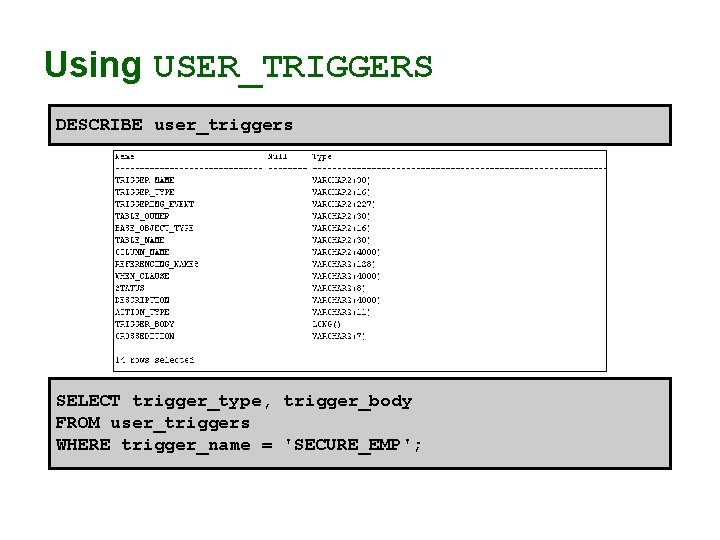
Using USER_TRIGGERS DESCRIBE user_triggers SELECT trigger_type, trigger_body FROM user_triggers WHERE trigger_name = 'SECURE_EMP';
Summary • In this lesson, you should have learned how to: – Create database triggers that are invoked by DML operations – Create statement and row trigger types – Use database trigger-firing rules – Enable, disable, and manage database triggers – Develop a strategy for testing triggers – Remove database triggers
Reference • Serhal, L. , Srivastava, T. (2009). Oracle Database 11 g: PL/SQL Fundamentals, Oracle, California, USA.
- Slides: 35