
DATABASE MANAGEMENT SYSTEM SQL GROUPBY HAVING This presentation

DATABASE MANAGEMENT SYSTEM SQL GROUPBY & HAVING This presentation is released under Creative Commons-A 6 ribu, on 4. 0 License. You are free to use, distribute and modify it , including for commercial purposes, provided you acknowledge the source.
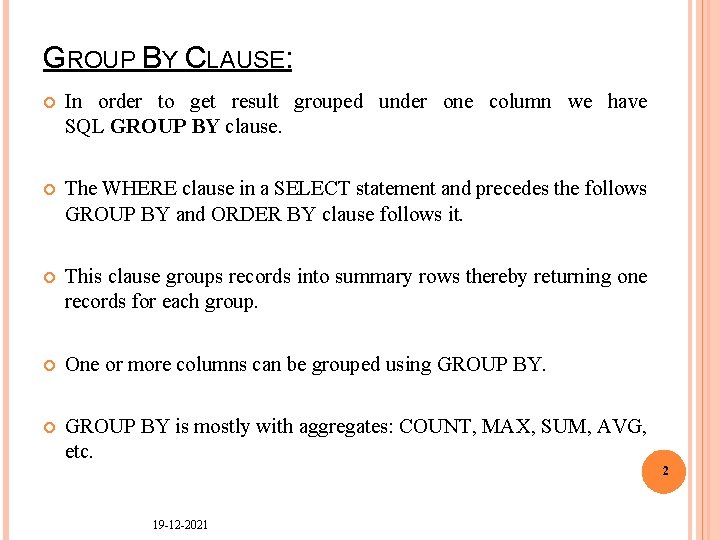
GROUP BY CLAUSE: In order to get result grouped under one column we have SQL GROUP BY clause. The WHERE clause in a SELECT statement and precedes the follows GROUP BY and ORDER BY clause follows it. This clause groups records into summary rows thereby returning one records for each group. One or more columns can be grouped using GROUP BY is mostly with aggregates: COUNT, MAX, SUM, AVG, etc. 2 19 -12 -2021
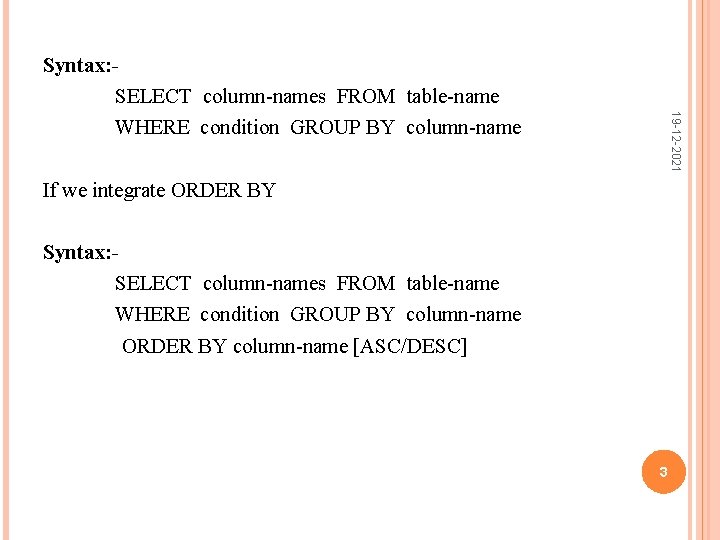
19 -12 -2021 Syntax: SELECT column-names FROM table-name WHERE condition GROUP BY column-name If we integrate ORDER BY Syntax: SELECT column-names FROM table-name WHERE condition GROUP BY column-name ORDER BY column-name [ASC/DESC] 3
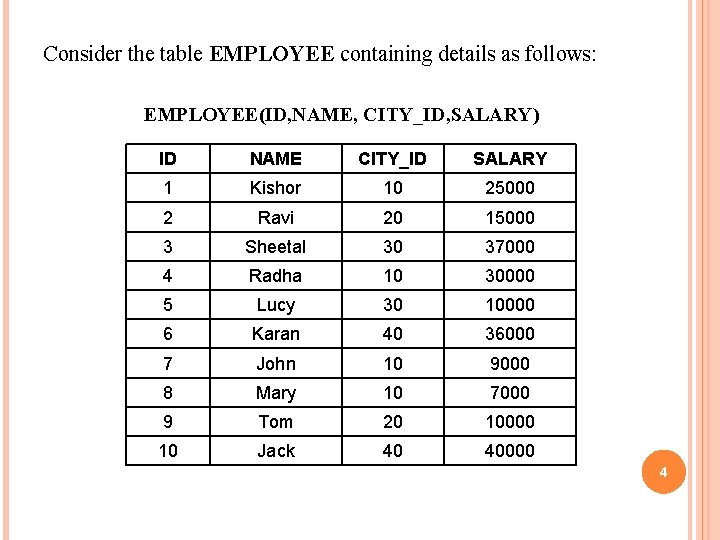
Consider the table EMPLOYEE containing details as follows: EMPLOYEE(ID, NAME, CITY_ID, SALARY) ID NAME CITY_ID SALARY 1 Kishor 10 25000 2 Ravi 20 15000 3 Sheetal 30 37000 4 Radha 10 30000 5 Lucy 30 10000 6 Karan 40 36000 7 John 10 9000 8 Mary 10 7000 9 Tom 20 10000 10 Jack 40 40000 4
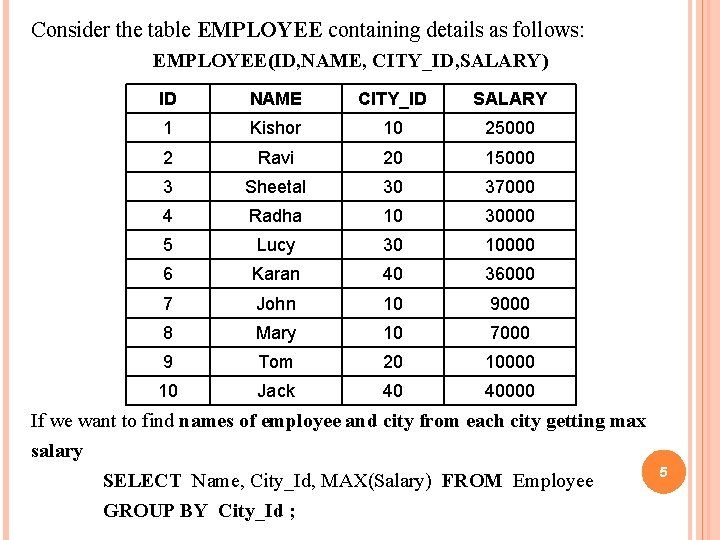
Consider the table EMPLOYEE containing details as follows: EMPLOYEE(ID, NAME, CITY_ID, SALARY) ID NAME CITY_ID SALARY 1 Kishor 10 25000 2 Ravi 20 15000 3 Sheetal 30 37000 4 Radha 10 30000 5 Lucy 30 10000 6 Karan 40 36000 7 John 10 9000 8 Mary 10 7000 9 Tom 20 10000 10 Jack 40 40000 If we want to find names of employee and city from each city getting max salary SELECT Name, City_Id, MAX(Salary) FROM Employee GROUP BY City_Id ; 5
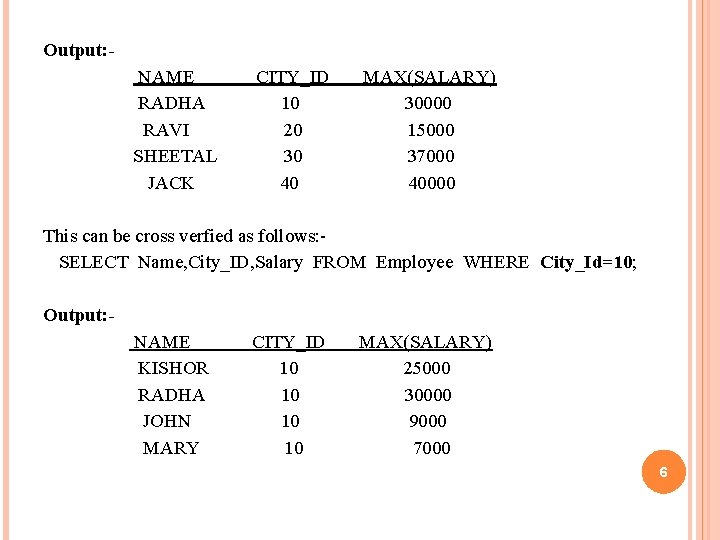
Output: NAME RADHA RAVI SHEETAL JACK CITY_ID 10 20 30 40 MAX(SALARY) 30000 15000 37000 40000 This can be cross verfied as follows: SELECT Name, City_ID, Salary FROM Employee WHERE City_Id=10; Output: NAME KISHOR RADHA JOHN MARY CITY_ID 10 10 MAX(SALARY) 25000 30000 9000 7000 6
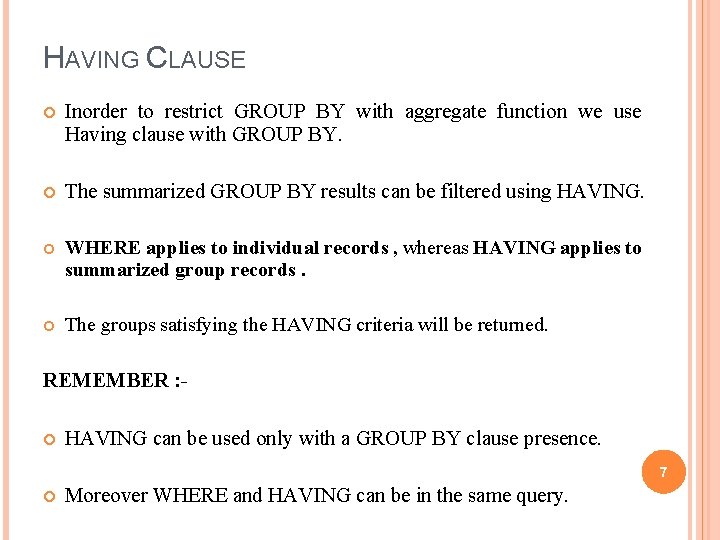
HAVING CLAUSE Inorder to restrict GROUP BY with aggregate function we use Having clause with GROUP BY. The summarized GROUP BY results can be filtered using HAVING. WHERE applies to individual records , whereas HAVING applies to summarized group records. The groups satisfying the HAVING criteria will be returned. REMEMBER : HAVING can be used only with a GROUP BY clause presence. 7 Moreover WHERE and HAVING can be in the same query.
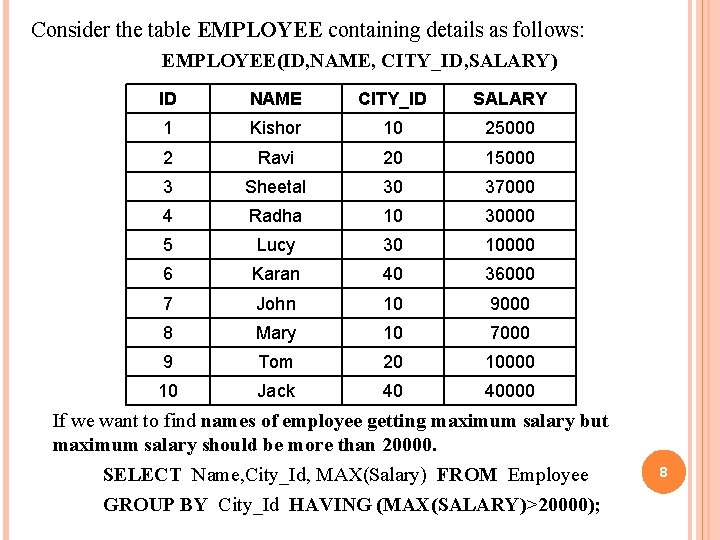
Consider the table EMPLOYEE containing details as follows: EMPLOYEE(ID, NAME, CITY_ID, SALARY) ID NAME CITY_ID SALARY 1 Kishor 10 25000 2 Ravi 20 15000 3 Sheetal 30 37000 4 Radha 10 30000 5 Lucy 30 10000 6 Karan 40 36000 7 John 10 9000 8 Mary 10 7000 9 Tom 20 10000 10 Jack 40 40000 If we want to find names of employee getting maximum salary but maximum salary should be more than 20000. SELECT Name, City_Id, MAX(Salary) FROM Employee GROUP BY City_Id HAVING (MAX(SALARY)>20000); 8
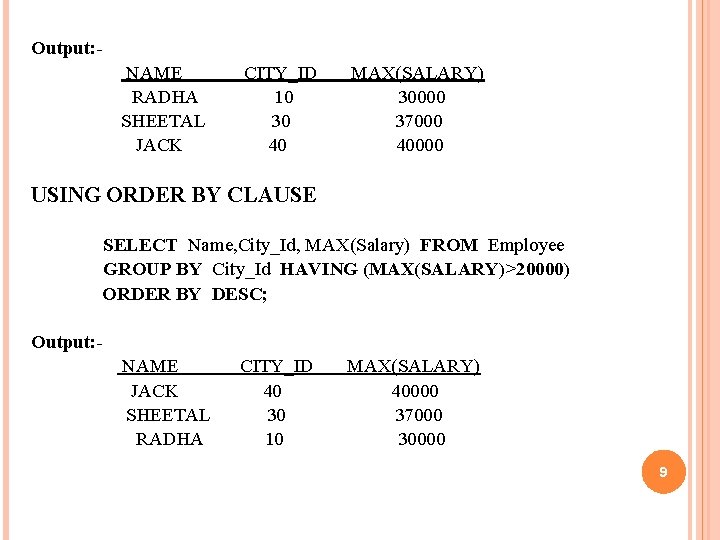
Output: NAME RADHA SHEETAL JACK CITY_ID 10 30 40 MAX(SALARY) 30000 37000 40000 USING ORDER BY CLAUSE SELECT Name, City_Id, MAX(Salary) FROM Employee GROUP BY City_Id HAVING (MAX(SALARY)>20000) ORDER BY DESC; Output: NAME JACK SHEETAL RADHA CITY_ID 40 30 10 MAX(SALARY) 40000 37000 30000 9
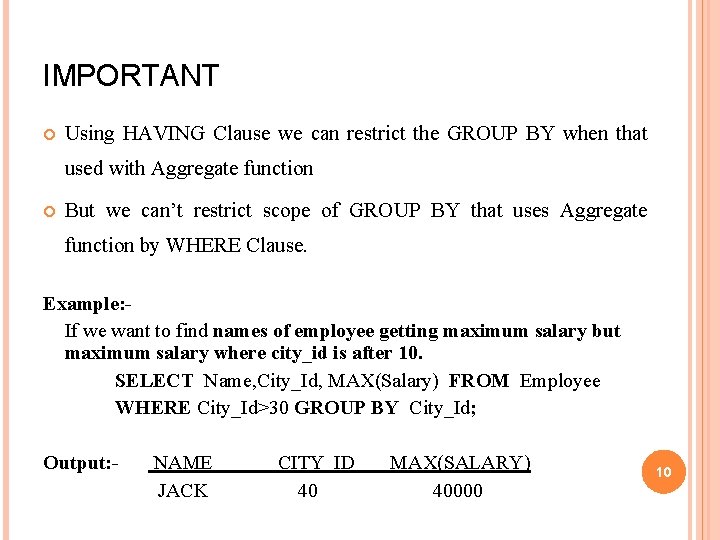
IMPORTANT Using HAVING Clause we can restrict the GROUP BY when that used with Aggregate function But we can’t restrict scope of GROUP BY that uses Aggregate function by WHERE Clause. Example: If we want to find names of employee getting maximum salary but maximum salary where city_id is after 10. SELECT Name, City_Id, MAX(Salary) FROM Employee WHERE City_Id>30 GROUP BY City_Id; Output: - NAME JACK CITY_ID 40 MAX(SALARY) 40000 10

THANK YOU
- Slides: 11