
Database Design WEEK 11 TYPES OF DATA Common

Database Design WEEK 11

TYPES OF DATA
Common Data Types in Access • Autonumber • SHORT Text • LONG Text • Number • Currency • Date/Time • Yes/No
Autonumber • Use for unique sequential numbering • Commonly used for PK (Primary Key) • Increments by 1 • Automatically inserted when a record is added.
SHORT Text • Used for text or combinations of text and numbers, such as addresses, or for numbers that do not require calculations, such as phone numbers, part numbers, or postal codes. • Stores up to 255 characters.
LONG Text • Use for lengthy text and numbers, such as notes or descriptions: • Comments about “Customer Service” • “Employee Evaluations” • “Course Evaluations”—comments about a course • Should be used “sparingly”, because it takes up too much room in database • Stores up to 65, 536 characters (if not more)
Number • Use for data to be included in mathematical calculations, except calculations involving MONEY (use “CURRENCY” type). • When you are creating a RELATIONSHIP with an “AUTOnumber” ” field with the “PARENT” table
Yes/No • Use for data that can be only 1 of 2 possible values, such as • Yes/No, • True/False, • On/Off. • Null values are NOT allowed
COMPACTING & REPAIRING A DATABASE • DATABASE TOOLS > COMPACT & REPAIR button • • As you add, edit, & delete objects, a database changes in size • • To minimize the size of a database & improve performance should be done on a regular basis • • Rearranges how a fragmented database is stored on disk
DIGITAL ACTIVITY: “Week 14 Schedule” > Week 03, 2 nd Column • You will have to login with your Algonquin College network password, and click on the LOGIN button • Once you login to the activity you have to click on the START button, at the bottom of the screen • You will have to click on the NEXT button, after each screen.

Quiz Time

CREATE TABLES IN MS ACCESS
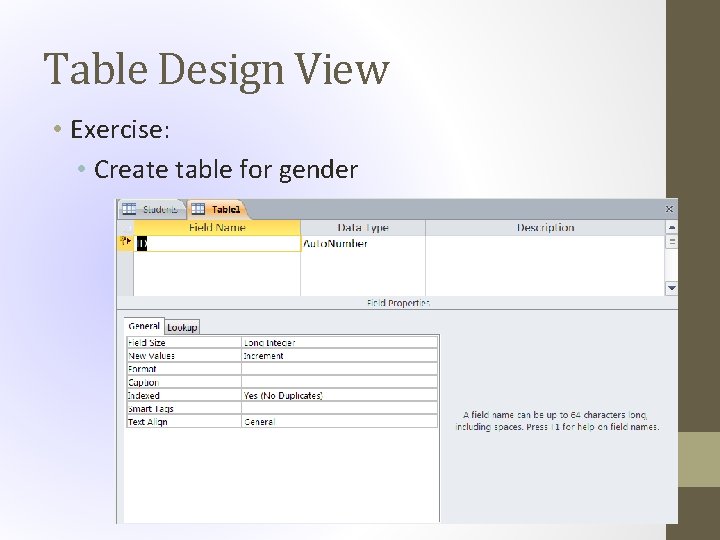
Table Design View • Exercise: • Create table for gender
Datasheet View • Exercise: • Add data to the gender table
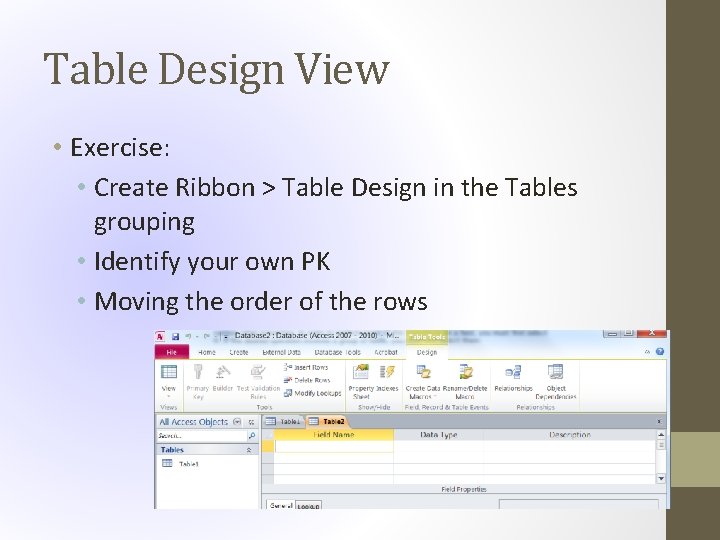
Table Design View • Exercise: • Create Ribbon > Table Design in the Tables grouping • Identify your own PK • Moving the order of the rows
Create Table with Lookups • Exercise: • Add data to the city entity using a look up wizard as the data type for the province
Add Data to an Entity • Based on another entity • Exercise: • Create the students table (student. ID, fname, lname and gender fields only)
Edit an Entity • Exercise: • Complete the Students table • Go back and look at your default value (note it was not added to previous records entered)
Edit Data in Datasheet View • Exercise: • Go back and add the age group and city for each of the students previously entered • Datasheet view • Record count • Add a new record • Search for a record • Sort the records

QUERIES
QUERIES: DEFINITION • Is a question to the database-asking for a “set of records” from 1 or more tables/queries ms access responds by displaying the requested data Is a stored question, rather than a stored response results automatically update, If table is edited, it allows you to view & operate on “selected subsets” of your data
Single Table Queries • Select fields to display • Sort by? • Simple Conditions • When you enter text into the criteria cell your text should be enclosed in quotes ("") to distinguish it from other expressions and operators that you may need to add.

WORKING WITH TEXT
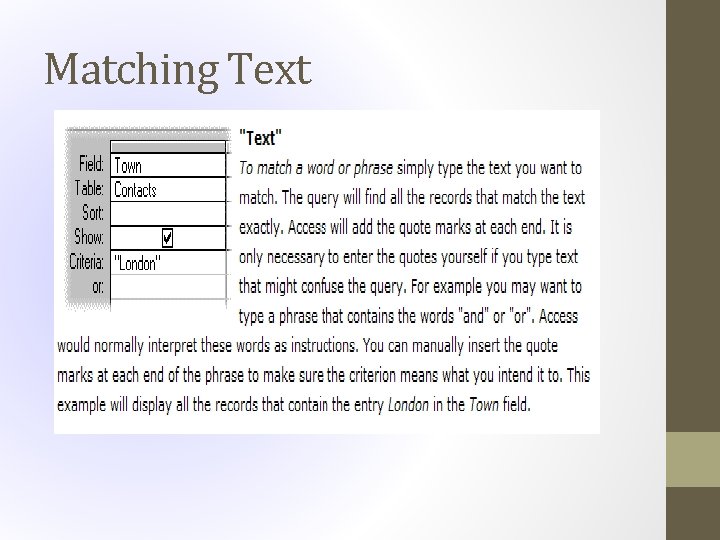
Matching Text
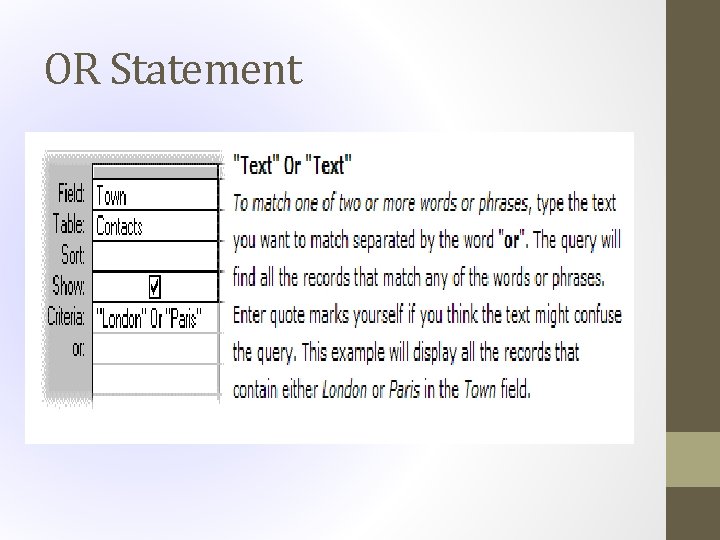
OR Statement
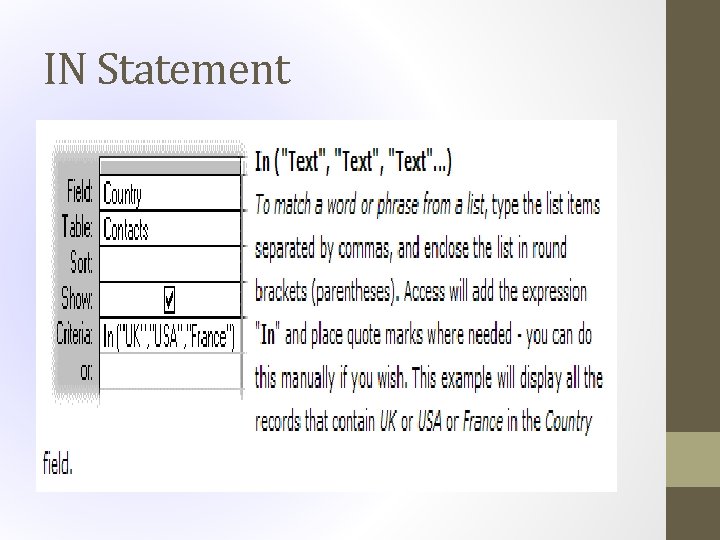
IN Statement
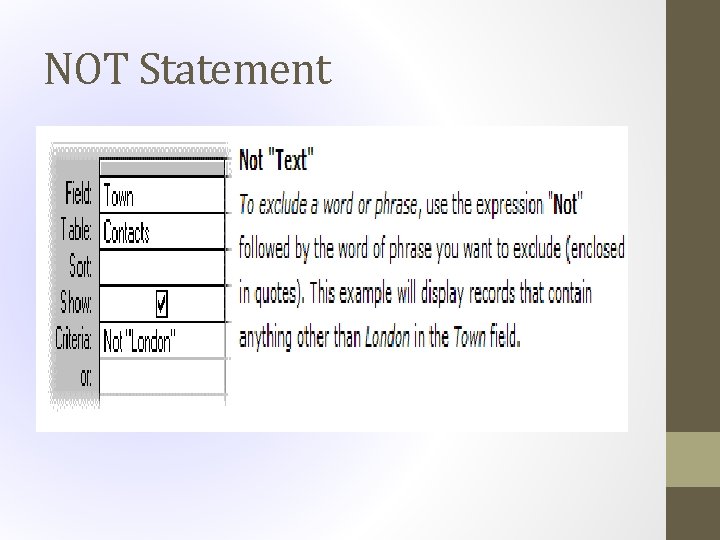
NOT Statement
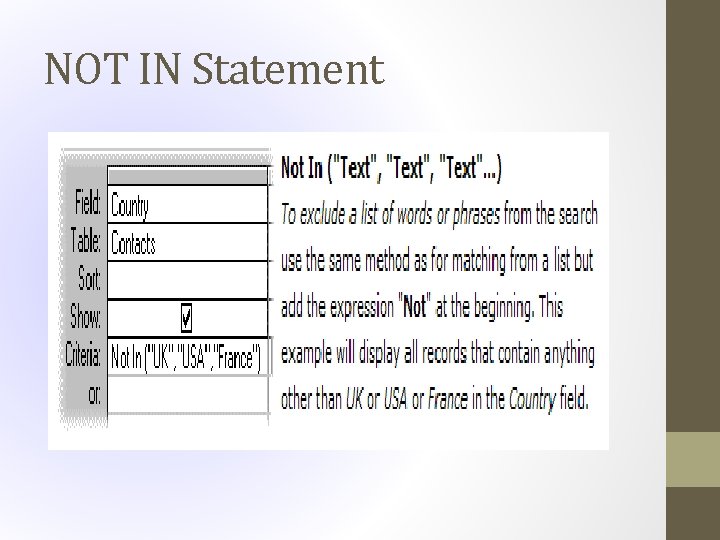
NOT IN Statement
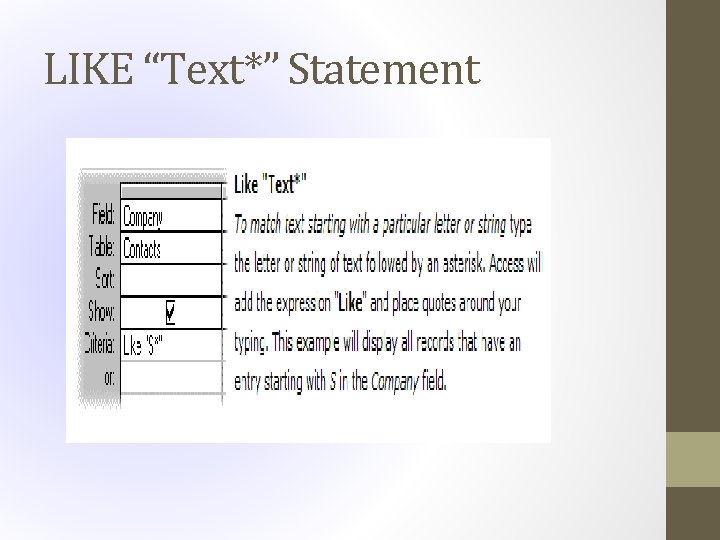
LIKE “Text*” Statement
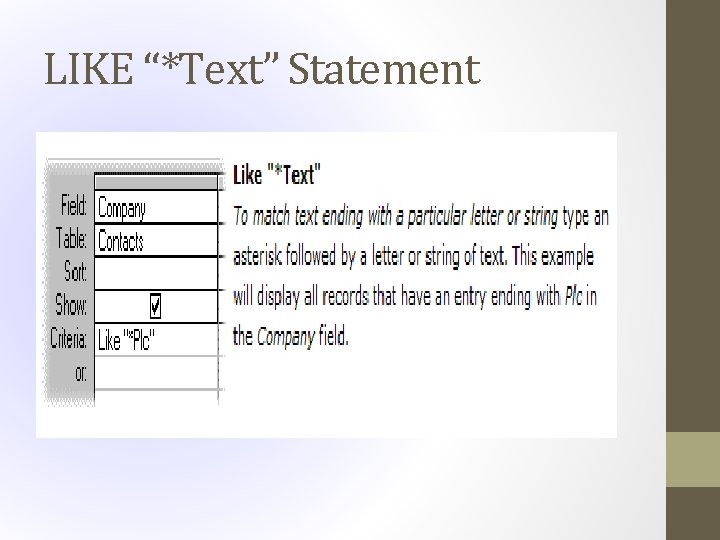
LIKE “*Text” Statement

Hybrid / Homework View “ 14 Week Schedule” > Week 03 > 3 rd Column
- Slides: 31