
Database Design WEEK 11 Agenda Hybrid Review Create
Database Design WEEK 11
Agenda �Hybrid Review �Create Tables �Add, Edit Data �Create Relationships in MS Access 2010 �Queries
CREATE TABLES

Create Tables �For the tables for the sample in the Wk 10_Table. Instance. Chart. xlsx

Table Design View �Exercise: ◦ Create table for gender
Datasheet View �Exercise: ◦ Add data to the gender table
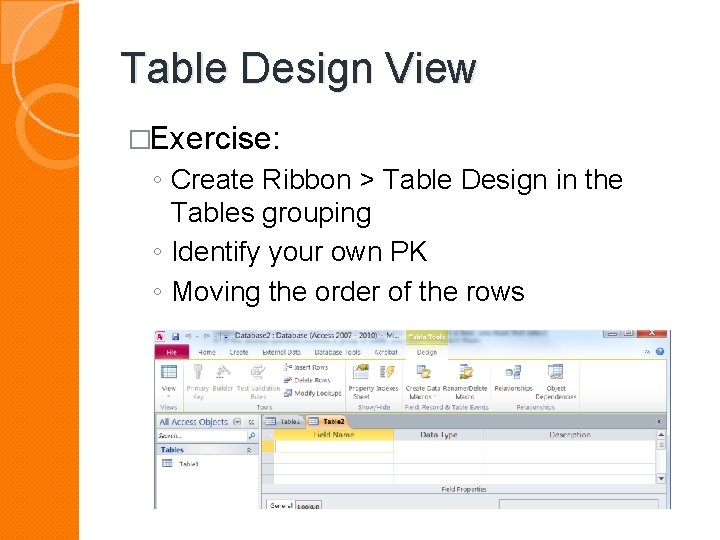
Table Design View �Exercise: ◦ Create Ribbon > Table Design in the Tables grouping ◦ Identify your own PK ◦ Moving the order of the rows
Create Table with Lookups �Exercise: ◦ Add data to the city entity using a look up wizard as the data type for the province
Add Data to an Entity �Based on another entity ◦ Exercise: �Create the students table (student. ID, fname, lname and gender fields only)
Edit an Entity �Exercise: ◦ Complete the Students table ◦ Go back and look at your default value (note it was not added to previous records entered)
Edit Data in Datasheet View �Exercise: ◦ Go back and add the age group and city for each of the students previously entered �Datasheet ◦ ◦ view Record count Add a new record Search for a record Sort the records

CREATE RELATIONSHIPS
Create Relationships �Database Tools ribbon > relationships grouping �Exercise: ◦ How to Edit a relationship ◦ How to Create a relationship
Want More Information �Visit the following site. http: //www. functionx. com/access/index. htm

QUERIES

Northwind Database
Single Table Queries �Select fields to display �Sort by? �Simple Conditions ◦ When you enter text into the criteria cell your text should be enclosed in quotes ("") to distinguish it from other expressions and operators that you may need to add.

WORKING WITH TEXT
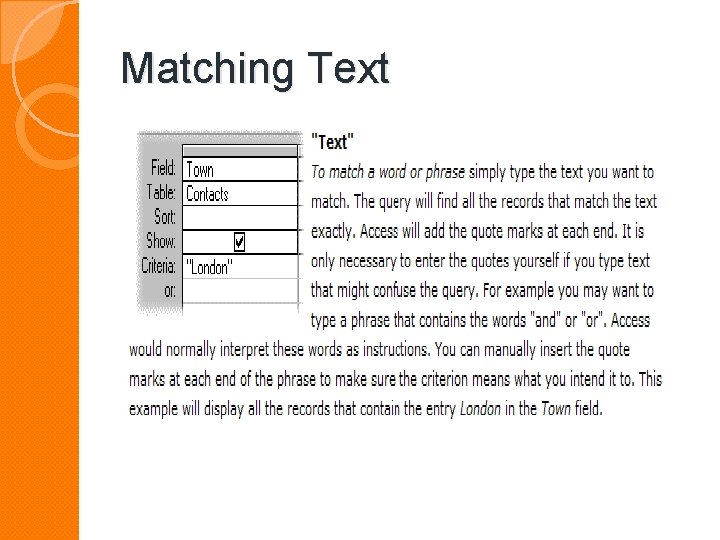
Matching Text
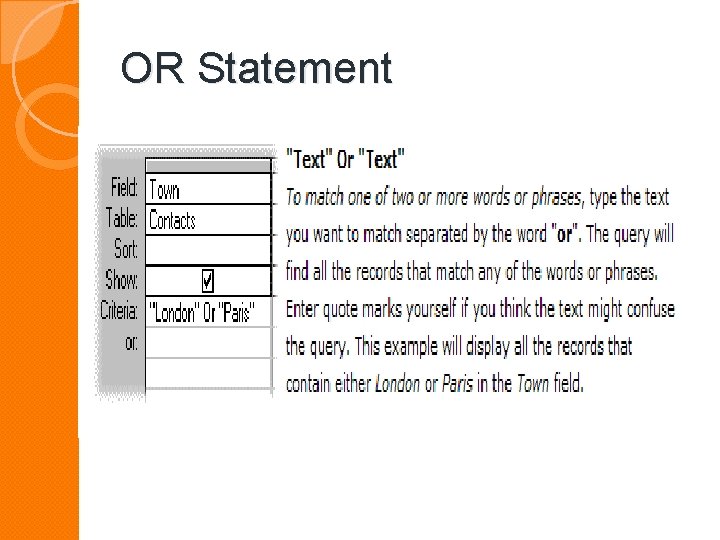
OR Statement
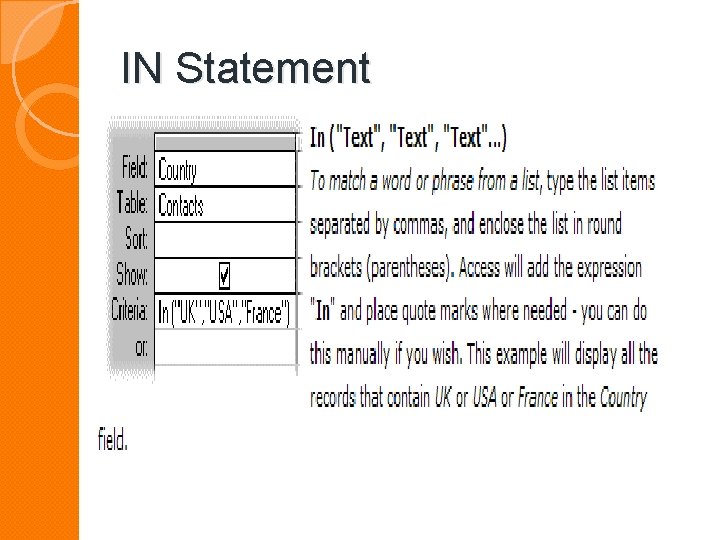
IN Statement

NOT Statement
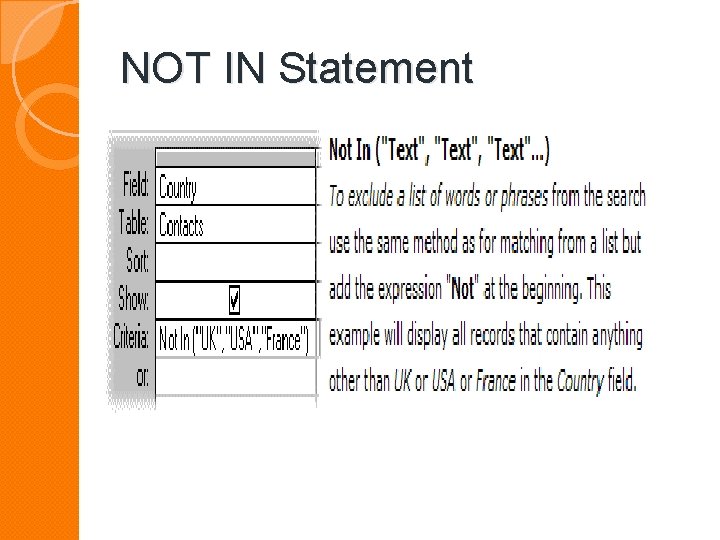
NOT IN Statement

Using Wildcards �Wildcard is a special character that can stand for either a single character or a string of text
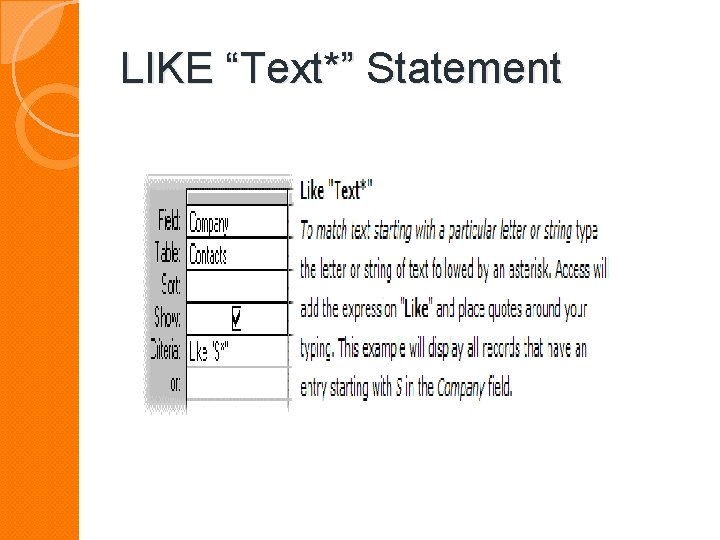
LIKE “Text*” Statement
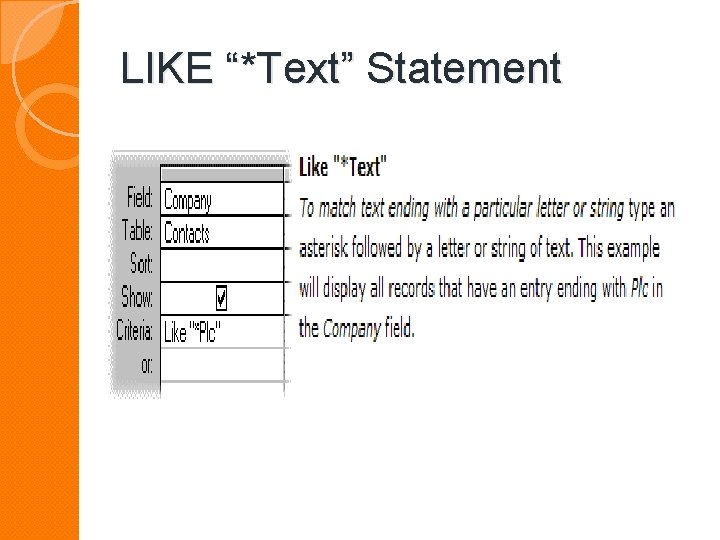
LIKE “*Text” Statement
WORKING WITH NUMBERS
Working with Numbers �For example, where X represents a number: �<X finds values less than X. �>X finds vales greater than X �>=X finds values greater than or equal to X �<>X finds vales not equal to X

WORKING WITH DATES
Working with Dates �Ensure the criteria cell is type Date/Time �Each date must be enclosed by hash marks (#). �For example: ◦ <#1/1/98# ◦ finds dates earlier than 1 January 1998
Working with Dates �For example: ◦ =#27 -Sep-50# ◦ finds dates equal to 27 September 1950
Working with Dates �For example: ◦ Between #5/7/98# And #10/7/98# ◦ finds dates no earlier than 5 July 1998 and no later than 10 July 1998
FINDING EMPTY FIELDS

Finding Empty Fields �Use the expression Is Null. �Conversely, Is Not Null. �The expression Null simply means "nothing".
Hybrid / Homework

Quiz Time
- Slides: 36