
Database Architectures Modified from Modern Database Management Jeffrey
Database Architectures Modified from …. . Modern Database Management Jeffrey A. Hoffer, Mary B. Prescott, Fred R. Mc. Fadden 1

Web Systems – client/server interactions n n n Networked computing model Processes distributed between clients and servers Client – A machine (PC or could be another server) that requests and uses a service Server – Machine (PC/mini/mainframe) that provides a service For DBMS, server is a database server 2

Application Logic in Client/Server Systems n Presentation Layer • Input – keyboard/mouse • Output – monitor/printer n Business Layer • • • n I/O processing Business rules Data management Data Layer GUI Interface Procedures, functions, programs DBMS activities • Data storage/retrieval 3
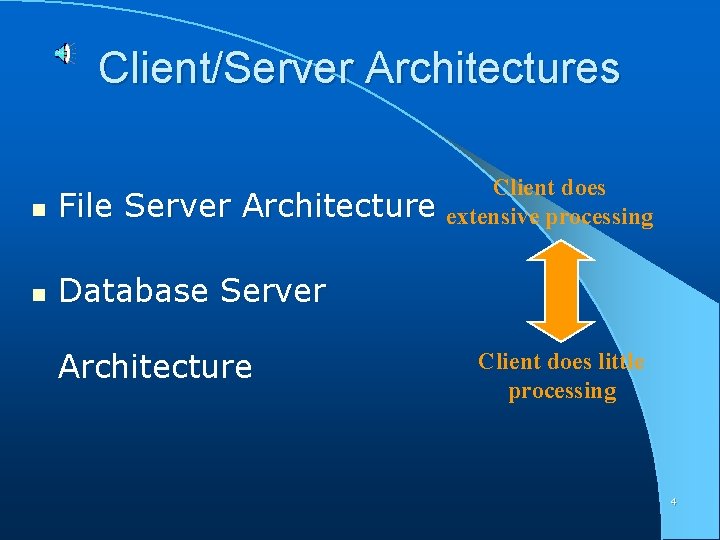
Client/Server Architectures n File Server Architecture n Database Server Architecture Client does extensive processing Client does little processing 4
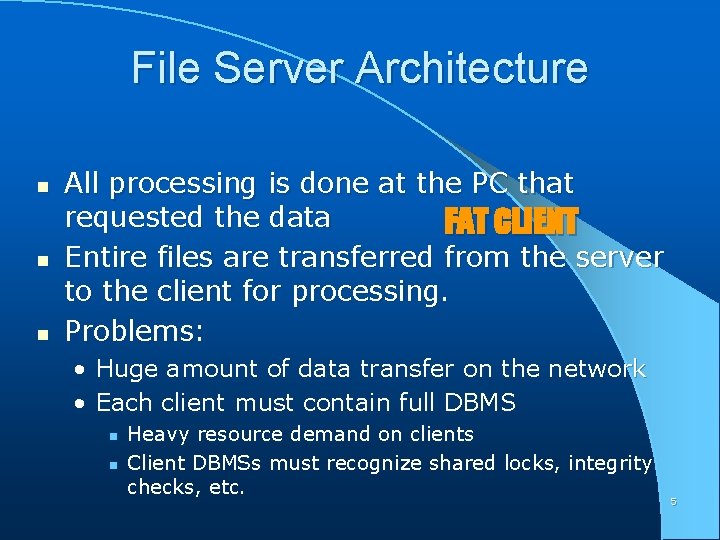
File Server Architecture n n n All processing is done at the PC that requested the data FAT CLIENT Entire files are transferred from the server to the client for processing. Problems: • Huge amount of data transfer on the network • Each client must contain full DBMS n n Heavy resource demand on clients Client DBMSs must recognize shared locks, integrity checks, etc. 5
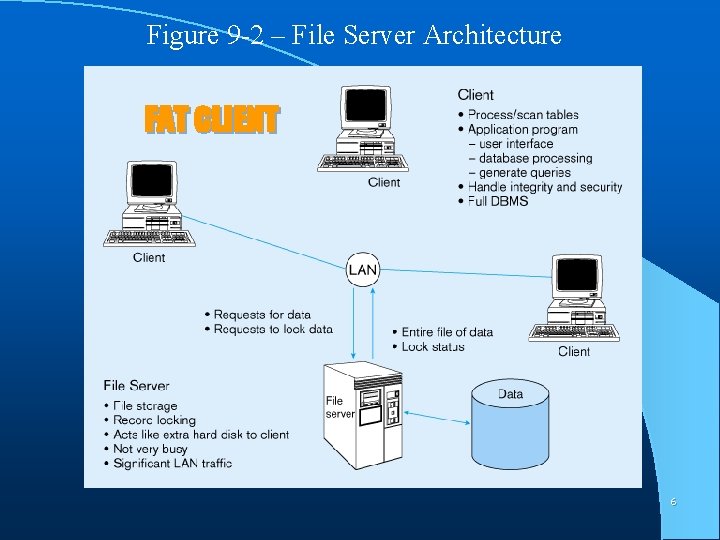
Figure 9 -2 – File Server Architecture FAT CLIENT 6
Database Server Architectures n Client is responsible for • I/O processing logic • Some business rules logic n n Server performs all data storage and access processing DBMS is only on server Advantages • Clients do not have to be as powerful • Greatly reduces data traffic on the network • Improved data integrity since it is all processed centrally • Stored procedures some business rules done on server 7
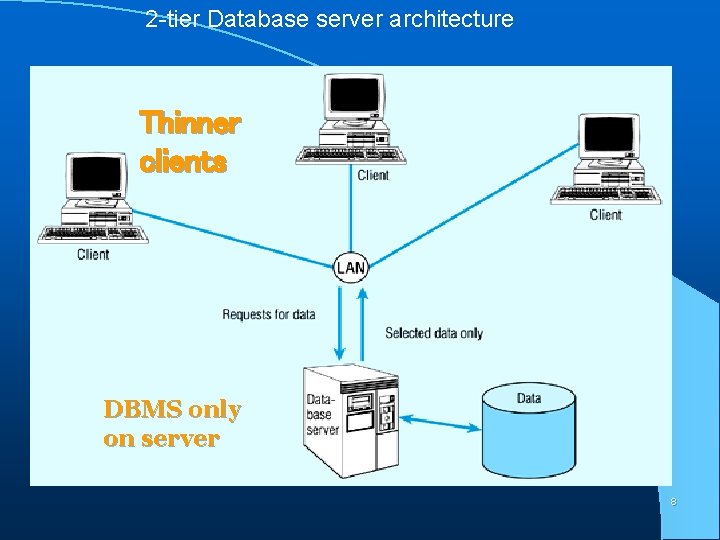
2 -tier Database server architecture Thinner clients DBMS only on server 8
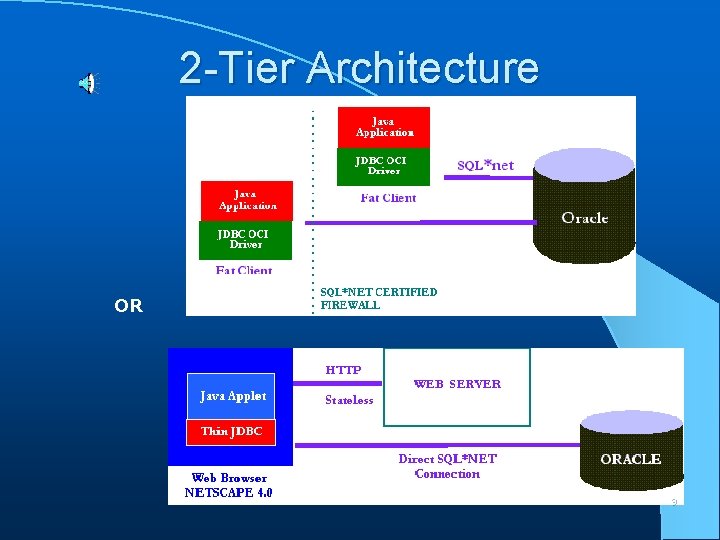
2 -Tier Architecture OR 9
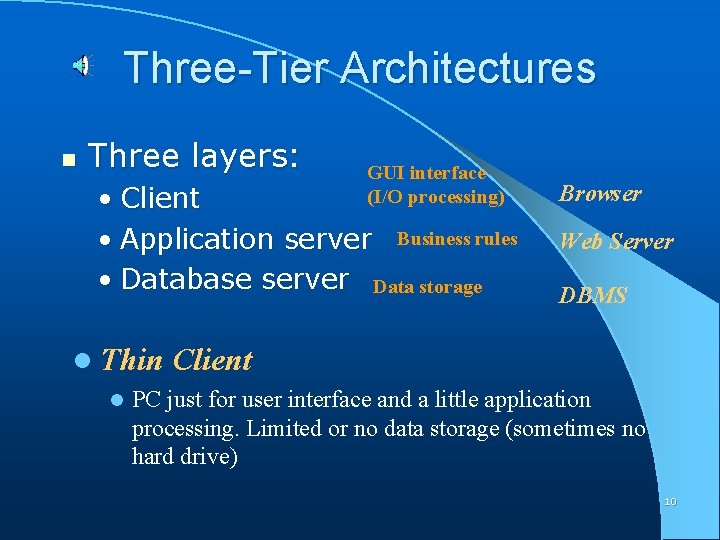
Three-Tier Architectures n Three layers: GUI interface (I/O processing) • Client • Application server Business rules • Database server Data storage l Thin l Browser Web Server DBMS Client PC just for user interface and a little application processing. Limited or no data storage (sometimes no hard drive) 10
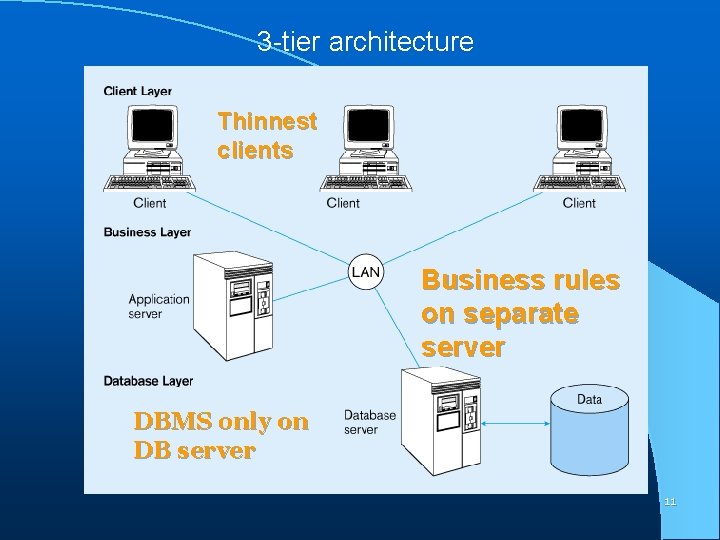
3 -tier architecture Thinnest clients Business rules on separate server DBMS only on DB server 11
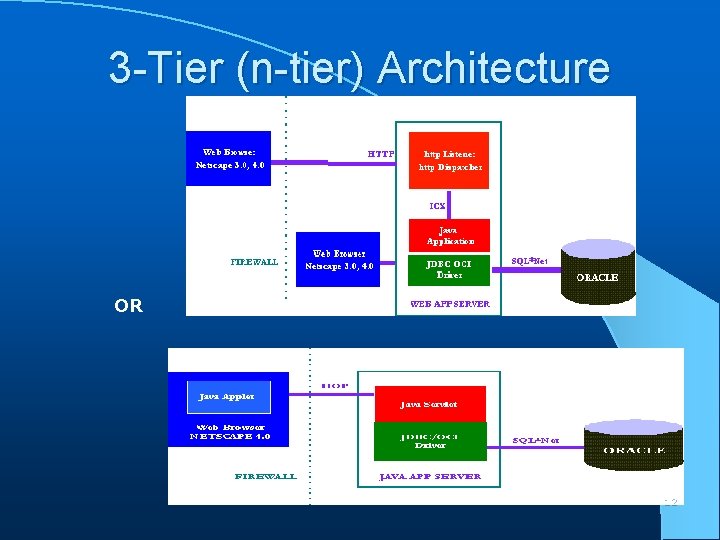
3 -Tier (n-tier) Architecture OR 12
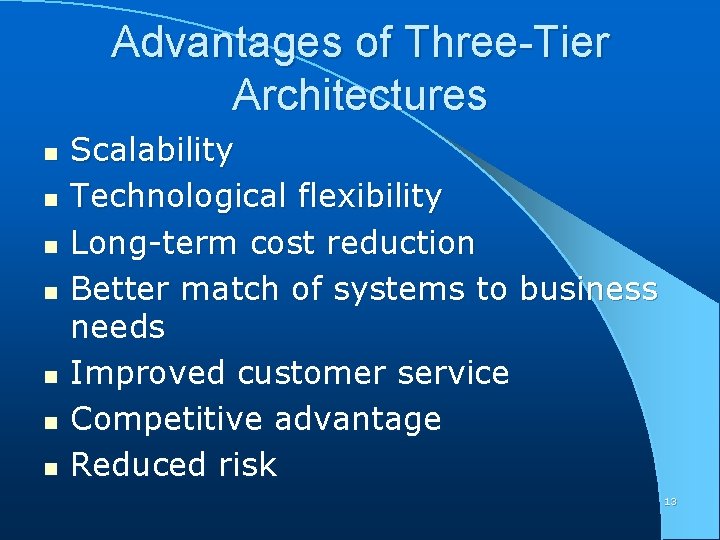
Advantages of Three-Tier Architectures n n n n Scalability Technological flexibility Long-term cost reduction Better match of systems to business needs Improved customer service Competitive advantage Reduced risk 13
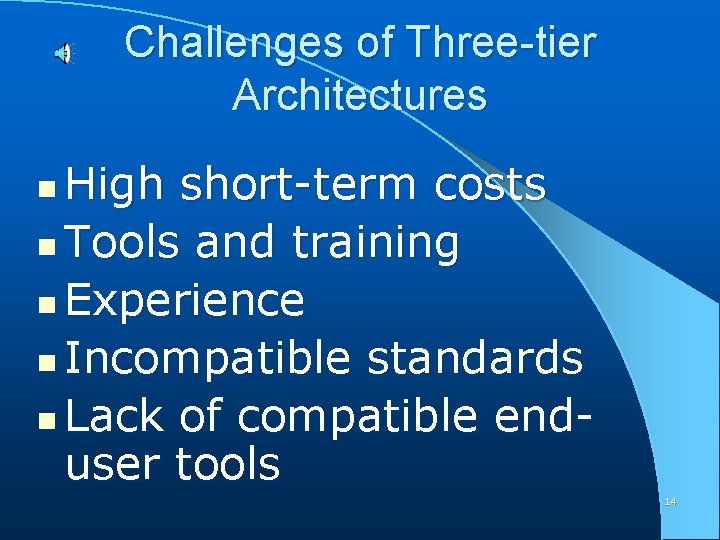
Challenges of Three-tier Architectures High short-term costs n Tools and training n Experience n Incompatible standards n Lack of compatible enduser tools n 14

Application Partitioning n n Placing portions of the application code in different locations (client vs. server) AFTER it is written Advantages • Improve performance • Improve interoperability • Balanced workloads 15
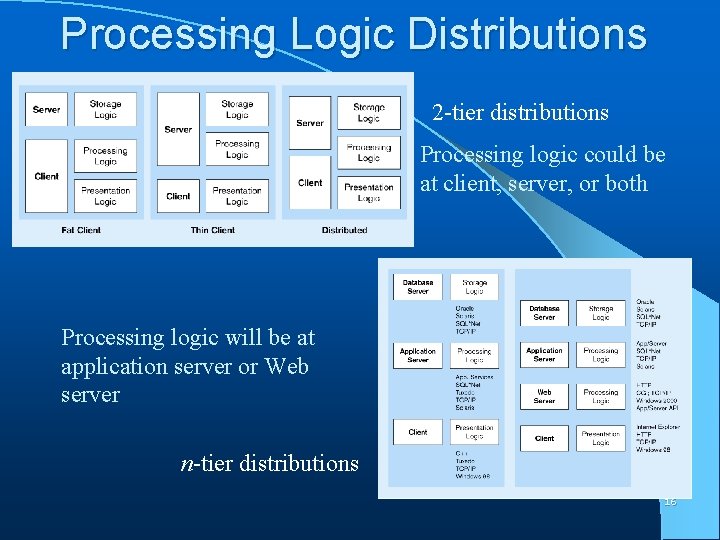
Processing Logic Distributions 2 -tier distributions Processing logic could be at client, server, or both Processing logic will be at application server or Web server n-tier distributions 16
Parallel Computer Architectures n Tightly Coupled • Symmetric Multiprocessing (SMP) • Multiple CPUs • Shared RAM n Loosely Coupled • Massively Parallel Processing (MPP) • Multiple CPUs • Each CPU has its own RAM space 17
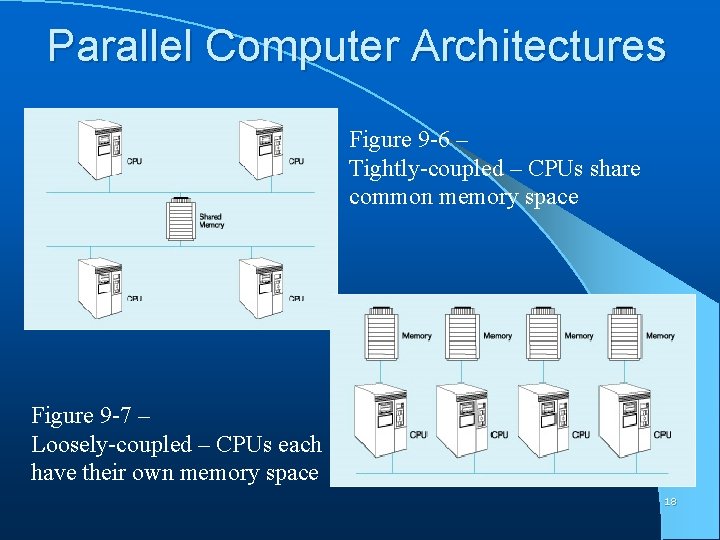
Parallel Computer Architectures Figure 9 -6 – Tightly-coupled – CPUs share common memory space Figure 9 -7 – Loosely-coupled – CPUs each have their own memory space 18
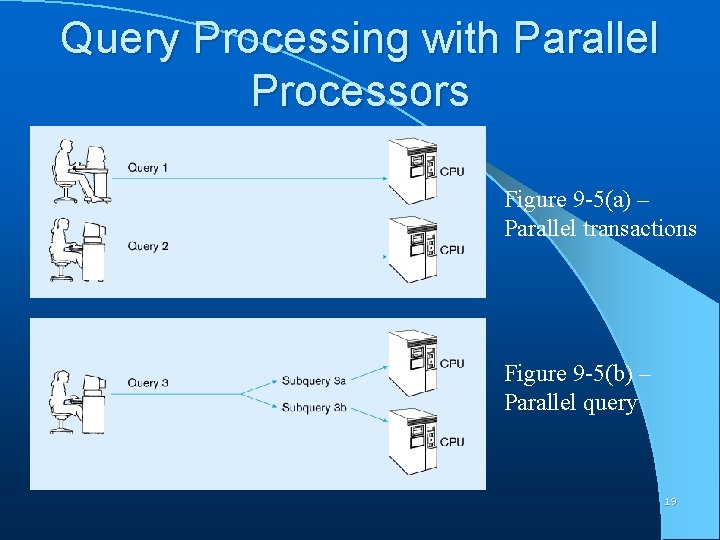
Query Processing with Parallel Processors Figure 9 -5(a) – Parallel transactions Figure 9 -5(b) – Parallel query 19
Don’t forget Grid computing n The creation of a "virtual supercomputer" by using a network of geographically dispersed computers. 20
Middleware n n n Software which allows an application to interoperate with other software No need for programmer/user to understand internal processing Accomplished via Application Program Interface (API) The “glue” that holds client/server applications together 21
Types of Middleware n n n RPC – Remote Procedure Calls (RPC) • client makes calls to procedures running on remote computers • synchronous and asynchronous Message-Oriented Middleware (MOM) • asynchronous calls between the client via message queues Publish/Subscribe • push technology server sends information to client when available Object Request Broker (ORB) • Object-oriented management of communications between clients and servers SQL-oriented Data Access • Middleware between applications and database 22 servers
Client/Server Security n n Network environment complex security issues Security levels: • System-level password security n for allowing access to the system • Database-level password security n for determining access privileges to tables; read/update/insert/delete privileges • Secure client/server communication n via encryption 23
- Slides: 23