
Database Applications 15 415 DBMS Internals Part XIV
Database Applications (15 -415) DBMS Internals- Part XIV Lecture 26, April 17, 2018 Mohammad Hammoud
Today… § Last Session: § Recovery Management- Part I § Today’s Session: § Recovery Management (Continue) § Announcements: § PS 5 is due on Thursday, April 19 § The final exam is on Thursday, April 26 from 1: 30 to 4: 30 PM in room 2049 (it is open book, open notes)
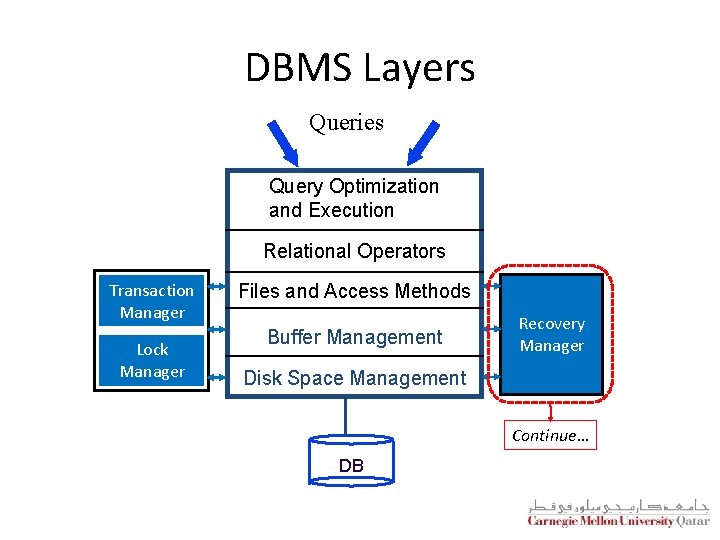
DBMS Layers Queries Query Optimization and Execution Relational Operators Transaction Manager Lock Manager Files and Access Methods Buffer Management Recovery Manager Disk Space Management Continue… DB
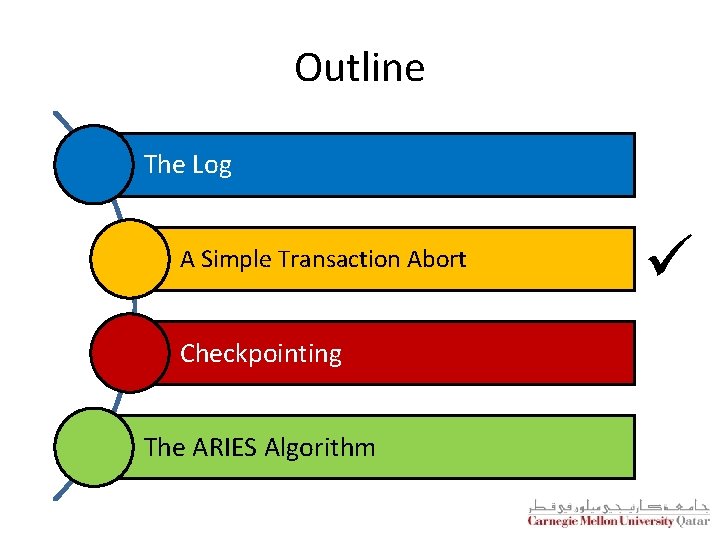
Outline The Log A Simple Transaction Abort Checkpointing The ARIES Algorithm ü
A Simple Transaction Abort § For now, let us consider an “explicit” abort of a transaction T § That is, no system crash is involved § We want to “play back” the log in reverse order, undoing T’s updates § Step 1: We get the last. LSN of T from the Transaction table § Step 2: We lock the corresponding data to be undone (we can use strict 2 PL)
A Simple Transaction Abort (Cont’d) § Step 3: Before restoring an old value of a page, we write a respective Compensation Log Record (CLR) § CLR has one extra field, that is, undo. Next. LSN, which points to the next LSN to undo § undo. Next. LSN is assigned the prev. LSN of the record that is currently being undone § CLRs are never undone (but they might be Redone) § Step 4: Repeat steps 2 and 3 by following a chain of log records backward via the undo. Next. LSN field § Last Step: At the end of UNDO, write an end log record
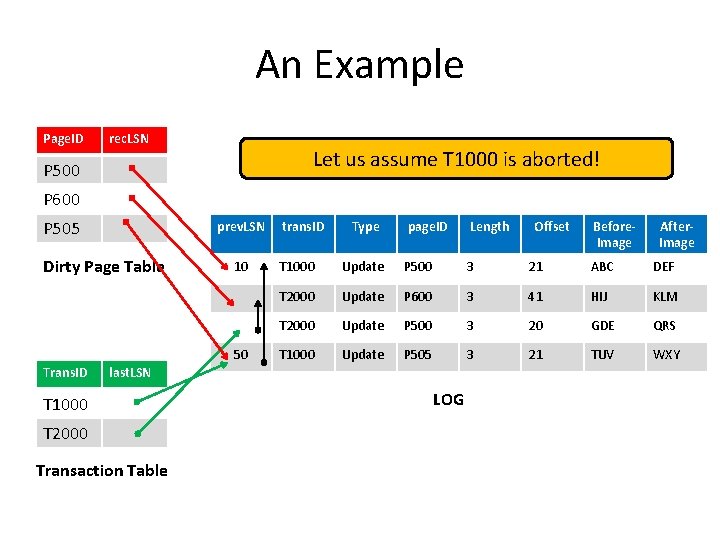
An Example Page. ID rec. LSN Let us assume T 1000 is aborted! P 500 P 600 P 505 prev. LSN Dirty Page Table 10 50 Trans. ID trans. ID Type page. ID Length T 2000 Transaction Table Before. Image After. Image T 1000 Update P 500 3 21 ABC DEF T 2000 Update P 600 3 41 HIJ KLM T 2000 Update P 500 3 20 GDE QRS T 1000 Update P 505 3 21 TUV WXY last. LSN T 1000 Offset LOG
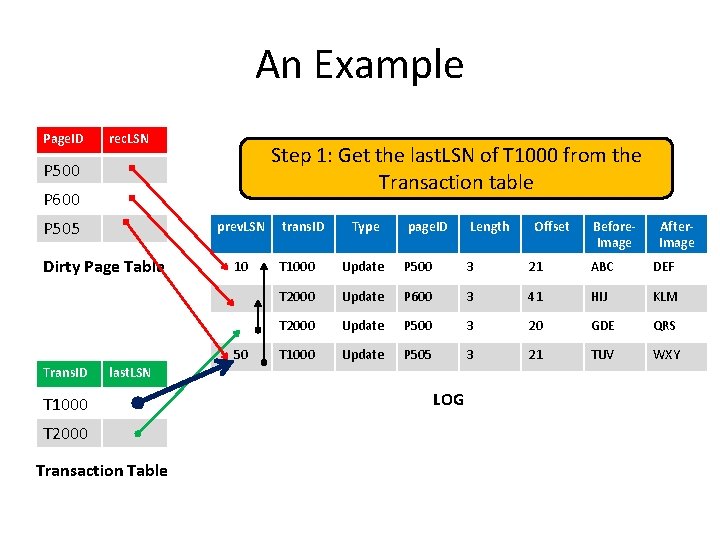
An Example Page. ID rec. LSN Step 1: Get the last. LSN of T 1000 from the Transaction table P 500 P 600 P 505 prev. LSN Dirty Page Table 10 50 Trans. ID trans. ID Type page. ID Length T 2000 Transaction Table Before. Image After. Image T 1000 Update P 500 3 21 ABC DEF T 2000 Update P 600 3 41 HIJ KLM T 2000 Update P 500 3 20 GDE QRS T 1000 Update P 505 3 21 TUV WXY last. LSN T 1000 Offset LOG
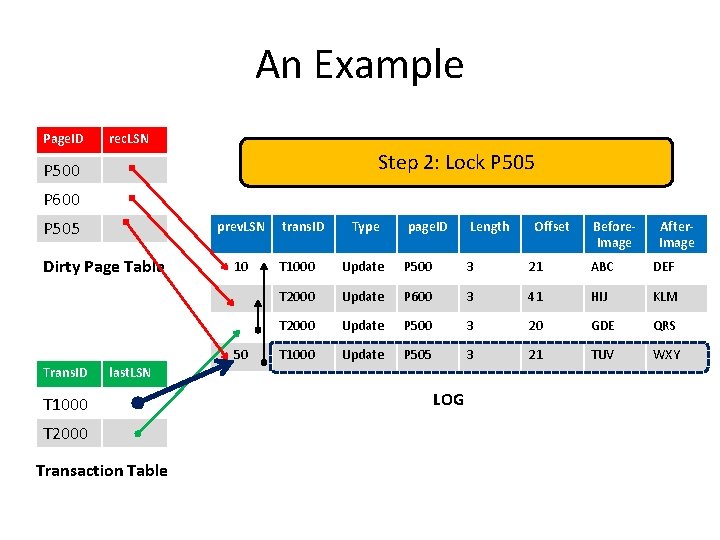
An Example Page. ID rec. LSN Step 2: Lock P 505 P 500 P 600 P 505 prev. LSN Dirty Page Table 10 50 Trans. ID trans. ID Type page. ID Length T 2000 Transaction Table Before. Image After. Image T 1000 Update P 500 3 21 ABC DEF T 2000 Update P 600 3 41 HIJ KLM T 2000 Update P 500 3 20 GDE QRS T 1000 Update P 505 3 21 TUV WXY last. LSN T 1000 Offset LOG
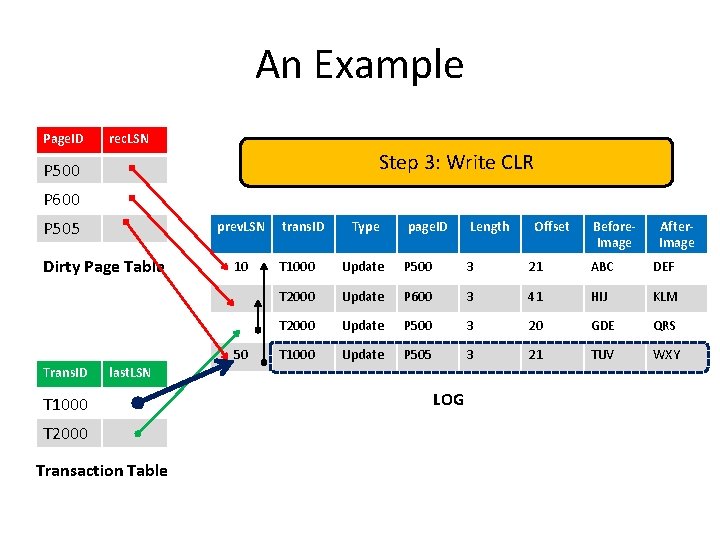
An Example Page. ID rec. LSN Step 3: Write CLR P 500 P 600 P 505 prev. LSN Dirty Page Table 10 50 Trans. ID trans. ID Type page. ID Length T 2000 Transaction Table Before. Image After. Image T 1000 Update P 500 3 21 ABC DEF T 2000 Update P 600 3 41 HIJ KLM T 2000 Update P 500 3 20 GDE QRS T 1000 Update P 505 3 21 TUV WXY last. LSN T 1000 Offset LOG
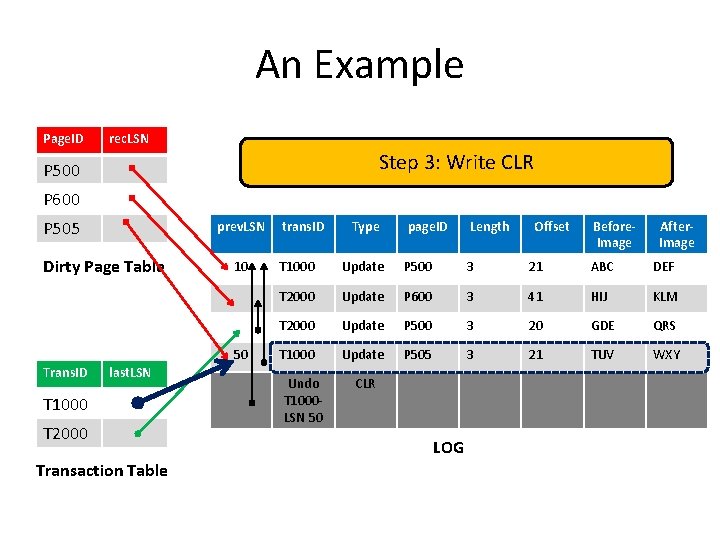
An Example Page. ID rec. LSN Step 3: Write CLR P 500 P 600 P 505 prev. LSN Dirty Page Table 10 50 Trans. ID last. LSN T 1000 T 2000 Transaction Table trans. ID Type page. ID Length Offset Before. Image After. Image T 1000 Update P 500 3 21 ABC DEF T 2000 Update P 600 3 41 HIJ KLM T 2000 Update P 500 3 20 GDE QRS T 1000 Update P 505 3 21 TUV WXY Undo T 1000 LSN 50 CLR LOG
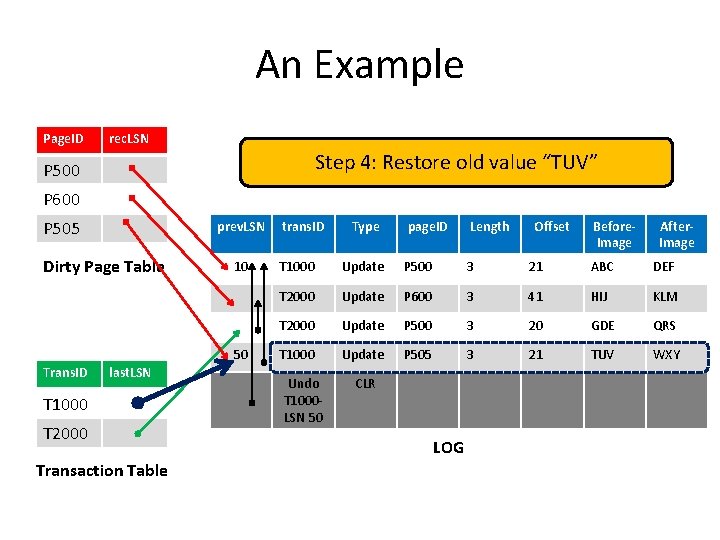
An Example Page. ID rec. LSN Step 4: Restore old value “TUV” P 500 P 600 P 505 prev. LSN Dirty Page Table 10 50 Trans. ID last. LSN T 1000 T 2000 Transaction Table trans. ID Type page. ID Length Offset Before. Image After. Image T 1000 Update P 500 3 21 ABC DEF T 2000 Update P 600 3 41 HIJ KLM T 2000 Update P 500 3 20 GDE QRS T 1000 Update P 505 3 21 TUV WXY Undo T 1000 LSN 50 CLR LOG
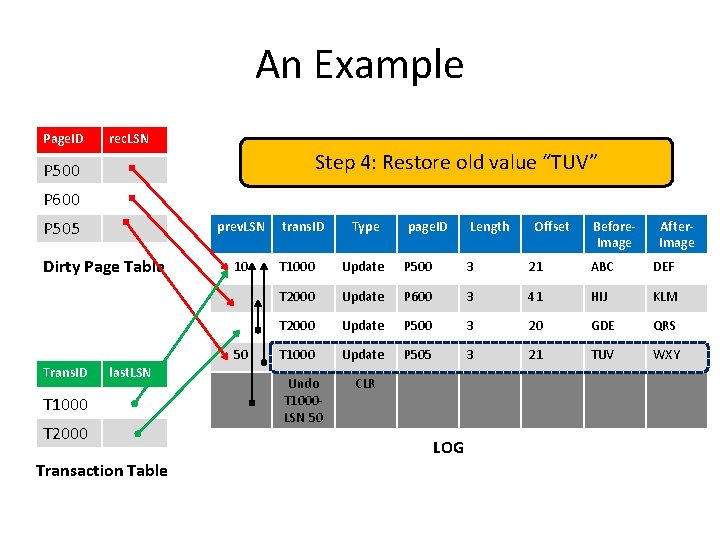
An Example Page. ID rec. LSN Step 4: Restore old value “TUV” P 500 P 600 P 505 prev. LSN Dirty Page Table 10 50 Trans. ID last. LSN T 1000 T 2000 Transaction Table trans. ID Type page. ID Length Offset Before. Image After. Image T 1000 Update P 500 3 21 ABC DEF T 2000 Update P 600 3 41 HIJ KLM T 2000 Update P 500 3 20 GDE QRS T 1000 Update P 505 3 21 TUV WXY Undo T 1000 LSN 50 CLR LOG
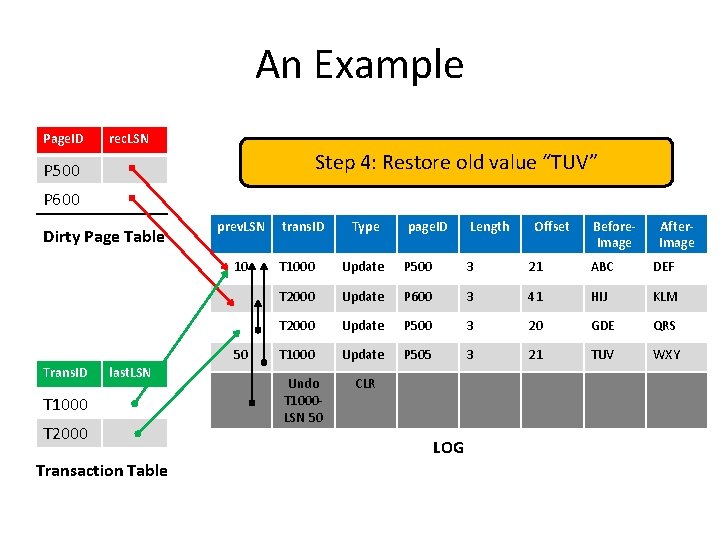
An Example Page. ID rec. LSN Step 4: Restore old value “TUV” P 500 P 600 Dirty Page Table prev. LSN 10 50 Trans. ID last. LSN T 1000 T 2000 Transaction Table trans. ID Type page. ID Length Offset Before. Image After. Image T 1000 Update P 500 3 21 ABC DEF T 2000 Update P 600 3 41 HIJ KLM T 2000 Update P 500 3 20 GDE QRS T 1000 Update P 505 3 21 TUV WXY Undo T 1000 LSN 50 CLR LOG
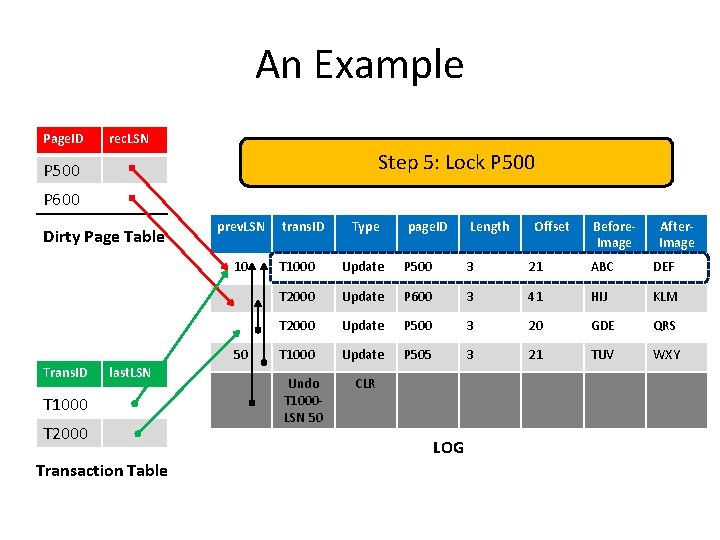
An Example Page. ID rec. LSN Step 5: Lock P 500 P 600 Dirty Page Table prev. LSN 10 50 Trans. ID last. LSN T 1000 T 2000 Transaction Table trans. ID Type page. ID Length Offset Before. Image After. Image T 1000 Update P 500 3 21 ABC DEF T 2000 Update P 600 3 41 HIJ KLM T 2000 Update P 500 3 20 GDE QRS T 1000 Update P 505 3 21 TUV WXY Undo T 1000 LSN 50 CLR LOG
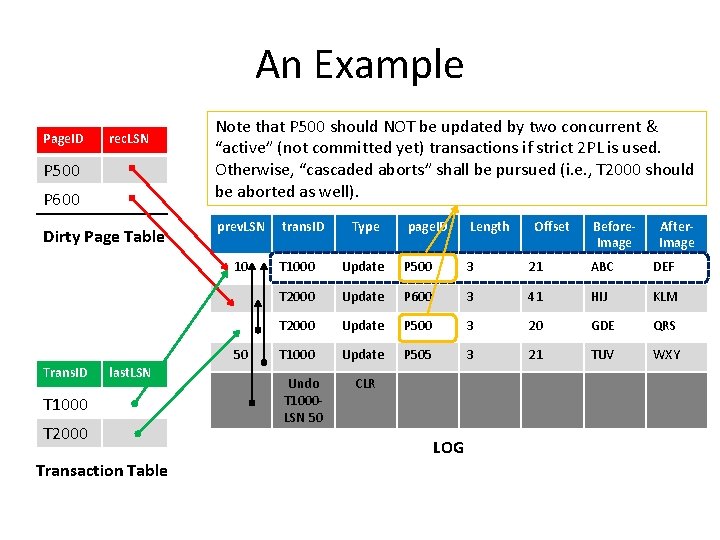
An Example Page. ID rec. LSN P 500 P 600 Dirty Page Table Note that P 500 should NOT be updated by two concurrent & “active” (not committed yet) transactions if strict 2 PL is used. Otherwise, “cascaded aborts” shall be pursued (i. e. , T 2000 should be aborted as well). prev. LSN 10 50 Trans. ID last. LSN T 1000 T 2000 Transaction Table trans. ID Type page. ID Length Offset Before. Image After. Image T 1000 Update P 500 3 21 ABC DEF T 2000 Update P 600 3 41 HIJ KLM T 2000 Update P 500 3 20 GDE QRS T 1000 Update P 505 3 21 TUV WXY Undo T 1000 LSN 50 CLR LOG
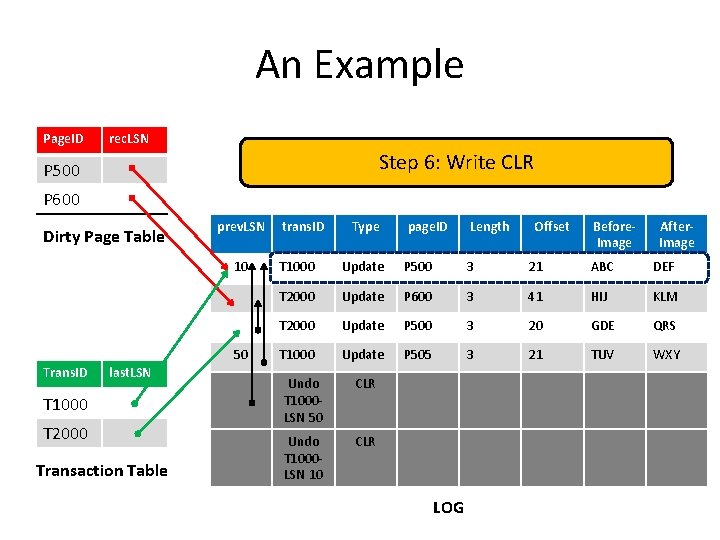
An Example Page. ID rec. LSN Step 6: Write CLR P 500 P 600 Dirty Page Table prev. LSN 10 50 Trans. ID last. LSN T 1000 T 2000 Transaction Table trans. ID Type page. ID Length Offset Before. Image After. Image T 1000 Update P 500 3 21 ABC DEF T 2000 Update P 600 3 41 HIJ KLM T 2000 Update P 500 3 20 GDE QRS T 1000 Update P 505 3 21 TUV WXY Undo T 1000 LSN 50 CLR Undo T 1000 LSN 10 CLR LOG
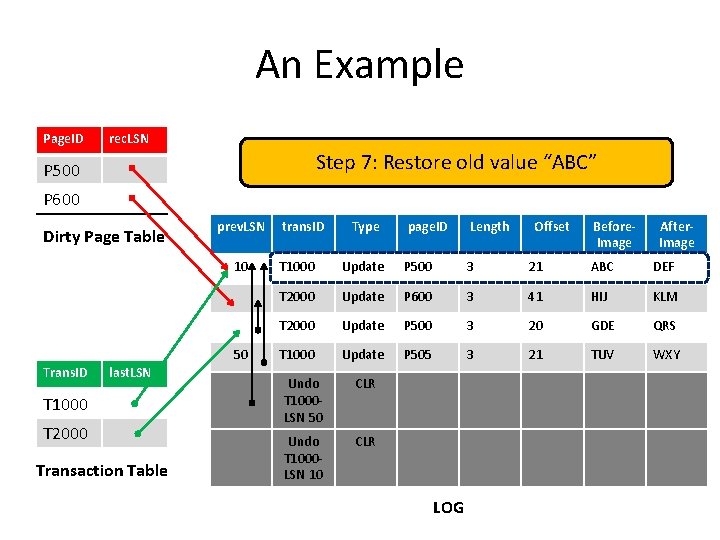
An Example Page. ID rec. LSN Step 7: Restore old value “ABC” P 500 P 600 Dirty Page Table prev. LSN 10 50 Trans. ID last. LSN T 1000 T 2000 Transaction Table trans. ID Type page. ID Length Offset Before. Image After. Image T 1000 Update P 500 3 21 ABC DEF T 2000 Update P 600 3 41 HIJ KLM T 2000 Update P 500 3 20 GDE QRS T 1000 Update P 505 3 21 TUV WXY Undo T 1000 LSN 50 CLR Undo T 1000 LSN 10 CLR LOG
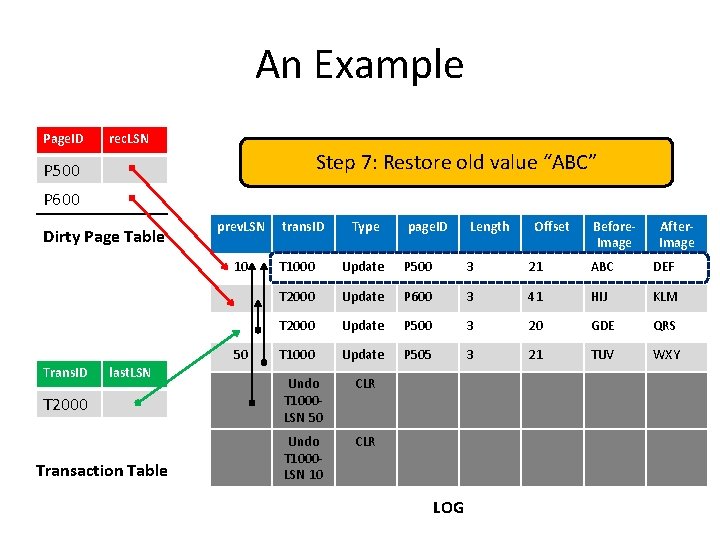
An Example Page. ID rec. LSN Step 7: Restore old value “ABC” P 500 P 600 Dirty Page Table prev. LSN 10 50 Trans. ID last. LSN T 1000 T 2000 Transaction Table trans. ID Type page. ID Length Offset Before. Image After. Image T 1000 Update P 500 3 21 ABC DEF T 2000 Update P 600 3 41 HIJ KLM T 2000 Update P 500 3 20 GDE QRS T 1000 Update P 505 3 21 TUV WXY Undo T 1000 LSN 50 CLR Undo T 1000 LSN 10 CLR LOG
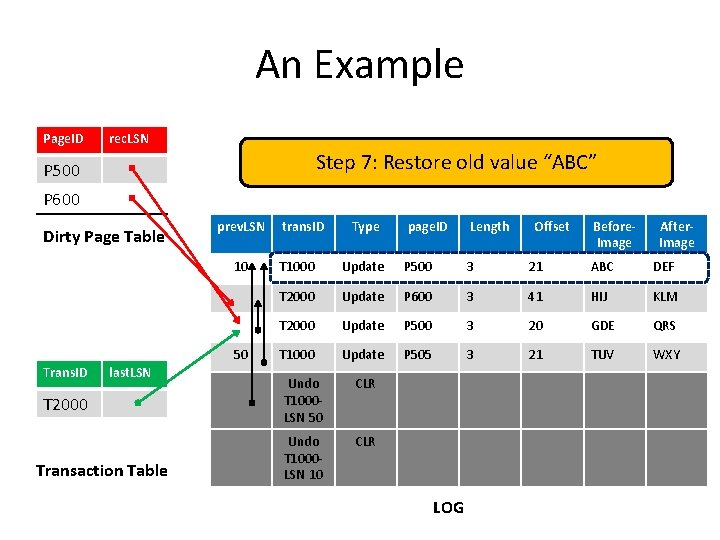
An Example Page. ID rec. LSN Step 7: Restore old value “ABC” P 500 P 600 Dirty Page Table prev. LSN 10 50 Trans. ID last. LSN T 1000 T 2000 Transaction Table trans. ID Type page. ID Length Offset Before. Image After. Image T 1000 Update P 500 3 21 ABC DEF T 2000 Update P 600 3 41 HIJ KLM T 2000 Update P 500 3 20 GDE QRS T 1000 Update P 505 3 21 TUV WXY Undo T 1000 LSN 50 CLR Undo T 1000 LSN 10 CLR LOG
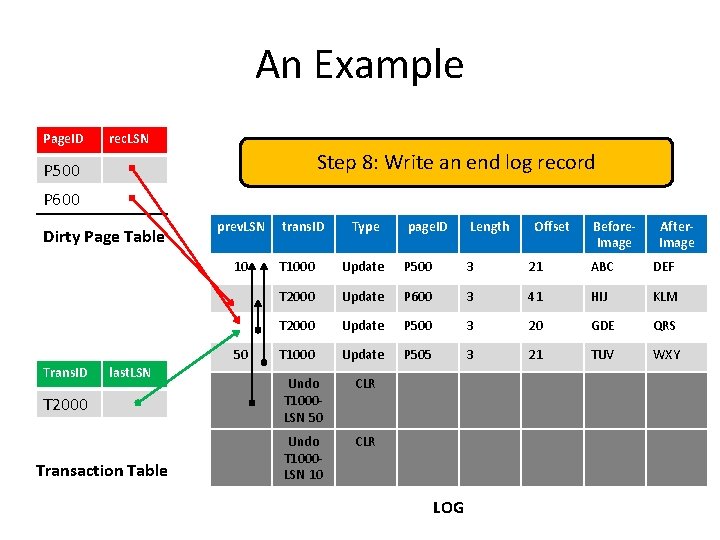
An Example Page. ID rec. LSN Step 8: Write an end log record P 500 P 600 Dirty Page Table prev. LSN 10 50 Trans. ID last. LSN T 1000 T 2000 Transaction Table trans. ID Type page. ID Length Offset Before. Image After. Image T 1000 Update P 500 3 21 ABC DEF T 2000 Update P 600 3 41 HIJ KLM T 2000 Update P 500 3 20 GDE QRS T 1000 Update P 505 3 21 TUV WXY Undo T 1000 LSN 50 CLR Undo T 1000 LSN 10 CLR LOG
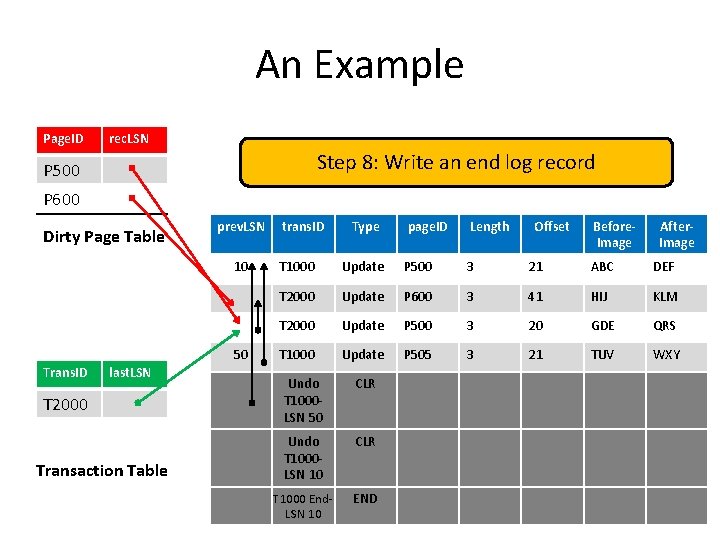
An Example Page. ID rec. LSN Step 8: Write an end log record P 500 P 600 Dirty Page Table prev. LSN 10 50 Trans. ID last. LSN T 1000 T 2000 Transaction Table trans. ID Type page. ID Length Offset Before. Image After. Image T 1000 Update P 500 3 21 ABC DEF T 2000 Update P 600 3 41 HIJ KLM T 2000 Update P 500 3 20 GDE QRS T 1000 Update P 505 3 21 TUV WXY Undo T 1000 LSN 50 CLR Undo T 1000 LSN 10 CLR T 1000 End. LSN 10 END
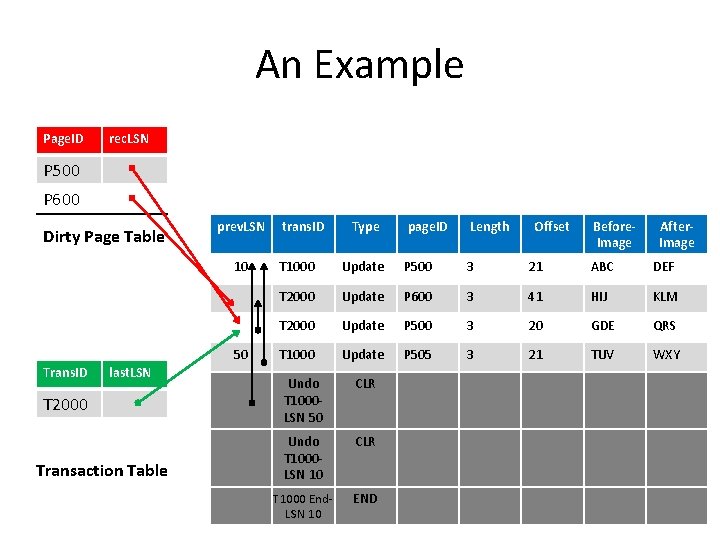
An Example Page. ID rec. LSN P 500 P 600 Dirty Page Table prev. LSN 10 50 Trans. ID last. LSN T 1000 T 2000 Transaction Table trans. ID Type page. ID Length Offset Before. Image After. Image T 1000 Update P 500 3 21 ABC DEF T 2000 Update P 600 3 41 HIJ KLM T 2000 Update P 500 3 20 GDE QRS T 1000 Update P 505 3 21 TUV WXY Undo T 1000 LSN 50 CLR Undo T 1000 LSN 10 CLR T 1000 End. LSN 10 END
Outline The Log A Simple Transaction Abort Checkpointing The ARIES Algorithm ü
Checkpointing § To reduce the amount of work to do during recovery, DBMSs typically take checkpoints § A checkpoint is like a snapshot of a DBMS state § A checkpoint can be taken by writing to the log: § A begin_checkpoint record § This indicates the start of the checkpoint § An end_checkpoint record § This indicates the end of the checkpoint § It encapsulates the contents of the “transaction table” and the “dirty page table” § A master record § This contains the LSN of the begin_checkpoint record
Outline The Log A Simple Transaction Abort Checkpointing The ARIES Algorithm ü
Recovering From a System Crash: ARIES § We will study the ARIES algorithm for recovering from system crashes § ARIES is designed to work with a steal, no-force approach § When the recovery manager is invoked after a crash, restart proceeds “sequentially” in three phases: § Analysis § Redo § Undo
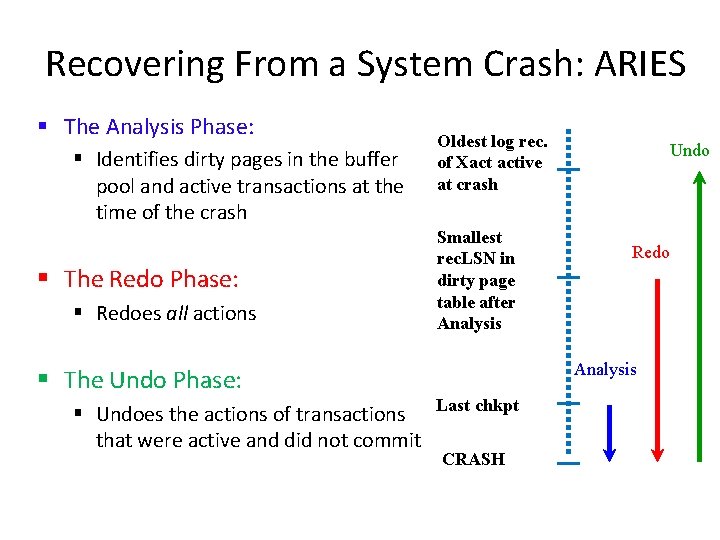
Recovering From a System Crash: ARIES § The Analysis Phase: § Identifies dirty pages in the buffer pool and active transactions at the time of the crash § The Redo Phase: § Redoes all actions § The Undo Phase: § Undoes the actions of transactions that were active and did not commit Oldest log rec. of Xact active at crash Smallest rec. LSN in dirty page table after Analysis Undo Redo Analysis Last chkpt CRASH
ARIES: The Analysis Phase § The Analysis phase performs three tasks: 1. It determines the point in the log at which to start the Redo pass 2. It determines (a conservative superset of the) pages in the buffer pool that were dirty at the time of the crash 3. It identifies transactions that were active at the time of the crash and must be undone
ARIES: The Analysis Phase § More precisely, the Analysis phase proceeds as follows: § It examines the most recent begin_checkpoint log record § It locates the corresponding end_checkpoint log record and initializes the “dirty page table” and “transaction table” from its content § It scans the log in the forward direction till its end and reconstructs along the way the “dirty page table” and “transaction table” (bringing them back to “almost” how they looked just before the crash)
ARIES: The Analysis Phase § More precisely, the Analysis phase proceeds as follows: § In particular, while scanning the log: § If an end log record is encountered for a transaction T § T is removed from the “transaction table” § If a different log record (say, L) is encountered for a transaction T § If L is an update log record affecting page P § Add entry, E, for P in the “dirty page table” (if it is not already there) § Set E’s rec. LSN to the LSN of L § Add an entry, Q, for T in the “transaction table” (if it is not already there) § Set the last. LSN field in Q to the LSN of L § Set the status field in Q to C if L is a commit record, or to U otherwise (i. e. , indicating T should be undone)
ARIES: The Redo Phase § During the Redo phase, ARIES reapplies the updates of “all” transactions (i. e. , committed and aborted) § This paradigm is referred to as Repeating History § The Redo phase scans forward until the end of the log, and redoes every action unless: § The affected page is not in the “dirty page table” § The affected page is in the “dirty page table”, but its rec. LSN > the current record’s LSN § The page. LSN of the affected page >= the current record’s LSN Wouldn’t checking this be enough?
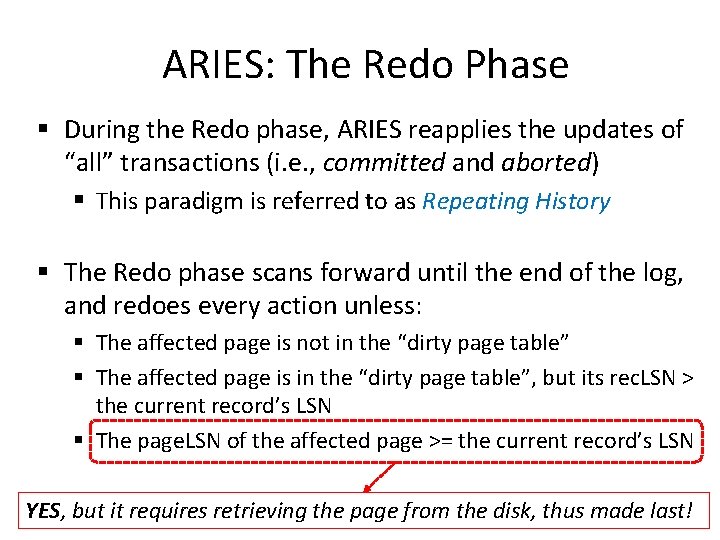
ARIES: The Redo Phase § During the Redo phase, ARIES reapplies the updates of “all” transactions (i. e. , committed and aborted) § This paradigm is referred to as Repeating History § The Redo phase scans forward until the end of the log, and redoes every action unless: § The affected page is not in the “dirty page table” § The affected page is in the “dirty page table”, but its rec. LSN > the current record’s LSN § The page. LSN of the affected page >= the current record’s LSN YES, but it requires retrieving the page from the disk, thus made last!
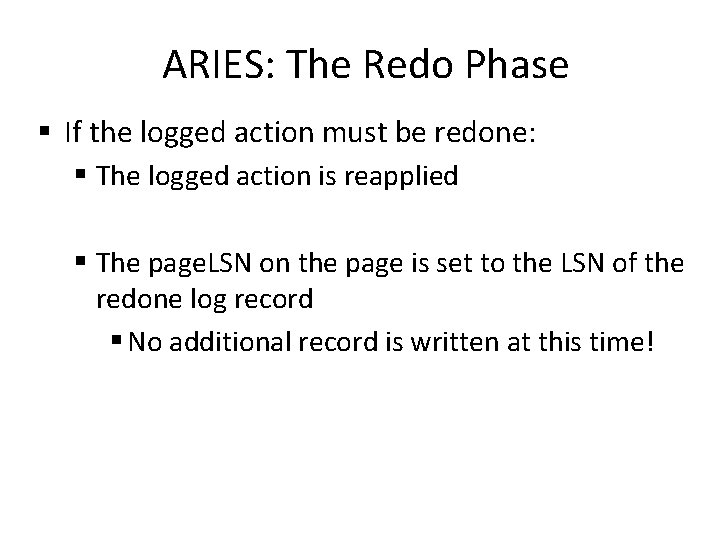
ARIES: The Redo Phase § If the logged action must be redone: § The logged action is reapplied § The page. LSN on the page is set to the LSN of the redone log record § No additional record is written at this time!
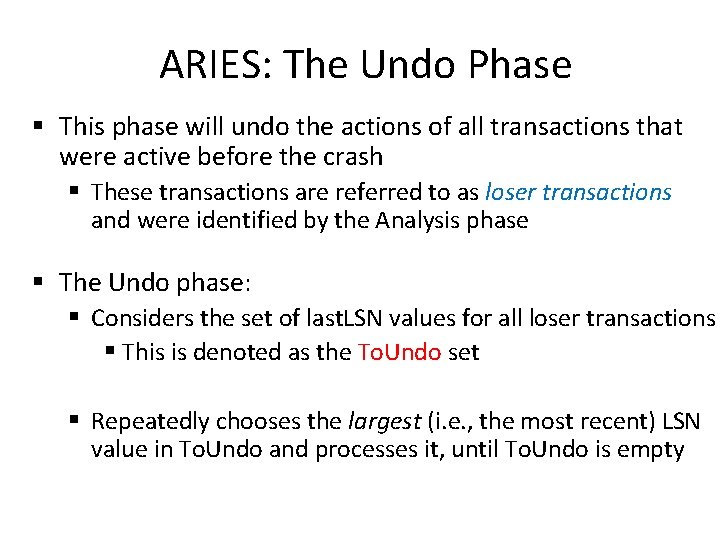
ARIES: The Undo Phase § This phase will undo the actions of all transactions that were active before the crash § These transactions are referred to as loser transactions and were identified by the Analysis phase § The Undo phase: § Considers the set of last. LSN values for all loser transactions § This is denoted as the To. Undo set § Repeatedly chooses the largest (i. e. , the most recent) LSN value in To. Undo and processes it, until To. Undo is empty
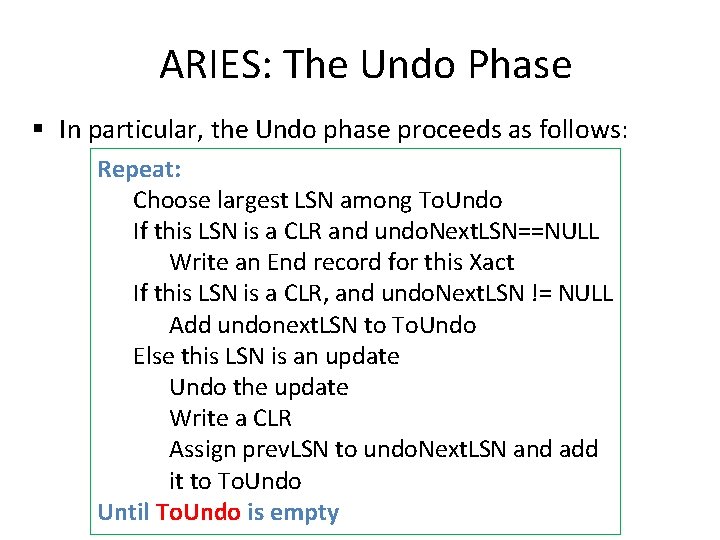
ARIES: The Undo Phase § In particular, the Undo phase proceeds as follows: Repeat: Choose largest LSN among To. Undo If this LSN is a CLR and undo. Next. LSN==NULL Write an End record for this Xact If this LSN is a CLR, and undo. Next. LSN != NULL Add undonext. LSN to To. Undo Else this LSN is an update Undo the update Write a CLR Assign prev. LSN to undo. Next. LSN and add it to To. Undo Until To. Undo is empty
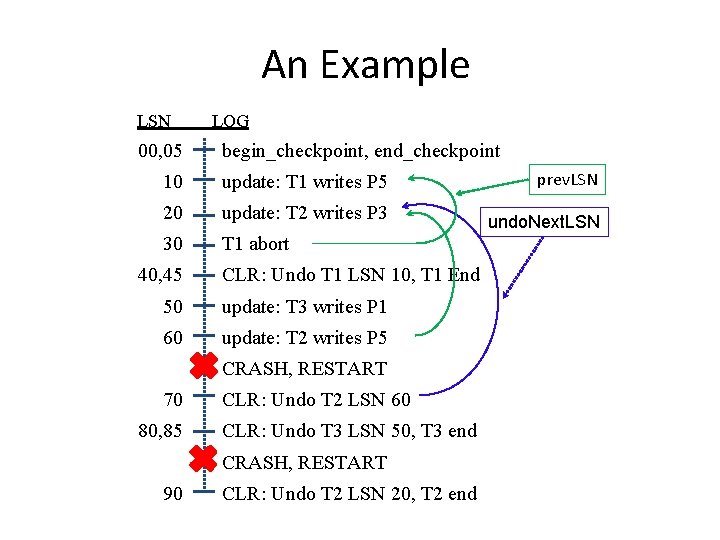
An Example LSN 00, 05 LOG begin_checkpoint, end_checkpoint 10 update: T 1 writes P 5 prev. LSN 20 update: T 2 writes P 3 undo. Next. LSN 30 T 1 abort 40, 45 CLR: Undo T 1 LSN 10, T 1 End 50 update: T 3 writes P 1 60 update: T 2 writes P 5 CRASH, RESTART 70 80, 85 CLR: Undo T 2 LSN 60 CLR: Undo T 3 LSN 50, T 3 end CRASH, RESTART 90 CLR: Undo T 2 LSN 20, T 2 end
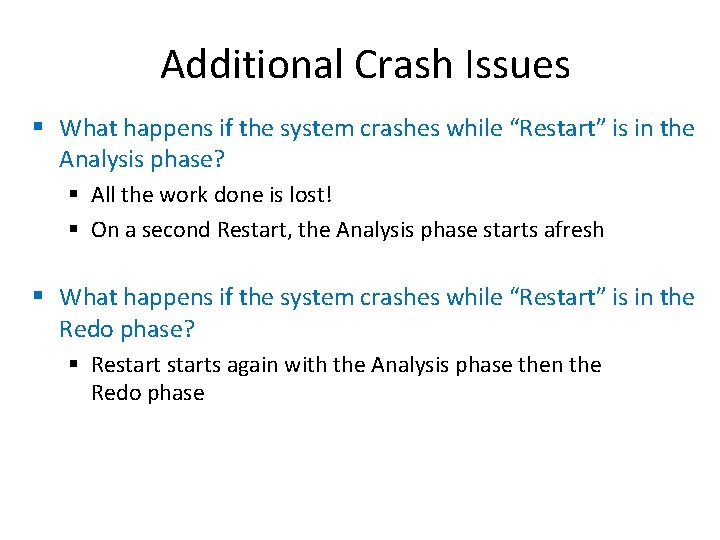
Additional Crash Issues § What happens if the system crashes while “Restart” is in the Analysis phase? § All the work done is lost! § On a second Restart, the Analysis phase starts afresh § What happens if the system crashes while “Restart” is in the Redo phase? § Restarts again with the Analysis phase then the Redo phase
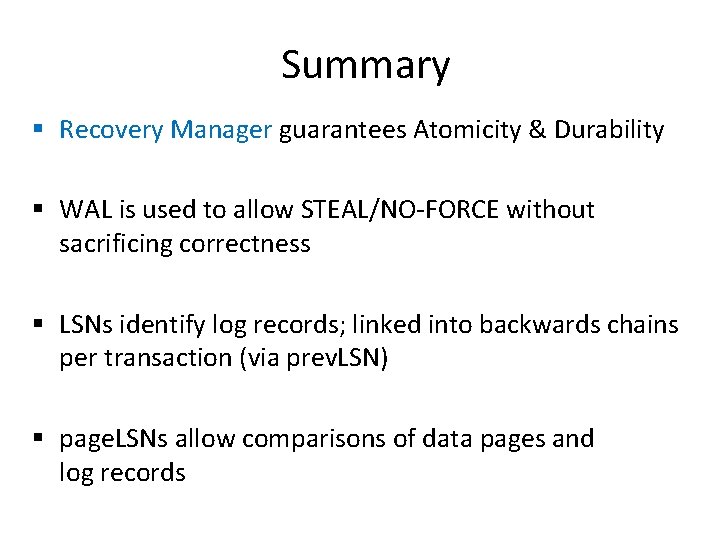
Summary § Recovery Manager guarantees Atomicity & Durability § WAL is used to allow STEAL/NO-FORCE without sacrificing correctness § LSNs identify log records; linked into backwards chains per transaction (via prev. LSN) § page. LSNs allow comparisons of data pages and log records
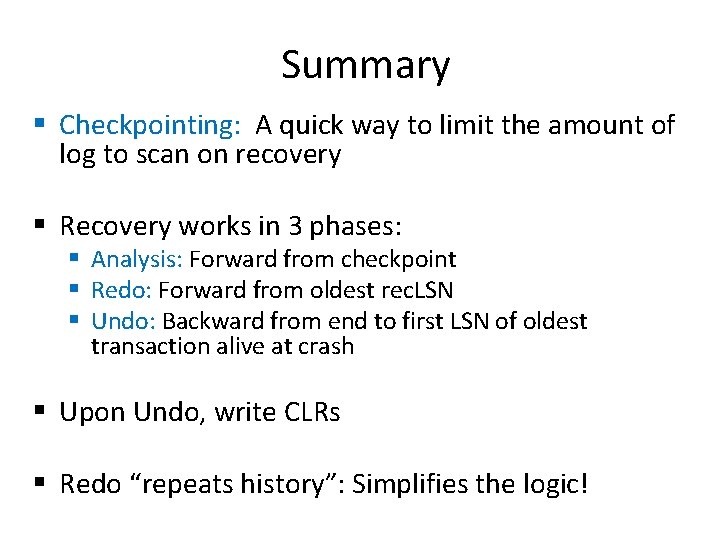
Summary § Checkpointing: A quick way to limit the amount of log to scan on recovery § Recovery works in 3 phases: § Analysis: Forward from checkpoint § Redo: Forward from oldest rec. LSN § Undo: Backward from end to first LSN of oldest transaction alive at crash § Upon Undo, write CLRs § Redo “repeats history”: Simplifies the logic!
Next Class The No. SQL Movement!
- Slides: 41