
Data Science Talk Data Cleansing August 26 2019





- Slides: 25
Data Science Talk: Data Cleansing August 26 2019 Analytics and Data Science Analyse et Science des données
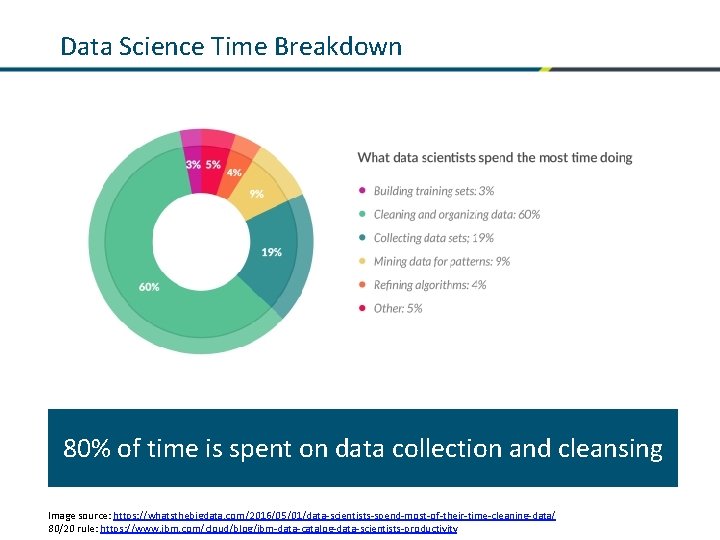
Data Science Time Breakdown 80% of time is spent on data collection and cleansing Image source: https: //whatsthebigdata. com/2016/05/01/data-scientists-spend-most-of-their-time-cleaning-data/ 80/20 rule: https: //www. ibm. com/cloud/blog/ibm-data-catalog-data-scientists-productivity
Overview 1 Reading in data 2 Data Standardization 3 Missing Data 4 Discussion
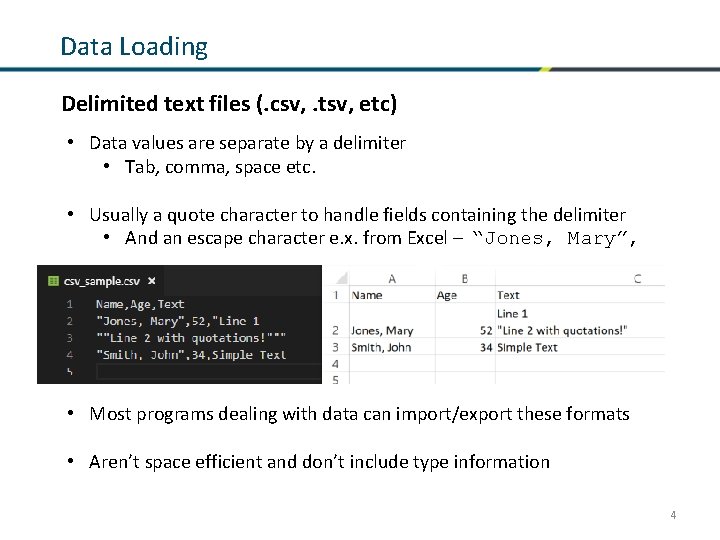
Data Loading Delimited text files (. csv, . tsv, etc) • Data values are separate by a delimiter • Tab, comma, space etc. • Usually a quote character to handle fields containing the delimiter • And an escape character e. x. from Excel – “Jones, Mary”, • Most programs dealing with data can import/export these formats • Aren’t space efficient and don’t include type information 4
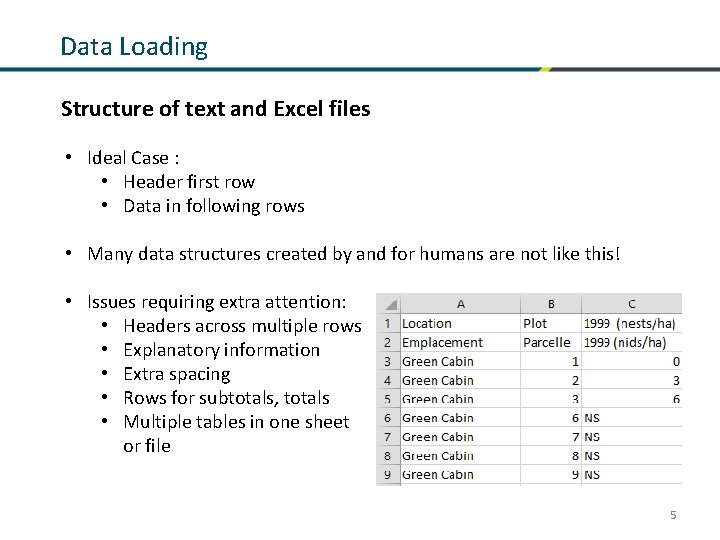
Data Loading Structure of text and Excel files • Ideal Case : • Header first row • Data in following rows • Many data structures created by and for humans are not like this! • Issues requiring extra attention: • Headers across multiple rows • Explanatory information • Extra spacing • Rows for subtotals, totals • Multiple tables in one sheet or file 5
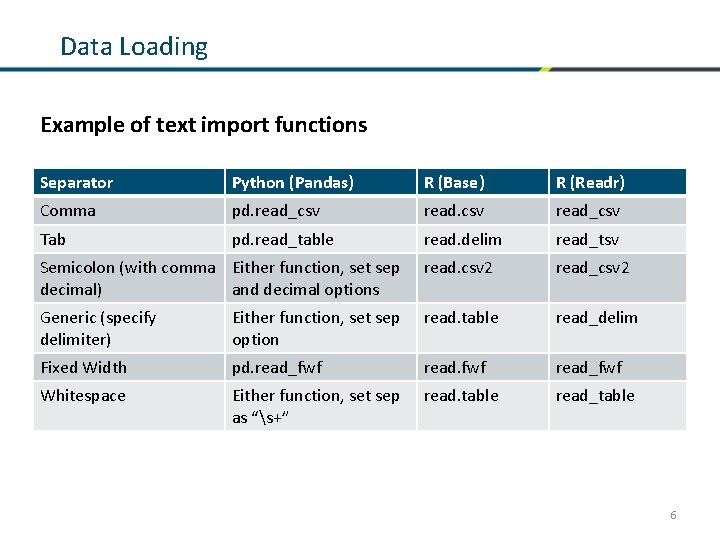
Data Loading Example of text import functions Separator Python (Pandas) R (Base) R (Readr) Comma pd. read_csv Tab pd. read_table read. delim read_tsv Semicolon (with comma Either function, set sep decimal) and decimal options read. csv 2 read_csv 2 Generic (specify delimiter) Either function, set sep option read. table read_delim Fixed Width pd. read_fwf Whitespace Either function, set sep as “s+” read. table read_table 6
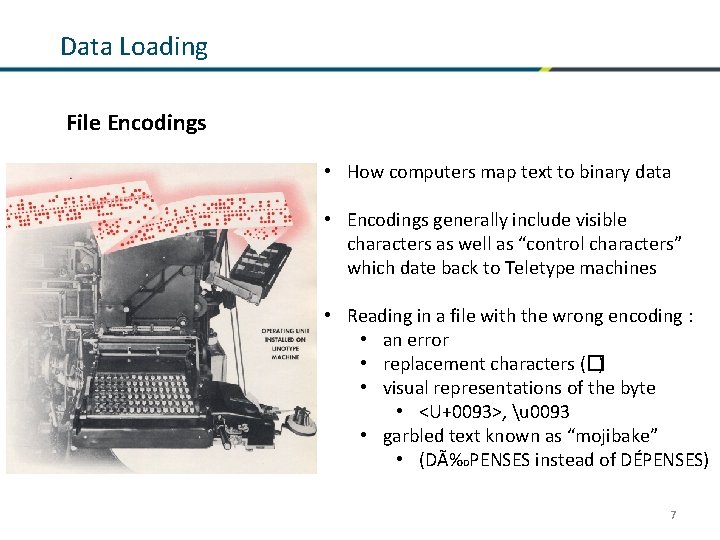
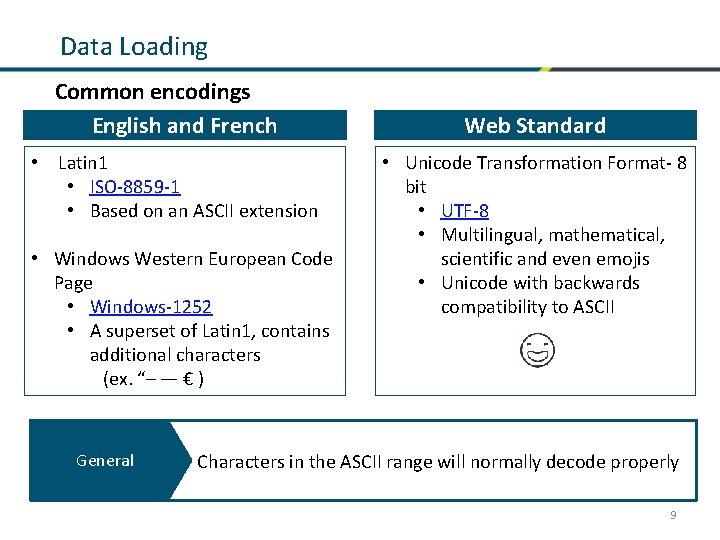
Data Loading File Encodings • How computers map text to binary data • Encodings generally include visible characters as well as “control characters” which date back to Teletype machines • Reading in a file with the wrong encoding : • an error • replacement characters (�) • visual representations of the byte • <U+0093>, u 0093 • garbled text known as “mojibake” • (DÉPENSES instead of DÉPENSES) 7
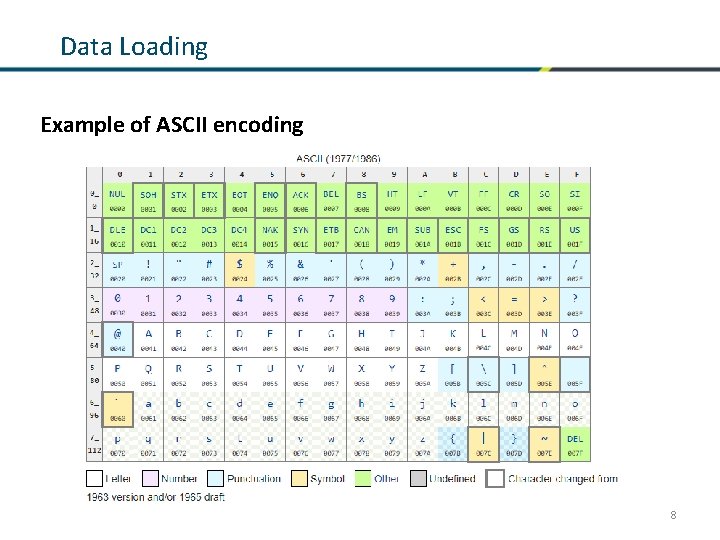
Data Loading Example of ASCII encoding 8
Data Loading Common encodings Common Englishencodings and French • Latin 1 • ISO-8859 -1 • Based on an ASCII extension • Windows Western European Code Page • Windows-1252 • A superset of Latin 1, contains additional characters (ex. “– — € ) General Web Standard • Unicode Transformation Format- 8 bit • UTF-8 • Multilingual, mathematical, scientific and even emojis • Unicode with backwards compatibility to ASCII Characters in the ASCII range will normally decode properly 9
Standardization
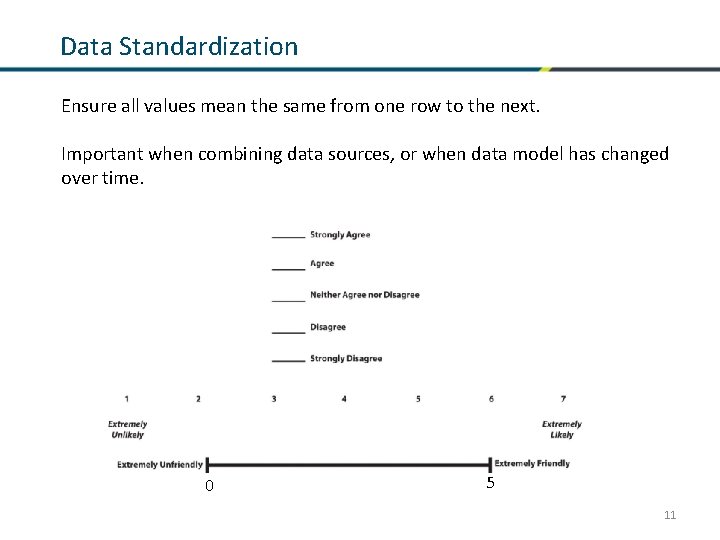
Data Standardization Ensure all values mean the same from one row to the next. Important when combining data sources, or when data model has changed over time. 0 5 11
Data Standardization Inconsistent Coding Entries that mean the same thing should use the same name/label • Different syntax: • Standardize text • E. x. “ottawa” “Ottawa” • Different semantics: • Use coding that can represent everything. • Ex. Combine the two datasets using the following scales {1: Male, 0: Female} {'M': Male, 'F': Female, 'U': Unknown} • Adopt the second scale for as it can handle “unknown” 12
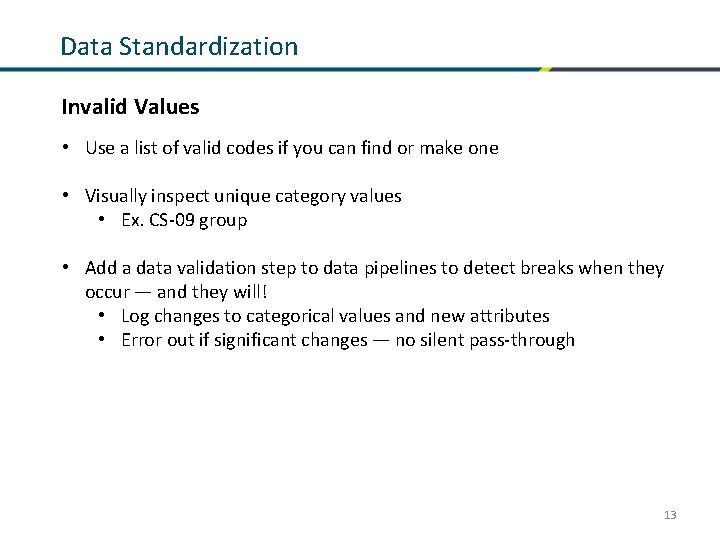
Data Standardization Invalid Values • Use a list of valid codes if you can find or make one • Visually inspect unique category values • Ex. CS-09 group • Add a data validation step to data pipelines to detect breaks when they occur — and they will! • Log changes to categorical values and new attributes • Error out if significant changes — no silent pass-through 13
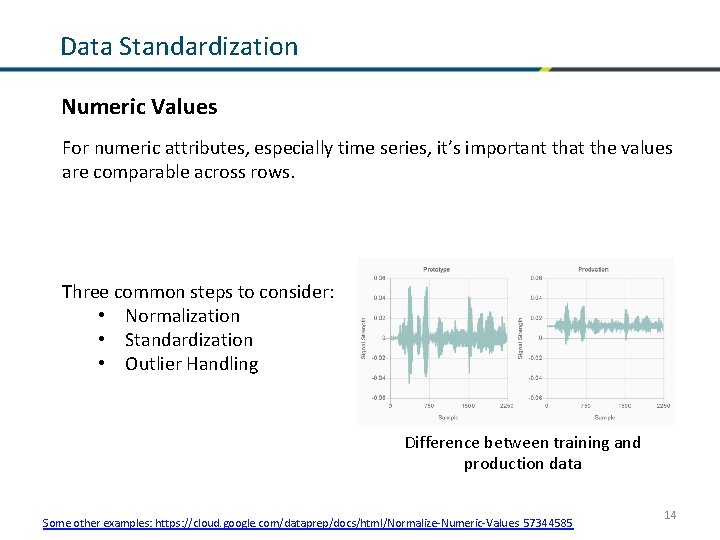
Data Standardization Numeric Values For numeric attributes, especially time series, it’s important that the values are comparable across rows. Three common steps to consider: • Normalization • Standardization • Outlier Handling Difference between training and production data Some other examples: https: //cloud. google. com/dataprep/docs/html/Normalize-Numeric-Values_57344585 14
Data Standardization Numeric Values Normalization 15 Image source and examples: https: //www. codecademy. com/articles/normalization
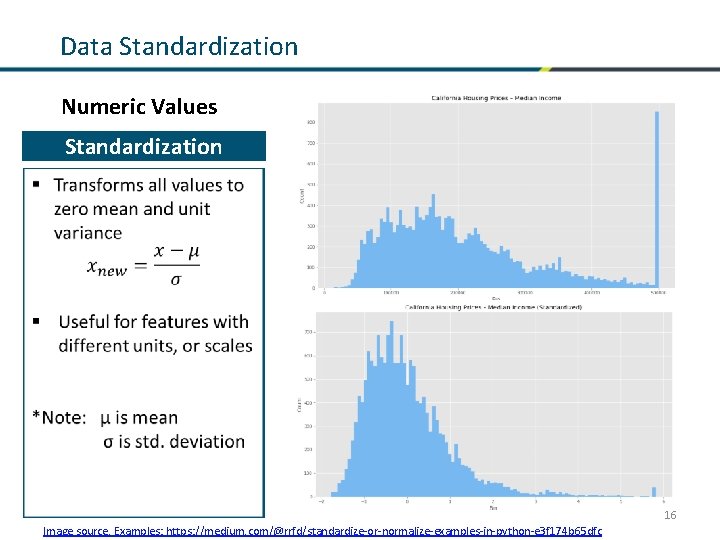
Data Standardization Numeric Values Standardization Normalization 16 Image source, Examples: https: //medium. com/@rrfd/standardize-or-normalize-examples-in-python-e 3 f 174 b 65 dfc
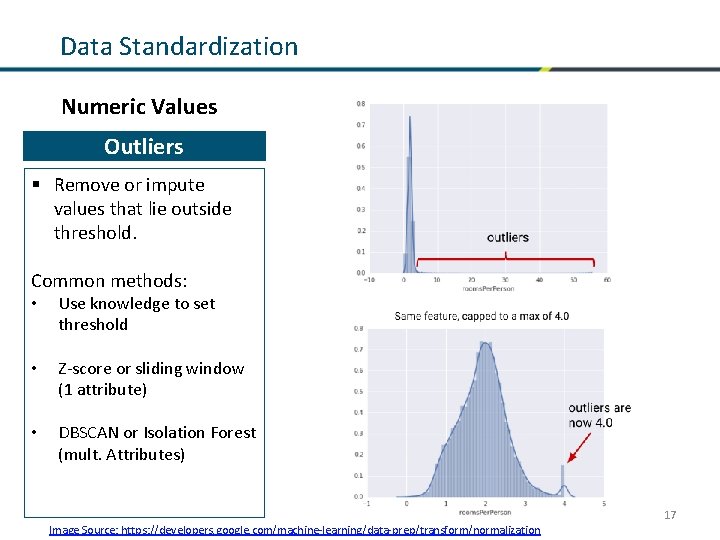
Data Standardization Numeric Values Normalization Outliers § Remove or impute values that lie outside threshold. Common methods: • Use knowledge to set threshold • Z-score or sliding window (1 attribute) • DBSCAN or Isolation Forest (mult. Attributes) 17 Image Source: https: //developers. google. com/machine-learning/data-prep/transform/normalization
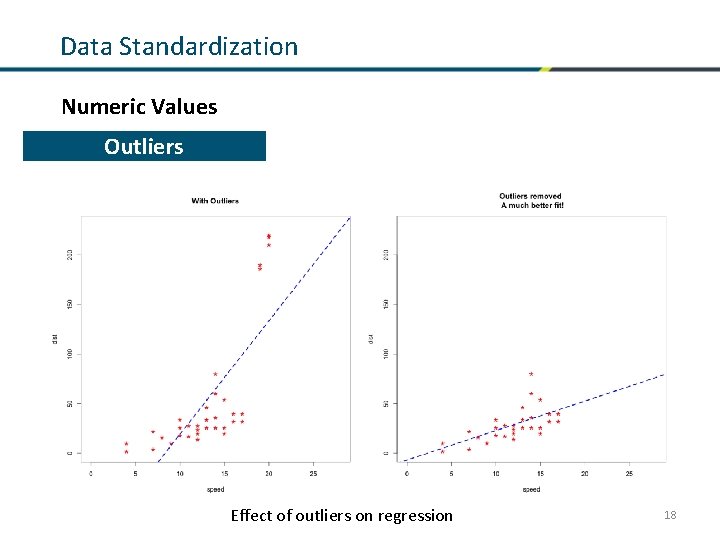
Data Standardization Numeric Values Normalization Outliers Effect of outliers on regression 18
Data Standardization A Case for Master Data • Many of these problems stem from the fact that entities are mapped to application-specific IDs, and not to “master”, or “reference” IDs, e. g. • Countries, Provinces, Territories & Cities • Federal Depts / Agencies / Crown Corps • PRIs, Business Numbers, etc. • There is ongoing work on this, and definitely worth keeping an eye on. • Check out on GCConnex: Reference Data Management Working Group 19
Missing Values
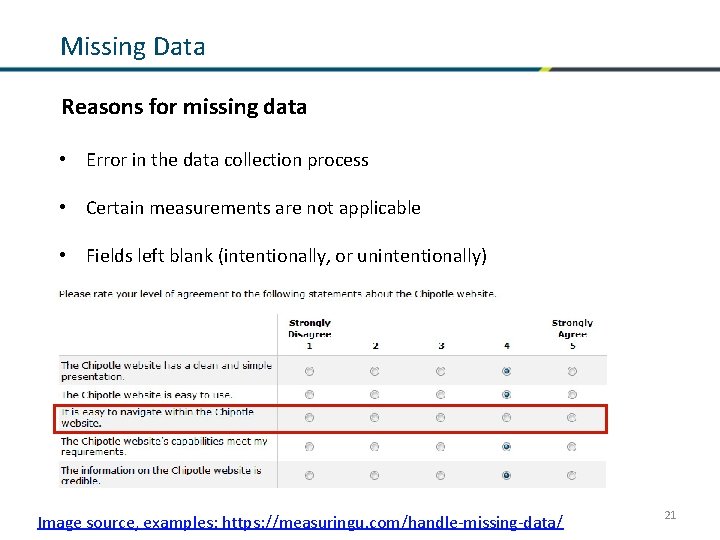
Missing Data Reasons for missing data • Error in the data collection process • Certain measurements are not applicable • Fields left blank (intentionally, or unintentionally) Image source, examples: https: //measuringu. com/handle-missing-data/ 21
Missing Data Reasons for handling missing data • Most tools are unable to handle missing data • Missing values can produce unpredictable results How to identify : • Blank cells, or cell with whitespace • Placeholder strings • Na. N (Not a Number) • NULL value • Often used in relational databases Types of missing data: • Missing at random • Missing completely at random • Missing not at random • Removing this type of data may introduce bias 22
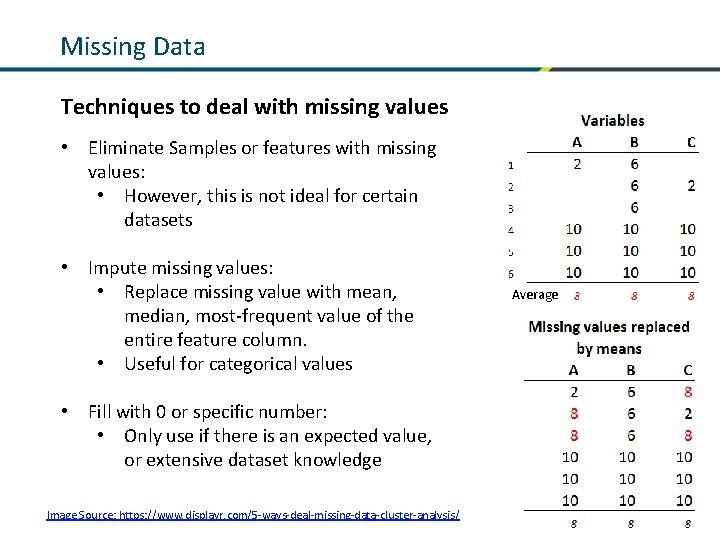
Missing Data Techniques to deal with missing values • Eliminate Samples or features with missing values: • However, this is not ideal for certain datasets • Impute missing values: • Replace missing value with mean, median, most-frequent value of the entire feature column. • Useful for categorical values Average • Fill with 0 or specific number: • Only use if there is an expected value, or extensive dataset knowledge Image Source: https: //www. displayr. com/5 -ways-deal-missing-data-cluster-analysis/ 23
Discussion
Github Code Examples