
Data Retention Using Image in forms and Uploading

![Validation If all is ok if (!$boo. Var) && isset($_POST[”submit”])) { echo “<p>Starting calculations.](https://slidetodoc.com/presentation_image_h2/6e42c7ef7c2c00ee8e95e82e7fcabb5d/image-4.jpg "Validation If all is ok if (!$boo. Var) && isset($_POST[”submit”])) { echo “<p>Starting calculations.")
![Automatic php file name extraction predefined <form action='<? php echo $_SERVER["PHP_SELF"]; ? >' $_SERVER](https://slidetodoc.com/presentation_image_h2/6e42c7ef7c2c00ee8e95e82e7fcabb5d/image-7.jpg "Automatic php file name extraction predefined <form action='<? php echo $_SERVER[\"PHP_SELF\"]; ? >' $_SERVER")
![Image Fields <form action='<? php echo $_SERVER["PHP_SELF"]; ? >' method='get'><p><input type='image' src='squarecircle. gif' name='int.](https://slidetodoc.com/presentation_image_h2/6e42c7ef7c2c00ee8e95e82e7fcabb5d/image-8.jpg "Image Fields <form action='<? php echo $_SERVER[\"PHP_SELF\"]; ? >' method='get'><p><input type='image' src='squarecircle. gif' name='int.")
![Receiving files • $_FILES['userfile']['tmp_name'] – name of the temporary copy of the file stored](https://slidetodoc.com/presentation_image_h2/6e42c7ef7c2c00ee8e95e82e7fcabb5d/image-14.jpg "Receiving files • $_FILES['userfile']['tmp_name'] – name of the temporary copy of the file stored")
![Upload error check $userfile_error = $_FILES[ $_FILES 'userfile']['error']; 'userfile' if ($userfile_error > 0) 0](https://slidetodoc.com/presentation_image_h2/6e42c7ef7c2c00ee8e95e82e7fcabb5d/image-15.jpg "Upload error check $userfile_error = $_FILES[ $_FILES 'userfile']['error']; 'userfile' if ($userfile_error > 0) 0")
![Move the uploaded file $tempfile $userfile = $_FILES['userfile']['tmp_name']; = $_FILES['userfile']['name']; // Destination file on](https://slidetodoc.com/presentation_image_h2/6e42c7ef7c2c00ee8e95e82e7fcabb5d/image-18.jpg "Move the uploaded file $tempfile $userfile = $_FILES['userfile']['tmp_name']; = $_FILES['userfile']['name']; // Destination file on")



- Slides: 42
Data Retention, Using Image in forms and Uploading Files
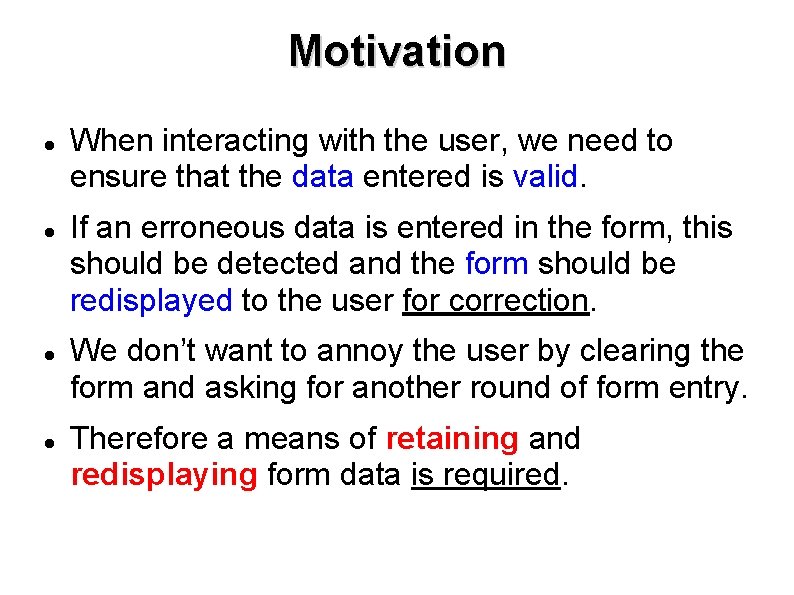
Motivation When interacting with the user, we need to ensure that the data entered is valid. If an erroneous data is entered in the form, this should be detected and the form should be redisplayed to the user for correction. We don’t want to annoy the user by clearing the form and asking for another round of form entry. Therefore a means of retaining and redisplaying form data is required.
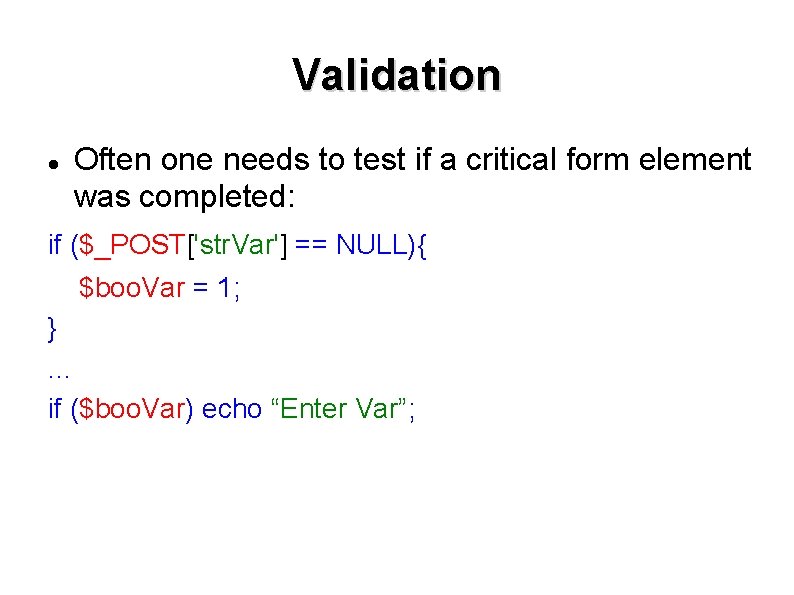
Validation Often one needs to test if a critical form element was completed: if ($_POST['str. Var'] == NULL){ $boo. Var = 1; }. . . if ($boo. Var) echo “Enter Var”;
Validation If all is ok if (!$boo. Var) && isset($_POST[”submit”])) { echo “<p>Starting calculations. . . ” ; } But what if you have 20 elements and just one was missing? Data retention. . .
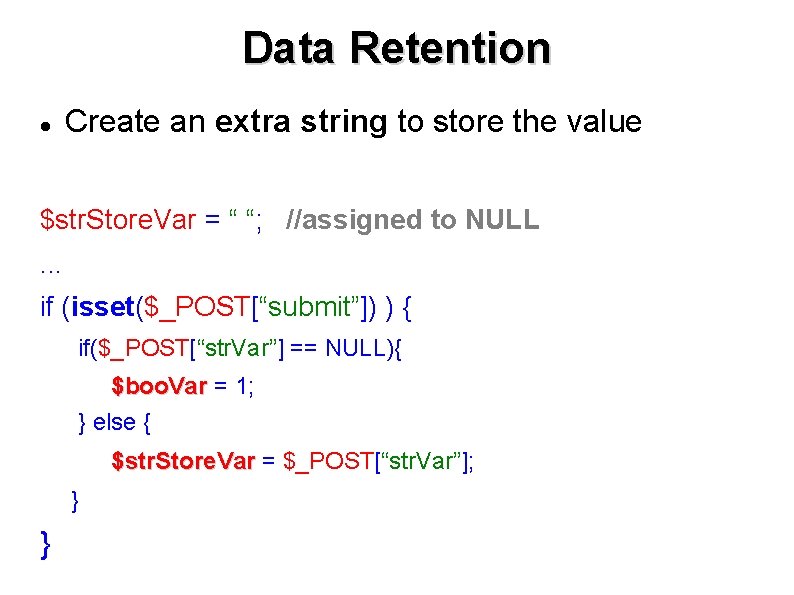
Data Retention Create an extra string to store the value $str. Store. Var = “ “; //assigned to NULL. . . if (isset($_POST[“submit”]) ) { if($_POST[“str. Var”] == NULL){ $boo. Var = 1; } else { $str. Store. Var = $_POST[“str. Var”]; } }
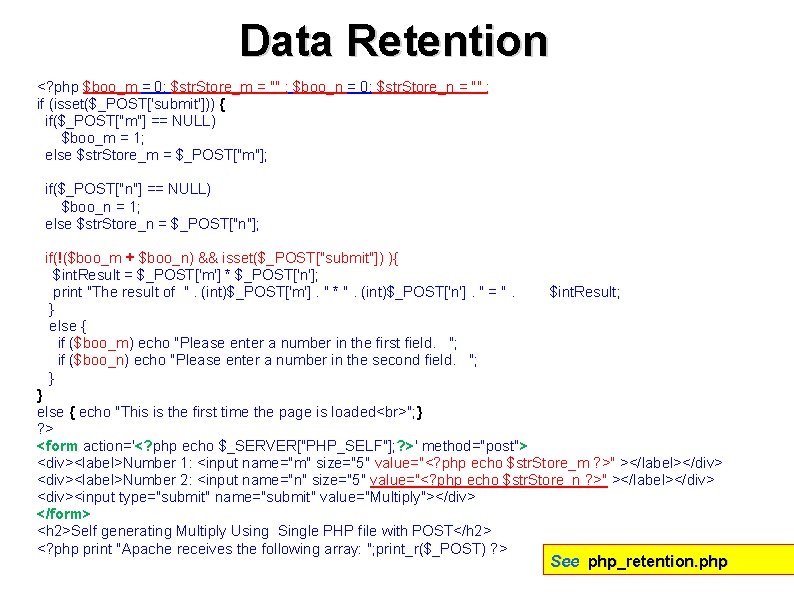
Data Retention <? php $boo_m = 0; $str. Store_m = "" ; $boo_n = 0; $str. Store_n = "" ; if (isset($_POST['submit'])) { if($_POST["m"] == NULL) $boo_m = 1; else $str. Store_m = $_POST["m"]; if($_POST["n"] == NULL) $boo_n = 1; else $str. Store_n = $_POST["n"]; if(!($boo_m + $boo_n) && isset($_POST["submit"]) ){ $int. Result = $_POST['m'] * $_POST['n']; print "The result of ". (int)$_POST['m']. " * ". (int)$_POST['n']. " = ". } else { if ($boo_m) echo "Please enter a number in the first field. "; if ($boo_n) echo "Please enter a number in the second field. "; } $int. Result; } else { echo "This is the first time the page is loaded "; } ? > <form action='<? php echo $_SERVER["PHP_SELF"]; ? >' method="post"> <div><label>Number 1: <input name="m" size="5" value="<? php echo $str. Store_m ? >" ></label></div> <div><label>Number 2: <input name="n" size="5" value="<? php echo $str. Store_n ? >" ></label></div> <div><input type="submit" name="submit" value="Multiply"></div> </form> <h 2>Self generating Multiply Using Single PHP file with POST</h 2> <? php print "Apache receives the following array: "; print_r($_POST) ? > See php_retention. php
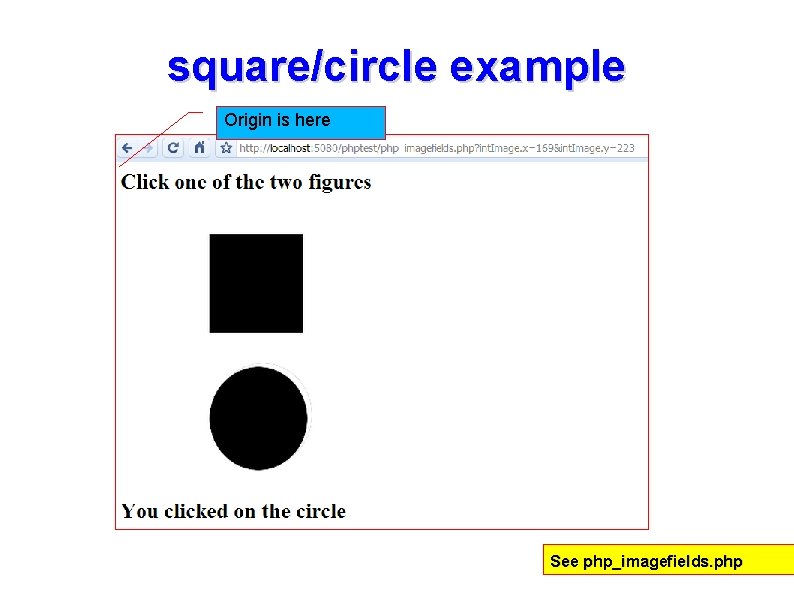
Automatic php file name extraction predefined <form action='<? php echo $_SERVER["PHP_SELF"]; ? >' $_SERVER method='get'><p><input type='image' src='squarecircle. gif' name='int. Image'/></p> </form>
Image Fields <form action='<? php echo $_SERVER["PHP_SELF"]; ? >' method='get'><p><input type='image' src='squarecircle. gif' name='int. Image'/></p></form> <? php if(isset($_GET["int. Image_x"]) ){ $int. Image. X = $_GET["int. Image_x"]; $int. Image. Y = $_GET["int. Image_y"]; if ($int. Image. X > 100 && $int. Image. X < 200){ if ($int. Image. Y > 25 && $int. Image. Y < 135) echo "<p><h 2>You clicked on the square</h 2></p>"; if ($int. Image. Y > 170 && $int. Image. Y < 280) echo "<p><h 2>You clicked on the circle</h 2></p>"; } } else echo "<p><h 2>Nothing received</h 2></p>“ ? >
square/circle example Origin is here See php_imagefields. php
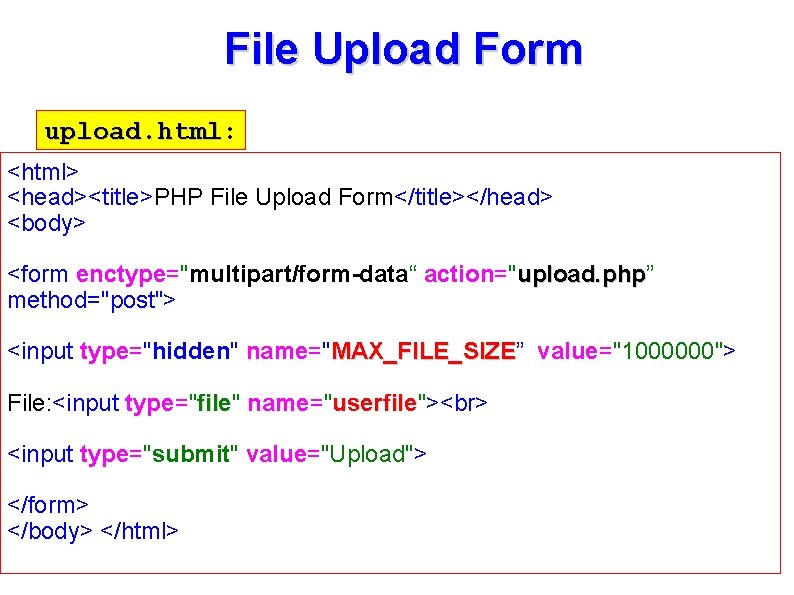
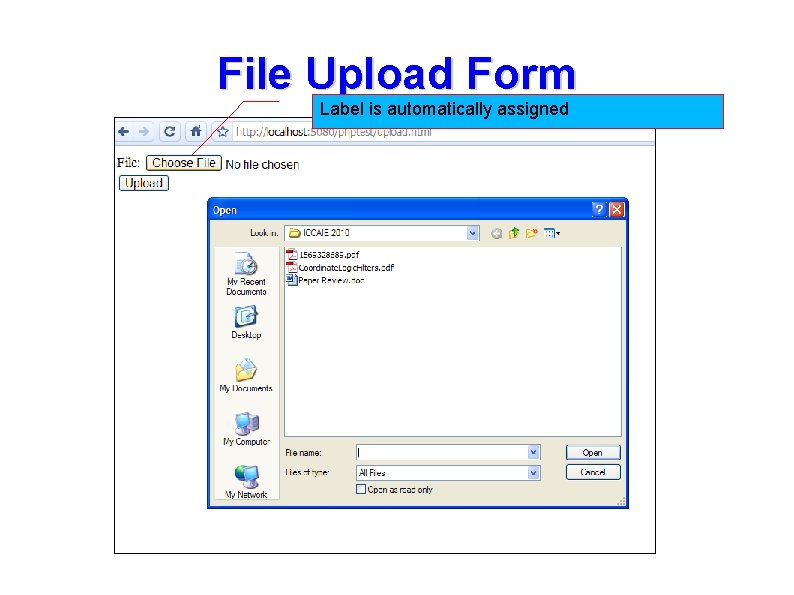
File Upload Form upload. html: upload. html <html> <head><title>PHP File Upload Form</title></head> <body> <form enctype="multipart/form-data“ action="upload. php” upload. php method="post"> <input type="hidden" name="MAX_FILE_SIZE” MAX_FILE_SIZE value="1000000"> File: <input type="file" file name="userfile"> userfile <input type="submit" value="Upload"> </form> </body> </html>
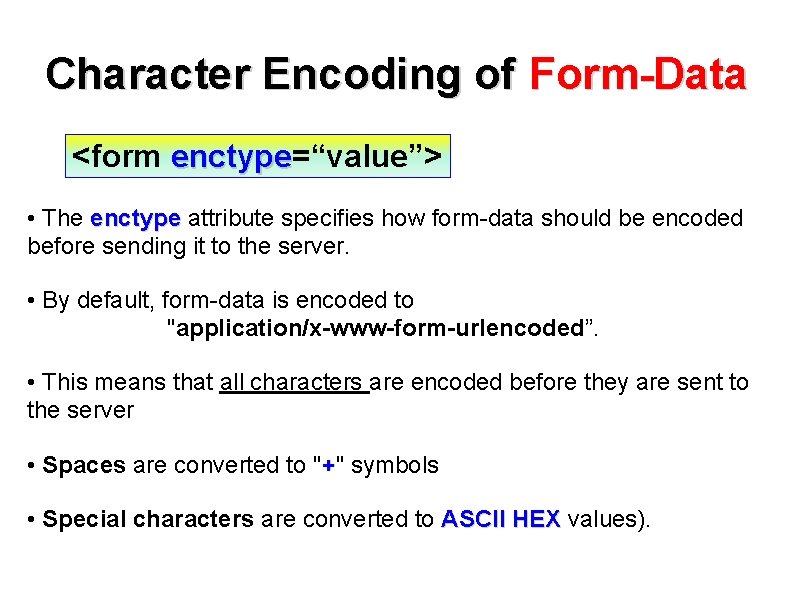
Character Encoding of Form-Data <form enctype=“value”> enctype • The enctype attribute specifies how form-data should be encoded before sending it to the server. • By default, form-data is encoded to "application/x-www-form-urlencoded”. • This means that all characters are encoded before they are sent to the server • Spaces are converted to "+" symbols • Special characters are converted to ASCII HEX values).
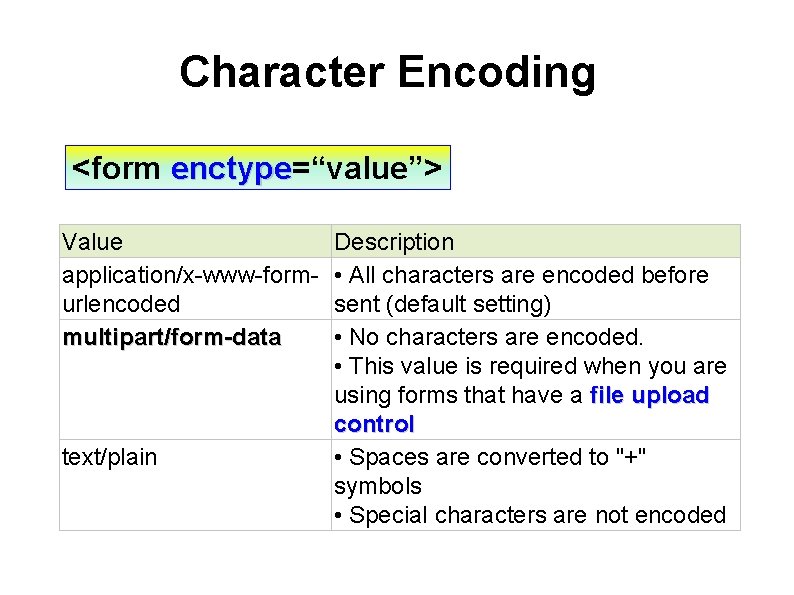
Character Encoding <form enctype=“value”> enctype Value application/x-www-formurlencoded multipart/form-data text/plain Description • All characters are encoded before sent (default setting) • No characters are encoded. • This value is required when you are using forms that have a file upload control • Spaces are converted to "+" symbols • Special characters are not encoded
File Upload Form Label is automatically assigned
Receiving files • $_FILES['userfile']['tmp_name'] – name of the temporary copy of the file stored on the server. • $_FILES['userfile']['name'] – name of uploaded file. • $_FILES['userfile']['size'] – size of the uploaded file (in bytes). • $_FILES['userfile']['type'] – MIME type of the file such as image/gif. • $_FILES['userfile']['error'] – error that may have been generated as a result of the upload.
Upload error check $userfile_error = $_FILES[ $_FILES 'userfile']['error']; 'userfile' if ($userfile_error > 0) 0 { echo 'Problem: '; switch ($userfile_error){ case 1: echo 'File exceeded upload_max_filesize'; break; case 2: echo 'File exceeded max_file_size'; break; case 3: echo 'File only partially uploaded'; break; case 4: echo 'No file uploaded'; break; } PHP. ini : upload_max_filesize = 2 M exit; } HTML form : MAX_FILE_SIZE directive.
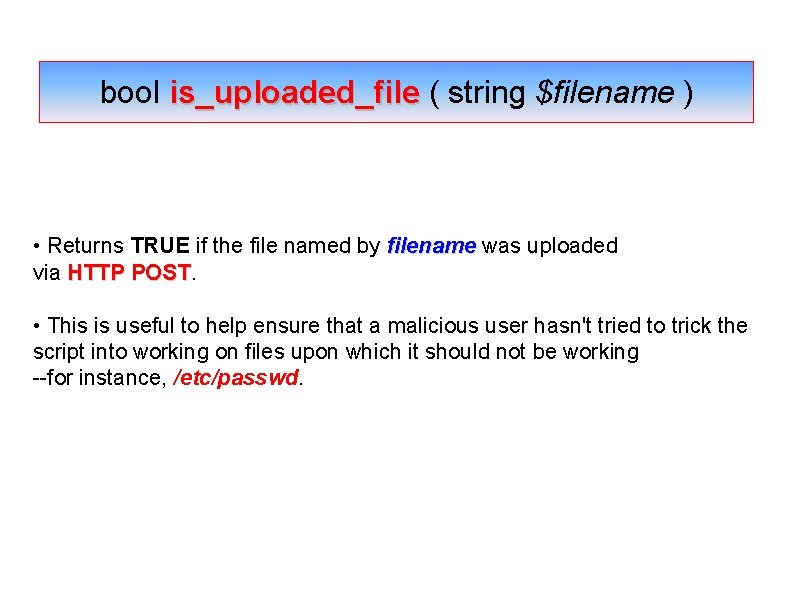
bool is_uploaded_file ( string $filename ) • Returns TRUE if the file named by filename was uploaded via HTTP POST • This is useful to help ensure that a malicious user hasn't tried to trick the script into working on files upon which it should not be working --for instance, /etc/passwd.
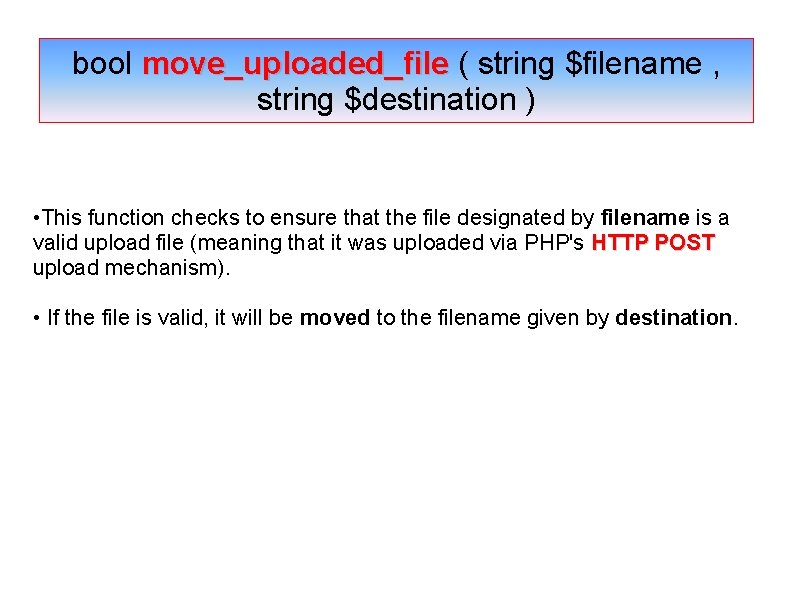
bool move_uploaded_file ( string $filename , string $destination ) • This function checks to ensure that the file designated by filename is a valid upload file (meaning that it was uploaded via PHP's HTTP POST upload mechanism). • If the file is valid, it will be moved to the filename given by destination.
Move the uploaded file $tempfile $userfile = $_FILES['userfile']['tmp_name']; = $_FILES['userfile']['name']; // Destination file on server $destfile = '/var/www/html/a_______/temp'. $userfile; // Do we have an uploaded file? if (is_uploaded_file($tempfile)) { // Try and move uploaded file to local directory on server if (!move_uploaded_file($tempfile, $destfile)) { echo 'Problem: Could not move to destination directory'; exit; } } else { echo 'Possible file upload attack. Filename: '. $userfile; exit; } echo 'File uploaded successfully '; Note: The target folder must exist for this example to work! See Upload. html, upload. php
Other tips for PHP
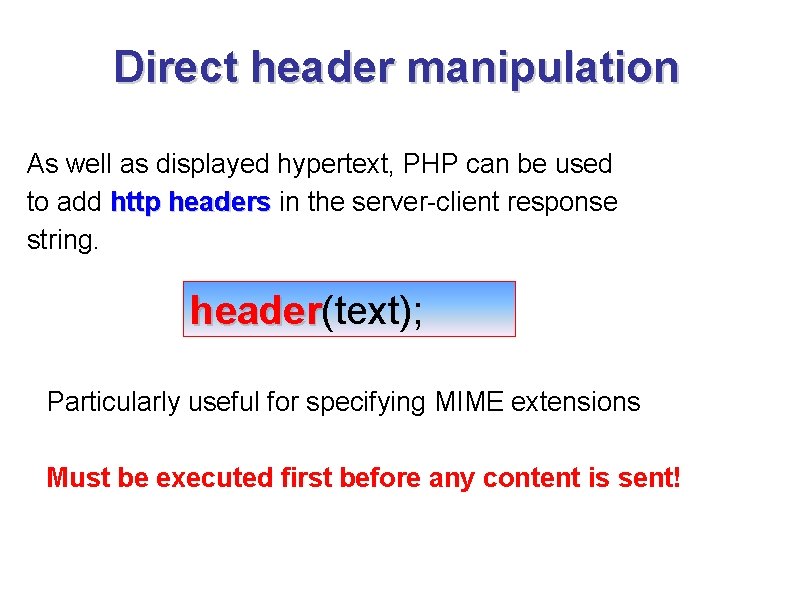
Direct header manipulation As well as displayed hypertext, PHP can be used to add http headers in the server-client response string. header(text); header Particularly useful for specifying MIME extensions Must be executed first before any content is sent!
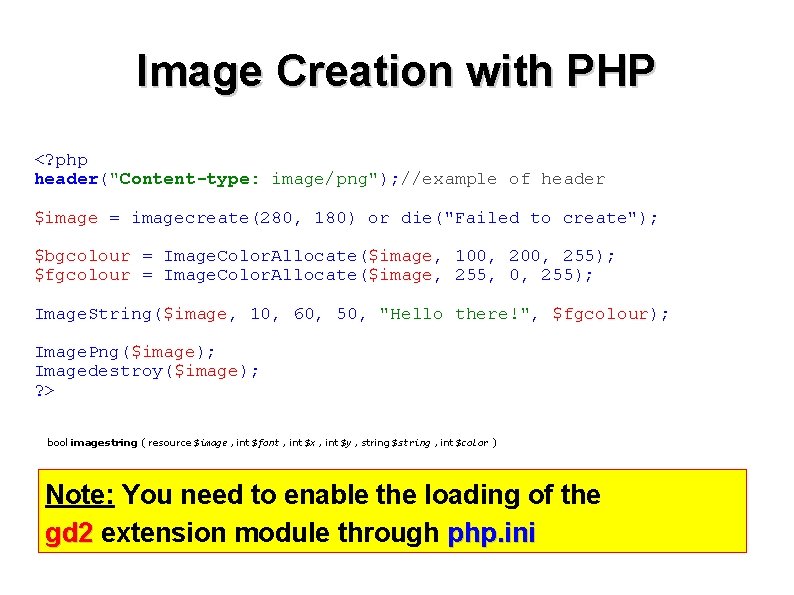
Image Creation with PHP <? php header("Content-type: image/png"); //example of header $image = imagecreate(280, 180) or die("Failed to create"); $bgcolour = Image. Color. Allocate($image, 100, 255); $fgcolour = Image. Color. Allocate($image, 255, 0, 255); Image. String($image, 10, 60, 50, "Hello there!", $fgcolour); Image. Png($image); Imagedestroy($image); ? > bool imagestring ( resource $image , int $font , int $x , int $y , string $string , int $color ) Note: You need to enable the loading of the gd 2 extension module through php. ini
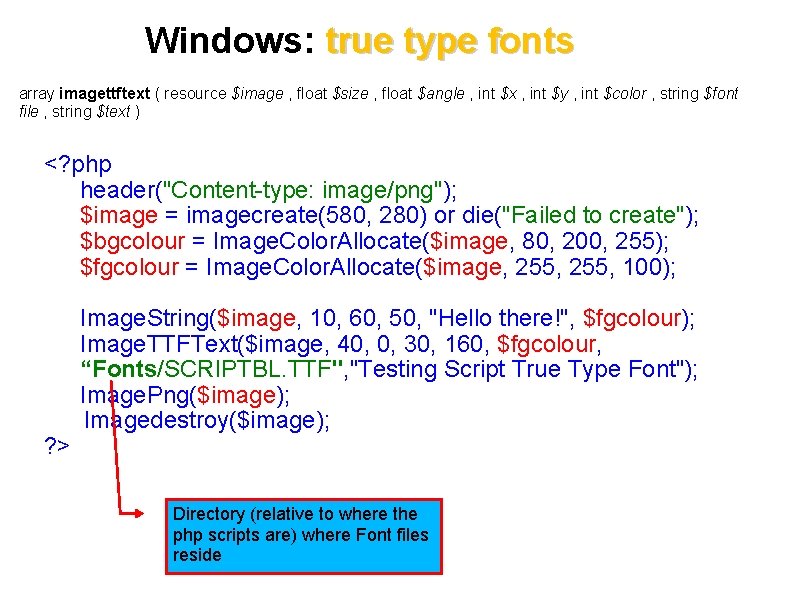
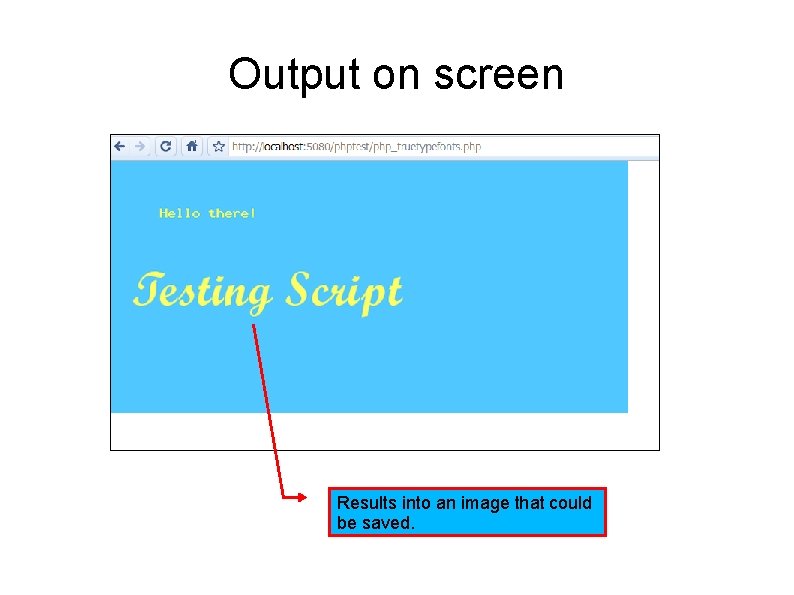
Windows: true type fonts array imagettftext ( resource $image , float $size , float $angle , int $x , int $y , int $color , string $font file , string $text ) <? php header("Content-type: image/png"); $image = imagecreate(580, 280) or die("Failed to create"); $bgcolour = Image. Color. Allocate($image, 80, 200, 255); $fgcolour = Image. Color. Allocate($image, 255, 100); ? > Image. String($image, 10, 60, 50, "Hello there!", $fgcolour); Image. TTFText($image, 40, 0, 30, 160, $fgcolour, “Fonts/SCRIPTBL. TTF", "Testing Script True Type Font"); Image. Png($image); Imagedestroy($image); Directory (relative to where the php scripts are) where Font files reside
Output on screen Results into an image that could be saved.
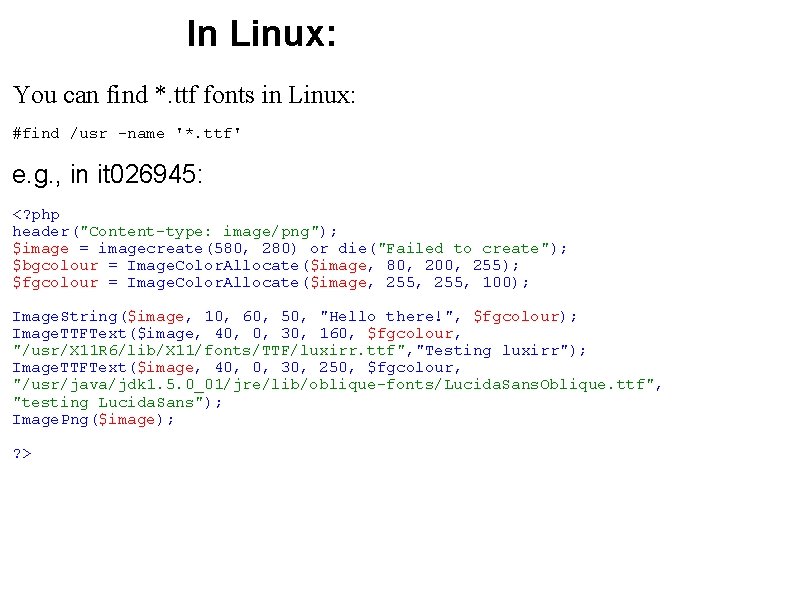
In Linux: You can find *. ttf fonts in Linux: #find /usr -name '*. ttf' e. g. , in it 026945: <? php header("Content-type: image/png"); $image = imagecreate(580, 280) or die("Failed to create"); $bgcolour = Image. Color. Allocate($image, 80, 200, 255); $fgcolour = Image. Color. Allocate($image, 255, 100); Image. String($image, 10, 60, 50, "Hello there!", $fgcolour); Image. TTFText($image, 40, 0, 30, 160, $fgcolour, "/usr/X 11 R 6/lib/X 11/fonts/TTF/luxirr. ttf", "Testing luxirr"); Image. TTFText($image, 40, 0, 30, 250, $fgcolour, "/usr/java/jdk 1. 5. 0_01/jre/lib/oblique-fonts/Lucida. Sans. Oblique. ttf", "testing Lucida. Sans"); Image. Png($image); ? >
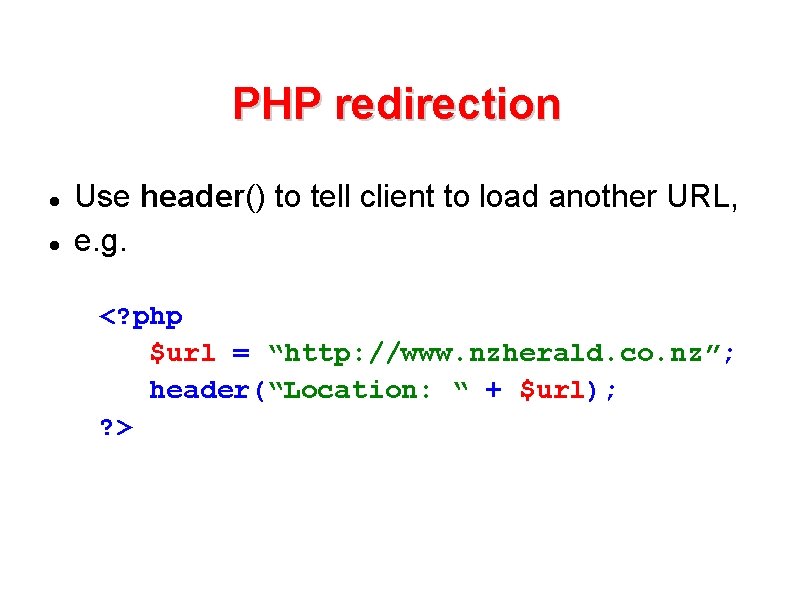
PHP redirection Use header() to tell client to load another URL, e. g. <? php $url = “http: //www. nzherald. co. nz”; header(“Location: “ + $url); ? >
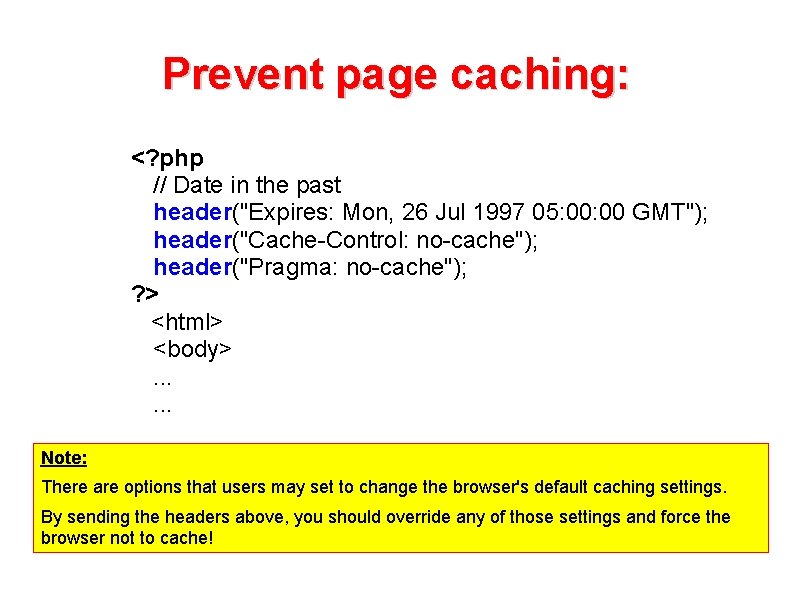
Prevent page caching: <? php // Date in the past header("Expires: Mon, 26 Jul 1997 05: 00 GMT"); header("Cache-Control: no-cache"); header("Pragma: no-cache"); ? > <html> <body>. . . Note: There are options that users may set to change the browser's default caching settings. By sending the headers above, you should override any of those settings and force the browser not to cache!
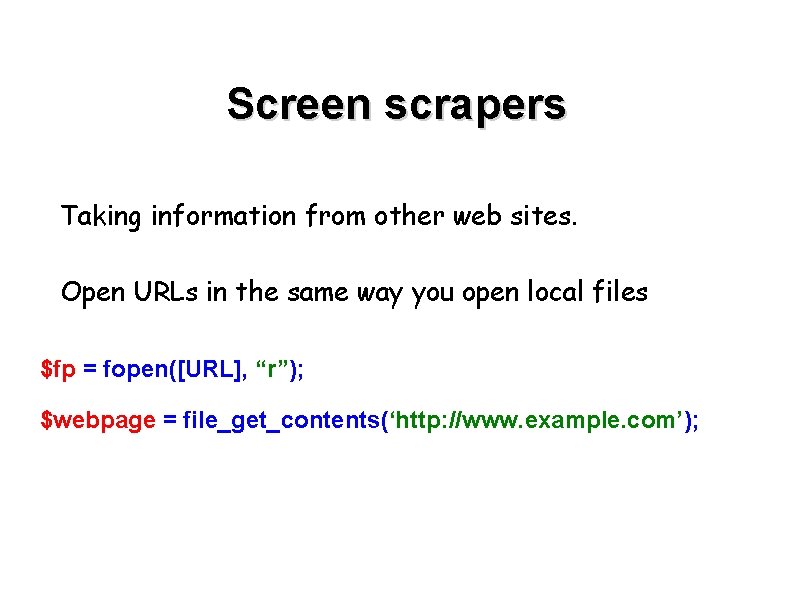
Screen scrapers Taking information from other web sites. Open URLs in the same way you open local files $fp = fopen([URL], “r”); $webpage = file_get_contents(‘http: //www. example. com’);
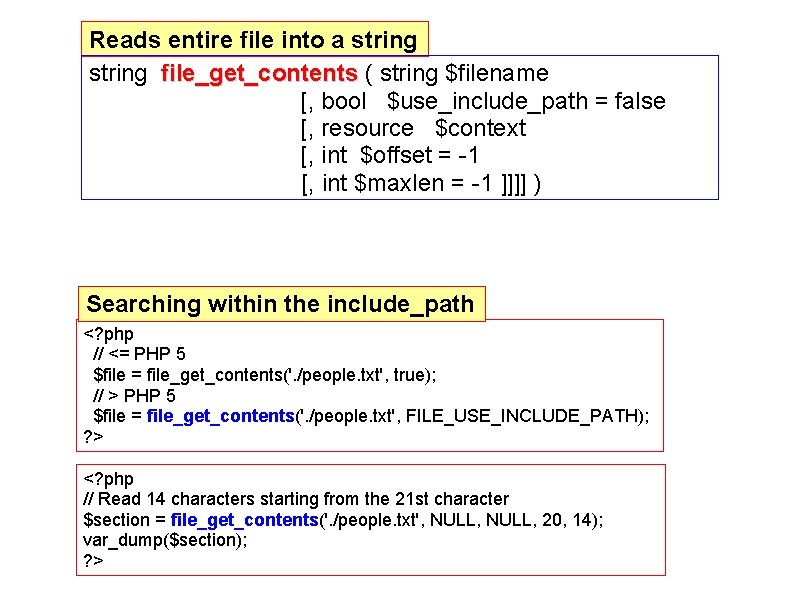
Reads entire file into a string file_get_contents ( string $filename [, bool $use_include_path = false [, resource $context [, int $offset = -1 [, int $maxlen = -1 ]]]] ) Searching within the include_path <? php // <= PHP 5 $file = file_get_contents('. /people. txt', true); // > PHP 5 $file = file_get_contents('. /people. txt', FILE_USE_INCLUDE_PATH); ? > <? php // Read 14 characters starting from the 21 st character $section = file_get_contents('. /people. txt', NULL, 20, 14); var_dump($section); ? >
PHP and Email
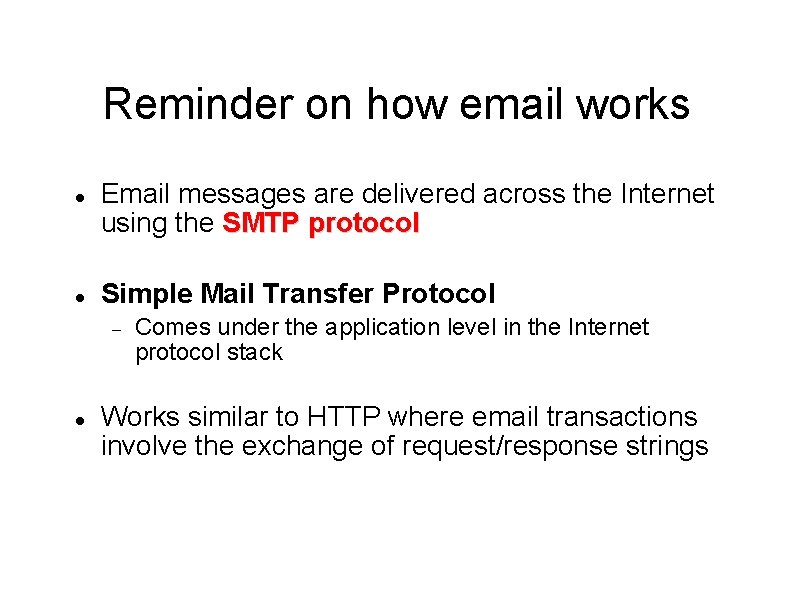
Reminder on how email works Email messages are delivered across the Internet using the SMTP protocol Simple Mail Transfer Protocol Comes under the application level in the Internet protocol stack Works similar to HTTP where email transactions involve the exchange of request/response strings
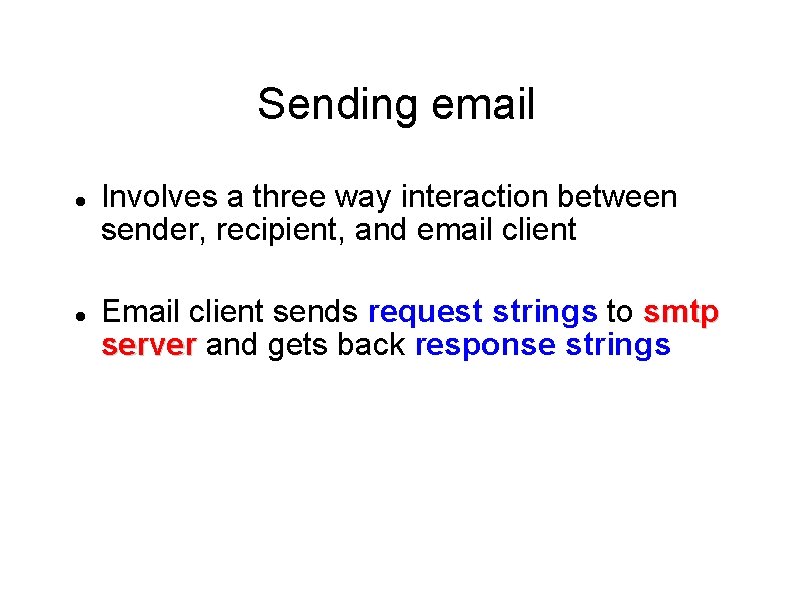
Sending email Involves a three way interaction between sender, recipient, and email client Email client sends request strings to smtp server and gets back response strings
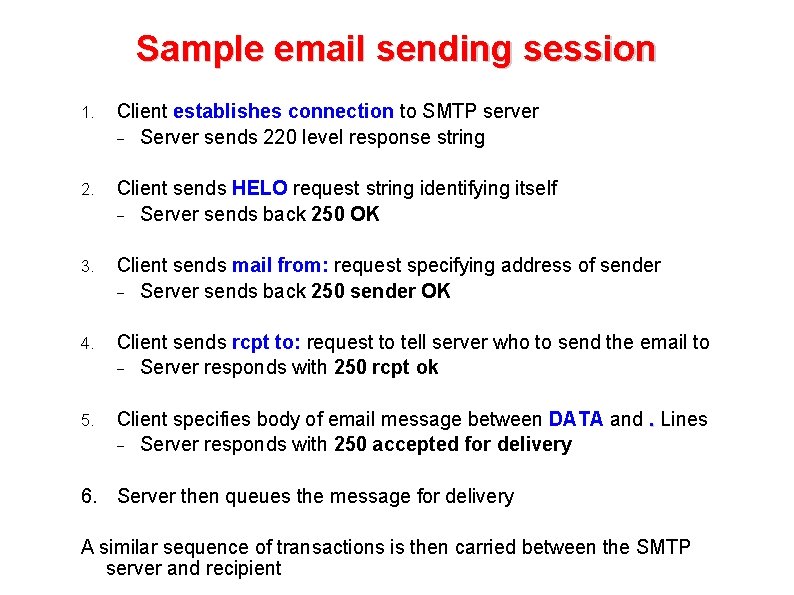
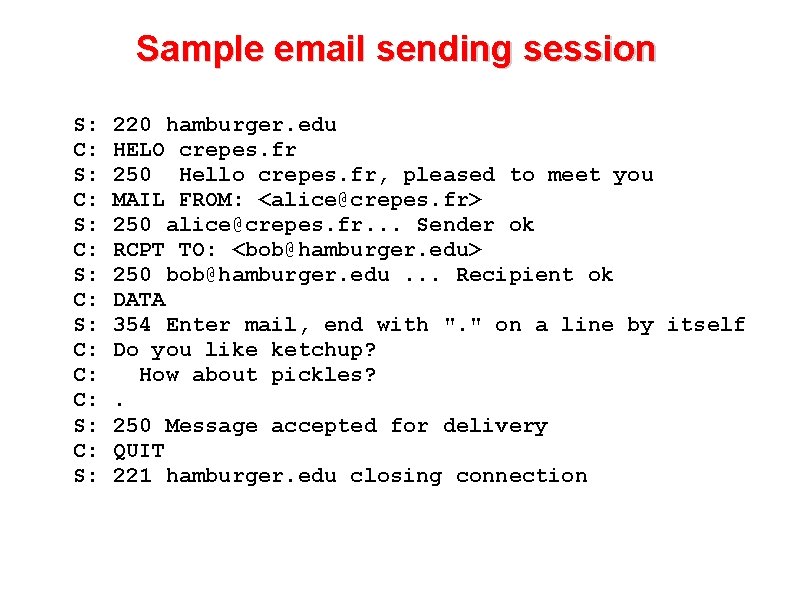
Sample email sending session 1. Client establishes connection to SMTP server Server sends 220 level response string 2. Client sends HELO request string identifying itself Server sends back 250 OK 3. Client sends mail from: request specifying address of sender Server sends back 250 sender OK 4. Client sends rcpt to: request to tell server who to send the email to Server responds with 250 rcpt ok 5. Client specifies body of email message between DATA and. Lines Server responds with 250 accepted for delivery 6. Server then queues the message for delivery A similar sequence of transactions is then carried between the SMTP server and recipient
Sample email sending session Sample smtp interaction S: C: S: C: C: C: S: 220 hamburger. edu HELO crepes. fr 250 Hello crepes. fr, pleased to meet you MAIL FROM: <alice@crepes. fr> 250 alice@crepes. fr. . . Sender ok RCPT TO: <bob@hamburger. edu> 250 bob@hamburger. edu. . . Recipient ok DATA 354 Enter mail, end with ". " on a line by itself Do you like ketchup? How about pickles? . 250 Message accepted for delivery QUIT 221 hamburger. edu closing connection
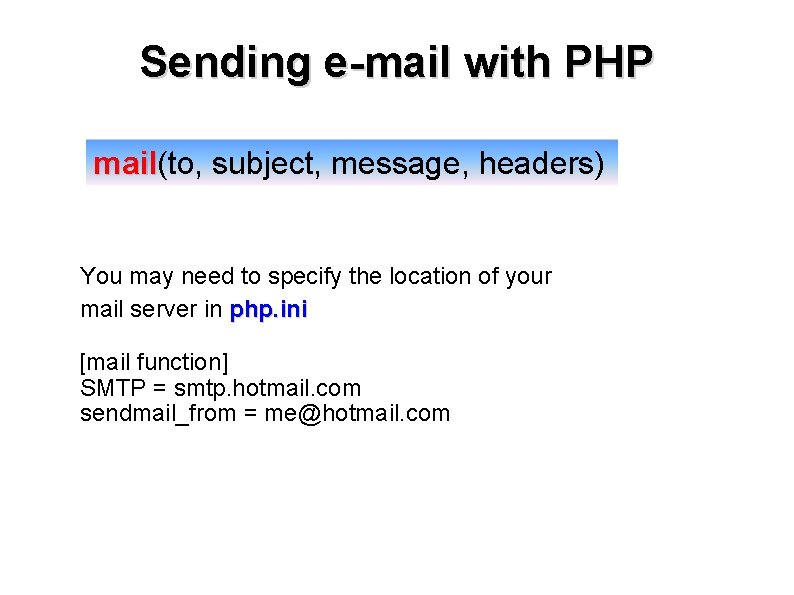
Sending e-mail with PHP mail(to, subject, message, headers) mail You may need to specify the location of your mail server in php. ini [mail function] SMTP = smtp. hotmail. com sendmail_from = me@hotmail. com
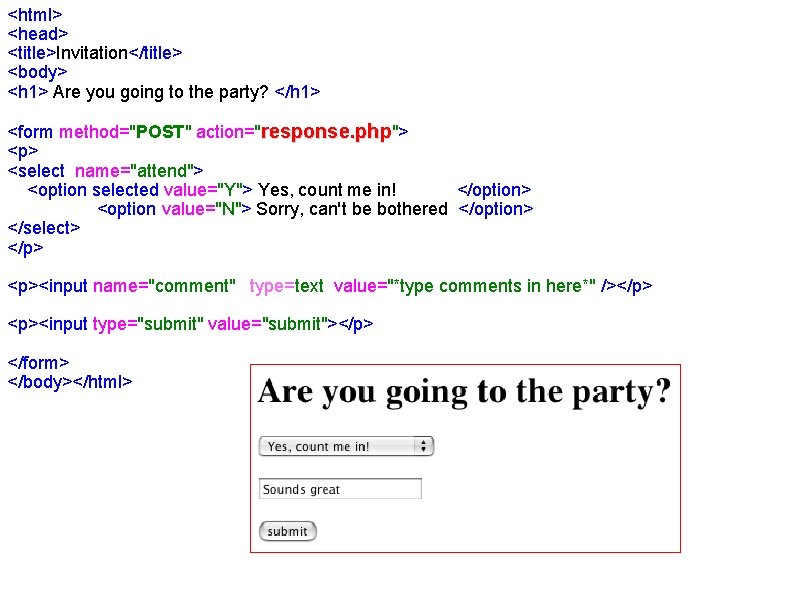
<html> <head> <title>Invitation</title> <body> <h 1> Are you going to the party? </h 1> <form method="POST" action="response. php"> <p> <select name="attend"> <option selected value="Y"> Yes, count me in! </option> <option value="N"> Sorry, can't be bothered </option> </select> </p> <p><input name="comment" type=text value="*type comments in here*" /></p> <p><input type="submit" value="submit"></p> </form> </body></html>
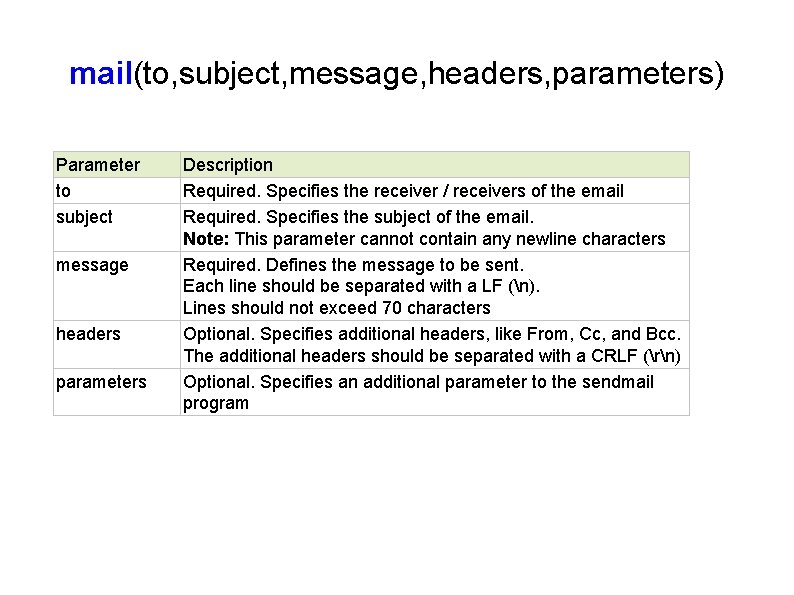
mail(to, subject, message, headers, parameters) Parameter to subject message headers parameters Description Required. Specifies the receiver / receivers of the email Required. Specifies the subject of the email. Note: This parameter cannot contain any newline characters Required. Defines the message to be sent. Each line should be separated with a LF (n). Lines should not exceed 70 characters Optional. Specifies additional headers, like From, Cc, and Bcc. The additional headers should be separated with a CRLF (rn) Optional. Specifies an additional parameter to the sendmail program
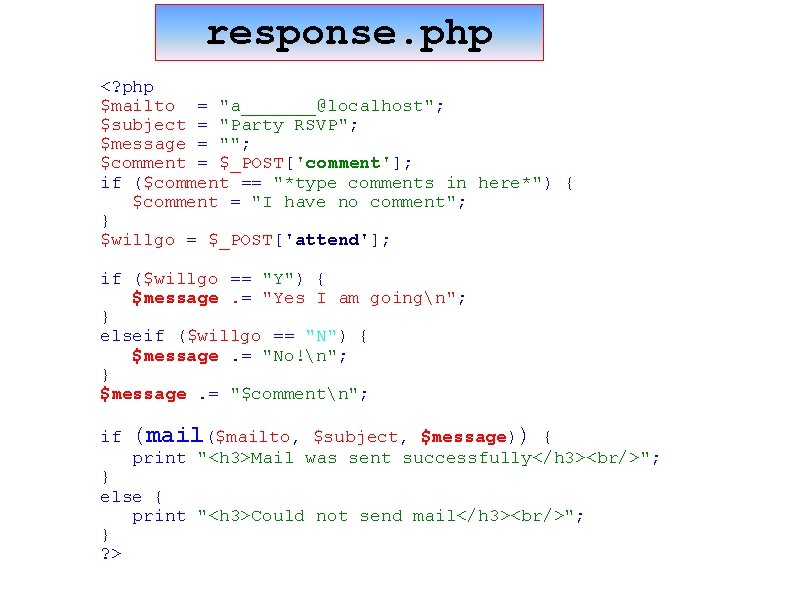
response. php <? php $mailto = "a_______@localhost"; $subject = "Party RSVP"; $message = ""; $comment = $_POST['comment']; if ($comment == "*type comments in here*") { $comment = "I have no comment"; } $willgo = $_POST['attend']; if ($willgo == "Y") { $message. = "Yes I am goingn"; } elseif ($willgo == "N") { $message. = "No!n"; } $message. = "$commentn"; if (mail($mailto, $subject, $message)) { print "<h 3>Mail was sent successfully</h 3><br/>"; } else { print "<h 3>Could not send mail</h 3><br/>"; } ? >
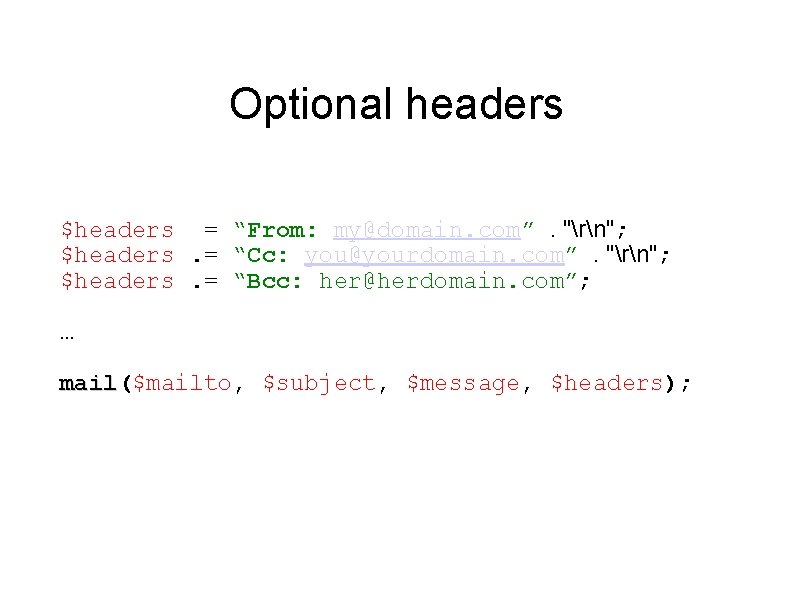
Optional headers $headers = “From: my@domain. com”. "rn"; $headers. = “Cc: you@yourdomain. com”. "rn"; $headers. = “Bcc: her@herdomain. com”; … mail($mailto, $subject, $message, $headers); mail
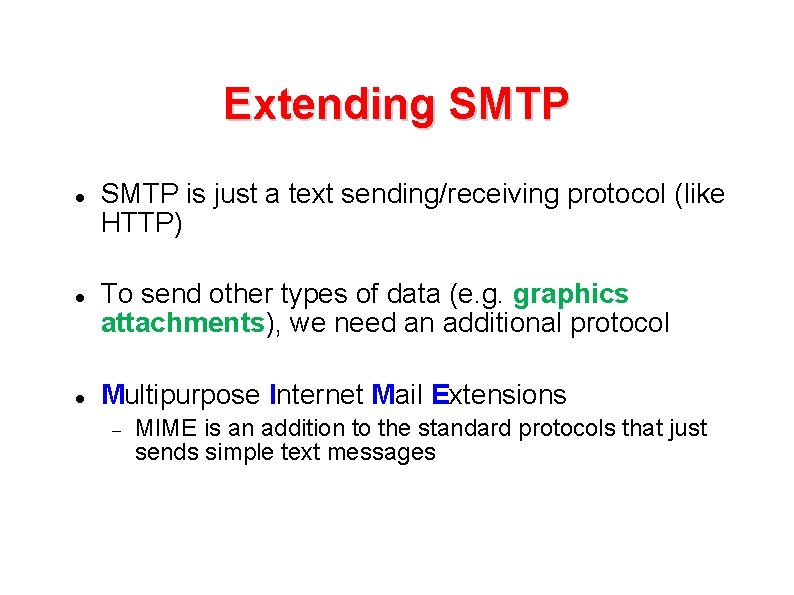
Extending SMTP is just a text sending/receiving protocol (like HTTP) To send other types of data (e. g. graphics attachments), we need an additional protocol Multipurpose Internet Mail Extensions MIME is an addition to the standard protocols that just sends simple text messages
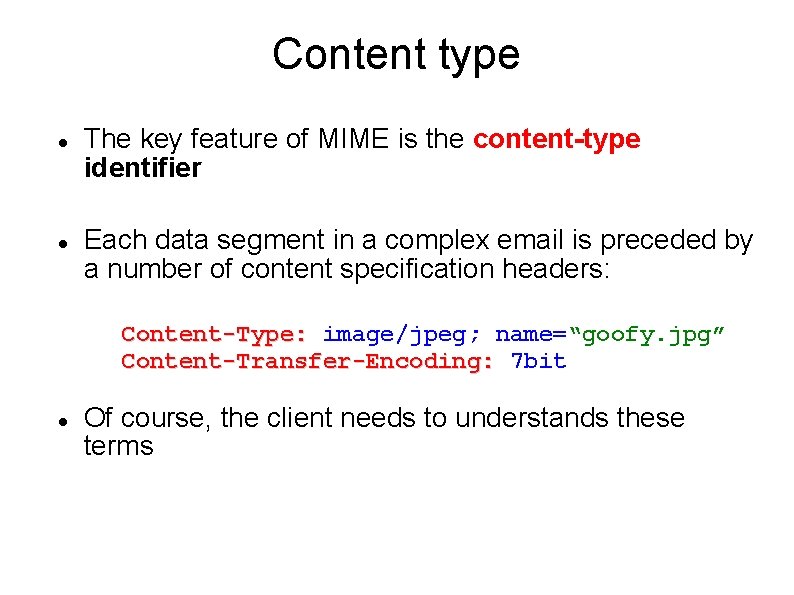
Content type The key feature of MIME is the content-type identifier Each data segment in a complex email is preceded by a number of content specification headers: Content-Type: image/jpeg; name=“goofy. jpg” Content-Transfer-Encoding: 7 bit Of course, the client needs to understands these terms
PHP and MIME PHP itself does not have support for sending emails with attachments A number of 3 rd party libraries have been developed for this See the PEAR repository at: http: //pear. php. net
References • Php on-line documentation: http: //nz. php. net/manual/en/