
Data Representation 2 XML and more Sandy Brownlee

Data Representation 2: XML and more Sandy Brownlee sbr@cs. stir. ac. uk

Contents • Earlier lecture: – Tabular data – csv, spreadsheets, relations – Flexible – JSON • Today: – Flexible – XML, RDF, YAML, HDF 5 2

XML • e. Xtensible Markup Language • Extensible, meaning you can define your own tags e. g. <name>Bob</name> • Markup language means that data is stored and represented as text, with the structure of the data defined within the text in a way that is very general • Now a very commonly used standard 3
XML Structure • XML is a subset of SGML (Standard Generalised Markup Language): – the fundamental idea is that a set of markup tags is defined for a particular type of document – tag definitions may be given by a DTD (Document Type Definition) or an XML Schema – XML may be used with any tags, and insists on well-formed data • XML is not therefore a single language • rather, it allows a family of languages to be created • defining a set of tags in fact defines a new language 4
XML Languages • Many XML languages have been defined: – Math. ML (Mathematics Markup Language) for mathematical expressions – CML (Chemical Markup Language) for describing molecules – Legal XML for court records – Apache Ant build scripts – XML format used by MS Office 2007 on (‘. docx’, etc. ) – XHTML (XML-Based HTML) for web pages • But the idea of a language is broader 5
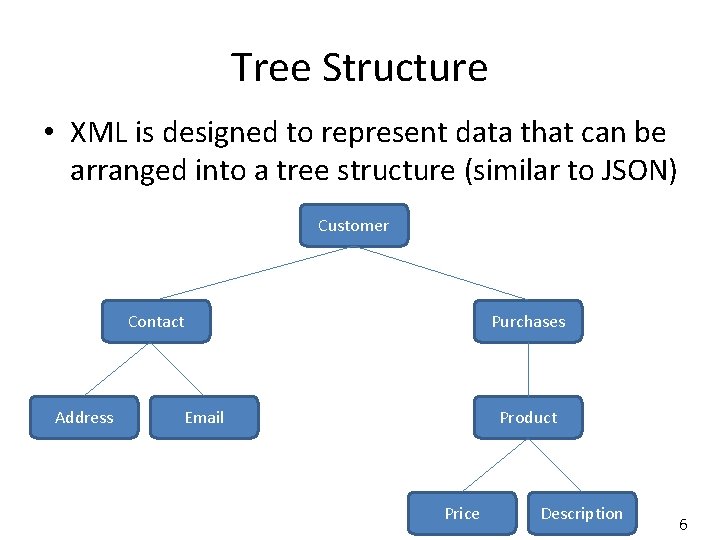
Tree Structure • XML is designed to represent data that can be arranged into a tree structure (similar to JSON) Customer Contact Address Purchases Email Product Price Description 6
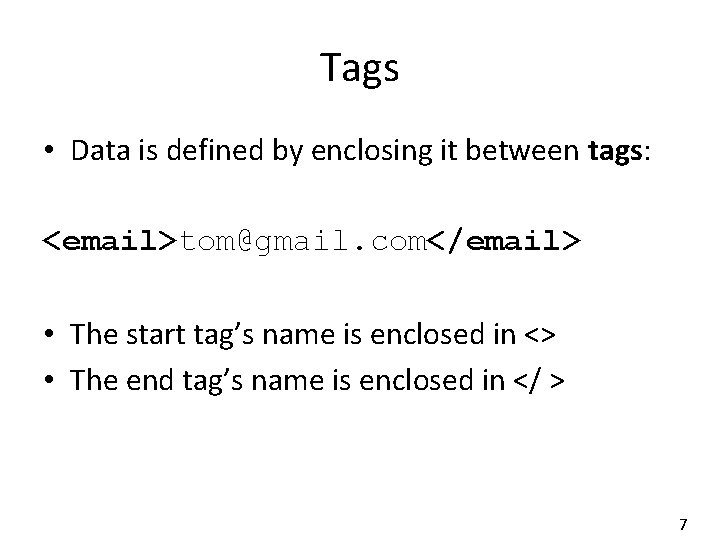
Tags • Data is defined by enclosing it between tags: <email>tom@gmail. com</email> • The start tag’s name is enclosed in <> • The end tag’s name is enclosed in </ > 7
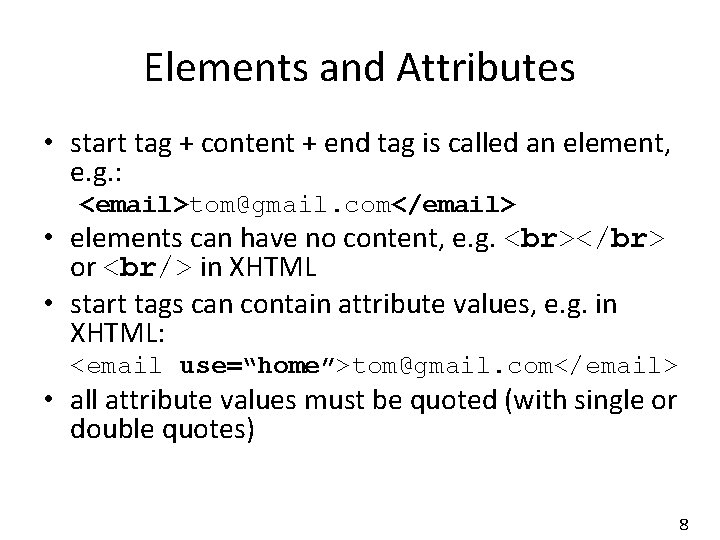
Elements and Attributes • start tag + content + end tag is called an element, e. g. : <email>tom@gmail. com</email> • elements can have no content, e. g. </br> or <br/> in XHTML • start tags can contain attribute values, e. g. in XHTML: <email use=“home”>tom@gmail. com</email> • all attribute values must be quoted (with single or double quotes) 8
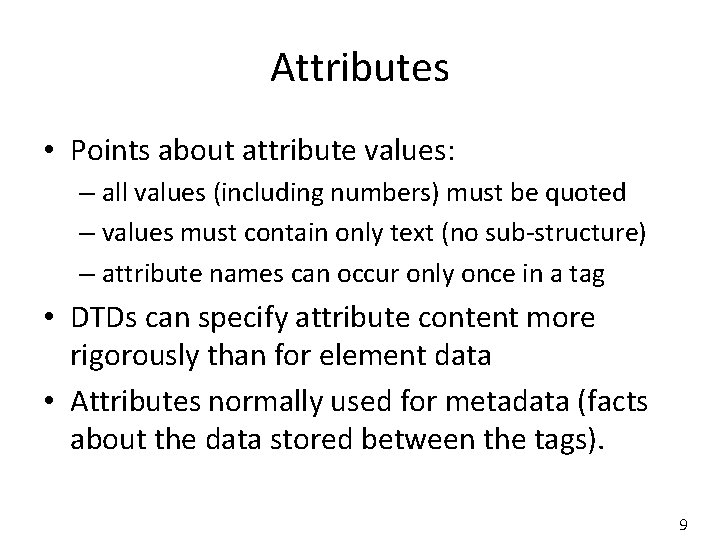
Attributes • Points about attribute values: – all values (including numbers) must be quoted – values must contain only text (no sub-structure) – attribute names can occur only once in a tag • DTDs can specify attribute content more rigorously than for element data • Attributes normally used for metadata (facts about the data stored between the tags). 9
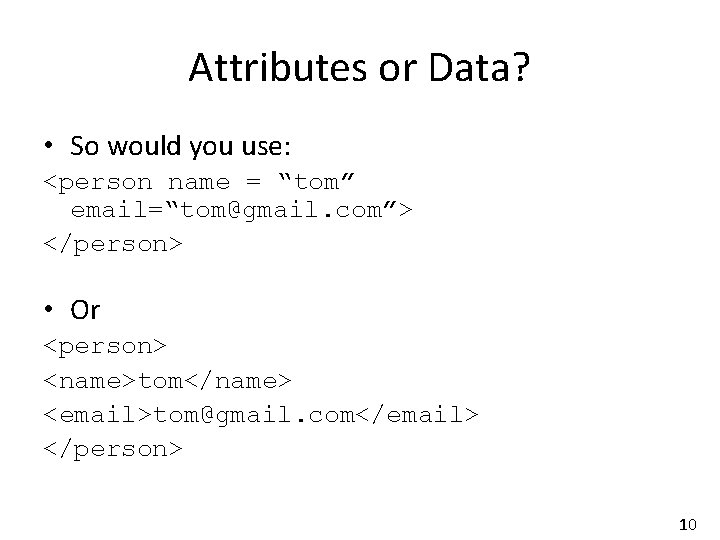
Attributes or Data? • So would you use: <person name = “tom” email=“tom@gmail. com”> </person> • Or <person> <name>tom</name> <email>tom@gmail. com</email> </person> 10
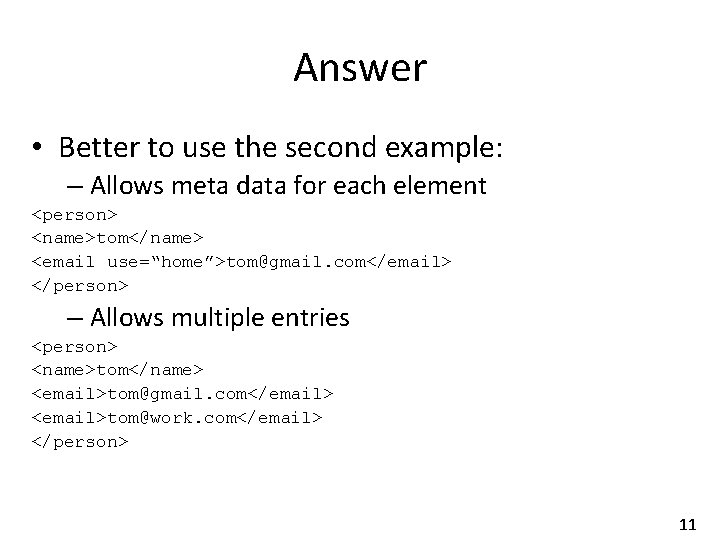
Answer • Better to use the second example: – Allows meta data for each element <person> <name>tom</name> <email use=“home”>tom@gmail. com</email> </person> – Allows multiple entries <person> <name>tom</name> <email>tom@gmail. com</email> <email>tom@work. com</email> </person> 11
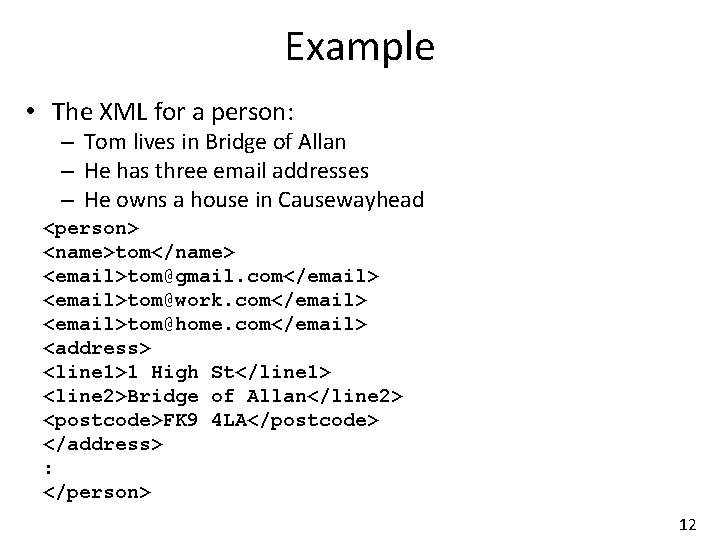
Example • The XML for a person: – Tom lives in Bridge of Allan – He has three email addresses – He owns a house in Causewayhead <person> <name>tom</name> <email>tom@gmail. com</email> <email>tom@work. com</email> <email>tom@home. com</email> <address> <line 1>1 High St</line 1> <line 2>Bridge of Allan</line 2> <postcode>FK 9 4 LA</postcode> </address> : </person> 12
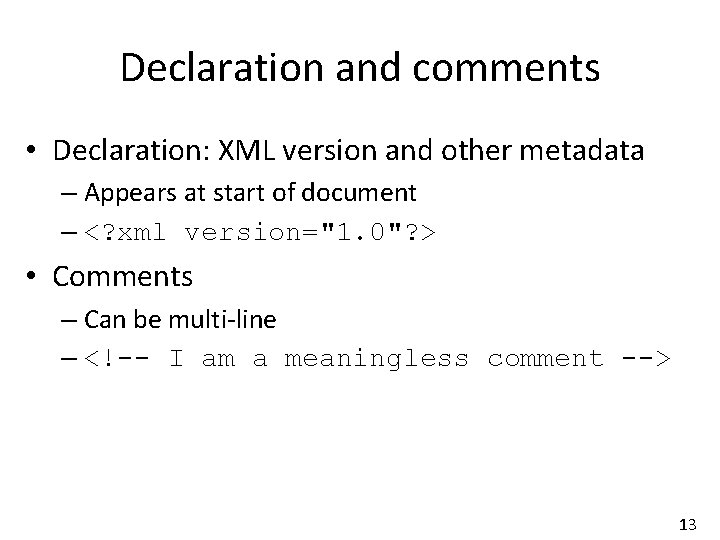
Declaration and comments • Declaration: XML version and other metadata – Appears at start of document – <? xml version="1. 0"? > • Comments – Can be multi-line – <!-- I am a meaningless comment --> 13
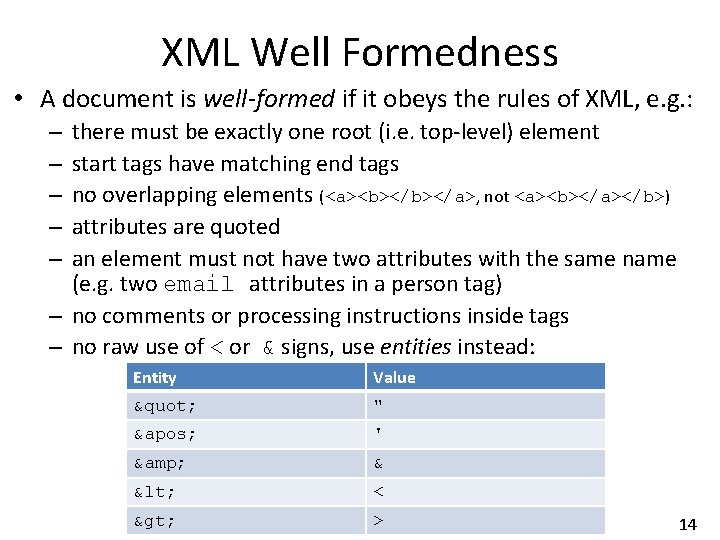
XML Well Formedness • A document is well-formed if it obeys the rules of XML, e. g. : there must be exactly one root (i. e. top-level) element start tags have matching end tags no overlapping elements (<a><b></a>, not <a><b></a></b>) attributes are quoted an element must not have two attributes with the same name (e. g. two email attributes in a person tag) – no comments or processing instructions inside tags – no raw use of < or & signs, use entities instead: – – – Entity Value " " ' ' & & < < > > 14

XML Validity • A document may be well-formed, but is not valid unless its structure conforms to some specification: – a DTD (Document Type Definition) – an XML Schema • A valid document declares where its specification is found: – an application reading the document may ignore this if the specification is implicit (e. g. known to be a phone directory) • The specification can be either: – contained in the document (useful during development) – in a separate file (perhaps accessed via the Internet) 15
![Document Type Definition • Link to XML document with <!DOCTYPE root_element […]> (inline) or](http://slidetodoc.com/presentation_image_h2/7df46f932cd3deeee17ad475eefc4af9/image-16.jpg "Document Type Definition • Link to XML document with <!DOCTYPE root_element […]> (inline) or")
Document Type Definition • Link to XML document with <!DOCTYPE root_element […]> (inline) or <!DOCTYPE root_element PUBLIC "DTD_name" "DTD_location"> (external) • There are two main parts to a DTD: – the structure of elements – the structure of element attributes (if any) • Each element declaration has the structure: <!ELEMENT element_name content_specification> • Elements can be defined in any order, e. g. : – top down may be clearer for the reader – bottom up may be clearer for the author 16
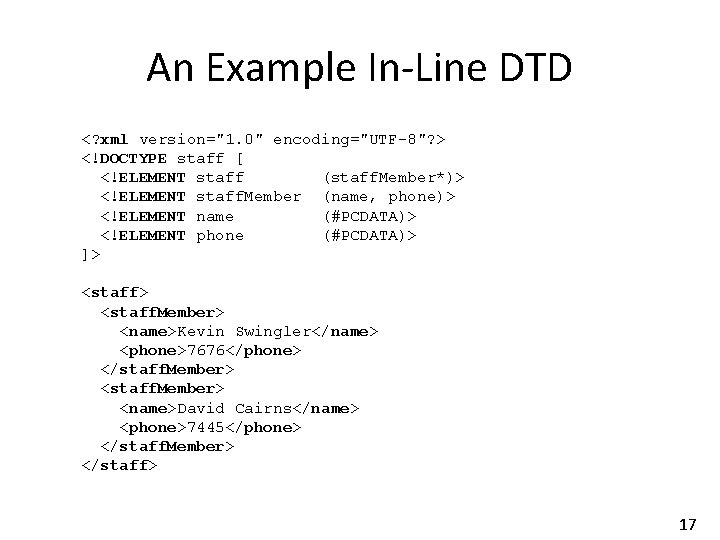
An Example In-Line DTD <? xml version="1. 0" encoding="UTF-8"? > <!DOCTYPE staff [ <!ELEMENT staff (staff. Member*)> <!ELEMENT staff. Member (name, phone)> <!ELEMENT name (#PCDATA)> <!ELEMENT phone (#PCDATA)> ]> <staff. Member> <name>Kevin Swingler</name> <phone>7676</phone> </staff. Member> <name>David Cairns</name> <phone>7445</phone> </staff. Member> </staff> 17

DTD Elements • elements that contain nothing (e. g. </br> or <br/>): <!ELEMENT br EMPTY> • elements that contain only character data and no other children (parentheses needed here): <!ELEMENT name (#PCDATA)> <!ELEMENT phone (#PCDATA)> • elements that contain sequences of other elements in order: <!ELEMENT staff. Member (name, phone)> • elements that contain one element from a list: <!ELEMENT contact (home | work | mobile)> 18
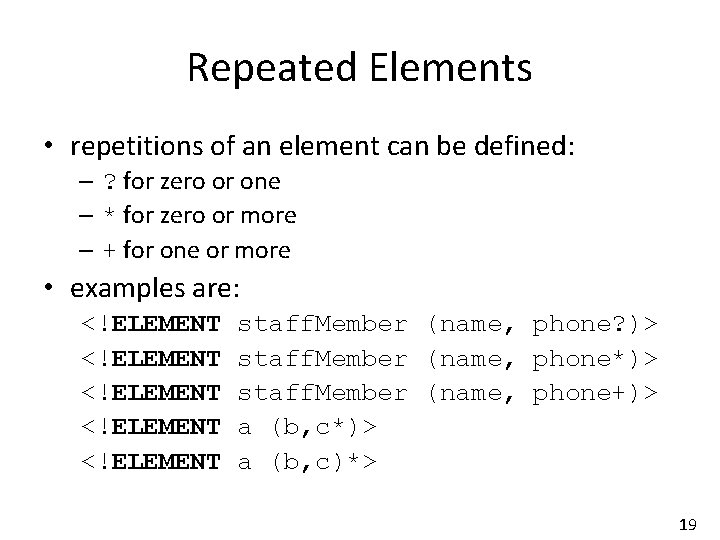
Repeated Elements • repetitions of an element can be defined: – ? for zero or one – * for zero or more – + for one or more • examples are: <!ELEMENT <!ELEMENT staff. Member (name, phone? )> staff. Member (name, phone*)> staff. Member (name, phone+)> a (b, c*)> a (b, c)*> 19
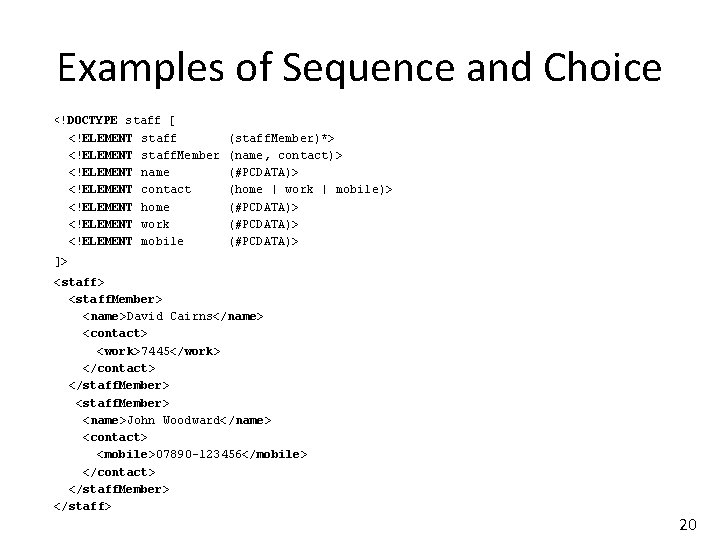
Examples of Sequence and Choice <!DOCTYPE staff [ <!ELEMENT staff. Member <!ELEMENT name <!ELEMENT contact <!ELEMENT home <!ELEMENT work <!ELEMENT mobile (staff. Member)*> (name, contact)> (#PCDATA)> (home | work | mobile)> (#PCDATA)> ]> <staff. Member> <name>David Cairns</name> <contact> <work>7445</work> </contact> </staff. Member> <name>John Woodward</name> <contact> <mobile>07890 -123456</mobile> </contact> </staff. Member> </staff> 20
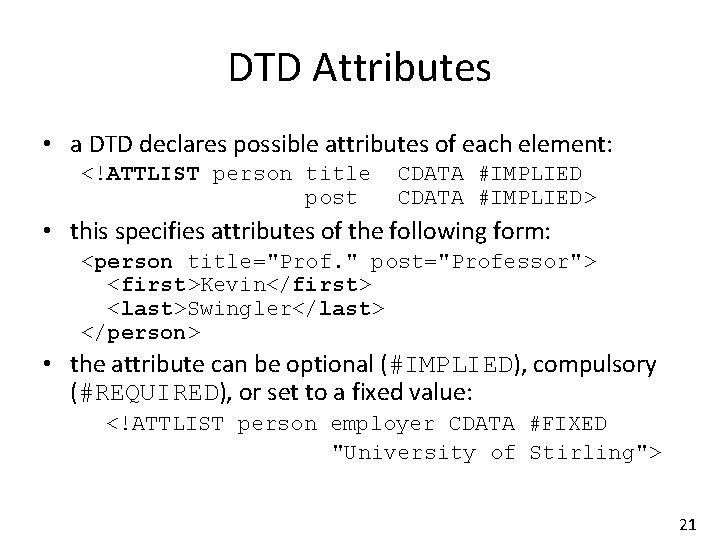
DTD Attributes • a DTD declares possible attributes of each element: <!ATTLIST person title post CDATA #IMPLIED> • this specifies attributes of the following form: <person title="Prof. " post="Professor"> <first>Kevin</first> <last>Swingler</last> </person> • the attribute can be optional (#IMPLIED), compulsory (#REQUIRED), or set to a fixed value: <!ATTLIST person employer CDATA #FIXED "University of Stirling"> 21
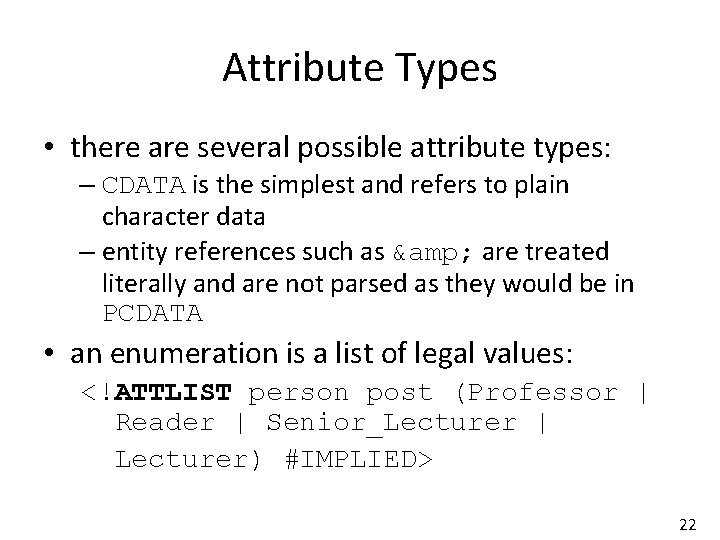
Attribute Types • there are several possible attribute types: – CDATA is the simplest and refers to plain character data – entity references such as & are treated literally and are not parsed as they would be in PCDATA • an enumeration is a list of legal values: <!ATTLIST person post (Professor | Reader | Senior_Lecturer | Lecturer) #IMPLIED> 22
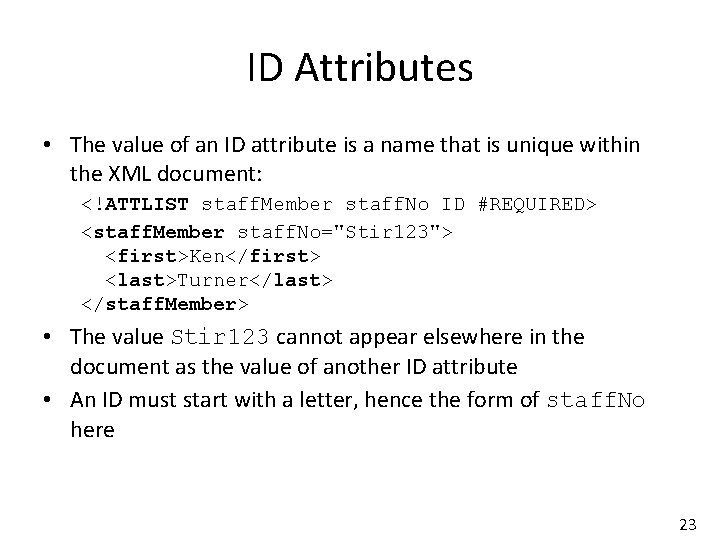
ID Attributes • The value of an ID attribute is a name that is unique within the XML document: <!ATTLIST staff. Member staff. No ID #REQUIRED> <staff. Member staff. No="Stir 123"> <first>Ken</first> <last>Turner</last> </staff. Member> • The value Stir 123 cannot appear elsewhere in the document as the value of another ID attribute • An ID must start with a letter, hence the form of staff. No here 23
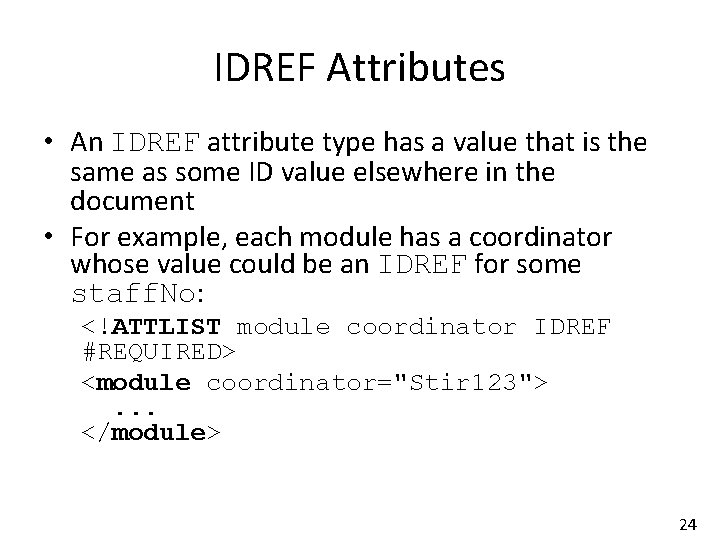
IDREF Attributes • An IDREF attribute type has a value that is the same as some ID value elsewhere in the document • For example, each module has a coordinator whose value could be an IDREF for some staff. No: <!ATTLIST module coordinator IDREF #REQUIRED> <module coordinator="Stir 123">. . . </module> 24
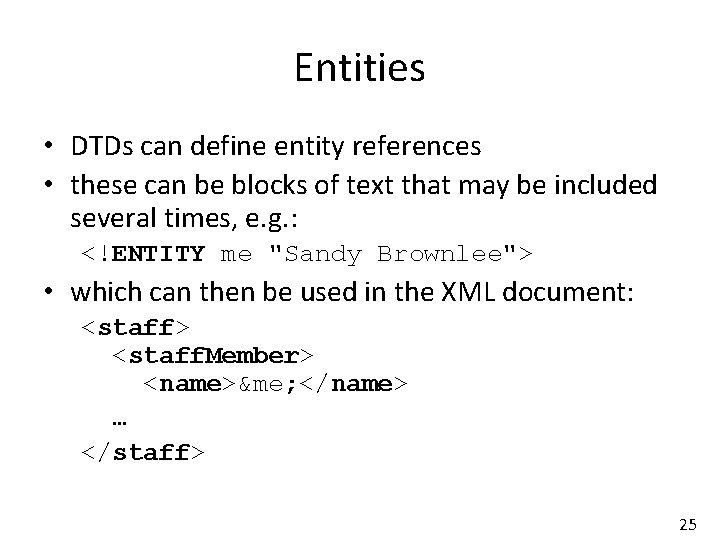
Entities • DTDs can define entity references • these can be blocks of text that may be included several times, e. g. : <!ENTITY me "Sandy Brownlee"> • which can then be used in the XML document: <staff> <staff. Member> <name>&me; </name> … </staff> 25
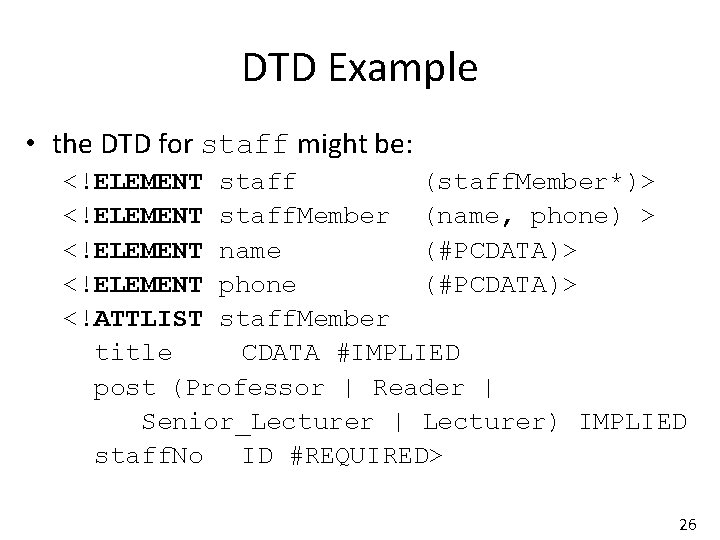
DTD Example • the DTD for staff might be: <!ELEMENT staff (staff. Member*)> <!ELEMENT staff. Member (name, phone) > <!ELEMENT name (#PCDATA)> <!ELEMENT phone (#PCDATA)> <!ATTLIST staff. Member title CDATA #IMPLIED post (Professor | Reader | Senior_Lecturer | Lecturer) IMPLIED staff. No ID #REQUIRED> 26
XML Schema • An XML Schema is an alternative to a DTD • Define the structure of a language using XML • XML Schema Definitions are known as XSD 27
Example • suppose that we had the following simple elements in XML: <last>Smith</last> <age>38</age> <born>1978 -03 -27</born> • the DTD for these elements would say: <!ELEMENT last (#PCDATA)> <!ELEMENT age (#PCDATA)> <!ELEMENT born (#PCDATA)> • the corresponding simple definitions in XSD would be: <xsd: element name="last" type="xsd: string"/> <xsd: element name="age" type="xsd: integer"/> <xsd: element name="born" type="xsd: date"/> 28
XSD Features • You can specify – Data types – Data ranges – Whether data is required or optional • You can define new types using regex • You can set defaults 29
Resource Description Framework • RDF is used to structure data or knowledge, mostly in web resources • Represents knowledge as a set of subjectpredicate-object triples • Subject = thing knowledge is about • Predicate = traits or aspects of the subject or relationship to the object • Object = Value of the trait or object of the relation 30
Representation • RDF is not a representation format in its own right like JSON or XML • There a variety of formats for serialising RDF data: – Turtle – N-triples – JSON-LD (Linked Data) – RDF/XML • RDF is queried using a language called SPARQL 31
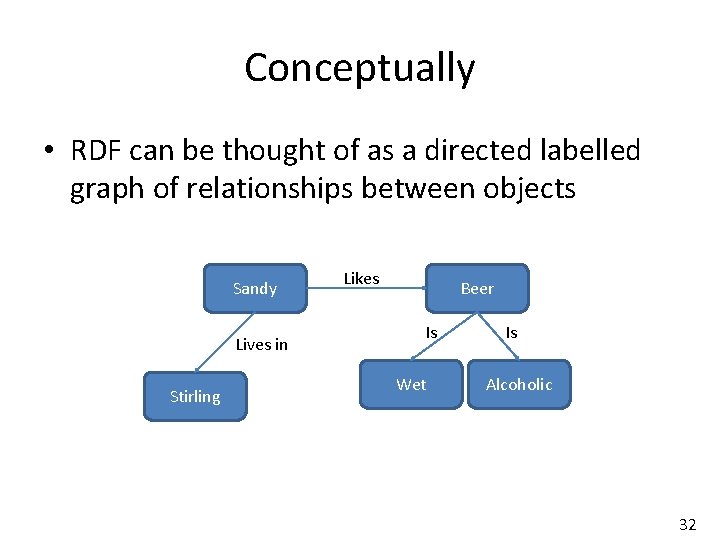
Conceptually • RDF can be thought of as a directed labelled graph of relationships between objects Sandy Lives in Stirling Likes Beer Is Wet Is Alcoholic 32
Resources • The subjects and objects are identified by a Universal Resource Identifier (URI) • The URI is often a resource on the internet (usually the web) • RDF is used predominantly in Semantic Web 33
YAML • Yet Another Markup Language – (or: YAML Ain’t Markup Language) • Inspired by programming languages such as Python • Mirrors data structures such as list, associative array, scalar • Indentation and lack of “}> etc make it easy to read and parse • Can handle hierarchical and relational data • YAML reference card at http: //www. yaml. org/refcard. html 34
Line Structure • No braces { } and no open / close tags <> means YAML is easy to parse line by line – No closing tags to match • Indentation denotes hierarchy 35
![YAML Elements • - Lists Entry Or [Entry, Entry] Separator is Comma+Space 36](http://slidetodoc.com/presentation_image_h2/7df46f932cd3deeee17ad475eefc4af9/image-36.jpg "YAML Elements • - Lists Entry Or [Entry, Entry] Separator is Comma+Space 36")
YAML Elements • - Lists Entry Or [Entry, Entry] Separator is Comma+Space 36
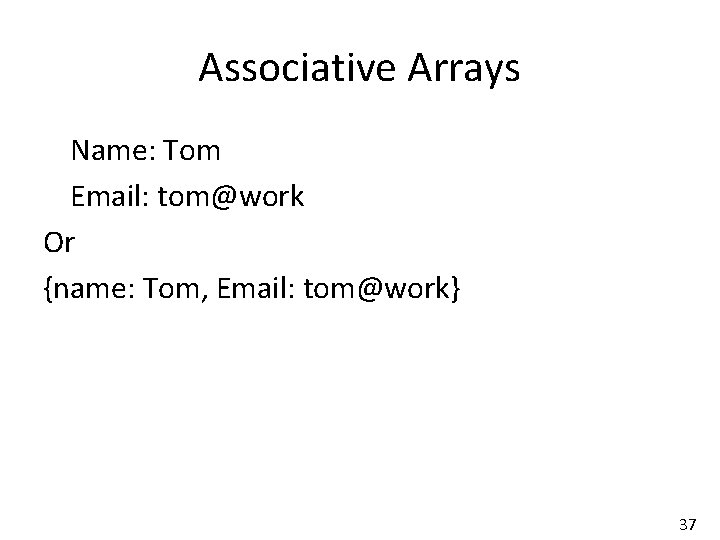
Associative Arrays Name: Tom Email: tom@work Or {name: Tom, Email: tom@work} 37
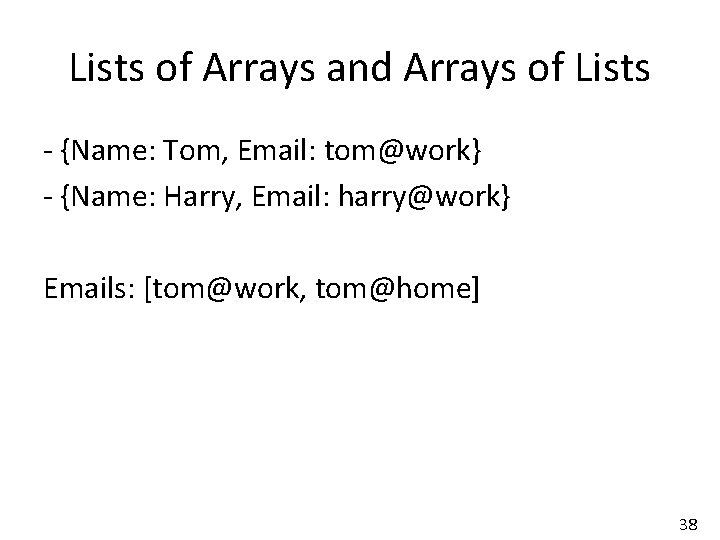
Lists of Arrays and Arrays of Lists - {Name: Tom, Email: tom@work} - {Name: Harry, Email: harry@work} Emails: [tom@work, tom@home] 38
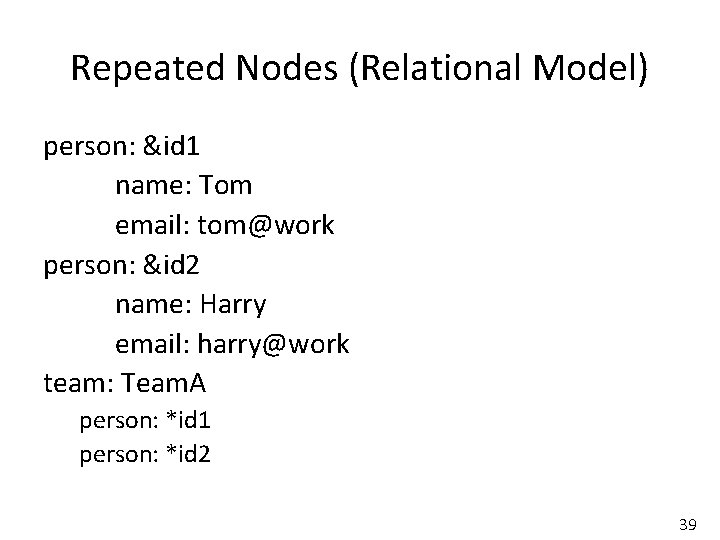
Repeated Nodes (Relational Model) person: &id 1 name: Tom email: tom@work person: &id 2 name: Harry email: harry@work team: Team. A person: *id 1 person: *id 2 39

HDF 5 • • Hierarchical Data Format See http: //www. hdfgroup. org/HDF 5/ Can represent a variety of data objects Includes metadata Portable file format Software library with high level API Performance and management tools 40
Data Structure • Intended mostly for scientific (numeric) data, but not restricted to that • Can be considered like a file system made up of HDF 5 objects: – Groups – A group of HDF 5 objects – Dataset – A multidimensional array of data • Both groups and datasets also contain associated metadata 41
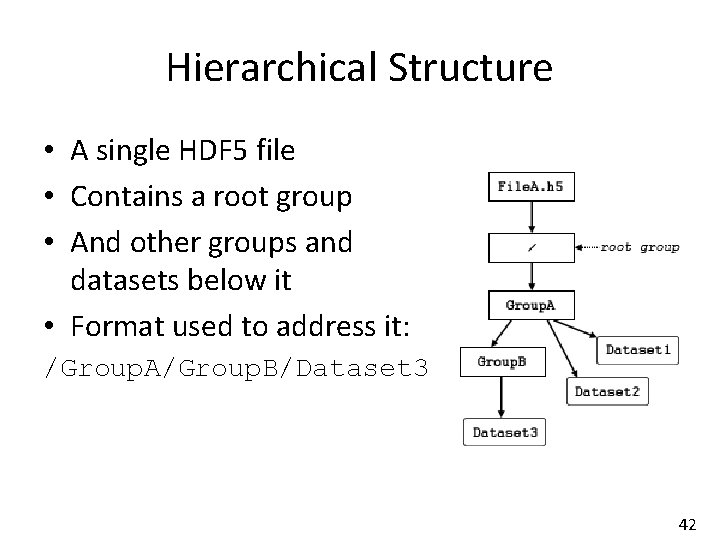
Hierarchical Structure • A single HDF 5 file • Contains a root group • And other groups and datasets below it • Format used to address it: /Group. A/Group. B/Dataset 3 42
Data Types • HDF 5 supports a number of predefined data types: – Integer – Floating point – Date and time – Character String – Bitfield – Opaque 43
Attributes • In HDF 5, an attribute is a small metadata object describing a dataset, group or type • They tell you something about where the data came from, or the conditions under which it was recorded 44
Choosing a Format • If you have been given a file, you must understand the format it comes in • You might want to convert it • Or load it into a database designed for that type of data – XML databases – Mongo. DB for JSON 45
Choosing a Format • If you are generating data and have the choice of format, consider: – XML and JSON designed for structured data – Tables generally require the fields to be defined at design time and can’t cope with many fields and sparse data – YAML maps well to programming language structures, handles hierarchical and relational data 46
Choosing a Format • HDF 5 is good for scientific data – The multi-dimensional arrays are tabular – Files are not human readable (they are binary) but can be made readable using the right tools – Generally used where there are lots of large files, each with different attributes – E. g. Scientific data repositories • Choice influenced by size / readability / available parsers / schema / data types 47
- Slides: 47