
Data Quality Check DQC for the Integrated TB
Data Quality Check (DQC) for the Integrated TB Information System (ITIS)
Background • LGUs are conducting DQCs for paper-based reports (usually quarterly) • Process of DQC includes checking for completeness, accuracy, consistency and timeliness of data • ITIS currently being used and LGUs able to generate quarterly reports • Data validation for ITIS includes checking of encoded data done at facility level. This should be done by the head of the DOTS/PMDT facility
Objectives 1. To validate NTP reports for the (insert period being reviewed, including cohort) 2. To identify issues in data quality in terms of completeness, accuracy, consistency and timeliness 3. To compute core NTP indicators per LGU (municipality/City)
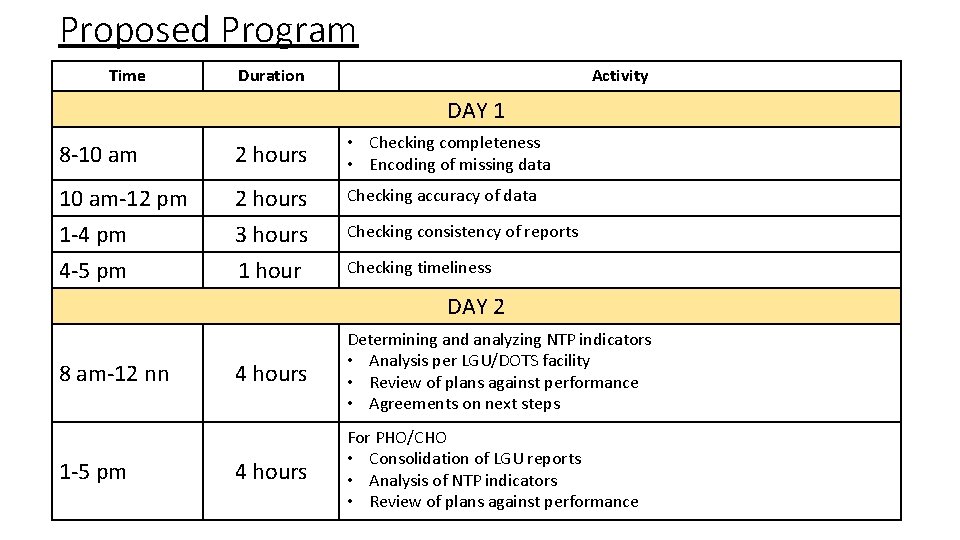
Proposed Program Time Duration Activity DAY 1 8 -10 am 2 hours • Checking completeness • Encoding of missing data 10 am-12 pm 1 -4 pm 2 hours 3 hours Checking accuracy of data 4 -5 pm 1 hour Checking timeliness Checking consistency of reports DAY 2 8 am-12 nn 1 -5 pm 4 hours Determining and analyzing NTP indicators • Analysis per LGU/DOTS facility • Review of plans against performance • Agreements on next steps 4 hours For PHO/CHO • Consolidation of LGU reports • Analysis of NTP indicators • Review of plans against performance
DQC Procedures COMPLETENESS OF DATA
Records and Reports Required • Paper-based records • • TB Register (Form 6 a) – 2018 and 2017 (1 Q) NTP Laboratory Register for Microscopy and Xpert MTB/RIF (Form 3) Treatment Cards(Form 4) of patients registered for 1 Q 2018 and 1 Q 2017 Presumptive TB Masterlist (Form 1) • ITIS • Laptop • Internet access • For offline version: latest dispatch file
Step 1: Get a partner RHU • DOTS facilities will be grouped by 2 s. • Give the paper-based records to your partner DOTS facility • Your partner RHU will do data quality check on your records/reports
Stop here until all RHUs have identified a partner and given their records…
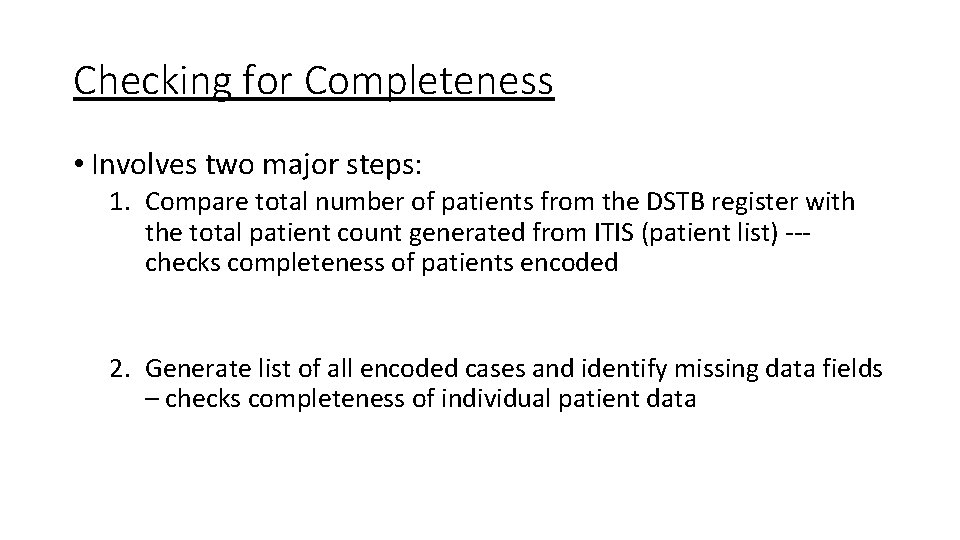
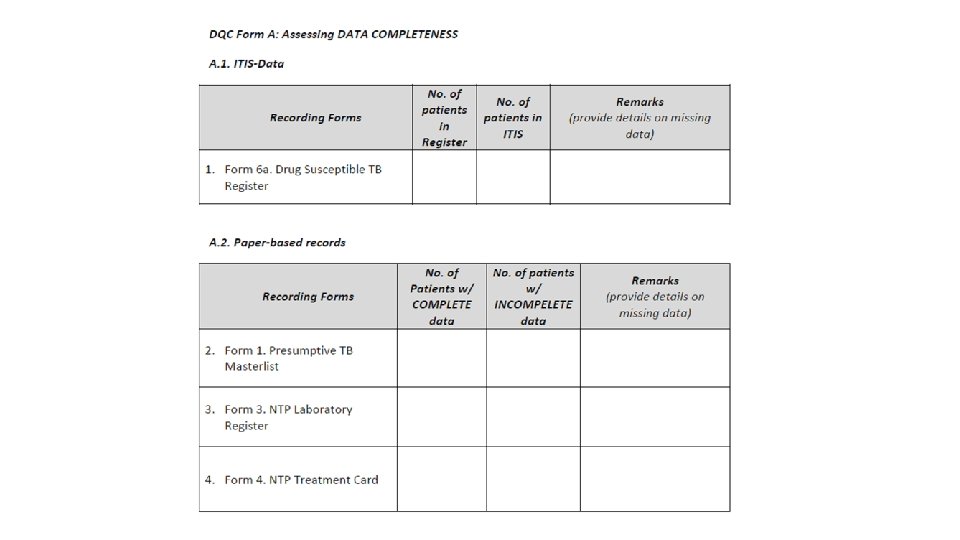
Checking for Completeness • Involves two major steps: 1. Compare total number of patients from the DSTB register with the total patient count generated from ITIS (patient list) --checks completeness of patients encoded 2. Generate list of all encoded cases and identify missing data fields – checks completeness of individual patient data
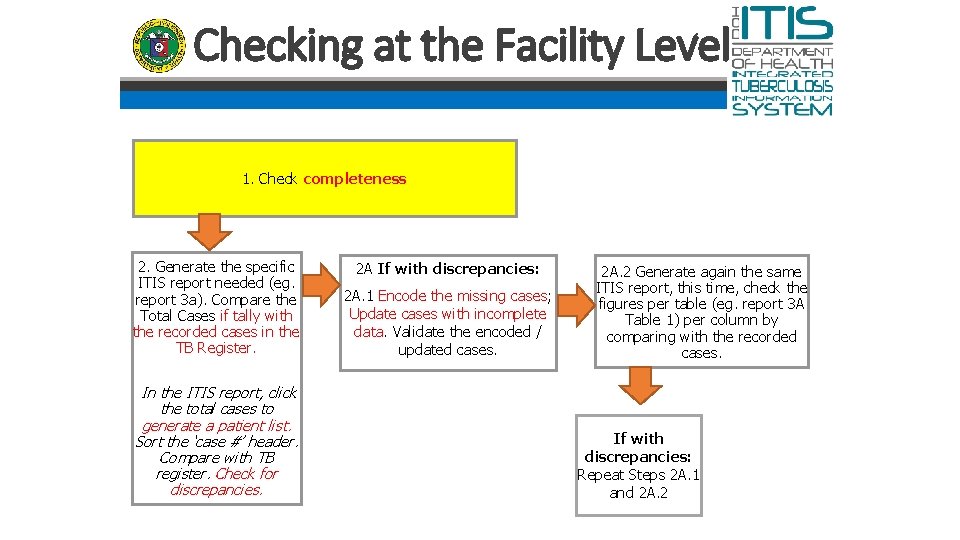
Checking at the Facility Level 1. Check completeness 2. Generate the specific ITIS report needed (eg. report 3 a). Compare the Total Cases if tally with the recorded cases in the TB Register. In the ITIS report, click the total cases to generate a patient list. Sort the ‘case #’ header. Compare with TB register. Check for discrepancies. 2 A If with discrepancies: 2 A. 1 Encode the missing cases; Update cases with incomplete data. Validate the encoded / updated cases. 2 A. 2 Generate again the same ITIS report, this time, check the figures per table (eg. report 3 A Table 1) per column by comparing with the recorded cases. If with discrepancies: Repeat Steps 2 A. 1 and 2 A. 2
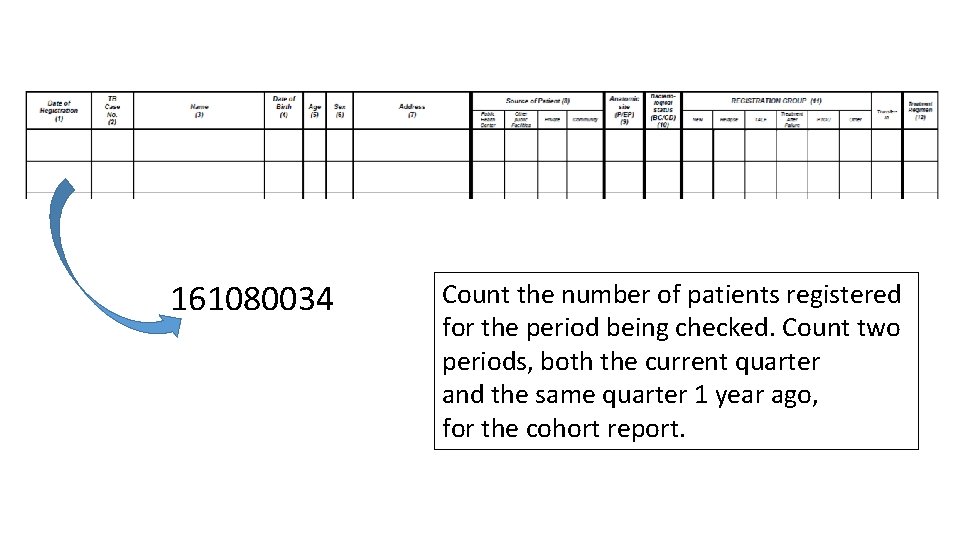
161080034 Count the number of patients registered for the period being checked. Count two periods, both the current quarter and the same quarter 1 year ago, for the cohort report.
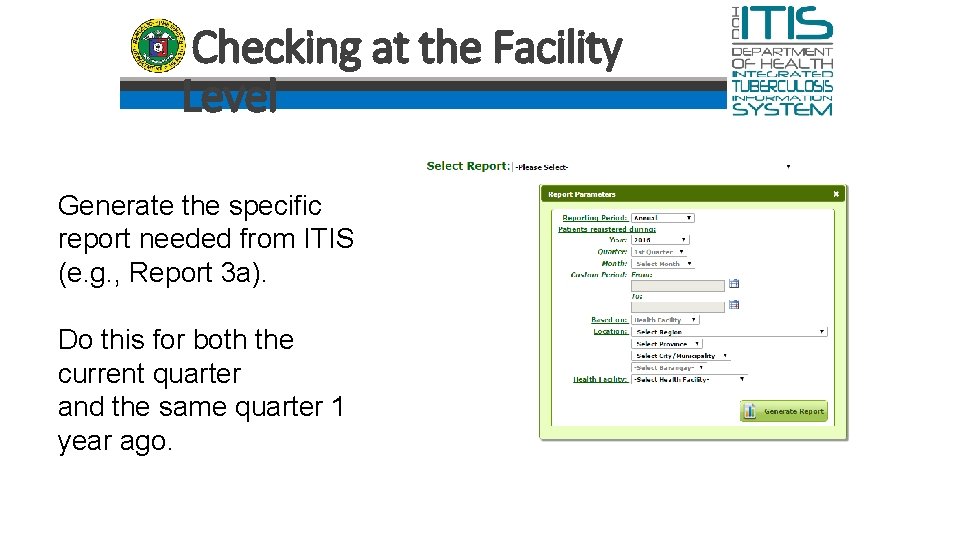
Checking at the Facility Level Generate the specific report needed from ITIS (e. g. , Report 3 a). Do this for both the current quarter and the same quarter 1 year ago.
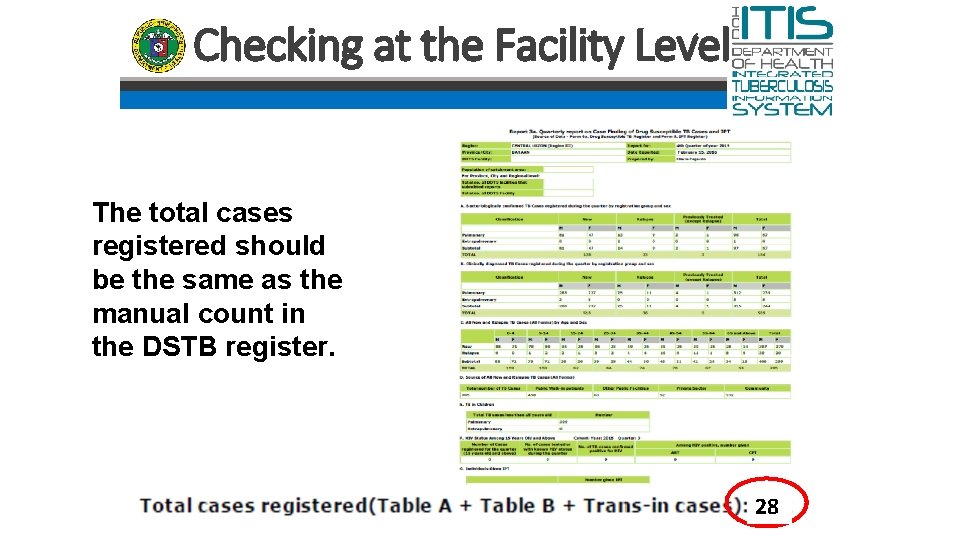
Checking at the Facility Level The total cases registered should be the same as the manual count in the DSTB register. 28
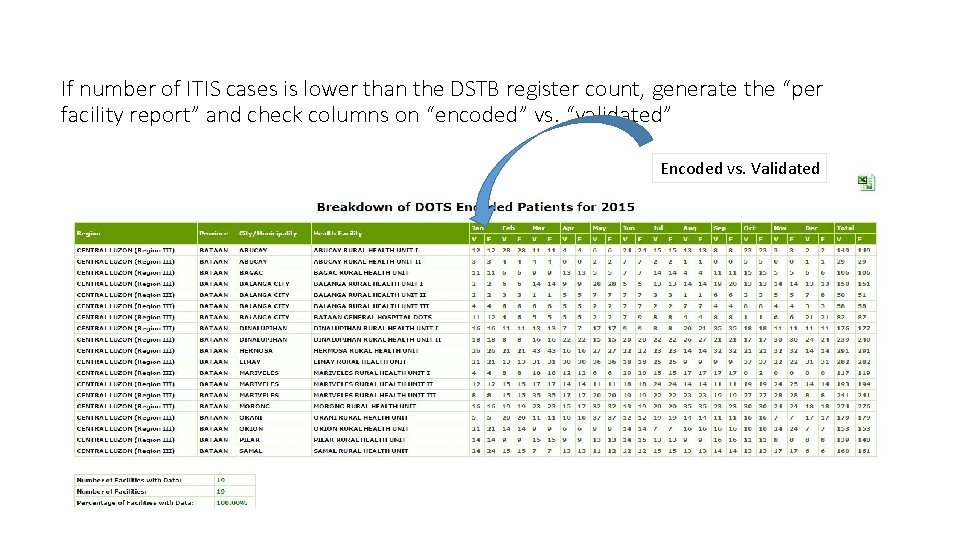
If number of ITIS cases is lower than the DSTB register count, generate the “per facility report” and check columns on “encoded” vs. “validated” Encoded vs. Validated
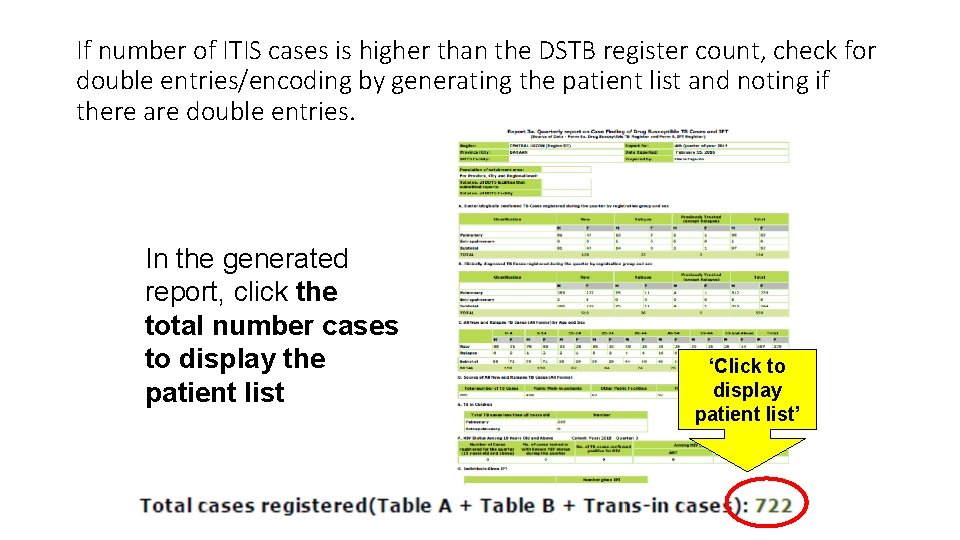
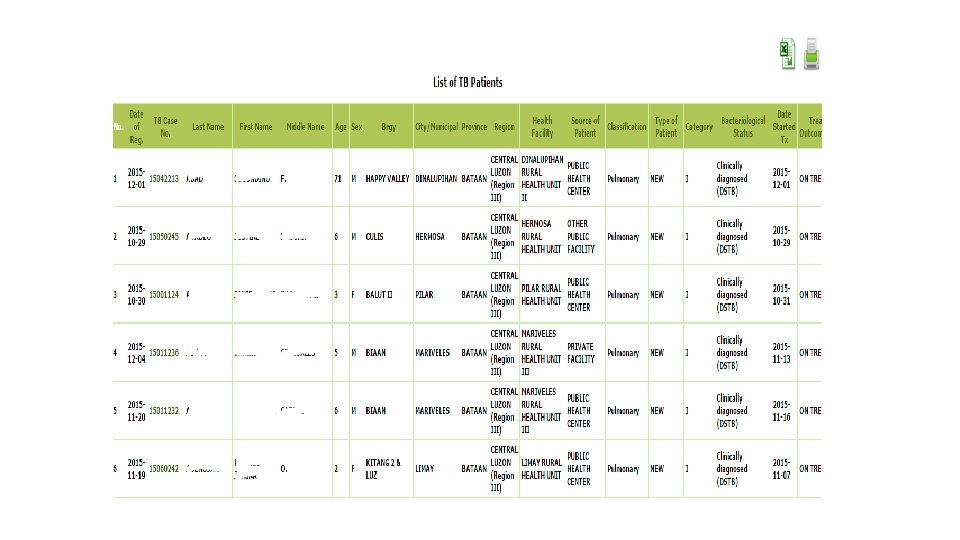
If number of ITIS cases is higher than the DSTB register count, check for double entries/encoding by generating the patient list and noting if there are double entries. In the generated report, click the total number cases to display the patient list ‘Click to display patient list’
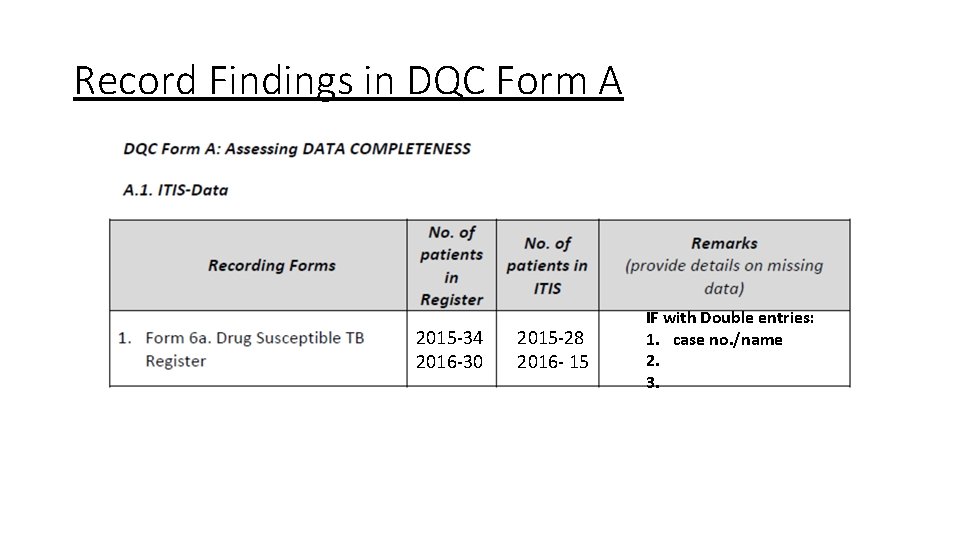
Record Findings in DQC Form A 2015 -34 2016 -30 2015 -28 2016 - 15 IF with Double entries: 1. case no. /name 2. 3.
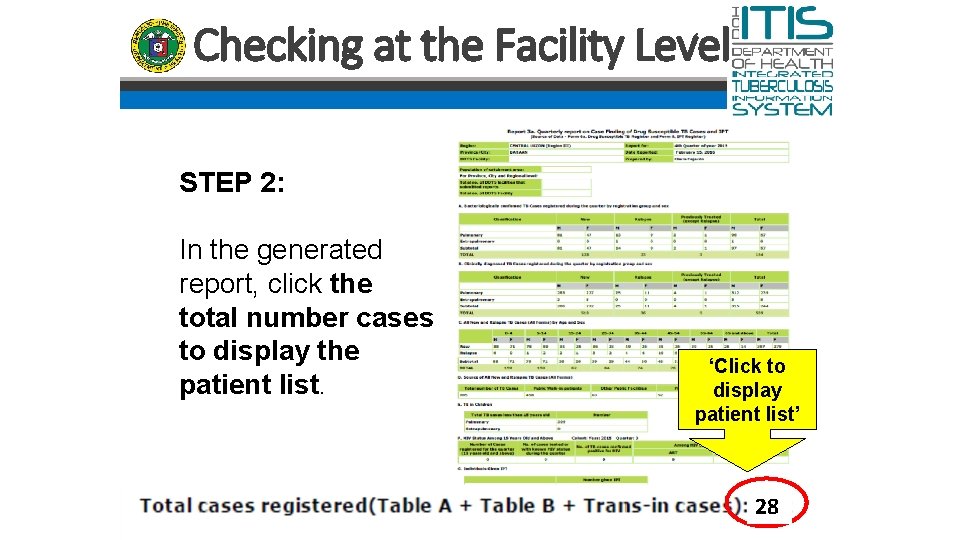
Checking at the Facility Level STEP 2: In the generated report, click the total number cases to display the patient list. ‘Click to display patient list’ 28
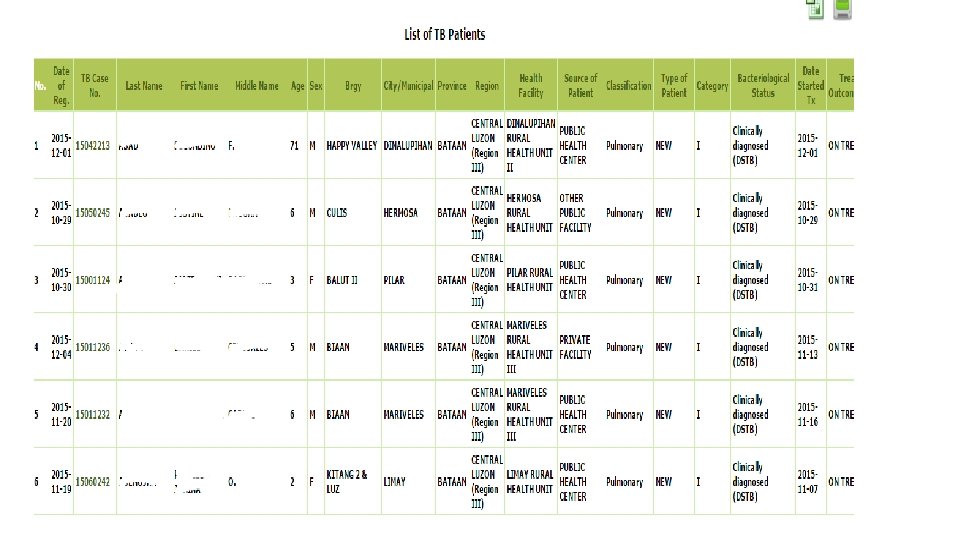
Checking at the Facility Level STEP 2: Compare the patient list and TB register. Note if there are discrepancies. If with discrepancies: Update ITIS cases (encode missing cases, update cases with incomplete details) until discrepancies noted are reconciled.
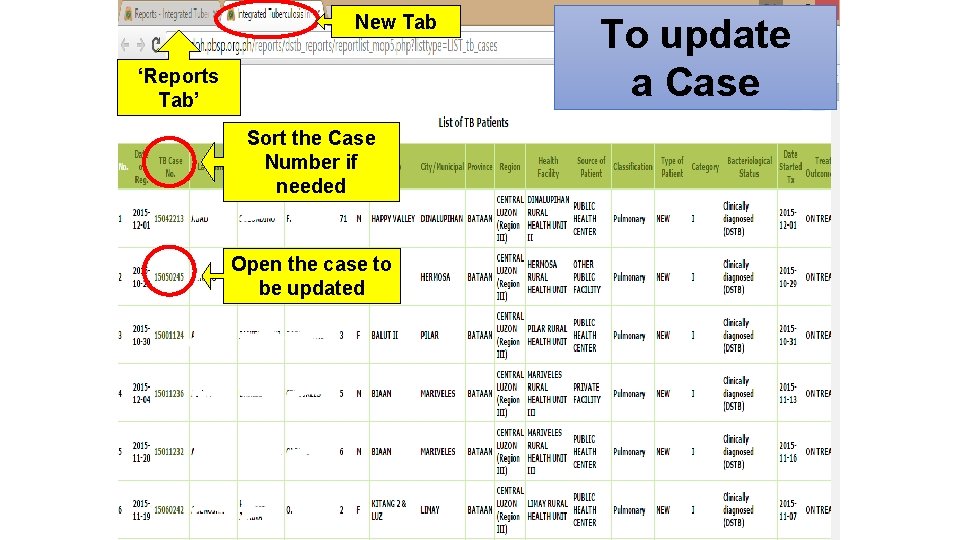
New Tab ‘Reports Tab’ Sort the Case Number if needed Open the case to be updated To update a Case
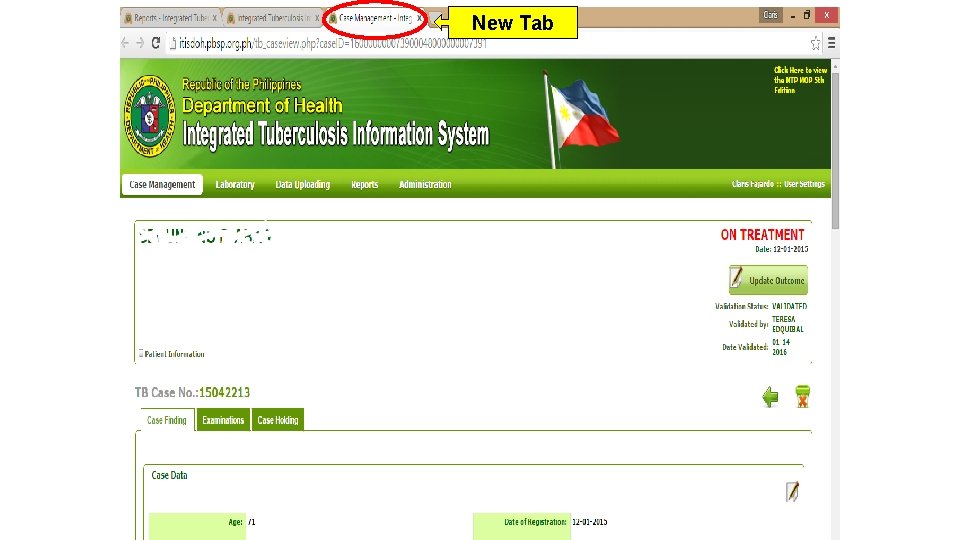
New Tab
• DO the above procedures for the 2 periods (both current and cohort) • (insert period of current report, e. g. , 2016 Q 1) • (insert period of cohort report, e. g. , 2015 Q 1)
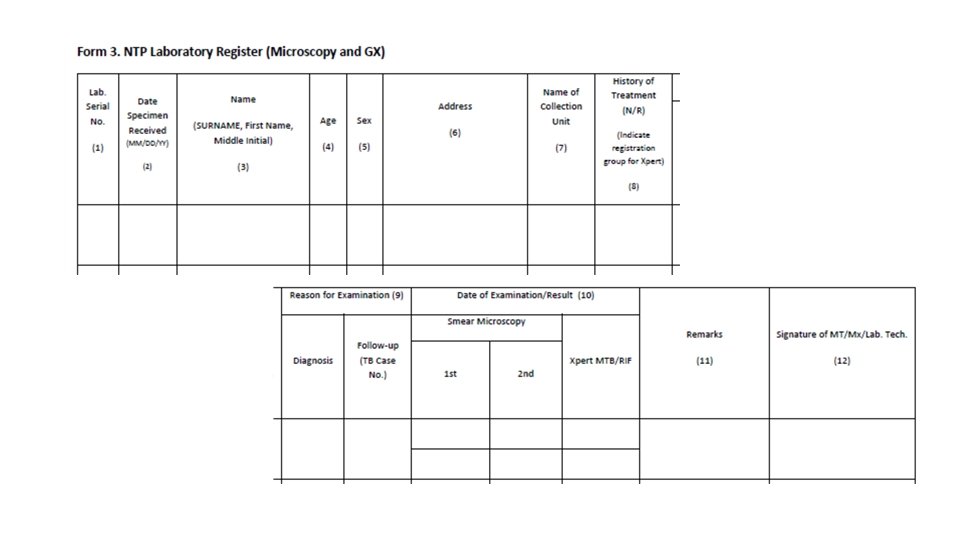
• CHECK also completeness of paper-based records • Presumptive TB Masterlsit • TB Laboratory Register
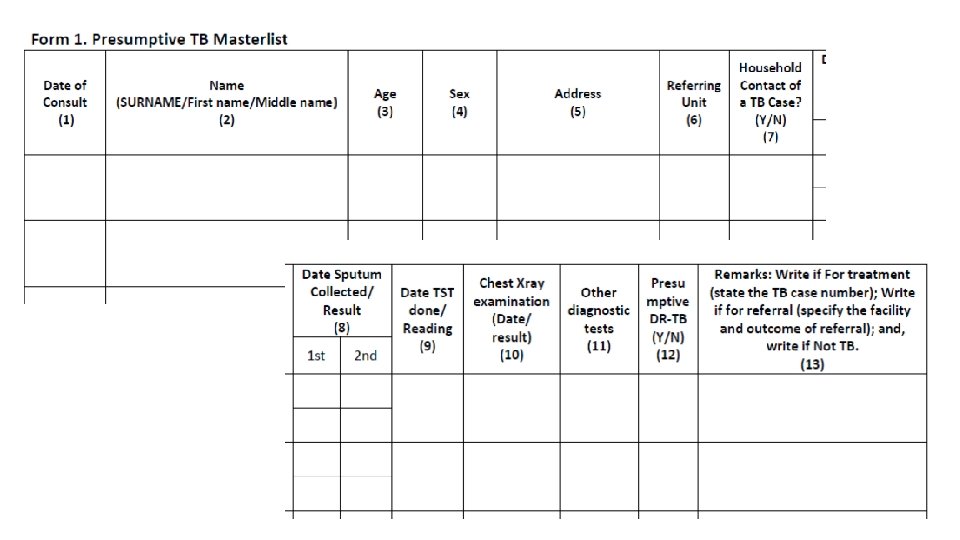
Step 2: Assessing Data Completeness • Check the following (Form 1. Presumptive TB Masterlist) 1. For the period , are the entries for each row/patient in the NTP laboratory register complete? Yes or No? • Count the number of entries that are complete • Count the number of entries that are incomplete • Indicate the numbers in the DQC form • Make a conclusion: out of 20 entries/patients, 15 (75%) had complete entries while 5 (25%) had incomplete entries. The most common missing data are ______.
Step 2: Assessing Data Completeness Check the following (Form 3. NTP Laboratory Register): 1. For the period, are the entries for each row/patient in the NTP laboratory register complete? Yes or No? • Count the number of entries that are complete • Count the number of entries that are incomplete • Indicate the numbers in the DQC form • Make a conclusion: example - out of 20 entries/patients, 15 (75%) had complete entries while 5 (25%) had incomplete entries. The most common missing data are ______.
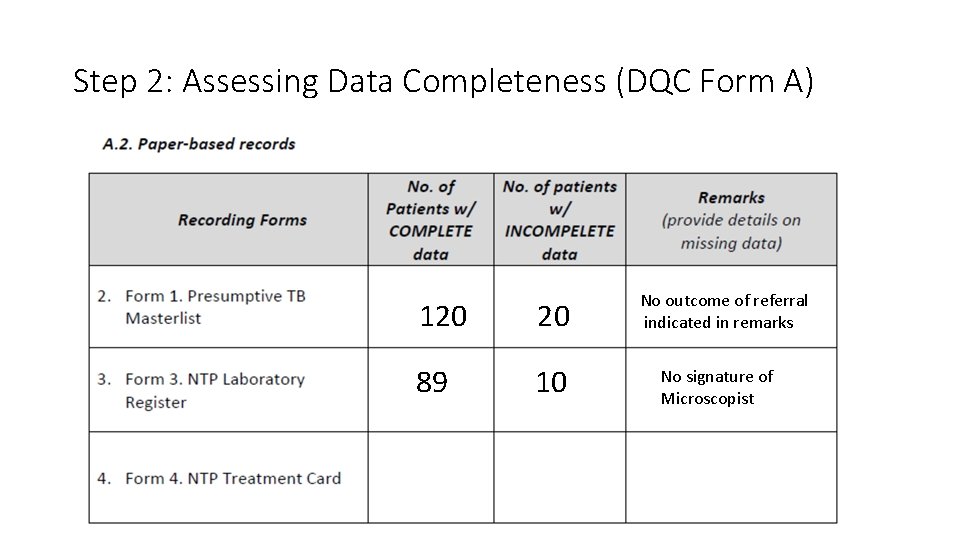
Step 2: Assessing Data Completeness (DQC Form A) 120 20 89 10 No outcome of referral indicated in remarks No signature of Microscopist

Stop here until you finish check of completeness…
DQC Procedures ACCURACY OF DATA
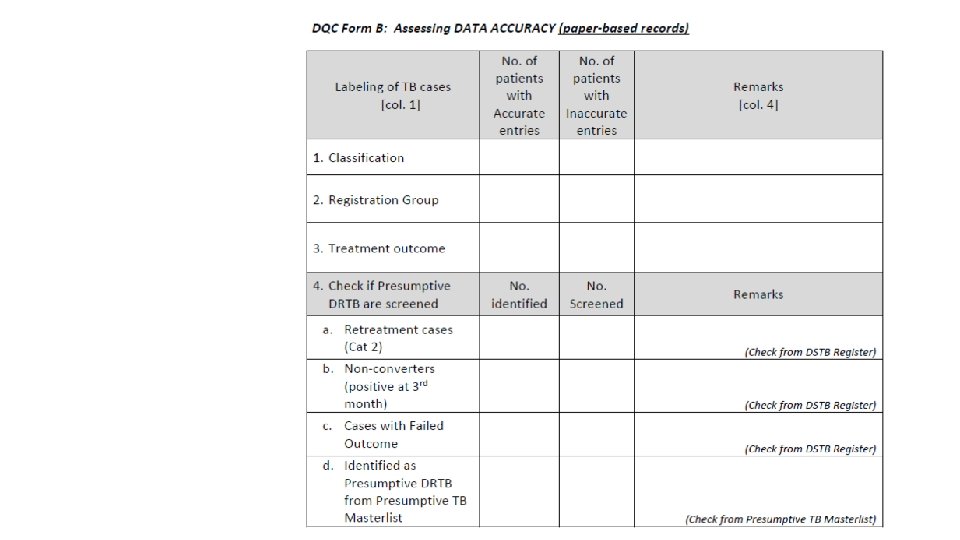
Definition Accuracy - data/information provided in the recording and reporting forms are correct and conform to the MOP protocols and guidelines If you have less than 15 patients for the quarter, check ALL treatment cards (TB Register). If you have more than 15 patients, randomly select just 15 patients.
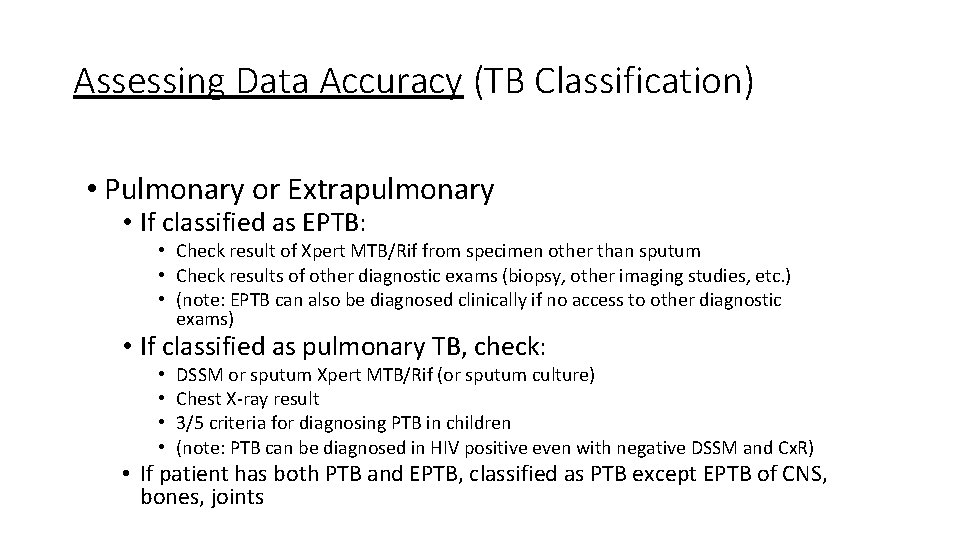
Assessing Data Accuracy (TB Classification) • Pulmonary or Extrapulmonary • If classified as EPTB: • Check result of Xpert MTB/Rif from specimen other than sputum • Check results of other diagnostic exams (biopsy, other imaging studies, etc. ) • (note: EPTB can also be diagnosed clinically if no access to other diagnostic exams) • If classified as pulmonary TB, check: • • DSSM or sputum Xpert MTB/Rif (or sputum culture) Chest X-ray result 3/5 criteria for diagnosing PTB in children (note: PTB can be diagnosed in HIV positive even with negative DSSM and Cx. R) • If patient has both PTB and EPTB, classified as PTB except EPTB of CNS, bones, joints
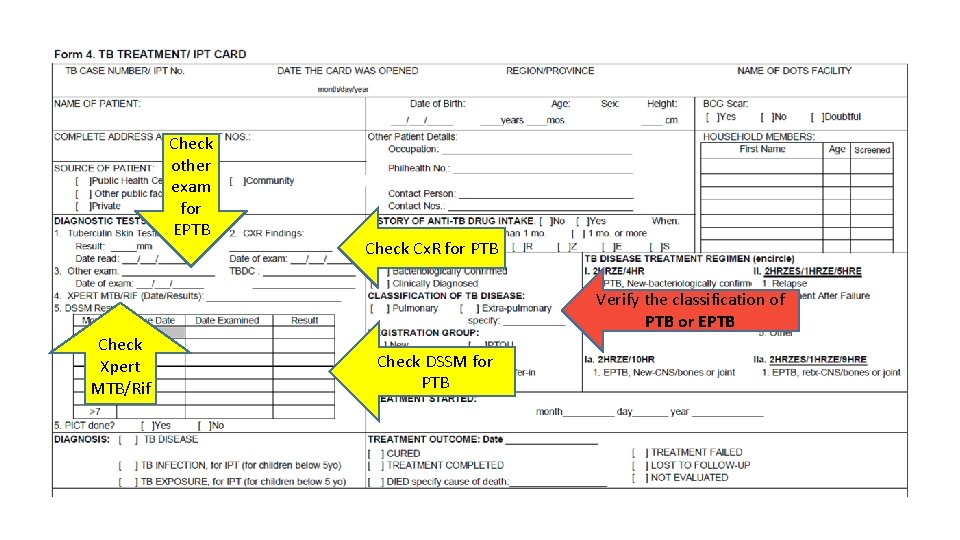
Check other exam for EPTB Check Cx. R for PTB Verify the classification of PTB or EPTB Check Xpert MTB/Rif Check DSSM for PTB
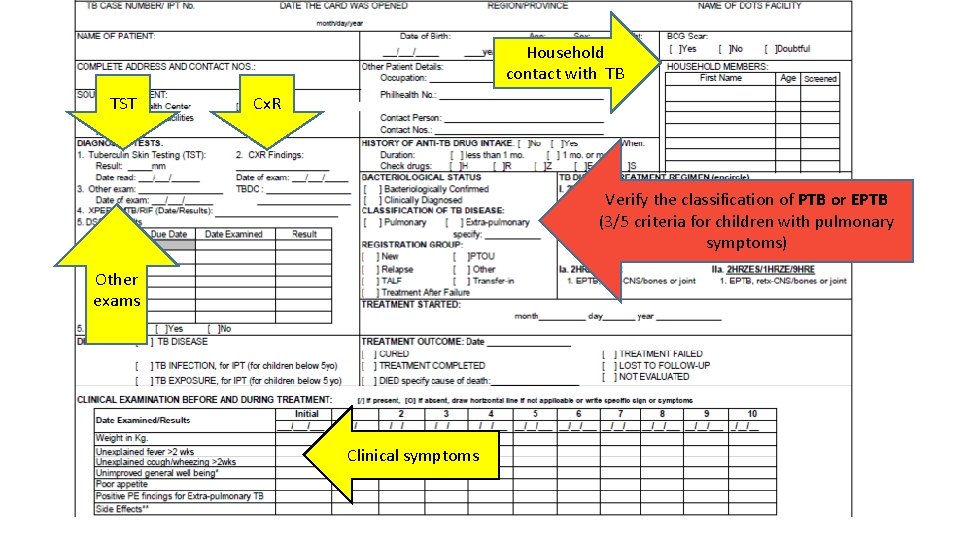
Household contact with TB TST Cx. R Verify the classification of PTB or EPTB (3/5 criteria for children with pulmonary symptoms) Other exams Clinical symptoms
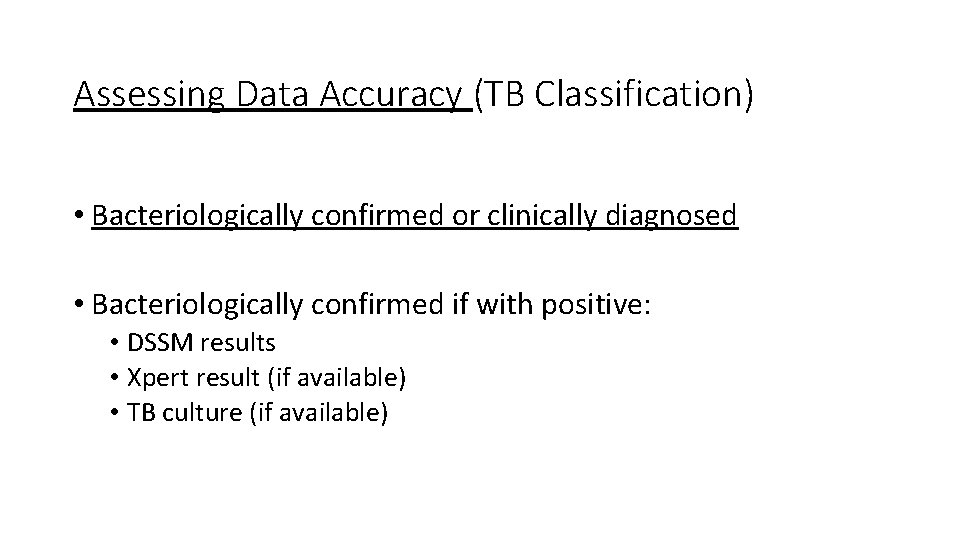
Assessing Data Accuracy (TB Classification) • Bacteriologically confirmed or clinically diagnosed • Bacteriologically confirmed if with positive: • DSSM results • Xpert result (if available) • TB culture (if available)
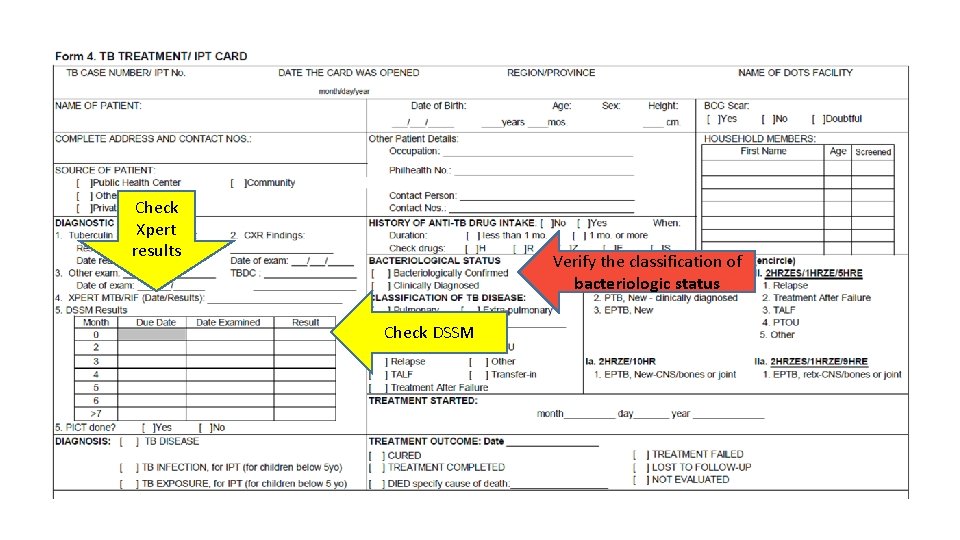
Check Xpert results Verify the classification of bacteriologic status Check DSSM
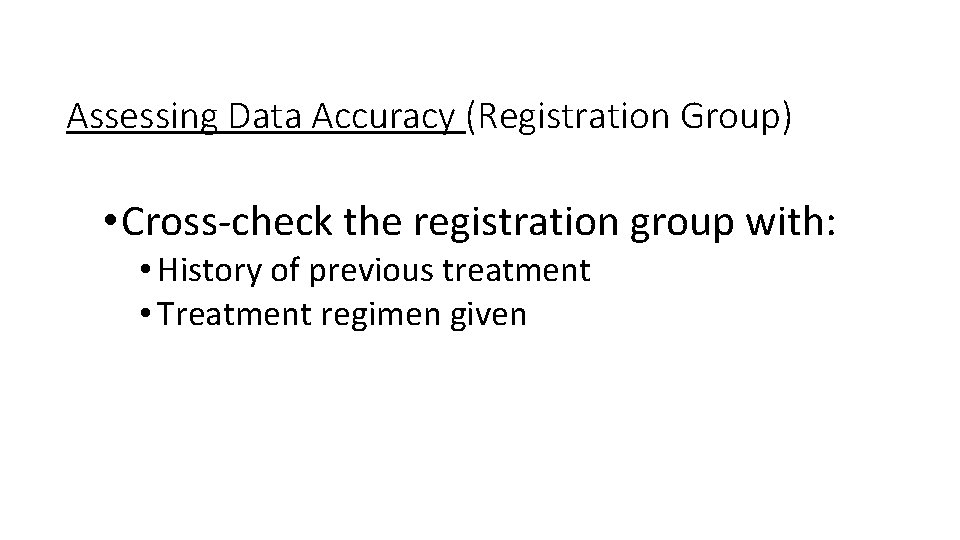
Assessing Data Accuracy (Registration Group) • Cross-check the registration group with: • History of previous treatment • Treatment regimen given
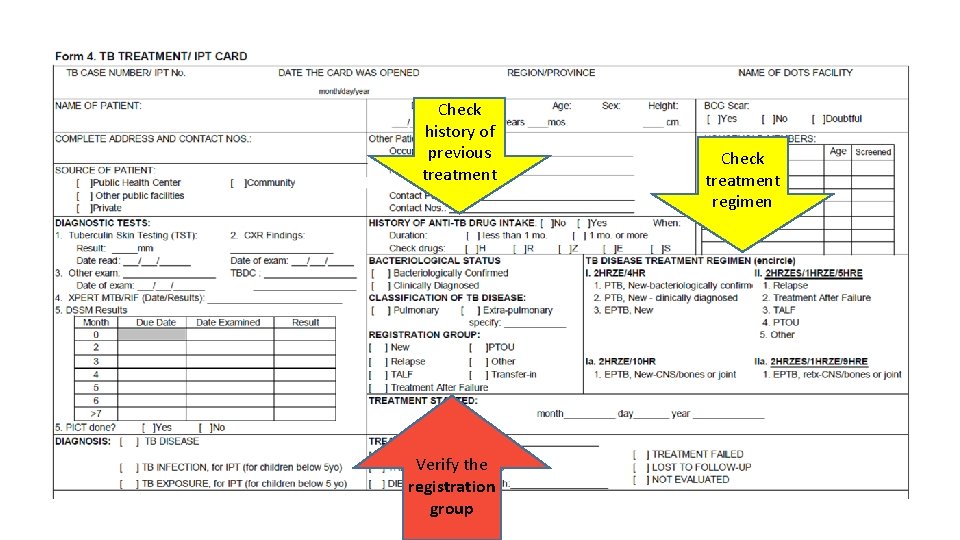
Check history of previous treatment Verify the registration group Check treatment regimen
Assessing Data Accuracy (Treatment Outcome) • Cross-check the treatment outcome with: • Classification of bacteriologic status ( a clinically diagnosed case cannot be assigned an outcome of cured) • Follow-up DSSM results • Completion of drug intake (completed intensive and continuation phase) • Resolution of symptoms
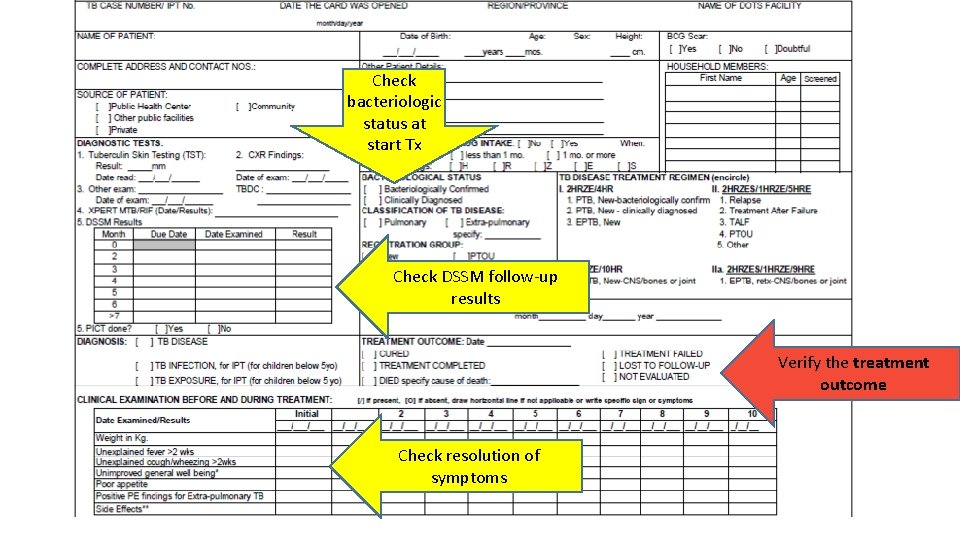
Check bacteriologic status at start Tx Check DSSM follow-up results Verify the treatment outcome Check resolution of symptoms
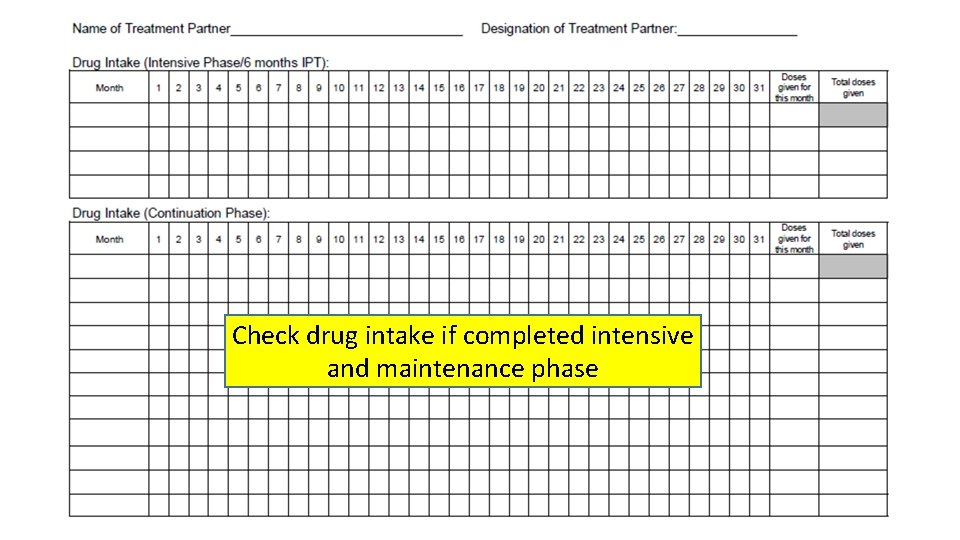
Check drug intake if completed intensive and maintenance phase
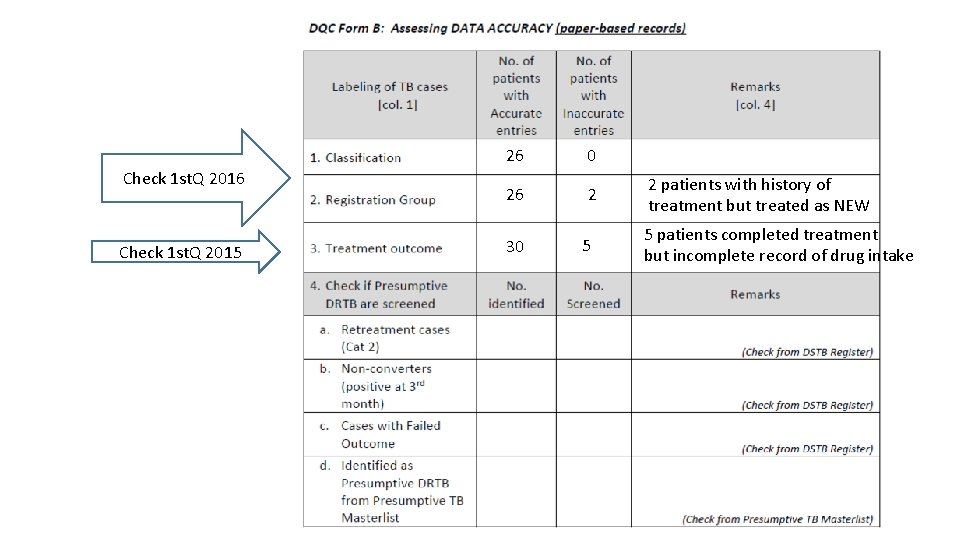
Check 1 st. Q 2016 Check 1 st. Q 2015 26 0 26 2 30 5 2 patients with history of treatment but treated as NEW 5 patients completed treatment but incomplete record of drug intake
Assessing Data Accuracy (DRTB Screening) (1) From the DSTB Register, check if the following have been referred for DRTB screening: • all retreatment cases (Relapse, TALF, TAF, PTOU, Other) • All non-converters (still smear positive at 3 months) • All with “Failed” Treatment Outcome • Check Xpert result recorded in the register. If none, cross-check in the Presumptive TB masterlist if with Xpert result. (2) From the Presumptive TB Masterlist, count how many were identified as presumptive DRTB-- Check if with Xpert result
Assessing Data Accuracy (DRTB Screening) (1) From the DSTB Register, check if the following have been referred for DRTB screening: • all retreatment cases (Relapse, TALF, TAF, PTOU, Other) • All non-converters (still smear positive at 3 months) • All with “Failed” Treatment Outcome • Check Xpert result recorded in the register. If none, cross-check in the Presumptive TB masterlist if with Xpert result. (2) From the Presumptive TB Masterlist, count how many were identified as presumptive DRTB-- Check if with Xpert result
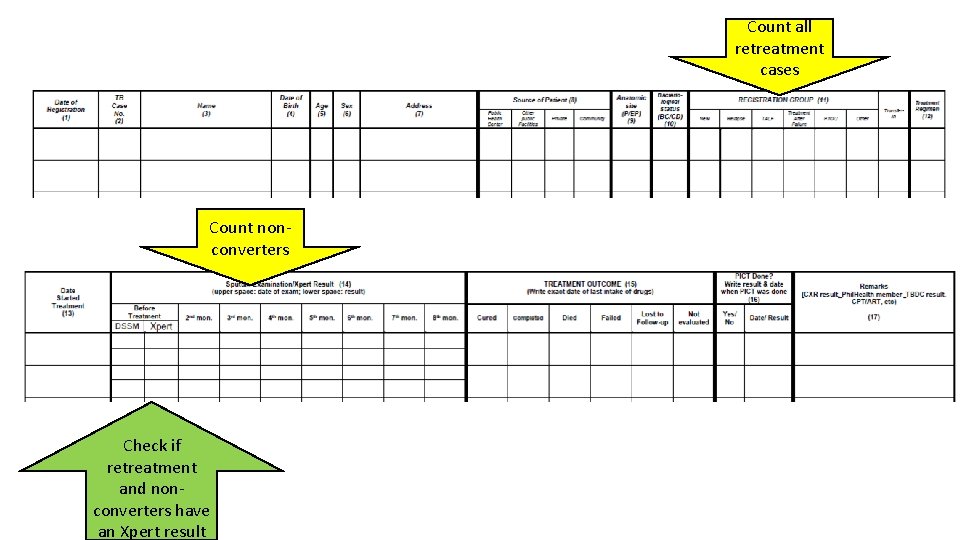
Count all retreatment cases Count nonconverters Check if retreatment and nonconverters have an Xpert result
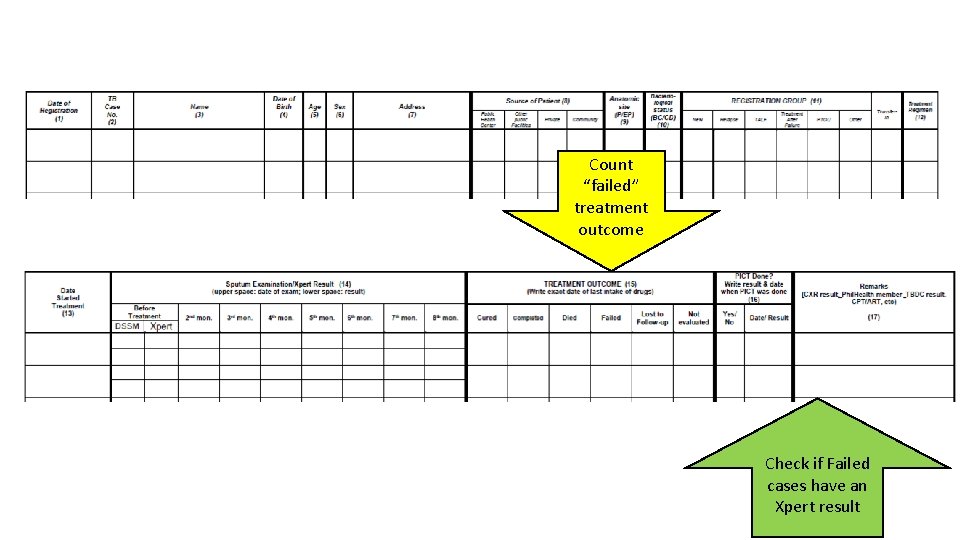
Count “failed” treatment outcome Check if Failed cases have an Xpert result
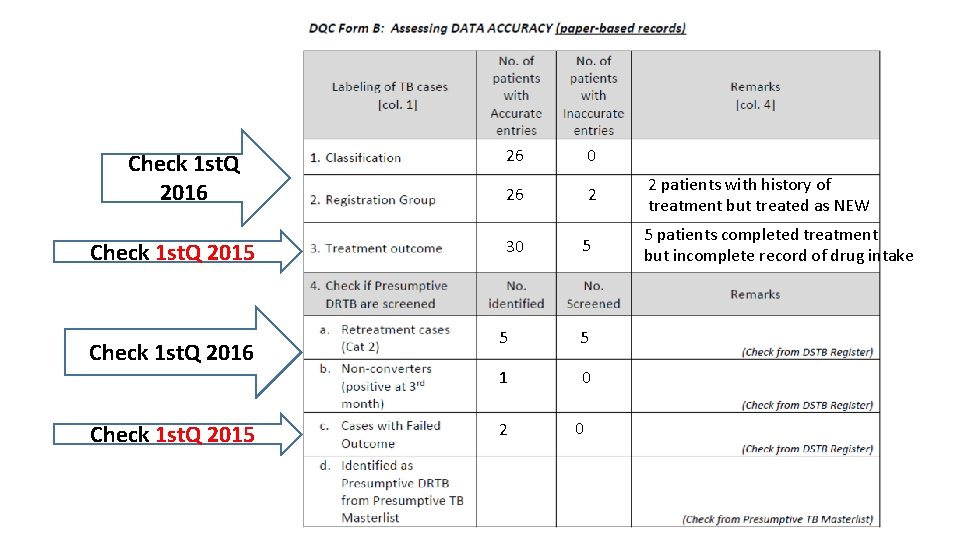
Check 1 st. Q 2016 Check 1 st. Q 2015 26 0 26 2 30 5 5 5 1 0 2 patients with history of treatment but treated as NEW 5 patients completed treatment but incomplete record of drug intake
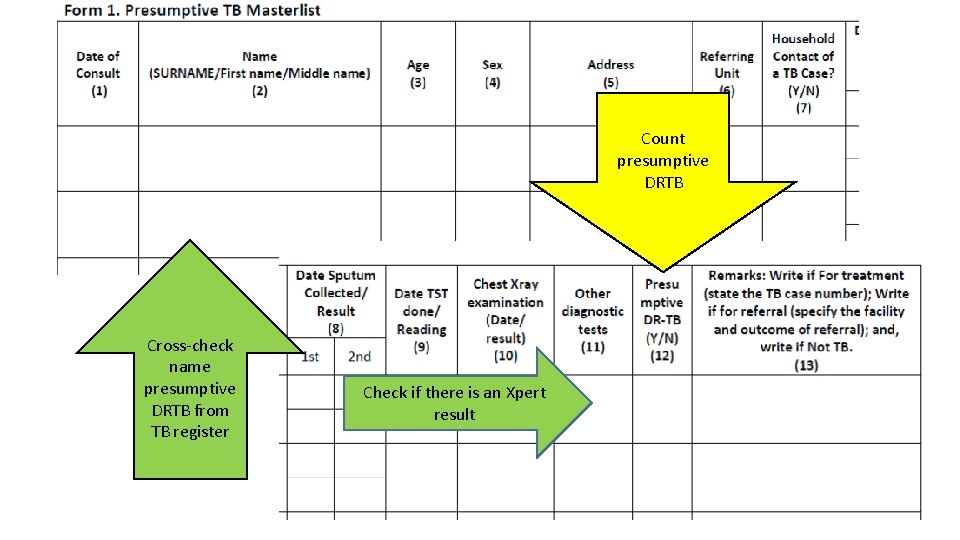
Count presumptive DRTB Cross-check name presumptive DRTB from TB register Check if there is an Xpert result
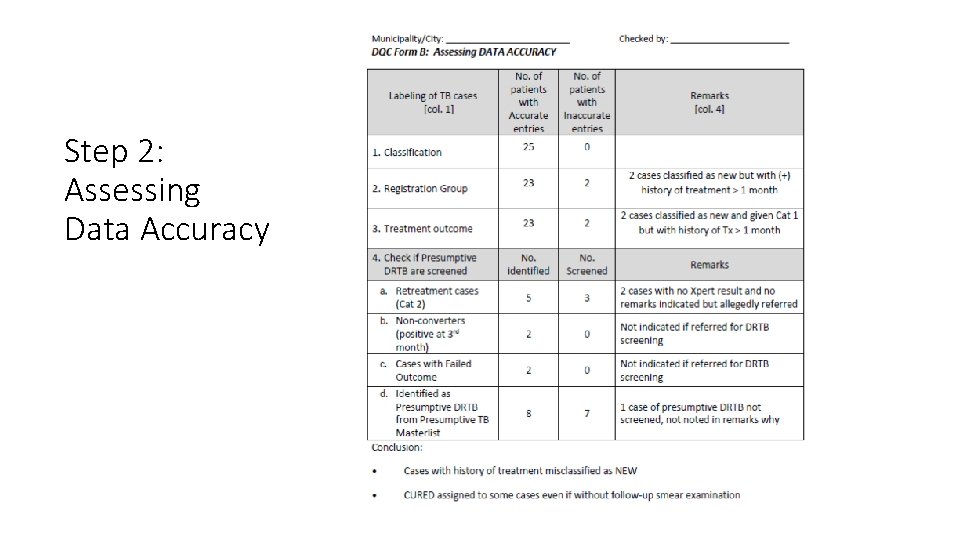
Step 2: Assessing Data Accuracy

Stop here until you finish check of accuracy…
DQC Procedures CONSISTENCY OF DATA
Definition Consistency - data and information from one NTP record (e. g. , paperbased DSTB register) to another is similar or figures from the NTP reports should be exact and the same from the source when calculated (checking for encoding errors)
Procedures for Checking Consistency 1. Manually count (just totals) to prepare a manual quarterly report • Reports to check: Reports 3 a and 5 a 2. Compare the manual report with the ITIS-generated report 3. If discrepancies exist, compare ITIS line list with DSTB register to locate and correct discrepancy • Create a filtered line-list (e. g. , patient list of new bacteriologically confirmed positive TB) to facilitate checking
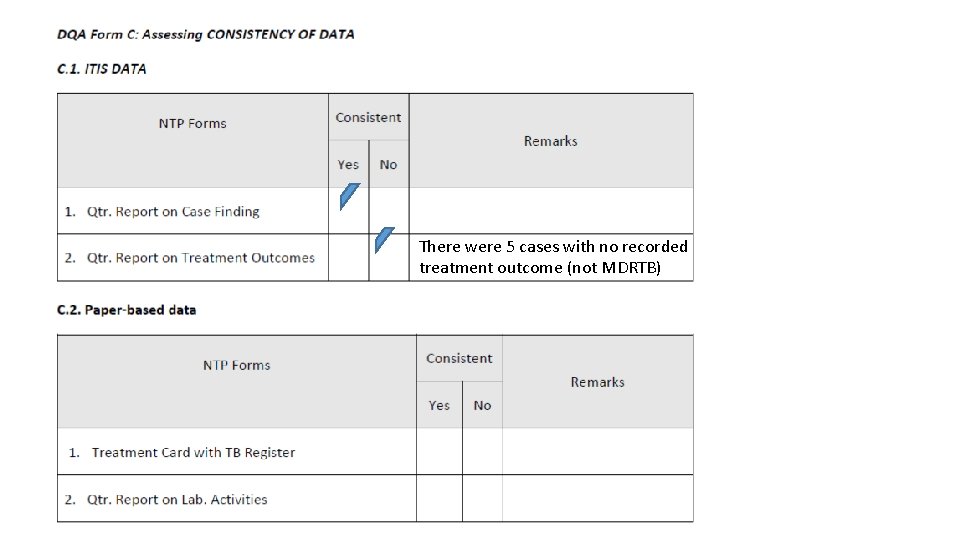
There were 5 cases with no recorded treatment outcome (not MDRTB)
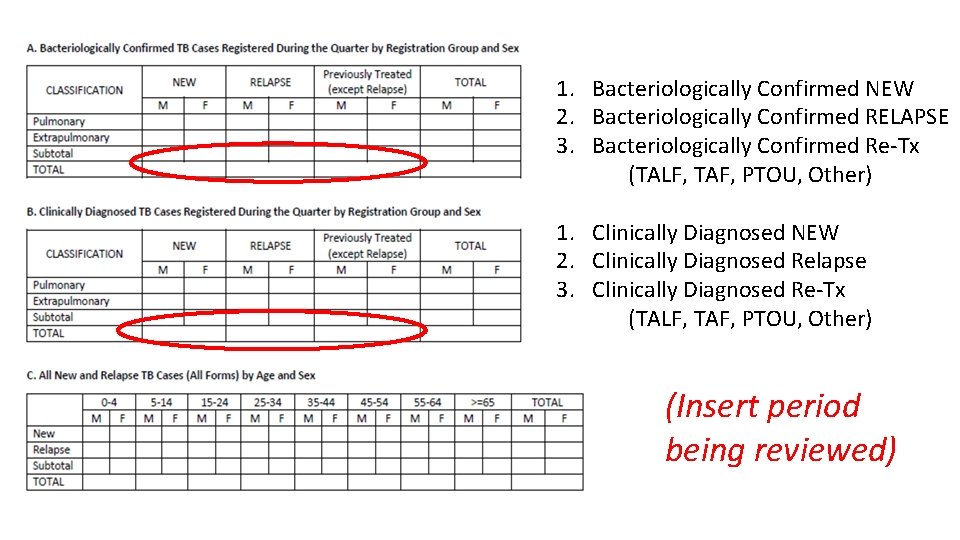
1. Bacteriologically Confirmed NEW 2. Bacteriologically Confirmed RELAPSE 3. Bacteriologically Confirmed Re-Tx (TALF, TAF, PTOU, Other) 1. Clinically Diagnosed NEW 2. Clinically Diagnosed Relapse 3. Clinically Diagnosed Re-Tx (TALF, TAF, PTOU, Other) (Insert period being reviewed)
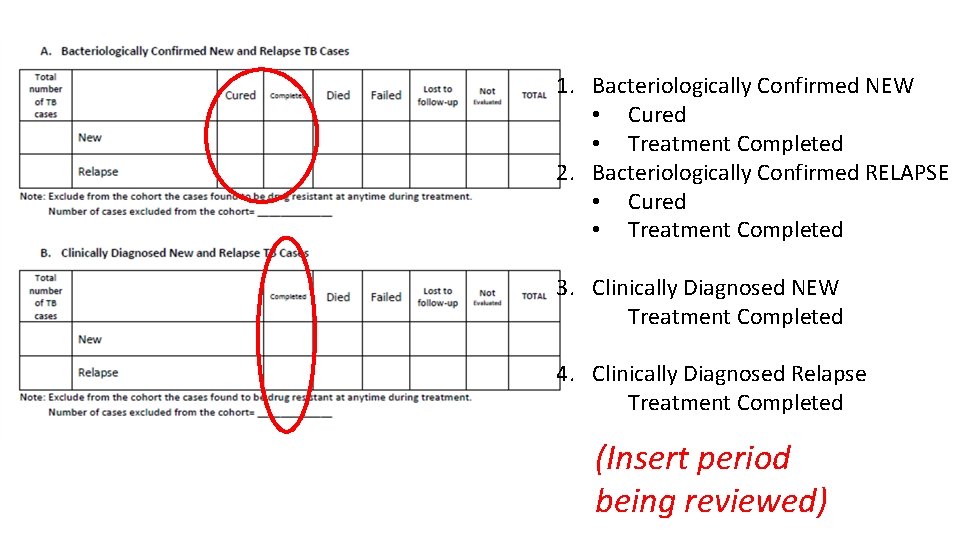
1. Bacteriologically Confirmed NEW • Cured • Treatment Completed 2. Bacteriologically Confirmed RELAPSE • Cured • Treatment Completed 3. Clinically Diagnosed NEW Treatment Completed 4. Clinically Diagnosed Relapse Treatment Completed (Insert period being reviewed)
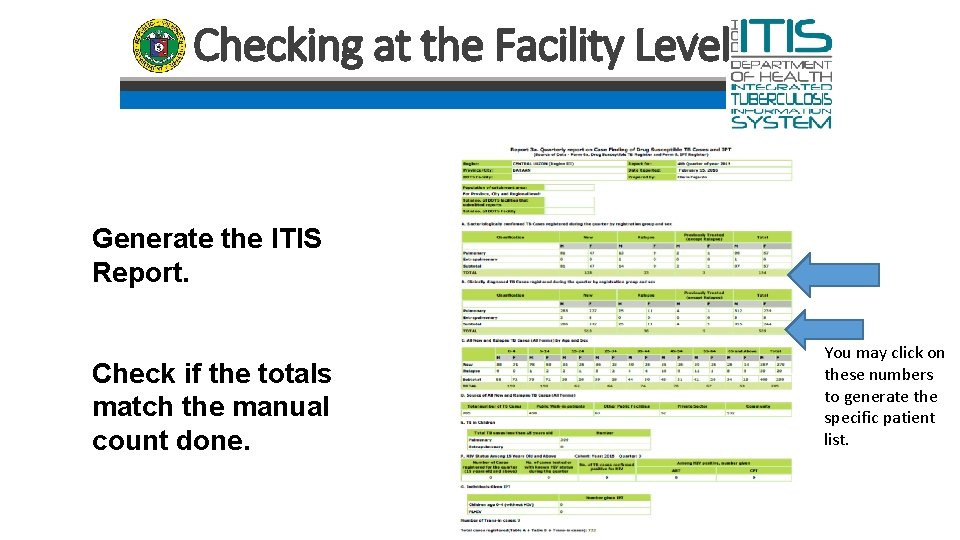
Checking at the Facility Level Generate the ITIS Report. Check if the totals match the manual count done. You may click on these numbers to generate the specific patient list.
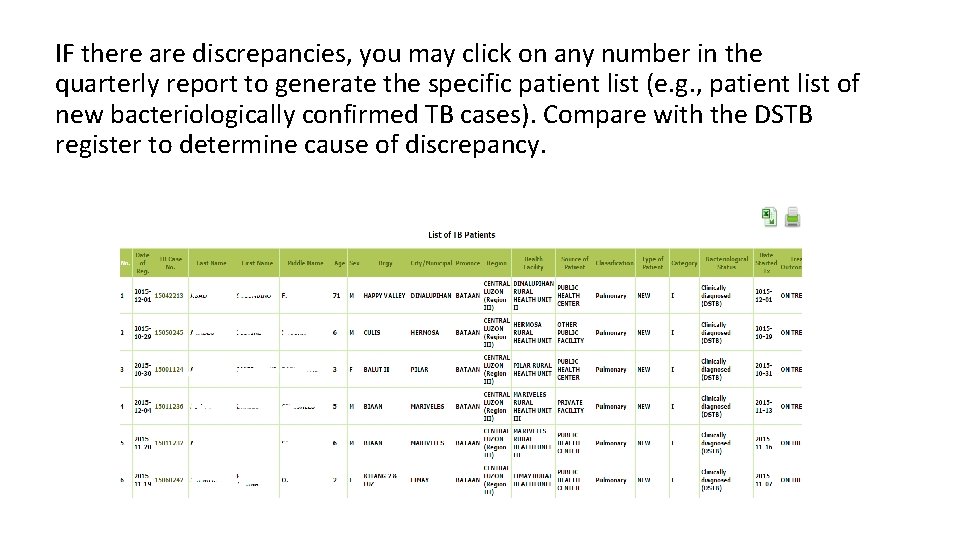
IF there are discrepancies, you may click on any number in the quarterly report to generate the specific patient list (e. g. , patient list of new bacteriologically confirmed TB cases). Compare with the DSTB register to determine cause of discrepancy.
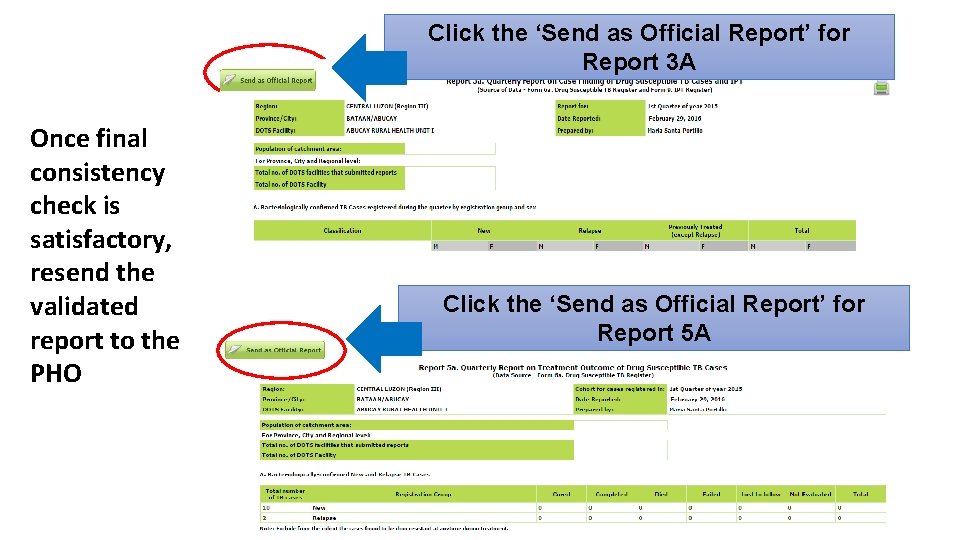
Click the ‘Send as Official Report’ for Report 3 A Once final consistency check is satisfactory, resend the validated report to the PHO Click the ‘Send as Official Report’ for Report 5 A
End of DQC for completeness, accuracy, and consistency
DQC Procedures TIMELINESS OF DATA
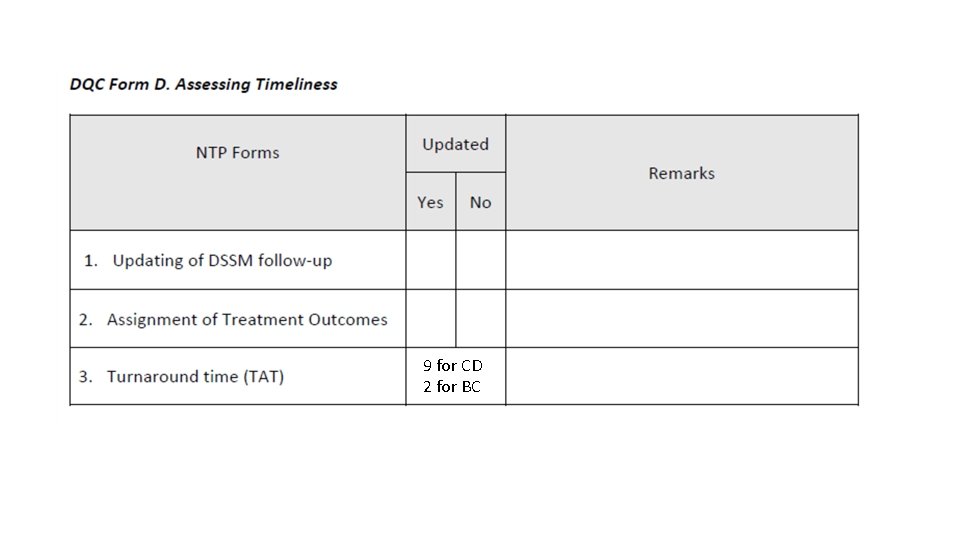
Procedures for Checking Timeliness • Patient list can be converted to an excel file • Participants may be taught how to use the excel spreadsheet (using the date started treatment as reference) to analyze data on the following: 1. Updating of sputum follow-up 2. Timely assignment of treatment outcomes 3. Turnaround time (at least the lag time between baseline sputum result and date start treatment)
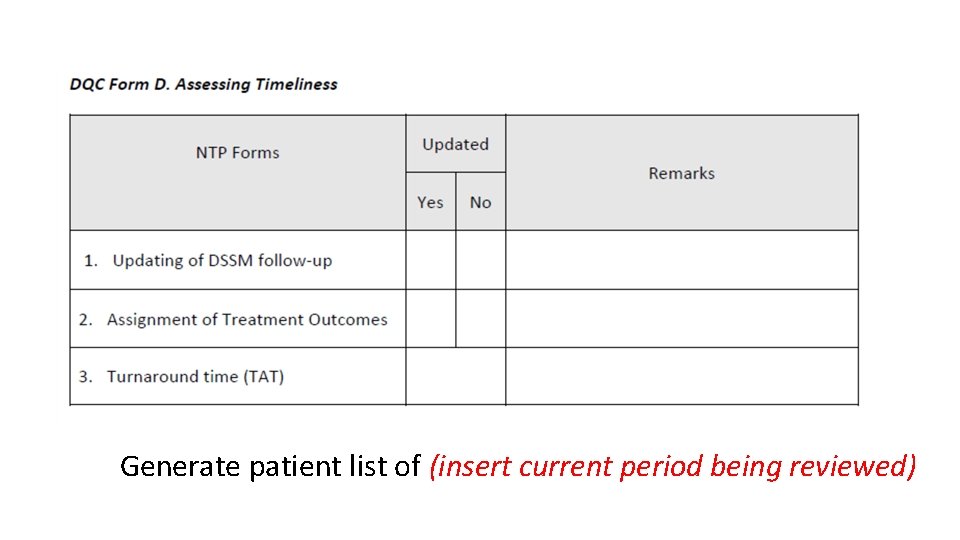
Generate patient list of (insert current period being reviewed)
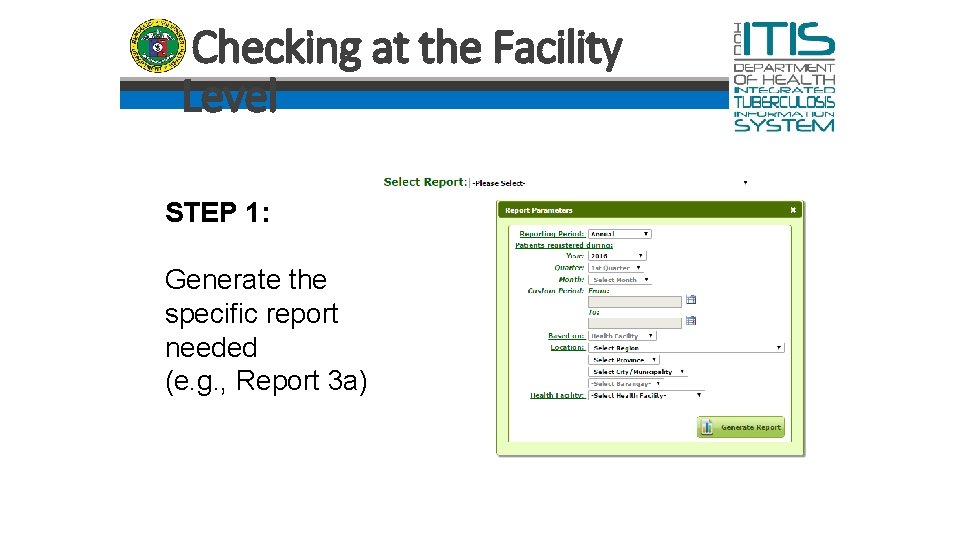
Checking at the Facility Level STEP 1: Generate the specific report needed (e. g. , Report 3 a)
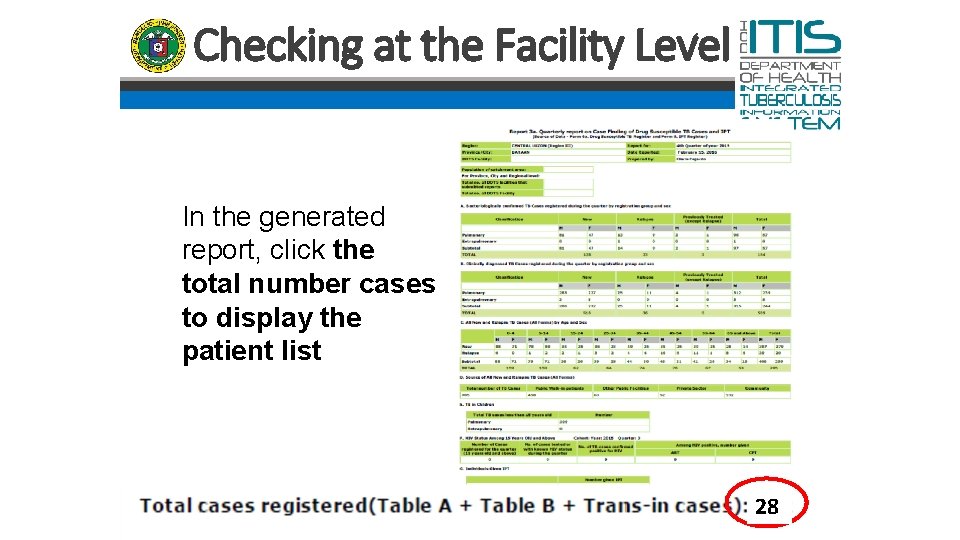
Checking at the Facility Level In the generated report, click the total number cases to display the patient list 28
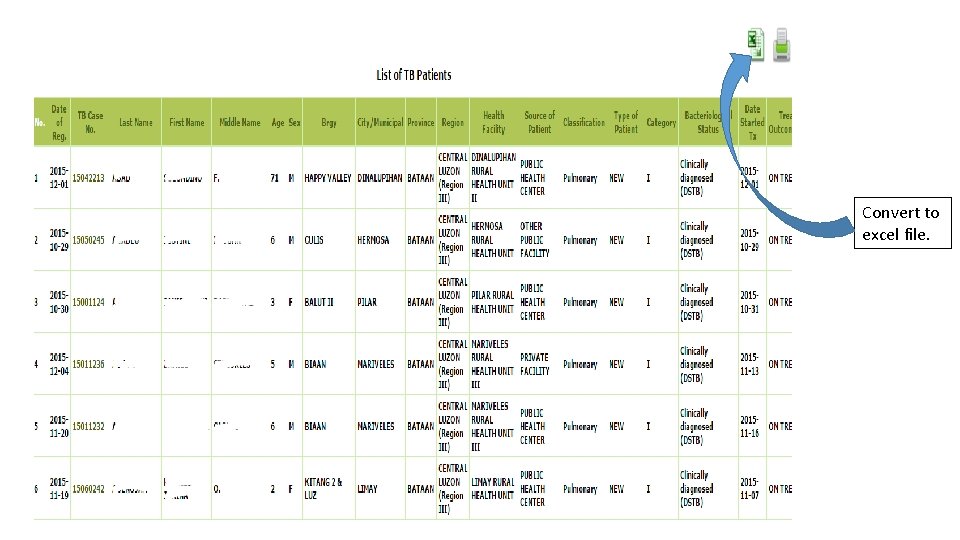
Convert to excel file.
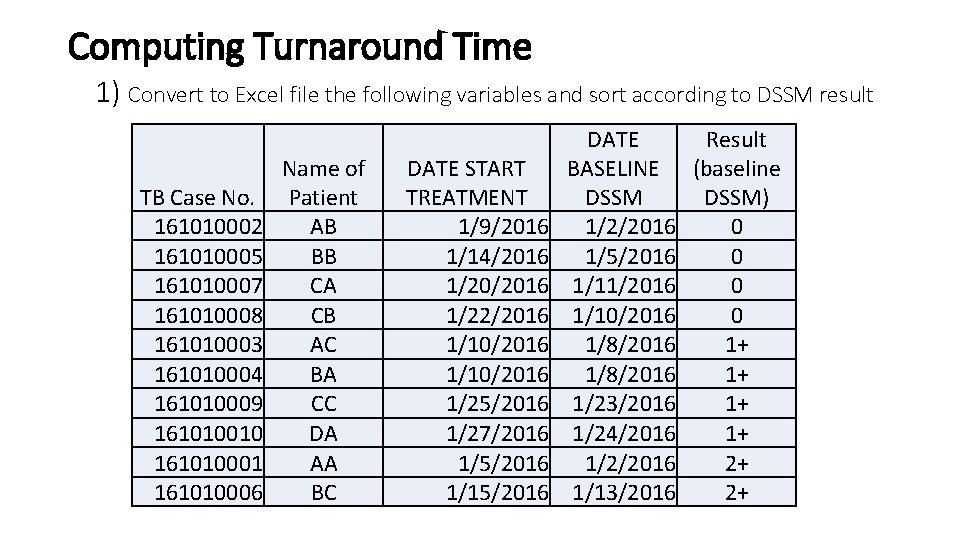
Computing Turnaround Time 1) Convert to Excel file the following variables and sort according to DSSM result TB Case No. 161010002 161010005 161010007 161010008 161010003 161010004 161010009 161010010 161010001 161010006 Name of Patient AB BB CA CB AC BA CC DA AA BC DATE START TREATMENT 1/9/2016 1/14/2016 1/20/2016 1/22/2016 1/10/2016 1/25/2016 1/27/2016 1/5/2016 1/15/2016 DATE Result BASELINE (baseline DSSM) 1/2/2016 0 1/5/2016 0 1/11/2016 0 1/10/2016 0 1/8/2016 1+ 1/23/2016 1+ 1/24/2016 1+ 1/2/2016 2+ 1/13/2016 2+
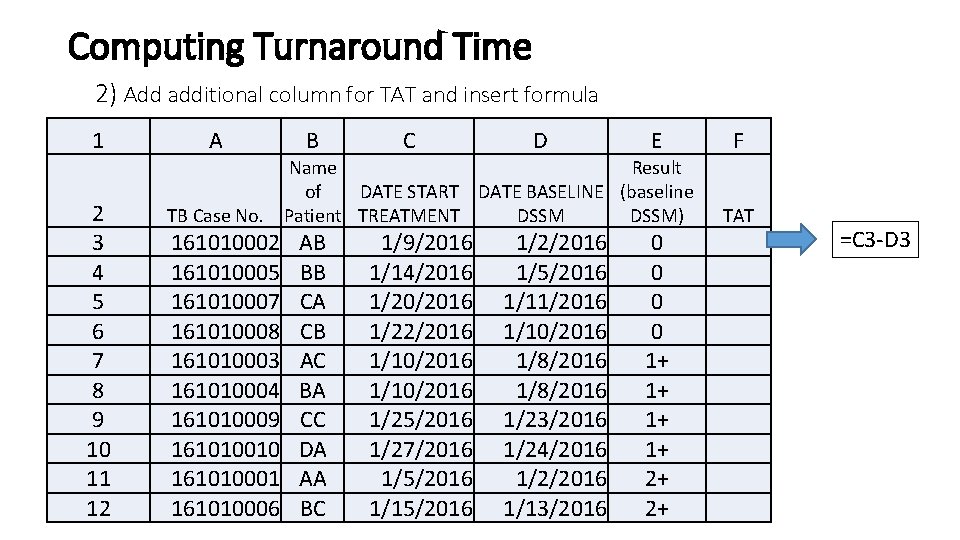
Computing Turnaround Time 2) Add additional column for TAT and insert formula 1 2 3 4 5 6 7 8 9 10 11 12 A TB Case No. 161010002 161010005 161010007 161010008 161010003 161010004 161010009 161010010 161010001 161010006 B C D E Name Result of DATE START DATE BASELINE (baseline Patient TREATMENT DSSM) AB BB CA CB AC BA CC DA AA BC 1/9/2016 1/14/2016 1/20/2016 1/22/2016 1/10/2016 1/25/2016 1/27/2016 1/5/2016 1/15/2016 1/2/2016 1/5/2016 1/11/2016 1/10/2016 1/8/2016 1/23/2016 1/24/2016 1/2/2016 1/13/2016 0 0 1+ 1+ 2+ 2+ F TAT =C 3 -D 3
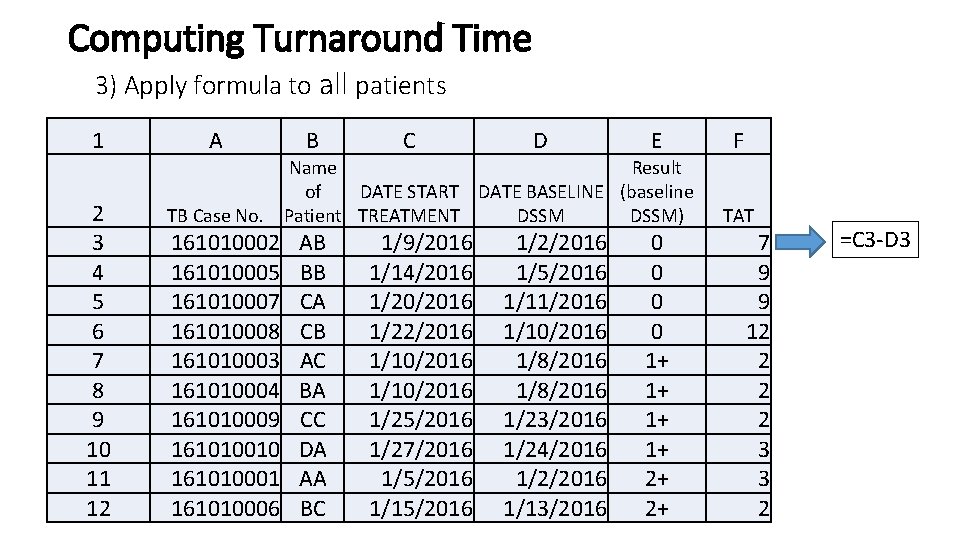
Computing Turnaround Time 3) Apply formula to all patients 1 2 3 4 5 6 7 8 9 10 11 12 A TB Case No. 161010002 161010005 161010007 161010008 161010003 161010004 161010009 161010010 161010001 161010006 B C D E Name Result of DATE START DATE BASELINE (baseline Patient TREATMENT DSSM) AB BB CA CB AC BA CC DA AA BC 1/9/2016 1/14/2016 1/20/2016 1/22/2016 1/10/2016 1/25/2016 1/27/2016 1/5/2016 1/15/2016 1/2/2016 1/5/2016 1/11/2016 1/10/2016 1/8/2016 1/23/2016 1/24/2016 1/2/2016 1/13/2016 0 0 1+ 1+ 2+ 2+ F TAT 7 9 9 12 2 3 3 2 =C 3 -D 3
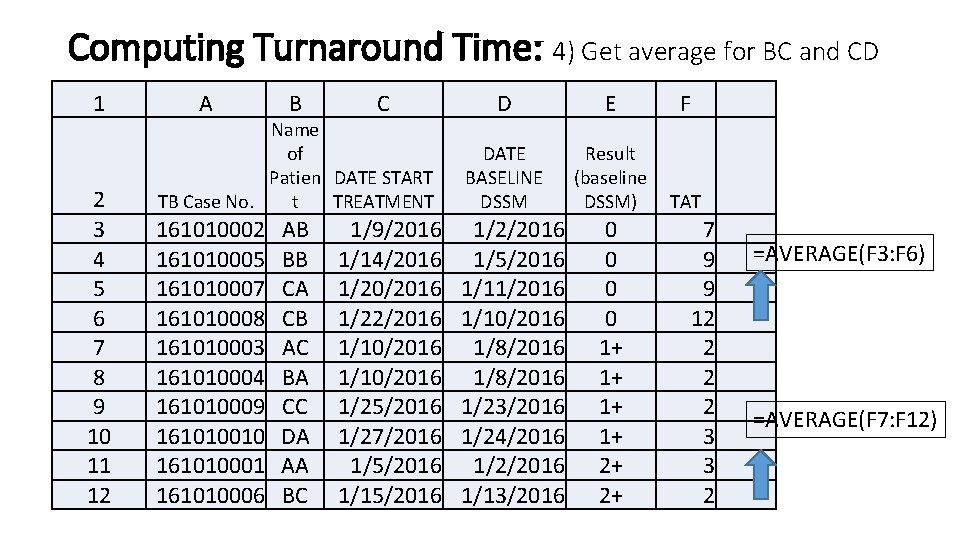
Computing Turnaround Time: 4) Get average for BC and CD 1 2 3 4 5 6 7 8 9 10 11 12 A B D E F Name of Patien DATE START TB Case No. t TREATMENT DATE BASELINE DSSM Result (baseline DSSM) TAT 161010002 161010005 161010007 161010008 161010003 161010004 161010009 161010010 161010001 161010006 1/2/2016 1/5/2016 1/11/2016 1/10/2016 1/8/2016 1/23/2016 1/24/2016 1/2/2016 1/13/2016 AB BB CA CB AC BA CC DA AA BC C 1/9/2016 1/14/2016 1/20/2016 1/22/2016 1/10/2016 1/25/2016 1/27/2016 1/5/2016 1/15/2016 0 0 1+ 1+ 2+ 2+ 7 9 9 12 2 3 3 2 =AVERAGE(F 3: F 6) =AVERAGE(F 7: F 12)
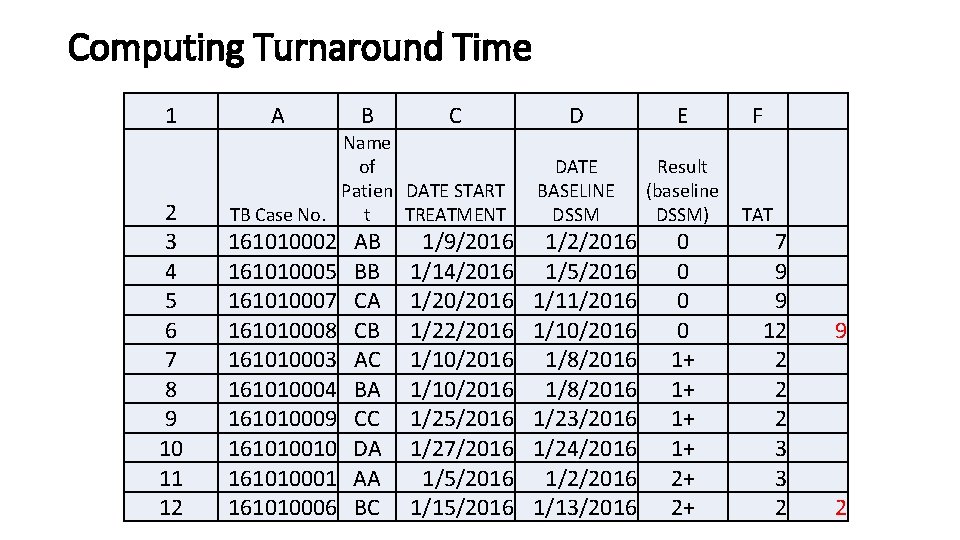
Computing Turnaround Time 1 2 3 4 5 6 7 8 9 10 11 12 A B D E F Name of Patien DATE START TB Case No. t TREATMENT DATE BASELINE DSSM Result (baseline DSSM) TAT 161010002 161010005 161010007 161010008 161010003 161010004 161010009 161010010 161010001 161010006 1/2/2016 1/5/2016 1/11/2016 1/10/2016 1/8/2016 1/23/2016 1/24/2016 1/2/2016 1/13/2016 AB BB CA CB AC BA CC DA AA BC C 1/9/2016 1/14/2016 1/20/2016 1/22/2016 1/10/2016 1/25/2016 1/27/2016 1/5/2016 1/15/2016 0 0 1+ 1+ 2+ 2+ 7 9 9 12 2 3 3 2 9 2
9 for CD 2 for BC
End of Day 1 Please make sure to submit your latest ITIS data to the PHO
Day 2: Summarizing DQC Findings and Computing NTP Indicators
Summarize DQC Findings (From the DQC Forms)
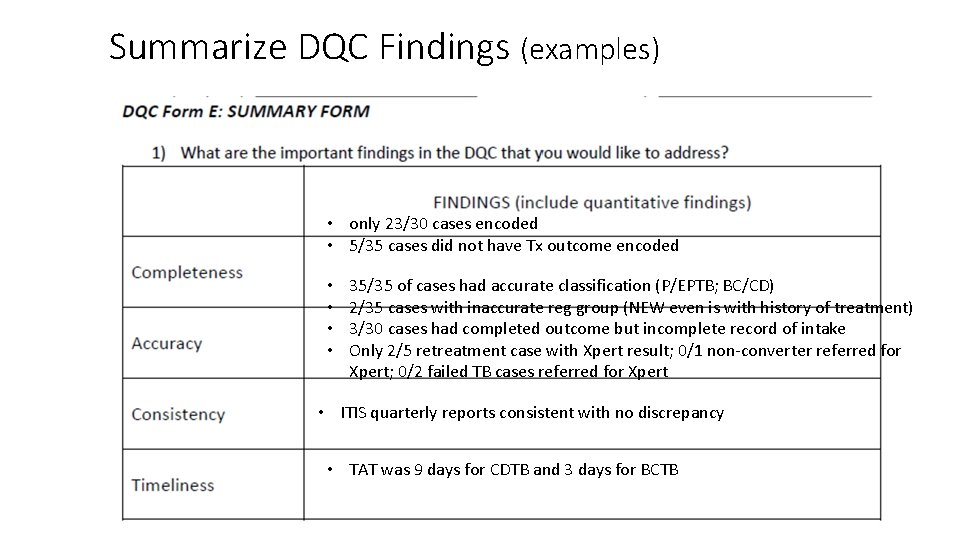
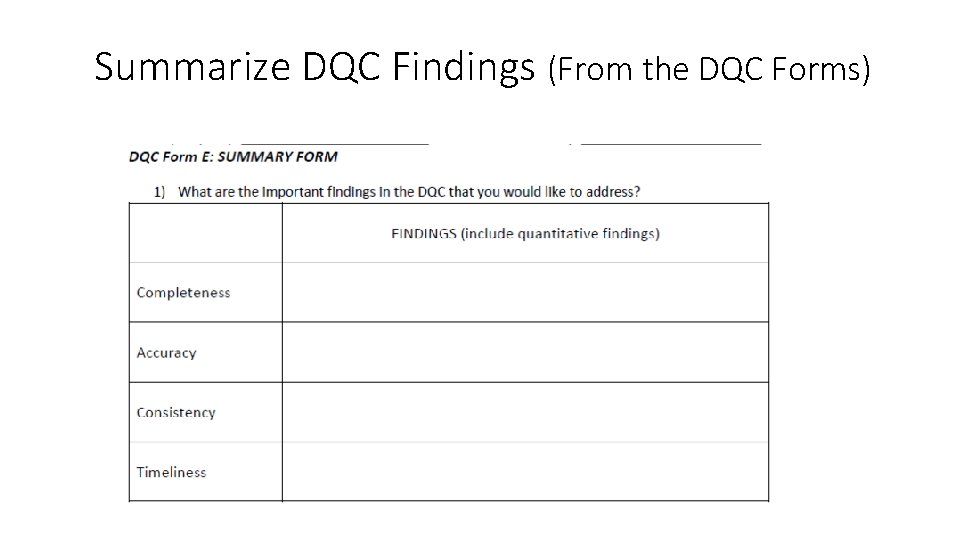
Summarize DQC Findings (examples) • only 23/30 cases encoded • 5/35 cases did not have Tx outcome encoded • • 35/35 of cases had accurate classification (P/EPTB; BC/CD) 2/35 cases with inaccurate reg group (NEW even is with history of treatment) 3/30 cases had completed outcome but incomplete record of intake Only 2/5 retreatment case with Xpert result; 0/1 non-converter referred for Xpert; 0/2 failed TB cases referred for Xpert • ITIS quarterly reports consistent with no discrepancy • TAT was 9 days for CDTB and 3 days for BCTB
Discussion of TB GIS
Objective 3: Assist LGUs in using ITIS-generated information for program decisions and planning • Computation of routine NTP program indicators for each LGU • Indicators are automatically computed through TB GIS dashboard • Orientation on use of dashboard can be included in initial workshop • Analysis of NTP indicators and review of plans according to current accomplishments
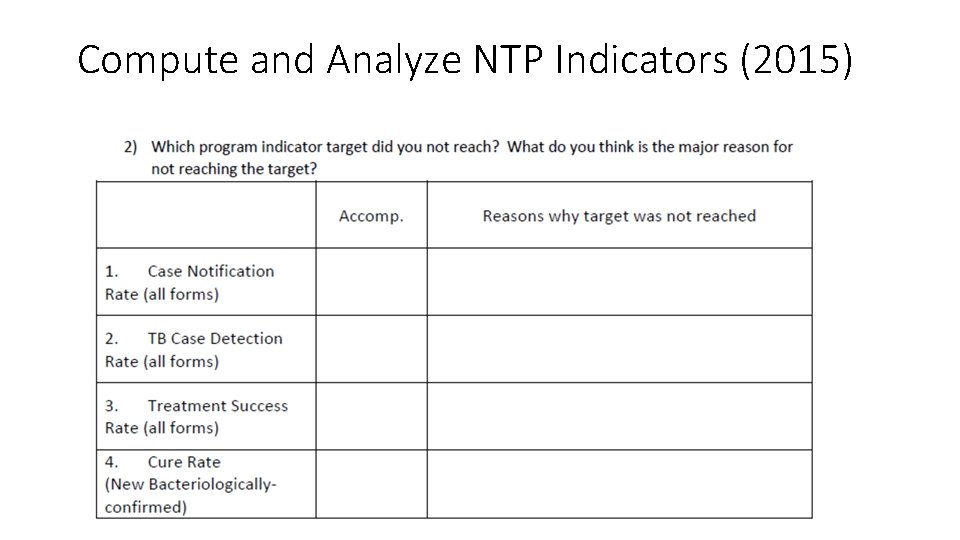
Compute and Analyze NTP Indicators (2015)
Plenary Discussion DQC Findings and NTP Indicators

Discussion with PHO Generation of Provincewide ITIS Report
Consolidation of Reports at the PHO and CHO Levels • The PHO/CHO will consolidate the validated data from each individual LGU/DOTS facility • Routine indicators will also be monitored analyzed
- Slides: 85