
Data Mining Exploring Data What is data exploration
- Slides: 52
Data Mining: Exploring Data
What is data exploration? A preliminary exploration of the data to better understand its characteristics. • Key motivations of data exploration include • • Helping to select the right tool for preprocessing or analysis Making use of humans’ abilities to recognize patterns • People can recognize patterns not captured by data analysis tools • Related to the area of Exploratory Data Analysis (EDA) • • • Created by statistician John Tukey Seminal book is Exploratory Data Analysis by Tukey A nice online introduction can be found in Chapter 1 of the NIST Engineering Statistics Handbook http: //www. itl. nist. gov/div 898/handbook/index. htm
Techniques Used In Data Exploration • In EDA, as originally defined by Tukey • • The focus was on visualization • In data mining, clustering and anomaly detection are major areas of interest, and not thought of as just exploratory Clustering and anomaly detection were viewed as exploratory techniques • In our discussion of data exploration, we focus on • • • Summary statistics Visualization Online Analytical Processing (OLAP)
Summary Statistics • Summary statistics are numbers that summarize properties of the data • Summarized properties include frequency, location and spread • Examples: location - mean spread - standard deviation • Most summary statistics can be calculated in a single pass through the data
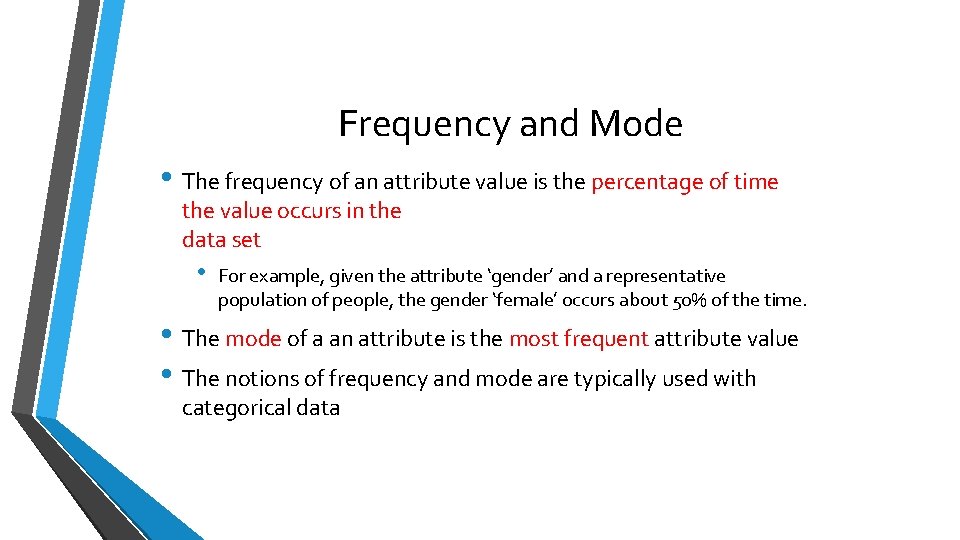
Frequency and Mode • The frequency of an attribute value is the percentage of time the value occurs in the data set • For example, given the attribute ‘gender’ and a representative population of people, the gender ‘female’ occurs about 50% of the time. • The mode of a an attribute is the most frequent attribute value • The notions of frequency and mode are typically used with categorical data
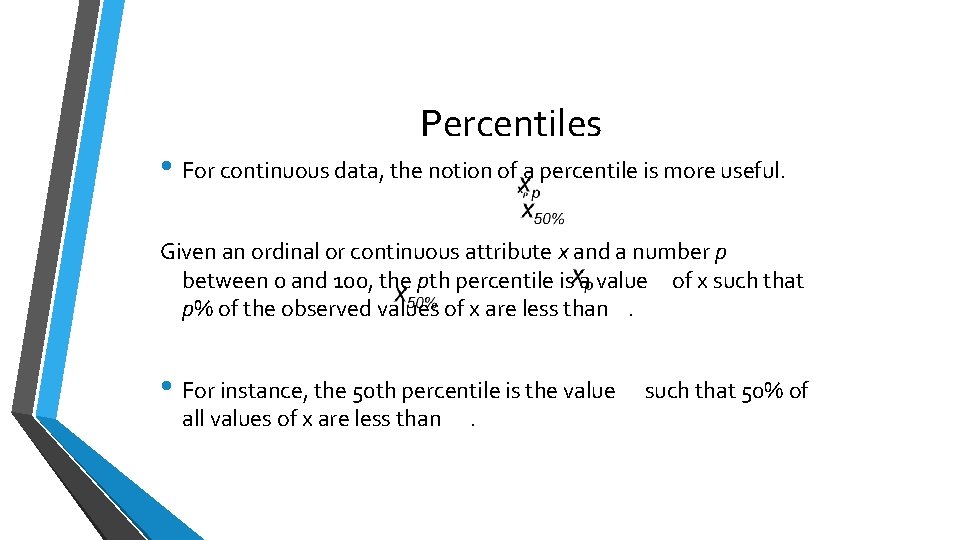
Percentiles • For continuous data, the notion of a percentile is more useful. Given an ordinal or continuous attribute x and a number p between 0 and 100, the pth percentile is a value of x such that p% of the observed values of x are less than. • For instance, the 50 th percentile is the value all values of x are less than . such that 50% of
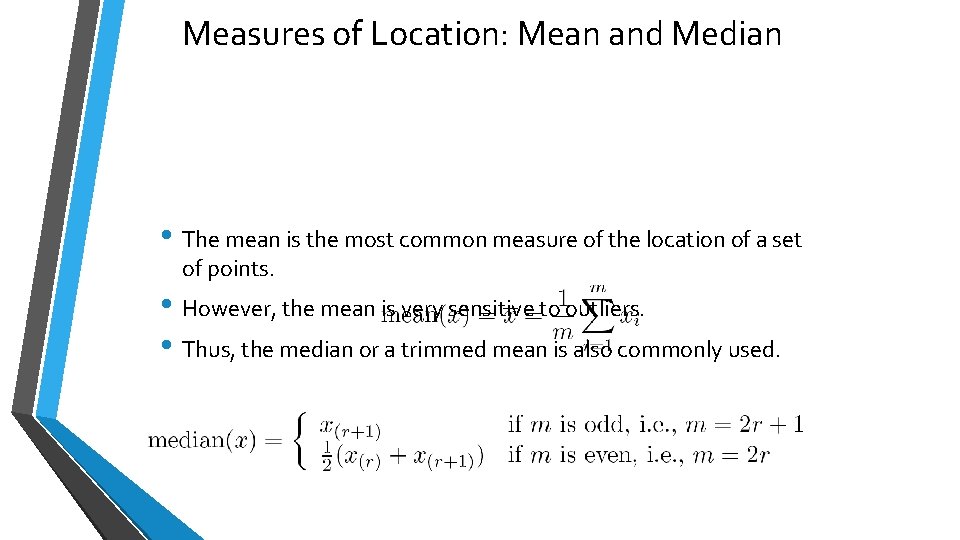
Measures of Location: Mean and Median • The mean is the most common measure of the location of a set of points. • However, the mean is very sensitive to outliers. • Thus, the median or a trimmed mean is also commonly used.
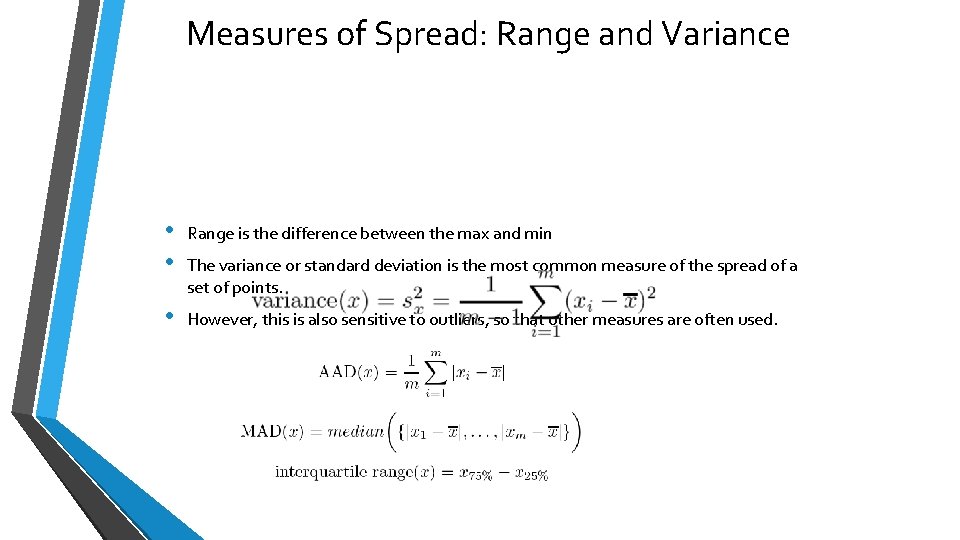
Measures of Spread: Range and Variance • • Range is the difference between the max and min • However, this is also sensitive to outliers, so that other measures are often used. The variance or standard deviation is the most common measure of the spread of a set of points.
Visualization is the conversion of data into a visual or tabular format so that the characteristics of the data and the relationships among data items or attributes can be analyzed or reported. • Visualization of data is one of the most powerful and appealing techniques for data exploration. • Humans have a well developed ability to analyze large amounts of information that is presented visually • • Can detect general patterns and trends Can detect outliers and unusual patterns
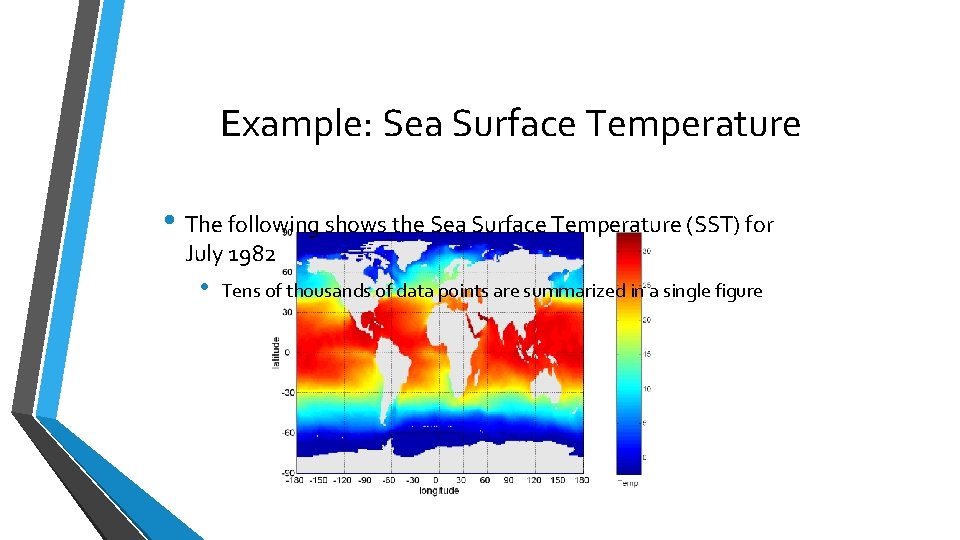
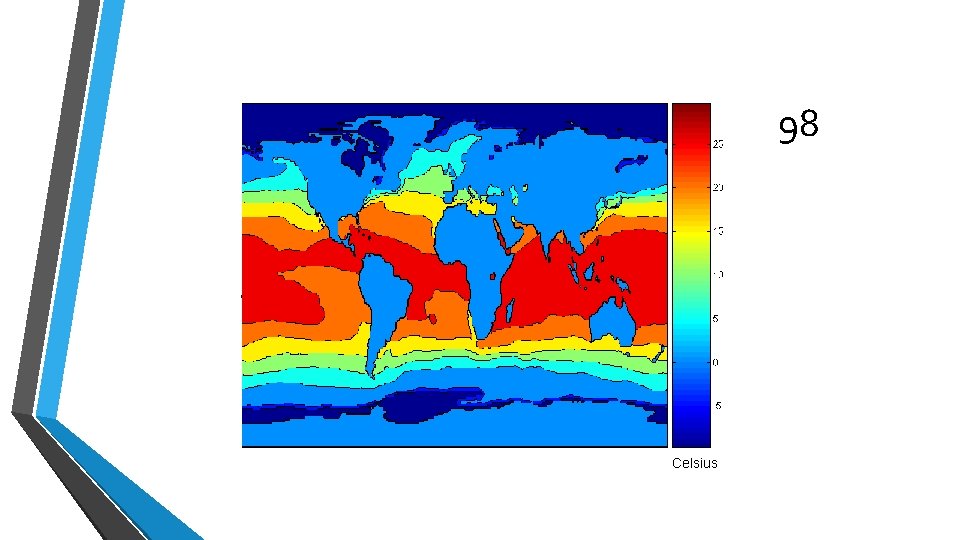
Example: Sea Surface Temperature • The following shows the Sea Surface Temperature (SST) for July 1982 • Tens of thousands of data points are summarized in a single figure
Representation • Is the mapping of information to a visual format • Data objects, their attributes, and the relationships among data objects are translated into graphical elements such as points, lines, shapes, and colors. • Example: • • Objects are often represented as points • If position is used, then the relationships of points, i. e. , whether they form groups or a point is an outlier, is easily perceived. Their attribute values can be represented as the position of the points or the characteristics of the points, e. g. , color, size, and shape
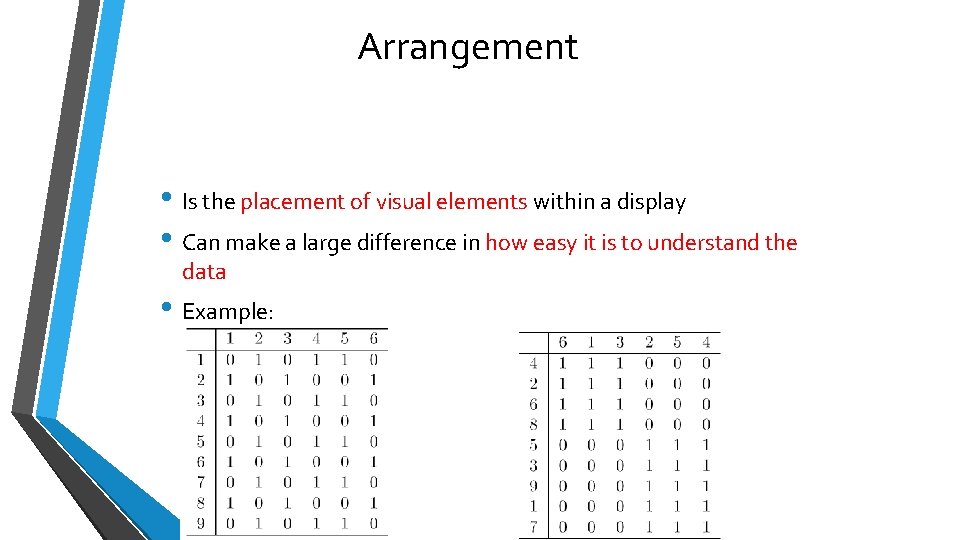
Arrangement • Is the placement of visual elements within a display • Can make a large difference in how easy it is to understand the data • Example:
Selection • Is the elimination or the de-emphasis of certain objects and attributes • Selection may involve the choosing a subset of attributes • Dimensionality reduction is often used to reduce the number of dimensions to two or three • Alternatively, pairs of attributes can be considered • Selection may also involve choosing a subset of objects • • A region of the screen can only show so many points Can sample, but want to preserve points in sparse areas
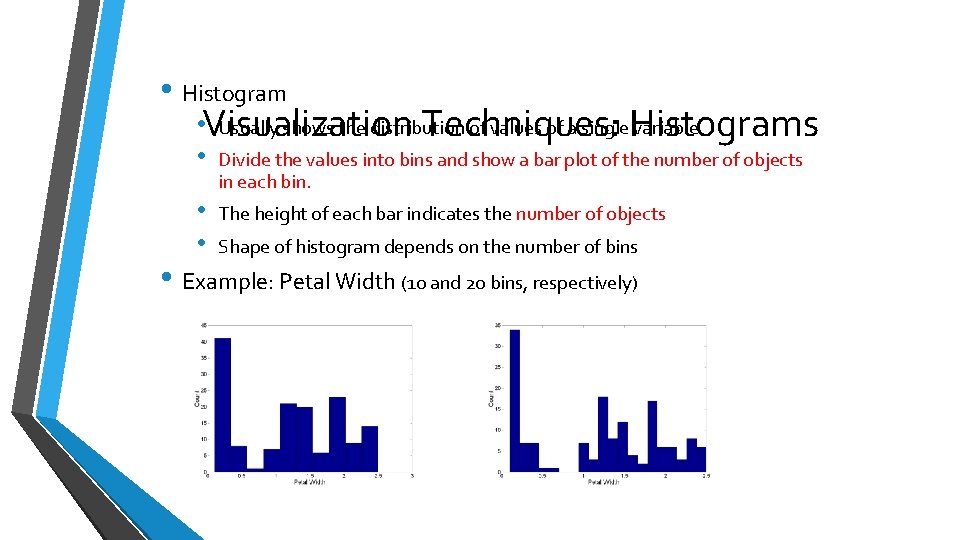
• Histogram • Visualization Usually shows the distribution of values of a single. Histograms variable Techniques: • Divide the values into bins and show a bar plot of the number of objects in each bin. • • The height of each bar indicates the number of objects Shape of histogram depends on the number of bins • Example: Petal Width (10 and 20 bins, respectively)
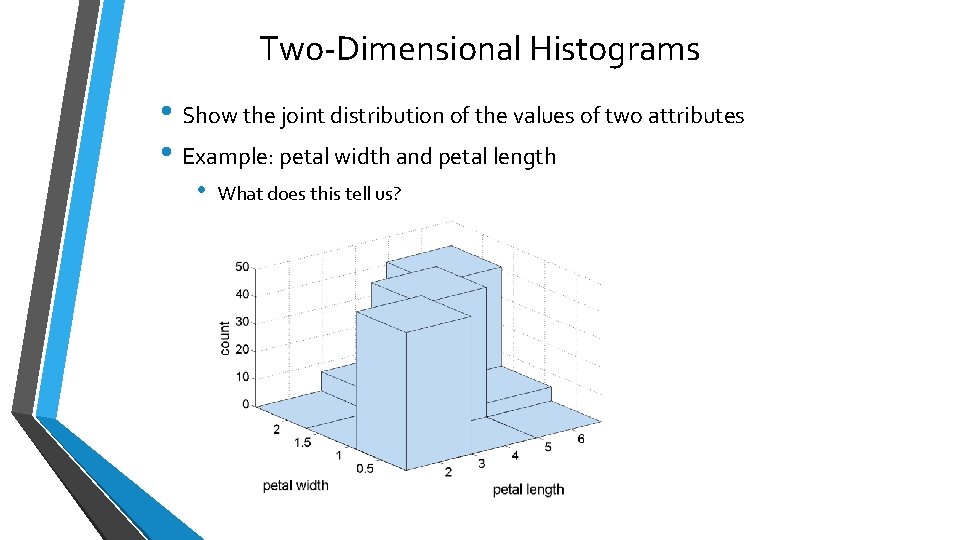
Two-Dimensional Histograms • Show the joint distribution of the values of two attributes • Example: petal width and petal length • What does this tell us?
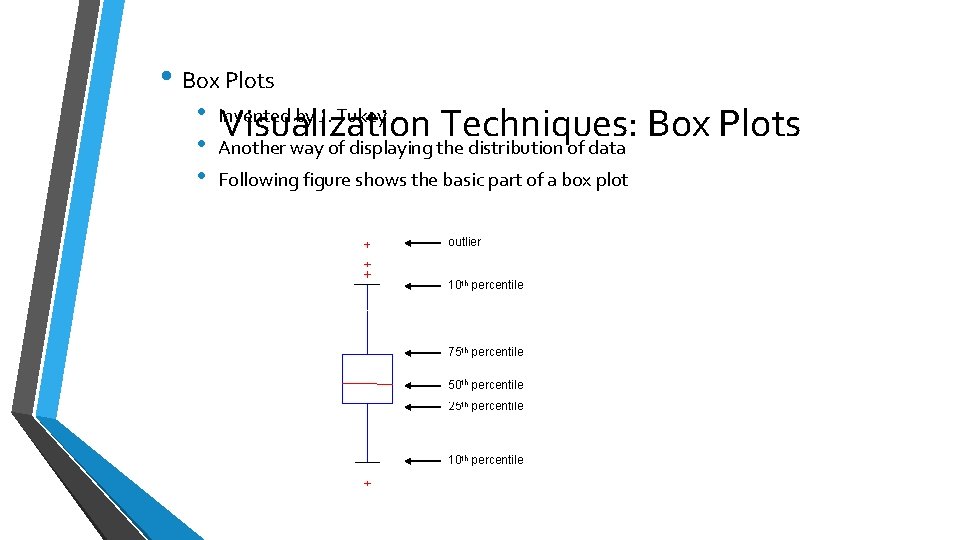
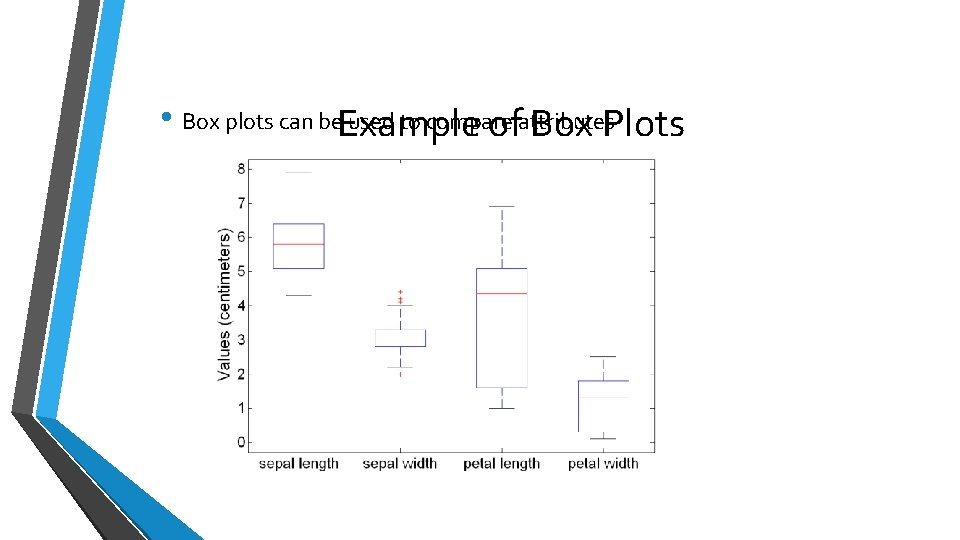
• Box Plots • • • Visualization Techniques: Box Plots Another way of displaying the distribution of data Invented by J. Tukey Following figure shows the basic part of a box plot outlier 10 th percentile 75 th percentile 50 th percentile 25 th percentile 10 th percentile
• Box plots can be. Example used to compare ofattributes Box Plots
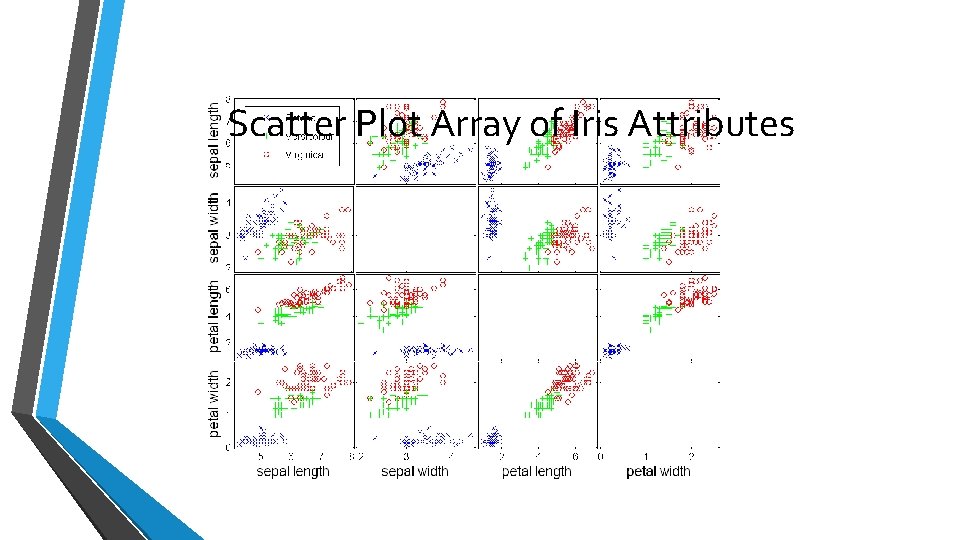
Visualization Techniques: Scatter Plots • Scatter plots • • Attributes values determine the position • Often additional attributes can be displayed by using the size, shape, and color of the markers that represent the objects • It is useful to have arrays of scatter plots can compactly summarize the relationships of several pairs of attributes Two-dimensional scatter plots most common, but can have threedimensional scatter plots • See example on the next slide
Scatter Plot Array of Iris Attributes
Visualization Techniques: Contour Plots • Contour plots • • • Useful when a continuous attribute is measured on a spatial grid • • The most common example is contour maps of elevation They partition the plane into regions of similar values The contour lines that form the boundaries of these regions connect points with equal values Can also display temperature, rainfall, air pressure, etc. • An example for Sea Surface Temperature (SST) is provided on the next slide
Contour Plot Example: SST Dec, 1998 Celsius
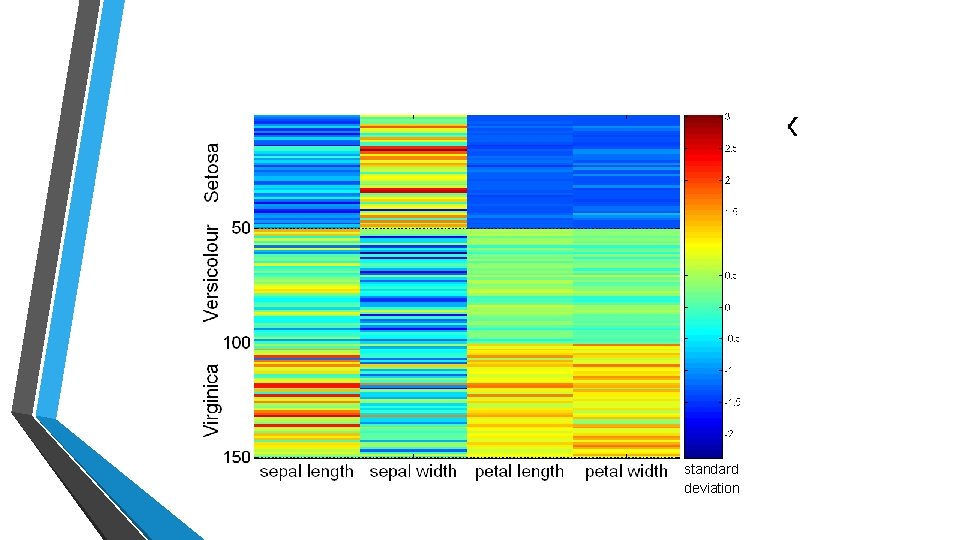
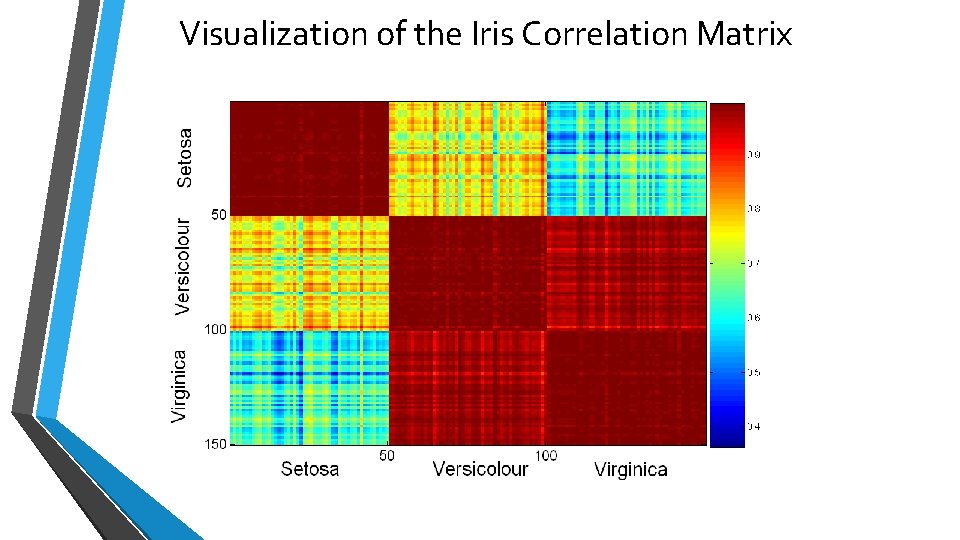
Visualization Techniques: Matrix Plots • Matrix plots • • • Can plot the data matrix • Plots of similarity or distance matrices can also be useful for visualizing the relationships between objects • Examples of matrix plots are presented on the next two slides This can be useful when objects are sorted according to class Typically, the attributes are normalized to prevent one attribute from dominating the plot
Visualization of the Iris Data Matrix standard deviation
Visualization of the Iris Correlation Matrix
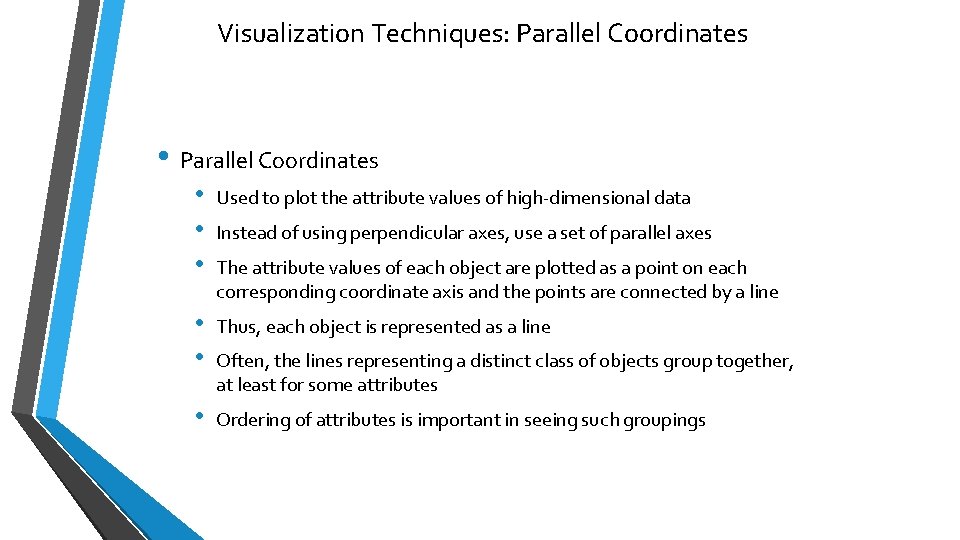
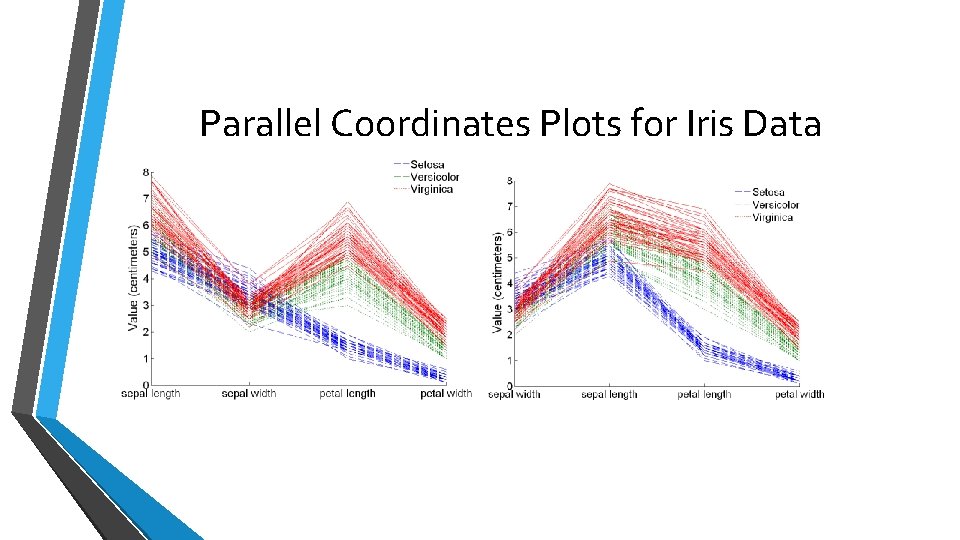
Visualization Techniques: Parallel Coordinates • Parallel Coordinates • • • Used to plot the attribute values of high-dimensional data • • Thus, each object is represented as a line • Ordering of attributes is important in seeing such groupings Instead of using perpendicular axes, use a set of parallel axes The attribute values of each object are plotted as a point on each corresponding coordinate axis and the points are connected by a line Often, the lines representing a distinct class of objects group together, at least for some attributes
Parallel Coordinates Plots for Iris Data
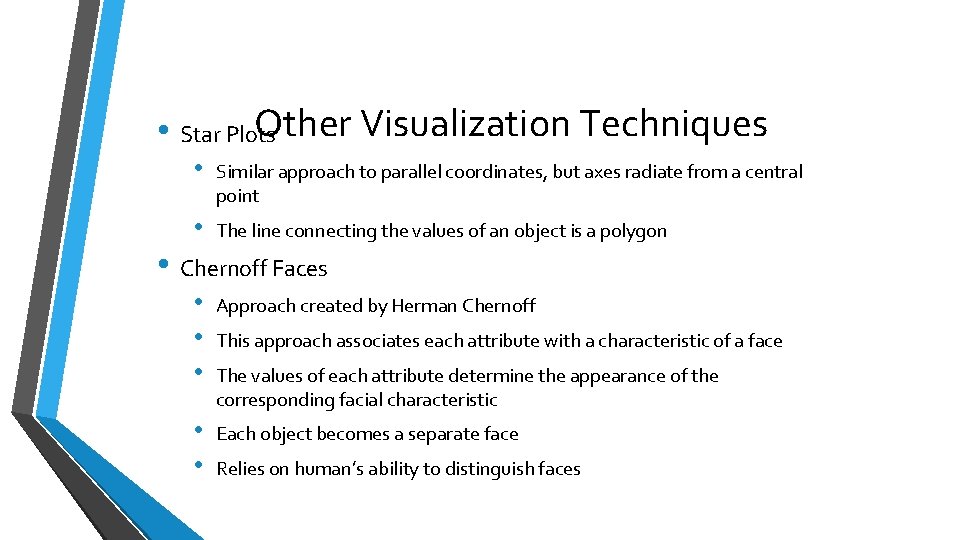
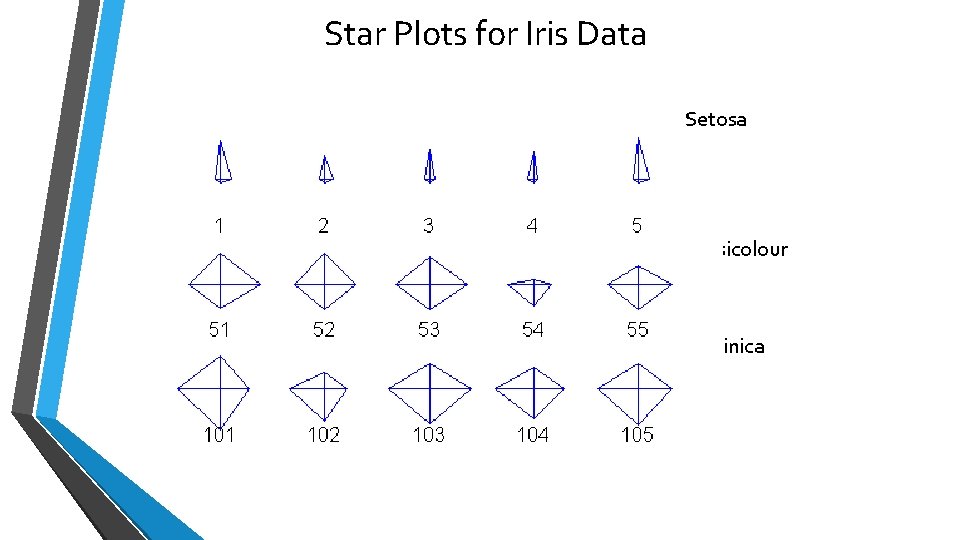
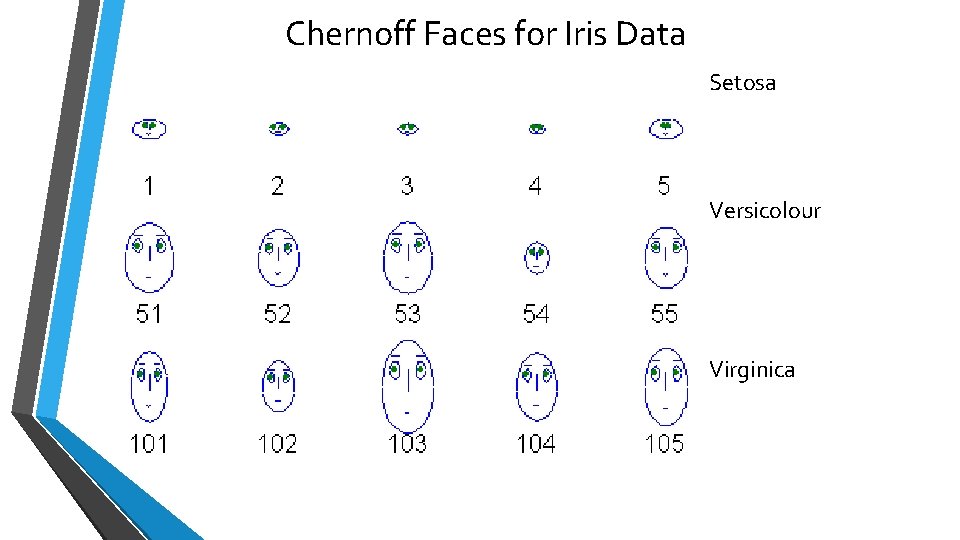
Other Visualization Techniques • Star Plots • Similar approach to parallel coordinates, but axes radiate from a central point • The line connecting the values of an object is a polygon • Chernoff Faces • • • Approach created by Herman Chernoff • • Each object becomes a separate face This approach associates each attribute with a characteristic of a face The values of each attribute determine the appearance of the corresponding facial characteristic Relies on human’s ability to distinguish faces
Star Plots for Iris Data Setosa Versicolour Virginica
Chernoff Faces for Iris Data Setosa Versicolour Virginica
OLAP • On-Line Analytical Processing (OLAP) was proposed by E. F. Codd, the father of the relational database. • Relational databases put data into tables, while OLAP uses a multidimensional array representation. • Such representations of data previously existed in statistics and other fields • There a number of data analysis and data exploration operations that are easier with such a data representation.
Creating a Multidimensional Array • Two key steps in converting tabular data into a multidimensional array. • First, identify which attributes are to be the dimensions and which attribute is to be the target attribute whose values appear as entries in the multidimensional array. • • The attributes used as dimensions must have discrete values The target value is typically a count or continuous value, e. g. , the cost of an item • Second, find the value of each entry in the multidimensional array by summing the values (of the target attribute) or count of all objects that have the attribute values corresponding to that entry.
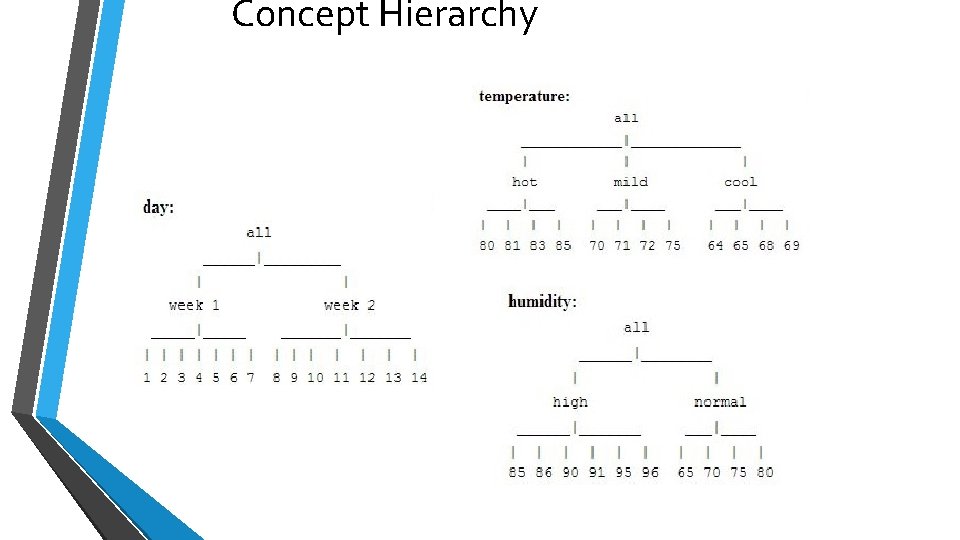
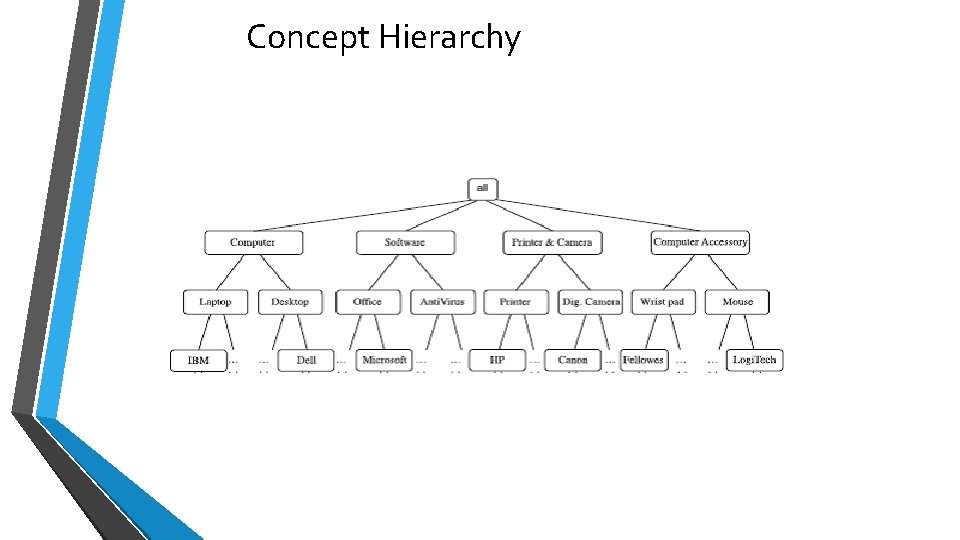
Concept Hierarchy • A concept hierarchy defines a sequence of mappings from a set of lowlevel concepts to higher level , more general concepts. • Data can be generalized by replacing low-level concepts within the data by their higher-level concepts, or ancestors, from a concept hierarchy
Concept Hierarchy
Concept Hierarchy
This concept hierarchy has 4 levels, respectively referred to as levels 0 to 3, starting with level 0 at the root node for all. Here, • Level 1 includes computer, software, printer &camera, and computer accessory. • Level 2 includes laptop computer, desktop computer, office software, antivirus software • Level 3 includes IBM desktop computer, . . . , Microsoft office software, and so on.
Data Cubes • A data cube helps us represent data in multiple dimensions. It is defined by dimensions and facts. • The dimensions are the entities with respect to which an enterprise preserves the records. • Suppose a company wants to keep track of sales records with the help of sales data warehouse with respect to time, item, branch, and location. • These dimensions allow to keep track of monthly sales and at which branch the items were sold. There is a table associated with each dimension. This table is known as dimension table. • For example, "item" dimension table may have attributes such as item_name, item_type, and item_brand.
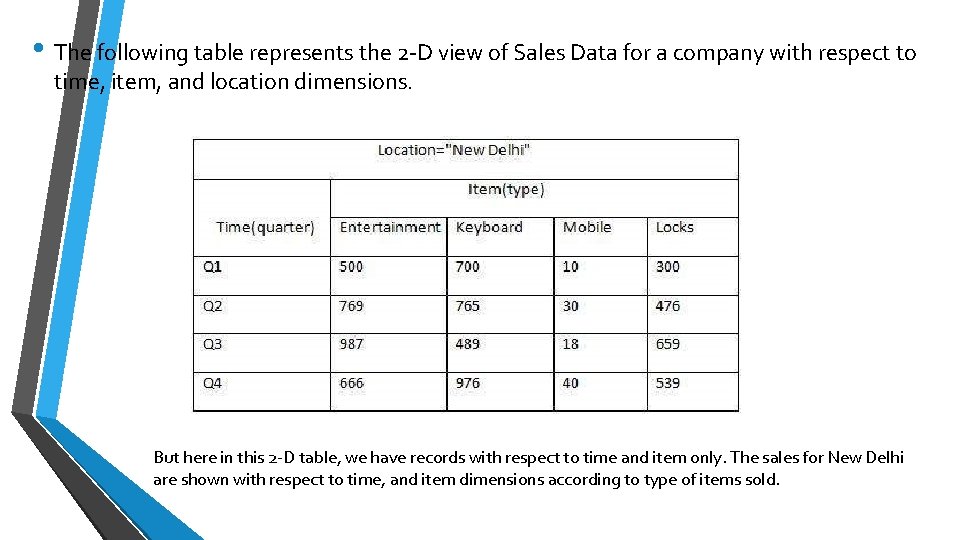
• The following table represents the 2 -D view of Sales Data for a company with respect to time, item, and location dimensions. But here in this 2 -D table, we have records with respect to time and item only. The sales for New Delhi are shown with respect to time, and item dimensions according to type of items sold.
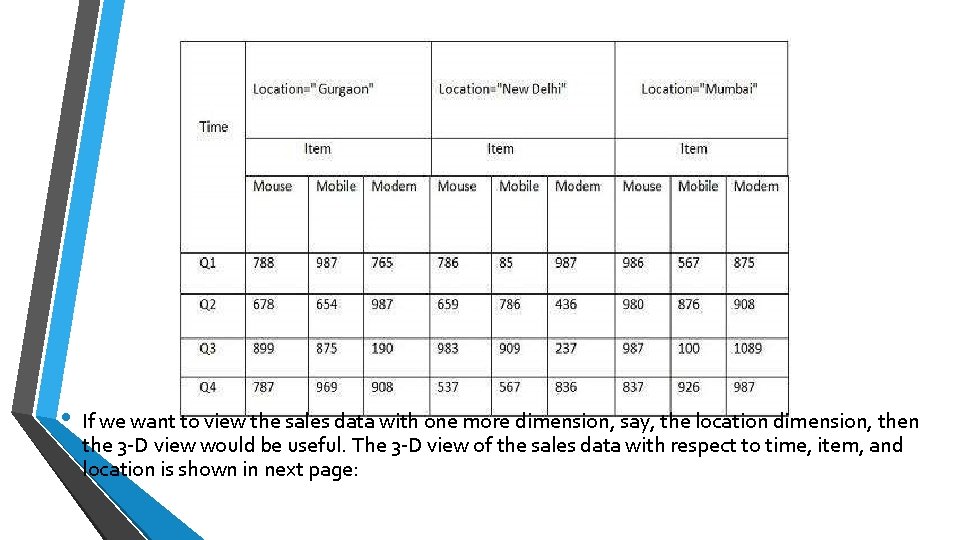
• If we want to view the sales data with one more dimension, say, the location dimension, then the 3 -D view would be useful. The 3 -D view of the sales data with respect to time, item, and location is shown in next page:
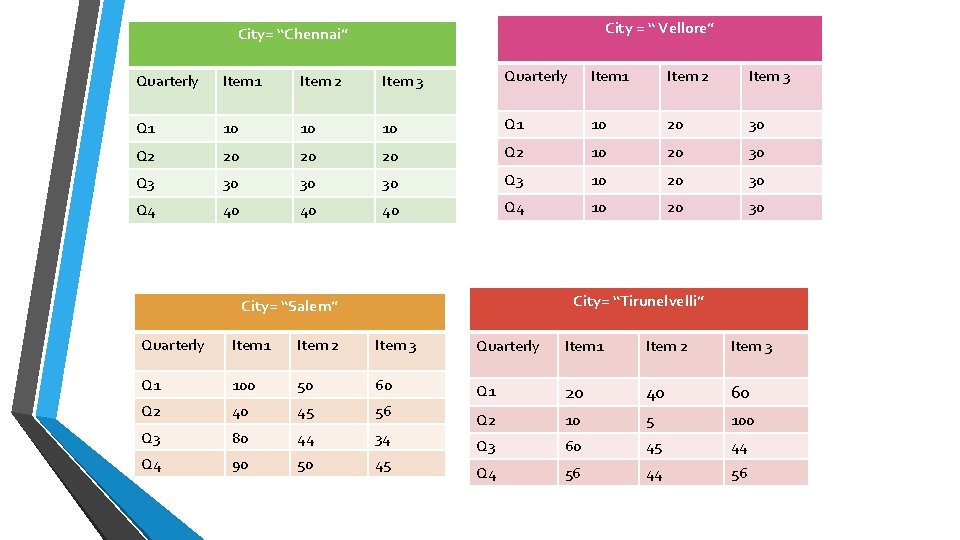
City = “ Vellore” City= “Chennai” Quarterly Item 1 Item 2 Item 3 Q 1 10 10 10 Q 1 10 20 30 Q 2 20 20 20 Q 2 10 20 30 Q 3 30 30 30 Q 3 10 20 30 Q 4 40 40 40 Q 4 10 20 30 City= “Tirunelvelli” City= “Salem” Quarterly Item 1 Item 2 Item 3 Q 1 100 50 60 Q 1 Q 2 40 45 56 20 40 60 Q 3 80 44 34 Q 2 10 5 100 Q 4 90 50 45 Q 3 60 45 44 Q 4 56 44 56
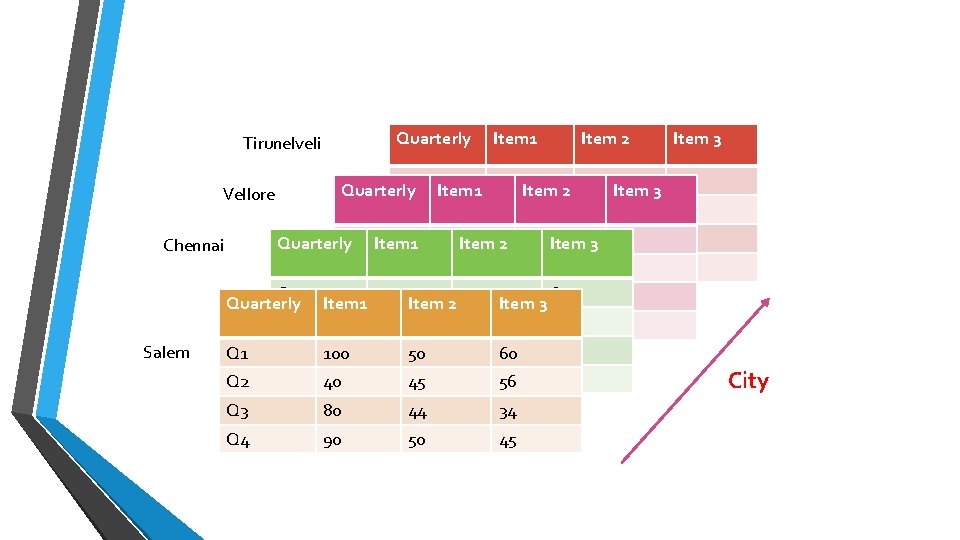
Quarterly Tirunelveli Vellore Chennai Salem Q 1 Quarterly Q 2 Q 1 Q 3 Quarterly Item 1 Q 2 Q 4 Q 3 100 Q 1 Q 4 40 Q 2 Item 1 Item 2 Item 1 100 Item 2 50 Item 3 60 40 45 56 Q 3 100 Item 80 Item 1 2 50 Item 44 3 Q 4 40 90 45 50 100 50 443 60 Item 802 Item 40 90 45 50 56 80 50 44 60 34 90 45 Item 3 50 56 Q 3 80 44 34 Q 4 90 50 45 45 60 34 56 45 34 45 City
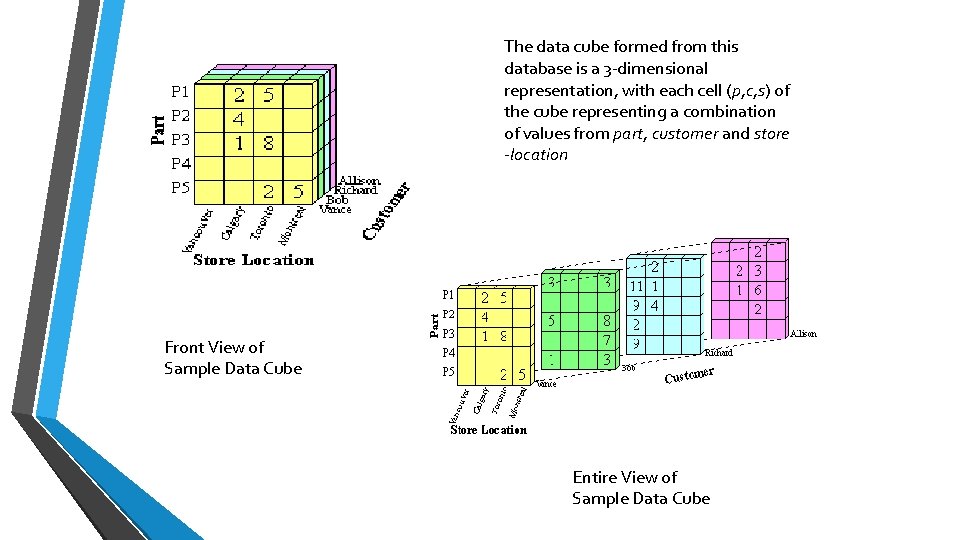
The data cube formed from this database is a 3 -dimensional representation, with each cell (p, c, s) of the cube representing a combination of values from part, customer and store -location Front View of Sample Data Cube Entire View of Sample Data Cube
OLAP Operations • • Roll-up Drill-down Slice and dice Pivot (rotate)
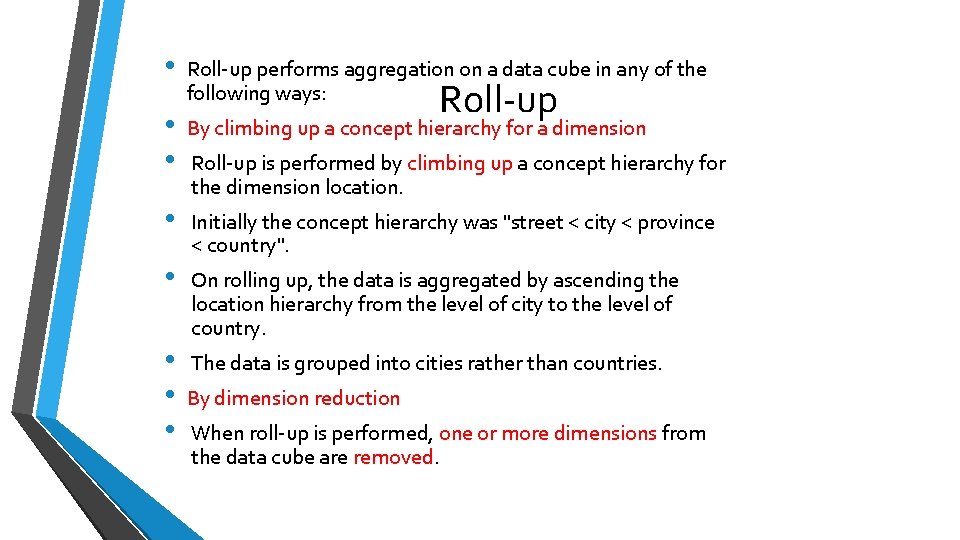
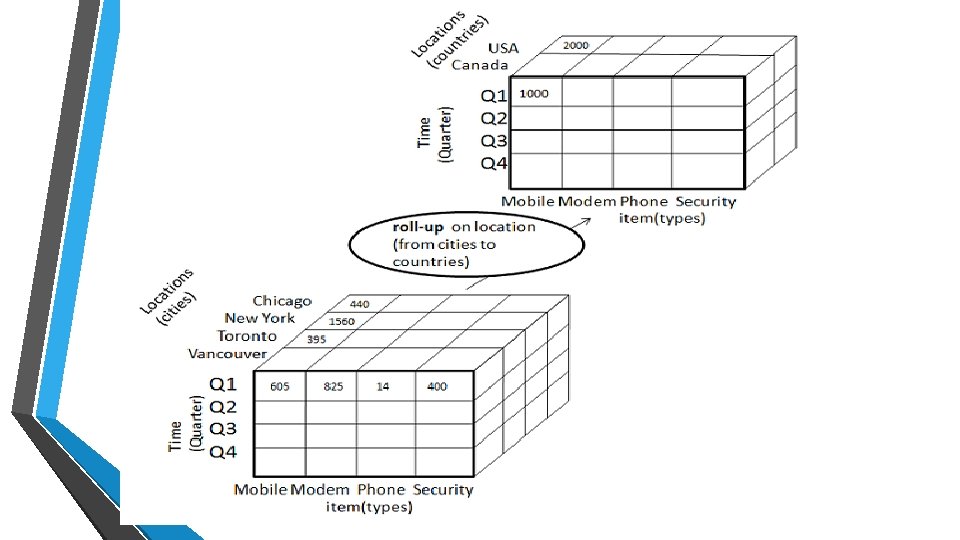
• • Roll-up performs aggregation on a data cube in any of the following ways: Roll-up By climbing up a concept hierarchy for a dimension Roll-up is performed by climbing up a concept hierarchy for the dimension location. Initially the concept hierarchy was "street < city < province < country". On rolling up, the data is aggregated by ascending the location hierarchy from the level of city to the level of country. The data is grouped into cities rather than countries. By dimension reduction When roll-up is performed, one or more dimensions from the data cube are removed.
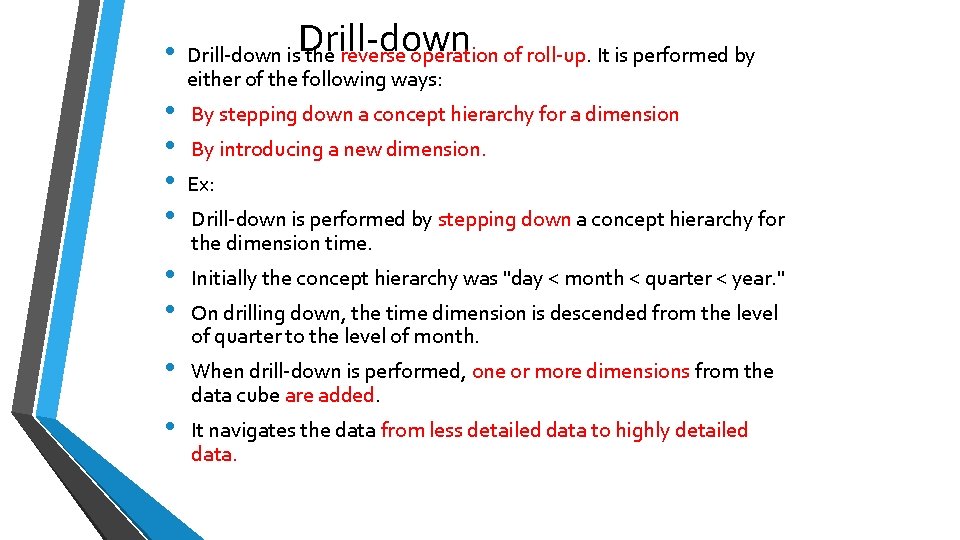
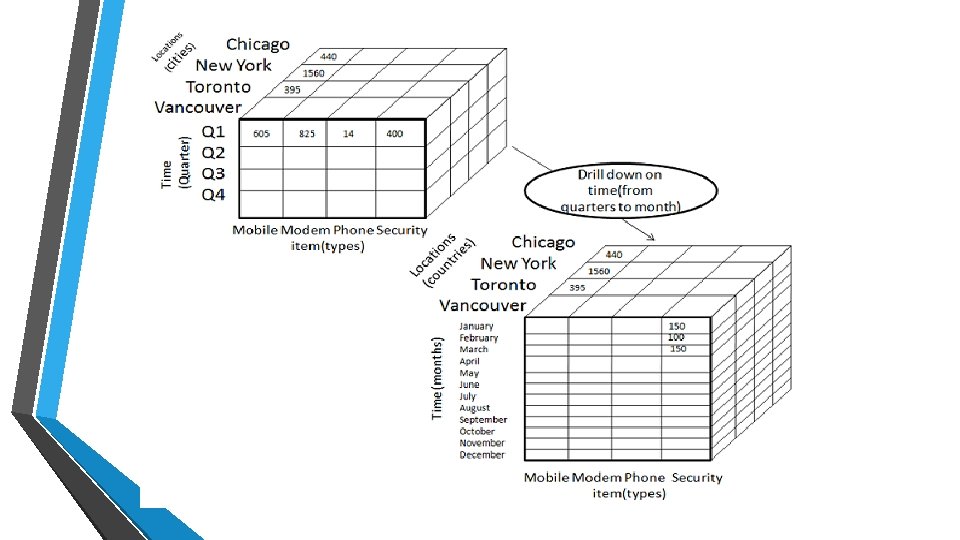
• • • Drill-down is the reverse operation of roll-up. It is performed by either of the following ways: By stepping down a concept hierarchy for a dimension By introducing a new dimension. Ex: Drill-down is performed by stepping down a concept hierarchy for the dimension time. Initially the concept hierarchy was "day < month < quarter < year. " On drilling down, the time dimension is descended from the level of quarter to the level of month. When drill-down is performed, one or more dimensions from the data cube are added. It navigates the data from less detailed data to highly detailed data.
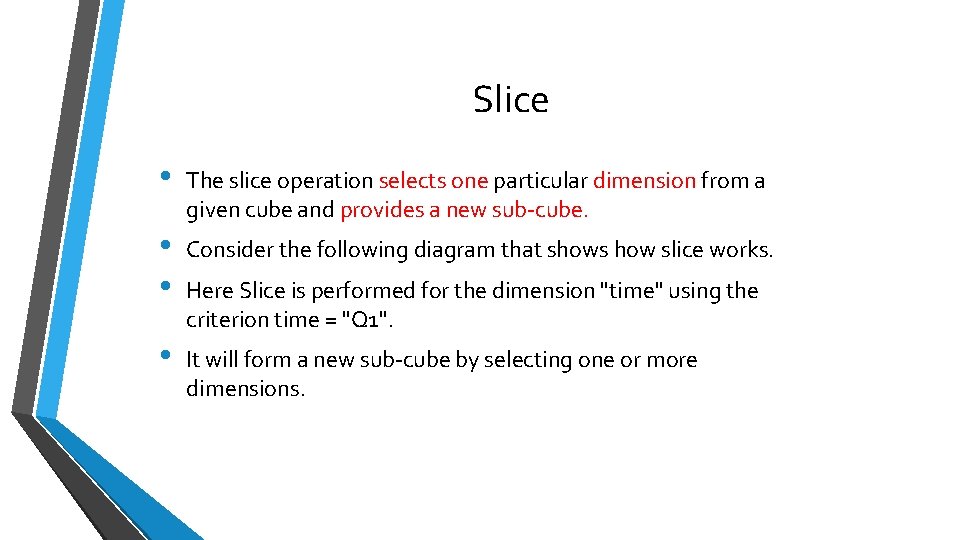
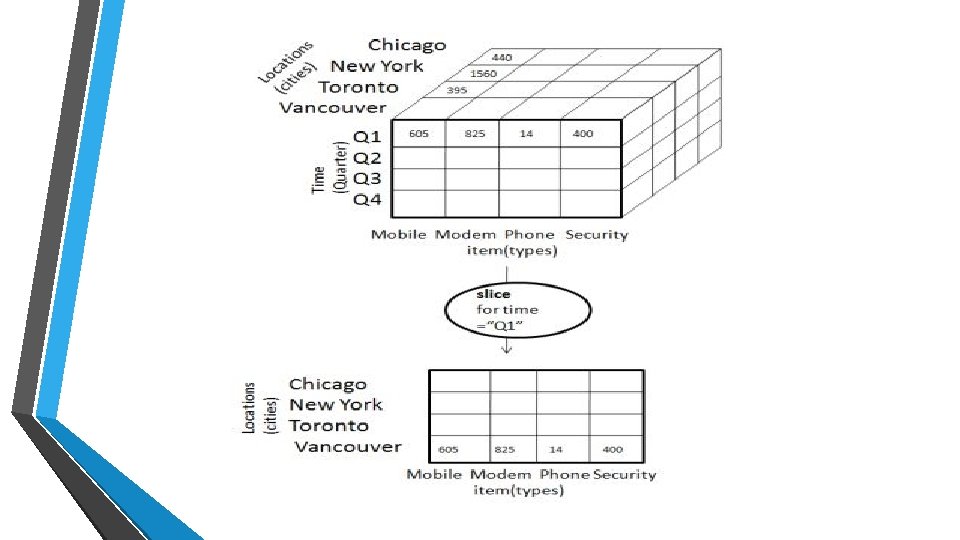
Slice • The slice operation selects one particular dimension from a given cube and provides a new sub-cube. • • Consider the following diagram that shows how slice works. • It will form a new sub-cube by selecting one or more dimensions. Here Slice is performed for the dimension "time" using the criterion time = "Q 1".
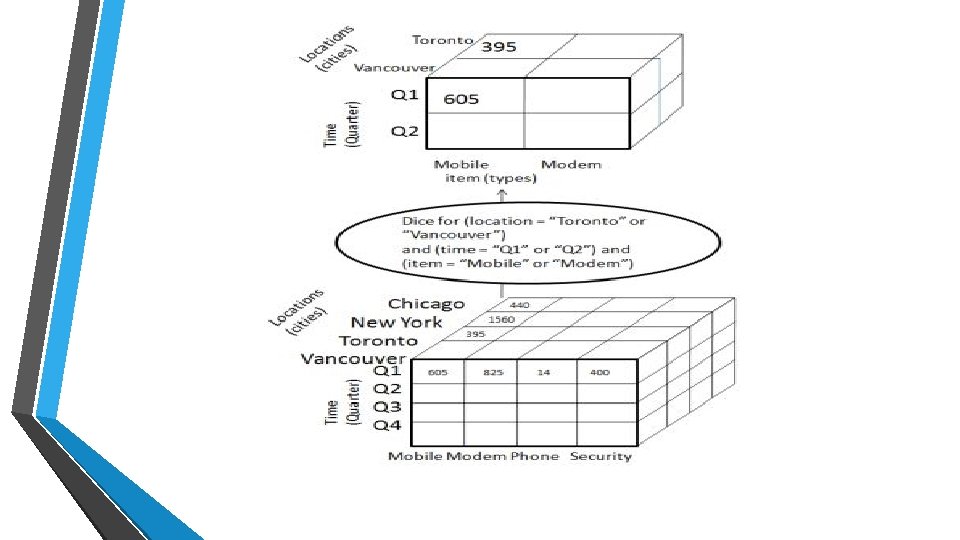
Dice • Dice selects two or more dimensions from a given cube and provides a new sub-cube. Consider the following diagram that shows the dice operation. • The dice operation on the cube based on the following selection criteria involves three dimensions. • (location = "Toronto" or "Vancouver") • (time = "Q 1" or "Q 2") • (item =" Mobile" or "Modem")
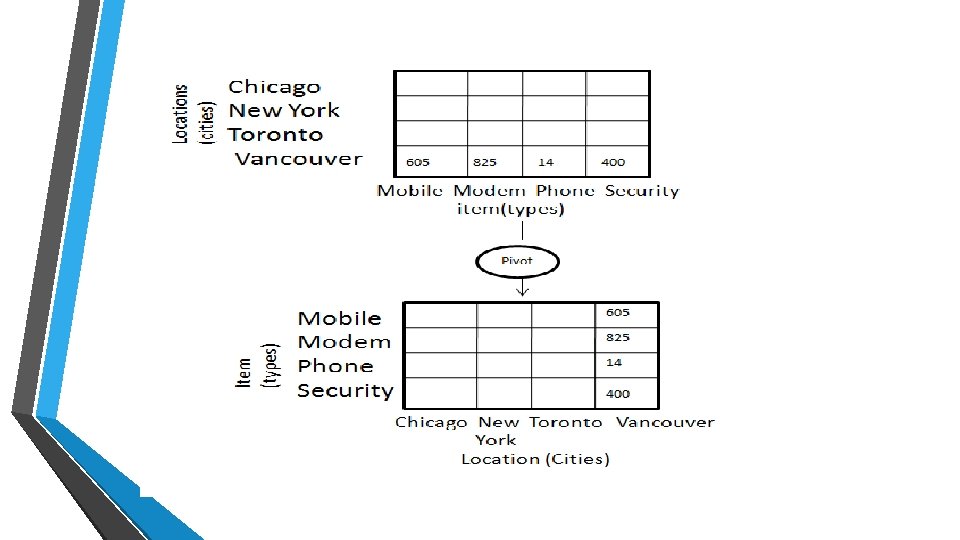
Pivot • • The pivot operation is also known as rotation. • Consider the following diagram that shows the pivot operation. • In this the item and location axes in 2 -D slice are rotated. It rotates the data axes in view in order to provide an alternative presentation of data.