
Data Management Training Modules Best Practices for Preparing
Data Management Training Modules: Best Practices for Preparing Science Data to Share U. S. Department of the Interior U. S. Geological Survey
Module Objectives · · · Describe the importance of maintaining wellmanaged science data. Outline 9 fundamental data management habits for preparing data to share. For each data management habit, list associated best practices.
Problem Statement · It is important to understand that good data management is crucial to achieving better and more streamlined data integration. There tends to be an underlying assumption that a majority of science data is available and poised for integration and reuse. Unfortunately, this is not the reality for most data. One problem scientists encounter when they discover data to integrate with other data, is the incompatibility of the data. Scientists can spend a lot of time trying to transform data to fit the needs of their project.
Importance of well-managed data · Why manage our data? · Aids in the reproducibility of science. · Creates efficiencies in how science is done. · Makes sharing across groups more efficient. · Creates improved provenance in the science · · iteration process. Aids responses to legal requirements such as Freedom of Information Act (FOIA) and Information Quality Act (IQA). Supports scientific review and integrity.
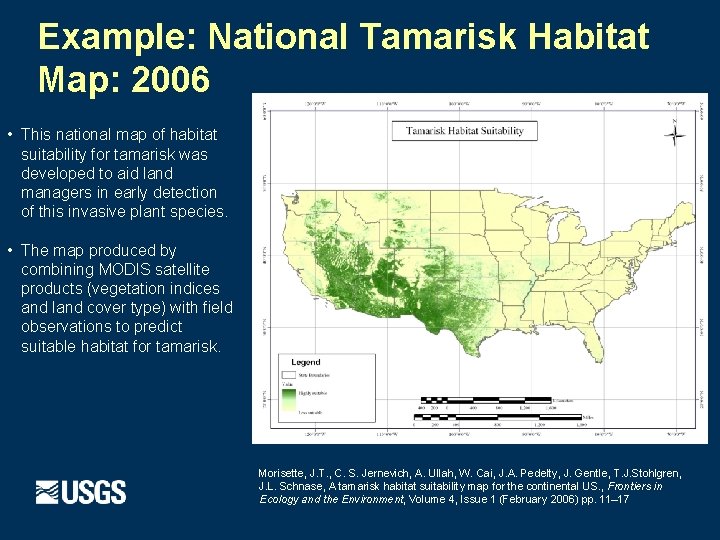
Example: National Tamarisk Habitat Map: 2006 • This national map of habitat suitability for tamarisk was developed to aid land managers in early detection of this invasive plant species. • The map produced by combining MODIS satellite products (vegetation indices and land cover type) with field observations to predict suitable habitat for tamarisk. Morisette, J. T. , C. S. Jernevich, A. Ullah, W. Cai, J. A. Pedelty, J. Gentle, T. J. Stohlgren, J. L. Schnase, A tamarisk habitat suitability map for the continental US. , Frontiers in Ecology and the Environment, Volume 4, Issue 1 (February 2006) pp. 11– 17
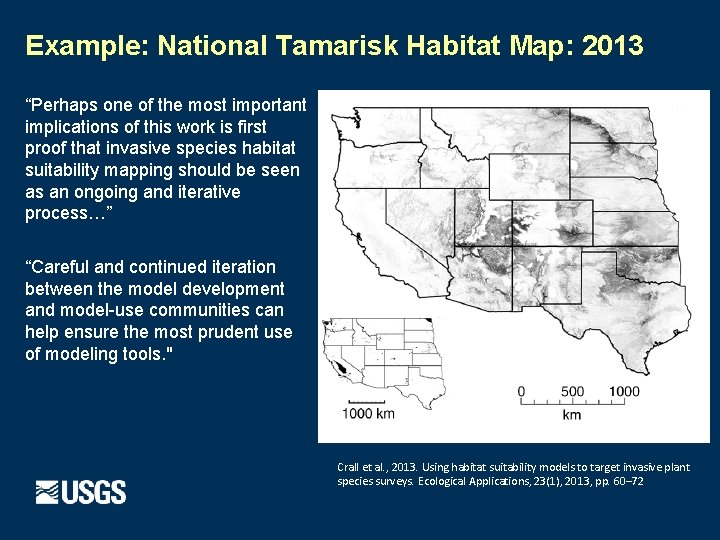
Example: National Tamarisk Habitat Map: 2013 “Perhaps one of the most important implications of this work is first proof that invasive species habitat suitability mapping should be seen as an ongoing and iterative process…” “Careful and continued iteration between the model development and model-use communities can help ensure the most prudent use of modeling tools. " Crall et al. , 2013. Using habitat suitability models to target invasive plant species surveys. Ecological Applications, 23(1), 2013, pp. 60– 72
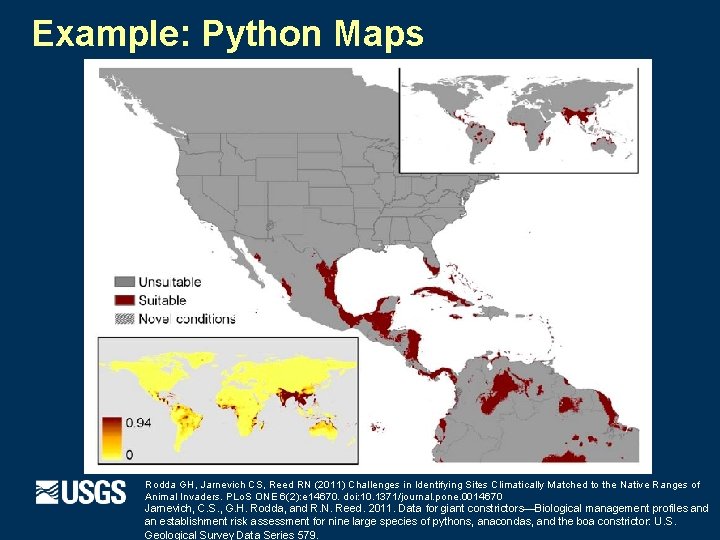
Example: Python Maps Rodda GH, Jarnevich CS, Reed RN (2011) Challenges in Identifying Sites Climatically Matched to the Native Ranges of Animal Invaders. PLo. S ONE 6(2): e 14670. doi: 10. 1371/journal. pone. 0014670 Jarnevich, C. S. , G. H. Rodda, and R. N. Reed. 2011. Data for giant constrictors—Biological management profiles and an establishment risk assessment for nine large species of pythons, anacondas, and the boa constrictor: U. S. Geological Survey Data Series 579.

Example: Python Maps Rodda GH, Jarnevich CS, Reed RN (2011) Challenges in Identifying Sites Climatically Matched to the Native Ranges of Animal Invaders. PLo. S ONE 6(2): e 14670. doi: 10. 1371/journal. pone. 0014670 Jarnevich, C. S. , G. H. Rodda, and R. N. Reed. 2011. Data for giant constrictors—Biological management profiles and an establishment risk assessment for nine large species of pythons, anacondas, and the boa constrictor: U. S. Geological Survey Data Series 579.
Importance of well-managed data · · · Down the road, you may need the documentation for your data to be readily available. It’s not just well defined data, but also the analysis that needs to be documented. You may have to justify the conclusions and defend the results.
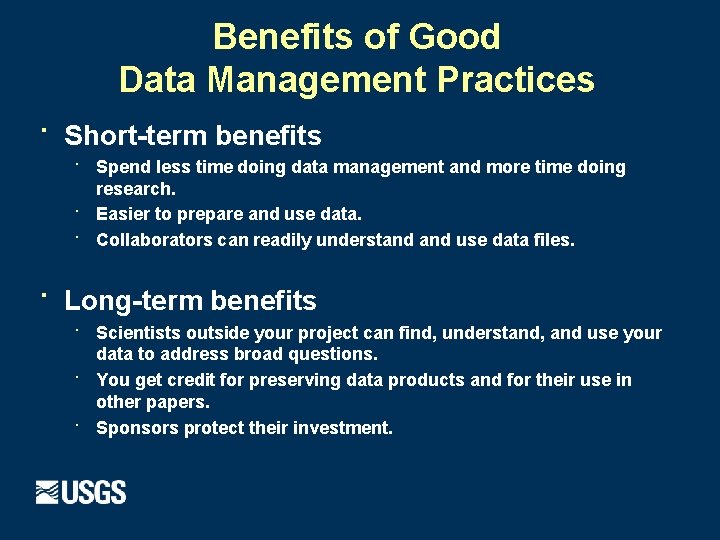
Benefits of Good Data Management Practices · Short-term benefits · Spend less time doing data management and more time doing · · · research. Easier to prepare and use data. Collaborators can readily understand use data files. Long-term benefits · Scientists outside your project can find, understand, and use your · · data to address broad questions. You get credit for preserving data products and for their use in other papers. Sponsors protect their investment.
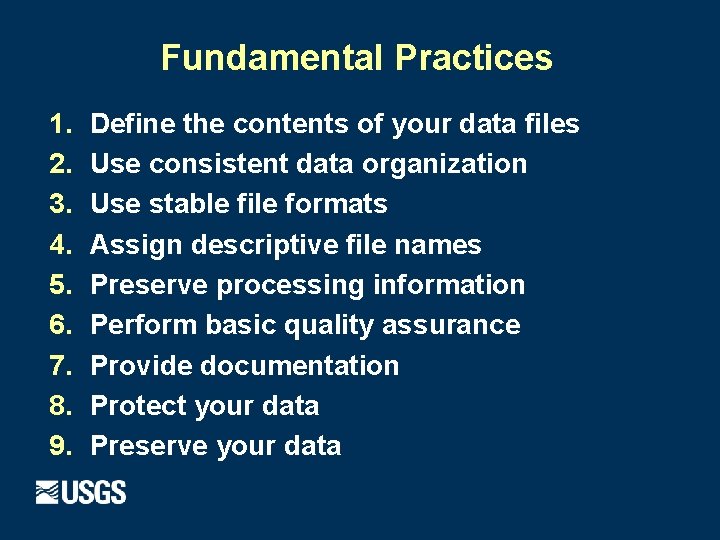
Fundamental Practices 1. 2. 3. 4. 5. 6. 7. 8. 9. Define the contents of your data files Use consistent data organization Use stable file formats Assign descriptive file names Preserve processing information Perform basic quality assurance Provide documentation Protect your data Preserve your data
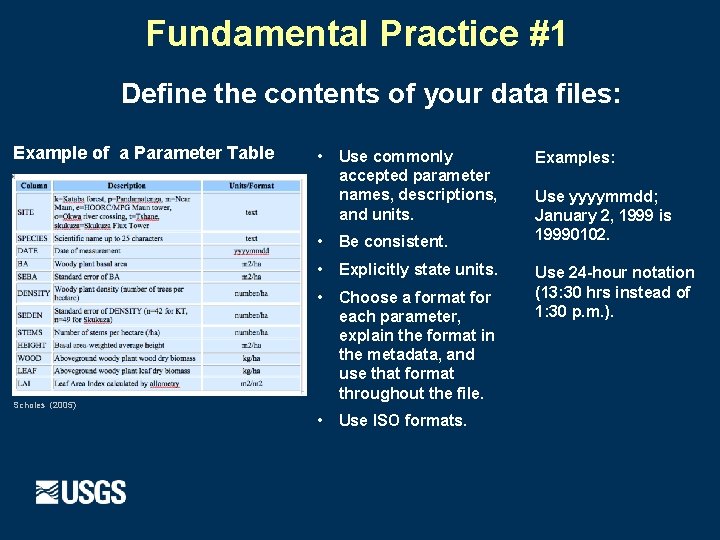
Fundamental Practice #1 Define the contents of your data files: Example of a Parameter Table • Use commonly accepted parameter names, descriptions, and units. • Be consistent. • Explicitly state units. Scholes (2005) • Choose a format for each parameter, explain the format in the metadata, and use that format throughout the file. • Use ISO formats. Examples: Use yyyymmdd; January 2, 1999 is 19990102. Use 24 -hour notation (13: 30 hrs instead of 1: 30 p. m. ).
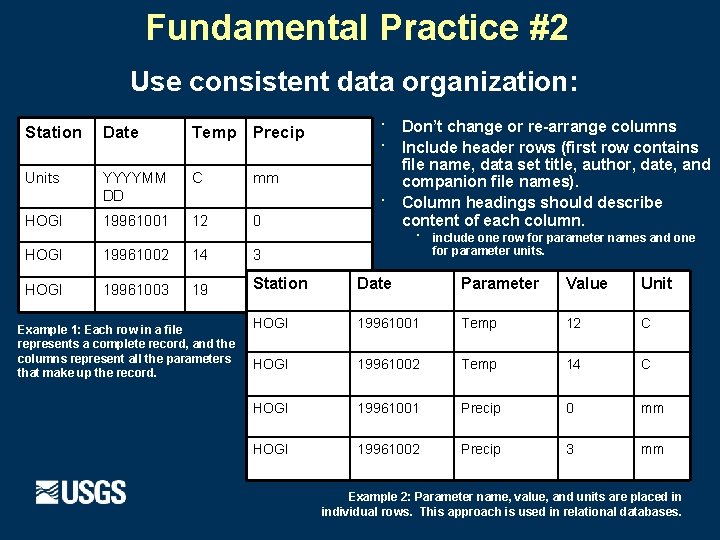
Fundamental Practice #2 Use consistent data organization: Station Date Temp Precip Units YYYYMM DD C 19961001 12 HOGI · · mm 0 · Don’t change or re-arrange columns Include header rows (first row contains file name, data set title, author, date, and companion file names). Column headings should describe content of each column. · include one row for parameter names and one for parameter units. HOGI 19961002 14 3 HOGI 19961003 19 Station -9999* Date Parameter Value Unit HOGI 19961001 Temp 12 C HOGI 19961002 Temp 14 C HOGI 19961001 Precip 0 mm HOGI 19961002 Precip 3 mm Example 1: Each row in a file represents a complete record, and the columns represent all the parameters that make up the record. Example 2: Parameter name, value, and units are placed in individual rows. This approach is used in relational databases.
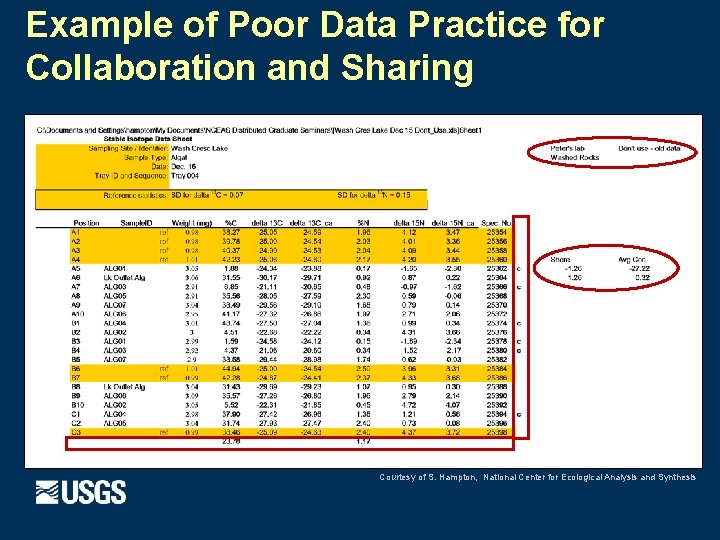
Example of Poor Data Practice for Collaboration and Sharing Courtesy of S. Hampton, National Center for Ecological Analysis and Synthesis
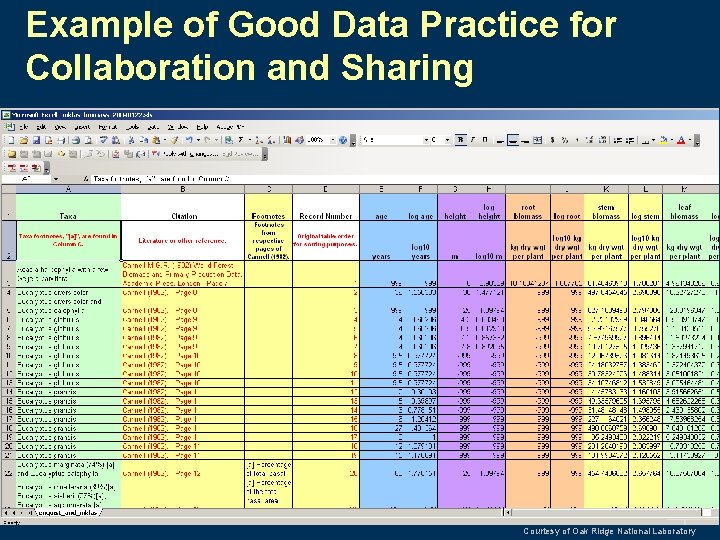
Example of Good Data Practice for Collaboration and Sharing Courtesy of Oak Ridge National Laboratory
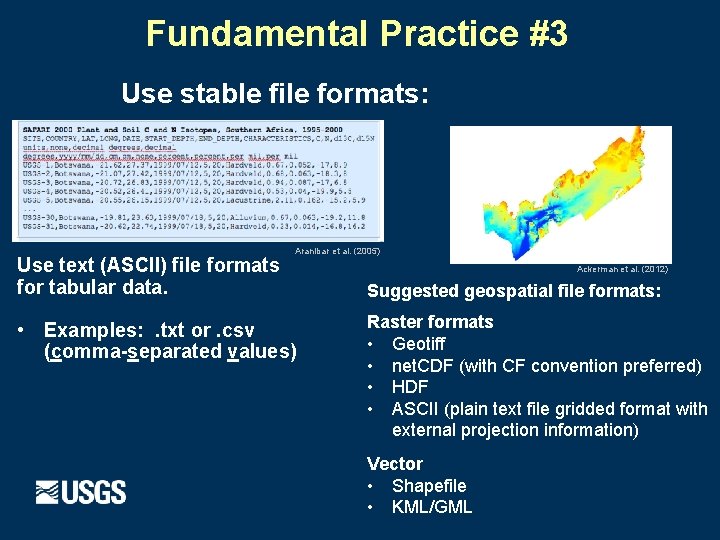
Fundamental Practice #3 Use stable file formats: Use text (ASCII) file formats for tabular data. Aranibar et al. (2005) • Examples: . txt or. csv (comma-separated values) Ackerman et al. (2012) Suggested geospatial file formats: Raster formats • Geotiff • net. CDF (with CF convention preferred) • HDF • ASCII (plain text file gridded format with external projection information) Vector • Shapefile • KML/GML
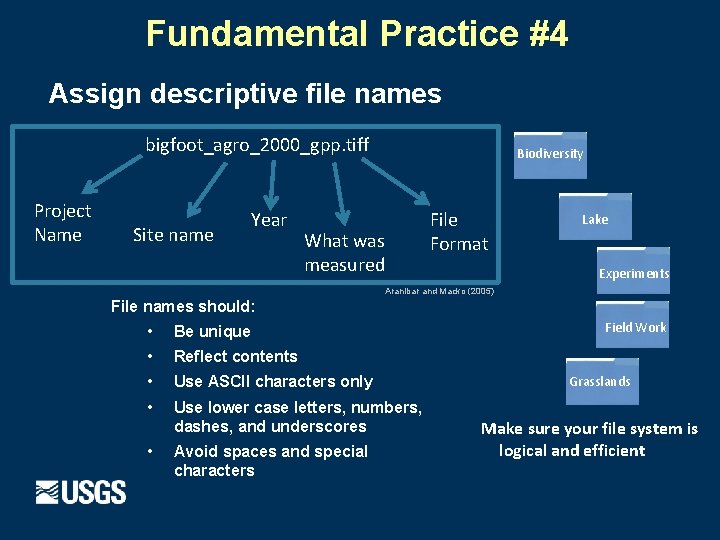
Fundamental Practice #4 Assign descriptive file names bigfoot_agro_2000_gpp. tiff Project Name Site name Year Biodiversity File Format What was measured Lake Experiments Aranibar and Macko (2005) File names should: • Be unique • Reflect contents • Use ASCII characters only • Use lower case letters, numbers, dashes, and underscores • Avoid spaces and special characters Field Work Grasslands Make sure your file system is logical and efficient
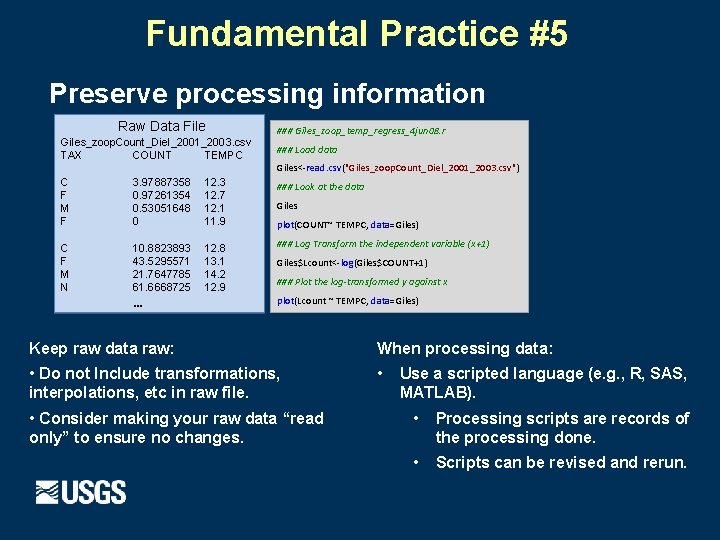
Fundamental Practice #5 Preserve processing information Raw Data File Giles_zoop. Count_Diel_2001_2003. csv TAX COUNT TEMPC ### Giles_zoop_temp_regress_4 jun 08. r ### Load data Giles<-read. csv("Giles_zoop. Count_Diel_2001_2003. csv") C F M F 3. 97887358 0. 97261354 0. 53051648 0 12. 3 12. 7 12. 1 11. 9 ### Look at the data C F M N 10. 8823893 43. 5295571 21. 7647785 61. 6668725 12. 8 13. 1 14. 2 12. 9 ### Log Transform the independent variable (x+1) … Giles plot(COUNT~ TEMPC, data=Giles) Giles$Lcount<-log(Giles$COUNT+1) ### Plot the log-transformed y against x plot(Lcount ~ TEMPC, data=Giles) Keep raw data raw: When processing data: • Do not Include transformations, interpolations, etc in raw file. • • Consider making your raw data “read only” to ensure no changes. Use a scripted language (e. g. , R, SAS, MATLAB). • Processing scripts are records of the processing done. • Scripts can be revised and rerun.
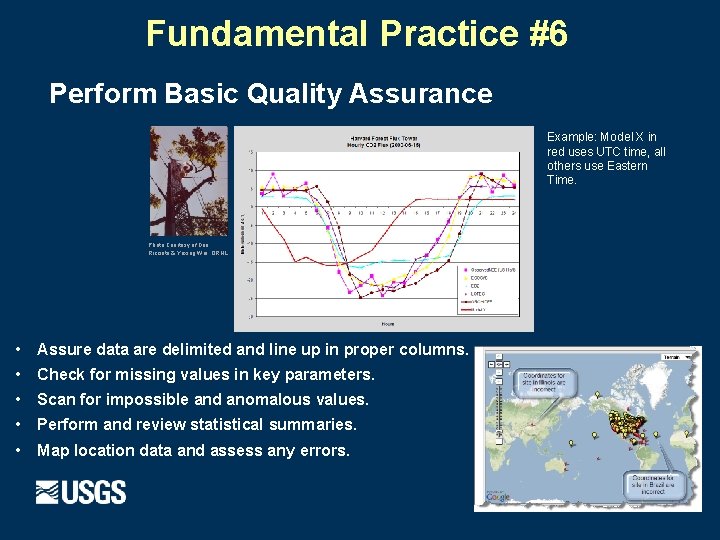
Fundamental Practice #6 Perform Basic Quality Assurance Example: Model X in red uses UTC time, all others use Eastern Time. Photo Courtesy of Dan Ricciuto & Yaxing Wei, ORNL • Assure data are delimited and line up in proper columns. • Check for missing values in key parameters. • Scan for impossible and anomalous values. • Perform and review statistical summaries. • Map location data and assess any errors.
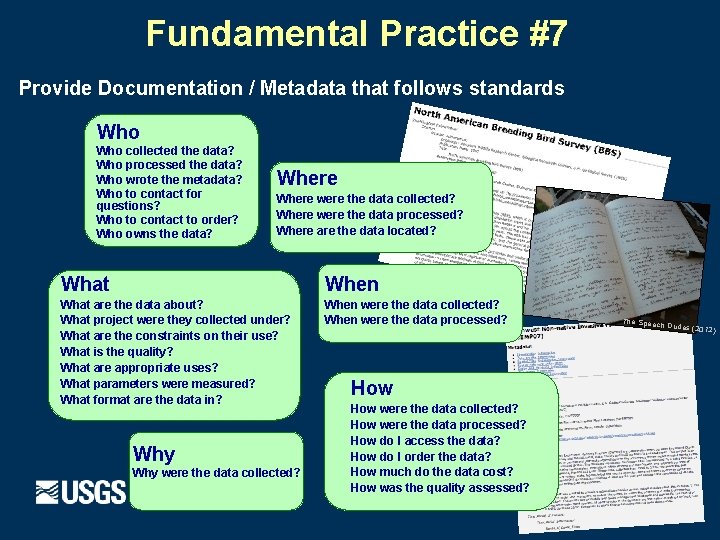
Fundamental Practice #7 Provide Documentation / Metadata that follows standards Who collected the data? Who processed the data? Who wrote the metadata? Who to contact for questions? Who to contact to order? Who owns the data? Where were the data collected? Where were the data processed? Where are the data located? What When What are the data about? What project were they collected under? What are the constraints on their use? What is the quality? What are appropriate uses? What parameters were measured? What format are the data in? When were the data collected? When were the data processed? Why were the data collected? How were the data collected? How were the data processed? How do I access the data? How do I order the data? How much do the data cost? How was the quality assessed? The Speech Dudes (201 2)
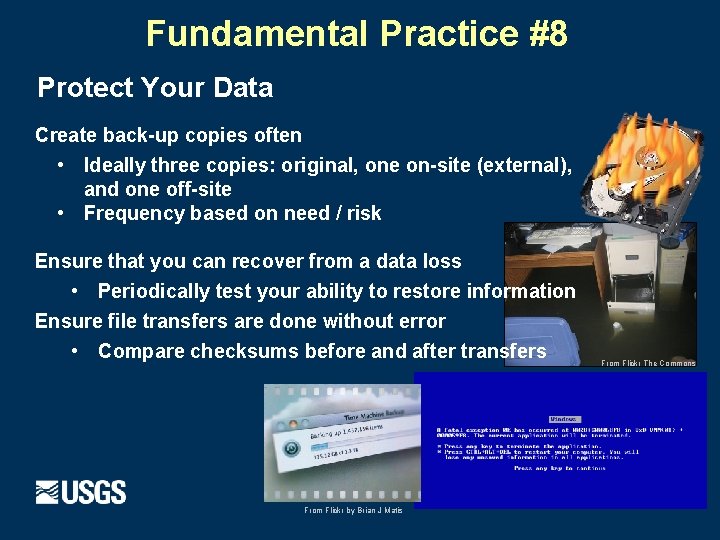
Fundamental Practice #8 Protect Your Data Create back-up copies often • Ideally three copies: original, one on-site (external), and one off-site • Frequency based on need / risk Ensure that you can recover from a data loss • Periodically test your ability to restore information Ensure file transfers are done without error • Compare checksums before and after transfers From Flickr by Brian J Matis From Flickr The Commons
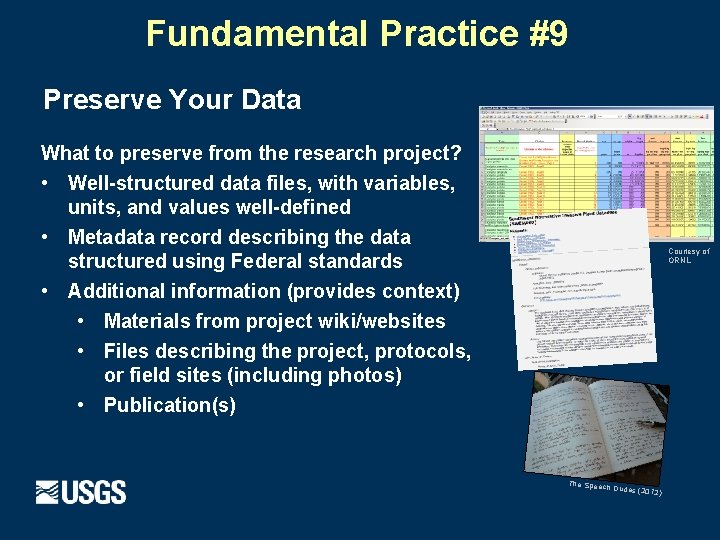
Fundamental Practice #9 Preserve Your Data What to preserve from the research project? • Well-structured data files, with variables, units, and values well-defined • Metadata record describing the data structured using Federal standards • Additional information (provides context) • Materials from project wiki/websites • Files describing the project, protocols, or field sites (including photos) • Publication(s) Courtesy of ORNL The Speech Dudes (201 2)
Key Points · · · Data Management is important and critical in today’s science. Well-organized and documented data: · Enables researchers to work more efficiently. · Can be shared easily by collaborators. · Can potentially be re-used in ways not imagined when originally collected. Include data management in your research workflow. Make it a habit to manage your data well.
Data Management Modules developed by: · · · · Viv Hutchison (USGS) Thomas Burley (USGS) Michelle Chang (USGS) Thomas Chatfield (BLM) Robert Cook (ORNL) Heather Henkel (USGS) Carly Strasser (California Digital Library) Lisa Zolly (USGS) This effort was funded by the USGS Community for Data (CDI) Integration in 2013 in collaboration with the U. S. Geological Survey, Bureau of Land Management, California Digital Library, and the Oak Ridge National Laboratory. These modules were developed through the USGS Office of Organizational and Employee Development's (OED) Technology Enabled Learning (TEL) Program.
- Slides: 24