
Data in Windows 10 UWP XML JSON SQLite






![Define entity objects *SQLite-NET* public class Customer { [Primary. Key, Auto. Increment] public int](https://slidetodoc.com/presentation_image_h/bca2cfe183c469caa6b39361f93789af/image-18.jpg "Define entity objects *SQLite-NET* public class Customer { [Primary. Key, Auto. Increment] public int")







- Slides: 32
Data in Windows 10 UWP XML, JSON, SQLite or EF Core ? Andy Wigley Microsoft, Senior Developer Evangelist
Agenda • • Data Storage in UWP XML or JSON serialization SQLite Entity Framework Core 1. 0
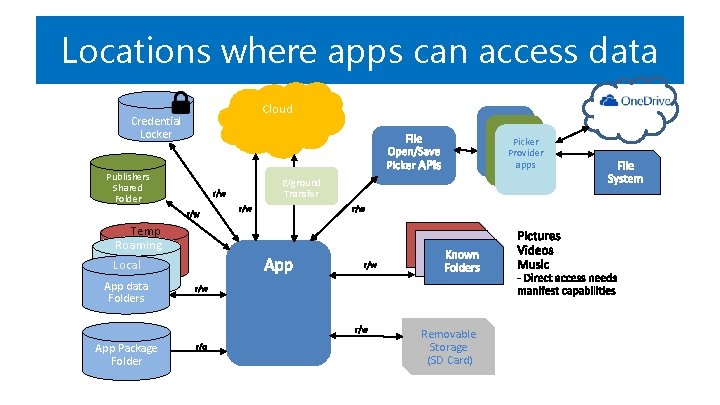
Locations where apps can access data Credential Locker Publishers Shared Folder Cloud Picker Provider apps B/ground Transfer Temp Roaming App data Localdata App Folders App data Folders App Package Folder Removable Storage (SD Card)
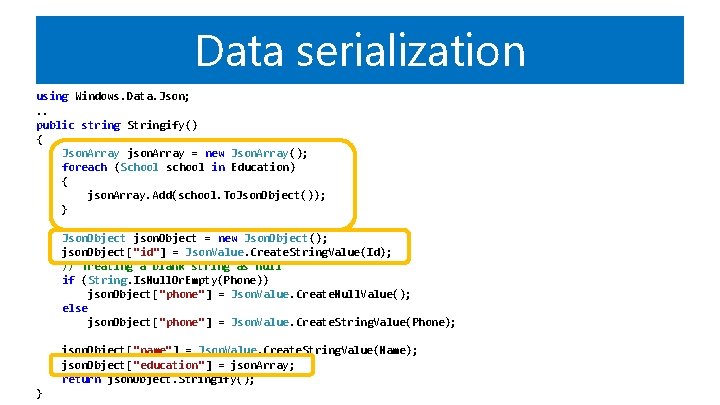
Data serialization using Windows. Data. Json; . . public string Stringify() { Json. Array json. Array = new Json. Array(); foreach (School school in Education) { json. Array. Add(school. To. Json. Object()); } Json. Object json. Object = new Json. Object(); json. Object["id"] = Json. Value. Create. String. Value(Id); // Treating a blank string as null if (String. Is. Null. Or. Empty(Phone)) json. Object["phone"] = Json. Value. Create. Null. Value(); else json. Object["phone"] = Json. Value. Create. String. Value(Phone); json. Object["name"] = Json. Value. Create. String. Value(Name); json. Object["education"] = json. Array; return json. Object. Stringify(); }
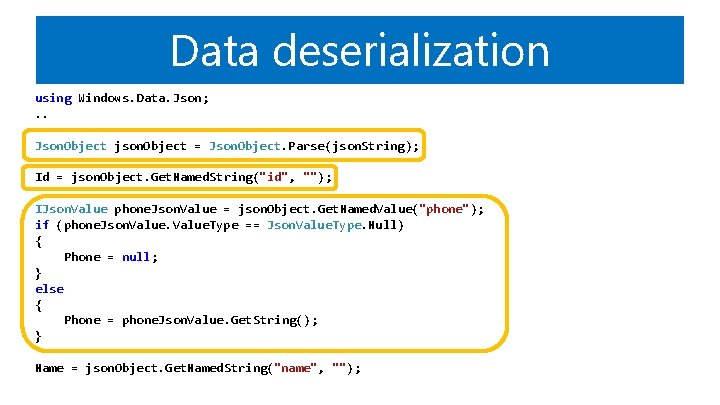
Data deserialization using Windows. Data. Json; . . Json. Object json. Object = Json. Object. Parse(json. String); Id = json. Object. Get. Named. String("id", ""); IJson. Value phone. Json. Value = json. Object. Get. Named. Value("phone"); if (phone. Json. Value. Type == Json. Value. Type. Null) { Phone = null; } else { Phone = phone. Json. Value. Get. String(); } Name = json. Object. Get. Named. String("name", "");
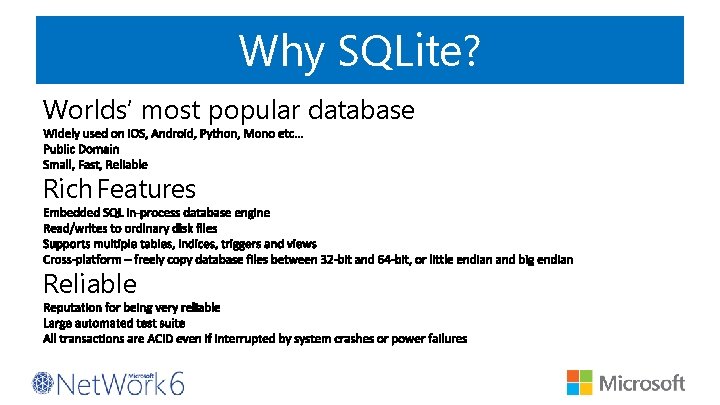
Why SQLite? Worlds’ most popular database Rich Features Reliable
SQLite. org • Documentation • SQL Syntax • C/C++ API Reference • Source and tools download
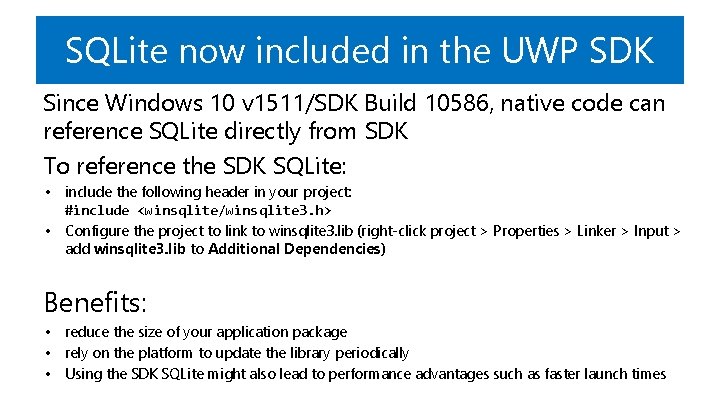
SQLite now included in the UWP SDK Since Windows 10 v 1511/SDK Build 10586, native code can reference SQLite directly from SDK To reference the SDK SQLite: • include the following header in your project: #include <winsqlite/winsqlite 3. h> • Configure the project to link to winsqlite 3. lib (right-click project > Properties > Linker > Input > add winsqlite 3. lib to Additional Dependencies) Benefits: • reduce the size of your application package • rely on the platform to update the library periodically • Using the SDK SQLite might also lead to performance advantages such as faster launch times
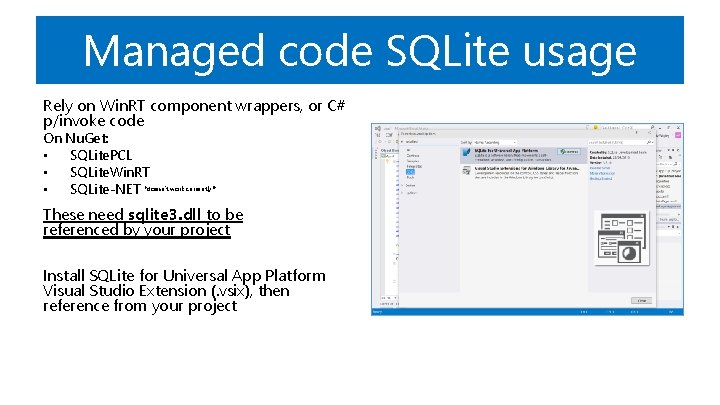
Managed code SQLite usage Rely on Win. RT component wrappers, or C# p/invoke code On Nu. Get: • SQLite. PCL • SQLite. Win. RT • SQLite-NET *doesn’t work currently!* These need sqlite 3. dll to be referenced by your project Install SQLite for Universal App Platform Visual Studio Extension (. vsix), then reference from your project
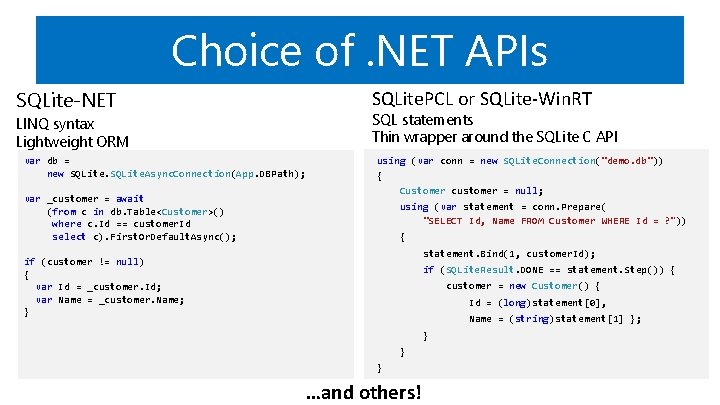
Choice of. NET APIs SQLite-NET SQLite. PCL or SQLite-Win. RT SQL statements Thin wrapper around the SQLite C API LINQ syntax Lightweight ORM var db = new SQLite. Async. Connection(App. DBPath); var _customer = await (from c in db. Table<Customer>() where c. Id == customer. Id select c). First. Or. Default. Async(); if (customer != null) { var Id = _customer. Id; var Name = _customer. Name; } using (var conn = new SQLite. Connection("demo. db")) { Customer customer = null; using (var statement = conn. Prepare( "SELECT Id, Name FROM Customer WHERE Id = ? ")) { statement. Bind(1, customer. Id); if (SQLite. Result. DONE == statement. Step()) { customer = new Customer() { Id = (long)statement[0], Name = (string)statement[1] }; } } } …and others!
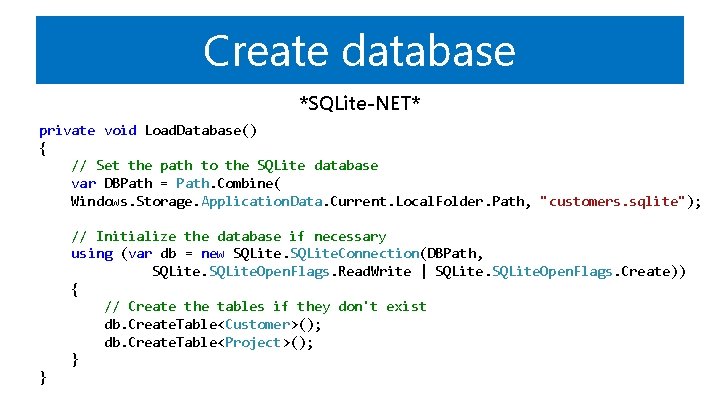
Create database *SQLite-NET* private void Load. Database() { // Set the path to the SQLite database var DBPath = Path. Combine( Windows. Storage. Application. Data. Current. Local. Folder. Path, "customers. sqlite"); // Initialize the database if necessary using (var db = new SQLite. Connection(DBPath, SQLite. Open. Flags. Read. Write | SQLite. Open. Flags. Create)) { // Create the tables if they don't exist db. Create. Table<Customer>(); db. Create. Table<Project>(); }
Define entity objects *SQLite-NET* public class Customer { [Primary. Key, Auto. Increment] public int Id { get; set; } public string Name { get; set; } public string City { get; set; } public string Contact { get; set; } }
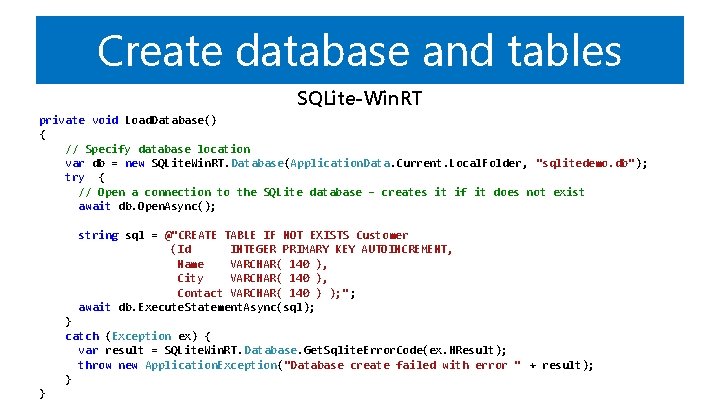
Create database and tables SQLite-Win. RT private void Load. Database() { // Specify database location var db = new SQLite. Win. RT. Database(Application. Data. Current. Local. Folder, "sqlitedemo. db"); try { // Open a connection to the SQLite database – creates it if it does not exist await db. Open. Async(); string sql = @"CREATE TABLE IF NOT EXISTS Customer (Id INTEGER PRIMARY KEY AUTOINCREMENT, Name VARCHAR( 140 ), City VARCHAR( 140 ), Contact VARCHAR( 140 ) ); " ; await db. Execute. Statement. Async(sql); } catch (Exception ex) { var result = SQLite. Win. RT. Database. Get. Sqlite. Error. Code(ex. HResult); throw new Application. Exception("Database create failed with error " + result); } }
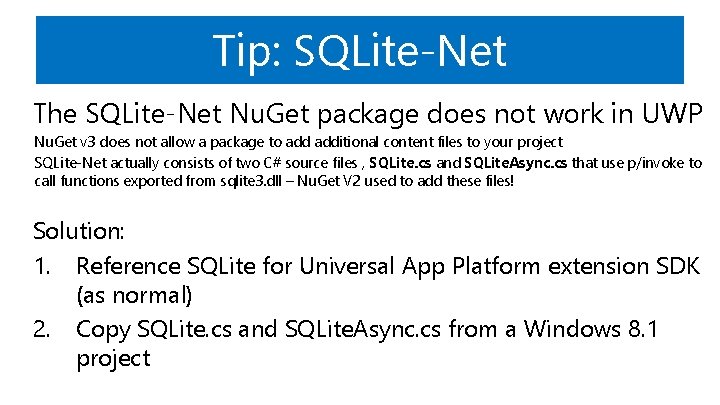
Tip: SQLite-Net The SQLite-Net Nu. Get package does not work in UWP Nu. Get v 3 does not allow a package to additional content files to your project SQLite-Net actually consists of two C# source files , SQLite. cs and SQLite. Async. cs that use p/invoke to call functions exported from sqlite 3. dll – Nu. Get V 2 used to add these files! Solution: 1. Reference SQLite for Universal App Platform extension SDK (as normal) 2. Copy SQLite. cs and SQLite. Async. cs from a Windows 8. 1 project
But those SQLite updates are so annoying! • SQLite gets updated frequently – Breaks your project references – Coordinating team on specific version is a problem • Can store SQLite SDK local to project
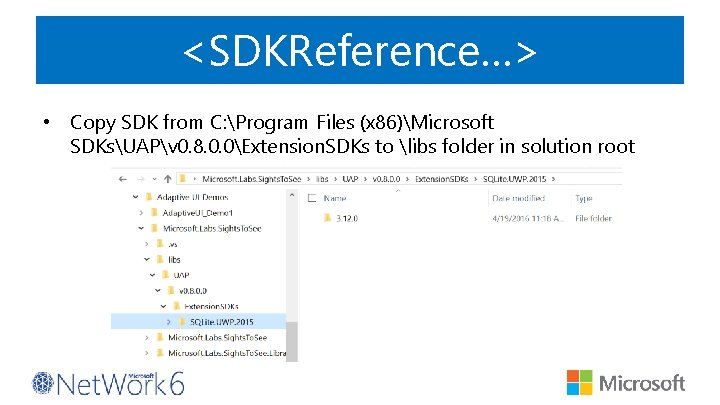
<SDKReference…> • Copy SDK from C: Program Files (x 86)Microsoft SDKsUAPv 0. 8. 0. 0Extension. SDKs to libs folder in solution root
<SDKReference…> • Edit csproj so that it looks in your libs folder first for SDKs <? xml version="1. 0" encoding="utf-8"? > <Project Tools. Version="14. 0" Default. Targets="Build" xmlns="…"> <Import Project="$(MSBuild. Extensions. Path)$(MSBuild. Tools. Version). . . " /> <Property. Group> <SDKReference. Directory. Root>$(Solution. Dir)libs; $(SDKReference. Directory. Root) </SDKReference. Directory. Root> </Property. Group> <Property. Group> <Configuration Condition=" '$(Configuration)' == '' ">Debug</Configuration> <Platform Condition=" '$(Platform)' == '' ">x 86</Platform> <Project. Guid>{12973612 -88 B 5 -4 E 3 E-8805 -B 862 CDEAAE 1 D}</Project. Guid> … </Project>
• A Developer's Guide to Windows 10: SQLite Local Database https: //channel 9. msdn. com/Series/A-Developers -Guide-to-Windows-10/10
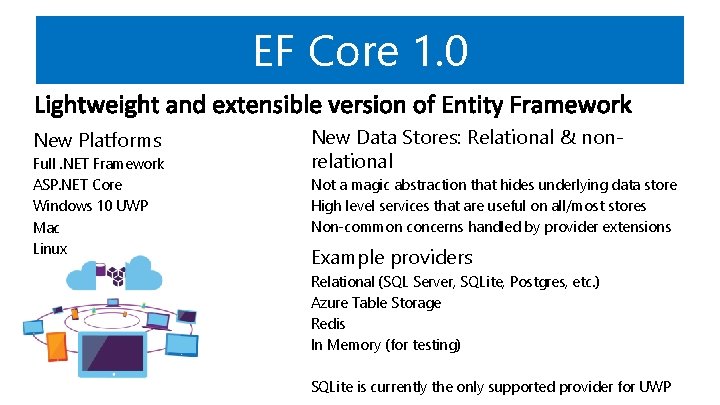
EF Core 1. 0 New Platforms Full. NET Framework ASP. NET Core Windows 10 UWP Mac Linux New Data Stores: Relational & nonrelational Not a magic abstraction that hides underlying data store High level services that are useful on all/most stores Non-common concerns handled by provider extensions Example providers Relational (SQL Server, SQLite, Postgres, etc. ) Azure Table Storage Redis In Memory (for testing) SQLite is currently the only supported provider for UWP
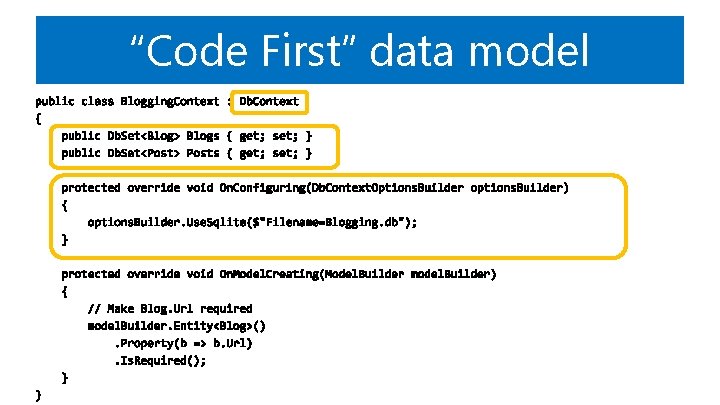
“Code First” data model
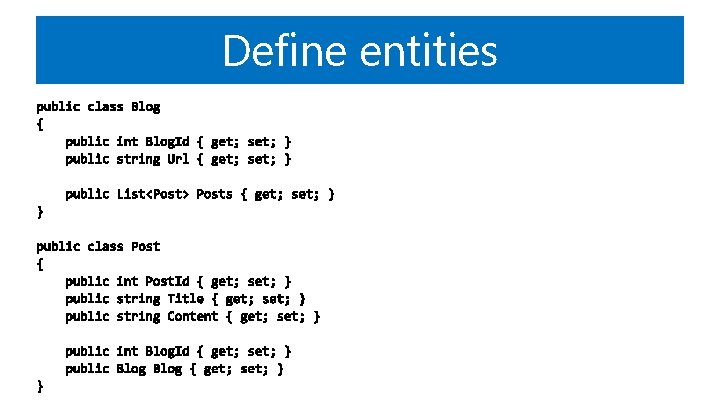
Define entities
Ne zaboravite ispuniti upitnike. Čekaju vas vrijedne nagrade!