
DATA DISCOVERABILITY Using VMware View 5 3 to
DATA DISCOVERABILITY: Using VMware View 5. 3 to create a secured data access platform Kim Bottu 5. 5 VSPHERE VIEW 5. 3
About me 6 years of experience with VMware products Virtualization Engineer - 3 years Top 10 ranked Big Law Firm in the world with offices around the world. International Corporate law Anti-Trust Litigation
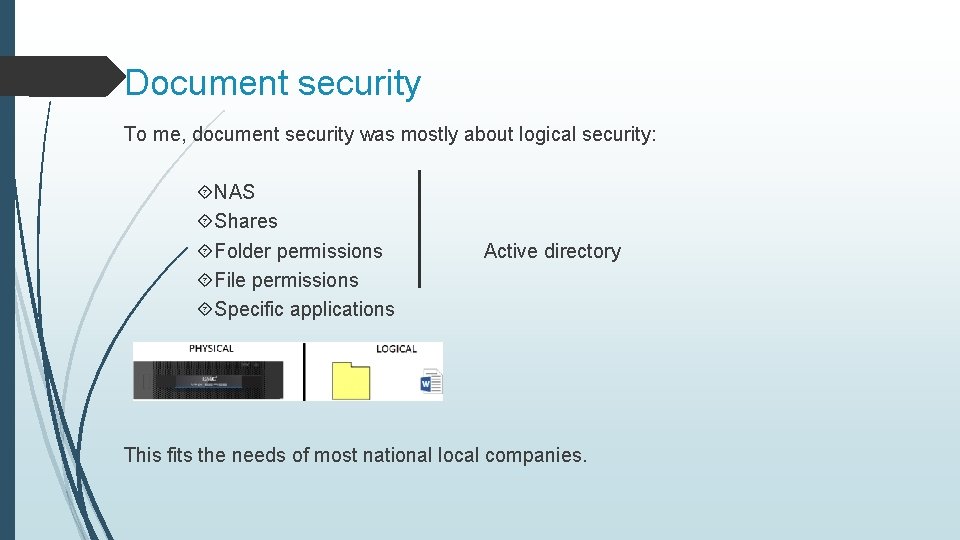
Document security To me, document security was mostly about logical security: NAS Shares Folder permissions File permissions Specific applications Active directory This fits the needs of most national local companies.
DATA DISCOVERABILITY Problem: Lots of big international clients / EU and non-EU Which lawyers review the data? What happens when a judge outside of the EU wants to impound EU data? Worries about data discoverability Specific need: Make data less discoverable from outside of the EU. Protect EU data better.

DATA DISCOVERABILITY Risk: Trust International teams (root accounts) 1 Domain (Enterprise administration) Can anyone outside of EU be pressured to copy data?
A Safe Harbor Safe harbor for EU data own network own hardware own domain Administration?
Presentation Layer VMware View to present the EU data globally to all of the firm. VMware View advantages: Desktop security Seperate domain VMware view Client Web Access (Blast) Thin clients Storage Relies on GPO to enforce policies local GPOs Domain GPOs. View GPO
THE VDI NETWORK DESIGN Examples. . Network
THE VDI NETWORK DESIGN To keep things simple, a two region model. Inside of the EU Outside of the EU 2 VDI Pool model Inside of the EU Outside of the EU EU-Pool US-Pool Each VDI pool would use its own Network in the DMZ (VLAN) Inside of the EU Outside of the EU DMZ Network 1 DMZ Network 2
THE VDI NETWORK DESIGN 2 user groups in a new AD domain: EU-Users US-Users The AD groups authenticate the VDI Pool: EU-Pool EU-Users US-Pool US-Users Access to data Can be restricted per pool
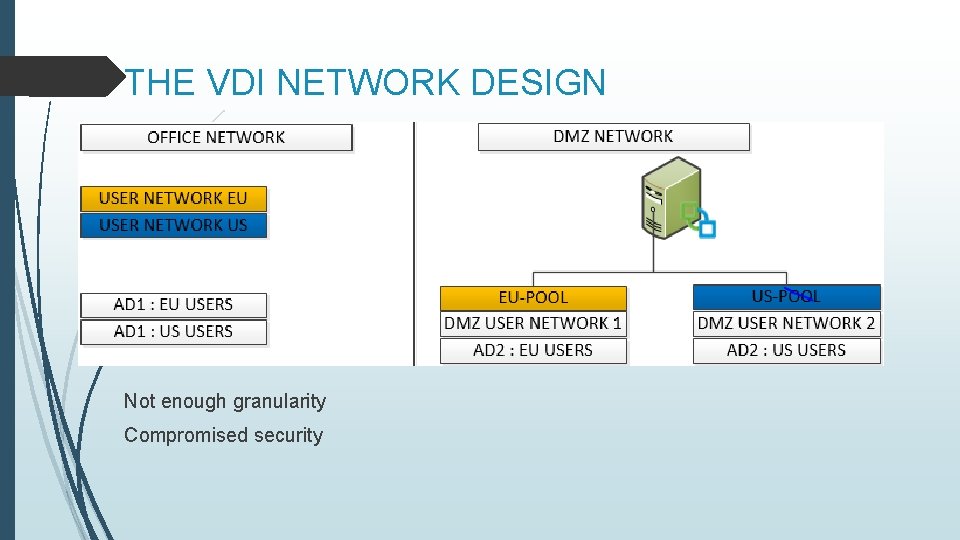
THE VDI NETWORK DESIGN Not enough granularity Compromised security
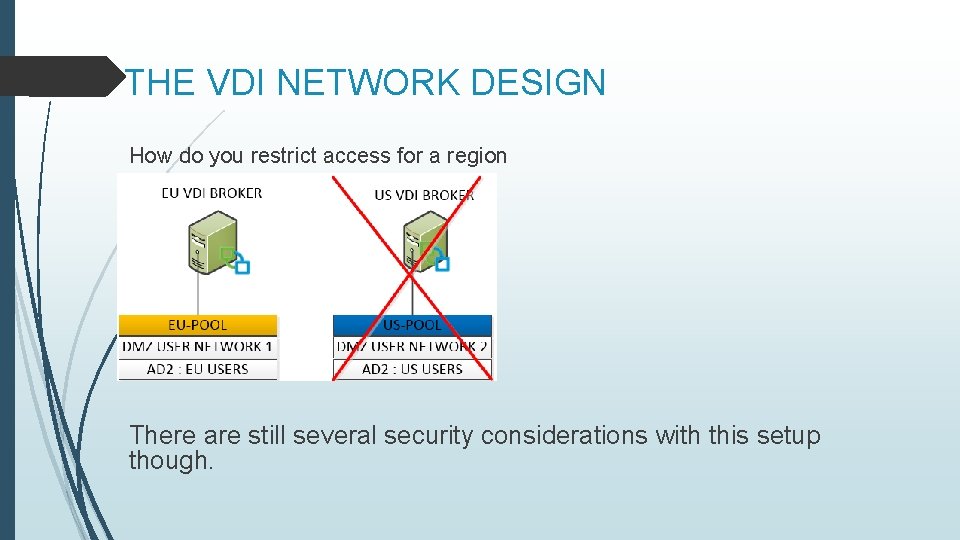
THE VDI NETWORK DESIGN How do you restrict access for a region There are still several security considerations with this setup though.
THE VDI NETWORK DESIGN Restricting VDI management access https: //connectionbroker. mydomain/admin No direct connection to the VDI connection brokers VDI security server (gateway) DMZ The gateway creates a tunnel to the connection brokers DNS entry added office network So what does this look like?
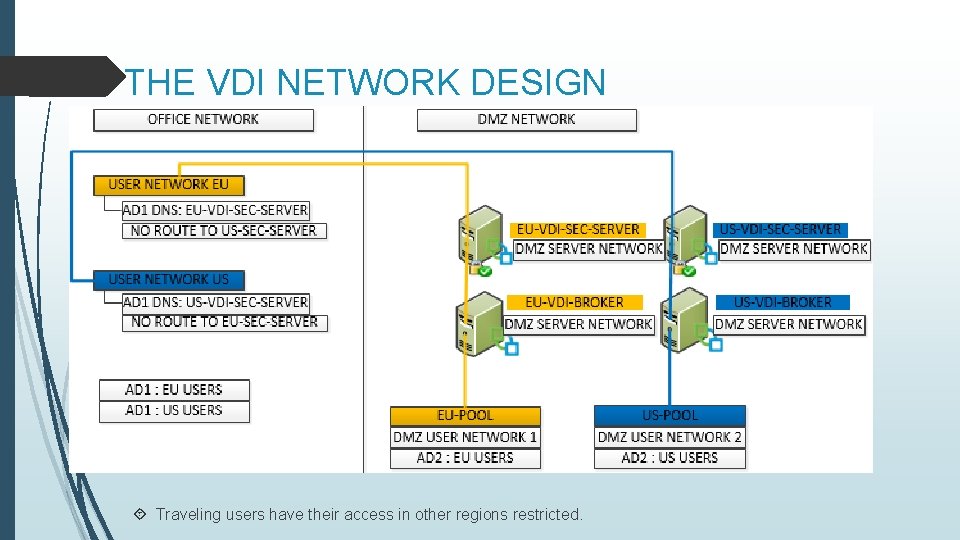
THE VDI NETWORK DESIGN Traveling users have their access in other regions restricted.

THE VDI NETWORK DESIGN To install and configure the security server, setup a pairing password on the VDI connection brokers and run the installer on the security server.
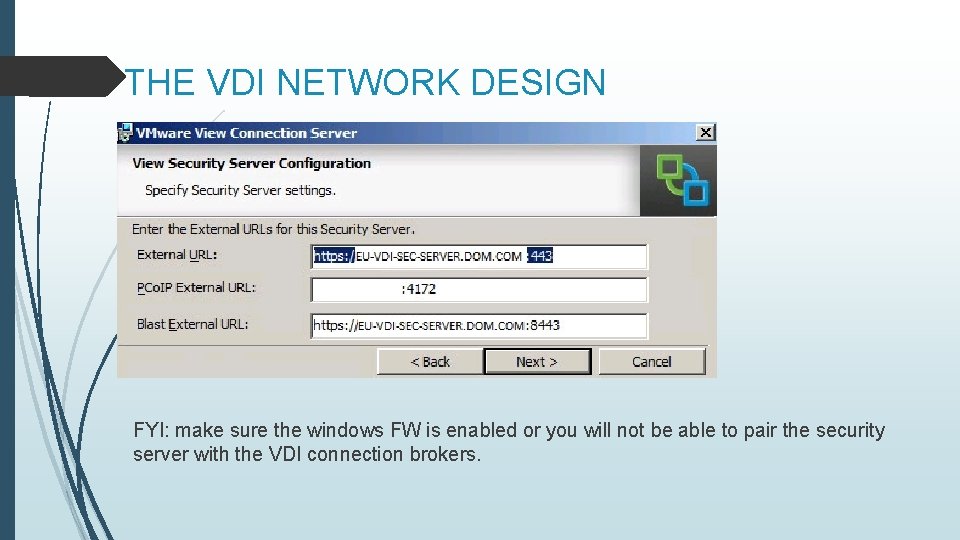
THE VDI NETWORK DESIGN FYI: make sure the windows FW is enabled or you will not be able to pair the security server with the VDI connection brokers.
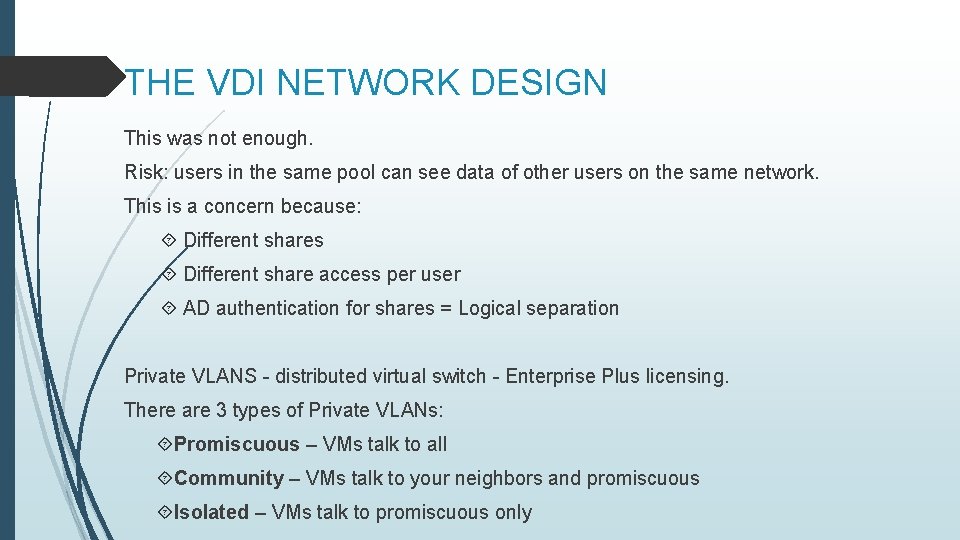
THE VDI NETWORK DESIGN This was not enough. Risk: users in the same pool can see data of other users on the same network. This is a concern because: Different shares Different share access per user AD authentication for shares = Logical separation Private VLANS - distributed virtual switch - Enterprise Plus licensing. There are 3 types of Private VLANs: Promiscuous – VMs talk to all Community – VMs talk to your neighbors and promiscuous Isolated – VMs talk to promiscuous only
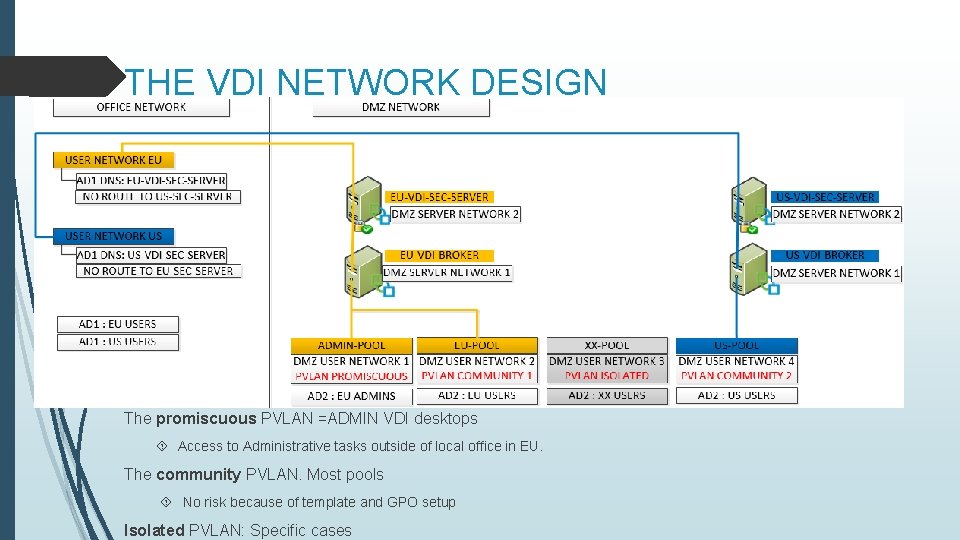
THE VDI NETWORK DESIGN The promiscuous PVLAN =ADMIN VDI desktops Access to Administrative tasks outside of local office in EU. The community PVLAN. Most pools No risk because of template and GPO setup Isolated PVLAN: Specific cases
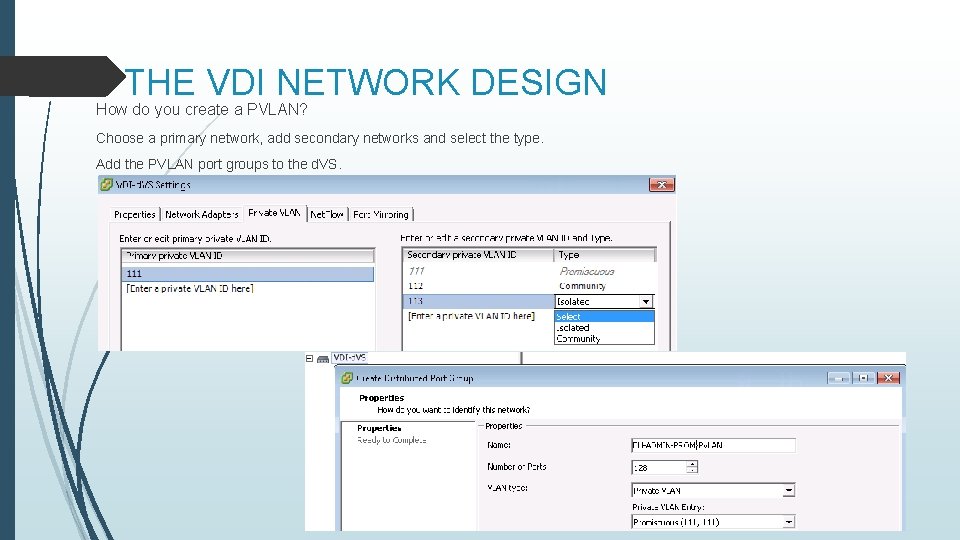
THE VDI NETWORK DESIGN How do you create a PVLAN? Choose a primary network, add secondary networks and select the type. Add the PVLAN port groups to the d. VS.
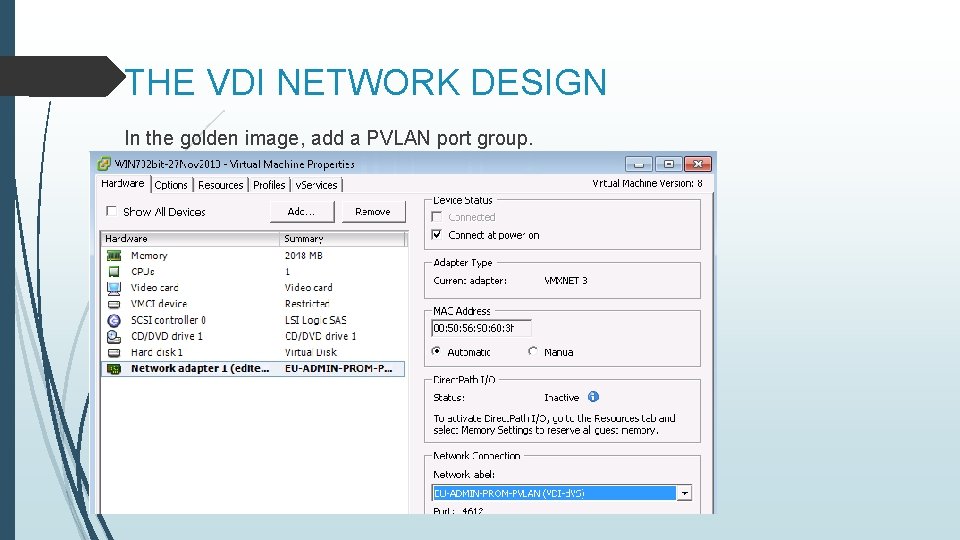
THE VDI NETWORK DESIGN In the golden image, add a PVLAN port group.
THE VDI NETWORK DESIGN The advantages of this kind of network setup are: Disable pools or connection servers = No impact to other regions. Traveling poses no risk (Users and Admin) Less dependent on physical network devices. In one word: granularity. The next slide will give you a better idea what the network setup looks like.
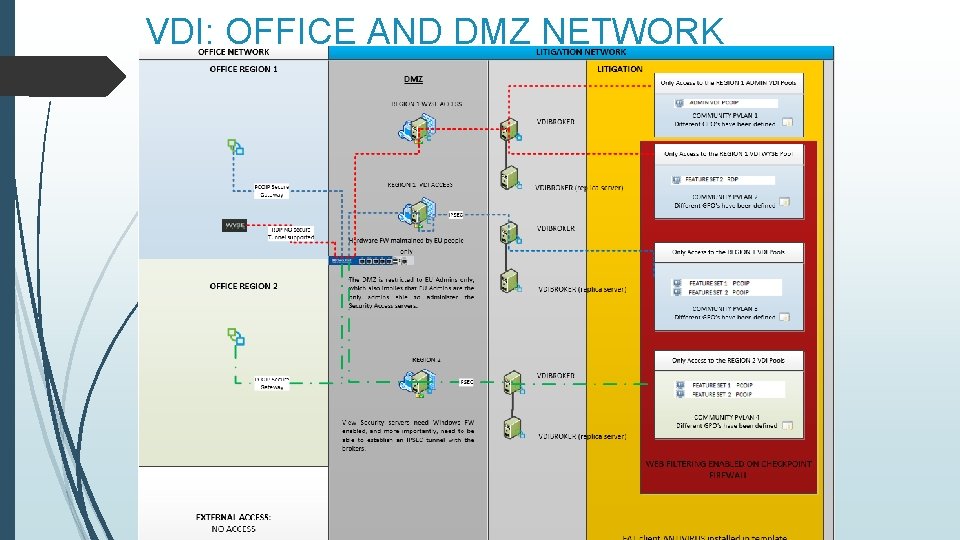
VDI: OFFICE AND DMZ NETWORK
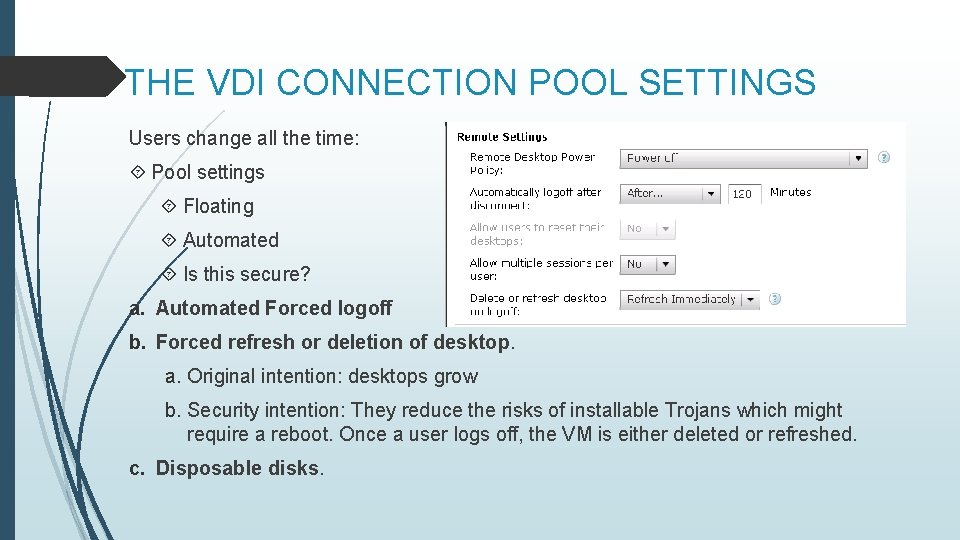
THE VDI CONNECTION POOL SETTINGS Users change all the time: Pool settings Floating Automated Is this secure? a. Automated Forced logoff b. Forced refresh or deletion of desktop. a. Original intention: desktops grow b. Security intention: They reduce the risks of installable Trojans which might require a reboot. Once a user logs off, the VM is either deleted or refreshed. c. Disposable disks.
THE VDI CONNECTION POOL SETTINGS Different access rights in the same region. a. Printing from VDI to the desktop b. Copy paste from VDI to the desktop c. Copy paste from the desktop to VDI d. People forced to use a Wyse Terminal Multiple VDI pools. a. Different template per VDI pool b. A PVLAN has been assigned to each template c. Different view agent installation settings d. Different GPOs What does this look like?
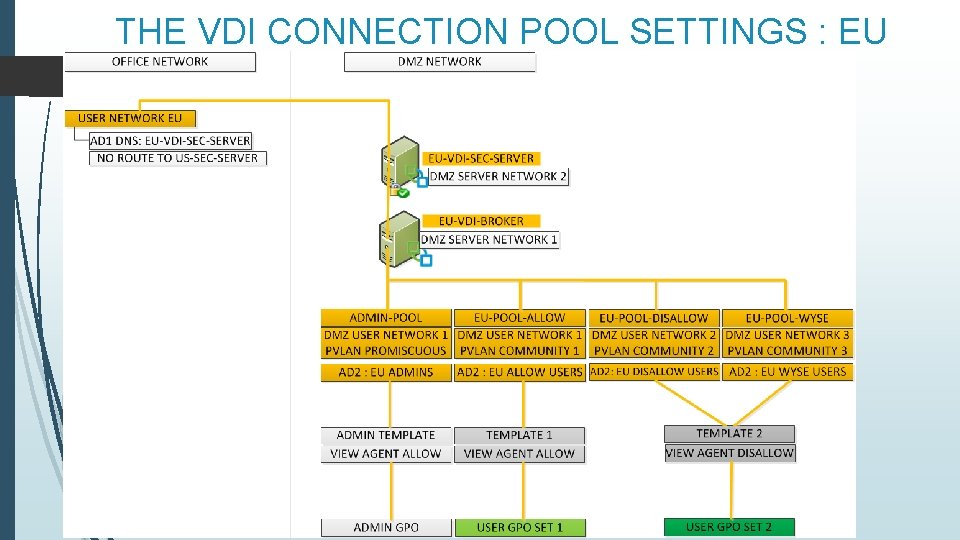
THE VDI CONNECTION POOL SETTINGS : EU
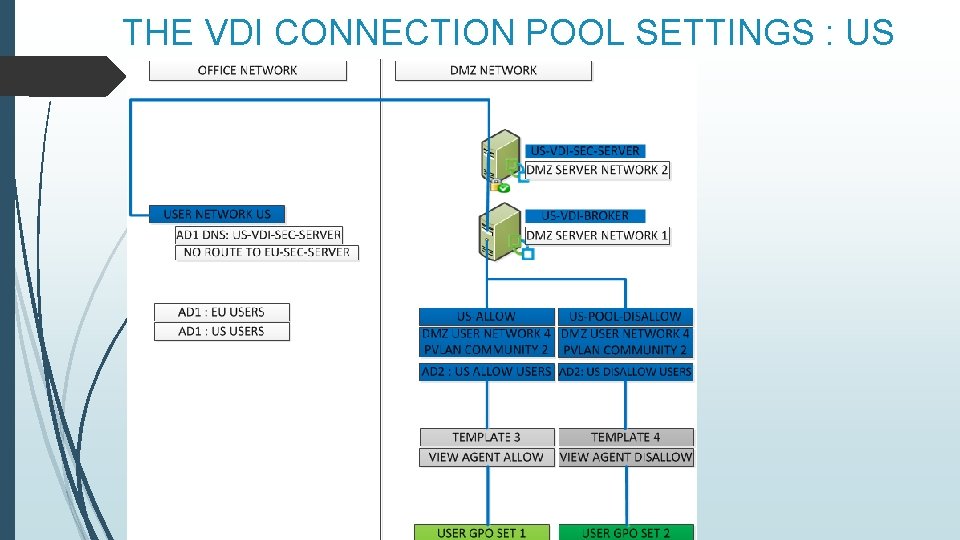
THE VDI CONNECTION POOL SETTINGS : US
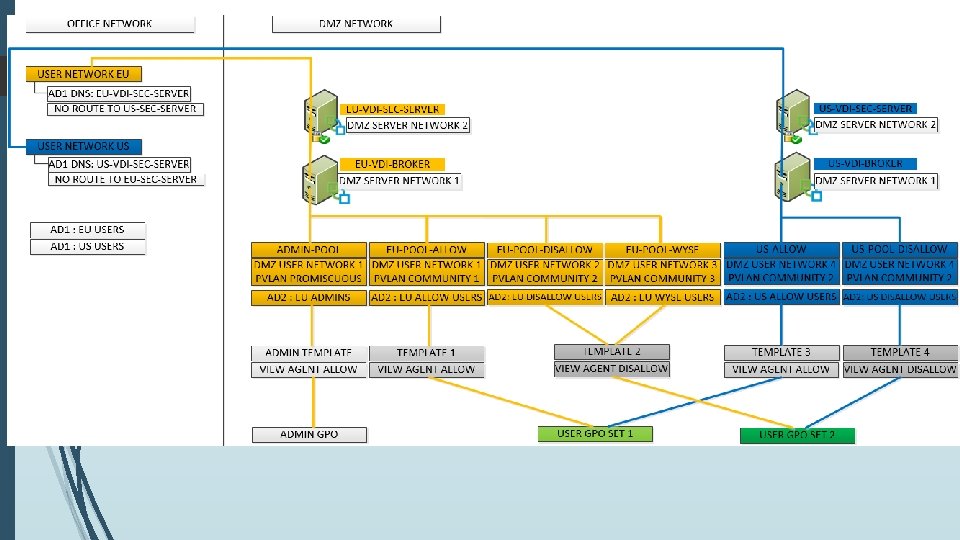
THE VDI CONNECTION POOL SETTINGS a
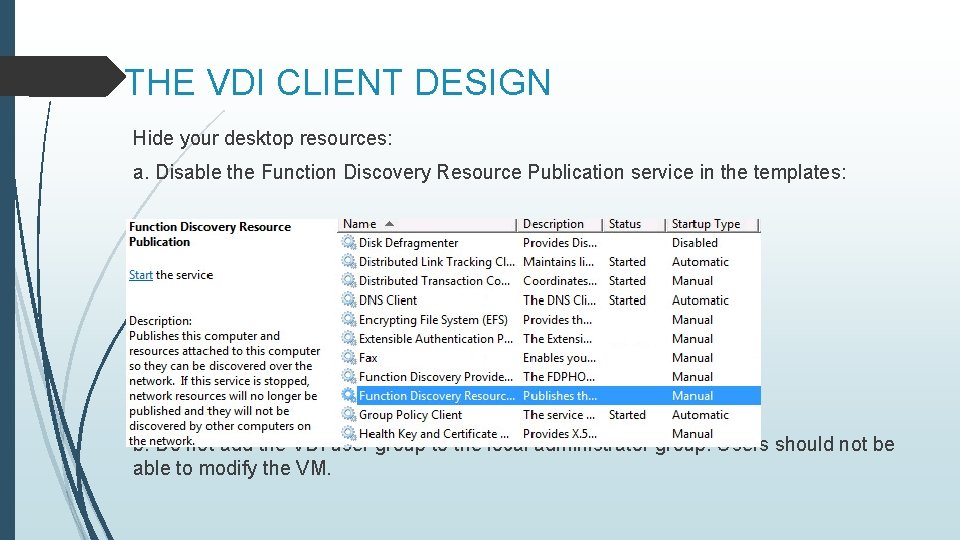
THE VDI CLIENT DESIGN Hide your desktop resources: a. Disable the Function Discovery Resource Publication service in the templates: b. Do not add the VDI user group to the local administrator group. Users should not be able to modify the VM.
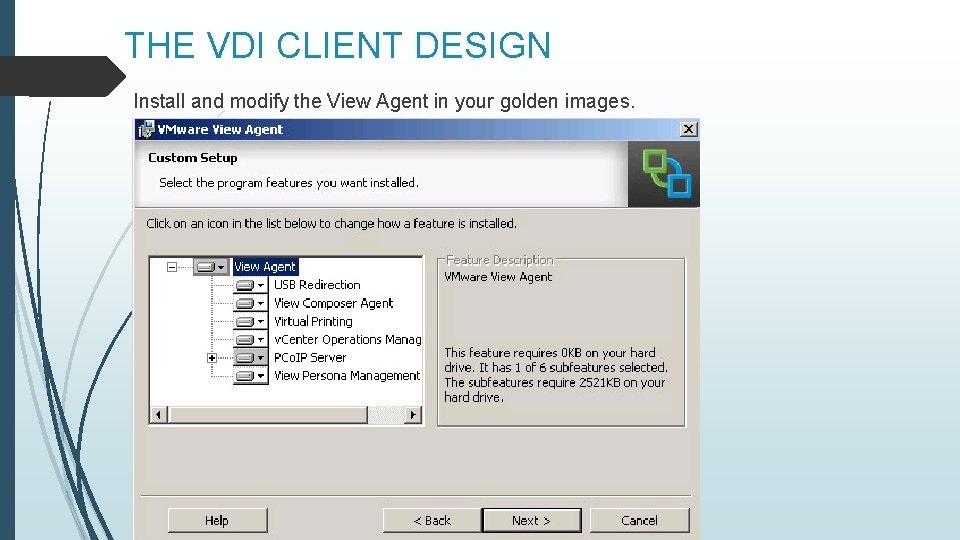
THE VDI CLIENT DESIGN Install and modify the View Agent in your golden images.
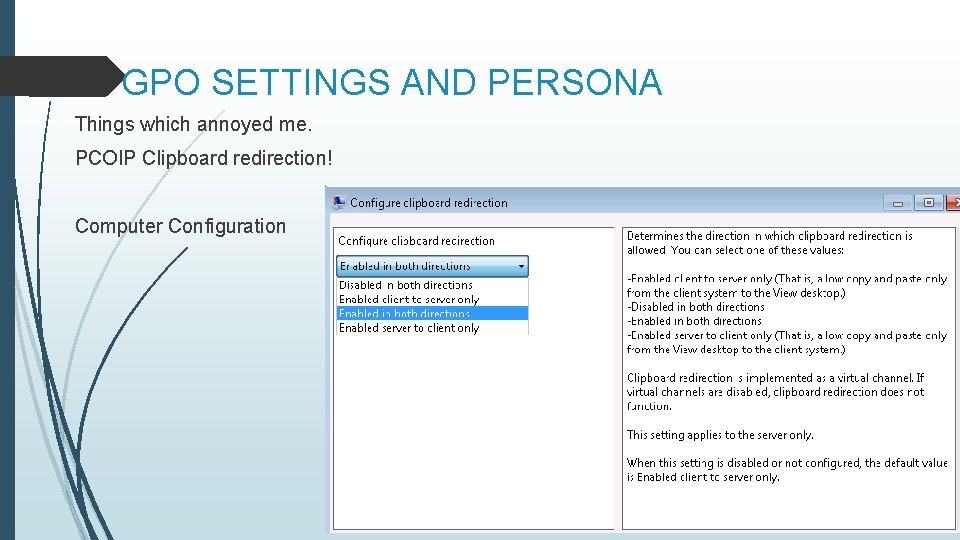
GPO SETTINGS AND PERSONA Things which annoyed me. PCOIP Clipboard redirection! Computer Configuration
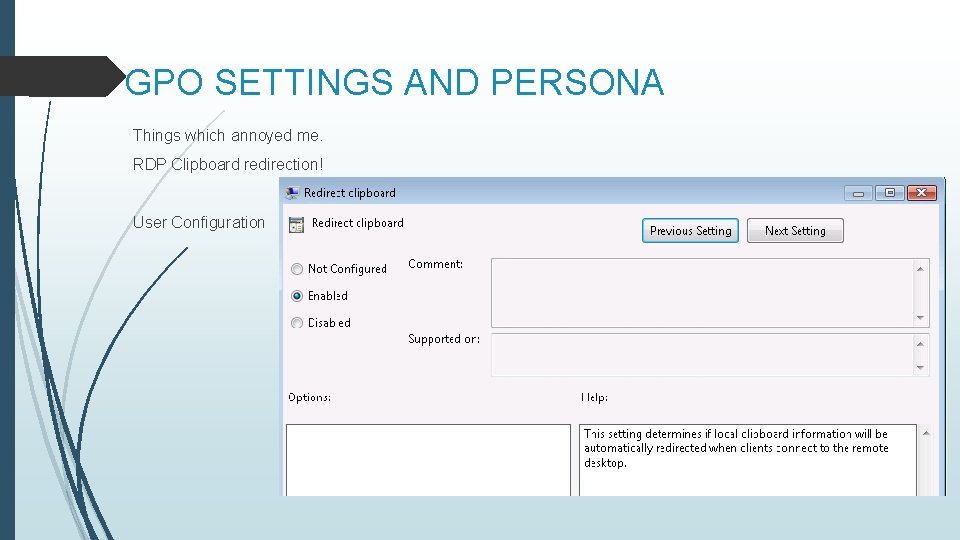
GPO SETTINGS AND PERSONA Things which annoyed me. RDP Clipboard redirection! User Configuration
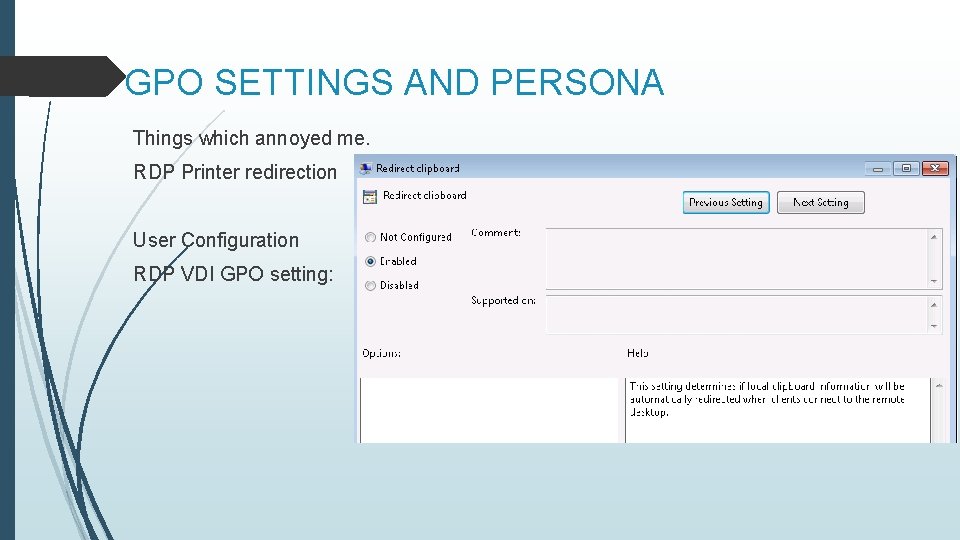
GPO SETTINGS AND PERSONA Things which annoyed me. RDP Printer redirection User Configuration RDP VDI GPO setting:
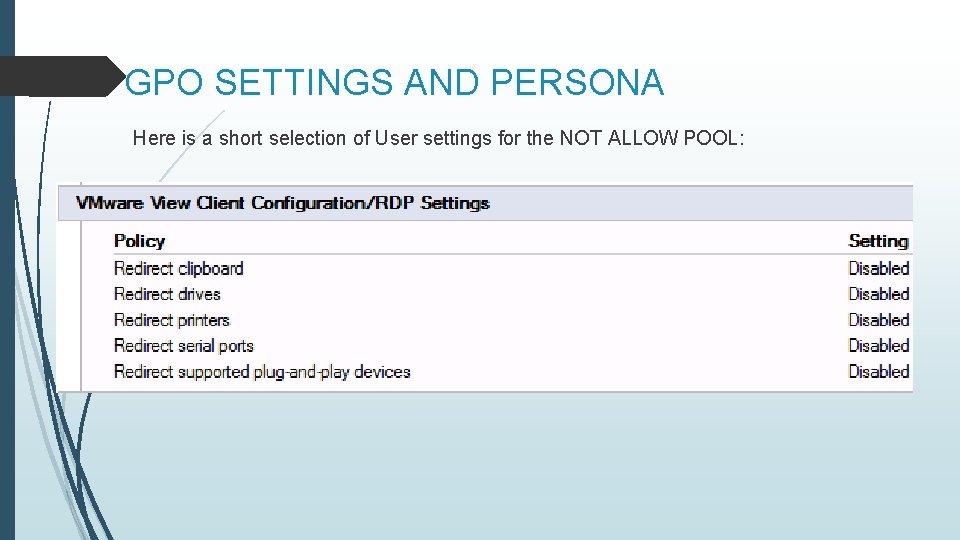
GPO SETTINGS AND PERSONA Here is a short selection of User settings for the NOT ALLOW POOL:
GPO SETTINGS: INTERNET ACCESS Internet access is pretty critical. You do not want people to be able to upload documents to another site, or to email documents. Virtual proxy server in the DMZ Force the proxy server through GPO.
VDI: APPLICATION SECURITY Most applications are embedded in the golden image Not everyone needs the same applications. How do you handle application distribution? Thin. Application distribution through VDI Admin portal. Users need no rights to install. No other admin teams involved to push applications. Not all users need the same programs VPN tunnels, scripting tools In combination with a floating desktop pool, this makes sure that applications can be added and removed on a whim.
SO HOW DO YOU KNOW WHEN. . How do we test if everything is secured according our needs? Test access from different regions. Test credential access. Are local admins disabled? So the last question probably is how we handle client data? How can we make sure that no one has access to data he or she should not have access to? No NAS AD account to access all shares. Different share per client. Only one AD security group per share. No rights to map shares – Shares mapped by logon script GPOs make sure that users cannot copy data or can access other NAS shares.
- Slides: 36