
Data Definition and Data Types Managing DBs using
Data Definition and Data Types Managing DBs using IDEs Data Ty Viktor Kostadinov Technical Trainer Software University http: //softuni. bg pes
Table of Contents 1. Data Types 2. Database Modeling 3. Basic SQL Queries and Table Customization 4. Deleting Data and Structures 2
Questions sli. do #SQL 3
Data Types in SQL Server
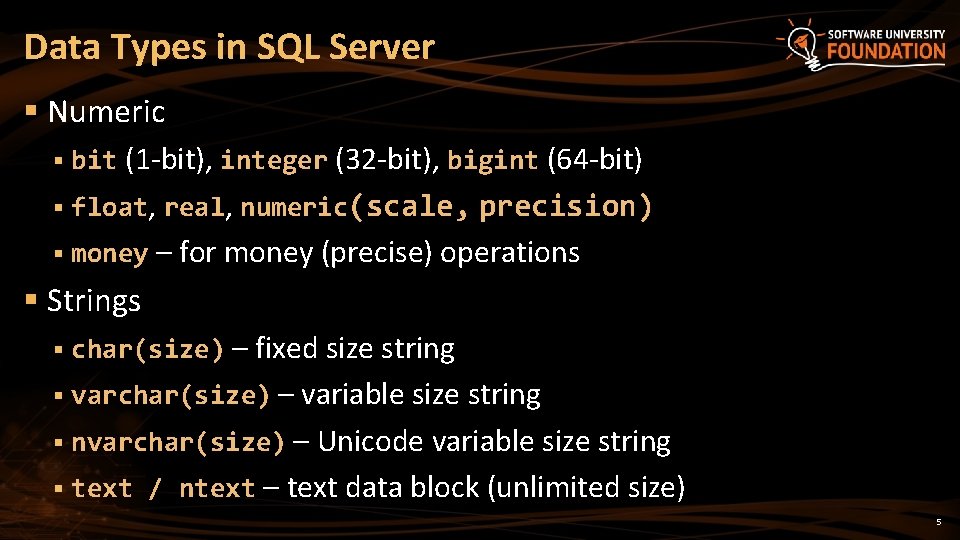
Data Types in SQL Server § Numeric § bit (1 -bit), integer (32 -bit), bigint (64 -bit) § float, real, numeric(scale, precision) § money – for money (precise) operations § Strings § char(size) – fixed size string § varchar(size) – variable size string § nvarchar(size) – Unicode variable size string § text / ntext – text data block (unlimited size) 5
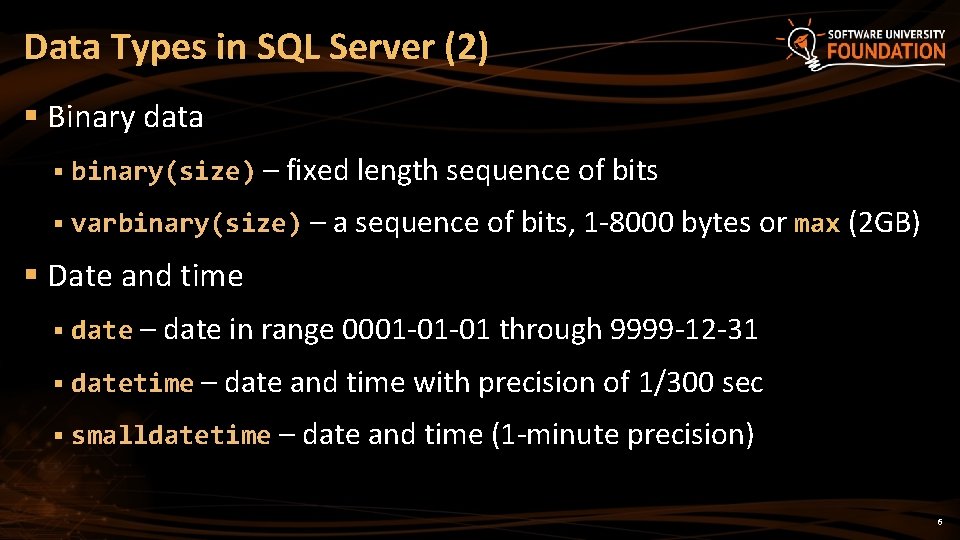
Data Types in SQL Server (2) § Binary data § binary(size) – fixed length sequence of bits § varbinary(size) – a sequence of bits, 1 -8000 bytes or max (2 GB) § Date and time § date – date in range 0001 -01 -01 through 9999 -12 -31 § datetime – date and time with precision of 1/300 sec § smalldatetime – date and time (1 -minute precision) 6
Database Modeling Data Definition using Management Studio
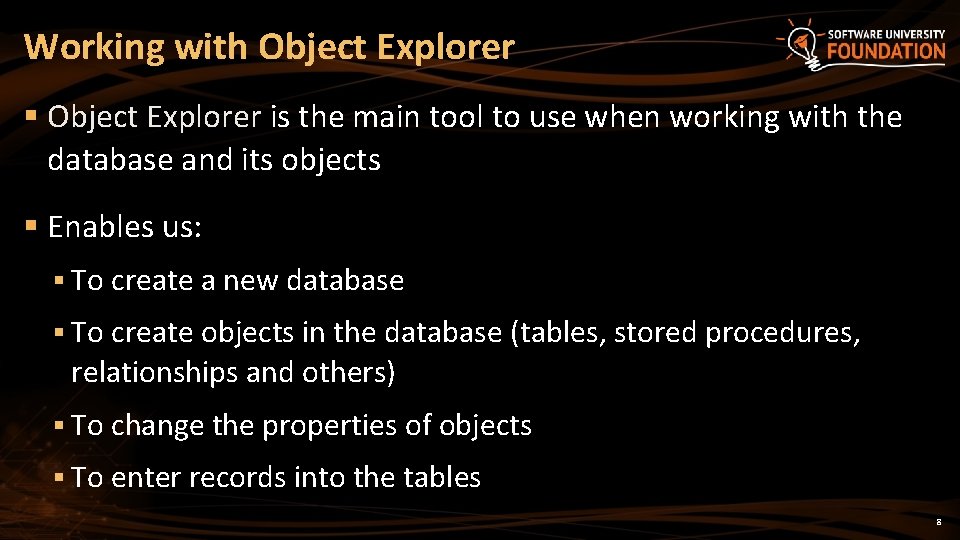
Working with Object Explorer § Object Explorer is the main tool to use when working with the database and its objects § Enables us: § To create a new database § To create objects in the database (tables, stored procedures, relationships and others) § To change the properties of objects § To enter records into the tables 8
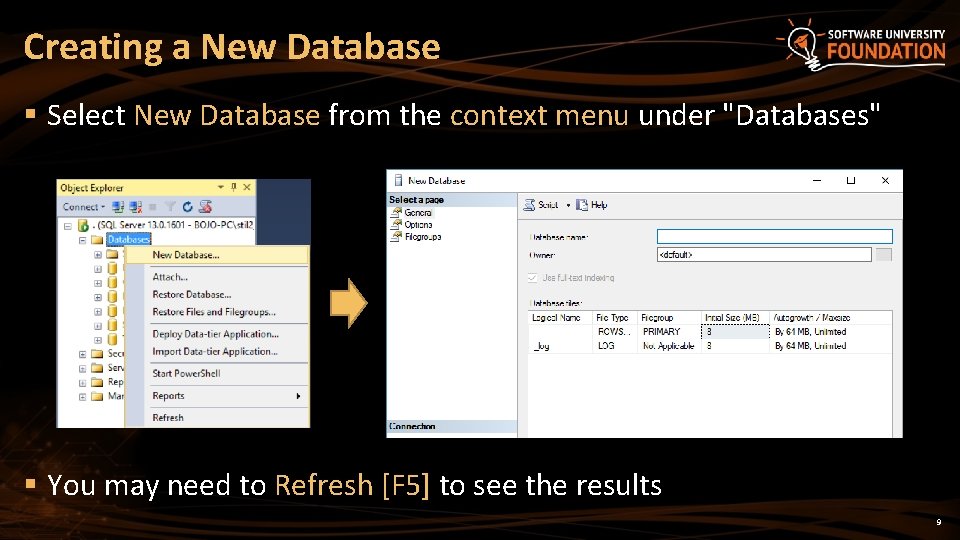
Creating a New Database § Select New Database from the context menu under "Databases" § You may need to Refresh [F 5] to see the results 9
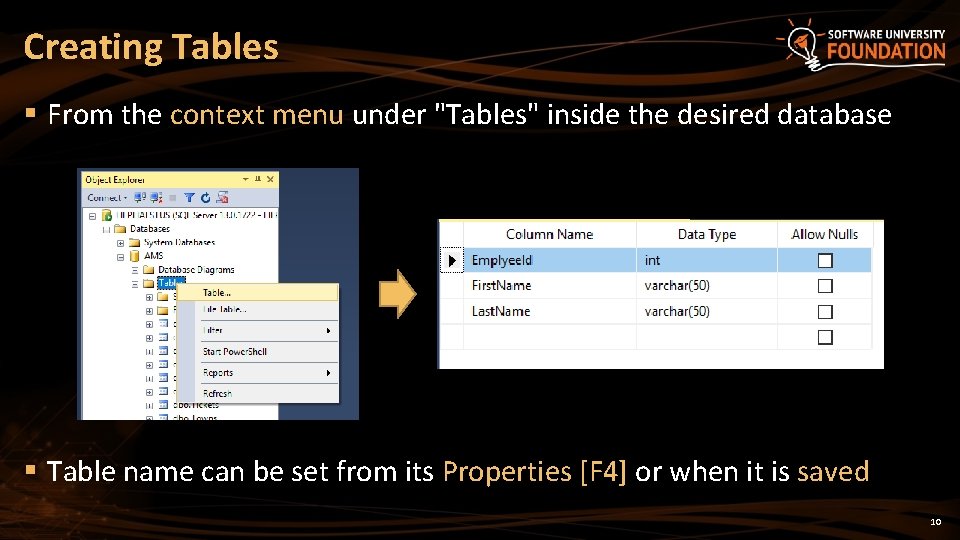
Creating Tables § From the context menu under "Tables" inside the desired database § Table name can be set from its Properties [F 4] or when it is saved 10
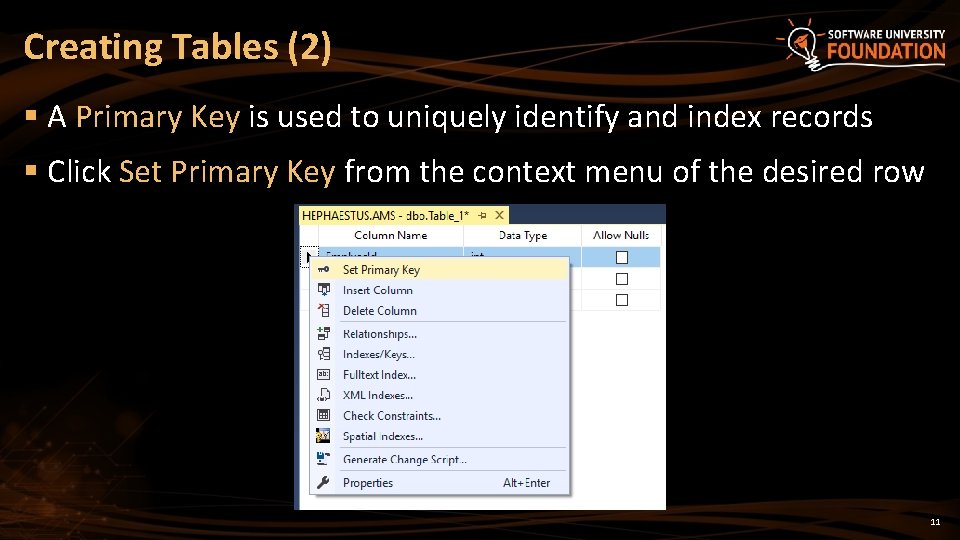
Creating Tables (2) § A Primary Key is used to uniquely identify and index records § Click Set Primary Key from the context menu of the desired row 11
Creating Tables (3) § Identity means that the values in a certain column are auto incremented for every newly inserted record § These values cannot be assigned manually § Identity Seed – the starting number from which the values in the column begin to increase. § Identity Increment – by how much each consecutive value is increased 12
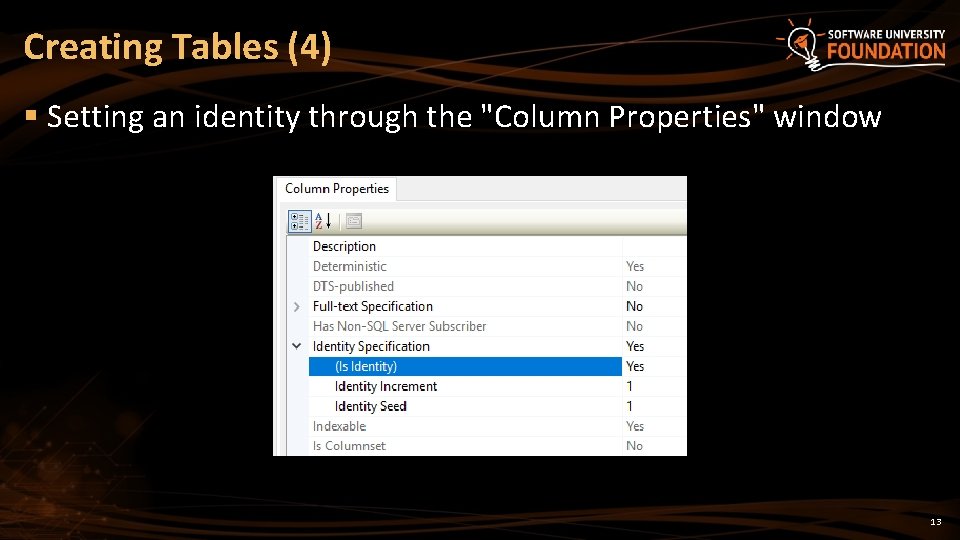
Creating Tables (4) § Setting an identity through the "Column Properties" window 13

Storing and Retrieving Data § We can add, modify and read records with Management Studio § To insert or edit a record, click Edit from the context menu Enter data at the end to add a new row 14
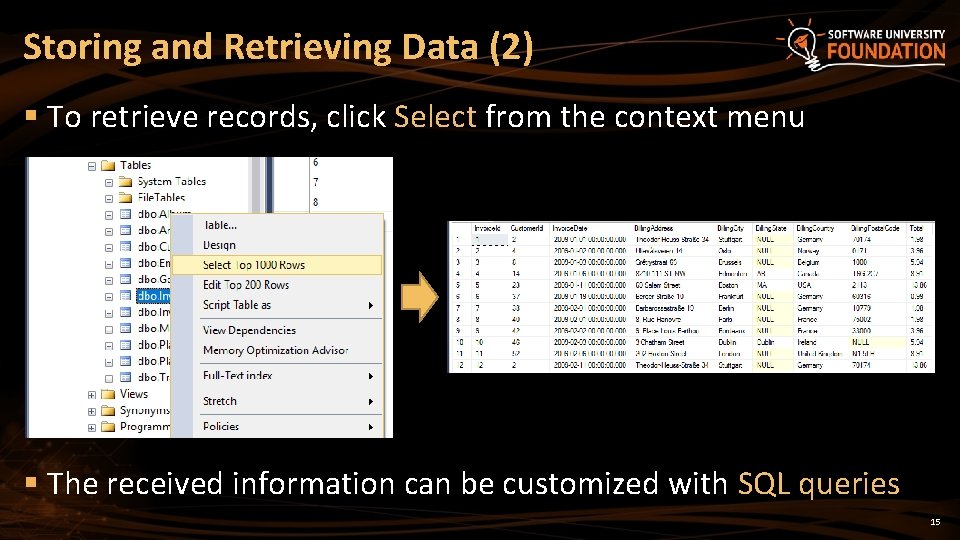
Storing and Retrieving Data (2) § To retrieve records, click Select from the context menu § The received information can be customized with SQL queries 15
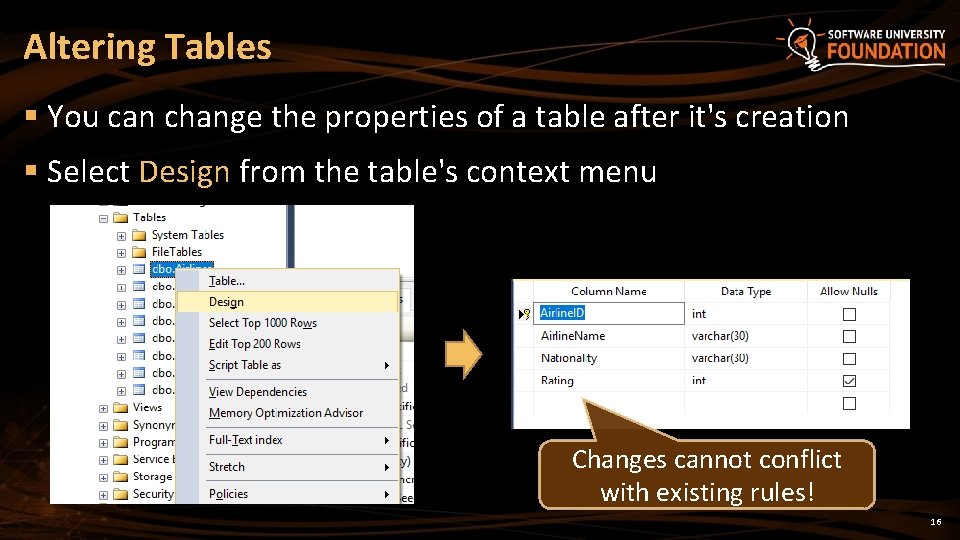
Altering Tables § You can change the properties of a table after it's creation § Select Design from the table's context menu Changes cannot conflict with existing rules! 16
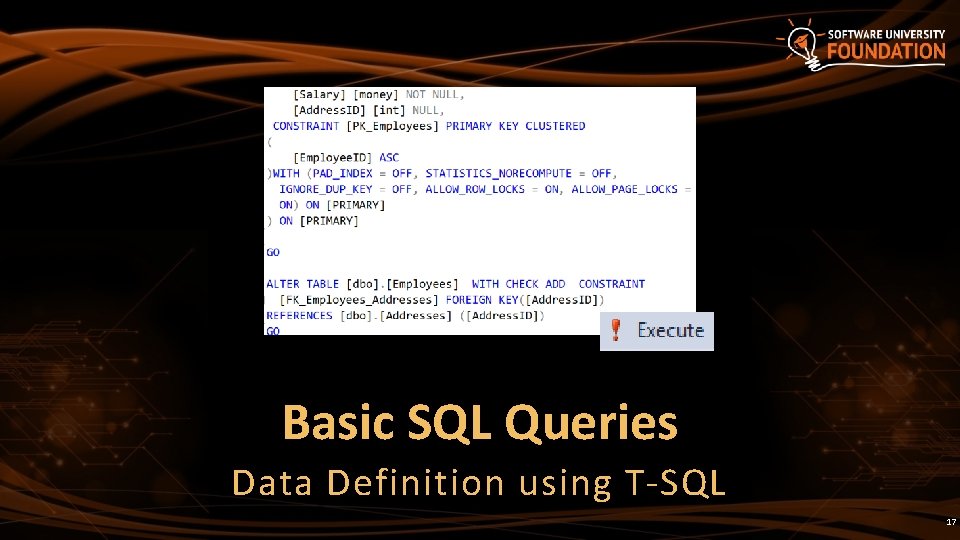
Basic SQL Queries Data Definition using T-SQL 17
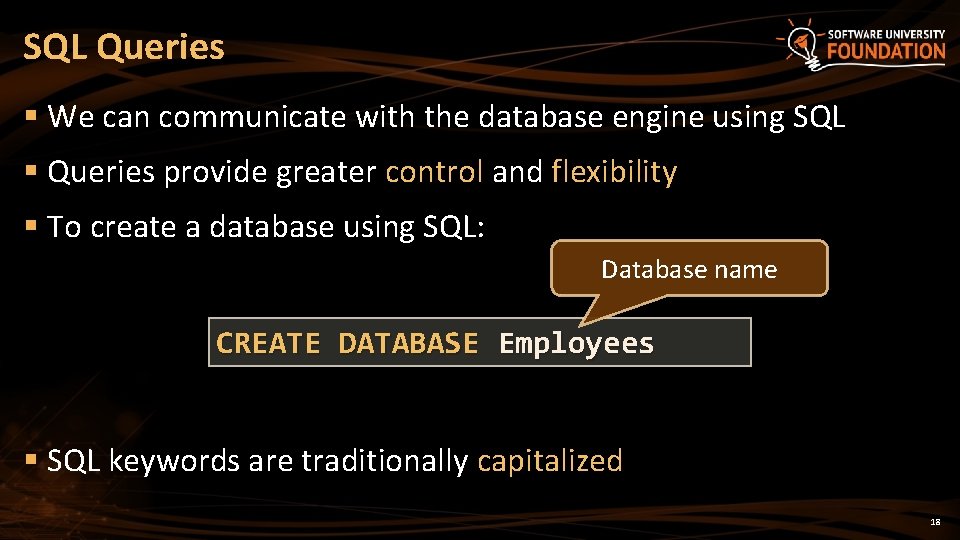
SQL Queries § We can communicate with the database engine using SQL § Queries provide greater control and flexibility § To create a database using SQL: Database name CREATE DATABASE Employees § SQL keywords are traditionally capitalized 18
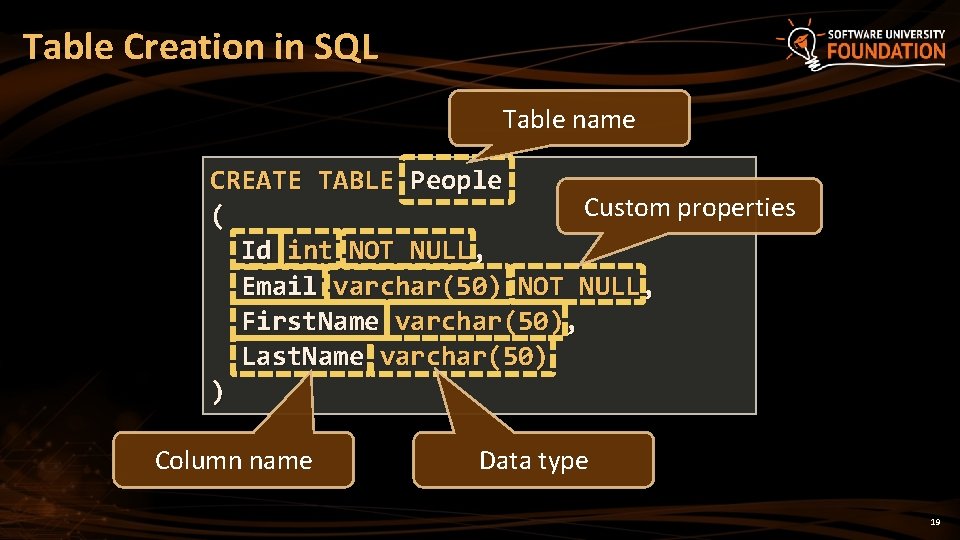
Table Creation in SQL Table name CREATE TABLE People Custom properties ( Id int NOT NULL, Email varchar(50) NOT NULL, First. Name varchar(50), Last. Name varchar(50) ) Column name Data type 19
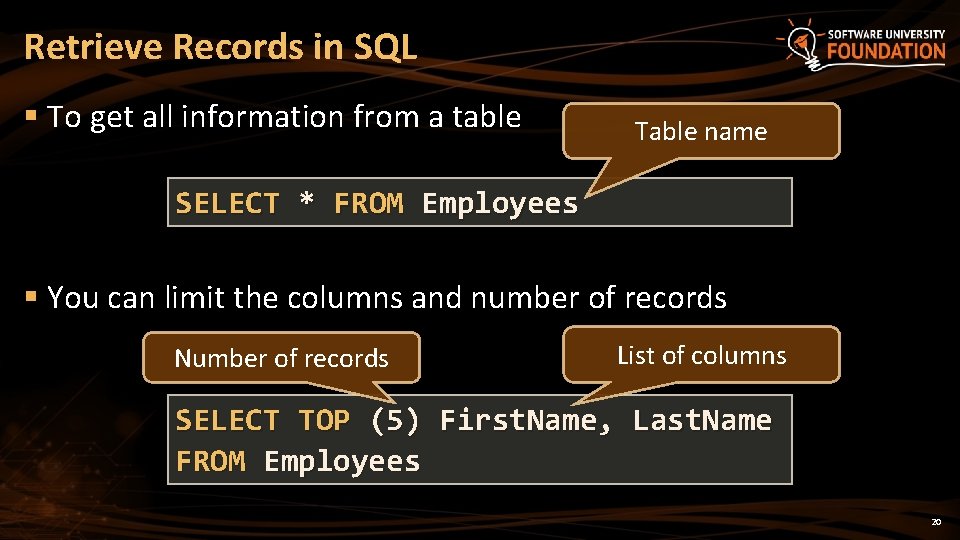
Retrieve Records in SQL § To get all information from a table Table name SELECT * FROM Employees § You can limit the columns and number of records Number of records List of columns SELECT TOP (5) First. Name, Last. Name FROM Employees 20
Table Customization Adding Rules, Constraints and Relationship
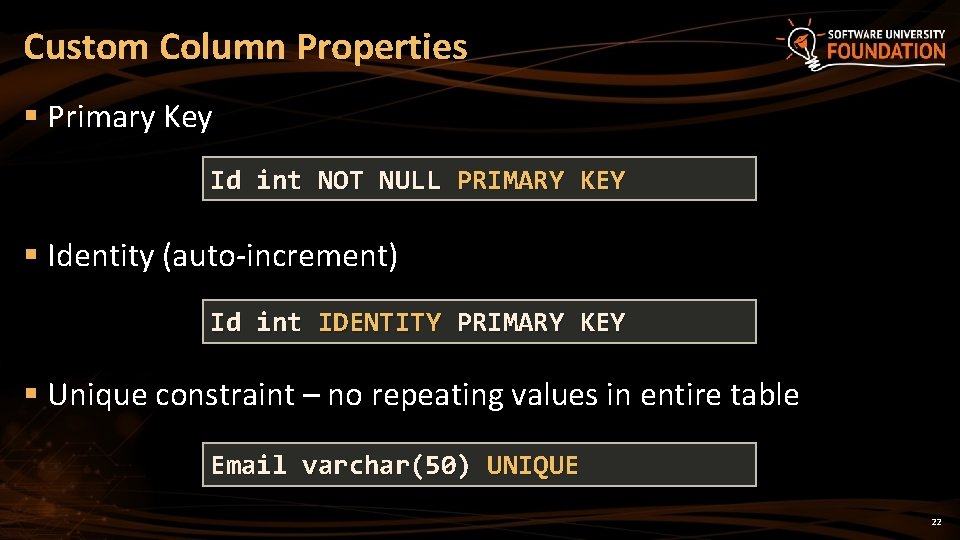
Custom Column Properties § Primary Key Id int NOT NULL PRIMARY KEY § Identity (auto-increment) Id int IDENTITY PRIMARY KEY § Unique constraint – no repeating values in entire table Email varchar(50) UNIQUE 22
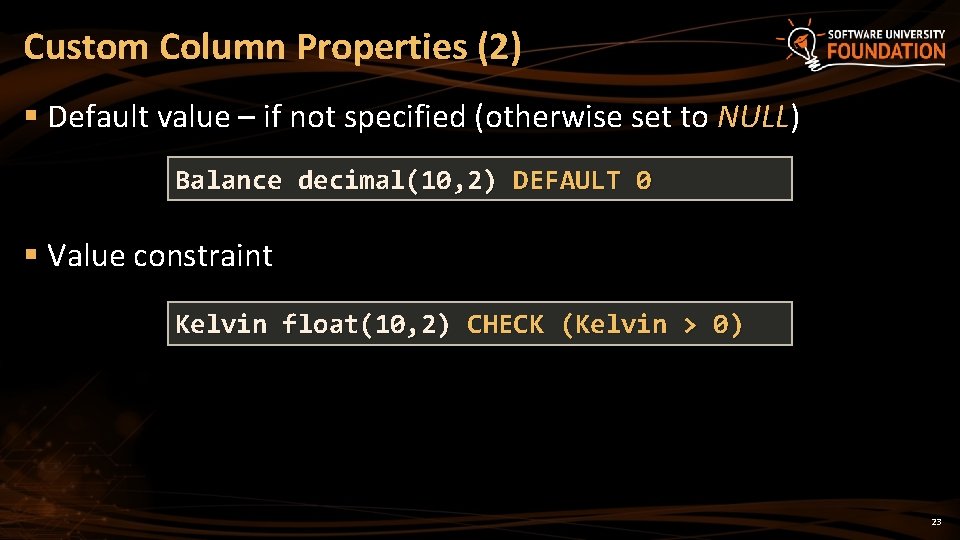
Custom Column Properties (2) § Default value – if not specified (otherwise set to NULL) Balance decimal(10, 2) DEFAULT 0 § Value constraint Kelvin float(10, 2) CHECK (Kelvin > 0) 23
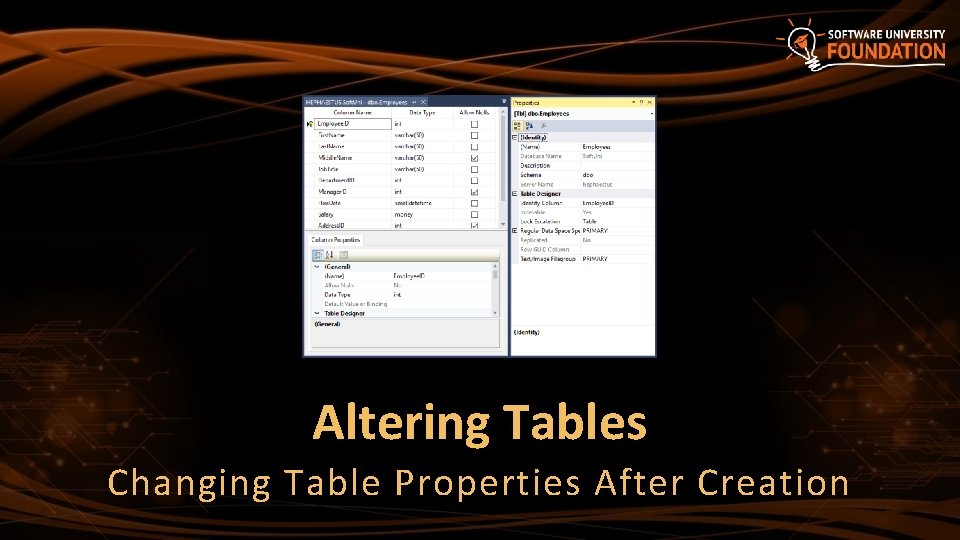
Altering Tables Changing Table Properties After Creation
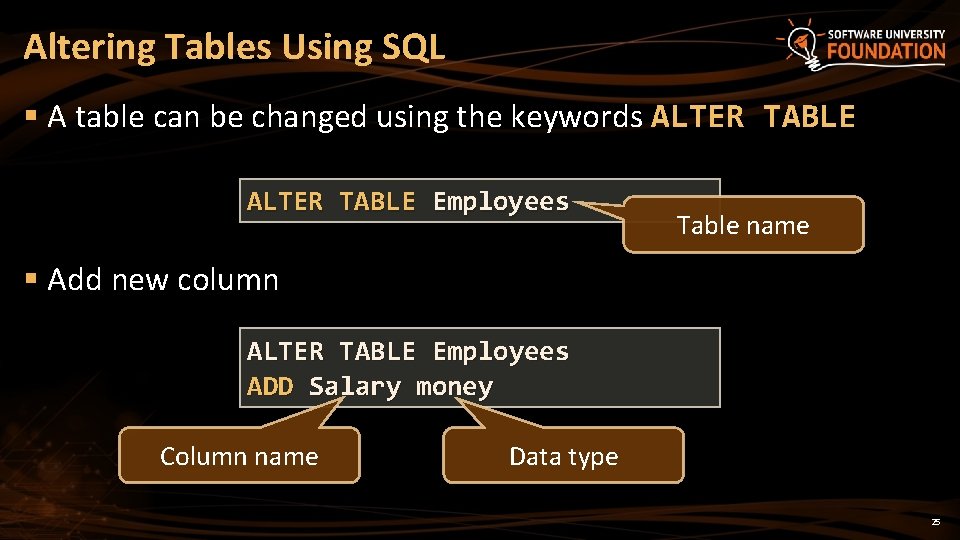
Altering Tables Using SQL § A table can be changed using the keywords ALTER TABLE Employees Table name § Add new column ALTER TABLE Employees ADD Salary money Column name Data type 25
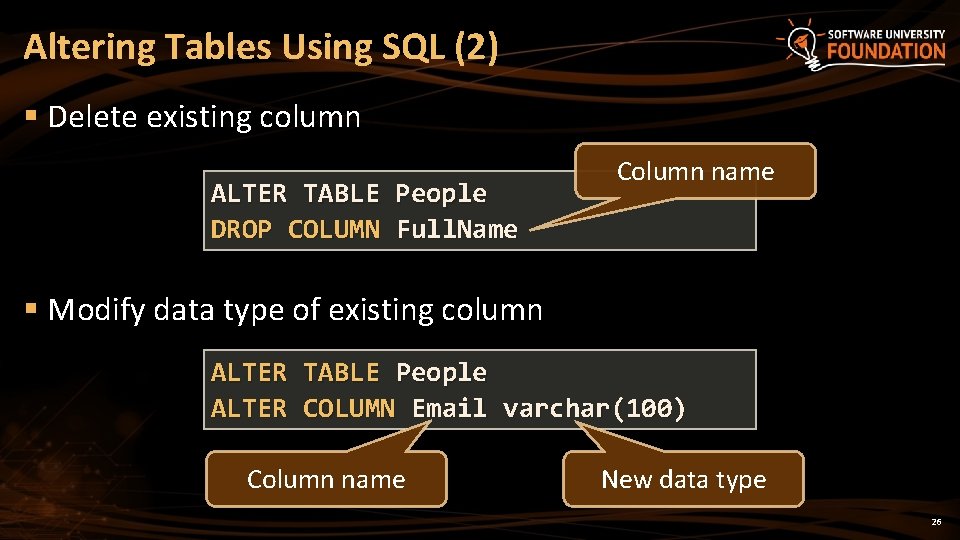
Altering Tables Using SQL (2) § Delete existing column ALTER TABLE People DROP COLUMN Full. Name Column name § Modify data type of existing column ALTER TABLE People ALTER COLUMN Email varchar(100) Column name New data type 26
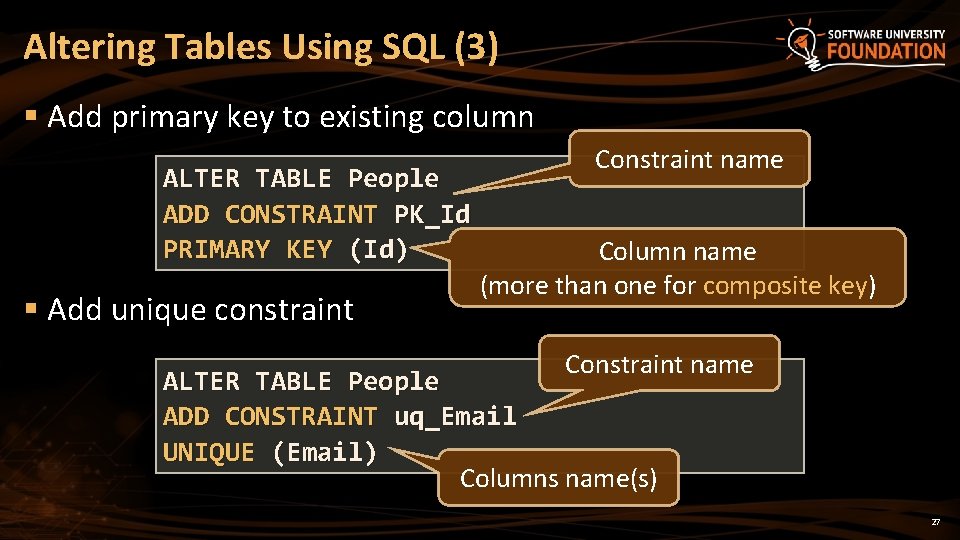
Altering Tables Using SQL (3) § Add primary key to existing column ALTER TABLE People ADD CONSTRAINT PK_Id PRIMARY KEY (Id) § Add unique constraint Constraint name Column name (more than one for composite key) Constraint name ALTER TABLE People ADD CONSTRAINT uq_Email UNIQUE (Email) Columns name(s) 27
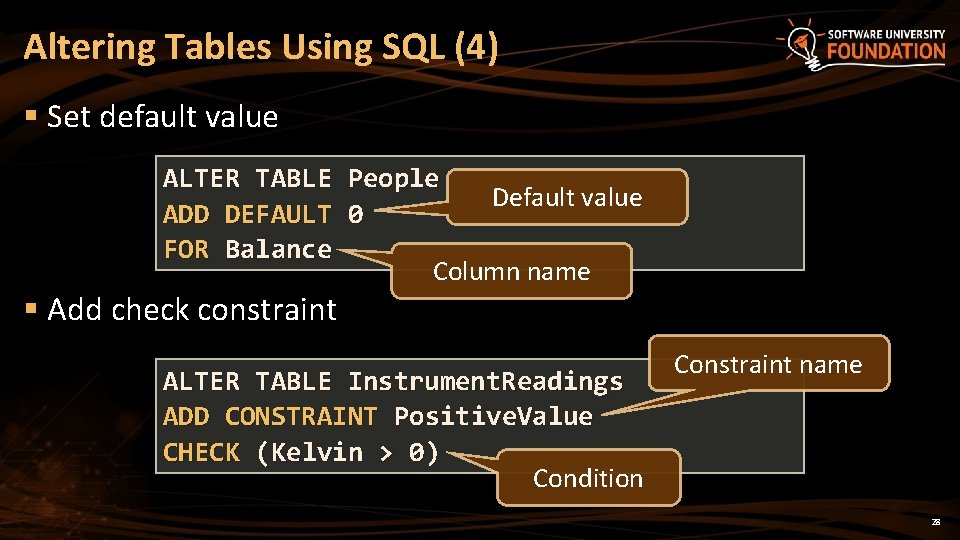
Altering Tables Using SQL (4) § Set default value ALTER TABLE People Default value ADD DEFAULT 0 FOR Balance Column name § Add check constraint ALTER TABLE Instrument. Readings ADD CONSTRAINT Positive. Value CHECK (Kelvin > 0) Condition Constraint name 28
Deleting Data and Structures 29
Deleting from Database § Deleting structures is called dropping § You can drop keys, constraints, tables and entire databases § Deleting all data in a table is called truncating § Both of these actions cannot be undone – use with caution! 30
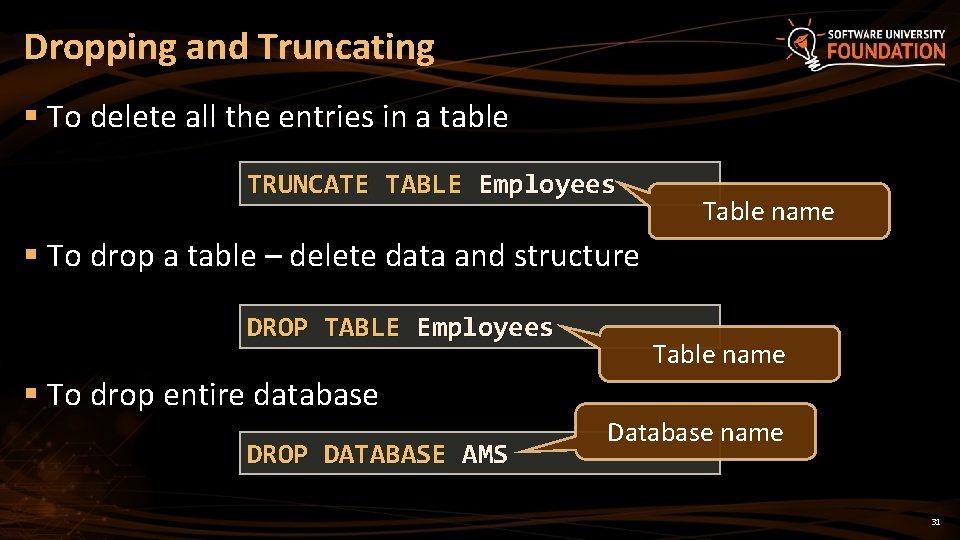
Dropping and Truncating § To delete all the entries in a table TRUNCATE TABLE Employees Table name § To drop a table – delete data and structure DROP TABLE Employees Table name § To drop entire database DROP DATABASE AMS Database name 31
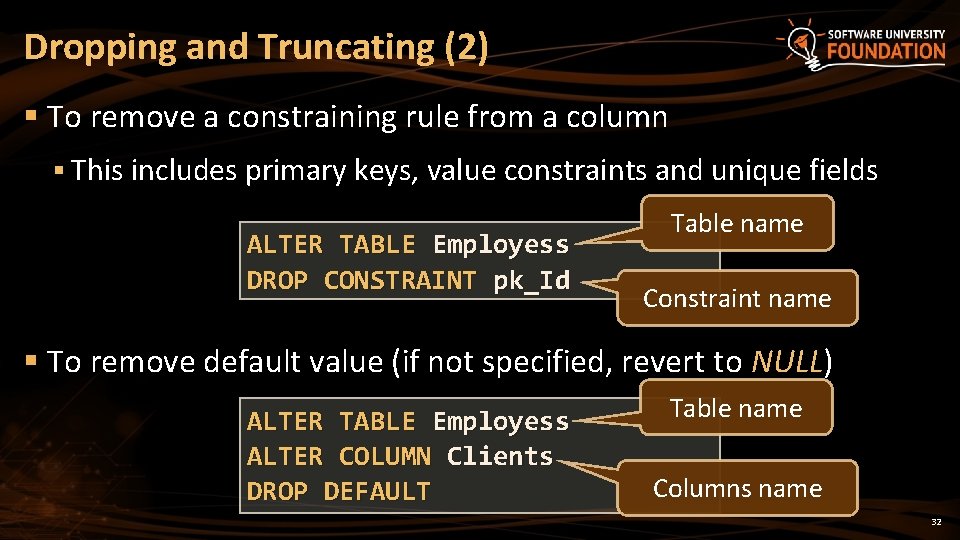
Dropping and Truncating (2) § To remove a constraining rule from a column § This includes primary keys, value constraints and unique fields ALTER TABLE Employess DROP CONSTRAINT pk_Id Table name Constraint name § To remove default value (if not specified, revert to NULL) ALTER TABLE Employess ALTER COLUMN Clients DROP DEFAULT Table name Columns name 32
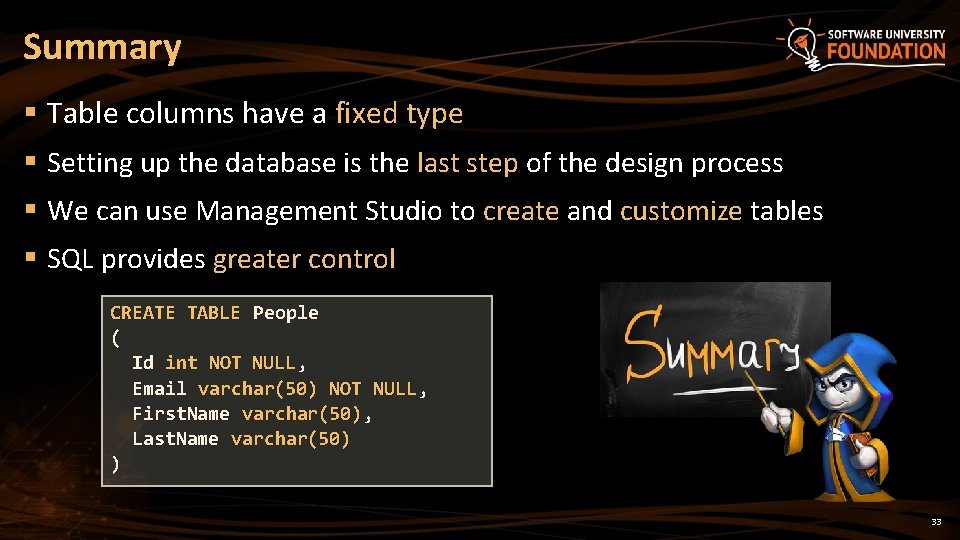
Summary § Table columns have a fixed type § Setting up the database is the last step of the design process § We can use Management Studio to create and customize tables § SQL provides greater control CREATE TABLE People ( Id int NOT NULL, Email varchar(50) NOT NULL, First. Name varchar(50), Last. Name varchar(50) ) 33
Data Definition and Data Types ? s n stio e u Q ? ? ? https: //softuni. bg/courses/
License § This course (slides, examples, demos, videos, homework, etc. ) is licensed under the "Creative Commons Attribution. Non. Commercial-Share. Alike 4. 0 International" license § Attribution: this work may contain portions from § "Fundamentals of Computer Programming with C#" book by Svetlin Nakov & Co. under CC-BY-SA license § "C# Part I" course by Telerik Academy under CC-BY-NC-SA license 35

Free Trainings @ Software University § Software University Foundation – softuni. org § Software University – High-Quality Education, Profession and Job for Software Developers § softuni. bg § Software University @ Facebook § facebook. com/Software. University § Software University Forums § forum. softuni. bg
- Slides: 36