
Data Collection and Progress Monitoring for Transition Diane




- Slides: 60
Data Collection and Progress Monitoring for Transition Diane Sobolewski 2004 PA Transition Communities of Practice Conference Pennsylvania Training and Technical Assistance Network Pennsylvania Department of Education 1
Data Collection Decisions What is the purpose for collecting data? « Set appropriate IEP goals and objectives based on baseline data of present levels of performance « Facilitate effective instructional decisions based on data « Communicate the rate and growth of student progress to parents or other professionals 2
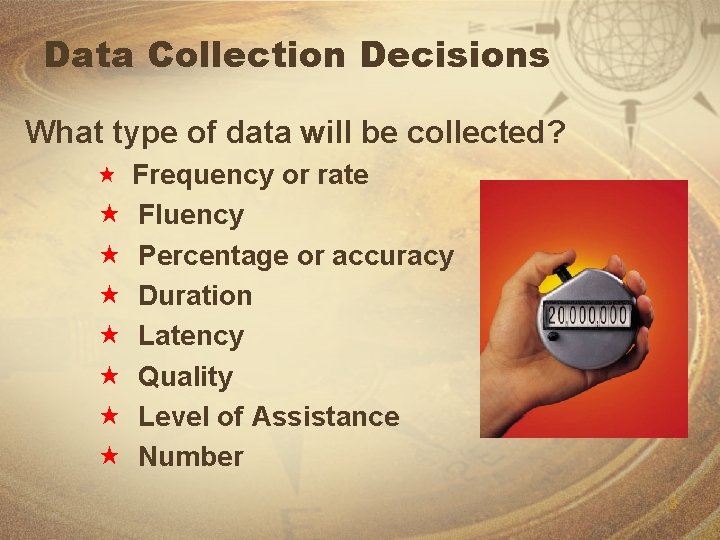
Data Collection Decisions What type of data will be collected? « Frequency or rate « « « « Fluency Percentage or accuracy Duration Latency Quality Level of Assistance Number 3
Data Collection Decisions Where will the data be collected? « Settings (classroom, home, cafeteria, community, etc. ) « Situations (during instruction, transitions, free time, etc. ) 4
Data Collection Decisions How often will the data be collected? « « Daily Twice a week Weekly Every other week 5
Data Collection Decisions Who will collect the data? « « « Special education teacher Regular education teacher Paraprofessional Parent Related service provider Student 6
Data Collection Decisions Example RWLS Standard 1. 6. 11 A Listen to others, ask clarifying questions, synthesize information to determine relevancy. « Given a job shadowing visit and a list of questions developed ahead of time, Adam will chart 100% of the answers re: 5 aspects of each job with fewer than 3 prompts per visit. « Type of data – Number / Level of Assistance « Where – job shadowing site in community « How often – weekly « Who – para-educator or special education teacher 7
Data Collection Decisions Example Math 2. 1. 3 E Count, compare, and make change using a collection of coins and bills « Ellen will pay the bus driver using the correct combination of coins and/or bills 5/5 trials over 3 consecutive weeks. « Type of data – Percentage or accuracy « Where - On-site, in the community « How often – daily « Who - Para-educator, travel trainer, teacher 8
Data Collection Decisions « Looking at Cork’s information, make your data collection decisions on one objective: « Type of data – « Where – « How often – « Who – 9
Activity 10
Activity 1 « Consider each data collection decision: type of data, where, how often, and who « Complete chart for each student « Do not complete the “tool” column 11
Data Collection Tools & Review Schedule Data Decisions « Type of data needed « Where, by whom, and how often data will be collected Guide your selection of a meaningful data collection tool 12
A Sampling of Tools «Structured Interviews or Surveys «Observation Logs «Teacher-made tests «Rating Scales/ Assessment Checklists «Rubrics «Task Analysis Records «Portfolio Assessments «Curriculum-based Assessments «Anecdotal Records «Incident Records 13
Structured Anecdotal Report. . . . provides a written description (narrative report) of a student’s behavior in a particular setting or time period. Used to identify specific behavior within some general disturbance; often used as a first step in recognizing specific behaviors and the related environmental events. (Ex. student is out of control constantly disrupts the class) 14
Student: Time & Date Setting: (activity and individuals present) Antecedent 9: 45 a. m. 1. Teacher to class Sept. 5 “Get your materials out for English. ” Behavior Consequence 2. Bill begins tapping his pencil. 3. T: “B, Please stop that. You are annoying others. ” 4. B. continues to tap. 5. T puts her hand on B’s arm. 6. B. pulls his arm away. 7. T: “B, what did I tell you? ” 8. B. throws pencil in the air. 9. Other students laugh +/- or stare. 10. B. puts his pencil on the desk. 11. T writes B’s name on the board. 15
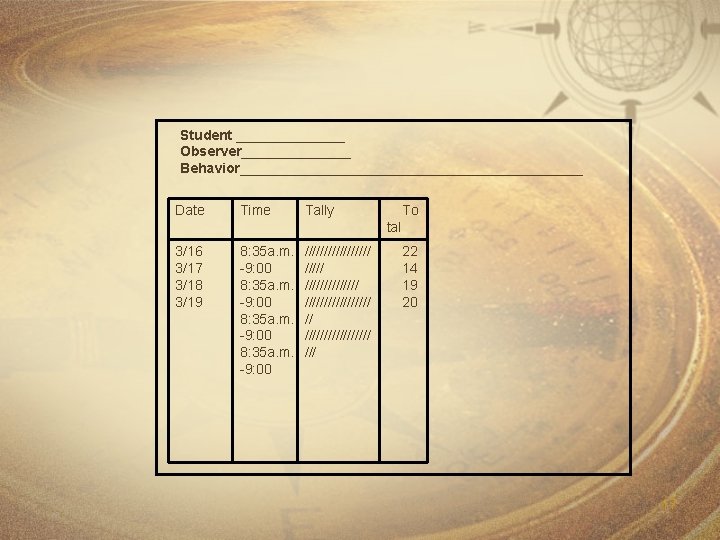
Event Recording. . . . directly and accurately reflects the number of times a behavior occurs. Suitable for behaviors that have an obvious beginning and end. Recording tools include: tally marks, checkmarks, abacus, hand-held frequency counters, stitch counters, smile faces, tokens, etc. (Ex. word recognition, coin counting, verbal yes/no responses, drinking from a cup. ) 16
Student _______ Observer_______ Behavior______________________ Date Time Tally To tal 3/16 3/17 3/18 3/19 8: 35 a. m. -9: 00 ///////// ///////////////// /// 22 14 19 20 17
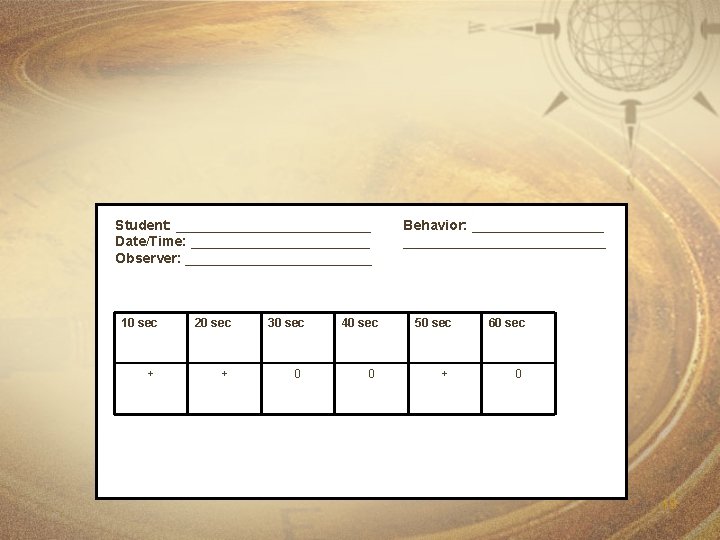
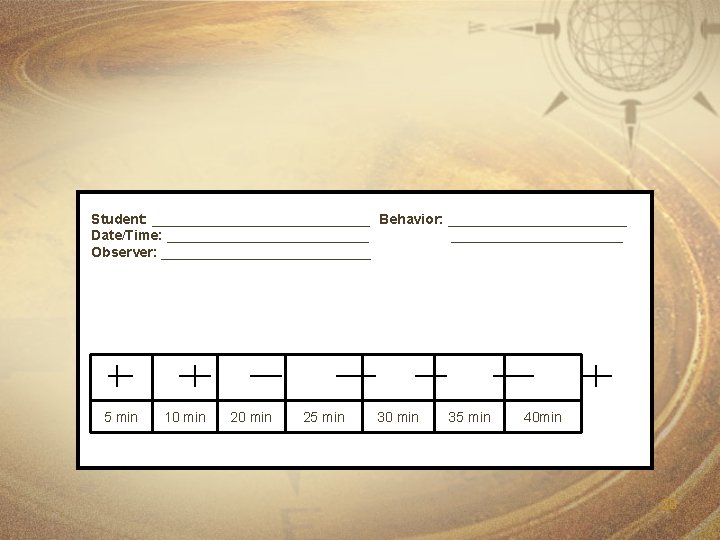
Interval Recording. . . . used to record the occurrence of a behavior within a specified time period. Results in an estimate of the actual number of times a behavior occurs. 18
Student: _____________ Date/Time: ____________ Observer: ____________ 10 sec + 20 sec + 30 sec 0 40 sec 0 Behavior: ______________________ 50 sec + 60 sec 0 19
Student: ______________ Behavior: ____________ Date/Time: _____________ Observer: ______________ 5 min 10 min 25 min 30 min 35 min 40 min 20
Duration Recording. . used to measure the length of time a student engages in a particular behavior. Suitable for behaviors that have a clear beginning and end. A timer is used to measure duration. (Ex. talking, screaming, interacting with peers, length of restroom breaks). 21
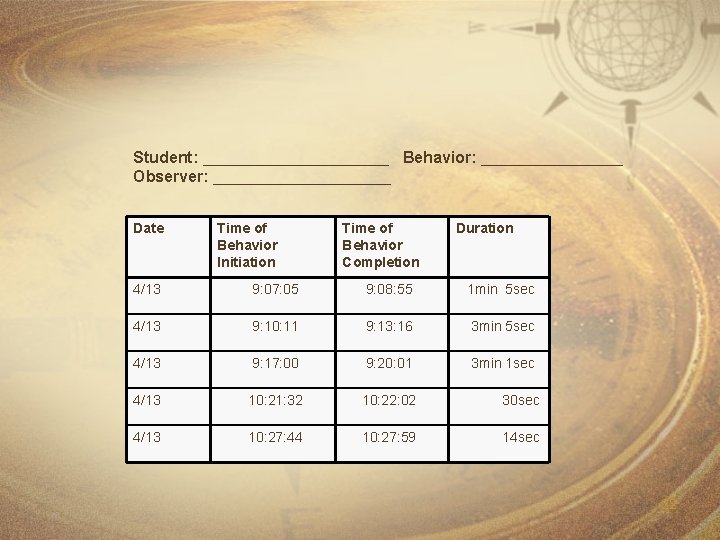
Student: ___________ Behavior: ________ Observer: __________ Date Time of Behavior Initiation Time of Behavior Completion Duration 4/13 9: 07: 05 9: 08: 55 1 min 5 sec 4/13 9: 10: 11 9: 13: 16 3 min 5 sec 4/13 9: 17: 00 9: 20: 01 3 min 1 sec 4/13 10: 21: 32 10: 22: 02 30 sec 4/13 10: 27: 44 10: 27: 59 14 sec 22
Latency Recording. . . . used to record the length of time that elapses from the time the student is cued until (s/he begins the behavior (Ex. beginning academic assignments, beginning to put away toys) 23
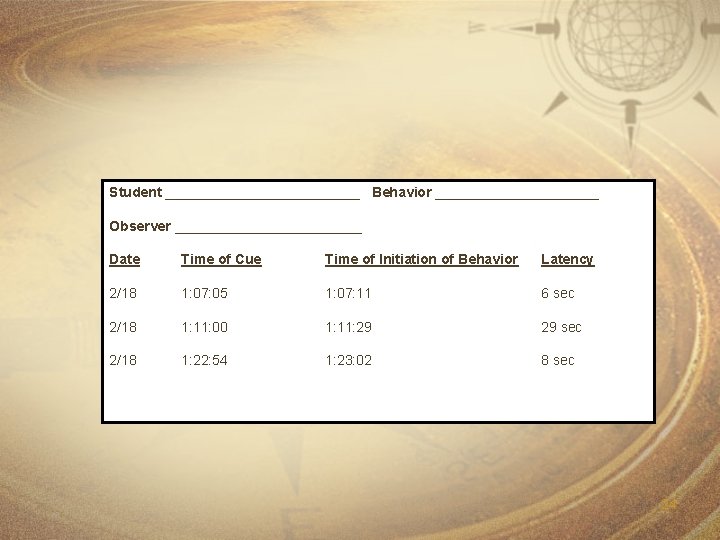
Student _____________ Behavior ___________ Observer ____________ Date Time of Cue Time of Initiation of Behavior Latency 2/18 1: 07: 05 1: 07: 11 6 sec 2/18 1: 11: 00 1: 11: 29 29 sec 2/18 1: 22: 54 1: 23: 02 8 sec 24
Activity 25
Activity 2 « Look at chart from Activity 1 « Determine what tool to use to gather data « Complete the “tool” column for each student 26
Representing the Data Why Represent Data Visually? « Communicate program effectiveness to the teacher, parents, student, etc. about: « Instruction « IEP « Reevaluation « Provide reinforcement and feedback « Make decisions about continuing or improving instructional practices 27
Representing the Data « Appropriate representation requires a graph to be: « Simple « Stand alone « Understandable 28
Representing the Data « Most common types of graphs used include: « Line Graph – used to reveal trends over time « Bar Graph – used to compare sets of values 29
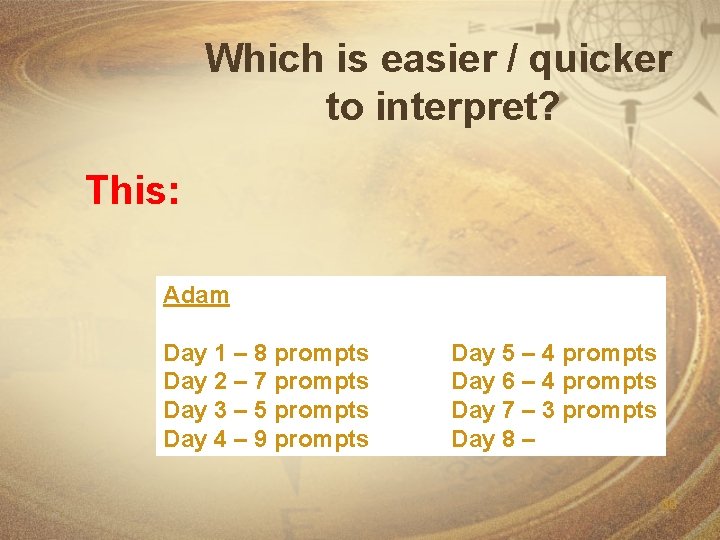
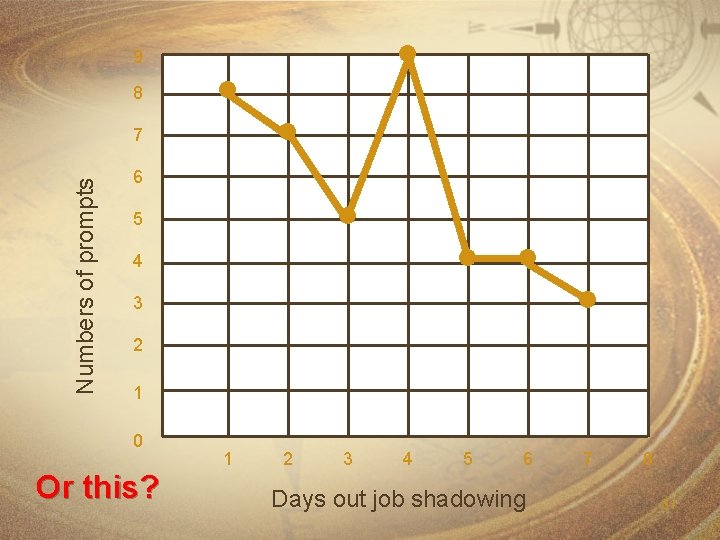
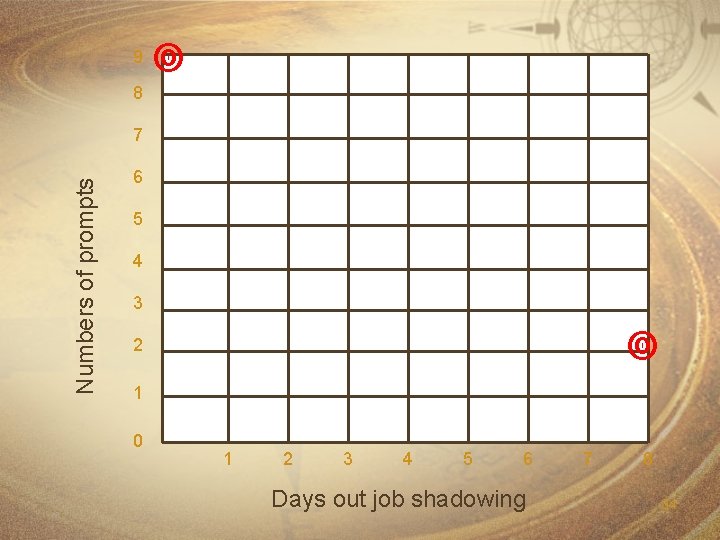
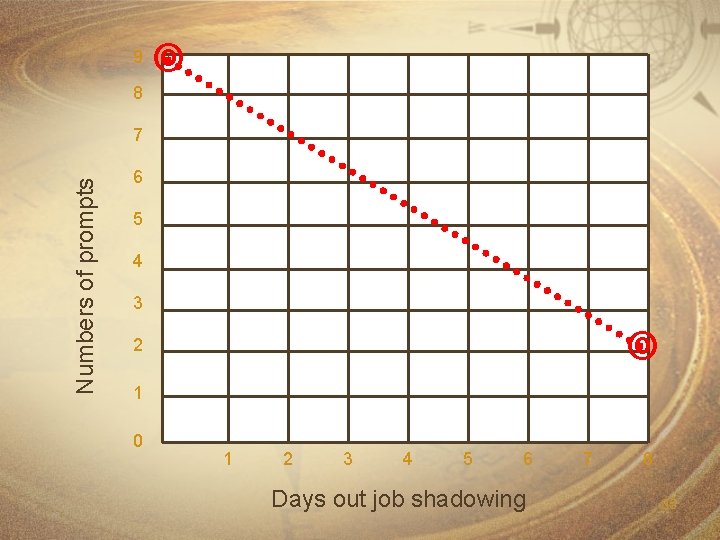
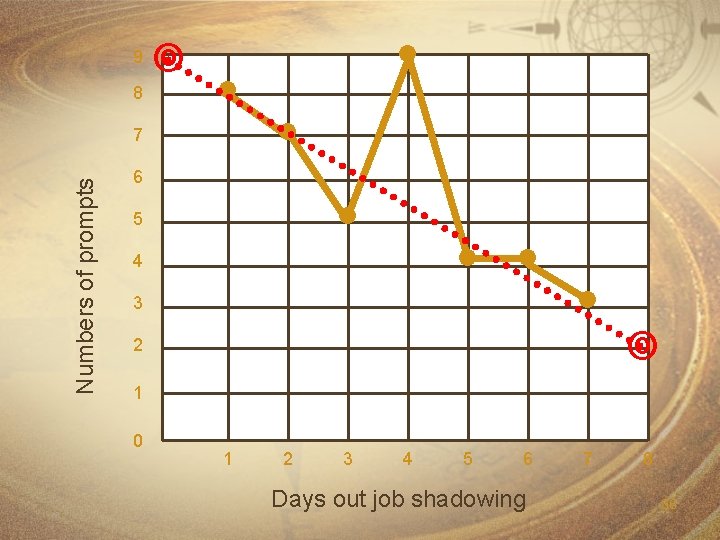
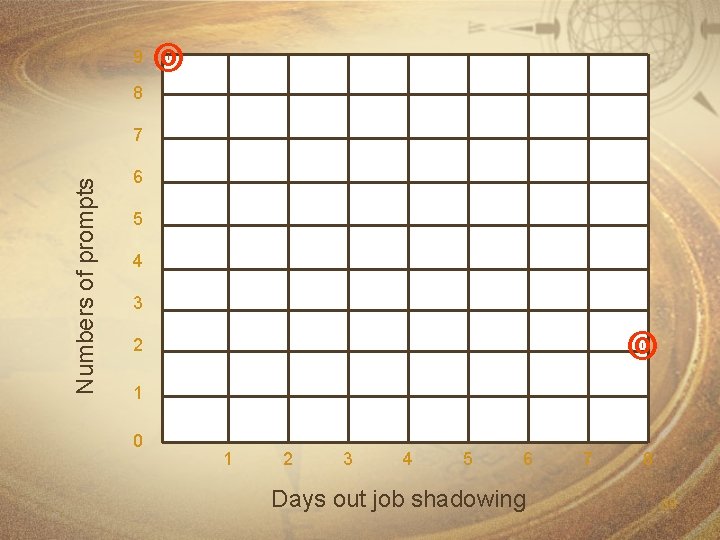
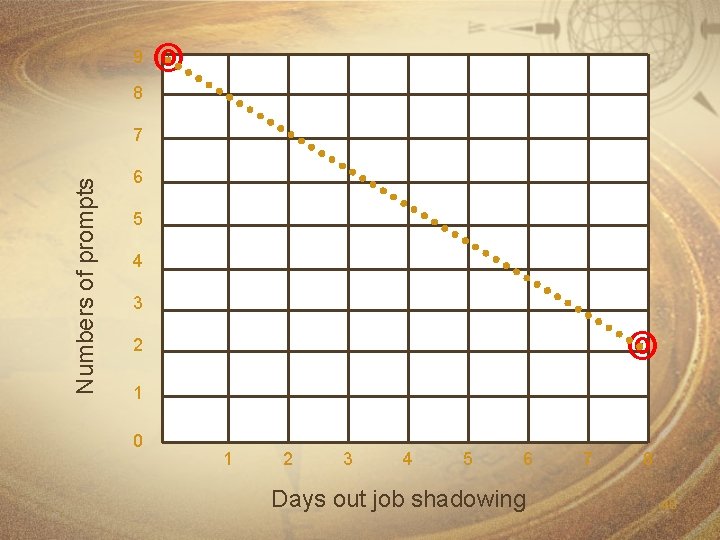
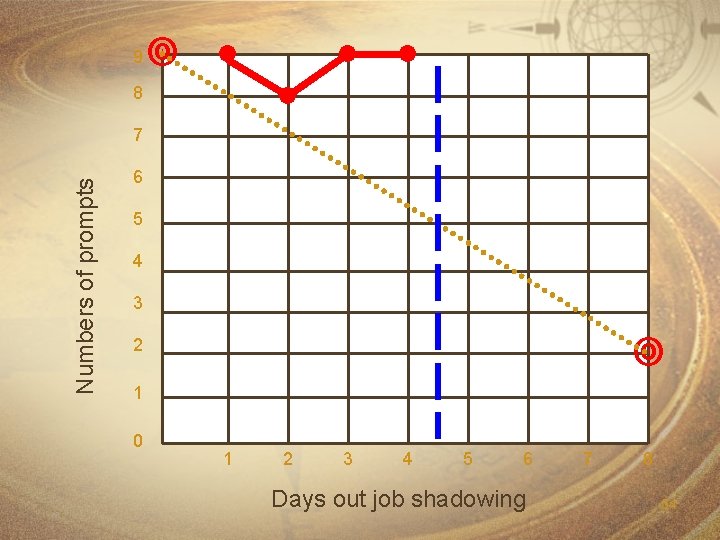
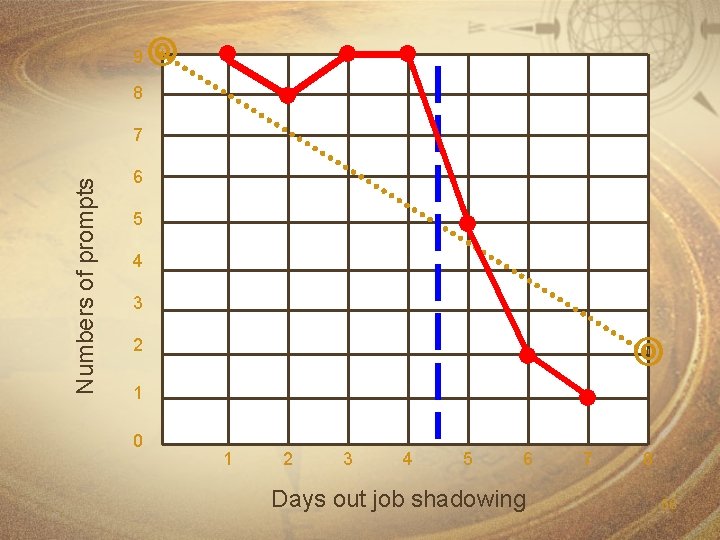
Which is easier / quicker to interpret? This: Adam Day 1 – 8 prompts Day 2 – 7 prompts Day 3 – 5 prompts Day 4 – 9 prompts Day 5 – 4 prompts Day 6 – 4 prompts Day 7 – 3 prompts Day 8 – 30
9 8 Numbers of prompts 7 6 5 4 3 2 1 0 Or this? 1 2 3 4 5 6 Days out job shadowing 7 8 31
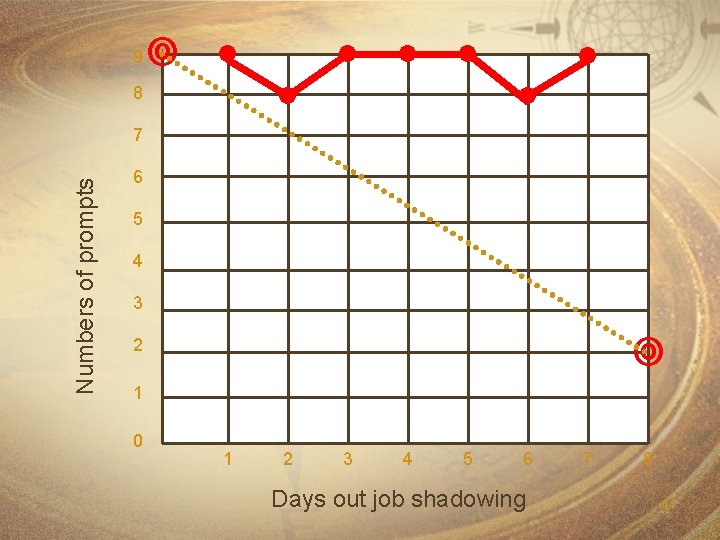
Is Adam making progress? 32
9 8 Numbers of prompts 7 6 5 4 3 2 1 0 1 2 3 4 5 6 Days out job shadowing 7 8 33
9 8 Numbers of prompts 7 6 5 4 3 2 1 0 1 2 3 4 5 6 Days out job shadowing 7 8 34
9 8 Numbers of prompts 7 6 5 4 3 2 1 0 1 2 3 4 5 6 Days out job shadowing 7 8 35
9 8 Numbers of prompts 7 6 5 4 3 2 1 0 1 2 3 4 5 6 Days out job shadowing 7 8 36
Is Adam making progress? 37
9 8 Numbers of prompts 7 6 5 4 3 2 1 0 1 2 3 4 5 6 Days out job shadowing 7 8 38
9 8 Numbers of prompts 7 6 5 4 3 2 1 0 1 2 3 4 5 6 Days out job shadowing 7 8 39
9 8 Numbers of prompts 7 6 5 4 3 2 1 0 1 2 3 4 5 6 Days out job shadowing 7 8 40
9 8 Numbers of prompts 7 6 5 4 3 2 1 0 1 2 3 4 5 6 Days out job shadowing 7 8 41
Evaluate the Data « Why evaluate the data? «Effectiveness and efficiency of instruction « Who should evaluate the data? «Teacher, Parents, Student, Others 42
Assumptions to consider before evaluating the data: « Teacher is implementing instructional strategies « Student is actively engaged in instruction « Aim line has been correctly identified based on present levels of educational performance « Appropriate identification of annual goals and objectives 43
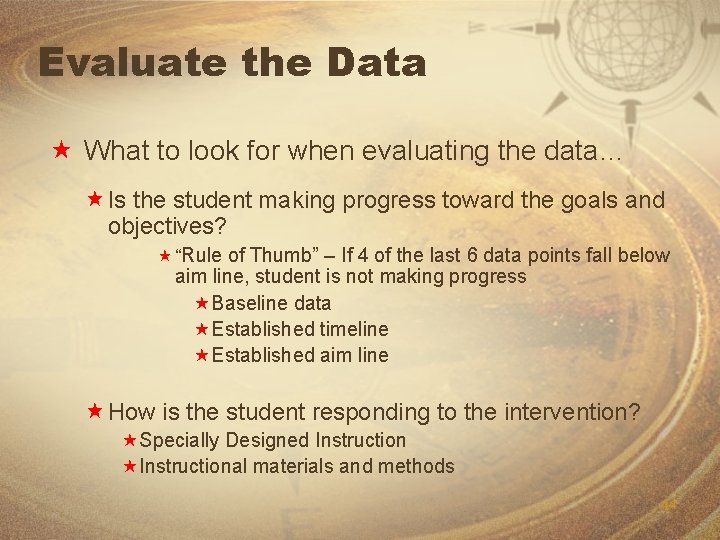
Evaluate the Data « What to look for when evaluating the data… «Is the student making progress toward the goals and objectives? « “Rule of Thumb” – If 4 of the last 6 data points fall below aim line, student is not making progress «Baseline data «Established timeline «Established aim line «How is the student responding to the intervention? «Specially Designed Instruction «Instructional materials and methods 44
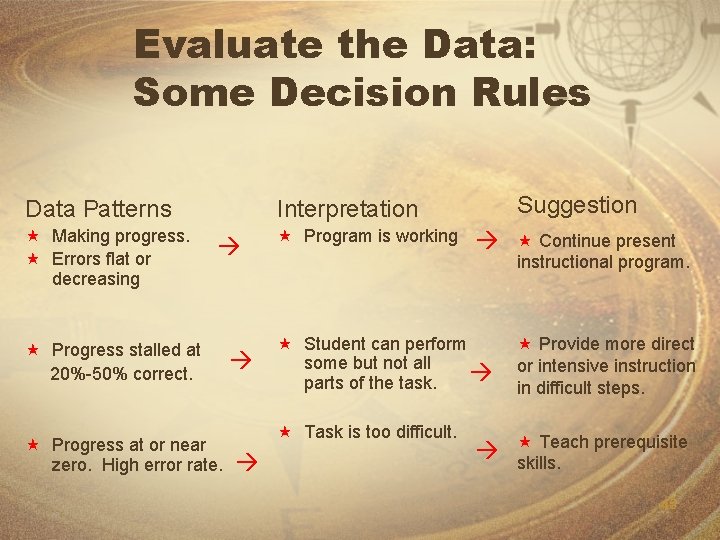
Evaluate the Data: Some Decision Rules Data Patterns « Making progress. « Errors flat or decreasing Suggestion Interpretation « Progress stalled at 20%-50% correct. « Progress at or near zero. High error rate. « Program is working « Student can perform some but not all parts of the task. « Task is too difficult. « Continue present instructional program. « Provide more direct or intensive instruction in difficult steps. « Teach prerequisite skills. 45
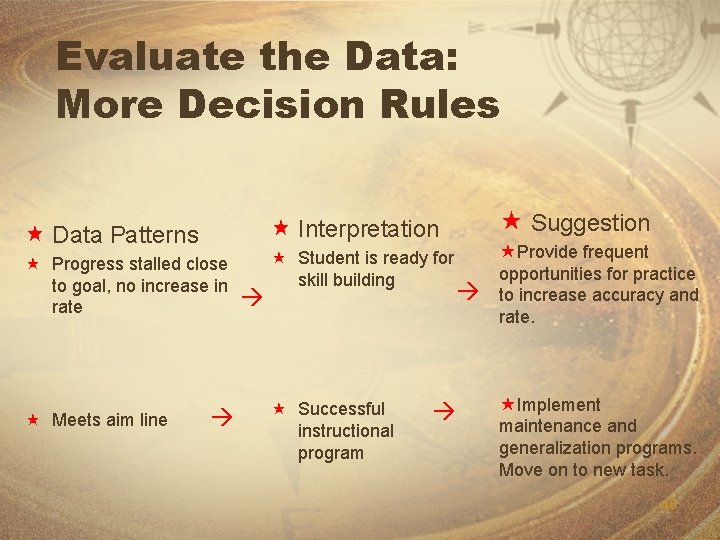
Evaluate the Data: More Decision Rules « Progress stalled close to goal, no increase in rate « Meets aim line « Suggestion « Interpretation « Data Patterns « Student is ready for skill building « Successful instructional program «Provide frequent opportunities for practice to increase accuracy and rate. «Implement maintenance and generalization programs. Move on to new task. 46
Problem Solving Routine: IDEA Inspect the last 4 data points Decide what the scores look like. . . « Variable? « Going up? « Going down? 47
Problem Solving Routine: IDEA Evaluate why scores are this way « Attendance? « Motivation? « Instruction? 48
Problem Solving Routine: IDEA Apply a change that might improve achievement and trend « Select simple interventions first « Move to moderate interventions if necessary « Move to intensive interventions as needed 49
If student is not making progress, then instructional adjustments must be made. 50
Making Instructional Adjustments May Mean. . . « More of something (and less of something else) in the same amount of time « More of something and more time allotted for instruction « Different instructional groups « Different materials « Different strategy « Additional personnel to allow more time for guided practice at a later time 51
Levels of Instructional Adjustments Look for simple changes first, before moving to more complex changes « Simple interventions « Moderate interventions « Intensive interventions 52
How do you represent data after an instructional adjustment? 53
9 8 Numbers of prompts 7 6 5 4 3 2 1 0 1 2 3 4 5 6 Days out job shadowing 7 8 54
Level of Performance «What changes occur immediately after a program modification? «Is there an immediate step (up or down) that results from the new intervention? 55
9 8 Numbers of prompts 7 6 5 4 3 2 1 0 1 2 3 4 5 6 Days out job shadowing 7 8 56
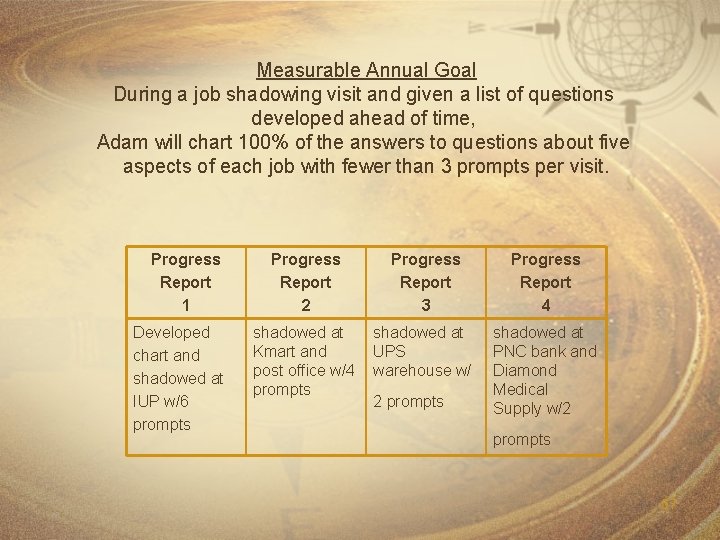
Measurable Annual Goal During a job shadowing visit and given a list of questions developed ahead of time, Adam will chart 100% of the answers to questions about five aspects of each job with fewer than 3 prompts per visit. Progress Report 1 Developed chart and shadowed at IUP w/6 prompts Progress Report 2 Progress Report 3 Progress Report 4 shadowed at Kmart and post office w/4 prompts shadowed at UPS warehouse w/ shadowed at PNC bank and Diamond Medical Supply w/2 2 prompts 57
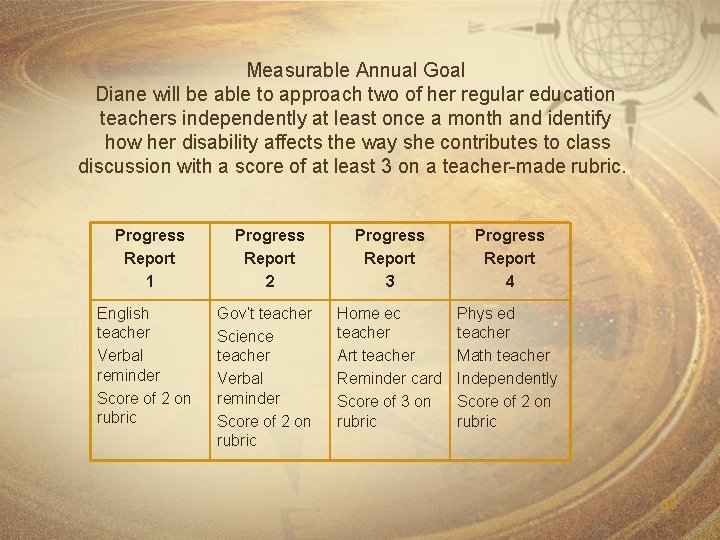
Measurable Annual Goal Diane will be able to approach two of her regular education teachers independently at least once a month and identify how her disability affects the way she contributes to class discussion with a score of at least 3 on a teacher-made rubric. Progress Report 1 English teacher Verbal reminder Score of 2 on rubric Progress Report 2 Gov’t teacher Science teacher Verbal reminder Score of 2 on rubric Progress Report 3 Progress Report 4 Home ec teacher Art teacher Reminder card Score of 3 on rubric Phys ed teacher Math teacher Independently Score of 2 on rubric 58
59
My email address: dsobolewski@pattan. k 12. pa. us My phone number: 1 -800 -446 -5607, x 6854 60