
Data Coding Data Communication Fundamentals Unit 3 Chapter
- Slides: 50
Data Coding & Data Communication Fundamentals Unit 3, Chapter 5 & 14 How do they talk to each other? Copyright © 2005 by Pearson Education, Inc. Upper Saddle River, New Jersey 07458 All rights reserved.
Objectives Describe the importance of the use of binary in machine code. Identify the need for parity checking. Explain the three major types of data compression. Describe the commonly used systems in computing. Identify the five classes of IP addresses and the range of addresses for each class. Convert decimal numbers to binary and vice versa. Determine the default subnet mask used with a given IP address. .
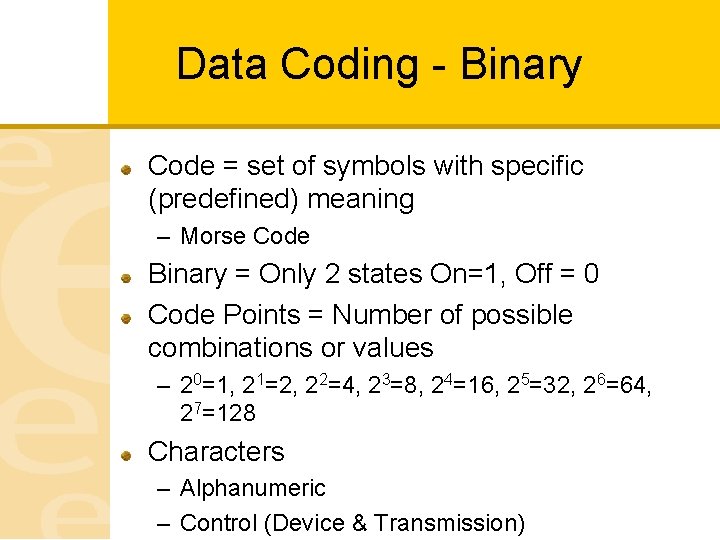
Data Coding - Binary Code = set of symbols with specific (predefined) meaning – Morse Code Binary = Only 2 states On=1, Off = 0 Code Points = Number of possible combinations or values – 20=1, 21=2, 22=4, 23=8, 24=16, 25=32, 26=64, 27=128 Characters – Alphanumeric – Control (Device & Transmission)
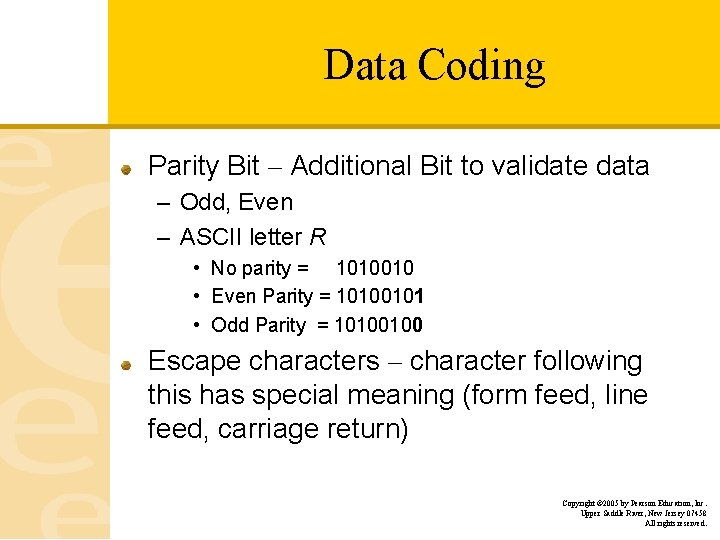
Data Coding Parity Bit – Additional Bit to validate data – Odd, Even – ASCII letter R • No parity = 1010010 • Even Parity = 10100101 • Odd Parity = 10100100 Escape characters – character following this has special meaning (form feed, line feed, carriage return) Copyright © 2005 by Pearson Education, Inc. Upper Saddle River, New Jersey 07458 All rights reserved.
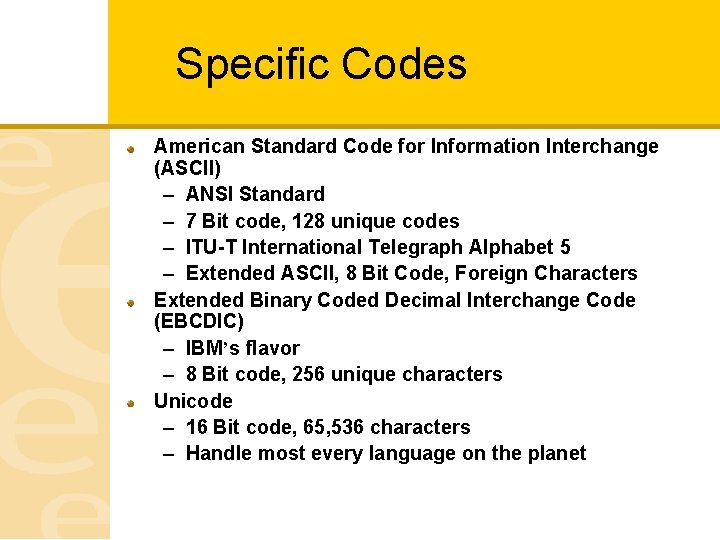
Specific Codes American Standard Code for Information Interchange (ASCII) – ANSI Standard – 7 Bit code, 128 unique codes – ITU-T International Telegraph Alphabet 5 – Extended ASCII, 8 Bit Code, Foreign Characters Extended Binary Coded Decimal Interchange Code (EBCDIC) – IBM’s flavor – 8 Bit code, 256 unique characters Unicode – 16 Bit code, 65, 536 characters – Handle most every language on the planet
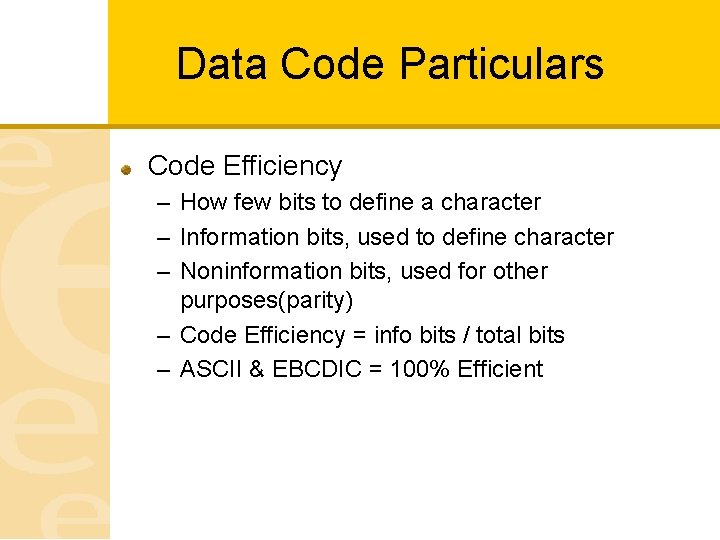
Data Code Particulars Code Efficiency – How few bits to define a character – Information bits, used to define character – Noninformation bits, used for other purposes(parity) – Code Efficiency = info bits / total bits – ASCII & EBCDIC = 100% Efficient
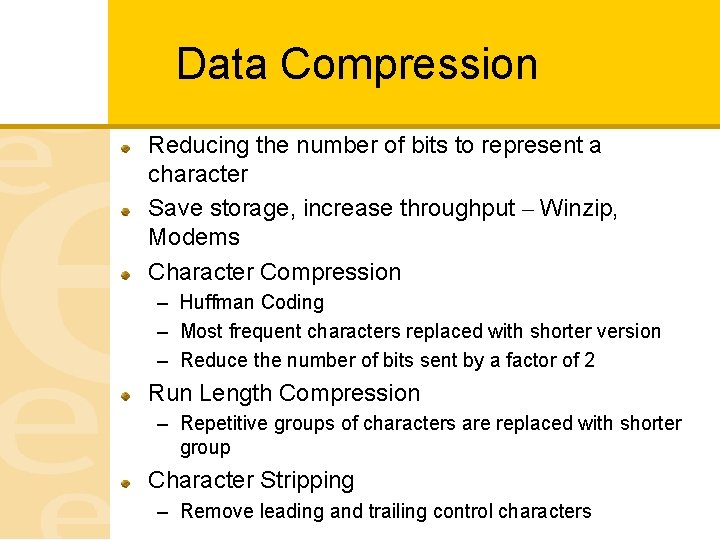
Data Compression Reducing the number of bits to represent a character Save storage, increase throughput – Winzip, Modems Character Compression – Huffman Coding – Most frequent characters replaced with shorter version – Reduce the number of bits sent by a factor of 2 Run Length Compression – Repetitive groups of characters are replaced with shorter group Character Stripping – Remove leading and trailing control characters
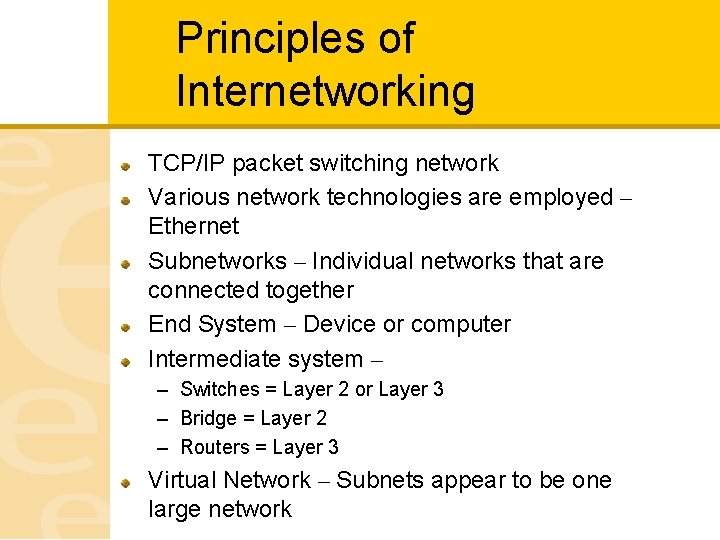
Principles of Internetworking TCP/IP packet switching network Various network technologies are employed – Ethernet Subnetworks – Individual networks that are connected together End System – Device or computer Intermediate system – – Switches = Layer 2 or Layer 3 – Bridge = Layer 2 – Routers = Layer 3 Virtual Network – Subnets appear to be one large network
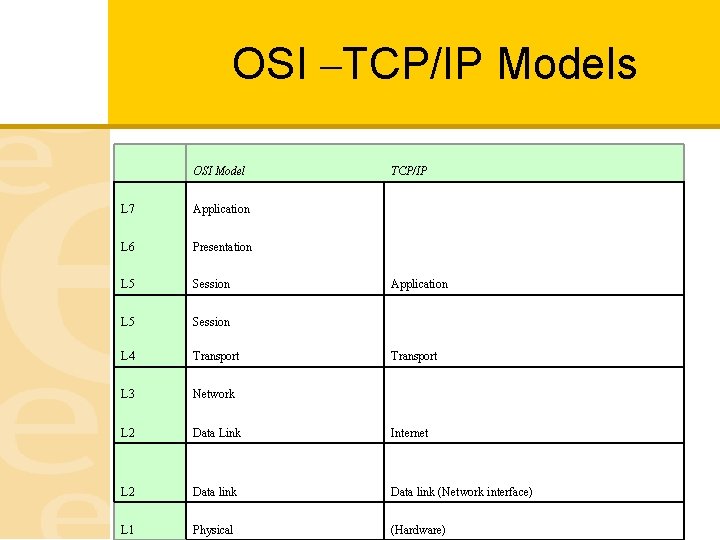
OSI –TCP/IP Models OSI Model TCP/IP L 7 Application L 6 Presentation L 5 Session L 4 Transport L 3 Network L 2 Data Link L 2 Data link (Network interface) L 1 Physical (Hardware) Application Transport Internet
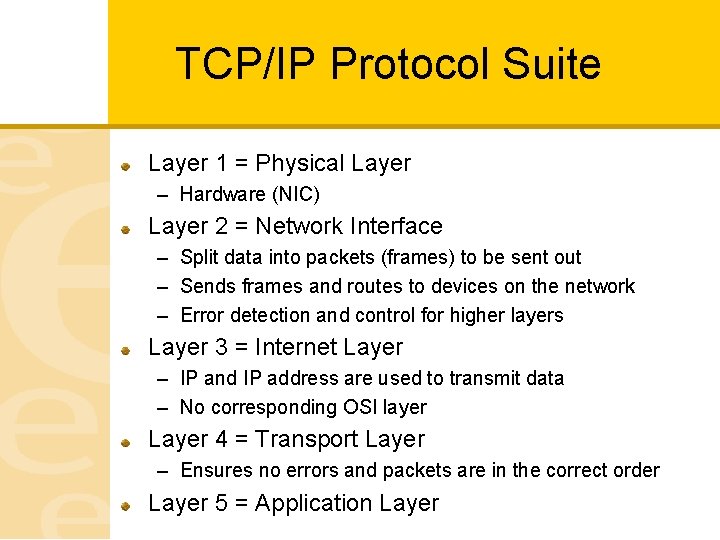
TCP/IP Protocol Suite Layer 1 = Physical Layer – Hardware (NIC) Layer 2 = Network Interface – Split data into packets (frames) to be sent out – Sends frames and routes to devices on the network – Error detection and control for higher layers Layer 3 = Internet Layer – IP and IP address are used to transmit data – No corresponding OSI layer Layer 4 = Transport Layer – Ensures no errors and packets are in the correct order Layer 5 = Application Layer
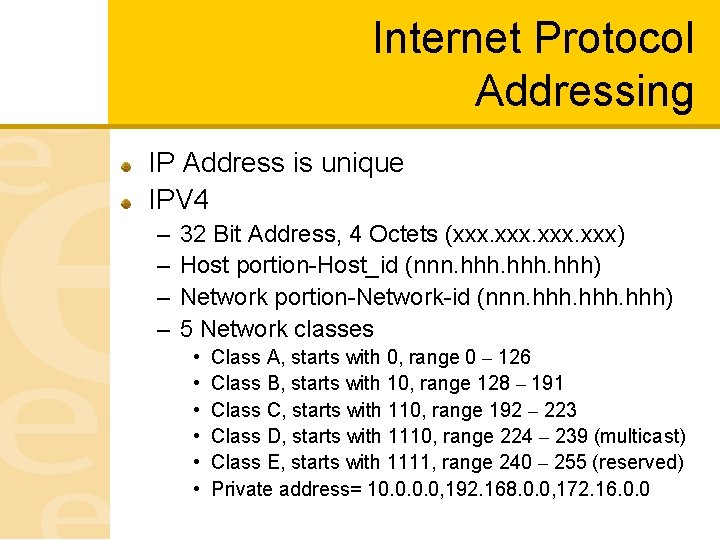
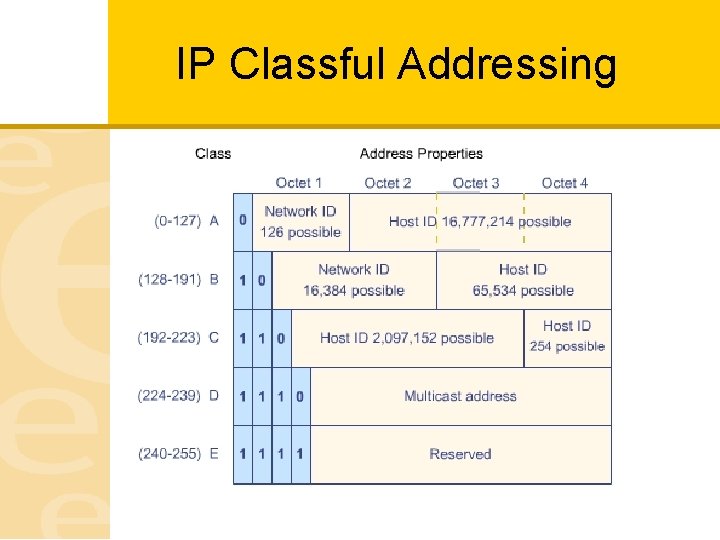
Internet Protocol Addressing IP Address is unique IPV 4 – – 32 Bit Address, 4 Octets (xxx. xxx) Host portion-Host_id (nnn. hhh) Network portion-Network-id (nnn. hhh) 5 Network classes • • • Class A, starts with 0, range 0 – 126 Class B, starts with 10, range 128 – 191 Class C, starts with 110, range 192 – 223 Class D, starts with 1110, range 224 – 239 (multicast) Class E, starts with 1111, range 240 – 255 (reserved) Private address= 10. 0, 192. 168. 0. 0, 172. 16. 0. 0
IP Classful Addressing
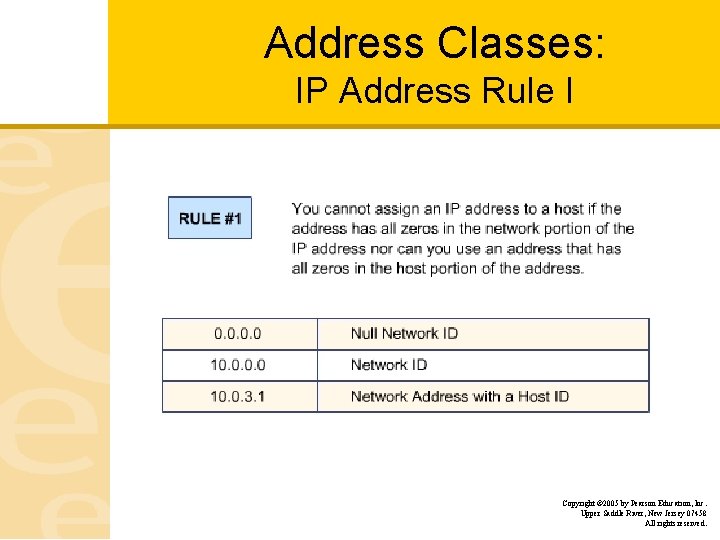
Address Classes: IP Address Rule I Copyright © 2005 by Pearson Education, Inc. Upper Saddle River, New Jersey 07458 All rights reserved.
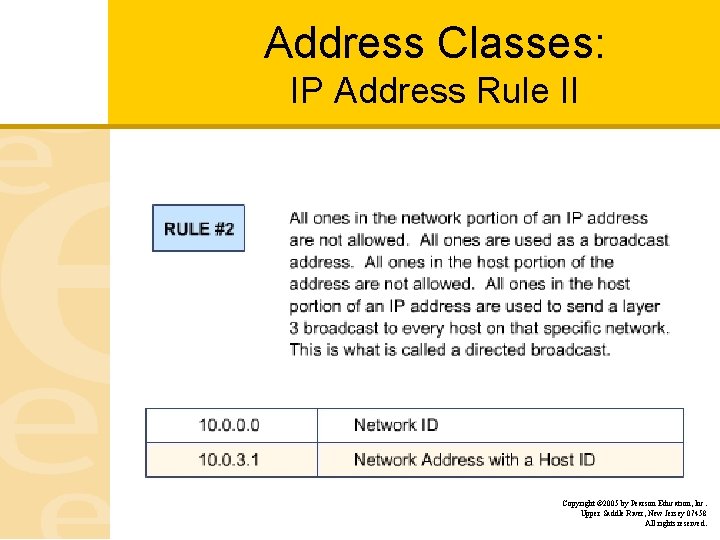
Address Classes: IP Address Rule II Copyright © 2005 by Pearson Education, Inc. Upper Saddle River, New Jersey 07458 All rights reserved.
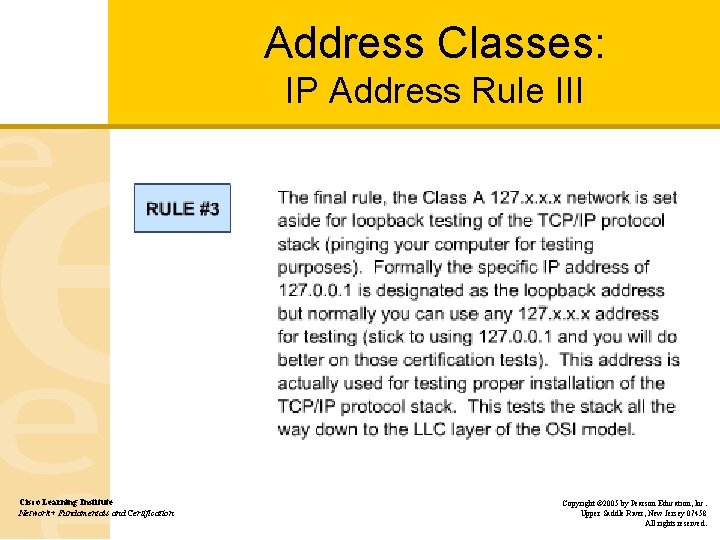
Address Classes: IP Address Rule III Cisco Learning Institute Network+ Fundamentals and Certification Copyright © 2005 by Pearson Education, Inc. Upper Saddle River, New Jersey 07458 All rights reserved.
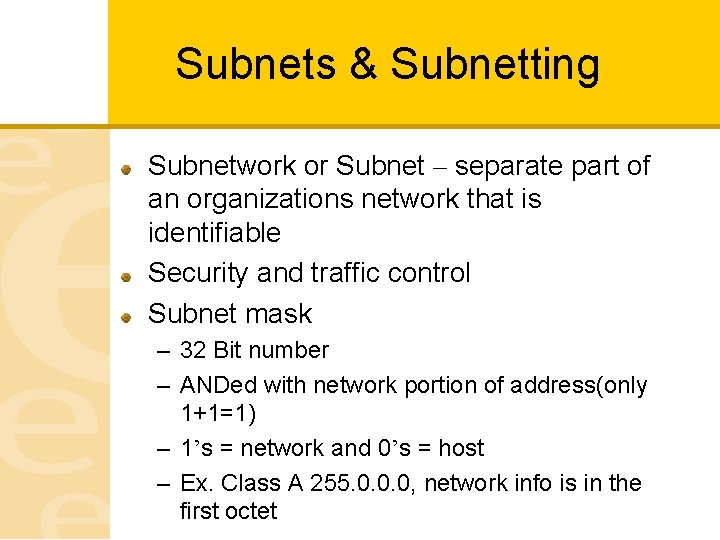
Subnets & Subnetting Subnetwork or Subnet – separate part of an organizations network that is identifiable Security and traffic control Subnet mask – 32 Bit number – ANDed with network portion of address(only 1+1=1) – 1’s = network and 0’s = host – Ex. Class A 255. 0. 0. 0, network info is in the first octet
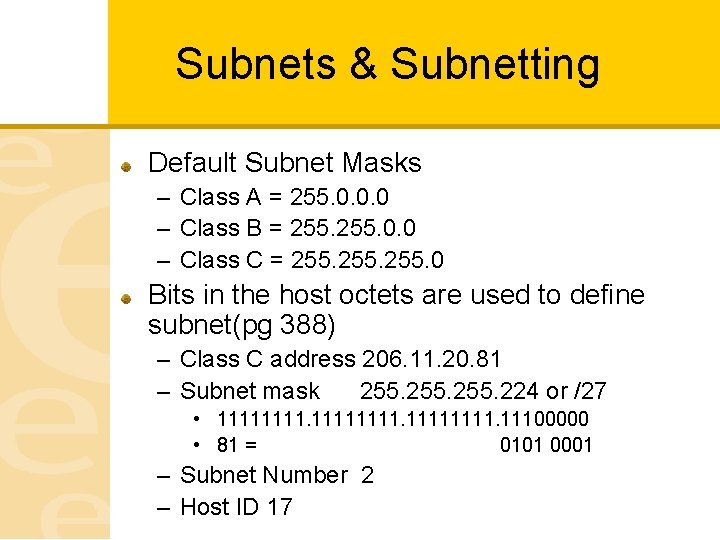
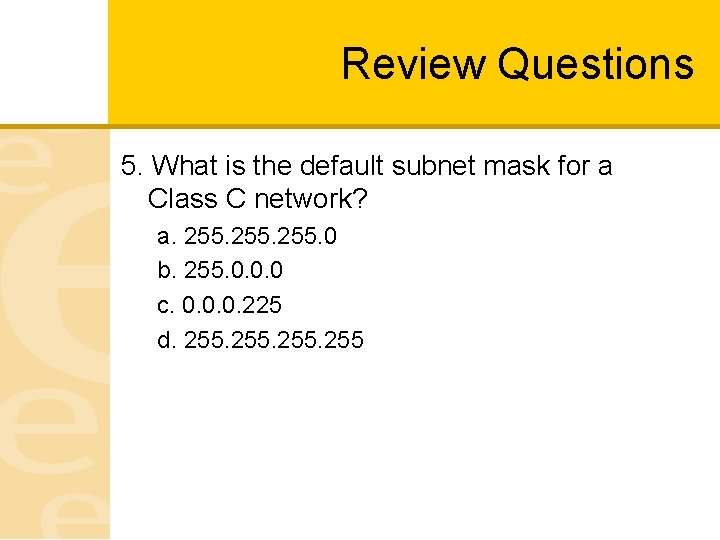
Subnets & Subnetting Default Subnet Masks – Class A = 255. 0. 0. 0 – Class B = 255. 0. 0 – Class C = 255. 0 Bits in the host octets are used to define subnet(pg 388) – Class C address 206. 11. 20. 81 – Subnet mask 255. 224 or /27 • 11111111. 11100000 • 81 = 0101 0001 – Subnet Number 2 – Host ID 17
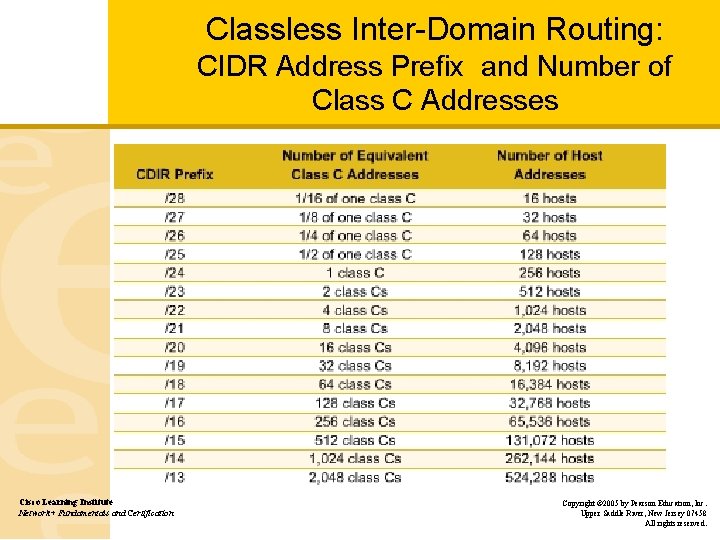
Classless Inter-Domain Routing: CIDR Address Prefix and Number of Class C Addresses Cisco Learning Institute Network+ Fundamentals and Certification Copyright © 2005 by Pearson Education, Inc. Upper Saddle River, New Jersey 07458 All rights reserved.
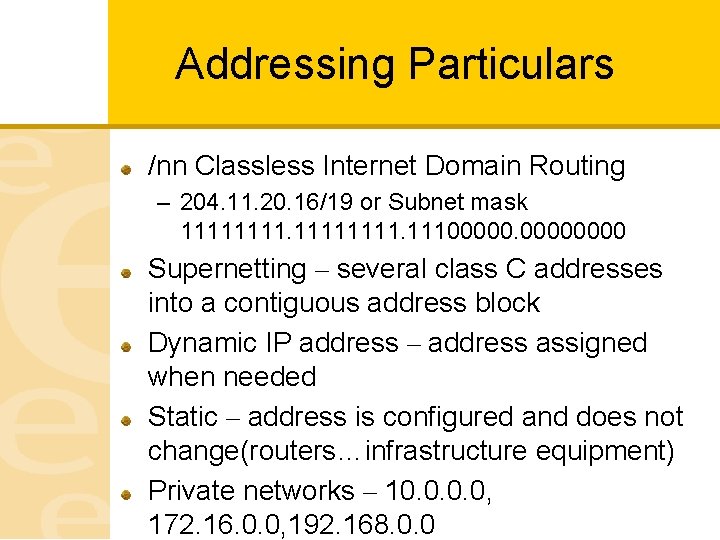
Addressing Particulars /nn Classless Internet Domain Routing – 204. 11. 20. 16/19 or Subnet mask 11111111. 11100000 Supernetting – several class C addresses into a contiguous address block Dynamic IP address – address assigned when needed Static – address is configured and does not change(routers…infrastructure equipment) Private networks – 10. 0, 172. 16. 0. 0, 192. 168. 0. 0
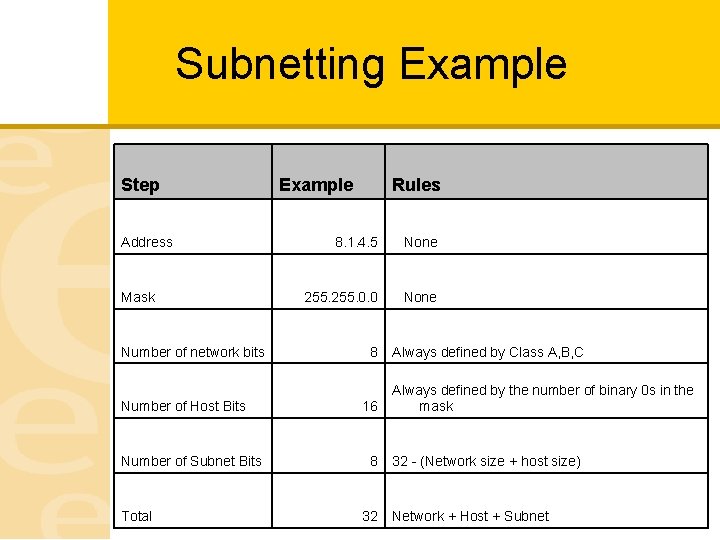
Subnetting Example Step Address Mask Number of network bits Number of Host Bits Number of Subnet Bits Total Example Rules 8. 1. 4. 5 None 255. 0. 0 None 8 16 8 32 Always defined by Class A, B, C Always defined by the number of binary 0 s in the mask 32 - (Network size + host size) Network + Host + Subnet
Domain Names Mnemonic for IP address (WWW. MSN. COM) Domain Name Services(DNS) used to translate or resolve name to address Hierarchical Structure – Local – Corporate – Global Top Level Domain (. com, . edu, . net, . org…. ) Internet Corporation for Assigned Names and Numbers (ICAAN) Root Servers – Contain IP addresses of all TLD registries
Transmission Control Protocol Can communicate between hosts with diverse hardware and operating systems Developed by Defense Advanced Research Projects Agency (DARPA) Direct or point-to-point communications Connection oriented communication Full Duplex – communication in both direction 3 way hand shake to start communications & End Communications – Start: ->SYN, <-SYN+ACK, ->ACK
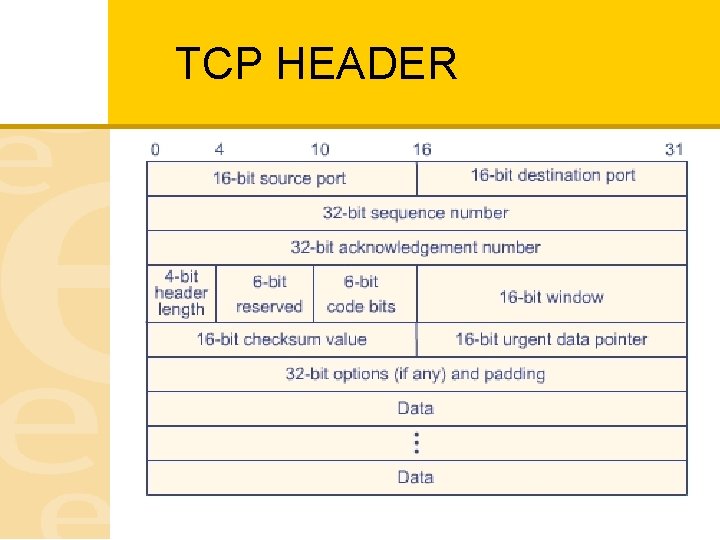
TCP HEADER
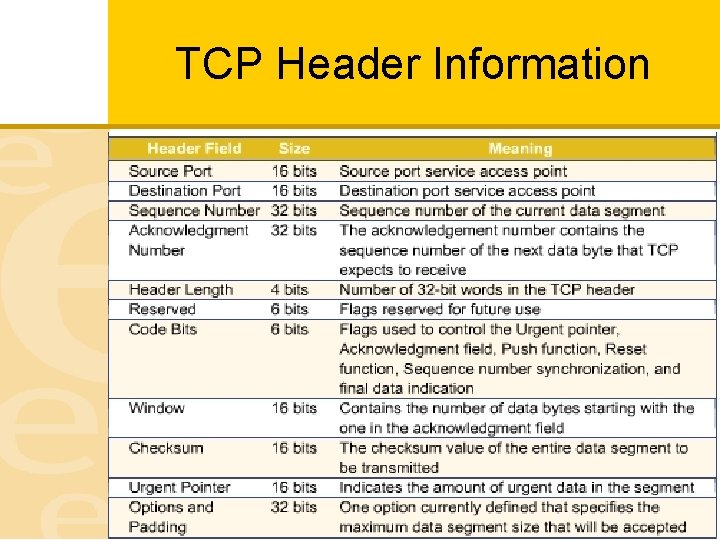
TCP Header Information
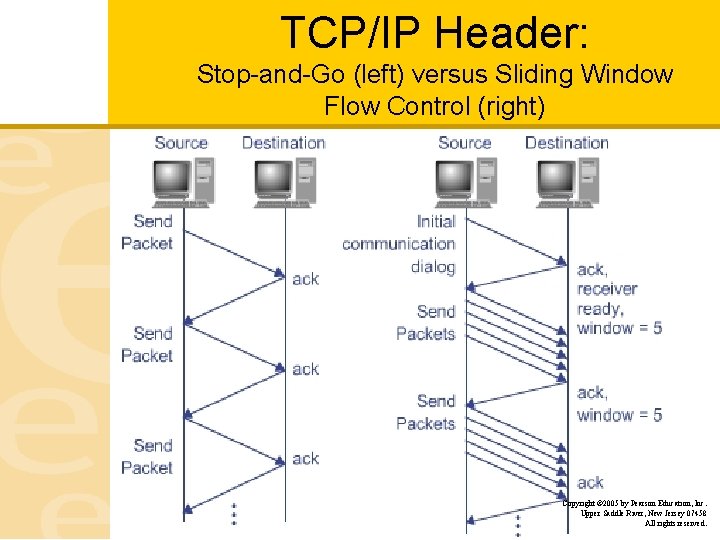
TCP/IP Header: Stop-and-Go (left) versus Sliding Window Flow Control (right) Copyright © 2005 by Pearson Education, Inc. Upper Saddle River, New Jersey 07458 All rights reserved.
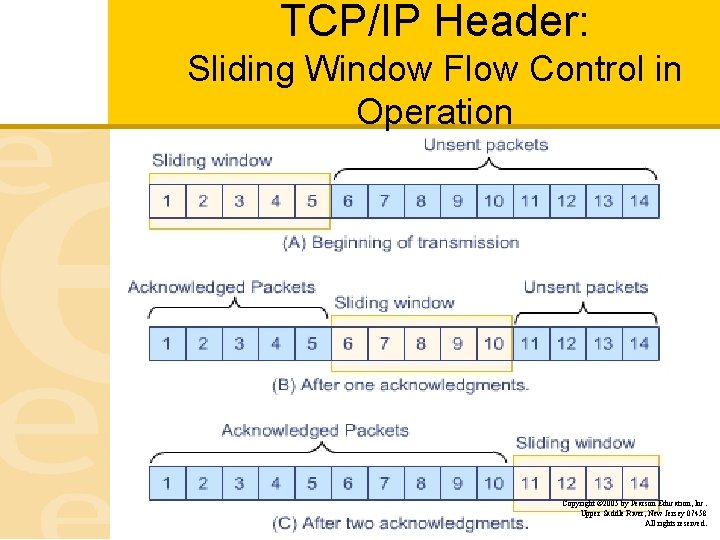
TCP/IP Header: Sliding Window Flow Control in Operation Copyright © 2005 by Pearson Education, Inc. Upper Saddle River, New Jersey 07458 All rights reserved.
User Datagram Protocol Simple protocol Connectionless No error checking No sequencing No Handshaking Examples: Ping, DNS, VOIP, TFTP
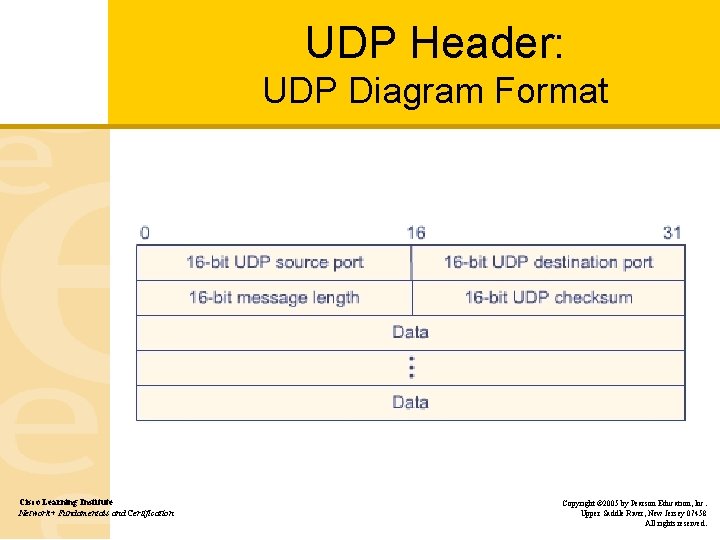
UDP Header: UDP Diagram Format Cisco Learning Institute Network+ Fundamentals and Certification Copyright © 2005 by Pearson Education, Inc. Upper Saddle River, New Jersey 07458 All rights reserved.
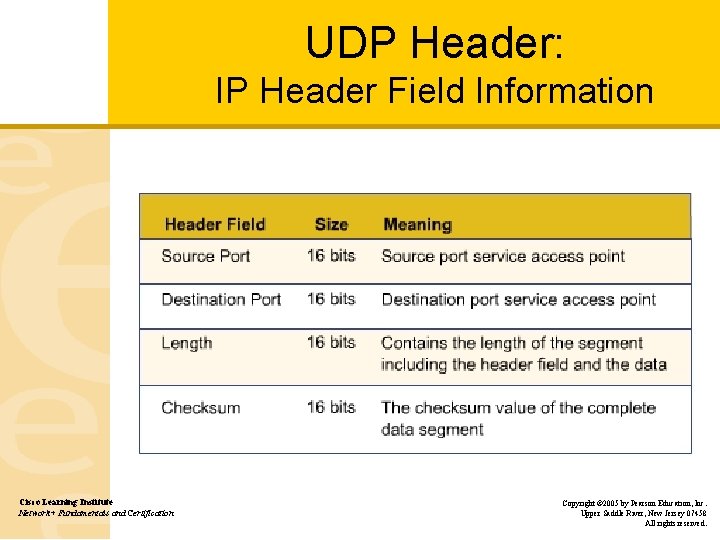
UDP Header: IP Header Field Information Cisco Learning Institute Network+ Fundamentals and Certification Copyright © 2005 by Pearson Education, Inc. Upper Saddle River, New Jersey 07458 All rights reserved.
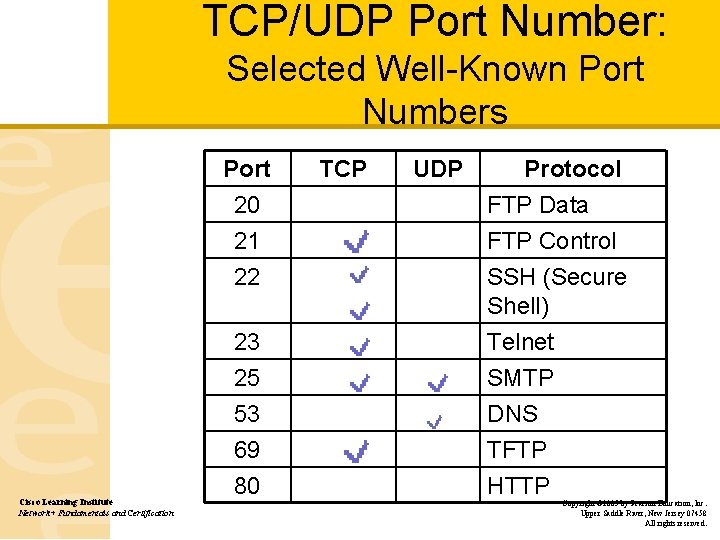
TCP/UDP Port Number: Selected Well-Known Port Numbers Port 20 21 22 Cisco Learning Institute Network+ Fundamentals and Certification 23 25 53 69 80 TCP UDP Protocol FTP Data FTP Control SSH (Secure Shell) Telnet SMTP DNS TFTP HTTP Copyright © 2005 by Pearson Education, Inc. Upper Saddle River, New Jersey 07458 All rights reserved.
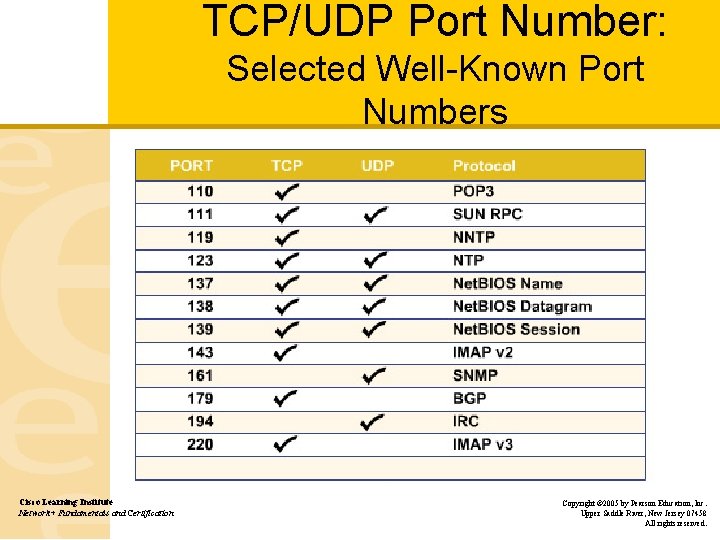
TCP/UDP Port Number: Selected Well-Known Port Numbers Cisco Learning Institute Network+ Fundamentals and Certification Copyright © 2005 by Pearson Education, Inc. Upper Saddle River, New Jersey 07458 All rights reserved.
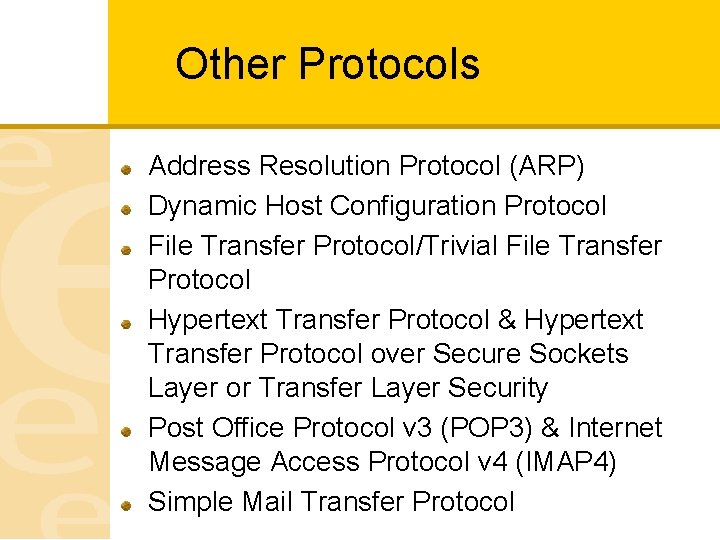
Other Protocols Address Resolution Protocol (ARP) Dynamic Host Configuration Protocol File Transfer Protocol/Trivial File Transfer Protocol Hypertext Transfer Protocol & Hypertext Transfer Protocol over Secure Sockets Layer or Transfer Layer Security Post Office Protocol v 3 (POP 3) & Internet Message Access Protocol v 4 (IMAP 4) Simple Mail Transfer Protocol
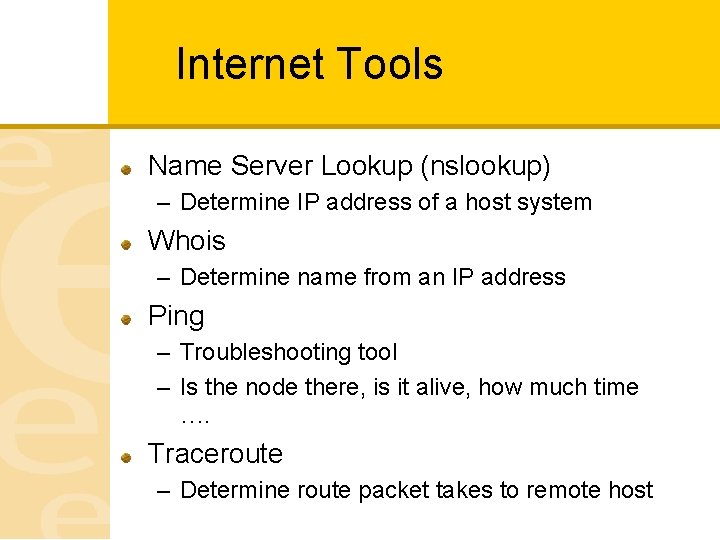
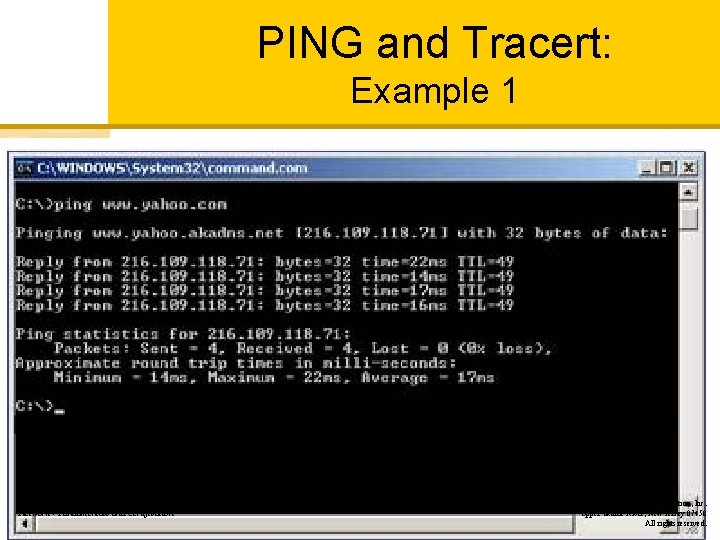
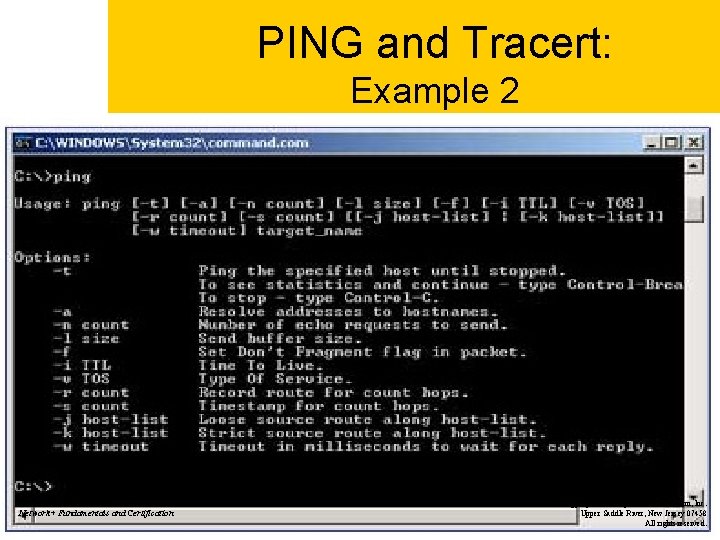
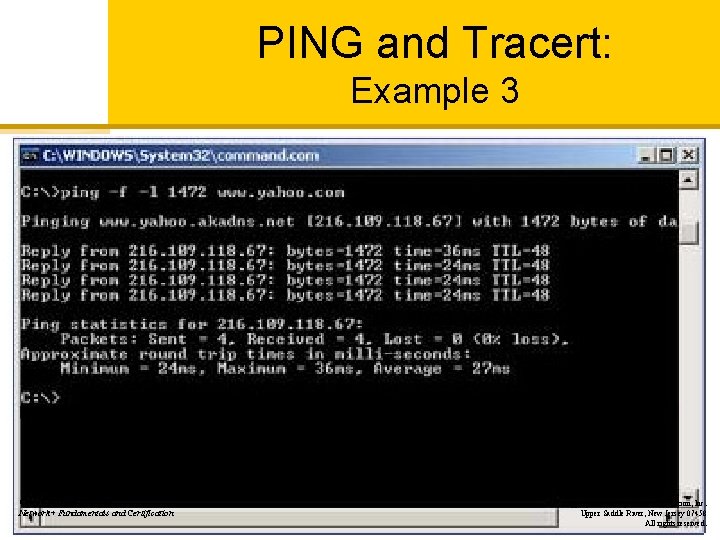
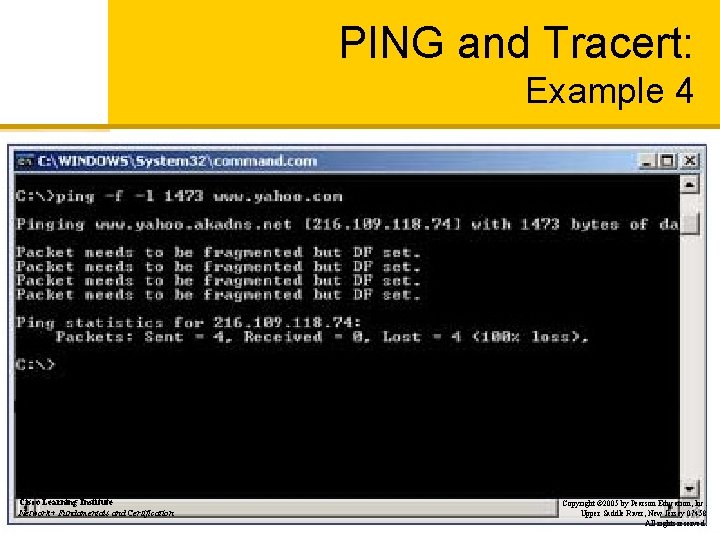
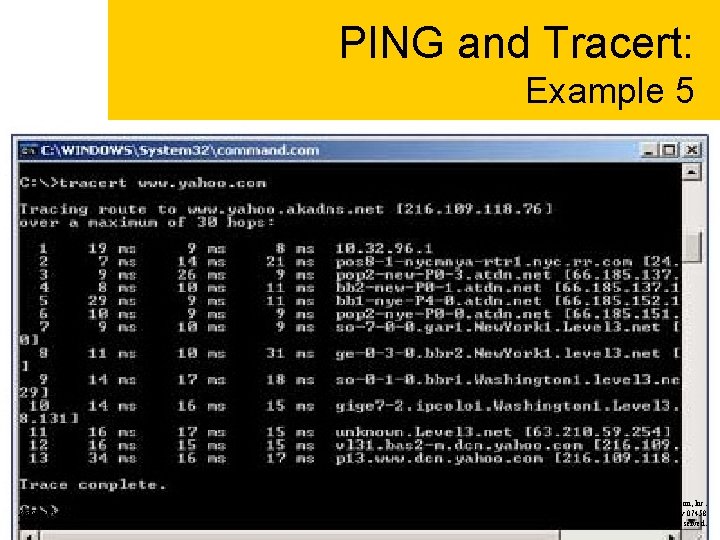
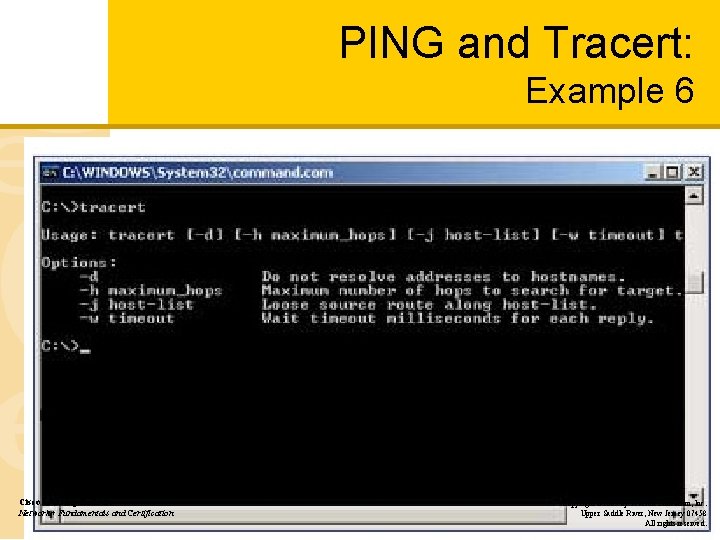
Internet Tools Name Server Lookup (nslookup) – Determine IP address of a host system Whois – Determine name from an IP address Ping – Troubleshooting tool – Is the node there, is it alive, how much time …. Traceroute – Determine route packet takes to remote host
PING and Tracert: Example 1 Cisco Learning Institute Network+ Fundamentals and Certification Copyright © 2005 by Pearson Education, Inc. Upper Saddle River, New Jersey 07458 All rights reserved.
PING and Tracert: Example 2 Cisco Learning Institute Network+ Fundamentals and Certification Copyright © 2005 by Pearson Education, Inc. Upper Saddle River, New Jersey 07458 All rights reserved.
PING and Tracert: Example 3 Cisco Learning Institute Network+ Fundamentals and Certification Copyright © 2005 by Pearson Education, Inc. Upper Saddle River, New Jersey 07458 All rights reserved.
PING and Tracert: Example 4 Cisco Learning Institute Network+ Fundamentals and Certification Copyright © 2005 by Pearson Education, Inc. Upper Saddle River, New Jersey 07458 All rights reserved.
PING and Tracert: Example 5 Cisco Learning Institute Network+ Fundamentals and Certification Copyright © 2005 by Pearson Education, Inc. Upper Saddle River, New Jersey 07458 All rights reserved.
PING and Tracert: Example 6 Cisco Learning Institute Network+ Fundamentals and Certification Copyright © 2005 by Pearson Education, Inc. Upper Saddle River, New Jersey 07458 All rights reserved.
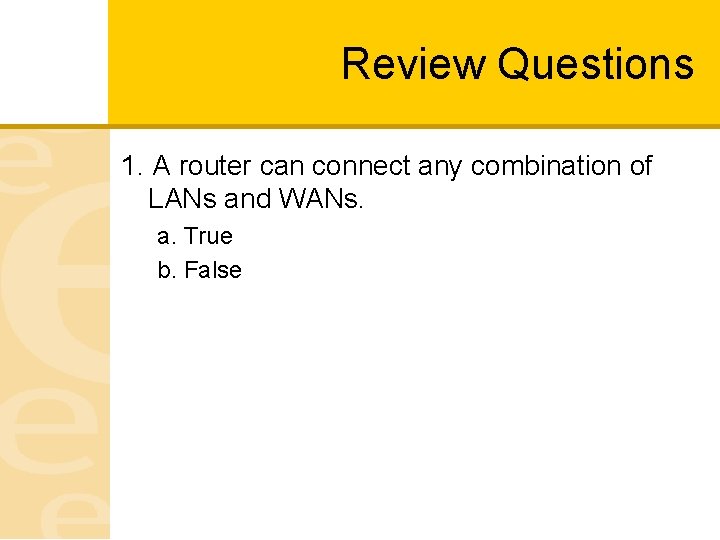
Review Questions 1. A router can connect any combination of LANs and WANs. a. True b. False
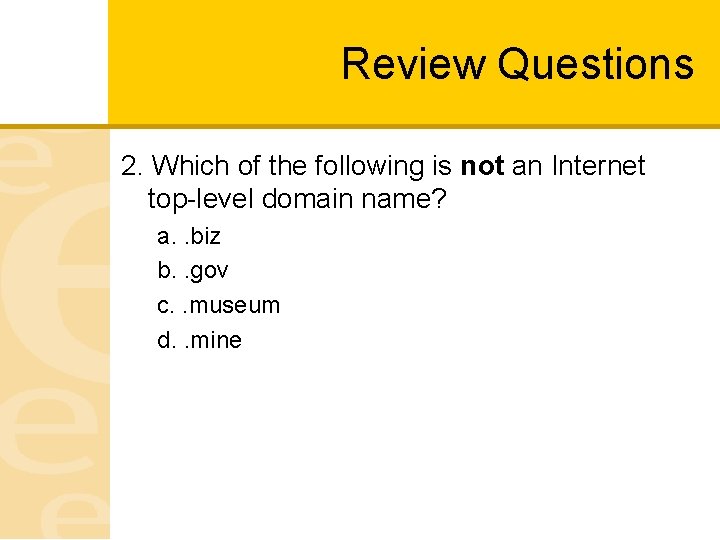
Review Questions 2. Which of the following is not an Internet top-level domain name? a. . biz b. . gov c. . museum d. . mine
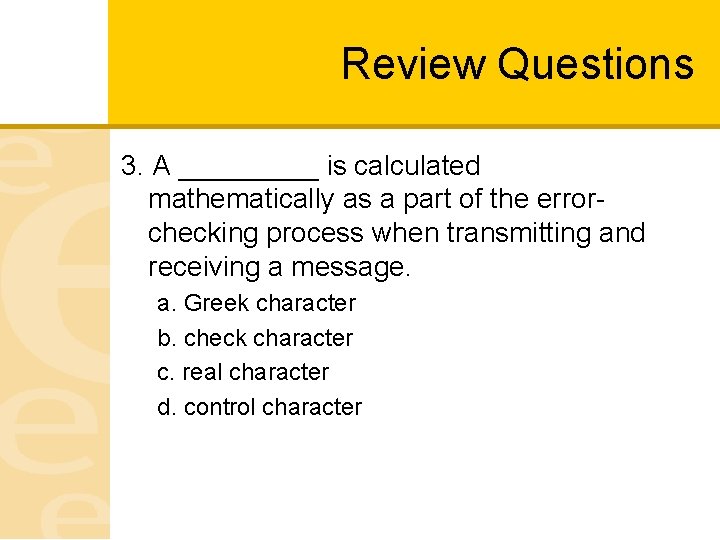
Review Questions 3. A _____ is calculated mathematically as a part of the errorchecking process when transmitting and receiving a message. a. Greek character b. check character c. real character d. control character
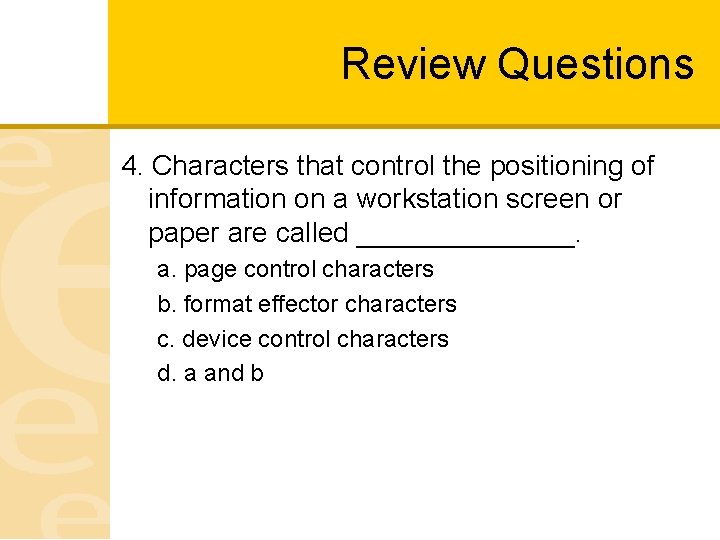
Review Questions 4. Characters that control the positioning of information on a workstation screen or paper are called _______. a. page control characters b. format effector characters c. device control characters d. a and b
Review Questions 5. What is the default subnet mask for a Class C network? a. 255. 0 b. 255. 0. 0. 0 c. 0. 0. 0. 225 d. 255
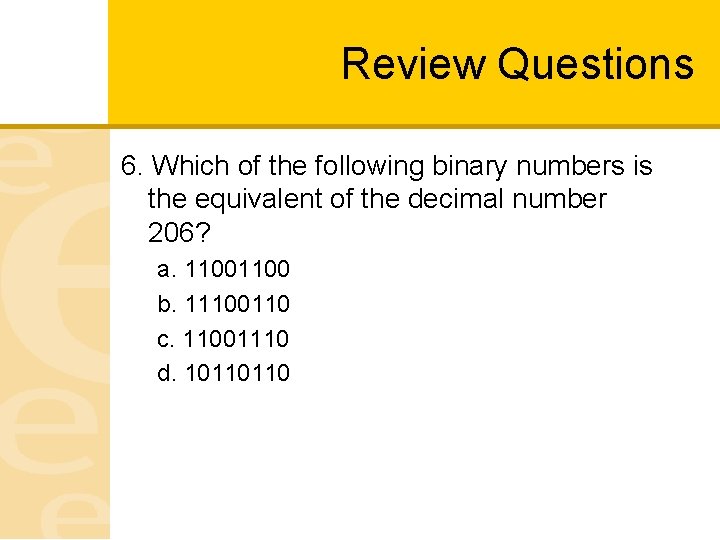
Review Questions 6. Which of the following binary numbers is the equivalent of the decimal number 206? a. 1100 b. 11100110 c. 11001110 d. 10110110
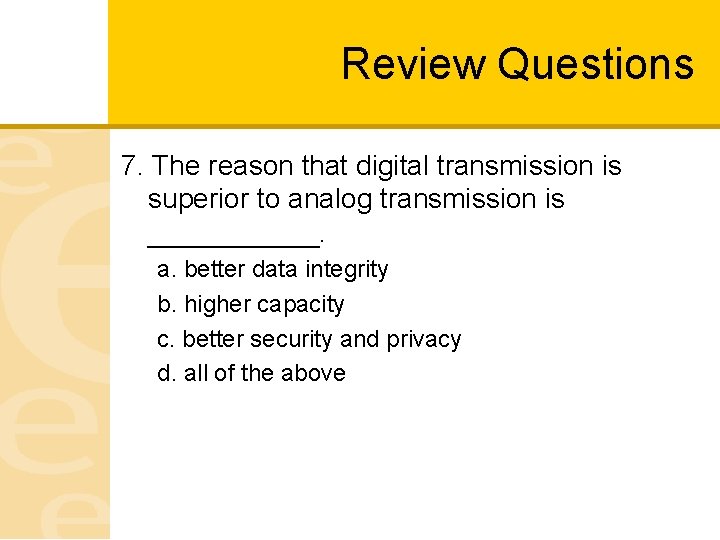
Review Questions 7. The reason that digital transmission is superior to analog transmission is ______. a. better data integrity b. higher capacity c. better security and privacy d. all of the above
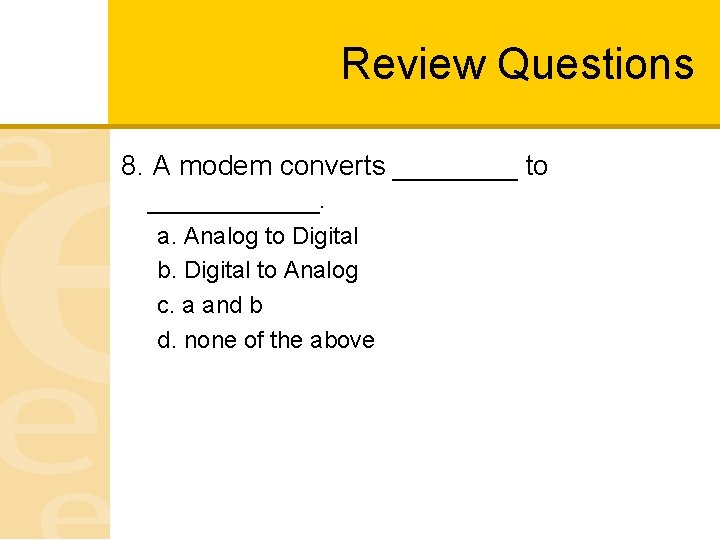
Review Questions 8. A modem converts ____ to ______. a. Analog to Digital b. Digital to Analog c. a and b d. none of the above
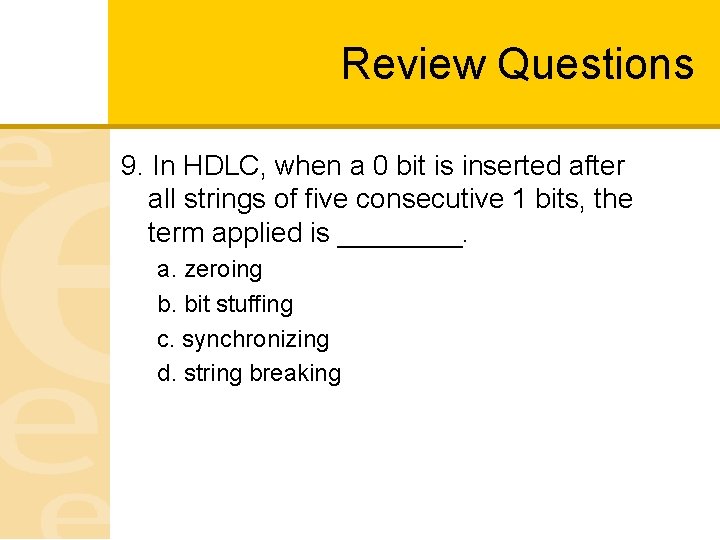
Review Questions 9. In HDLC, when a 0 bit is inserted after all strings of five consecutive 1 bits, the term applied is ____. a. zeroing b. bit stuffing c. synchronizing d. string breaking
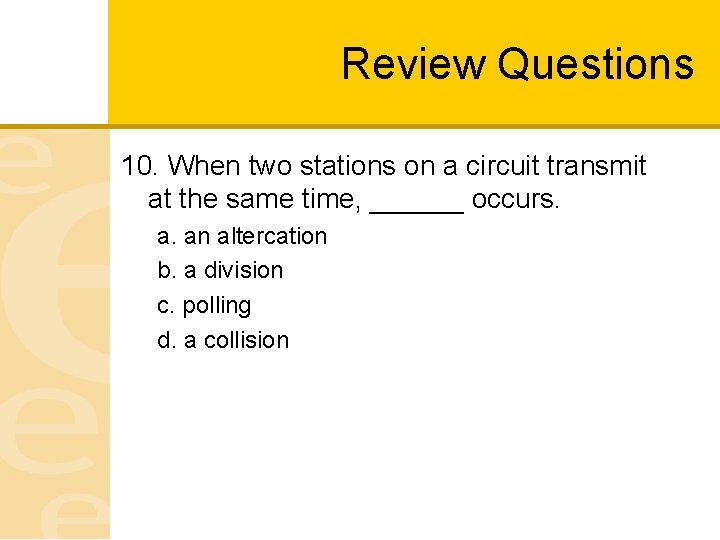
Review Questions 10. When two stations on a circuit transmit at the same time, ______ occurs. a. an altercation b. a division c. polling d. a collision
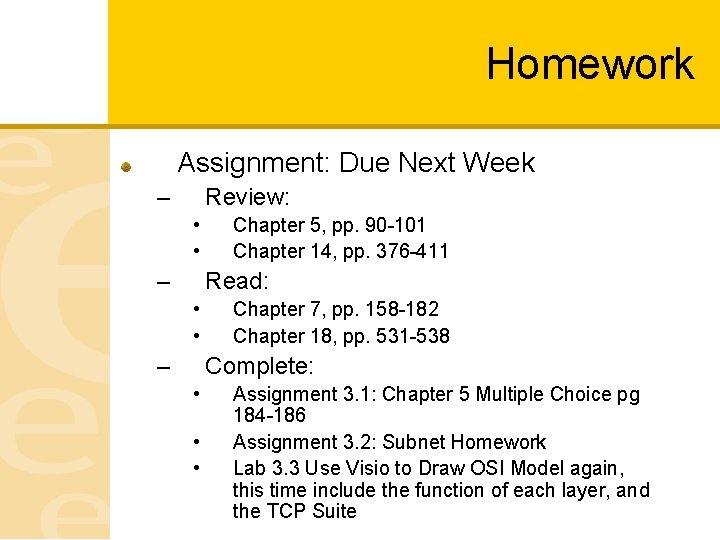
Homework Assignment: Due Next Week – Review: • • – Chapter 5, pp. 90 -101 Chapter 14, pp. 376 -411 Read: • • – Chapter 7, pp. 158 -182 Chapter 18, pp. 531 -538 Complete: • • • Assignment 3. 1: Chapter 5 Multiple Choice pg 184 -186 Assignment 3. 2: Subnet Homework Lab 3. 3 Use Visio to Draw OSI Model again, this time include the function of each layer, and the TCP Suite