
Data Champion Education and Training Resources Content Incorporating

- Slides: 16
Data Champion Education and Training Resources
Content Incorporating training curriculum into your Data Champions program is a great way to incentivize employees to join, up level their skills and equip users with the knowledge they need to educate and help others. The following slides provide examples of how you can leverage existing Tableau programs and resources to create your own training program. • Role- Based Learning Paths (e. Learning) – Curated curriculum based on a user’s role within an organization. At the end of the course, users take an assessment to earn a role badge that they can share on social media and throughout their organization. Learn more. • Education Plan template + customer example – Example of potential structured education plan, specific to different roles with a combination of curriculum for various Tableau programs • Training Plan Dashboard – A dashboard on Tableau Public that can provide you with ideas on how to structure your plan • Tableau Product Certification – A list of Tableau certifications that will enable users to prove their expertise and to distinguish themselves. • Learning Resources – A summary of all the free and paid training resources Tableau offers
Learning Paths
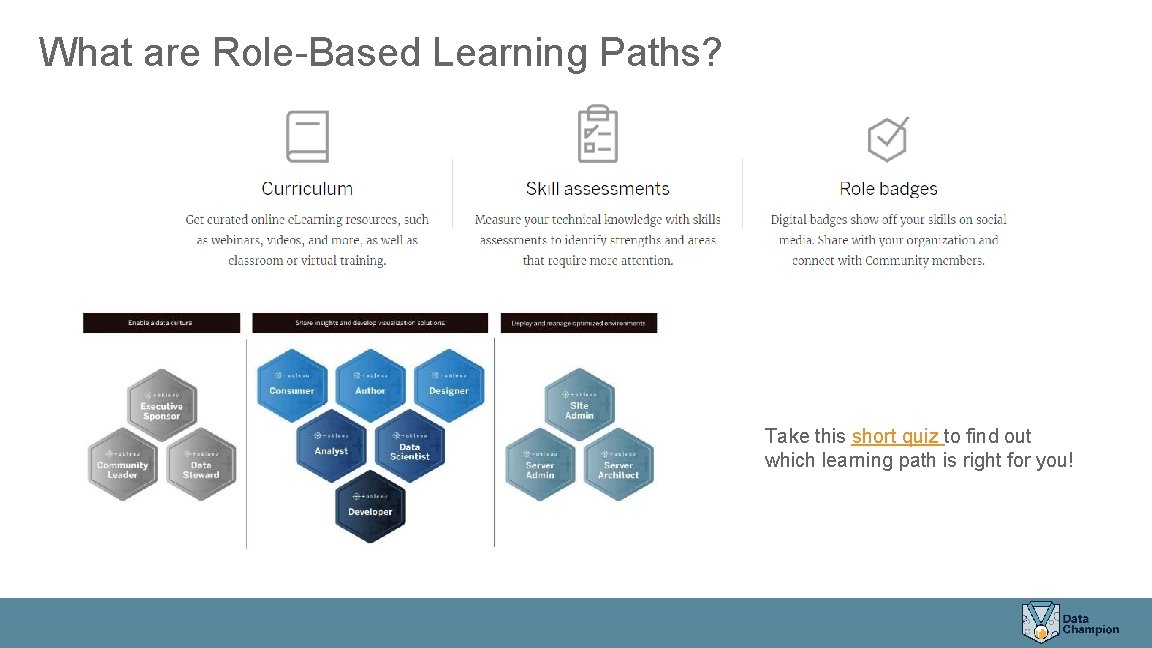
What are Role-Based Learning Paths? Take this short quiz to find out which learning path is right for you!
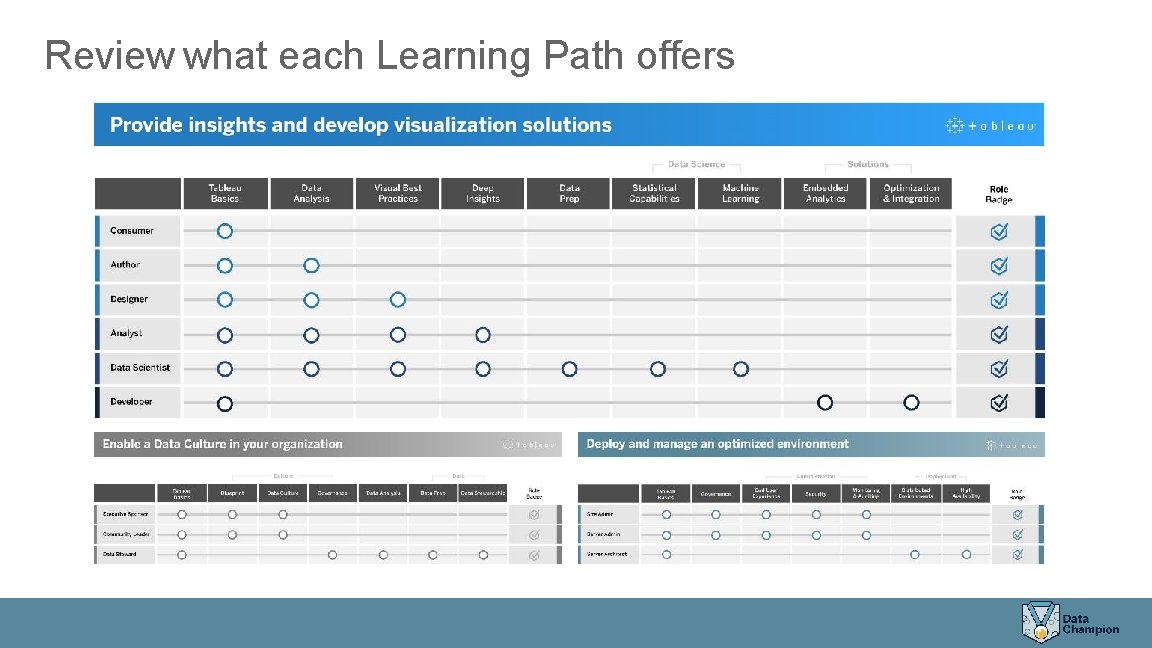
Review what each Learning Path offers
How can you use Learning Paths? • Provide e. Learning licenses to all Champions and require them to earn X number of badges throughout the duration of the program • They can add badges to their email signatures, Linked. In profile, Data Champion directory, etc. • Require a Learning Path badge as a prerequisite to being a Champion
Education Plan Template & Customer Example
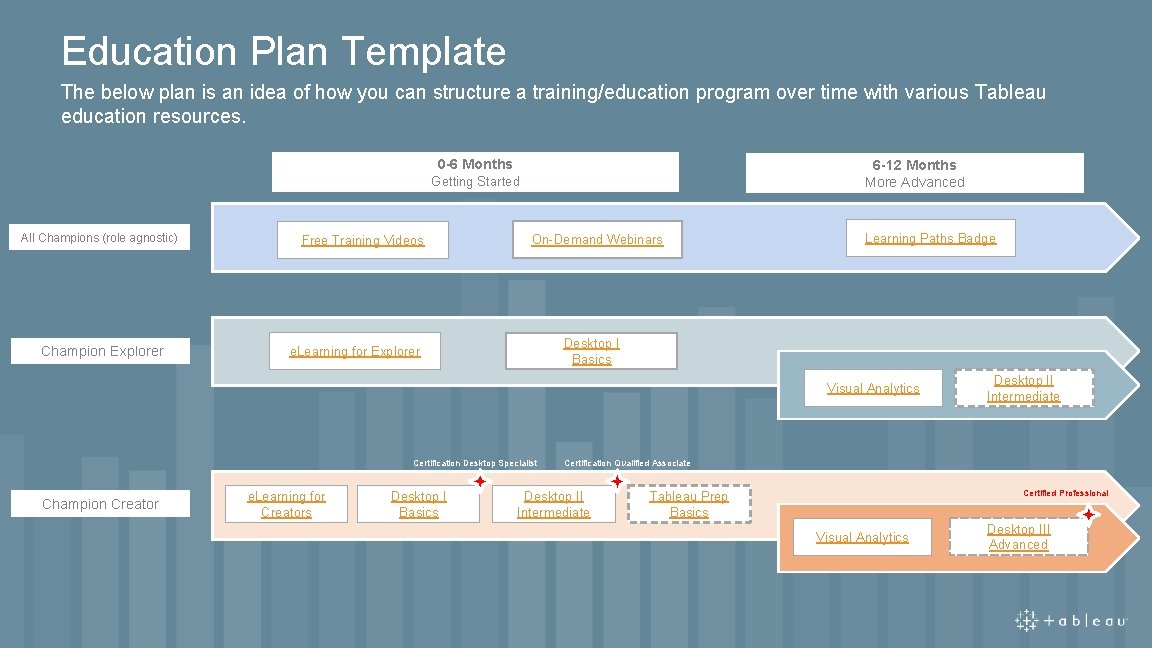
Education Plan Template The below plan is an idea of how you can structure a training/education program over time with various Tableau education resources. 0 -6 Months 6 -12 Months More Advanced Getting Started All Champions (role agnostic) Champion Explorer Free Training Videos On-Demand Webinars Learning Paths Badge Desktop I Basics e. Learning for Explorer Visual Analytics Certification Desktop Specialist Champion Creator e. Learning for Creators Desktop I Basics Desktop II Intermediate Certification Qualified Associate Desktop II Intermediate Certified Professional Tableau Prep Basics Visual Analytics Desktop III Advanced
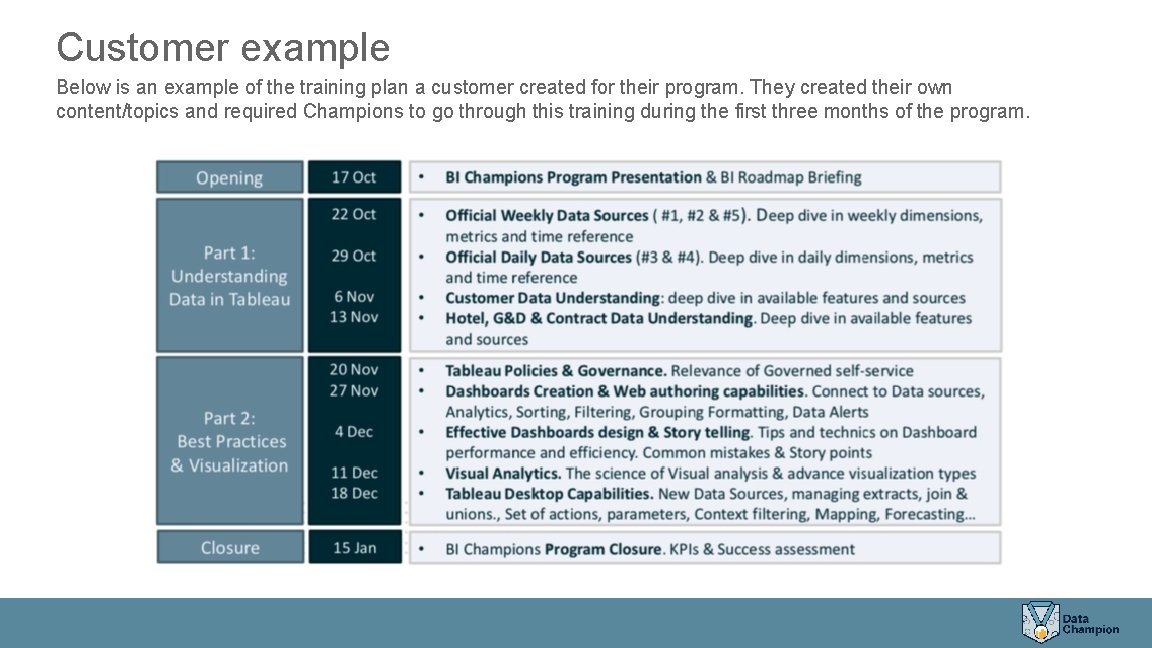
Customer example Below is an example of the training plan a customer created for their program. They created their own content/topics and required Champions to go through this training during the first three months of the program.
Training Plan Dashboard
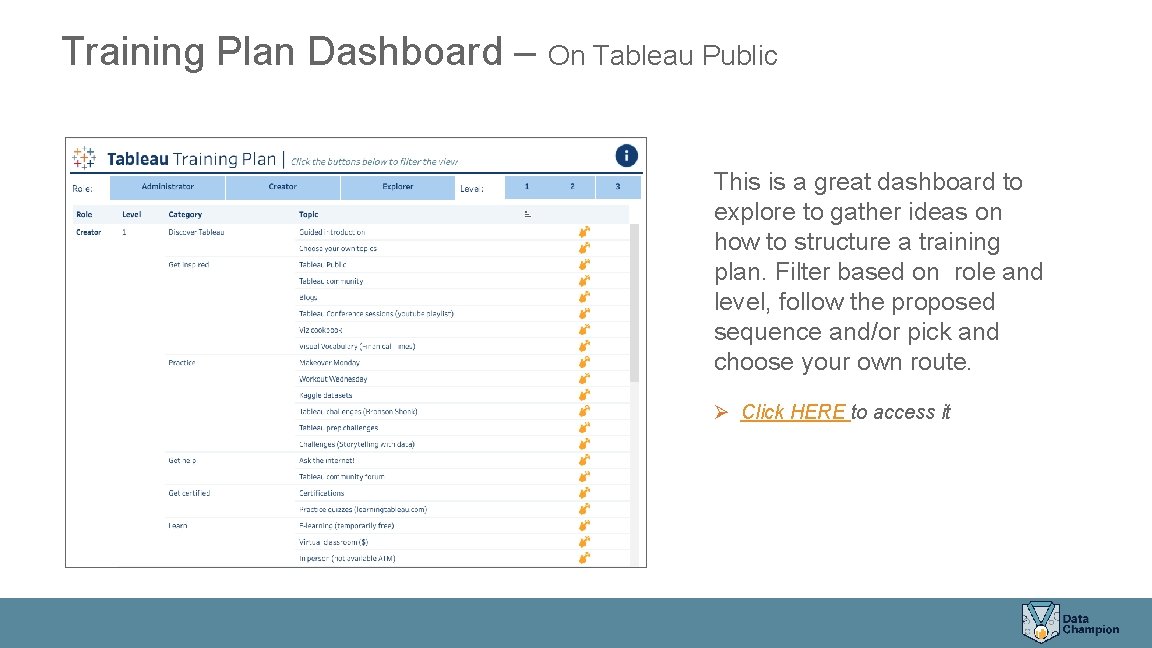
Training Plan Dashboard – On Tableau Public This is a great dashboard to explore to gather ideas on how to structure a training plan. Filter based on role and level, follow the proposed sequence and/or pick and choose your own route. Ø Click HERE to access it
Product Certifications
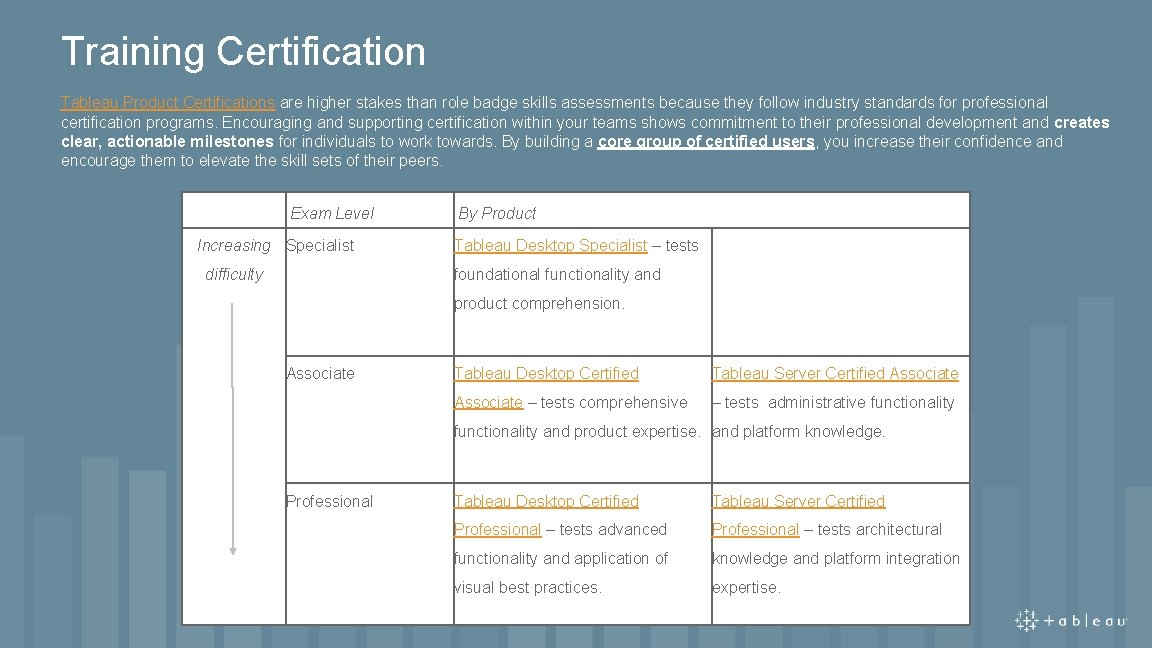
Training Certification Tableau Product Certifications are higher stakes than role badge skills assessments because they follow industry standards for professional certification programs. Encouraging and supporting certification within your teams shows commitment to their professional development and creates clear, actionable milestones for individuals to work towards. By building a core group of certified users, you increase their confidence and encourage them to elevate the skill sets of their peers. Exam Level Increasing Specialist difficulty By Product Tableau Desktop Specialist – tests foundational functionality and product comprehension. Associate Tableau Desktop Certified Tableau Server Certified Associate – tests comprehensive – tests administrative functionality and product expertise. and platform knowledge. Professional Tableau Desktop Certified Tableau Server Certified Professional – tests advanced Professional – tests architectural functionality and application of knowledge and platform integration visual best practices. expertise.
Summary of Training Resources
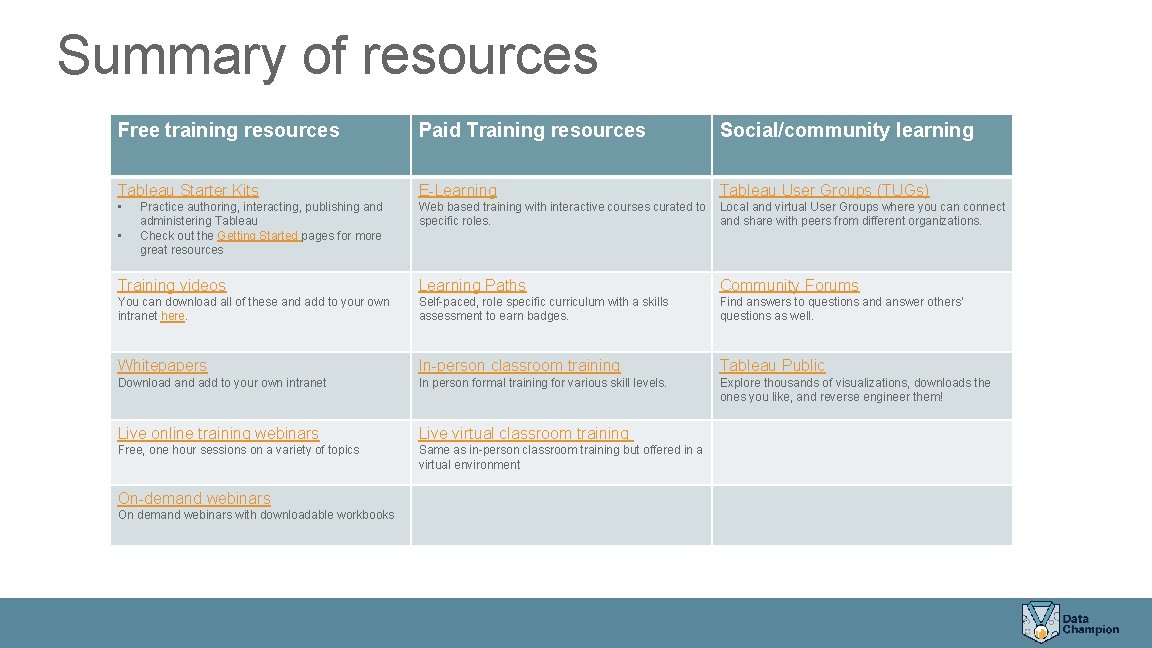
Summary of resources Free training resources Paid Training resources Social/community learning Tableau Starter Kits E-Learning Tableau User Groups (TUGs) • Web based training with interactive courses curated to Local and virtual User Groups where you can connect specific roles. and share with peers from different organizations. • Practice authoring, interacting, publishing and administering Tableau Check out the Getting Started pages for more great resources Training videos Learning Paths Community Forums You can download all of these and add to your own intranet here. Self-paced, role specific curriculum with a skills assessment to earn badges. Find answers to questions and answer others’ questions as well. Whitepapers In-person classroom training Tableau Public Download and add to your own intranet In person formal training for various skill levels. Explore thousands of visualizations, downloads the ones you like, and reverse engineer them! Live online training webinars Live virtual classroom training Free, one hour sessions on a variety of topics Same as in-person classroom training but offered in a virtual environment On-demand webinars On demand webinars with downloadable workbooks