
Data Binding IFRN Central Jos Antnio da Cunha

Data Binding IFRN – Central José Antônio da Cunha

Data Binding Como: Criar uma ligação simples In this example, you have a Person object with a string property named Person. Name. The Person object is defined in the namespace called SDKSample. The following example instantiates the Person object with a Person. Name property value of Joe. This is done in the Resources section and assigned an x: Key.

Data Binding Como: Criar uma ligação simples - XAML <Window xmlns="http: //schemas. microsoft. com/winfx/2006/xaml/presentation" xmlns: x="http: //schemas. microsoft. com/winfx/2006/xaml" xmlns: src="clr-namespace: SDKSample" Size. To. Content="Width. And. Height" Title="Simple Data Binding Sample"> <Window. Resources> <src: Person x: Key="my. Data. Source" Person. Name="Joe"/>. . . </Window. Resources>. . . </Window>

Data Binding To bind to the Person. Name property you would do the following: <Text. Block Text="{Binding Source={Static. Resource my. Data. Source}, Path=Person. Name}"/>

Data Binding Como: Especificar a Fonte de Associação Na ligação de dados, o a origem de ligação objeto refere-se ao objeto que você obtenha os dados do seu. Este tópico descreve as diferentes maneiras de especificar o a origem de ligação. If you are binding several properties to a common source, you want to use the Data. Context property, which provides a convenient way to establish a scope within which all data-bound properties inherit a common source. In the following example, the data context is established on the root element of the application. This allows all child elements to inherit that data context. Data for the binding comes from a custom data class, Net. Income, referenced directly through a mapping and given the resource key of income. Data. Source.
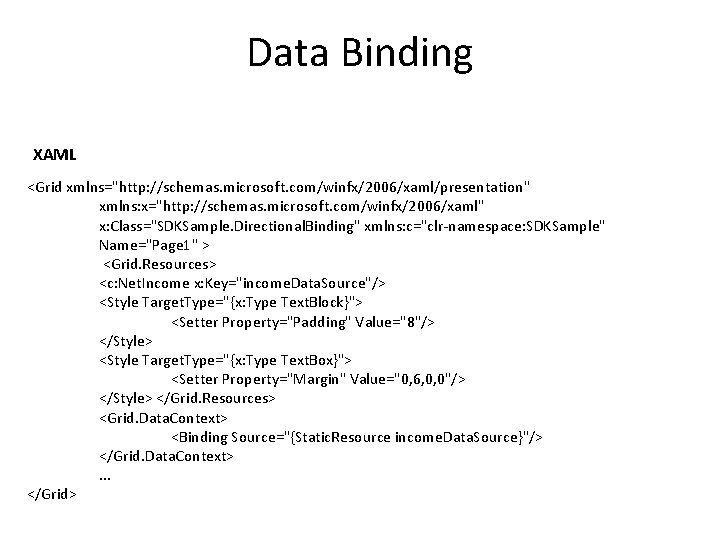
Data Binding XAML <Grid xmlns="http: //schemas. microsoft. com/winfx/2006/xaml/presentation" xmlns: x="http: //schemas. microsoft. com/winfx/2006/xaml" x: Class="SDKSample. Directional. Binding" xmlns: c="clr-namespace: SDKSample" Name="Page 1" > <Grid. Resources> <c: Net. Income x: Key="income. Data. Source"/> <Style Target. Type="{x: Type Text. Block}"> <Setter Property="Padding" Value="8"/> </Style> <Style Target. Type="{x: Type Text. Box}"> <Setter Property="Margin" Value="0, 6, 0, 0"/> </Style> </Grid. Resources> <Grid. Data. Context> <Binding Source="{Static. Resource income. Data. Source}"/> </Grid. Data. Context>. . . </Grid>
- Slides: 6