
DATA BASE RELATIONAL HIERARCHICAL NETWORK RELATIONAL Data are
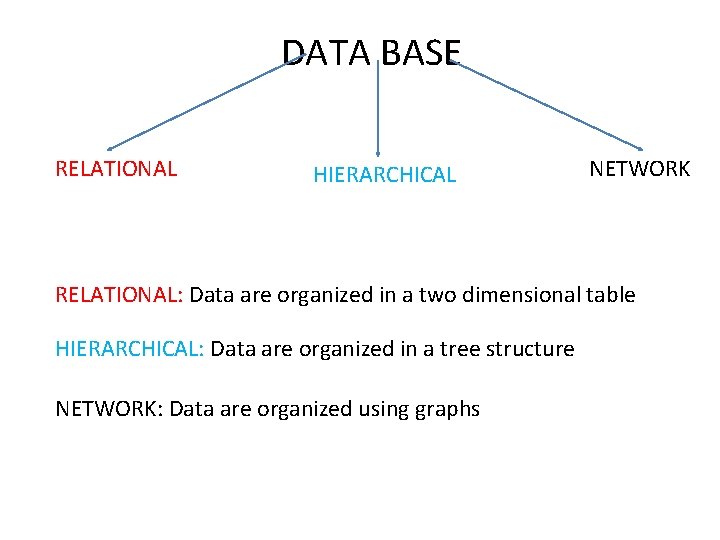
DATA BASE RELATIONAL HIERARCHICAL NETWORK RELATIONAL: Data are organized in a two dimensional table HIERARCHICAL: Data are organized in a tree structure NETWORK: Data are organized using graphs
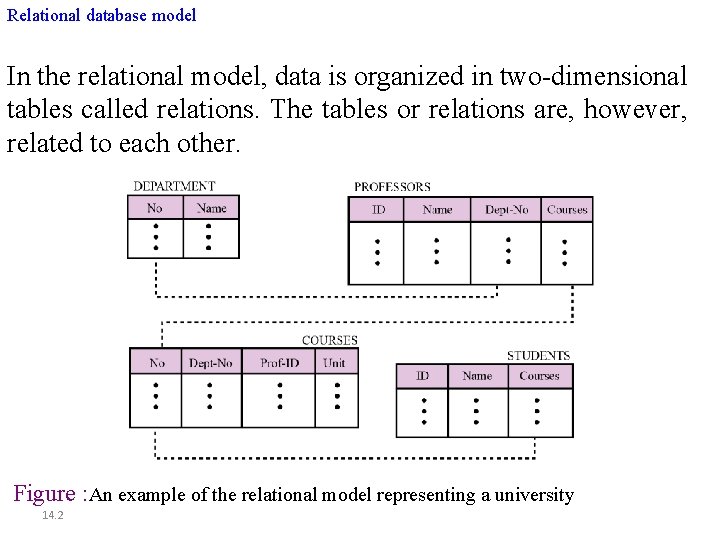
Relational database model In the relational model, data is organized in two-dimensional tables called relations. The tables or relations are, however, related to each other. Figure : An example of the relational model representing a university 14. 2
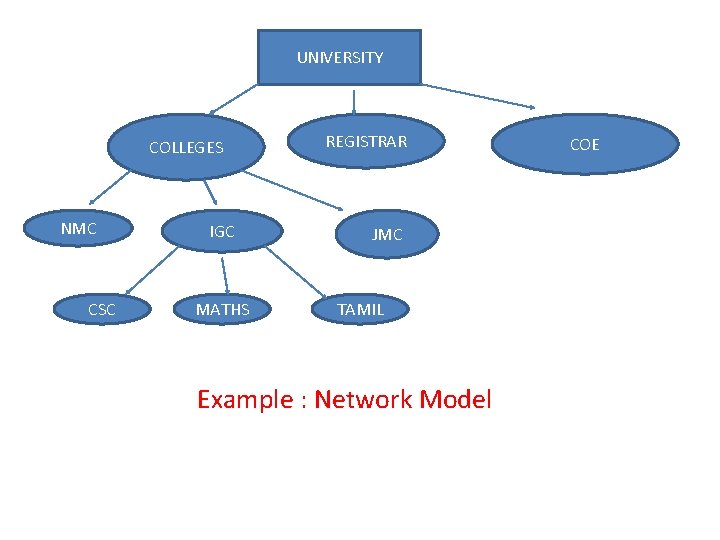
UNIVERSITY COLLEGES NMC CSC IGC MATHS REGISTRAR JMC TAMIL Example : Network Model COE
NETWORK MODEL ØThere are three basic components • Record Type • Data elements • Links Record Type: Collection of similar entities. Data elements: Attributes values Link: Association or Relationships between the records are restricted to binary and many-to-one (M: 1)- It is called Link
• The overall logical structure is represented by a directed graph • Records types are represented by nodes. • Links are represented by arcs
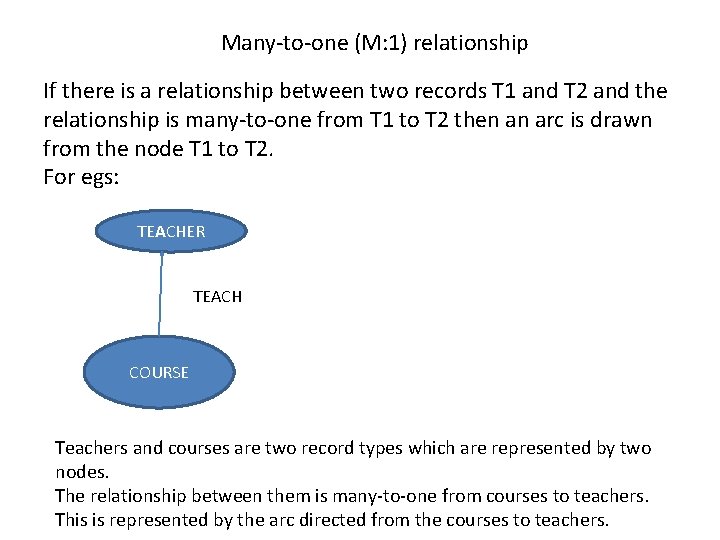
Many-to-one (M: 1) relationship If there is a relationship between two records T 1 and T 2 and the relationship is many-to-one from T 1 to T 2 then an arc is drawn from the node T 1 to T 2. For egs: TEACHER TEACH COURSE Teachers and courses are two record types which are represented by two nodes. The relationship between them is many-to-one from courses to teachers. This is represented by the arc directed from the courses to teachers.
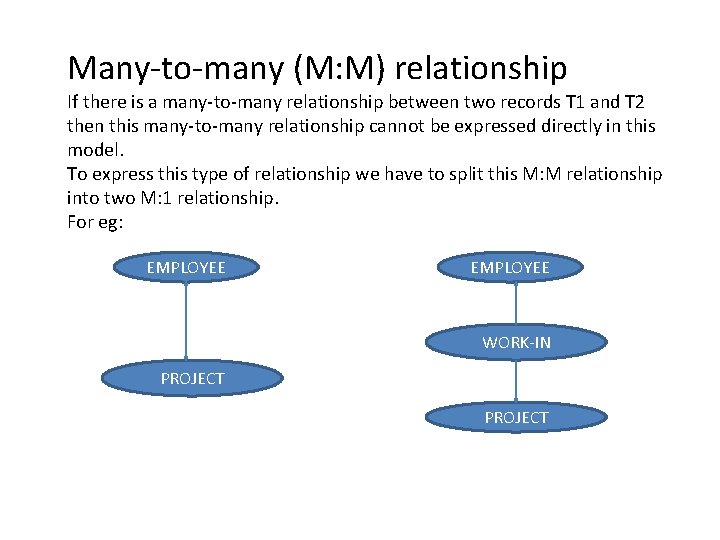
Many-to-many (M: M) relationship If there is a many-to-many relationship between two records T 1 and T 2 then this many-to-many relationship cannot be expressed directly in this model. To express this type of relationship we have to split this M: M relationship into two M: 1 relationship. For eg: EMPLOYEE WORK-IN PROJECT
CODASYL model • This data model is a standardization of the network model. • CODASYL- Conference On Data And System Language • It was proposed by DBTG(Data Base Task Group) in 1971 • There are three basic elements. (i)Data item (ii)record (iii)set The above elements are described in E-R model terminology. Data item-attribute Record-entity set Set-M: 1 relationship
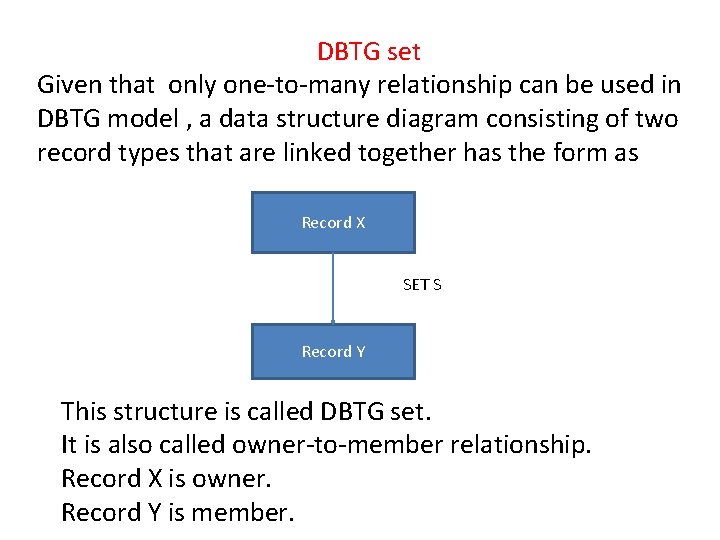
DBTG set Given that only one-to-many relationship can be used in DBTG model , a data structure diagram consisting of two record types that are linked together has the form as Record X SET S Record Y This structure is called DBTG set. It is also called owner-to-member relationship. Record X is owner. Record Y is member.
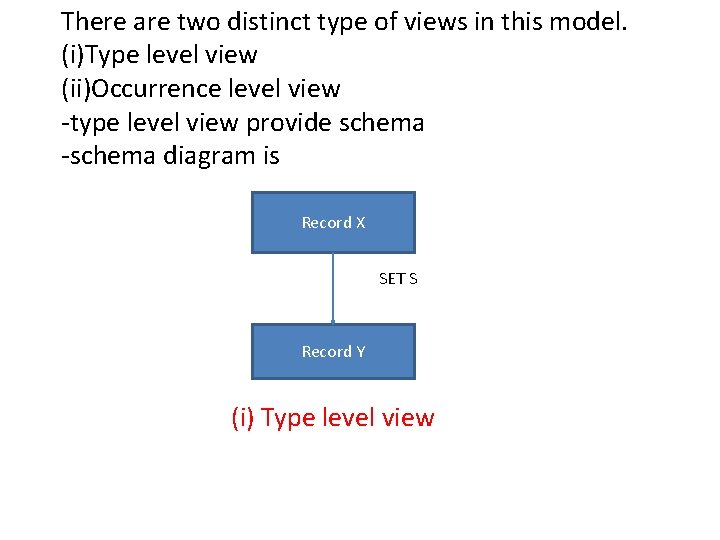
There are two distinct type of views in this model. (i)Type level view (ii)Occurrence level view -type level view provide schema -schema diagram is Record X SET S Record Y (i) Type level view
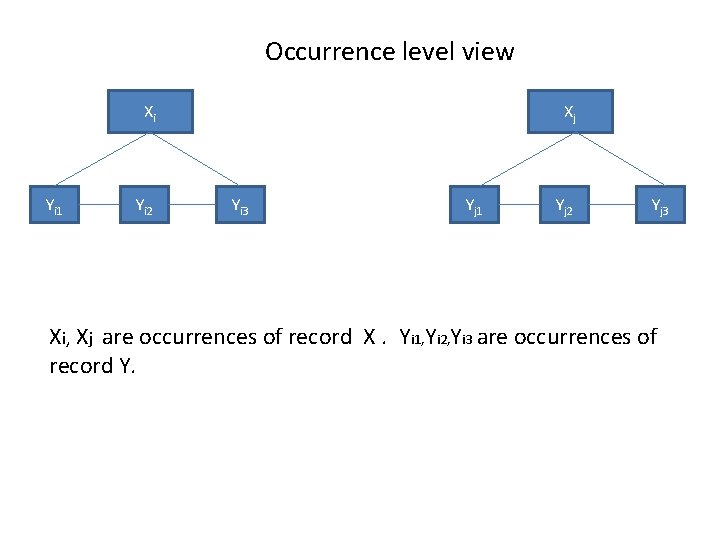
Occurrence level view Xi Yi 1 Yi 2 Xj Yi 3 Yj 1 Yj 2 Yj 3 Xi, Xj are occurrences of record X. Yi 1, Yi 2, Yi 3 are occurrences of record Y.
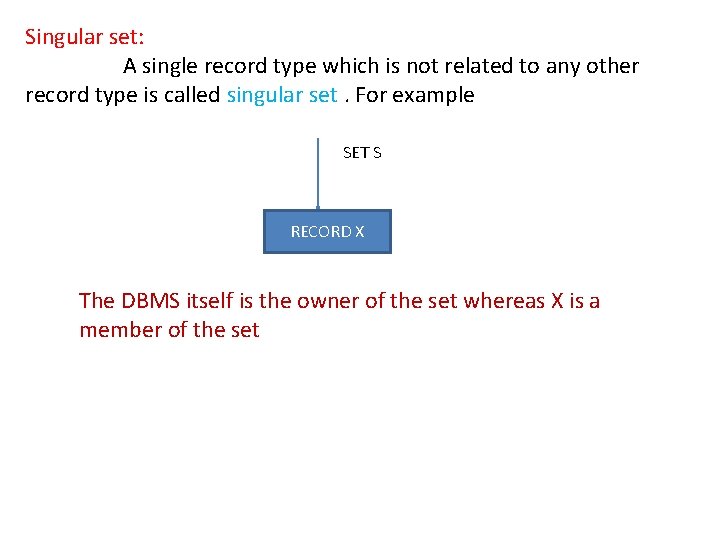
Singular set: A single record type which is not related to any other record type is called singular set. For example SET S RECORD X The DBMS itself is the owner of the set whereas X is a member of the set
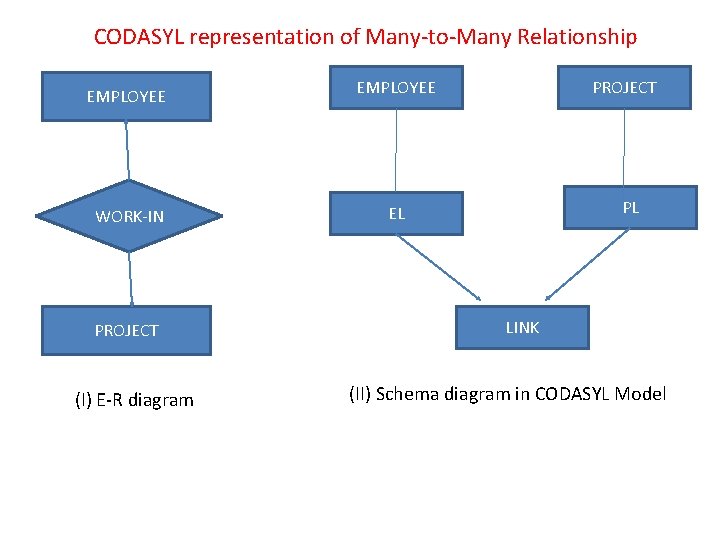
CODASYL representation of Many-to-Many Relationship EMPLOYEE WORK-IN EL PROJECT (I) E-R diagram PROJECT PL LINK (II) Schema diagram in CODASYL Model
Schema Definition Ø CODASYL model supports three different languages -Schema definition language -A sub-schema or view definition language -Data manipulation language The Data manipulation language is embedded in host languages like COBOL and PL/1
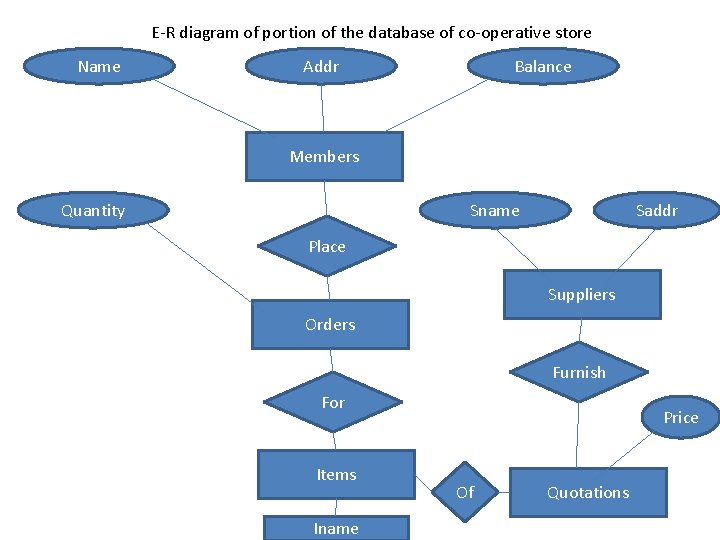
E-R diagram of portion of the database of co-operative store Name Addr Balance Members Quantity Sname Saddr Place Suppliers Orders Furnish For Items Iname Price Of Quotations
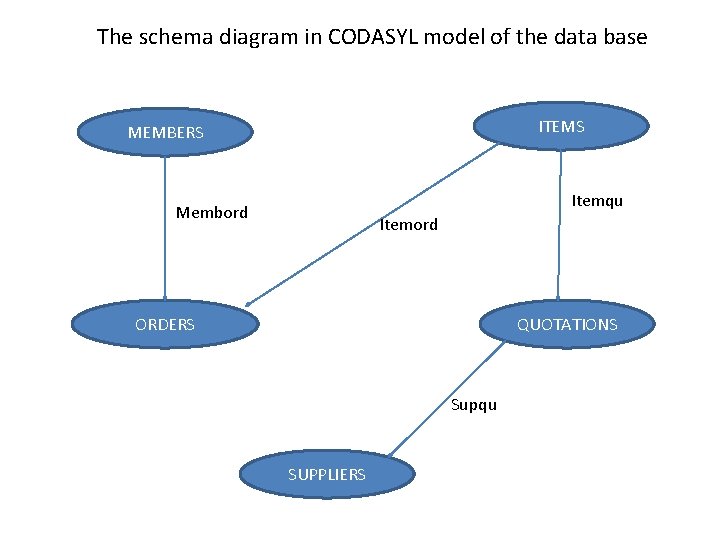
The schema diagram in CODASYL model of the data base ITEMS MEMBERS Itemqu Membord Itemord ORDERS QUOTATIONS Supqu SUPPLIERS
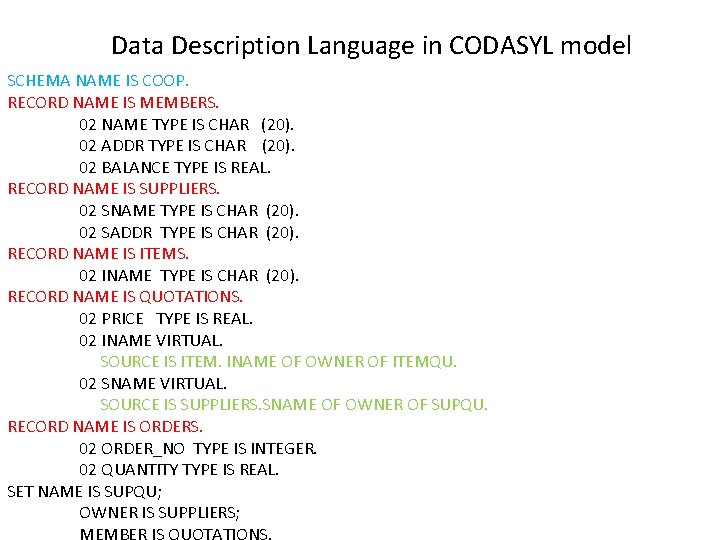
Data Description Language in CODASYL model SCHEMA NAME IS COOP. RECORD NAME IS MEMBERS. 02 NAME TYPE IS CHAR (20). 02 ADDR TYPE IS CHAR (20). 02 BALANCE TYPE IS REAL. RECORD NAME IS SUPPLIERS. 02 SNAME TYPE IS CHAR (20). 02 SADDR TYPE IS CHAR (20). RECORD NAME IS ITEMS. 02 INAME TYPE IS CHAR (20). RECORD NAME IS QUOTATIONS. 02 PRICE TYPE IS REAL. 02 INAME VIRTUAL. SOURCE IS ITEM. INAME OF OWNER OF ITEMQU. 02 SNAME VIRTUAL. SOURCE IS SUPPLIERS. SNAME OF OWNER OF SUPQU. RECORD NAME IS ORDERS. 02 ORDER_NO TYPE IS INTEGER. 02 QUANTITY TYPE IS REAL. SET NAME IS SUPQU; OWNER IS SUPPLIERS;
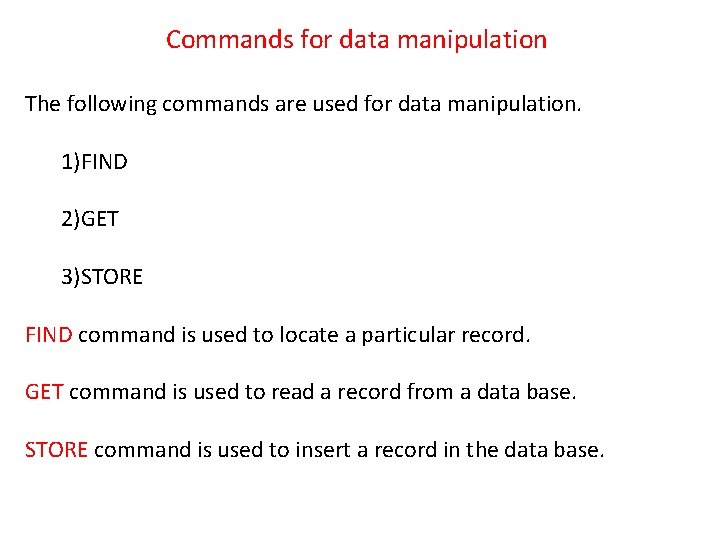
Commands for data manipulation The following commands are used for data manipulation. 1)FIND 2)GET 3)STORE FIND command is used to locate a particular record. GET command is used to read a record from a data base. STORE command is used to insert a record in the data base.
![GET command Syntax: GET <record type> [; <list of data items separated by comma>]](http://slidetodoc.com/presentation_image_h2/0c08609462e864a67ecac3d5dbbd6833/image-19.jpg "GET command Syntax: GET <record type> [; <list of data items separated by comma>]")
GET command Syntax: GET <record type> [; <list of data items separated by comma>] For example GET QUOTATION This command will read the entire QUOTATION record. GET QUOTATION; INAME , PRICE In this command only INAME and PRICE of the QUOTATION record will be read.
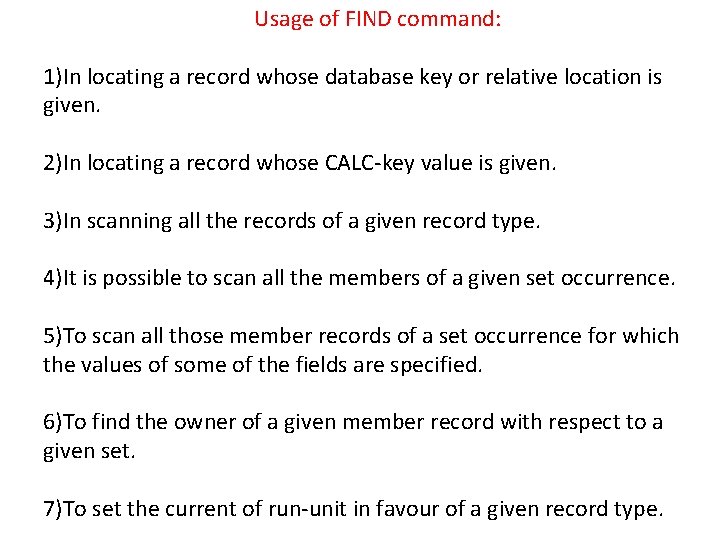
Usage of FIND command: 1)In locating a record whose database key or relative location is given. 2)In locating a record whose CALC-key value is given. 3)In scanning all the records of a given record type. 4)It is possible to scan all the members of a given set occurrence. 5)To scan all those member records of a set occurrence for which the values of some of the fields are specified. 6)To find the owner of a given member record with respect to a given set. 7)To set the current of run-unit in favour of a given record type.
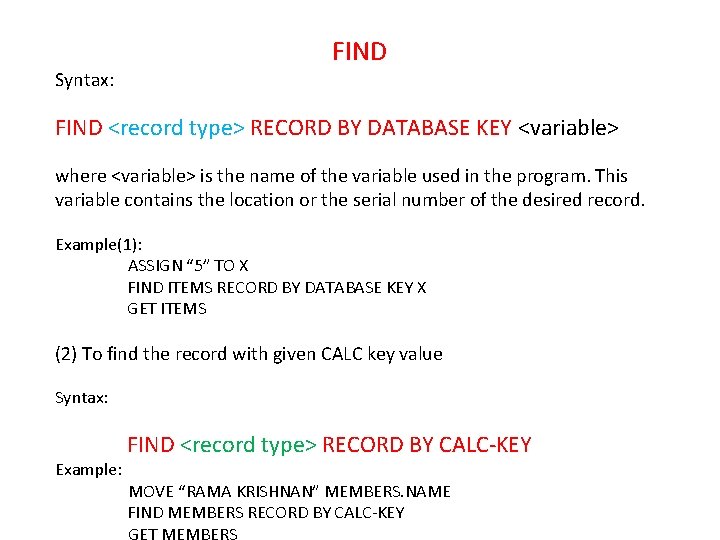
Syntax: FIND <record type> RECORD BY DATABASE KEY <variable> where <variable> is the name of the variable used in the program. This variable contains the location or the serial number of the desired record. Example(1): ASSIGN “ 5” TO X FIND ITEMS RECORD BY DATABASE KEY X GET ITEMS (2) To find the record with given CALC key value Syntax: Example: FIND <record type> RECORD BY CALC-KEY MOVE “RAMA KRISHNAN” MEMBERS. NAME FIND MEMBERS RECORD BY CALC-KEY
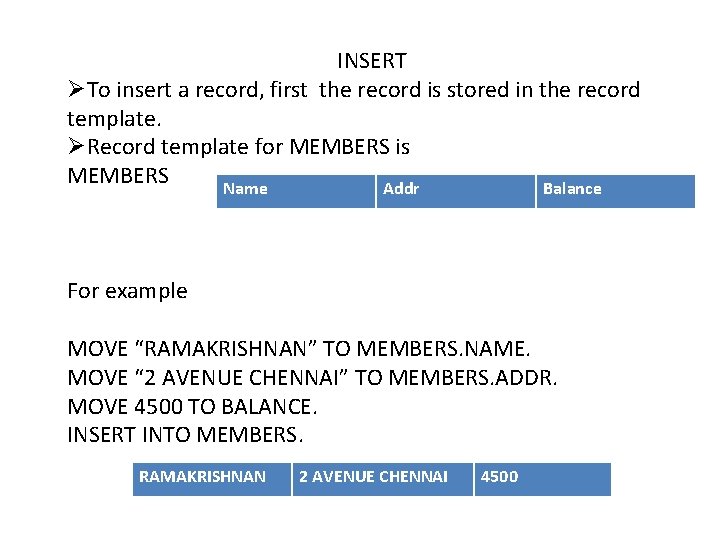
INSERT ØTo insert a record, first the record is stored in the record template. ØRecord template for MEMBERS is MEMBERS Name Addr Balance For example MOVE “RAMAKRISHNAN” TO MEMBERS. NAME. MOVE “ 2 AVENUE CHENNAI” TO MEMBERS. ADDR. MOVE 4500 TO BALANCE. INSERT INTO MEMBERS. RAMAKRISHNAN 2 AVENUE CHENNAI 4500
DELETE command DELETE <record type > ALL Example MOVE “RAMAKRISHNAN” TO MEMBERS. NAME FIND MEMBERS RECORD USING CALC-KEY DELETE MEMBERS ALL
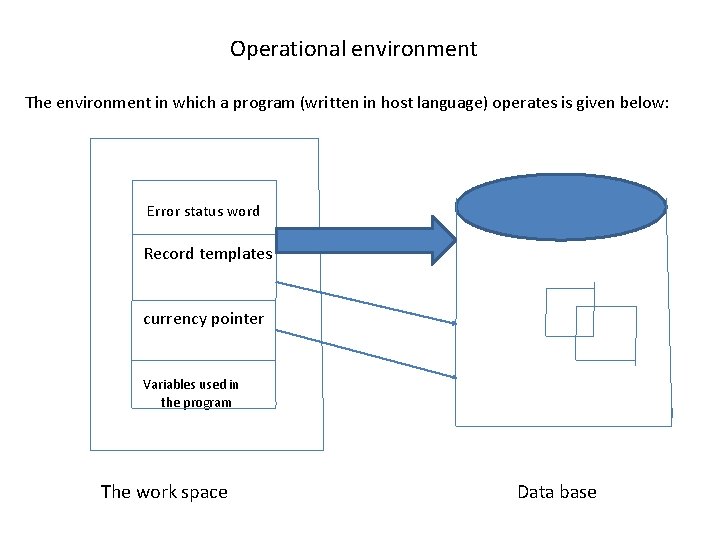
Operational environment The environment in which a program (written in host language) operates is given below: Error status word Record templates currency pointer Variables used in the program The work space Data base
Workspace refers to the user program’s working area in which the following types of data are stored: I. Variables defined with in the program II. Currency pointers III. Global error status word A global error status word indicating when a FIND command fails to find a record. The currency pointers are used by DBMS to keep track of the records which are recently being accessed. The values of these currency pointer refer to the location of the records. There are three types of currency pointers. The pointers and their usages are given below.
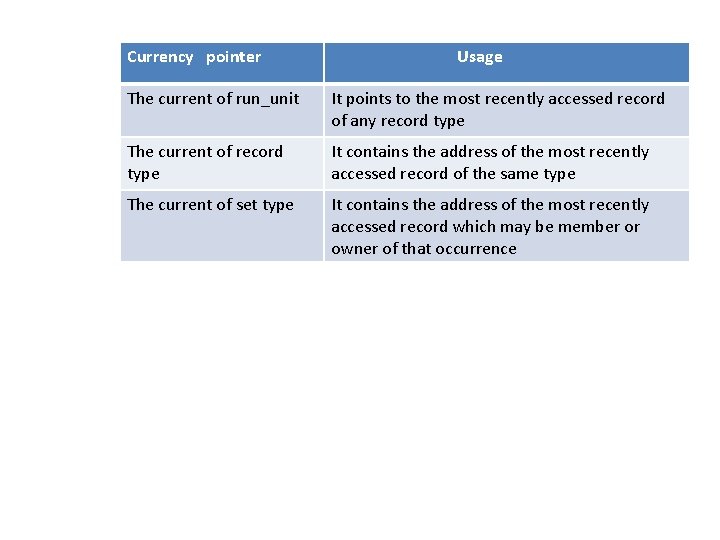
Currency pointer Usage The current of run_unit It points to the most recently accessed record of any record type The current of record type It contains the address of the most recently accessed record of the same type The current of set type It contains the address of the most recently accessed record which may be member or owner of that occurrence
There exits a record template for each record type. A record template is basically the space for holding one record at a time of the same type. During the insertion the record is assembled in the template first and the STORE command copies the content in the template in to the appropriate database file. The GET command is used to read a record in the appropriate template.
- Slides: 27