
Data and Computer Communications Tenth Edition by William
Data and Computer Communications Tenth Edition by William Stallings Data and Computer Communications, Tenth Edition by William Stallings, (c) Pearson Education - 2013
CHAPTER 24 Electronic Mail, DNS, and HTTP
“Consider a future device for individual use, which is a sort of mechanized private file and library. It needs a name, and, to coin one at random, “memex” will do. A memex is a device in which an individual stores all his books, records, and communications, and which is mechanized so that it may be consulted with exceeding speed and flexibility. It is an enlarged intimate supplement to his memory. All this is conventional, except for the projection forward of presentday mechanisms and gadgetry. It affords an immediate step, however, to associative indexing, the basic idea of which is a provision whereby any item may be caused at will to select immediately and automatically another. This is the essential feature of the memex. The process of tying two items together is the important thing. ” —As We May Think, Vannevar. Bush, The Atlantic, July 1945

Electronic Mail Ø A facility that allows users at workstations and terminals to compose and exchange messages Ø Messages need never exist on paper unless the user desires a paper copy of the message Ø Some e-mail systems only serve users on a single computer, while others provide service across a network of computers
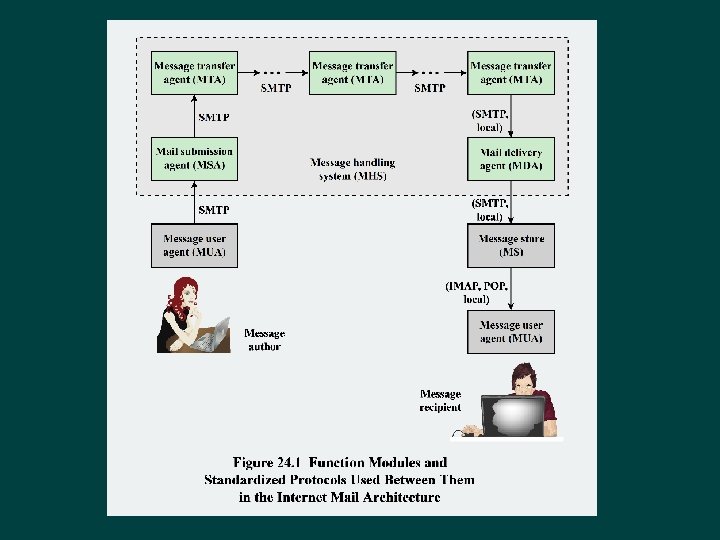
Internet Mail Architecture Ø Currently defined in RFC 5598 Ø Fundamental level consists of: l l A user world, in the form of Message User Agents (MUA) The transfer world, in the form of the Message Handling Service (MHS), which is composed of Message Transfer Agents (MTA)
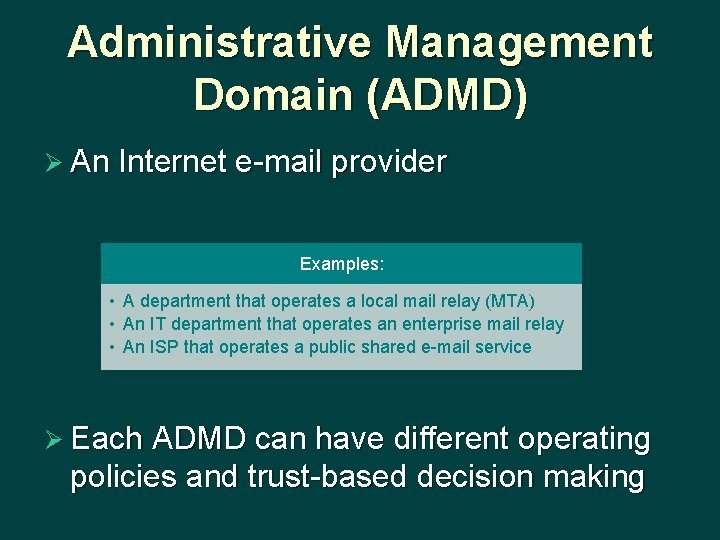
Administrative Management Domain (ADMD) Ø An Internet e-mail provider Examples: • A department that operates a local mail relay (MTA) • An IT department that operates an enterprise mail relay • An ISP that operates a public shared e-mail service Ø Each ADMD can have different operating policies and trust-based decision making
Domain Name System (DNS) Ø A directory lookup service that provides a mapping between the name of a host on the Internet and its numerical address

Internet Mail Standards Post Office Protocol (POP 3) • Allows an e-mail client to download an e -mail from an e-mail server • Connects via TCP/IP to the server Internet Mail Access Protocol (IMAP) • Provides stronger authentication than POP 3 and provides other functions not supported by POP 3 Simple Mail Transfer Protocol (SMTP) • Protocol used for transfer of mail from a user agent to an MTA and from one MTA to another Multipurpose Internet • Supplements SMTP and allows the encapsulation of multimedia messages Mail Extensions inside of a standard SMTP message (MIME)
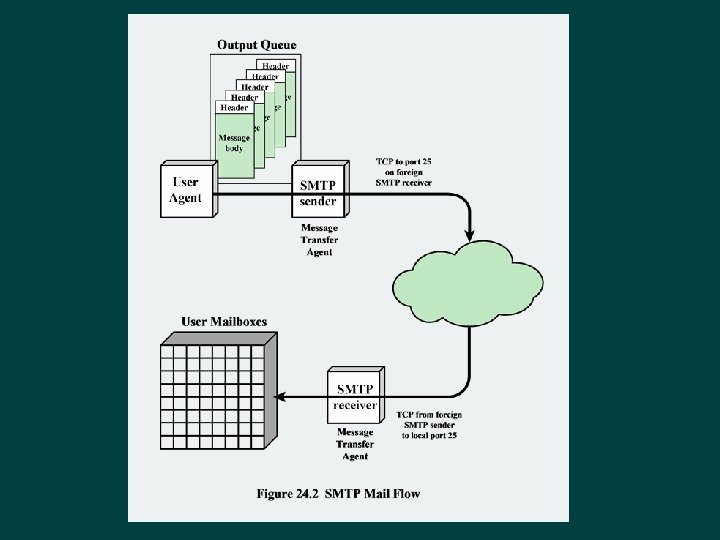
SMTP Ø Defined in RFC 821 Ø The standard protocol for transferring mail between hosts in the TCP/IP suite Ø Is not concerned with the format or content of messages themselves l Exceptions: • SMTP standardizes the message character set as 7 -bit ASCII • SMTP adds log information to the start of the delivered message that indicates the path the message took
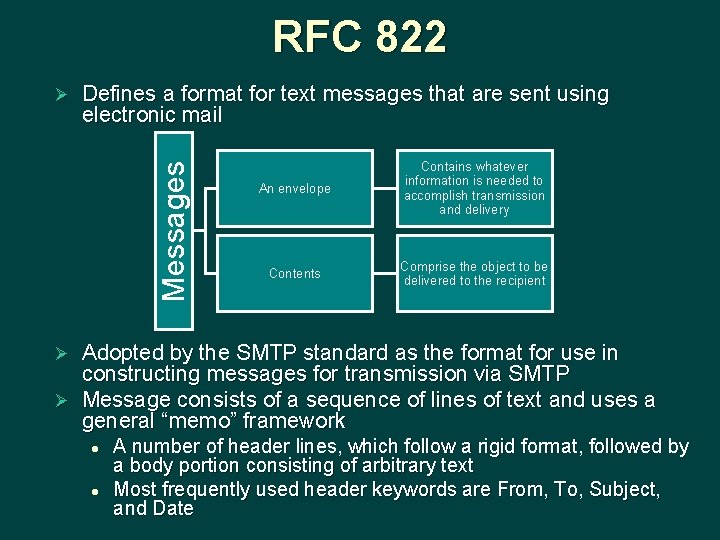
RFC 822 Defines a format for text messages that are sent using electronic mail Messages Ø An envelope Contains whatever information is needed to accomplish transmission and delivery Contents Comprise the object to be delivered to the recipient Adopted by the SMTP standard as the format for use in constructing messages for transmission via SMTP Ø Message consists of a sequence of lines of text and uses a general “memo” framework Ø l l A number of header lines, which follow a rigid format, followed by a body portion consisting of arbitrary text Most frequently used header keywords are From, To, Subject, and Date
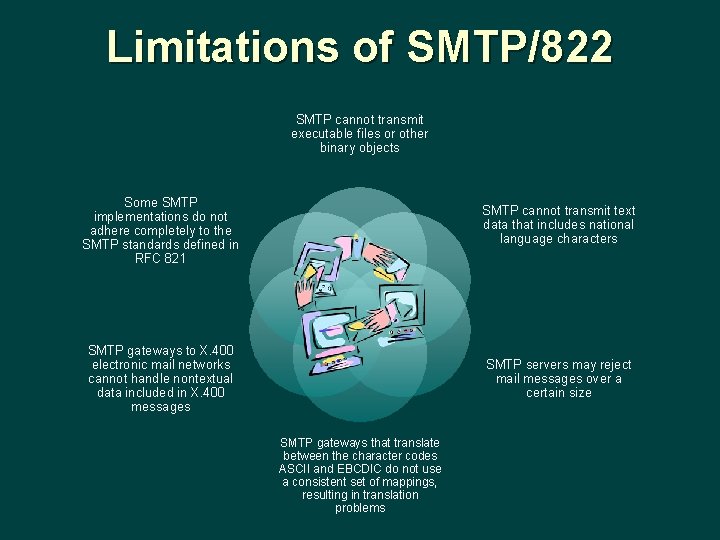
Limitations of SMTP/822 SMTP cannot transmit executable files or other binary objects Some SMTP implementations do not adhere completely to the SMTP standards defined in RFC 821 SMTP cannot transmit text data that includes national language characters SMTP gateways to X. 400 electronic mail networks cannot handle nontextual data included in X. 400 messages SMTP servers may reject mail messages over a certain size SMTP gateways that translate between the character codes ASCII and EBCDIC do not use a consistent set of mappings, resulting in translation problems
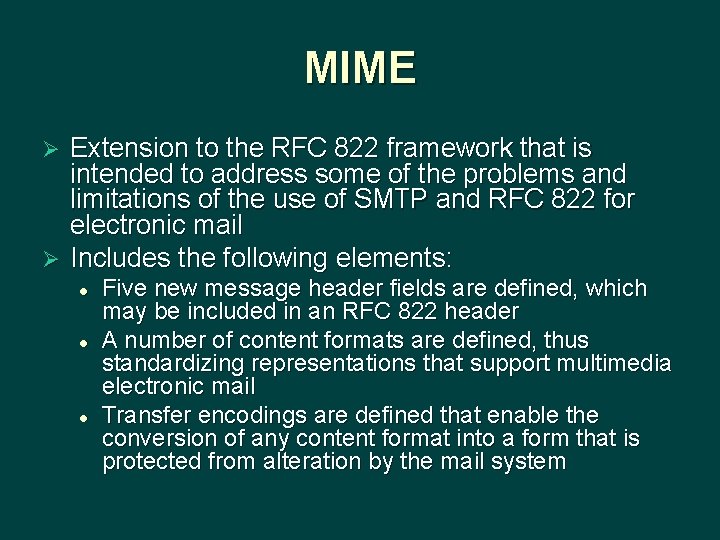
MIME Extension to the RFC 822 framework that is intended to address some of the problems and limitations of the use of SMTP and RFC 822 for electronic mail Ø Includes the following elements: Ø l l l Five new message header fields are defined, which may be included in an RFC 822 header A number of content formats are defined, thus standardizing representations that support multimedia electronic mail Transfer encodings are defined that enable the conversion of any content format into a form that is protected from alteration by the mail system
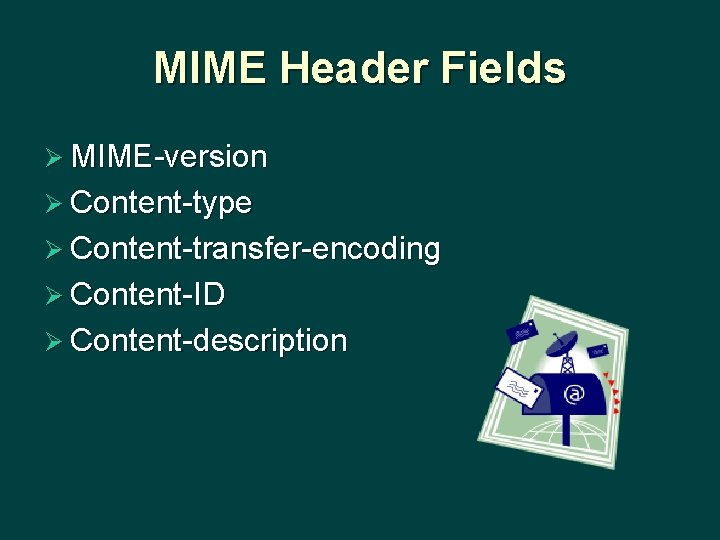
MIME Header Fields Ø MIME-version Ø Content-type Ø Content-transfer-encoding Ø Content-ID Ø Content-description
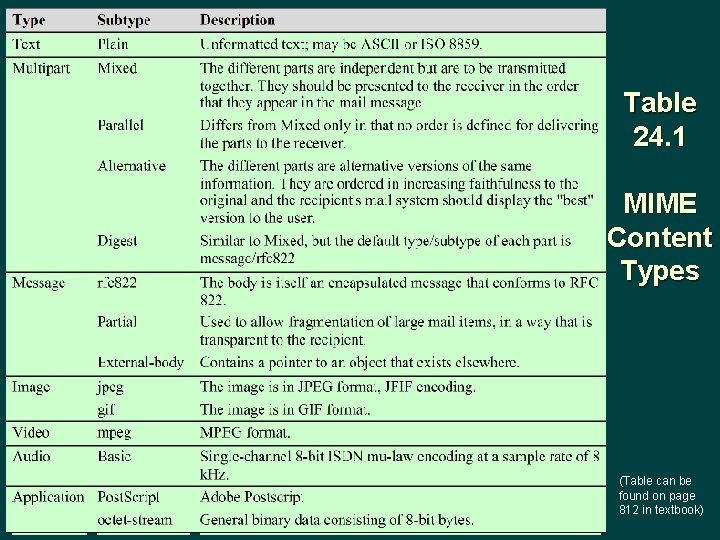
Table 24. 1 MIME Content Types (Table can be found on page 812 in textbook)
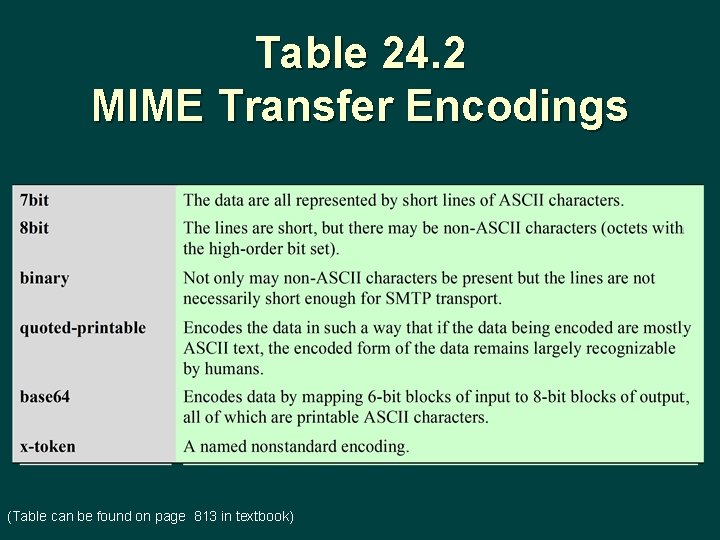
Table 24. 2 MIME Transfer Encodings (Table can be found on page 813 in textbook)
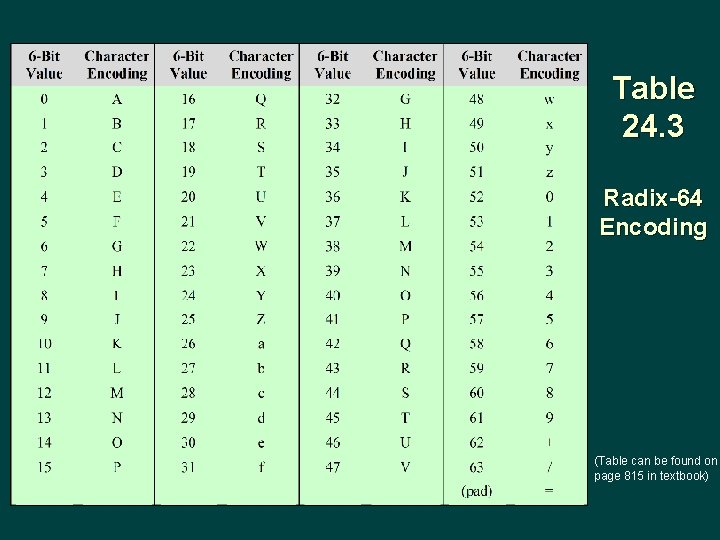
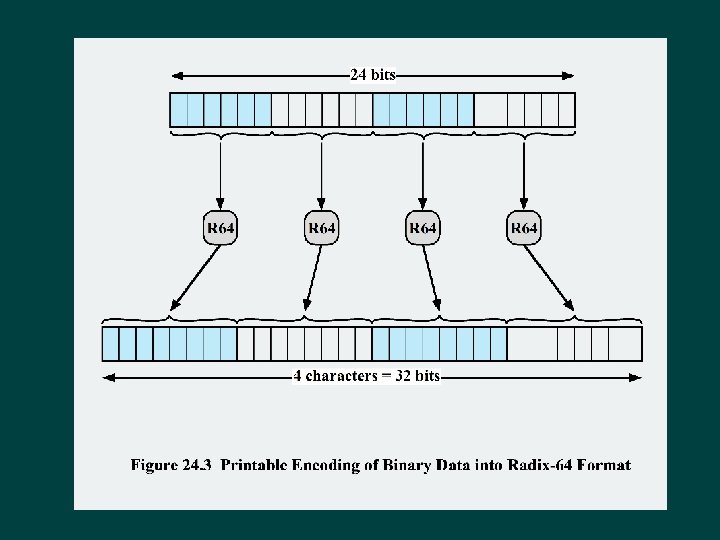
Table 24. 3 Radix-64 Encoding (Table can be found on page 815 in textbook)
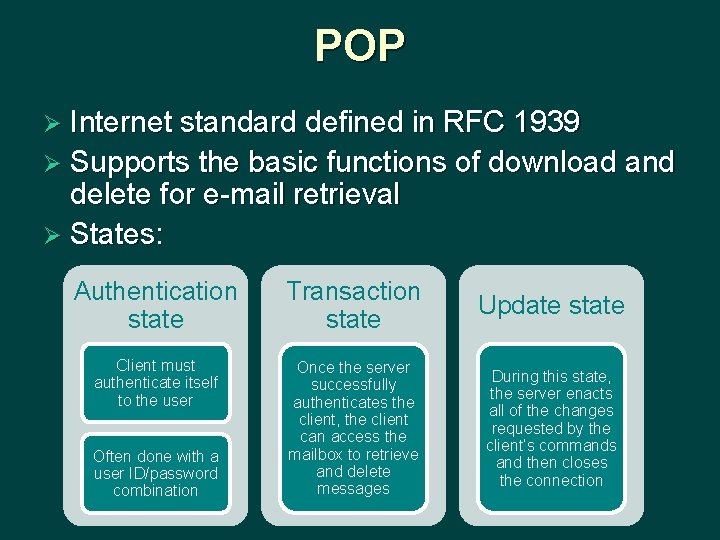
POP Ø Internet standard defined in RFC 1939 Ø Supports the basic functions of download and delete for e-mail retrieval Ø States: Authentication state Transaction state Update state Client must authenticate itself to the user Once the server successfully authenticates the client, the client can access the mailbox to retrieve and delete messages During this state, the server enacts all of the changes requested by the client’s commands and then closes the connection Often done with a user ID/password combination
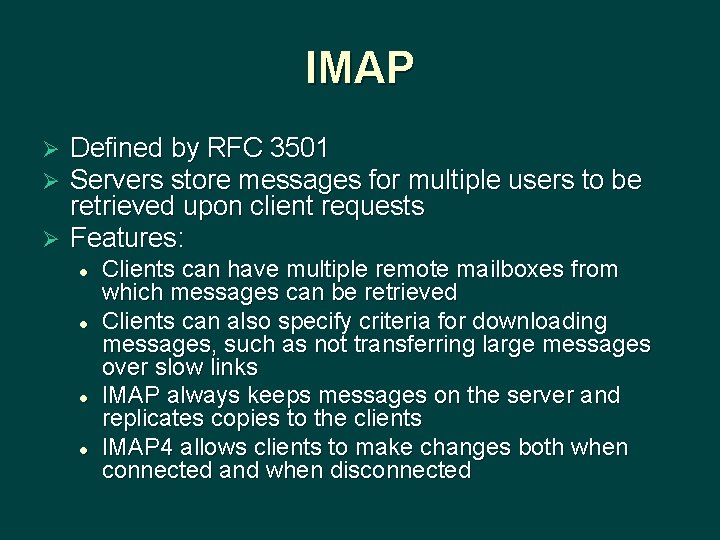
IMAP Defined by RFC 3501 Servers store messages for multiple users to be retrieved upon client requests Ø Features: Ø Ø l l Clients can have multiple remote mailboxes from which messages can be retrieved Clients can also specify criteria for downloading messages, such as not transferring large messages over slow links IMAP always keeps messages on the server and replicates copies to the clients IMAP 4 allows clients to make changes both when connected and when disconnected
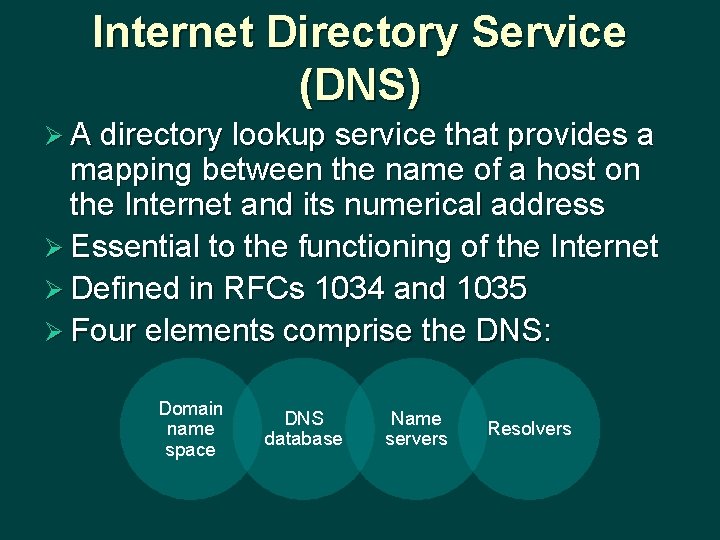
Internet Directory Service (DNS) Ø A directory lookup service that provides a mapping between the name of a host on the Internet and its numerical address Ø Essential to the functioning of the Internet Ø Defined in RFCs 1034 and 1035 Ø Four elements comprise the DNS: Domain name space DNS database Name servers Resolvers
Domain Ø Refers to a group of hosts that are under the administrative control of a single entity Ø Organized hierarchically, so that a given domain may consist of a number of subordinate domains Ø Names are assigned and reflect the hierarchical organization
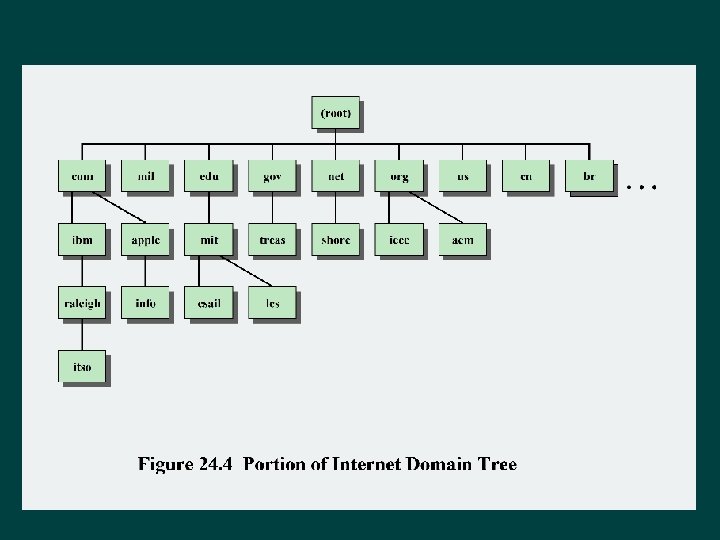
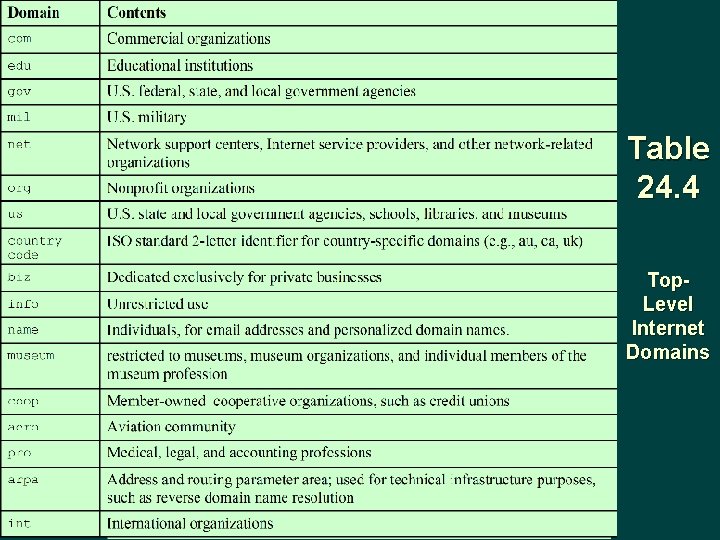
Table 24. 4 Top. Level Internet Domains
DNS Database Ø Based on a hierarchical database containing resource records (RRs) that include the name, IP address, and other information about hosts Ø Key features: l l l Variable-depth hierarchy for names Distributed database Distribution controlled by the database

Table 24. 5 Resource Record Types


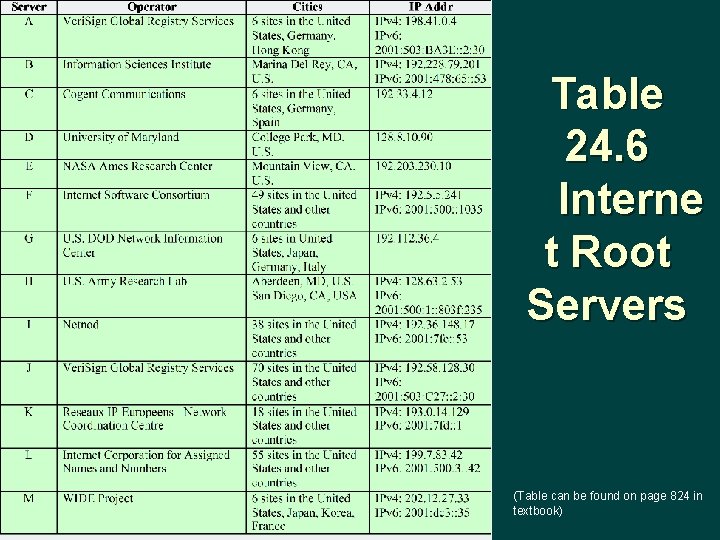
Table 24. 6 Interne t Root Servers (Table can be found on page 824 in textbook)
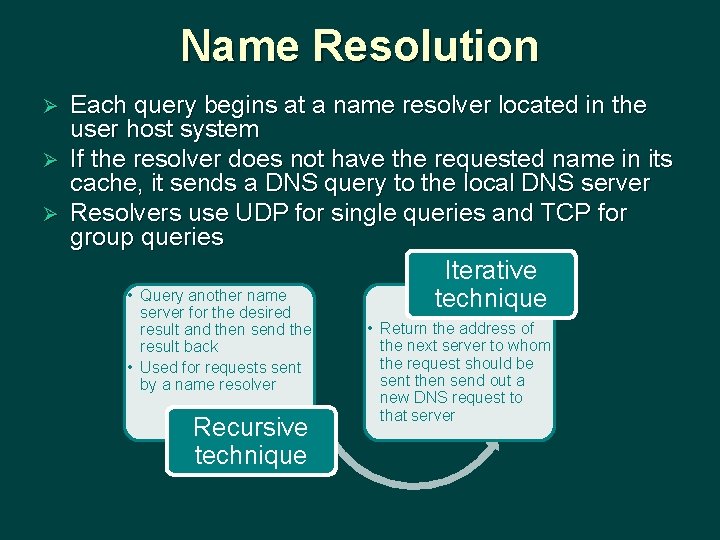
Name Resolution Each query begins at a name resolver located in the user host system Ø If the resolver does not have the requested name in its cache, it sends a DNS query to the local DNS server Ø Resolvers use UDP for single queries and TCP for group queries Iterative • Query another name technique server for the desired Ø result and then send the result back • Used for requests sent by a name resolver Recursive technique • Return the address of the next server to whom the request should be sent then send out a new DNS request to that server
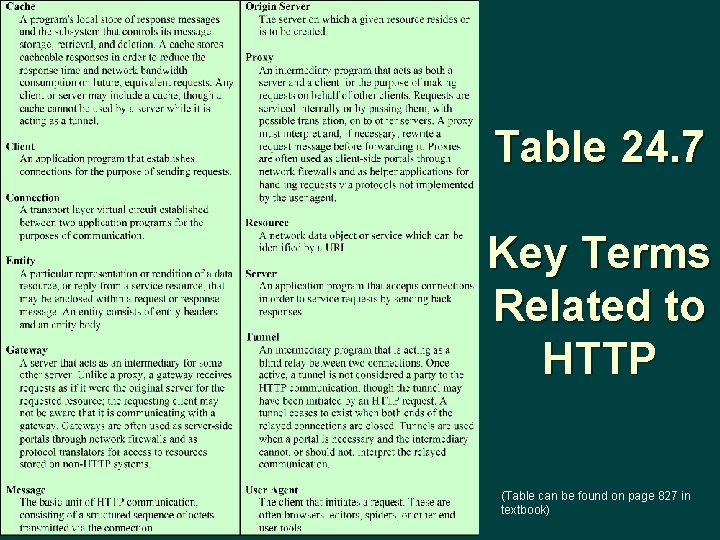
Table 24. 7 Key Terms Related to HTTP (Table can be found on page 827 in textbook)
HTTP Ø Transaction-oriented client/server protocol Ø Most typical use is between a Web browser and a Web server Ø Makes use of TCP to provide reliability Ø Is a stateless protocol Ø Each transaction is treated independently Ø Flexible in the formats that it can handle

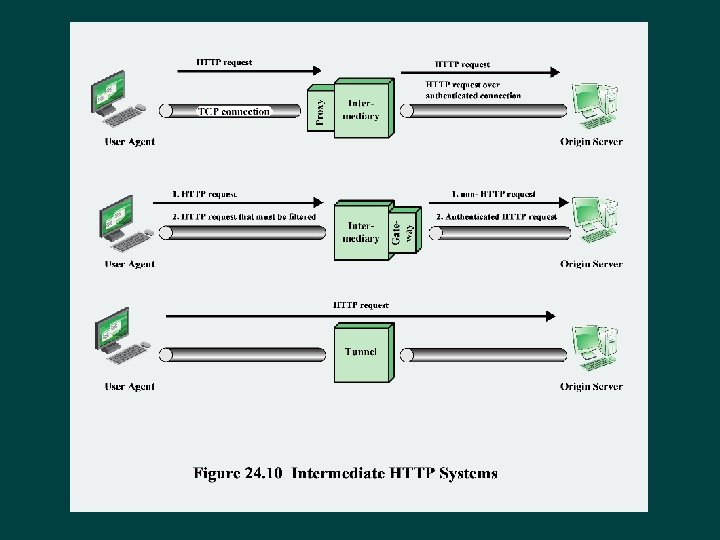
Proxy A forwarding agent, receiving a request for a URL object, modifying the request, and forwarding the request toward the server identified in the URL Ø Acts as a server in interacting with a client and as a client in interacting with a server Ø Ø Scenarios that call for the use of a proxy: l Security intermediary • Client and server may be separated by a security intermediary such as a firewall, with the proxy on the client side of the firewall l Different versions of HTTP • If the client and server are running different versions of HTTP, the proxy can implement both versions and perform the required mapping
Gateway Ø A server that appears to the client as if it were an origin server Ø Acts on behalf of other servers that may not be able to communicate directly with a client Ø Scenarios in which gateways can be used: l l Security intermediary Non-HTTP server
Tunnel Ø Performs no operations on HTTP requests and responses Ø Is simply a relay point between two TCP connections Ø Used when there must be an intermediary system between client and server but it is not necessary for that system to understand the contents of messages
Cache Ø A facility that may store previous requests and responses for handling new requests l If a new request arrives that is the same as a stored request then the cache can supply the stored response rather than accessing the resource indicated in the URL Ø Can operate on a client or server or on an intermediate system other than a tunnel Ø Not all transactions can be cached
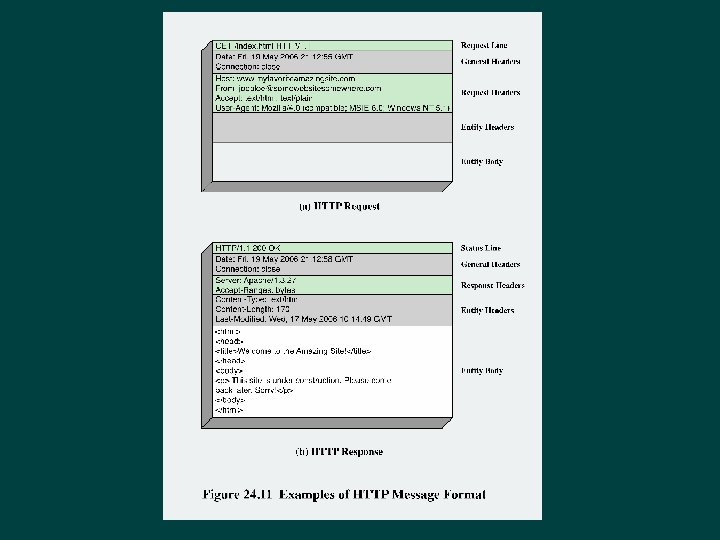
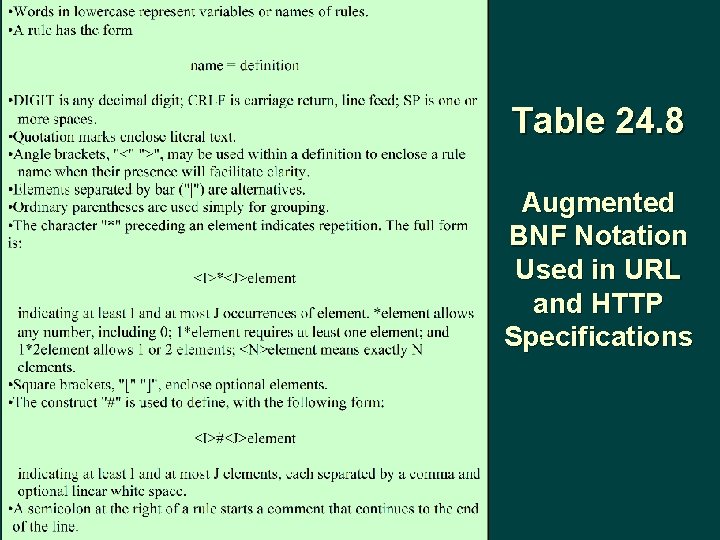
Table 24. 8 Augmented BNF Notation Used in URL and HTTP Specifications
General Header Fields Can be used in both request and response messages Ø Are applicable in both types of messages and contain information that does not directly apply to the entity being transferred Ø Fields are: Ø l l l l Cache-control Connection Date Forwarded Keep-alive MIME-version Pragma Upgrade
Summary Ø Electronic Mail – SMTP and MIME l l Ø Internet mail architecture Simple Mail Transfer Protocol (SMTP) Multipurpose Internet Mail Extensions (MIME) POP and IMAP Internet Directory Service: DNS l l l Domain names The DNS database DNS operation Ø Web access and HTTP l l l HTTP overview Messages Request messages Response messages Entities
- Slides: 45