
Data Analysis Systems We Provide all supported by
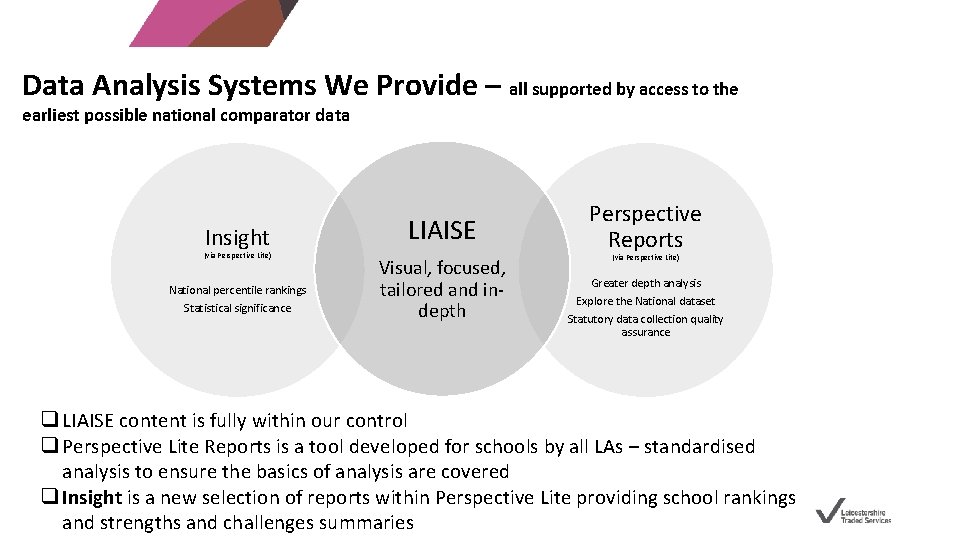
Data Analysis Systems We Provide – all supported by access to the earliest possible national comparator data Insight (via Perspective Lite) National percentile rankings Statistical significance LIAISE Visual, focused, tailored and indepth Perspective Reports (via Perspective Lite) Greater depth analysis Explore the National dataset Statutory data collection quality assurance q LIAISE content is fully within our control q Perspective Lite Reports is a tool developed for schools by all LAs – standardised analysis to ensure the basics of analysis are covered q Insight is a new selection of reports within Perspective Lite providing school rankings and strengths and challenges summaries
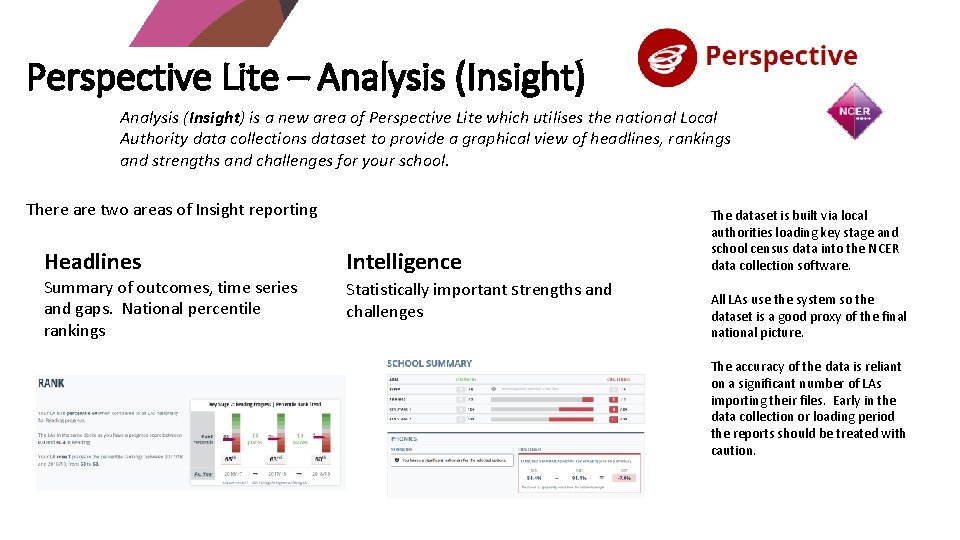
Perspective Lite – Analysis (Insight) is a new area of Perspective Lite which utilises the national Local Authority data collections dataset to provide a graphical view of headlines, rankings and strengths and challenges for your school. There are two areas of Insight reporting Headlines Summary of outcomes, time series and gaps. National percentile rankings Intelligence Statistically important strengths and challenges The dataset is built via local authorities loading key stage and school census data into the NCER data collection software. All LAs use the system so the dataset is a good proxy of the final national picture. The accuracy of the data is reliant on a significant number of LAs importing their files. Early in the data collection or loading period the reports should be treated with caution.
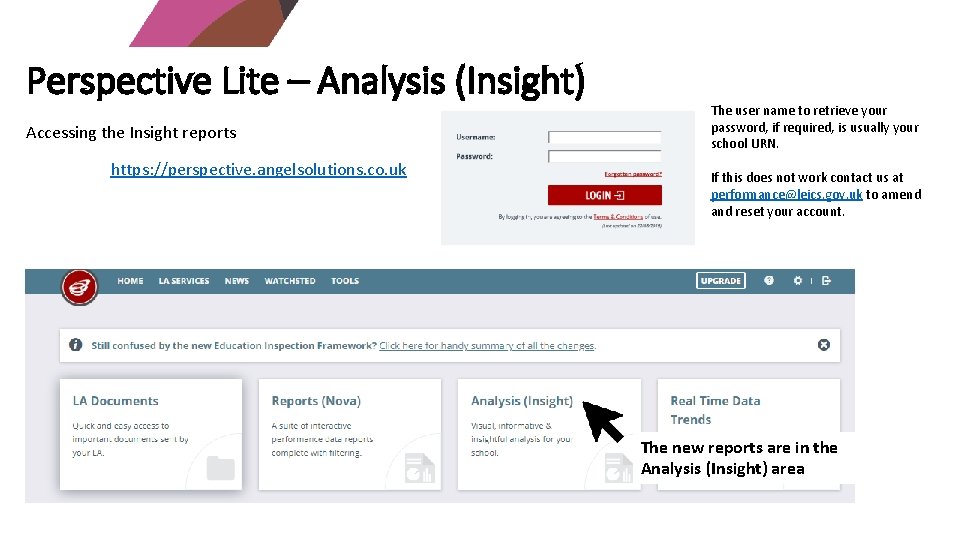
Perspective Lite – Analysis (Insight) Accessing the Insight reports https: //perspective. angelsolutions. co. uk The user name to retrieve your password, if required, is usually your school URN. If this does not work contact us at performance@leics. gov. uk to amend and reset your account. The new reports are in the Analysis (Insight) area

Insight Headlines provides access to visualisation of your key indicators and national percentile ranks There are four sections to the headlines area of Insight • Summary Cards showing your key headlines. Acts as the selection for everything shown in the sections below • Value Focusses on the value selected. Simple visualisation of the measure with a trend over time • Comparison Your school value against the national or LA average. Gaps over the last three years • Rank Where your school ranks against other schools in the country for the selected measure
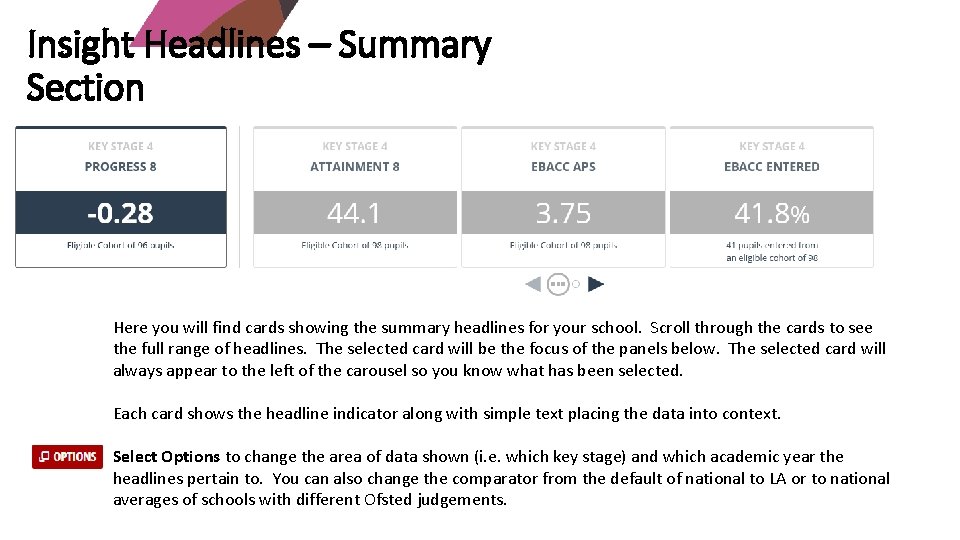
Insight Headlines – Summary Section Here you will find cards showing the summary headlines for your school. Scroll through the cards to see the full range of headlines. The selected card will be the focus of the panels below. The selected card will always appear to the left of the carousel so you know what has been selected. Each card shows the headline indicator along with simple text placing the data into context. Select Options to change the area of data shown (i. e. which key stage) and which academic year the headlines pertain to. You can also change the comparator from the default of national to LA or to national averages of schools with different Ofsted judgements.
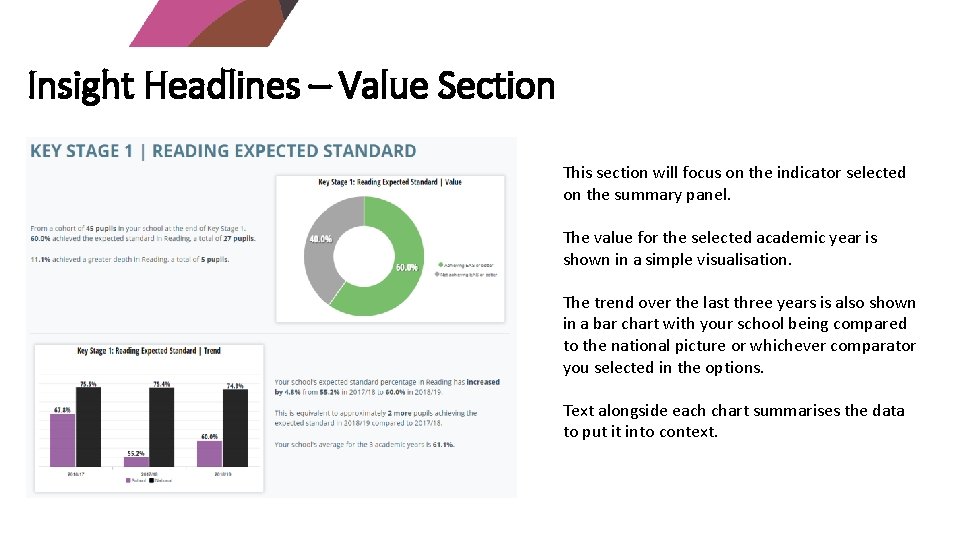
Insight Headlines – Value Section This section will focus on the indicator selected on the summary panel. The value for the selected academic year is shown in a simple visualisation. The trend over the last three years is also shown in a bar chart with your school being compared to the national picture or whichever comparator you selected in the options. Text alongside each chart summarises the data to put it into context.
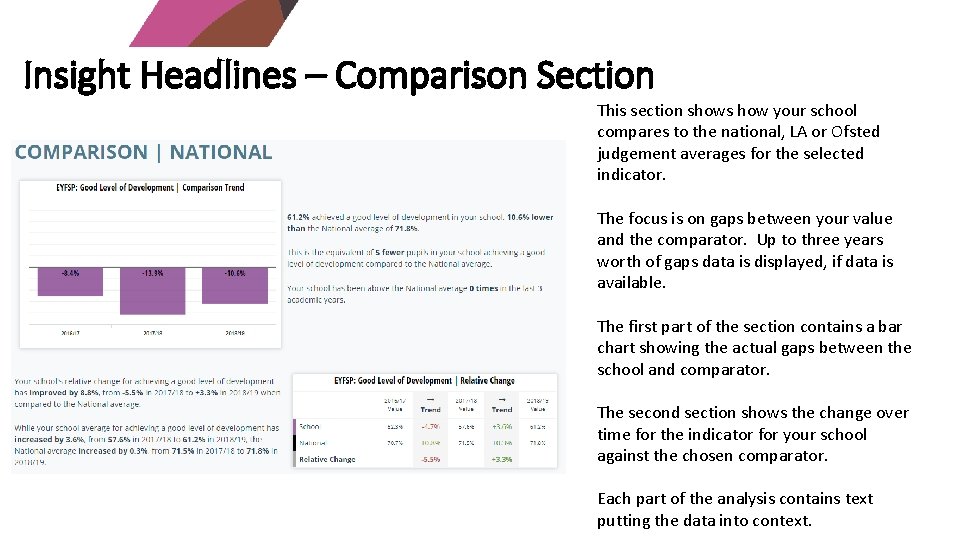
Insight Headlines – Comparison Section This section shows how your school compares to the national, LA or Ofsted judgement averages for the selected indicator. The focus is on gaps between your value and the comparator. Up to three years worth of gaps data is displayed, if data is available. The first part of the section contains a bar chart showing the actual gaps between the school and comparator. The second section shows the change over time for the indicator for your school against the chosen comparator. Each part of the analysis contains text putting the data into context.
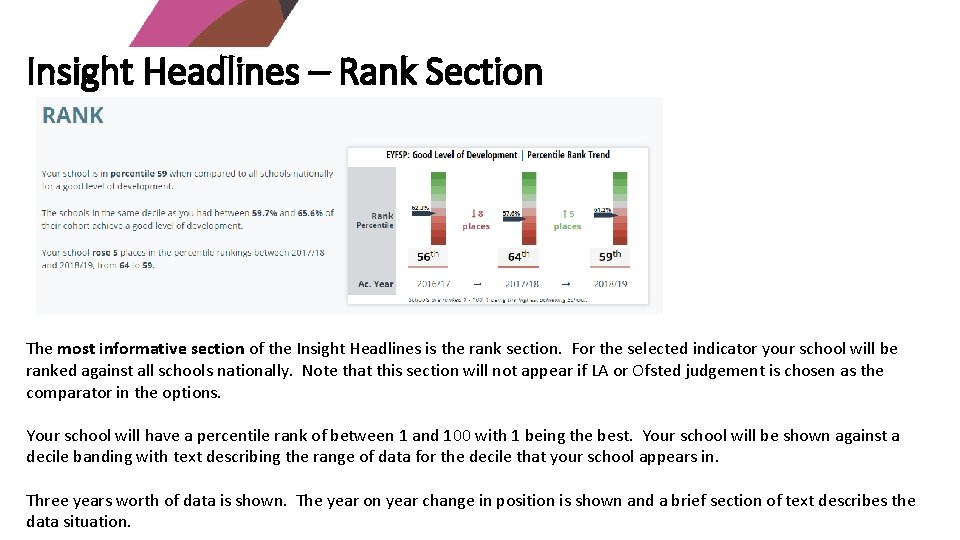
Insight Headlines – Rank Section The most informative section of the Insight Headlines is the rank section. For the selected indicator your school will be ranked against all schools nationally. Note that this section will not appear if LA or Ofsted judgement is chosen as the comparator in the options. Your school will have a percentile rank of between 1 and 100 with 1 being the best. Your school will be shown against a decile banding with text describing the range of data for the decile that your school appears in. Three years worth of data is shown. The year on year change in position is shown and a brief section of text describes the data situation.
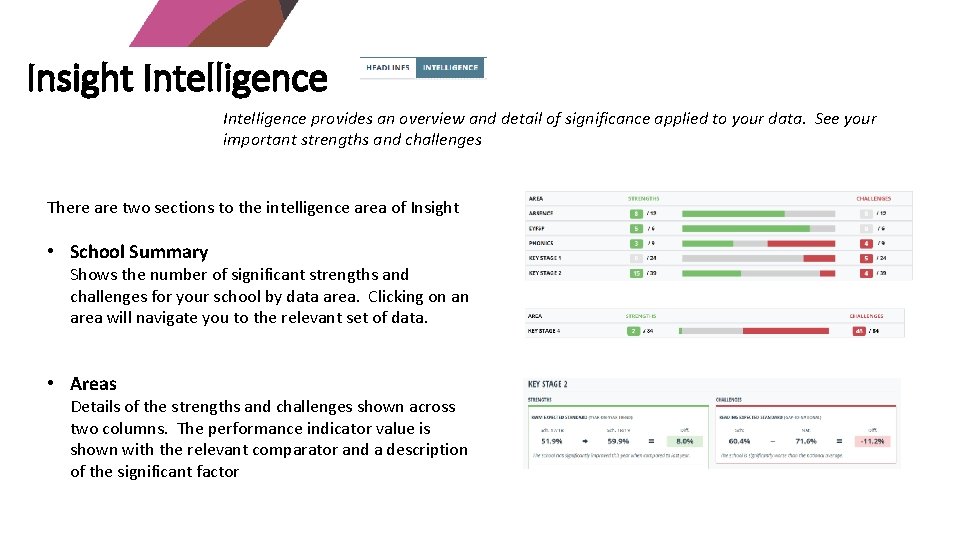
Insight Intelligence provides an overview and detail of significance applied to your data. See your important strengths and challenges There are two sections to the intelligence area of Insight • School Summary Shows the number of significant strengths and challenges for your school by data area. Clicking on an area will navigate you to the relevant set of data. • Areas Details of the strengths and challenges shown across two columns. The performance indicator value is shown with the relevant comparator and a description of the significant factor
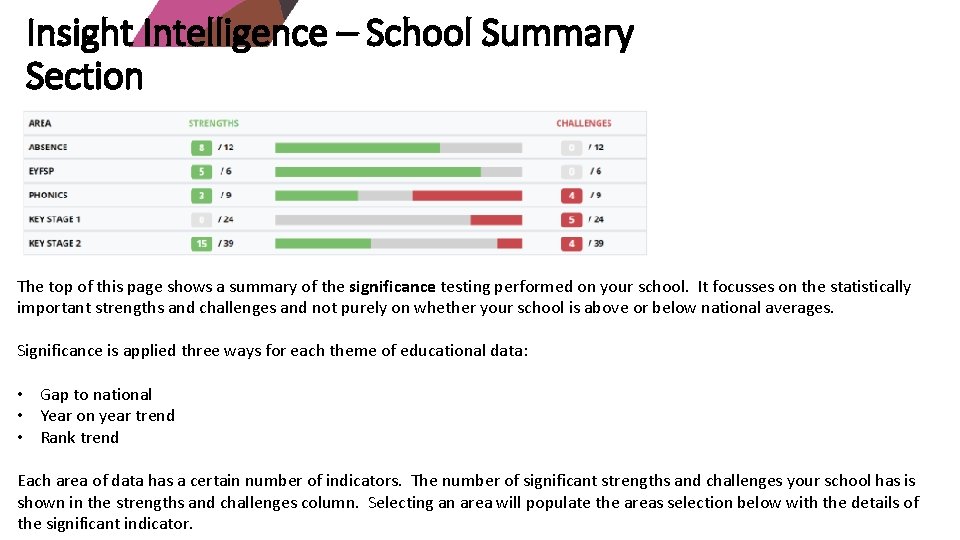
Insight Intelligence – School Summary Section The top of this page shows a summary of the significance testing performed on your school. It focusses on the statistically important strengths and challenges and not purely on whether your school is above or below national averages. Significance is applied three ways for each theme of educational data: • Gap to national • Year on year trend • Rank trend Each area of data has a certain number of indicators. The number of significant strengths and challenges your school has is shown in the strengths and challenges column. Selecting an area will populate the areas selection below with the details of the significant indicator.
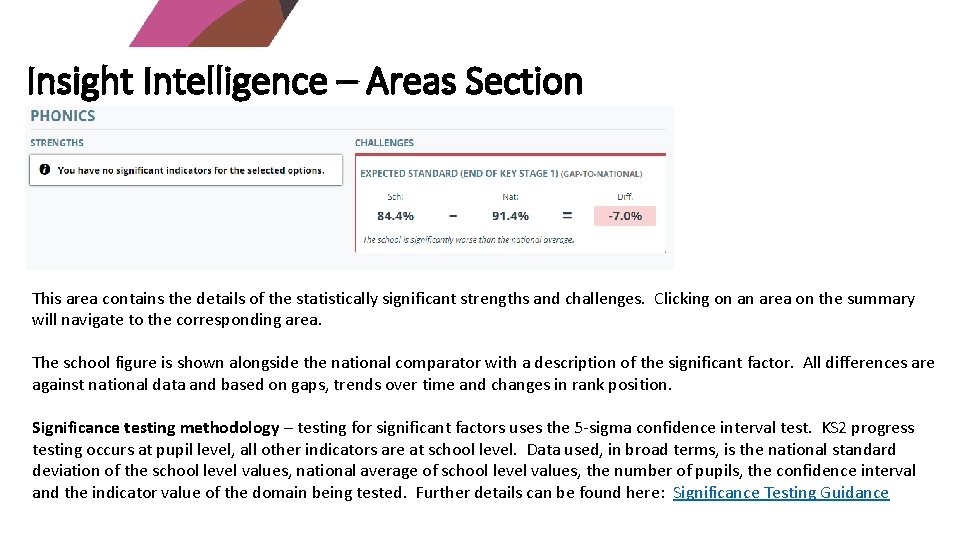
Insight Intelligence – Areas Section This area contains the details of the statistically significant strengths and challenges. Clicking on an area on the summary will navigate to the corresponding area. The school figure is shown alongside the national comparator with a description of the significant factor. All differences are against national data and based on gaps, trends over time and changes in rank position. Significance testing methodology – testing for significant factors uses the 5 -sigma confidence interval test. KS 2 progress testing occurs at pupil level, all other indicators are at school level. Data used, in broad terms, is the national standard deviation of the school level values, national average of school level values, the number of pupils, the confidence interval and the indicator value of the domain being tested. Further details can be found here: Significance Testing Guidance
- Slides: 11