
DATA ANALYSIS Load Latino American Barometer Go to
DATA ANALYSIS
Load Latino American Barometer • Go to library, resources for your subject, library, then economics, then: • Statistics & Data
Then: • • Latinobarometro: Latin American public opinion survey - to change the language, click on the English/Espagnol tab. Statistical information is available via Data Bank, Documents & Publications tabs - you can also use the Latinobarometro to conduct simple online analyses of statistics. The site also features annual reports.
Then click on english at the top • Inicio Corporación Banco de datos Análisis en Línea Documentos Publicaciones Contacto English
Then ‘data bank’ • Home Corporation Data Bank Online analysis Documents Publications Contact Español
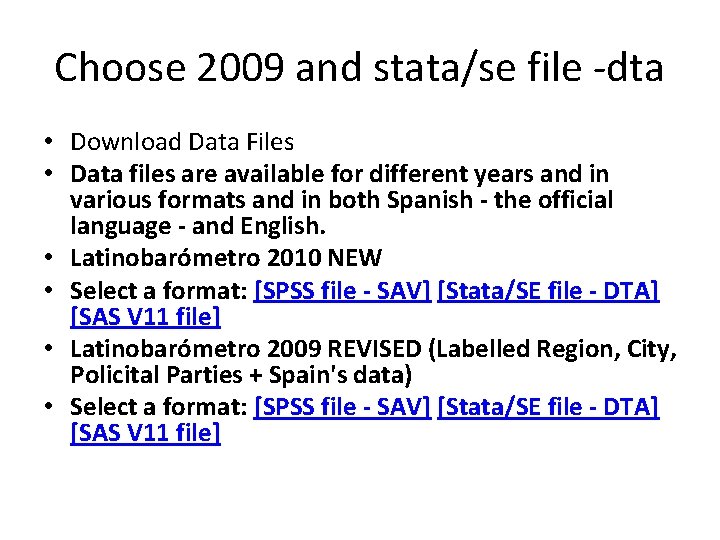
Choose 2009 and stata/se file -dta • Download Data Files • Data files are available for different years and in various formats and in both Spanish - the official language - and English. • Latinobarómetro 2010 NEW • Select a format: [SPSS file - SAV] [Stata/SE file - DTA] [SAS V 11 file] • Latinobarómetro 2009 REVISED (Labelled Region, City, Policital Parties + Spain's data) • Select a format: [SPSS file - SAV] [Stata/SE file - DTA] [SAS V 11 file]
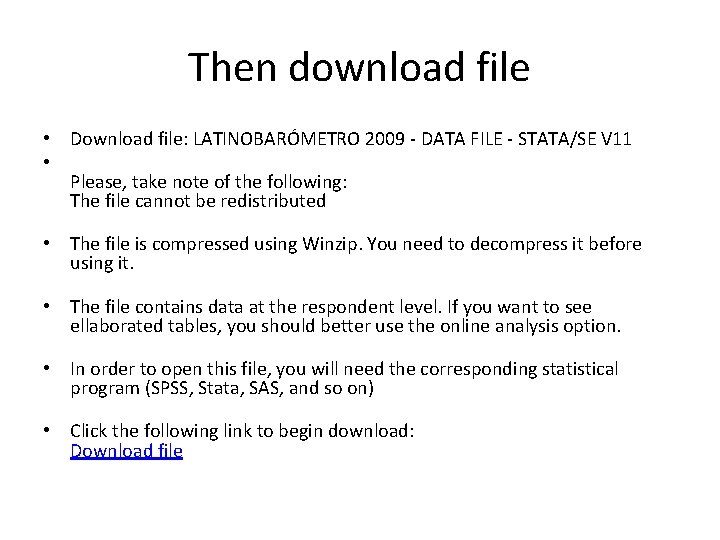
Then download file • Download file: LATINOBARÓMETRO 2009 - DATA FILE - STATA/SE V 11 • Please, take note of the following: The file cannot be redistributed • The file is compressed using Winzip. You need to decompress it before using it. • The file contains data at the respondent level. If you want to see ellaborated tables, you should better use the online analysis option. • In order to open this file, you will need the corresponding statistical program (SPSS, Stata, SAS, and so on) • Click the following link to begin download: Download file
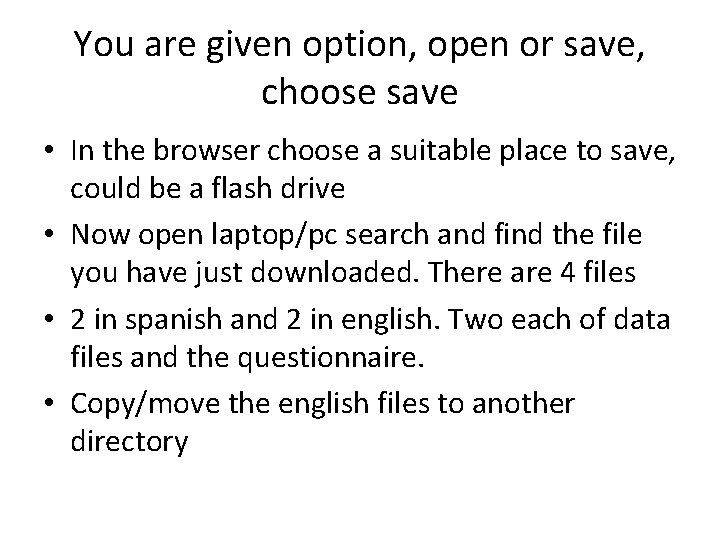
You are given option, open or save, choose save • In the browser choose a suitable place to save, could be a flash drive • Now open laptop/pc search and find the file you have just downloaded. There are 4 files • 2 in spanish and 2 in english. Two each of data files and the questionnaire. • Copy/move the english files to another directory
Now open stata • Click file (top left menu bar) then open from menu • Locate the data file you have just downloaded and click on it:
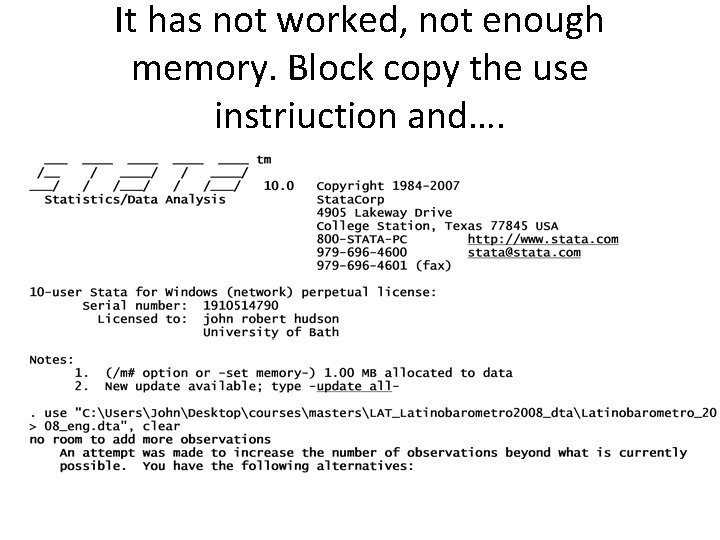
It has not worked, not enough memory. Block copy the use instriuction and….
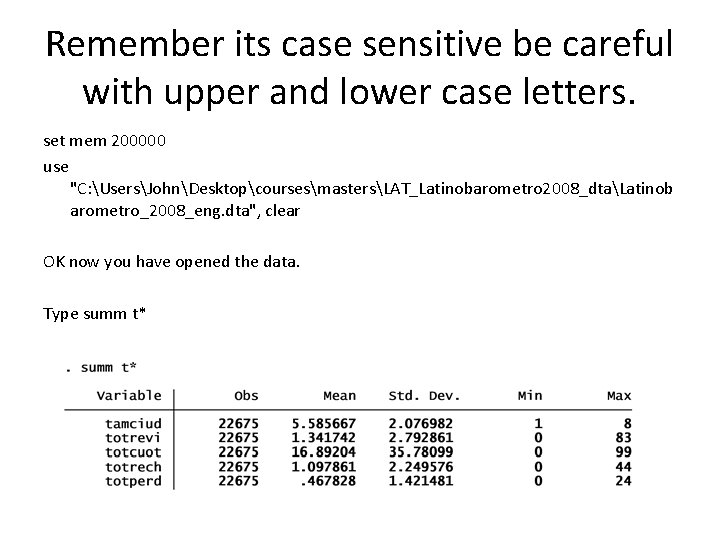
Remember its case sensitive be careful with upper and lower case letters. set mem 200000 use "C: UsersJohnDesktopcoursesmastersLAT_Latinobarometro 2008_dtaLatinob arometro_2008_eng. dta", clear OK now you have opened the data. Type summ t*
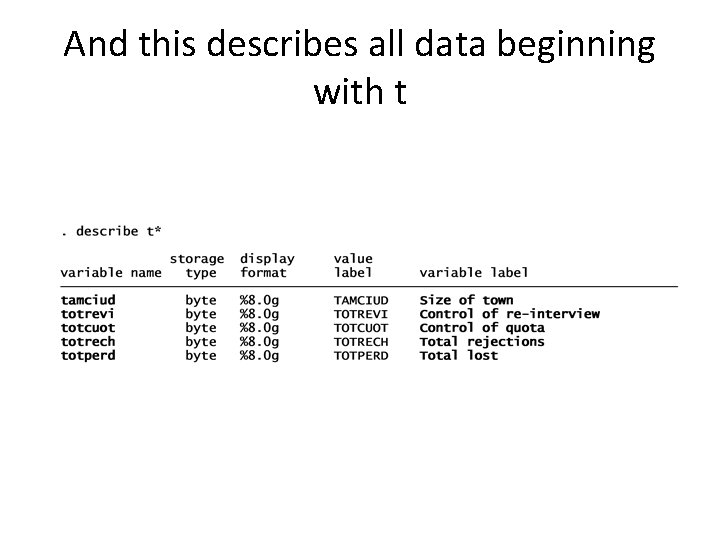
And this describes all data beginning with t
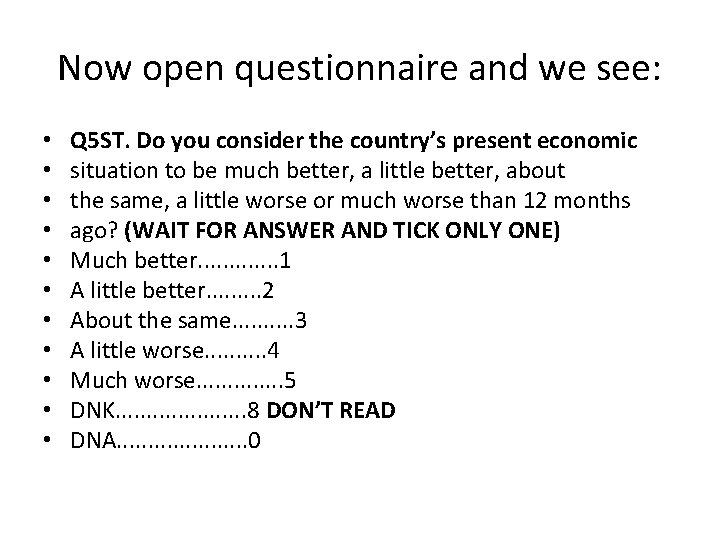
Now open questionnaire and we see: • • • Q 5 ST. Do you consider the country’s present economic situation to be much better, a little better, about the same, a little worse or much worse than 12 months ago? (WAIT FOR ANSWER AND TICK ONLY ONE) Much better. . . 1 A little better. . 2 About the same. . 3 A little worse. . 4 Much worse. . . 5 DNK. . . . . 8 DON’T READ DNA. . . . . 0
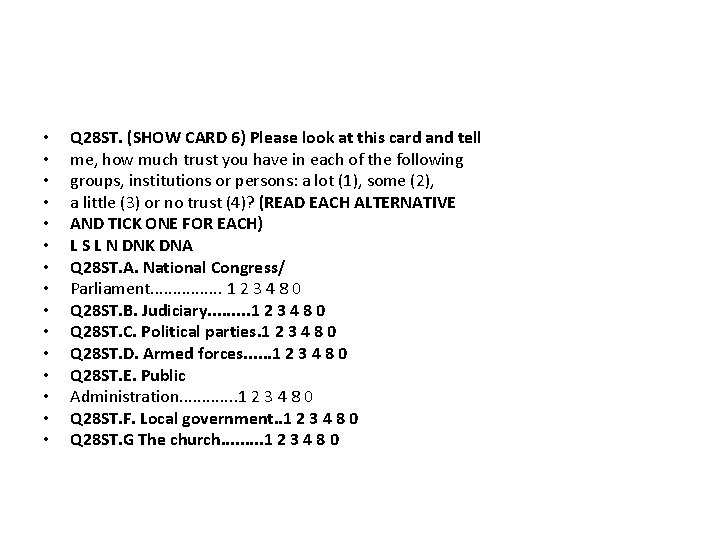
• • • • Q 28 ST. (SHOW CARD 6) Please look at this card and tell me, how much trust you have in each of the following groups, institutions or persons: a lot (1), some (2), a little (3) or no trust (4)? (READ EACH ALTERNATIVE AND TICK ONE FOR EACH) L S L N DNK DNA Q 28 ST. A. National Congress/ Parliament. . . . 1 2 3 4 8 0 Q 28 ST. B. Judiciary. . 1 2 3 4 8 0 Q 28 ST. C. Political parties. 1 2 3 4 8 0 Q 28 ST. D. Armed forces. . . 1 2 3 4 8 0 Q 28 ST. E. Public Administration. . . 1 2 3 4 8 0 Q 28 ST. F. Local government. . 1 2 3 4 8 0 Q 28 ST. G The church. . 1 2 3 4 8 0
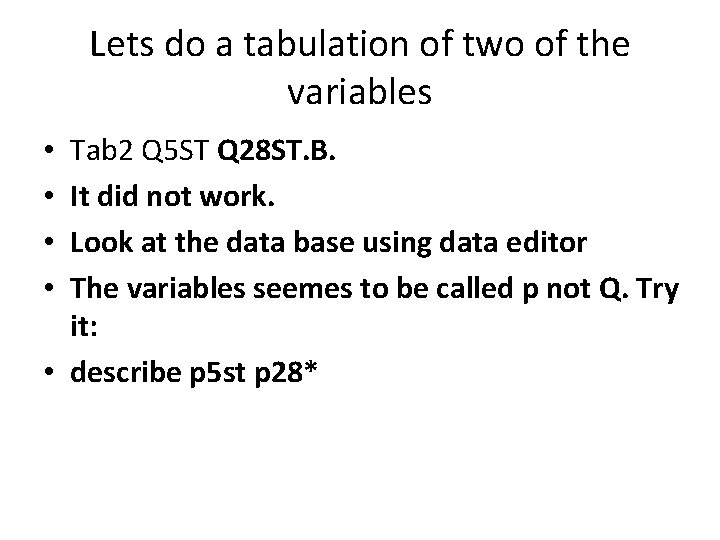
Lets do a tabulation of two of the variables Tab 2 Q 5 ST Q 28 ST. B. It did not work. Look at the data base using data editor The variables seemes to be called p not Q. Try it: • describe p 5 st p 28* • •
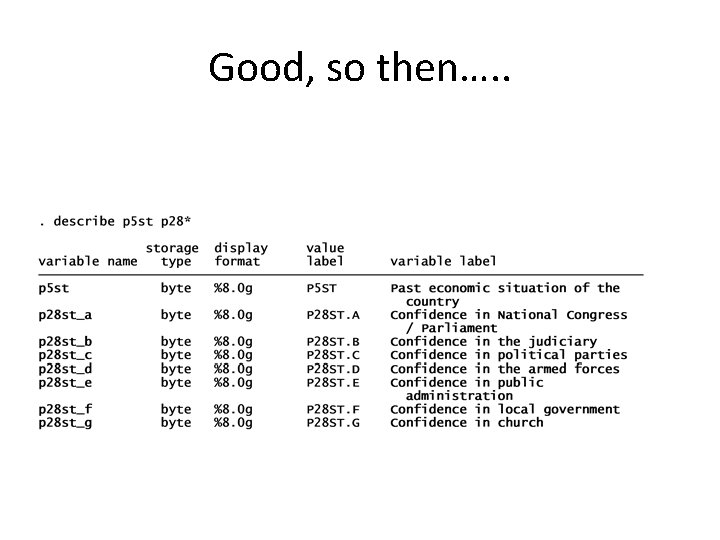
Good, so then…. .
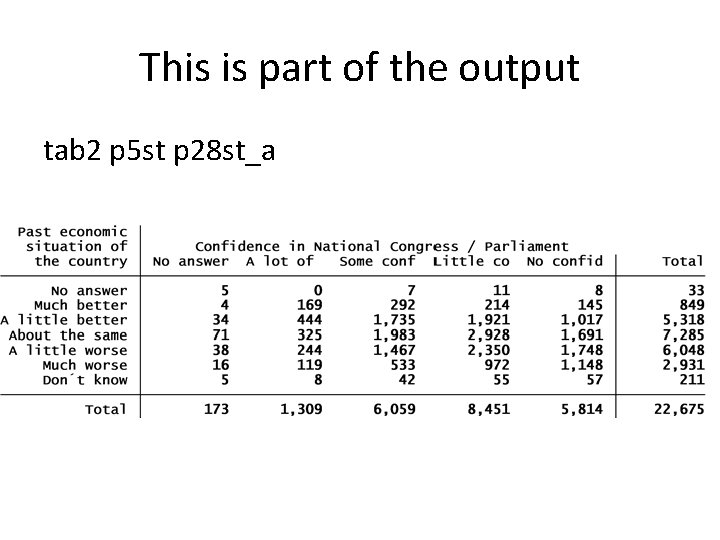
This is part of the output tab 2 p 5 st p 28 st_a
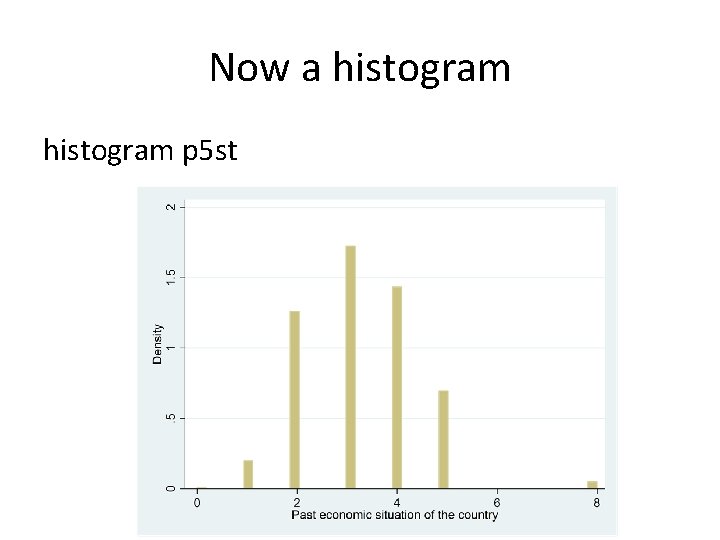
Now a histogram p 5 st
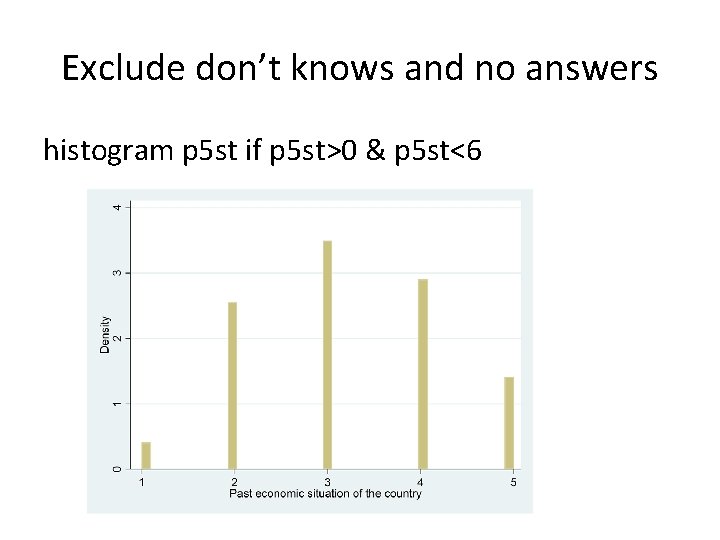
Exclude don’t knows and no answers histogram p 5 st if p 5 st>0 & p 5 st<6
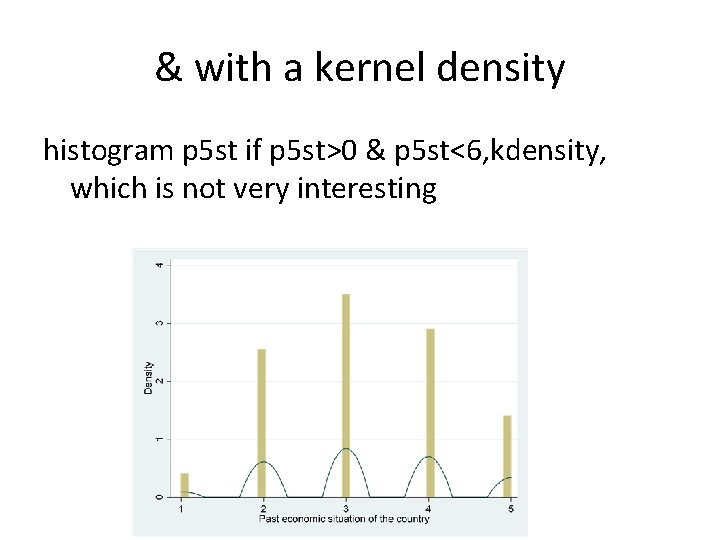
& with a kernel density histogram p 5 st if p 5 st>0 & p 5 st<6, kdensity, which is not very interesting
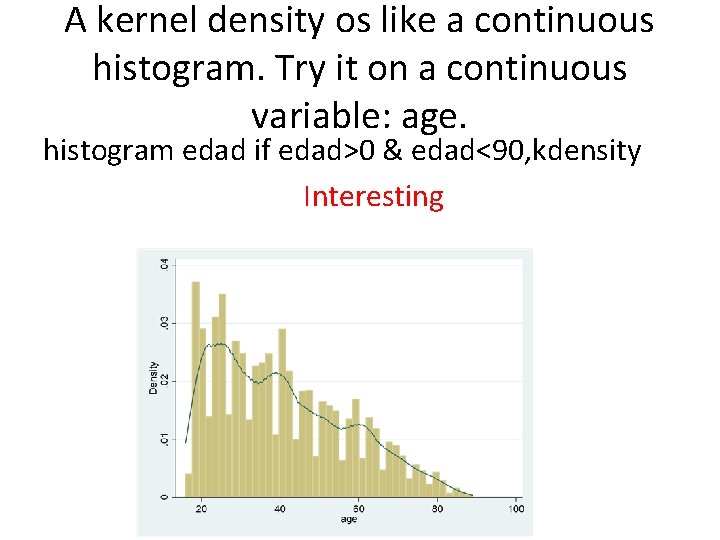
A kernel density os like a continuous histogram. Try it on a continuous variable: age. histogram edad if edad>0 & edad<90, kdensity Interesting

- Slides: 22