
Data Acquisition Considerations in the NCore Monitoring Program
- Slides: 27
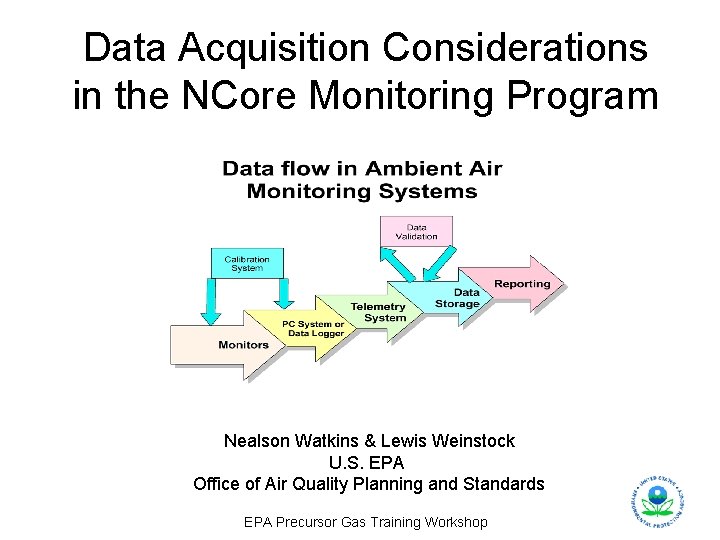
Data Acquisition Considerations in the NCore Monitoring Program Nealson Watkins & Lewis Weinstock U. S. EPA Office of Air Quality Planning and Standards EPA Precursor Gas Training Workshop
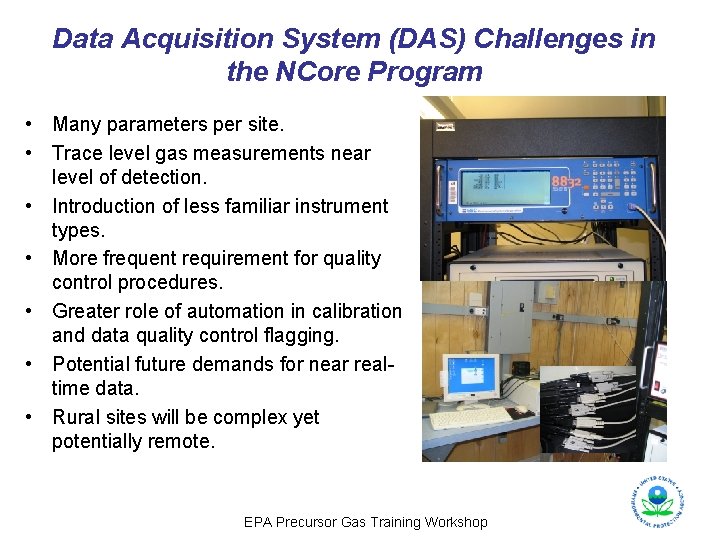
Data Acquisition System (DAS) Challenges in the NCore Program • Many parameters per site. • Trace level gas measurements near level of detection. • Introduction of less familiar instrument types. • More frequent requirement for quality control procedures. • Greater role of automation in calibration and data quality control flagging. • Potential future demands for near realtime data. • Rural sites will be complex yet potentially remote. EPA Precursor Gas Training Workshop
Important Elements of an NCore DAS (1 of 2) • Stable systems that run flawlessly, restart automatically after power outages, and maintain precise time. • Easily configurable and upgradeable software/firmware with integrated security options. • Capable of storing and quickly moving large volumes of data through polling and/or pushing. • Useful on-site displays and record-keeping for operators and auditors. • Ability to poll and store instrument diagnostics as well as concentrations. • Multiple backup options to archive data and restore program functions in case of software problems – Redundant, swappable hard drives. – Restore programs (Norton Ghost). – Writeable CDs and DVDs for archive purposes. EPA Precursor Gas Training Workshop
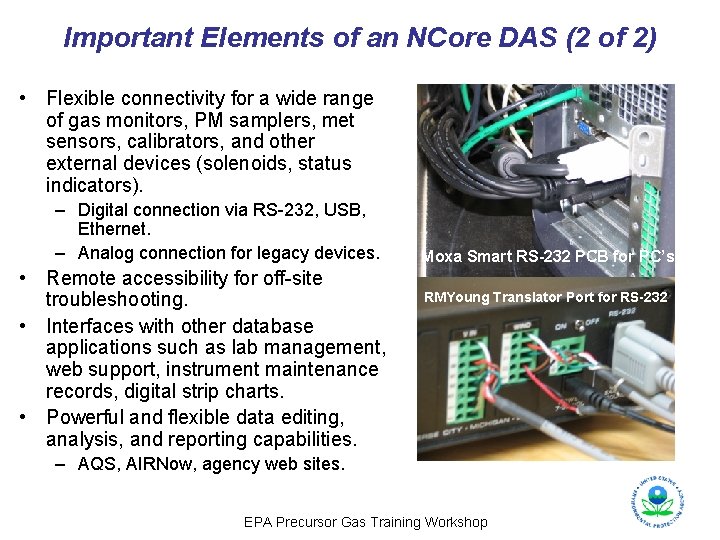
Important Elements of an NCore DAS (2 of 2) • Flexible connectivity for a wide range of gas monitors, PM samplers, met sensors, calibrators, and other external devices (solenoids, status indicators). – Digital connection via RS-232, USB, Ethernet. – Analog connection for legacy devices. • Remote accessibility for off-site troubleshooting. • Interfaces with other database applications such as lab management, web support, instrument maintenance records, digital strip charts. • Powerful and flexible data editing, analysis, and reporting capabilities. Moxa Smart RS-232 PCB for PC’s RMYoung Translator Port for RS-232 – AQS, AIRNow, agency web sites. EPA Precursor Gas Training Workshop
Analog versus Digital Connectivity From the Technical Assistance Document (TAD) for Precursor Gas Measurements in the NCore Multipollutant Monitoring Network, Version 4: “The recommended data acquisition approach for precursor gas monitoring in NCore is a system that records analyzer readings and diagnostic information in digital form…. . ” EPA Precursor Gas Training Workshop
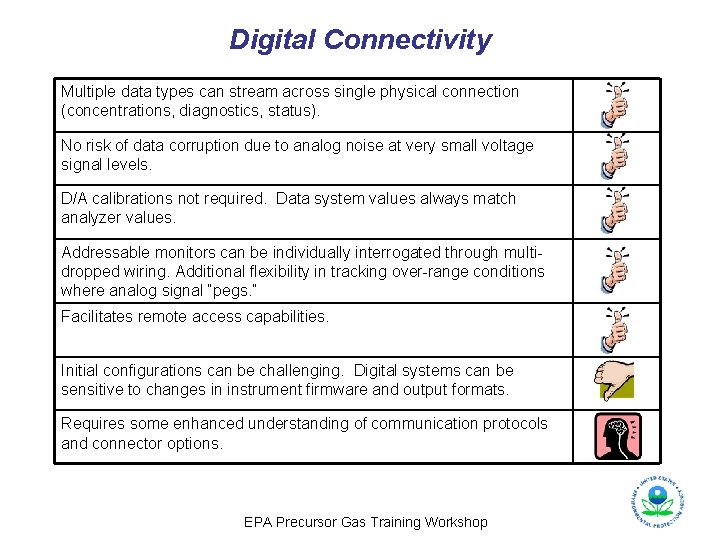
Digital Connectivity Multiple data types can stream across single physical connection (concentrations, diagnostics, status). No risk of data corruption due to analog noise at very small voltage signal levels. D/A calibrations not required. Data system values always match analyzer values. Addressable monitors can be individually interrogated through multidropped wiring. Additional flexibility in tracking over-range conditions where analog signal “pegs. ” Facilitates remote access capabilities. Initial configurations can be challenging. Digital systems can be sensitive to changes in instrument firmware and output formats. Requires some enhanced understanding of communication protocols and connector options. EPA Precursor Gas Training Workshop
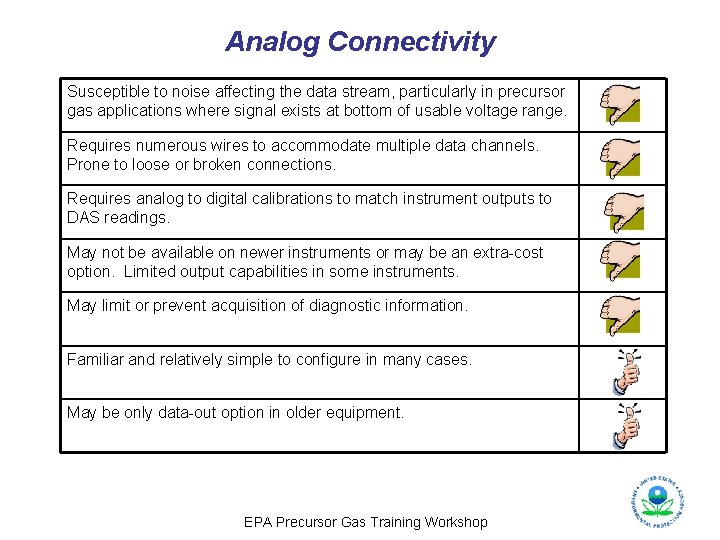
Analog Connectivity Susceptible to noise affecting the data stream, particularly in precursor gas applications where signal exists at bottom of usable voltage range. Requires numerous wires to accommodate multiple data channels. Prone to loose or broken connections. Requires analog to digital calibrations to match instrument outputs to DAS readings. May not be available on newer instruments or may be an extra-cost option. Limited output capabilities in some instruments. May limit or prevent acquisition of diagnostic information. Familiar and relatively simple to configure in many cases. May be only data-out option in older equipment. EPA Precursor Gas Training Workshop
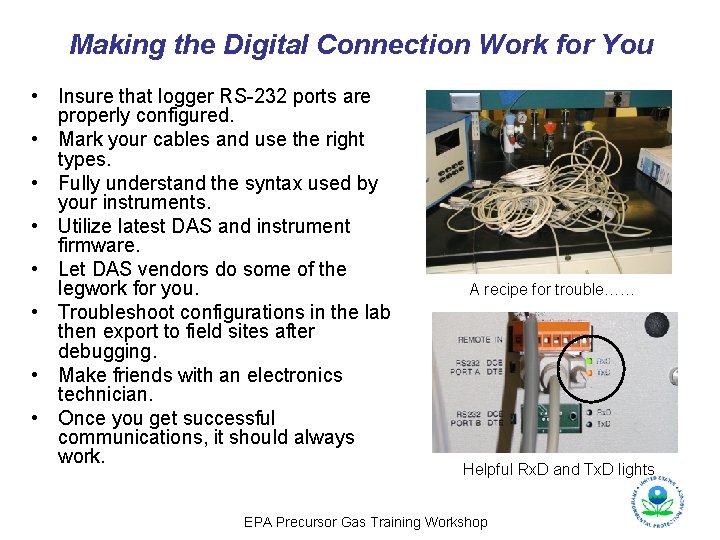
Making the Digital Connection Work for You • Insure that logger RS-232 ports are properly configured. • Mark your cables and use the right types. • Fully understand the syntax used by your instruments. • Utilize latest DAS and instrument firmware. • Let DAS vendors do some of the legwork for you. • Troubleshoot configurations in the lab then export to field sites after debugging. • Make friends with an electronics technician. • Once you get successful communications, it should always work. A recipe for trouble…… Helpful Rx. D and Tx. D lights EPA Precursor Gas Training Workshop
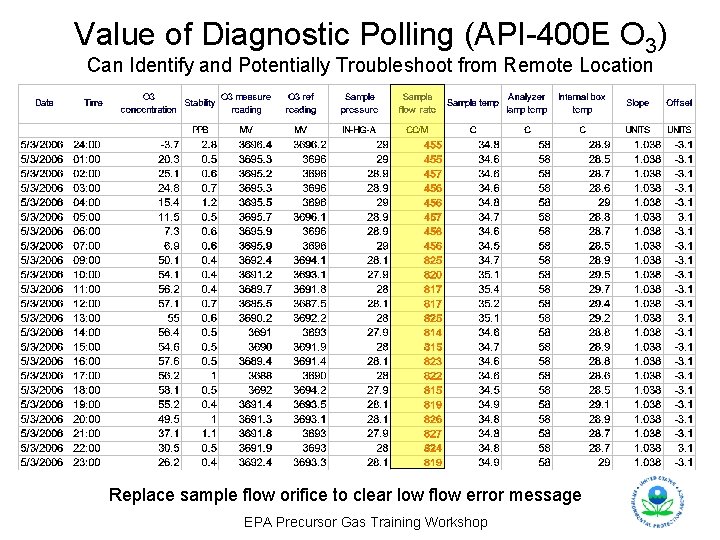
Value of Diagnostic Polling (API-400 E O 3) Can Identify and Potentially Troubleshoot from Remote Location Replace sample flow orifice to clear low flow error message EPA Precursor Gas Training Workshop
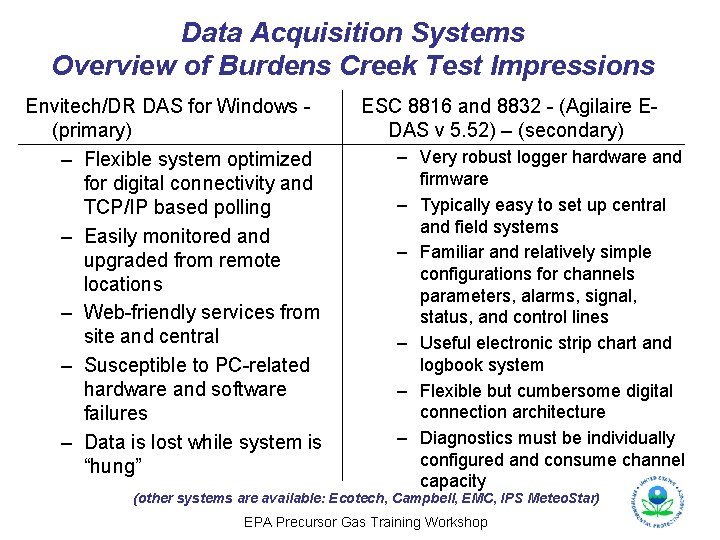
Data Acquisition Systems Overview of Burdens Creek Test Impressions Envitech/DR DAS for Windows (primary) – Flexible system optimized for digital connectivity and TCP/IP based polling – Easily monitored and upgraded from remote locations – Web-friendly services from site and central – Susceptible to PC-related hardware and software failures – Data is lost while system is “hung” ESC 8816 and 8832 - (Agilaire EDAS v 5. 52) – (secondary) – Very robust logger hardware and firmware – Typically easy to set up central and field systems – Familiar and relatively simple configurations for channels parameters, alarms, signal, status, and control lines – Useful electronic strip chart and logbook system – Flexible but cumbersome digital connection architecture – Diagnostics must be individually configured and consume channel capacity (other systems are available: Ecotech, Campbell, EMC, IPS Meteo. Star) EPA Precursor Gas Training Workshop
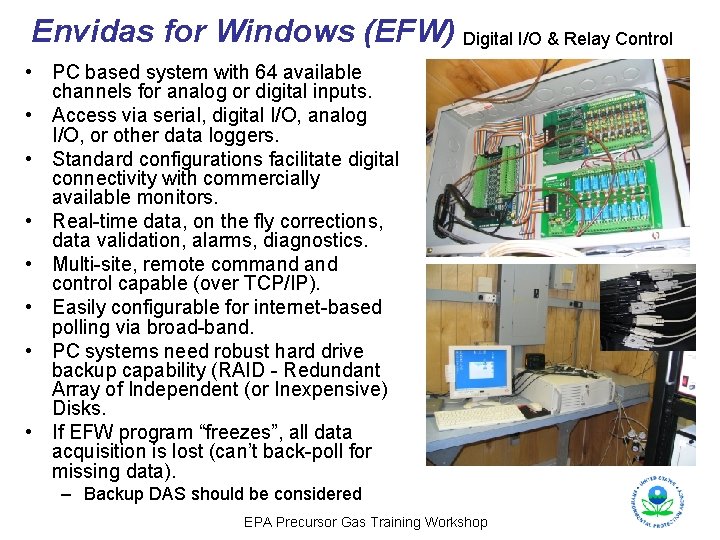
Envidas for Windows (EFW) Digital I/O & Relay Control • PC based system with 64 available channels for analog or digital inputs. • Access via serial, digital I/O, analog I/O, or other data loggers. • Standard configurations facilitate digital connectivity with commercially available monitors. • Real-time data, on the fly corrections, data validation, alarms, diagnostics. • Multi-site, remote command control capable (over TCP/IP). • Easily configurable for internet-based polling via broad-band. • PC systems need robust hard drive backup capability (RAID - Redundant Array of Independent (or Inexpensive) Disks. • If EFW program “freezes”, all data acquisition is lost (can’t back-poll for missing data). – Backup DAS should be considered EPA Precursor Gas Training Workshop
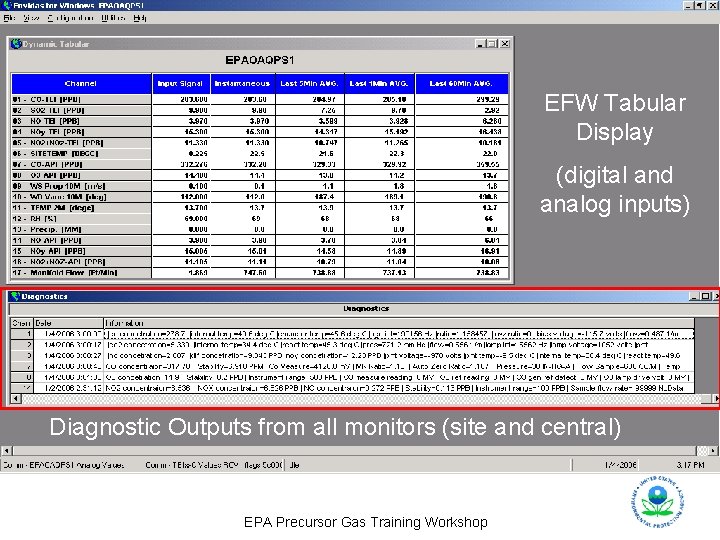
EFW Tabular Display (digital and analog inputs) Diagnostic Outputs from all monitors (site and central) EPA Precursor Gas Training Workshop
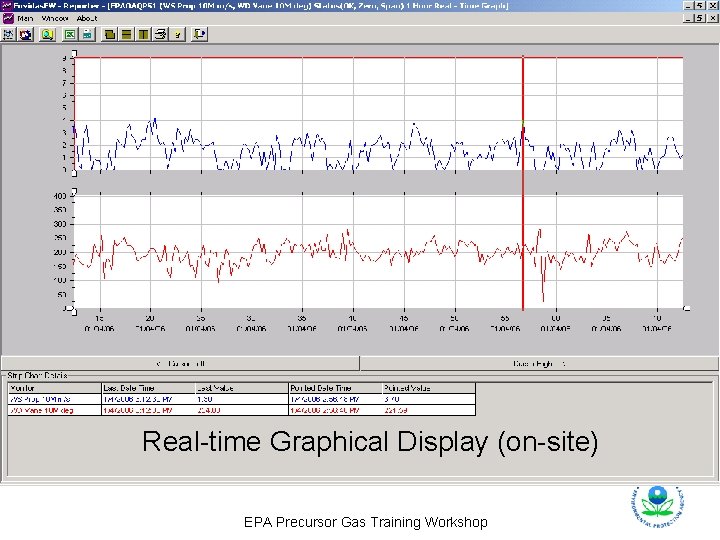
Real-time Graphical Display (on-site) EPA Precursor Gas Training Workshop
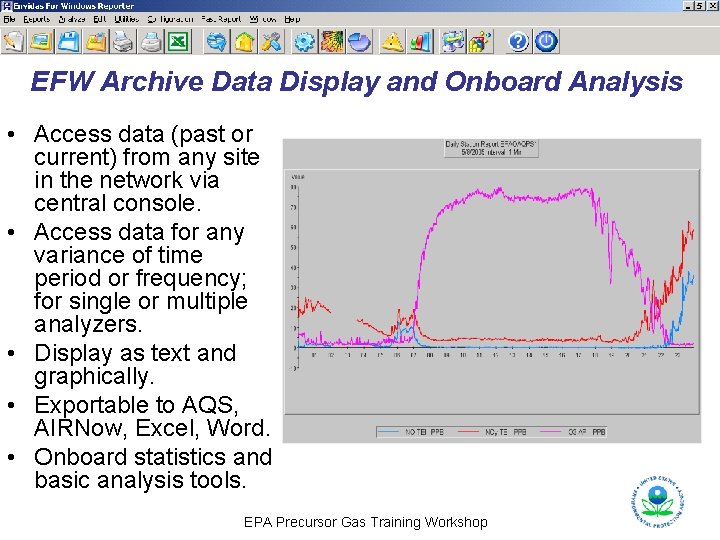
EFW Archive Data Display and Onboard Analysis • Access data (past or current) from any site in the network via central console. • Access data for any variance of time period or frequency; for single or multiple analyzers. • Display as text and graphically. • Exportable to AQS, AIRNow, Excel, Word. • Onboard statistics and basic analysis tools. EPA Precursor Gas Training Workshop
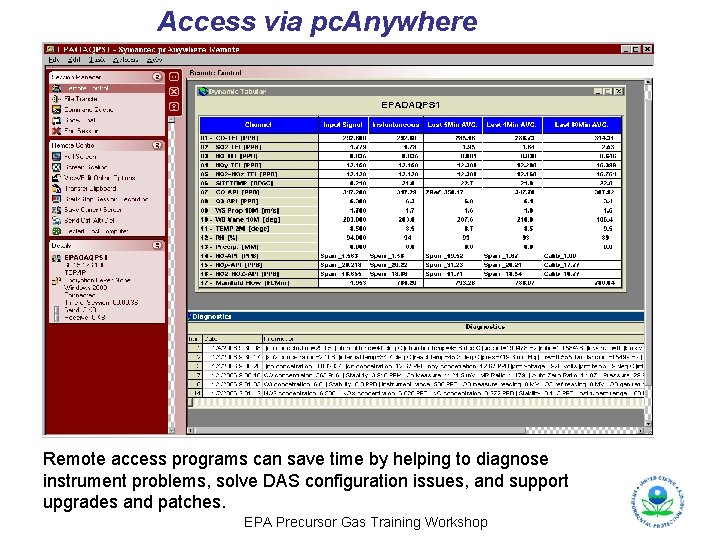
Access via pc. Anywhere Remote access programs can save time by helping to diagnose instrument problems, solve DAS configuration issues, and support upgrades and patches. EPA Precursor Gas Training Workshop
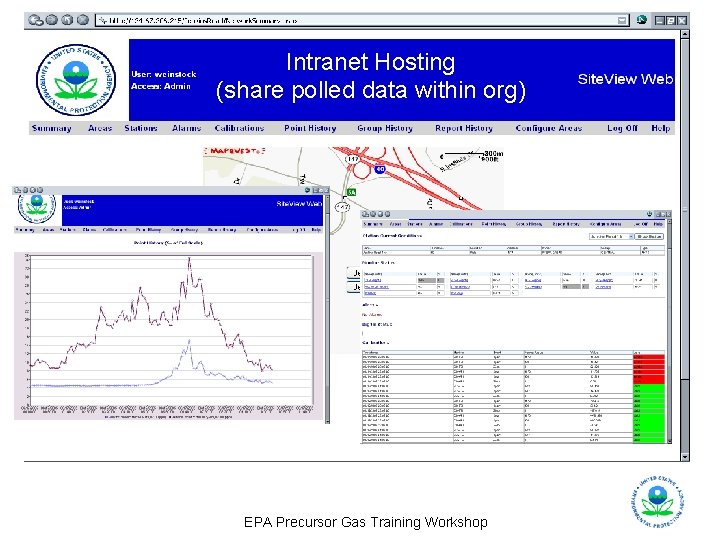
Intranet Hosting (share polled data within org) EPA Precursor Gas Training Workshop
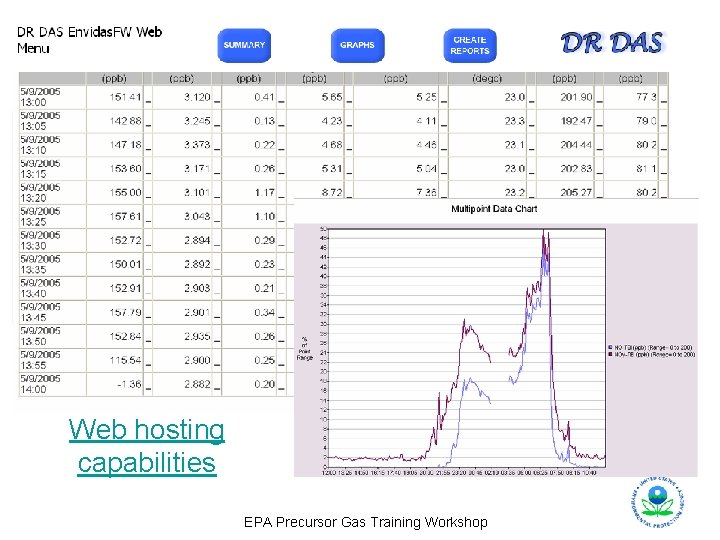
Web hosting capabilities EPA Precursor Gas Training Workshop
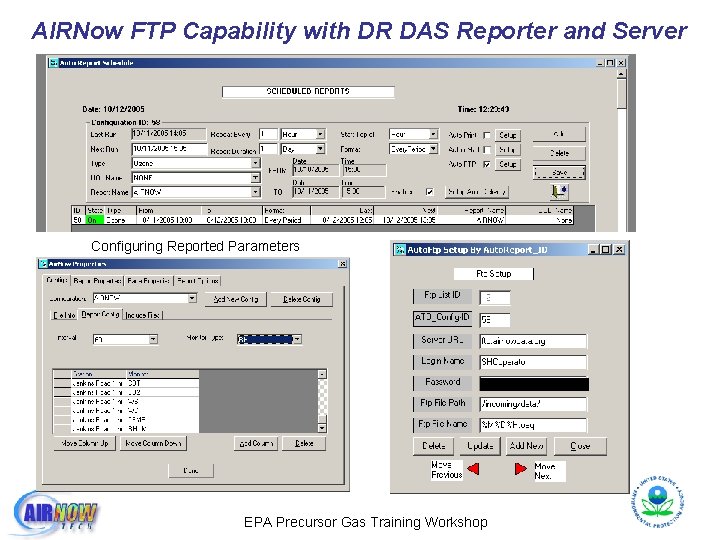
AIRNow FTP Capability with DR DAS Reporter and Server Configuring Reported Parameters EPA Precursor Gas Training Workshop
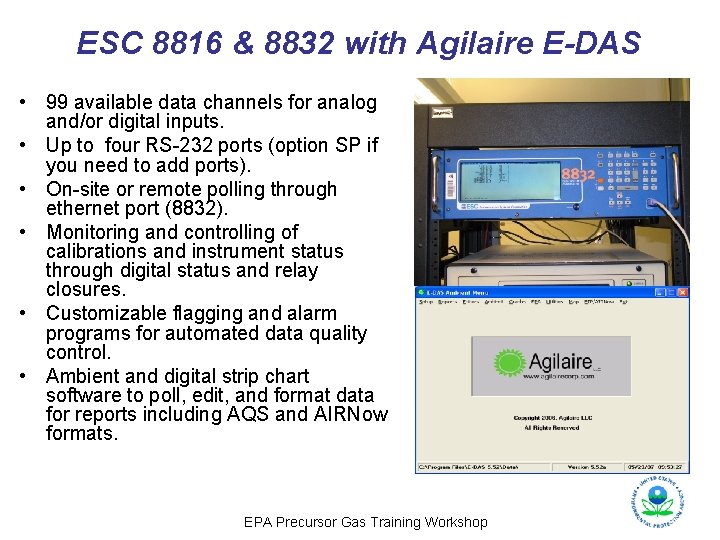
ESC 8816 & 8832 with Agilaire E-DAS • 99 available data channels for analog and/or digital inputs. • Up to four RS-232 ports (option SP if you need to add ports). • On-site or remote polling through ethernet port (8832). • Monitoring and controlling of calibrations and instrument status through digital status and relay closures. • Customizable flagging and alarm programs for automated data quality control. • Ambient and digital strip chart software to poll, edit, and format data for reports including AQS and AIRNow formats. EPA Precursor Gas Training Workshop
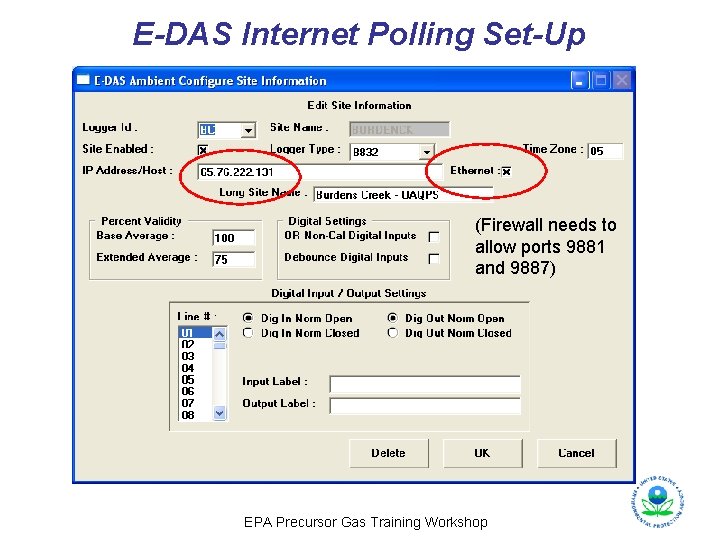
E-DAS Internet Polling Set-Up (Firewall needs to allow ports 9881 and 9887) EPA Precursor Gas Training Workshop
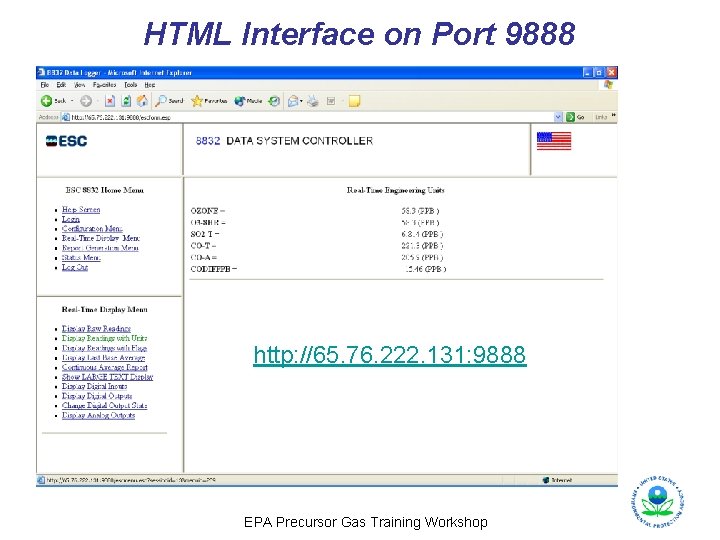
HTML Interface on Port 9888 http: //65. 76. 222. 131: 9888 EPA Precursor Gas Training Workshop
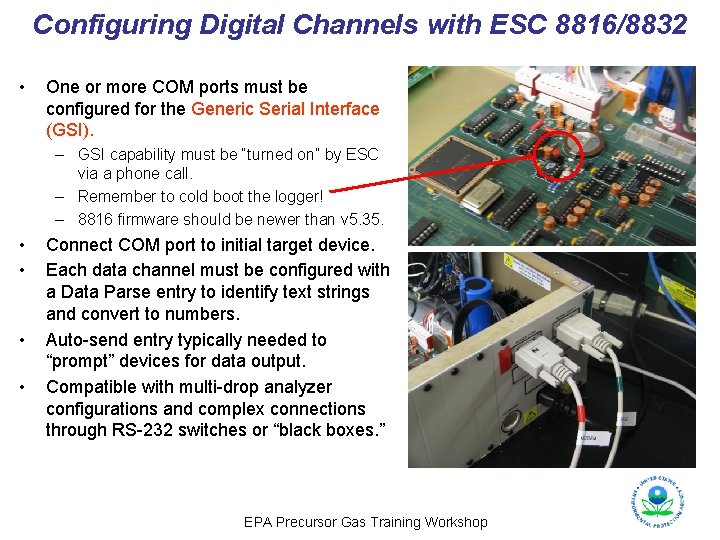
Configuring Digital Channels with ESC 8816/8832 • One or more COM ports must be configured for the Generic Serial Interface (GSI). – GSI capability must be “turned on” by ESC via a phone call. – Remember to cold boot the logger! – 8816 firmware should be newer than v 5. 35. • • Connect COM port to initial target device. Each data channel must be configured with a Data Parse entry to identify text strings and convert to numbers. Auto-send entry typically needed to “prompt” devices for data output. Compatible with multi-drop analyzer configurations and complex connections through RS-232 switches or “black boxes. ” EPA Precursor Gas Training Workshop
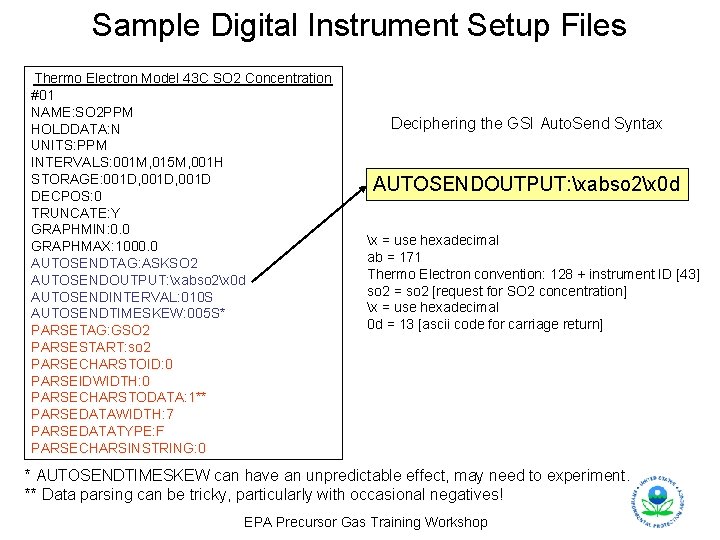
Sample Digital Instrument Setup Files Thermo Electron Model 43 C SO 2 Concentration #01 NAME: SO 2 PPM HOLDDATA: N UNITS: PPM INTERVALS: 001 M, 015 M, 001 H STORAGE: 001 D, 001 D DECPOS: 0 TRUNCATE: Y GRAPHMIN: 0. 0 GRAPHMAX: 1000. 0 AUTOSENDTAG: ASKSO 2 AUTOSENDOUTPUT: xabso 2x 0 d AUTOSENDINTERVAL: 010 S AUTOSENDTIMESKEW: 005 S* PARSETAG: GSO 2 PARSESTART: so 2 PARSECHARSTOID: 0 PARSEIDWIDTH: 0 PARSECHARSTODATA: 1** PARSEDATAWIDTH: 7 PARSEDATATYPE: F PARSECHARSINSTRING: 0 Deciphering the GSI Auto. Send Syntax AUTOSENDOUTPUT: xabso 2x 0 d x = use hexadecimal ab = 171 Thermo Electron convention: 128 + instrument ID [43] so 2 = so 2 [request for SO 2 concentration] x = use hexadecimal 0 d = 13 [ascii code for carriage return] * AUTOSENDTIMESKEW can have an unpredictable effect, may need to experiment. ** Data parsing can be tricky, particularly with occasional negatives! EPA Precursor Gas Training Workshop
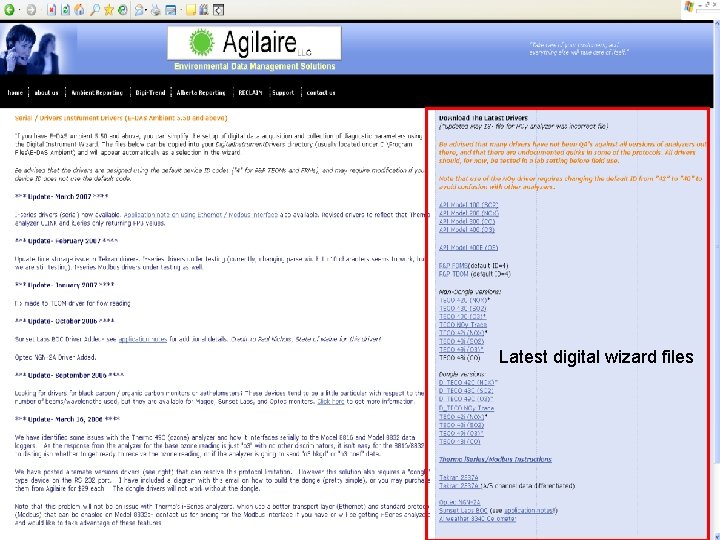
Latest digital wizard files EPA Precursor Gas Training Workshop
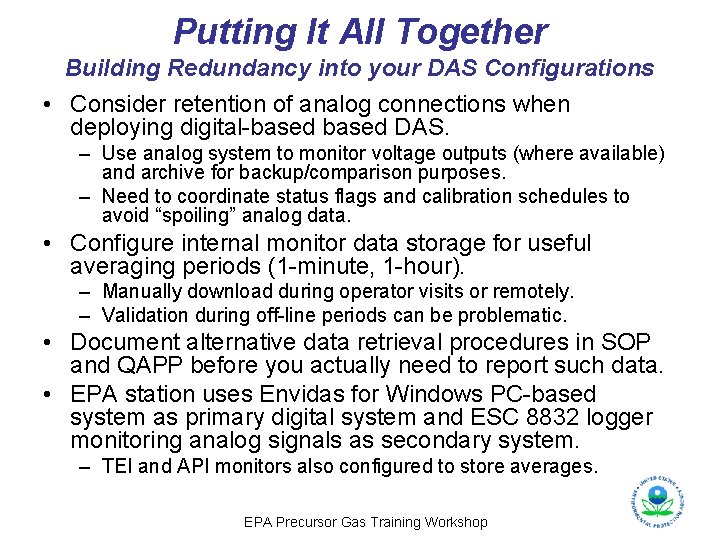
Putting It All Together Building Redundancy into your DAS Configurations • Consider retention of analog connections when deploying digital-based DAS. – Use analog system to monitor voltage outputs (where available) and archive for backup/comparison purposes. – Need to coordinate status flags and calibration schedules to avoid “spoiling” analog data. • Configure internal monitor data storage for useful averaging periods (1 -minute, 1 -hour). – Manually download during operator visits or remotely. – Validation during off-line periods can be problematic. • Document alternative data retrieval procedures in SOP and QAPP before you actually need to report such data. • EPA station uses Envidas for Windows PC-based system as primary digital system and ESC 8832 logger monitoring analog signals as secondary system. – TEI and API monitors also configured to store averages. EPA Precursor Gas Training Workshop
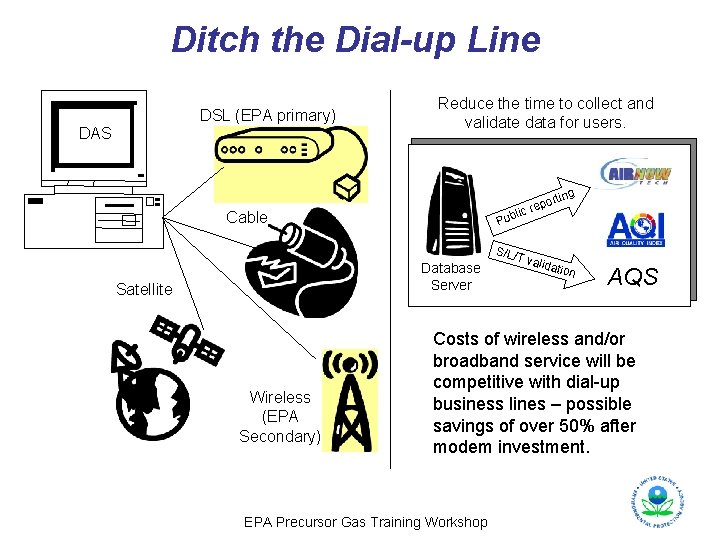
Ditch the Dial-up Line DSL (EPA primary) DAS Reduce the time to collect and validate data for users. rting l Cable Pub Database Server Satellite Wireless (EPA Secondary) po ic re S/L/T valid ation AQS Costs of wireless and/or broadband service will be competitive with dial-up business lines – possible savings of over 50% after modem investment. EPA Precursor Gas Training Workshop
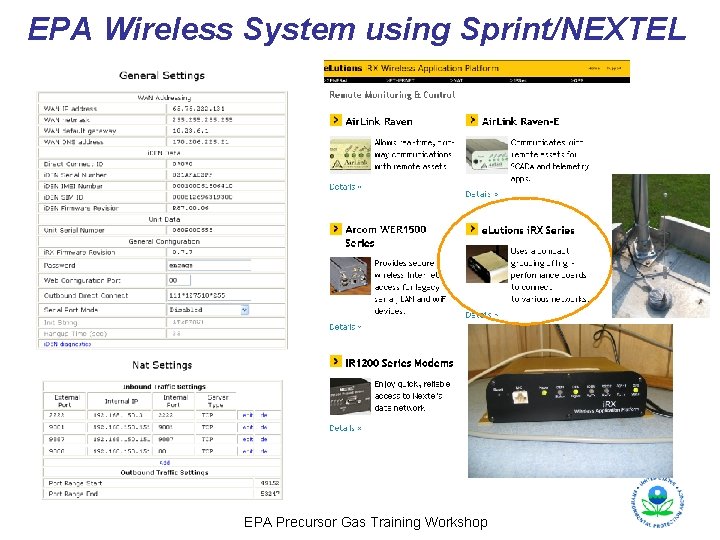
EPA Wireless System using Sprint/NEXTEL EPA Precursor Gas Training Workshop