
Data Access with ADO NET Dr Herbert Praehofer
Data Access with ADO. NET Dr. Herbert Praehofer Institute for System Software Johannes Kepler University Linz Dr. Dietrich Birngruber Software Architect Tech. Talk www. techtalk. at © University of Linz, Institute for System Software, 2004 published under the Microsoft Curriculum License
ADO. NET Introduction Connection-oriented Access Connectionless Access Database Access with Data. Adapter Integration with XML Preview of ADO. NET 2. 0 Summary
ADO. NET • Is the. NET technology for accessing structured data • Uniform object oriented interface for different data sources – relational data bases – XML data – other data sources • Designed for distributed and Web applications • Provides 2 models for data access – connection-oriented – connectionless 3
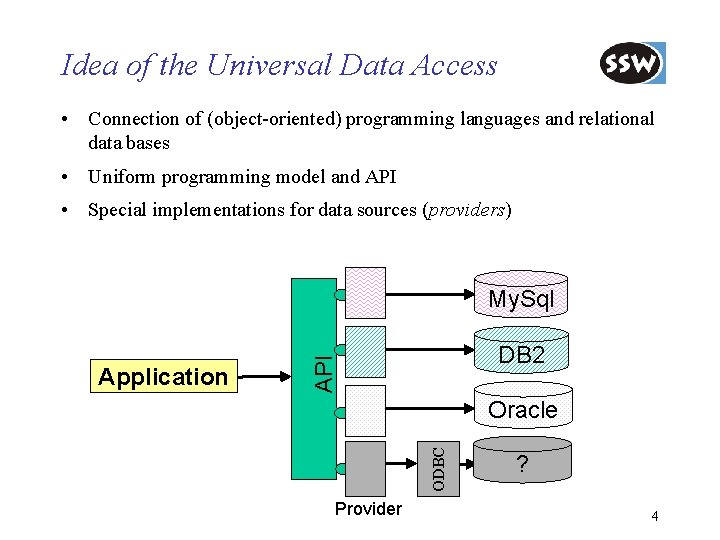
Idea of the Universal Data Access • Connection of (object-oriented) programming languages and relational data bases • Uniform programming model and API • Special implementations for data sources (providers) My. Sql API Oracle ODBC Application DB 2 Provider ? 4
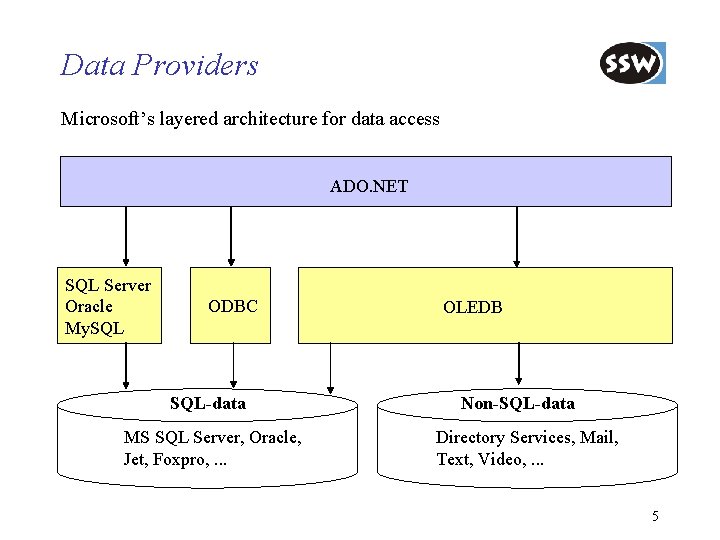
Data Providers Microsoft’s layered architecture for data access ADO. NET SQL Server Oracle My. SQL ODBC SQL-data MS SQL Server, Oracle, Jet, Foxpro, . . . OLEDB Non-SQL-data Directory Services, Mail, Text, Video, . . . 5
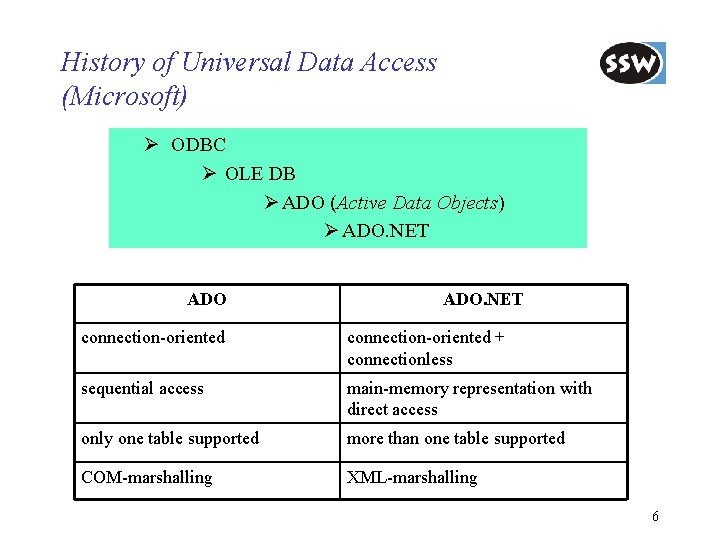
History of Universal Data Access (Microsoft) Ø ODBC Ø OLE DB Ø ADO (Active Data Objects) Ø ADO. NET connection-oriented + connectionless sequential access main-memory representation with direct access only one table supported more than one table supported COM-marshalling XML-marshalling 6
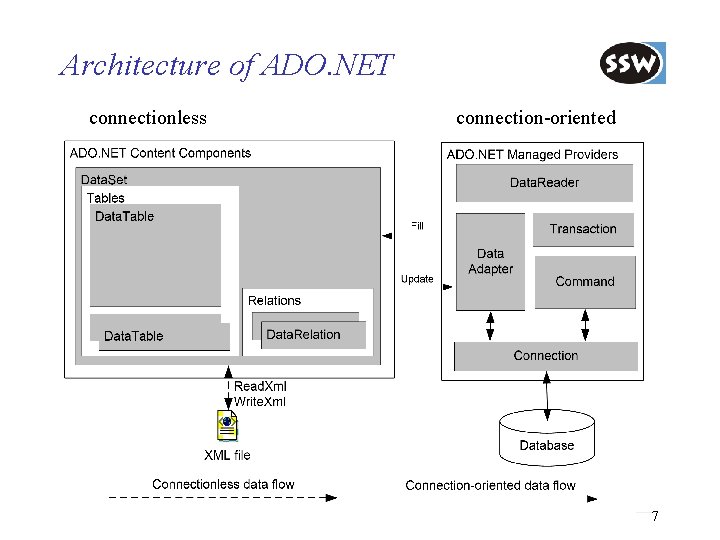
Architecture of ADO. NET connectionless connection-oriented 7
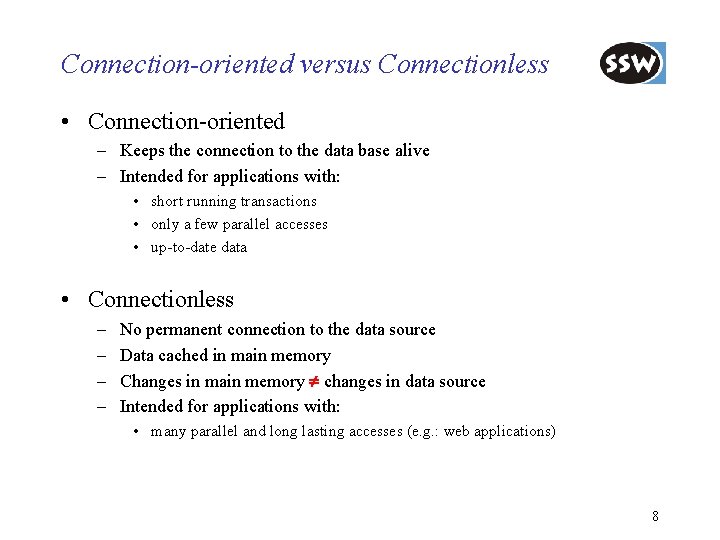
Connection-oriented versus Connectionless • Connection-oriented – Keeps the connection to the data base alive – Intended for applications with: • short running transactions • only a few parallel accesses • up-to-date data • Connectionless – – No permanent connection to the data source Data cached in main memory Changes in main memory changes in data source Intended for applications with: • many parallel and long lasting accesses (e. g. : web applications) 8
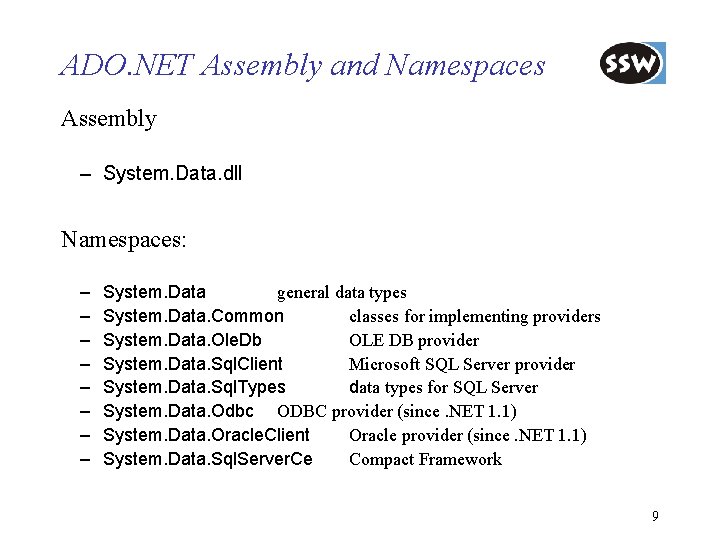
ADO. NET Assembly and Namespaces Assembly – System. Data. dll Namespaces: – – – – System. Data general data types System. Data. Common classes for implementing providers System. Data. Ole. Db OLE DB provider System. Data. Sql. Client Microsoft SQL Server provider System. Data. Sql. Types data types for SQL Server System. Data. Odbc ODBC provider (since. NET 1. 1) System. Data. Oracle. Client Oracle provider (since. NET 1. 1) System. Data. Sql. Server. Ce Compact Framework 9
ADO. NET Introduction Connection-oriented Access Connectionless Access Database Access with Data. Adapter Integration with XML Preview of ADO. NET 2. 0 Summary
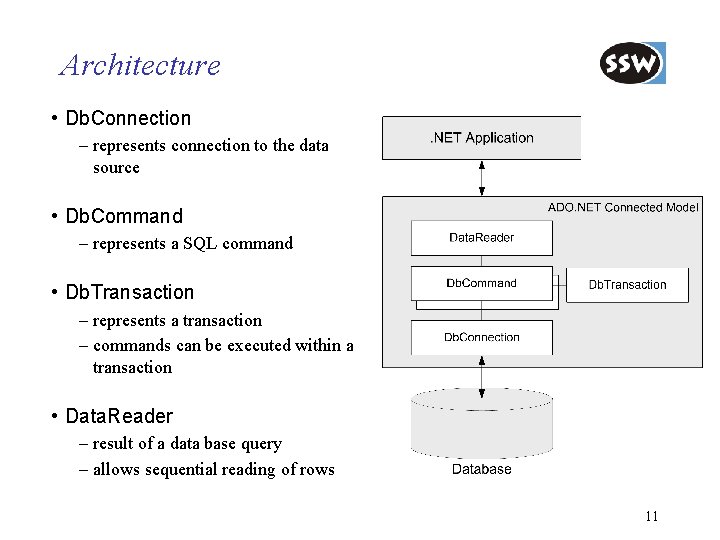
Architecture • Db. Connection – represents connection to the data source • Db. Command – represents a SQL command • Db. Transaction – represents a transaction – commands can be executed within a transaction • Data. Reader – result of a data base query – allows sequential reading of rows 11
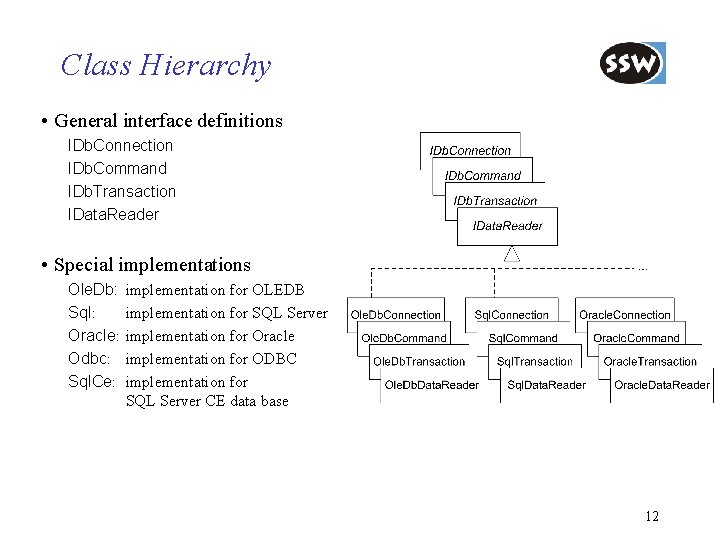
Class Hierarchy • General interface definitions IDb. Connection IDb. Command IDb. Transaction IData. Reader • Special implementations Ole. Db: Sql: Oracle: Odbc: Sql. Ce: implementation for OLEDB implementation for SQL Server implementation for Oracle implementation for ODBC implementation for SQL Server CE data base 12
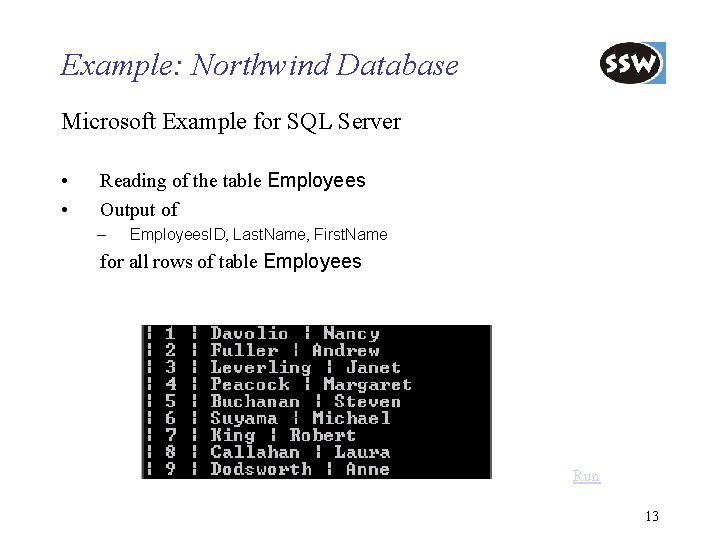
Example: Northwind Database Microsoft Example for SQL Server • • Reading of the table Employees Output of – Employees. ID, Last. Name, First. Name for all rows of table Employees Run 13
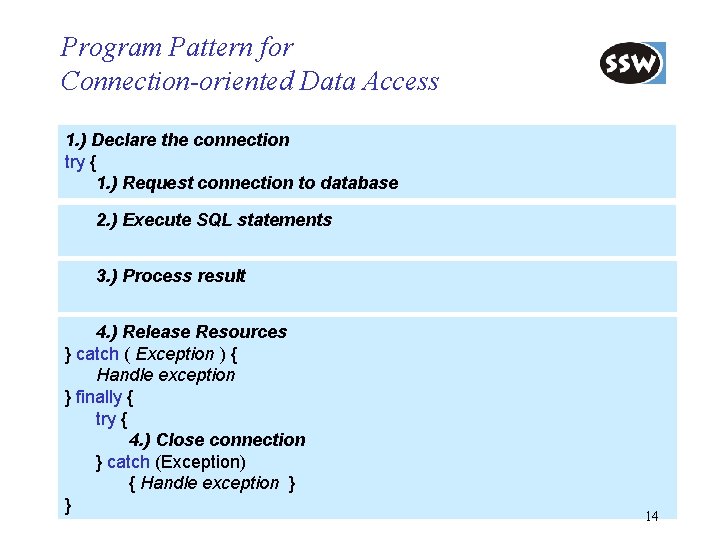
Program Pattern for Connection-oriented Data Access 1. ) Declare the connection try { 1. ) Request connection to database 2. ) Execute SQL statements 3. ) Process result 4. ) Release Resources } catch ( Exception ) { Handle exception } finally { try { 4. ) Close connection } catch (Exception) { Handle exception } } 14
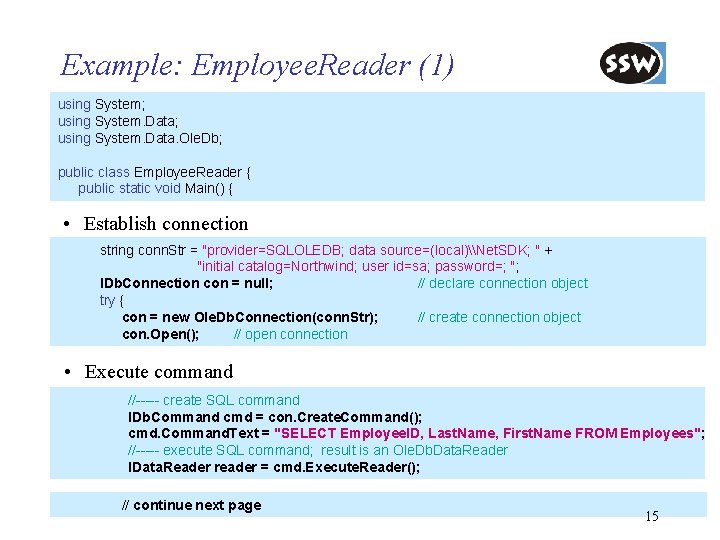
Example: Employee. Reader (1) using System; using System. Data. Ole. Db; public class Employee. Reader { public static void Main() { • Establish connection string conn. Str = "provider=SQLOLEDB; data source=(local)\Net. SDK; " + "initial catalog=Northwind; user id=sa; password=; "; IDb. Connection con = null; // declare connection object try { con = new Ole. Db. Connection(conn. Str); // create connection object con. Open(); // open connection • Execute command //----- create SQL command IDb. Command cmd = con. Create. Command(); cmd. Command. Text = "SELECT Employee. ID, Last. Name, First. Name FROM Employees"; //----- execute SQL command; result is an Ole. Db. Data. Reader IData. Reader reader = cmd. Execute. Reader(); // continue next page 15
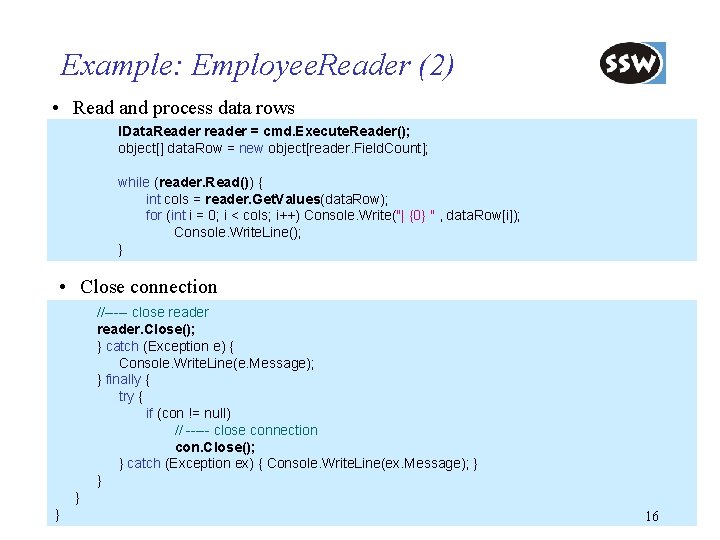
Example: Employee. Reader (2) • Read and process data rows IData. Reader reader = cmd. Execute. Reader(); object[] data. Row = new object[reader. Field. Count]; while (reader. Read()) { int cols = reader. Get. Values(data. Row); for (int i = 0; i < cols; i++) Console. Write("| {0} " , data. Row[i]); Console. Write. Line(); } • Close connection //----- close reader. Close(); } catch (Exception e) { Console. Write. Line(e. Message); } finally { try { if (con != null) // ----- close connection con. Close(); } catch (Exception ex) { Console. Write. Line(ex. Message); } } 16
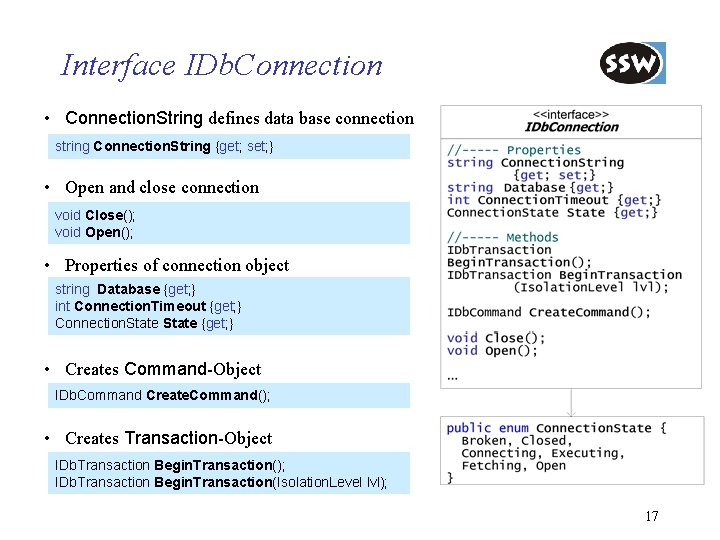
Interface IDb. Connection • Connection. String defines data base connection string Connection. String {get; set; } • Open and close connection void Close(); void Open(); • Properties of connection object string Database {get; } int Connection. Timeout {get; } Connection. State {get; } • Creates Command-Object IDb. Command Create. Command(); • Creates Transaction-Object IDb. Transaction Begin. Transaction(); IDb. Transaction Begin. Transaction(Isolation. Level lvl); 17
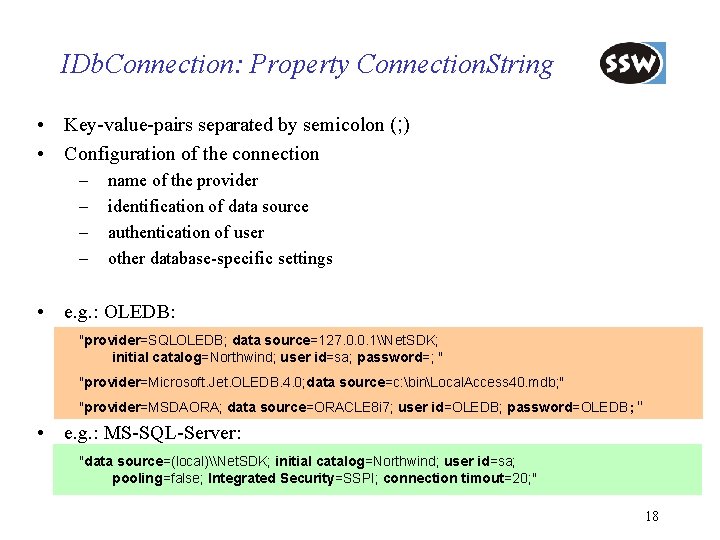
IDb. Connection: Property Connection. String • Key-value-pairs separated by semicolon (; ) • Configuration of the connection – – name of the provider identification of data source authentication of user other database-specific settings • e. g. : OLEDB: "provider=SQLOLEDB; data source=127. 0. 0. 1\Net. SDK; initial catalog=Northwind; user id=sa; password=; " "provider=Microsoft. Jet. OLEDB. 4. 0; data source=c: binLocal. Access 40. mdb; " "provider=MSDAORA; data source=ORACLE 8 i 7; user id=OLEDB; password=OLEDB; " • e. g. : MS-SQL-Server: "data source=(local)\Net. SDK; initial catalog=Northwind; user id=sa; pooling=false; Integrated Security=SSPI; connection timout=20; " 18
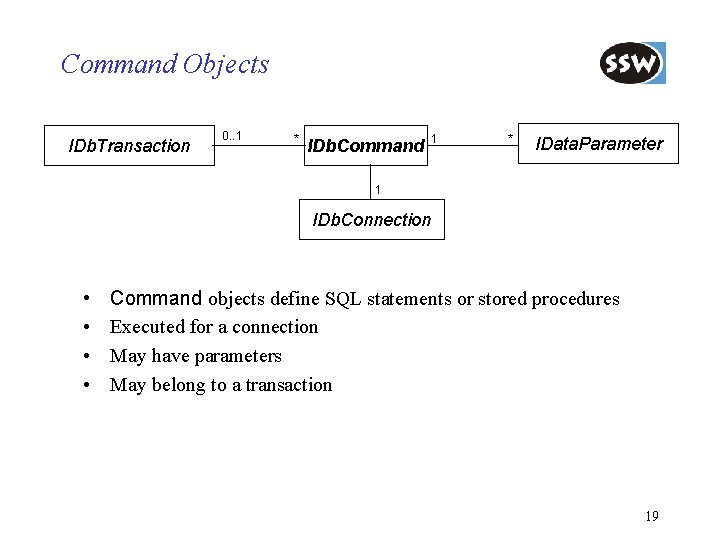
Command Objects IDb. Transaction 0. . 1 * IDb. Command 1 * IData. Parameter 1 IDb. Connection • • Command objects define SQL statements or stored procedures Executed for a connection May have parameters May belong to a transaction 19
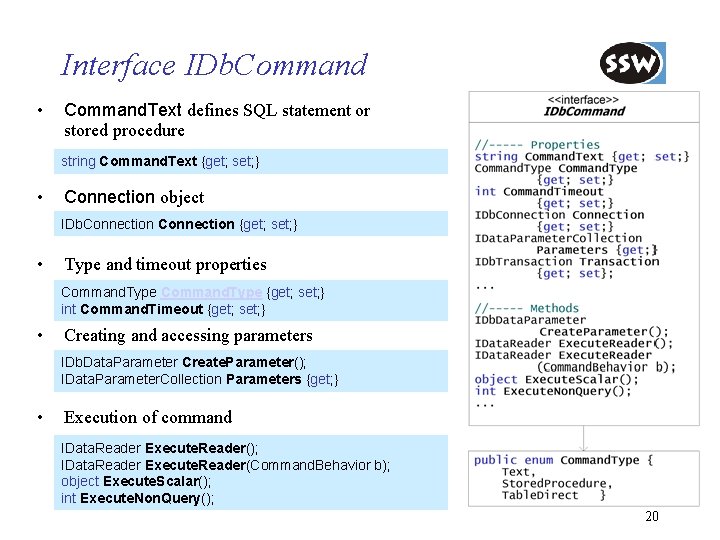
Interface IDb. Command • Command. Text defines SQL statement or stored procedure string Command. Text {get; set; } • Connection object IDb. Connection {get; set; } • Type and timeout properties Command. Type {get; set; } int Command. Timeout {get; set; } • Creating and accessing parameters IDb. Data. Parameter Create. Parameter(); IData. Parameter. Collection Parameters {get; } • Execution of command IData. Reader Execute. Reader(); IData. Reader Execute. Reader(Command. Behavior b); object Execute. Scalar(); int Execute. Non. Query(); 20
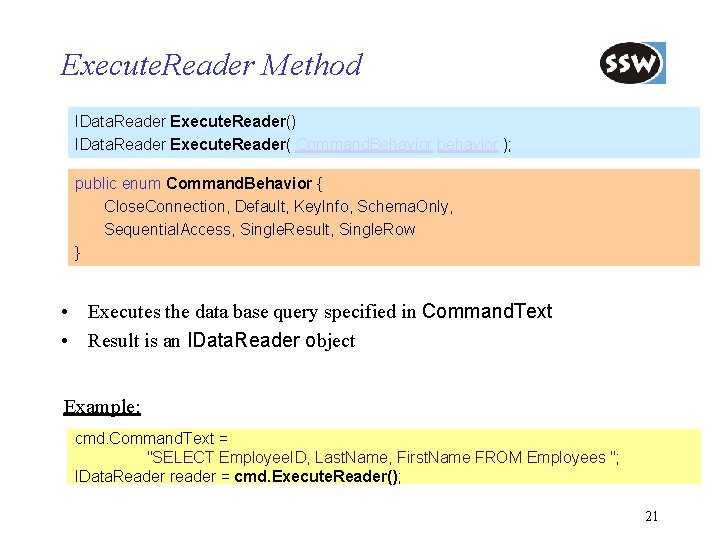
Execute. Reader Method IData. Reader Execute. Reader() IData. Reader Execute. Reader( Command. Behavior behavior ); public enum Command. Behavior { Close. Connection, Default, Key. Info, Schema. Only, Sequential. Access, Single. Result, Single. Row } • Executes the data base query specified in Command. Text • Result is an IData. Reader object Example: cmd. Command. Text = "SELECT Employee. ID, Last. Name, First. Name FROM Employees "; IData. Reader reader = cmd. Execute. Reader(); 21
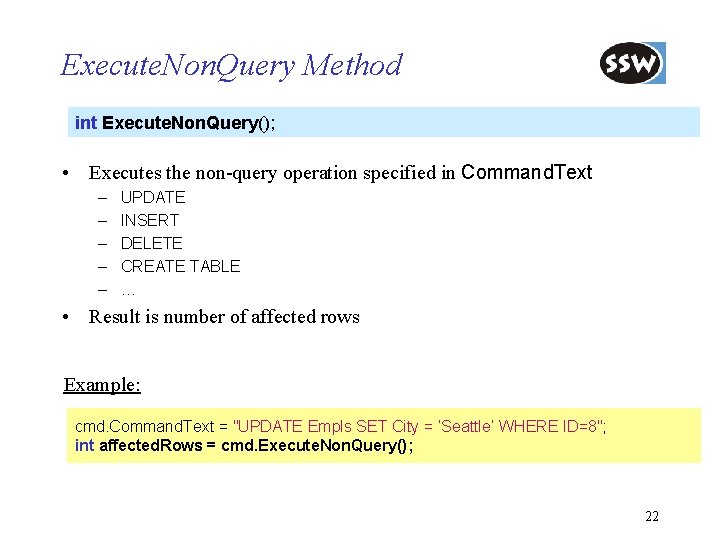
Execute. Non. Query Method int Execute. Non. Query(); • Executes the non-query operation specified in Command. Text – – – UPDATE INSERT DELETE CREATE TABLE … • Result is number of affected rows Example: cmd. Command. Text = "UPDATE Empls SET City = ’Seattle’ WHERE ID=8"; int affected. Rows = cmd. Execute. Non. Query(); 22
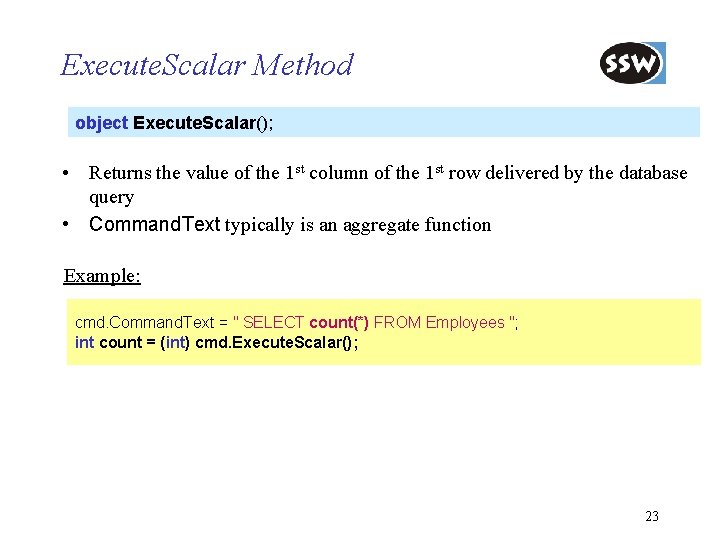
Execute. Scalar Method object Execute. Scalar(); • Returns the value of the 1 st column of the 1 st row delivered by the database query • Command. Text typically is an aggregate function Example: cmd. Command. Text = " SELECT count(*) FROM Employees "; int count = (int) cmd. Execute. Scalar(); 23
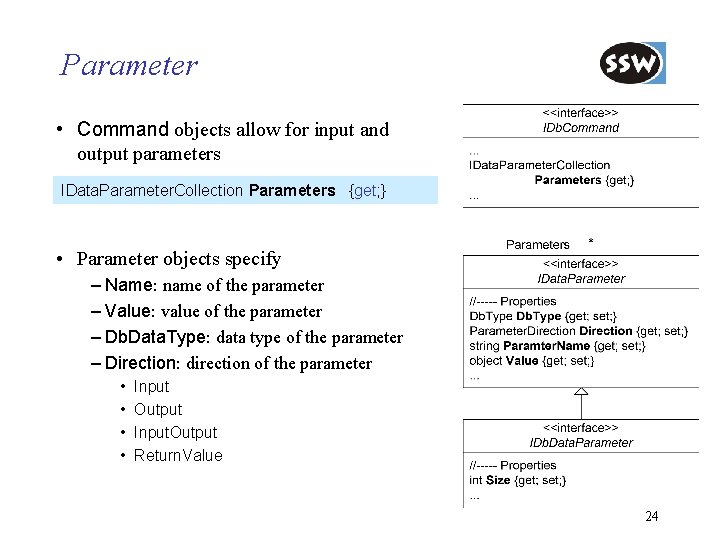
Parameter • Command objects allow for input and output parameters IData. Parameter. Collection Parameters {get; } • Parameter objects specify – Name: name of the parameter – Value: value of the parameter – Db. Data. Type: data type of the parameter – Direction: direction of the parameter • • Input Output Input. Output Return. Value 24
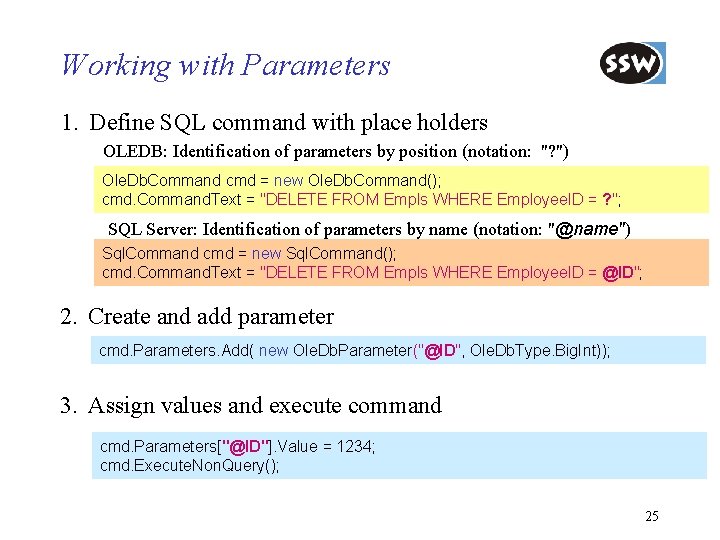
Working with Parameters 1. Define SQL command with place holders OLEDB: Identification of parameters by position (notation: "? ") Ole. Db. Command cmd = new Ole. Db. Command(); cmd. Command. Text = "DELETE FROM Empls WHERE Employee. ID = ? "; SQL Server: Identification of parameters by name (notation: "@name") Sql. Command cmd = new Sql. Command(); cmd. Command. Text = "DELETE FROM Empls WHERE Employee. ID = @ID"; 2. Create and add parameter cmd. Parameters. Add( new Ole. Db. Parameter("@ID", Ole. Db. Type. Big. Int)); 3. Assign values and execute command cmd. Parameters["@ID"]. Value = 1234; cmd. Execute. Non. Query(); 25
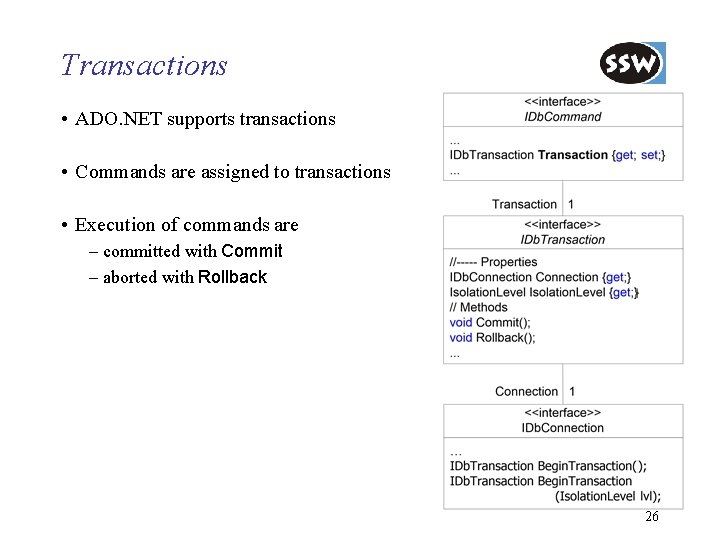
Transactions • ADO. NET supports transactions • Commands are assigned to transactions • Execution of commands are – committed with Commit – aborted with Rollback 26
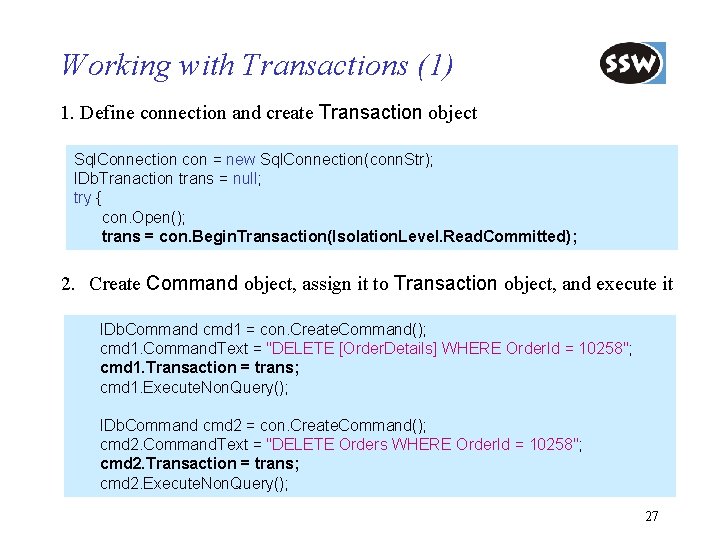
Working with Transactions (1) 1. Define connection and create Transaction object Sql. Connection con = new Sql. Connection(conn. Str); IDb. Tranaction trans = null; try { con. Open(); trans = con. Begin. Transaction(Isolation. Level. Read. Committed); 2. Create Command object, assign it to Transaction object, and execute it IDb. Command cmd 1 = con. Create. Command(); cmd 1. Command. Text = "DELETE [Order. Details] WHERE Order. Id = 10258"; cmd 1. Transaction = trans; cmd 1. Execute. Non. Query(); IDb. Command cmd 2 = con. Create. Command(); cmd 2. Command. Text = "DELETE Orders WHERE Order. Id = 10258"; cmd 2. Transaction = trans; cmd 2. Execute. Non. Query(); 27
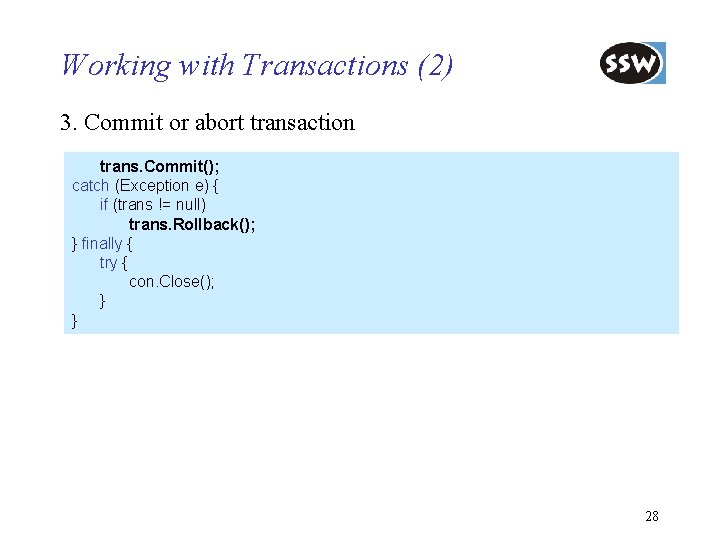
Working with Transactions (2) 3. Commit or abort transaction trans. Commit(); catch (Exception e) { if (trans != null) trans. Rollback(); } finally { try { con. Close(); } } 28
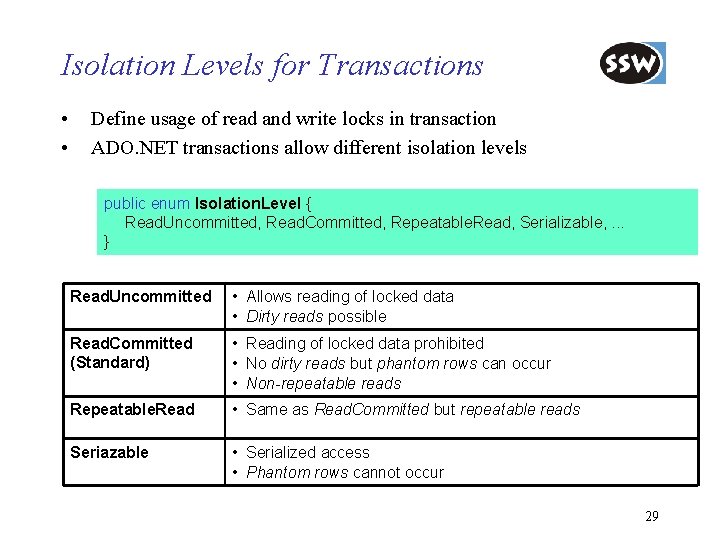
Isolation Levels for Transactions • • Define usage of read and write locks in transaction ADO. NET transactions allow different isolation levels public enum Isolation. Level { Read. Uncommitted, Read. Committed, Repeatable. Read, Serializable, . . . } Read. Uncommitted • Allows reading of locked data • Dirty reads possible Read. Committed (Standard) • Reading of locked data prohibited • No dirty reads but phantom rows can occur • Non-repeatable reads Repeatable. Read • Same as Read. Committed but repeatable reads Seriazable • Serialized access • Phantom rows cannot occur 29
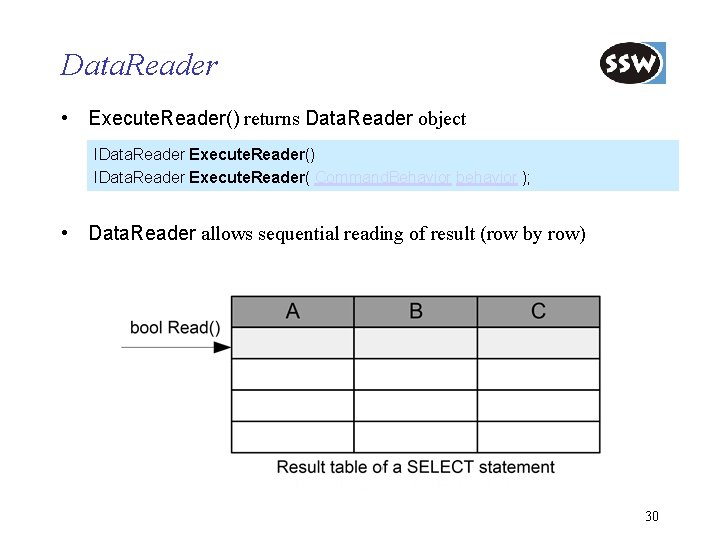
Data. Reader • Execute. Reader() returns Data. Reader object IData. Reader Execute. Reader() IData. Reader Execute. Reader( Command. Behavior behavior ); • Data. Reader allows sequential reading of result (row by row) 30
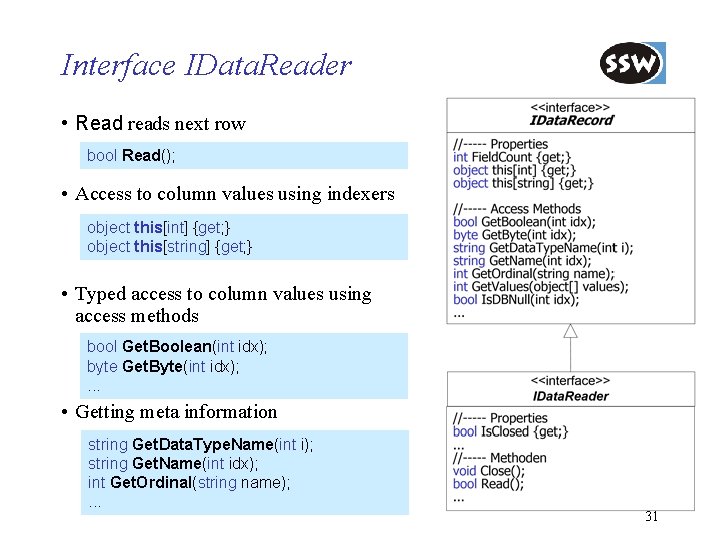
Interface IData. Reader • Read reads next row bool Read(); • Access to column values using indexers object this[int] {get; } object this[string] {get; } • Typed access to column values using access methods bool Get. Boolean(int idx); byte Get. Byte(int idx); . . . • Getting meta information string Get. Data. Type. Name(int i); string Get. Name(int idx); int Get. Ordinal(string name); . . . 31
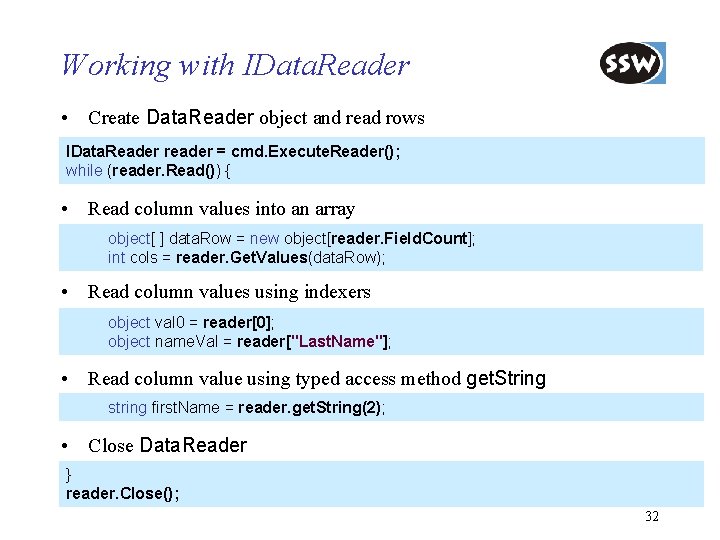
Working with IData. Reader • Create Data. Reader object and read rows IData. Reader reader = cmd. Execute. Reader(); while (reader. Read()) { • Read column values into an array object[ ] data. Row = new object[reader. Field. Count]; int cols = reader. Get. Values(data. Row); • Read column values using indexers object val 0 = reader[0]; object name. Val = reader["Last. Name"]; • Read column value using typed access method get. String string first. Name = reader. get. String(2); • Close Data. Reader } reader. Close(); 32
ADO. NET Introduction Connection-oriented Access Connectionless Access Database Access with Data. Adapter Integration with XML Preview of ADO. NET 2. 0 Summary
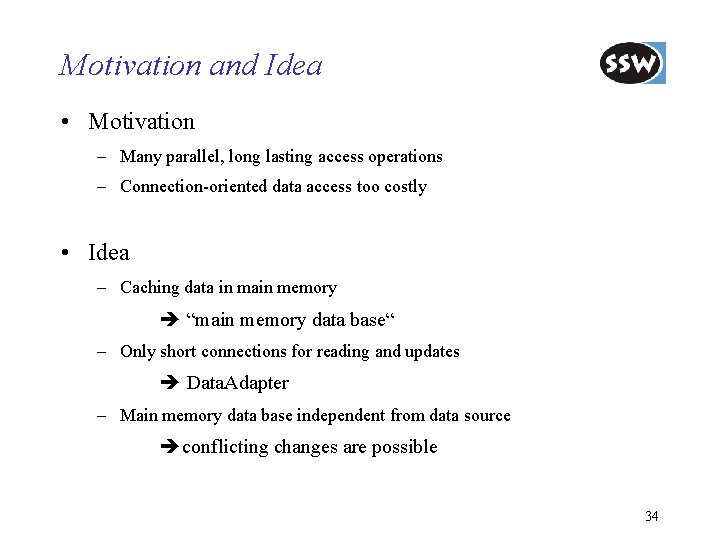
Motivation and Idea • Motivation – Many parallel, long lasting access operations – Connection-oriented data access too costly • Idea – Caching data in main memory “main memory data base“ – Only short connections for reading and updates Data. Adapter – Main memory data base independent from data source conflicting changes are possible 34
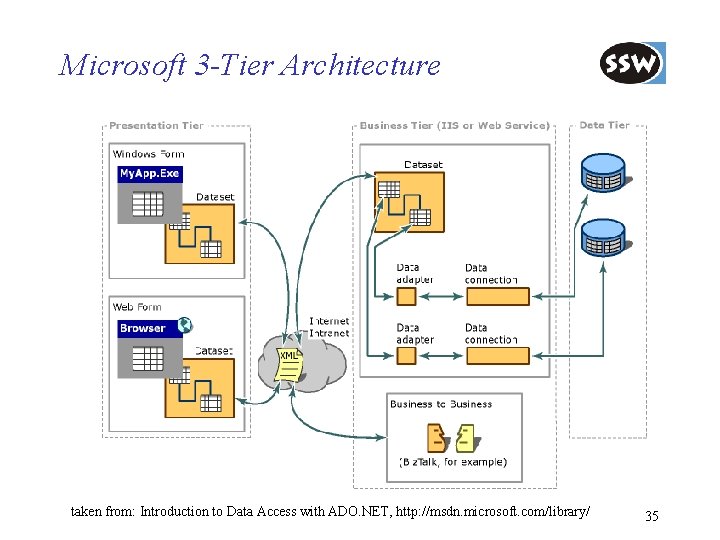
Microsoft 3 -Tier Architecture taken from: Introduction to Data Access with ADO. NET, http: //msdn. microsoft. com/library/ 35
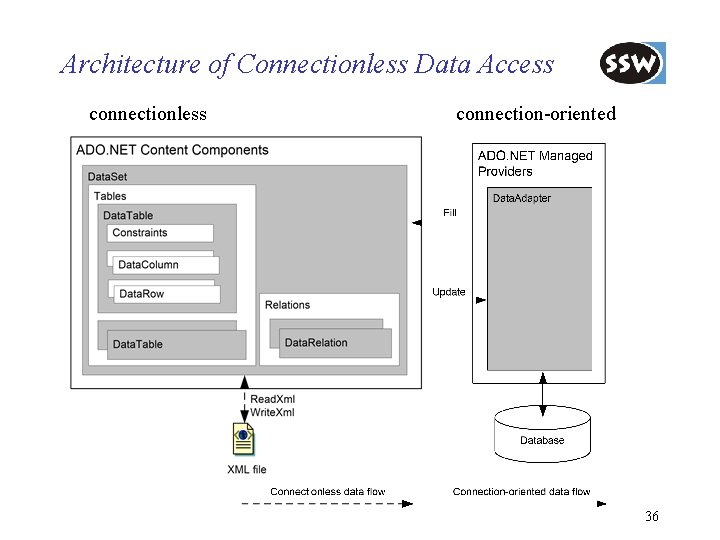
Architecture of Connectionless Data Access connectionless connection-oriented 36
Data. Set • Main memory data base – relational structure – object oriented interface • Data. Set consists of – collection of Data. Tables – collection of Data. Relations • Data. Tables consists of – collection of Data. Table. Columns (= schema definition) – collection of Data. Table. Rows (= data) – Default. View (Data. Table. View, see later) • Data. Relations – associate two Data. Table objects – define Parent. Table and Parent. Columns and Child. Table and Child. Columns 37
![Data. Set Structure Data. Set. Tables[. . . ] Data. Table schema . Columns[.](http://slidetodoc.com/presentation_image_h2/645ef0bea0f9da084520723a64efba0d/image-38.jpg "Data. Set Structure Data. Set. Tables[. . . ] Data. Table schema . Columns[.")
Data. Set Structure Data. Set. Tables[. . . ] Data. Table schema . Columns[. . . ]. Columns[. . ] Data. Column . Rows[. . . ]. Rows[. . ] Data. Row . Default. View. . Relations[. . . ]. . . data Data. View Data. Relation 38
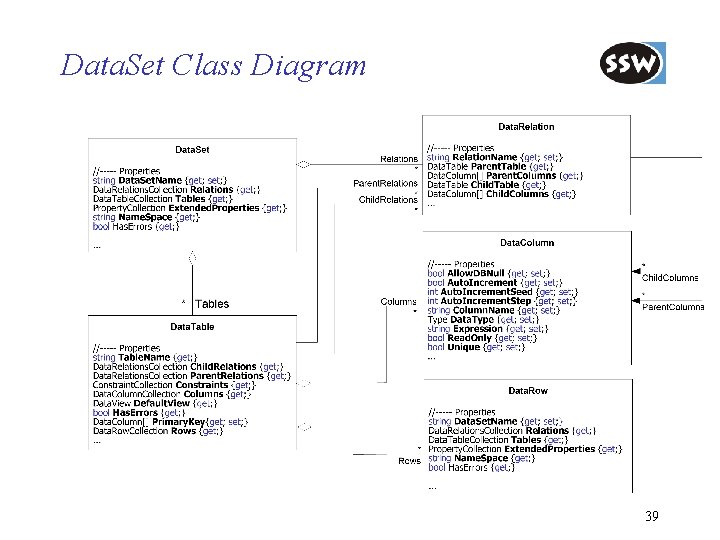
Data. Set Class Diagram 39
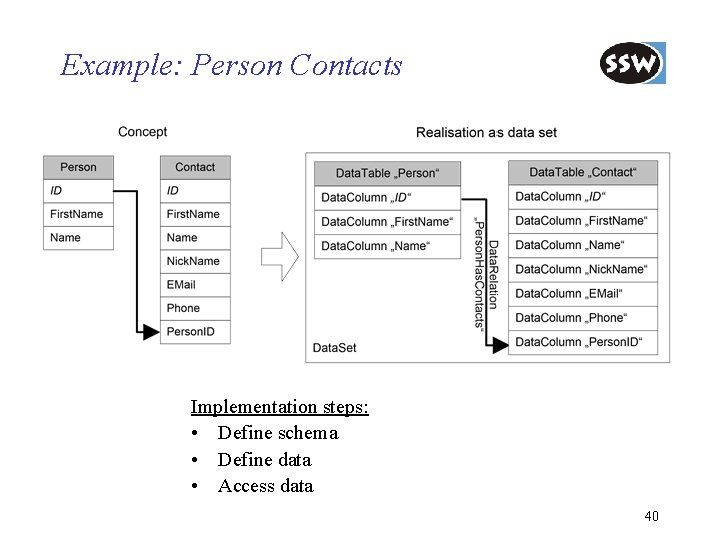
Example: Person Contacts Implementation steps: • Define schema • Define data • Access data 40
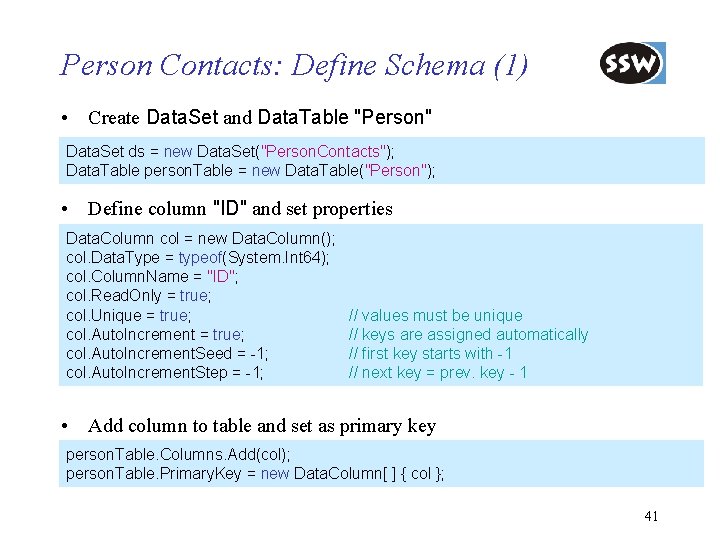
Person Contacts: Define Schema (1) • Create Data. Set and Data. Table "Person" Data. Set ds = new Data. Set("Person. Contacts"); Data. Table person. Table = new Data. Table("Person"); • Define column "ID" and set properties Data. Column col = new Data. Column(); col. Data. Type = typeof(System. Int 64); col. Column. Name = "ID"; col. Read. Only = true; col. Unique = true; col. Auto. Increment. Seed = -1; col. Auto. Increment. Step = -1; // values must be unique // keys are assigned automatically // first key starts with -1 // next key = prev. key - 1 • Add column to table and set as primary key person. Table. Columns. Add(col); person. Table. Primary. Key = new Data. Column[ ] { col }; 41
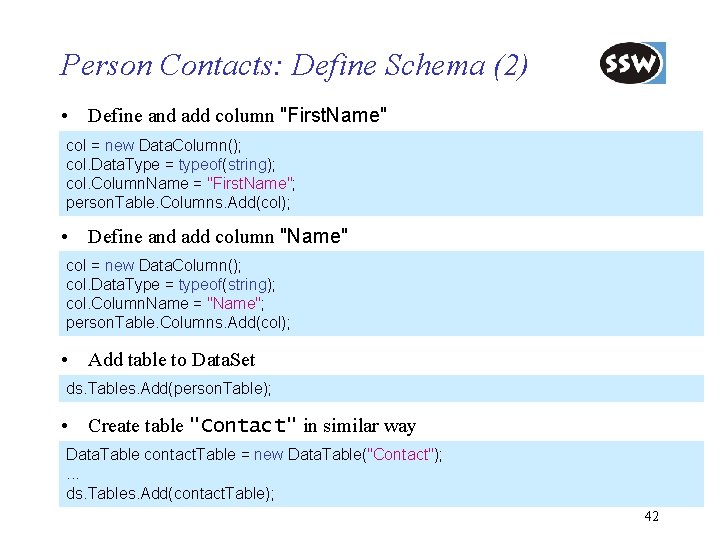
Person Contacts: Define Schema (2) • Define and add column "First. Name" col = new Data. Column(); col. Data. Type = typeof(string); col. Column. Name = "First. Name"; person. Table. Columns. Add(col); • Define and add column "Name" col = new Data. Column(); col. Data. Type = typeof(string); col. Column. Name = "Name"; person. Table. Columns. Add(col); • Add table to Data. Set ds. Tables. Add(person. Table); • Create table "Contact" in similar way Data. Table contact. Table = new Data. Table("Contact"); . . . ds. Tables. Add(contact. Table); 42
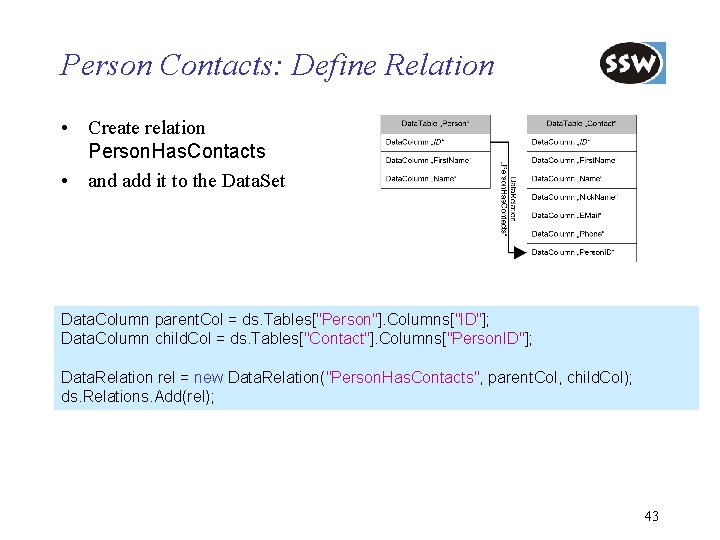
Person Contacts: Define Relation • Create relation Person. Has. Contacts • and add it to the Data. Set Data. Column parent. Col = ds. Tables["Person"]. Columns["ID"]; Data. Column child. Col = ds. Tables["Contact"]. Columns["Person. ID"]; Data. Relation rel = new Data. Relation("Person. Has. Contacts", parent. Col, child. Col); ds. Relations. Add(rel); 43
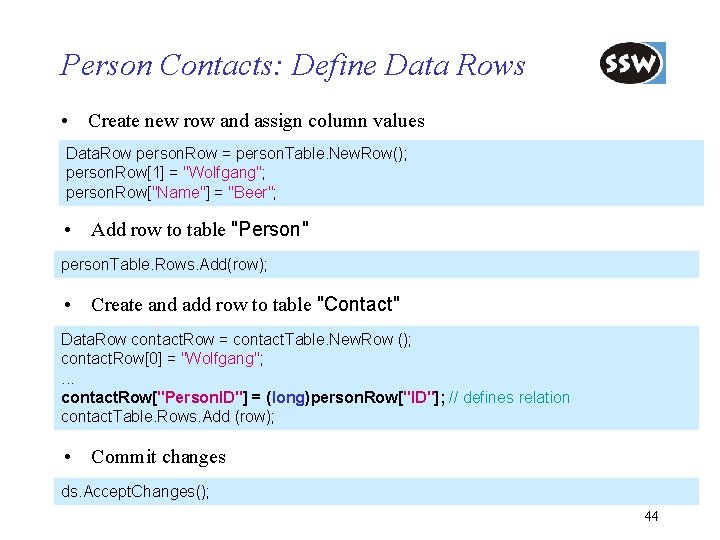
Person Contacts: Define Data Rows • Create new row and assign column values Data. Row person. Row = person. Table. New. Row(); person. Row[1] = "Wolfgang"; person. Row["Name"] = "Beer"; • Add row to table "Person" person. Table. Rows. Add(row); • Create and add row to table "Contact" Data. Row contact. Row = contact. Table. New. Row (); contact. Row[0] = "Wolfgang"; . . . contact. Row["Person. ID"] = (long)person. Row["ID"]; // defines relation contact. Table. Rows. Add (row); • Commit changes ds. Accept. Changes(); 44
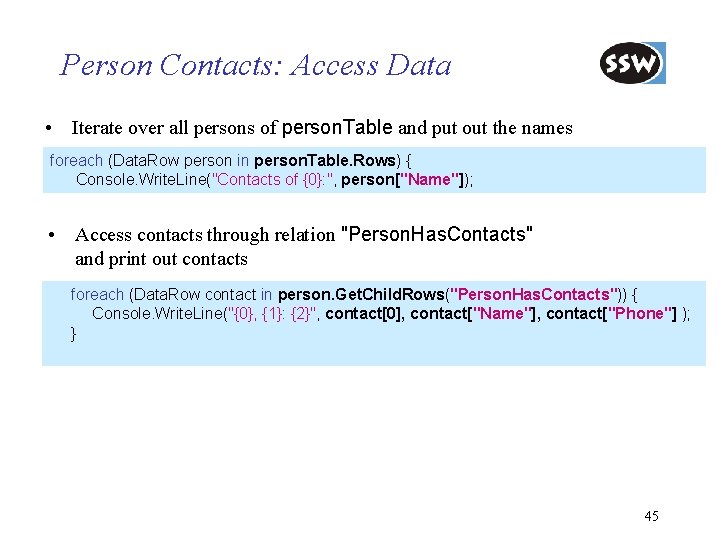
Person Contacts: Access Data • Iterate over all persons of person. Table and put out the names foreach (Data. Row person in person. Table. Rows) { Console. Write. Line("Contacts of {0}: ", person["Name"]); • Access contacts through relation "Person. Has. Contacts" and print out contacts foreach (Data. Row contact in person. Get. Child. Rows("Person. Has. Contacts")) { Console. Write. Line("{0}, {1}: {2}", contact[0], contact["Name"], contact["Phone"] ); } 45
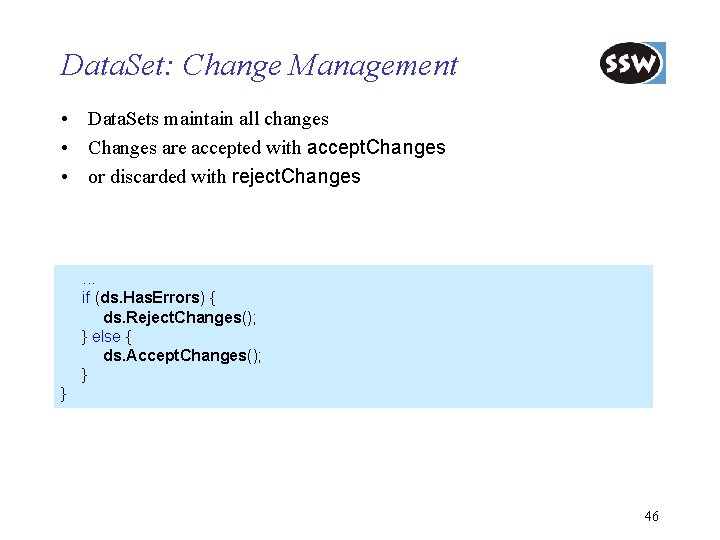
Data. Set: Change Management • Data. Sets maintain all changes • Changes are accepted with accept. Changes • or discarded with reject. Changes . . . if (ds. Has. Errors) { ds. Reject. Changes(); } else { ds. Accept. Changes(); } } 46
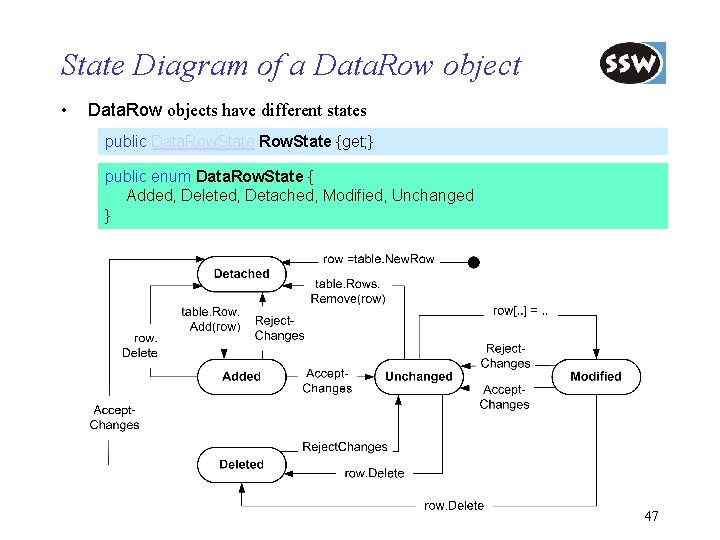
State Diagram of a Data. Row object • Data. Row objects have different states public Data. Row. State {get; } public enum Data. Row. State { Added, Deleted, Detached, Modified, Unchanged } 47
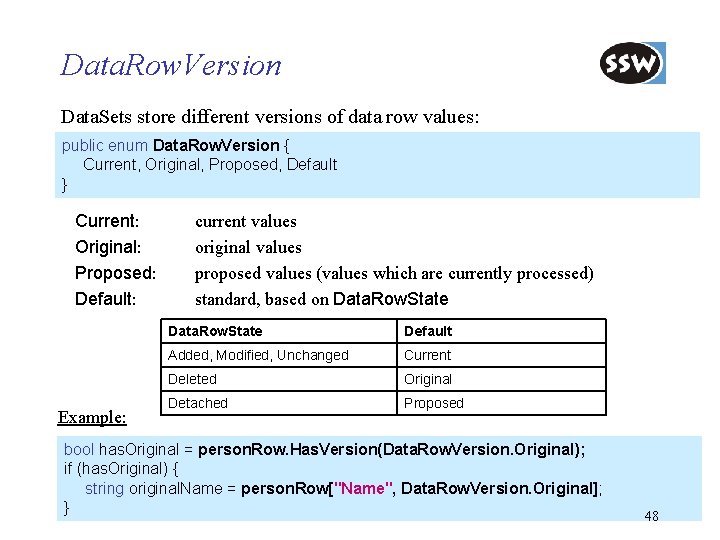
Data. Row. Version Data. Sets store different versions of data row values: public enum Data. Row. Version { Current, Original, Proposed, Default } Current: Original: Proposed: Default: Example: current values original values proposed values (values which are currently processed) standard, based on Data. Row. State Default Added, Modified, Unchanged Current Deleted Original Detached Proposed bool has. Original = person. Row. Has. Version(Data. Row. Version. Original); if (has. Original) { string original. Name = person. Row["Name", Data. Row. Version. Original]; } 48
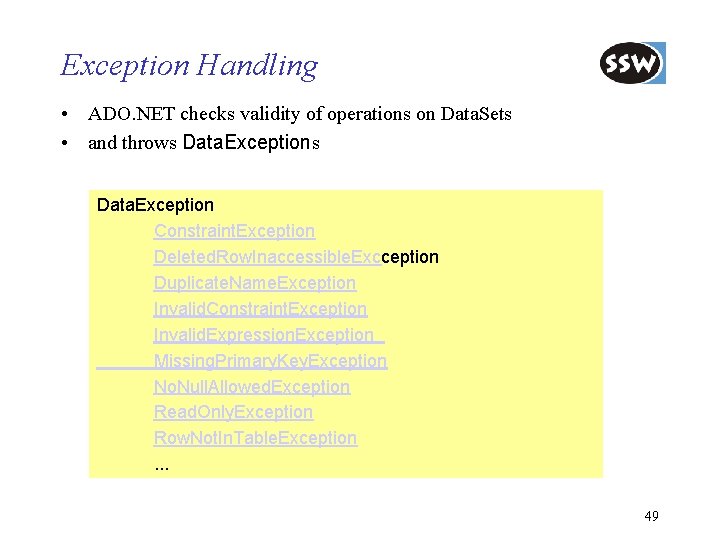
Exception Handling • ADO. NET checks validity of operations on Data. Sets • and throws Data. Exception Constraint. Exception Deleted. Row. Inaccessible. Excception Duplicate. Name. Exception Invalid. Constraint. Exception Invalid. Expression. Exception Missing. Primary. Key. Exception No. Null. Allowed. Exception Read. Only. Exception Row. Not. In. Table. Exception. . . 49
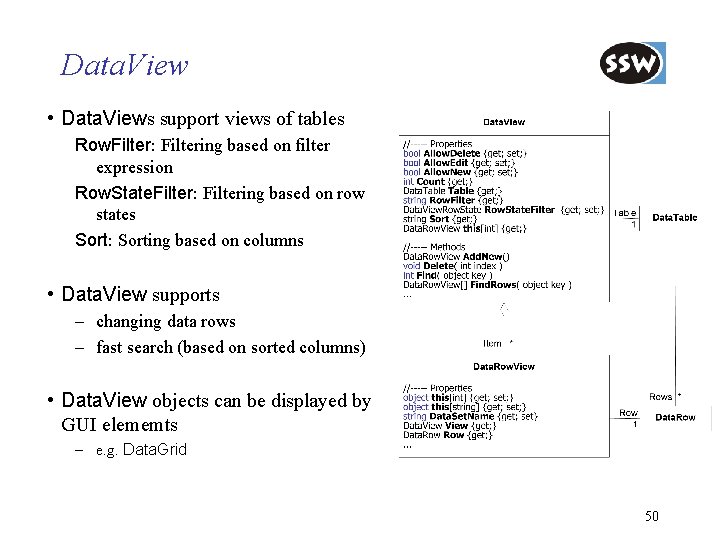
Data. View • Data. Views support views of tables Row. Filter: Filtering based on filter expression Row. State. Filter: Filtering based on row states Sort: Sorting based on columns • Data. View supports – changing data rows – fast search (based on sorted columns) • Data. View objects can be displayed by GUI elememts – e. g. Data. Grid 50
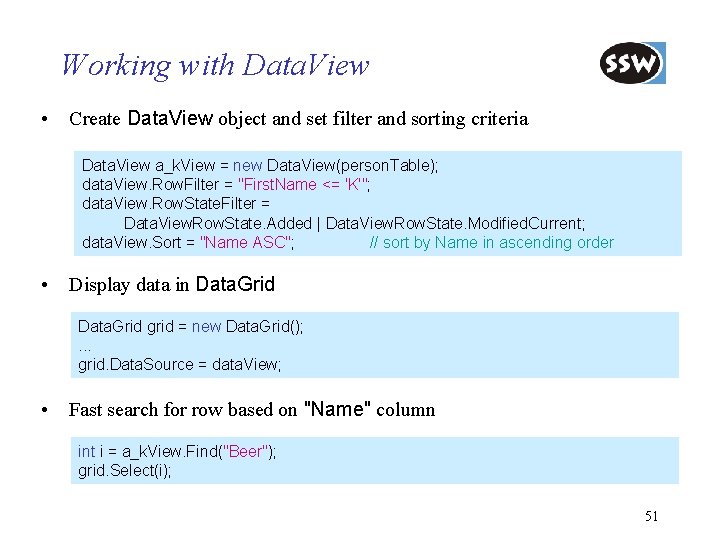
Working with Data. View • Create Data. View object and set filter and sorting criteria Data. View a_k. View = new Data. View(person. Table); data. View. Row. Filter = "First. Name <= 'K'"; data. View. Row. State. Filter = Data. View. Row. State. Added | Data. View. Row. State. Modified. Current; data. View. Sort = "Name ASC"; // sort by Name in ascending order • Display data in Data. Grid grid = new Data. Grid(); . . . grid. Data. Source = data. View; • Fast search for row based on "Name" column int i = a_k. View. Find("Beer"); grid. Select(i); 51
ADO. NET Introduction Connection-oriented Access Connectionless Access Database Access with Data. Adapter Integration with XML Preview of ADO. NET 2. 0 Summary
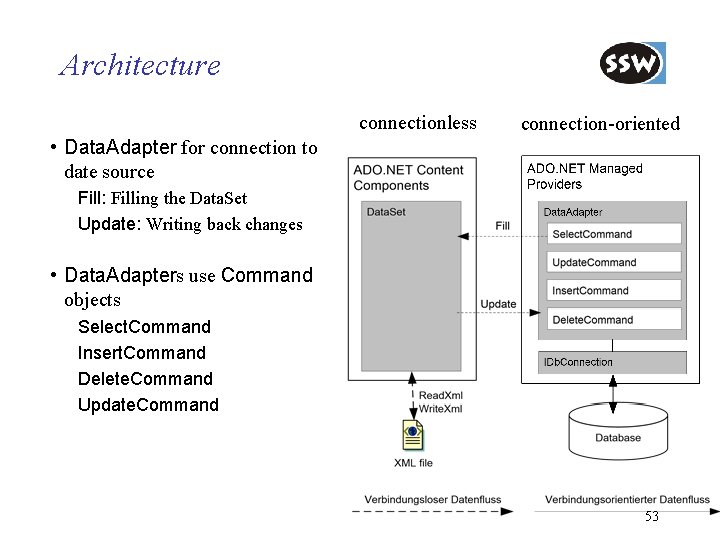
Architecture connectionless connection-oriented • Data. Adapter for connection to date source Fill: Filling the Data. Set Update: Writing back changes • Data. Adapters use Command objects Select. Command Insert. Command Delete. Command Update. Command 53
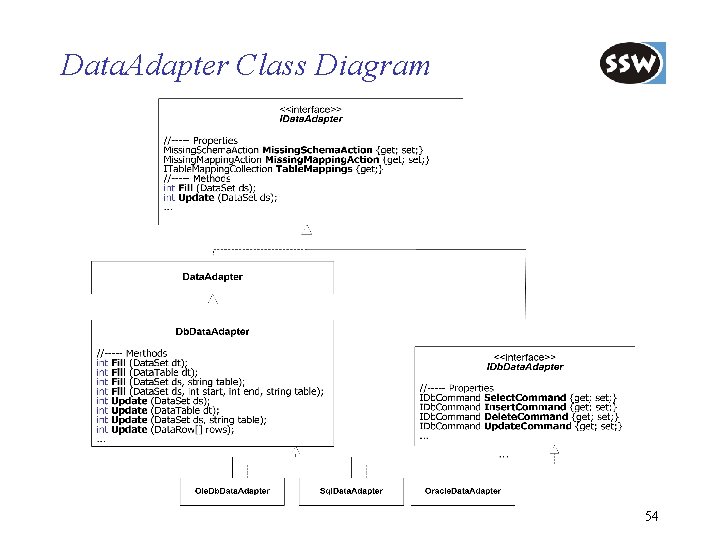
Data. Adapter Class Diagram 54
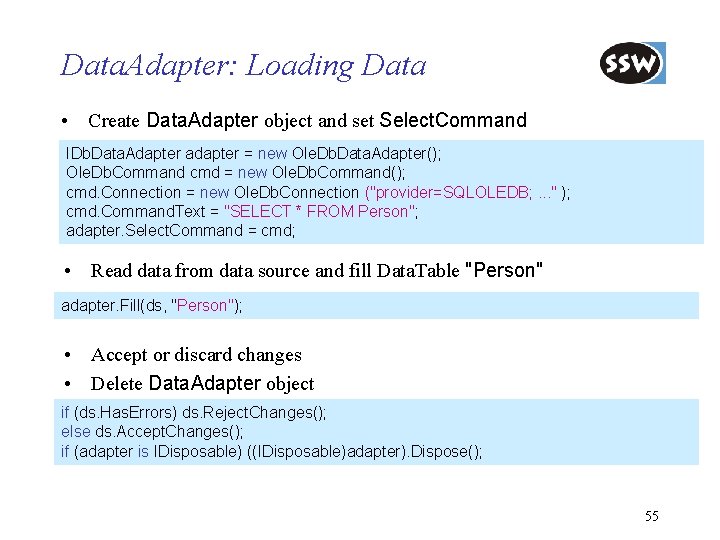
Data. Adapter: Loading Data • Create Data. Adapter object and set Select. Command IDb. Data. Adapter adapter = new Ole. Db. Data. Adapter(); Ole. Db. Command cmd = new Ole. Db. Command(); cmd. Connection = new Ole. Db. Connection ("provider=SQLOLEDB; . . . " ); cmd. Command. Text = "SELECT * FROM Person"; adapter. Select. Command = cmd; • Read data from data source and fill Data. Table "Person" adapter. Fill(ds, "Person"); • Accept or discard changes • Delete Data. Adapter object if (ds. Has. Errors) ds. Reject. Changes(); else ds. Accept. Changes(); if (adapter is IDisposable) ((IDisposable)adapter). Dispose(); 55
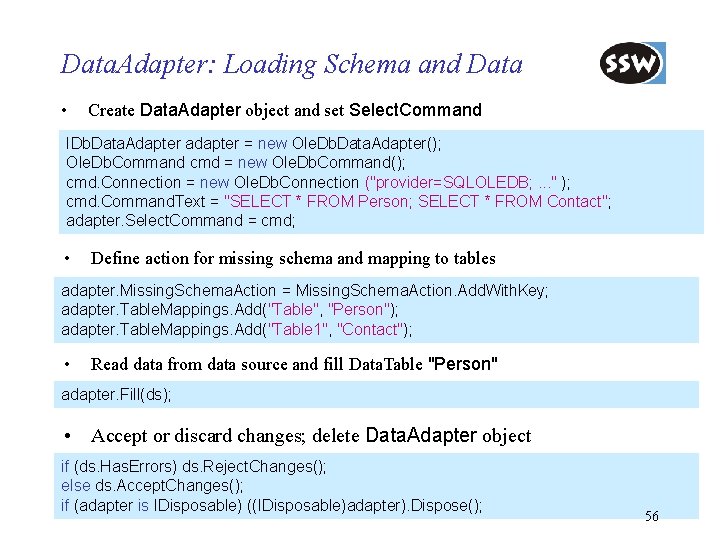
Data. Adapter: Loading Schema and Data • Create Data. Adapter object and set Select. Command IDb. Data. Adapter adapter = new Ole. Db. Data. Adapter(); Ole. Db. Command cmd = new Ole. Db. Command(); cmd. Connection = new Ole. Db. Connection ("provider=SQLOLEDB; . . . " ); cmd. Command. Text = "SELECT * FROM Person; SELECT * FROM Contact"; adapter. Select. Command = cmd; • Define action for missing schema and mapping to tables adapter. Missing. Schema. Action = Missing. Schema. Action. Add. With. Key; adapter. Table. Mappings. Add("Table", "Person"); adapter. Table. Mappings. Add("Table 1", "Contact"); • Read data from data source and fill Data. Table "Person" adapter. Fill(ds); • Accept or discard changes; delete Data. Adapter object if (ds. Has. Errors) ds. Reject. Changes(); else ds. Accept. Changes(); if (adapter is IDisposable) ((IDisposable)adapter). Dispose(); 56
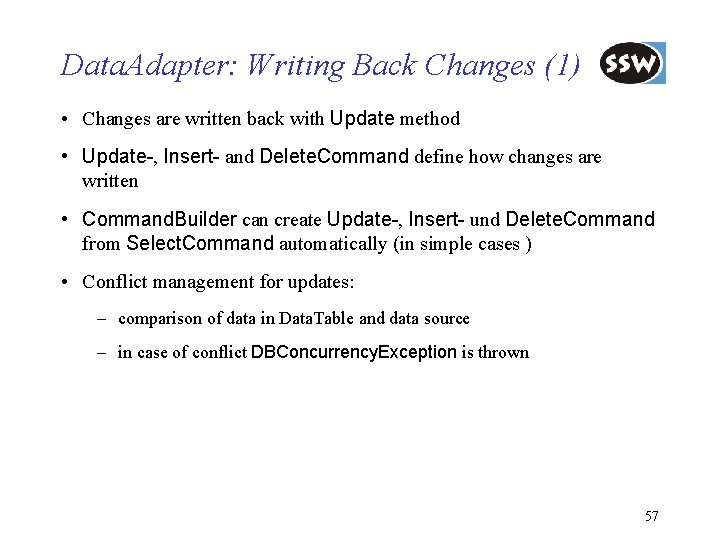
Data. Adapter: Writing Back Changes (1) • Changes are written back with Update method • Update-, Insert- and Delete. Command define how changes are written • Command. Builder can create Update-, Insert- und Delete. Command from Select. Command automatically (in simple cases ) • Conflict management for updates: – comparison of data in Data. Table and data source – in case of conflict DBConcurrency. Exception is thrown 57
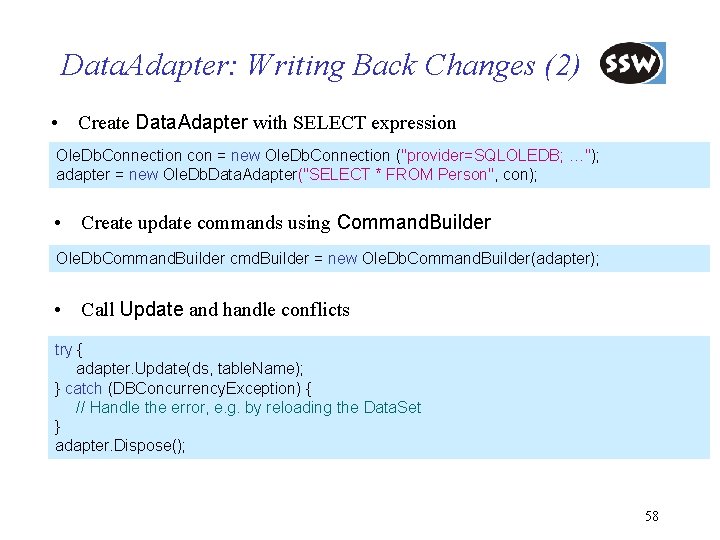
Data. Adapter: Writing Back Changes (2) • Create Data. Adapter with SELECT expression Ole. Db. Connection con = new Ole. Db. Connection ("provider=SQLOLEDB; …"); adapter = new Ole. Db. Data. Adapter("SELECT * FROM Person", con); • Create update commands using Command. Builder Ole. Db. Command. Builder cmd. Builder = new Ole. Db. Command. Builder(adapter); • Call Update and handle conflicts try { adapter. Update(ds, table. Name); } catch (DBConcurrency. Exception) { // Handle the error, e. g. by reloading the Data. Set } adapter. Dispose(); 58
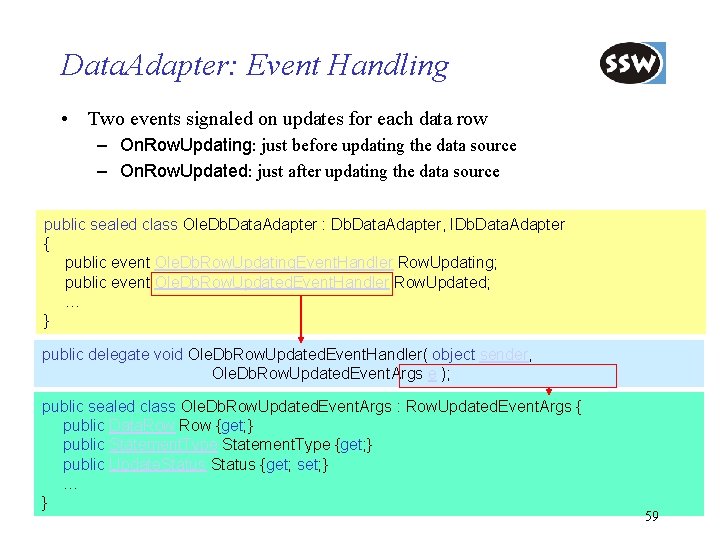
Data. Adapter: Event Handling • Two events signaled on updates for each data row – On. Row. Updating: just before updating the data source – On. Row. Updated: just after updating the data source public sealed class Ole. Db. Data. Adapter : Db. Data. Adapter, IDb. Data. Adapter { public event Ole. Db. Row. Updating. Event. Handler Row. Updating; public event Ole. Db. Row. Updated. Event. Handler Row. Updated; … } public delegate void Ole. Db. Row. Updated. Event. Handler( object sender, Ole. Db. Row. Updated. Event. Args e ); public sealed class Ole. Db. Row. Updated. Event. Args : Row. Updated. Event. Args { public Data. Row {get; } public Statement. Type {get; } public Update. Status {get; set; } … } 59
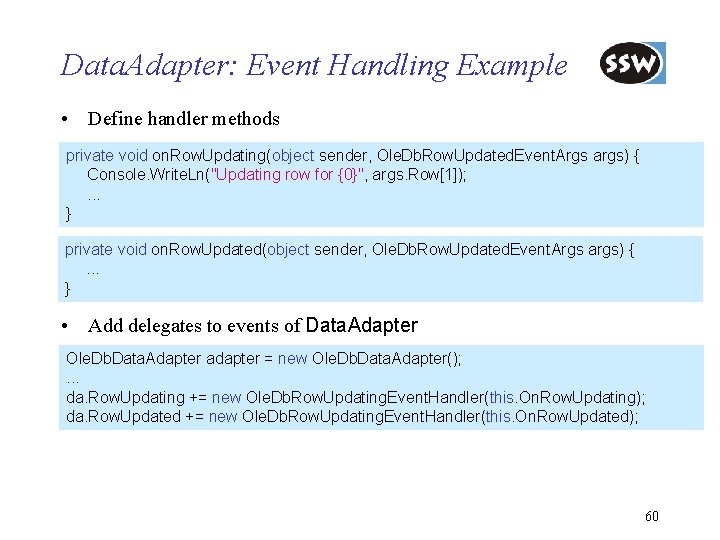
Data. Adapter: Event Handling Example • Define handler methods private void on. Row. Updating(object sender, Ole. Db. Row. Updated. Event. Args args) { Console. Write. Ln("Updating row for {0}", args. Row[1]); . . . } private void on. Row. Updated(object sender, Ole. Db. Row. Updated. Event. Args args) {. . . } • Add delegates to events of Data. Adapter Ole. Db. Data. Adapter adapter = new Ole. Db. Data. Adapter(); . . . da. Row. Updating += new Ole. Db. Row. Updating. Event. Handler(this. On. Row. Updating); da. Row. Updated += new Ole. Db. Row. Updating. Event. Handler(this. On. Row. Updated); 60
ADO. NET Introduction Connection-oriented Access Connectionless Access Database Access with Data. Adapter Integration with XML Preview of ADO. NET 2. 0 Summary
Integration Data. Sets und XML • Data. Sets and XML are highly integrated – serializing Data. Sets as XML data – XML documents as data sources for Data. Sets – schemas for Data. Sets defined as XML schemas – strongly typed Data. Sets generated from XML schemas – access to Data. Sets using XML-DOM interface • Integration of Data. Sets and XML used in distributed systems, e. g. , web services – (see Microsoft 3 -Tier Architecture) 62
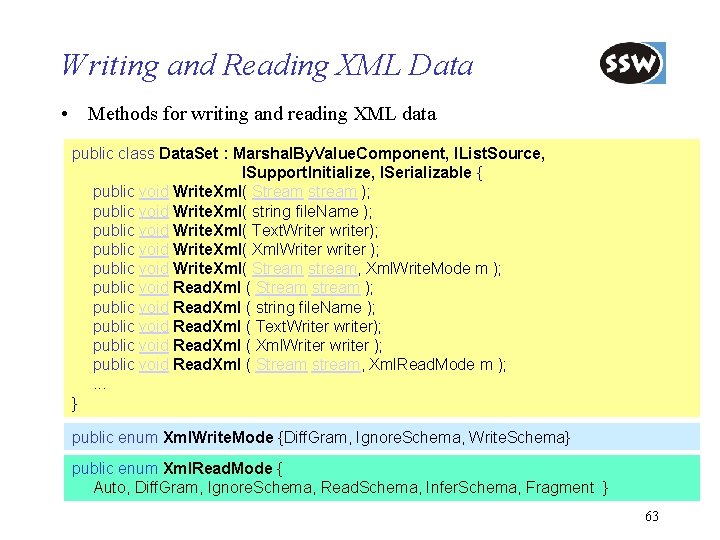
Writing and Reading XML Data • Methods for writing and reading XML data public class Data. Set : Marshal. By. Value. Component, IList. Source, ISupport. Initialize, ISerializable { public void Write. Xml( Stream stream ); public void Write. Xml( string file. Name ); public void Write. Xml( Text. Writer writer); public void Write. Xml( Xml. Writer writer ); public void Write. Xml( Stream stream, Xml. Write. Mode m ); public void Read. Xml ( Stream stream ); public void Read. Xml ( string file. Name ); public void Read. Xml ( Text. Writer writer); public void Read. Xml ( Xml. Writer writer ); public void Read. Xml ( Stream stream, Xml. Read. Mode m ); . . . } public enum Xml. Write. Mode {Diff. Gram, Ignore. Schema, Write. Schema} public enum Xml. Read. Mode { Auto, Diff. Gram, Ignore. Schema, Read. Schema, Infer. Schema, Fragment } 63
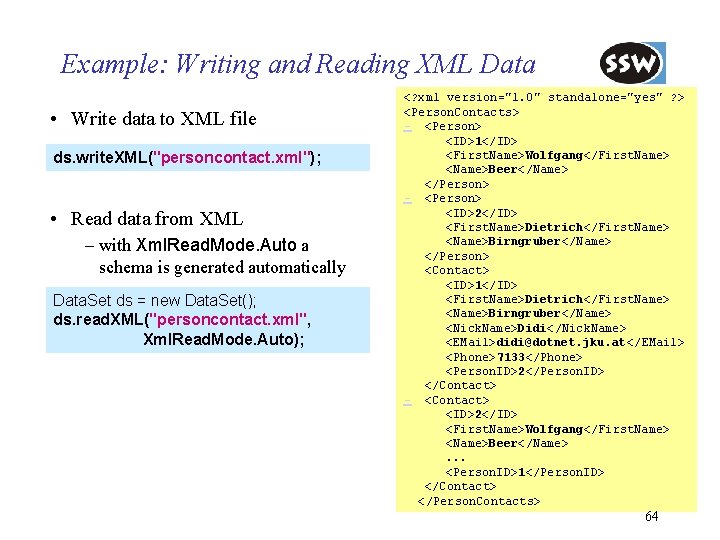
Example: Writing and Reading XML Data • Write data to XML file ds. write. XML("personcontact. xml"); • Read data from XML – with Xml. Read. Mode. Auto a schema is generated automatically Data. Set ds = new Data. Set(); ds. read. XML("personcontact. xml", Xml. Read. Mode. Auto); <? xml version="1. 0" standalone="yes" ? > <Person. Contacts> - <Person> <ID>1</ID> <First. Name>Wolfgang</First. Name> <Name>Beer</Name> </Person> - <Person> <ID>2</ID> <First. Name>Dietrich</First. Name> <Name>Birngruber</Name> </Person> <Contact> <ID>1</ID> <First. Name>Dietrich</First. Name> <Name>Birngruber</Name> <Nick. Name>Didi</Nick. Name> <EMail>didi@dotnet. jku. at</EMail> <Phone>7133</Phone> <Person. ID>2</Person. ID> </Contact> - <Contact> <ID>2</ID> <First. Name>Wolfgang</First. Name> <Name>Beer</Name>. . . <Person. ID>1</Person. ID> </Contact> </Person. Contacts> 64
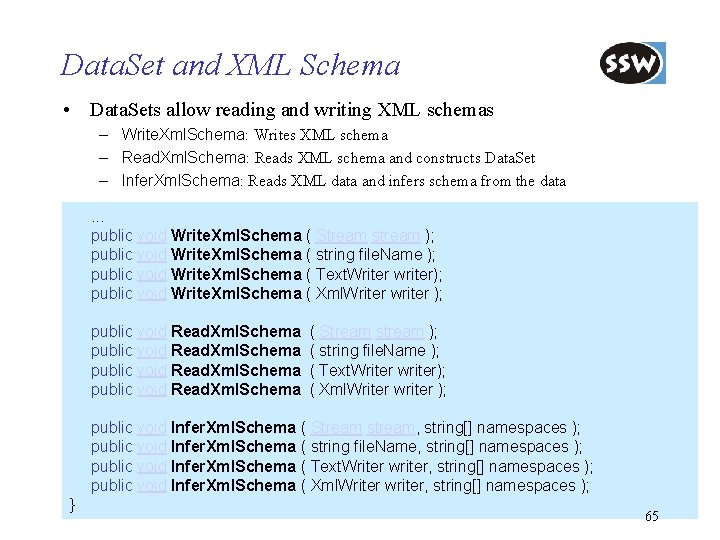
Data. Set and XML Schema • Data. Sets allow reading and writing XML schemas – Write. Xml. Schema: Writes XML schema – Read. Xml. Schema: Reads XML schema and constructs Data. Set – Infer. Xml. Schema: Reads XML data and infers schema from the data. . . public void Write. Xml. Schema ( Stream stream ); public void Write. Xml. Schema ( string file. Name ); public void Write. Xml. Schema ( Text. Writer writer); public void Write. Xml. Schema ( Xml. Writer writer ); public void Read. Xml. Schema ( Stream stream ); ( string file. Name ); ( Text. Writer writer); ( Xml. Writer writer ); public void Infer. Xml. Schema ( Stream stream, string[] namespaces ); public void Infer. Xml. Schema ( string file. Name, string[] namespaces ); public void Infer. Xml. Schema ( Text. Writer writer, string[] namespaces ); public void Infer. Xml. Schema ( Xml. Writer writer, string[] namespaces ); } 65
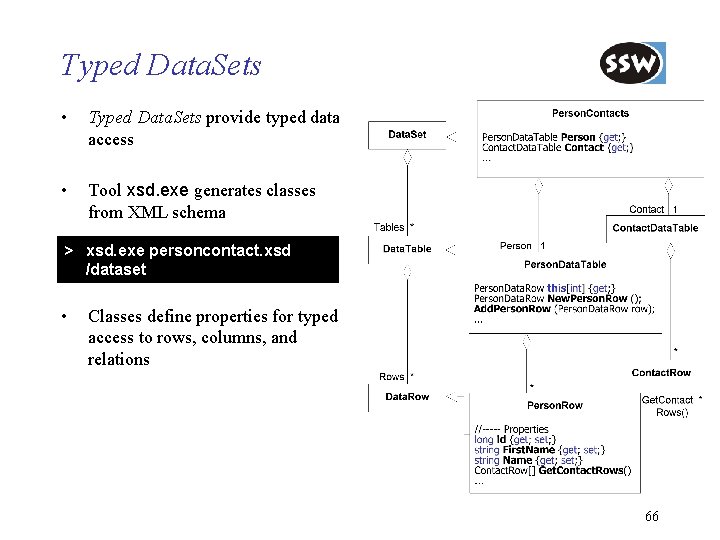
Typed Data. Sets • Typed Data. Sets provide typed data access • Tool xsd. exe generates classes from XML schema > xsd. exe personcontact. xsd /dataset • Classes define properties for typed access to rows, columns, and relations 66
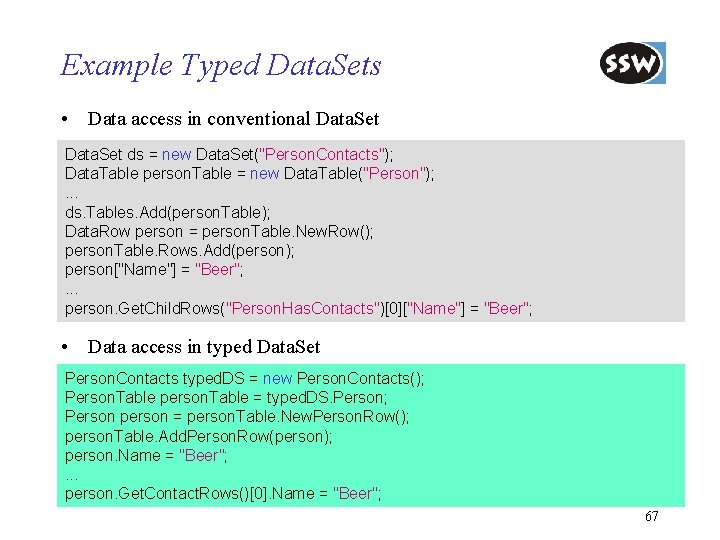
Example Typed Data. Sets • Data access in conventional Data. Set ds = new Data. Set("Person. Contacts"); Data. Table person. Table = new Data. Table("Person"); . . . ds. Tables. Add(person. Table); Data. Row person = person. Table. New. Row(); person. Table. Rows. Add(person); person["Name"] = "Beer"; . . . person. Get. Child. Rows("Person. Has. Contacts")[0]["Name"] = "Beer"; • Data access in typed Data. Set Person. Contacts typed. DS = new Person. Contacts(); Person. Table person. Table = typed. DS. Person; Person person = person. Table. New. Person. Row(); person. Table. Add. Person. Row(person); person. Name = "Beer"; . . . person. Get. Contact. Rows()[0]. Name = "Beer"; 67
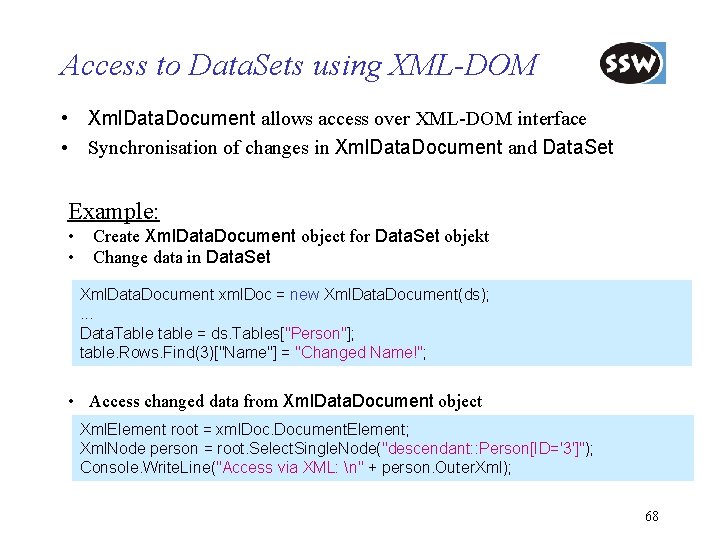
Access to Data. Sets using XML-DOM • Xml. Data. Document allows access over XML-DOM interface • Synchronisation of changes in Xml. Data. Document and Data. Set Example: • • Create Xml. Data. Document object for Data. Set objekt Change data in Data. Set Xml. Data. Document xml. Doc = new Xml. Data. Document(ds); . . . Data. Table table = ds. Tables["Person"]; table. Rows. Find(3)["Name"] = "Changed Name!"; • Access changed data from Xml. Data. Document object Xml. Element root = xml. Document. Element; Xml. Node person = root. Select. Single. Node("descendant: : Person[ID='3']"); Console. Write. Line("Access via XML: n" + person. Outer. Xml); 68
ADO. NET Introduction Connection-oriented Access Connectionless Access Database Access with Data. Adapter Integration with XML Preview of ADO. NET 2. 0 Summary
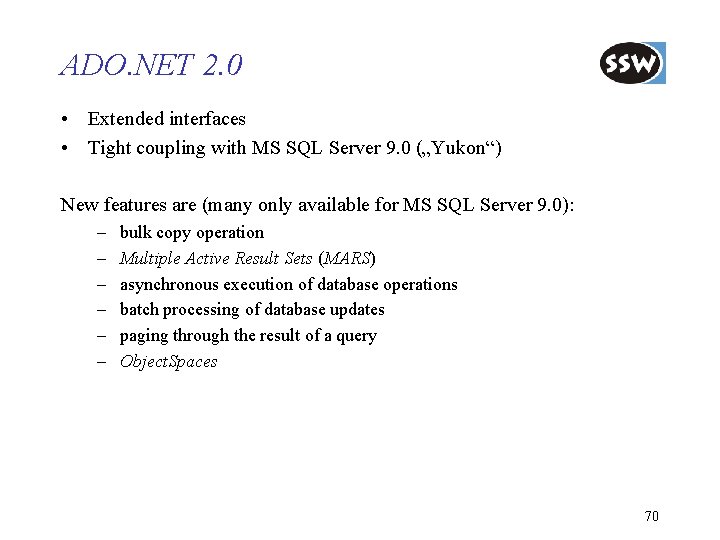
ADO. NET 2. 0 • Extended interfaces • Tight coupling with MS SQL Server 9. 0 („Yukon“) New features are (many only available for MS SQL Server 9. 0): – – – bulk copy operation Multiple Active Result Sets (MARS) asynchronous execution of database operations batch processing of database updates paging through the result of a query Object. Spaces 70
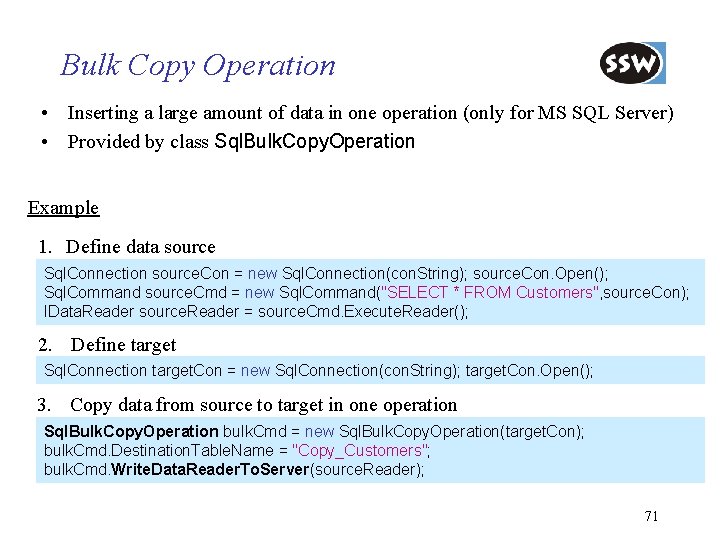
Bulk Copy Operation • Inserting a large amount of data in one operation (only for MS SQL Server) • Provided by class Sql. Bulk. Copy. Operation Example 1. Define data source Sql. Connection source. Con = new Sql. Connection(con. String); source. Con. Open(); Sql. Command source. Cmd = new Sql. Command("SELECT * FROM Customers", source. Con); IData. Reader source. Reader = source. Cmd. Execute. Reader(); 2. Define target Sql. Connection target. Con = new Sql. Connection(con. String); target. Con. Open(); 3. Copy data from source to target in one operation Sql. Bulk. Copy. Operation bulk. Cmd = new Sql. Bulk. Copy. Operation(target. Con); bulk. Cmd. Destination. Table. Name = "Copy_Customers"; bulk. Cmd. Write. Data. Reader. To. Server(source. Reader); 71
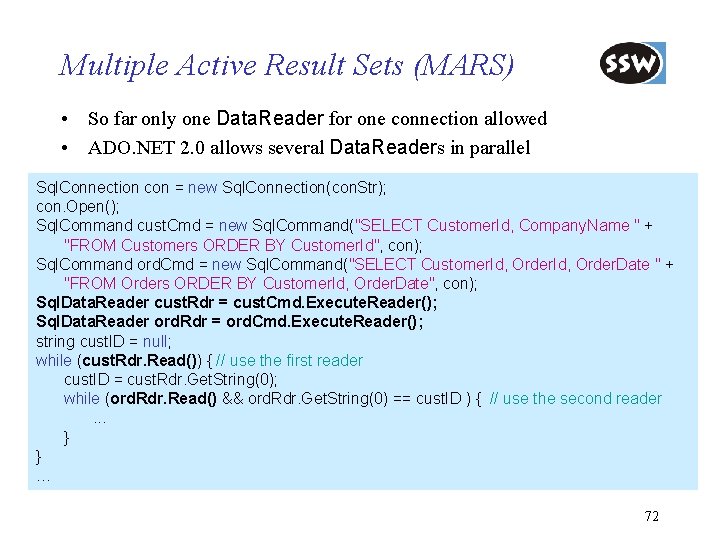
Multiple Active Result Sets (MARS) • So far only one Data. Reader for one connection allowed • ADO. NET 2. 0 allows several Data. Readers in parallel Sql. Connection con = new Sql. Connection(con. Str); con. Open(); Sql. Command cust. Cmd = new Sql. Command("SELECT Customer. Id, Company. Name " + "FROM Customers ORDER BY Customer. Id", con); Sql. Command ord. Cmd = new Sql. Command("SELECT Customer. Id, Order. Date " + "FROM Orders ORDER BY Customer. Id, Order. Date", con); Sql. Data. Reader cust. Rdr = cust. Cmd. Execute. Reader(); Sql. Data. Reader ord. Rdr = ord. Cmd. Execute. Reader(); string cust. ID = null; while (cust. Rdr. Read()) { // use the first reader cust. ID = cust. Rdr. Get. String(0); while (ord. Rdr. Read() && ord. Rdr. Get. String(0) == cust. ID ) { // use the second reader. . . } } … 72
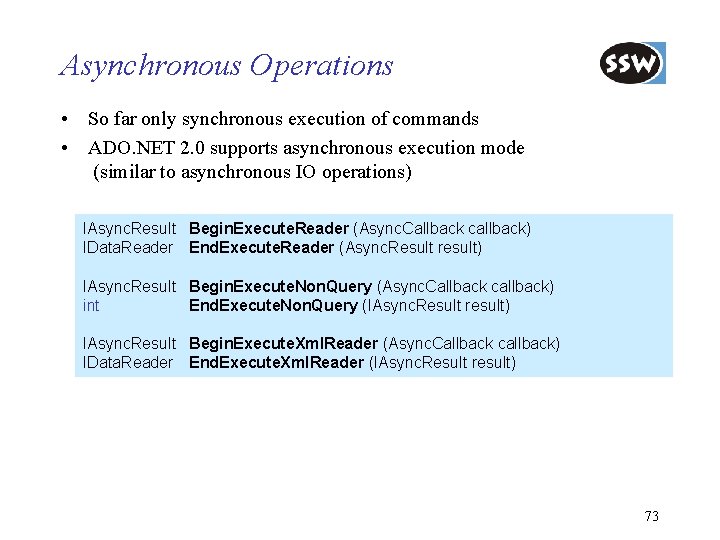
Asynchronous Operations • So far only synchronous execution of commands • ADO. NET 2. 0 supports asynchronous execution mode (similar to asynchronous IO operations) IAsync. Result Begin. Execute. Reader (Async. Callback callback) IData. Reader End. Execute. Reader (Async. Result result) IAsync. Result Begin. Execute. Non. Query (Async. Callback callback) int End. Execute. Non. Query (IAsync. Result result) IAsync. Result Begin. Execute. Xml. Reader (Async. Callback callback) IData. Reader End. Execute. Xml. Reader (IAsync. Result result) 73
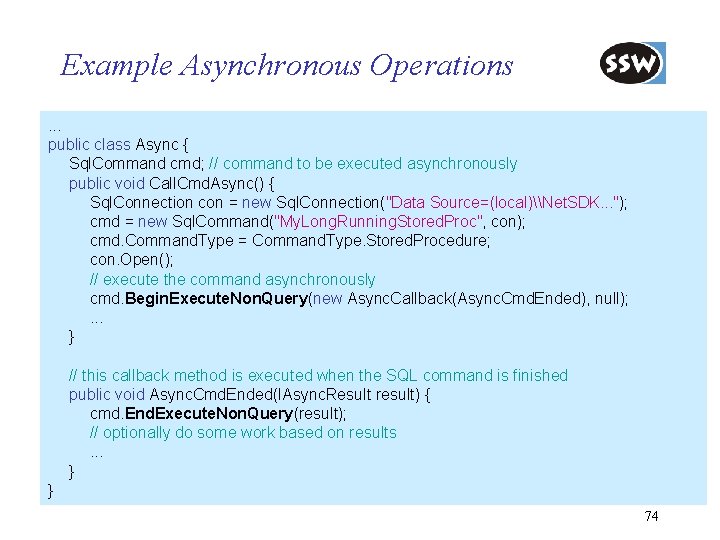
Example Asynchronous Operations. . . public class Async { Sql. Command cmd; // command to be executed asynchronously public void Call. Cmd. Async() { Sql. Connection con = new Sql. Connection("Data Source=(local)\Net. SDK. . . "); cmd = new Sql. Command("My. Long. Running. Stored. Proc", con); cmd. Command. Type = Command. Type. Stored. Procedure; con. Open(); // execute the command asynchronously cmd. Begin. Execute. Non. Query(new Async. Callback(Async. Cmd. Ended), null); . . . } // this callback method is executed when the SQL command is finished public void Async. Cmd. Ended(IAsync. Result result) { cmd. End. Execute. Non. Query(result); // optionally do some work based on results. . . } } 74
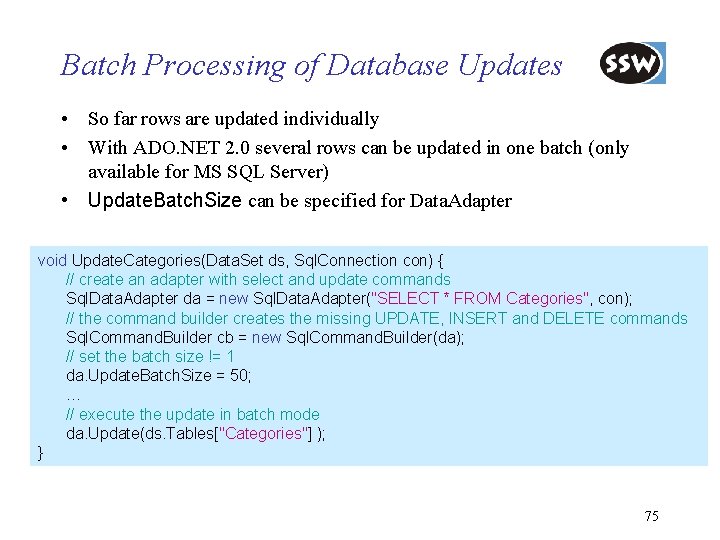
Batch Processing of Database Updates • So far rows are updated individually • With ADO. NET 2. 0 several rows can be updated in one batch (only available for MS SQL Server) • Update. Batch. Size can be specified for Data. Adapter void Update. Categories(Data. Set ds, Sql. Connection con) { // create an adapter with select and update commands Sql. Data. Adapter da = new Sql. Data. Adapter("SELECT * FROM Categories", con); // the command builder creates the missing UPDATE, INSERT and DELETE commands Sql. Command. Builder cb = new Sql. Command. Builder(da); // set the batch size != 1 da. Update. Batch. Size = 50; … // execute the update in batch mode da. Update(ds. Tables["Categories"] ); } 75
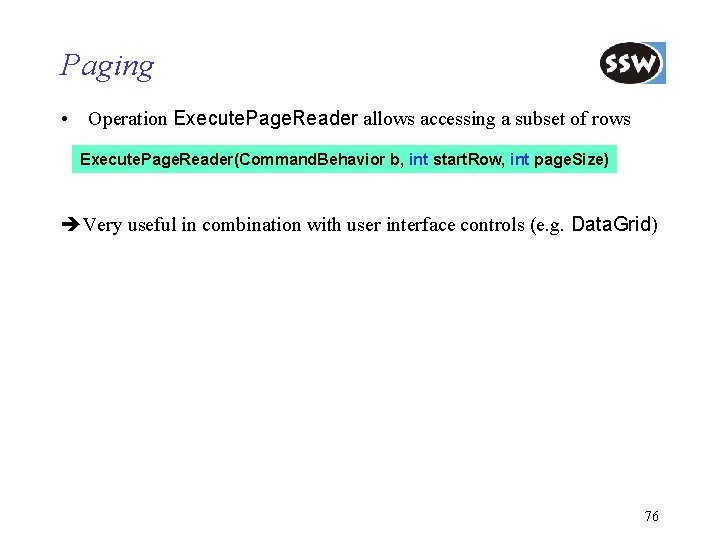
Paging • Operation Execute. Page. Reader allows accessing a subset of rows Execute. Page. Reader(Command. Behavior b, int start. Row, int page. Size) Very useful in combination with user interface controls (e. g. Data. Grid) 76
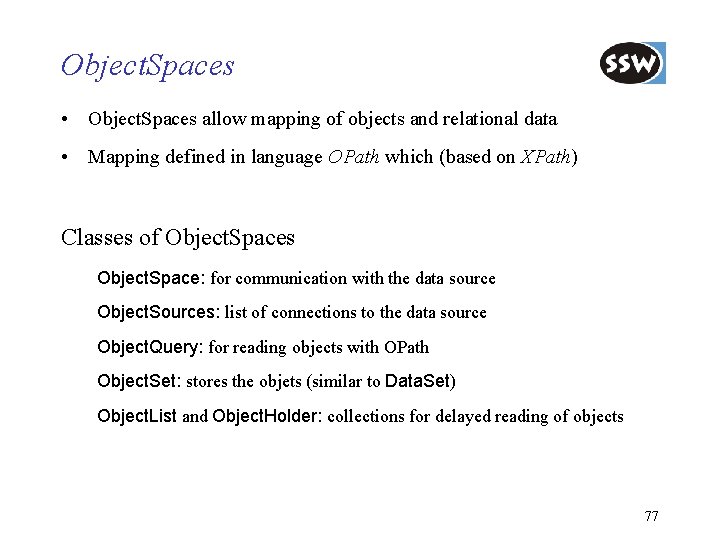
Object. Spaces • Object. Spaces allow mapping of objects and relational data • Mapping defined in language OPath which (based on XPath) Classes of Object. Spaces Object. Space: for communication with the data source Object. Sources: list of connections to the data source Object. Query: for reading objects with OPath Object. Set: stores the objets (similar to Data. Set) Object. List and Object. Holder: collections for delayed reading of objects 77
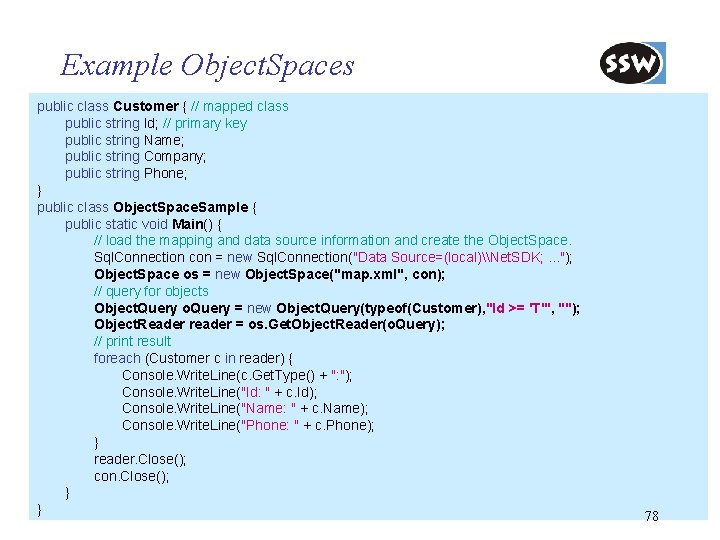
Example Object. Spaces public class Customer { // mapped class public string Id; // primary key public string Name; public string Company; public string Phone; } public class Object. Space. Sample { public static void Main() { // load the mapping and data source information and create the Object. Space. Sql. Connection con = new Sql. Connection("Data Source=(local)\Net. SDK; . . . "); Object. Space os = new Object. Space("map. xml", con); // query for objects Object. Query o. Query = new Object. Query(typeof(Customer), "Id >= 'T'", ""); Object. Reader reader = os. Get. Object. Reader(o. Query); // print result foreach (Customer c in reader) { Console. Write. Line(c. Get. Type() + ": "); Console. Write. Line("Id: " + c. Id); Console. Write. Line("Name: " + c. Name); Console. Write. Line("Phone: " + c. Phone); } reader. Close(); con. Close(); } } 78
ADO. NET Introduction Connection-oriented Access Connectionless Access Database Access with Data. Adapter Integration with XML Preview of ADO. NET 2. 0 Summary
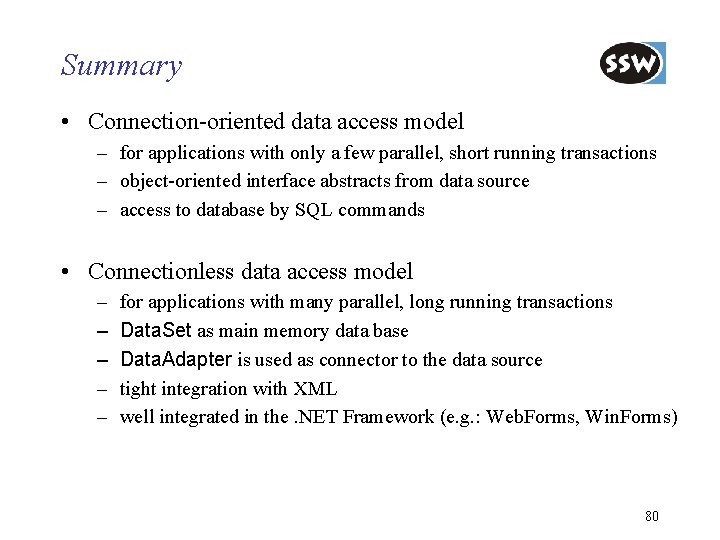
Summary • Connection-oriented data access model – for applications with only a few parallel, short running transactions – object-oriented interface abstracts from data source – access to database by SQL commands • Connectionless data access model – – – for applications with many parallel, long running transactions Data. Set as main memory data base Data. Adapter is used as connector to the data source tight integration with XML well integrated in the. NET Framework (e. g. : Web. Forms, Win. Forms) 80
- Slides: 80