
Dashboards Where Weve Been and Where Were Going
Dashboards – Where We’ve Been and Where We’re Going Janell Bohlmann, Clemson University Jamie Brown, Clemson University Clemson Computing and Information Technology Your Department Name Here Project and Service Management Office
Copyright Janell Bohlmann and Jamie Brown, 2008. This work is the intellectual property of the authors. Permission is granted for this material to be shared for non-commercial, educational purposes, provided that this copyright statement appears on the reproduced materials and notice is given that the copying is by permission of the authors. To disseminate otherwise or to republish requires written permission from the authors. Clemson Computing and Information Technology Your Department Name Here Project and Service Management Office 2
Overview • • • About Clemson University What is a dashboard? Where We’ve Been • • • Project Dashboard Exchange Implementation Dashboard Lessons Learned Where We’re Going Questions Clemson Computing and Information Technology Your Department Name Here Project and Service Management Office 3
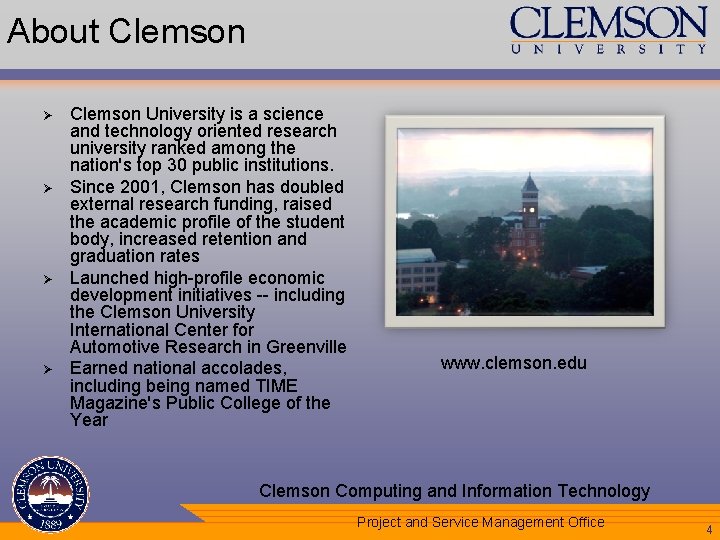
About Clemson Ø Ø Clemson University is a science and technology oriented research university ranked among the nation's top 30 public institutions. Since 2001, Clemson has doubled external research funding, raised the academic profile of the student body, increased retention and graduation rates Launched high-profile economic development initiatives -- including the Clemson University International Center for Automotive Research in Greenville Earned national accolades, including being named TIME Magazine's Public College of the Year www. clemson. edu Clemson Computing and Information Technology Your Department Name Here Project and Service Management Office 4
Dashboard Benefits According to Wikipedia… A dashboard is a control panel located under the windshield of an automobile. It contains instrumentation and controls pertaining to operation of the vehicle. Our Definition: • Easy to read - visual presentation of performance measures • Provides the ability to view less/more detail, through drill down functionality • Communication tool - provides benefit for IT as well as our customers • Measures efficiencies/inefficiencies. • Provides the ability to identify and correct negative trends • Web based - saves time over running multiple reports Clemson Computing and Information Technology Your Department Name Here Project and Service Management Office 5
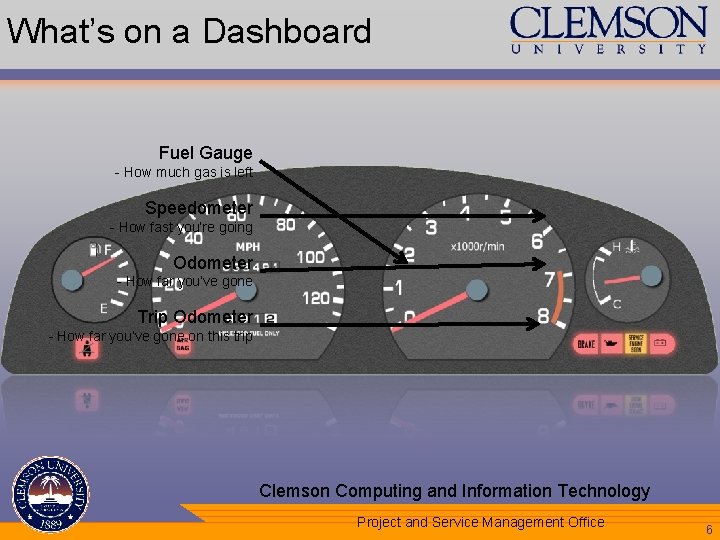
What’s on a Dashboard Fuel Gauge - How much gas is left Speedometer - How fast you’re going Odometer - How far you’ve gone Trip Odometer - How far you’ve gone on this trip Clemson Computing and Information Technology Your Department Name Here Project and Service Management Office 6
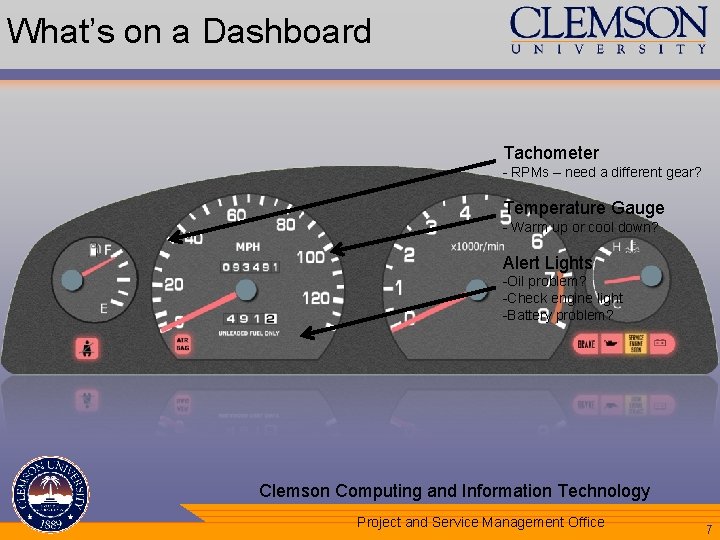
What’s on a Dashboard Tachometer - RPMs – need a different gear? Temperature Gauge - Warm up or cool down? Alert Lights -Oil problem? -Check engine light -Battery problem? Clemson Computing and Information Technology Your Department Name Here Project and Service Management Office 7
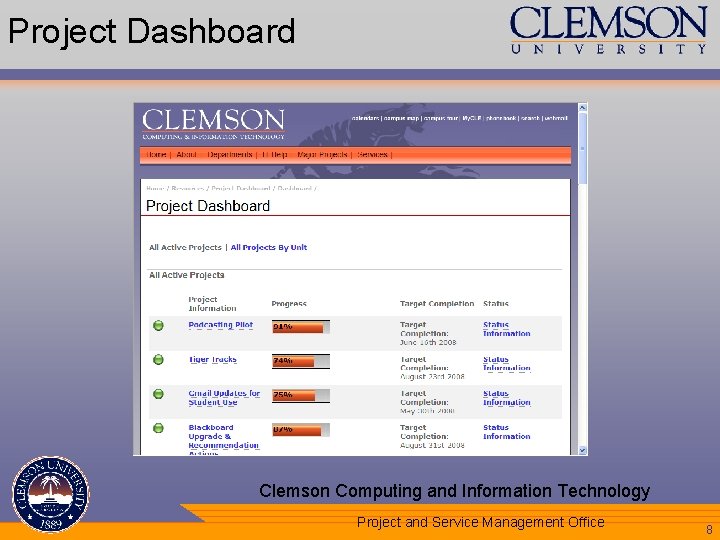
Project Dashboard Clemson Computing and Information Technology Your Department Name Here Project and Service Management Office 8
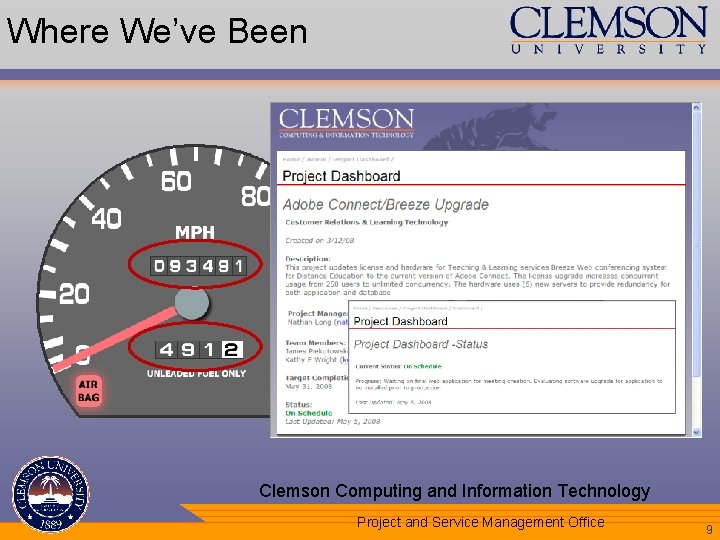
Where We’ve Been • • Speedometer – Overview of All Projects Odometer – Historical Project Info • • • Progress over time Periodic updates Trip Odometer – Specific Project’s Info • • • Target completion date % completion Current status Staff involved Any issues Clemson Computing and Information Technology Your Department Name Here Project and Service Management Office 9
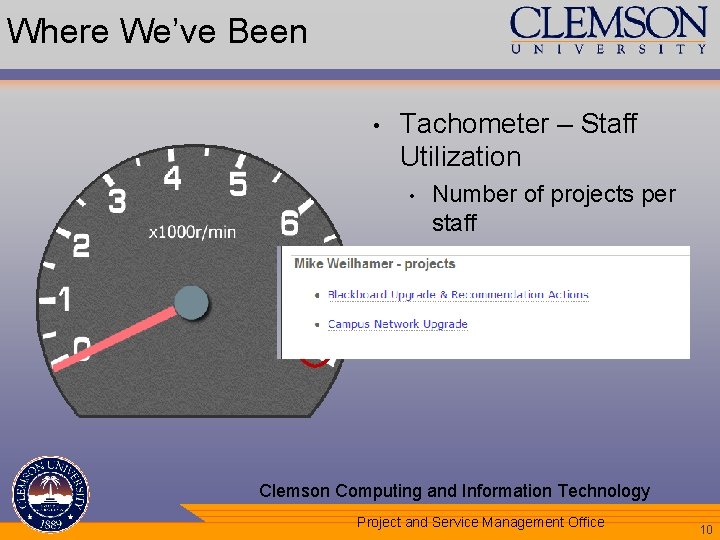
Where We’ve Been • Tachometer – Staff Utilization • • Number of projects per staff Make sure you don’t “redline” the staff – running at dangerously high speed Clemson Computing and Information Technology Your Department Name Here Project and Service Management Office 10
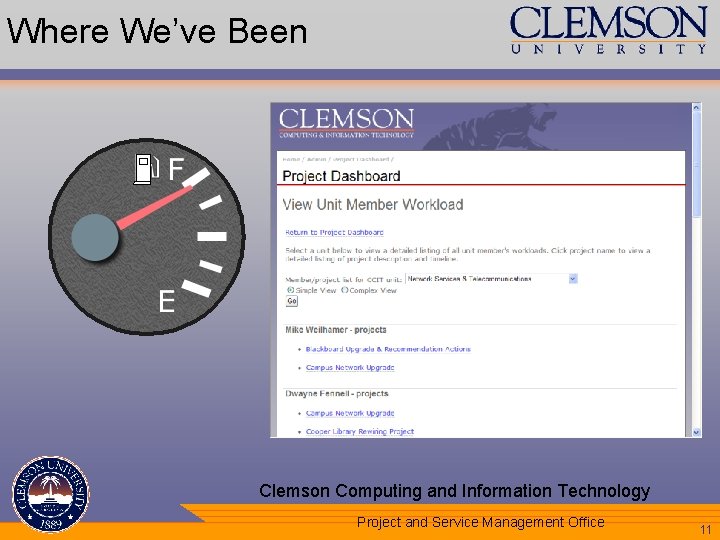
Where We’ve Been • Fuel Gauge – Overall Staff Utilization • • Running at higher RPMs can run your fuel down faster Can help identify need for more resources – or less RPMs • Spare gas can = temps Clemson Computing and Information Technology Your Department Name Here Project and Service Management Office 11
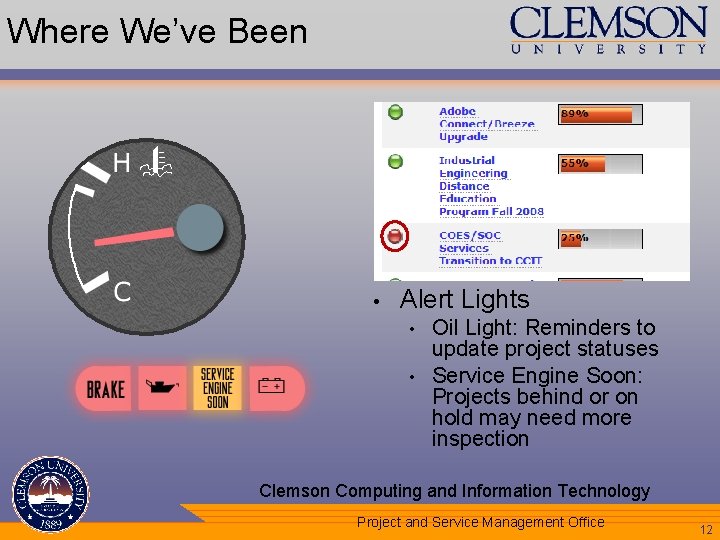
Where We’ve Been • Temperature Gauge – Project Statuses • • • Make sure things aren’t overheating Make sure things aren’t staying cold Alert Lights • • Oil Light: Reminders to update project statuses Service Engine Soon: Projects behind or on hold may need more inspection Clemson Computing and Information Technology Your Department Name Here Project and Service Management Office 12
A Slightly Different Dashboard • • • In early 2007, Microsoft Exchange was selected as replacement for standard messaging and calendaring options Implementation required extensive coordination among all IT units to ensure smooth transition Limited time available to transition users Clemson Computing and Information Technology Your Department Name Here Project and Service Management Office 13
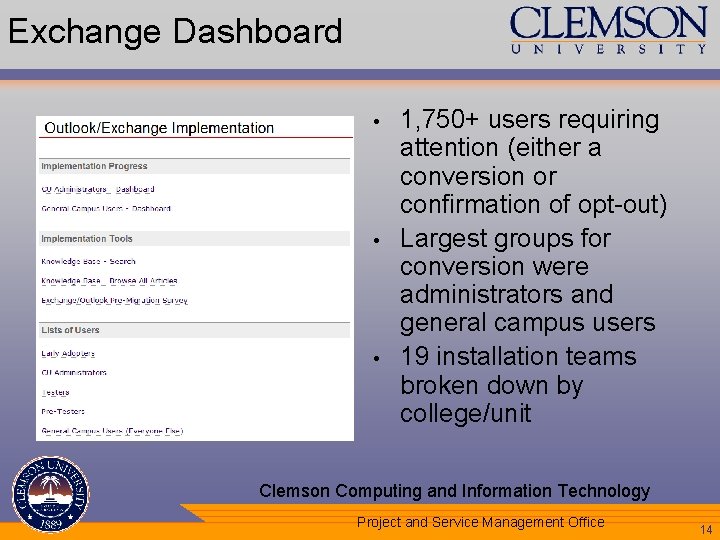
Exchange Dashboard • • • 1, 750+ users requiring attention (either a conversion or confirmation of opt-out) Largest groups for conversion were administrators and general campus users 19 installation teams broken down by college/unit Clemson Computing and Information Technology Your Department Name Here Project and Service Management Office 14
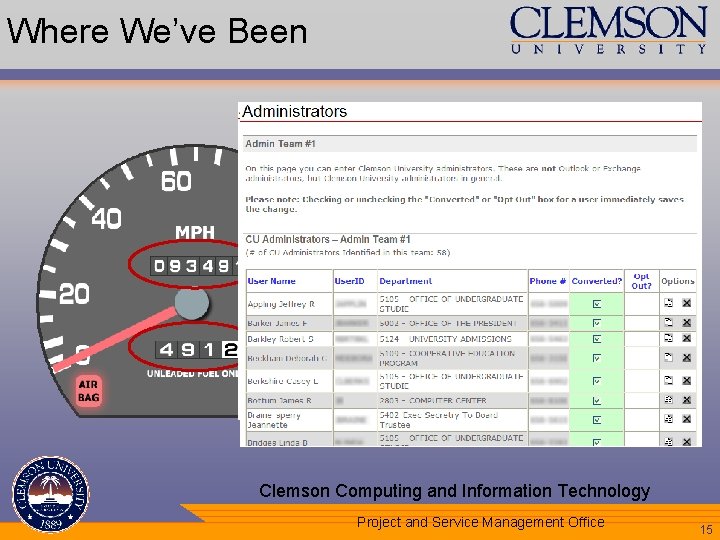
Where We’ve Been • • Speedometer – Overview of All Conversions Odometer – Historical Conversion Info • • • Progress over time Minute-by-minute updates Trip Odometer – Specific Team’s Info • • • # of users per team % conversion Any conversion notes (on vacation, etc. ) Clemson Computing and Information Technology Your Department Name Here Project and Service Management Office 15
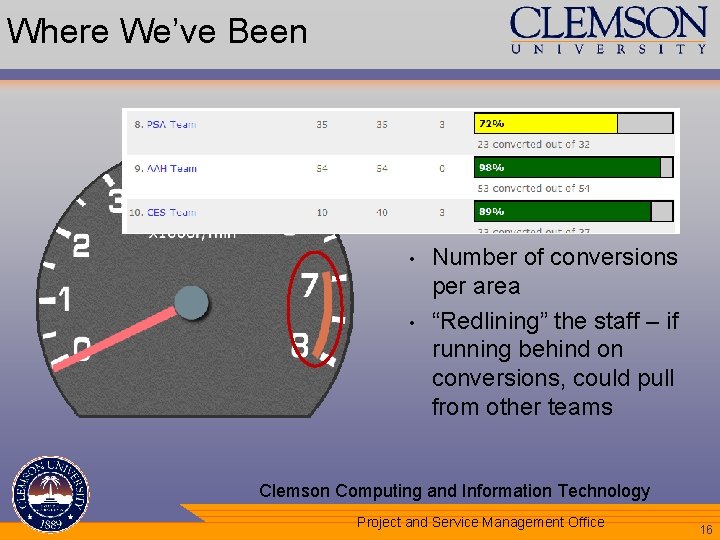
Where We’ve Been • Tachometer – Staff Utilization • • • Number of staff per team Number of conversions per area “Redlining” the staff – if running behind on conversions, could pull from other teams Clemson Computing and Information Technology Your Department Name Here Project and Service Management Office 16
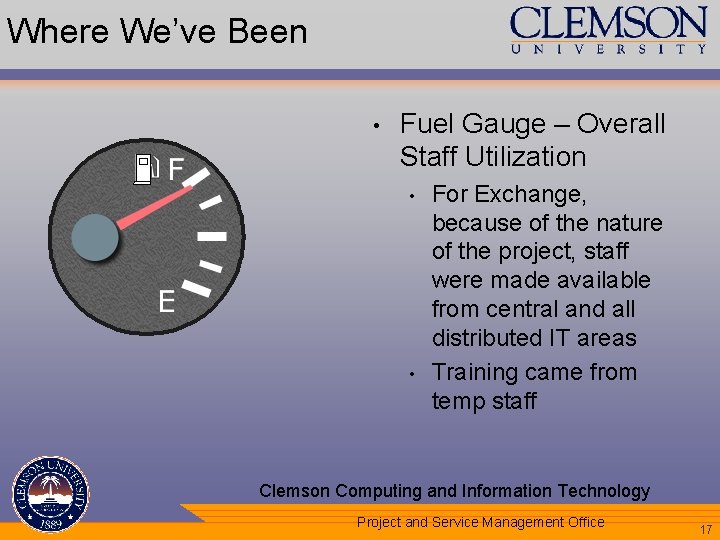
Where We’ve Been • Fuel Gauge – Overall Staff Utilization • • For Exchange, because of the nature of the project, staff were made available from central and all distributed IT areas Training came from temp staff Clemson Computing and Information Technology Your Department Name Here Project and Service Management Office 17
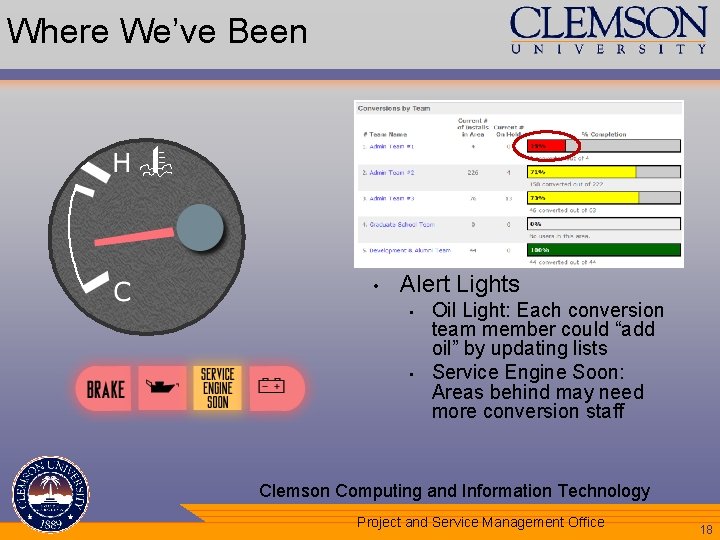
Where We’ve Been • Temperature Gauge – Project Statuses • • • Make sure things aren’t overheating Make sure things aren’t staying cold Alert Lights • • Oil Light: Each conversion team member could “add oil” by updating lists Service Engine Soon: Areas behind may need more conversion staff Clemson Computing and Information Technology Your Department Name Here Project and Service Management Office 18
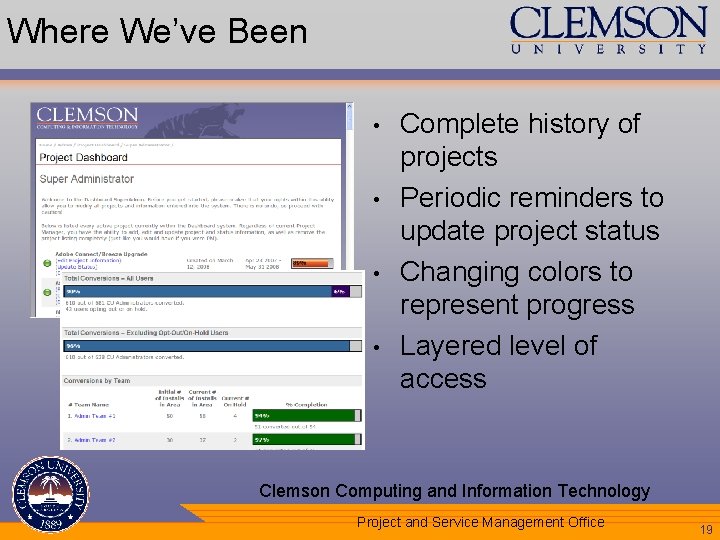
Where We’ve Been • • Complete history of projects Periodic reminders to update project status Changing colors to represent progress Layered level of access Clemson Computing and Information Technology Your Department Name Here Project and Service Management Office 19
Lessons Learned • Dashboards can enhance reporting on the health of your portfolio or specific projects • • • Helps keep administration updated with real-time progress status Allows functional managers to monitor their staff’s project workload Helps keep campus informed about IT initiatives and their progress Not just a communication tool – transforming to a portfolio management tool Starting small and simple worked well Clemson Computing and Information Technology Your Department Name Here Project and Service Management Office 20
Lessons Learned • Dashboards can provide greater visual appeal than simple data tables • • • Calculations don’t have to be complex – can be simple additions or percentages Three- or four-color charts can be a good starting point (red, yellow, green) Different levels of access can provide different abilities • • View-only Update details/status Clemson Computing and Information Technology Your Department Name Here Project and Service Management Office 21
Lessons Learned • Utilizing modular, re-usable, and abstract programming can help extend dashboard functionality quickly • • “Super administrator” capability added to Project Dashboard Additional types of users for Exchange implementation Clemson Computing and Information Technology Your Department Name Here Project and Service Management Office 22
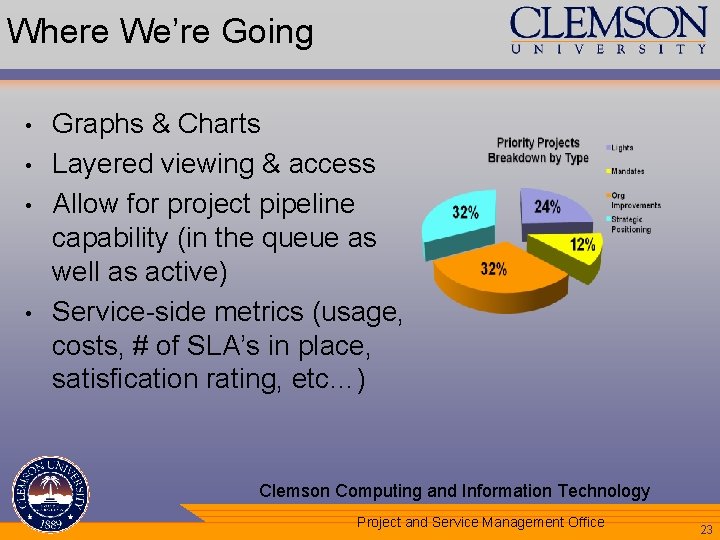
Where We’re Going • • Graphs & Charts Layered viewing & access Allow for project pipeline capability (in the queue as well as active) Service-side metrics (usage, costs, # of SLA’s in place, satisfication rating, etc…) Clemson Computing and Information Technology Your Department Name Here Project and Service Management Office 23
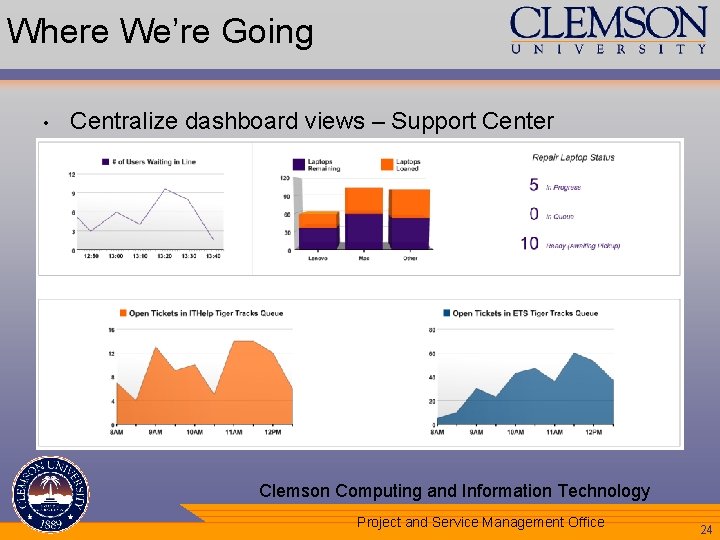
Where We’re Going • Centralize dashboard views – Support Center Clemson Computing and Information Technology Your Department Name Here Project and Service Management Office 24
Questions ? valiant@clemson. edu janell@clemson. edu Clemson Computing and Information Technology Your Department Name Here Project and Service Management Office 25
- Slides: 25