
Dardo LON Module Dardo LON Module Characteristics Configuration

- Slides: 31
Dardo LON Module
Dardo LON Module Characteristics Configuration LAN Manager LON Maker Schneider Electric - BU Quality Emergency Lighting – Mauro Grilli 2
Characteristics Schneider Electric - BU Quality Emergency Lighting – Mauro Grilli 3
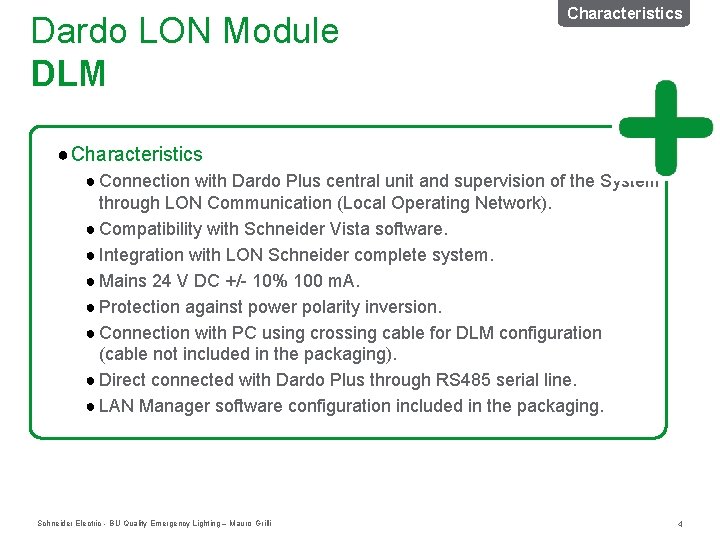
Dardo LON Module DLM Characteristics ● Connection with Dardo Plus central unit and supervision of the System through LON Communication (Local Operating Network). ● Compatibility with Schneider Vista software. ● Integration with LON Schneider complete system. ● Mains 24 V DC +/- 10% 100 m. A. ● Protection against power polarity inversion. ● Connection with PC using crossing cable for DLM configuration (cable not included in the packaging). ● Direct connected with Dardo Plus through RS 485 serial line. ● LAN Manager software configuration included in the packaging. Schneider Electric - BU Quality Emergency Lighting – Mauro Grilli 4
Configuration Schneider Electric - BU Quality Emergency Lighting – Mauro Grilli 5
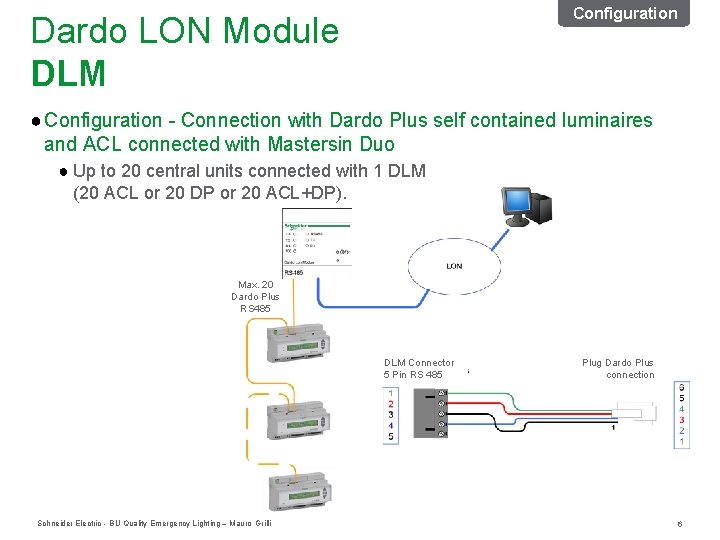
Configuration Dardo LON Module DLM ● Configuration - Connection with Dardo Plus self contained luminaires and ACL connected with Mastersin Duo ● Up to 20 central units connected with 1 DLM (20 ACL or 20 DP or 20 ACL+DP). Max. 20 Dardo Plus RS 485 DLM Connector 5 Pin RS 485 Schneider Electric - BU Quality Emergency Lighting – Mauro Grilli Plug Dardo Plus connection 6
LAN Manager Schneider Electric - BU Quality Emergency Lighting – Mauro Grilli 7
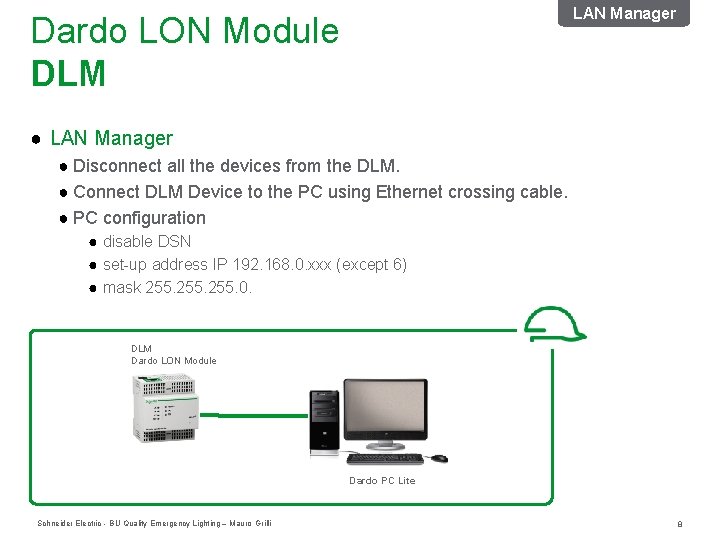
LAN Manager Dardo LON Module DLM ● LAN Manager ● Disconnect all the devices from the DLM. ● Connect DLM Device to the PC using Ethernet crossing cable. ● PC configuration ● disable DSN ● set-up address IP 192. 168. 0. xxx (except 6) ● mask 255. 0. DLM Dardo LON Module Dardo PC Lite Schneider Electric - BU Quality Emergency Lighting – Mauro Grilli 8
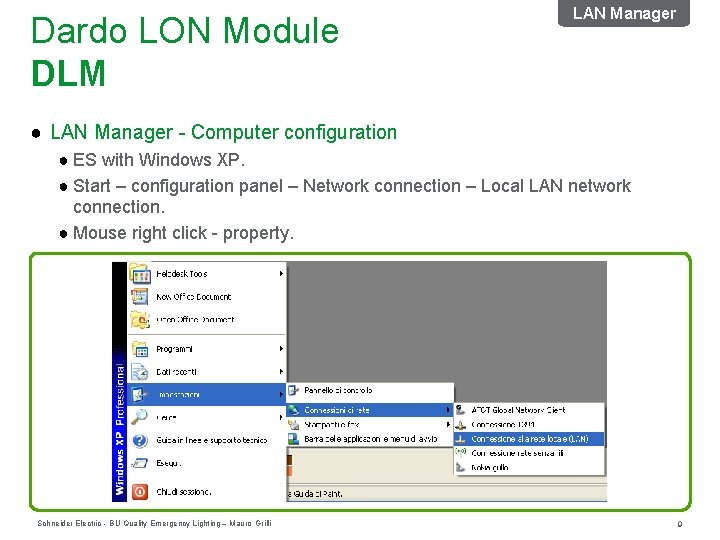
Dardo LON Module DLM LAN Manager ● LAN Manager - Computer configuration ● ES with Windows XP. ● Start – configuration panel – Network connection – Local LAN network connection. ● Mouse right click - property. Schneider Electric - BU Quality Emergency Lighting – Mauro Grilli 9
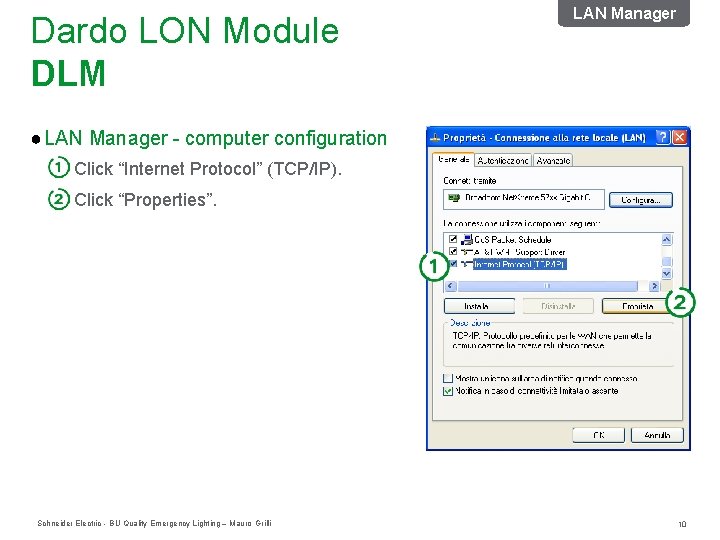
Dardo LON Module DLM LAN Manager ● LAN Manager - computer configuration Click “Internet Protocol” (TCP/IP). Click “Properties”. Schneider Electric - BU Quality Emergency Lighting – Mauro Grilli 10
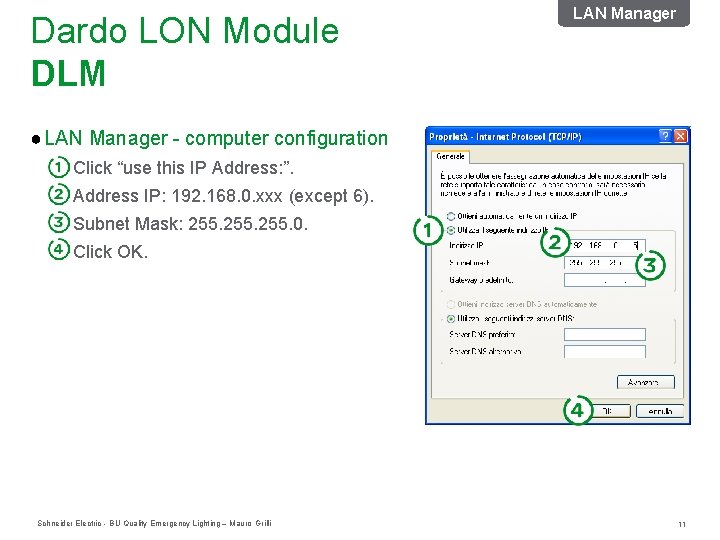
Dardo LON Module DLM LAN Manager ● LAN Manager - computer configuration Click “use this IP Address: ”. Address IP: 192. 168. 0. xxx (except 6). Subnet Mask: 255. 0. Click OK. Schneider Electric - BU Quality Emergency Lighting – Mauro Grilli 11
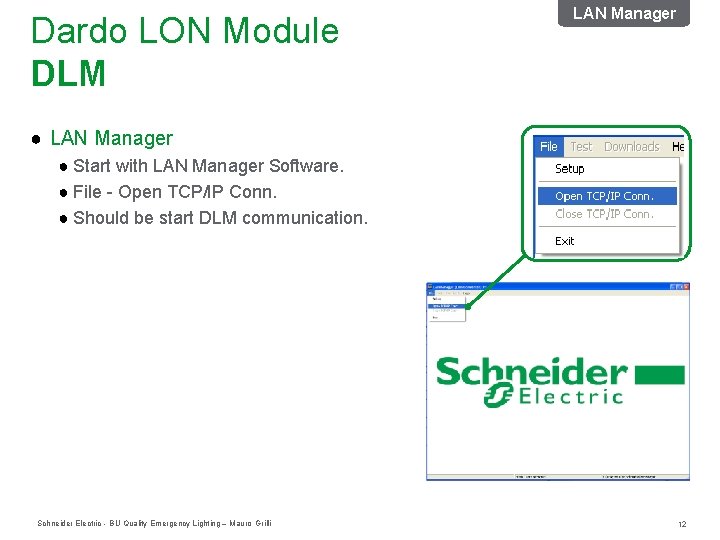
Dardo LON Module DLM LAN Manager ● Start with LAN Manager Software. ● File - Open TCP/IP Conn. ● Should be start DLM communication. Schneider Electric - BU Quality Emergency Lighting – Mauro Grilli 12
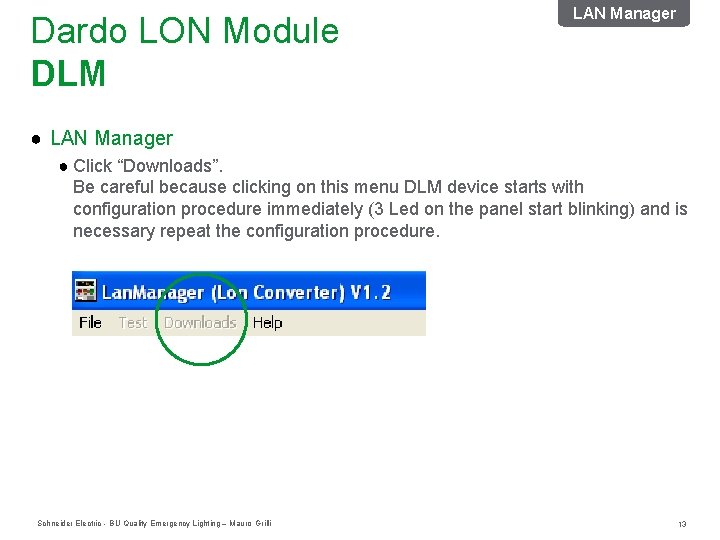
Dardo LON Module DLM LAN Manager ● Click “Downloads”. Be careful because clicking on this menu DLM device starts with configuration procedure immediately (3 Led on the panel start blinking) and is necessary repeat the configuration procedure. Schneider Electric - BU Quality Emergency Lighting – Mauro Grilli 13
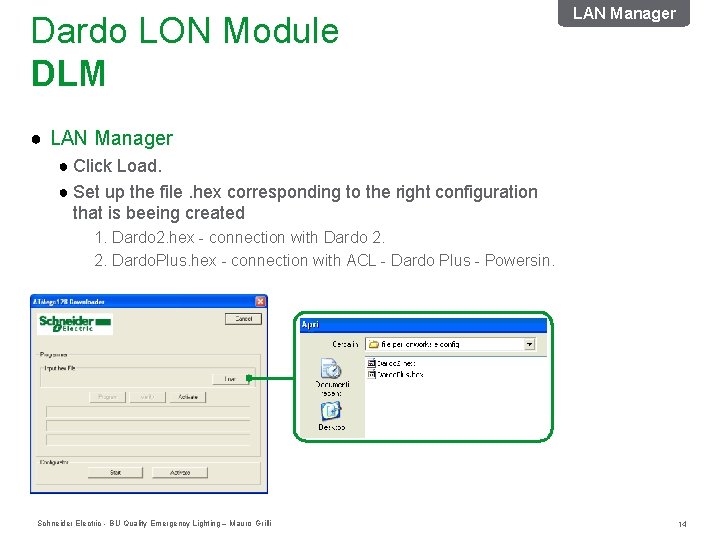
Dardo LON Module DLM LAN Manager ● Click Load. ● Set up the file. hex corresponding to the right configuration that is beeing created 1. Dardo 2. hex - connection with Dardo 2. 2. Dardo. Plus. hex - connection with ACL - Dardo Plus - Powersin. Schneider Electric - BU Quality Emergency Lighting – Mauro Grilli 14
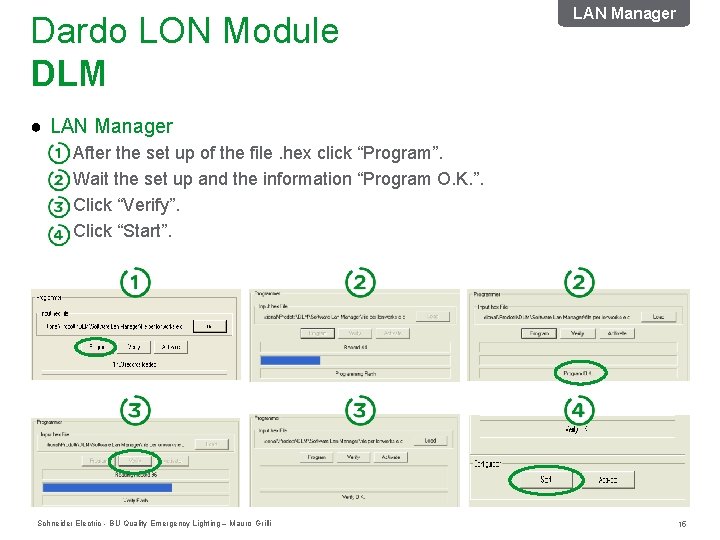
Dardo LON Module DLM LAN Manager ● LAN Manager After the set up of the file. hex click “Program”. Wait the set up and the information “Program O. K. ”. Click “Verify”. Click “Start”. Schneider Electric - BU Quality Emergency Lighting – Mauro Grilli 15
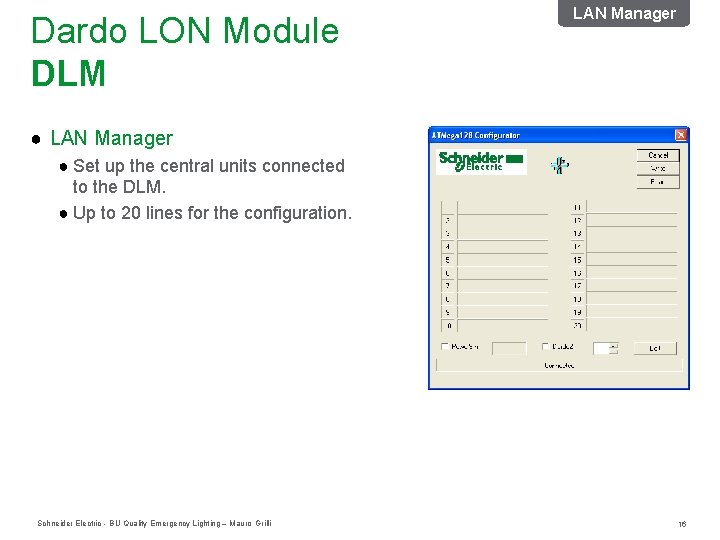
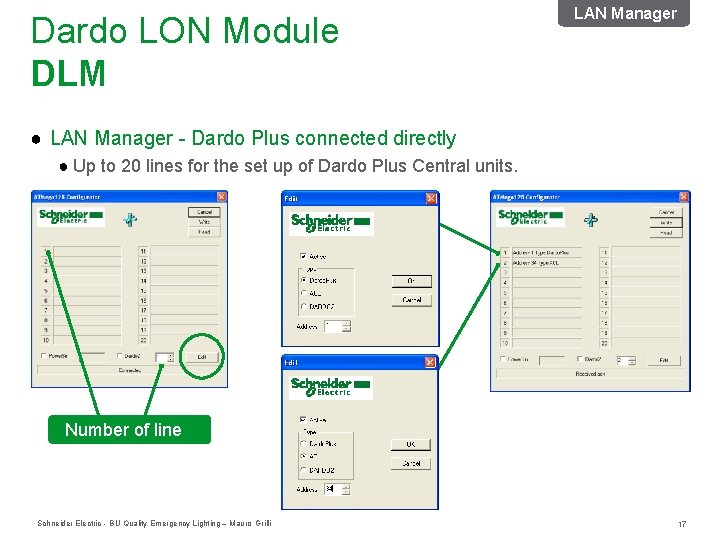
Dardo LON Module DLM LAN Manager ● Set up the central units connected to the DLM. ● Up to 20 lines for the configuration. Schneider Electric - BU Quality Emergency Lighting – Mauro Grilli 16
Dardo LON Module DLM LAN Manager ● LAN Manager - Dardo Plus connected directly ● Up to 20 lines for the set up of Dardo Plus Central units. Number of line Schneider Electric - BU Quality Emergency Lighting – Mauro Grilli 17
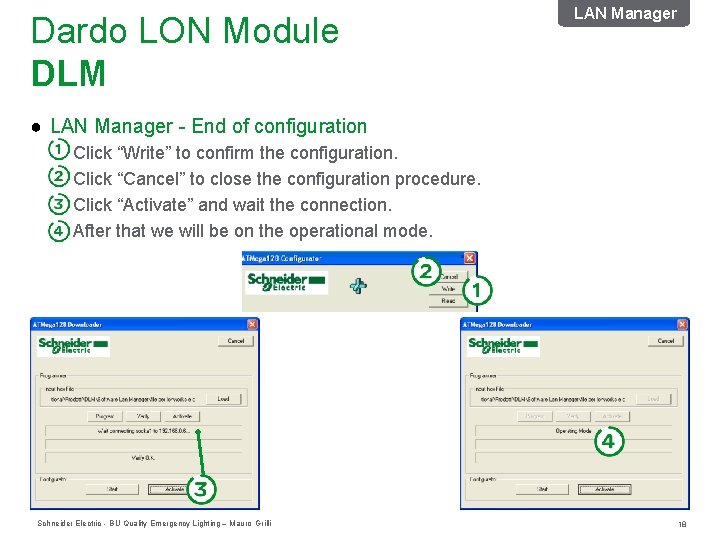
Dardo LON Module DLM LAN Manager ● LAN Manager - End of configuration Click “Write” to confirm the configuration. Click “Cancel” to close the configuration procedure. Click “Activate” and wait the connection. After that we will be on the operational mode. Schneider Electric - BU Quality Emergency Lighting – Mauro Grilli 18
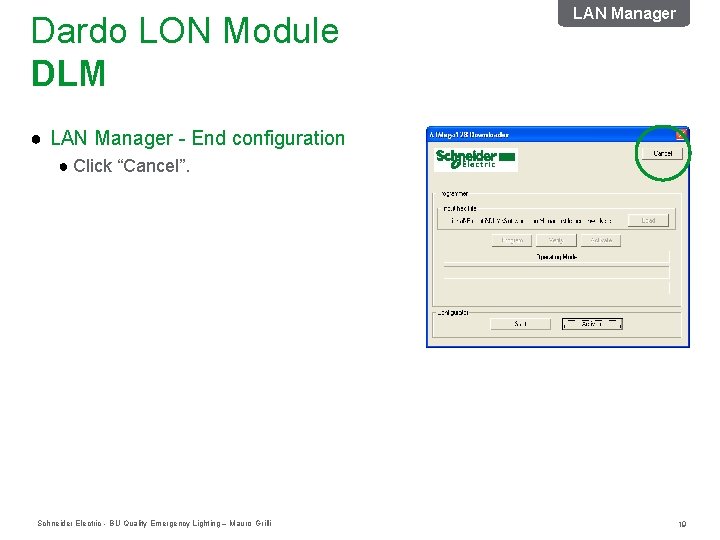
Dardo LON Module DLM LAN Manager ● LAN Manager - End configuration ● Click “Cancel”. Schneider Electric - BU Quality Emergency Lighting – Mauro Grilli 19
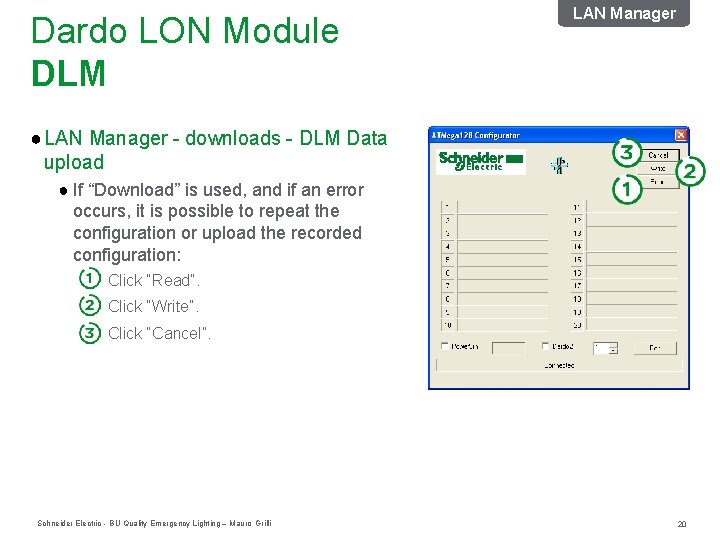
Dardo LON Module DLM LAN Manager ● LAN Manager - downloads - DLM Data upload ● If “Download” is used, and if an error occurs, it is possible to repeat the configuration or upload the recorded configuration: Click “Read”. Click “Write”. Click “Cancel”. Schneider Electric - BU Quality Emergency Lighting – Mauro Grilli 20
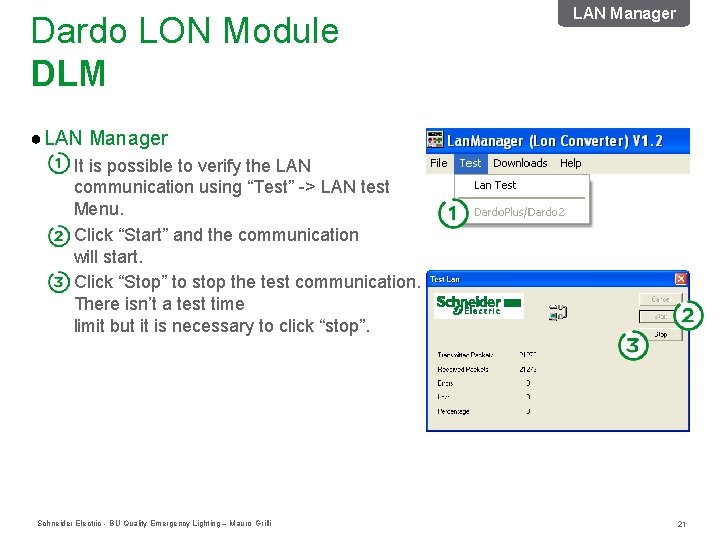
Dardo LON Module DLM LAN Manager ● LAN Manager It is possible to verify the LAN communication using “Test” -> LAN test Menu. Click “Start” and the communication will start. Click “Stop” to stop the test communication. There isn’t a test time limit but it is necessary to click “stop”. Schneider Electric - BU Quality Emergency Lighting – Mauro Grilli 21
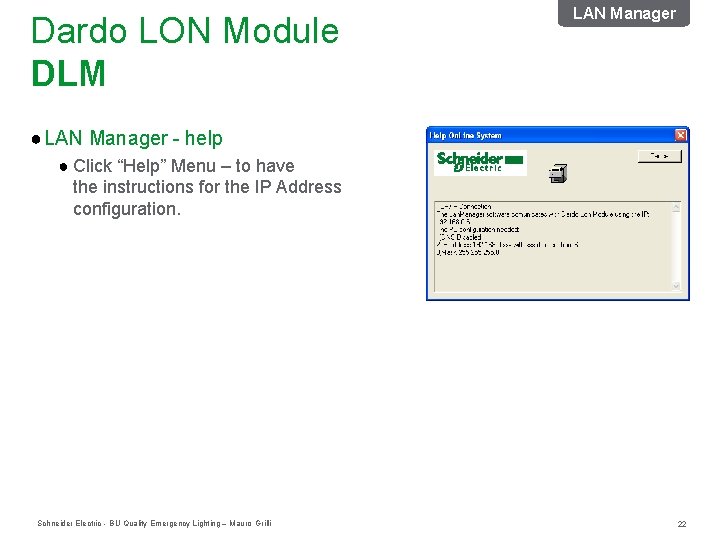
Dardo LON Module DLM LAN Manager ● LAN Manager - help ● Click “Help” Menu – to have the instructions for the IP Address configuration. Schneider Electric - BU Quality Emergency Lighting – Mauro Grilli 22
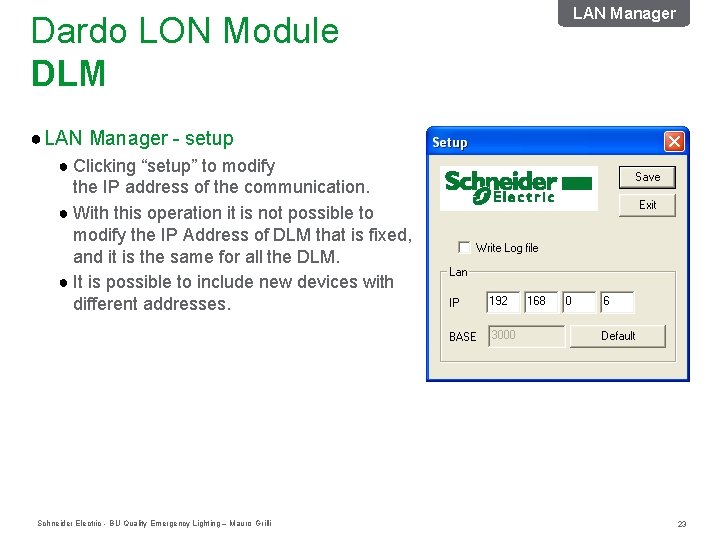
Dardo LON Module DLM LAN Manager ● LAN Manager - setup ● Clicking “setup” to modify the IP address of the communication. ● With this operation it is not possible to modify the IP Address of DLM that is fixed, and it is the same for all the DLM. ● It is possible to include new devices with different addresses. Schneider Electric - BU Quality Emergency Lighting – Mauro Grilli 23
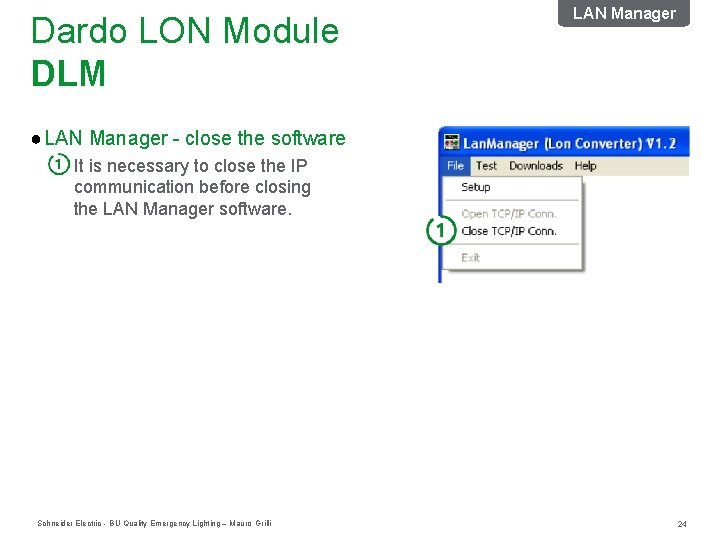
Dardo LON Module DLM LAN Manager ● LAN Manager - close the software It is necessary to close the IP communication before closing the LAN Manager software. Schneider Electric - BU Quality Emergency Lighting – Mauro Grilli 24
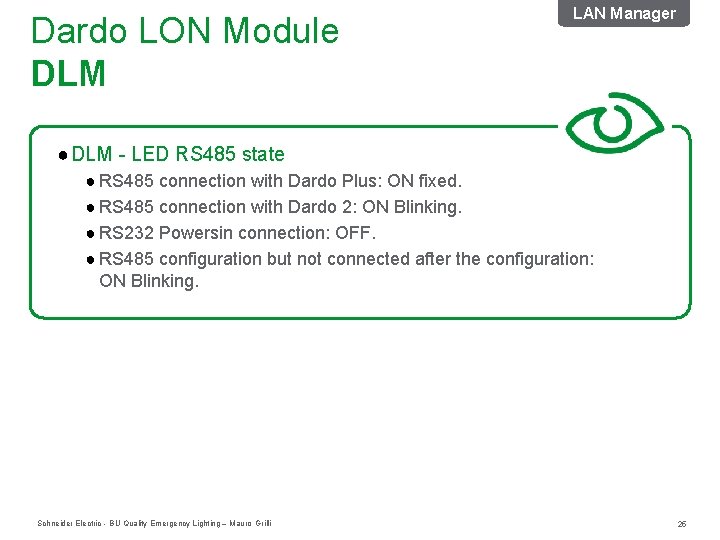
Dardo LON Module DLM LAN Manager ● DLM - LED RS 485 state ● RS 485 connection with Dardo Plus: ON fixed. ● RS 485 connection with Dardo 2: ON Blinking. ● RS 232 Powersin connection: OFF. ● RS 485 configuration but not connected after the configuration: ON Blinking. Schneider Electric - BU Quality Emergency Lighting – Mauro Grilli 25
LON Maker Schneider Electric - BU Quality Emergency Lighting – Mauro Grilli 26
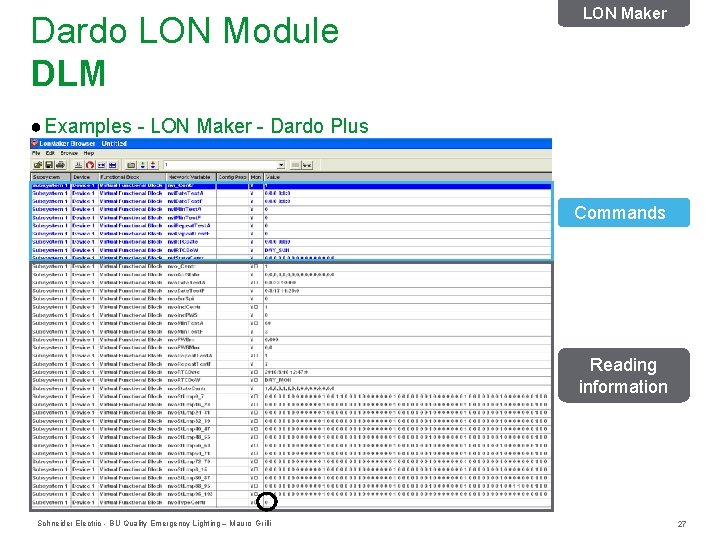
Dardo LON Module DLM LON Maker ● Examples - LON Maker - Dardo Plus Commands Reading information Schneider Electric - BU Quality Emergency Lighting – Mauro Grilli 27
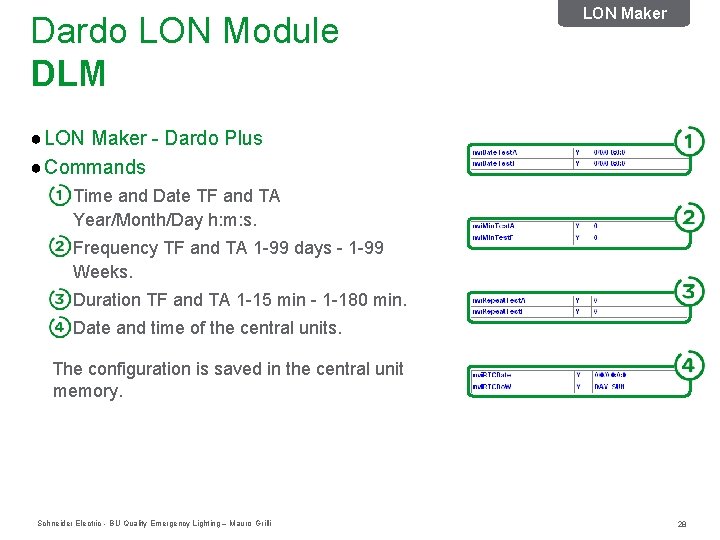
Dardo LON Module DLM LON Maker ● LON Maker - Dardo Plus ● Commands Time and Date TF and TA Year/Month/Day h: m: s. Frequency TF and TA 1 -99 days - 1 -99 Weeks. Duration TF and TA 1 -15 min - 1 -180 min. Date and time of the central units. The configuration is saved in the central unit memory. Schneider Electric - BU Quality Emergency Lighting – Mauro Grilli 28
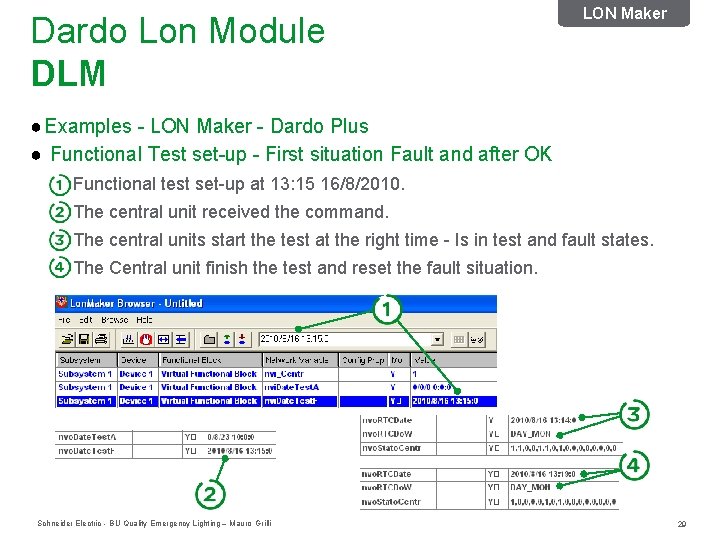
Dardo Lon Module DLM LON Maker ● Examples - LON Maker - Dardo Plus ● Functional Test set-up - First situation Fault and after OK Functional test set-up at 13: 15 16/8/2010. The central unit received the command. The central units start the test at the right time - Is in test and fault states. The Central unit finish the test and reset the fault situation. Schneider Electric - BU Quality Emergency Lighting – Mauro Grilli 29
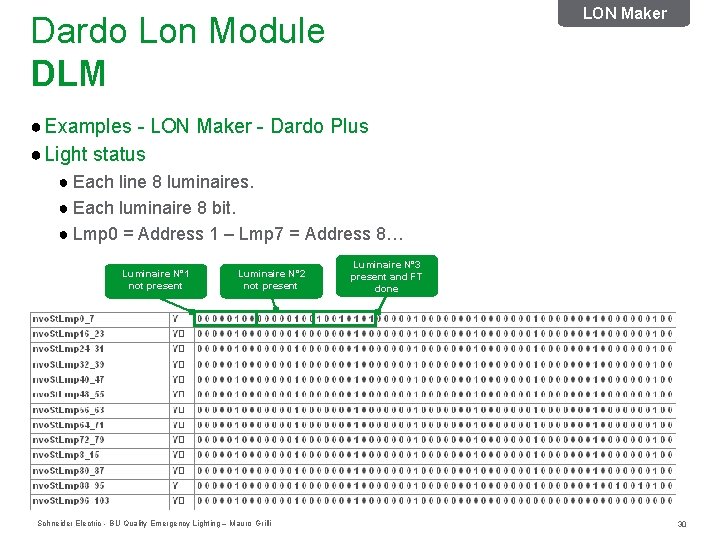
LON Maker Dardo Lon Module DLM ● Examples - LON Maker - Dardo Plus ● Light status ● Each line 8 luminaires. ● Each luminaire 8 bit. ● Lmp 0 = Address 1 – Lmp 7 = Address 8… Luminaire N° 1 not present Luminaire N° 2 not present Schneider Electric - BU Quality Emergency Lighting – Mauro Grilli Luminaire N° 3 present and FT done 30