
Danfoss Link Voice Control Technical training Alexa WELCOME




- Slides: 26
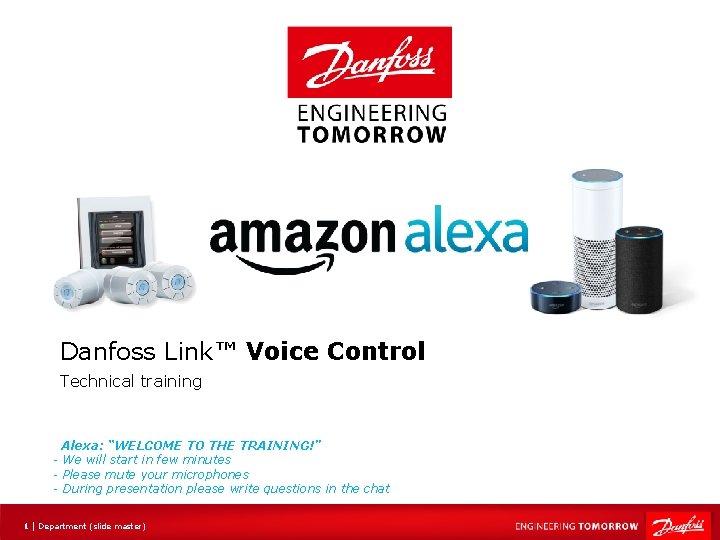
Danfoss Link™ Voice Control Technical training Alexa: “WELCOME TO THE TRAINING!” - We will start in few minutes - Please mute your microphones - During presentation please write questions in the chat 1 | Department (slide master)
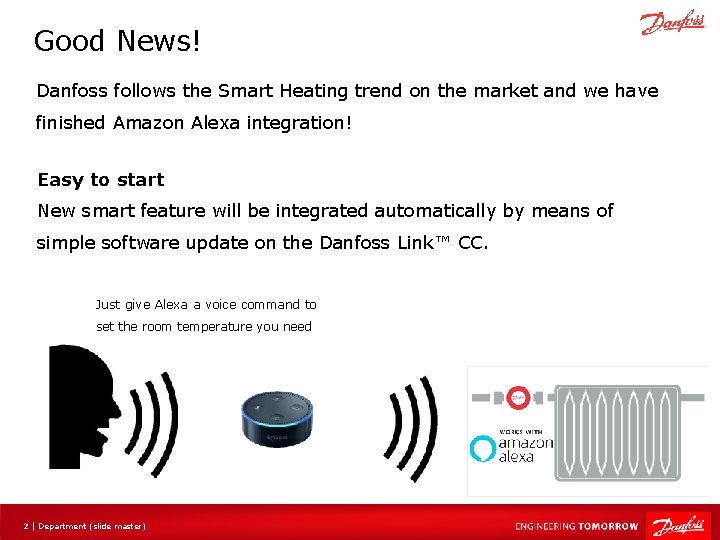
Good News! Danfoss follows the Smart Heating trend on the market and we have finished Amazon Alexa integration! Easy to start New smart feature will be integrated automatically by means of simple software update on the Danfoss Link™ CC. Just give Alexa a voice command to set the room temperature you need 2 | Department (slide master)
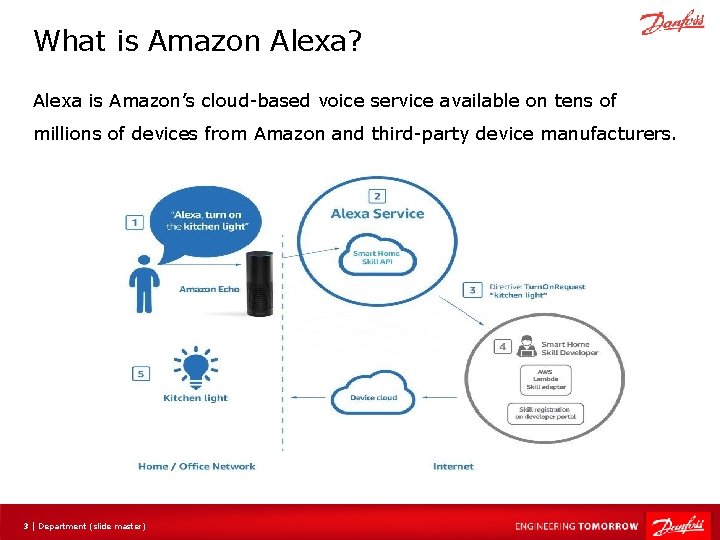
What is Amazon Alexa? Alexa is Amazon’s cloud-based voice service available on tens of millions of devices from Amazon and third-party device manufacturers. 3 | Department (slide master)
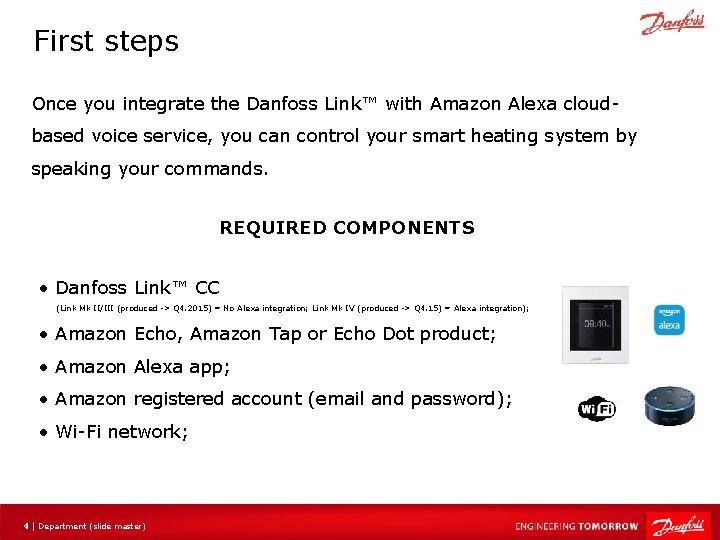
First steps Once you integrate the Danfoss Link™ with Amazon Alexa cloudbased voice service, you can control your smart heating system by speaking your commands. REQUIRED COMPONENTS • Danfoss Link™ CC (Link Mk II/III (produced -> Q 4. 2015) = No Alexa integration; Link Mk IV (produced -> Q 4. 15) = Alexa integration); • Amazon Echo, Amazon Tap or Echo Dot product; • Amazon Alexa app; • Amazon registered account (email and password); • Wi-Fi network; 4 | Department (slide master)
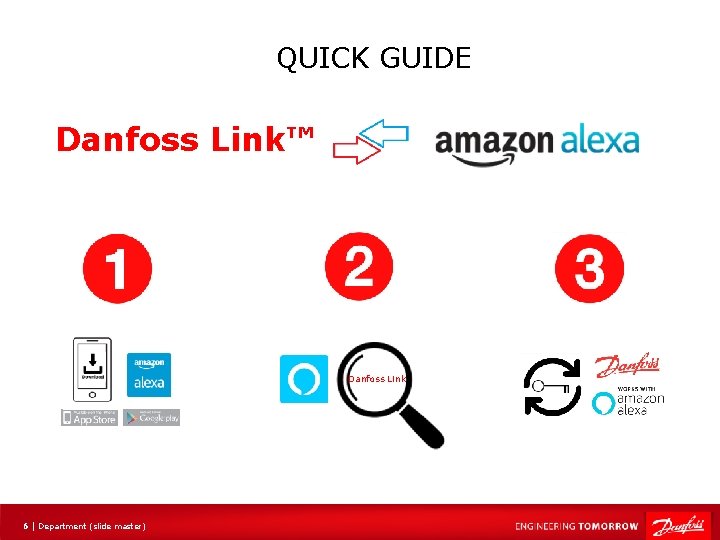
How do I set it up (Quick Guide)? 5 | Department (slide master)
QUICK GUIDE Danfoss Link™ Danfoss Link 6 | Department (slide master)
Let’s go into compatibility details 7 | Department (slide master)
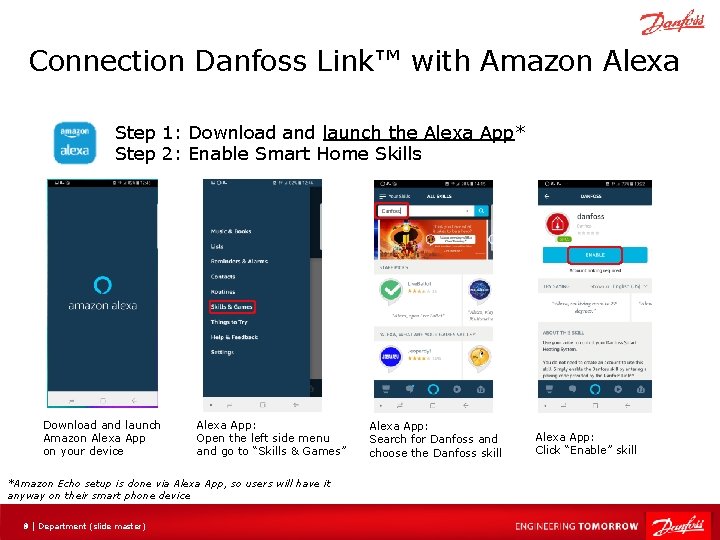
Connection Danfoss Link™ with Amazon Alexa Step 1: Download and launch the Alexa App* Step 2: Enable Smart Home Skills Download and launch Amazon Alexa App on your device Alexa App: Open the left side menu and go to “Skills & Games” *Amazon Echo setup is done via Alexa App, so users will have it anyway on their smart phone device 8 | Department (slide master) Alexa App: Search for Danfoss and choose the Danfoss skill Alexa App: Click “Enable” skill
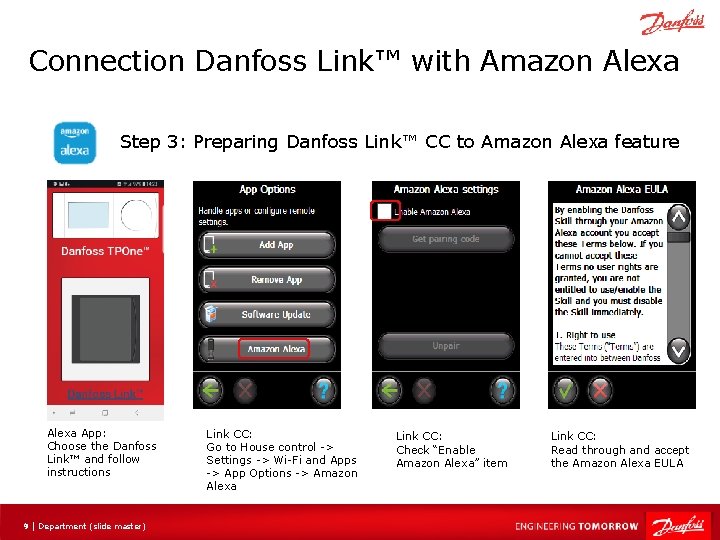
Connection Danfoss Link™ with Amazon Alexa Step 3: Preparing Danfoss Link™ CC to Amazon Alexa feature Alexa App: Choose the Danfoss Link™ and follow instructions 9 | Department (slide master) Link CC: Go to House control -> Settings -> Wi-Fi and Apps -> App Options -> Amazon Alexa Link CC: Check “Enable Amazon Alexa” item Link CC: Read through and accept the Amazon Alexa EULA
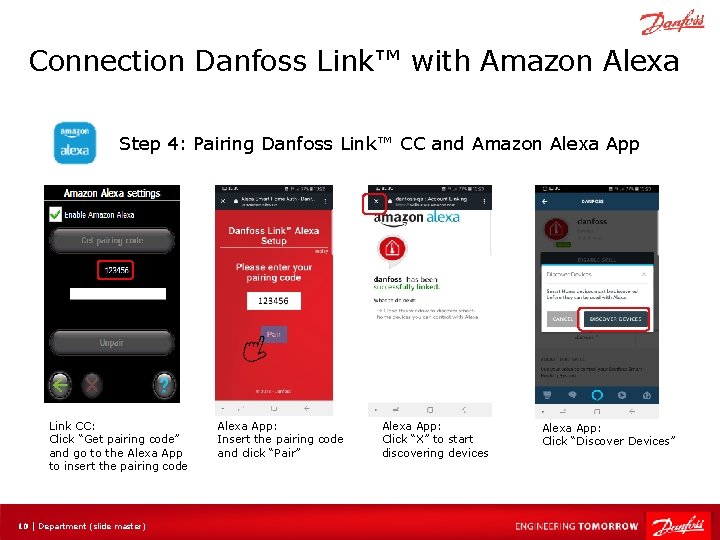
Connection Danfoss Link™ with Amazon Alexa Step 4: Pairing Danfoss Link™ CC and Amazon Alexa App Link CC: Click “Get pairing code” and go to the Alexa App to insert the pairing code 10 | Department (slide master) Alexa App: Insert the pairing code and click “Pair” Alexa App: Click “X” to start discovering devices Alexa App: Click “Discover Devices”
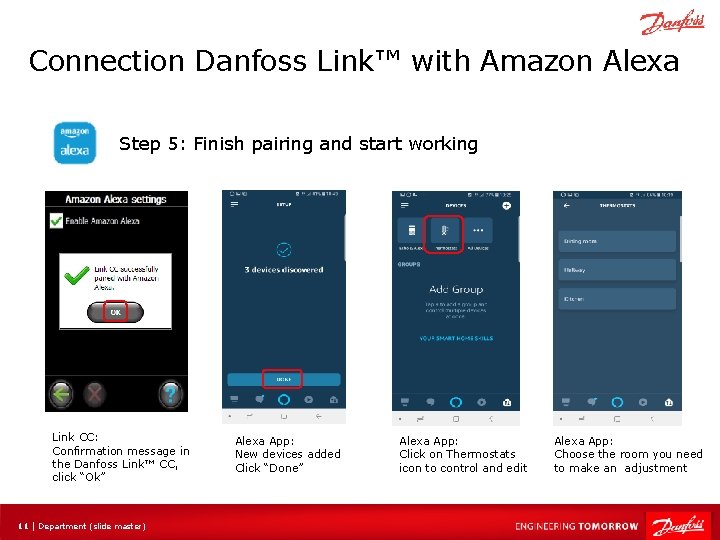
Connection Danfoss Link™ with Amazon Alexa Step 5: Finish pairing and start working Link CC: Confirmation message in the Danfoss Link™ CC, click “Ok” 11 | Department (slide master) Alexa App: New devices added Click “Done” Alexa App: Click on Thermostats icon to control and edit Alexa App: Choose the room you need to make an adjustment
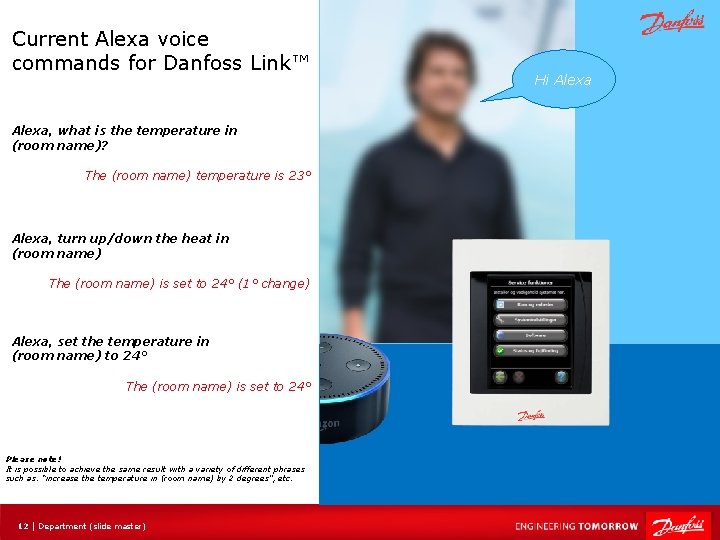
Current Alexa voice commands for Danfoss Link™ Alexa, what is the temperature in (room name)? The (room name) temperature is 23° Alexa, turn up/down the heat in (room name) The (room name) is set to 24° (1° change) Alexa, set the temperature in (room name) to 24° The (room name) is set to 24° Please note! It is possible to achieve the same result with a variety of different phrases such as: “increase the temperature in (room name) by 2 degrees”, etc. 12 | Department (slide master) Hi Alexa
Frequently Asked Questions (FAQ) 13 | Department (slide master)
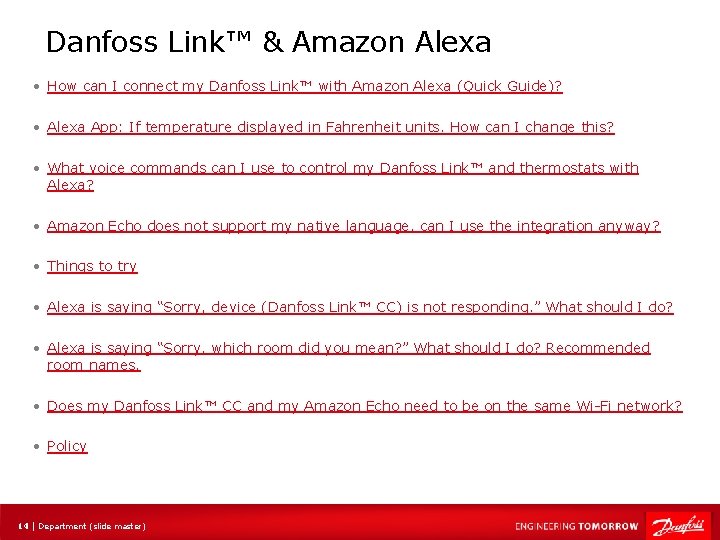
Danfoss Link™ & Amazon Alexa • How can I connect my Danfoss Link™ with Amazon Alexa (Quick Guide)? • Alexa App: If temperature displayed in Fahrenheit units. How can I change this? • What voice commands can I use to control my Danfoss Link™ and thermostats with Alexa? • Amazon Echo does not support my native language, can I use the integration anyway? • Things to try • Alexa is saying “Sorry, device (Danfoss Link™ CC) is not responding. ” What should I do? • Alexa is saying “Sorry, which room did you mean? ” What should I do? Recommended room names. • Does my Danfoss Link™ CC and my Amazon Echo need to be on the same Wi-Fi network? • Policy 14 | Department (slide master)
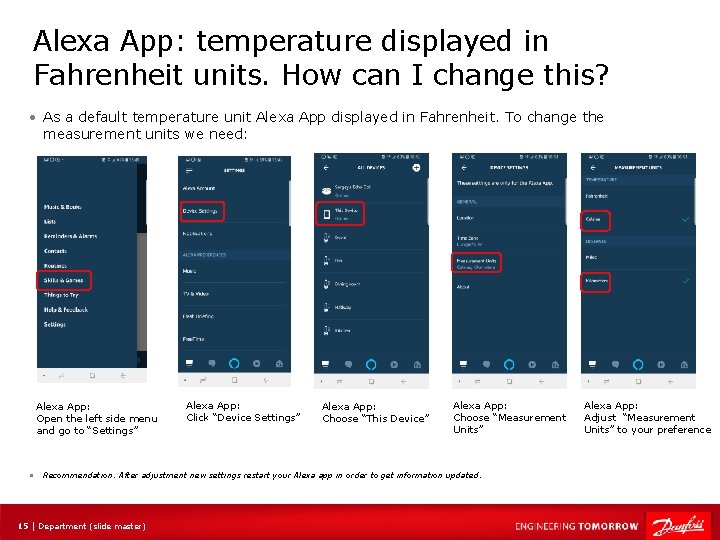
Alexa App: temperature displayed in Fahrenheit units. How can I change this? • As a default temperature unit Alexa App displayed in Fahrenheit. To change the measurement units we need: Alexa App: Open the left side menu and go to “Settings” • Alexa App: Click “Device Settings” Alexa App: Choose “This Device” Alexa App: Choose “Measurement Units” Recommendation: After adjustment new settings restart your Alexa app in order to get information updated. 15 | Department (slide master) Alexa App: Adjust “Measurement Units” to your preference
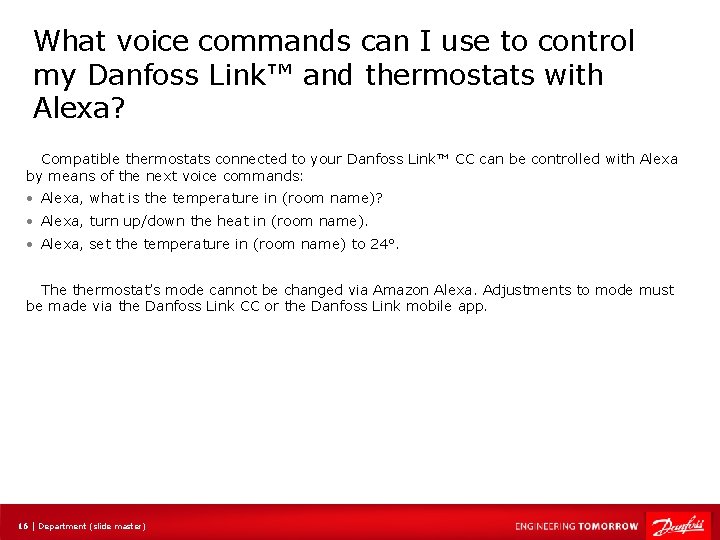
What voice commands can I use to control my Danfoss Link™ and thermostats with Alexa? Compatible thermostats connected to your Danfoss Link™ CC can be controlled with Alexa by means of the next voice commands: • Alexa, what is the temperature in (room name)? • Alexa, turn up/down the heat in (room name). • Alexa, set the temperature in (room name) to 24°. The thermostat’s mode cannot be changed via Amazon Alexa. Adjustments to mode must be made via the Danfoss Link CC or the Danfoss Link mobile app. 16 | Department (slide master)
Amazon Echo does not support my native language, can I use the integration anyway? • Amazon Echo is currently not launched in all markets, which means that Danfoss cannot guarantee functional integration with Amazon Echo. For now Danfoss Link CC supports Amazon Echo in following markets: Germany, England France. • Supported languages: English (AU), English (GB), English (US), French (FR), German (DE) 17 | Department (slide master)
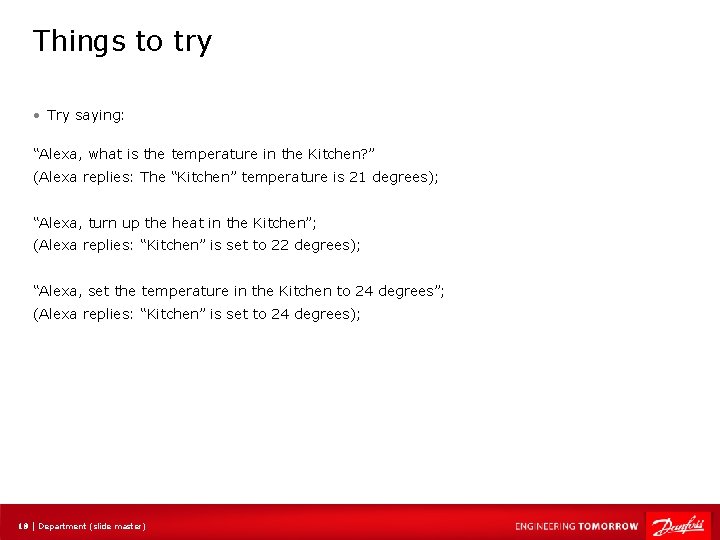
Things to try • Try saying: “Alexa, what is the temperature in the Kitchen? ” (Alexa replies: The “Kitchen” temperature is 21 degrees); “Alexa, turn up the heat in the Kitchen”; (Alexa replies: “Kitchen” is set to 22 degrees); “Alexa, set the temperature in the Kitchen to 24 degrees”; (Alexa replies: “Kitchen” is set to 24 degrees); 18 | Department (slide master)
Does my Danfoss Link™ CC and my Amazon Echo need to be on the same Wi-Fi network? • No. They do both need to be connected to Wi-Fi networks, but they can be on separate Wi -Fi networks. 19 | Department (slide master)
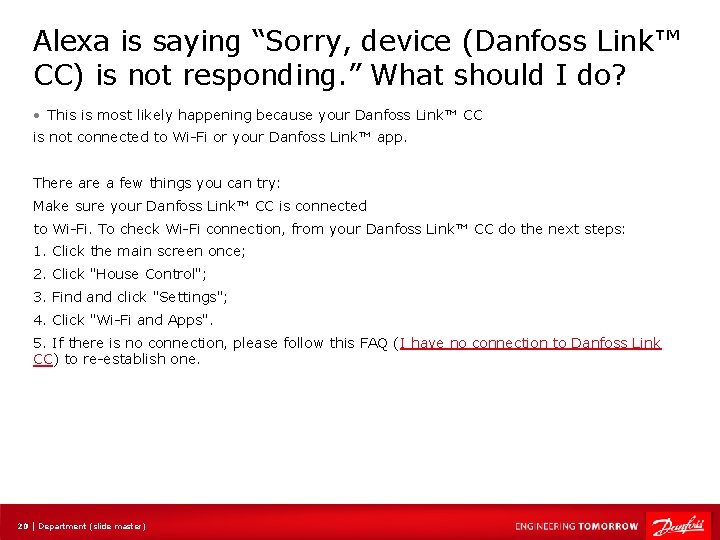
Alexa is saying “Sorry, device (Danfoss Link™ CC) is not responding. ” What should I do? • This is most likely happening because your Danfoss Link™ CC is not connected to Wi-Fi or your Danfoss Link™ app. There a few things you can try: Make sure your Danfoss Link™ CC is connected to Wi-Fi. To check Wi-Fi connection, from your Danfoss Link™ CC do the next steps: 1. Click the main screen once; 2. Click "House Control"; 3. Find and click "Settings"; 4. Click "Wi-Fi and Apps". 5. If there is no connection, please follow this FAQ (I have no connection to Danfoss Link CC) to re-establish one. 20 | Department (slide master)
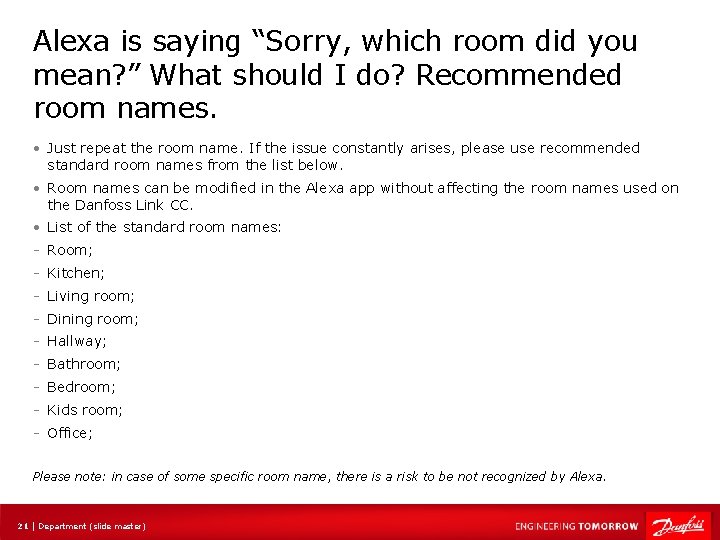
Alexa is saying “Sorry, which room did you mean? ” What should I do? Recommended room names. • Just repeat the room name. If the issue constantly arises, please use recommended standard room names from the list below. • Room names can be modified in the Alexa app without affecting the room names used on the Danfoss Link CC. • List of the standard room names: - Room; - Kitchen; - Living room; - Dining room; - Hallway; - Bathroom; - Bedroom; - Kids room; - Office; Please note: in case of some specific room name, there is a risk to be not recognized by Alexa. 21 | Department (slide master)
Policy • Danfoss Link™ CC is Alexa Enabled Product, meaning that are capable of being voicecontrolled using the Alexa Voice Service (AVS) provided by Amazon Digital Services LLC (“Amazon”). Use of AVS and third party services via AVS are governed by the Alexa Terms of Use (as provided on the Amazon. com website). Any information you provide to Amazon will be treated in accordance with the Amazon Privacy Notice (also available on the Amazon. com website), not the Danfoss Privacy Policy. Danfoss does not have direct access to, or retain any copies of, your recorded voice messages to AVS. When your Alexa-enabled, Danfoss Link™ CC is not listening for wake words, and no recorded messages are sent to Amazon. • Danfoss Link App - End User License Agreement and Disclaimer 22 | Department (slide master)
Questions and answers (meeting participants) 23 | Department (slide master)
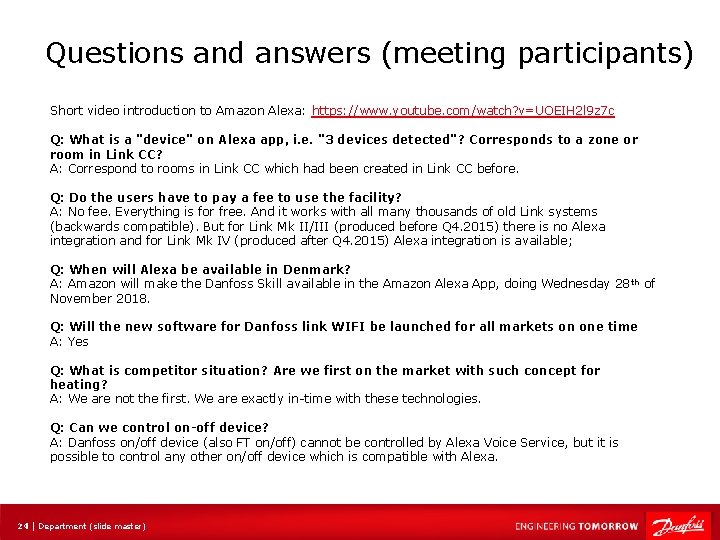
Questions and answers (meeting participants) Short video introduction to Amazon Alexa: https: //www. youtube. com/watch? v=UOEIH 2 l 9 z 7 c Q: What is a "device" on Alexa app, i. e. "3 devices detected"? Corresponds to a zone or room in Link CC? A: Correspond to rooms in Link CC which had been created in Link CC before. Q: Do the users have to pay a fee to use the facility? A: No fee. Everything is for free. And it works with all many thousands of old Link systems (backwards compatible). But for Link Mk II/III (produced before Q 4. 2015) there is no Alexa integration and for Link Mk IV (produced after Q 4. 2015) Alexa integration is available; Q: When will Alexa be available in Denmark? A: Amazon will make the Danfoss Skill available in the Amazon Alexa App, doing Wednesday 28 th of November 2018. Q: Will the new software for Danfoss link WIFI be launched for all markets on one time A: Yes Q: What is competitor situation? Are we first on the market with such concept for heating? A: We are not the first. We are exactly in-time with these technologies. Q: Can we control on-off device? A: Danfoss on/off device (also FT on/off) cannot be controlled by Alexa Voice Service, but it is possible to control any other on/off device which is compatible with Alexa. 24 | Department (slide master)
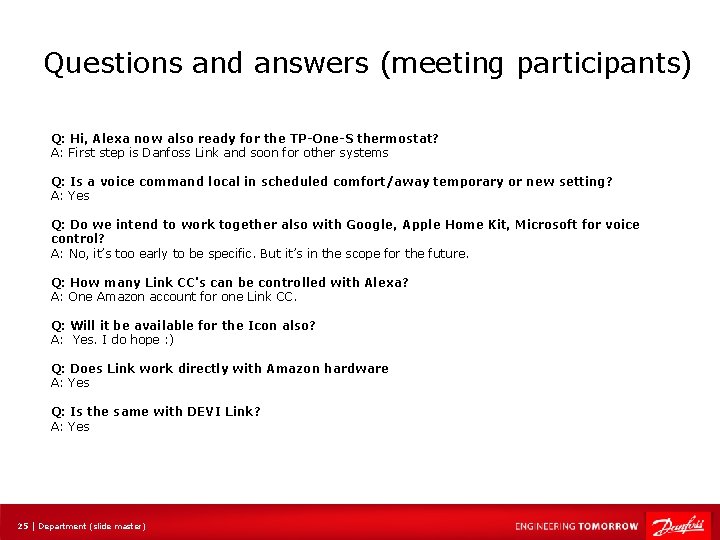
Questions and answers (meeting participants) Q: Hi, Alexa now also ready for the TP-One-S thermostat? A: First step is Danfoss Link and soon for other systems Q: Is a voice command local in scheduled comfort/away temporary or new setting? A: Yes Q: Do we intend to work together also with Google, Apple Home Kit, Microsoft for voice control? A: No, it’s too early to be specific. But it’s in the scope for the future. Q: How many Link CC's can be controlled with Alexa? A: One Amazon account for one Link CC. Q: Will it be available for the Icon also? A: Yes. I do hope : ) Q: Does Link work directly with Amazon hardware A: Yes Q: Is the same with DEVI Link? A: Yes 25 | Department (slide master)
26 | Department (slide master)