
Dana Tomlin and Joseph Berry 1970s A method
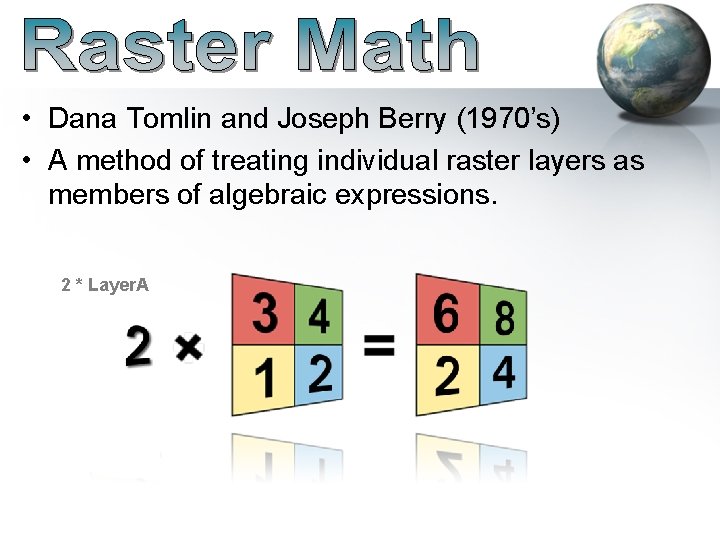
• Dana Tomlin and Joseph Berry (1970’s) • A method of treating individual raster layers as members of algebraic expressions. 2 * Layer. A
![Map Algebra Examples: Fire Hazard: [Fuel Density Hazard] + [Slope Hazard] + [Veg Type](http://slidetodoc.com/presentation_image_h2/b74f21082cd7849205ca80bbfc68124c/image-2.jpg "Map Algebra Examples: Fire Hazard: [Fuel Density Hazard] + [Slope Hazard] + [Veg Type")
Map Algebra Examples: Fire Hazard: [Fuel Density Hazard] + [Slope Hazard] + [Veg Type Hazard] Probability of encountering the cascade treefrog (Litoria pearsoniana) within the forests of eastern Australia: 1 / (1 + exp(10. 48 – 2. 204 * log 10(RAINFALL) – 2. 037 * PALMS)) RAINFALL= the annual volume of rain falling in the watershed above the stream PALMS = 1 if palms are present at the site and 0 otherwise.
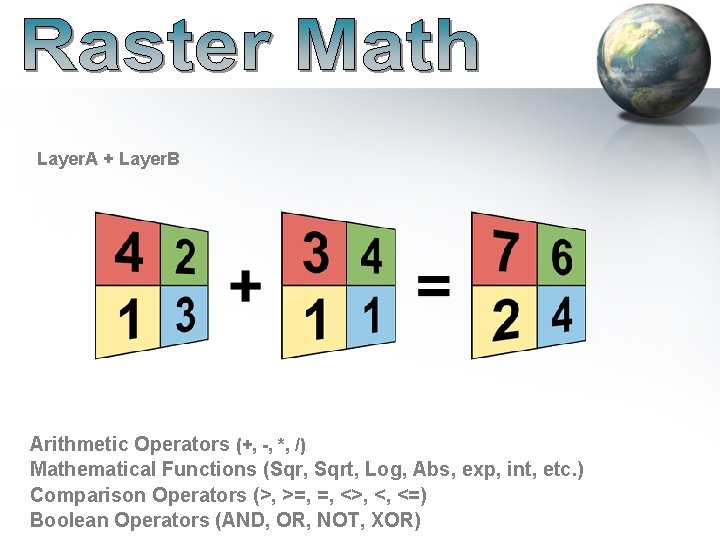
Layer. A + Layer. B Arithmetic Operators (+, -, *, /) Mathematical Functions (Sqr, Sqrt, Log, Abs, exp, int, etc. ) Comparison Operators (>, >=, =, <>, <, <=) Boolean Operators (AND, OR, NOT, XOR)
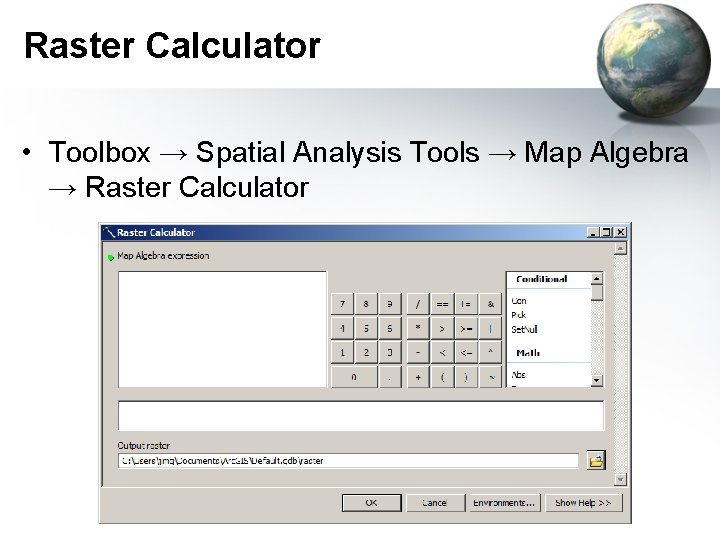
Raster Calculator • Toolbox → Spatial Analysis Tools → Map Algebra → Raster Calculator
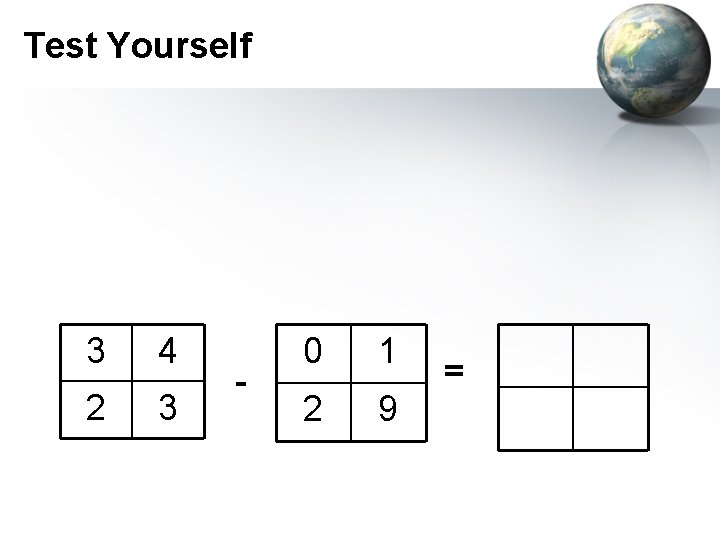
Test Yourself 3 4 2 3 - 0 1 2 9 =
Analysis Environment • Spatial Reference (Coordinate System) – Make them the same • Extent – Area of interest – All rasters should overlap • Cell Size – Largest of all rasters or larger

Raster Math • Raster Math ≠ Vector or Linear Algebra 1 + 1 2 2 3 + 12 12 = 9 13 10 = 13 13 11 15 13
Common Functions • Local: – Arithmatic: +, -, /, *, • MOD (Modulo): returns the remainder – Boolean: • OR: If either input is true, output is true • AND: If both inputs are true, output is true – CON (Conditional)
Mathematical Functions • Abs (absolute): flips negatives to positive • Ceil (ceiling): float to integer next highest integer value (i. e. 1. 1 -> 2) • Floor: float to integer giving next lowest integer value (i. e. 1. 1 -> 1) • Int (integer): truncates float to integer
Comparisons • • • <> (Not Equals) == (Equals) < (Less than) <= (Less than or equal to) > (Greater than) >= (Greater than or equal to)
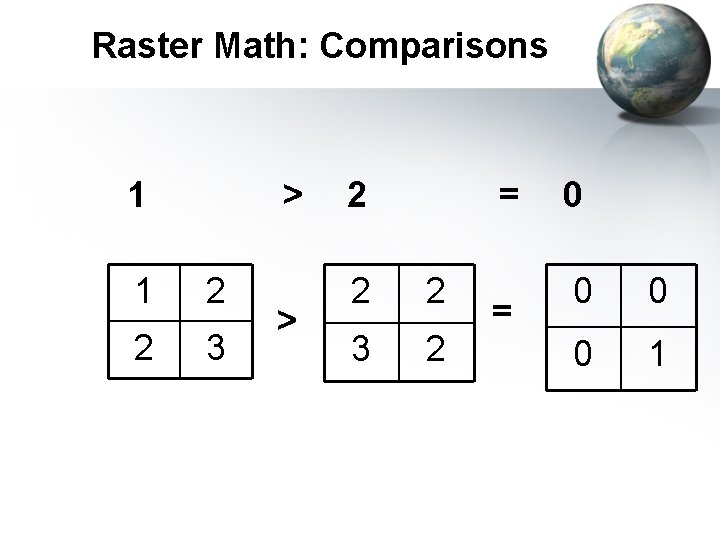
Raster Math: Comparisons 1 > 1 2 2 3 > 2 = 2 2 3 2 = 0 0 1

Raster Math: Boolean AND 0 AND 1 0 0 1 1 AND = 0 1 “AND” works but the calculator will insert “&” = 0 0 1
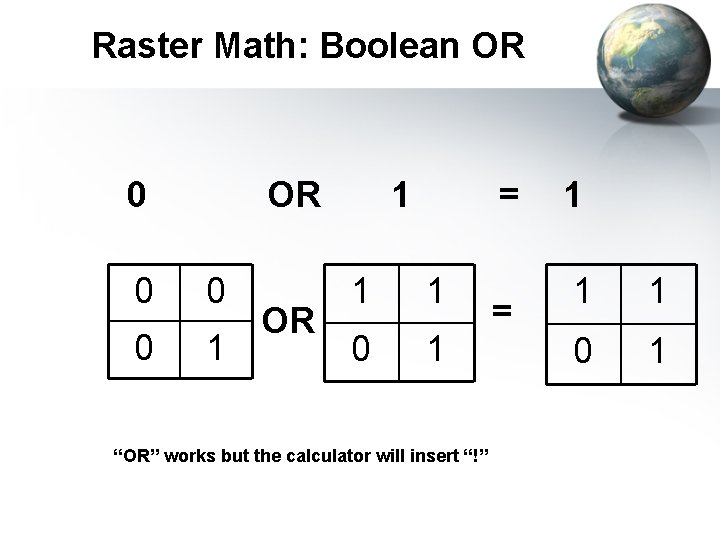
Raster Math: Boolean OR 0 0 0 1 OR 1 = 1 1 0 1 “OR” works but the calculator will insert “!” = 1 1 1 0 1
- Slides: 13