
Cyber Security Mobile Devices What is a Mobile
Cyber Security Mobile Devices
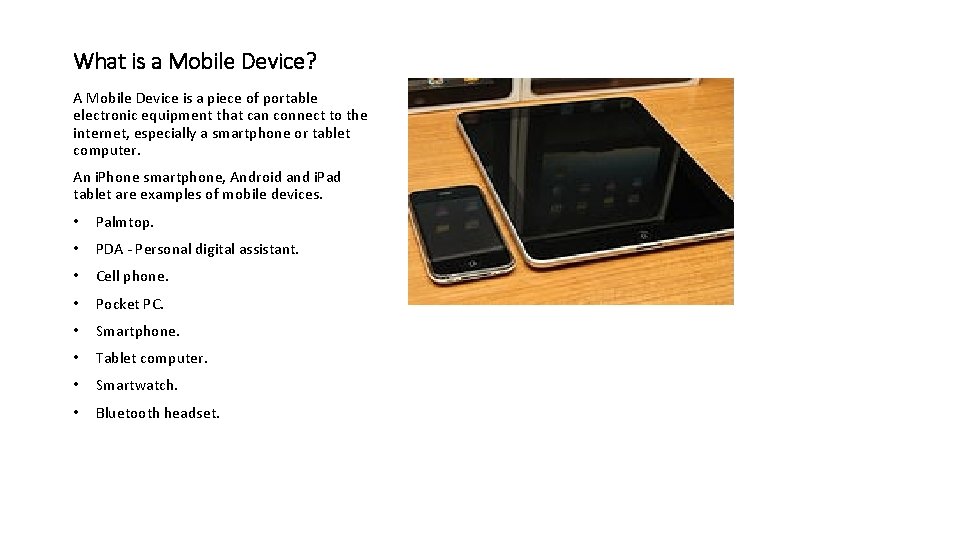
What is a Mobile Device? A Mobile Device is a piece of portable electronic equipment that can connect to the internet, especially a smartphone or tablet computer. An i. Phone smartphone, Android and i. Pad tablet are examples of mobile devices. • Palmtop. • PDA - Personal digital assistant. • Cell phone. • Pocket PC. • Smartphone. • Tablet computer. • Smartwatch. • Bluetooth headset.
Mobile phones contain a great deal of personal information about you. Many apps on your phone provide access to your bank accounts or other accounts that contain sensitive information. These apps may also store credit card information that can allow criminals to buy whatever they want and ship it wherever they want. Your phone probably contains direct access to your e-mail, text messages and social media accounts that can be used to steal your identity and to trick your friends into providing their sensitive information as well. Things like this can happen when an attacker physically gets ahold of your mobile device. There a growing number of exploits that take advantage of your phone’s Bluetooth, Wi-Fi and cellular connections to gain virtual access to your phone. Phones can be infected with malware just like a computer can.
Spyware and Drive-By Downloads Not all malware is as obvious as ransomware. Some malware is designed to go unnoticed, and these viruses are known as spyware. Spyware can be installed on your device without your knowledge by hackers. It can also be accidentally installed while browsing the internet or clicking on a link in a Mobile Ad. This is known as a "drive-by download. " You think you're simply visiting a website, but the site clandestinely installs spyware on your device. This can happen with installing apps and games on your mobile device. Once it's on your device, spyware can track your device use and extract personal data like locations and passwords. Whatever the spyware collects is sent back to the cybercriminal who created it.
Car Renters Beware: Bluetooth use can reveal your private data Connecting your phone to Rental Car Bluetooth could put you at risk for identity theft Major rental-car companies have no policies to delete sensitive information collected during the trip once you return the car, according to a report from Privacy International supported by Consumer Watchdog and other groups. "Your name and navigation history is valuable personal information, " the report says. "Combine this information with a bit of open source intelligence, such as social media profiles, and you can track down individuals. " Lots of information can be saved when you connect your phone to a car: • GPS history. • Device name. • Address book. • In-car internet search history. • Music-streaming login, such as Spotify or Pandora. • Call log and text messages if you use hands-free calling. • Wi. Fi identifiers.

What should you do to make sure your mobile device is secure? The following is a list of recommended tips: • Do not use public charging stations. • Avoid Unsubscribing to emails and text messages that you never signed up for in the first place. Ignore them or add a filter to Auto delete them. • Consider Security Software for Your Device • Create Better Passwords • Enabling fingerprint login to access your device • Keep Software Updated • Beware of unfamiliar apps • Turn off unnecessary features. Turn off Wi. Fi or Blue Tooth when not needed • Check your data usage • Be aware of rogue Wi. Fi connections, especially ones with names close to where you are. Examples of this are Hayatt Wi. Fi (which is misspelled but close to the name of the real hotel you are staying in). • Lost devices – tracking using Life 360 or Find. My. Iphone • When in doubt, always choose security over convenience • Set device to wipe contents after specified number of failed login attempts
References https: //media. defense. gov/2020/Jul/28/2002465830/-1/-1/0/MOBILE_DEVICE_BEST_PRACTICES_FINAL_V 3%20 -%20 COPY. PDF https: //www. nsa. gov/Portals/70/documents/what-we-do/cybersecurity/professional-resources/csi-best-practices-for-keeping-home-network-secure. pdf https: //www. cdillc. com/10 -security-best-practices-mobile-device-owners/ Car Rentals: https: //www. usatoday. com/story/money/cars/2018/01/30/car-renters-beware-bluetooth-use-can-reveal-your-private-data/1080225001/
- Slides: 7